
Hello! This is Jooyoung Kim, a mixing engineer and music producer.
Today, I will finally talk about the functionalities.
Shall we begin?
In the days when all recording processes were done analog, mixing was performed using analog mixers and tape.
Here is a video I found related to this topic. If you are interested in analog recording, you might find it interesting to watch.
The transition from analog to digital began with the release of Digidesign’s (now AVID) Sound Tools.
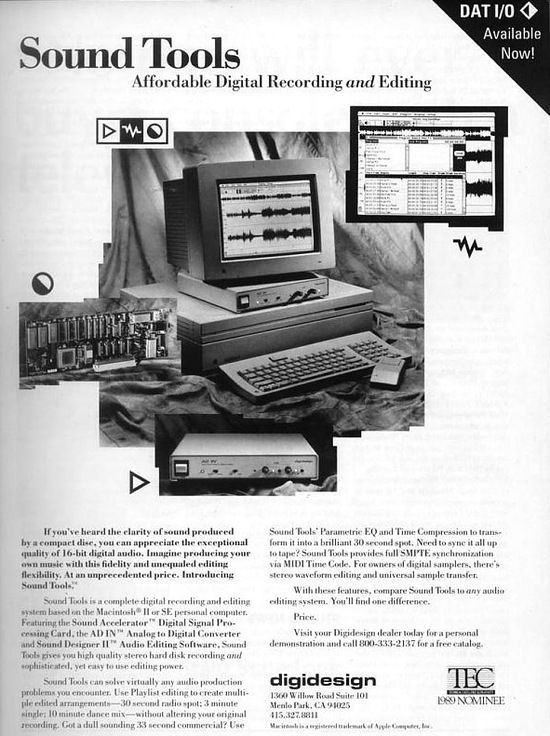
Sound Tools included a DAW program called Sound Designer, various chipsets, and devices that acted as audio interfaces, all designed exclusively for Mac.
Later, this program evolved into Pro Tools, a representative DAW.
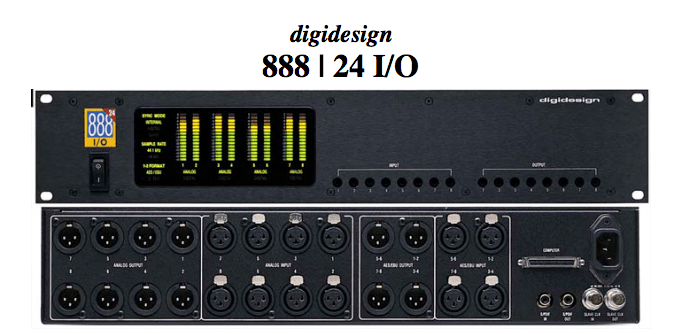
Such systems, integrated with DAWs, show why Pro Tools has become the industry standard and why Macs are commonly used in studios today.
As we moved from analog to digital, DAWs developed by incorporating analog functionalities into computers. Therefore, understanding the functions of an analog mixer can make it easier to approach mixing with a DAW.
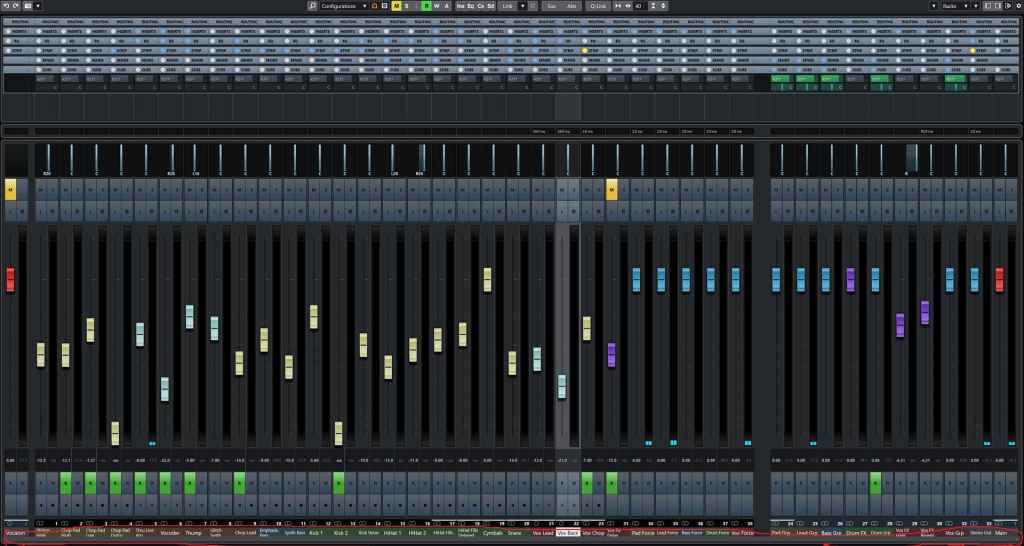

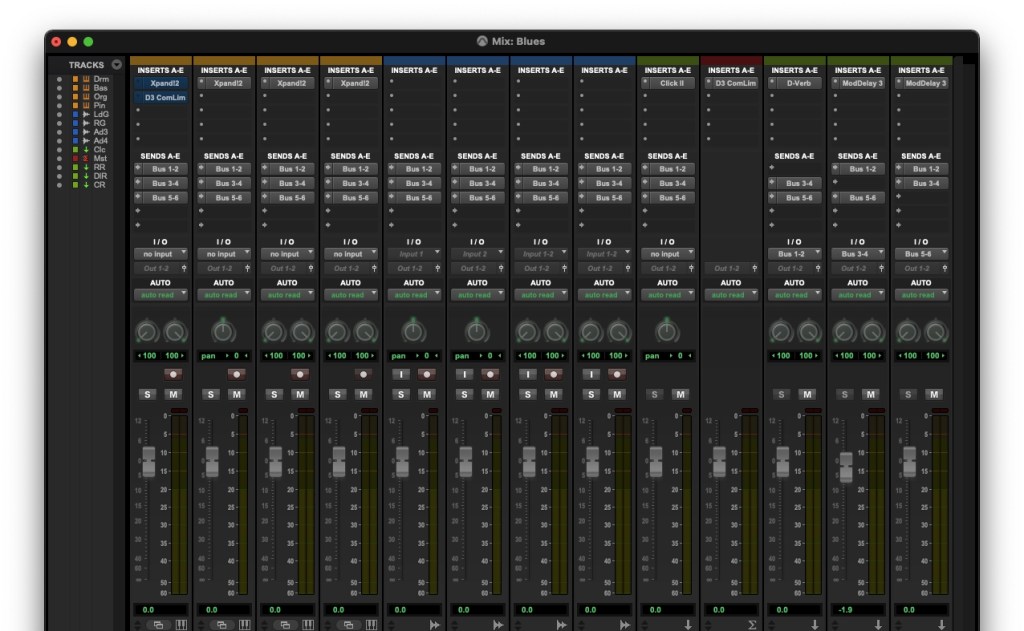
The interface of the mixer window is also designed similarly to an analog mixer. Let’s take a closer look at a mixer.
- Analog Mixer and Signal Flow

I wanted to bring a larger one, but it was difficult to see clearly.
Let’s start from the left.
Each channel has a series of stages: Pre section with mic preamp and input gain, Insert section with compressor and EQ, Send/Return section for external effects, and Post section with panning and output gain.
This configuration of a single channel is called a channel strip, and a mixer consists of multiple channel strips. The DAW mixer window is organized in a similar sequence.
The signal usually flows from top to bottom, and this path is called the ‘signal flow.’ Each DAW has a different signal flow, so you need to learn the signal flow of your specific DAW.
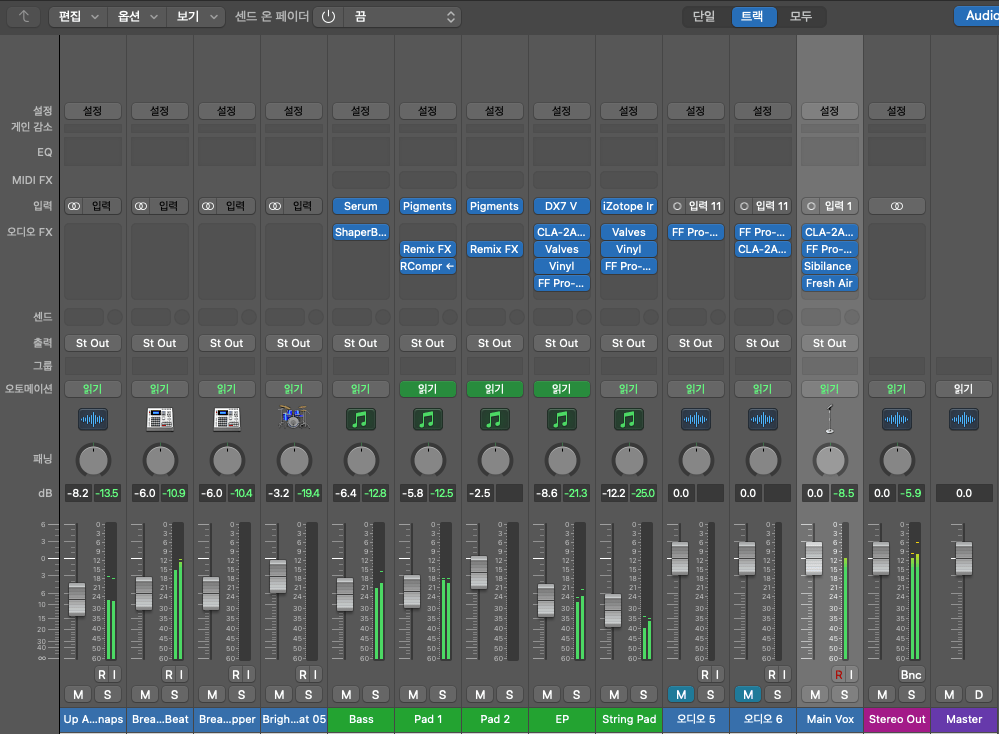
I usually prefer Cubase for mixing, but the current project is in Logic, so I brought the Logic mixer window. Here, you can see that each channel strip is quite similar to an analog mixer.
Let’s check the Send section in the DAW mixer window and then return to the analog mixer.
- Send Section
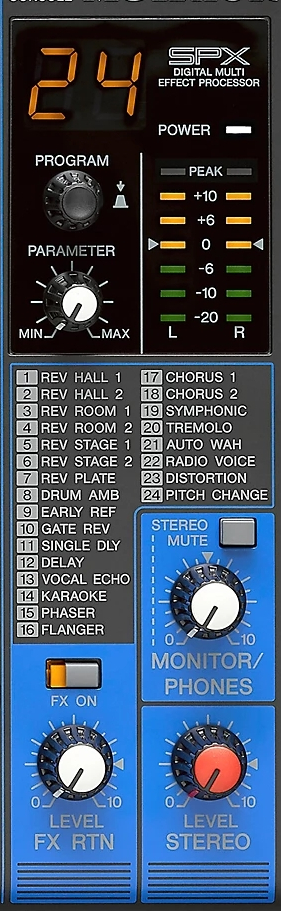
The analog mixer I brought doesn’t specifically say Send but is labeled FX. This Send function allows you to send the signal from each channel strip to a separate Send channel to apply effects independently.
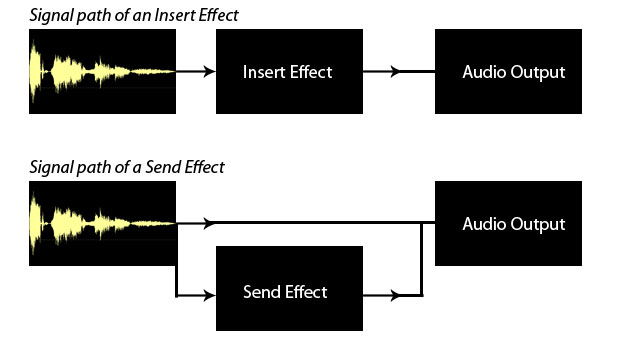
Some might wonder why not just apply effects in the Insert section.
In the past, studio reverb and delay units were large and expensive. Applying such effects to each channel individually was nearly impossible. Additionally, sending the sound separately through the Send section provided the advantage of processing it independently.
This feature remains in modern DAWs.
In mixing, the Send section is primarily used for applying delay, reverb, and sometimes modulation effects like phaser or chorus, as well as saturation effects like distortion.
Next, we need to look at the group/send section and bus.
- Group and Aux Channels, and Bus
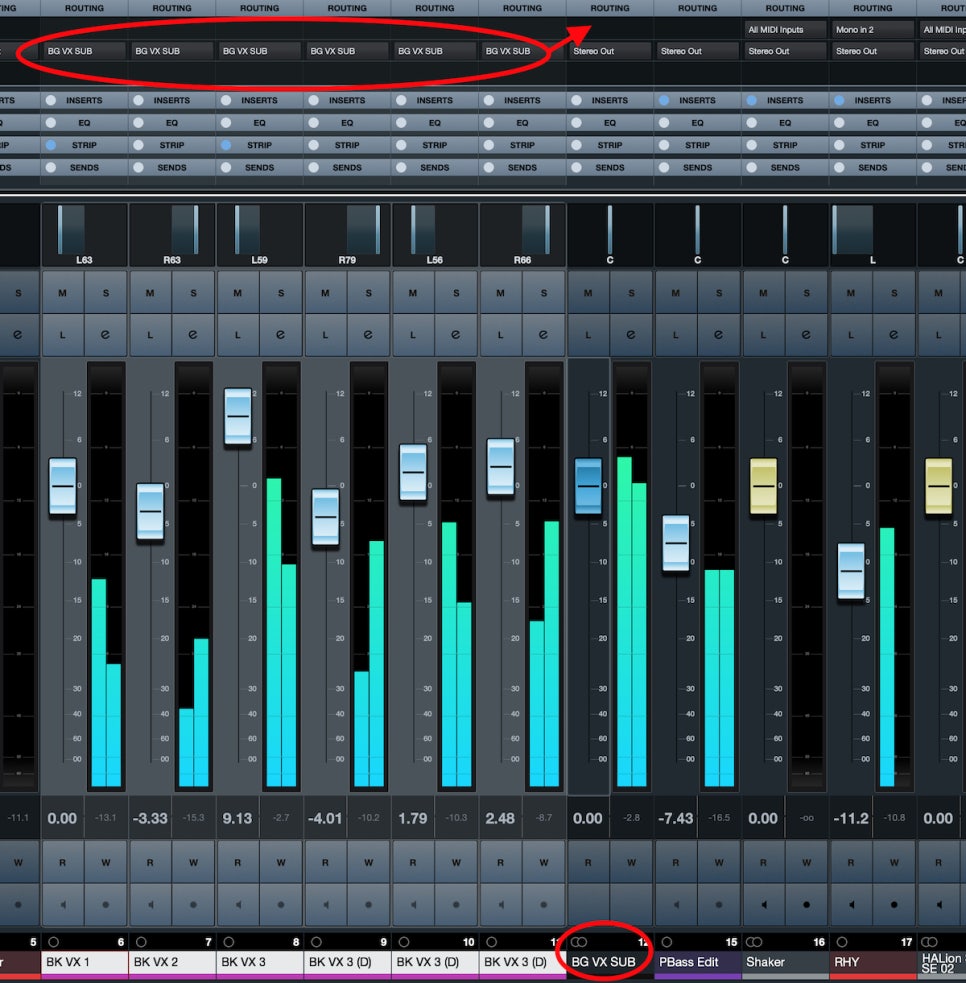
Group/Aux channels are mostly seen in large analog mixers. They are used to bundle similar instrument groups for collective control.
In Cubase, the concept of a bus isn’t used, making it more intuitive. However, in Logic and Pro Tools, the bus concept can be a bit confusing.

A bus is a signal path that combines audio signals from multiple tracks. This explanation might sound complex, but think of it as an additional step before the Aux track.
In Logic and Pro Tools, the bus function is used to create groups or apply effects like reverb or delay through Send.
- Master Channel
All tracks ultimately converge at the master channel, which is usually the Stereo Out channel in standard mixing.
It is crucial to ensure that the digital peak does not exceed 0dB in the master channel.
Although the 32-bit float format prevents audio quality destruction even if peaking occurs, it’s good practice to manage digital peaks for industry standard compliance and effective communication.
This should provide a basic understanding of the tracks and their functionalities.
See you in the next post!

 Jooyoung's Music Blog