Hello? This is Jooyoung Kim, a mixing engineer and music producer. Today, I’ll talk about the music file codecs, final article of basics of mixing series. Those posts are based on my book, Basics of Mixing, published in South Korea.
Let’s dive in!
Codec
The term codec stands for coder-decoder—a hardware or software that encodes and decodes digital signals. There are three main types of codecs:
Non-compression: WAV, AIFF, PDM(DSD), PAM
Lossless Compression: FLAC, ALAC, WMAL
Lossy Compression: WMA, MP3, AAC
Non-compression codecs retain 100% of the original audio data with no compression applied.
Lossless compression codecs reduce file size while preserving all original data. This means they sound identical to uncompressed formats like WAV.
Lossy compression codecs remove some audio data to achieve a much smaller file size, which can affect sound quality depending on the compression level.
In the music industry, WAV, MP3, and FLAC are the most commonly used formats for mastering and distribution.
How is file size determined?
For WAV files, size is determined by sample rate and bit depth. How about mp3 and FLAC?
MP3 files use bitrate, rather than sample rate and bit depth. You’ve probably seen MP3 files labeled 256kbps or 320kbps. This means 256,000 bits or 320,000 bits of audio data are processed per second. Higher bitrates result in better sound quality but larger file sizes.
FLAC files use compression level to control file size. A higher compression level takes longer to encode but results in a smaller file. However, since FLAC is lossless, the sound quality remains unchanged regardless of the compression level.
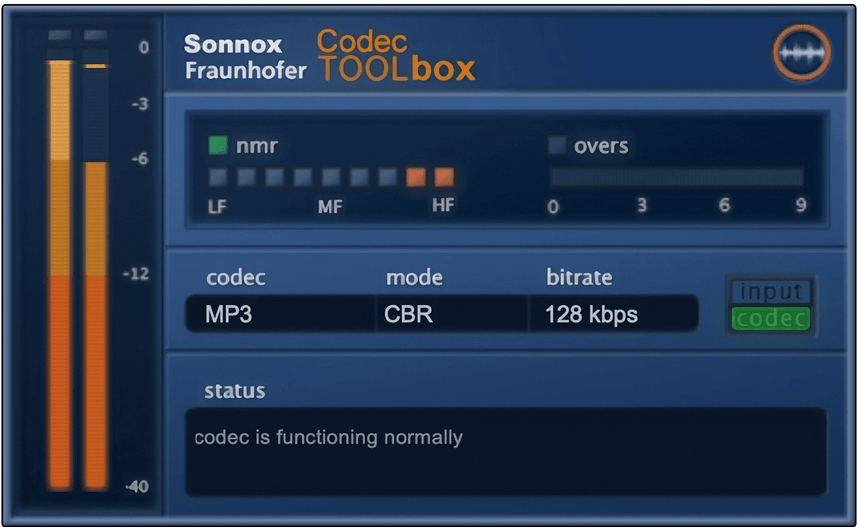
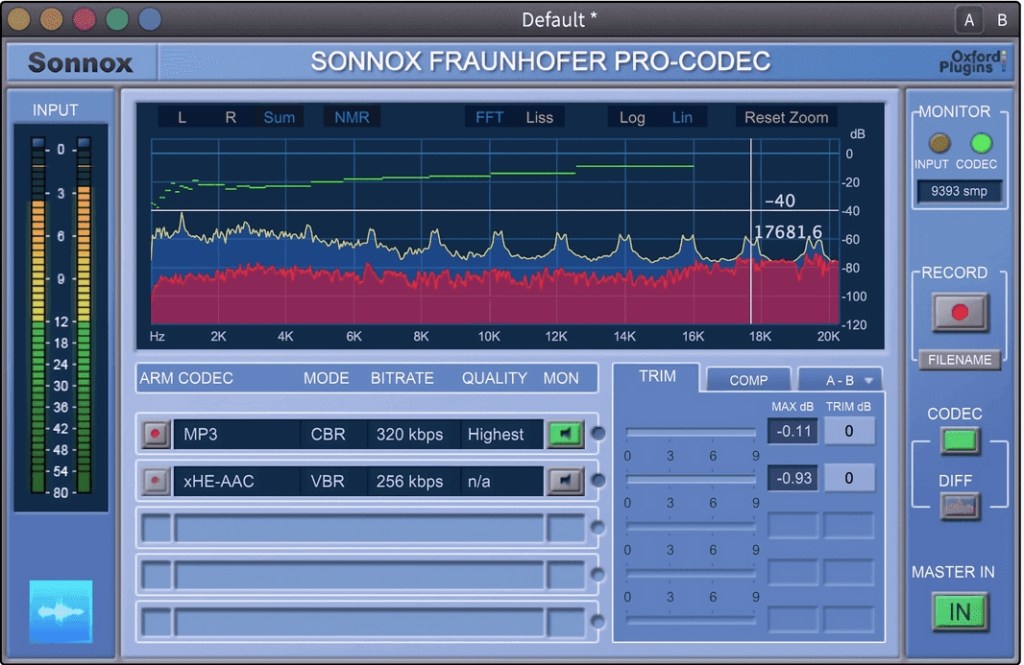
If you want to compare how different codecs affect sound quality, you can use tools like Sonnox Codec Toolbox or Fraunhofer Pro-Codec.
This is the last article for the ‘Basics of Mixing’ series. Time is really quick..haha.
I hope these posts have helped expand your knowledge and improve your mixing skills.
Thanks for reading, and I’ll see you in the next post!
Shadow Hills Mastering Compressor Class A – Compressor
Black Box Analog Design HG-2 – Saturator
Black Box Analog Design HG-2MS – Saturator
Mäag Audio EQ4 – EQ
SPL Transient Designer Plus – Transient Shaper
I originally bought and have been using plugins 1, 3, and 5 myself. For 2, 4, and 6, I requested NFR (Not for Resale) licenses from Brainworx through Plugin Boutique.
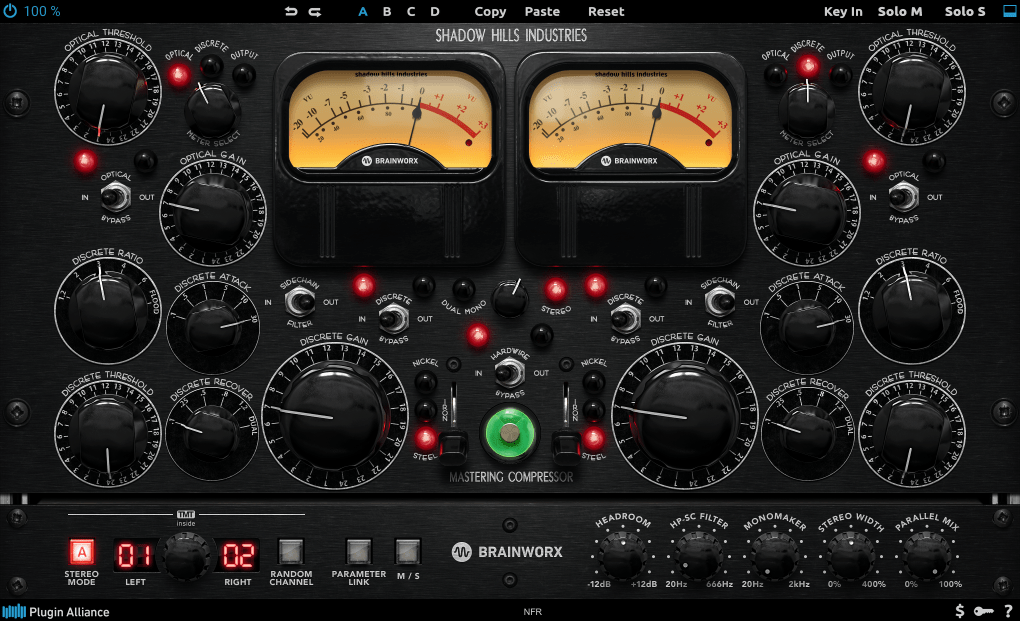
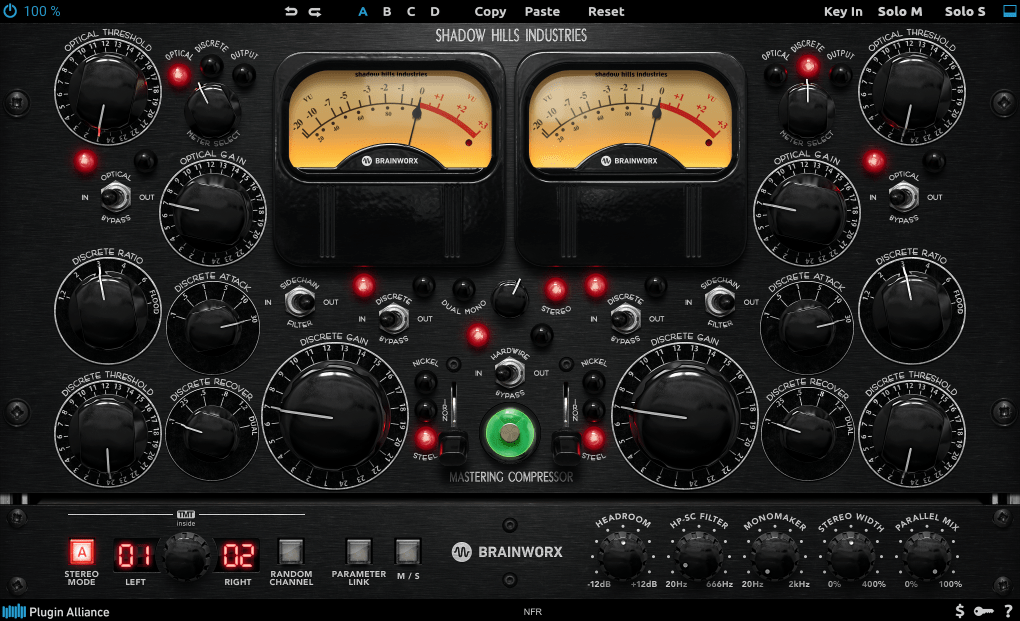
In this post, I’ll focus on introducing the Shadow Hills Mastering Compressor and its Class A version.
If you purchase through the links in this blog, I’ll earn a small commission, which really helps me keep doing what I love—so thank you in advance! ^^
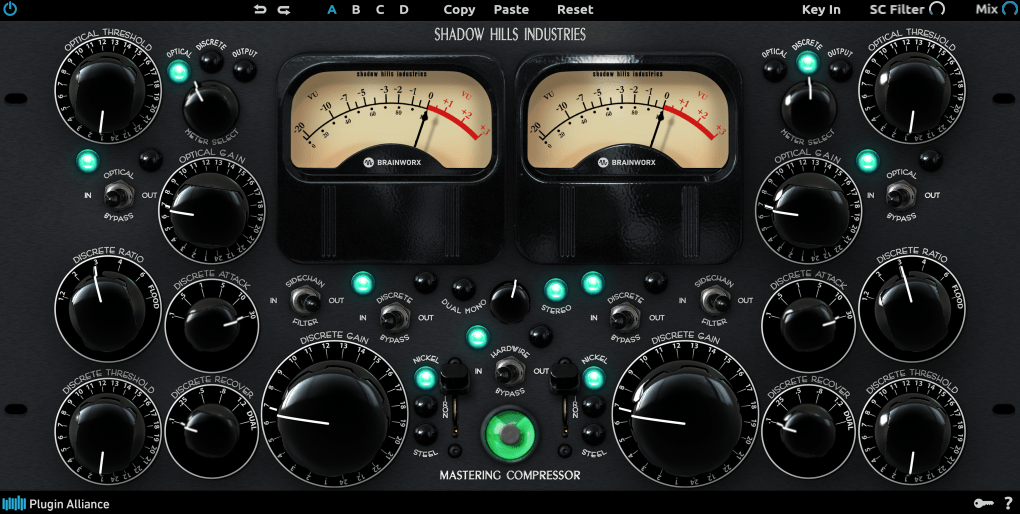
Tame your dynamics with tremendous tone and precise control. Made by Brainworx, this is the supreme tycoon of master bus compression. Meticulously modeled after the instantly legendary hardware original, no details have been spared in crafting this digital version of one of the most musical and versatile compressors ever made.
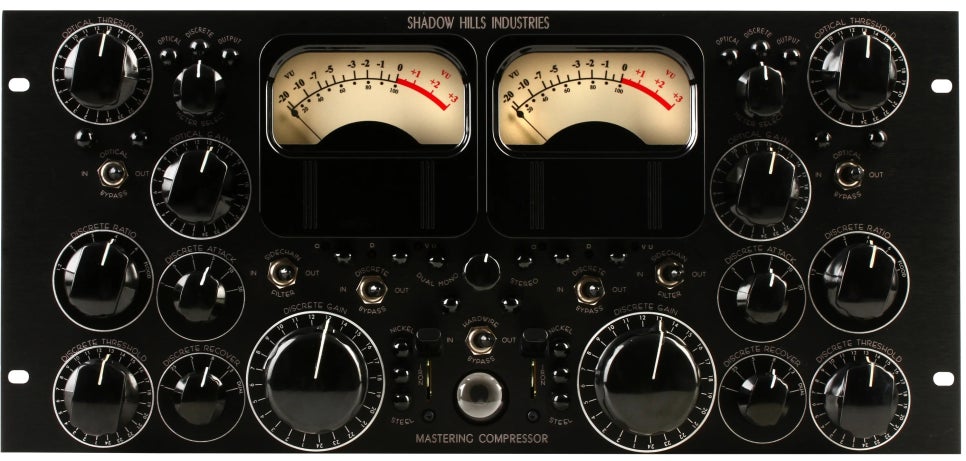
This plugin is a faithful recreation of the famous Shadow Hills Mastering Compressor.
You’ve probably seen this pricey beast in mastering rooms. Back in the day, it cost around $10,000, but I hear it’s closer to $20,000 now—haha! Inside this compressor, you’ve got two flavors: an Opto compressor and a Discrete (VCA) compressor. Plus, it offers three output transformer options—Nickel, Iron, and Steel—for different tonal characters.
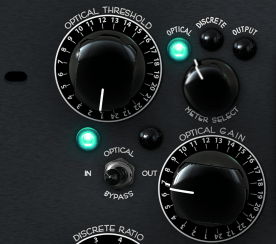
The Opto section uses a T4B cell, like the ones in the LA-2A or LA-3A, aiming to mimic that vibe. You can’t adjust the ratio, and it has a two-stage release (fast at first, slower later), much like the LA-2A.
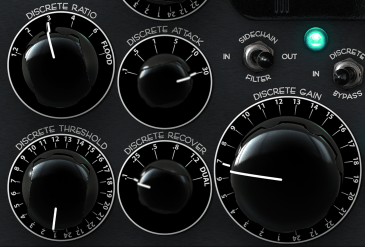
The Discrete section is a VCA compressor with a bunch of tweakable parameters. They’re pretty straightforward once you look at them. For example, in the Ratio settings, “FLOOD” is around 20:1, and in Recovery, “Dual” means it follows a two-stage release like the Opto mode.
The transformer options are described in the manual like this (though I’d recommend checking frequency response and harmonic distortion tests too, with the compressors bypassed and just swapping transformers):
Nickel: The cleanest option with the least distortion. It subtly emphasizes ultra-high frequencies.
Iron: Adds a Class-A amplifier section for even-order harmonic distortion and a super musical low-end boost.
Steel: The most distorted option, delivering an ultra-tight low-end boost. Personally, I’m a fan of Steel—haha!
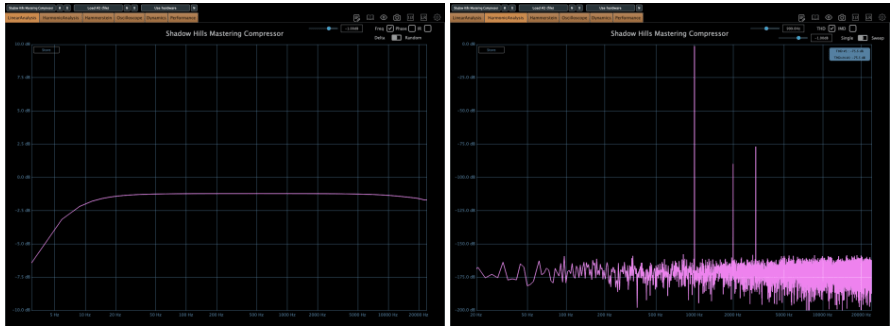
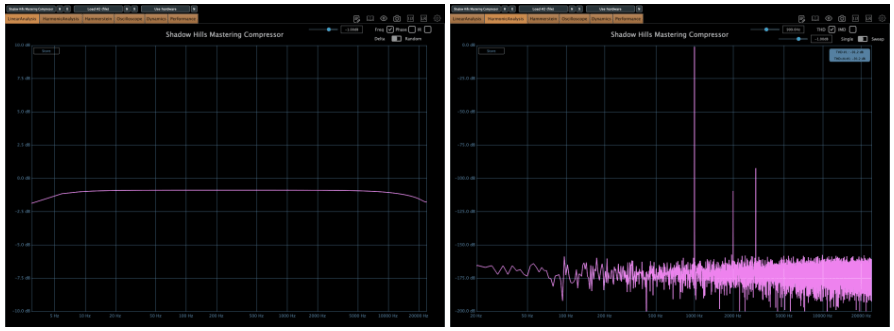
Left side Opto, right side Discrete
The Opto side adds some harmonic distortion, while the Discrete side is cleaner—both in Plugin Doctor measurements and by ear.
When I use this plugin, I tend to turn off the Opto and stick to the Discrete settings. It just feels cleaner that way, which suits my taste—I love crisp, clear sounds. The Class A version (up next) feels the same way to me… haha!
An even smoother-sounding version of the elite mastering compressor. Made by Brainworx, this upgrade to one of the most prestigious hardware compressors of today is enhanced with patented TMT modeling. The Shadow Hills Mastering Compressor Class A Limited Edition is one of the rarest and most powerful high-end compressors out there.
This one’s a plugin recreation of the Class A VK hardware—a limited-edition model from 2012, made in collaboration with Vintage King, with only 50 units ever produced.
Here’s what sets it apart:
The VCA compressor’s amplification stage is entirely Class A.
It uses a Lundahl input transformer, known for its clarity.
The internal wiring is handcrafted with Mogami cables.
It swaps the standard LEDs for red ones (a small but cool difference!).
Testing this out, I realized something: I own the regular Shadow Hills Mastering Compressor but rarely use it. The Class A version, though? The Discrete mode really clicked with me—I’ll definitely be reaching for it more often. The sound is just so clean and polished.
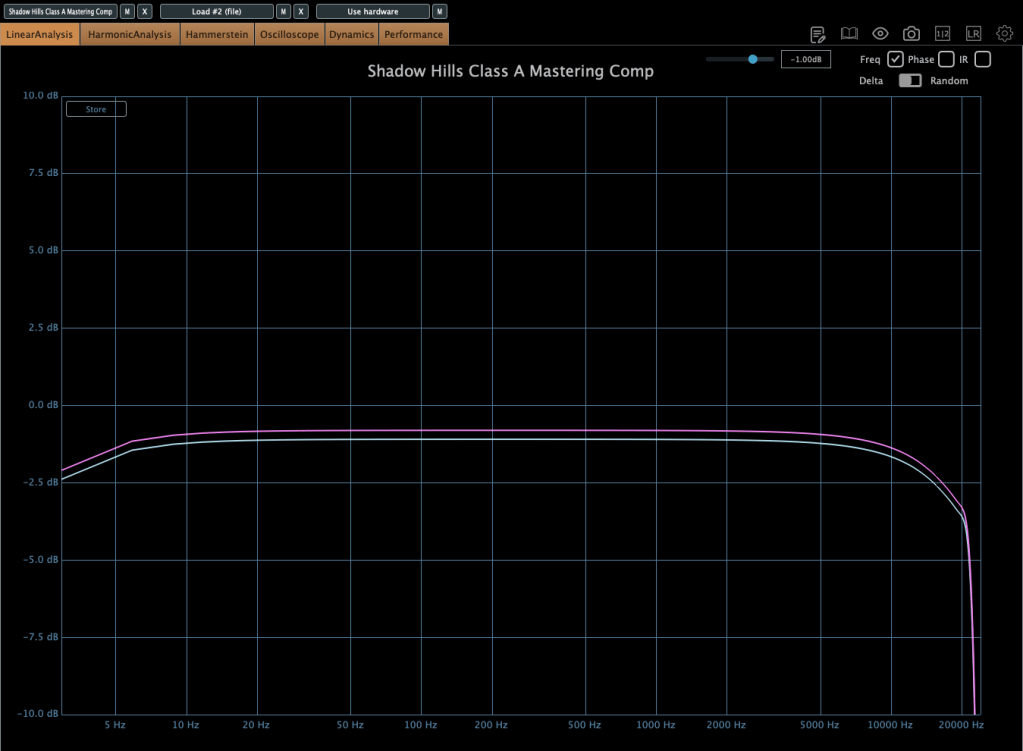
The workflow is the same as the original Shadow Hills Mastering Compressor, but the frequency response differs a bit.
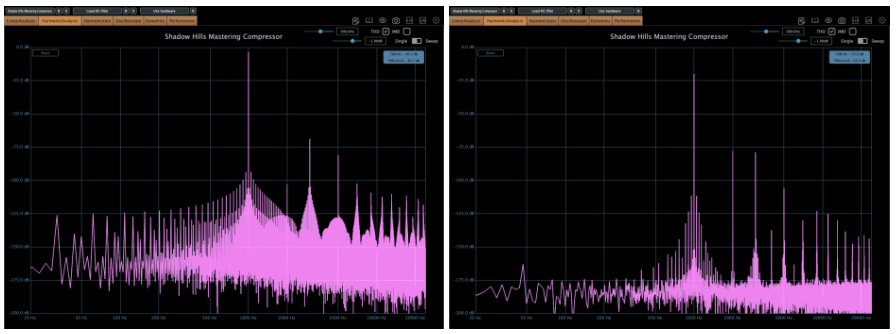
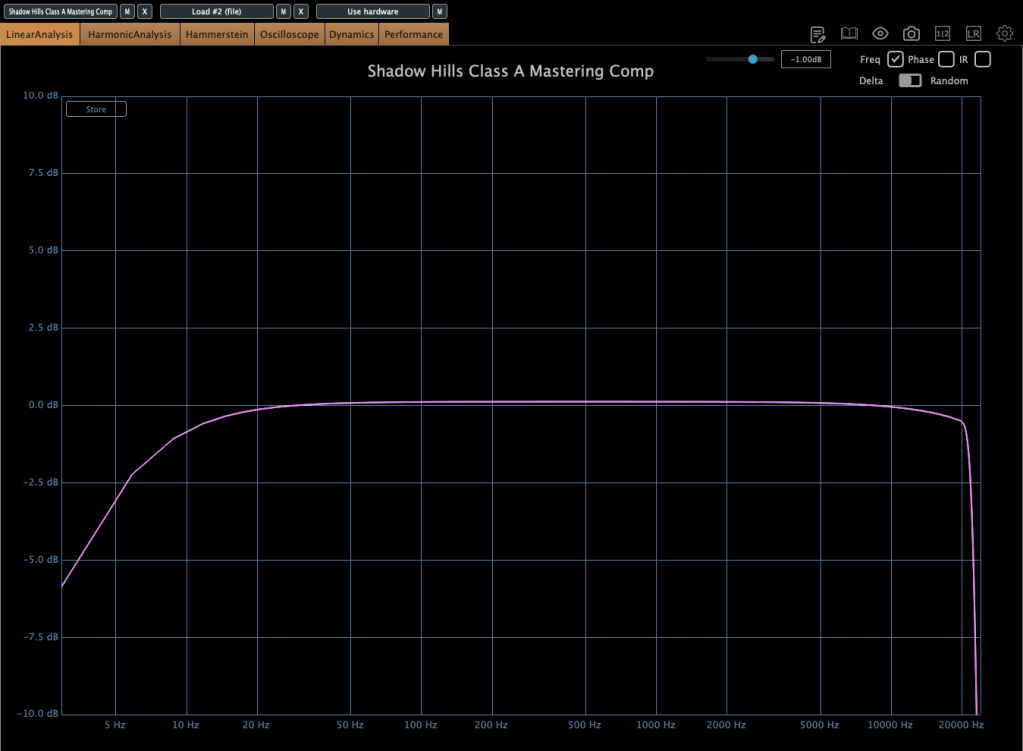
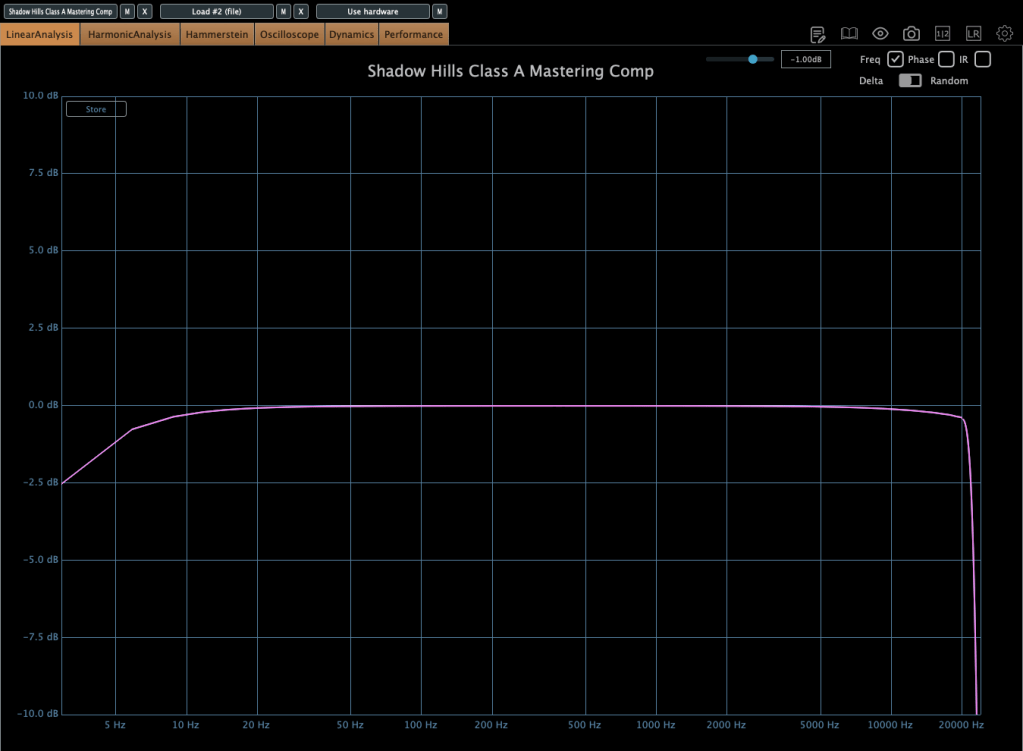
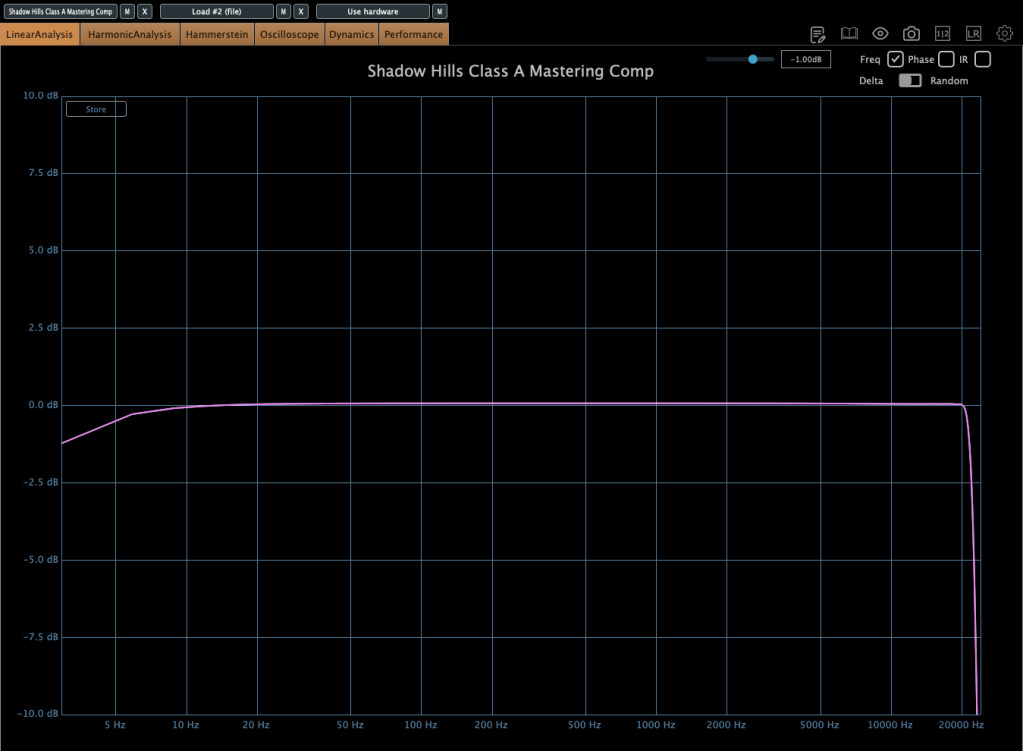
[Photo: Opto, Discrete bypassed, frequency response followed by Nickel, Iron, Steel]
Frequency Response with Opto
When using the Opto mode, the frequency response shows it cuts quite a bit of the high end. I’m a sucker for lively highs and ultra-highs, so it’s not my thing—but I know plenty of people who love that sound!
I wanted to show you the harmonic distortion too, but Plugin Doctor seems to glitch out and not display it properly… haha. Oh, and one more thing: in both the original and Class A versions, the Opto mode is Hard Knee, while Discrete is Soft Knee. Sometimes this shows up weirdly or doesn’t apply correctly—ugh, bugs!
Anyway, the Discrete section on this Class A version is fantastic. I’ve got it set to Steel and Discrete, and I’ll probably use that combo a lot. If you’re choosing between the original and this one, I’d recommend the Class A.
Wrapping Up
When you buy from Plugin Boutique, you get a free plugin with your purchase. This month, it’s either Audiomodern Freezr or Heavyocity MicroFX Refiner—don’t forget to grab one!
That’s it for today. I’ll pick up with the rest of the plugins in my next post—stay tuned! ^^
Hello! This is Jooyoung Kim, mixing engineer and music producer.
Today, I’d like to introduce dither/dithering, the final step in mastering. This article is based on my book, Basics of Mixing, published in South Korea.
Let’s start!
Before we talk about dithering, we must know “quantization error”. Then, what is quantization?
You may have heard the word “quantum” like quantum physics or quantum electrodynamics. Quantum means ‘discreteness’ or ‘lack of continuity’. In microscopic world, particles like electrons, protons, and neutrons have discrete physical properties. So, the word ‘quantum’ often used in particle/nuclear/quantum physics.
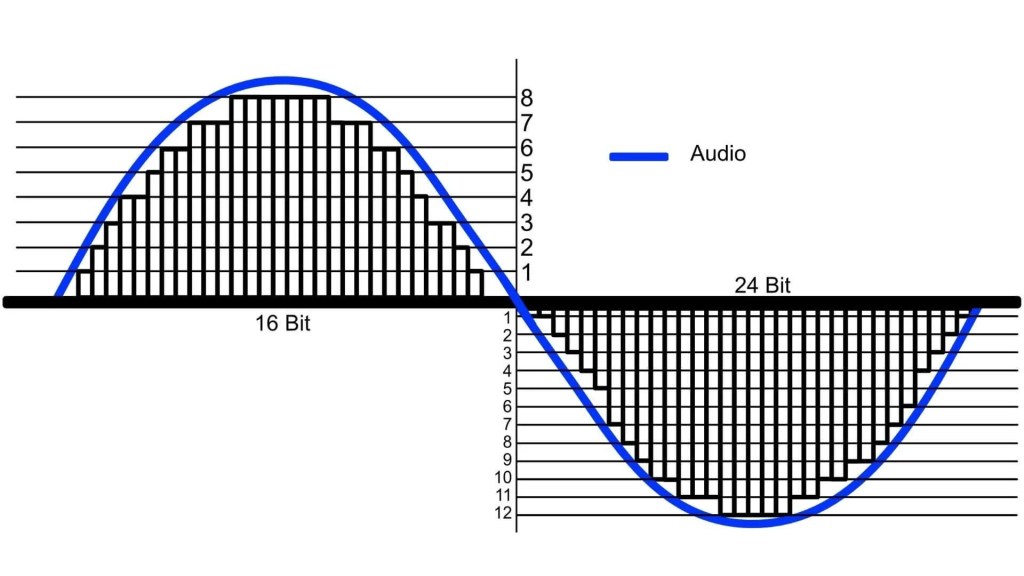
By the way, when we record sounds, they are saved as individual samples by sample rate and bit depth format.
In this process, continuous analog audio signals are converted into discrete digital signals. We can call this is a ‘quantization’ too.
When we play audio, digital signals are converted to analog signals in this kind of staircase format. The differences in magnitude value of original analog signals between converted signals are “quantization error”.
How to solve this problem?
The solution is really simple. Just mix noise with converted signals! The noise may sound slightly annoying, but it makes the audio sound more natural than before.
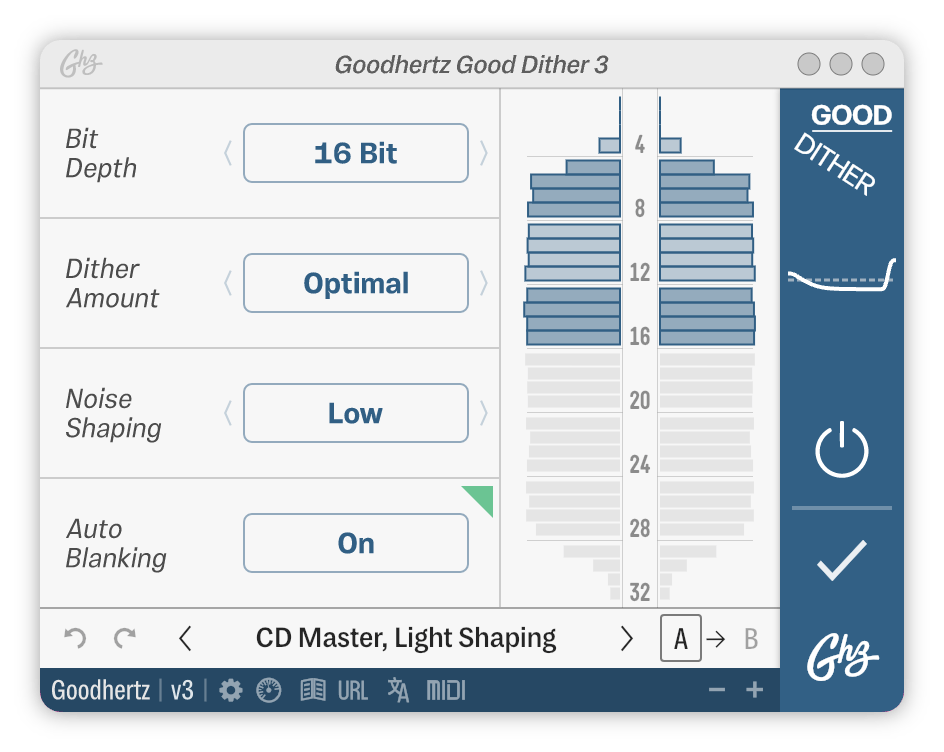
We call this noise, the solution, “dither”. Dither is more effective on digital audio files with lower bit depth.
As the bit depth increases, these quantization errors become less audible, but since quantization errors can be noticeable in very small sounds, this noise is added at the very last stage of mastering.
In the past, dither was simply used as overall noise from low to high frequencies.
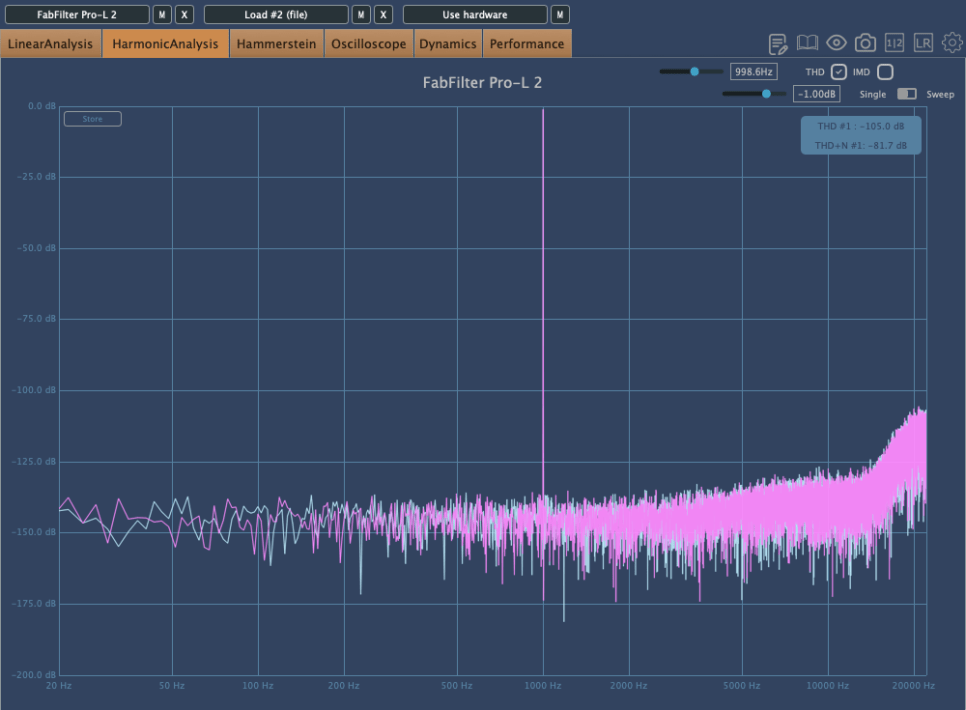
When using the Dither function of Fabfilter Pro-L2
However, since you can use dither as long as there is irregular noise, these days, there are many cases where engineers use dither for ultra-high frequency noise that is low in real sound. Since this is noise, it is common to apply it only once, at the very last stage when all volume adjustments are complete.
Next time, I will explain the codec of music files and finish the basics of mixing. Then, I will see you again in the next article!
Hi! This is Jooyoung Kim, a mixing engineer and music producer.
During my undergraduate studies in physics, I often used my extra credits to take music courses. Looking back, I regret not taking any Python classes—especially now that I’m studying plugin development, data processing, and methodology. Without AI tools, I wouldn’t have been able to start coding at all.
Currently, I’m in the final semester of my master’s program in the Department of New Media Music. I’m not too worried about my thesis, so this semester, I’m focusing on a personal project: developing a saturation plugin in my own way. I know it will be challenging, but I also aim to write a paper introducing a new methodology for building audio plugins.
Now, let’s talk about oversampling and upsampling. This article is based on my book, ‘Basics of Mixing‘, released in South Korea.
What are oversampling and upsampling?
Many audio plugins offer oversampling, but what exactly is it, and how does it work?
Oversampling: Increasing the existing sample rate by an integer multiple (e.g., ×2, ×4, ×8, etc.).
Upsampling: Increasing the existing sample rate, but not necessarily by an integer multiple.
In oversampling, the process inserts zeros into the empty values and interpolates them using a low-pass FIR (Finite Impulse Response) filter..
It’s me! The right one is the photo on the left doubled horizontally.
Think of it like stretching an image by an integer factor: the blank spaces are filled in through interpolation. After processing the audio, the plugin then downsamples the result back to the original rate.
On the other hand, upsampling converts the sample rate to another rate through interpolation. This is a different process from oversampling.
Why do we use oversampling and upsampling?
Oversampling helps reduce aliasing and creates a more natural-sounding result, while upsampling is primarily used for changing the sample rate.
However, does an oversampling function always make a plugin sound better? That’s a different discussion.
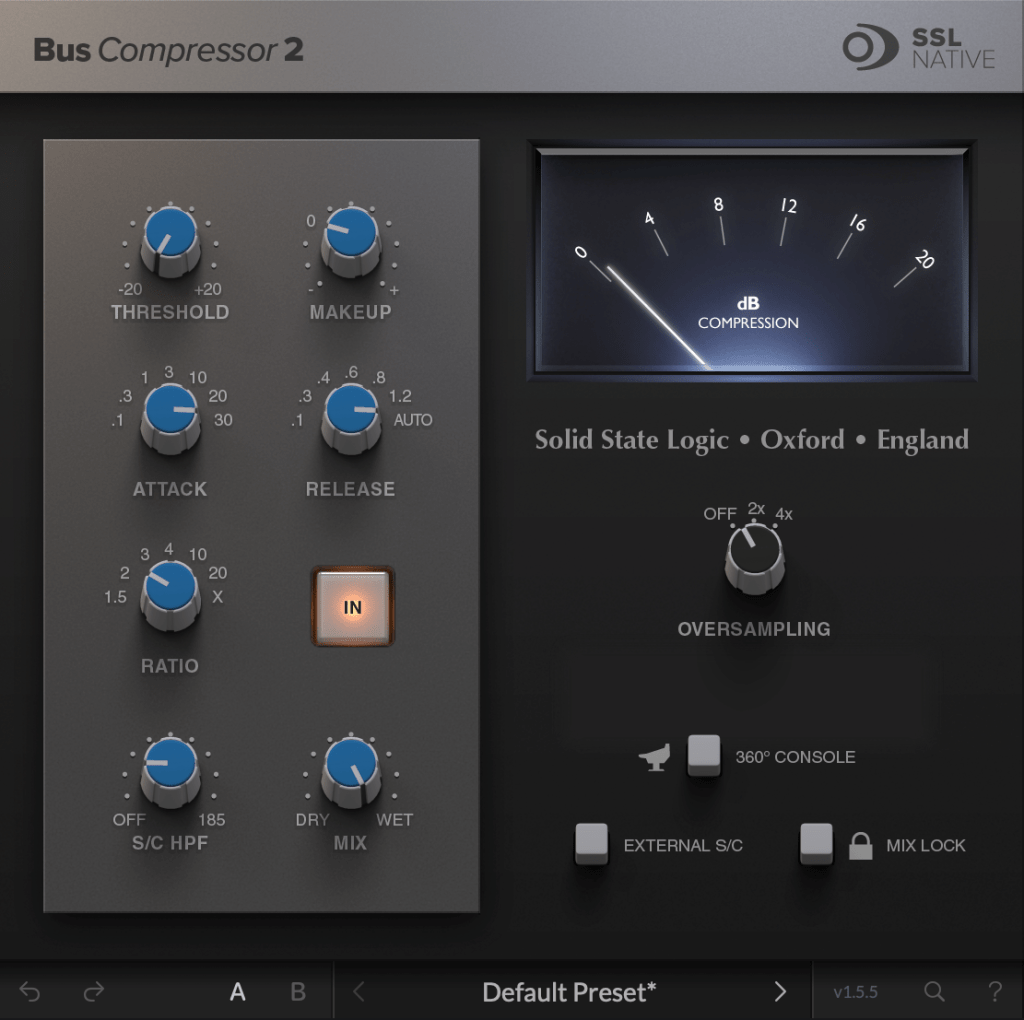
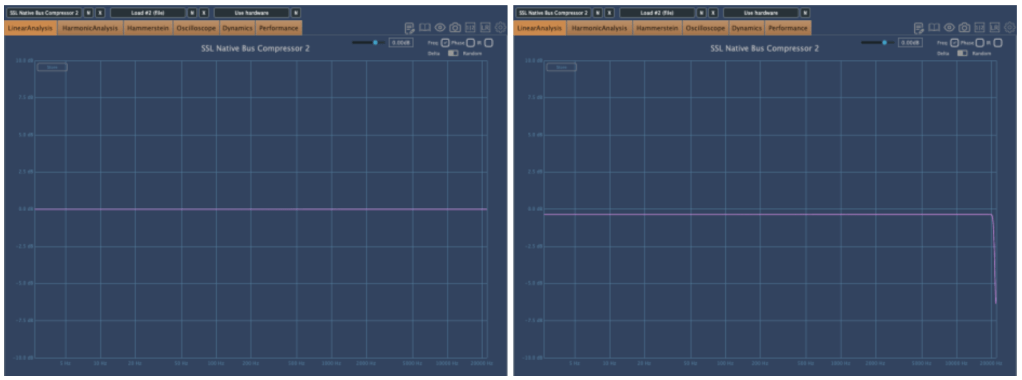
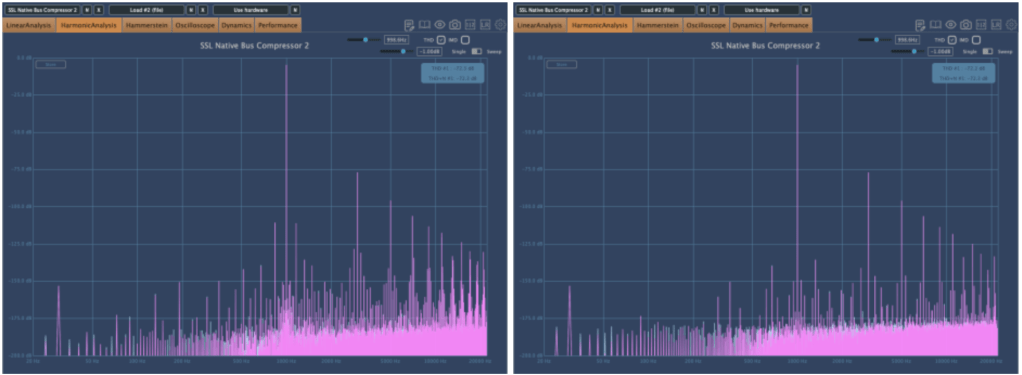
For example, the SSL Bus Compressor 2 plugin provides an oversampling option. Below, you can see the frequency response of the plugin:
The left graph shows the response without oversampling. The right graph shows the response with 2× oversampling.
Both graphs exhibit harmonic distortion at the same positions. While other measurements appear similar, even small differences between the two can result in noticeable changes in sound. In my experience, non-oversampled processing often sounds better.
That was a brief explanation of oversampling and upsampling! See you in the next post!








 Jooyoung's Music Blog