The History of the UA 610 Preamp and Introduction to the LA6176 Plugin (90% Off Until Nov. 30)

Hi everyone! This is Jooyoung Kim, a mixing engineer and music producer.

It seems like every company is releasing tempting new gear—just yesterday, Warm Audio unveiled a new series of 1176 replicas! I was planning to grab a hand-crafted Japanese unit, but now I’m seriously considering their Rev D model instead. Decisions, decisions…

Today, I want to introduce you to the UAD LA6176 channel strip plugin, which combines the 1176 compressor and 610 preamp.

This plugin was provided to me as part of the UAD Spark NFR subscription. If you decide to purchase it via the links in this post, I’ll receive a small commission—any support is greatly appreciated! 😊
Let’s dive in!


The History of the Universal Audio 610 Preamp

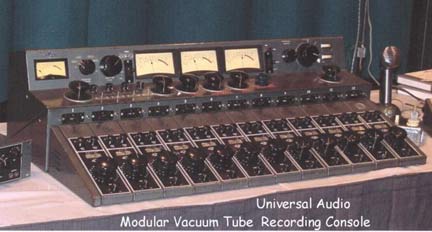
Universal Audio 610 Console

The 610 preamp originated from Universal Audio’s custom-built mixing console, designed by Bill Putnam Sr. in the late 1950s. Most recording equipment of that era was bespoke, but the 610 introduced a modular design, making it easy to swap out broken channels.

The 610 preamp module

The console offered:

  • High headroom (+30 dBm output, equivalent to a whopping +32.2 dBu!)
  • Mic/line inputs, pad functionality, high/low EQ, and echo sends.

Only about 25 units were made, but they were used by legendary artists like Ray Charles and Frank Sinatra.

Reissues and Plugins

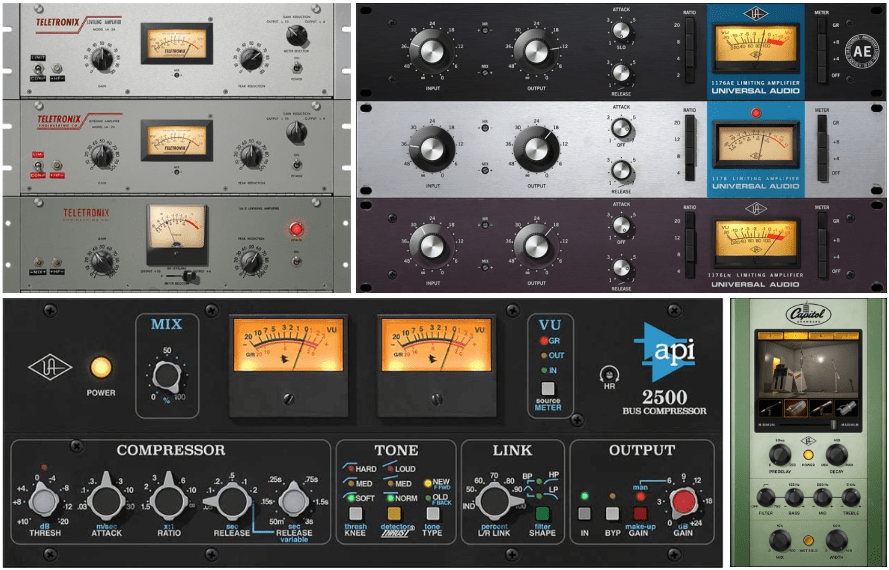
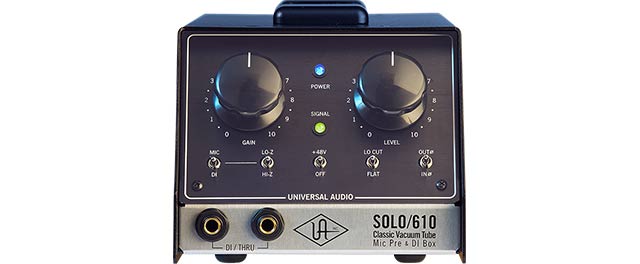
Based on this legendary design, Universal Audio released various reissues like the 2-610, Solo/610, and M610 channel strips and mic preamps.

In the plugin world, Universal Audio introduced two versions:

  • The 610-A Preamp Plugin (faithful to the original design).
  • The 610-B Preamp Plugin (modeled after the reissue).

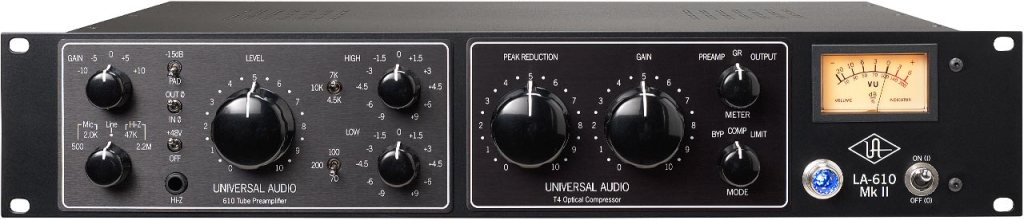
They also released hardware like the LA-610 (a 610 preamp paired with an LA-2A compressor) and the 6176 (a 610 preamp with an 1176 compressor).

The UAD LA6176 plugin recreates the latter in software form, bringing both its preamp and compressor/EQ sections to your DAW.


Plugin Features

610 Preamp + EQ

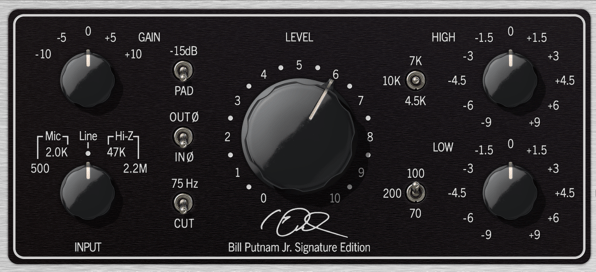
The input section works best in Line mode when used with UA Apollo’s Unison preamps. You’ll find:

  • Input Gain control.
  • 75 Hz low-cut filter, -15 dB pad, and phase inversion switches.

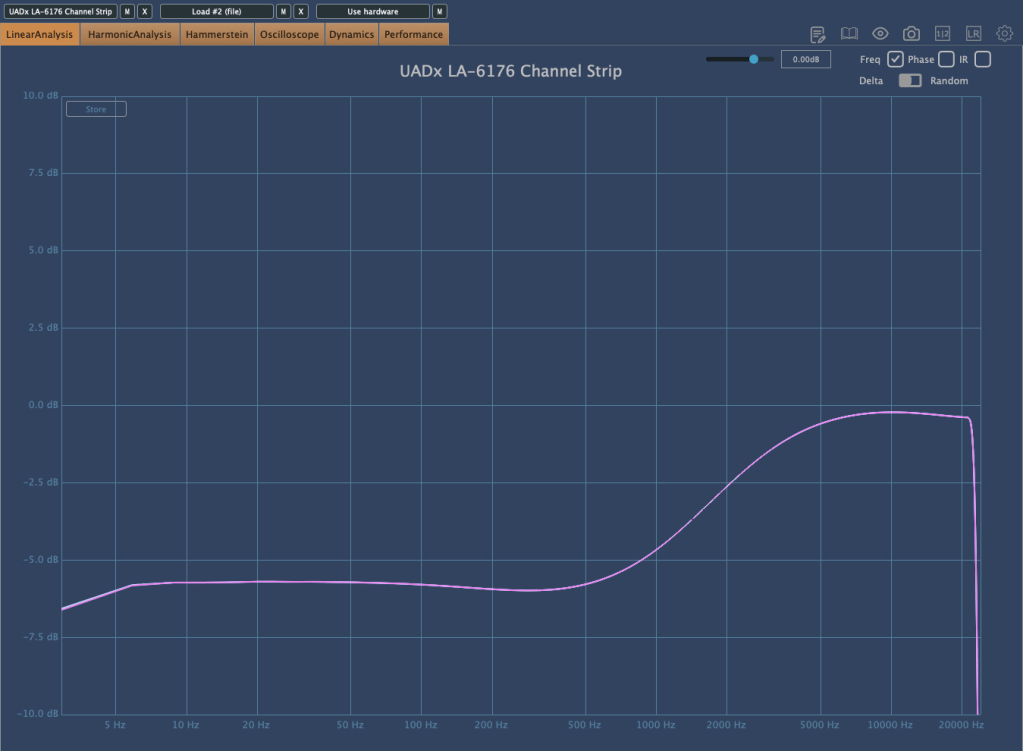
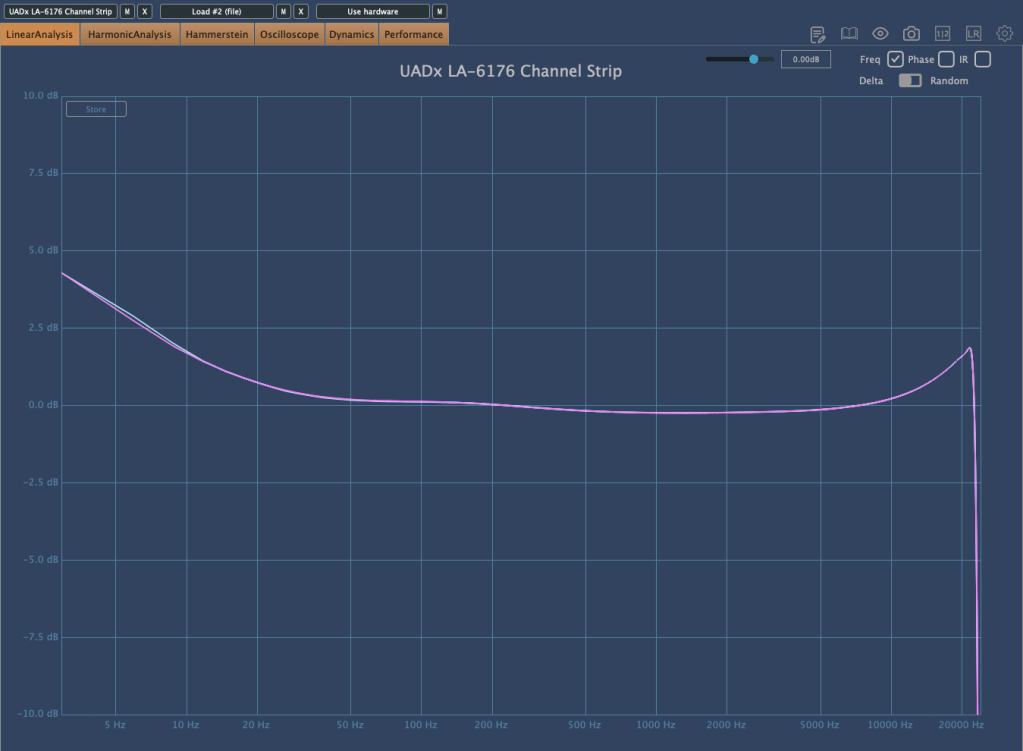
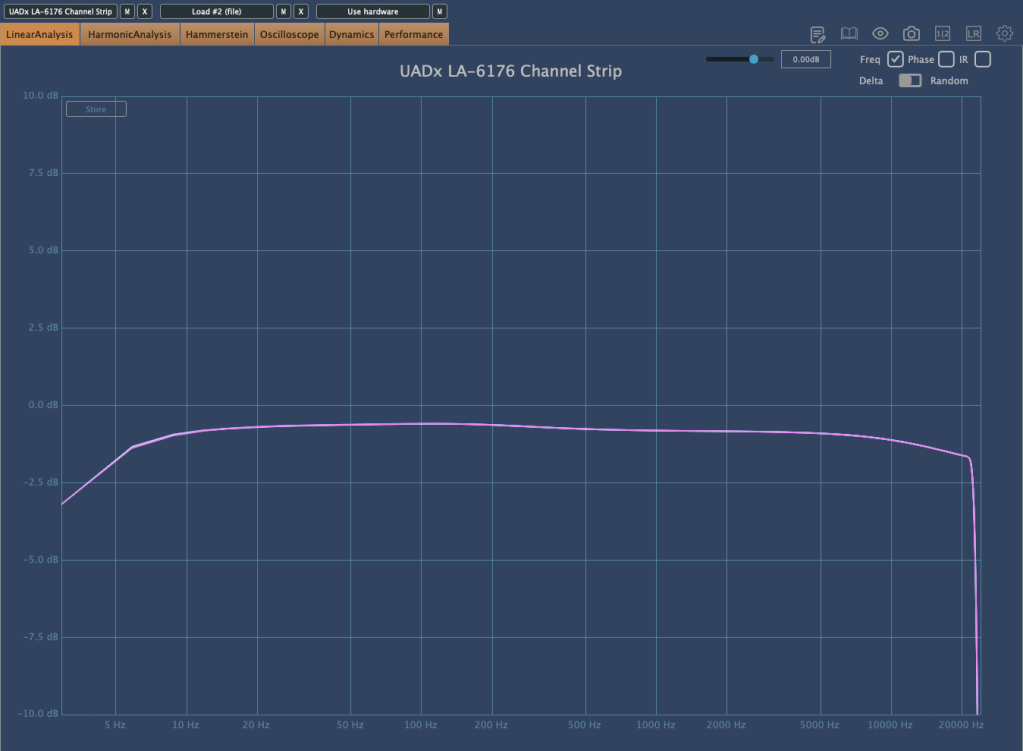
The EQ section features a simple shelving design, but the High EQ acts like a tilt EQ when boosted, subtly cutting low frequencies as you increase highs.

High EQ boosted to +4.5

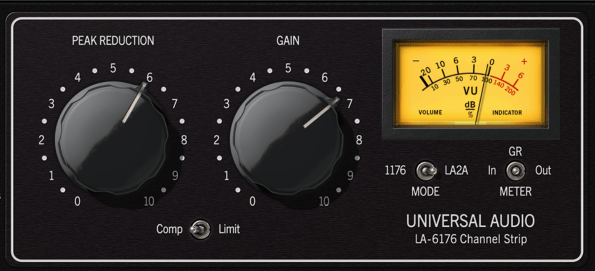
Comp Mode

The compressor section offers two modes:

  1. 1176 Mode (top selector).
  2. LA-2A Mode (bottom selector).

Both modes exhibit slightly different tonal characteristics, with subtle differences in low-end compression.

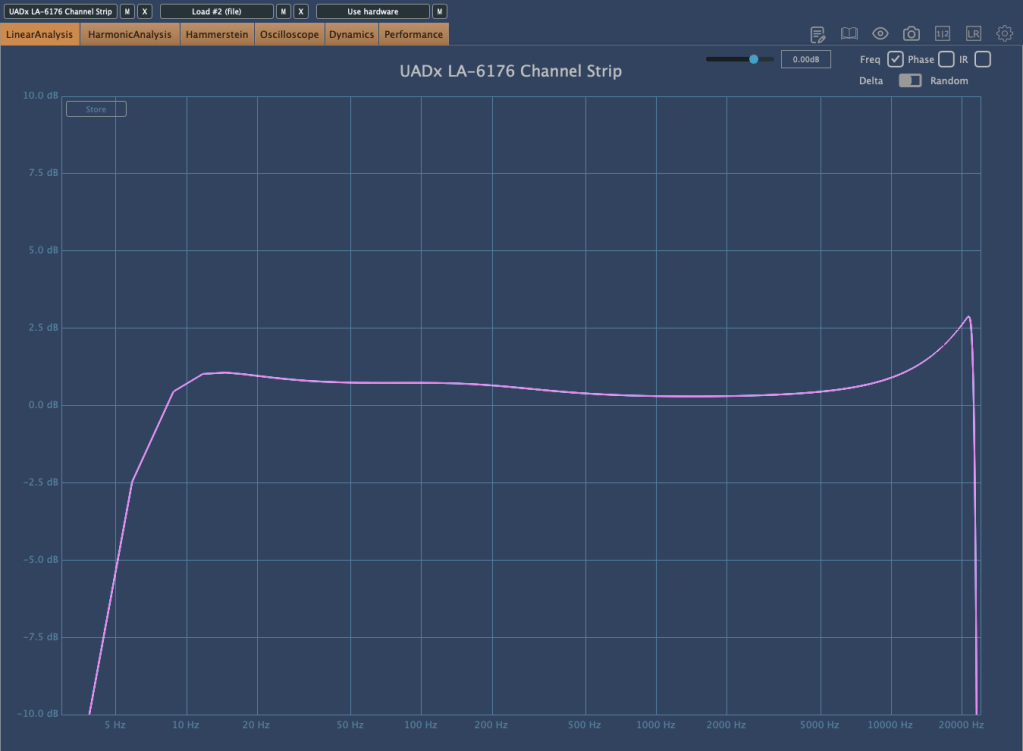
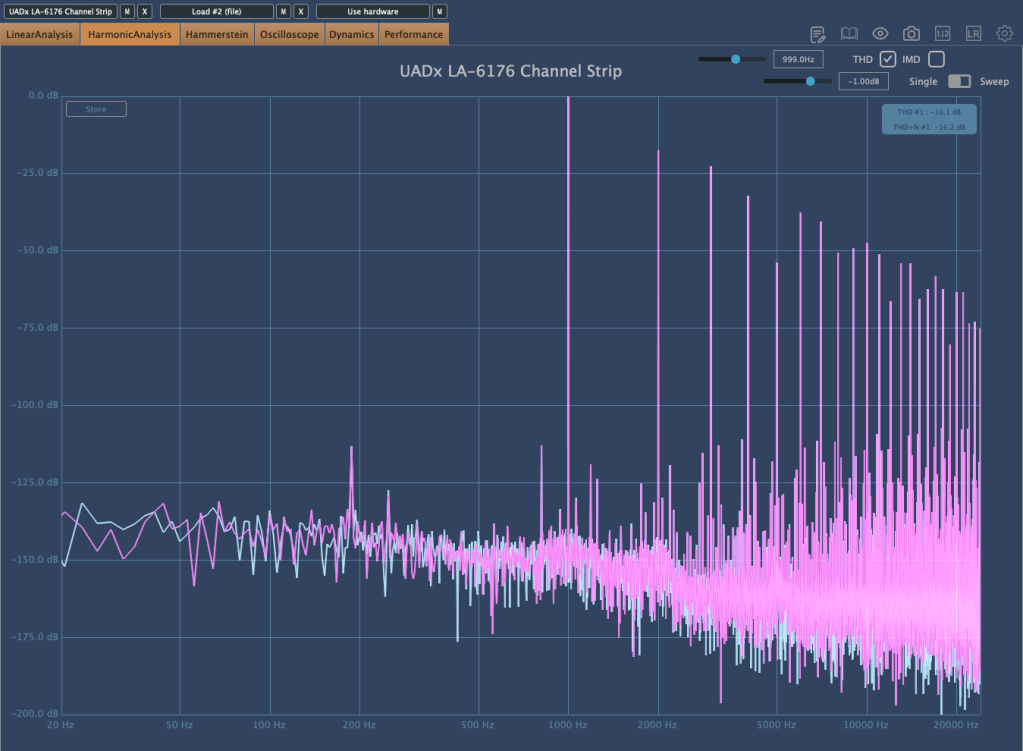
Even when the EQ and compression are bypassed, the plugin adds natural saturation.

At high SPLs, you’ll notice slight compression even with no additional processing.


1176 Compression

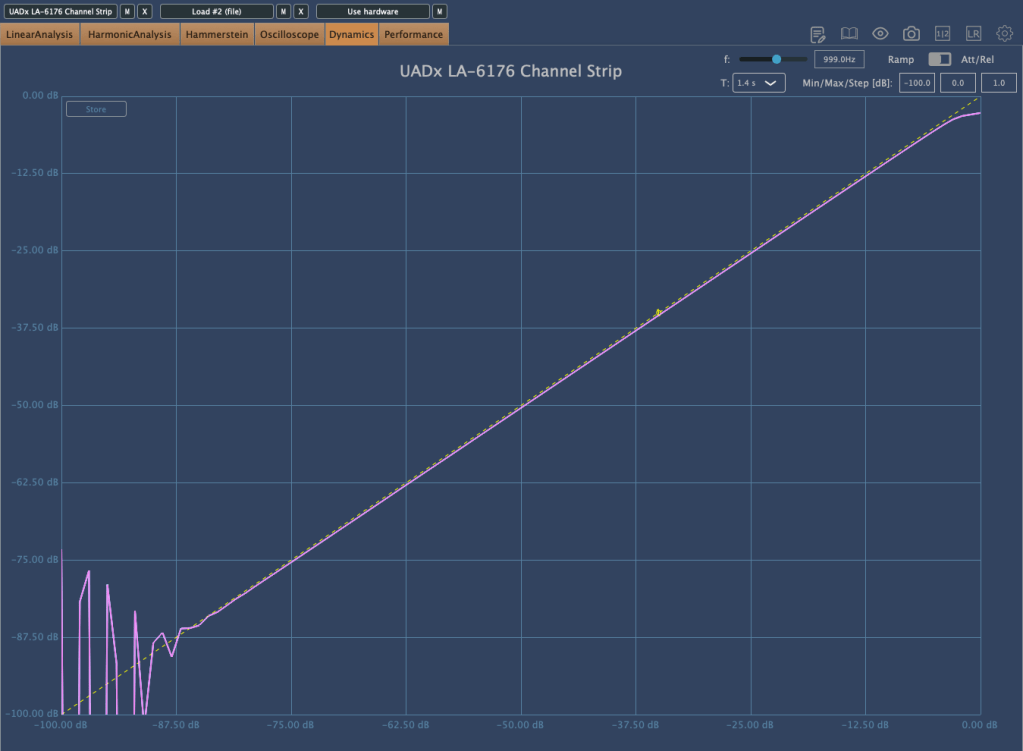
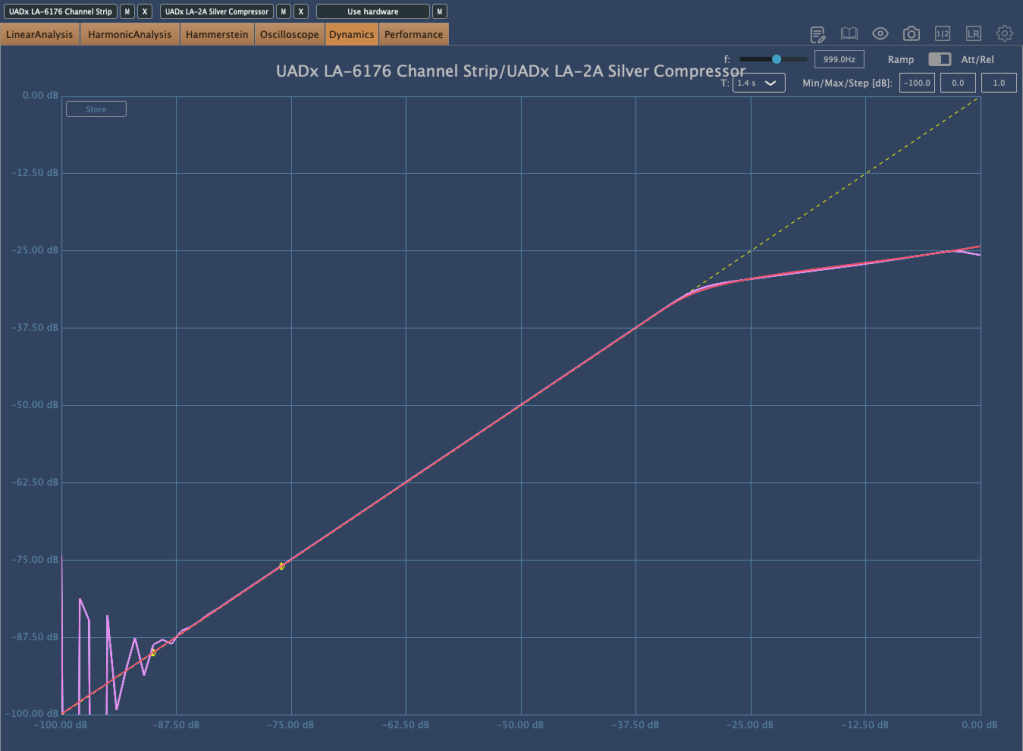
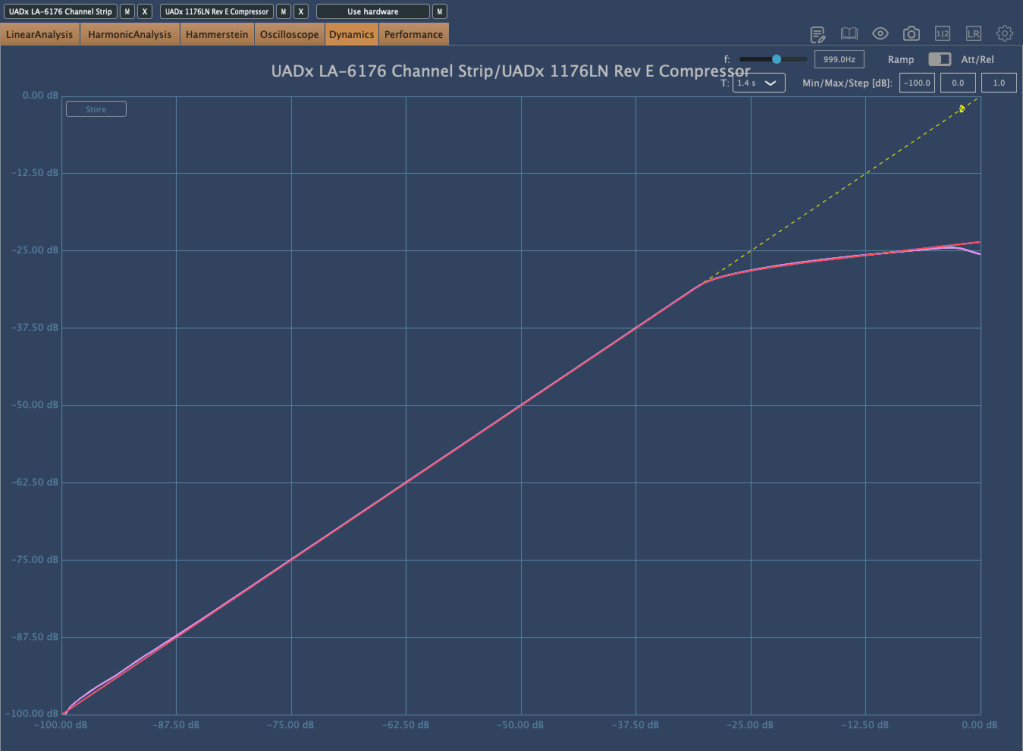
In 1:1 mode, the 1176 exhibits a very subtle knee, creating a compression ratio that feels like 1:1.01—barely noticeable but present.

In 4:1 mode, compression is tighter and more aggressive. Comparing the UAD LA6176 to the standalone UAD 1176LN plugin, their compression curves are nearly identical, suggesting the plugin replicates the 1176’s algorithm seamlessly.


LA-2A Compression

The LA-2A mode behaves slightly differently depending on the model emulated. For example:

  • The Silver model exhibits distinct compression characteristics compared to the Gray model and Tube Compressor emulations.

When used, the plugin adds more harmonic richness than applying the 1176 or LA-2A plugins individually. This makes the sound fuller and more dynamic.


Why Choose the LA6176 Plugin?

UAD has shifted its pricing strategy dramatically, offering deeper discounts during sales like Black Friday. Considering its detailed emulation of legendary hardware, the LA6176 is a powerful addition for any studio setup.

If you’ve been eyeing premium channel strips, now might be the perfect time to grab this plugin at a fraction of the original cost!

Introducing Leapwing Audio StageOne 2 (50% Off Until Dec. 9)

Hi everyone! This is Jooyoung Kim, a mixing engineer and music producer.

The weather has turned sharply cold since yesterday—it truly feels like winter is here.

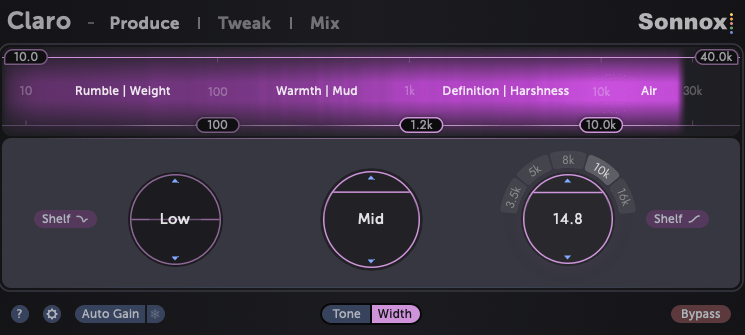
Today, I’m introducing a plugin that enhances stereo imaging: Leapwing Audio StageOne 2.


About the Plugin

I received this plugin as an NFR (Not for Resale) from Plugin Boutique. If you make a purchase through the links in this post, I’ll receive a small commission—which greatly supports my work. 😊

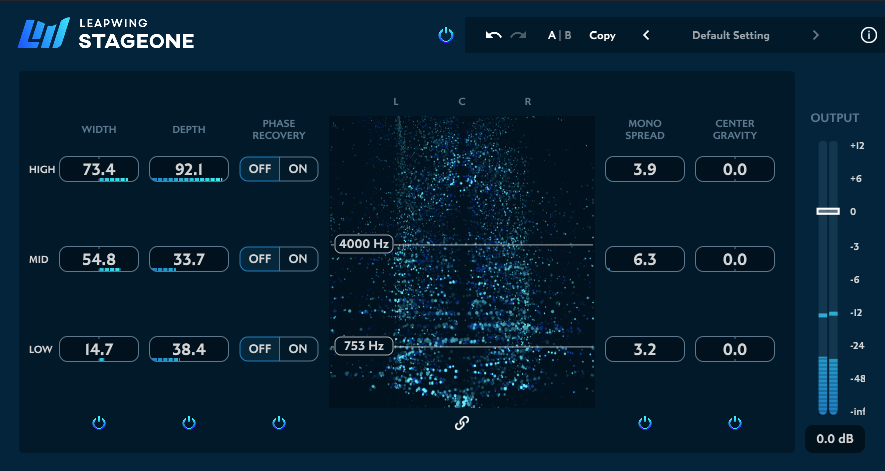
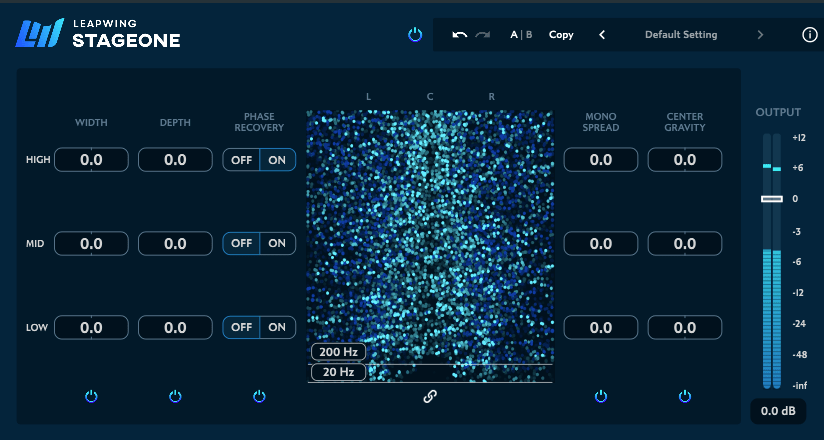
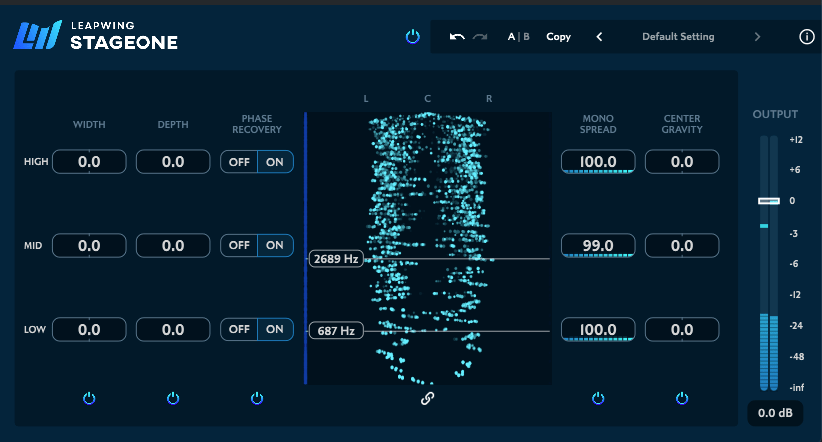
StageOne 2 features five main parameters: Width, Depth, Phase Recovery, Mono Spread, and Center Gravity. Let’s explore each one.


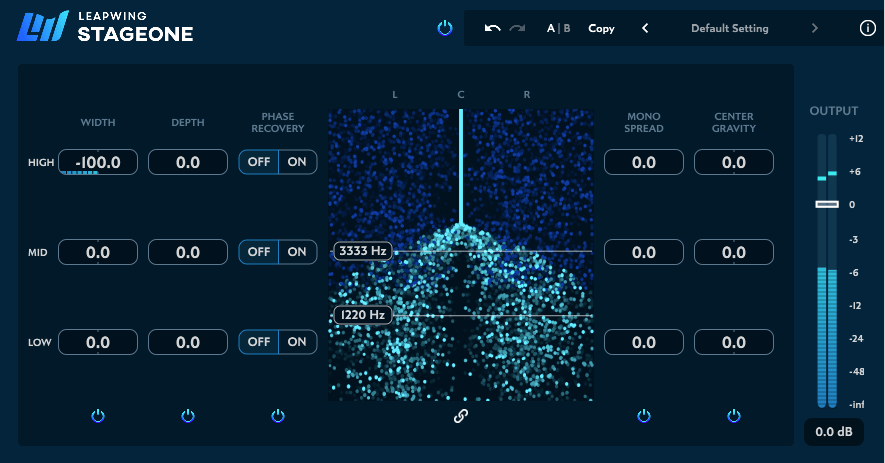
Width

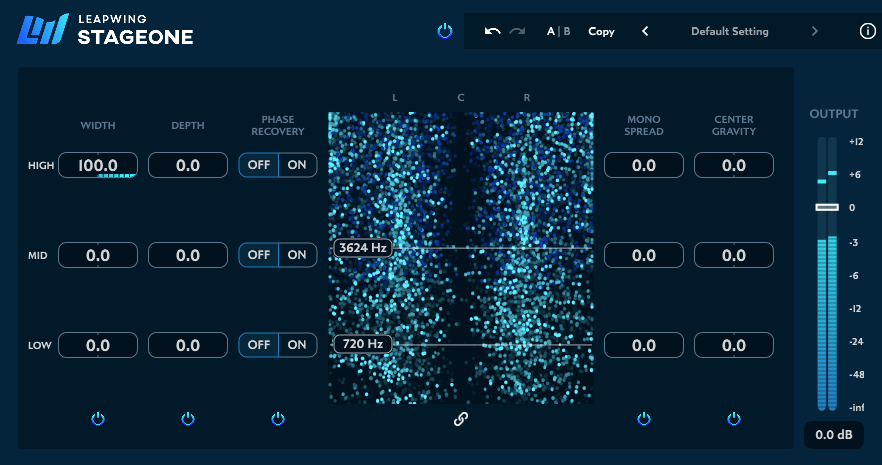
The Width parameter adjusts the stereo width of your mix. While the phantom center remains intact, sounds outside the center are pushed towards the speakers or even beyond their physical position.

On the analyzer, the original sound appears as a dark blue, while the modified sound is shown in light blue.


Depth

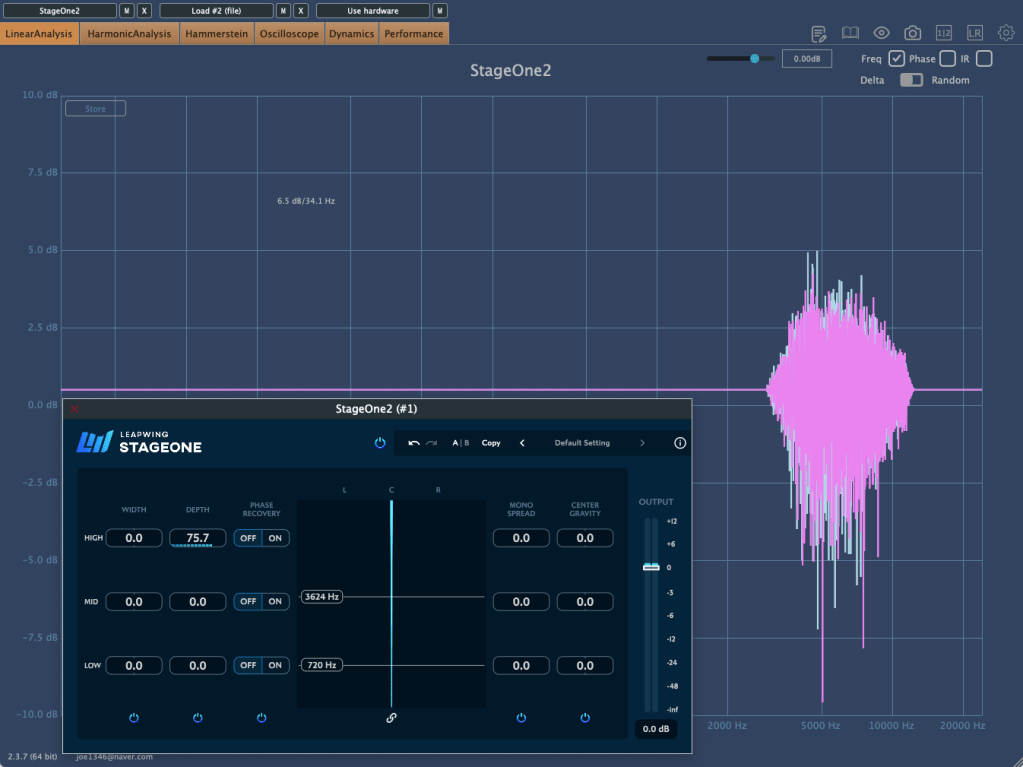
The Depth parameter adds reflections to specific frequency ranges, making the sound feel wetter. Think of it as a Studio Reverb that can be applied selectively to certain bands.


Phase Recovery

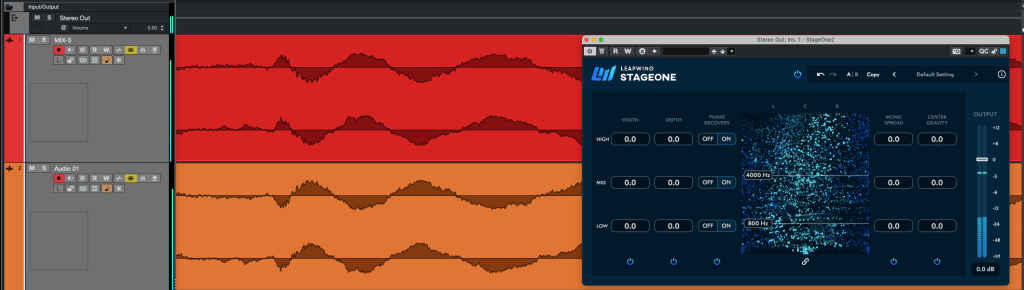
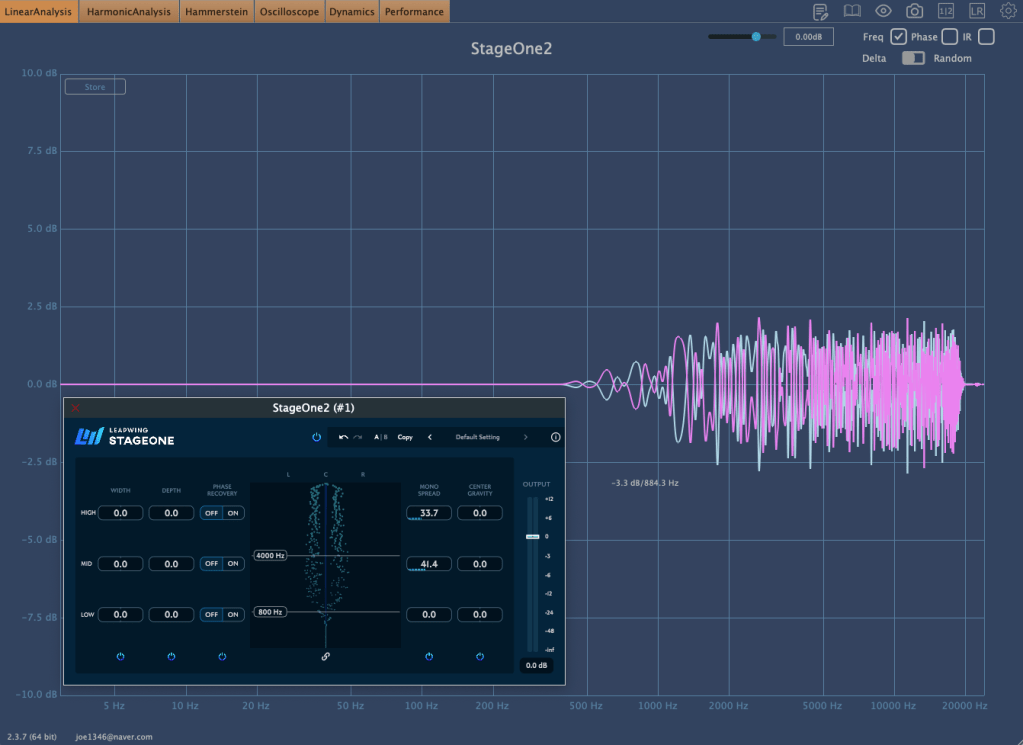
Phase Recovery identifies anti-phase elements between the left and right channels and prevents them from disappearing when summed to mono.

I tested it by duplicating a track, phase-inverting one copy, and panning them hard left and right.

Without the plugin, the sound is entirely anti-phase, perceived as coming from outside the speakers. But with StageOne 2 and the Phase Recovery turned on, the sound becomes phase-correct and plays seamlessly.

This feature is perfect for pulling overly phasey sounds back into the stereo field.


Mono Spread

Mono Spread scatters the frequency response and phase of a mono source, creating a pseudo-stereo effect.


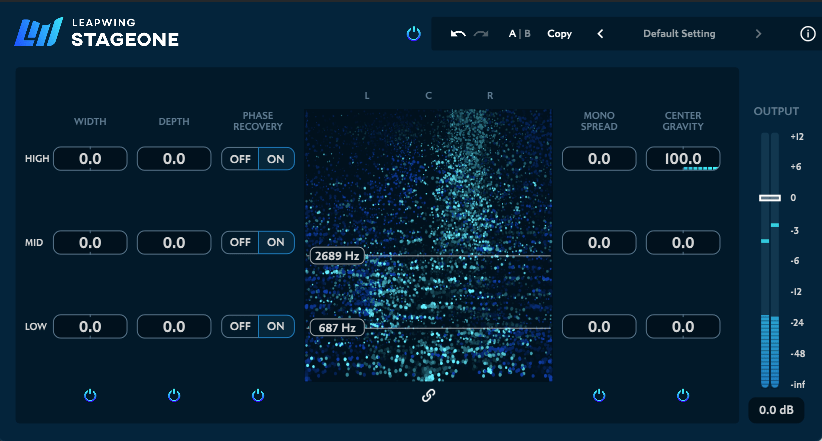
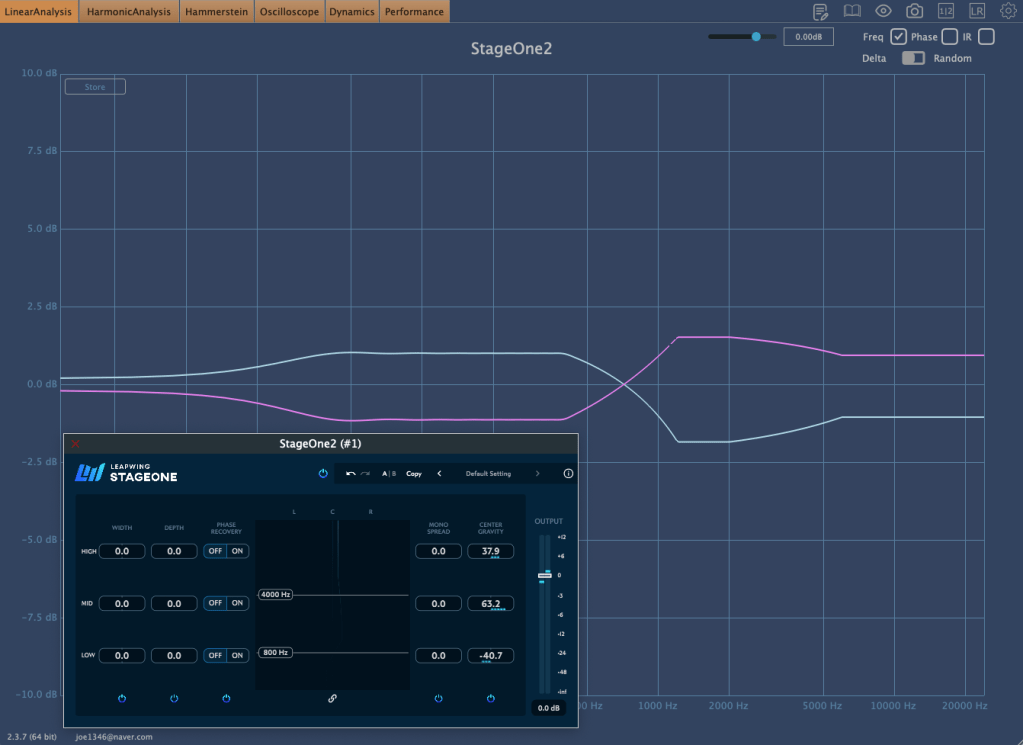
Center Gravity

This parameter pans specific frequency ranges left or right, giving precise control over the stereo field.


Why StageOne 2?

There are many stereo imaging plugins out there:

However, few stereo enhancers offer as many advanced algorithms and features as Leapwing Audio’s StageOne 2. Moreover, it tackles phase issues, a rare capability among similar plugins.

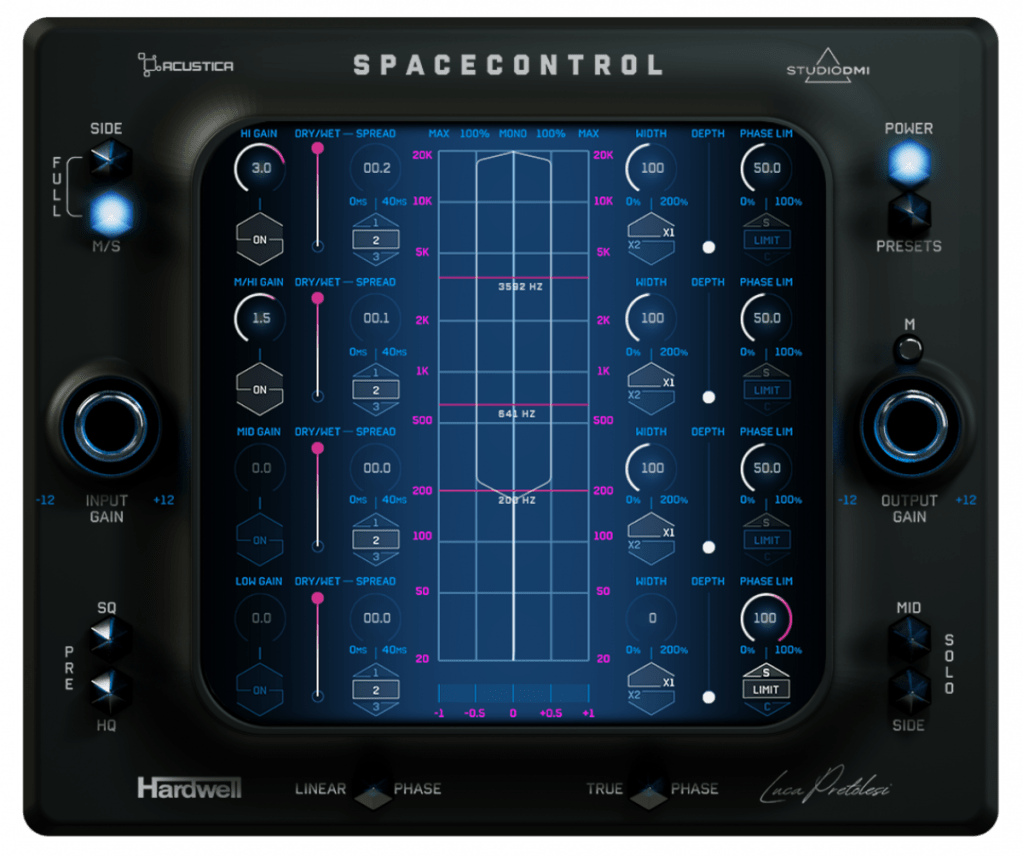
The only other plugin I’m aware of with comparable functionality is Acoustic Audio’s Space Control , but StageOne 2’s intuitive parameters and analyzer make it more versatile, even at the composition stage.

If you’re considering a single stereo enhancer, this one might be all you need.


Final Thoughts

While the regular price is steep, the Black Friday discount makes this a great opportunity. If you’ve been looking to refine your stereo imaging, give it a try!

See you in the next post! 😊

Synchro Arts Vocalign 6 & Revoice Pro 5: On Sale (40-50% Off, Until Dec. 1)

Hello! This is Jooyoung Kim, an audio engineer and music producer.

It seems like more companies are starting their sales earlier, even before Black Friday.. 🙂
There’s a mountain of tools I want to introduce (and need to introduce).. haha

Around the week after next, I’ll prepare a comprehensive list of Black Friday deals on everything from virtual instruments to mixing/mastering plugins.

Anyway, today I’ll be introducing two plugins: Vocalign and Revoice Pro, specialized tools for audio timing and pitch alignment.

When I was using Revoice Pro 4, this tool dramatically sped up my workflow, making it one of the software I personally recommend the most.

As with my previous posts, I was provided with an NFR (Not for Resale) code from Plugin Boutique to write this article.

Also, if you purchase the plugin through the links provided in the post, I’ll receive a small commission, which greatly helps with the blog’s operation (and my living expenses)… It’s been tough lately.. ^^;;

Thank you so much to everyone who supports me!

Now, let’s dive into Vocalign first.


Vocalign 6

Clicking on the image will take you to the Vocalign 6 Standard/Pro purchase and upgrade page.

Synchro Arts first developed Vocalign back in 1995.

Initially, it was targeted at syncing ADR (Automated Dialogue Replacement) to live-recorded performances in film and TV environments.

However, when it was used in music to align doubling/chorus tracks with the main vocal, it worked so perfectly that it became widely used in music production as well.

Vocalign 6, as the name suggests, is the sixth iteration of Vocalign, and it’s excellent at aligning vocals and choruses.

How to Use

Using a vocal alignment example:

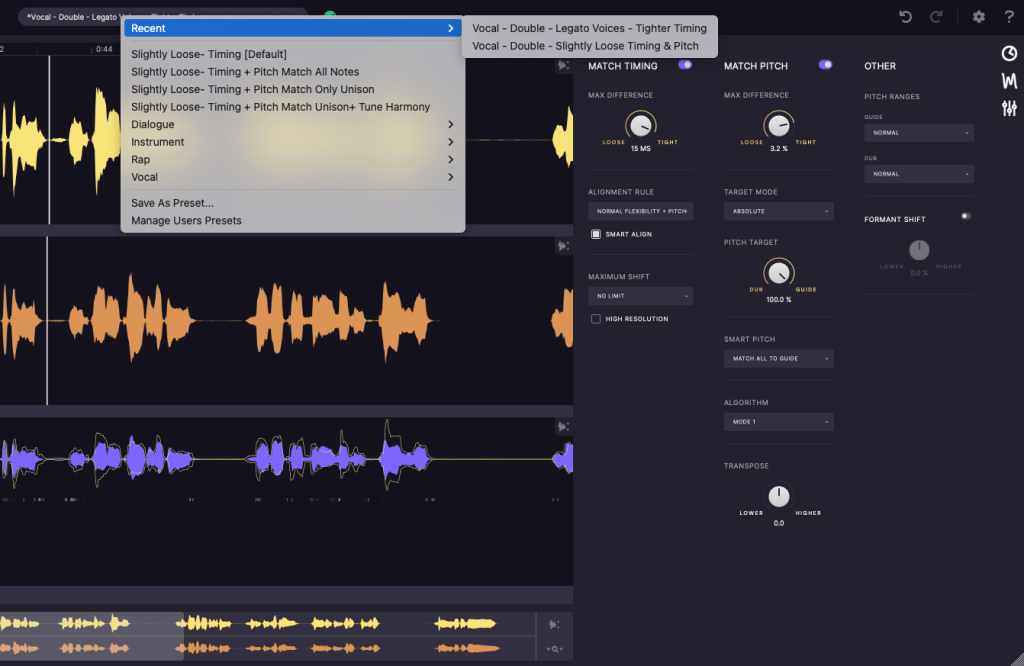
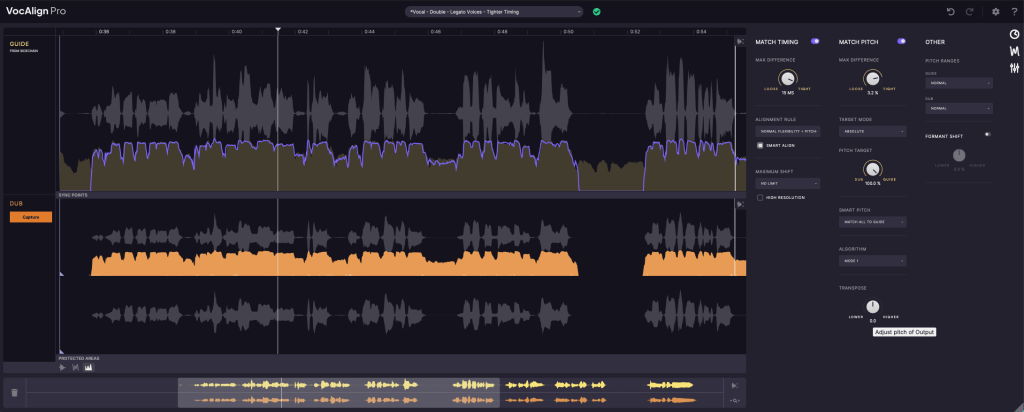
  1. Insert the Vocalign plugin on the doubling/chorus track.
  2. Use sidechain input to set the guide (main vocal) track.
  3. Click Capture, similar to other pitch correction plugins, to record the section you want to align.

Next, you can decide how to align timing and pitch through the presets above or use the icons on the right (clock icon, waveform icon, settings icon) to adjust timing, pitch, and other settings.

Once configured, you’ll see how the pitch, volume, and timing of the two sources align.

That’s it! The effect is so dramatic that I’d love to demonstrate it for you, but recording and editing videos is quite labor-intensive for me.. haha.
Here’s an official demo video instead:

I’ve set the timestamp, so just listen from here.

Standard vs. Pro Versions

There are two versions: Standard and Pro. Below are the Pro-exclusive features:

Pro-only Features:

  1. Pitch Alignment – Align pitches.
  2. SmartPitch – Intelligent pitch alignment feature.
  3. Process Groups – Align groups of tracks simultaneously.
  4. Formant Shifting – Adjust formants (a more advanced concept in phonetics).
  5. Transpose Shift – Change pitch intervals.
  6. Sync Points & Protected Area – Set specific sync and protected zones.
  7. SynchroLink – Integrate with RePitch for enhanced functionality.

For basic timing alignment, the Standard version should be sufficient. However, if you want faster workflow with pitch alignment, the Pro version is a great choice.


Revoice Pro 5

After Vocalign proved highly useful in music, Synchro Arts developed Revoice Pro in 2012 by adding pitch modification capabilities.

From the materials I’ve found, the first product name was RVP2 (Revoice Pro 2). Perhaps they started the numbering from 2 to signify it as the successor to Vocalign..? haha

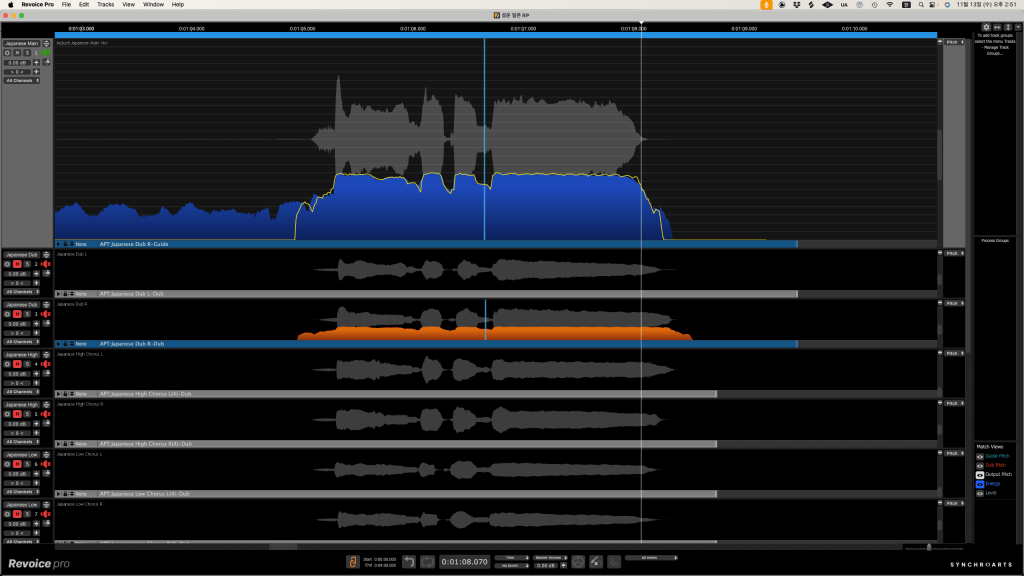
Revoice Pro allows you to create doubles from recorded sources or sync them with the main source. It also includes pitch and timing adjustment features similar to Melodyne or Auto-Tune.

Compared to Vocalign, it offers more detailed control.

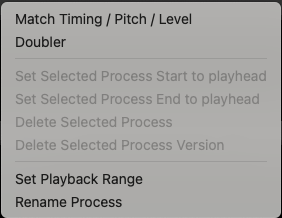
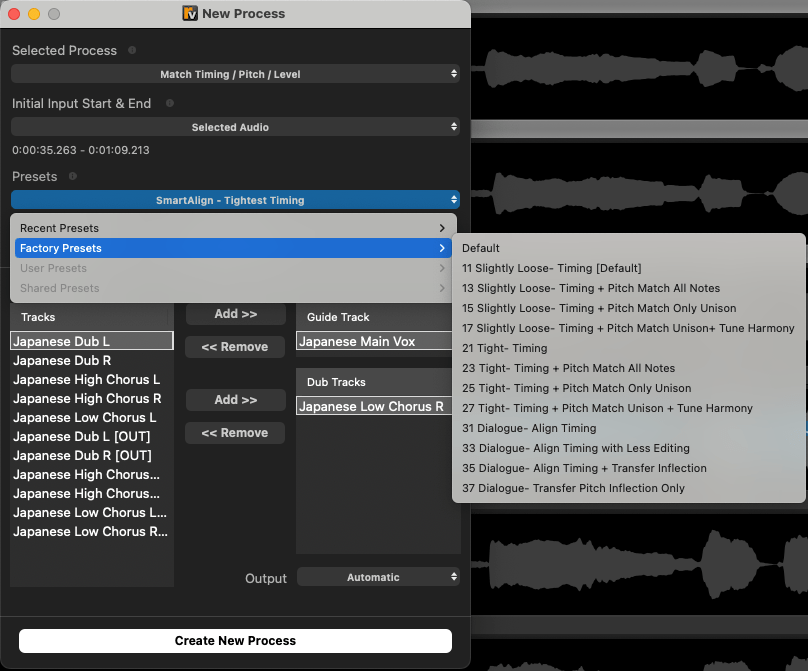
After importing audio files, you can right-click to choose whether to generate doubles, adjust pitch, timing, or level.

Wow, compared to version 4, this is much more convenient. You can now adjust timing, pitch, and level simultaneously, which was previously a separate process in version 4.

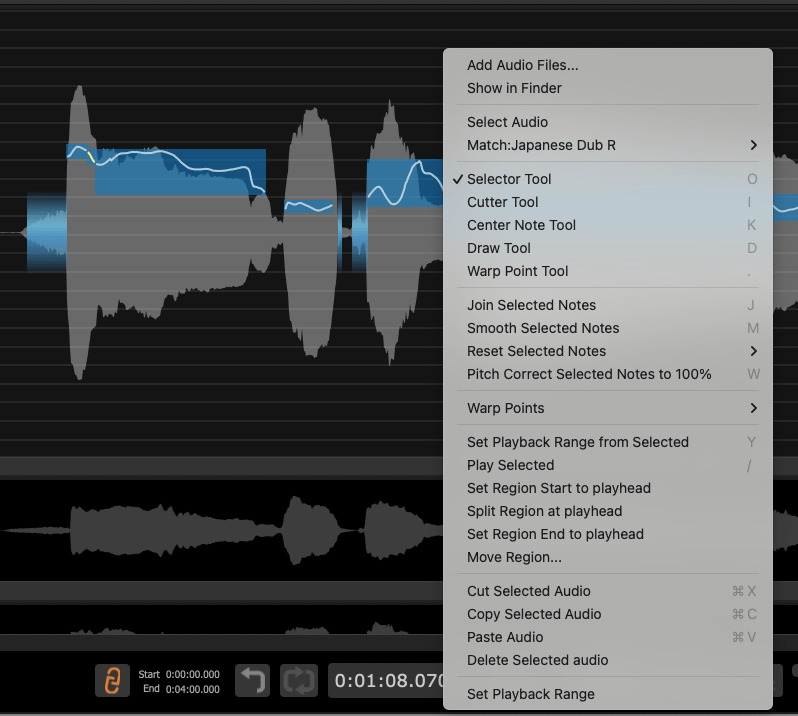
If the result isn’t to your liking, you can right-click and use various tools to fine-tune timing or pitch, just like you would in Melodyne or Auto-Tune.

Version 4 was less intuitive, making the initial learning curve steep. Fortunately, version 5 has a much more intuitive click-and-scroll interface.

When I used version 4, I thought, “The features are great, but the UX could be better.” Thankfully, version 5 addresses that.

If you don’t have any pitch correction software yet, I’d highly recommend starting with this one.


That’s it for today’s post!

See you in the next article~ ^^

Arturia FX Collection 5 Overview & Sale (50% Off, Until December 10th)

Hello everyone, this is Jooyoung Kim, an audio engineer and music producer.

Today, I’d like to introduce you to one of Arturia’s flagship bundles: FX Collection 5.

This product was provided to me as an NFR (Not for Resale) through Plugin Boutique and Arturia. If you make a purchase through the links in this post, I’ll receive a small commission, which greatly supports my blog. Let’s dive in!

I remember using Arturia’s early audio interface, Audiofuse, back in the day. At the time, there wasn’t an FX Collection bundle—just a handful of hardware emulation plugins. Now that FX Collection has reached version 5, time really flies!

This bundle introduces 4 new plugins, bringing the total to 34 plugins. Let’s take a closer look at some of them.


Here’s one of my favorites: Arturia Chorus Dimension-D

Table of Features and Emulations

NameEmulated HardwareKey Features
Efx REFRACTNoneAdds distortion and harmonics for rich textures and tonal transformation.
Efx MOTIONSNoneIntroduces dynamic movement and rhythmic variations, adding vibrancy to the mix.
Efx FRAGMENTSNoneGranular processing for rhythmic stutter effects and spatial soundscapes.
Bus EXCITER-104Aphex Aural Exciter Model 104Enhances brightness without noise; deepens vocals and kick drums.
Bus PEAKNoneOptimizes mix loudness, boosts low-end power, and controls drum energy.
Bus FORCENoneA parallel processor combining filter, EQ, compression, and saturation.
Dist COLDFIRENoneDual-engine distortion ranging from warm tube saturation to aggressive clipping.
Dist TUBE-CULTUREThermionic Culture – THE CULTURE VULTUREAdds analog warmth and natural distortion in a digital environment.
Dist OPAMP-21Tech 21 SansAmp Guitar PedalDigital recreation of a guitar pedal, offering treble distortion and amp texture.
Tape MELLO-FIMellotronInstantly adds vintage vibes and analog warmth.
EQ SITRAL-295Siemens Sitral w295bSmooth, musical curves with warm transistor character in a stereo EQ.
Pre 1973Neve 1073Modern recreation of the iconic ’70s British sound.
Pre TRIDATrident Audio A-Range Dual Channel StripRare channel strip with musical EQ for unique tonal shaping.
Pre V76Telefunken V76Renowned for its ’60s pop sound, famously used in the “White Album.”
Rev LX-24Lexicon 224Realistic spatial depth with subtle shimmer textures.
Rev PLATE-140EMT 140Smooth and clear plate reverb, blending retro and modern elements.
Rev INTENSITYNoneCombines cinematic ambience with deep modulation for a fresh reverb type.
Rev SPRING-636Hammond Spring ReverbCaptures the dynamic texture of real spring reverb.
Comp DIODE-609Neve 33609A crunchy compressor, perfect for drums.
Comp VCA-65SSL G Series VCA CompressorA powerful VCA compressor tailored for rhythm sections.
Comp TUBE-STARetro STA-LevelVintage compressor ideal for bass and vocals.
Comp FET-76Universal Audio 1176LNVersatile studio compressor for all sound sources.
Filter MS-20Korg MS-20Adds dynamic filter sweeps and distinctive distortion.
Filter MINIMoog MiniMoogFeatures a 24dB/octave low-pass filter with modern enhancements.
Filter SEMOberheim SEMMulti-purpose filter suitable for a variety of synth applications.
Filter M12Oberheim Matrix-12Offers advanced modulation and programmable control.
Rotary CLS-222Dynacord CLS-222Smooth stereo swirl with patterned spin effects.
Chorus DIMENSION-DRoland Dimension D SDD-320Simple 4-mode operation for warm stereo chorus.
Phaser BI-TRONMu-Tron Bi-Phase IIComplex routing with boutique phaser sounds.
Flanger BL-20B.E.L Electronic BF-20 Stereo FlangerProvides wide stereo imaging and intricate modulation.
Chorus JUN-6Built-in Chorus from Roland Juno-6Delivers rich stereo presence and analog warmth.
Delay TAPE-201Roland RE-201 Space EchoCombines tape saturation with metallic spring reverb.
Delay BRIGADEElectro-Harmonix Deluxe Memory ManAmbient delay with dark tones and enhanced feedback.
Delay ETERNITYNoneRich modulation and texturing capabilities in a versatile delay unit.

The hardware replicas were identified by me, while the descriptions are from Arturia’s website. 😊

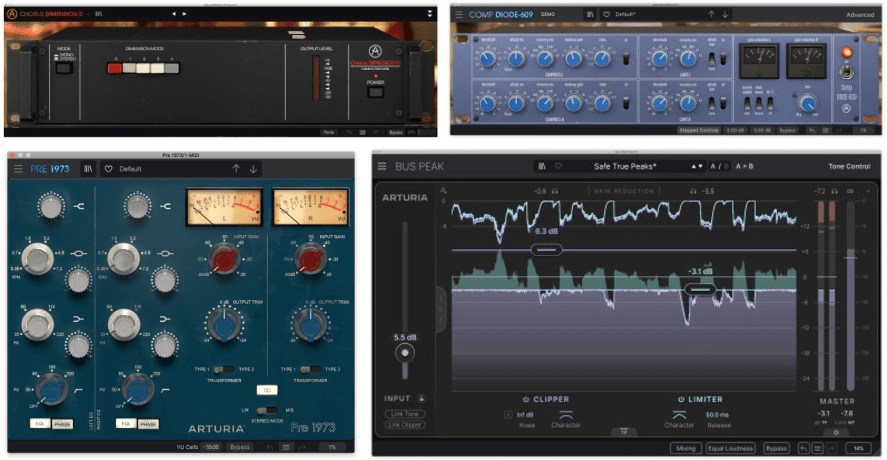
Among them, I frequently use the Pre 1973 (modeled after the Neve 1073), Comp Diode-609 (modeled after the Neve 33609/N), and Chorus Dimension-D (modeled after the Roland SDD-320). Other notable mentions include:

  • Comp VCA-65 (modeled after the dbx 165)
  • Chorus JUN-6 (from the Juno synthesizer)
  • Filter M12 (inspired by the Oberheim Matrix-12)

While I’d love to introduce every single plugin, covering all 34 of them in one post would be too much. Instead, I’ll share links to my previous reviews of FX Collection 2:

https://jooyoungmusic.com/2024/06/04/arturia-fx-collection-2-plug-in-review-part-1-bus-force/

This post will focus on the new additions: Bus PEAK, Bus EXCITER-104, Efx MOTIONS, and Efx REFRACT. Among these, Bus PEAK and Bus EXCITER-104 caught my attention as an engineer.


Bus PEAK

Bus PEAK combines a Clipper, Limiter, and Tilt EQ into one plugin, designed for mastering.

It offers convenient features like True Peak and LUFS metering. One standout feature is Equal Loudness, which allows you to compare the sound before and after applying effects at the same perceived loudness.

Another noteworthy parameter is Character: increasing it enhances attack, while lowering it softens attack.

I’ve tested it on a project, and it’s fantastic. It’s transparent yet effective, thanks to its built-in clipper. You won’t need to add a separate clipper plugin anymore.

You can even adjust the Clipper Knee, shaping how hard or soft the clipping sounds.

Previously, I relied on Fabfilter Pro-L2 for loudness boosting, but now I’m seriously considering using Bus PEAK for all my future projects. It’s that good.

For users of FX Collection 4, the upgrade decision might be tough, but if you have version 3 or older, I’d say the new additions make it worth it. Even as standalone plugins, I highly recommend them.


Bus Exciter-104

Bus Exciter-104 is a faithful recreation of the Aphex Aural Exciter Model 104, a type of saturator designed to enhance audio clarity and presence.

Recently, I’ve been exploring various saturators and enhancers, and this plugin has effectively addressed many of my concerns.

The plugin operates in two distinct sections: Big Bass, which handles low frequencies, and Exciter, which focuses on higher frequencies.

In the above image, the settings show some Drive applied in the Big Bass section and Mix in the Exciter section, though these aren’t the default values.

  • Big Bass adjusts the low-end frequencies by controlling both volume and drive.
  • Exciter generates additional harmonics slightly below the high-frequency range, enriching the sound with artificial overtones.

By carefully tweaking these parameters, you can achieve a well-balanced mix without overwhelming either the bass or high-frequency regions.

The results are immediately noticeable, and I imagine this would be particularly effective for producers working with drum loops or aiming for a more pronounced, textured sound.


Efx REFRACT

Efx REFRACT allows you to clone the original source up to eight times, expanding the stereo image through modulation.

The cloned signals are then passed through five different effects: Band Pass, Comb Filter, Bit Crusher, Distortion, and Harmonizer, enabling you to craft unique and experimental soundscapes.

This plugin is more suited for creative uses in the composition phase than traditional mixing. It works well not only on vocals but also on lead instruments and even background elements.

For genres like instrumental or experimental music, Efx REFRACT can truly shine.


Efx MOTIONS

Efx MOTIONS is a multi-effects plugin centered around Filter, Noise, Volume, Pan, and Drive.

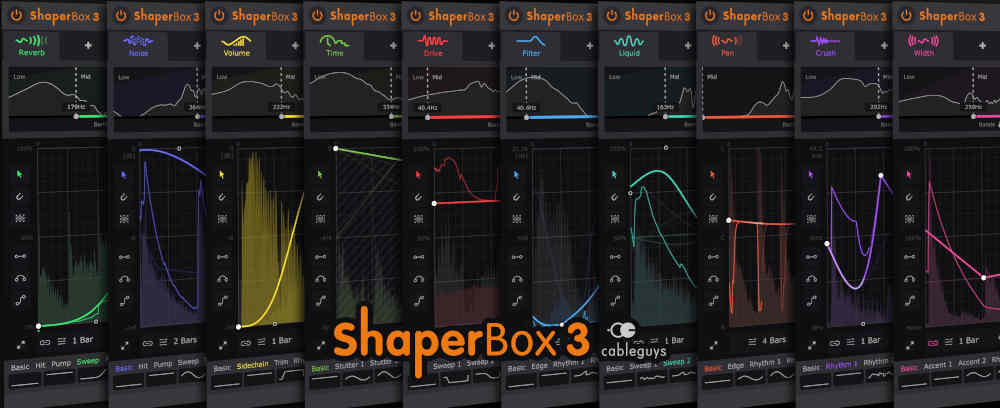
Its design reminded me of Cableguys’ ShaperBox, suggesting a direct competition between the two.

The plugin offers a variety of control options, including Envelope Sequencers, Euclidean patterns, Transient detection, and MIDI triggers. It even includes advanced features like macros, sequencers, and an envelope follower, making it highly versatile for both sound design and mixing.

With additional functionalities like Repeat/FX for loop-based effects, reverse playback, and pitch modulation, it feels like a hybrid between a sampler and a virtual synth.

For someone like me who frequently uses ShaperBox in mixes, Efx MOTIONS feels even more flexible. I’m excited to explore its full potential in upcoming projects.


Arturia FX plugins can be resource-intensive, but their unique sound often makes them indispensable in my mixing workflow. With modern hardware, especially on Macs, these plugins run smoothly.

If you’ve been curious about Arturia’s mixing and mastering tools, this sale is a great opportunity. Even if you own previous bundles, the new Bus PEAK alone might justify the upgrade.

See you in the next post!