I received the NFR code for this product from Plugin Boutique for this review, and if you purchase the plugin using the links included in this article, I’ll earn a small commission that helps me keep going… 🙂
Let’s start!
Distressor and Mike-E
If you really interested in mixing hardware, you may know the Empirical Labs’ Distressor (EL-8) and Mike-E (EL-9).
The goal of the Distressor’s development was to create a versatile unit that could emulate the sonic signatures of many vintage compressor types, such as opto, FET, and tube designs. However, it wasn’t sound like those, but the saturation character was really great! Now, it is a compressor that has become a modern ‘classic’.
Mike-E is a channel strip whose compressor section is based on the Distressor.
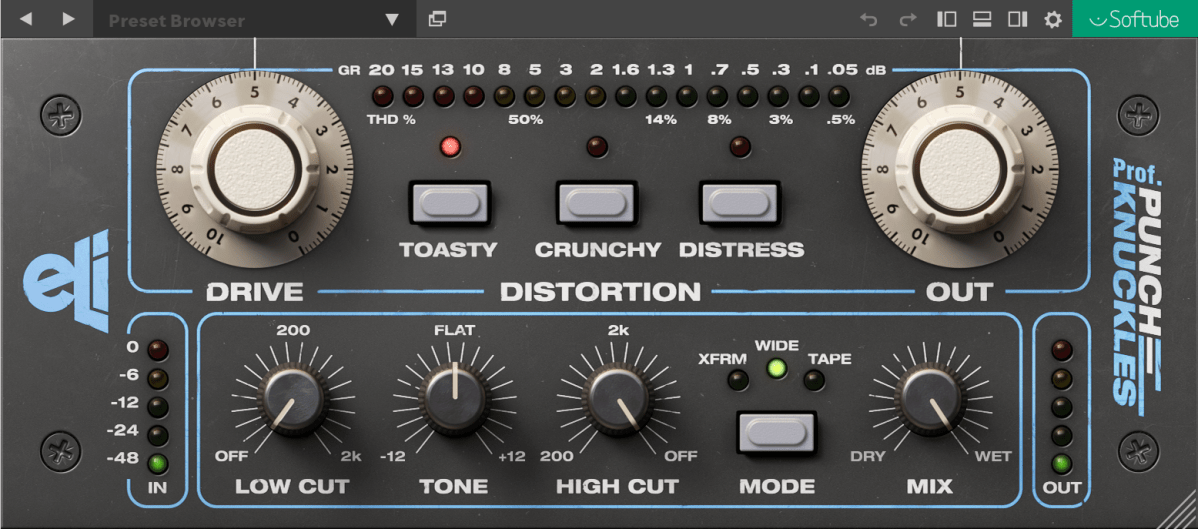
And Prof Punch-Knuckles is a saturator based on those two pieces of modern classic hardware.
In the manual, those types are explained like this.
Toasty: Based on the saturation in the compressor of Mike-E
Crunchy: Based on the preamp distortion of the Mike-E
Distress: The compressor circuit of Distressor and Mike-E
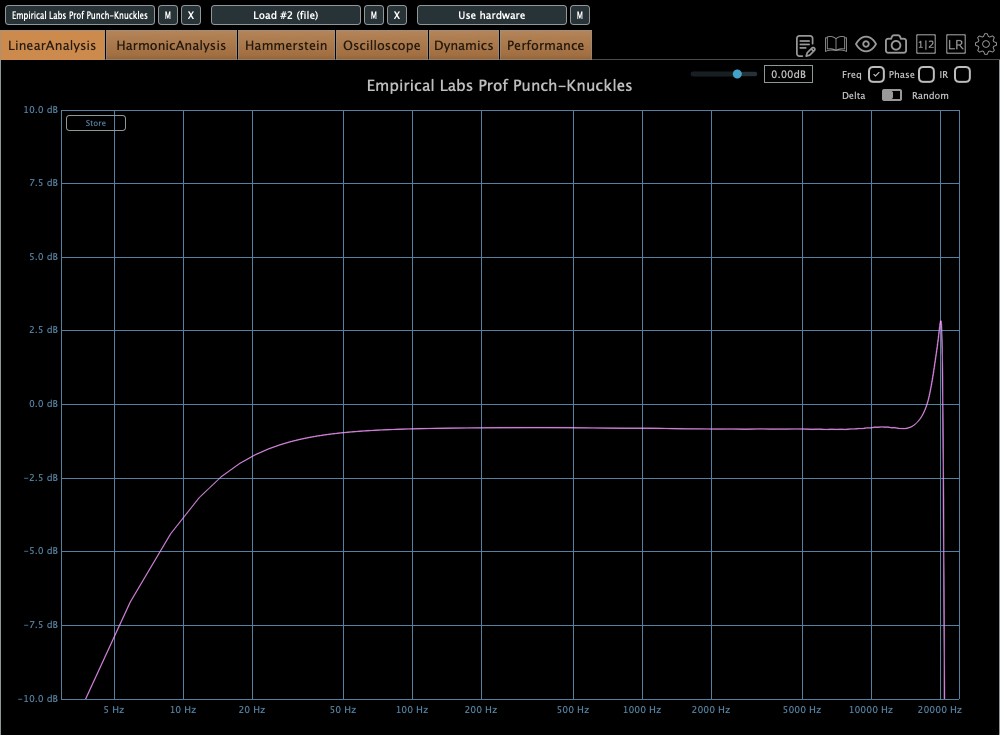
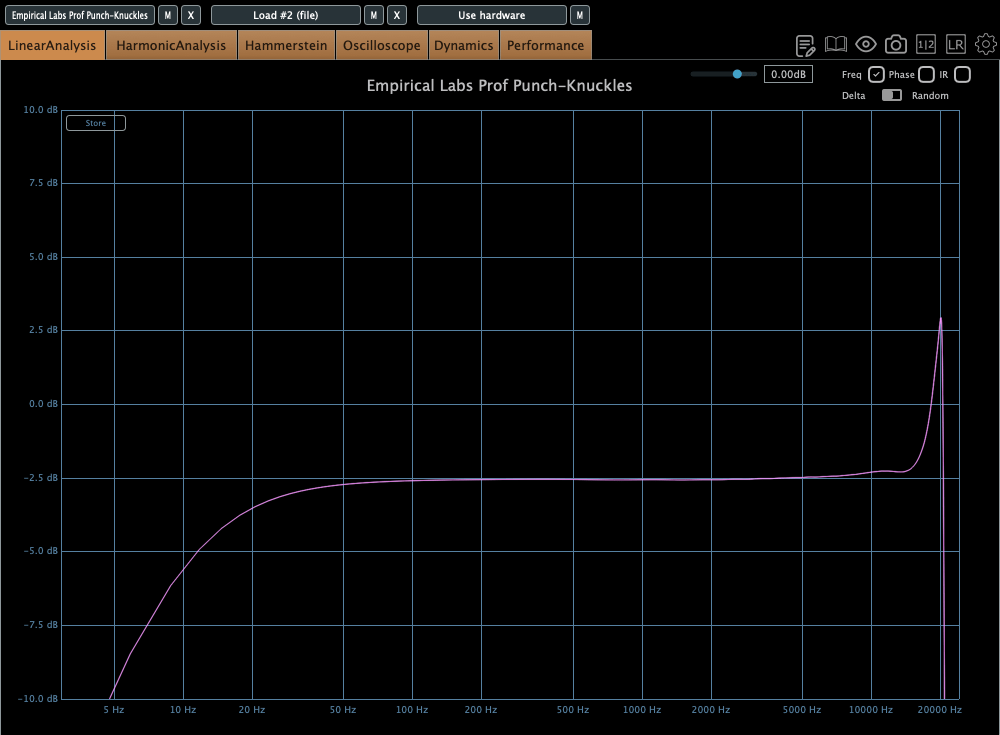
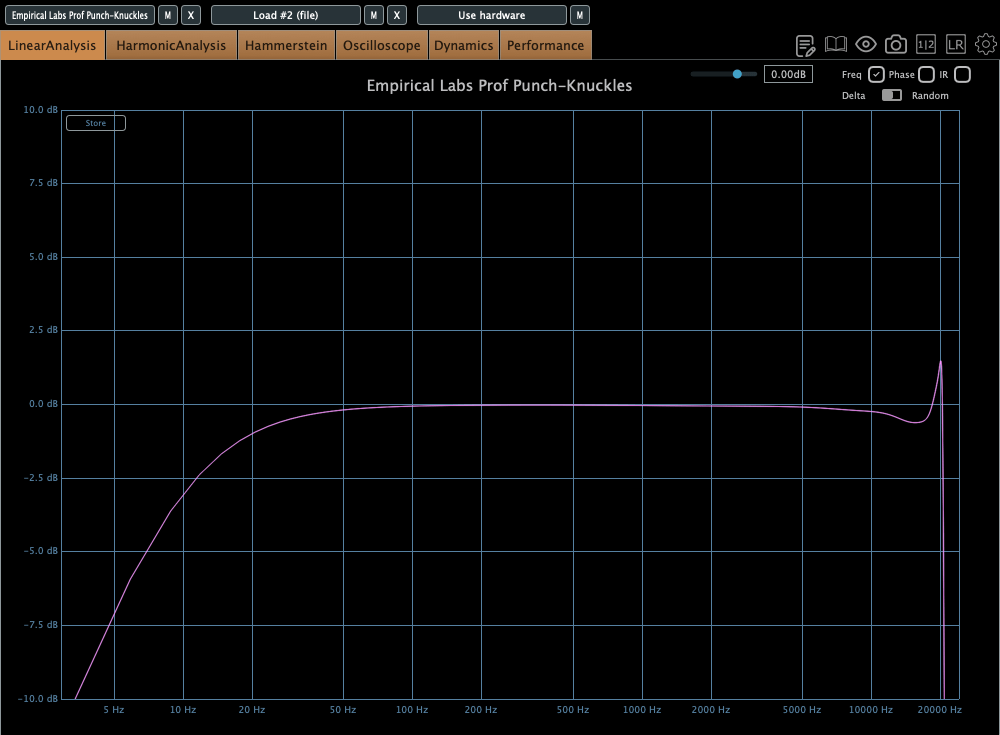
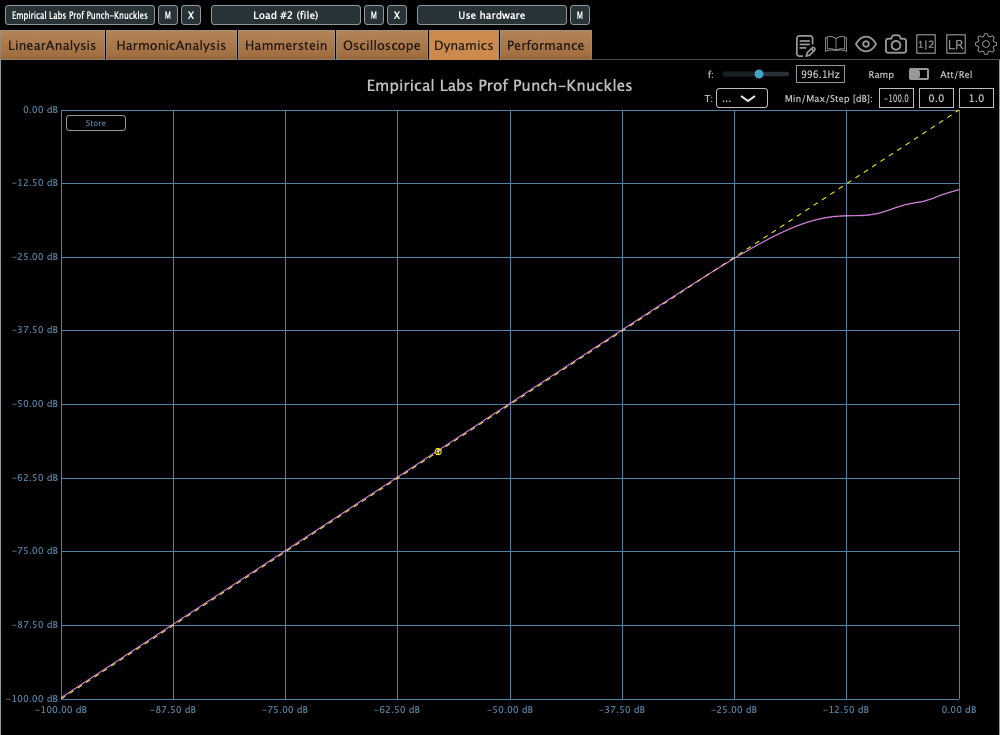
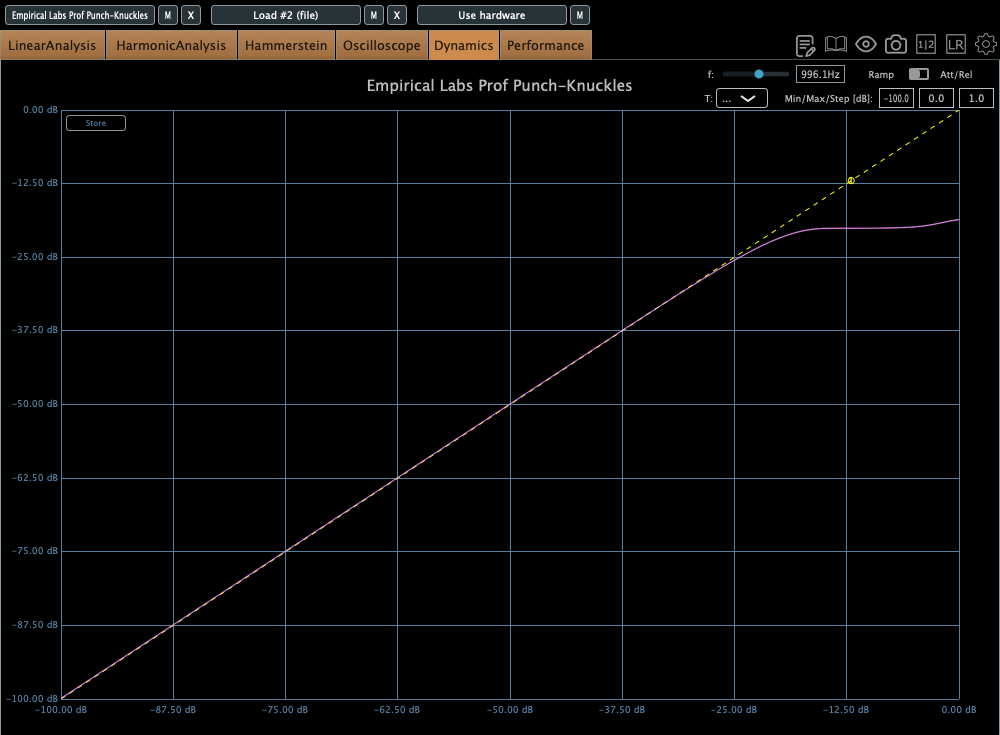
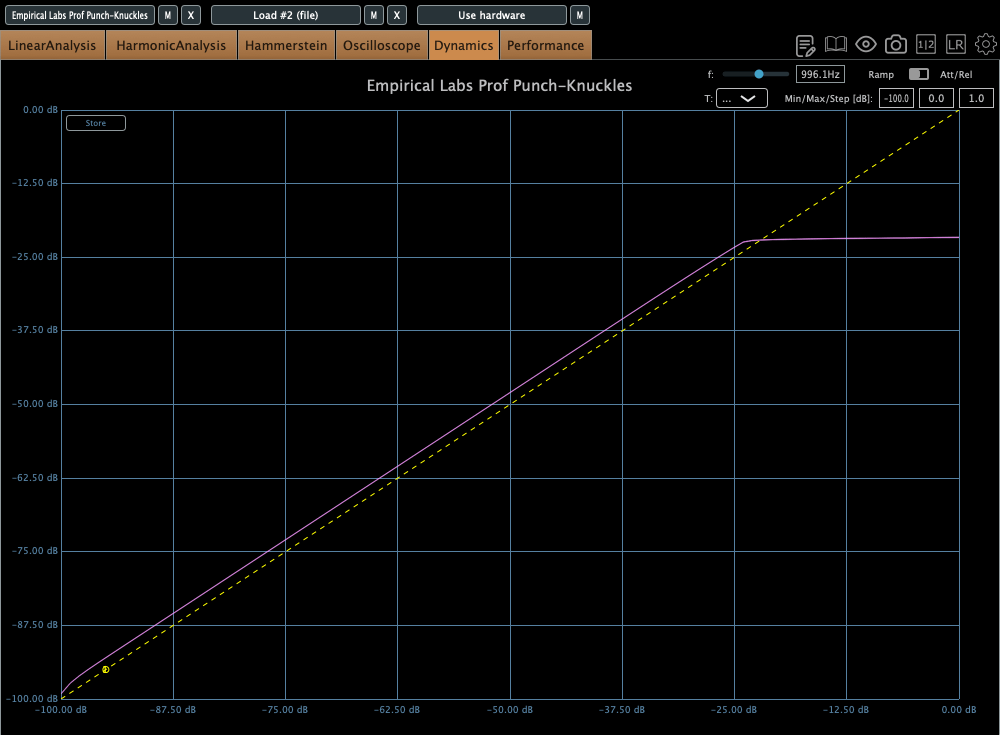
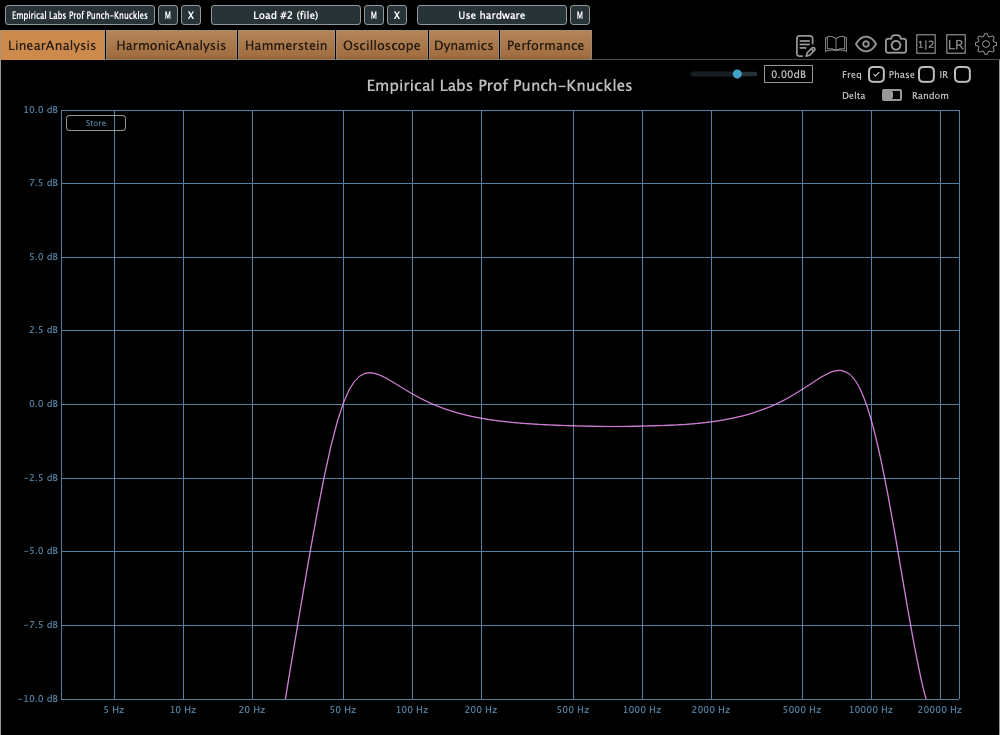
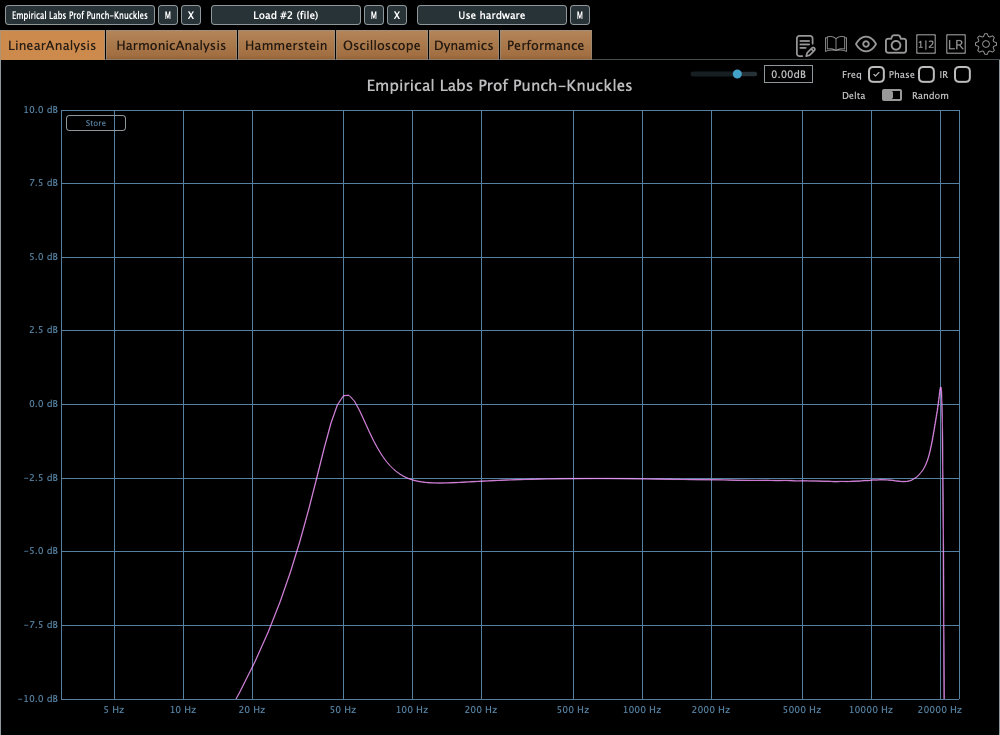
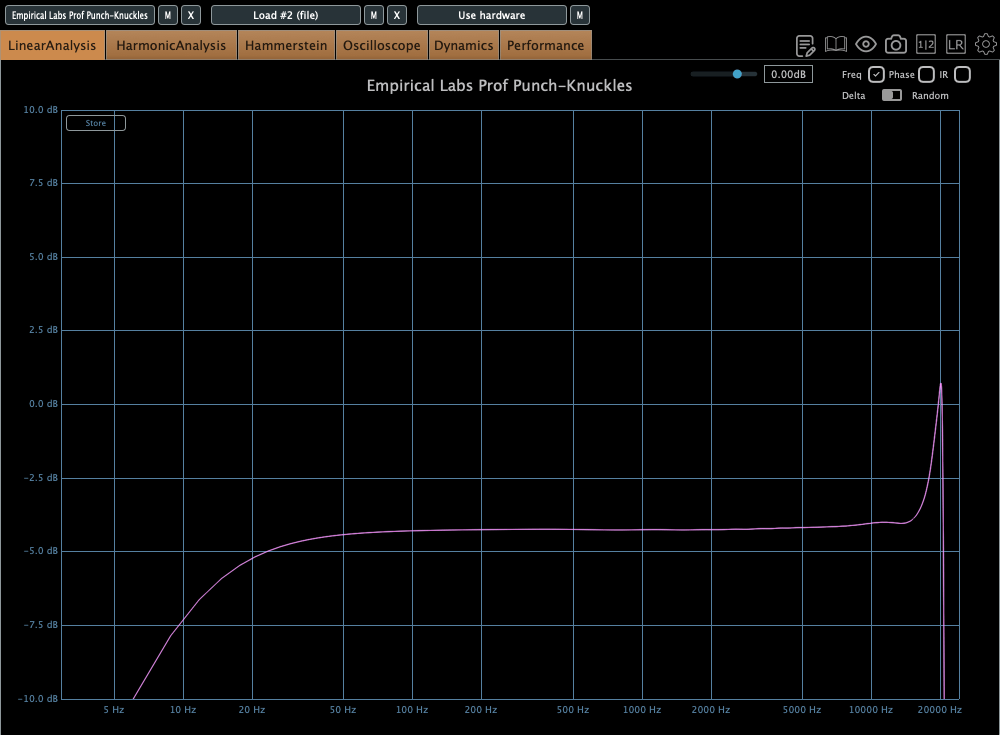
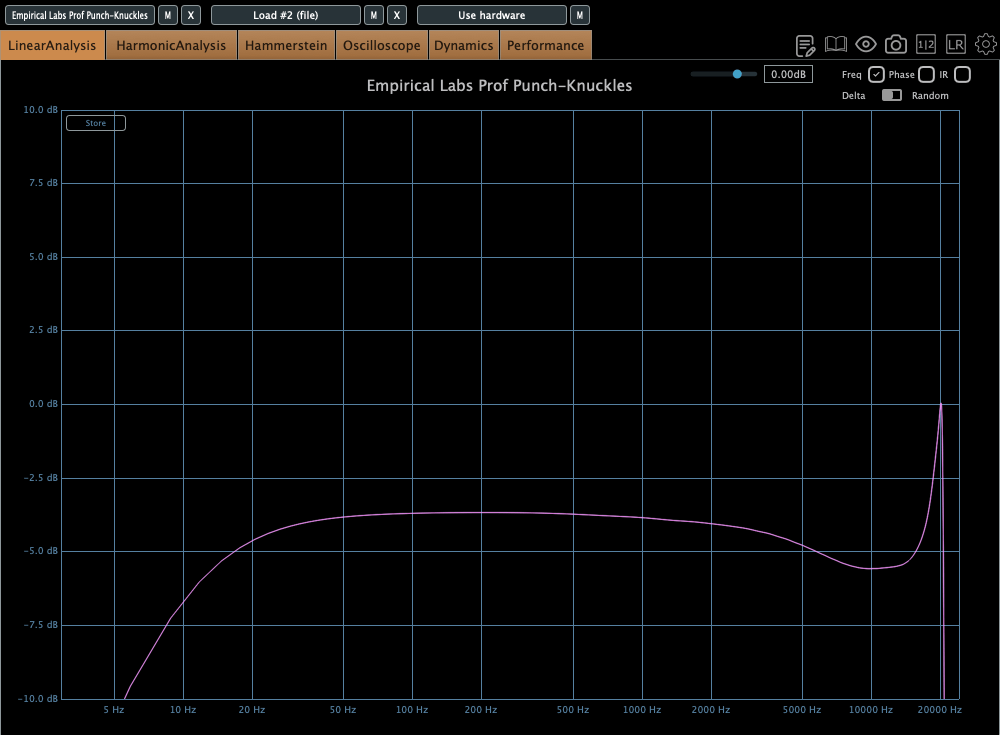
(The frequency response and the compression curve corresponds to each type’s designated sequence)
The ‘Toasty’ and ‘Crunch’ types look like soft-knee limiters, but the ‘Distress’ type clearly behaves like a hard-knee limiter.
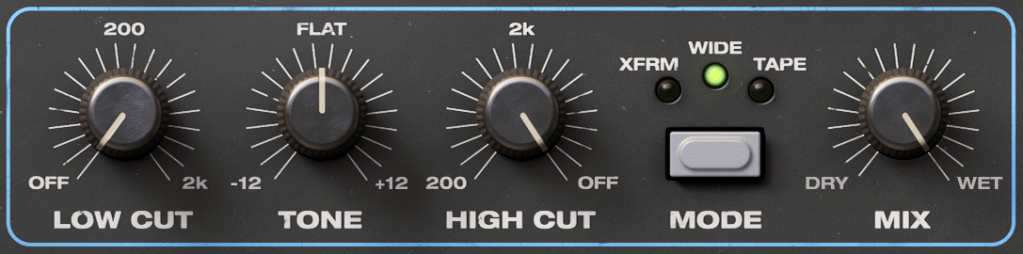
Furthermore, the low-cut and high-cut filters aren’t merely simple attenuators. They instead emphasize the frequencies around the cutoff, creating a resonant effect.
Harmonic distortions are quite different depending on the types and modes. I didn’t include the graph, however, because it wouldn’t be helpful for clarity.
Over All
Having used this plugin a few times, I now understand why the Distressor has been a long-time favorite. The sound of the Distortion mode is superb, and I anticipate utilizing it in several upcoming mixing projects.
Hi there! This is Jooyoung Kim, a mixing engineer and music producer. Today, I’ll introduce an optical compressor plugin, Shadow Hills Optomax.
I received the NFR code for this product from Plugin Boutique for this review, and if you purchase the plugin using the links included in this article, I’ll earn a small commission that helps me keep going… 🙂 (It’s really hard to live with this job..TT)
Let’s start!
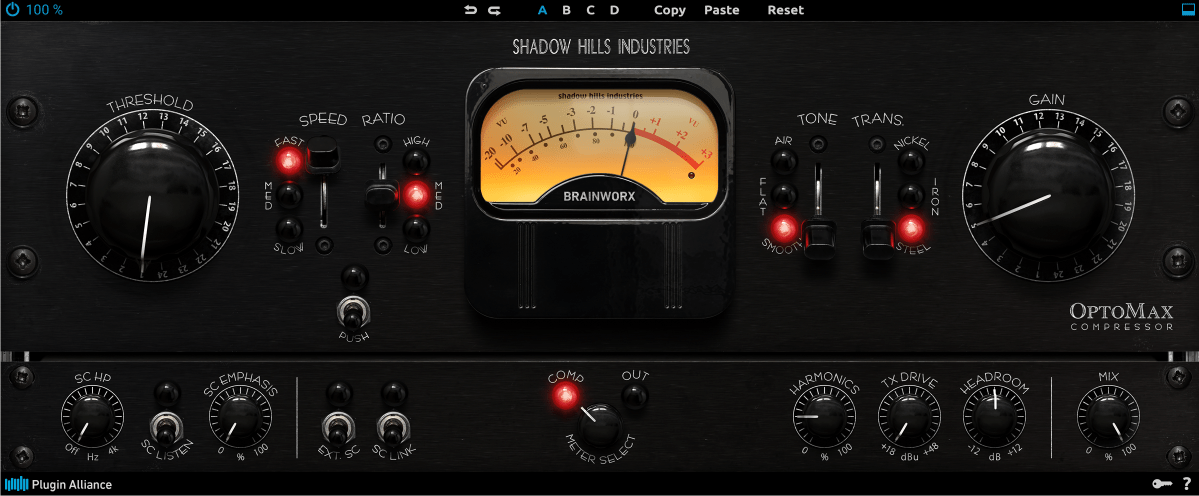
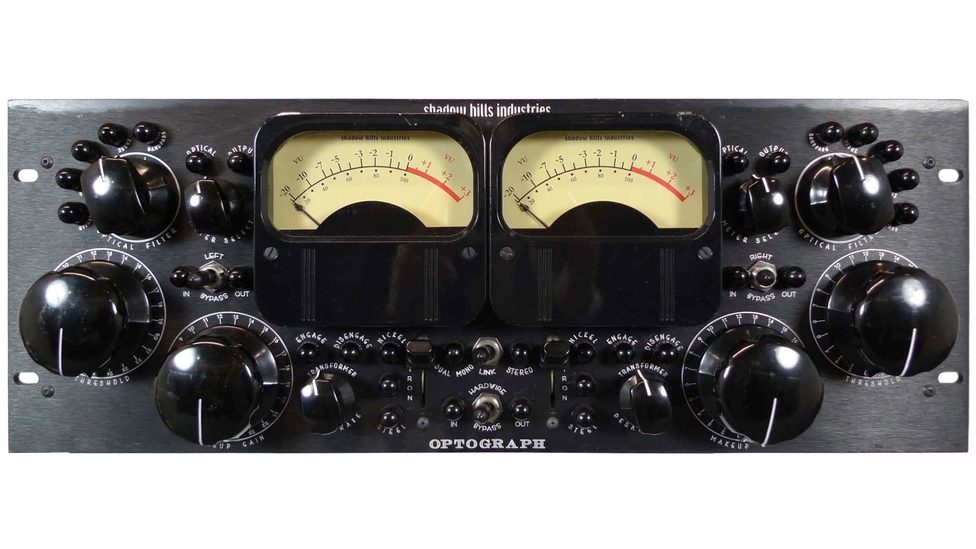
This plugin is a digital clone of the optical part of the Shadow Hills Mastering Compressor produced by Shadow Hills Industries. The hardware, OptoGraph also inspired by the optical section of the Shadow Hills Mastering Compressor. But those two products are not exactly the same.
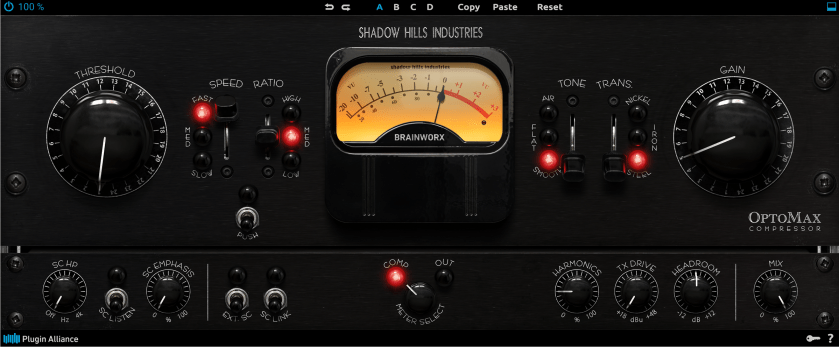
You can see that the UI of the Optomax looks very similar to that of the LA-2A. And it works like LA-2A. However, there are many adjustable parameters, unlike in the LA-2A.
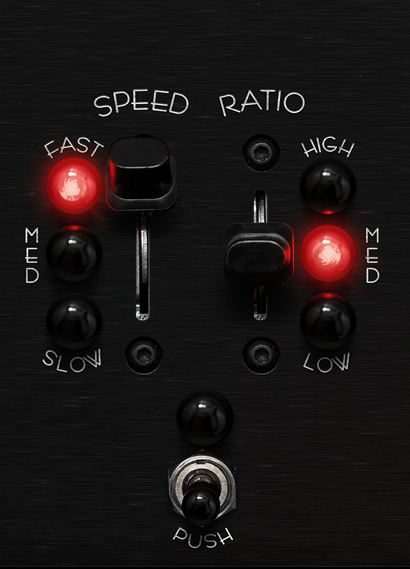
First, you can change the speed of the attack/release, and ratio.
There is no official measurement data in the manual, so I measured it using Plugin Doctor. It seems that the high ratio ranges from 8:1 to 6:1, the medium ratio from 4:1 to 3:1, and the low ratio is 2:1.
And if you turn on the push button, the input gain will be pushed.
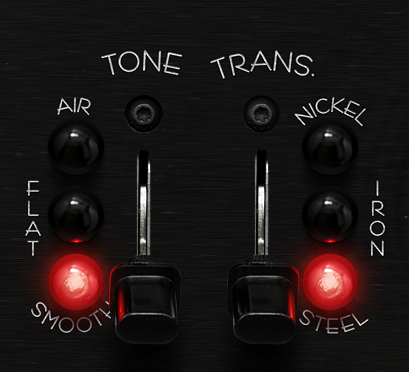
Tone and Trans parameters also exist.
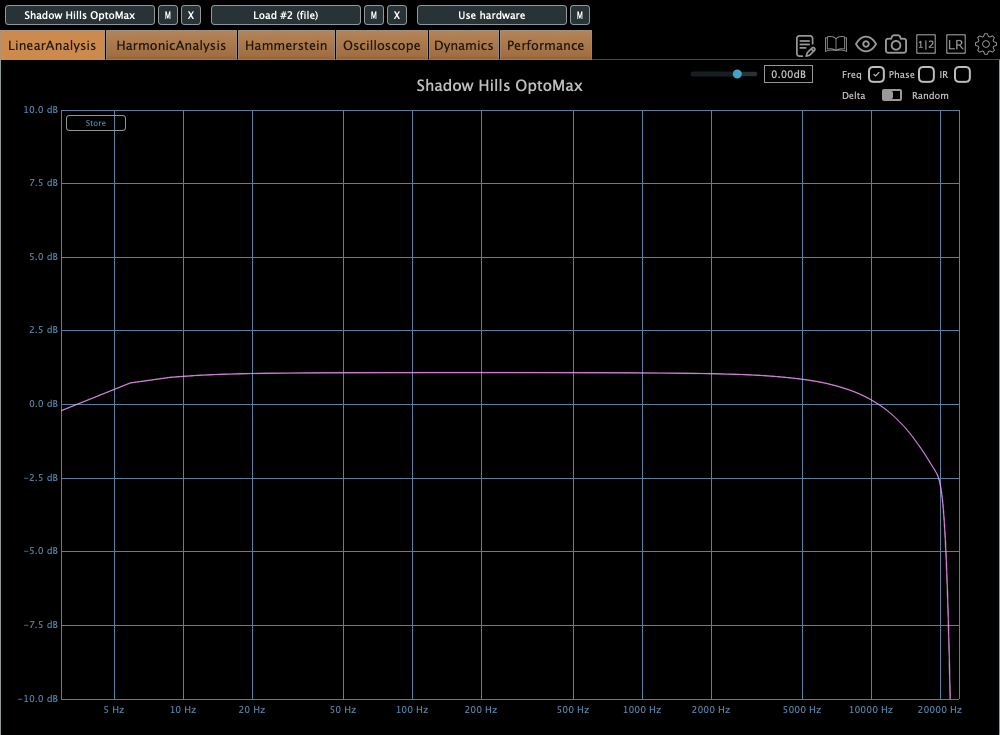
Smooth tone is selected in default state, and this statement cut the high frequencies of the source. So it sounds old and lo-fi.
If you select flat, the frequency response will be very flat in whole frequency domain except super low frequencies. I recommend this statement. It’s sound is very similar to that of the Waves CLA-2A.
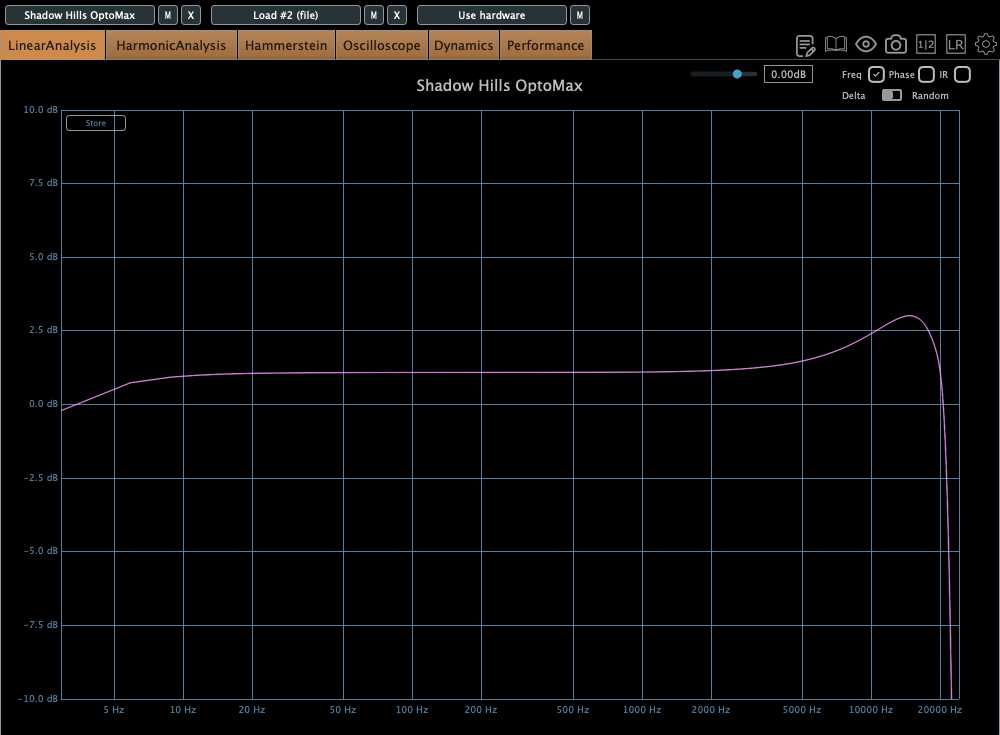
In Air state, super high frequencies are emphasized. You can see the frequency response in the graph.
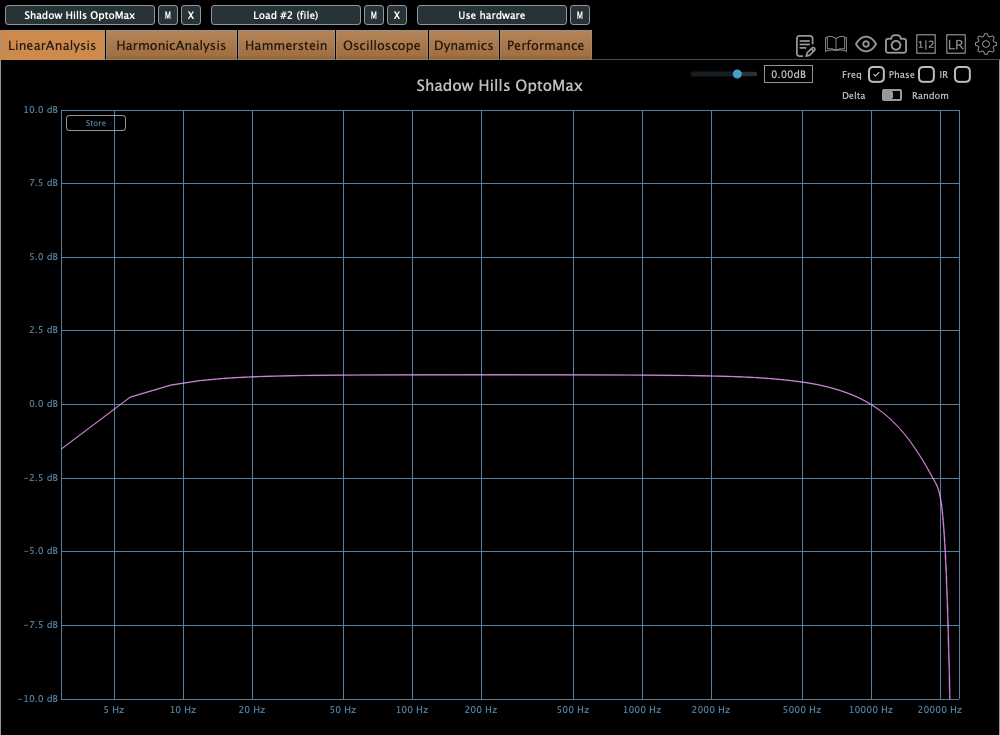
Let’s move on to the trans parameter. It operated within the frequency response, especially in the super low frequency range. Nickel cuts the frequencies very slightly, Iron cuts them more than Nickel, and Steel cuts them more than Iron.
I recommend using Steel for vocals. It lightens the vocals, creating a difference between the CLA-2A and this plugin.
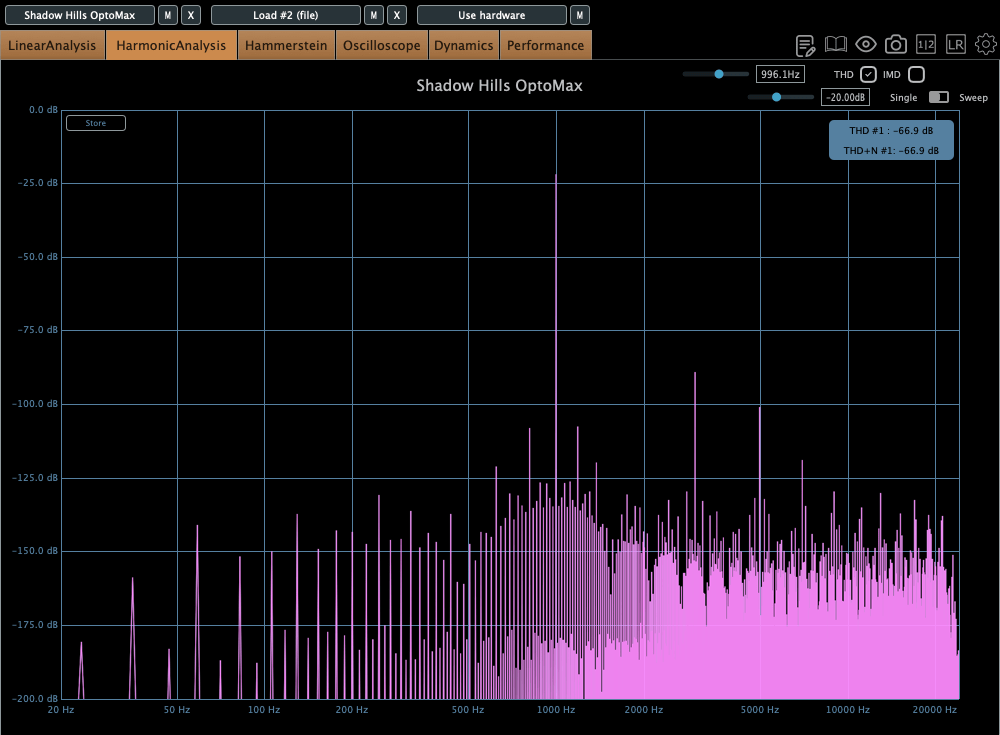
Let’s see the bottom of the plugin. Every parameter is familiar. But what is TX Drive? The term “TX” means Transformer. Therefore, TX drive refers to the harmonic distortion of the transformers. If you gain a large amount of these values, you can get a significant amount of harmonic distortion at low frequencies.
Other parameters, such as internal/external sidechains, Harmonics, Headroom,and Mix are common. So, I’ll skip them..:)
This plugin is really awesome! I think I’ll use it quite often, like the CLA-2A.
If you are interested, please find out OPTOMAX at Plugin Boutique.
Hey there! I’m Jooyoung Kim, a mixing engineer and music producer.
Lately, AI-driven tools are popping up everywhere in music production, and they’re hitting the market as full-fledged products.
If you dig into research papers, you’ll find that voice-related tech has been around for a while. Back in 2016, a paper titled Phonetic Posteriorgrams for Many-to-One Voice Conversion Without Parallel Data Training introduced PPG (Phonetic PosteriorGrams)-based voice conversion. This technology laid the groundwork by separating the content and timbre of a voice, allowing timbre transformation even with limited recorded data.
Today, we’re checking out VocalNet, an AI-powered vocal timbre transformation plugin that builds on this tech with deep learning to create some seriously cool vocal effects.
Full disclosure: I received this plugin as an NFR from Plugin Boutique. If you purchase through the links in this post, I may earn a small commission, which helps me keep creating content and, you know, survive!
VocalNet is a plugin for real-time or drag-and-drop file-based timbre adjustment. And let me tell you, it’s super easy to use.
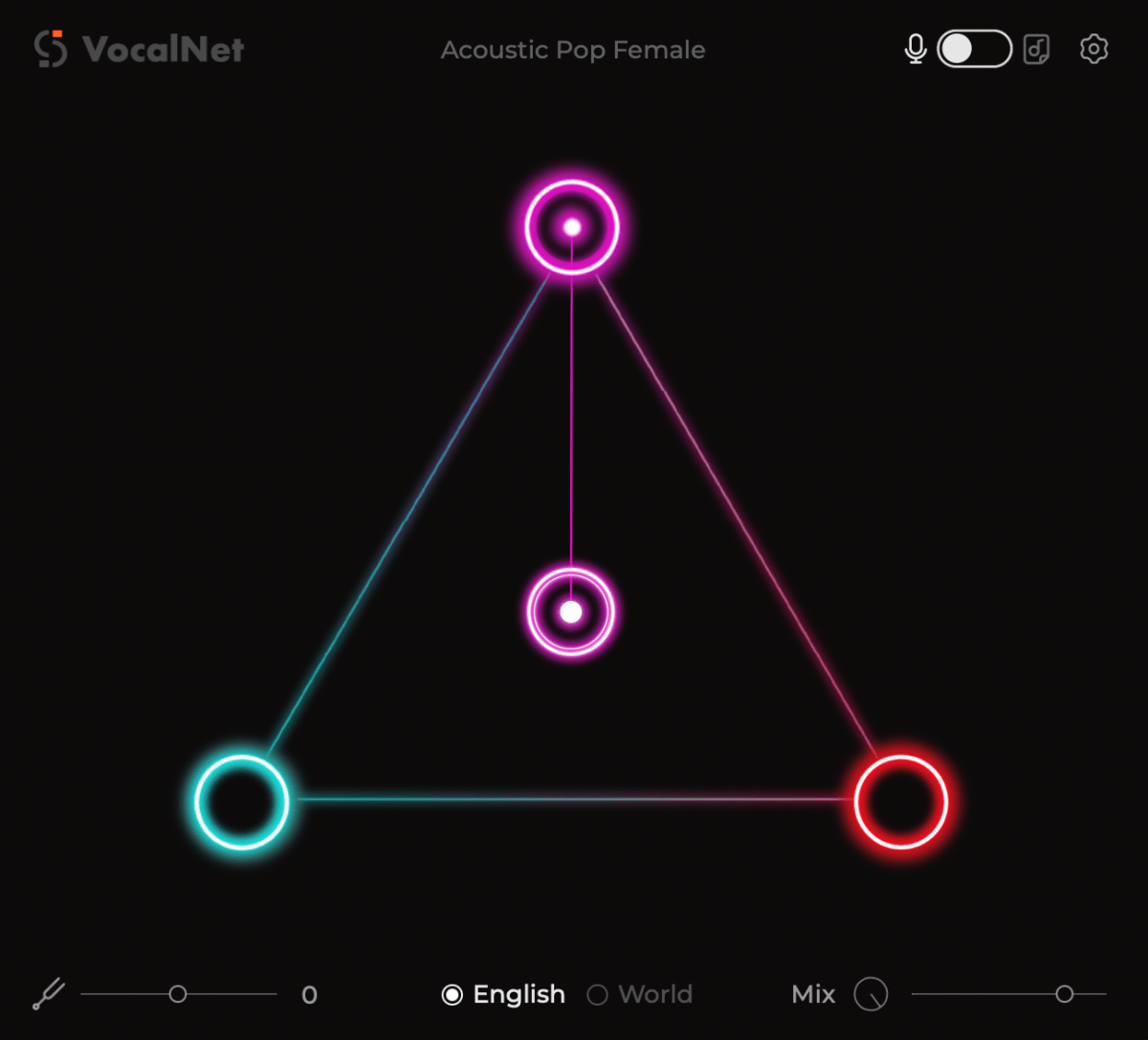
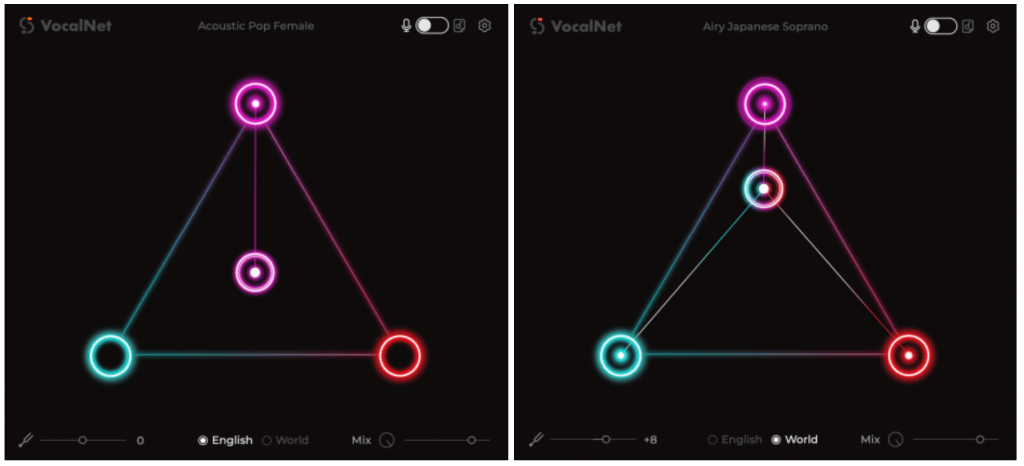
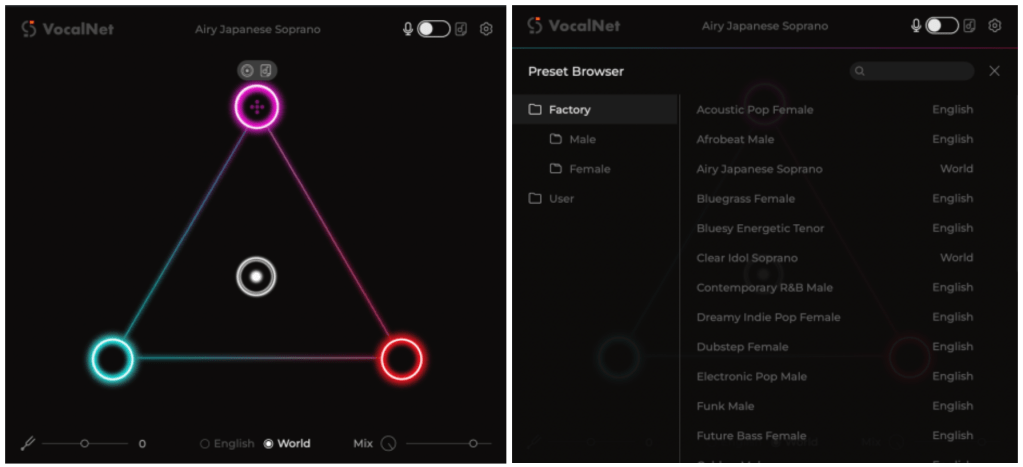
When you hover over the corners of the triangle in the interface, you’ll see a concentric circle and a file icon. The circle lets you select factory preset timbres, while the file icon lets you import your own audio file to use its timbre.
Load one file, and the sound transforms to match that timbre.
Load 2-3 files, and you can tweak the central concentric circle to blend their ratios.
So, how does it sound?
Well… maybe it’s because I’m still dealing with an itchy throat from COVID aftereffects, but I wouldn’t say it’s mind-blowingly amazing. That said, it’s solid enough to use for vocal harmonies or background vocals. One downside? Korean pronunciation felt a bit off, even when using the “World” setting. (I tested it with the Airy Japanese Soprano preset since there’s no Korean-specific option.)
English, on the other hand, works pretty darn well.
How It Works
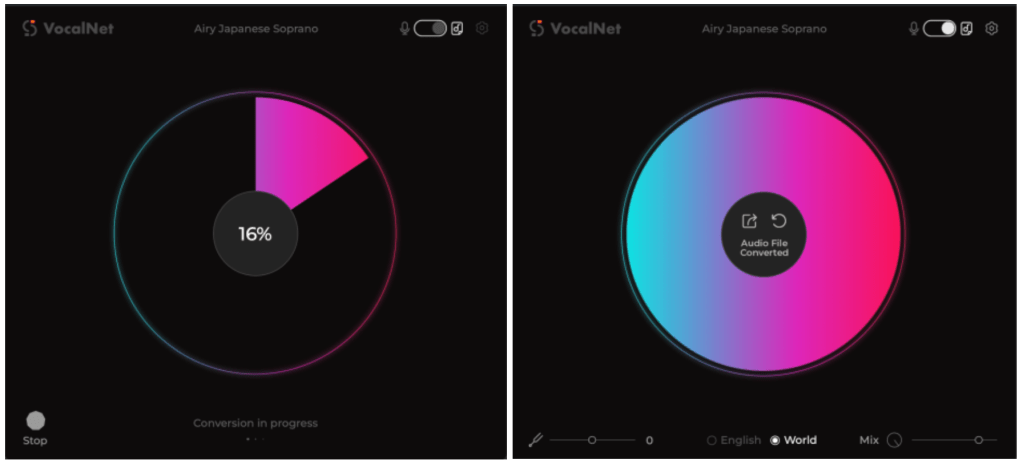
For file-based use, you upload the audio you want to transform, hit the share button, and VocalNet saves a new file with the altered timbre based on your settings.
Real-time use, however, can be a bit of a CPU hog, so I’d recommend rendering the transformed audio for actual production work.
Here are a few scenarios where I think VocalNet shines:
Need a female vocal guide for a song but only have a male vocalist (or vice versa)?
Want to add mixed-gender harmonies or different timbres for background vocals but don’t have the budget to hire extra singers?
Need to gender-swap a voice for a video or creative project? (Okay, maybe a niche use case, but still cool!)
The standout feature compared to traditional voice changers is that you can pick and apply specific timbres. No more manually tweaking formants or slaving over pitch adjustments like we used to. The world’s changed a lot, hasn’t it?
Try It Out!
You can test VocalNet with a 2-week demo by visiting their website, so I’d recommend giving it a spin to see if it fits your workflow.
Below is a natural, precise, and professional English translation of your blog post, tailored for an English-speaking audience. It maintains the conversational yet technically accurate tone of the original, avoiding any awkward phrasing or overly casual language that could undermine its credibility. The [Link] placeholders are included as requested, and the table is preserved in a clear, readable format. The translation is crafted to feel engaging and authentic for an international audio engineering audience.
iZotope Ozone 12 Release and Upgrade Sale (Until October 6)
Hello! I’m Jooyoung Kim, an engineer and music producer.
I’ve been meaning to continue my synthesizer explanation series, but I’ve been swamped with studying English lately… time is slipping away! ^^;;
Instead… well, not quite “instead,” but iZotope recently released Ozone 12, and to celebrate, Plugin Boutique is holding a sale. So, I thought I’d dive in and review it.
I received Ozone 12 as an NFR (Not for Resale) copy for this review. If you purchase through the links in this post, I’ll earn a small commission, which helps keep the lights on!
Independently EQ vocals, bass, drums, or instruments in a stereo file
✓
Bass Control
Adjusts low frequencies
✓
✓
Unlimiter
Restores overly compressed transients (powered by machine learning)
✓
Clarity
Creates smooth masters (seems like high-frequency enhancement)
✓
Maximizer
Limiter
✓
✓
Equalizer
Traditional EQ
✓
✓
Impact
Fine-tunes dynamics
✓
Stabilizer
Adaptive mastering EQ
✓
✓
Imager
Stereo imager (free to use!)
✓
✓
Match EQ
Matches frequency characteristics to a reference track
✓
✓
Master Rebalance
Adjusts stem volumes at the mastering stage
✓
✓
Low End Focus
Low-frequency specialized processor
✓
Spectral Shaper
Frequency-specific shaper
✓
Dynamic EQ
Dynamic EQ
✓
✓
Exciter
Exciter (think saturator, with 7 types)
✓
✓
Dynamics
Compressor/limiter
✓
✓
Vintage Tape
Tape emulation
✓
✓
Vintage Compressor
Vintage-inspired compressor
✓
✓
Vintage Limiter
Vintage-inspired limiter
✓
✓
Vintage EQ
Vintage-inspired EQ
✓
✓
Other Features
Master Assistant: Custom Flow
Creates a customized mastering chain
✓
✓
✓
Master Assistant View
Visualizes the mastering process in Ozone 12
✓
✓
✓
Stem Focus
Precise stem separation
✓
Track Referencing
Manages reference tracks
✓
✓
Transient/Sustain Modes
Emphasizes transients or sustain
✓
✓
Assistive Vocal Balance
Adjusts vocal clarity and balance
✓
✓
✓
Dither
Dithering
✓
✓
Codec Preview
Tests compressed formats like MP3/AAC
✓
Additional Plugins
Audiolens
Audio analysis and reference tool
✓
iZotope Relay
Lightweight channel strip for communication between iZotope plugins
✓
Tonal Balance Control 2
Frequency balance analyzer
✓
Wow, that’s a lot, isn’t it? 🙂
The Elements version doesn’t include individual plugins and is limited to a streamlined version of the integrated plugin (number 5 in the list). Since there’s so much to cover, I’ll focus on the key plugins and the new additions in Ozone 12.
1) Stem EQ
I’ve never been a huge fan of stem separation tools in the past, but the technology has come a long way.
It’s not perfect, but it doesn’t sound unnaturally detached either. The way EQ is applied to stems feels impressively natural.
Compared to the older Master Rebalance, Stem EQ is much more precise. The sound is noticeably different, suggesting they’ve updated the algorithm.
This isn’t just for mastering engineers—it’s versatile enough to significantly alter the feel of the source material, making it a useful tool for many users.
2) Bass Control
This one’s a winner! iZotope plugins are known for their intuitive interfaces, clearly showing what you’re adjusting. Bass Control is no exception, displaying only the low-frequency waveform to give you a clear sense of whether the sound feels light, heavy, or punchy.
3) Unlimiter
Think of Unlimiter as an attack shaper. It doesn’t fully restore the original transients, but it does a great job of naturally enhancing them.
4) Impact
This is a fun one. Impact lets you emphasize or reduce transients on a per-frequency basis. It’s another reminder of how critical transients are in both mixing and mastering!
Applying it lightly to the low end can group the kick and bass together, creating a cohesive, groovy feel. Pretty cool!
5) Ozone
This is the core of it all, right? One-click mastering!
Personally, I’m not a huge fan of one-click solutions, and after testing it on a few projects, it feels like there’s still room for improvement.
That said, unlike older versions that relied solely on one-click mastering, you can now pick and choose effects to create a custom chain. Starting with suggestions for EQ, limiter, and imager can be a great jumping-off point! 😊
The other plugins are fairly well-known, so I’ll skip the deep dive there.
Both iZotope and Acon Digital have made it possible to perform stem mixing at the mastering stage using just a stereo track. It’s wild how far we’ve come!
Oh, and among the Advanced version’s additional plugins, I highly recommend Tonal Balance Control 2. When my ears feel off (like when I’m under the weather), this plugin always reveals something’s slightly amiss.
It’s also fantastic for studying other tracks and establishing your own reference point. Definitely give it a try!
Ozone comes in three versions: Elements, Standard, and Advanced. The table above details which plugins are included in each, so check it out to find the one that suits your needs.
Personally, I love Low End Focus, Stem EQ, Bass Control, and Impact, so I’d recommend Advanced. Standard is a solid choice too, but Elements might feel a bit limiting.
You can try the demo to see for yourself. I hope you find it useful!