Introducing the SSL Fusion Bundle and Its Limited-Time Discount (-92%, Until 12/11)

Hello, this is Jooyoung Kim, mixing engineer and music producer.

SSL is known for creating excellent plugins but rarely offers deep discounts. This time, they’re offering a significant discount exclusively on the Fusion plugins, so I wanted to share an overview of the SSL Fusion Bundle for those on the fence about purchasing it.

Purchasing through the link above supports me with a small commission, which helps me keep creating content. Thank you!

Now, let’s dive in.


What is SSL Fusion?

The SSL Fusion was introduced in late 2018 as a hardware unit.

This piece of gear falls under the category of enhancers, akin to the SPL Vitalizer or the Overstayer MAS.

It became quite popular due to its feature set and relatively affordable price. However, ever since the Fusion plugin series launched, I’ve noticed an increase in second-hand listings for the hardware on various marketplaces.

While the hardware offers unique textures, I personally don’t use it heavily due to the inconvenience of recall. Many might have switched to plugins for similar reasons.
Also, let’s be honest—printing and tweaking can be quite a hassle!

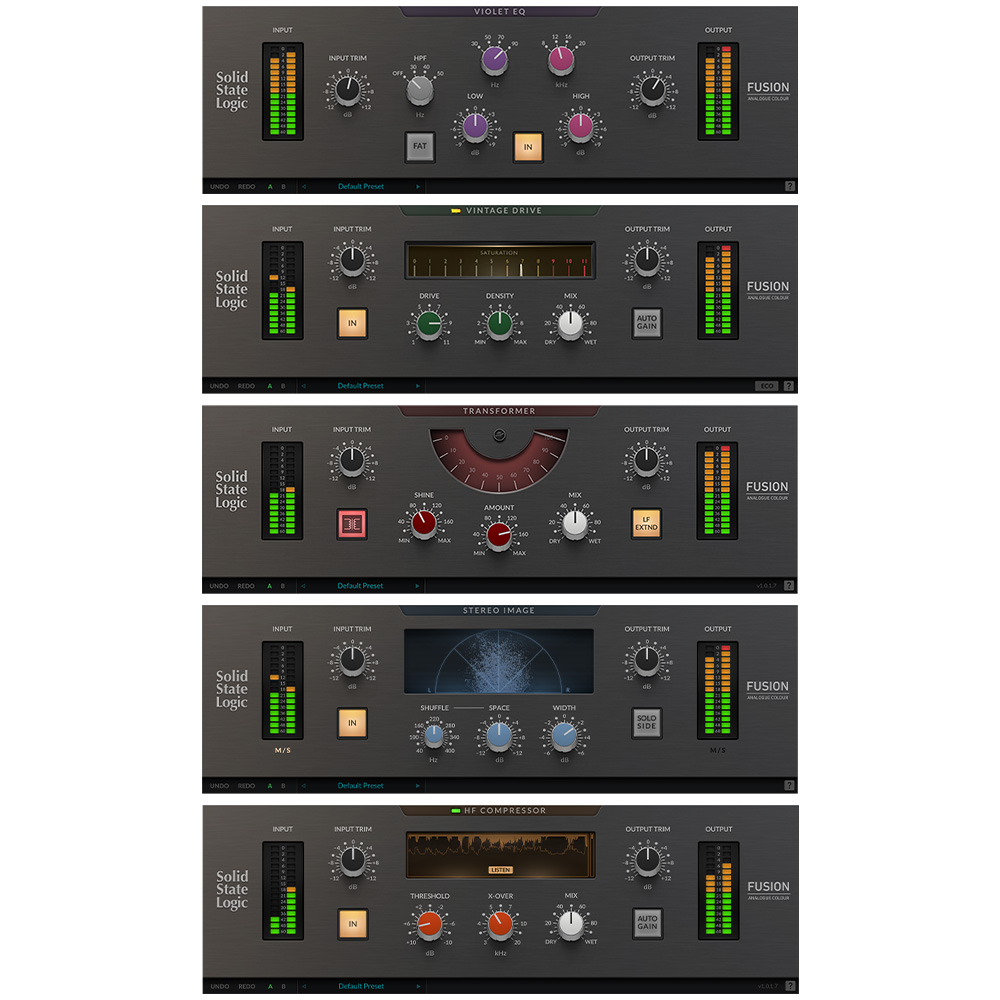
The SSL Fusion Bundle includes five core functions from the hardware (excluding the hidden “LMC” or Listen Mic Compressor feature). Personally, I was most impressed with the Transformer and Stereo Image plugins. Let’s take a closer look at each.


SSL Fusion Transformer

Click image to purchase SSL Fusion Transformer..! It’s really great!

The Transformer plugin replicates the hardware transformer circuit. Clicking the transformer symbol activates it.

  • Shine: Enhances high frequencies.
  • LF EXTND: Gently boosts sub-lows.
  • Amount: Controls the level of harmonic distortion.
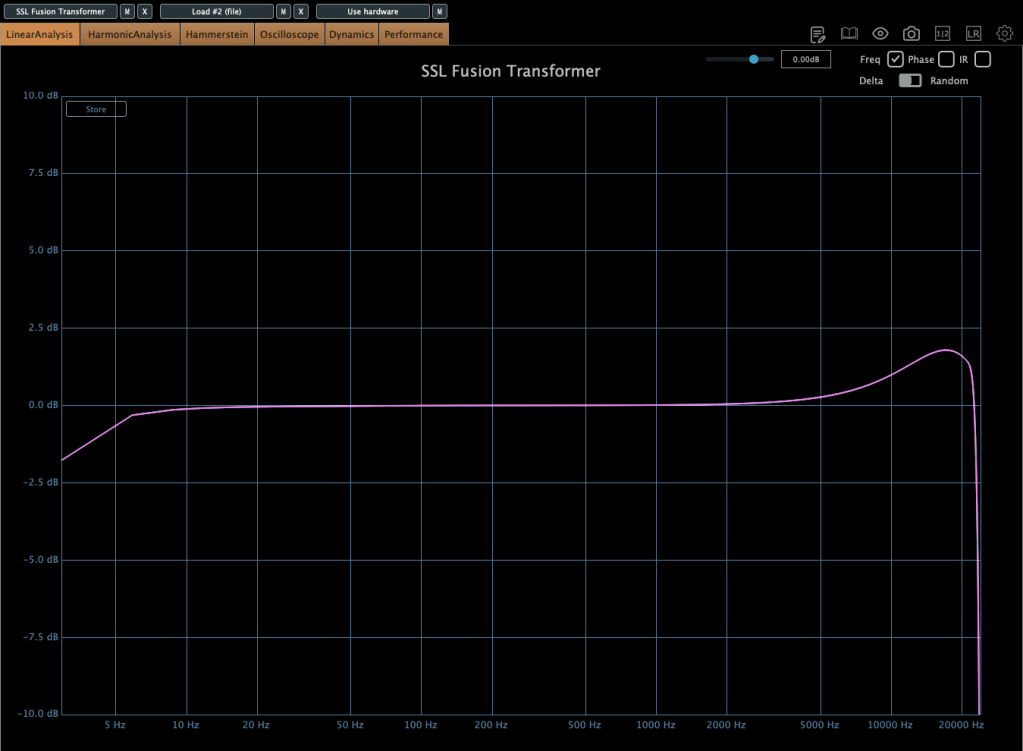
In essence, it’s an enhancer that adds harmonics and high-end sheen. Right from the first test, it added pleasing high frequencies and harmonics, making it versatile for various tracks.


SSL Fusion Stereo Image
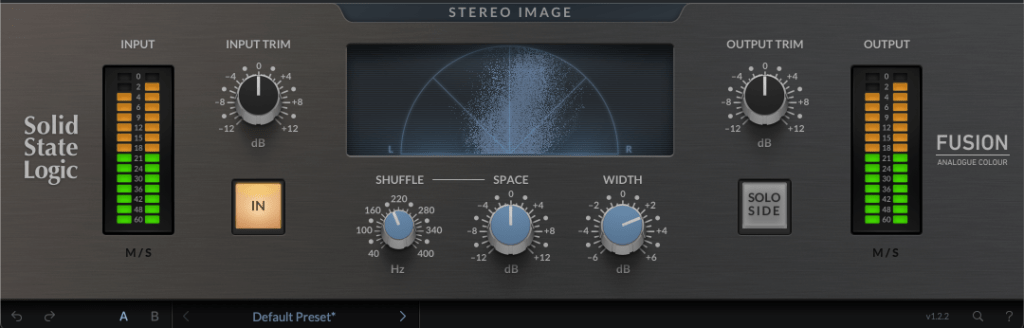
The Stereo Image plugin recreates the stereo enhancer from the Fusion hardware.

It offers more than just a width adjustment by including Stereo Shuffling, which allows control over stereo imaging in low-frequency bands.

  • Shuffle: Sets the cutoff for low frequencies.
  • Space: Adjusts the stereo width of these frequencies.
  • Width: Adjusts overall stereo width using M/S processing.

If you’re hesitant about pricier alternatives like Leapwing Audio’s StageOne 2, this plugin provides excellent stereo imaging control, especially for modern music where low-end stereo imaging is critical.


SSL Fusion Vintage Drive
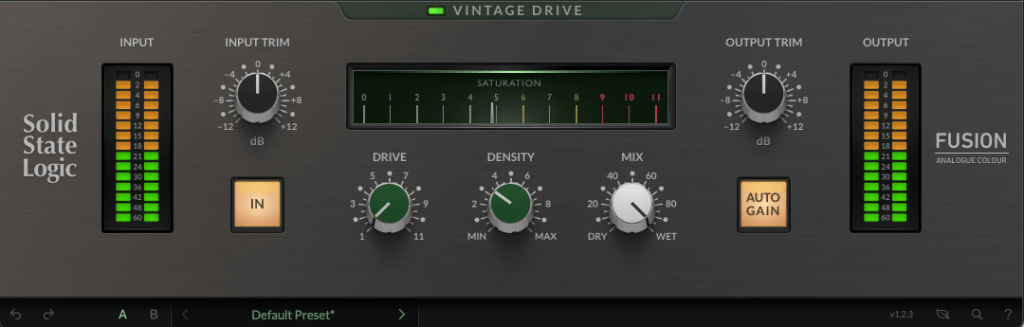
The Vintage Drive plugin adds saturation and harmonic distortion while increasing low-end warmth.
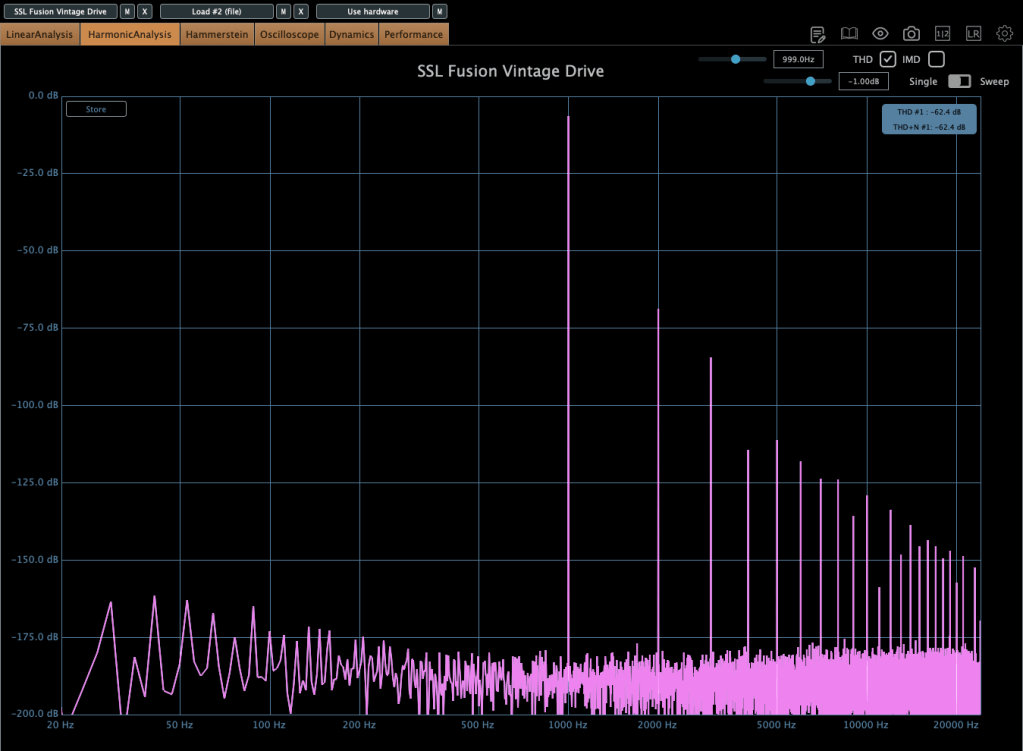
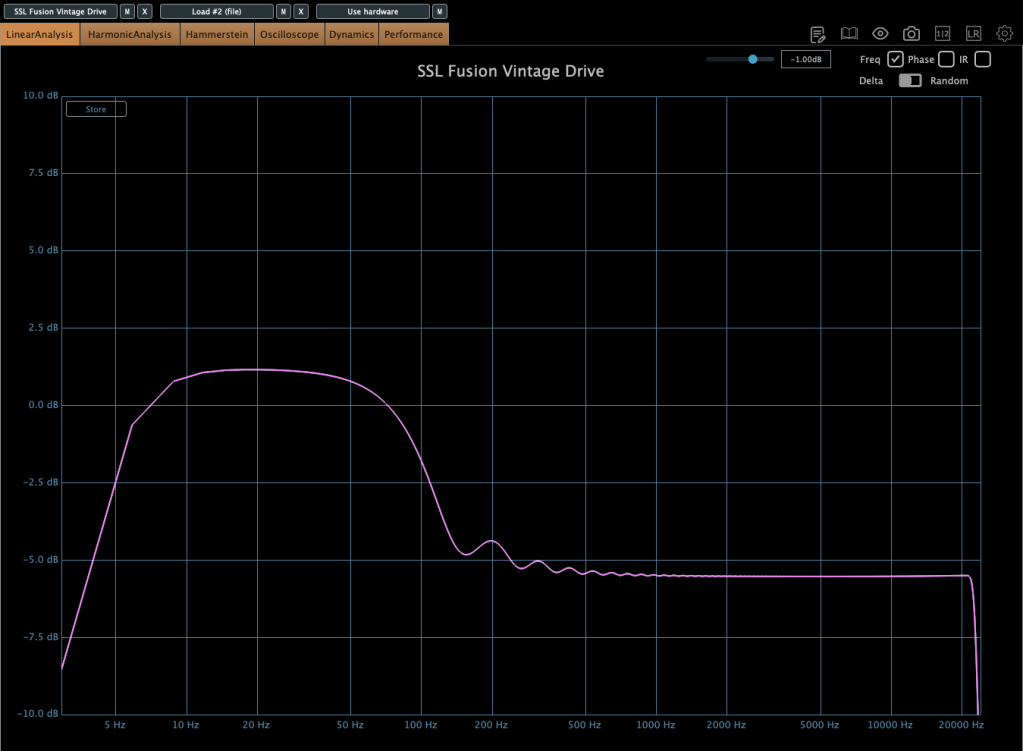
With subtle settings, the low-end boost is manageable, but when pushed, it creates a more aggressive drive. If you’re a fan of the Soundtoys Decapitator or Arturia Dist TUBE-CULTURE, you might find this plugin fits your workflow.


SSL Fusion HF Compressor

The HF Compressor is a high-frequency compressor.

  • X-Over: Sets the frequency range for compression.
  • Threshold: Controls the compression amount.

This plugin is particularly useful when high frequencies enhanced by the Transformer plugin need some taming.


SSL Fusion Violet EQ

The Violet EQ is a shelving EQ, also available as a 500-series hardware unit.

Its FAT feature subtly boosts specific frequency bands when the HPF is set to 30, 40, or 50 Hz. Otherwise, it’s a clean and straightforward EQ with no added harmonics.


Final Thoughts

The Fusion Bundle is currently available for under $100 during this sale. Whether on a mix bus or master bus, these plugins deliver exceptional results.

Given the sound quality, I now understand why so many hardware units have hit the used market. It also makes me curious about the actual hardware’s performance—maybe I’ll get one someday!

I hope this overview helps those considering the Fusion plugins.

See you in the next post!
2024 Black Friday Virtual Instruments and Plugins Sale Guide: Part 2 – Virtual Instruments

Hello! This is Jooyoung Kim, mixing engineer and music producer, and singer-songwriter.

Now, let’s dive into Part 2 – Virtual Instruments (Synthesizers, Sample-Based Instruments, Orchestration Tools).

As mentioned in Part 1, I’ve collaborated with Plugin Boutique for this guide. Links to products on Plugin Boutique will direct you there, while those unavailable on their platform will link to their respective websites or other discount pages.

Purchasing through Plugin Boutique links provides me with a small commission, which helps support my work. Your support is greatly appreciated!

This section is organized by instrument type for easier navigation.


Virtual Instruments

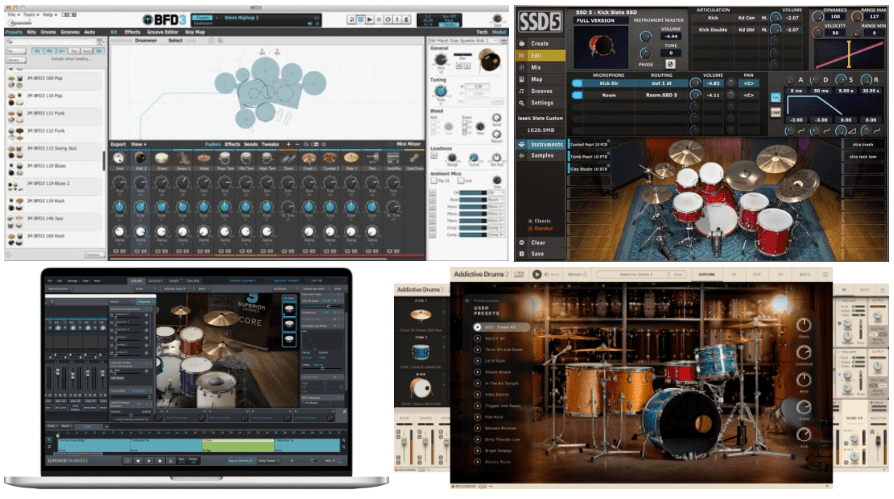
1) Acoustic Drums

  • BFD3: My go-to acoustic drum plugin. While the initial setup might seem tricky, just a bit of knowledge about drum recording will let you create realistic drum tracks. At $42.9, it’s a steal! However, you’ll likely need to invest in some expansion packs for serious use.
  • SSD5.5: Another solid acoustic drum plugin. Currently priced at $49. It also requires expansion packs for full functionality. I used to use the free version back on Cubase 10 with Windows, though there were compatibility issues back then. These should be resolved now.
  • Superior Drummer 3: Although I haven’t used this personally, it’s a favorite among pop producers. It comes with a wealth of preloaded sounds but is quite pricey at €299 (Black Friday price).
  • Addictive Drums 2: I haven’t tried this one either, but it seems to be a popular choice for simpler setups. Their discounted collections include the Custom Collection (3 kits for $92.4), Custom XL Collection (6 kits for $178.2), and Custom XXL Collection (10 kits for $273.9).

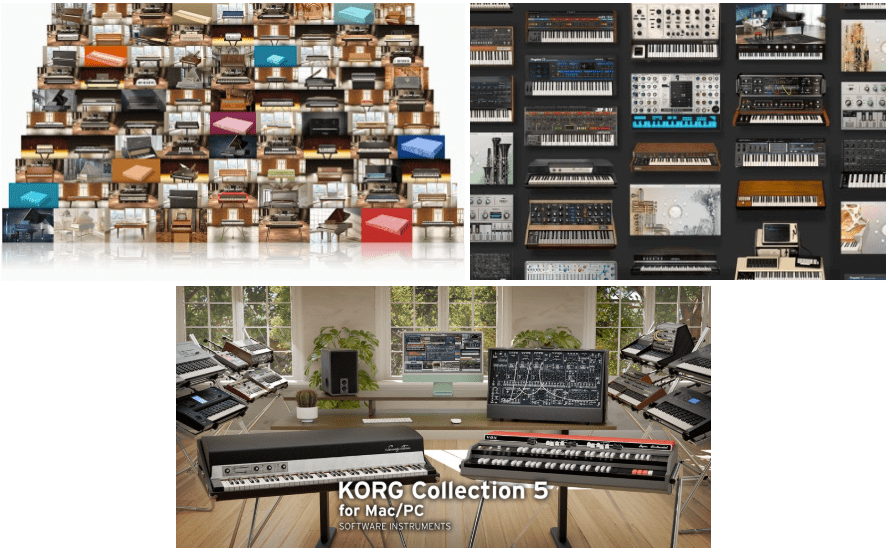
2) Piano & Synthesizer Emulations

  • UVI Key Suite: Offers an extensive and diverse library of sampled pianos and synthesizers, surpassing even Keyscape. At $224, this is a great deal if you’re looking for an all-in-one bundle.
  • Arturia V Collection X: Arturia excels at emulating classic synthesizers. This collection features 39 instruments, including acoustic pianos (Piano V, with nine piano types), electric pianos, and synthesizers. Priced at $328.9, it’s worth exploring if you love classic sounds.
  • Korg Collection 5: This bundle includes 15 emulations of iconic Korg synthesizers and is priced at $328.9.

Other honorable mentions include Native Instruments Komplete, Roland Cloud subscriptions, Xfer Serum, Keyscape, and Omnisphere, though they don’t seem to have discounts at the moment. Perhaps on the day itself?


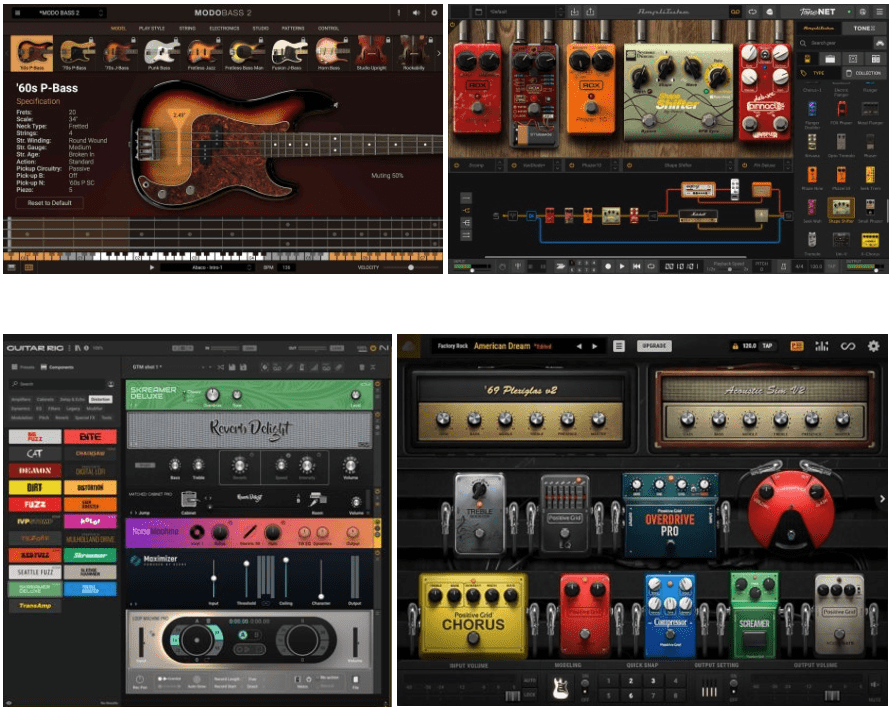
3) Bass Virtual Instruments & Guitar Effects

  • IK Multimedia Modo Bass 2: Instead of purchasing the bass plugin alone ($54.99), consider the IK Multimedia Total Studio 4 MAX bundle ($164.99) for better value. Many are transitioning from Trilian to this plugin, though I ended up buying a physical bass instead.
  • Scarbee Series: Decent bass libraries, but it’s better value to purchase them as part of Native Instruments Komplete during sales.
  • IK Multimedia Amplitube 5 MAX v2: A must-have for guitarists. With both bass and guitar amp simulations, it’s a versatile tool priced at $109.99. Again, Total Studio 4 MAX is more cost-effective.
  • NI Guitar Rig 7 Pro: Another top-tier effects processor for guitarists. However, for composers, it’s wiser to wait for a Komplete sale rather than buying this standalone ($103.4).
  • Bias FX2: Widely used among guitarists. Currently 50% off at $149—definitely worth checking out.
  • Brainworx Guitar & Bass Bundle: Includes 24 amp models, 7 pedals, and various effects, all for $69.3. With 34 plugins in total, it’s an excellent value for its price.

Unfortunately, Trilian, the staple of bass virtual instruments, doesn’t seem to be on sale either. Perhaps closer to the day?


4) Strings & Orchestration Tools

  • Musio 1: Amazing value! With over 80 instruments (including the iconic Cinesamples library) at $163.9, this is a no-brainer. Updates are ongoing, and though a “2” version may be on the horizon, this is still an unbeatable deal.
  • Spitfire Audio: A classic name in orchestration. Albion One is great for cinematic sounds, while Chamber Strings suits pop strings. BBCSO is excellent for classical vibes, and their Abbey Road and Studio series are worth exploring.
  • EastWest Sounds: Known for their Hollywood Orchestra OPUS Edition and Symphonic Orchestra. Their Pop Brass and Voices series are also excellent. Their ComposerCloud subscription is discounted at $149/year for Black Friday.
  • VSL (Vienna Symphonic Library): Produces ultra-realistic orchestral libraries with a steep price tag and a learning curve. Ideal for professionals dedicated to orchestration.
  • Orchestral Tools: A long-established brand, now offering 50% off. Their Berlin series is highly recommended.
  • Project SAM: Known for their Symphobia series, which is great for cinematic sound design. Symphobia 1 and 2 are staples, while 3 and 4 add more nuanced effects.
  • Audiobro: Popular for Korean pop strings, particularly the LA Scoring Strings series. They’re now pushing their Modern Scoring series as well.

Closing Thoughts

I wanted to include samplers or sound effects for video work, but I’m less familiar with these areas. I primarily use Logic’s built-in sampler and NI Battery. Also, since I play guitar myself, I didn’t cover virtual electric or acoustic guitars here.

Hopefully, this guide helps you navigate this year’s deals!

Stay tuned for the final part, covering effects plugins and miscellaneous tools—coming soon. Time to recharge before tackling the rest!

Baby Audio Transit 2 Sale (~12/31)

Hello! I’m Jooyoung Kim, an audio engineer and music producer.

Today, I’ll introduce “Transit 2,” a plugin developed in collaboration between Canadian musician Andrew Huang, known widely on YouTube, and Baby Audio.

This is Andrew Huang!

As always, I received this plugin from Plugin Boutique in an NFR (Not For Resale) format. The views in this post are entirely my own.

Let’s dive in!

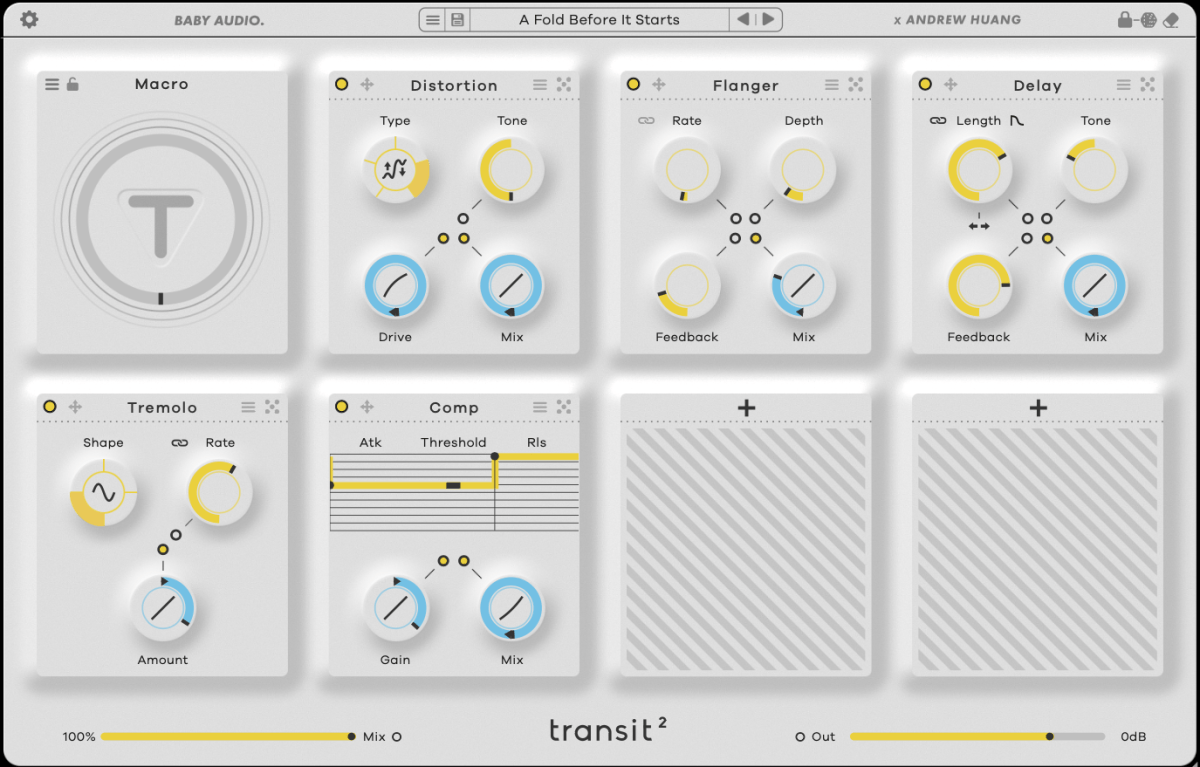
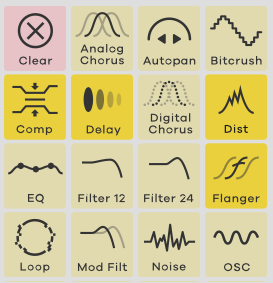
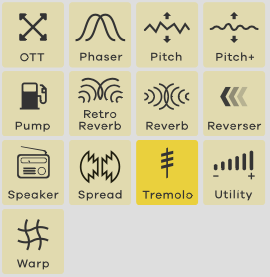
Transit 2 is an all-in-one plugin offering 28 effects.

Typically, plugins like this are less about mixing and more useful for adding dynamics during composition with tools like LFO and macros. Think of it as a way to add energy to your track.

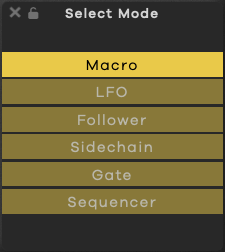
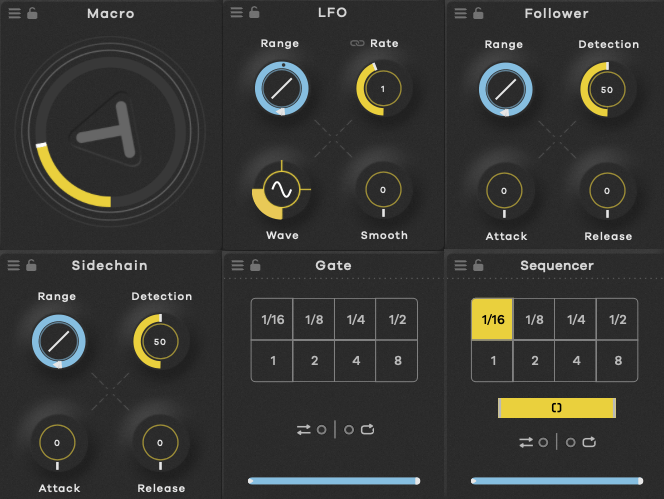
Transit 2 features six modulation options: Macro, LFO, Audio Follower, Sidechain, Gate, and Sequencer, allowing you to alter effect parameters based on your chosen setting.

Rather than going through each of the 28 effects, let’s explore how you might best use Transit 2 in your workflow.

Clicking the dice icon in the top right corner…

…changes only the parameters for the top three effects, while the bottom four effects are fully randomized, including the effect type itself.

The dot in the center acts as a switch to toggle modulation on and off for parameters like Macro. Blue indicates a positive direction, red a negative direction, and yellow is a fixed, non-modulated value.

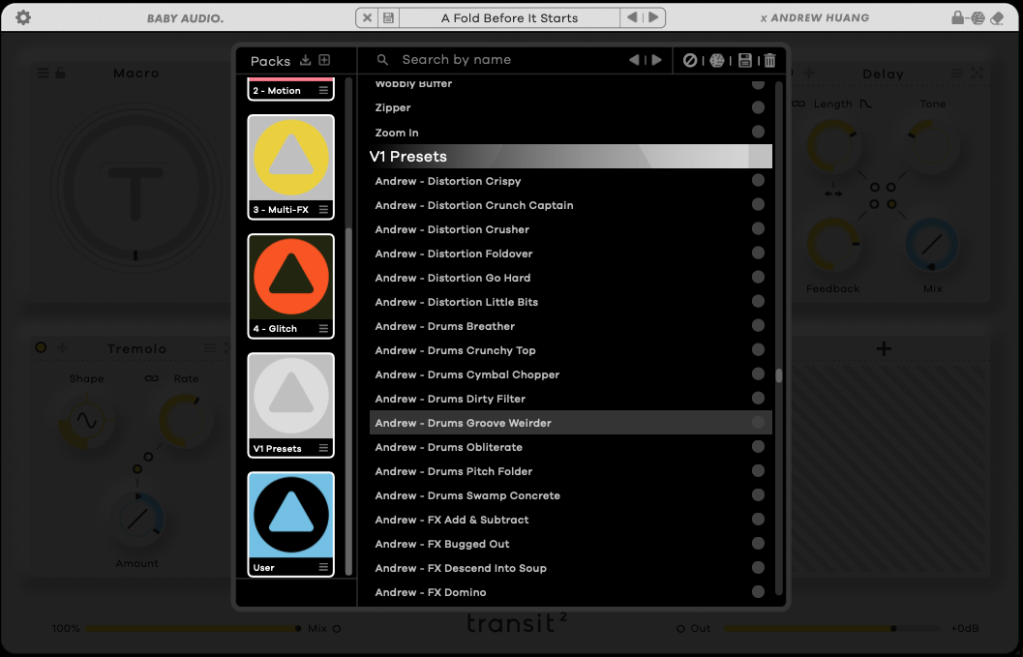
There are also numerous presets.

So, how should you use it? There are two main approaches:

  1. If you’re familiar with each effect and know the exact sound you want, you can create a setup from scratch. It’s a bit time-consuming but allows for precise customization.
  2. If you’re looking for something fresh, start by exploring presets. Once you find a tone you like, place the core effects in the top row and let the randomization feature introduce a bit of unpredictability, like a modular synth. This approach takes some time too.

Personally, I find that applying modulation effects and using the Follow or Sidechain functions creates a groove that blends well with other sounds.

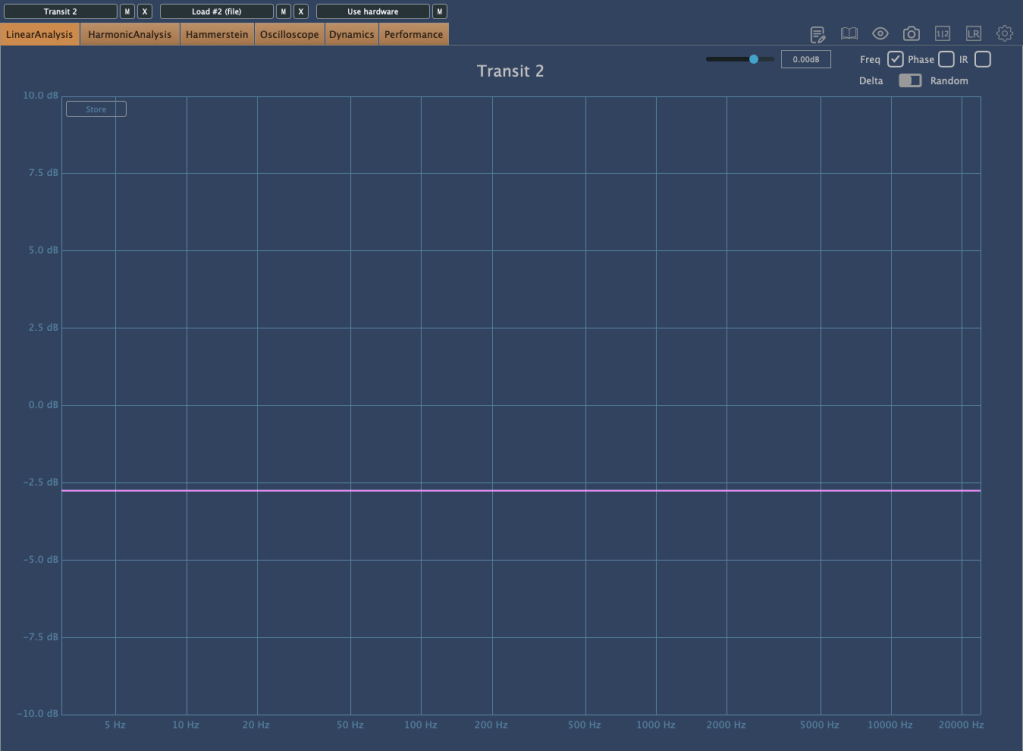
Without any effects applied, there’s some basic saturation, and the volume decreases.

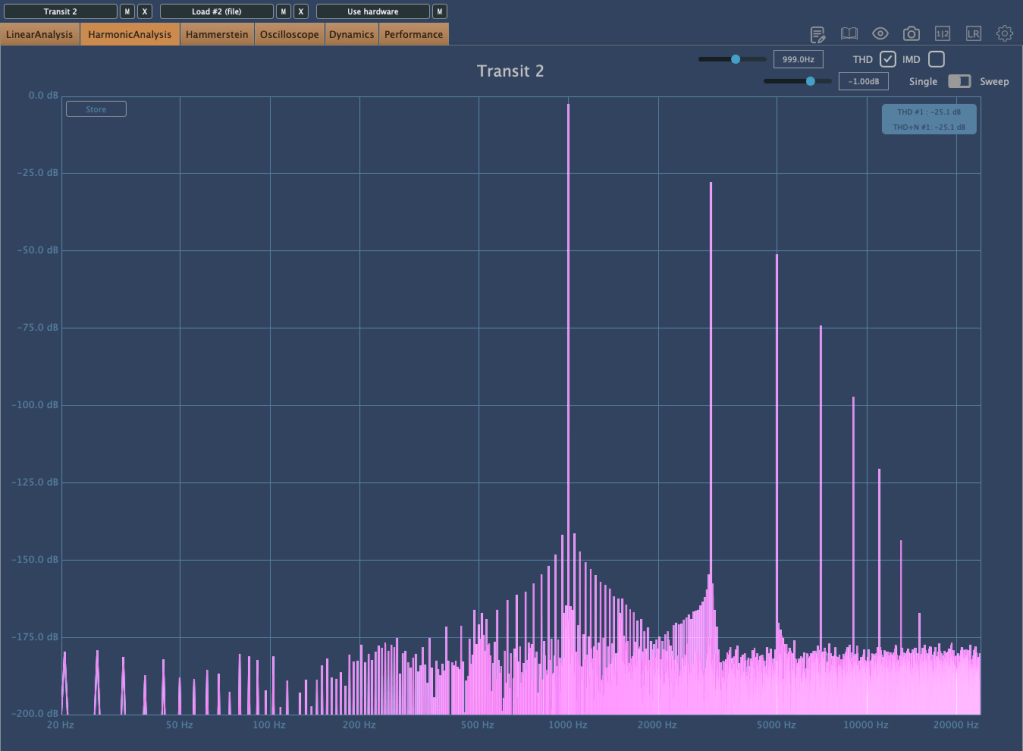
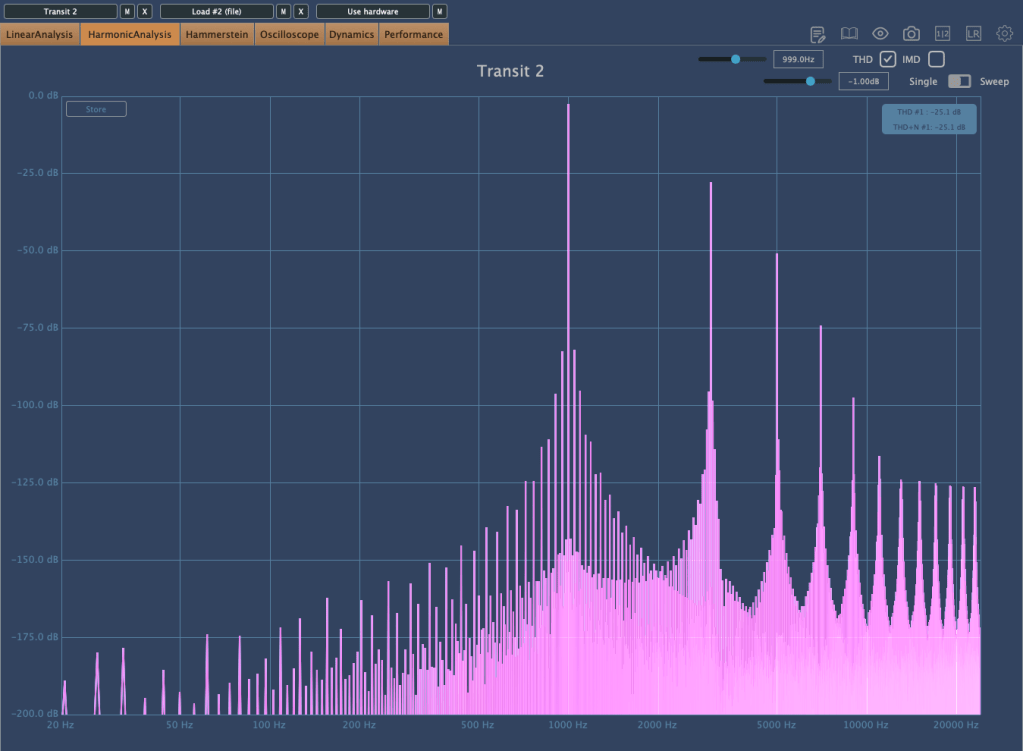
Interestingly, bypassing the plugin creates a unique harmonic distortion.

The plugin is well-optimized, with low latency considering the effects it offers. Testing a few presets, I noticed almost no channel latency, with the highest around 1.4 ms.

With a plugin like this, you can achieve various effects, making it a versatile addition.

I tried it with different instruments like piano, bass, guitar, and vocals. Personally, it worked exceptionally well with recorded electric bass.

Additionally, you can create interesting sounds by experimenting with samples from places like Splice.

This month, if you purchase a plugin from Plugin Boutique, you can get AIR Music Technology’s Solina virtual instrument or Zynaptiq’s ORANGE VOCODER NANO for free.

With Black Friday approaching and Transit 2 on sale until the end of the year, it might be worth keeping an eye on it and grabbing it during the sale.

See you in the next post!

Cableguys FilterShaper XL Sale (Until 8/31)

Hello! I’m Jooyoung Kim, a mixing engineer and music producer.

Today, I wanted to share an exciting deal from one of my favorite companies, Cableguys, who are currently offering a discount on their FilterShaper XL plugin.

As with my recent plugin reviews, I received an NFR (Not for Resale) code from Plugin Boutique for this product.

Let’s dive in!

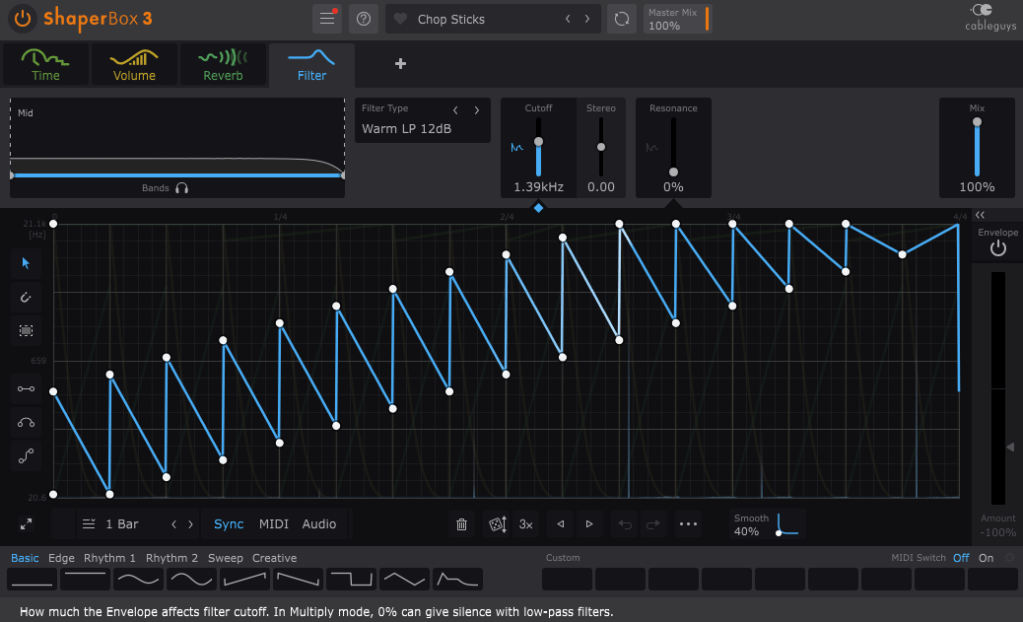
FilterShaper Core in ShaperBox 3

Cableguys is known for their best-selling product, ShaperBox.

ShaperBox can inject an artificial groove into your instruments, and I found it so compelling that I purchased it myself before I even partnered with Plugin Boutique.

Within ShaperBox, there’s a tool called FilterShaper Core. FilterShaper XL is essentially an enhanced version of FilterShaper Core, with additional parameters and features.

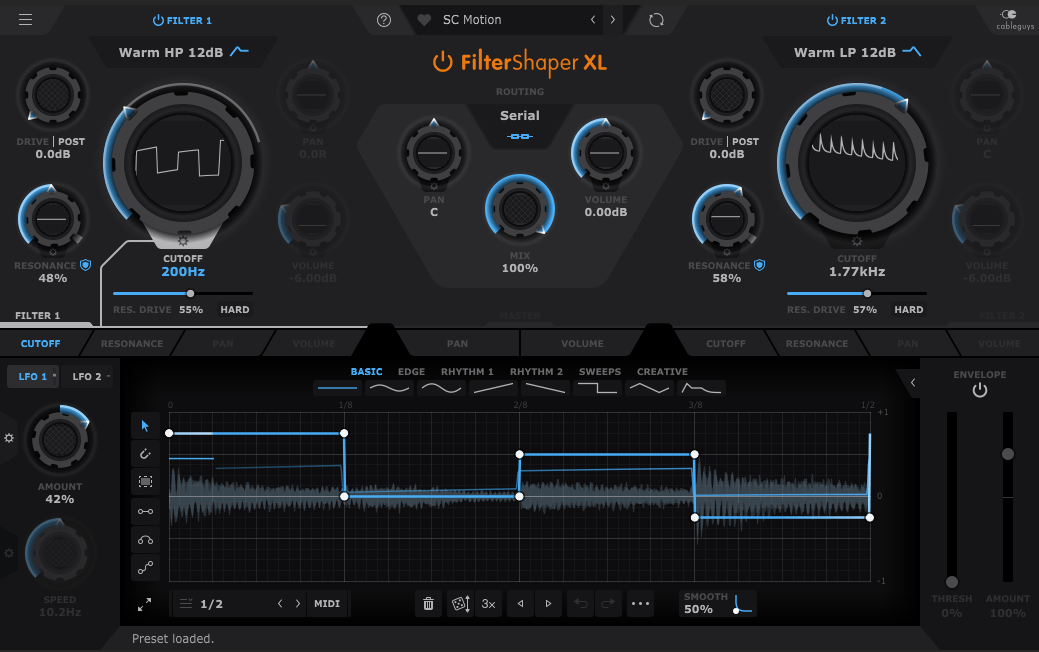
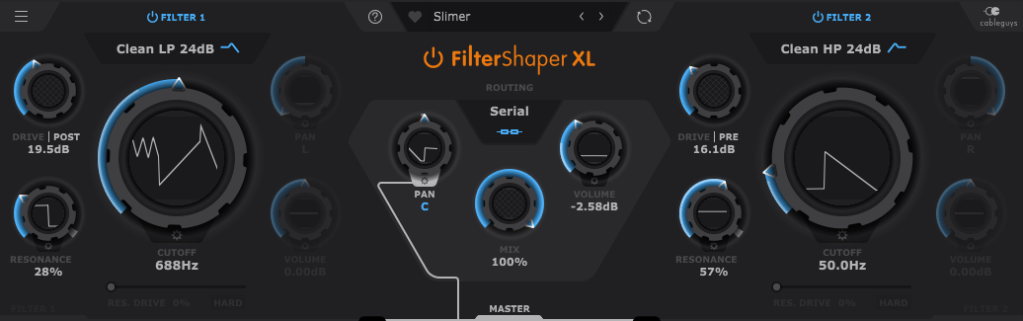
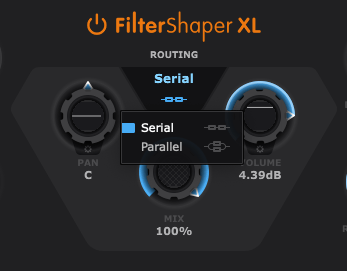
Looking at the UI, you’ll notice it’s split into left and right sections. Both sides represent filters, and the central Routing button allows you to choose between serial or parallel connections.

Pan, Mix, and Volume controls are likely familiar to most of you, so I’ll skip explaining those..:)

Now, let’s explore the filters!

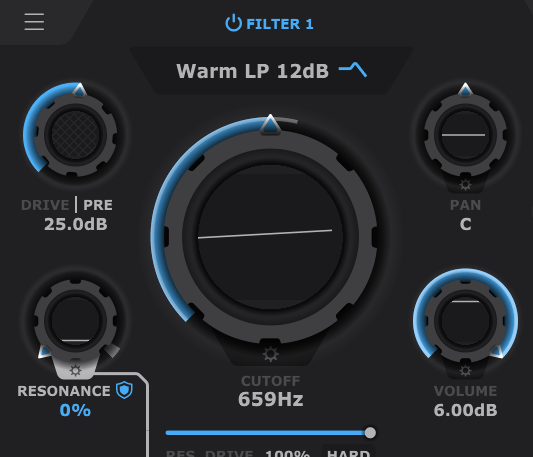
If you’ve used filters before, this should feel intuitive. Even if you’re less experienced, you’ll probably grasp the basics of Cutoff (which determines the frequency at which the sound is attenuated), Pan, and Volume.

The Drive control allows you to choose between Pre and Post settings. Adding Drive enhances harmonics and can act somewhat like a compressor as the sound level increases and then decreases at a certain point.

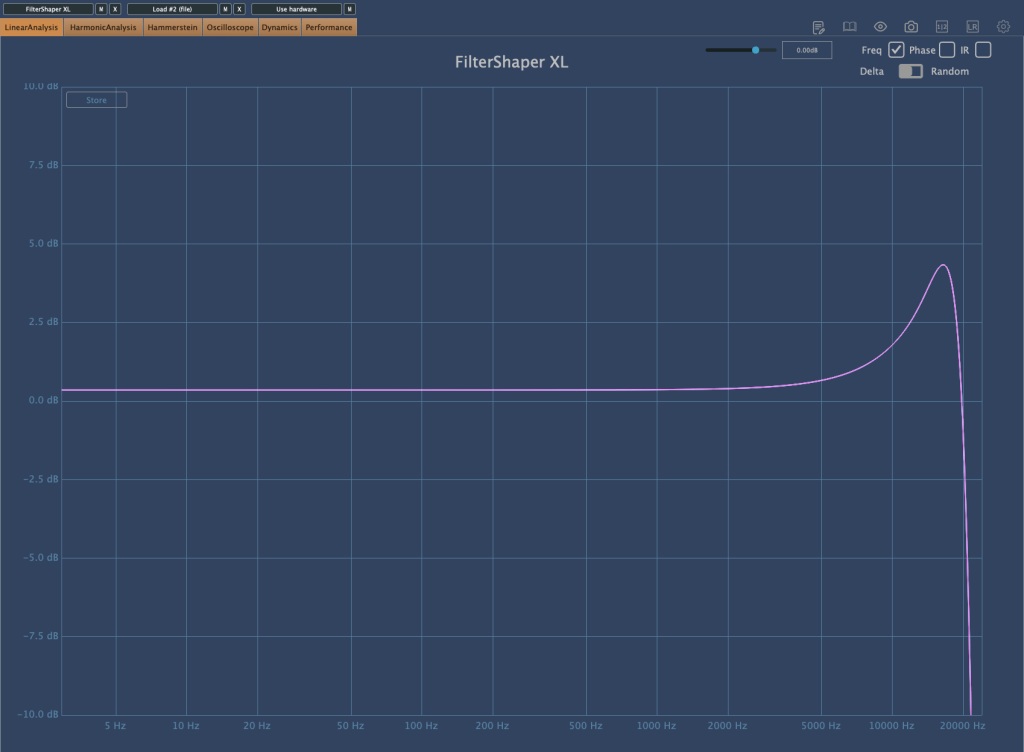
Resonance, as shown in the image above, determines the amount of emphasis around the cutoff frequency.

Filter 2 off, Filter 1 with Drive 0, Resonance 0, Res. Drive 0, Volume 0, Cutoff Frequency at maximum (21.1kHz)
Res. Drive at 50%
HARD button enabled with Res. Drive at 0

The Res. Drive below Resonance applies Drive specifically to the resonance band, creating harmonics and adding compression. The HARD button intensifies these effects.

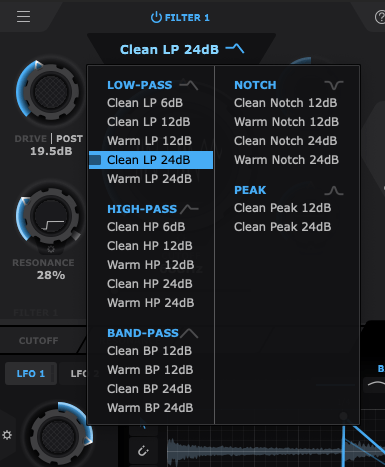
Also, by clicking the text right below the Filter Power button, you can select the type of filter you want to use. That’s pretty much everything about the filter window!

Now, let’s move on to the lower section.

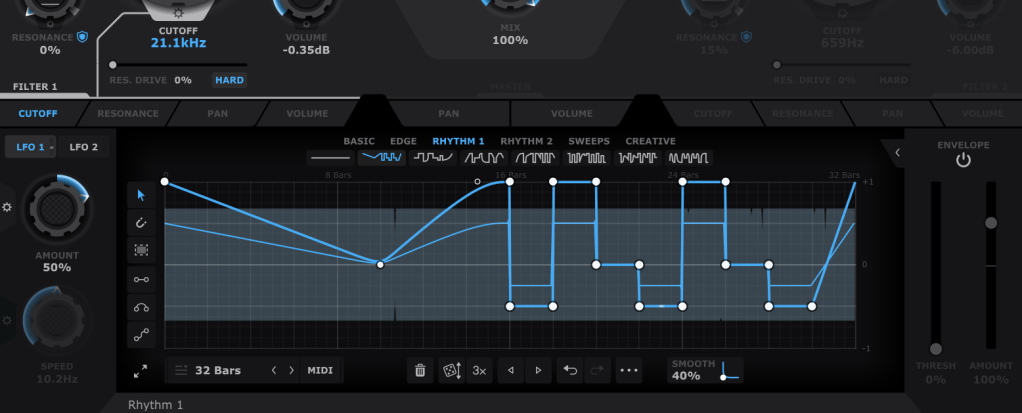
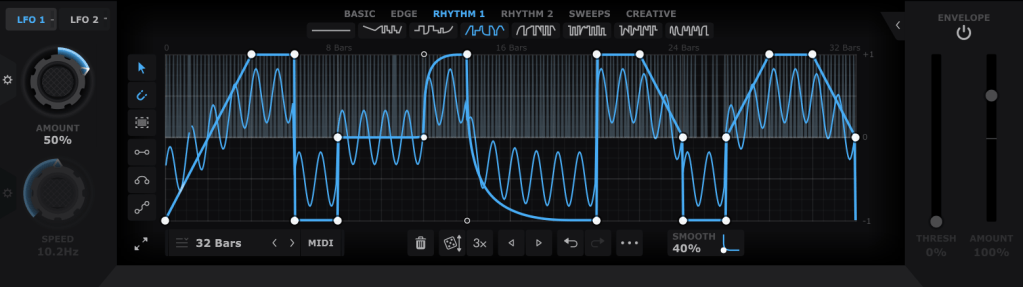
In the bottom section, you can draw automations for each filter’s parameters, allowing them to repeat automatically. You can create points by double-clicking with the mouse and drag them to shape the automation. Various cursor tools on the left can make this easier, and you can also start with presets available at the top.

Using both LFO 1 and LFO 2 (located at the top left), you can modulate LFO values like this. The thin blue line in the background represents the LFO that will modulate the parameter.

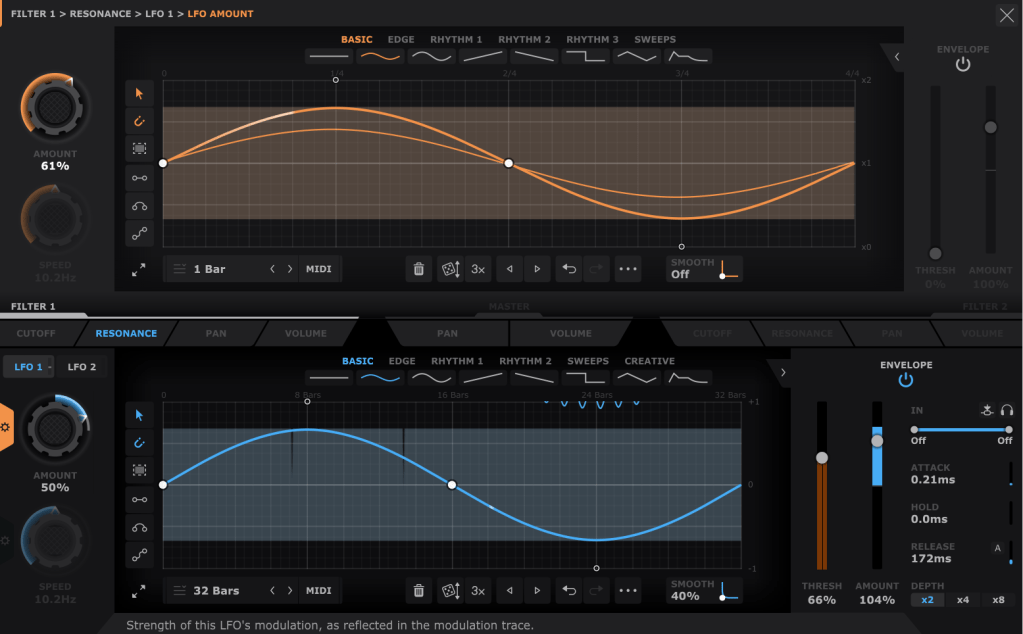
The Pan and Volume controls in the center manage the panning and volume of the master output. You can also adjust the amount of LFO modulation by clicking the settings button on the Amount knob in the bottom left corner.

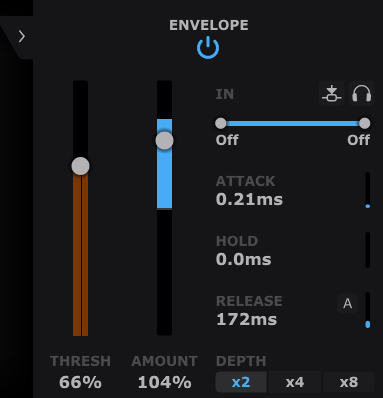
Lastly, the Envelope Follower in the bottom right lets you change the intensity of the LFO based on the input signal. You can also set the LFO’s LFO in the same section, giving you more control.

It may seem complex at first, but it’s very intuitive once you start using it.

If you’d like to hear how it works, check out the demo video by Cableguys.

This sale is valid until the end of the month.

This plugin is versatile and can be creatively used in any genre, whether you’re into acoustic music, rock, dubstep, D&B, K-Pop, or anything in between. I highly recommend it to all music producers.

I primarily use acoustic instruments, and with a bit of tweaking—using a minimal Mix value—you can add a tight groove to your instruments that would be impossible to achieve with just human performance.

Having at least one or two plugins like this is essential, in my opinion. If I had to recommend just two, I’d go with this one and Volume Shaper. If your budget allows, picking up ShaperBox 3 during a sale would also be a satisfying purchase.

Also, if you buy any plugins from Plugin Boutique this month, you’ll receive either Softube’s VCA Comp or Imagine Audio’s K7D delay for free.

If you don’t have a dbx160-style compressor, I’d recommend the VCA Comp. If you need a versatile delay for guitars, electric pianos, or analog delay, go for the K7D.

See you in the next post!