Basics of Mixing – 5.4 Phase Issues in EQ

Hello, this is Jooyoung Kim, an engineer and music producer.

Today, I’d like to discuss a crucial aspect to consider when adjusting EQ: phase issues.
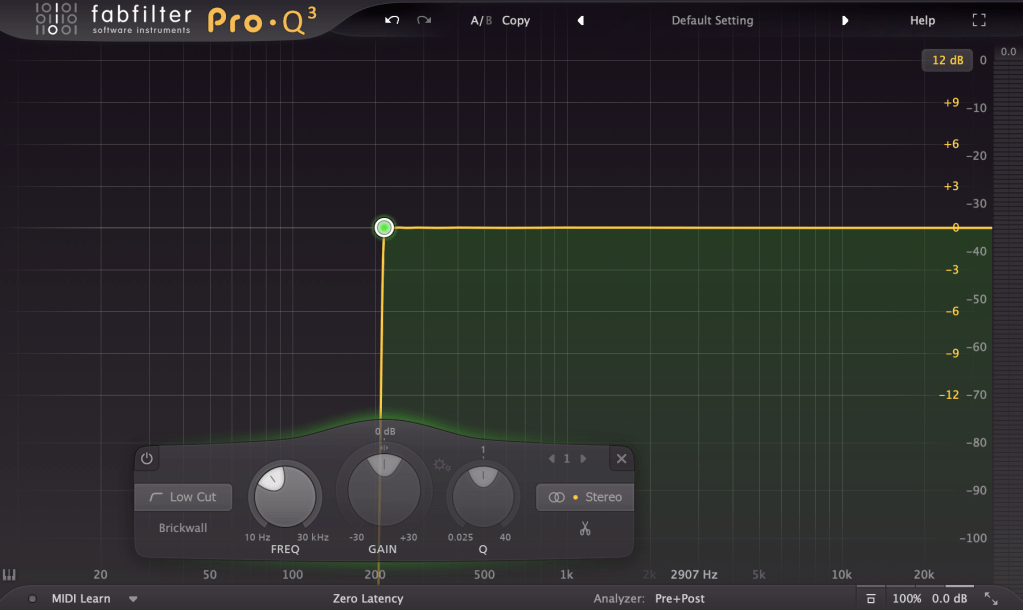
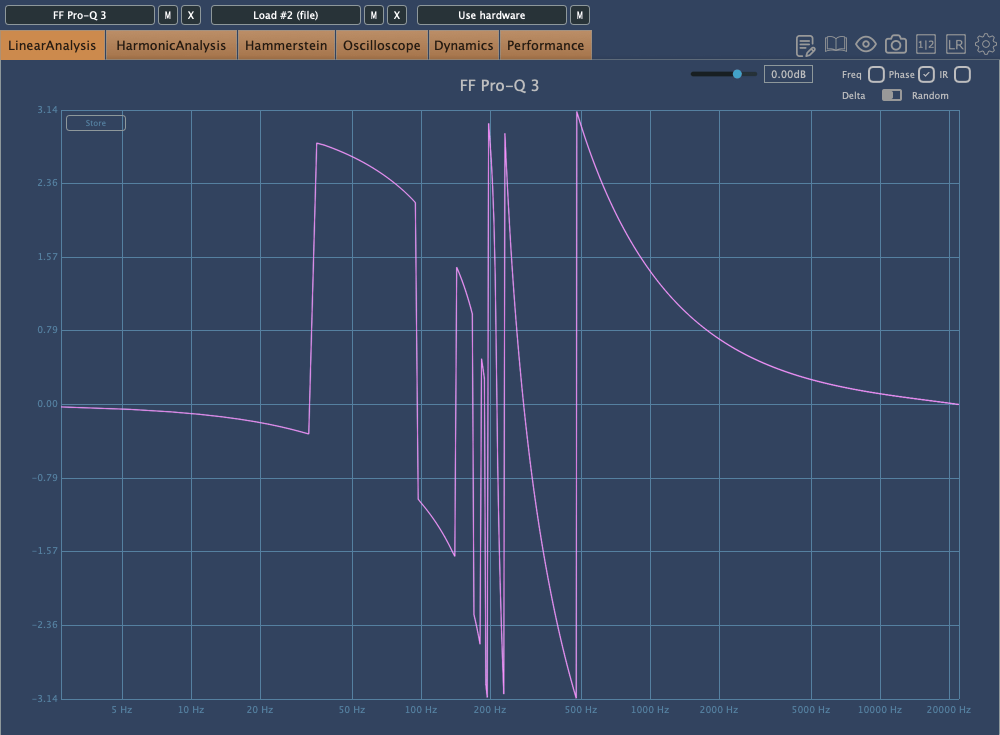
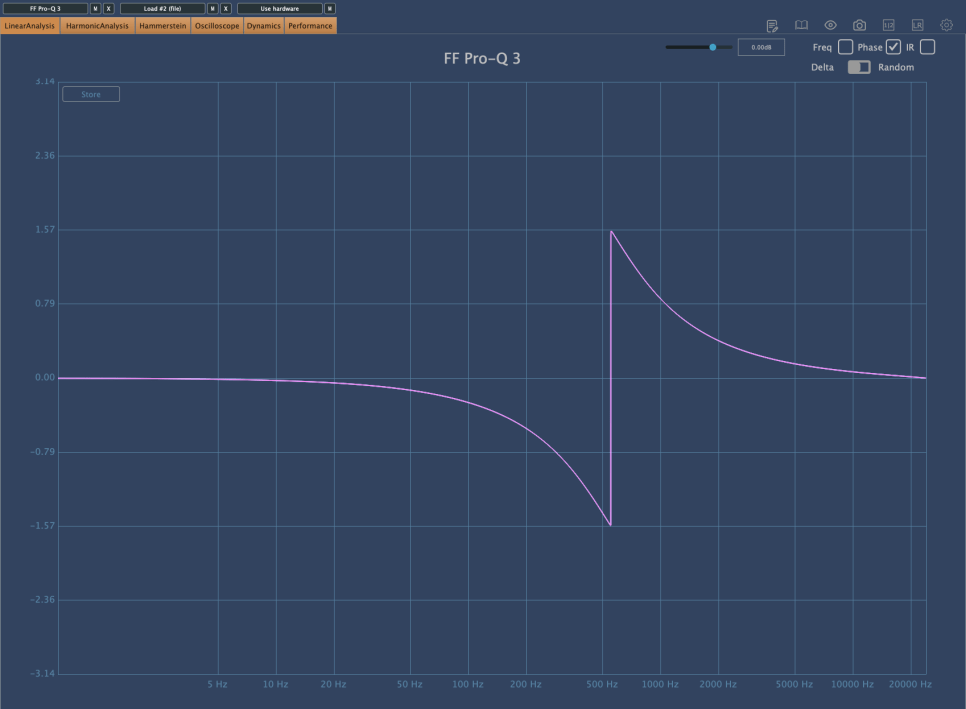
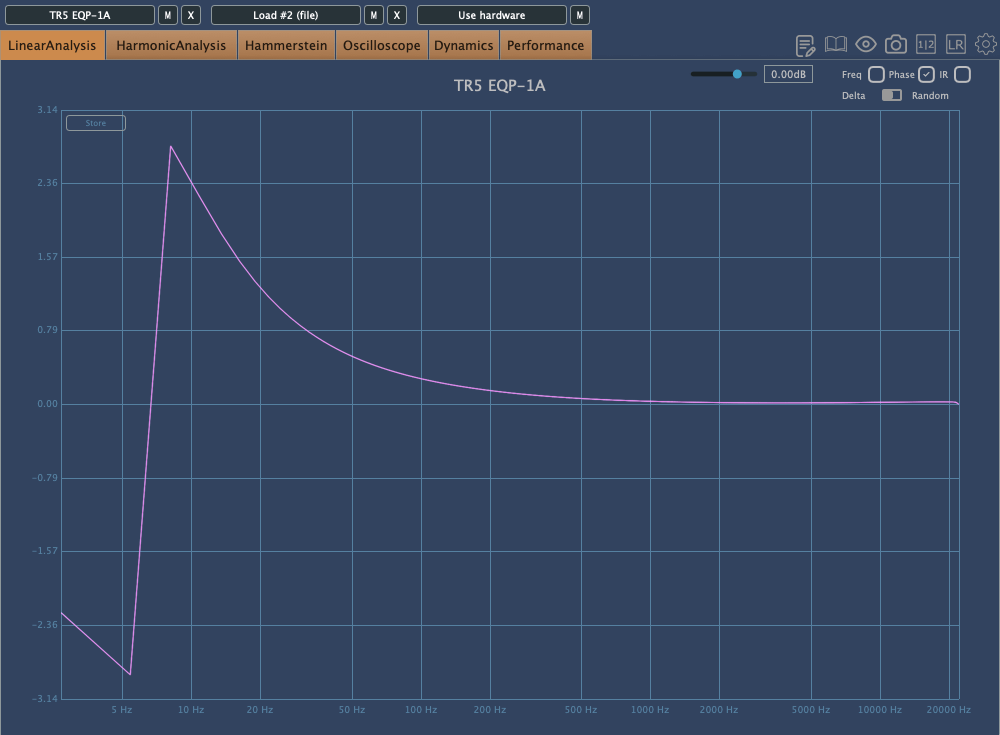
The image above shows the phase change graph when using the Brickwall feature in Fabfilter Pro Q3.

Phase change is generally represented as a continuous line. However, when drawing the graph continuously, the size becomes too large, so the vertical range is usually set to 2π, and the line continues from the top or bottom when it breaks. It’s quite difficult to explain in words.

Anyway, considering such factors, the jagged phase changes can still significantly affect the sound. Extreme phase changes can make the sound seem as if an unintended modulation effect is applied, so it’s important to use it carefully.

Because of these issues, Linear Phase EQ was developed. Linear Phase EQ does not cause phase issues. However, it introduces a phenomenon known as Pre-Ringing.

  • Pre-Ringing Phenomenon

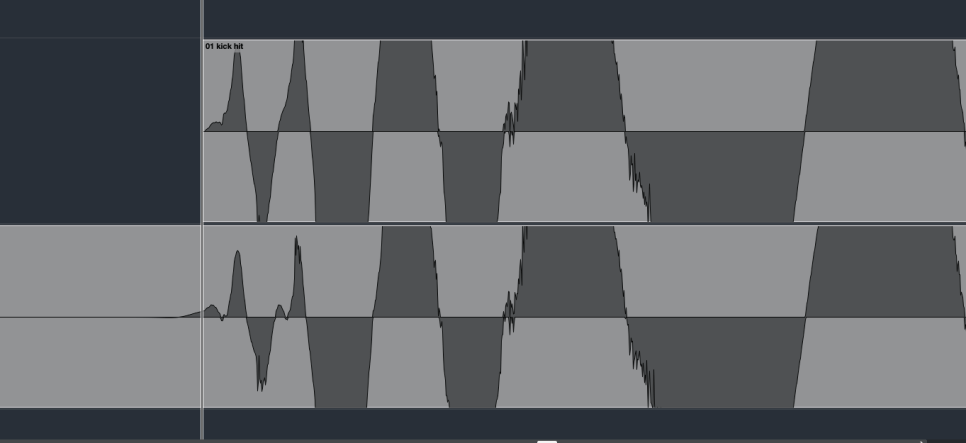
Pre-Ringing occurs when using Linear Phase EQ, causing the sound to ring before the waveform. Try bouncing your track using Linear Phase EQ. As shown in the image above, you’ll notice a waveform appearing at the front that wasn’t there originally.

Other than digital EQs, many plugin emulations of analog EQs alter the phase and frequency response graphs just by being applied.

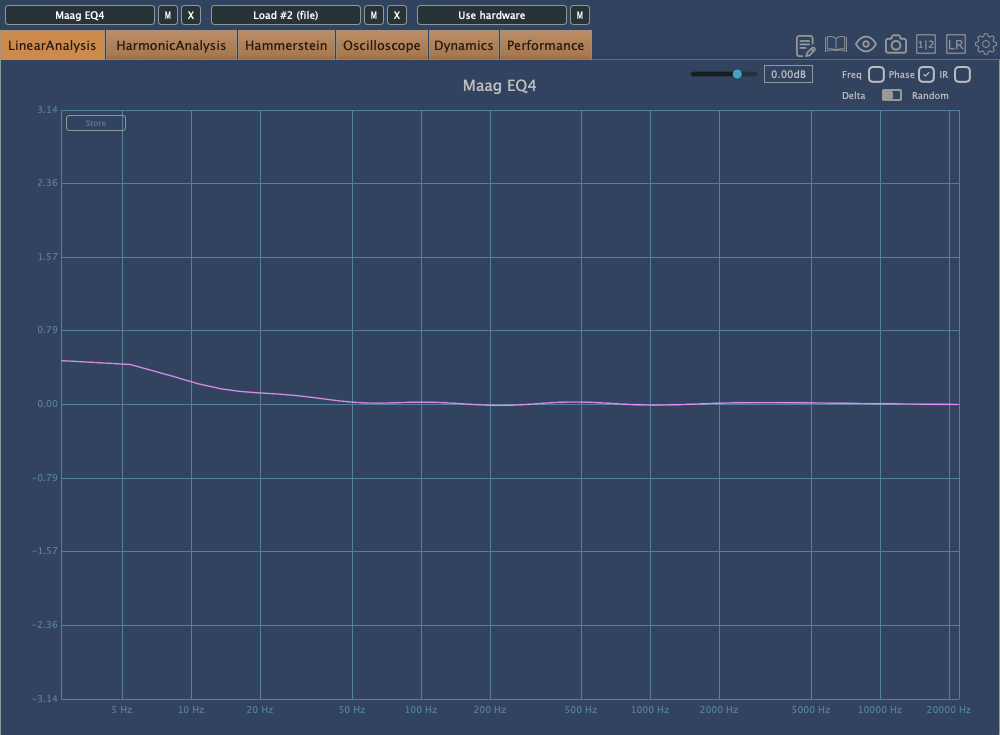
For instance, consider the commonly used Maag EQ4 for boosting high frequencies.
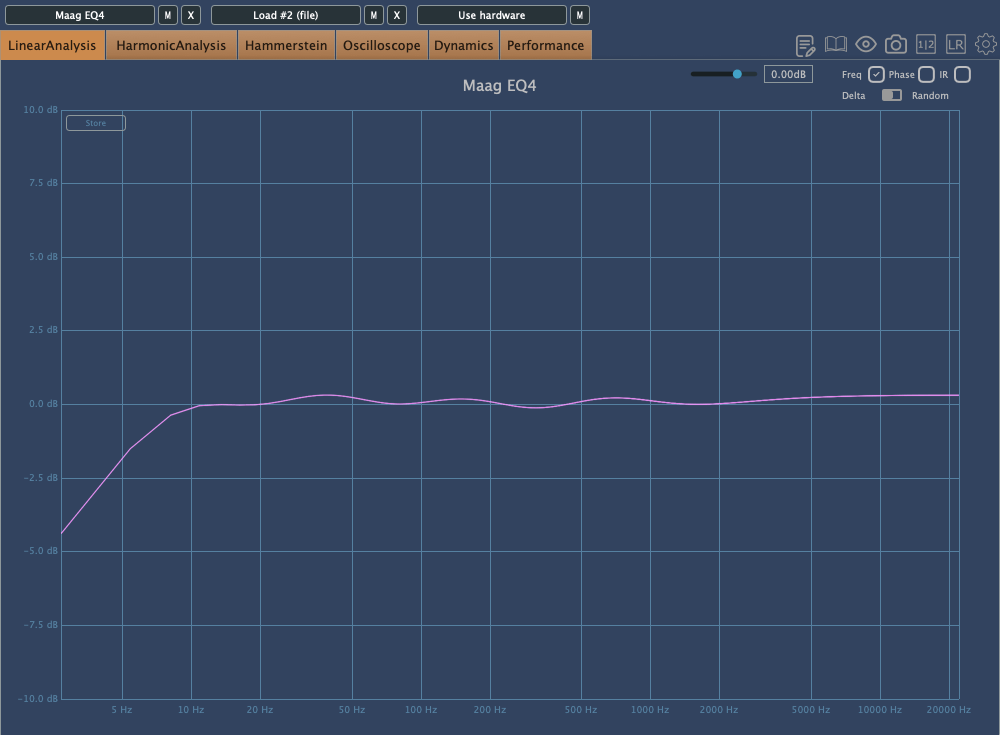
On the left is the frequency response graph when only the Maag EQ4 plugin is applied without any adjustments, and on the right is the phase change graph under the same conditions.

Here’s what we can deduce about using EQ:

  1. Applying an EQ can change the basic frequency response from the start.
  2. Non-Linear Phase EQs will inevitably cause phase changes.
  3. Linear Phase EQs can introduce Pre-Ringing, creating new sounds that were not there originally.
  4. EQ plugins or hardware with Harmonic Distortion can add extra saturation to the sound.

Understanding these points is crucial when adjusting EQ.

Of course, there are many excellent engineers who achieve great results without knowing all these details. Ultimately, the most important thing is that the sound comes out well, regardless of understanding the underlying principles.

However, I personally feel more comfortable when I have a solid understanding of the fundamentals. So, knowing this information can never hurt.

That’s all for today. I’ll see you in the next post!
Basics of Mixing – 5.3 Using EQ for Different Purposes

Hello, I’m Jooyoung Kim, an audio engineer and music producer.

Today, we’ll explore the use of EQ for different purposes. EQ is generally categorized into two types: Tone Shaping and Surgical.

1) Tone Shaping EQ

Tone Shaping EQ is used for:

  1. Altering the tone of instruments
  2. Changing the tone of instruments through the saturation provided by the EQ itself
  3. Adjusting the vertical position of instruments within the stereo image

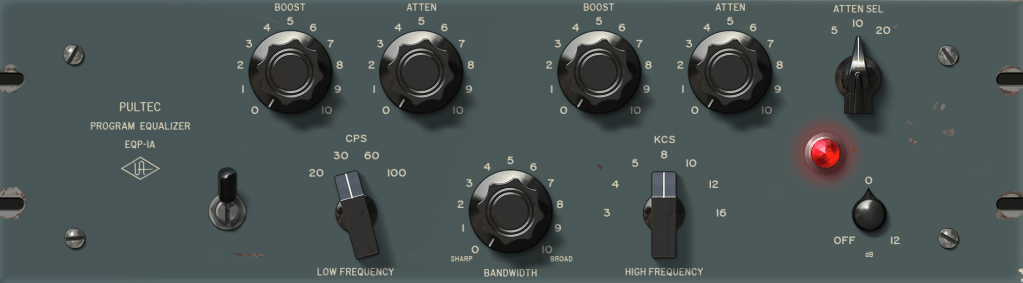
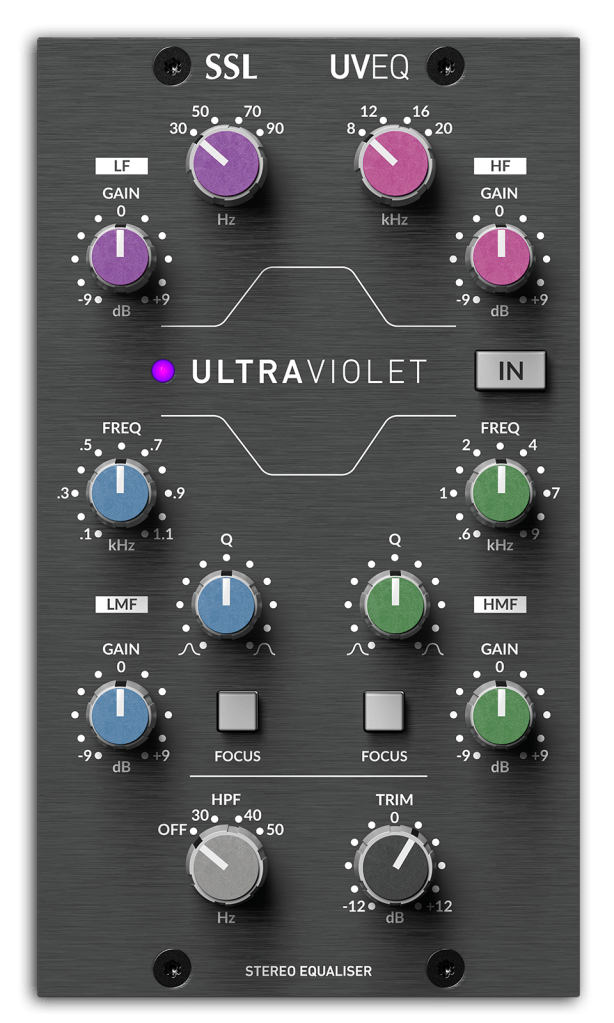
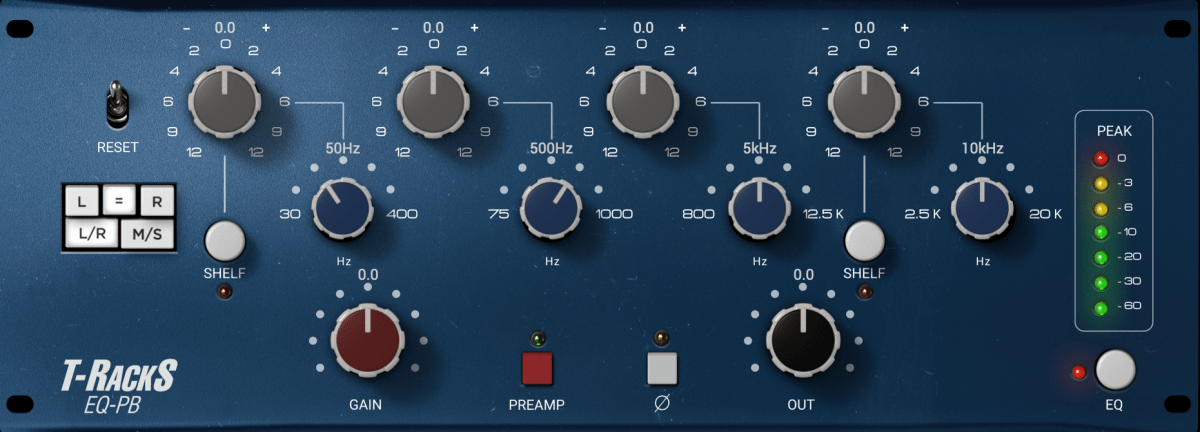
Examples of Tone Shaping EQs include the Pultec EQ,

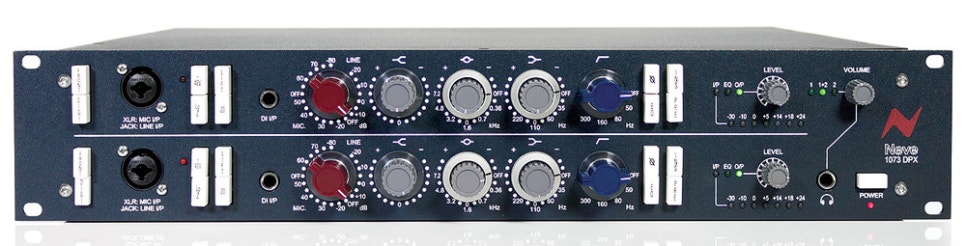
The renowned Neve 1073,

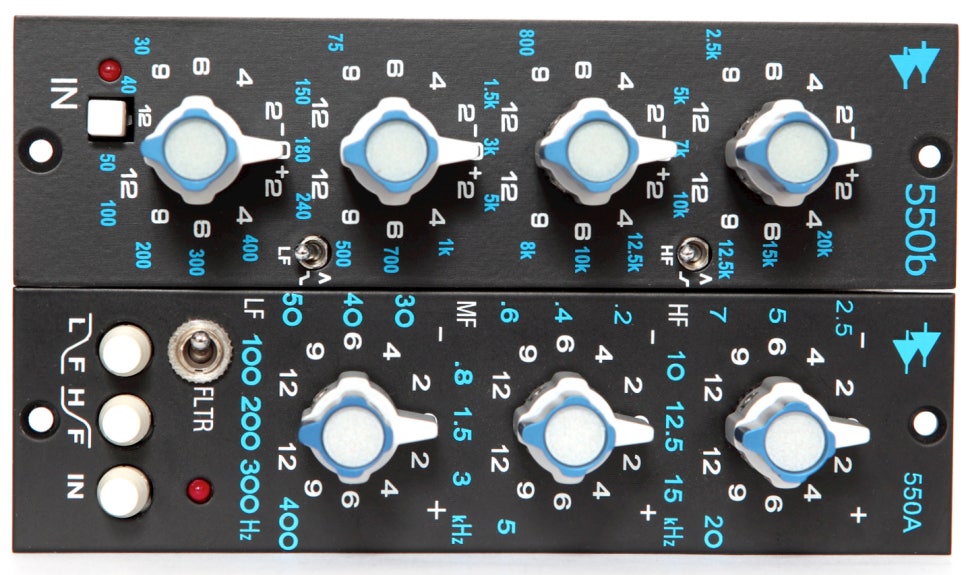
And the API 550 and 560 EQs.

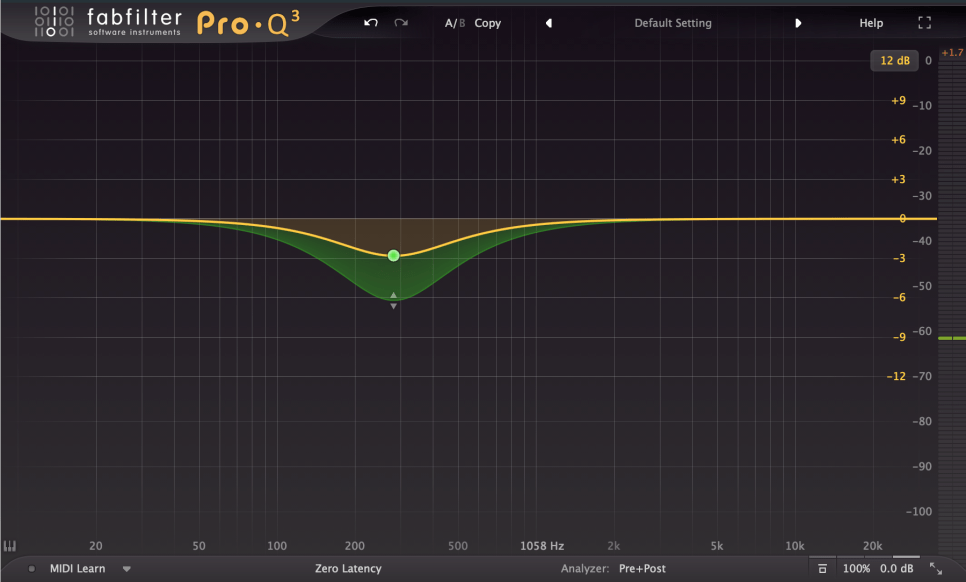
Digital EQs like the Pro Q3 can also be used for Tone Shaping, though they lack saturation.

2) Surgical EQ

Surgical EQ is used to solve problems in the audio source. It’s used for addressing proximity effects, resonances, sibilance (often handled by a de-esser but sometimes with EQ), and various other unpleasant sounds that can occur during recording.

For these tasks, EQs without inherent coloration are preferred, typically with a high Q factor (narrow bandwidth). It’s beneficial to use EQs with an internal sidechain function (often labeled as an audition feature) that allows you to listen to the affected frequencies in isolation.

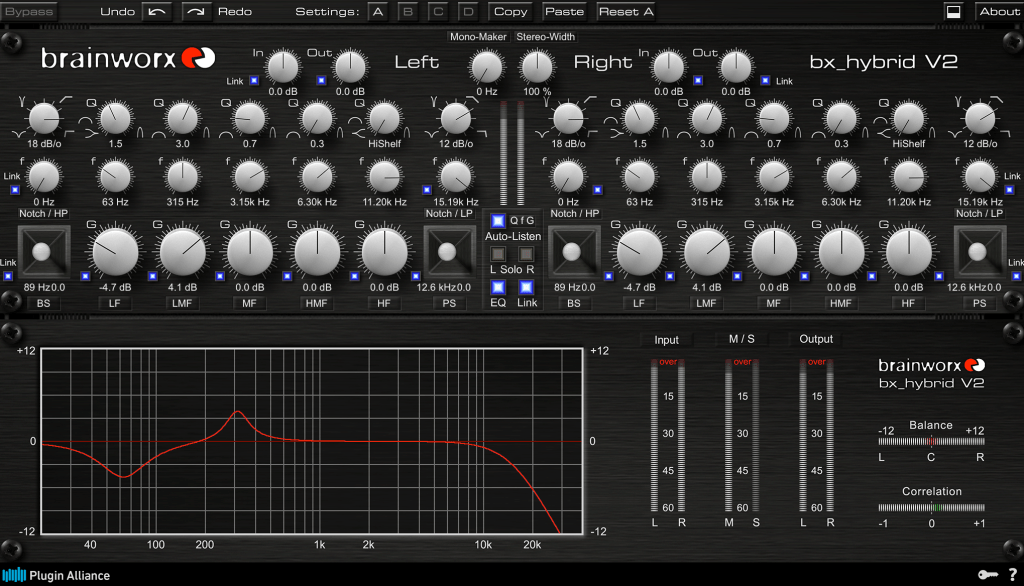
I mainly use the bx_hybrid V2 because I’m familiar with it, but most modern digital EQs come with an internal sidechain function, so any of them should work fine.

  • Conclusion

Using Tone Shaping EQ effectively requires an understanding of stereo imaging and tonal concepts. Surgical EQ, on the other hand, necessitates the ability to identify problems by ear. Ultimately, it takes practical experience to develop these skills.

I’m not claiming to be a highly experienced or notable expert, but I’ve found that there’s a significant difference between knowing these concepts in theory and applying them in practice.

Good luck to everyone studying sound engineering!

Basics of Mixing – 5.2 Types of EQ (2)

Hello, this is Jooyoung Kim, an engineer and music producer.

Today, I will continue discussing the types of EQ from the previous post, focusing on Parametric EQ, Dynamic EQ, and Baxandall EQ.

5) Parametric EQ

Parametric EQ was designed by the renowned engineer George Massenburg. It is commonly found as a built-in EQ in DAWs.

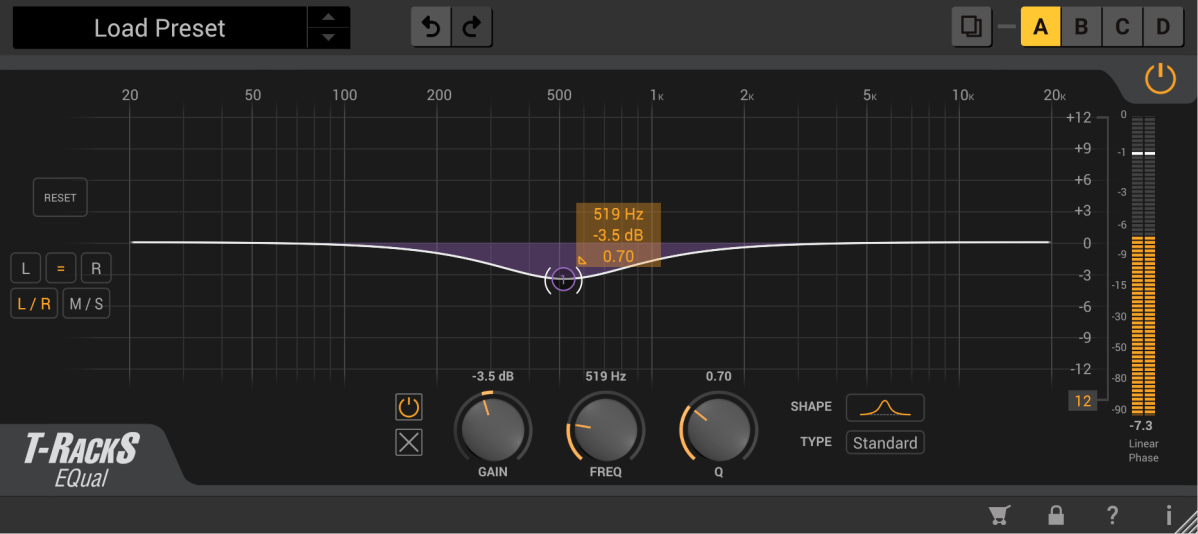
This type of EQ allows you to select the frequency you want to adjust and set the Q Factor, which determines the bandwidth of the adjustment.

These are examples of Parametric EQs!

Parametric EQ is used not only for musical purposes but also for addressing issues with sound sources. It can handle problems such as proximity effect from microphones, Singer’s Formant (a specific resonance found in vocalists), room resonance, and high-pitched squeaking noises from strings.

6) Dynamic EQ

Dynamic EQ combines the functions of a compressor with an EQ. It works similarly to a multiband compressor but with slight differences in how bands are set and how it operates.

  1. A multiband compressor uses cut filters to define bands, while a Dynamic EQ defines bands according to the EQ settings.

As mentioned in the previous post, cut filters cause a phase shift of π/2 for every 6dB/oct. This means that multiband compressors can alter the sound due to phase changes even without any settings.

  1. Depending on the Dynamic EQ, most do not allow you to set the ratio, attack, and decay like a compressor does. Typically, you can only set the threshold and the amount of volume reduction or increase.

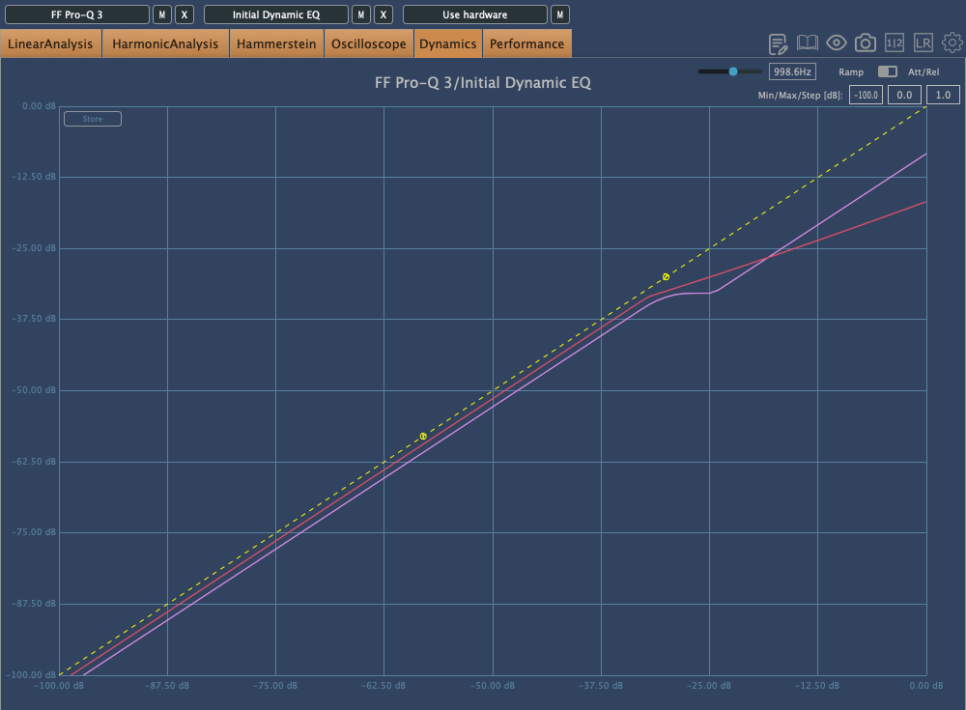
Because of this, the compression curve of a Dynamic EQ can appear different. The pink curve is from Fabfilter’s Pro-Q3, and the red curve is from Initial Audio’s Dynamic EQ. Although both are Dynamic EQs, their behavior is quite different.

Interpreting Fabfilter’s unique curve, it seems to compress the sound up to a certain point, after which it stops compressing and simply reduces the volume of the sound.

In simpler terms, for Pro-Q3, if the sound exceeds a certain level, it follows the dynamic curve (green) rather than the set yellow curve, acting more like a simple EQ.

However, their usage is generally similar. Dynamic EQs are often used when you want to reduce specific frequency bands. You can choose based on your preference.

7) Baxandall EQ

Baxandall EQ was introduced by Mr. Baxandall in 1952 through Wireless World magazine without royalties, making it widely used.

Due to its minimal phase issues, it is frequently used in mastering. It’s effective for adjusting broad frequency ranges, such as lifting high or low frequencies.

Examples include Tilt EQ and Dangerous’s Bax EQ.

This concludes the overview of various types of EQ. Besides these functional classifications, there are also categories like Zero Latency/Linear Phase/Normal EQs, and whether they are used for musical (Tone Shaping) or technical (Surgical) purposes.

I will continue with these topics in the next post.

See you next time!

Basics of Mixing – 5.2 Types of EQ (1)

Hello, this is Jooyoung Kim, an engineer and music producer.

There are numerous types of EQs available.

Today, I will describe some of these EQs.

  1. Cut Filter, Band Pass Filter
  2. Shelving EQ
  3. Notch Filter
  4. Graphic EQ

That’s it for today.

  1. Parametric EQ
  2. Dynamic EQ
  3. Baxandall EQ

1) Cut Filter, Band Pass Filter

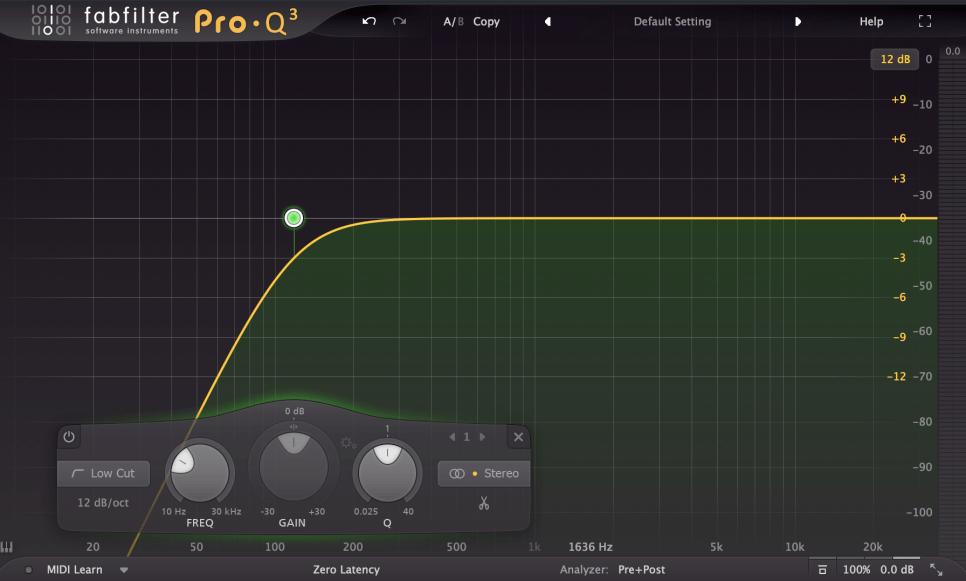
Cut filters are quite common and widely used. Low Cut and High Cut filters are frequently applied.

Low Cut filters are used to reduce low-frequency noises like vibrations from the floor or other low-frequency disturbances.

High Cut filters reduce high frequencies to create a lo-fi sound or to achieve a specific sound characteristic.

Low Cut filters are also known as High Pass filters because they let higher frequencies pass through. Similarly, High Cut filters are known as Low Pass filters.

The amount of reduction is often labeled as -6dB per octave (-6dB/oct) or Pole (with 1 Pole equating to -6dB/oct). Typical values include -6dB/oct, -12dB/oct, -18dB/oct, -24dB/oct, and so on.

While not exactly the same, a Band Pass filter can be thought of as a combination of these two filters.

These filters significantly alter the phase.

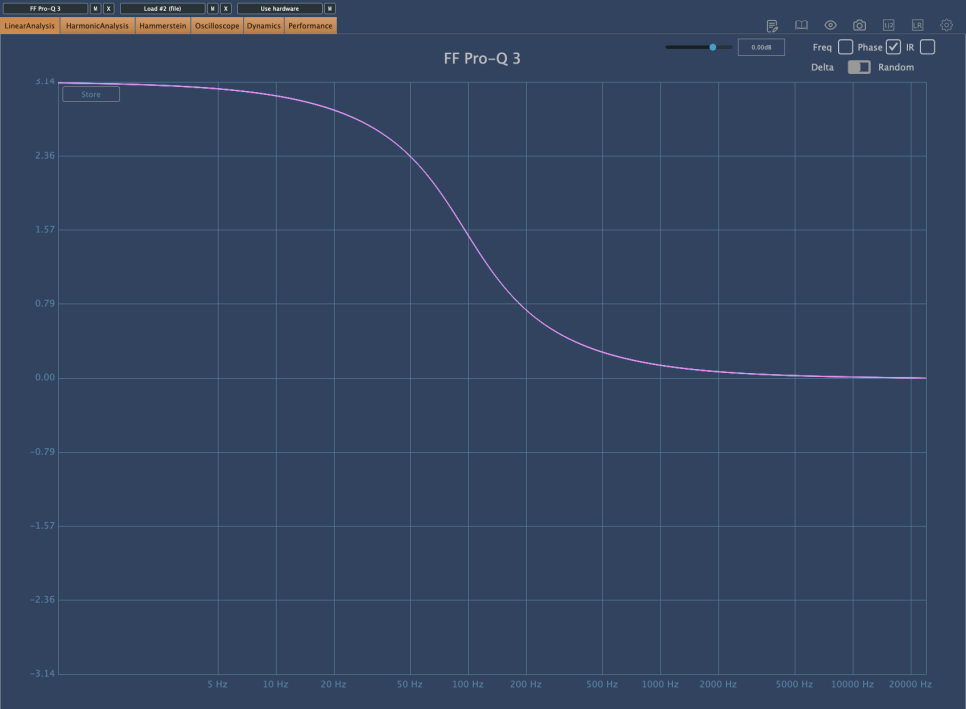
The phase shift graph above shows the phase change when a -12dB/oct Low Cut filter is applied. You can see a phase shift of π (3.14) in the low-frequency range.

Comparing this with other phase graphs, you will realize that this is quite a significant phase shift. A large phase shift means that the sound will be quite different from the original. Therefore, using Cut filters indiscriminately can result in a sound that is far from the intended one.

I have previously discussed issues caused by phase cancellation.

Each Pole causes a phase shift of π/2. Using a steep Low Cut filter like -24dB/oct can result in a phase shift of up to 2π, so it’s generally not recommended to use it excessively.

However, use it when necessary.

2) Shelving EQ

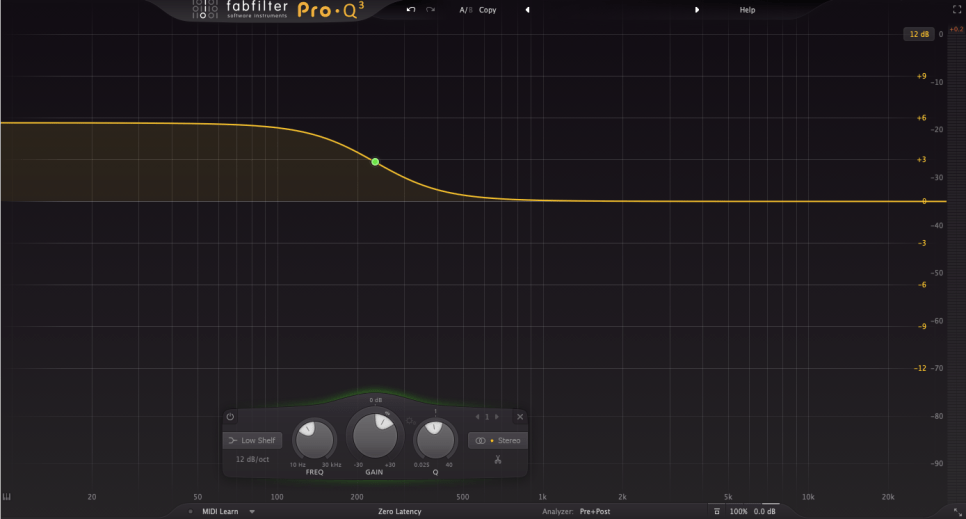
Shelving EQ, also known as Shelving Filter, adjusts the volume of frequencies in a shelf-like shape, as the name suggests.

It is used to lift or lower an entire frequency band.

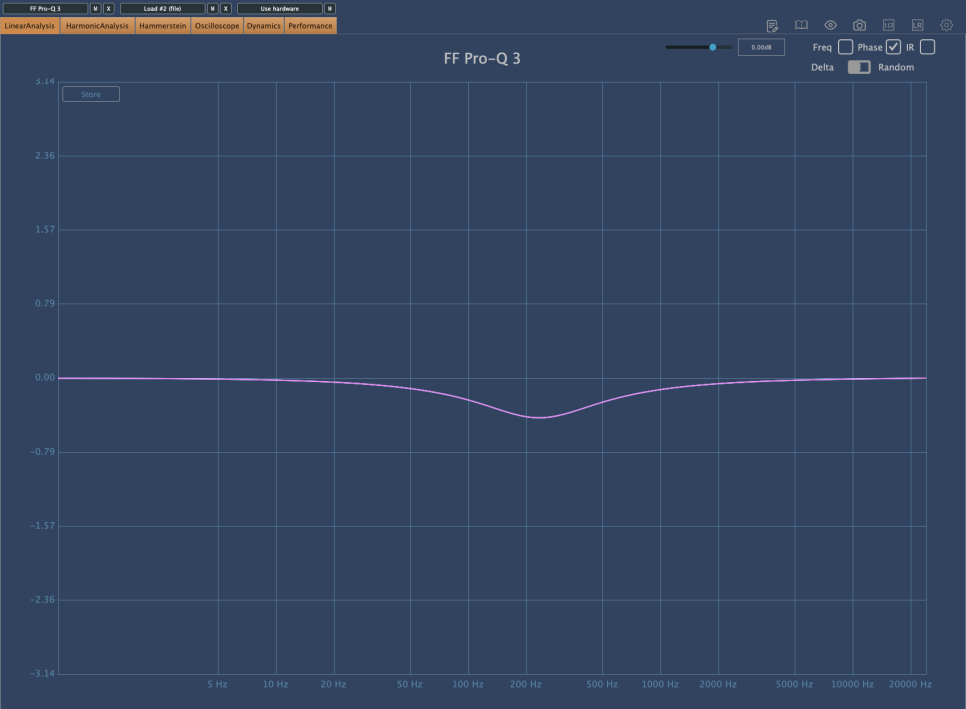
As shown in the image above, Shelving EQs cause less phase shift, making them a good alternative to Cut filters.

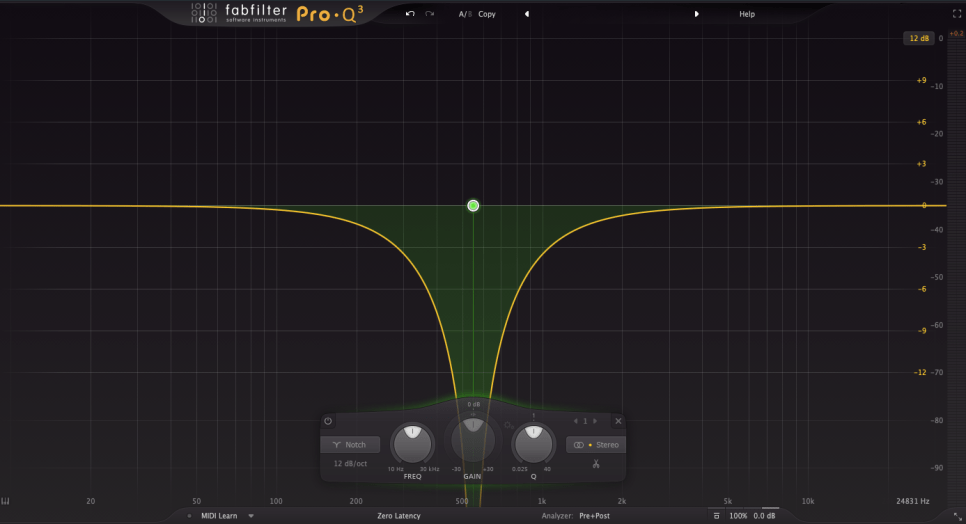
3) Notch Filter

Notch filters can be used to eliminate resonances that are difficult to control with other EQs or to create specific musical effects.

It is quite rare to use Notch filters in mixing. They are typically used for problematic sources that are hard to manage otherwise. I personally use them perhaps once a year in mixing.

In music production, Notch filters can be used on synthesizers to create interesting effects by modulating frequencies over time with an LFO.

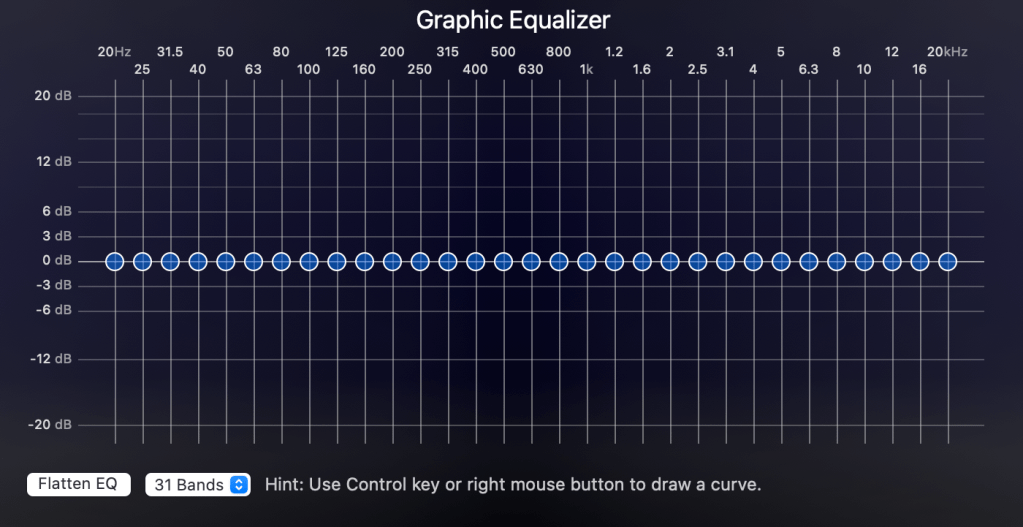
4) Graphic EQ

With a Constant Q setting, the Q value remains the same as the volume changes. With a Variable (Non-Constant) Q setting, the Q value changes with the volume adjustments.

These internal settings are usually described in the manual, so it’s best to read it for proper usage.

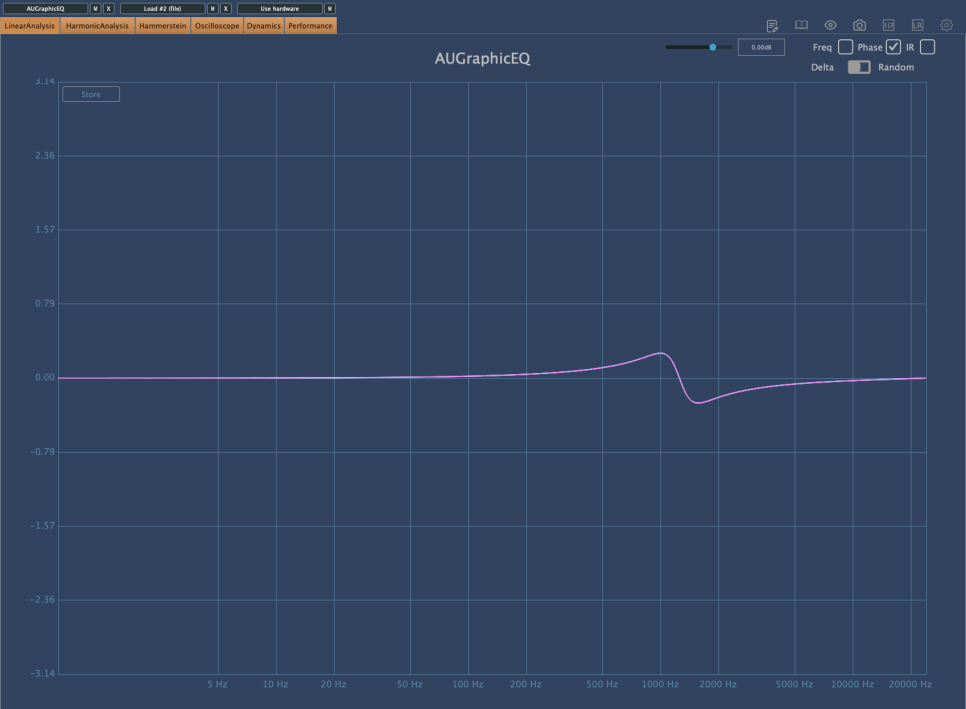
The phase shift is minimal. The common Bell-type Parametric EQ, which I will explain next time, also changes phase in a similar way.

In studio mixing, Graphic EQs are rarely used due to convenience. However, knowing these theories might be useful, especially if you also do live mixing.

Describing Parametric EQ, Dynamic EQ, and Baxandall EQ would make this post too long, so I will continue in the next article.

The main point I wanted to convey today is the importance of considering phase changes when using EQs.

If the sound is different from what you intended after adjusting the frequencies, it is often due to phase changes.

If it sounds good to your ears, that’s what matters. However, understanding what to watch out for and why can lead to more efficient and faster decision-making.

See you in the next post!