
Hi, This is Jooyoung Kim, mixing engineer and music producer.
Today, following our discussion on waves, I’d like to talk about phase and interference.
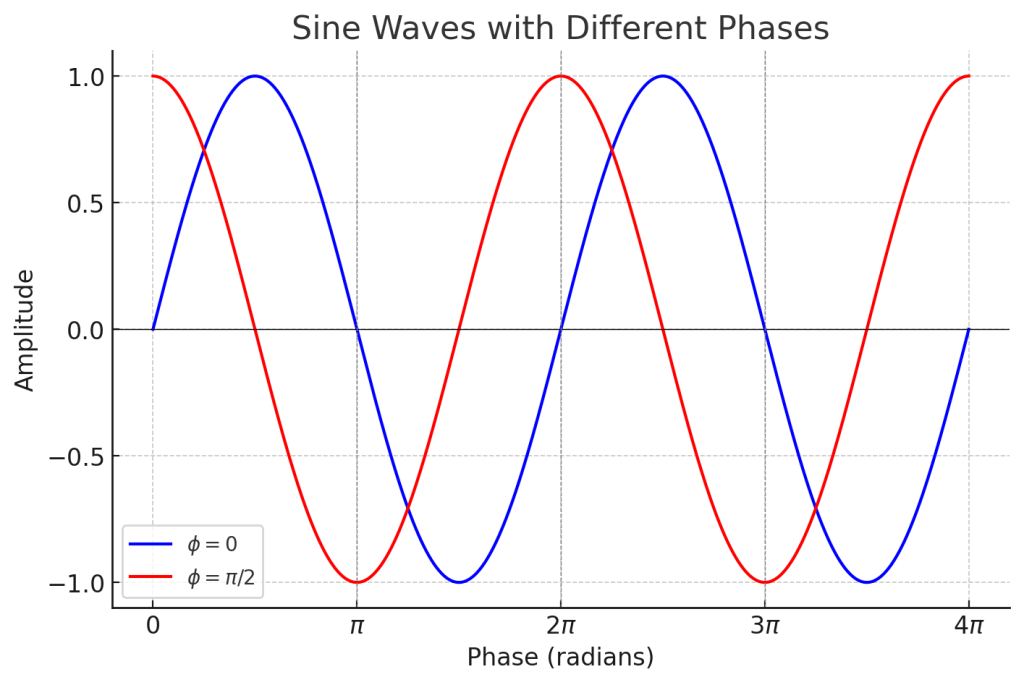
In the previous post, we talked about phase and how it represents the ‘position and state’ of a wave, which can be expressed in degrees.
When two different waves (sounds) meet, this is called interference. The concept of phase is very useful in explaining interference.
Let’s first look at the case where two waves with the same frequency and direction of travel interfere.

On the left, you see two waves with the same phase meeting, while on the right, you see two waves with opposite phases (180 degrees or π apart) meeting.
On the left, the amplitude doubles, and on the right, it becomes zero. This type of interference, where the amplitude increases, is called ‘constructive interference,’ and when the amplitude decreases, it is called ‘destructive interference.’
When the amplitude increases, the sound becomes louder, and when it decreases, the sound becomes softer. Therefore, when a sound with the opposite phase to the original sound is played together, the sound is canceled out.
Why should a mixing engineer know this?
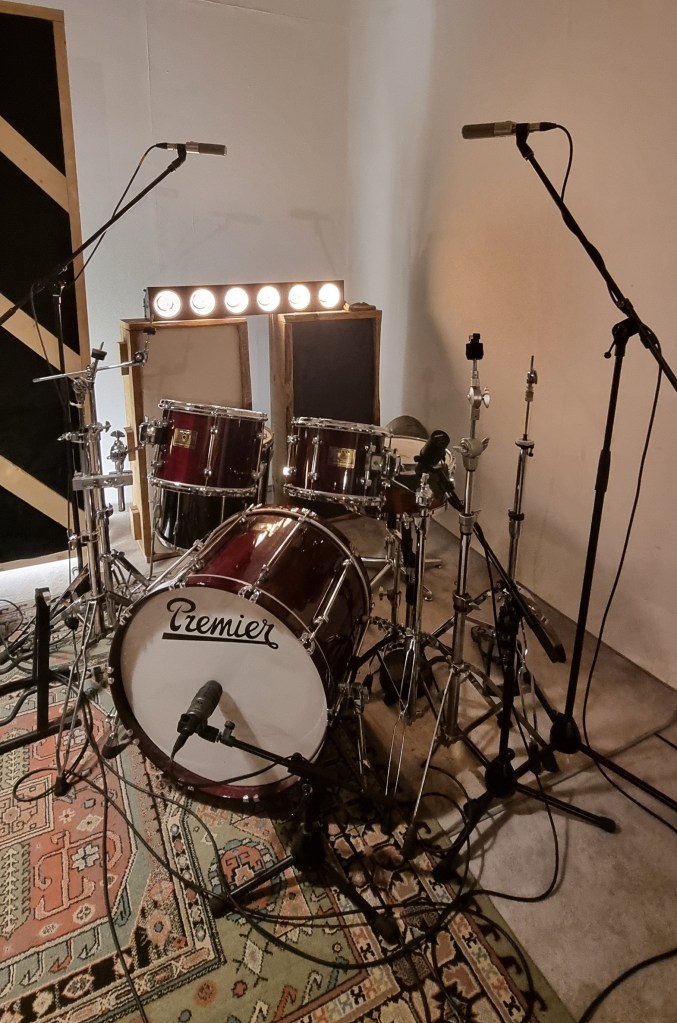
When recording drums, multiple microphones are often used for the kick and snare, among other elements.
When these recorded sounds are combined, the recorded sources can interfere with each other, leading to destructive interference, which weakens the sound. Hence, it’s essential to align the phase of each track.
You can easily understand proper phase alignment by listening.
I’ve included a YouTube video because creating my own example would be too time-consuming. In the video, the initial sound you hear is a properly phase-aligned snare, while the subsequent sound shows a snare with phase misalignment resulting in destructive interference.
Therefore, when conducting multi-track recording, it’s crucial to check the phase of all tracks against a reference track.
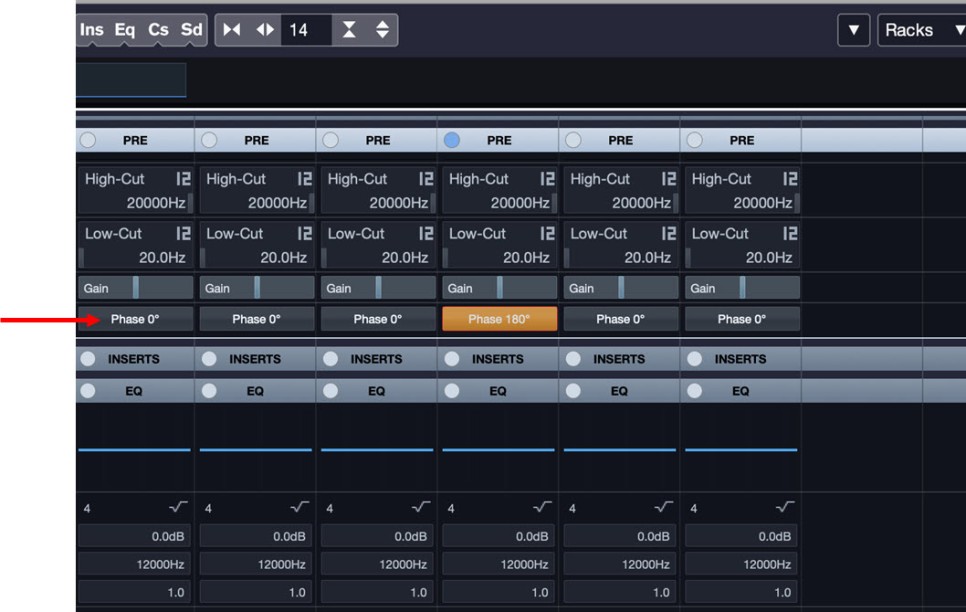
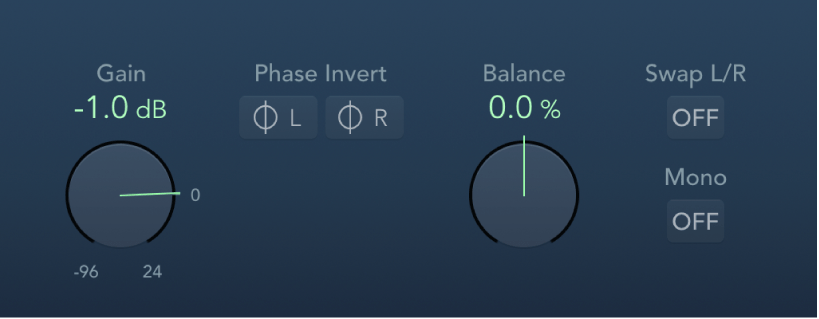
In Cubase, you can change the phase in the mixer window using the Pre-phase button. In Logic, you use the Phase Invert button in the Gain plugin.
In Pro Tools, there’s a button (Φ) on the track itself to invert the phase. Other DAWs also have waveform editing functions to flip the phase.
That’s all for this post. See you in the next article!
 Jooyoung's Music Blog