Free Plugins and Plugin Purchase Sites Overview

Hello! I’m Jooyoung Kim, a mixing engineer and music producer.

It seems like my posts about plugins are getting a lot of attention, so I’ve decided to compile a list of websites where you can find free plugins and purchase plugins at great prices.

Let’s dive in!

1. Audio Plugin Deals

    Audio Plugin Deals is a great site where you can find free plugins every month or so under their Free section. They also have time-limited deals in the Deals section, and discounted products are always available in The Shop.

    When you make a purchase, you earn Rewards points, which can be used for discounts on future purchases in The Shop. Just keep in mind that some items in The Shop have a minimum purchase requirement, even if you’re using points.

    2. Plugin Boutique

    At Plugin Boutique, you can almost always get a free plugin when you make a purchase. They also offer Virtual Cash, similar to Audio Plugin Deals’ Reward system, which can be used without restrictions on future purchases.

    If you spend over £50, you receive a token that can be exchanged for a sample pack from Plugin Boutique. They occasionally run exclusive free plugin offers, so signing up for their newsletter could bring some pleasant surprises.

    You can also find permanently free plugins in their Free section, though quality varies, so it’s worth testing them out.

    3. Audio Deluxe
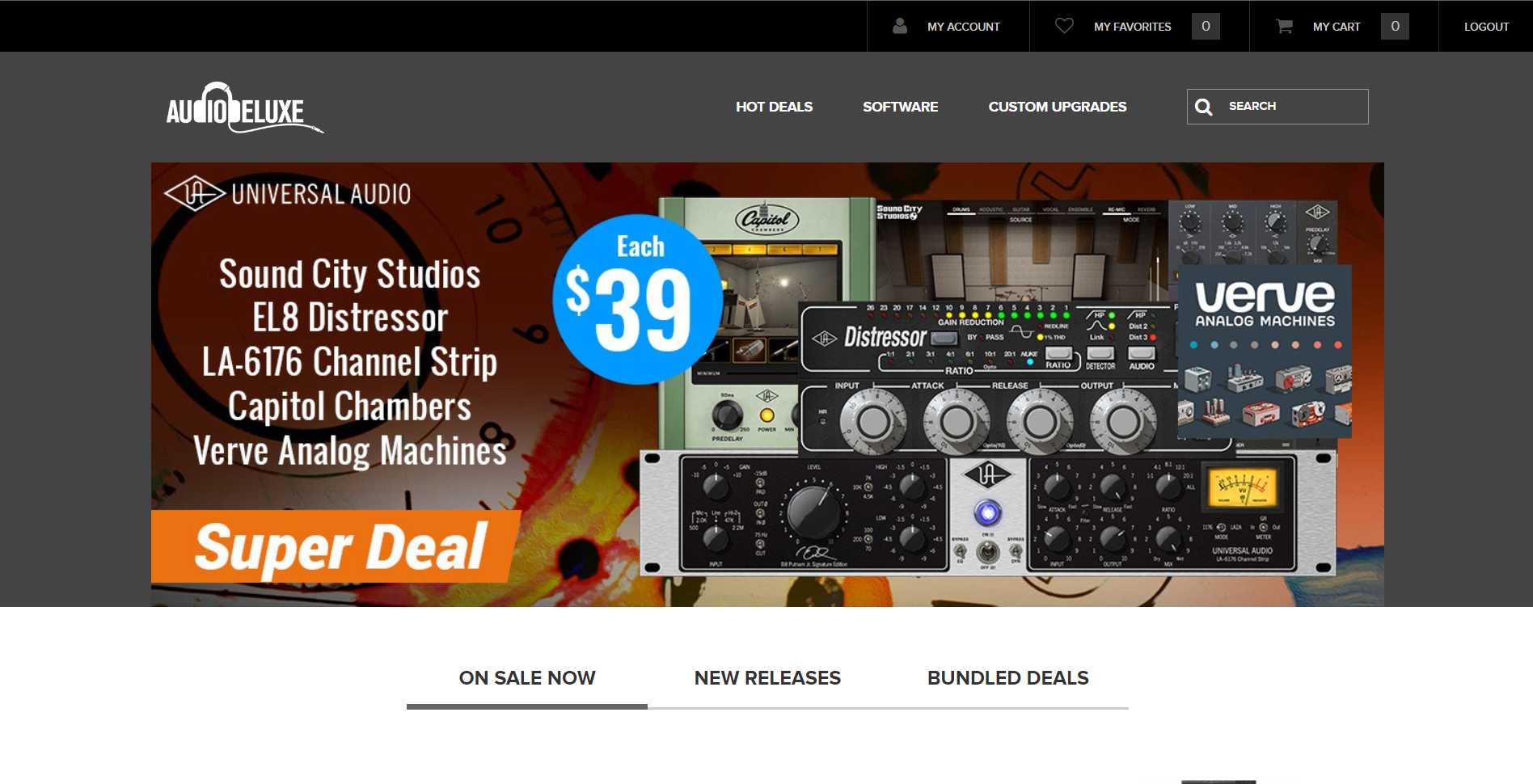
    What sets Audio Deluxe apart from other sites is the regular availability of discount coupons, making prices even lower than they appear. You also earn points that can be used on future purchases.

    However, most of the free plugins offered here can be found on other sites, so there isn’t much of an advantage in that regard.

    4. every Plugin
    As I’ve mentioned before, Every Plugin is one of the best places to buy Waves plugins at a lower price. They often have the best prices on Eastwest plugins too. If you’re planning to buy, it’s a good idea to compare prices here with other sites.

    The downside is that you need to sign up and log in to see the prices. Also, they don’t offer any free plugins.

    5. JRR Shop

    JRR Shop offers discounts on plugins and also sells hardware equipment. You can find free plugins under their Free Stuff section. They frequently have good deals, so it’s worth checking out if you’re looking for a specific plugin.

    6. W.A. Production
    W.A. Production mainly sells sample packs and MIDI files, but they occasionally offer free plugins and samples, making it a site worth knowing about.

    7. Blue Cat Audio
    At Blue Cat Audio, if you go to the Download section and scroll down, you’ll find a Free Pack with all their free versions. The interface might not be the most attractive, but the plugins are solid. Although they primarily make their own plugins, I included them here as part of this list of free plugin sources.

    8. Don’t Crack
    Don’t Crack is a well-named site with occasional good discounts. I remember getting a Flux Session pack at a very reasonable price last year. The site’s layout might feel a bit sparse, like JRR Shop, but you can find some great deals if you dig around.

    9. Plugin Discounts
    I haven’t used Plugin Discounts much, but like Every Plugin, you need to log in to see the prices.

    10. Bedroom Producers Blog
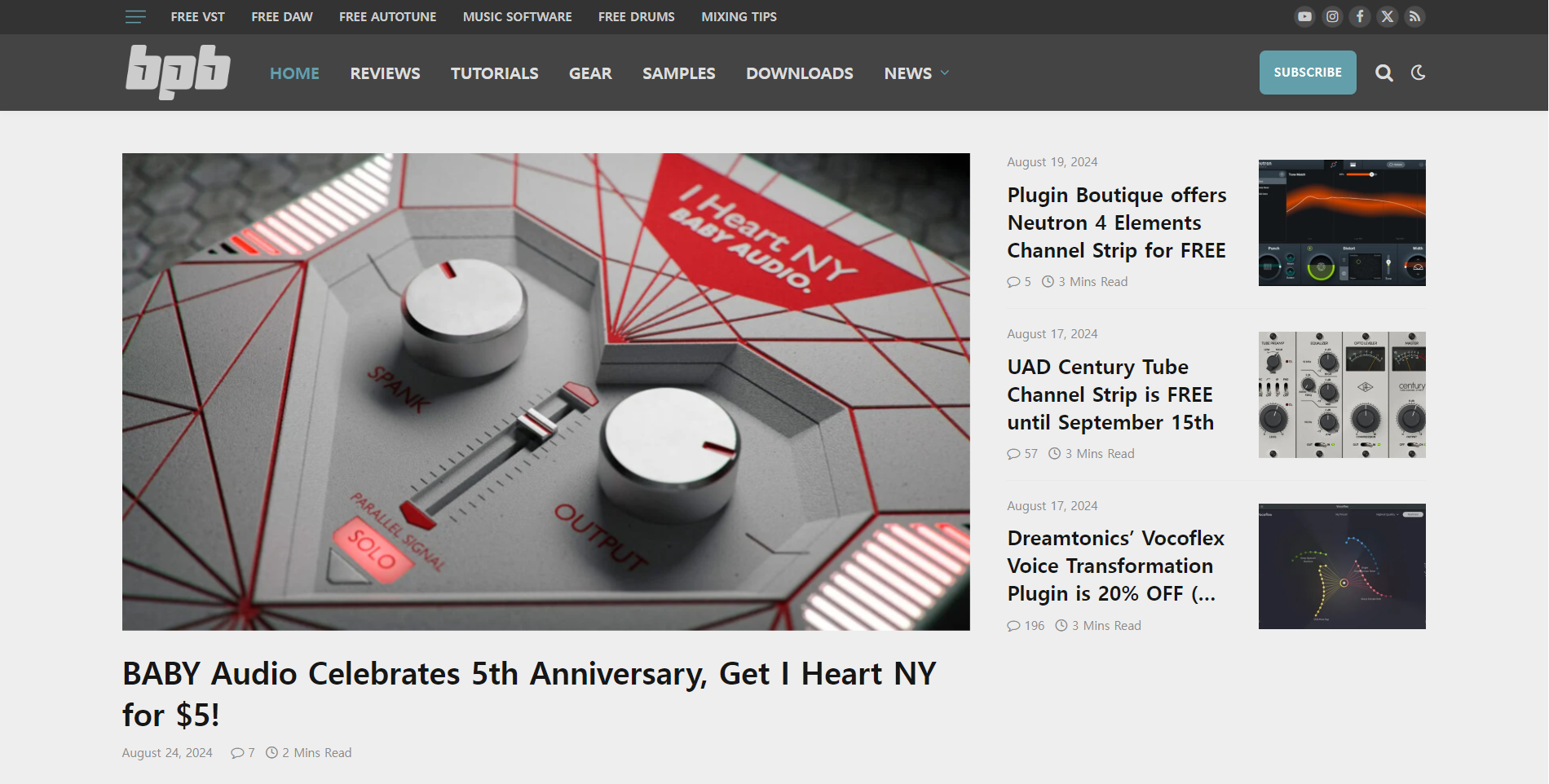
    This is a large blog that regularly features free plugins and various discounts. They often curate good deals and organize them by time, and sometimes they offer exclusive discounts or free plugins. It’s a great site to check in on from time to time.

    11. Production Expert
    Production Expert isn’t a plugin store, but it’s a great resource for news, discounts, and free plugin information. Signing up for their newsletter is a good way to stay updated on the latest deals and news.

    In addition to these, companies like Universal Audio frequently release free plugins these days, so it’s worth exploring and finding the ones that suit your needs.

    That’s all for today. See you in the next post!

    Output Movement Rhythm Engine 50% Off (Until 8/16)

    Hello, I’m mixing engineer and music producer Jooyoung Kim.

    Today, I’m excited to introduce you to Output’s Movement plugin, a tool designed for creating dynamic rhythms.

    As with my previous posts on Output products, this plugin was provided by Plugin Boutique under Not for Resale conditions, enabling me to write this review.

    Let’s dive right in!

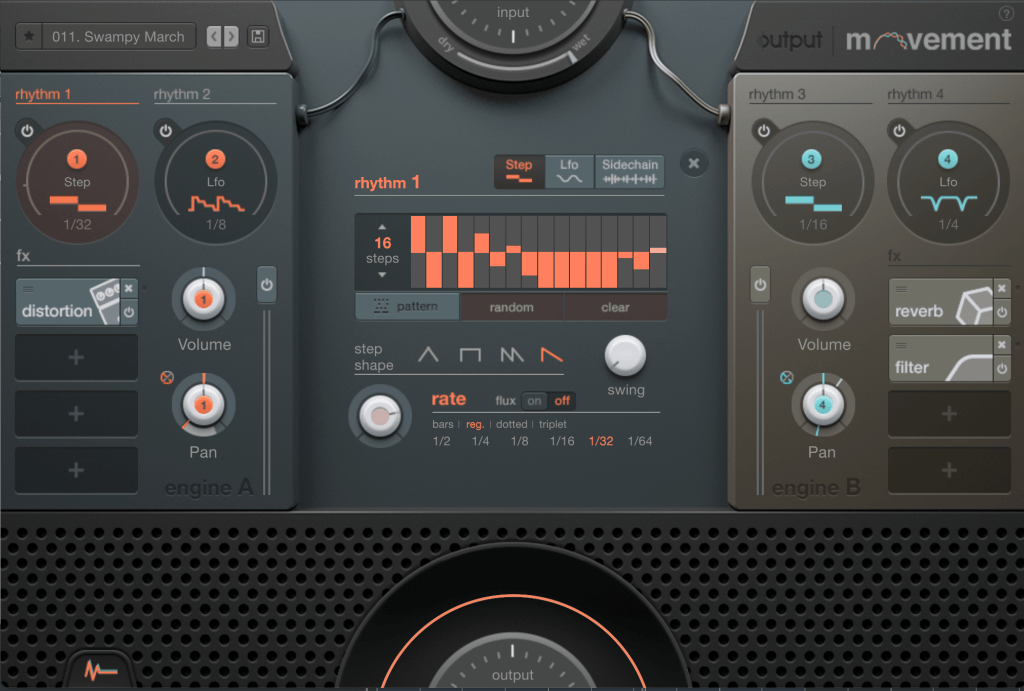
    If you’re seeing this plugin for the first time, it might seem a bit overwhelming. To summarize the concept of Movement:

    1. It separates sounds in parallel,
    2. Modulates various parameters through signals like Step Sequencers, LFOs, and Sidechain,
    3. And then combines the sounds back together.

    This plugin is particularly specialized in rhythmic modulation, which is why it’s marketed as a Powerful Rhythm Engine.

    Now, let’s break down its features one by one.

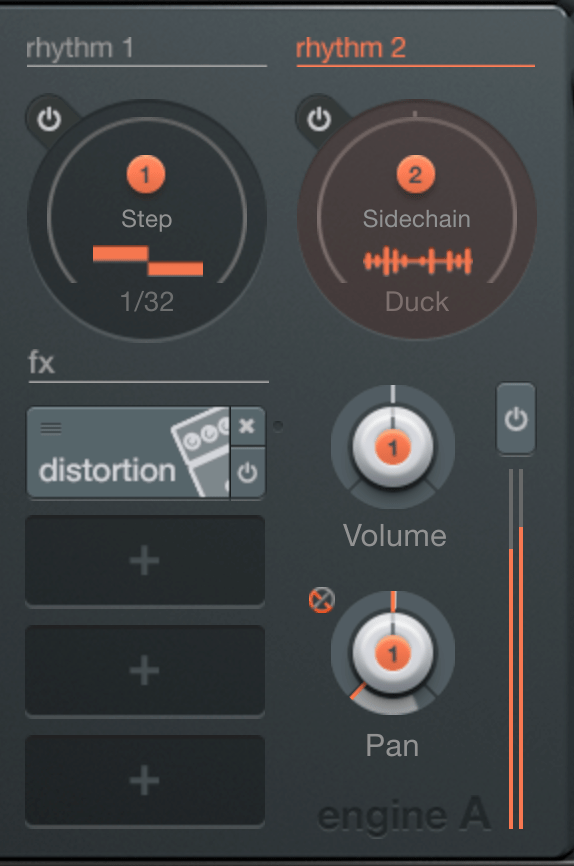
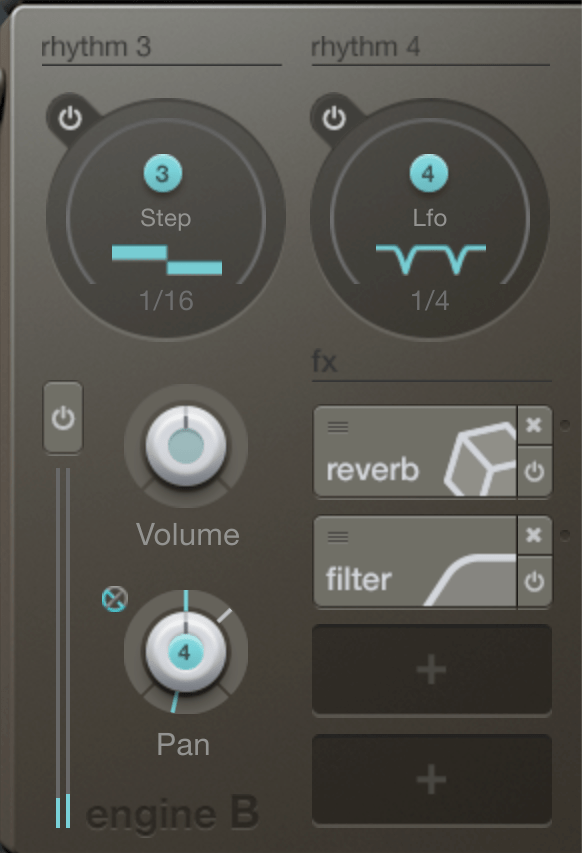
    First, you’ll notice Engine A and B on either side, where you can adjust each engine’s volume and pan values. Above the engines is the rhythm section responsible for modulation. Let’s start from there.

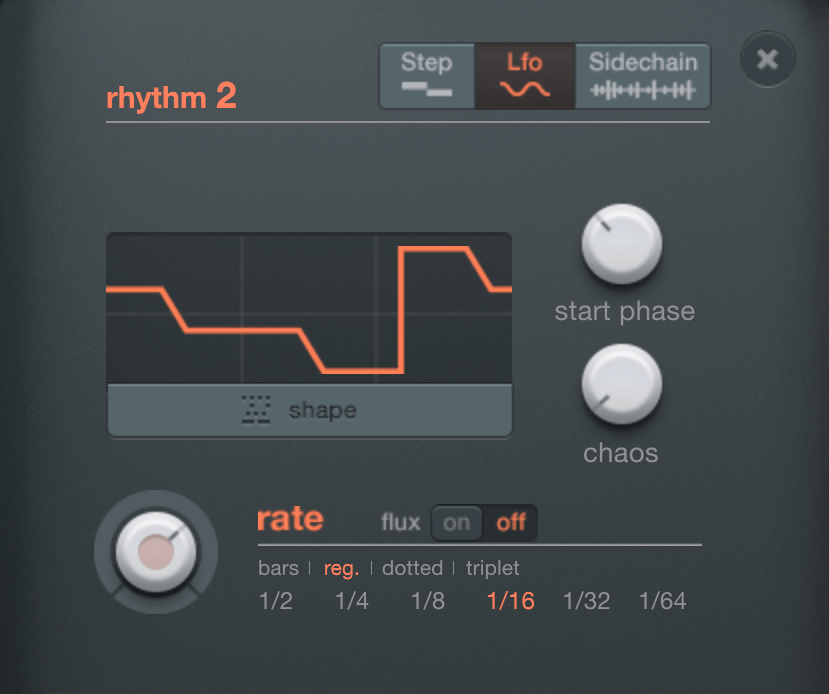
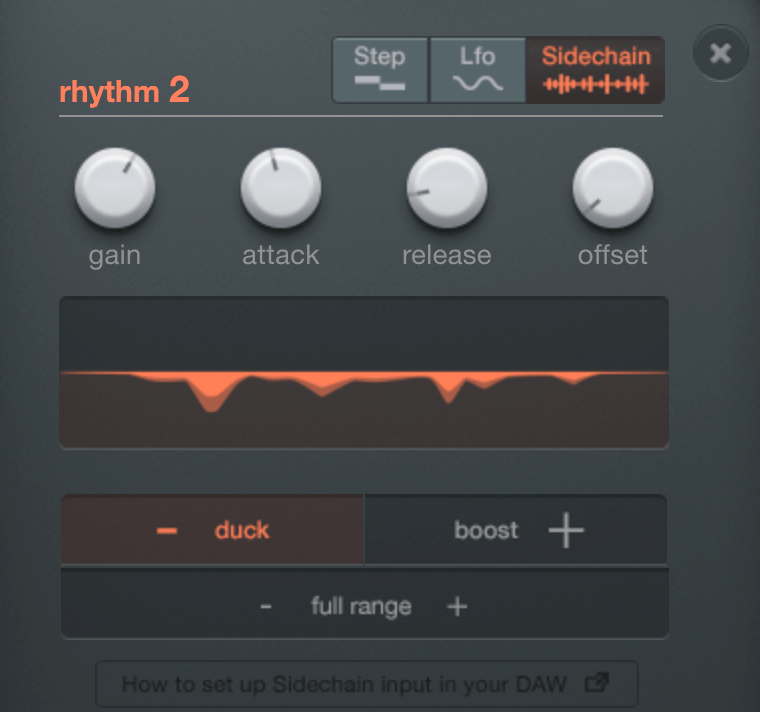
    The rhythm section allows you to choose between Step, LFO, and Sidechain.

    When Step is selected, you can create up to 32 steps.

    You can manually create steps, generate them randomly, or choose from presets. You can adjust the shape and swing of the steps, and determine how often the steps change through the Rate setting.

    LFOs work similarly. You choose a shape from the shape presets, select the starting phase, and use the Chaos function to set the amplitude randomly, which creates a unique sound that is both unpredictable yet rhythmic.

    Sidechain is exactly what it sounds like! You can use external audio signals as triggers for modulation.

    By placing the rhythm section’s number buttons on a knob, you can modulate that knob according to the selected rhythm value. Right-clicking on the knob allows you to access a modulation window where you can adjust how much it modulates based on the x-y axis movement.

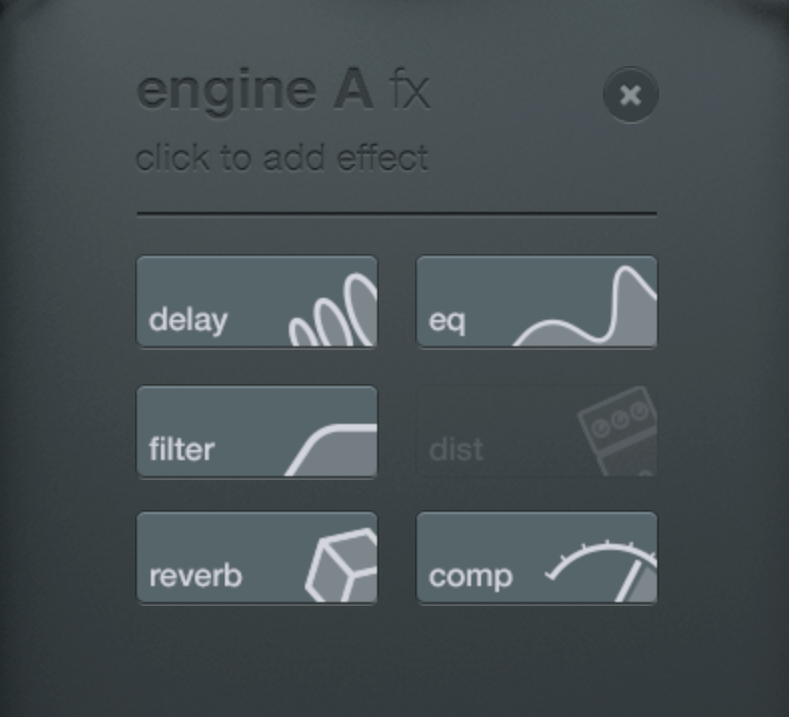
    You can choose up to six FX to apply. I analyzed Comp, EQ, and Distortion in particular.

    Comp

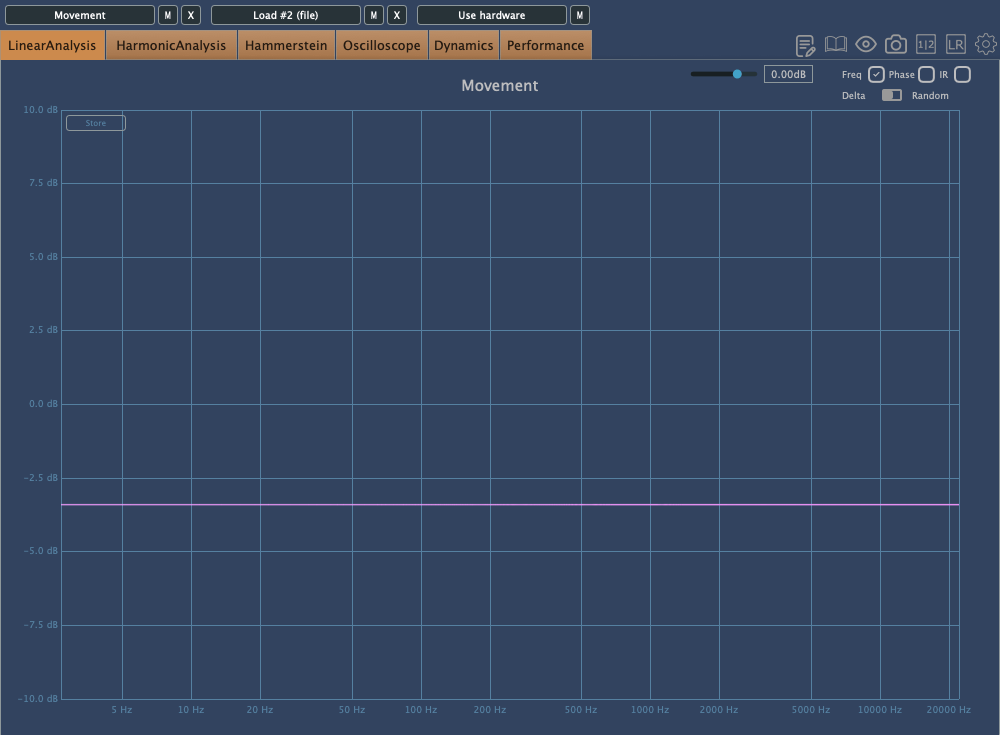
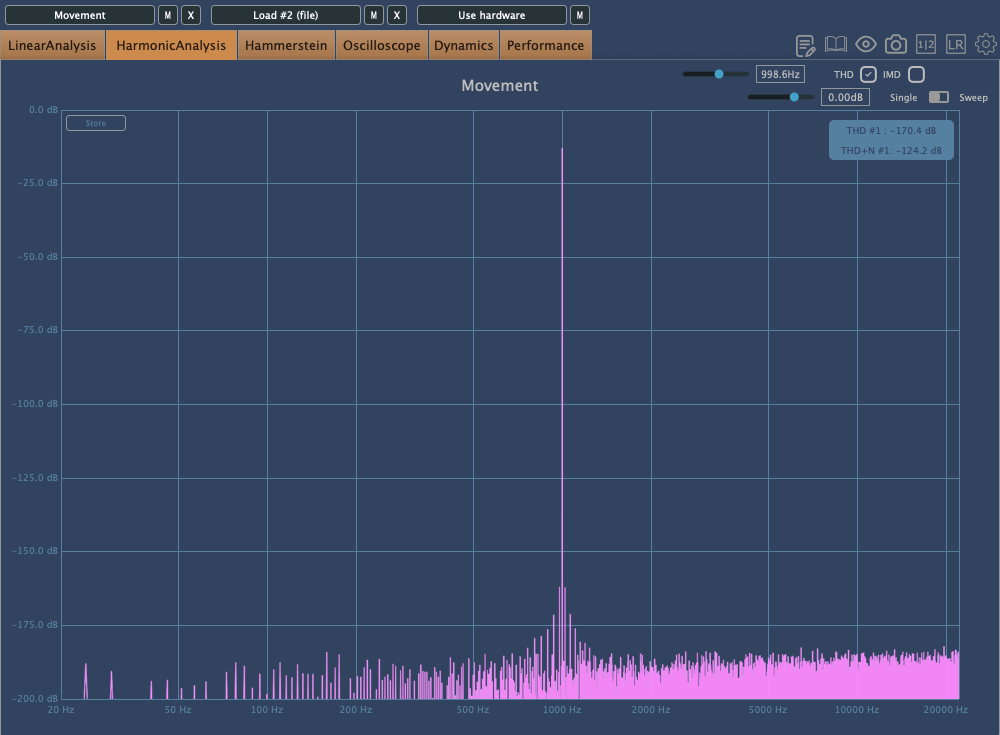
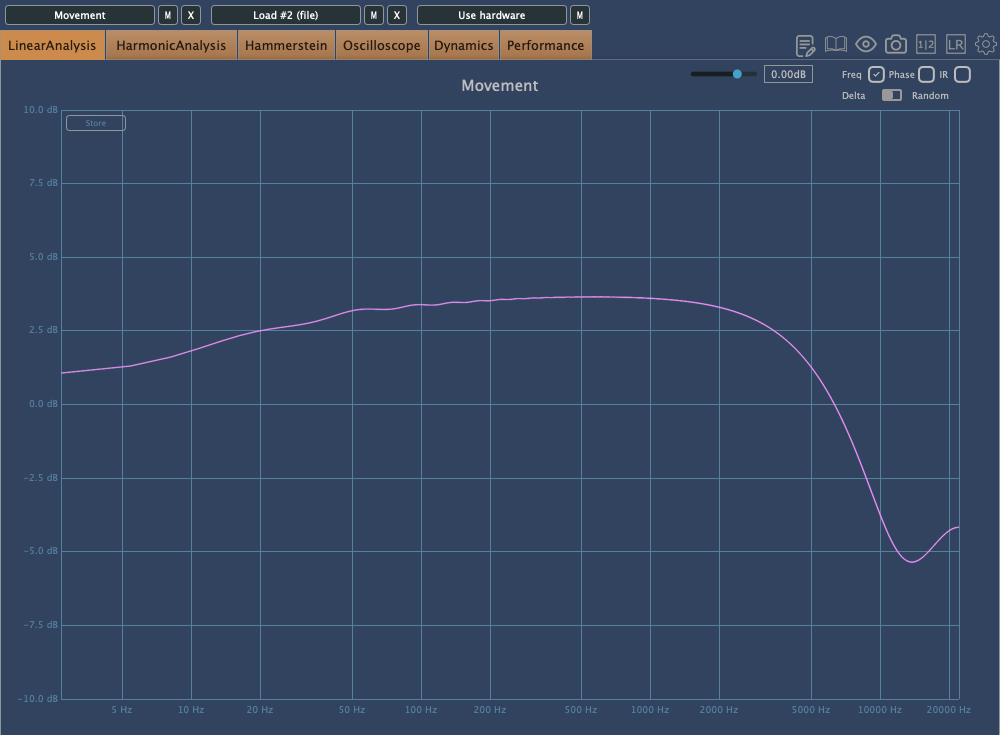
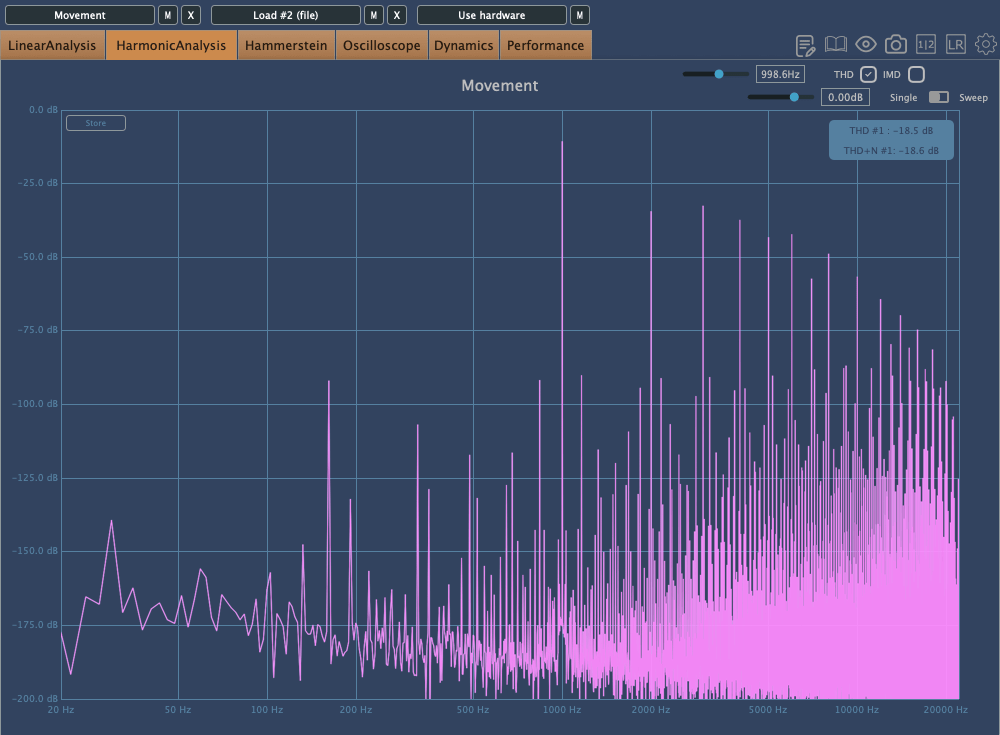
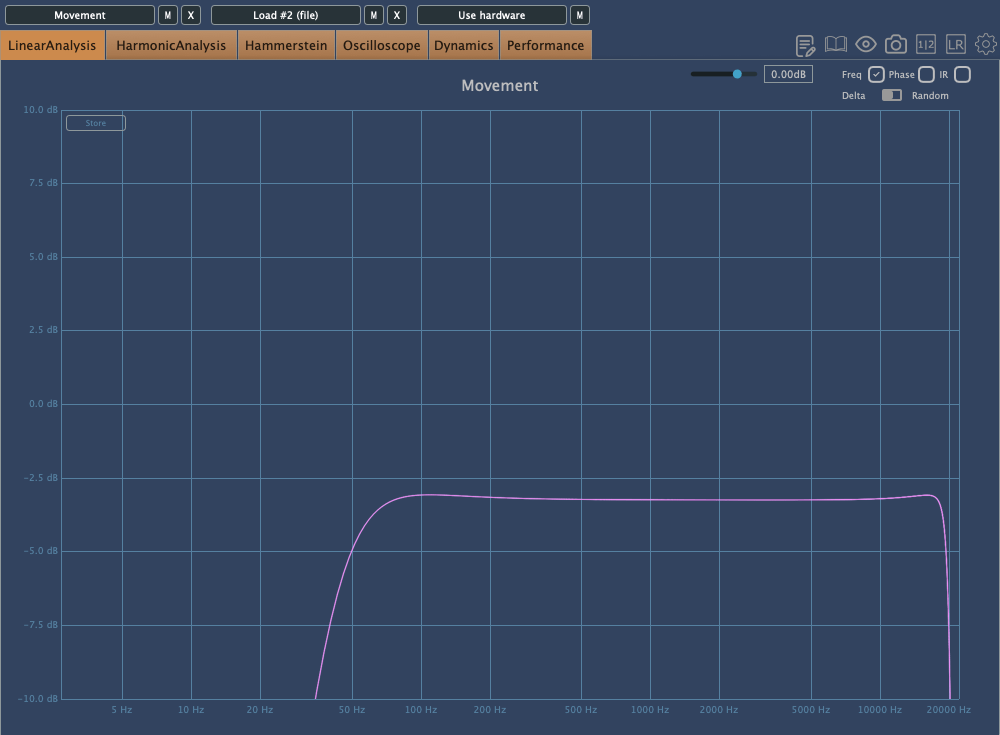
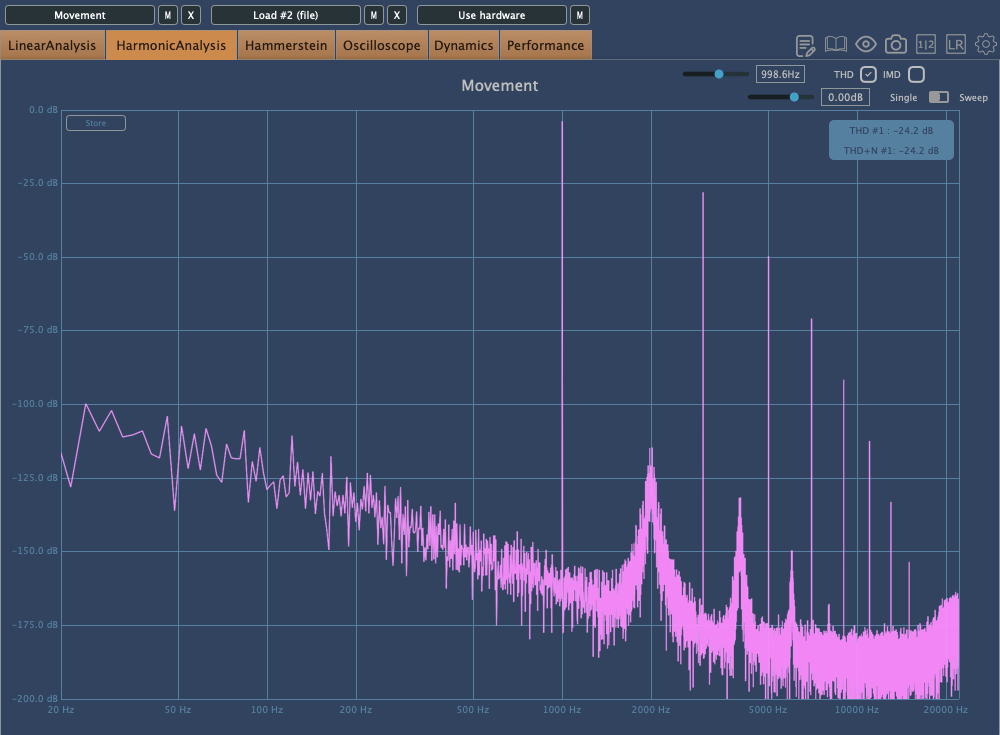
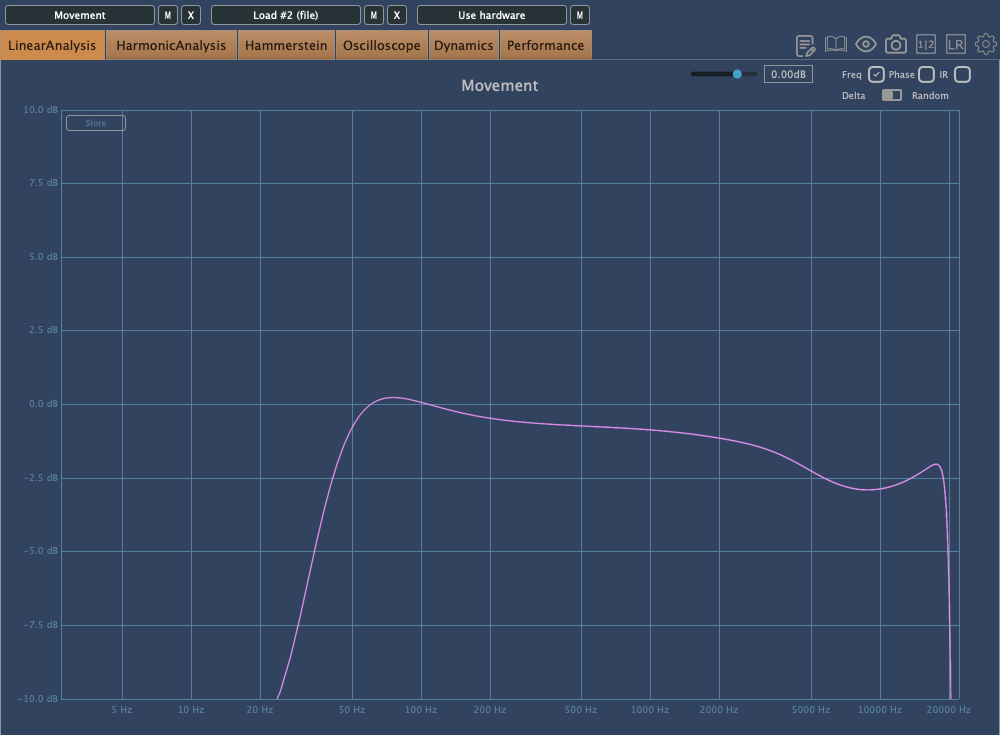
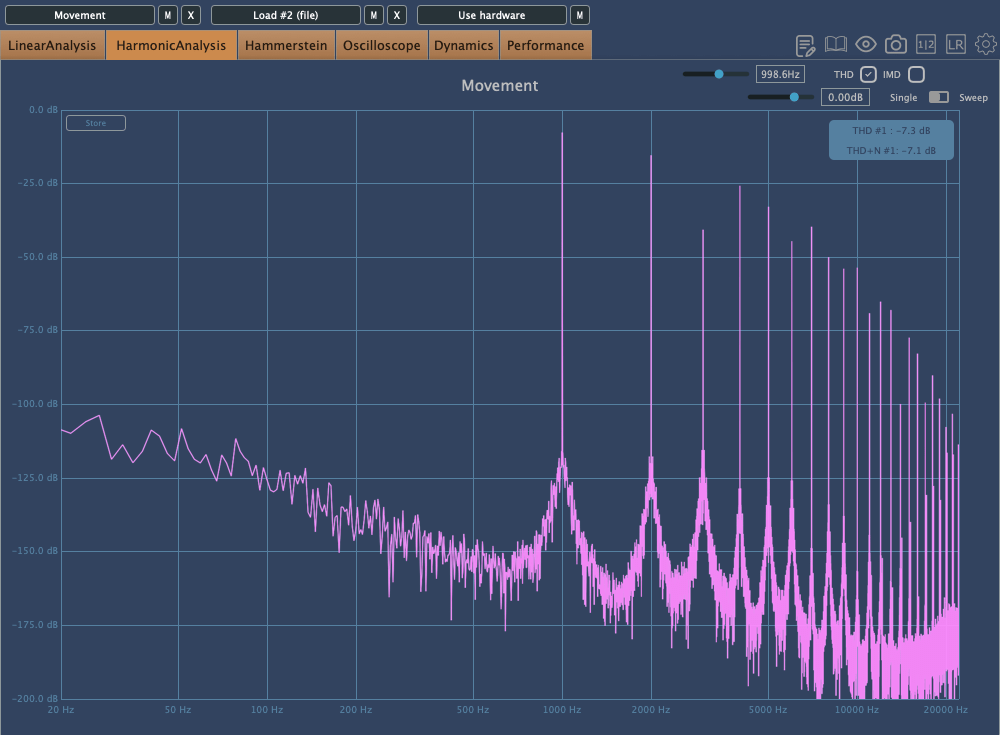
    The above images show the frequency response and harmonic distortion with Warmth set to 0, while the ones below show the same with Warmth increased.

    With Warmth at 0, it functions as a clean digital compressor. With Warmth added, the high frequencies are slightly rolled off, and the sound becomes more saturated.

    Distortion

    The Distortion effect includes High Pass and Low Pass Filters as basic parameters, so the extreme lows and highs are filtered out. The upper images show Crunch at 0, while the lower images show it at a medium setting. This effect can add strong saturation!

    EQ

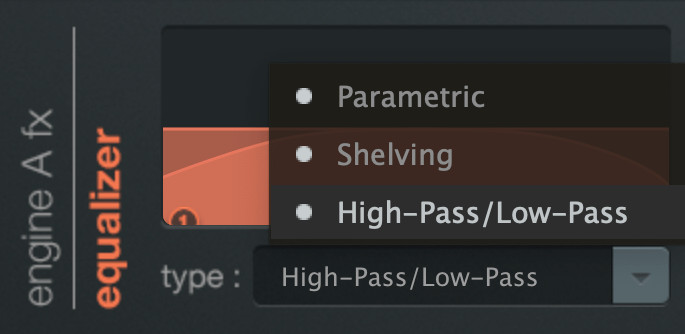
    The EQ offers three types: Parametric, Shelving, and High/Low Pass.

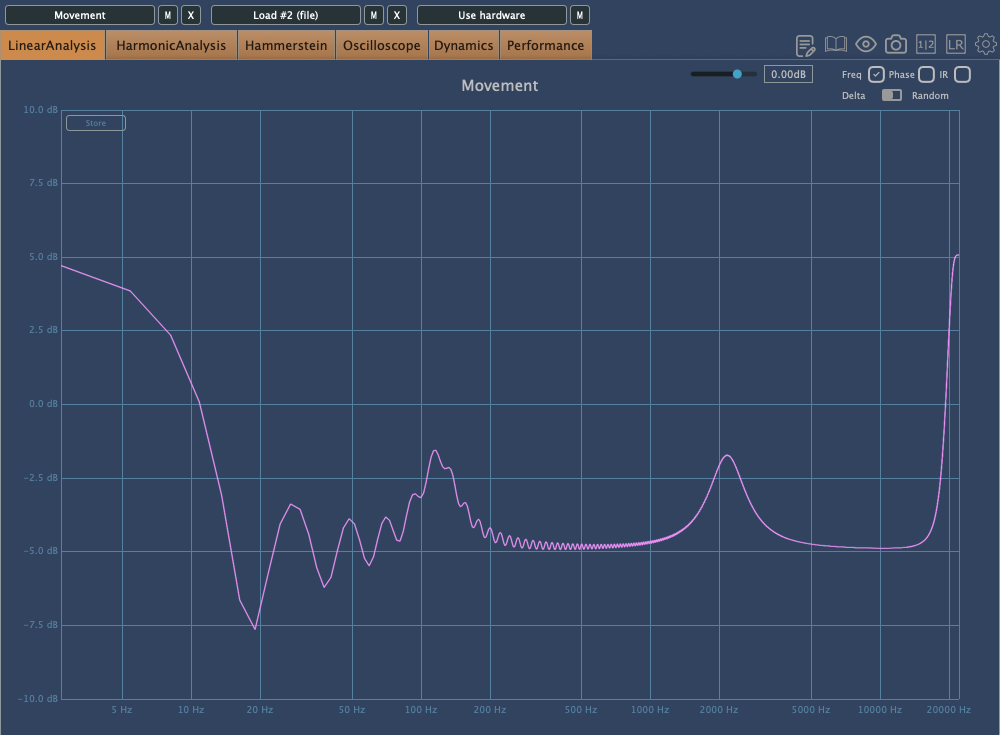
    Interestingly, this EQ still affects the sound even if Gain1 and Gain2 are set to the center. This applies to both Parametric and Shelving EQs, so keep this in mind when adjusting.

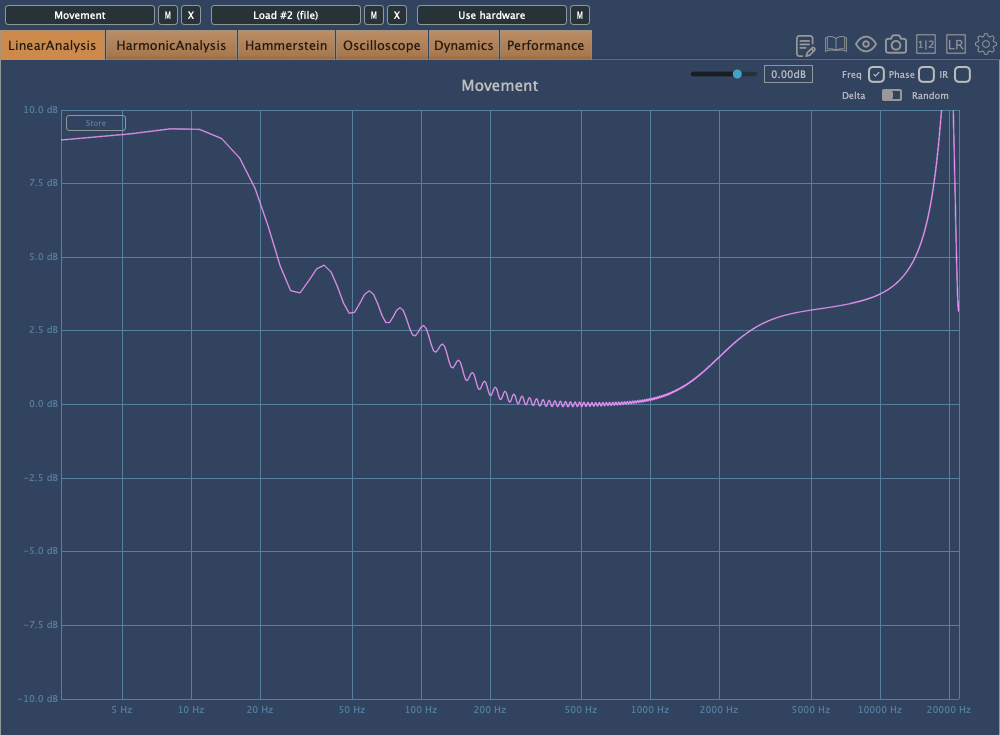
    The EQ also tends to boost the extreme high frequencies.

    When flattening the frequency response and examining the phase, you’ll notice some unique characteristics.

    I’ll skip the details of the remaining FX as they are more straightforward.

    Finally, the button at the bottom left of the plugin reduces the processing load, easing the burden on your CPU. It doesn’t affect the sound but reduces the amount of movement in the plugin’s UI, making it less taxing on your system.

    Check out Output’s official trailer to see how it works and hear what it sounds like.

    You might think this plugin is only useful for electronic music, K-Pop, or hip-hop, but it can actually be applied across various genres. The Sidechain function, in particular, offers some exciting possibilities.

    Output’s products are on sale at Plugin Boutique until August 16th, so if you’re curious about other plugins, it’s worth checking them out.

    When you purchase a plugin from Plugin Boutique, you’ll also receive a free plugin. This month’s free plugins are Softube’s VCA Compressor or Imagine Audio’s K7D Delay.

    If you don’t have a dbx160-style compressor, I’d recommend the VCA Compressor. If you want to apply delay to a variety of sources, K7D is a great choice.

    See you in the next post~:)