Basics of Mixing – 5.4 Phase Issues in EQ

Hello, this is Jooyoung Kim, an engineer and music producer.

Today, I’d like to discuss a crucial aspect to consider when adjusting EQ: phase issues.
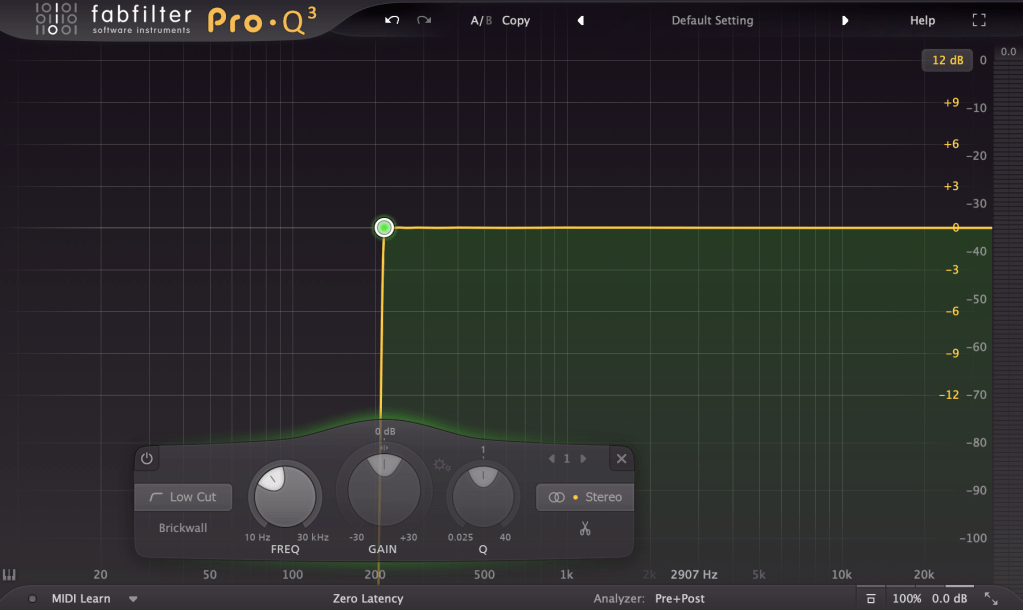
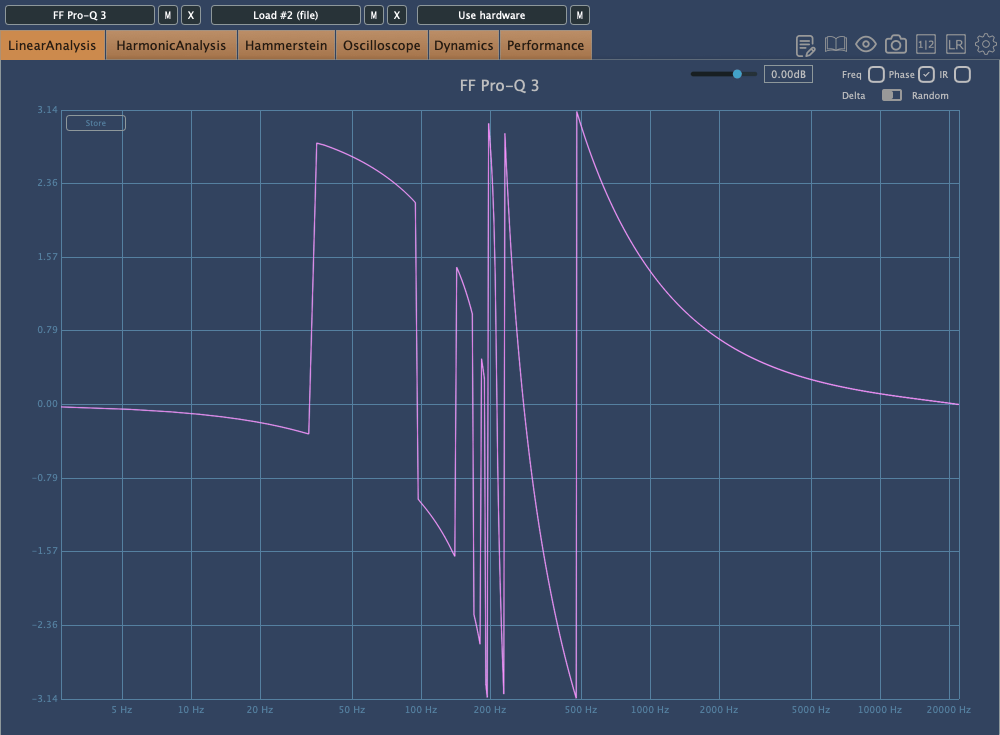
The image above shows the phase change graph when using the Brickwall feature in Fabfilter Pro Q3.

Phase change is generally represented as a continuous line. However, when drawing the graph continuously, the size becomes too large, so the vertical range is usually set to 2π, and the line continues from the top or bottom when it breaks. It’s quite difficult to explain in words.

Anyway, considering such factors, the jagged phase changes can still significantly affect the sound. Extreme phase changes can make the sound seem as if an unintended modulation effect is applied, so it’s important to use it carefully.

Because of these issues, Linear Phase EQ was developed. Linear Phase EQ does not cause phase issues. However, it introduces a phenomenon known as Pre-Ringing.

  • Pre-Ringing Phenomenon

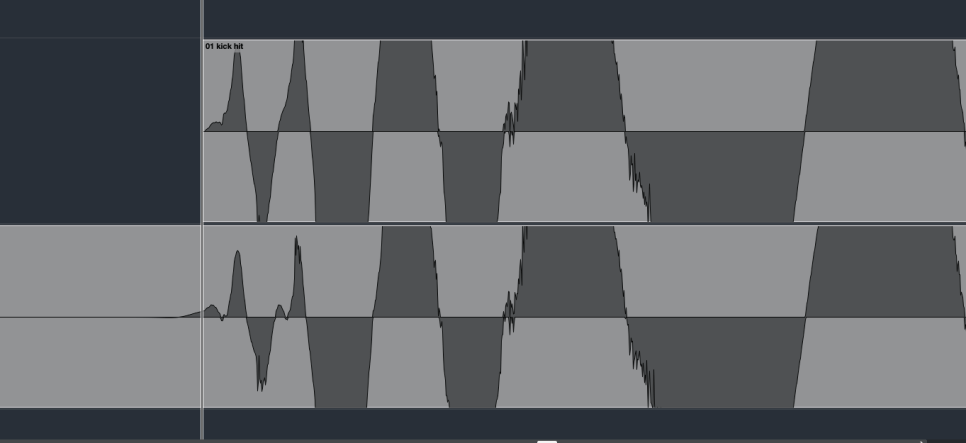
Pre-Ringing occurs when using Linear Phase EQ, causing the sound to ring before the waveform. Try bouncing your track using Linear Phase EQ. As shown in the image above, you’ll notice a waveform appearing at the front that wasn’t there originally.

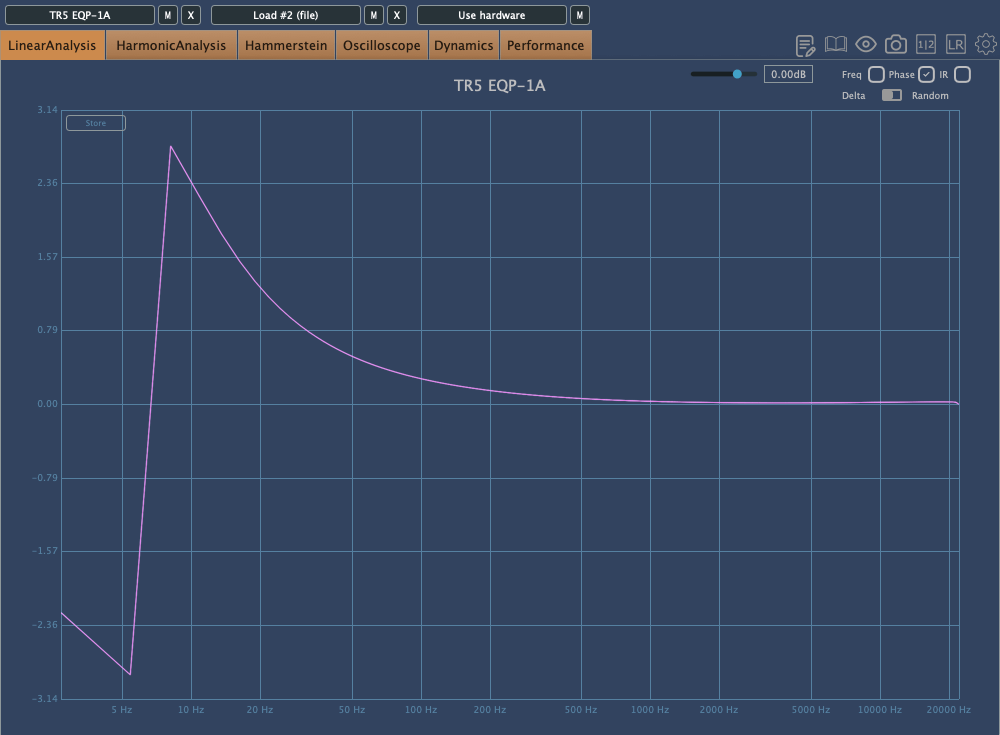
Other than digital EQs, many plugin emulations of analog EQs alter the phase and frequency response graphs just by being applied.

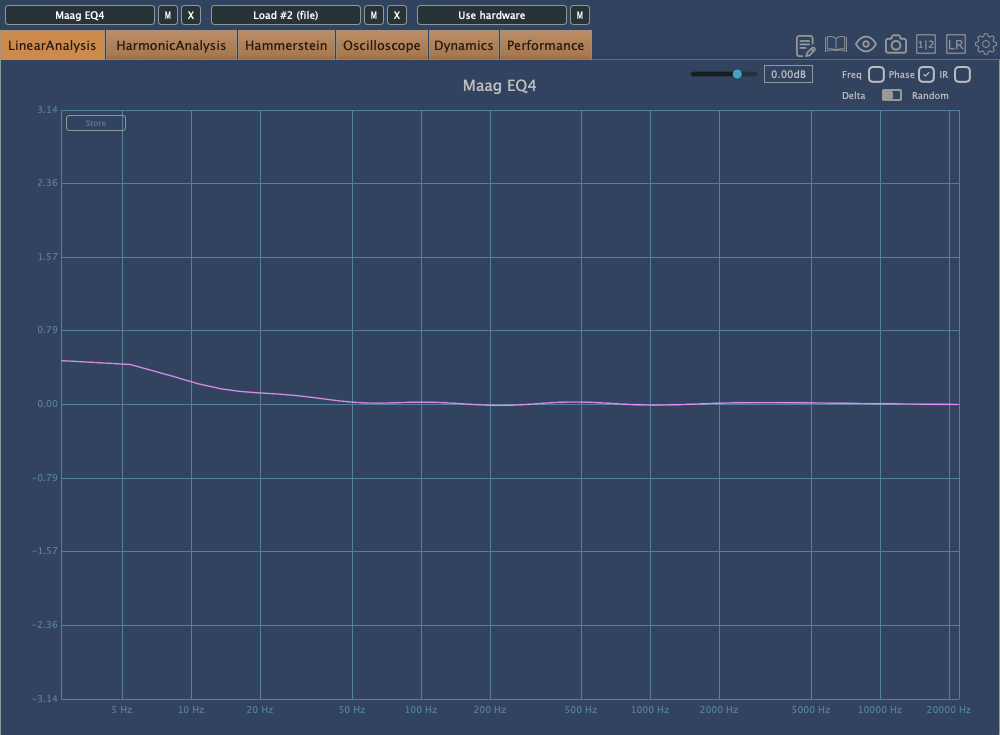
For instance, consider the commonly used Maag EQ4 for boosting high frequencies.
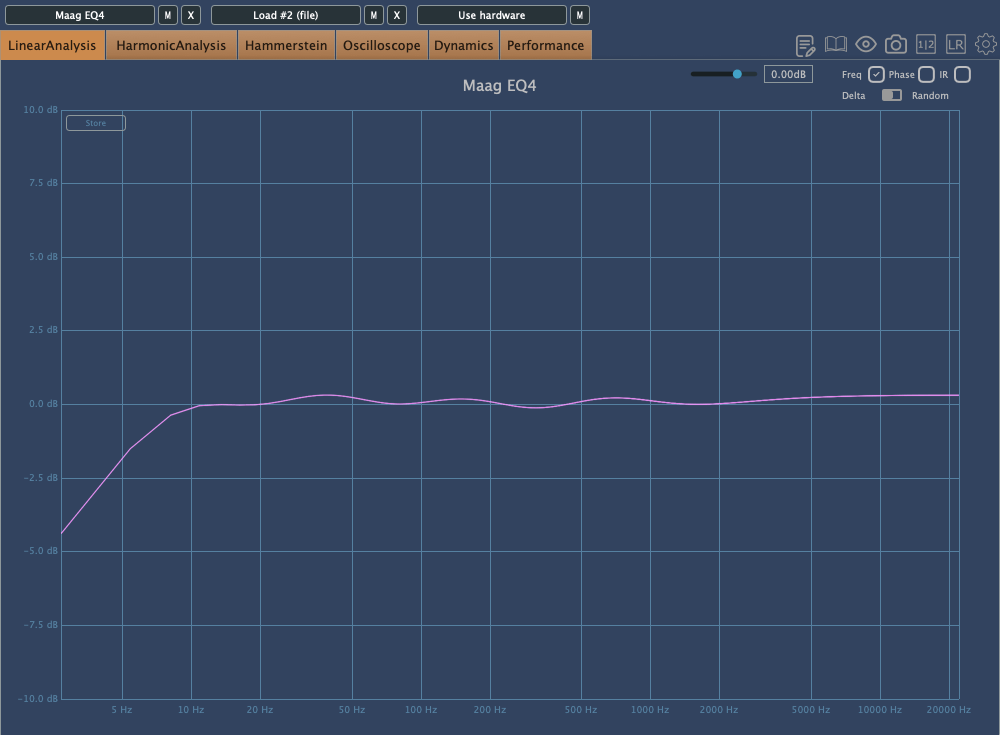
On the left is the frequency response graph when only the Maag EQ4 plugin is applied without any adjustments, and on the right is the phase change graph under the same conditions.

Here’s what we can deduce about using EQ:

  1. Applying an EQ can change the basic frequency response from the start.
  2. Non-Linear Phase EQs will inevitably cause phase changes.
  3. Linear Phase EQs can introduce Pre-Ringing, creating new sounds that were not there originally.
  4. EQ plugins or hardware with Harmonic Distortion can add extra saturation to the sound.

Understanding these points is crucial when adjusting EQ.

Of course, there are many excellent engineers who achieve great results without knowing all these details. Ultimately, the most important thing is that the sound comes out well, regardless of understanding the underlying principles.

However, I personally feel more comfortable when I have a solid understanding of the fundamentals. So, knowing this information can never hurt.

That’s all for today. I’ll see you in the next post!

Basics of Mixing – 2.2 Phase and Interference

Hi, This is Jooyoung Kim, mixing engineer and music producer.

Today, following our discussion on waves, I’d like to talk about phase and interference.

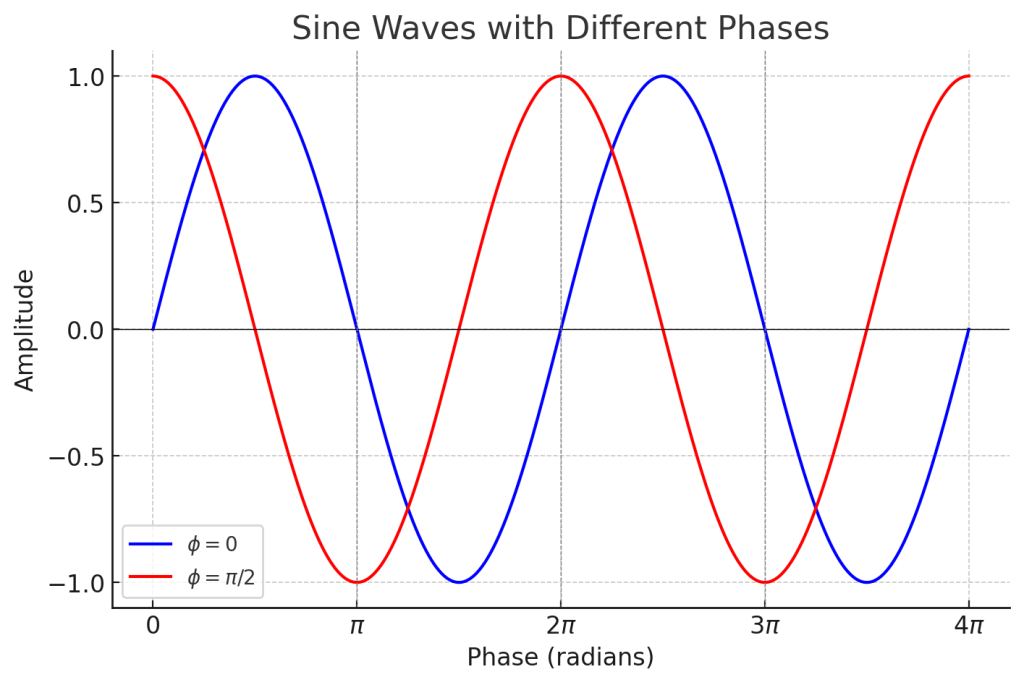
In the previous post, we talked about phase and how it represents the ‘position and state’ of a wave, which can be expressed in degrees.

When two different waves (sounds) meet, this is called interference. The concept of phase is very useful in explaining interference.

Let’s first look at the case where two waves with the same frequency and direction of travel interfere.

Left: Constructive Interference; Right: Destructive Interference

On the left, you see two waves with the same phase meeting, while on the right, you see two waves with opposite phases (180 degrees or π apart) meeting.

On the left, the amplitude doubles, and on the right, it becomes zero. This type of interference, where the amplitude increases, is called ‘constructive interference,’ and when the amplitude decreases, it is called ‘destructive interference.’

When the amplitude increases, the sound becomes louder, and when it decreases, the sound becomes softer. Therefore, when a sound with the opposite phase to the original sound is played together, the sound is canceled out.

Why should a mixing engineer know this?

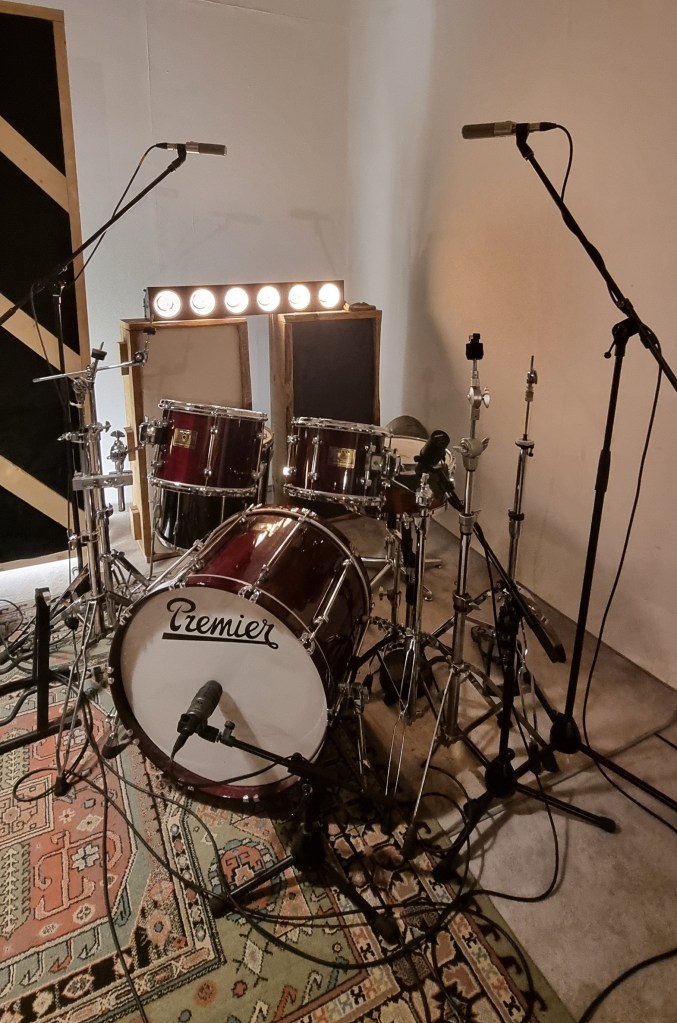
Around April, I received a request for mixing for live recording at a small competition, and this is a photo of the drum recording setup.

When recording drums, multiple microphones are often used for the kick and snare, among other elements.

When these recorded sounds are combined, the recorded sources can interfere with each other, leading to destructive interference, which weakens the sound. Hence, it’s essential to align the phase of each track.

You can easily understand proper phase alignment by listening.

I’ve included a YouTube video because creating my own example would be too time-consuming. In the video, the initial sound you hear is a properly phase-aligned snare, while the subsequent sound shows a snare with phase misalignment resulting in destructive interference.

Therefore, when conducting multi-track recording, it’s crucial to check the phase of all tracks against a reference track.

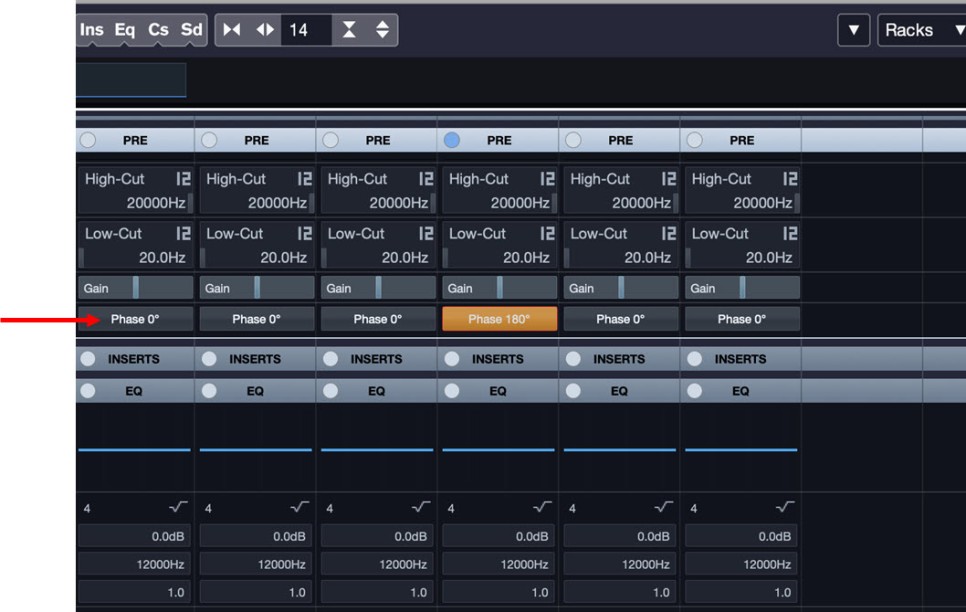
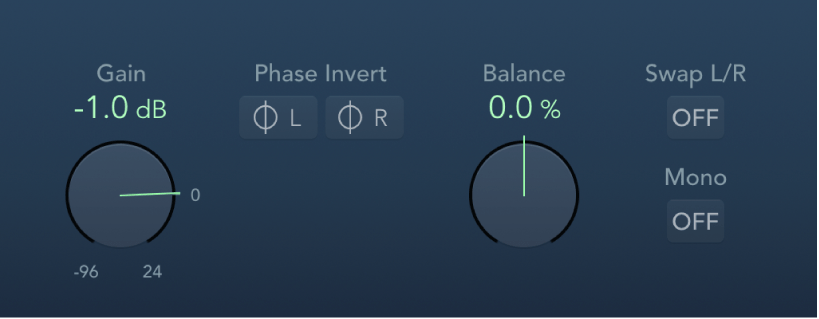
In Cubase, you can change the phase in the mixer window using the Pre-phase button. In Logic, you use the Phase Invert button in the Gain plugin.

In Pro Tools, there’s a button (Φ) on the track itself to invert the phase. Other DAWs also have waveform editing functions to flip the phase.

That’s all for this post. See you in the next article!