
Hello! I’m Jooyoung Kim, a mixing engineer and music producer.
Today, I’d like to introduce the Soundtoys plugins, which are currently on sale during the end-of-year discounts following Black Friday.
This post isn’t sponsored; I purchased these plugins on my own in the past. However, I’ve received considerable support from Plugin Boutique, so all the links in this post direct to their website. Your understanding is appreciated!
Also, if you make a purchase through these links, I’ll receive a small commission, which greatly helps me keep doing what I love.
Let’s get started!
Soundtoys specializes in plugins that excel in coloration, delay, and modulation.
The Soundtoys 5 Bundle includes a total of 21 plugins. Since there’s a lot to cover, I’ll summarize the list in a table:
| Plugin Name | Role | Description |
|---|---|---|
| SuperPlate | Reverb | Recreates tones of 5 classic plate reverbs, delivering rich and expansive reverb effects. |
| Decapitator | Distortion/Saturation | Hardware-modeled saturation and distortion effects that add bold character to your mix. |
| EchoBoy | Echo/Delay | Emulates a variety of vintage echo units, providing warm and rich delay effects for vocals and instruments. |
| Little AlterBoy | Pitch/Formant Modulation | Offers vocal pitch shifting, hard-tune effects, and robotic voice modulation. |
| Crystallizer | Pitch/Granular Delay | Enables creative sound design with pitch-shifted and reversed granular delay. |
| PrimalTap | Retro Delay | Retro-style dual delay with lo-fi looping and warp effects. |
| Devil-Loc Deluxe | Compressor/Distortion | Delivers aggressive drum compression and distortion effects. |
| Radiator | Tube Saturation/EQ | Vintage tube preamp style for warm tones and rich harmonics. |
| MicroShift | Vocal Widening | Provides classic pitch-shifting and chorusing for vocals and instruments. |
| Little Plate | Plate Reverb | A modern take on the classic EMT 140 plate reverb. |
| PanMan | Auto-Panning | Creates spatial movement with rhythmic auto-panning effects. |
| Tremolator | Tremolo/Rhythmic Modulation | Offers vintage guitar tremolo and rhythm-based effects. |
| FilterFreak | Filter/Modulation | Delivers analog filter sweeps and rhythmic filtering effects. |
| PhaseMistress | Phaser | Produces rich phase sweeps with deep analog vibes. |
| Sie-Q | EQ | Emulates the W295b EQ, providing smooth highs and warm lows. |
| Little Radiator | Tube Saturation | Simple tube saturation inspired by the vintage Altec 1566a preamp. |
| Little PrimalTap | Simple Delay | A straightforward retro delay with looping, warping, and distortion effects. |
| Little MicroShift | Simple Widening | Adds focus and depth with a simplified vocal widening effect. |
| Devil-Loc | Audio Level Destroyer | Simple yet powerful drum compression and distortion. |
| EchoBoy Jr. | Simple Echo | Combines 7 analog echo styles for quick and easy delay effects on vocals and instruments. |
| Effect Rack | Multi-Effect | Combines all plugins for custom chains and overall mixing control. |
For this post, I’ll focus on three standout plugins: Decapitator, Little AlterBoy, and the renowned EchoBoy.
Decapitator
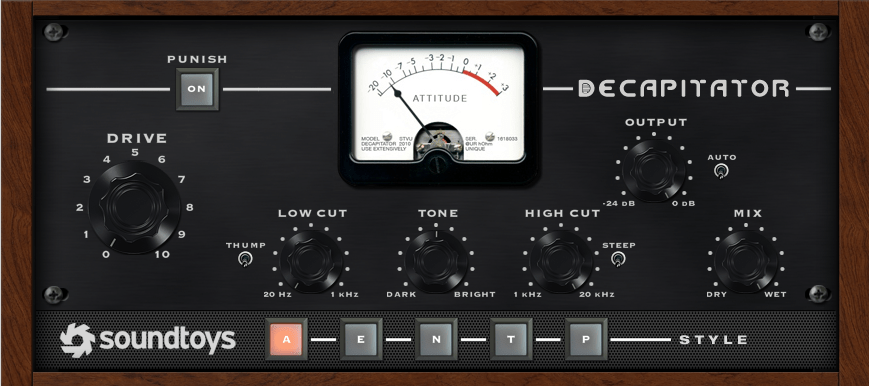
The Decapitator plugin emulates the coloration of five iconic pieces of analog hardware. Its name might sound intimidating (it literally means an executioner who beheads), but it’s perfect for adding aggressive saturation to your tracks.
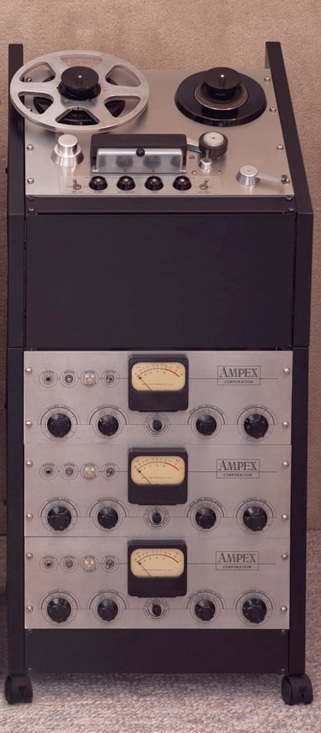
1) A Mode is modeled after the Ampex 350.
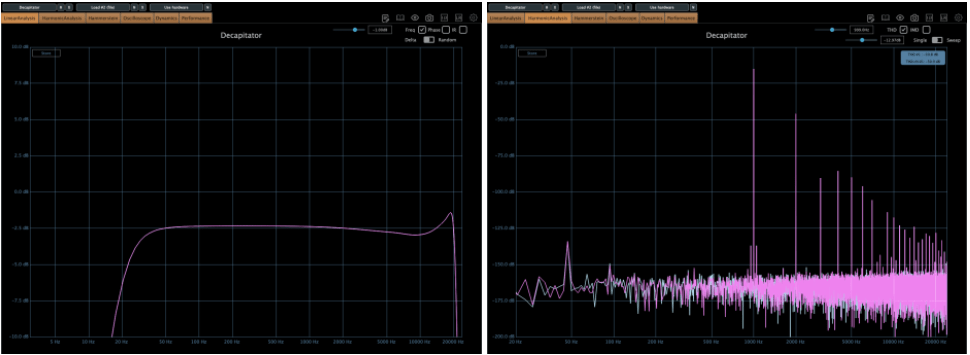
2) E Mode (EMI) is based on the Chandler/EMI TG Channel.


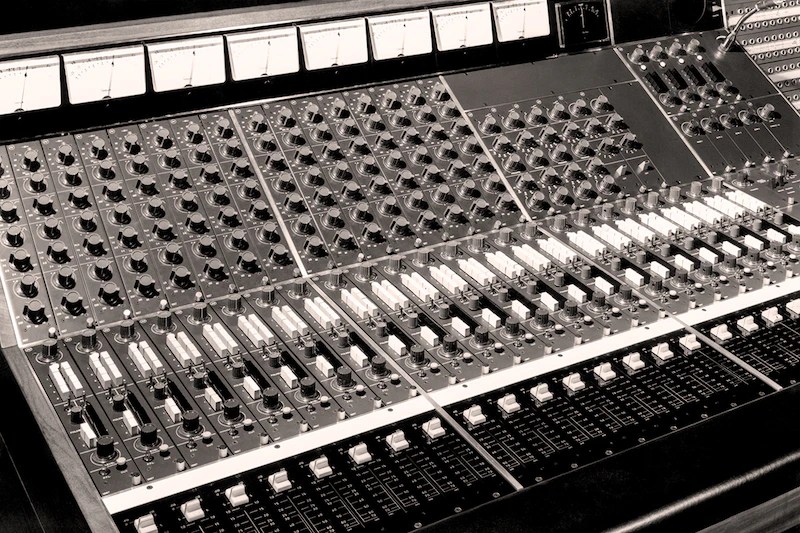
3) N Mode emulates the Neve 1057 Channel.

4) T Mode recreates the Triode (3-tube) saturation of Thermionic Culture’s The Culture Vulture.

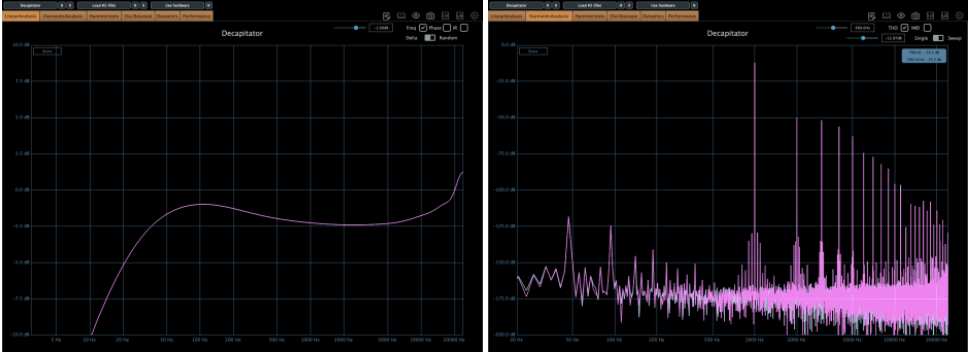
5) P Mode replicates the Pentode (5-tube) saturation from the same hardware.
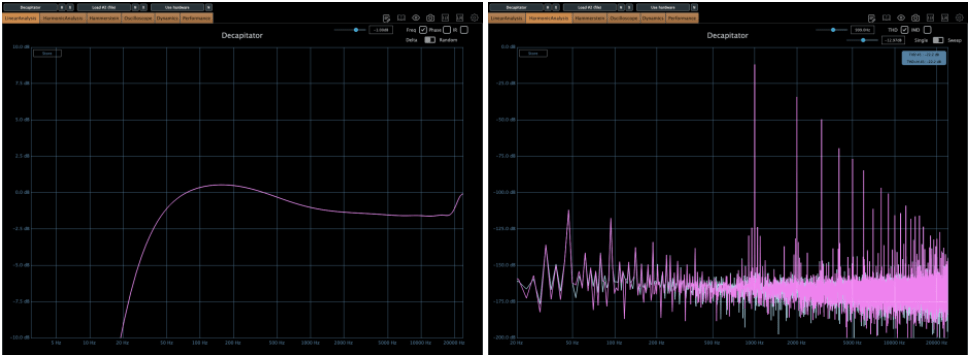
Personally, I often use N or T modes, as their harmonics feel more pronounced to me.
Other key controls:

- Push: Boosts the input signal.
- Thump: Slightly boosts the low-end around the high-pass filter.
- Steep: Sharply cuts the high frequencies.
- Tone: Acts as a Tilt EQ.
If you want a bold, saturated sound, this is the plugin for you!
Little AlterBoy
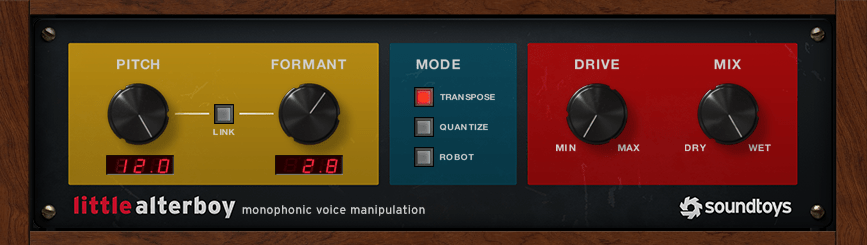
Little AlterBoy is a simple yet powerful pitch modulation plugin.
- Adjust pitch by semitones from -12 to +12.
- Modify formant to make the pitch changes sound more natural.
This plugin works best with monophonic instruments like vocals (it doesn’t handle polyphonic material well).
Modes:
- Transpose: Standard pitch shifting.
- Quantize: Snaps the pitch to the nearest chromatic note.
- Robot: Fixes the pitch to a single note (e.g., C at +0, C# at +1, etc.).
I often use this plugin to add an octave effect to lead melodies by sending the signal through Little AlterBoy.
- For higher pitches: Set Pitch to +12 and Formant between 2 and 3.5.
- For lower pitches: Set Pitch to -12 and Formant between -2 and -3.5.
Adjust the Formant settings by ear for the best results!
EchoBoy
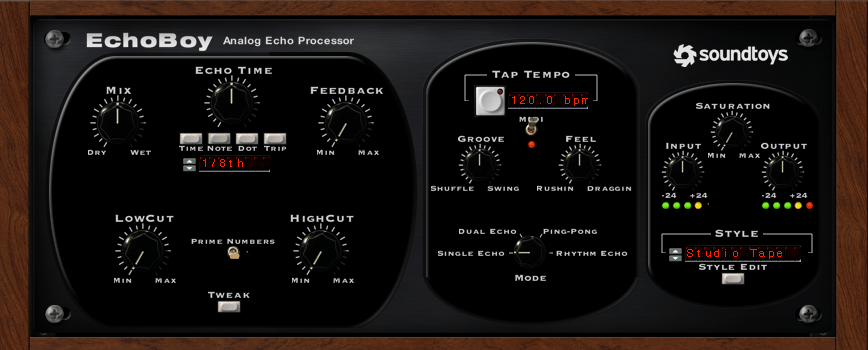
EchoBoy is an all-in-one delay plugin loaded with options.
It offers:
- Simple single delays
- Dual delays
- Ping Pong delays
- Rhythm Echo and more
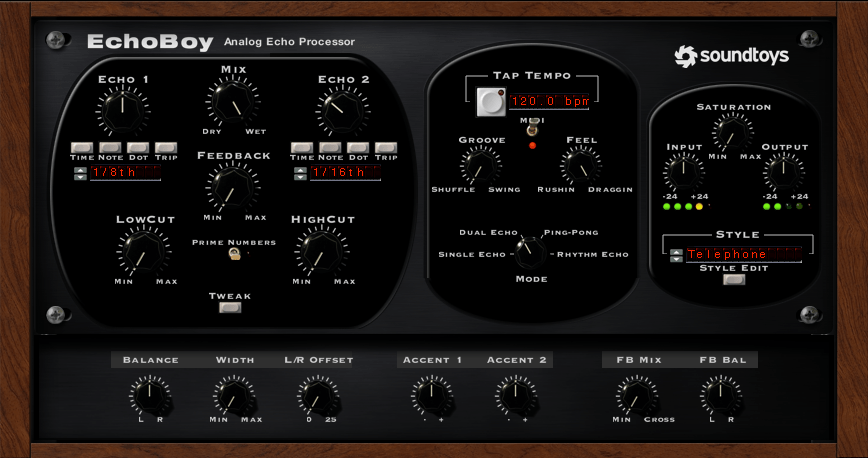
The Style menu provides a variety of delay textures, and the Tweak section allows further parameter adjustments.
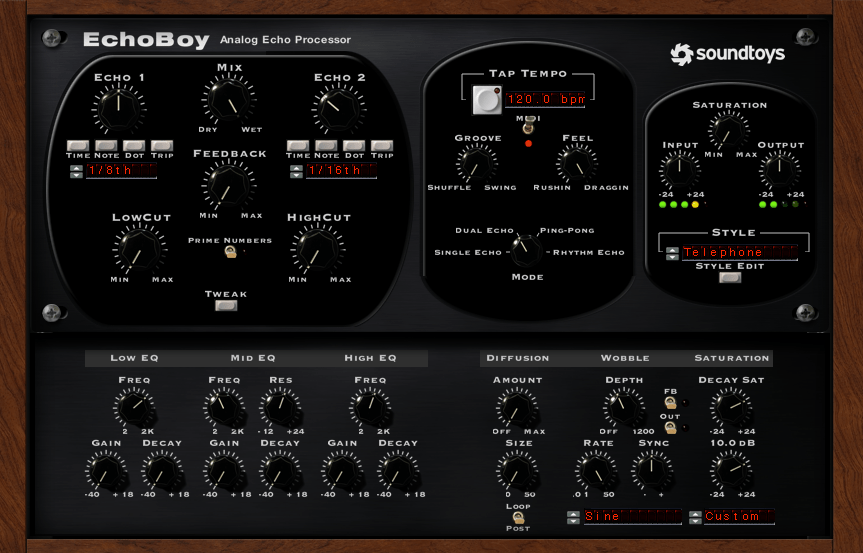
Finally, the Style Edit menu lets you fine-tune the output characteristics of the selected delay style.
It’s no wonder EchoBoy is often called the ultimate delay plugin!
Conclusion
This was a quick overview of the Soundtoys bundle.
If you’re considering just a few plugins, I highly recommend Decapitator and Little AlterBoy. Try the demos first and grab them during the sale if they suit your needs!
See you in the next post! 😊



 Jooyoung's Music Blog