Hello! I’m Jooyoung Kim, a mixing engineer and music producer.
Today, I wanted to share an exciting deal from one of my favorite companies, Cableguys, who are currently offering a discount on their FilterShaper XL plugin.
As with my recent plugin reviews, I received an NFR (Not for Resale) code from Plugin Boutique for this product.
(If you purchase through the above link, I’ll earn a small commission, which greatly supports the blog!)
Let’s dive in!
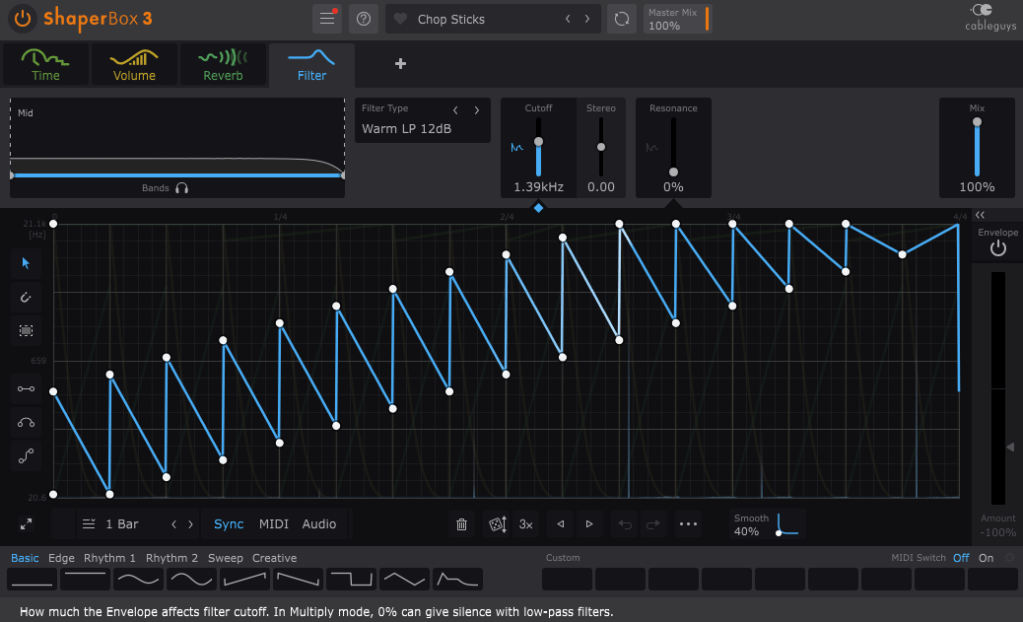
Cableguys is known for their best-selling product, ShaperBox.
ShaperBox can inject an artificial groove into your instruments, and I found it so compelling that I purchased it myself before I even partnered with Plugin Boutique.
Within ShaperBox, there’s a tool called FilterShaper Core. FilterShaper XL is essentially an enhanced version of FilterShaper Core, with additional parameters and features.
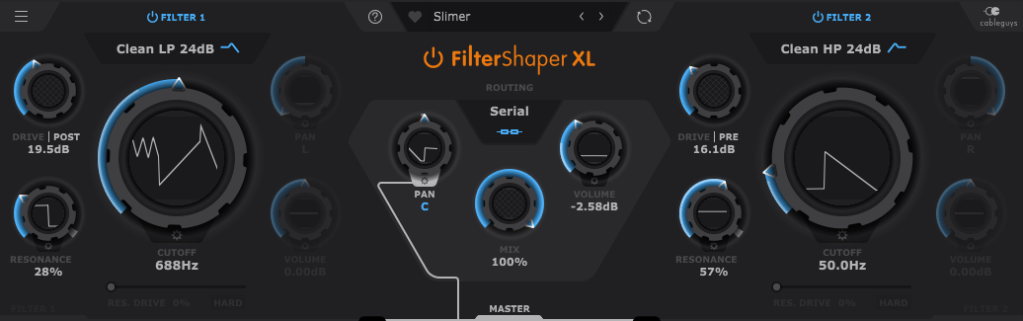
Looking at the UI, you’ll notice it’s split into left and right sections. Both sides represent filters, and the central Routing button allows you to choose between serial or parallel connections.
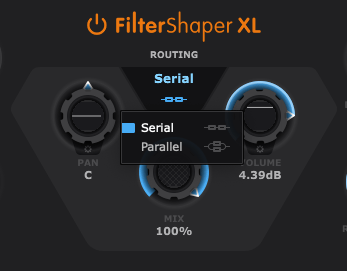
Pan, Mix, and Volume controls are likely familiar to most of you, so I’ll skip explaining those..:)
Now, let’s explore the filters!
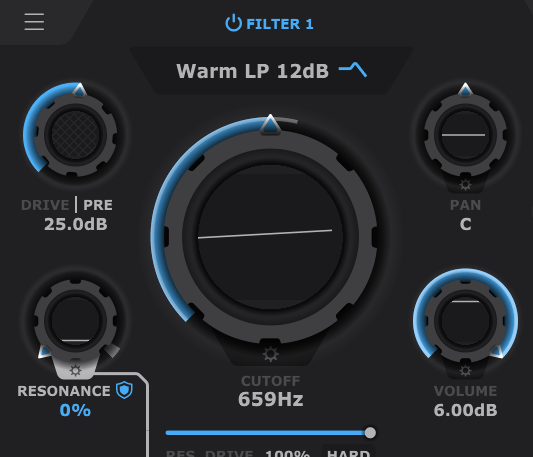
If you’ve used filters before, this should feel intuitive. Even if you’re less experienced, you’ll probably grasp the basics of Cutoff (which determines the frequency at which the sound is attenuated), Pan, and Volume.
The Drive control allows you to choose between Pre and Post settings. Adding Drive enhances harmonics and can act somewhat like a compressor as the sound level increases and then decreases at a certain point.
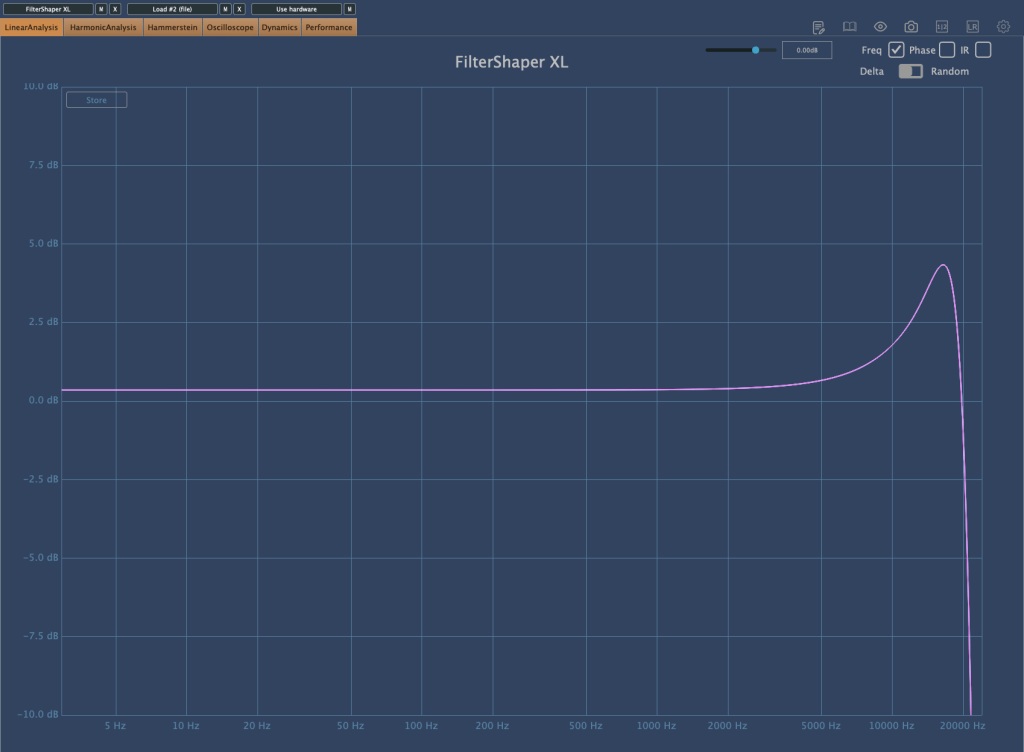
Resonance, as shown in the image above, determines the amount of emphasis around the cutoff frequency.


The Res. Drive below Resonance applies Drive specifically to the resonance band, creating harmonics and adding compression. The HARD button intensifies these effects.
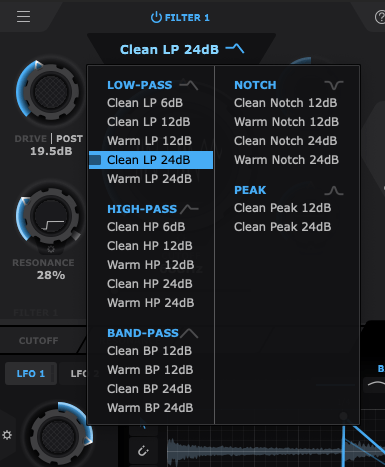
Also, by clicking the text right below the Filter Power button, you can select the type of filter you want to use. That’s pretty much everything about the filter window!
Now, let’s move on to the lower section.
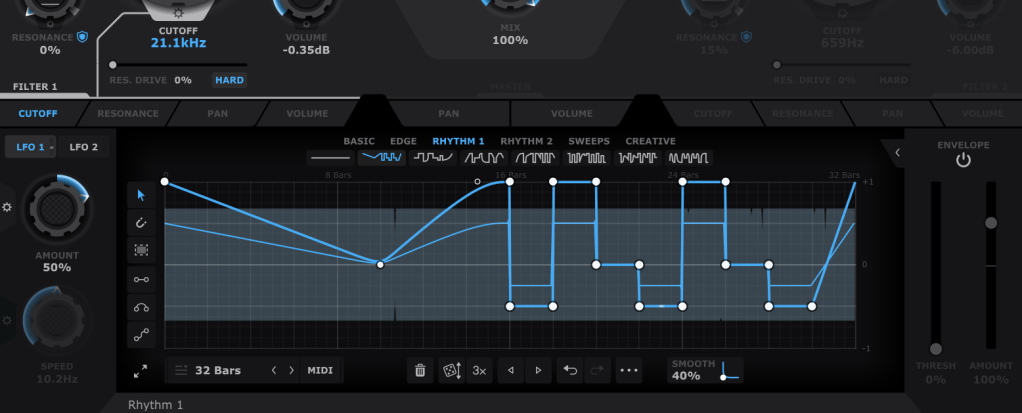
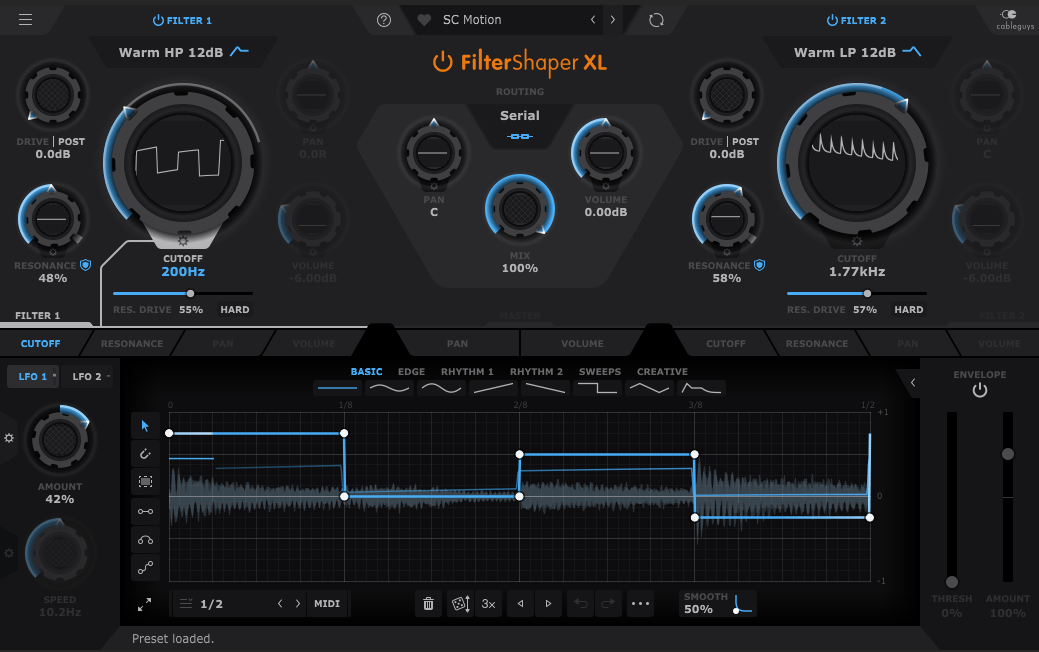
In the bottom section, you can draw automations for each filter’s parameters, allowing them to repeat automatically. You can create points by double-clicking with the mouse and drag them to shape the automation. Various cursor tools on the left can make this easier, and you can also start with presets available at the top.
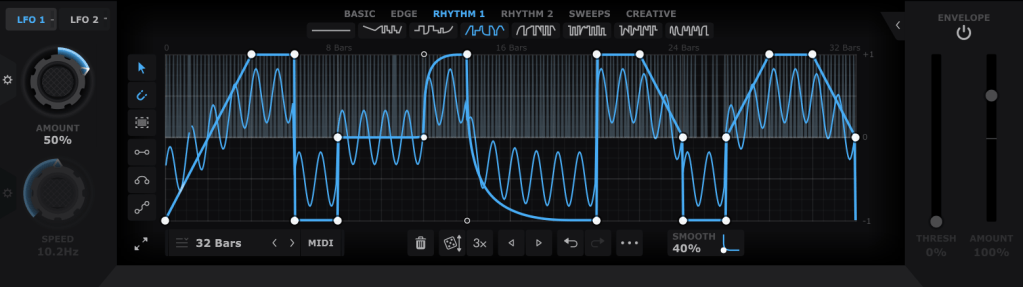
Using both LFO 1 and LFO 2 (located at the top left), you can modulate LFO values like this. The thin blue line in the background represents the LFO that will modulate the parameter.

The Pan and Volume controls in the center manage the panning and volume of the master output. You can also adjust the amount of LFO modulation by clicking the settings button on the Amount knob in the bottom left corner.
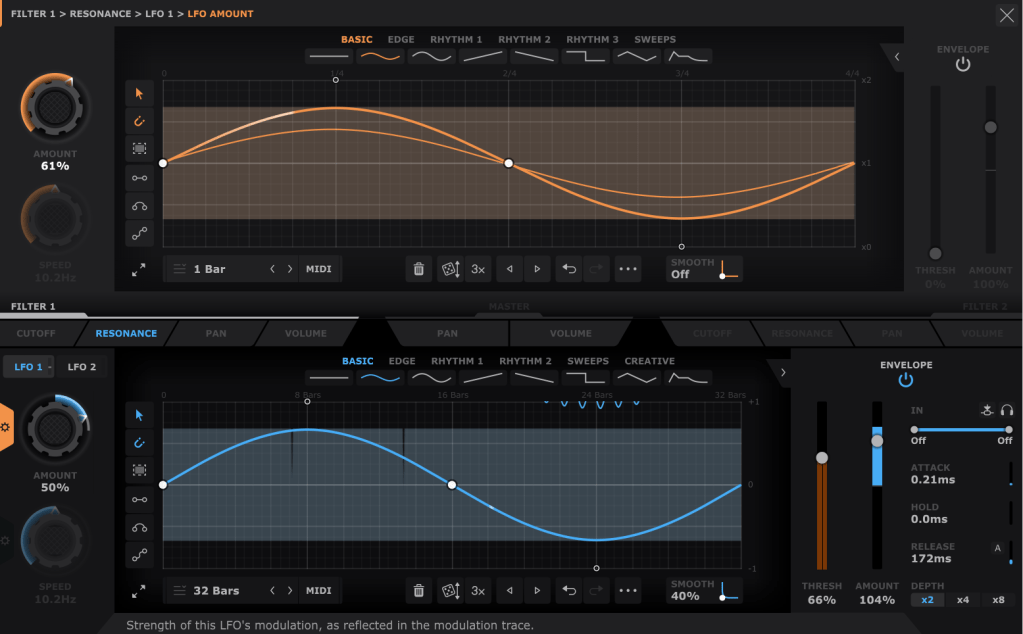
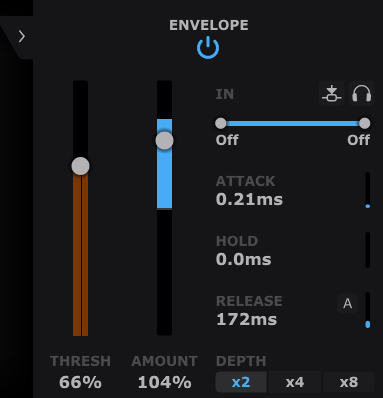
Lastly, the Envelope Follower in the bottom right lets you change the intensity of the LFO based on the input signal. You can also set the LFO’s LFO in the same section, giving you more control.
It may seem complex at first, but it’s very intuitive once you start using it.
If you’d like to hear how it works, check out the demo video by Cableguys.
This sale is valid until the end of the month.
This plugin is versatile and can be creatively used in any genre, whether you’re into acoustic music, rock, dubstep, D&B, K-Pop, or anything in between. I highly recommend it to all music producers.
(If you purchase through the above link, I’ll earn a small commission, which greatly supports the blog!)
I primarily use acoustic instruments, and with a bit of tweaking—using a minimal Mix value—you can add a tight groove to your instruments that would be impossible to achieve with just human performance.
Having at least one or two plugins like this is essential, in my opinion. If I had to recommend just two, I’d go with this one and Volume Shaper. If your budget allows, picking up ShaperBox 3 during a sale would also be a satisfying purchase.
Also, if you buy any plugins from Plugin Boutique this month, you’ll receive either Softube’s VCA Comp or Imagine Audio’s K7D delay for free.
If you don’t have a dbx160-style compressor, I’d recommend the VCA Comp. If you need a versatile delay for guitars, electric pianos, or analog delay, go for the K7D.
See you in the next post!
 Jooyoung's Music Blog