Hello! I’m Jooyoung Kim, a mixing engineer and music producer.
In my last post, I briefly mentioned submitting a short paper to a domestic academic journal.
Since I plan to continue participating in academic activities, I paid the lifetime membership fee, along with submission and publication fees. Let’s just say—it adds up! 😅
In the future, I’d like to continue publishing papers as a hobby, but I might need to look into funding options. My position is quite unique, and I don’t know anyone else doing this kind of work, so there’s not much guidance available. Regardless, I’m determined to push through!
If the peer review goes well, the journal issues quarterly publications, so I expect it to come out around March. Once it’s published, I’ll share the insights here, as they’ll be useful for engineers and producers alike.
Now, let’s dive into today’s topic: BFD3, my go-to acoustic drum virtual instrument, and its features, expansions, and year-end sales!
Support This Blog!
If you purchase through the links below, I receive a small commission, which helps me tremendously.
It doesn’t cost you anything extra compared to searching directly on Plugin Boutique, so if you find this guide useful and plan to buy, I’d greatly appreciate your support!
Overview of BFD3
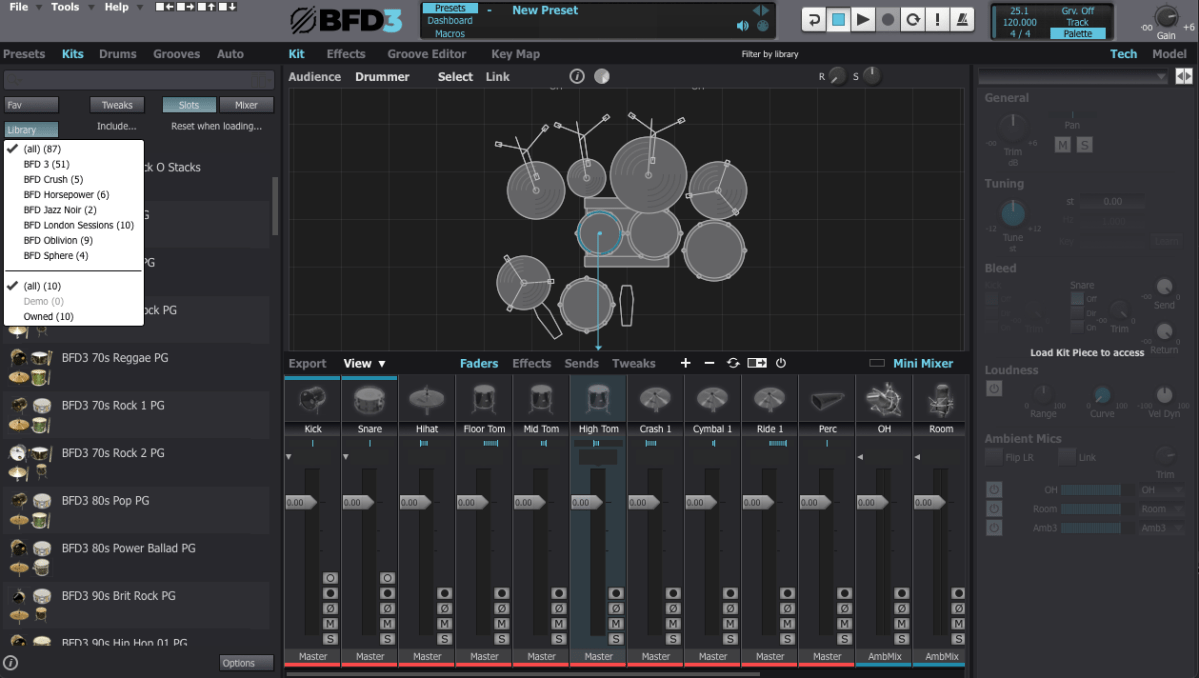
When you first open BFD3, it can feel overwhelming. The interface can be broadly divided into Left Panel, Center Panel, and Right Panel. Let’s break it down step by step.
Left Panel Features

- Presets: Ready-made setups with pre-configured grooves and drum kits.
- Kits: Entire drum kits without grooves.
- Drums: Allows selection of individual drum instruments.
- Grooves: Built-in MIDI patterns for playback.
- Auto: Automates parameters via MIDI CC mapping.
I personally prefer selecting individual drums from the Drums menu to create a custom setup tailored to each song.
Center Panel Features

The Center Panel provides a visual representation of your drum kit and its settings.
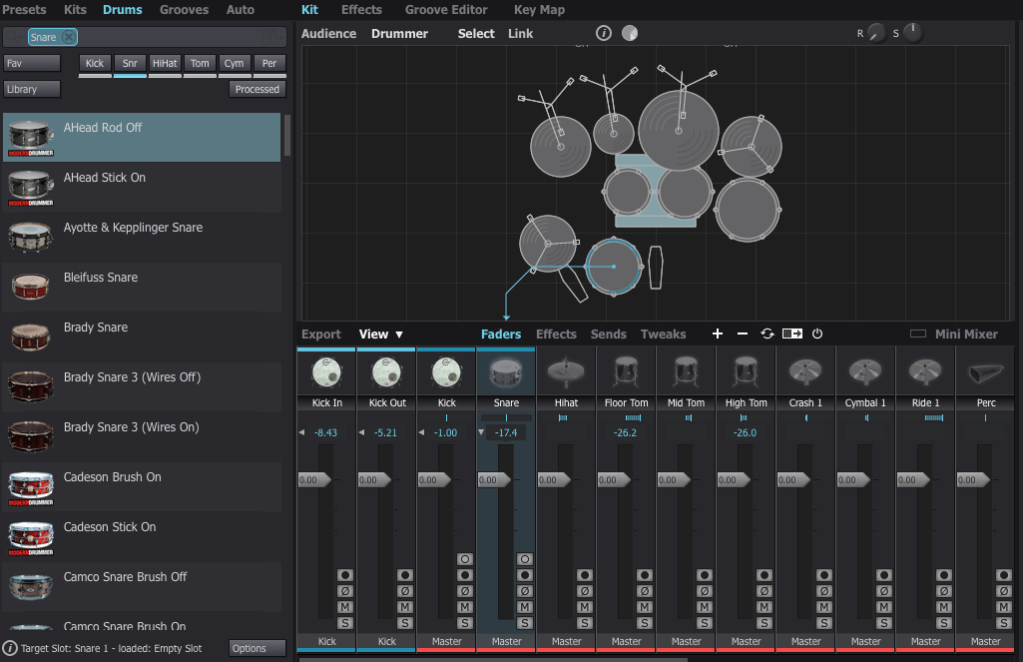
- Select any drum instrument by clicking on it, and swap it out from the available options.
- Add or remove instruments from your kit using the right-click menu.

For effects, BFD3 has built-in tools, but I usually handle effects within my DAW, so I rarely use the internal effects or sends.

Groove Editor & Key Mapping
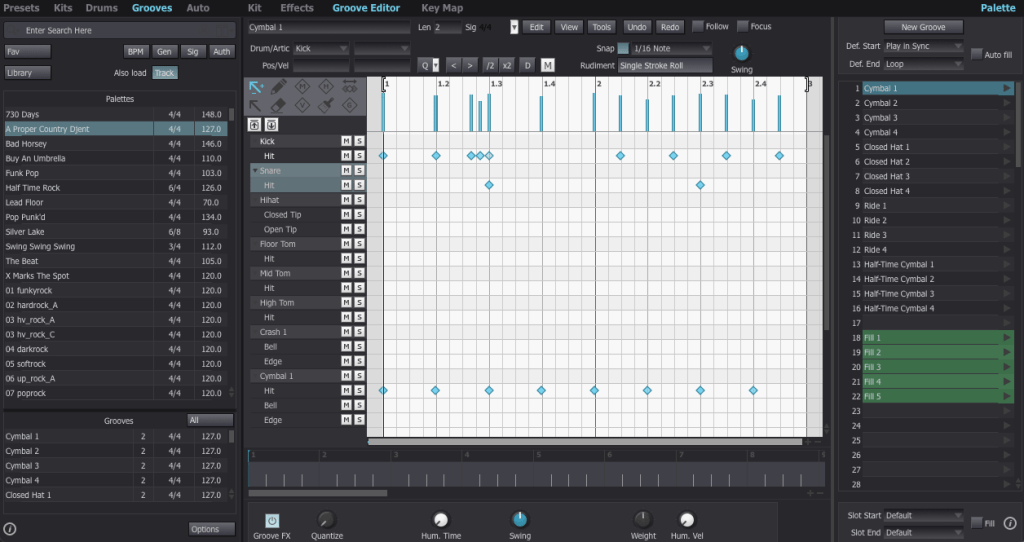
The Groove Editor lets you view, modify, or drag MIDI grooves into your DAW.
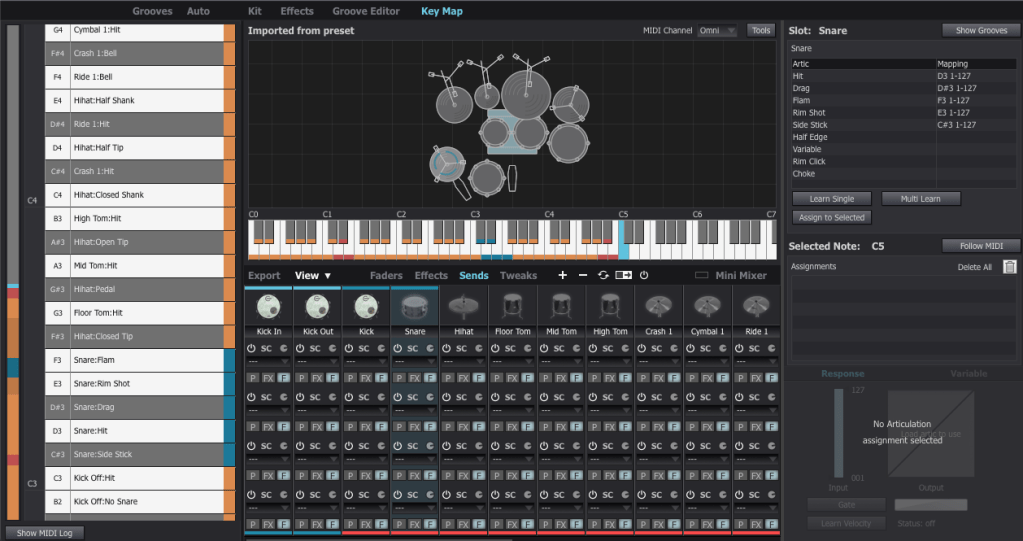
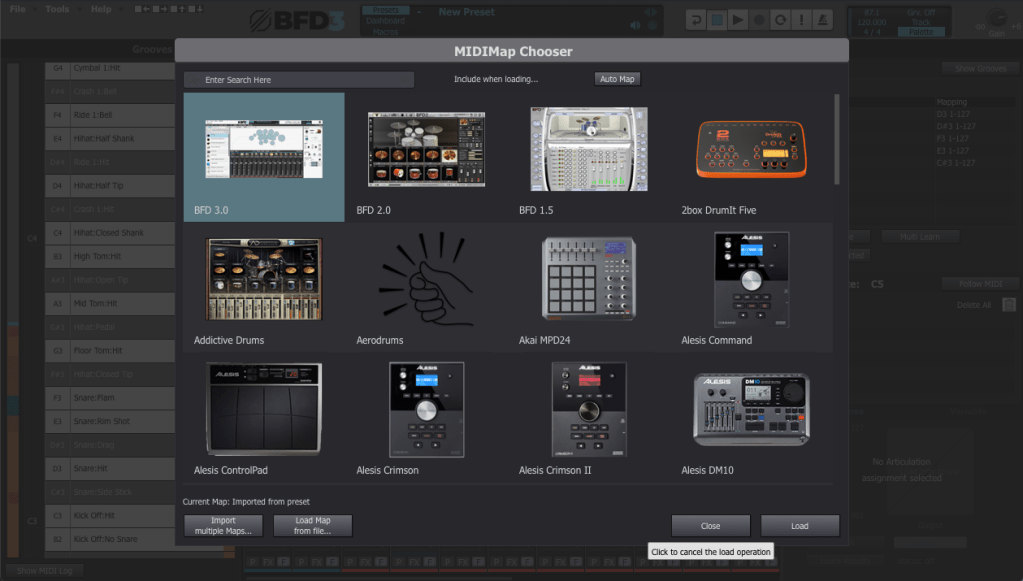
For drum mapping, I use the BFD2 GM-compatible Key Map, which was recommended by my mentor. You can load it via File > Load Key Map.
Mixer and Track Settings
The Tweaks, Tech, and Model sections are critical for fine-tuning drum tones.
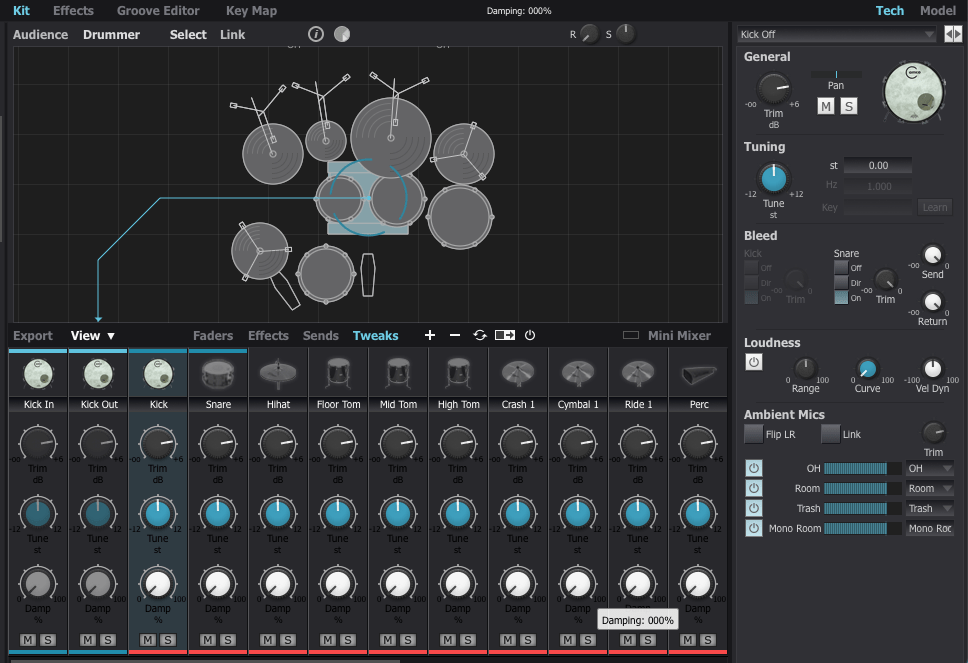
- Tune: Adjust pitch to match your track’s key (e.g., align the kick with the tonic or dominant of the song).
- Damp: Control the release for each drum part.
Compression affects perceived release times, so apply it before adjusting.
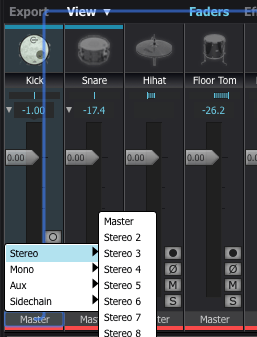
To route individual instruments to separate outputs, assign them to specific channels in the mixer.
Exporting (Bounce) Process
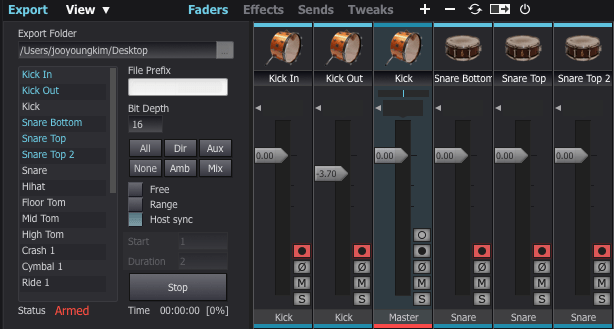
This part can be a bit tedious. If you don’t set the output to Master in the mixer window, the export often doesn’t work properly.
To solve this, I usually duplicate the track settings and reset everything to Master output.
Next, enable the record buttons for the desired tracks in the mixer window. Then, click Export on the bottom left, choose your preferred bit depth, enable Host Sync, and hit the record button to start exporting.
Once you play back from the beginning, it records the drum track as if it were a live session, outputting a WAV file. And voilà—your drum track is ready for mixing!
Recommended Expansion Packs

The default pack in BFD3 is a bit limited in variety, making it less versatile for different styles of music. I initially purchased expansions like Crush, Horsepower, Jazz Noir, Metal Snares, and Oblivion during a major sale last year. However, some of the kits, especially snares, left me wanting more.
For this review, I collaborated with Plugin Boutique, who generously provided three fantastic expansions: London Sessions, Modern Drummer Snare Selects, and Sphere. Here’s my take on each:
1) London Sessions

As you can see from the library photo above, London Sessions offers a massive collection of kits (around 50GB) and includes various brands. This makes it highly versatile for different genres.
If you’re considering buying an expansion, this is the one I recommend starting with.
The sound quality is excellent, as you can hear here. After testing it myself, I found it to be a highly satisfying expansion.
2) Modern Drummer Snare Selects
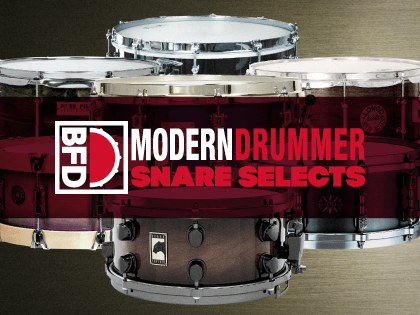
This pack features 12 iconic snares handpicked by Modern Drummer Magazine. If you’ve ever used BFD3, you might have struggled to find the perfect snare, just like I did.
The stock snares in BFD3 didn’t quite meet my expectations. Even with my other snares, it was rare to find one that truly stood out. I often resorted to building my snares from scratch or using a sampler.
If you’ve faced similar challenges, this expansion will likely solve most of your snare-related frustrations.
3) Sphere

This expansion focuses on rock and metal genres, featuring DW/Vibe kicks and toms, and Ludwig’s Black Beauty Snare. The sounds in this pack tend to have shorter releases and punchier attacks, making it ideal for heavier music styles.
It’s somewhat similar to expansions like Oblivion (not the Skyrim game!) or Crush, but I personally found the sound quality to be superior. If you’re into those genres, this pack is a solid choice.
With that, we’ve come to the end of this guide on BFD3 usage and expansion recommendations.
BFD3 is a virtual drum instrument I highly recommend. While its learning curve is steep, the quality of its sound is exceptional when used correctly.
If you’re planning a year-end purchase, consider getting BFD3 bundled with London Sessions. It’s possibly the best value you can get for acoustic drum software.
See you in the next post! 😊

 Jooyoung's Music Blog