Hey there! I’m Jooyoung Kim, an engineer and music producer.
Today, I’m picking up where I left off to talk about more of the Brainworx plugins on sale this month:
- Shadow Hills Mastering Compressor – Compressor
- Shadow Hills Mastering Compressor Class A – Compressor
- Black Box Analog Design HG-2 – Saturator
- Black Box Analog Design HG-2MS – Saturator
- Mäag Audio EQ4 – EQ
- SPL Transient Designer Plus – Transient Shaper
In this post, I’ll be diving into the Black Box Analog Design plugins from that list—specifically HG-2 and HG-2MS.
As I mentioned last time, I personally bought and have been using 1, 3, and 5. For this round, I received NFR (Not for Resale) licenses for 2, 4, and 6 from Brainworx via Plugin Boutique.
Also, if you purchase through the links in this blog, I’ll earn a small commission, which really helps me keep going—so thank you in advance! ㅜㅠ
Ready? Let’s get started!
3 & 4) Black Box Analog Design HG-2 and HG-2MS
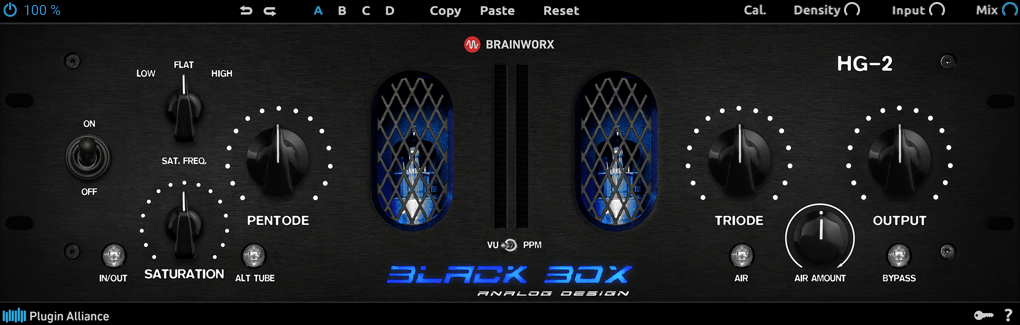
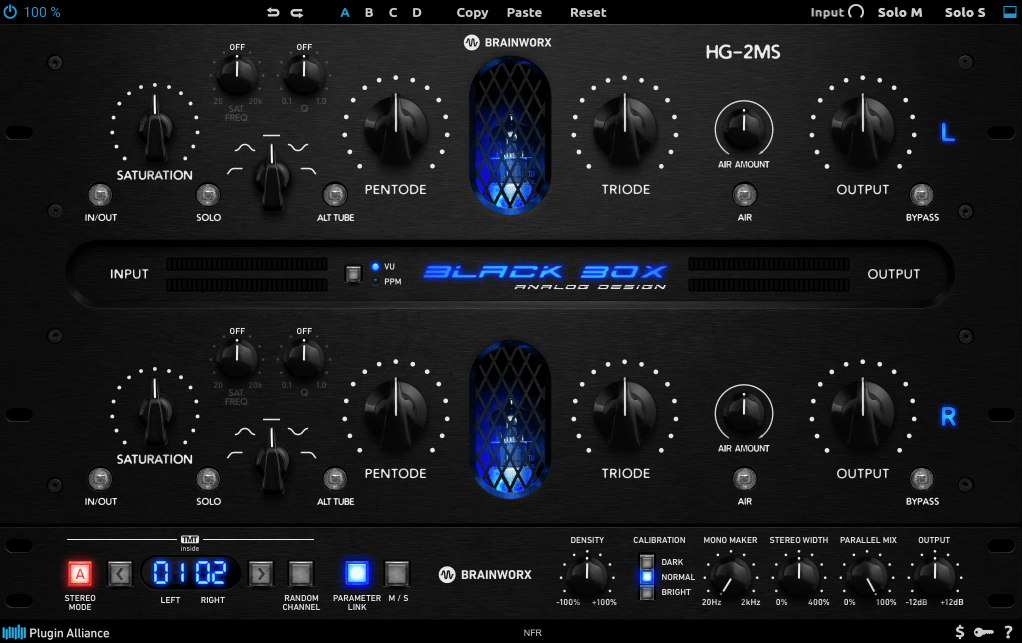
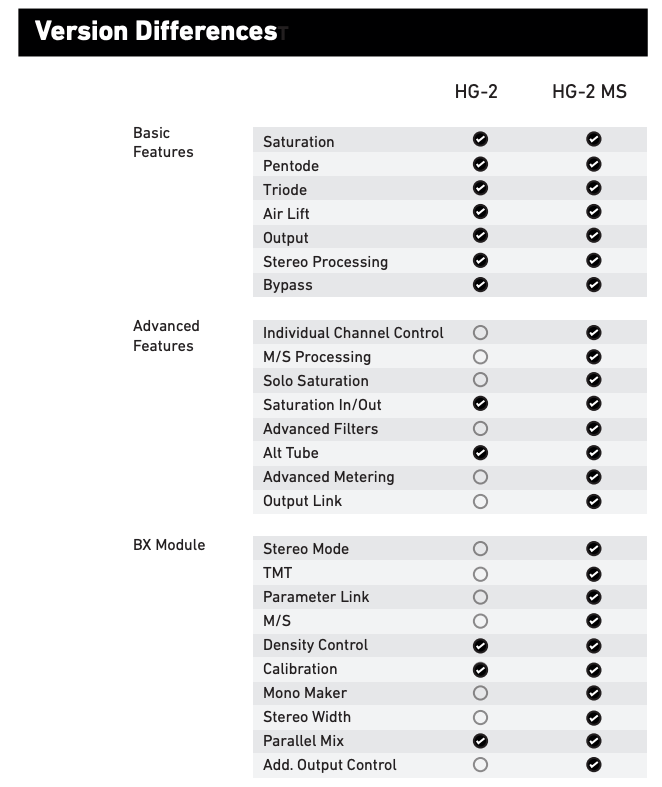
When I tested these two, I noticed that with the same parameter settings, their responses are pretty much identical. The differences are outlined in the manual, but since they’re so similar, I’ll explain them together using the HG-2MS as the reference point.

First off, these plugins are recreations of the HG-2 hardware from Black Box Analog Design. As you’d expect, it’s all about those glorious vacuum tubes front and center. The HG-2 uses a combination of pentode and triode tubes, running your signal through both for that signature tube saturation—that’s the core of what this hardware (and plugin) is about.
It also has an extra triode tube you can blend in. The original hardware’s signal routing looks something like this:
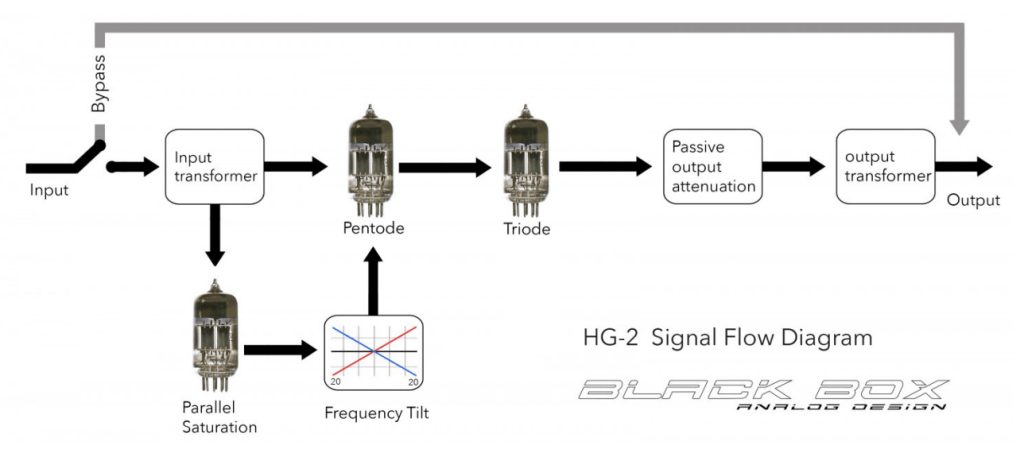

The output stage features a Sinemag transformer, while the parallel saturation path uses a pair of 12AX7 triode tubes.
Looking at the parameters, the “Saturation” knob on the far left controls the amount of parallel saturation. The IN/OUT button toggles whether this parallel processing is active, and the ALT TUBE button switches the tube manufacturer for the parallel saturation path, altering the harmonic distortion character.
Even if you turn off the Saturation knob, the signal still passes through the pentode and triode tubes in series, so this is a piece of gear (or plugin) that’s inherently heavy on saturation. That means if you set either Pentode or Triode to 0%, you’ll get no sound at all.
Let’s break down how it works:
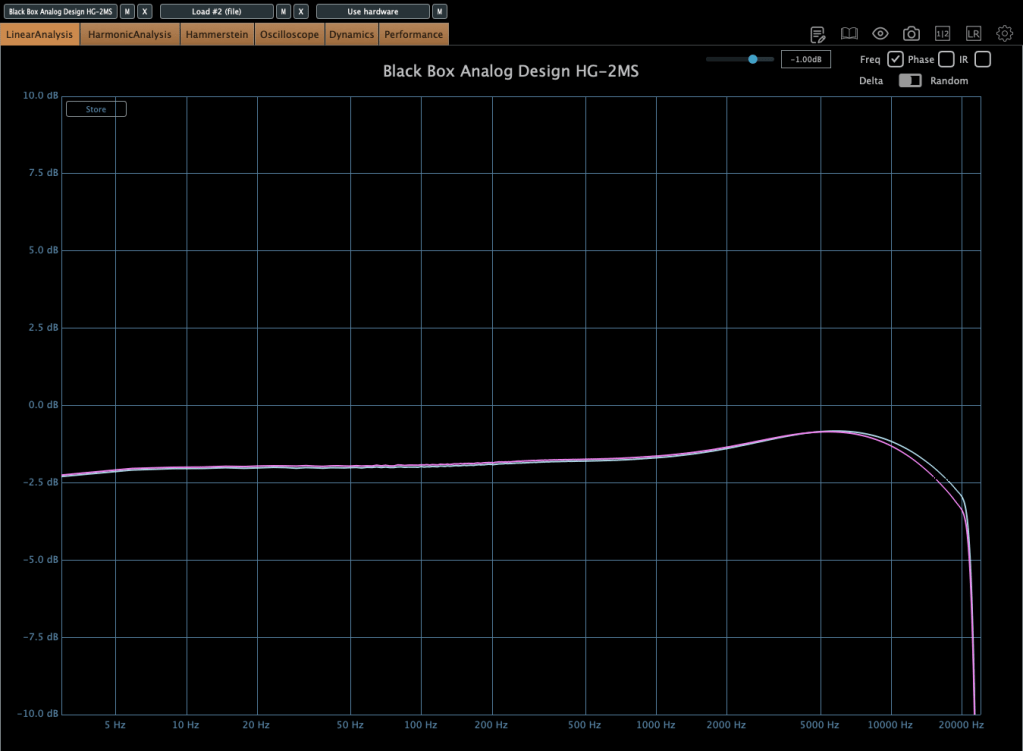
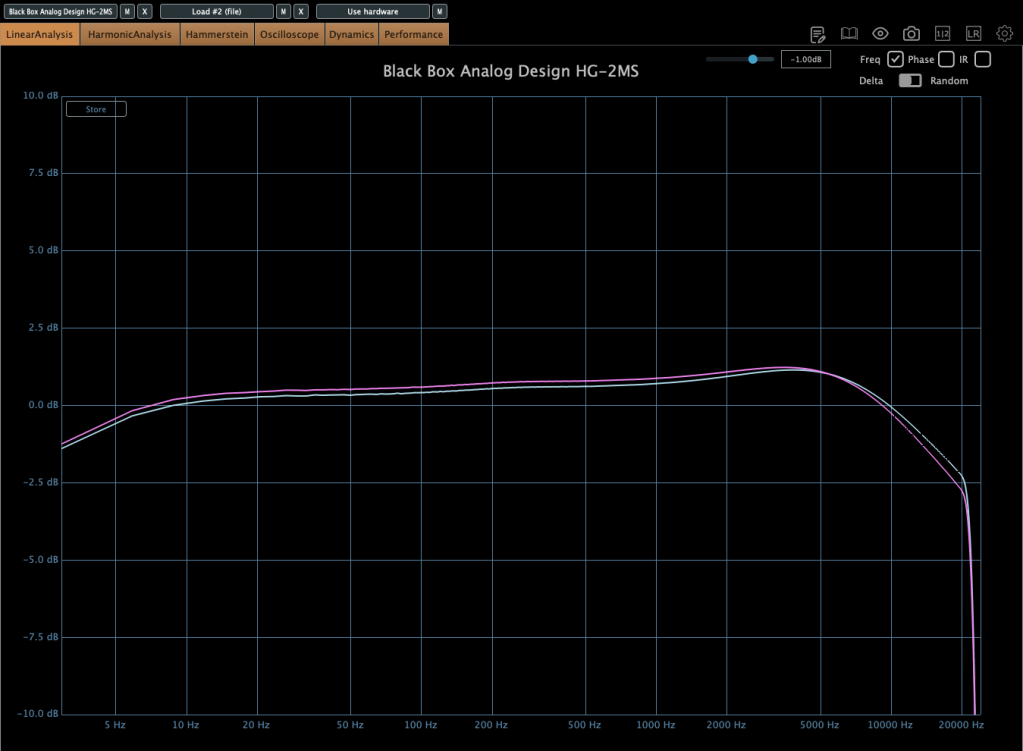

This shows the frequency response in the default state, with Saturation turned on, and with Alt Tube engaged.
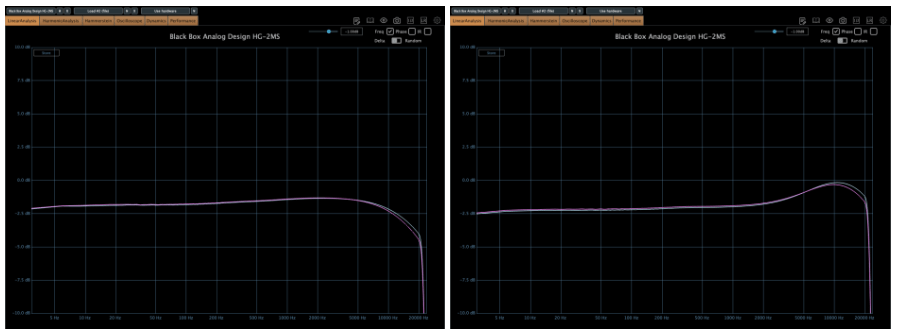
Here’s the response with the Calibration knob set to Dark and then Bright.
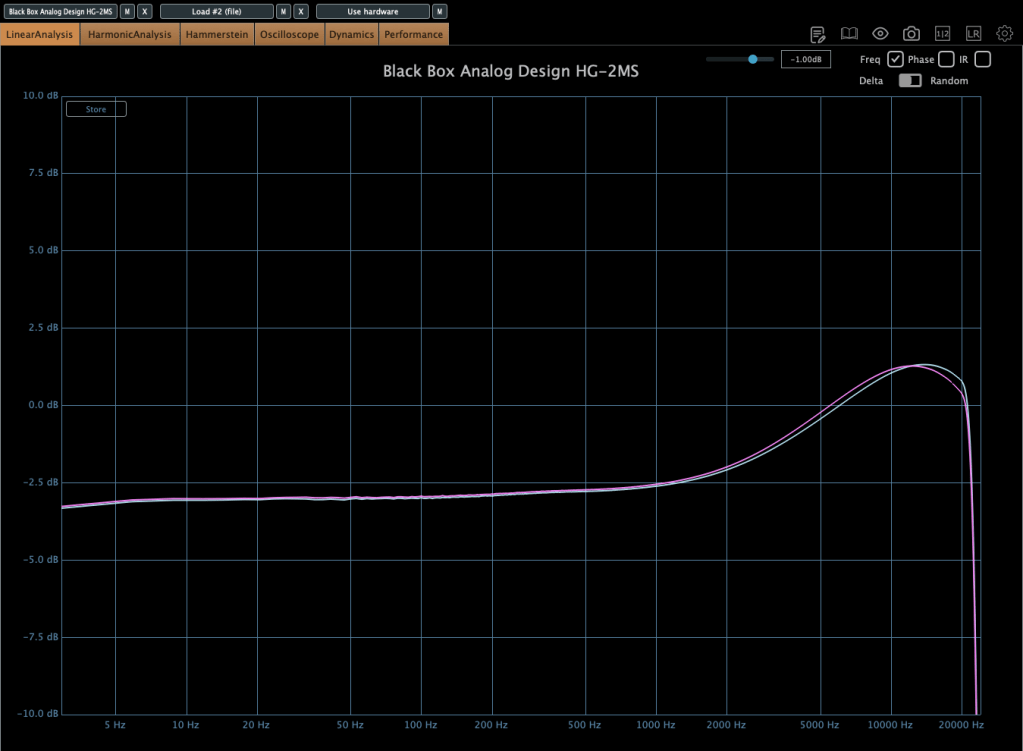
This is with the Air Amount cranked to 100%.
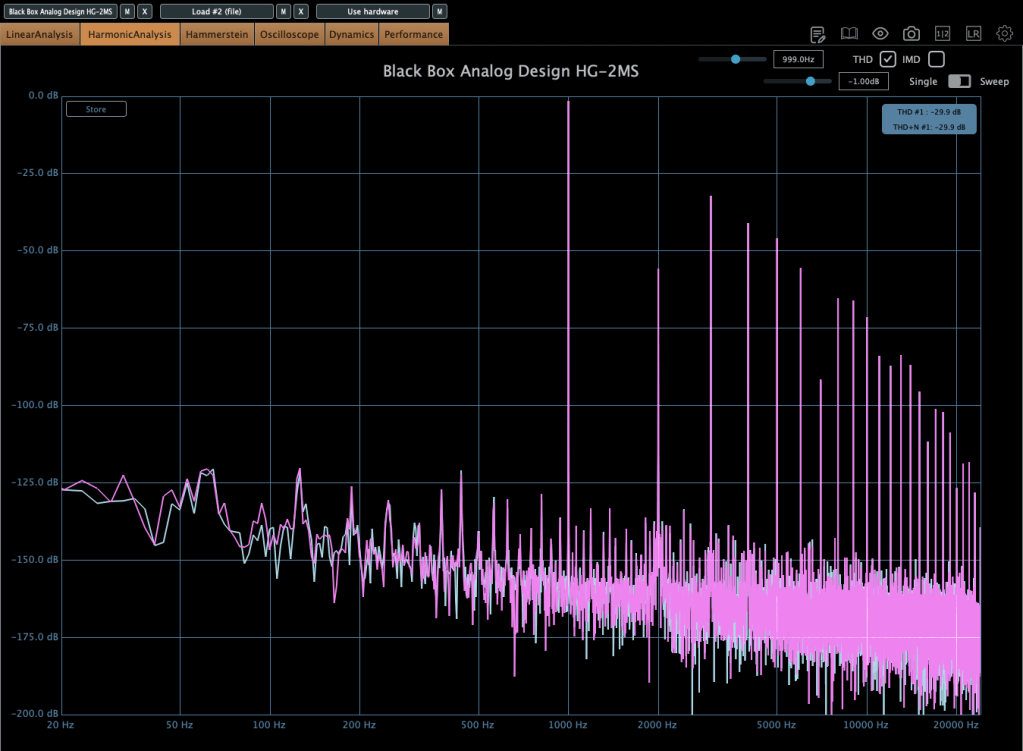
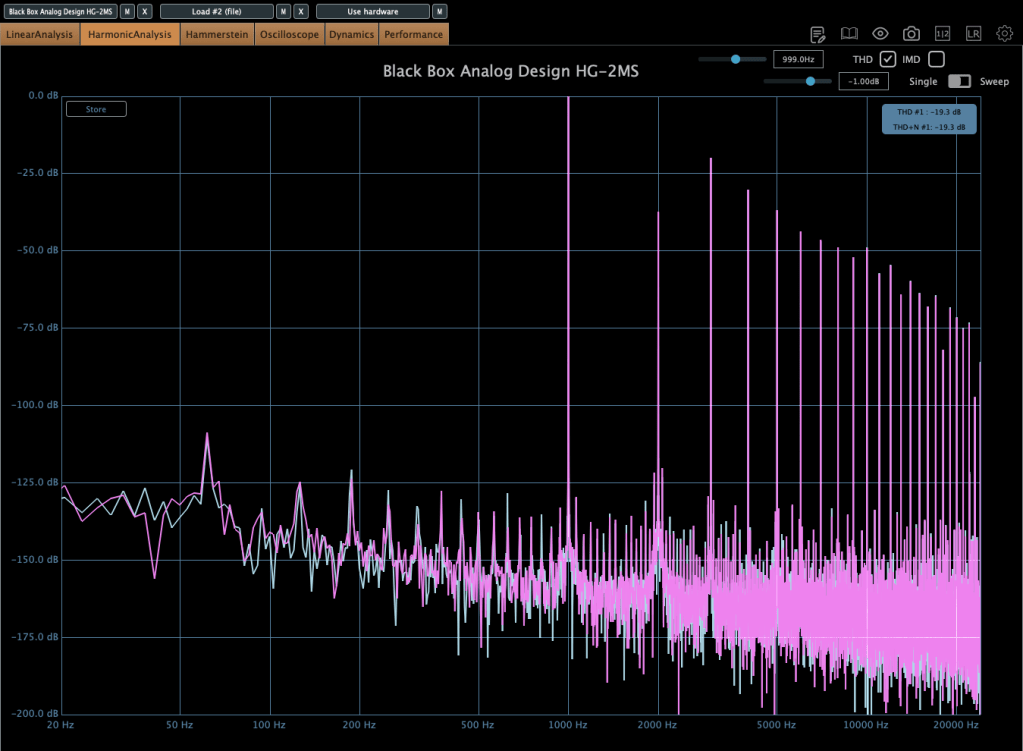
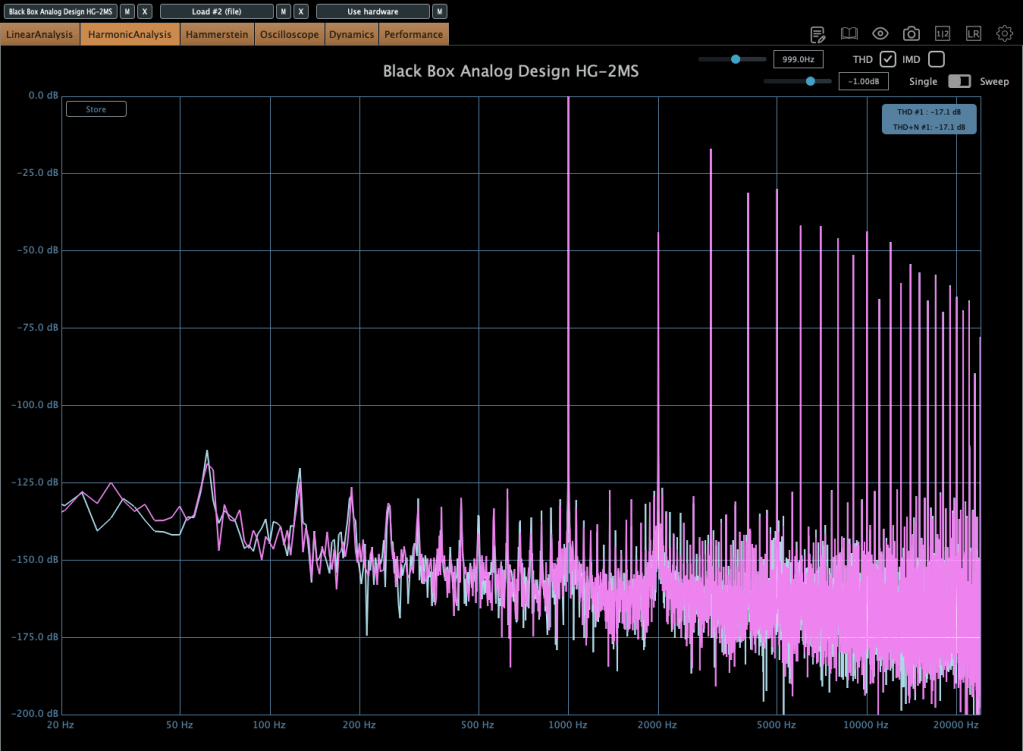
These show harmonic distortion in the default state, with Saturation on, and with Alt Tube pressed. You can see the distortion really jumps when you add parallel saturation—it’s noticeable in the harmonics, and you can hear it too; the overtones come alive.
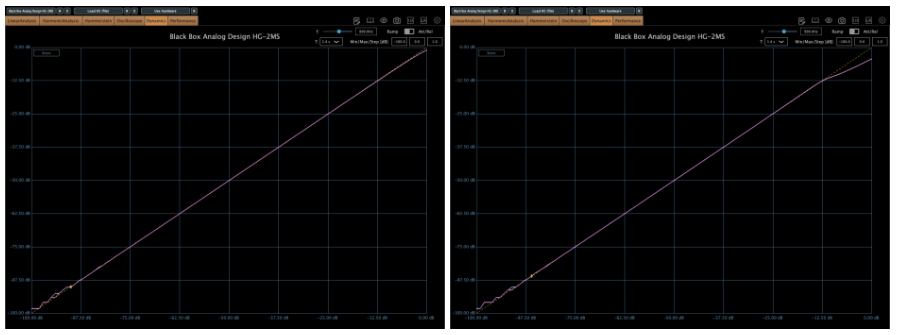
Interestingly, even though this isn’t a compressor, it starts to subtly compress when the input gets loud enough. The left is the default state, and the right is with parallel saturation active.
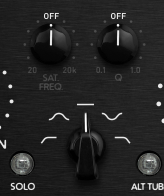
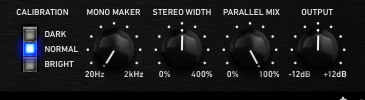
Now, these parameters let you shape how the parallel saturation sounds. Hit the Solo button, and you can isolate just the parallel saturation signal.
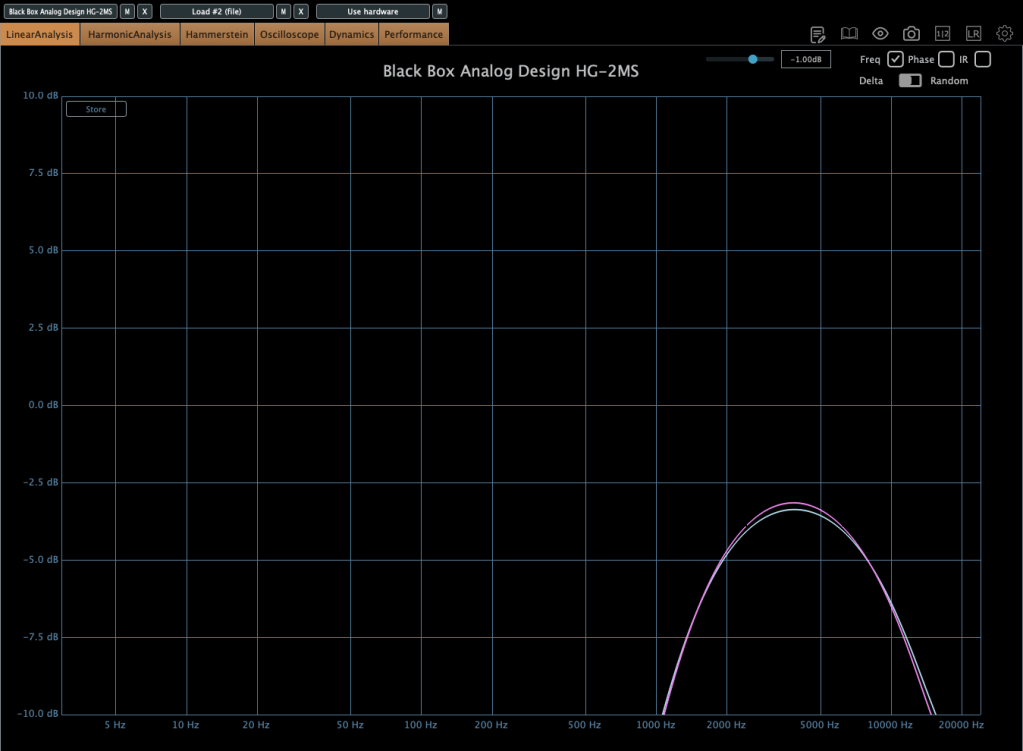

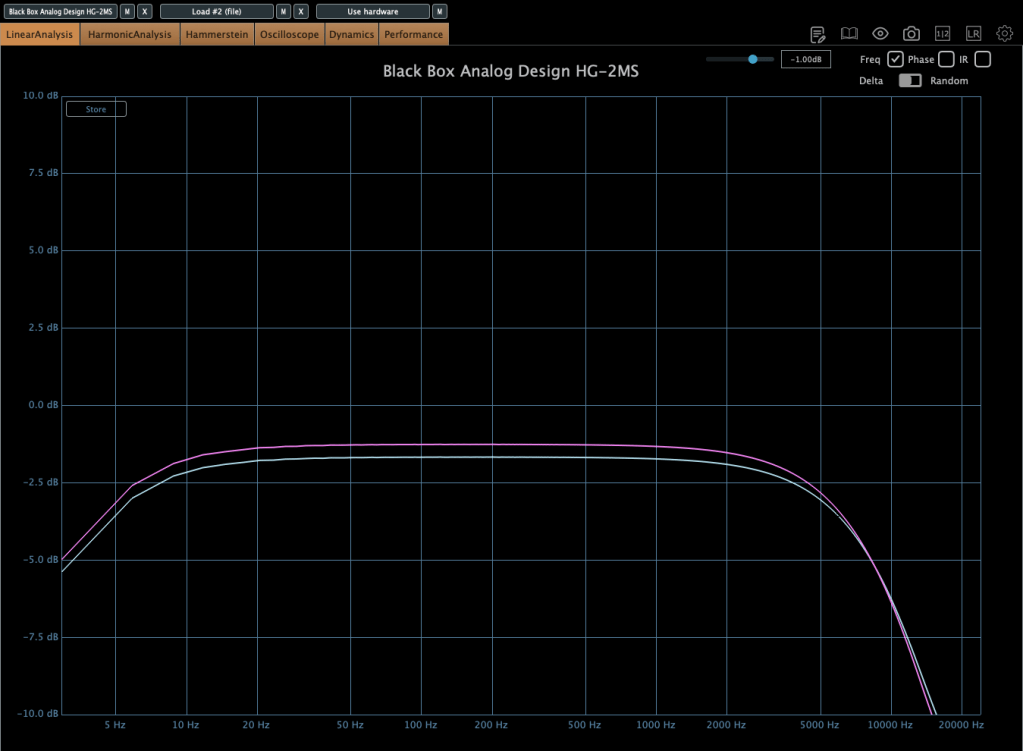
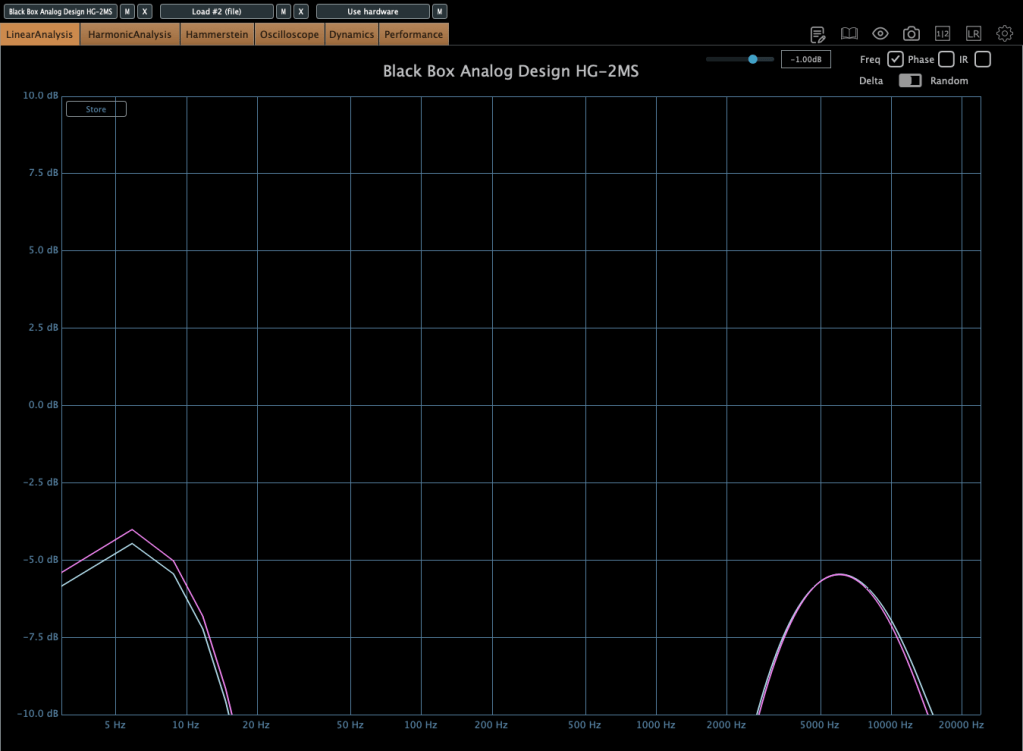
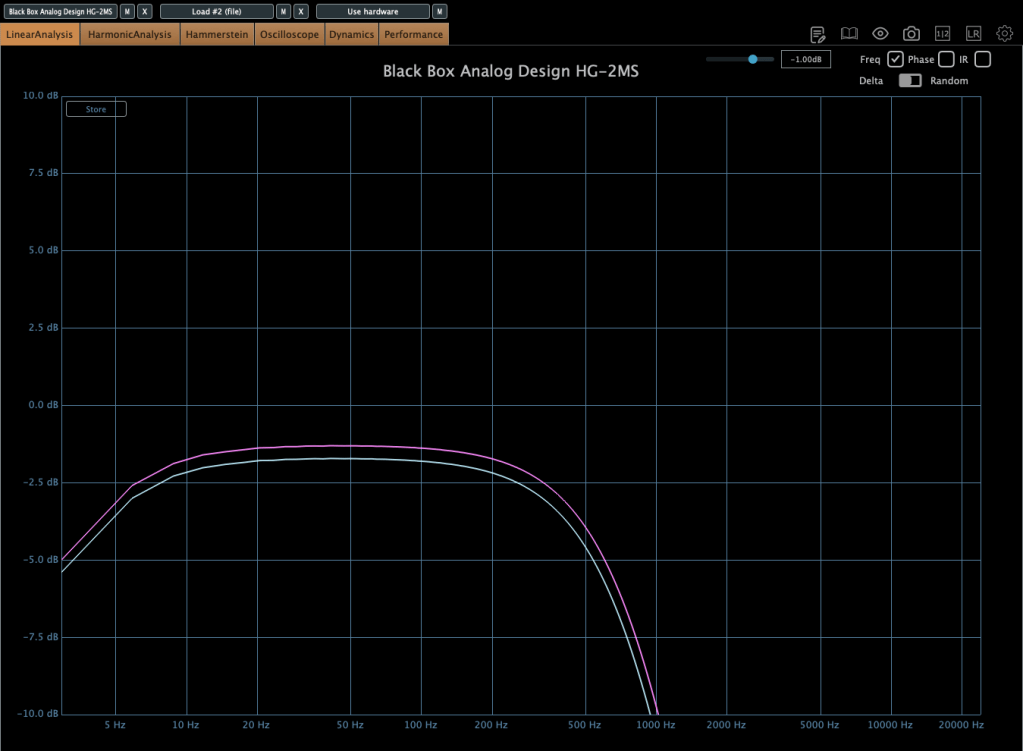
I measured the frequency response for each setting to show which frequency bands they affect—High Pass, Band Pass, Flat, Band Stop, and Low Pass.
Add colorful, frequency-selective tube saturation with M/S processing. Made by Brainworx, this is your mix bus’ best friend. Celebrated mix engineers like Dave Pensado, Bob Horn, and Jack Douglas rely on the sweet tubes and creamy-sounding transformers of the HG-2.
Personally, I like setting the Saturation to Flat, dialing back the Pentode a bit, and boosting the Triode. It gives a really nice sound—perfect for adding a touch of saturation at the final stage, like a sweet seasoning for your track.
If you’ve been thinking about a tube saturation plugin, this is a great chance to snag one at a discount.
That’s it for now—see you in the next post!

 Jooyoung's Music Blog
One thought on “Brainworx Mixing Month Plugin Sale (2): Black Box Analog Design HG-2 (~3/31, $31.90)”