Evertone Project Bundle v2 Review: Japanese Audio Plugins

Hello! This is Jooyoung Kim, an audio engineer and music producer.

As I told you in the last post, I’ll resume the audio/virtual instruments plugin review. Today, as part of this series, I’d like to talk about the Evertone Project’s plugins.

On the internet, I found that the Evertone Project team is a combination of guitar artisans, studio owners, and audio programmers. In early 2026, they released a few plugins, which are included the Evertone Project Bundle. It contains Expander v2, Compressor v2, Metro v2, MORG Vintage 81, MORG-81 EQP3, and MORG AMP 5A.

While testing these plugins, I was truly impressed by how much effort was put into the MORG series to capture the original hardware’s frequency response. Additionally, the compressor and expander clearly showed a deep consideration for a beat and timing.

By the way, the plugins shown in this post were provided by Plugin Boutique in NFR (Not For Resale) form. Also, if you purchase the plugins through the links in this post, I will receive a small commission that helps me keep this blog going.

Let’s start!


Evertone Compressor / Expander
Click the photo to purchase the Evertone Compressor v2 plugin at Plugin Boutique

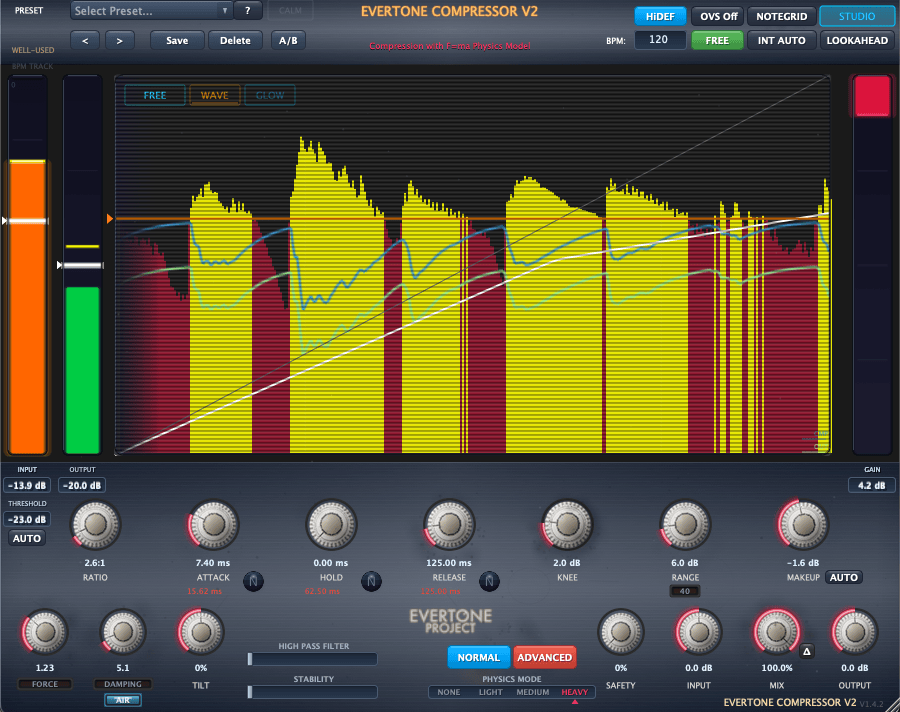
The Evertone Compressor is an exceptionally transparent tool. While real hardware compressors typically feature non-linear compression action that generates harmonic distortion, each mode (it has four different modes) in this plugin delivers remarkably clean dynamic behavior.
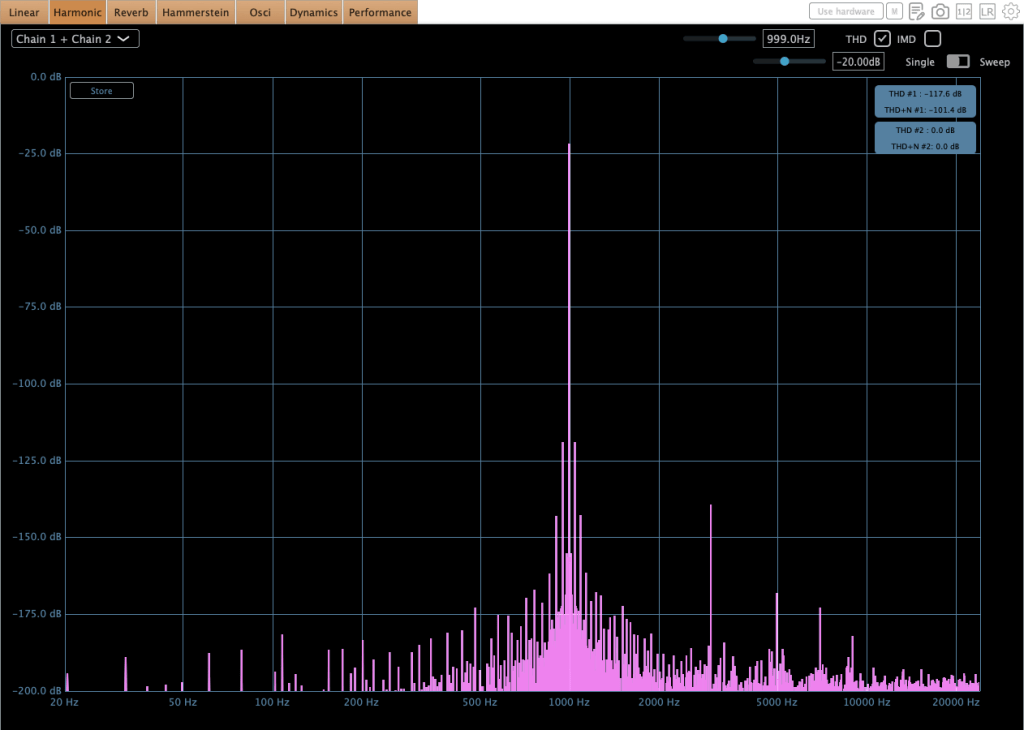
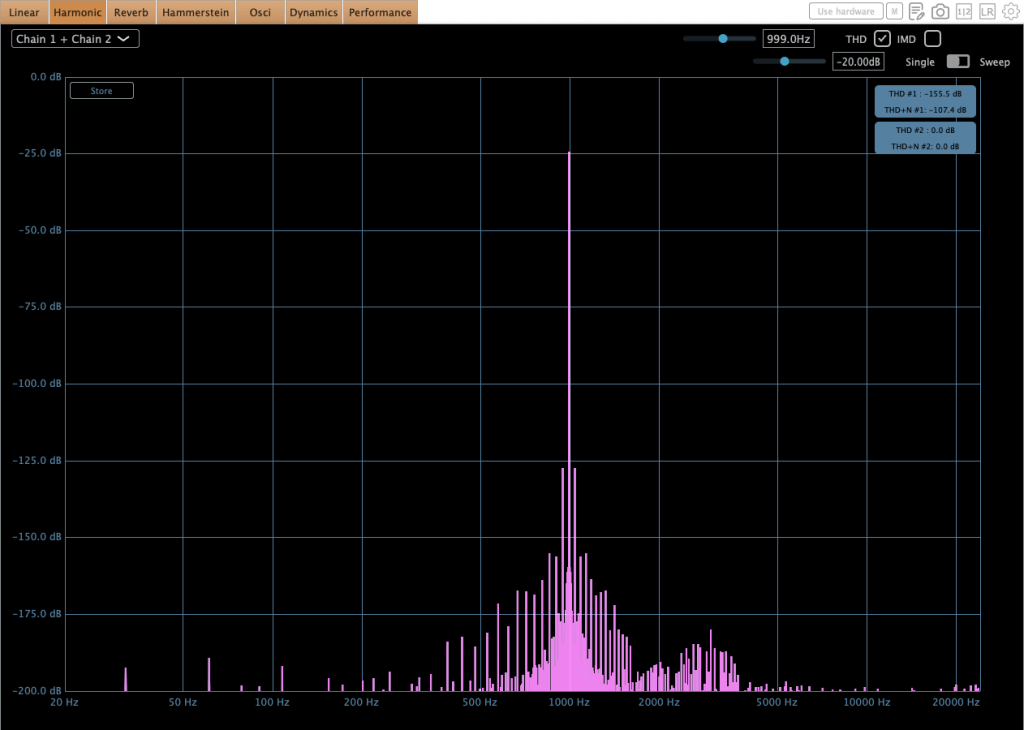
The knobs are quite small, but thanks to its Live Mode, they can be adjusted intuitively.
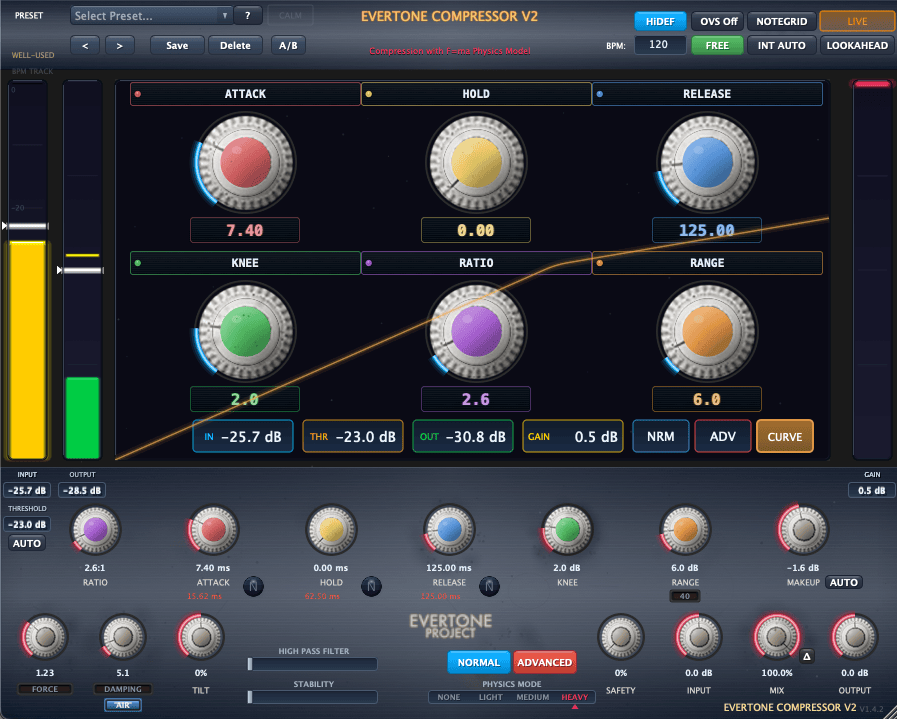
Click the photo to purchase the Evertone Compressor v2 plugin at Plugin Boutique

During my testing, it became clear that this plugin aims for extreme transparency. By offering tempo-synced attack and release parameters, it allows you to control dynamics without adding coloration or breaking the groove. Given the omission of a sidechain input and the inclusion of oversampling, I believe it was designed primarily for final mix bus polishing or grouping stems together.

I feel it would work exceptionally well for classical music, as well as for jazz tracks with a steady, locked-in tempo rather than rubato performances.

These strengths shine through not only in the compressor, but also in the expander.
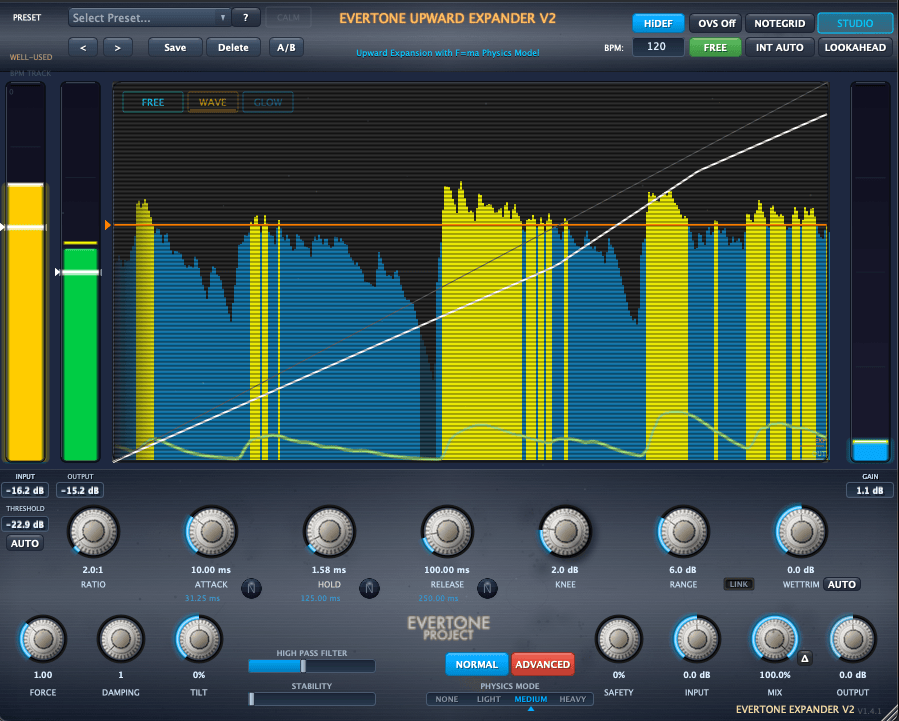
Click the photo to purchase the Evertone Expander v2 plugin at Plugin Boutique

Generally speaking, an expander isn’t typically used on pristine sources. It’s usually reserved for tracks with background bleed or those that need lost dynamics restored.

If you need to recover dynamics on a stereo track that locks to a specific BPM, I would highly recommend this plugin. Its tempo-sync capability is particularly strong; while the processing might sound a bit unnatural when listened to in solo, it gets nicely masked in context because the dynamic changes fluctuate in rhythm with the BPM.

To be honest, the Plugin Boutique manager originally pitched the idea of framing this as a direct comparison between Sonnox and Evertone.

But during testing, it became clear that they serve fundamentally different purposes. In fact, combining them yields far better results than pitting them against each other: Sonnox handles the tonal character and loudness enhancement, while Evertone delivers transparent bus control and tempo-synced dynamic restoration.
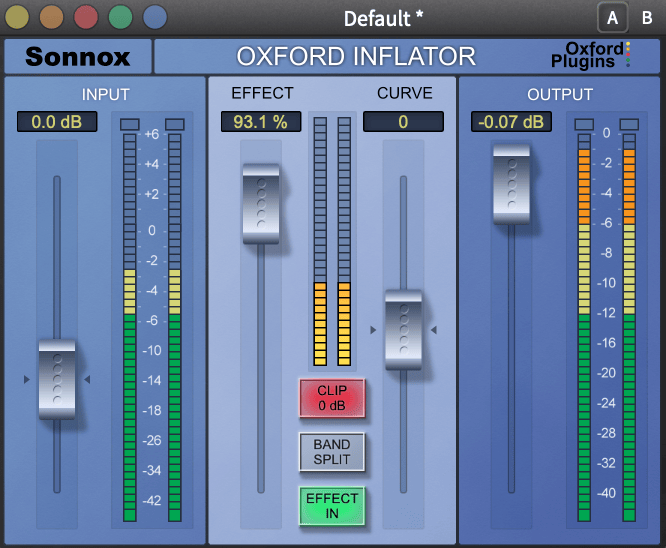
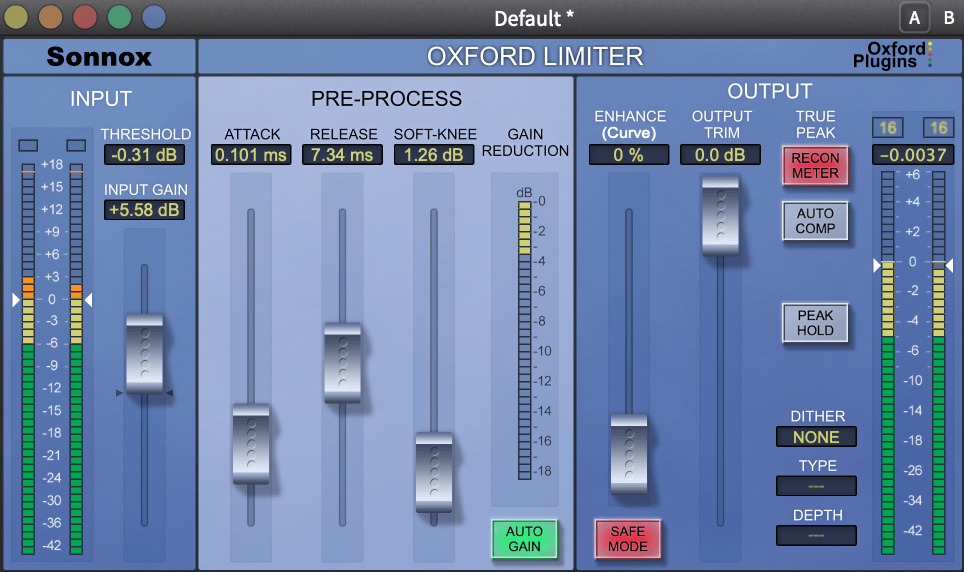
Sonnox’s Inflator and Limiter remain undeniable classics from the era of the Waves L2. That said, when compared to modern processing standards, driving them heavily for raw sound pressure can lead to subtle digital break-up.

To avoid this, setting up a transparent comp upstream to tame dynamic peaks is standard industry practice. This is precisely where the Evertone Compressor shines. It delivers a level of transparency that surpasses native DAW compressors, and yields an even cleaner drop-off than FabFilter Pro-C2 in Clean mode.

Through continuous testing during this review, I’ve found that pairing Evertone’s transparent control with Sonnox’s character creates an incredibly refined signal chain—particularly tailored for acoustic, classical, and jazz genres.

Using them together like this works remarkably well. Compared to other compressors, Evertone introduces far less harmonic coloration—which is presumably why the signal holds up so well without breaking up when pushed into the next stage.


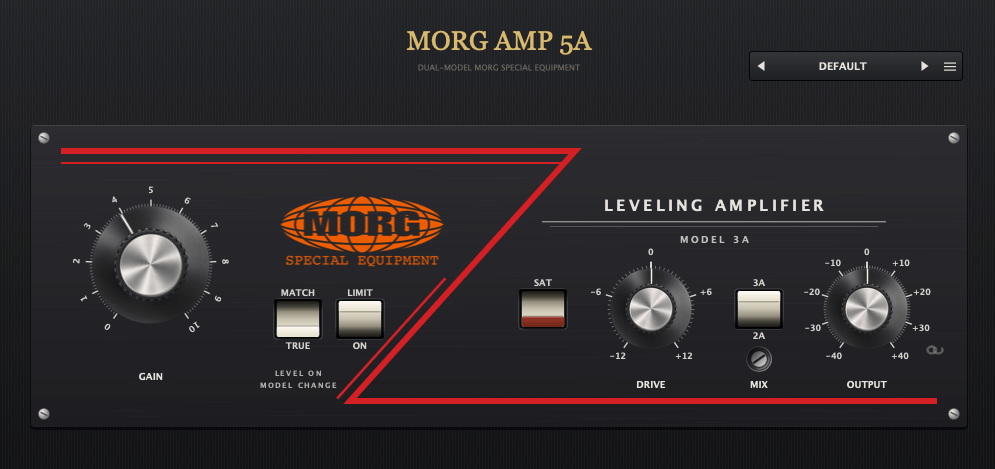
MORG AMP 5A
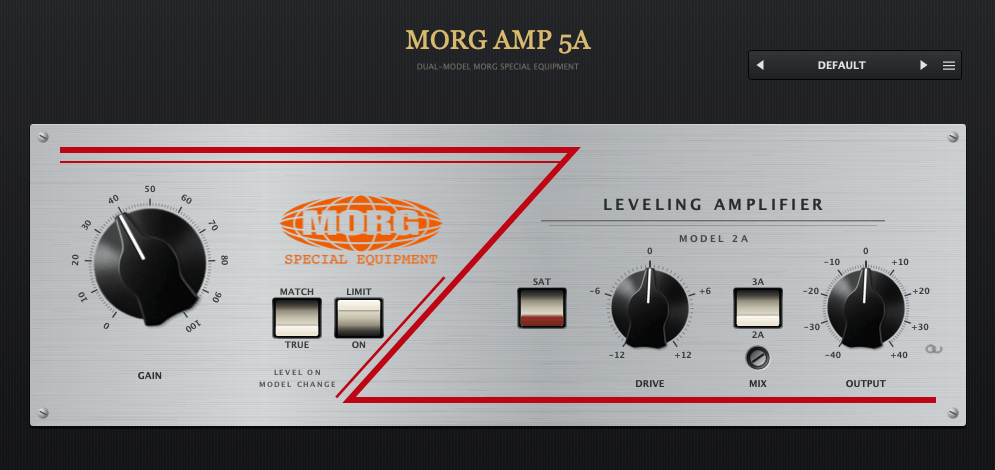
The naming is quite clever! LA-2A + LA-3A = LA-5A… 🙂 As the name suggests, it seems like an emulation of the Teletronix LA-2A and LA-3A. However, it doesn’t actually have a compression function.

At first glance, I was deeply impressed by this plugin. The sound is quite similar to my Stam Audio SA-2A hardware. It slightly emphasizes high frequencies and brings any audio source to the front of the mix. If it goes on sale, I highly recommend picking this up for LA-2A style saturation.
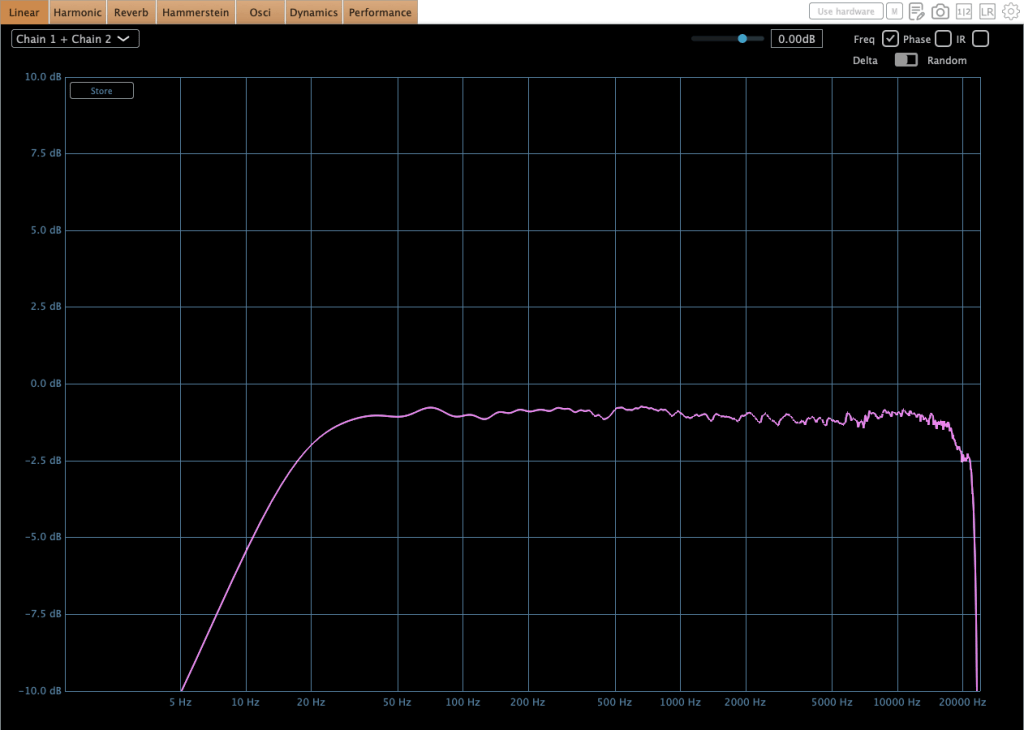
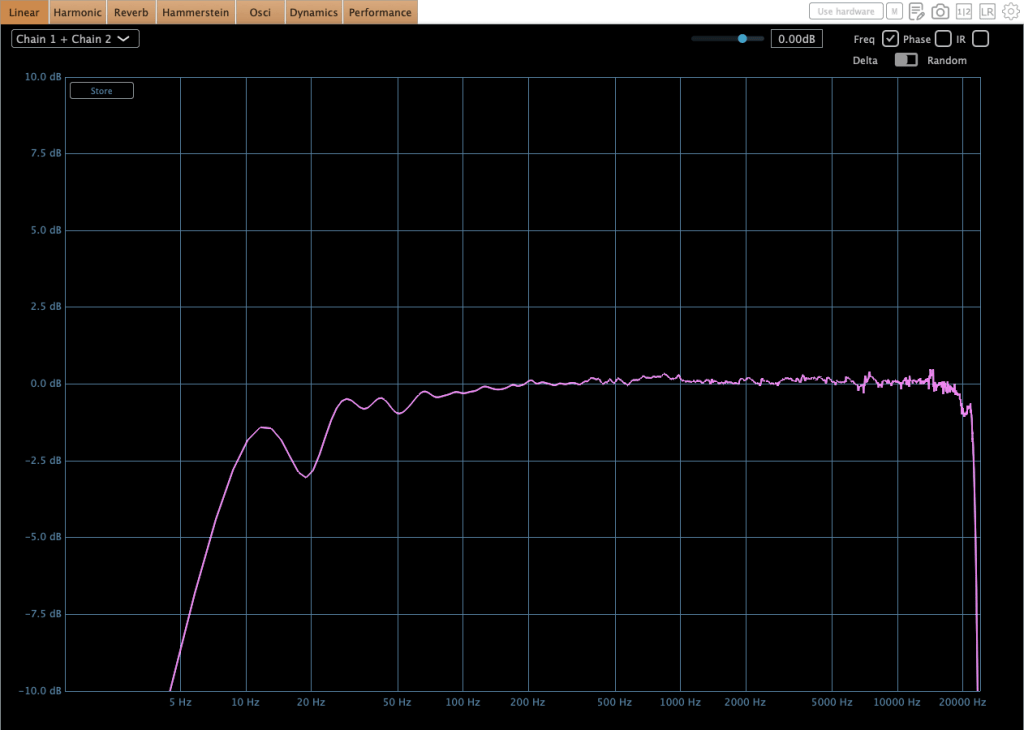
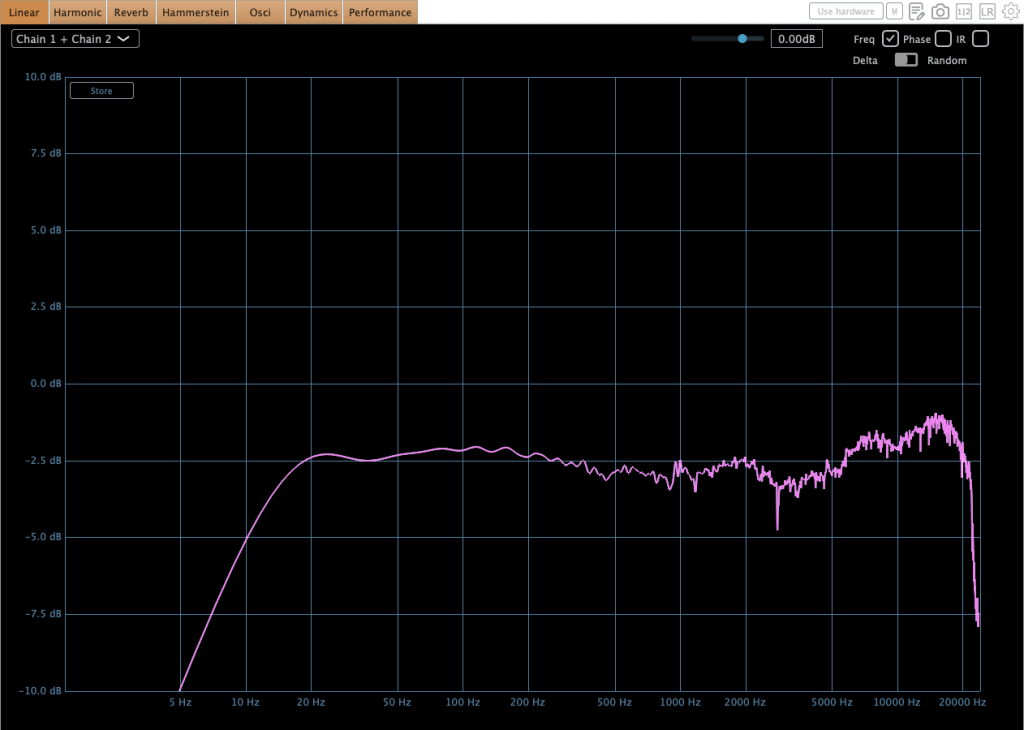
The frequency response changes dynamically depending on the input level. As you can see, it isn’t smooth and clean like what other companies’ plugins typically show—it has that raw, irregular curve just like real hardware.
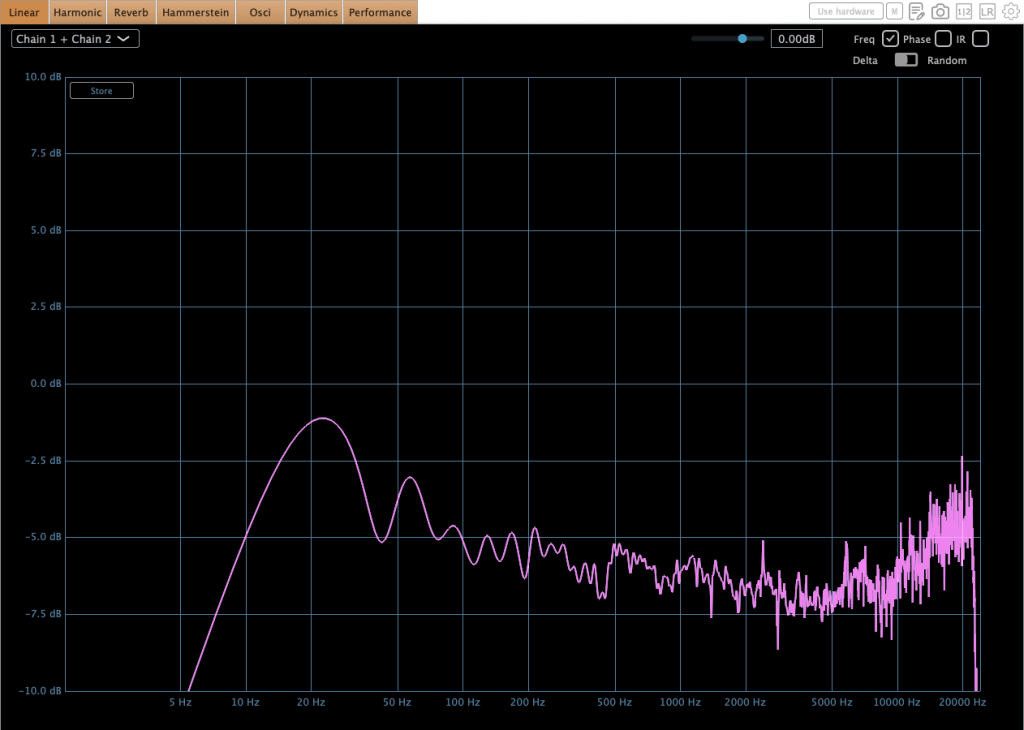
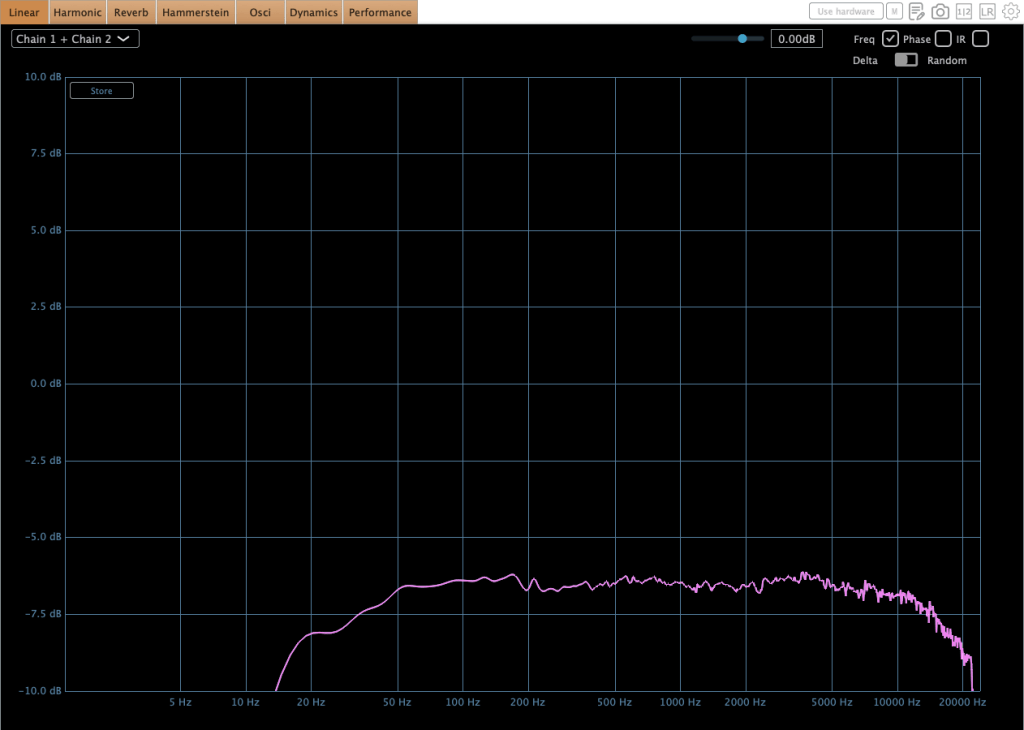
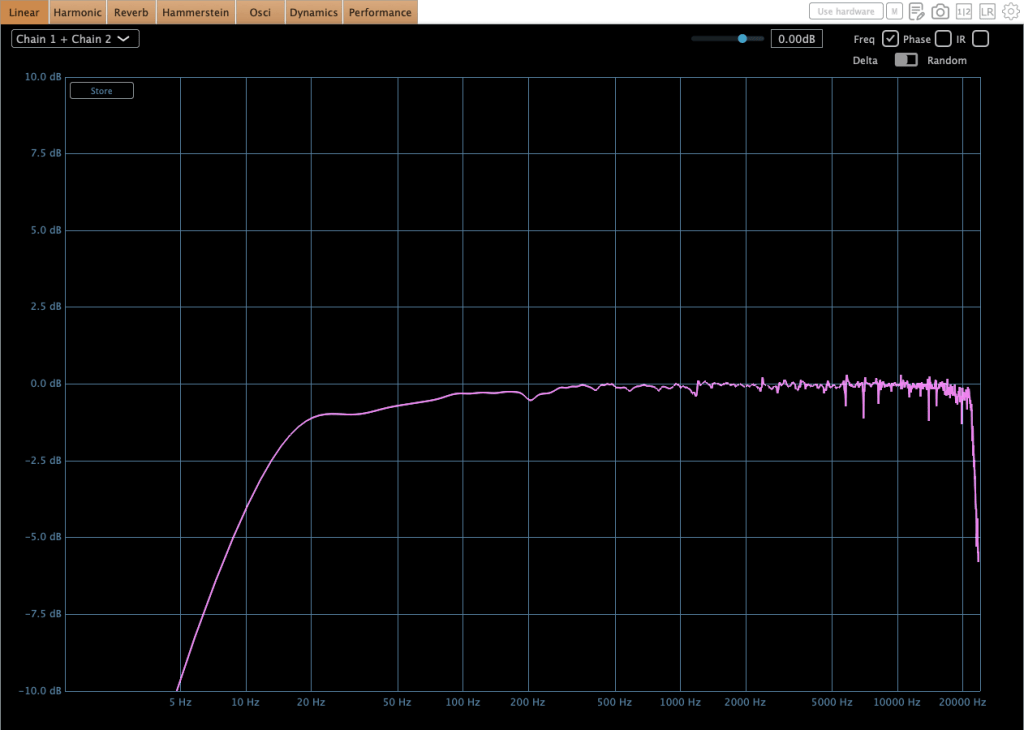
This is the 3A’s frequency response. Its output level is also different from that of the 2A.
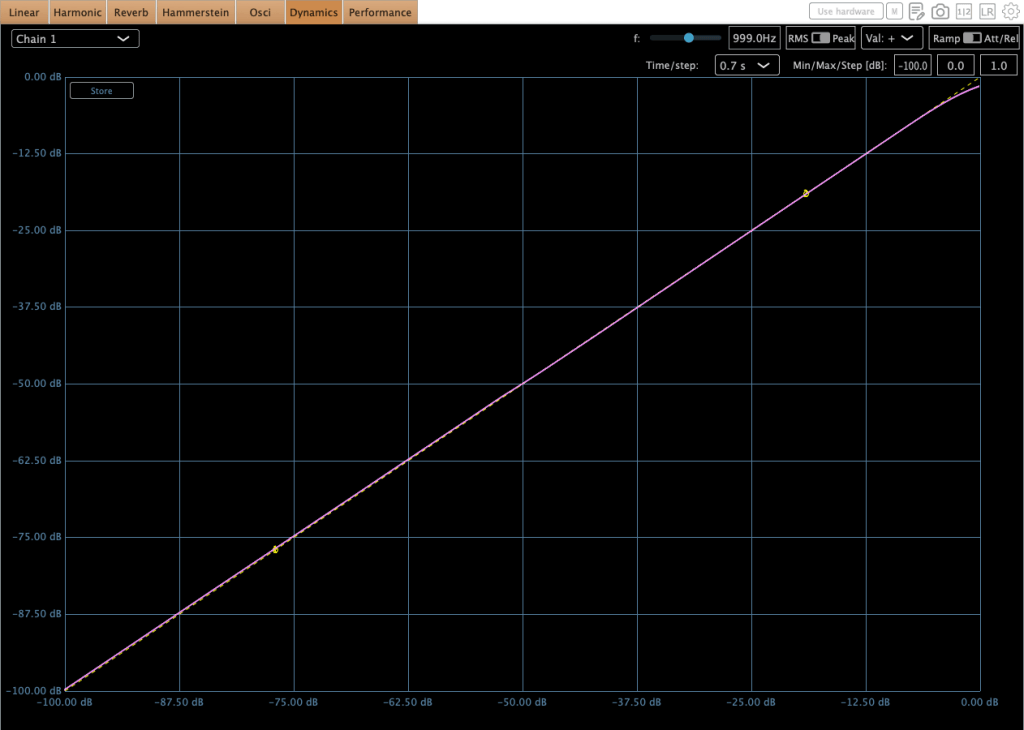
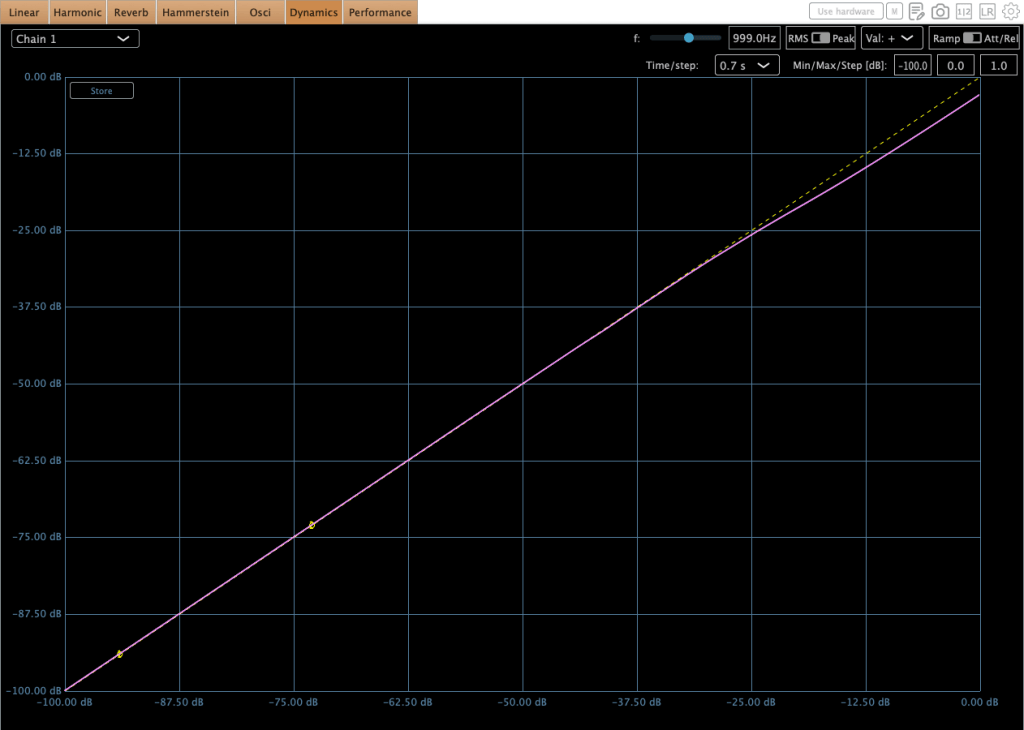
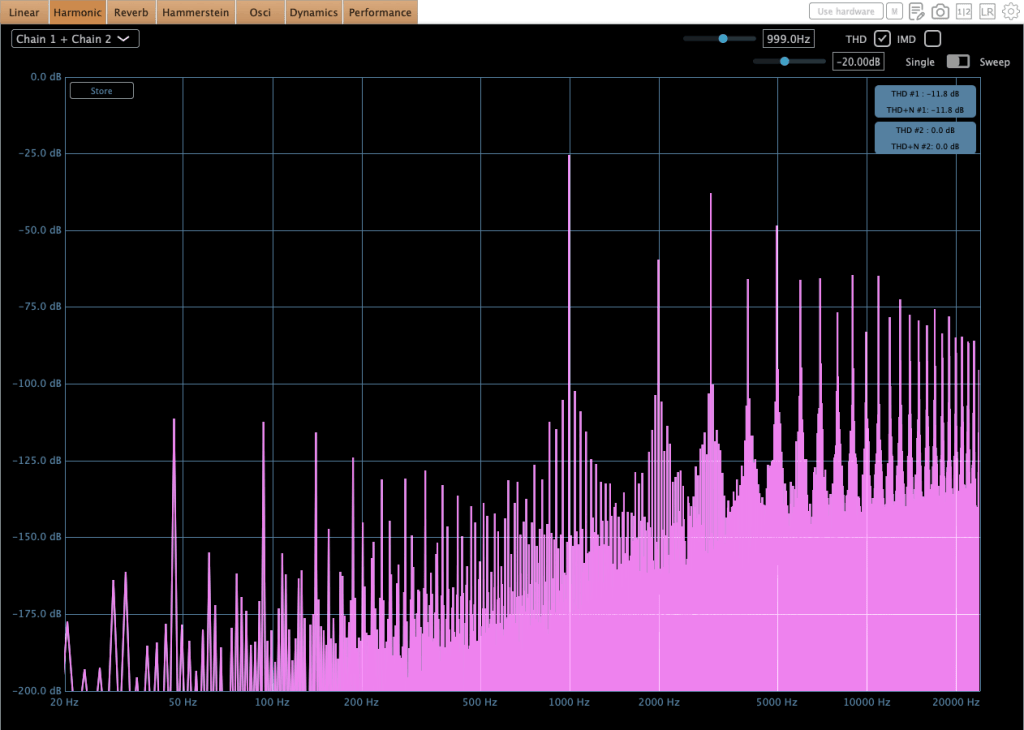
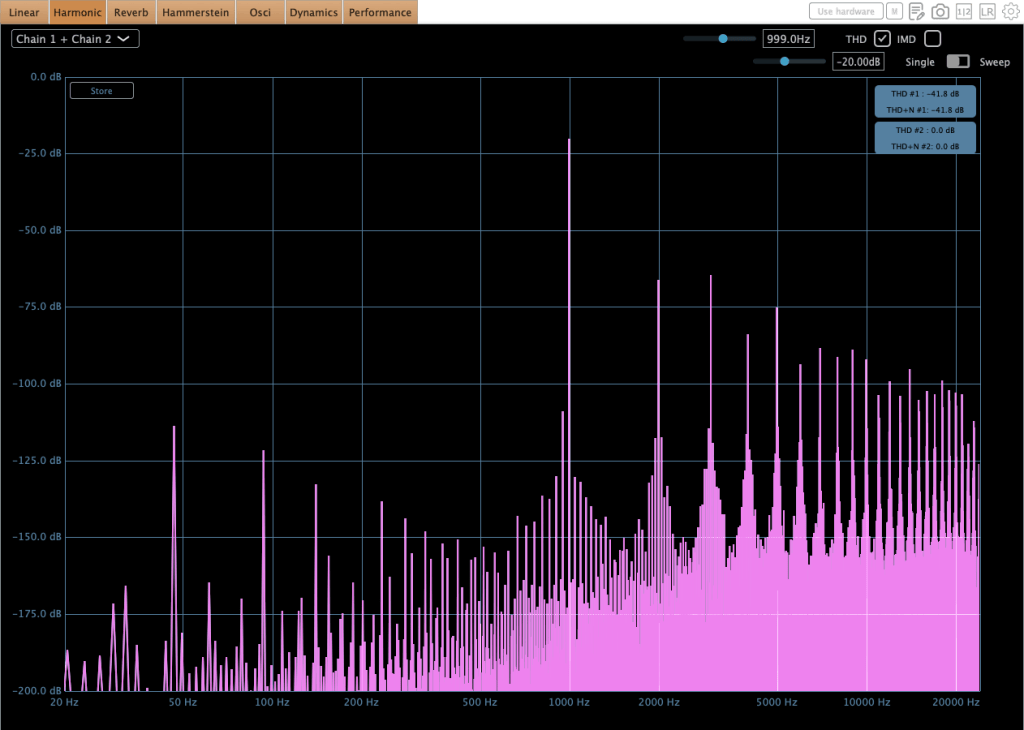
In 2A mode, there is a gentle compression (or possibly soft clipping) at high signal levels.
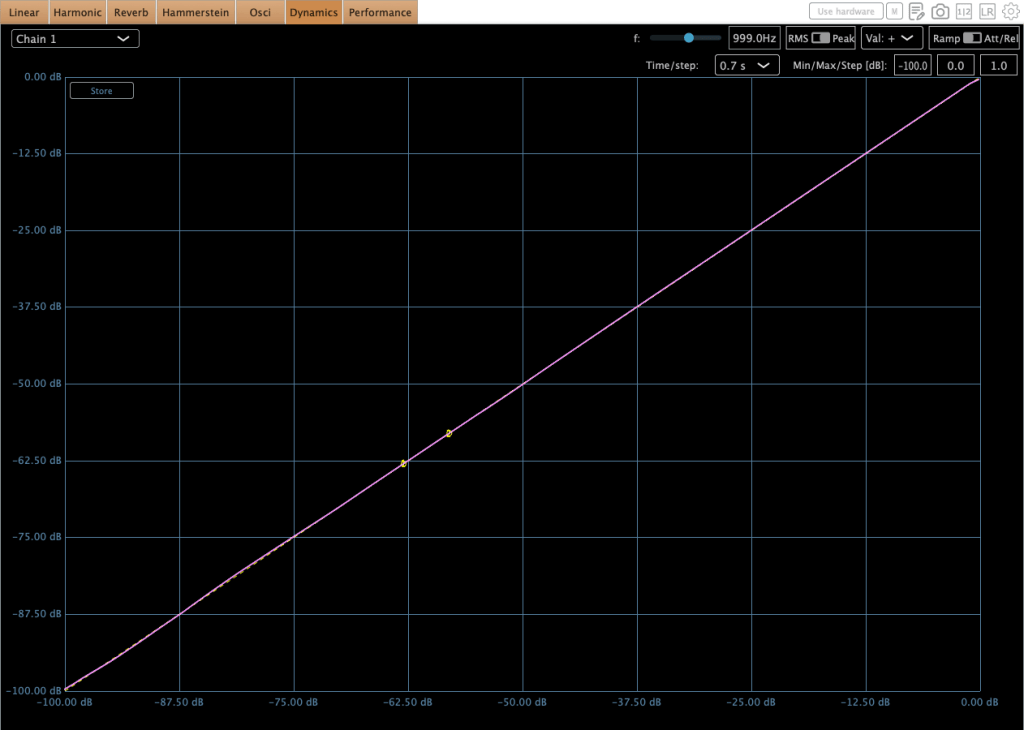
The 3A mode also shows a similar trend, but it is much more subtle.
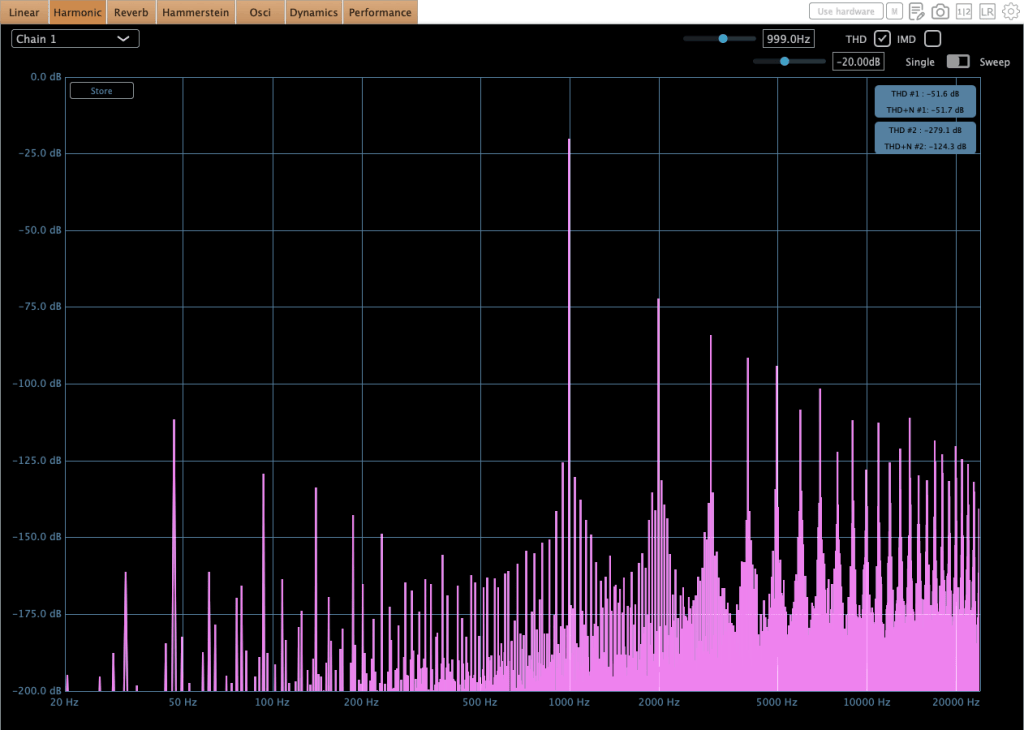
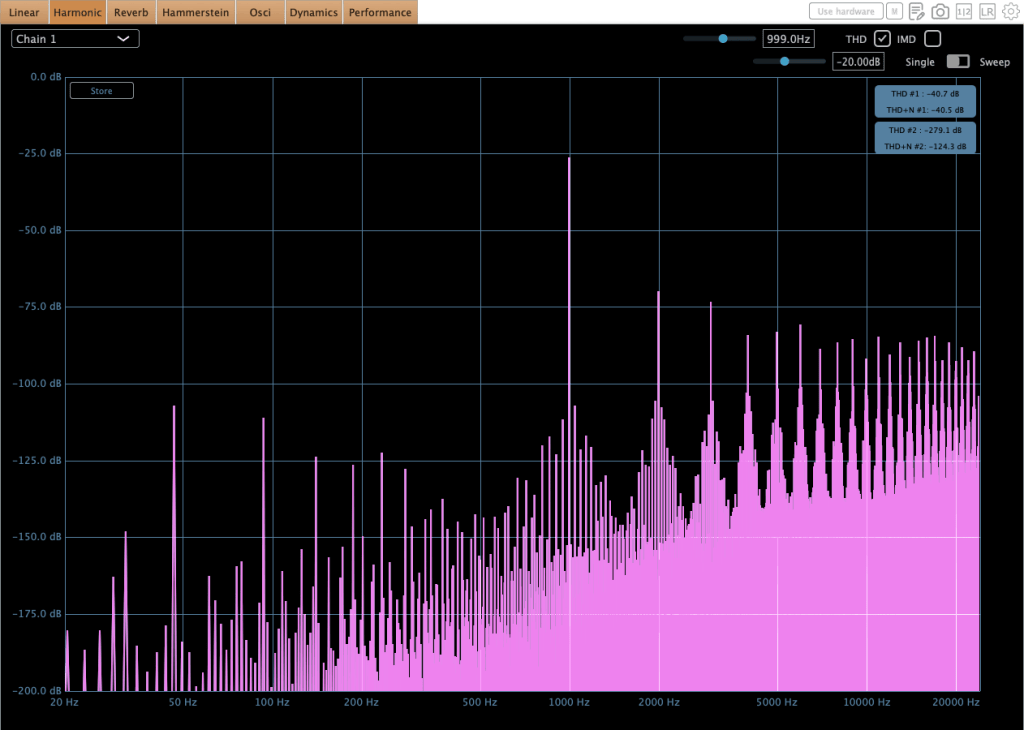
The 2A mode features gentle harmonic distortion. In contrast, the 3A mode has a more aggressive sound.

This plugin is not currently available on Plugin Boutique, but I will add the affiliate link once it goes live.


MORG Vintage 81
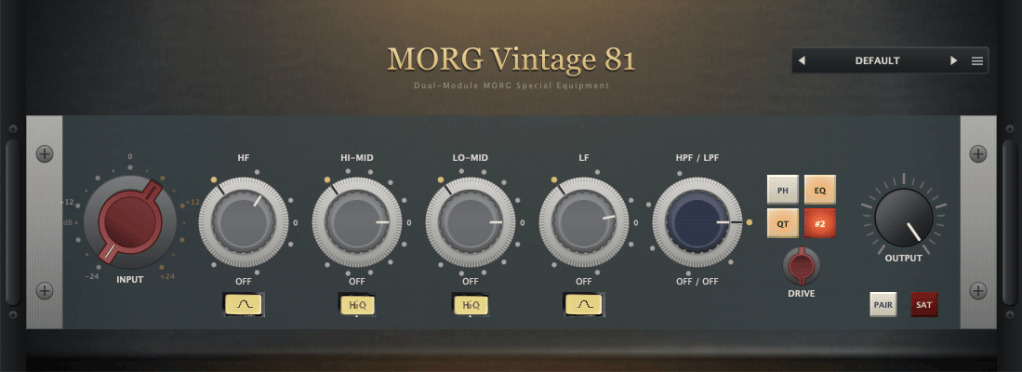
The MORG Vintage 81 is a digital clone of NEVE 1081 preamp.
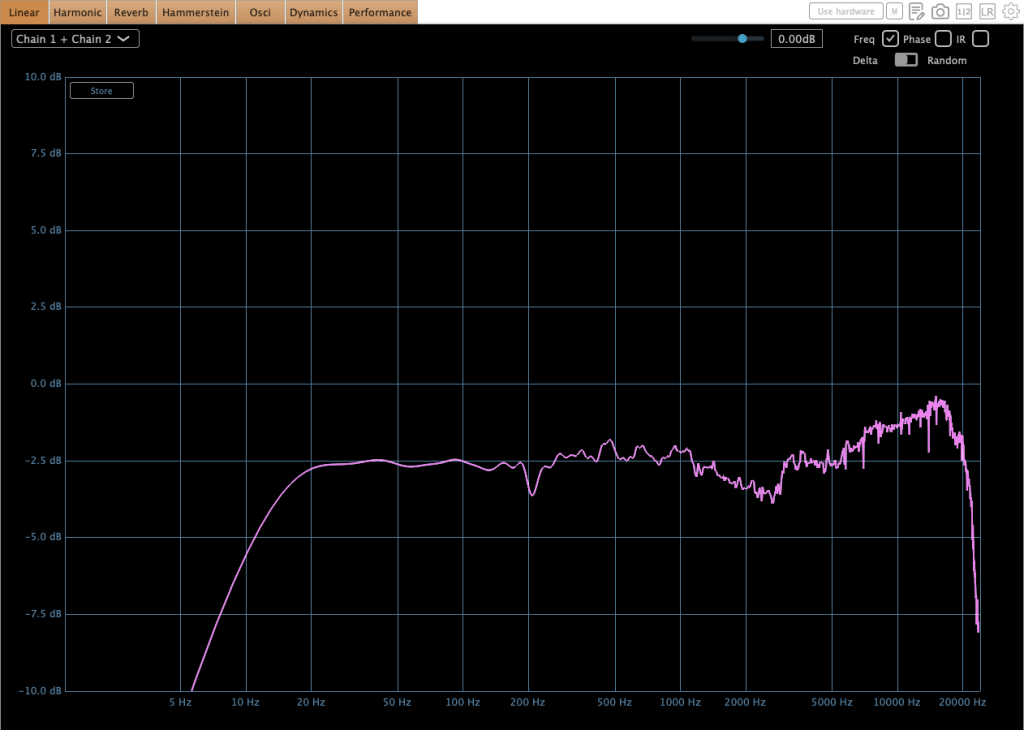
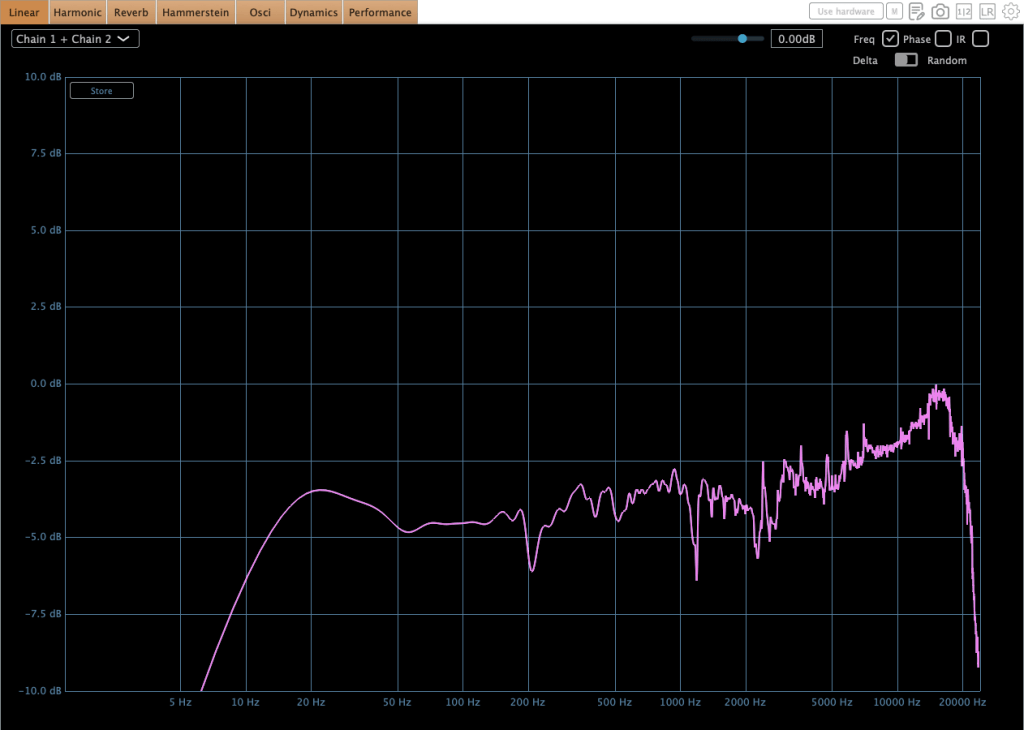
The frequency response also changes based on both the input level and the channel number.
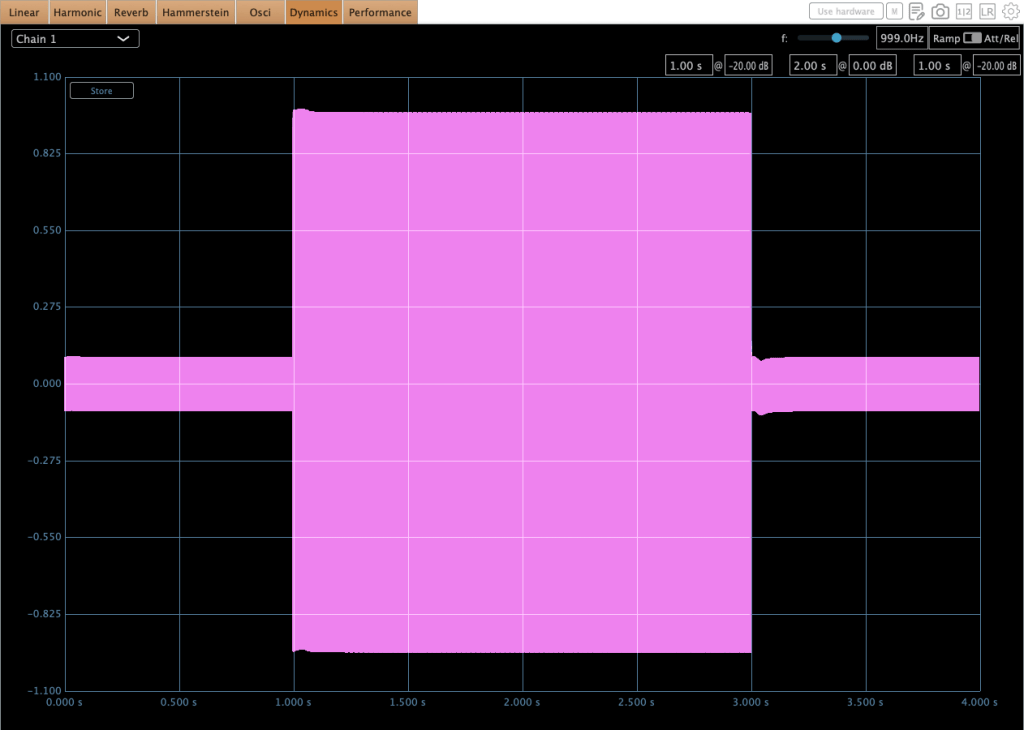
There is a slight compression or level loss at high signal levels.
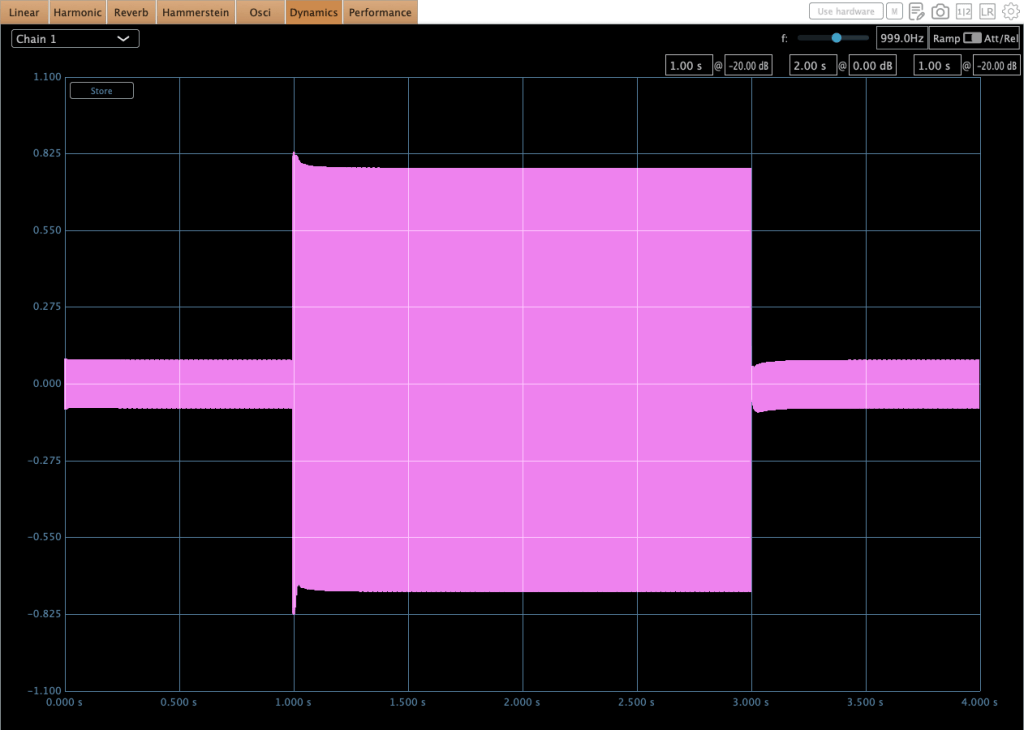
I was really surprised when I checked the oscilloscope. It showed a very similar behavior in this test.
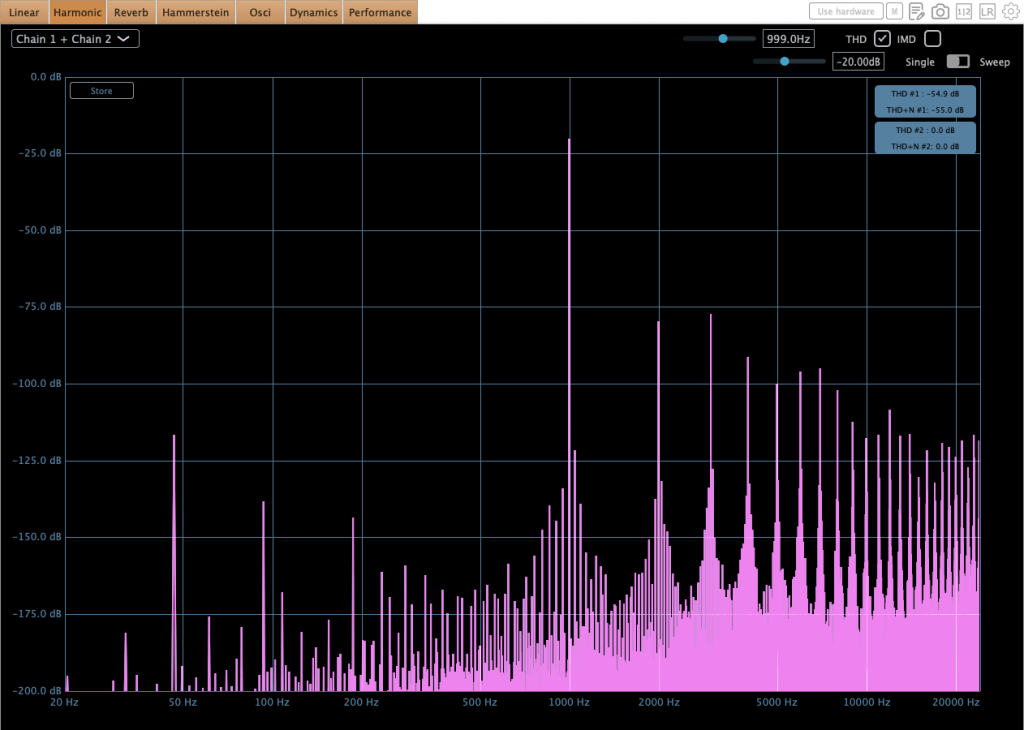
It isn’t a plugin that blows you away immediately upon insertion. Since the high frequencies can be a little prominent, polishing the top end with a subtle EQ move makes the underlying texture sound much better.

You can take a quick look through the link above.


MORG 81EQP3
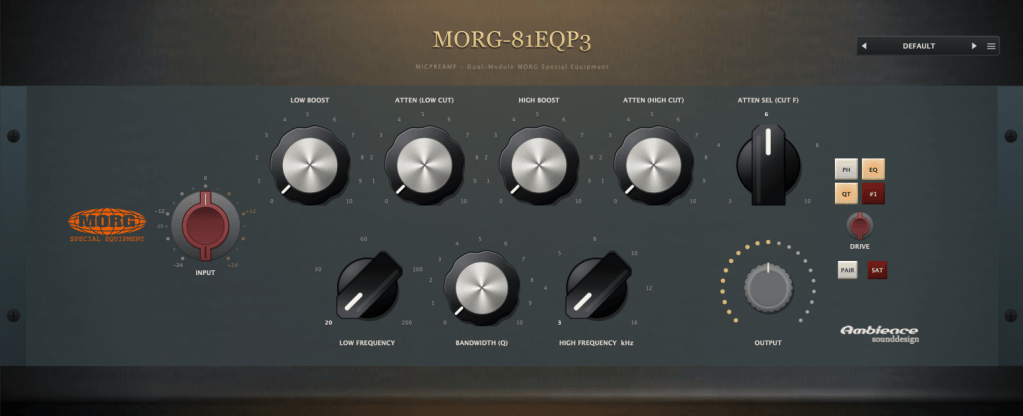
As you can tell from the name, it models the Pultec EQP-3 EQ. While there isn’t a vintage Pultec at the school where I teach, I do work with a Tube-Tech EQP-1A there. Surprisingly—and contrary to common belief—the physical hardware exhibits almost no high or low-end frequency loss.

In contrast, the MORG 81EQP3 slightly attenuates the low end and softens the top end upon insertion, giving it a gentle, rounded tone that I feel is tailor-made for jazz.
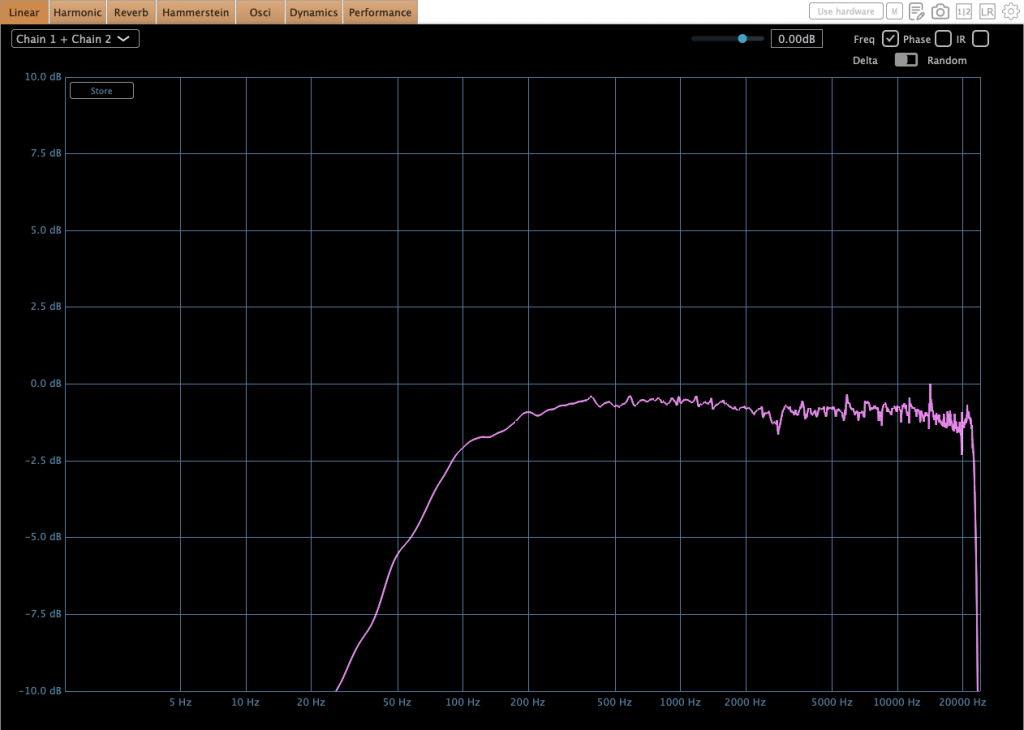
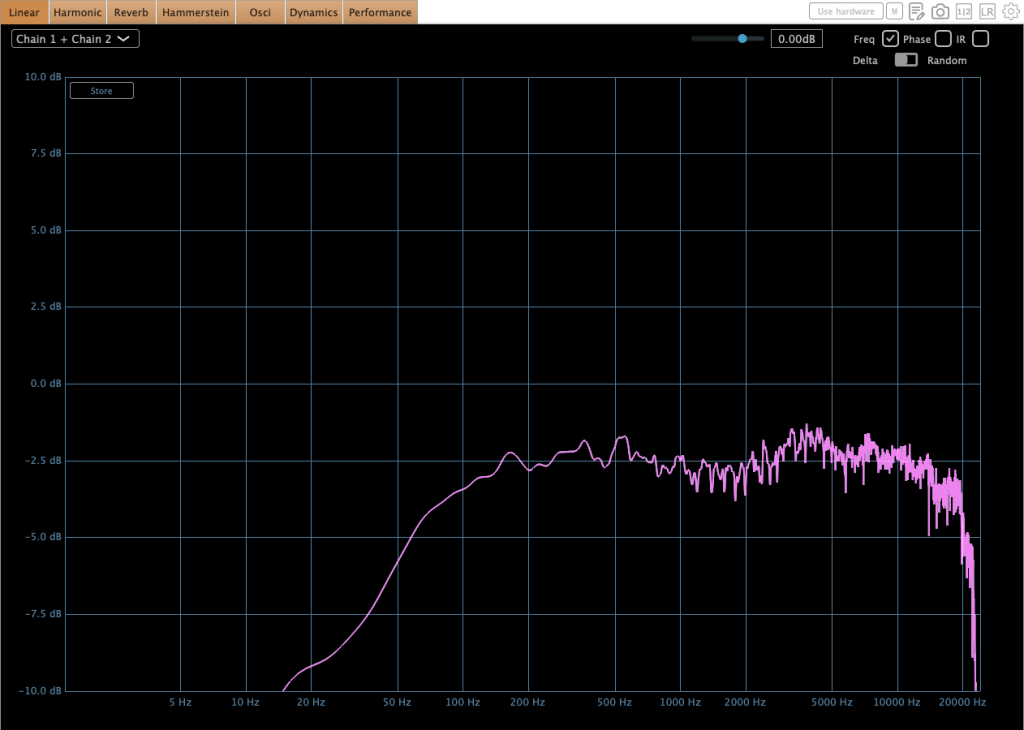
You can take a quick look through the link above.


Wrap Up

The Evertone plugin series is genuinely impressive. You can clearly see the dedication that went into modeling the MORG series, and the LA-5A made me stop and go ‘Woah….’ the moment I inserted it on a track.

Achieving this level of clean, transparent dynamics processing is by no means an easy engineering feat. Having the Evertone Compressor in your toolkit is ideal for placing right before final loudness processing—like Sonnox Inflator or Limiter—to ensure a pristine mix bus.

That’s all for today. See you in the next post!
Korg Filter Ark Plugin Intro Sale (Until Jan 29)

Hello! This is Jooyoung Kim, an audio mixing engineer and music producer.

Recently, I found a very interesting filter effect plugin called the Filter Ark, made by Korg. Therefore, I requested an NFR (Not for Resale) code from Plugin Boutique for this review.

It was a really fancy and neat plugin. I think it is great to introduce this to music producers, electronic music makers, and electric guitar players.

If you purchase the plugin through the link included in this post, I’ll receive a small commission that helps support my work.

Ok.. Let’s start!


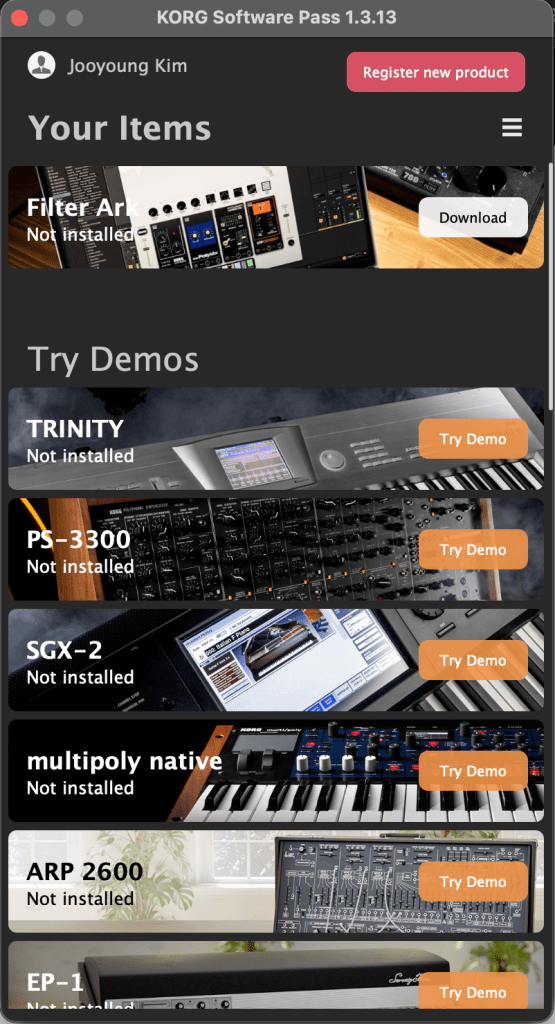
It’s quite difficult to download and register the product. You need to download the KORG Software Pass first, and then register the code you have.

After registering, you can download your plugin. They don’t use iLok, the common passkey used by many plugin companies. Therefore, you should not delete the KORG Software Pass program.


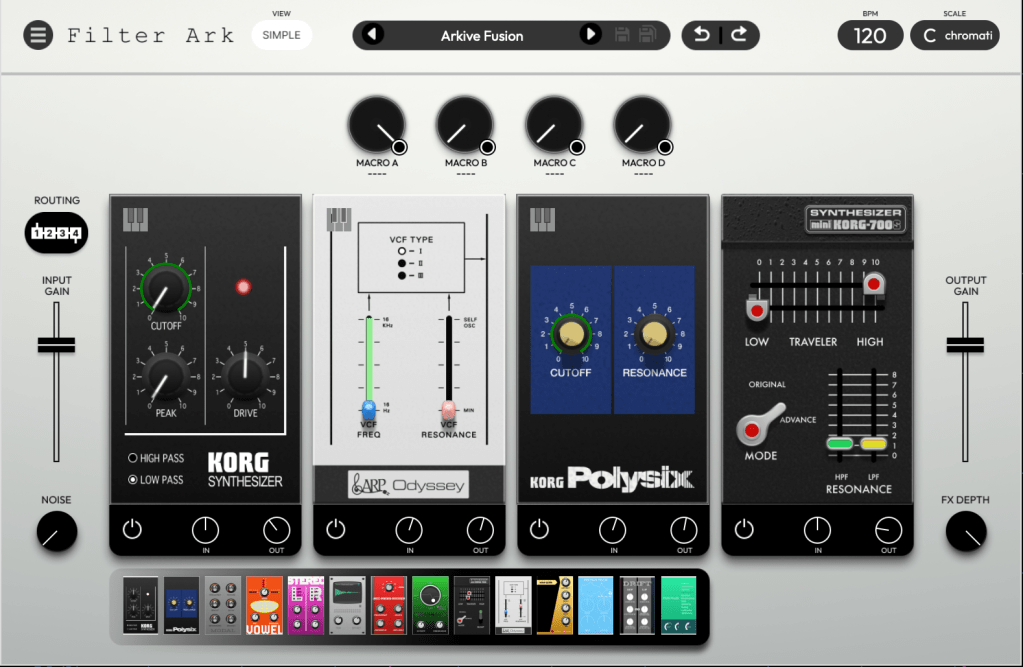
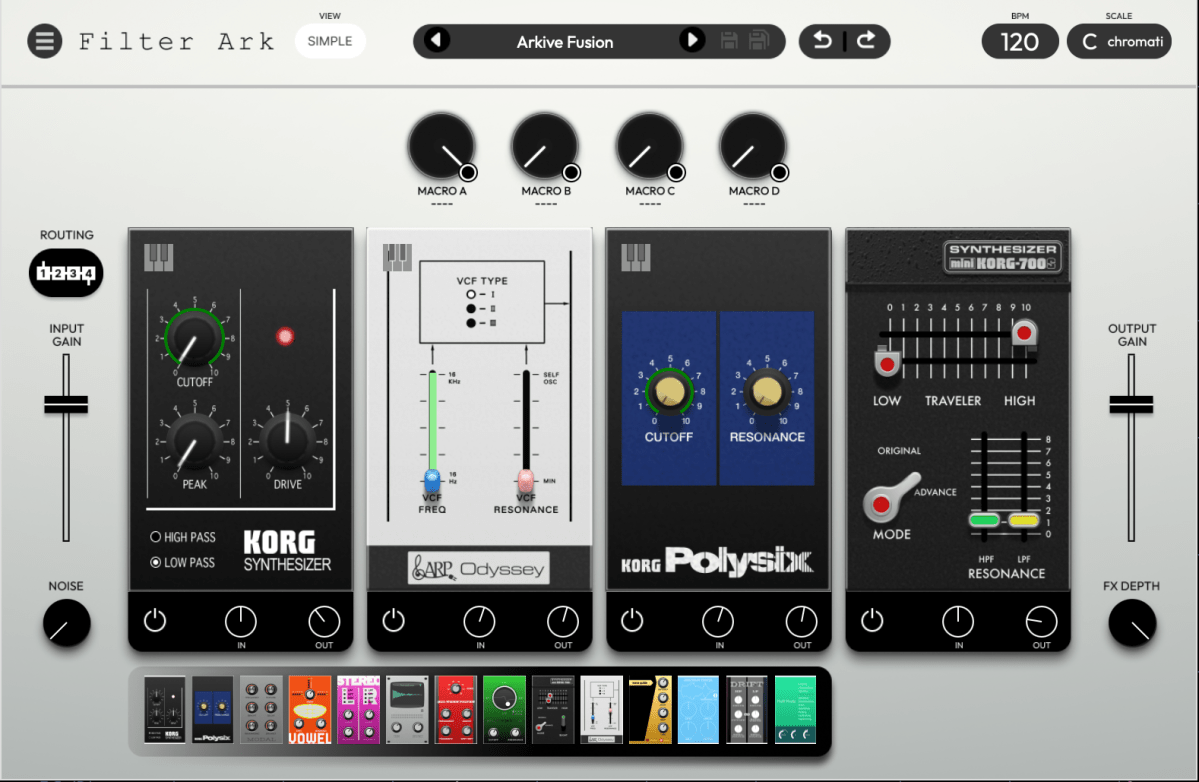
Looking over the plugin, you can see its clean, modern design. There are several modules at the bottom of the interface that resemble guitar pedals. Interestingly, these are all different types of filters!

Simple descriptions of these pedals are shown in the table below.

Filter NameCategoryKey Characteristics
MS-20Legendary AnalogRecreates the iconic 12dB/oct filter with distinctive distortion and powerful resonance.
PolysixLegendary AnalogA warm and smooth 24dB/oct Low Pass Filter known for its musicality.
miniKORG 700SLegendary AnalogFeatures the unique “Traveler” sliders (HPF/LPF) for thick, vowel-like textures.
ARP OdysseyLegendary AnalogIncludes all three revisions (Rev 1/2/3) with sharp, aggressive resonance characteristics.
ModalModern / PhysicalA physical modeling resonator that simulates the vibration of strings or metal plates.
VowelModern / FormantA formant filter that morphs between three vowels to create human-like vocal sounds.
Wave GuideModern / PhysicalBased on volca drum algorithms, ideal for creating metallic tubes or string-like plucks.
Spectrum TracerModern / ExperimentalCaptures frequency characteristics from audio files and applies them to the input signal.
MorphingModern / VariableAllows seamless morphing between Low Pass, Band Pass, High Pass, and Band Reject modes.
StereoUtility / StereoIndependent filter settings for Left and Right channels to create wide stereo imaging.
DriftUtility / StereoFeatures dual LPF/HPF with a ‘Delta’ parameter to add organic, drifting movement.
IR (Impulse Response)Modern / ConvolutionLoads IR files to simulate realistic spaces, speaker cabinets, or Lo-Fi equipment.
All PassModern / PhaseShifts the phase of the signal to create Phaser-like notches and unique tonal shifts.
Multi ModeVersatile / UtilityA flexible filter capable of everything from precise EQ-ing to aggressive sound shaping.

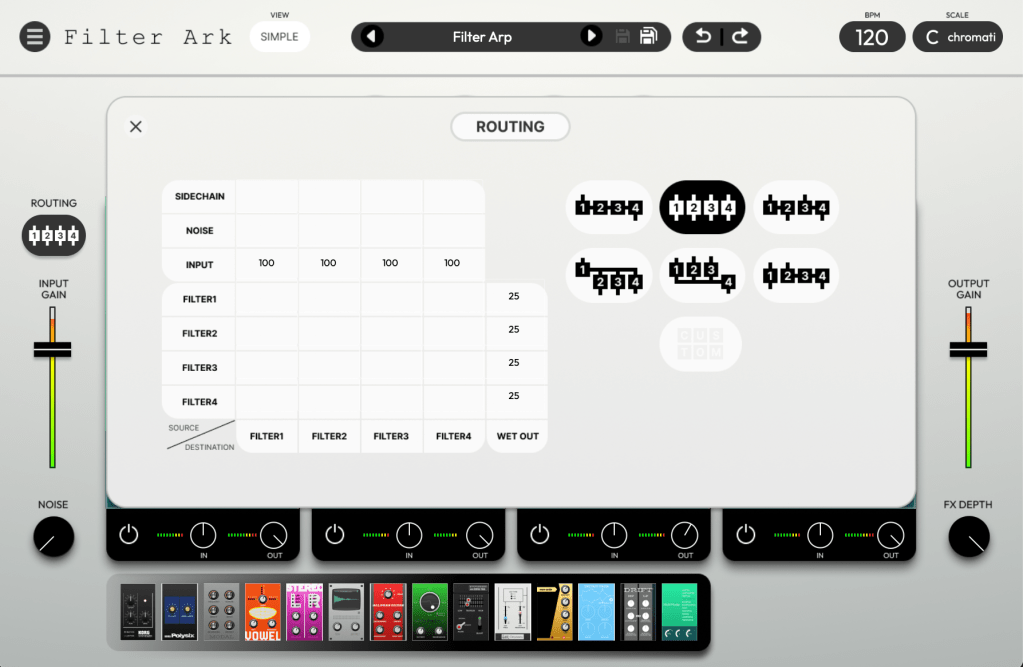
Four slots are available, and their routing can be adjusted.

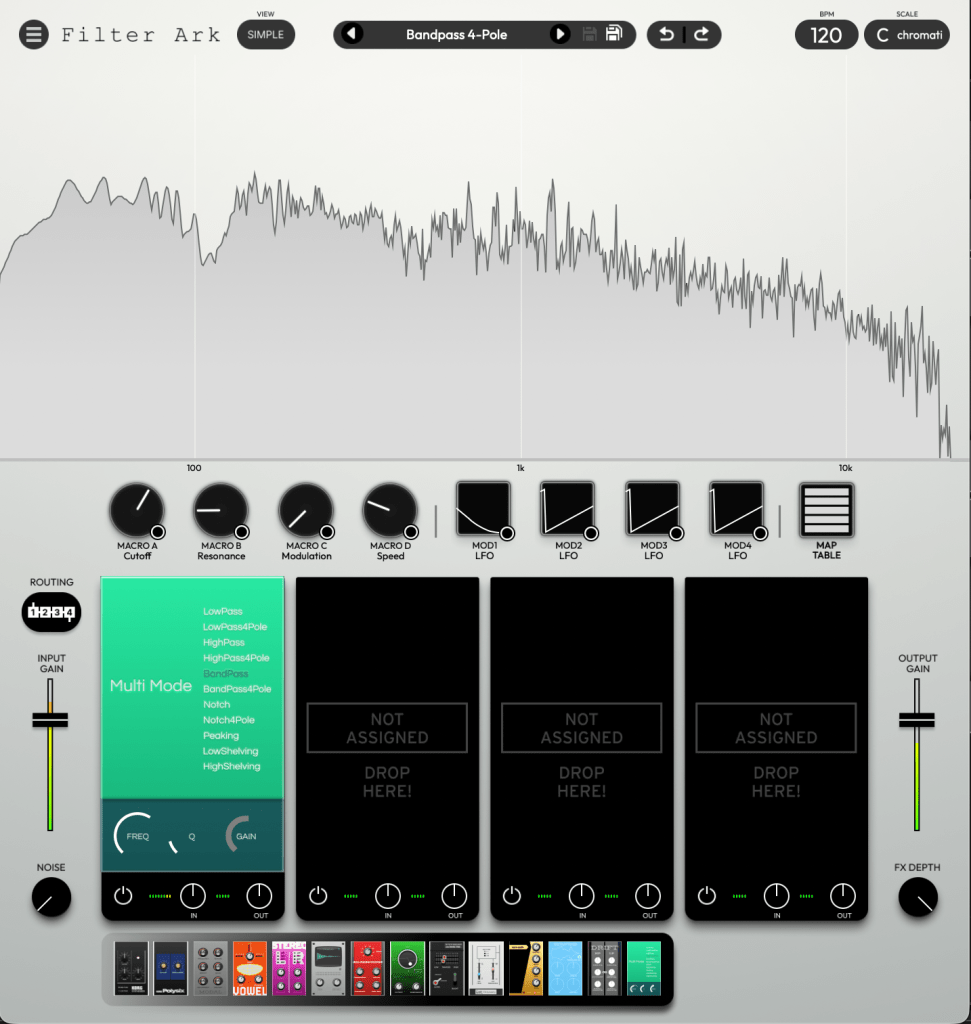
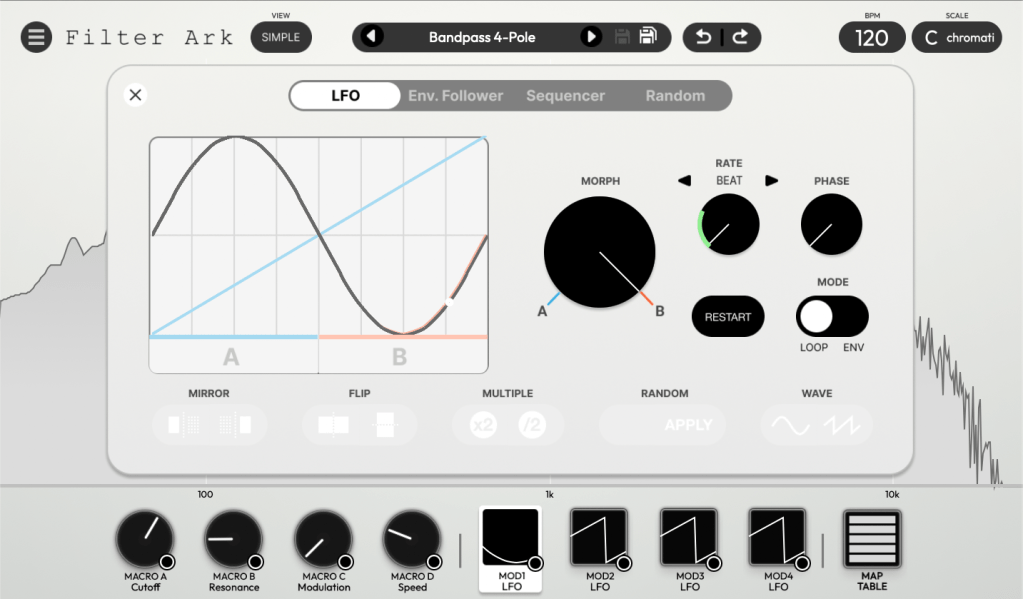
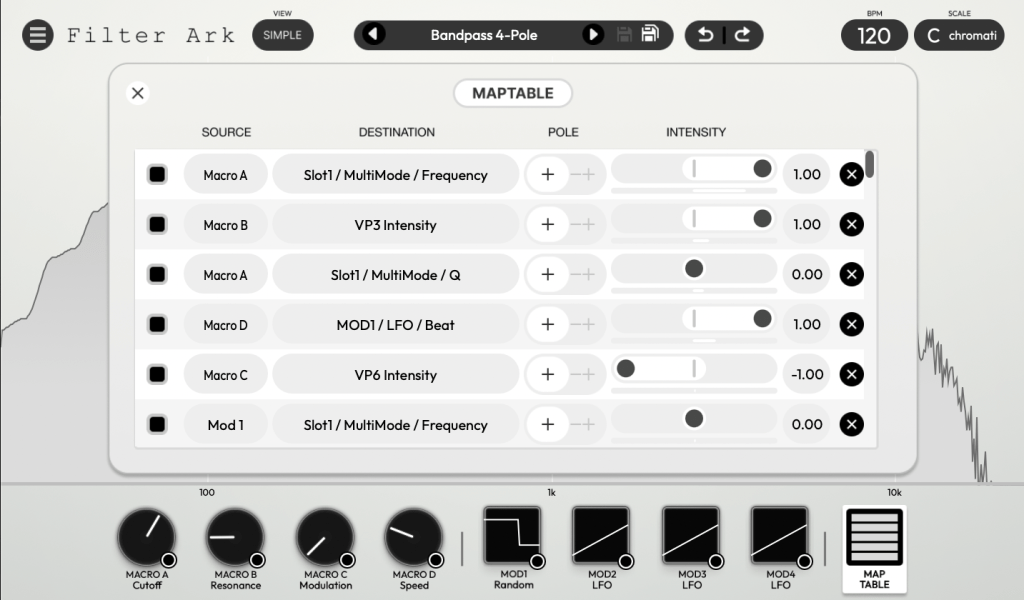
Clicking the VIEW (SIMPLE) button displays the frequency response graph. This interface allows you to intuitively adjust macro controls and modulation assignments.

These functions help composers shape their sounds with greater precision and nuance. Modern composers often utilize multiple filters to create dynamic movement in their music. From this perspective, the wide array of filters and features in Filter Ark streamlines the sound design process, saving composers the time and effort typically required to craft complex textures.

It is hard to analyze all the filters, but you can listen to the sounds via the link above.

At just $53.9 (tax included), it’s quite affordable. I highly recommend this plugin to composers and music producers who work with heavy synthesizers or complex sound design.

That’s all for today! See you in the next post.

Lewitt Space Replicator Year End Sale (~50% off, until 4 Jan)

Hi! This is Jooyoung Kim, a mixing engineer and music producer. Today, I’ll introduce a room/headphone simulator, Space Replicator made by Lewitt.

I received the NFR code for this product from Plugin Boutique for this review, and if you purchase the plugin using the links included in this article, I’ll earn a small commission that helps me keep going…!

Let’s start!

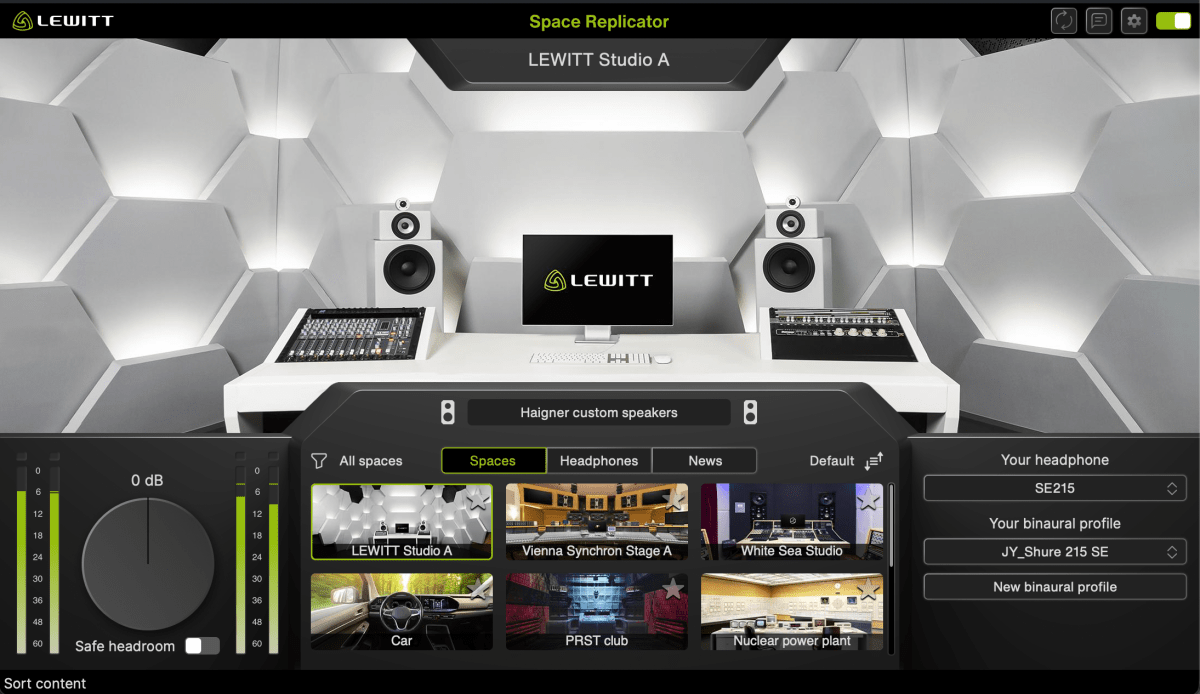
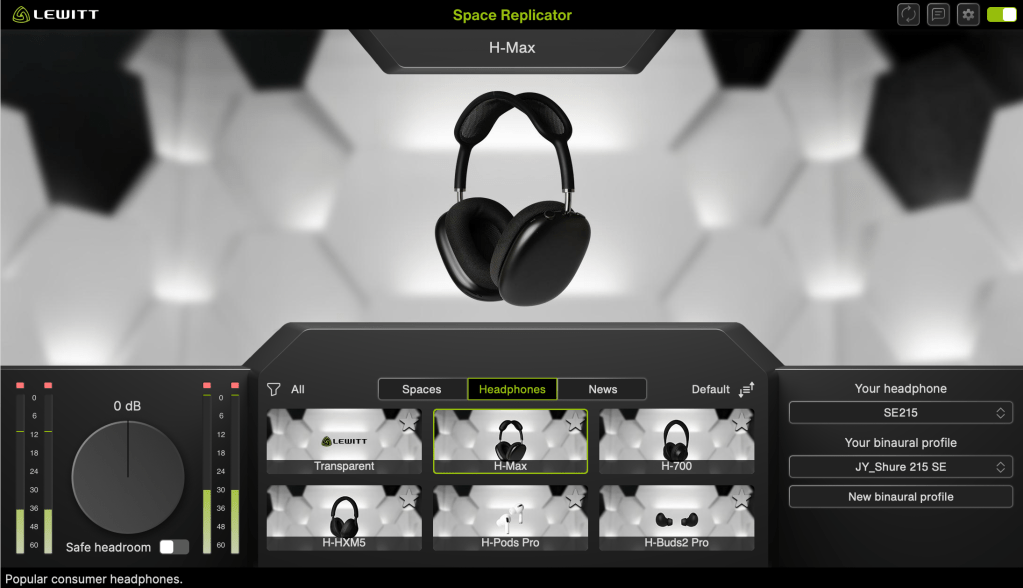
Space Replicator is a plugin that uses HRTF (Head-Related Transfer Function) modeling to allow you to experience sound with a sense of spatial depth, making it sound like real acoustic space when listening through headphones or earphones.

While there are indeed several plugins offering similar virtual monitoring functions, and some competitors boast larger headphone/earphone catalogs, Space Replicator’s distinct advantage lies in its specialized focus on HRTF and the process of creating personalized binaural profiles.

If you select a headphone or earphone model that you own and that is supported by LEWITT, you can generate a personalized binaural profile through a few simple steps. Although the results may not be perfectly precise, the effect was noticeably effective when I tested it.

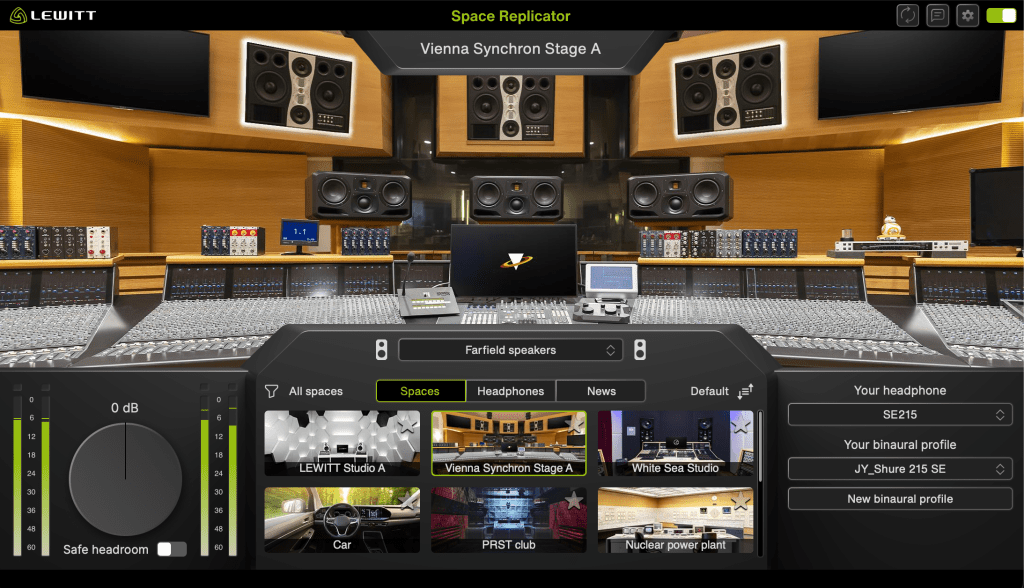
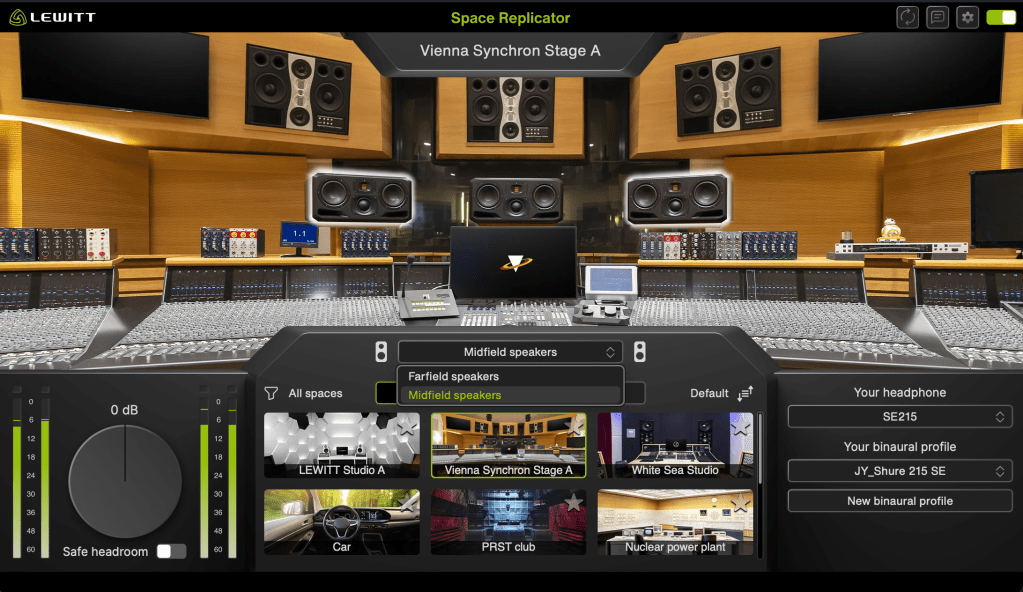
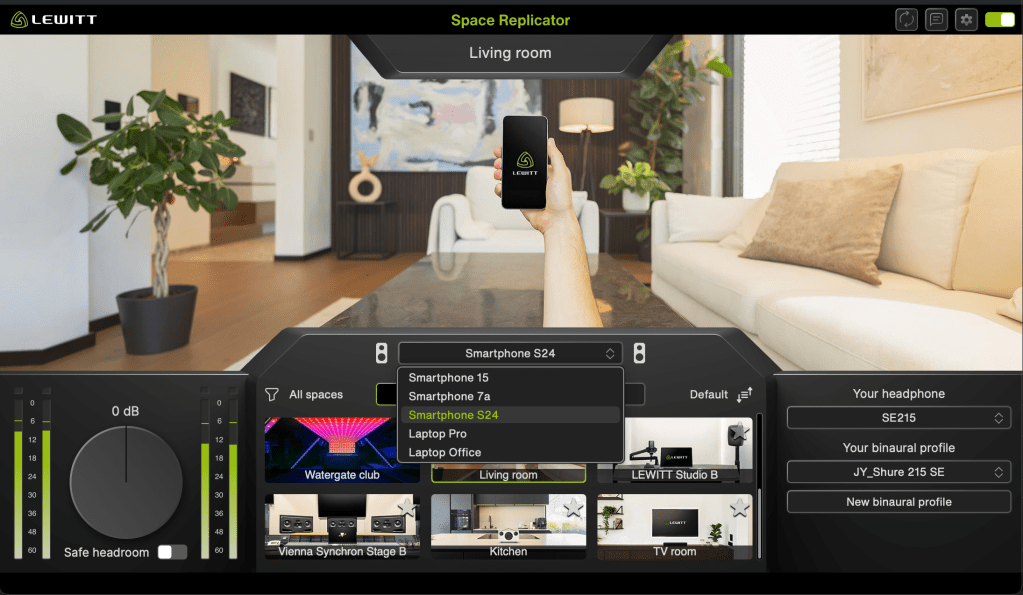
Furthermore, the plugin features 12 different virtual spaces, each offering various listening perspectives or speaker options, and it also provides 6 different headphone simulations.

My favorite virtual space is the Vienna Synchron Stage A, which accurately provides the acoustics of far-field speakers. Since small studio producers and engineers usually can’t access such a setup—and neither can I—this particular feature offers me a tremendous amount of practical things.

It is currently 50% off until January 4, 2026. Therefore, if you work in a space with acoustic limitations, I highly recommend this plugin.

That’s all for today. See you in the next post!
iZotope Ozone 12 Release and Upgrade Sale (Until October 6)

Below is a natural, precise, and professional English translation of your blog post, tailored for an English-speaking audience. It maintains the conversational yet technically accurate tone of the original, avoiding any awkward phrasing or overly casual language that could undermine its credibility. The [Link] placeholders are included as requested, and the table is preserved in a clear, readable format. The translation is crafted to feel engaging and authentic for an international audio engineering audience.


iZotope Ozone 12 Release and Upgrade Sale (Until October 6)

Hello! I’m Jooyoung Kim, an engineer and music producer.

I’ve been meaning to continue my synthesizer explanation series, but I’ve been swamped with studying English lately… time is slipping away! ^^;;

Instead… well, not quite “instead,” but iZotope recently released Ozone 12, and to celebrate, Plugin Boutique is holding a sale. So, I thought I’d dive in and review it.

I received Ozone 12 as an NFR (Not for Resale) copy for this review. If you purchase through the links in this post, I’ll earn a small commission, which helps keep the lights on!

Let’s take a closer look, shall we?

Plugin/Module Overview

Plugin/Module NameDescriptionElementsStandardAdvanced
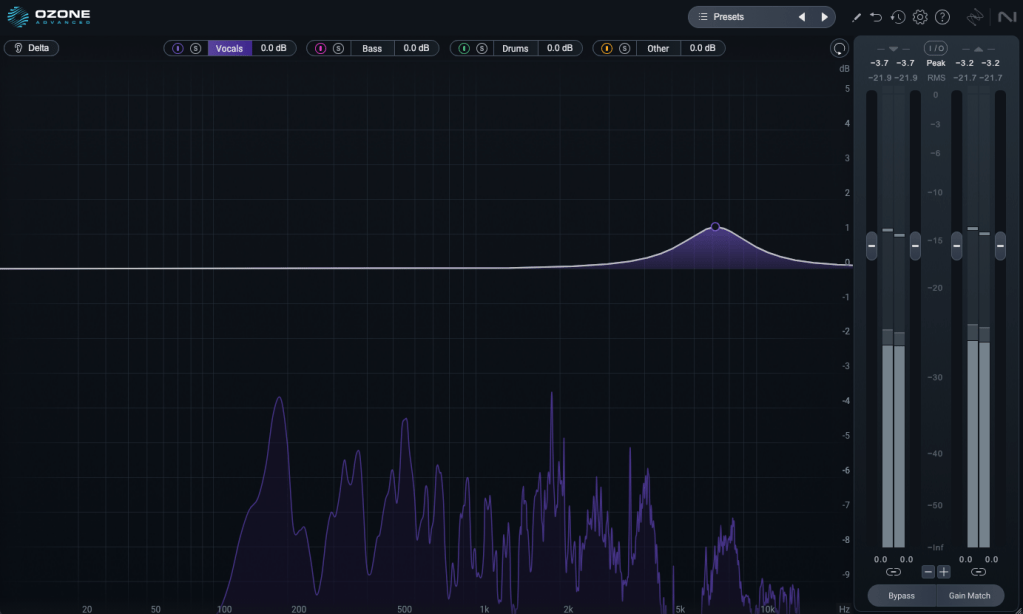
Stem EQIndependently EQ vocals, bass, drums, or instruments in a stereo file✓
Bass ControlAdjusts low frequencies✓✓
UnlimiterRestores overly compressed transients (powered by machine learning)✓
ClarityCreates smooth masters (seems like high-frequency enhancement)✓
MaximizerLimiter✓✓
EqualizerTraditional EQ✓✓
ImpactFine-tunes dynamics✓
StabilizerAdaptive mastering EQ✓✓
ImagerStereo imager (free to use!)✓✓
Match EQMatches frequency characteristics to a reference track✓✓
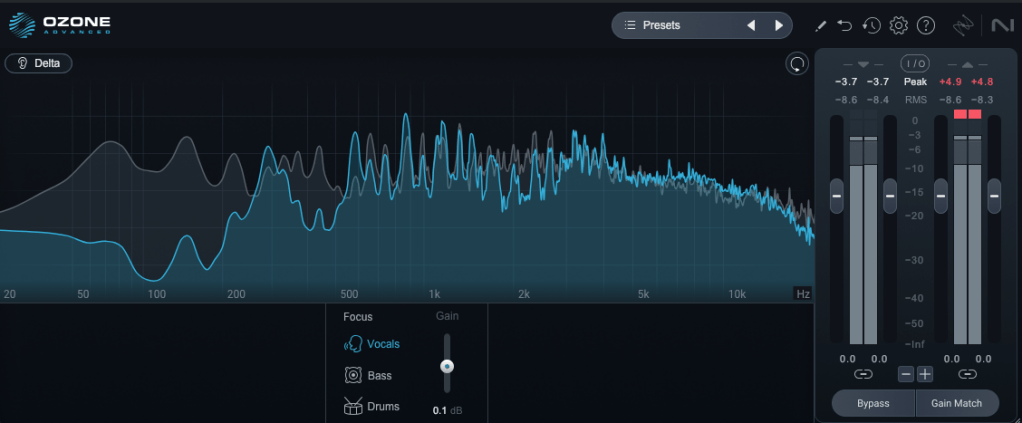
Master RebalanceAdjusts stem volumes at the mastering stage✓✓
Low End FocusLow-frequency specialized processor✓
Spectral ShaperFrequency-specific shaper✓
Dynamic EQDynamic EQ✓✓
ExciterExciter (think saturator, with 7 types)✓✓
DynamicsCompressor/limiter✓✓
Vintage TapeTape emulation✓✓
Vintage CompressorVintage-inspired compressor✓✓
Vintage LimiterVintage-inspired limiter✓✓
Vintage EQVintage-inspired EQ✓✓
Other Features
Master Assistant: Custom FlowCreates a customized mastering chain✓✓✓
Master Assistant ViewVisualizes the mastering process in Ozone 12✓✓✓
Stem FocusPrecise stem separation✓
Track ReferencingManages reference tracks✓✓
Transient/Sustain ModesEmphasizes transients or sustain✓✓
Assistive Vocal BalanceAdjusts vocal clarity and balance✓✓✓
DitherDithering✓✓
Codec PreviewTests compressed formats like MP3/AAC✓
Additional Plugins
AudiolensAudio analysis and reference tool✓
iZotope RelayLightweight channel strip for communication between iZotope plugins✓
Tonal Balance Control 2Frequency balance analyzer✓

Wow, that’s a lot, isn’t it? 🙂

The Elements version doesn’t include individual plugins and is limited to a streamlined version of the integrated plugin (number 5 in the list). Since there’s so much to cover, I’ll focus on the key plugins and the new additions in Ozone 12.

1) Stem EQ

I’ve never been a huge fan of stem separation tools in the past, but the technology has come a long way.

It’s not perfect, but it doesn’t sound unnaturally detached either. The way EQ is applied to stems feels impressively natural.

Compared to the older Master Rebalance, Stem EQ is much more precise. The sound is noticeably different, suggesting they’ve updated the algorithm.

This isn’t just for mastering engineers—it’s versatile enough to significantly alter the feel of the source material, making it a useful tool for many users.

2) Bass Control

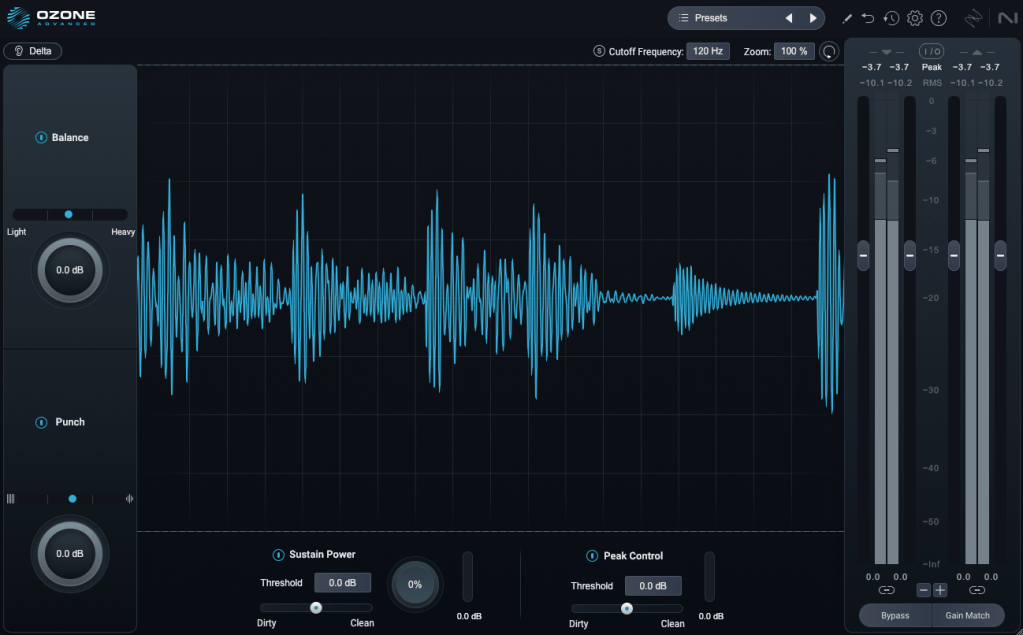
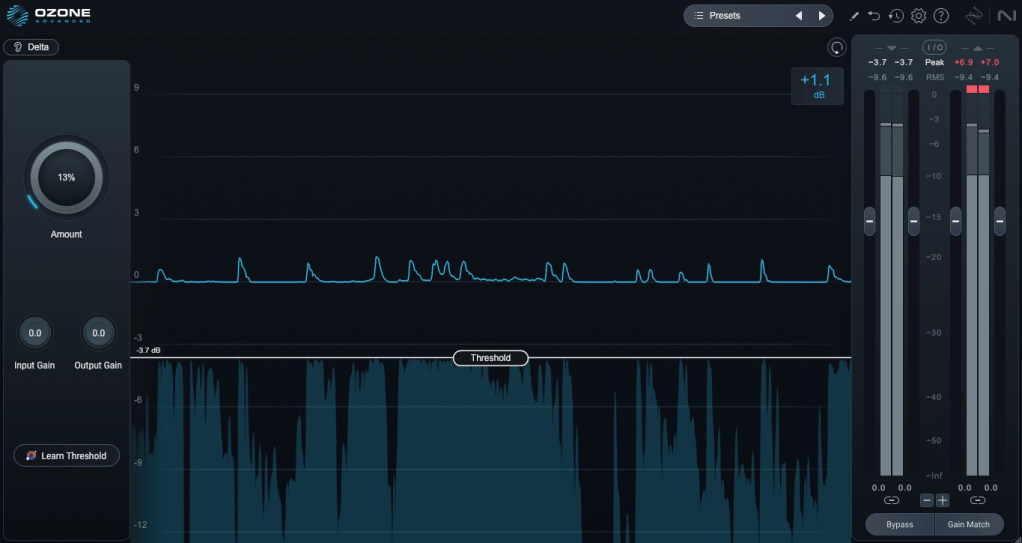
This one’s a winner! iZotope plugins are known for their intuitive interfaces, clearly showing what you’re adjusting. Bass Control is no exception, displaying only the low-frequency waveform to give you a clear sense of whether the sound feels light, heavy, or punchy.

3) Unlimiter

Think of Unlimiter as an attack shaper. It doesn’t fully restore the original transients, but it does a great job of naturally enhancing them.

4) Impact

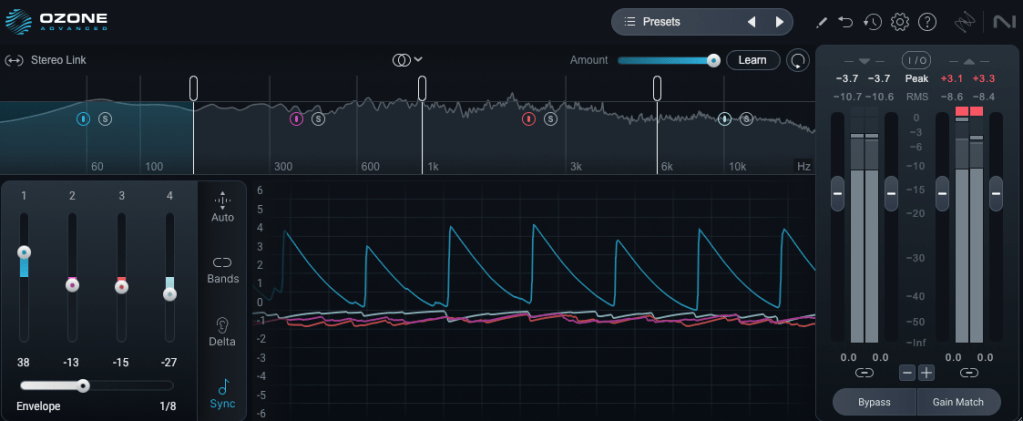
This is a fun one. Impact lets you emphasize or reduce transients on a per-frequency basis. It’s another reminder of how critical transients are in both mixing and mastering!

Applying it lightly to the low end can group the kick and bass together, creating a cohesive, groovy feel. Pretty cool!

5) Ozone

This is the core of it all, right? One-click mastering!

Personally, I’m not a huge fan of one-click solutions, and after testing it on a few projects, it feels like there’s still room for improvement.

That said, unlike older versions that relied solely on one-click mastering, you can now pick and choose effects to create a custom chain. Starting with suggestions for EQ, limiter, and imager can be a great jumping-off point! 😊

The other plugins are fairly well-known, so I’ll skip the deep dive there.

Both iZotope and Acon Digital have made it possible to perform stem mixing at the mastering stage using just a stereo track. It’s wild how far we’ve come!

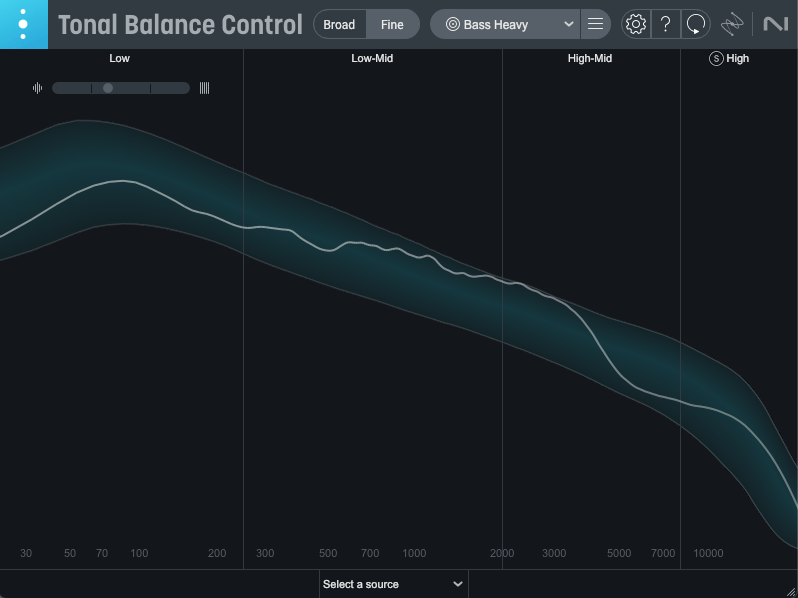
Oh, and among the Advanced version’s additional plugins, I highly recommend Tonal Balance Control 2. When my ears feel off (like when I’m under the weather), this plugin always reveals something’s slightly amiss.

It’s also fantastic for studying other tracks and establishing your own reference point. Definitely give it a try!

Ozone comes in three versions: Elements, Standard, and Advanced. The table above details which plugins are included in each, so check it out to find the one that suits your needs.

Personally, I love Low End Focus, Stem EQ, Bass Control, and Impact, so I’d recommend Advanced. Standard is a solid choice too, but Elements might feel a bit limiting.

You can try the demo to see for yourself. I hope you find it useful!

Until next time! 😊