
Below is a natural, precise, and professional English translation of your blog post, tailored for an English-speaking audience. It maintains the conversational yet technically accurate tone of the original, avoiding any awkward phrasing or overly casual language that could undermine its credibility. The [Link] placeholders are included as requested, and the table is preserved in a clear, readable format. The translation is crafted to feel engaging and authentic for an international audio engineering audience.
iZotope Ozone 12 Release and Upgrade Sale (Until October 6)
Hello! I’m Jooyoung Kim, an engineer and music producer.
I’ve been meaning to continue my synthesizer explanation series, but I’ve been swamped with studying English lately… time is slipping away! ^^;;
Instead… well, not quite “instead,” but iZotope recently released Ozone 12, and to celebrate, Plugin Boutique is holding a sale. So, I thought I’d dive in and review it.
I received Ozone 12 as an NFR (Not for Resale) copy for this review. If you purchase through the links in this post, I’ll earn a small commission, which helps keep the lights on!
Let’s take a closer look, shall we?
Plugin/Module Overview
| Plugin/Module Name | Description | Elements | Standard | Advanced |
|---|---|---|---|---|
| Stem EQ | Independently EQ vocals, bass, drums, or instruments in a stereo file | ✓ | ||
| Bass Control | Adjusts low frequencies | ✓ | ✓ | |
| Unlimiter | Restores overly compressed transients (powered by machine learning) | ✓ | ||
| Clarity | Creates smooth masters (seems like high-frequency enhancement) | ✓ | ||
| Maximizer | Limiter | ✓ | ✓ | |
| Equalizer | Traditional EQ | ✓ | ✓ | |
| Impact | Fine-tunes dynamics | ✓ | ||
| Stabilizer | Adaptive mastering EQ | ✓ | ✓ | |
| Imager | Stereo imager (free to use!) | ✓ | ✓ | |
| Match EQ | Matches frequency characteristics to a reference track | ✓ | ✓ | |
| Master Rebalance | Adjusts stem volumes at the mastering stage | ✓ | ✓ | |
| Low End Focus | Low-frequency specialized processor | ✓ | ||
| Spectral Shaper | Frequency-specific shaper | ✓ | ||
| Dynamic EQ | Dynamic EQ | ✓ | ✓ | |
| Exciter | Exciter (think saturator, with 7 types) | ✓ | ✓ | |
| Dynamics | Compressor/limiter | ✓ | ✓ | |
| Vintage Tape | Tape emulation | ✓ | ✓ | |
| Vintage Compressor | Vintage-inspired compressor | ✓ | ✓ | |
| Vintage Limiter | Vintage-inspired limiter | ✓ | ✓ | |
| Vintage EQ | Vintage-inspired EQ | ✓ | ✓ | |
| Other Features | ||||
| Master Assistant: Custom Flow | Creates a customized mastering chain | ✓ | ✓ | ✓ |
| Master Assistant View | Visualizes the mastering process in Ozone 12 | ✓ | ✓ | ✓ |
| Stem Focus | Precise stem separation | ✓ | ||
| Track Referencing | Manages reference tracks | ✓ | ✓ | |
| Transient/Sustain Modes | Emphasizes transients or sustain | ✓ | ✓ | |
| Assistive Vocal Balance | Adjusts vocal clarity and balance | ✓ | ✓ | ✓ |
| Dither | Dithering | ✓ | ✓ | |
| Codec Preview | Tests compressed formats like MP3/AAC | ✓ | ||
| Additional Plugins | ||||
| Audiolens | Audio analysis and reference tool | ✓ | ||
| iZotope Relay | Lightweight channel strip for communication between iZotope plugins | ✓ | ||
| Tonal Balance Control 2 | Frequency balance analyzer | ✓ |
Wow, that’s a lot, isn’t it? 🙂
The Elements version doesn’t include individual plugins and is limited to a streamlined version of the integrated plugin (number 5 in the list). Since there’s so much to cover, I’ll focus on the key plugins and the new additions in Ozone 12.
1) Stem EQ
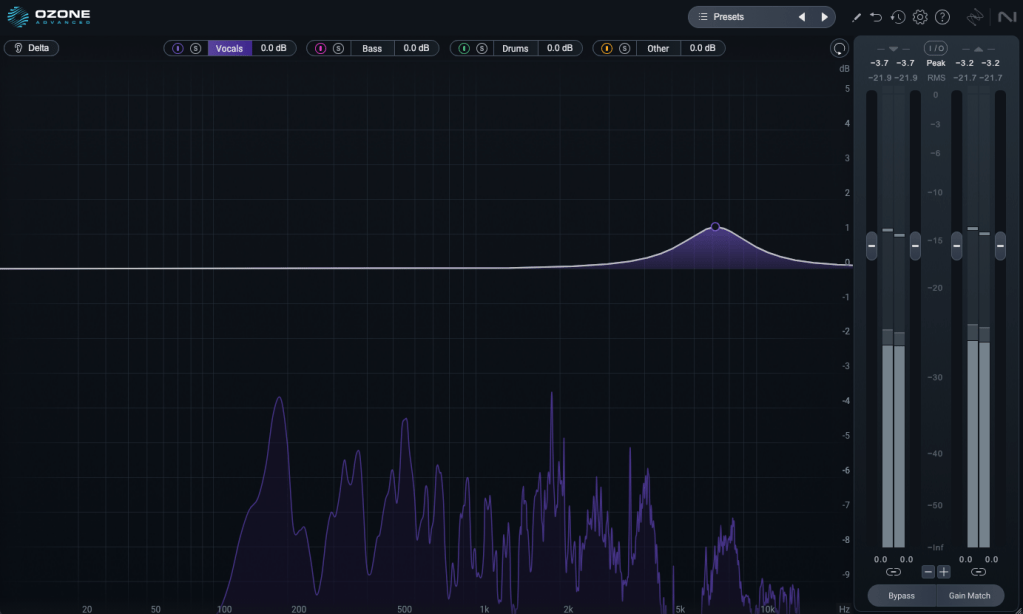
I’ve never been a huge fan of stem separation tools in the past, but the technology has come a long way.
It’s not perfect, but it doesn’t sound unnaturally detached either. The way EQ is applied to stems feels impressively natural.
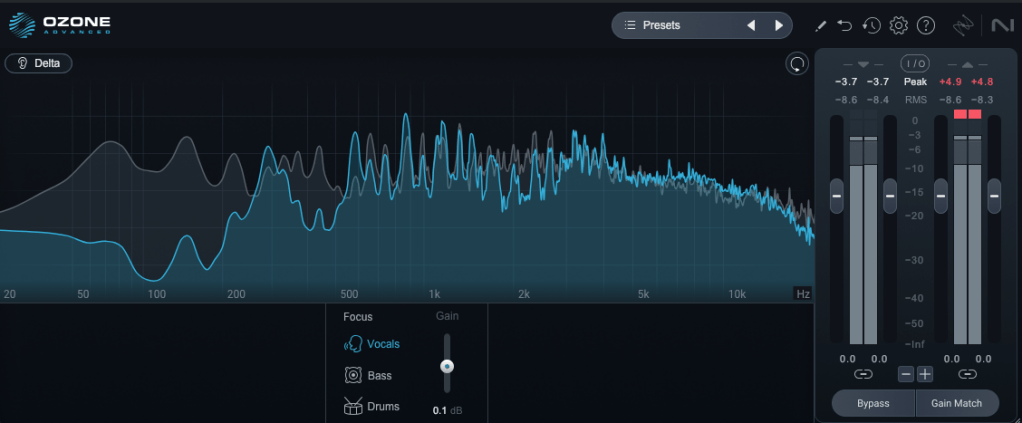
Compared to the older Master Rebalance, Stem EQ is much more precise. The sound is noticeably different, suggesting they’ve updated the algorithm.
This isn’t just for mastering engineers—it’s versatile enough to significantly alter the feel of the source material, making it a useful tool for many users.
2) Bass Control
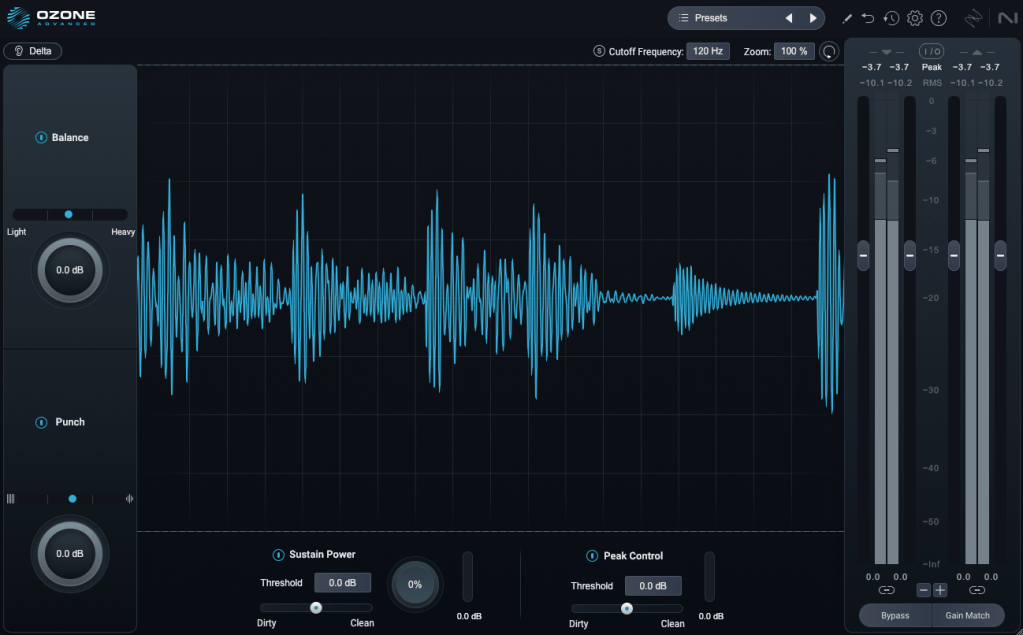
This one’s a winner! iZotope plugins are known for their intuitive interfaces, clearly showing what you’re adjusting. Bass Control is no exception, displaying only the low-frequency waveform to give you a clear sense of whether the sound feels light, heavy, or punchy.
3) Unlimiter
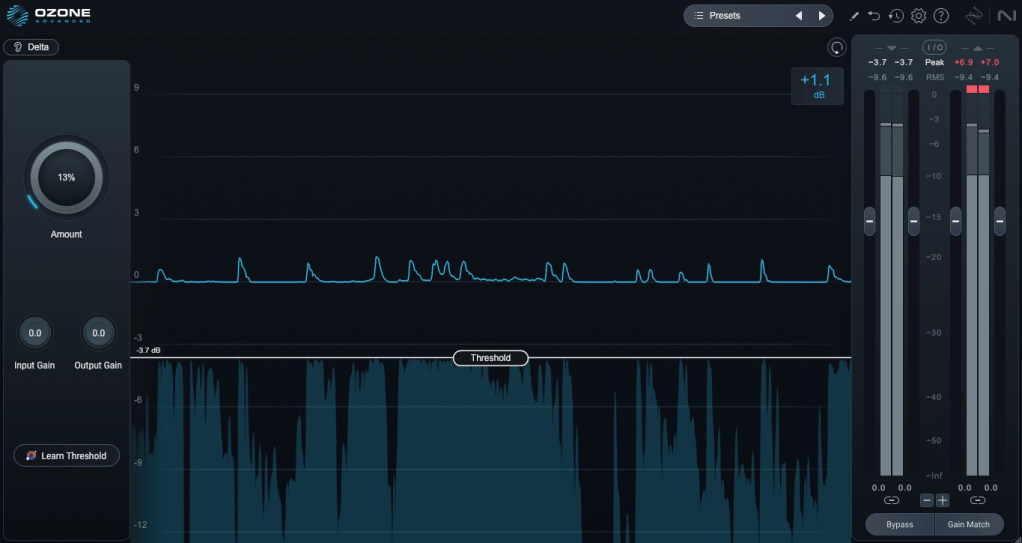
Think of Unlimiter as an attack shaper. It doesn’t fully restore the original transients, but it does a great job of naturally enhancing them.
4) Impact
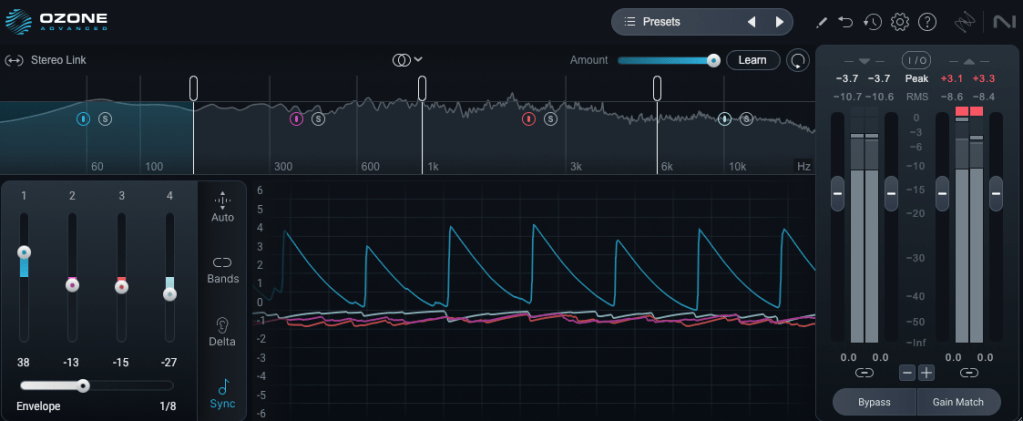
This is a fun one. Impact lets you emphasize or reduce transients on a per-frequency basis. It’s another reminder of how critical transients are in both mixing and mastering!
Applying it lightly to the low end can group the kick and bass together, creating a cohesive, groovy feel. Pretty cool!
5) Ozone
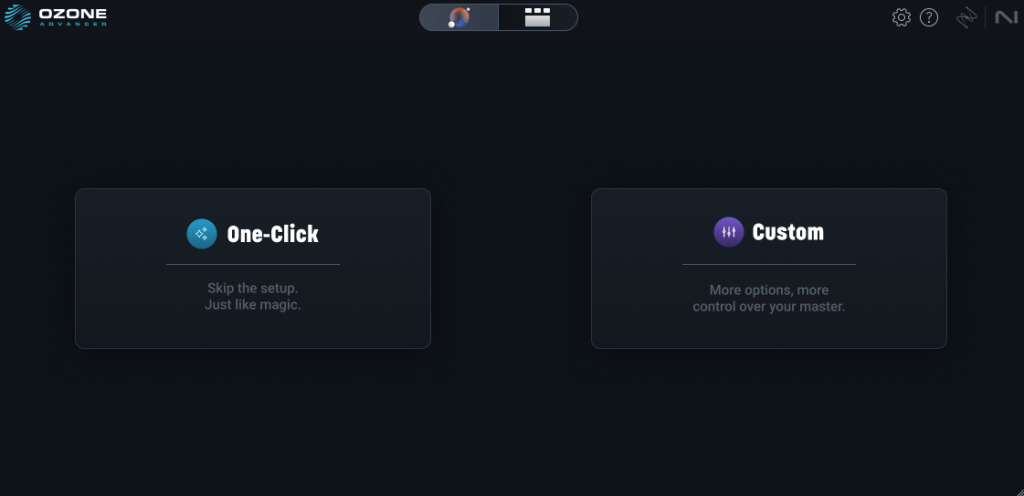

This is the core of it all, right? One-click mastering!
Personally, I’m not a huge fan of one-click solutions, and after testing it on a few projects, it feels like there’s still room for improvement.
That said, unlike older versions that relied solely on one-click mastering, you can now pick and choose effects to create a custom chain. Starting with suggestions for EQ, limiter, and imager can be a great jumping-off point! 😊
The other plugins are fairly well-known, so I’ll skip the deep dive there.
Both iZotope and Acon Digital have made it possible to perform stem mixing at the mastering stage using just a stereo track. It’s wild how far we’ve come!
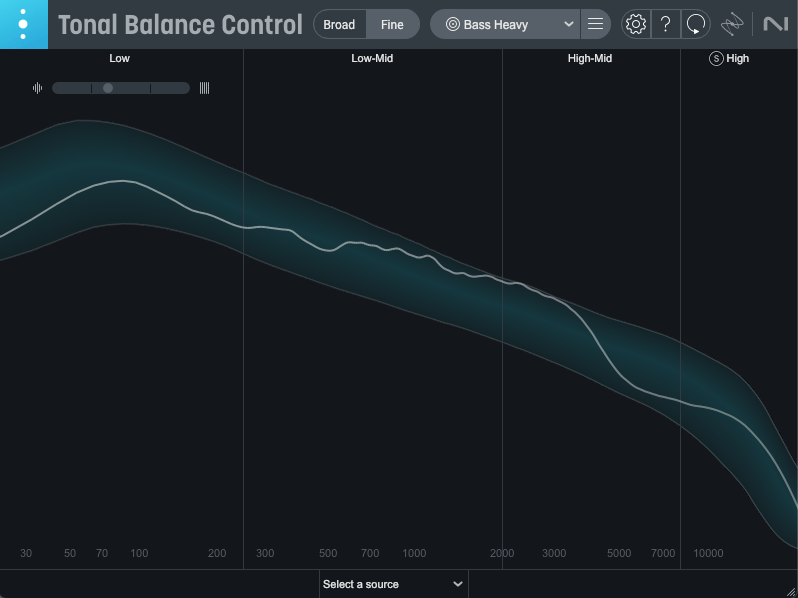
Oh, and among the Advanced version’s additional plugins, I highly recommend Tonal Balance Control 2. When my ears feel off (like when I’m under the weather), this plugin always reveals something’s slightly amiss.
It’s also fantastic for studying other tracks and establishing your own reference point. Definitely give it a try!

Ozone comes in three versions: Elements, Standard, and Advanced. The table above details which plugins are included in each, so check it out to find the one that suits your needs.
Personally, I love Low End Focus, Stem EQ, Bass Control, and Impact, so I’d recommend Advanced. Standard is a solid choice too, but Elements might feel a bit limiting.
You can try the demo to see for yourself. I hope you find it useful!
Until next time! 😊

 Jooyoung's Music Blog