Brainworx Mixing Month Plugin Sale (2): Black Box Analog Design HG-2 (~3/31, $31.90)

Hey there! I’m Jooyoung Kim, an engineer and music producer.

Today, I’m picking up where I left off to talk about more of the Brainworx plugins on sale this month:

  1. Shadow Hills Mastering Compressor – Compressor
  2. Shadow Hills Mastering Compressor Class A – Compressor
  3. Black Box Analog Design HG-2 – Saturator
  4. Black Box Analog Design HG-2MS – Saturator
  5. Mäag Audio EQ4 – EQ
  6. SPL Transient Designer Plus – Transient Shaper

In this post, I’ll be diving into the Black Box Analog Design plugins from that list—specifically HG-2 and HG-2MS.

As I mentioned last time, I personally bought and have been using 1, 3, and 5. For this round, I received NFR (Not for Resale) licenses for 2, 4, and 6 from Brainworx via Plugin Boutique.

Also, if you purchase through the links in this blog, I’ll earn a small commission, which really helps me keep going—so thank you in advance! ㅜㅠ

Ready? Let’s get started!


3 & 4) Black Box Analog Design HG-2 and HG-2MS
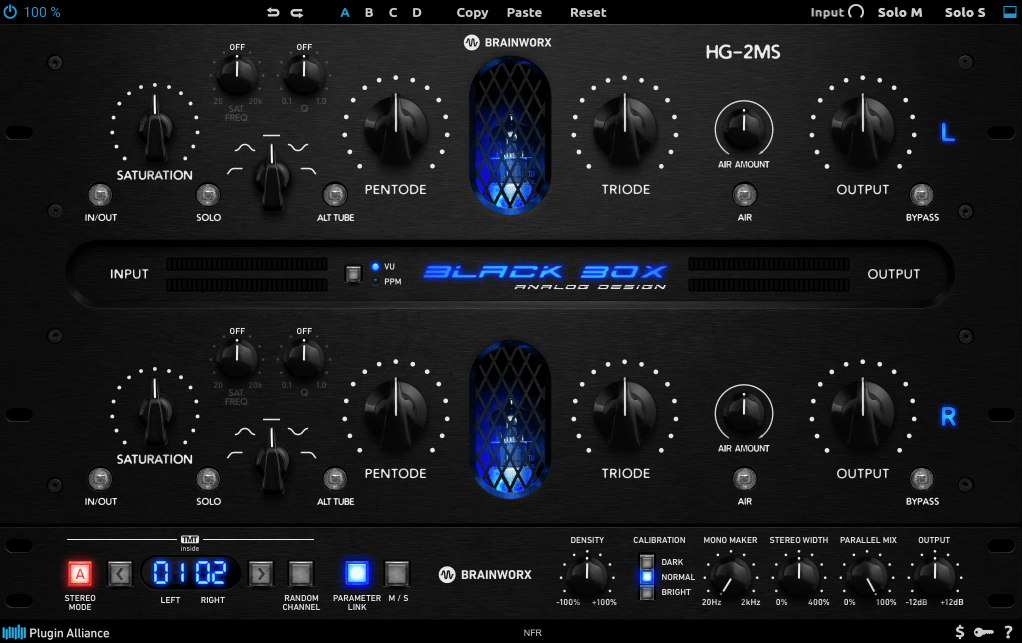
Click image to purchase Black Box Analog Design HG-2Ms

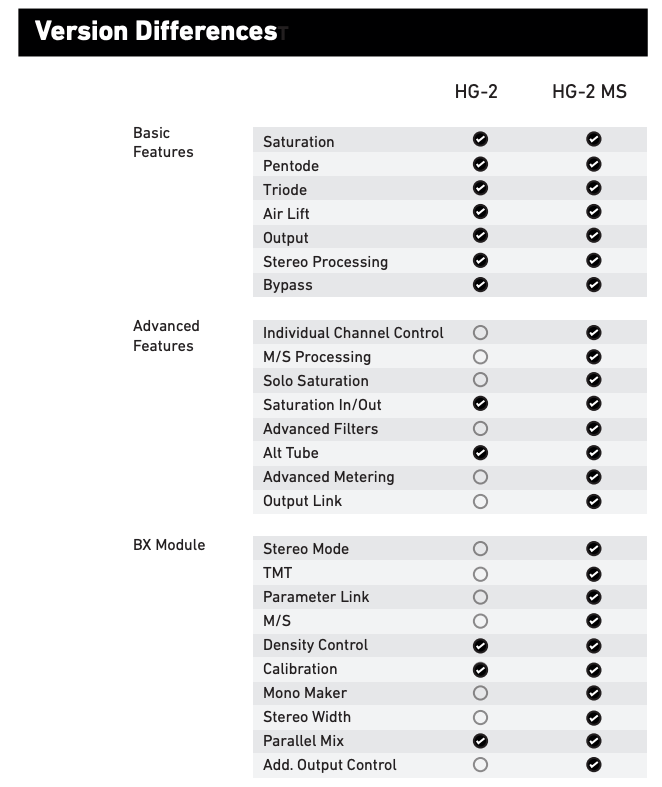
When I tested these two, I noticed that with the same parameter settings, their responses are pretty much identical. The differences are outlined in the manual, but since they’re so similar, I’ll explain them together using the HG-2MS as the reference point.
First off, these plugins are recreations of the HG-2 hardware from Black Box Analog Design. As you’d expect, it’s all about those glorious vacuum tubes front and center. The HG-2 uses a combination of pentode and triode tubes, running your signal through both for that signature tube saturation—that’s the core of what this hardware (and plugin) is about.

It also has an extra triode tube you can blend in. The original hardware’s signal routing looks something like this:
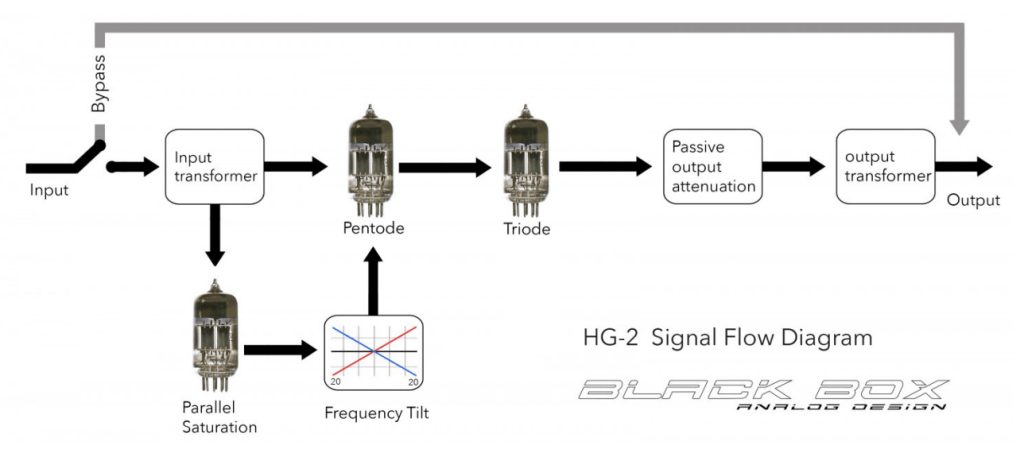
The output stage features a Sinemag transformer, while the parallel saturation path uses a pair of 12AX7 triode tubes.

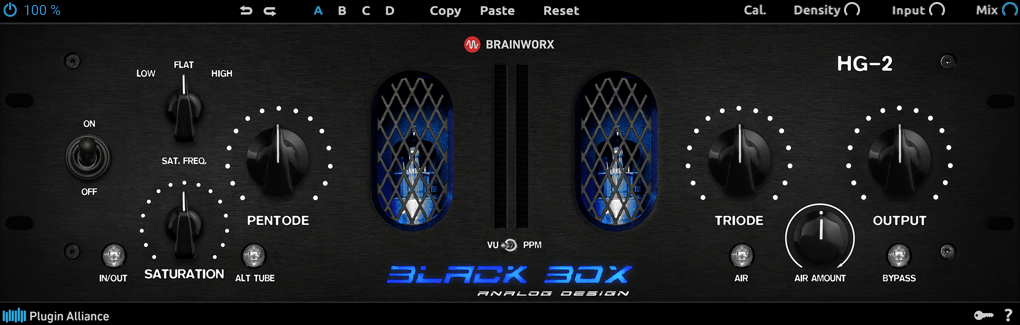
Looking at the parameters, the “Saturation” knob on the far left controls the amount of parallel saturation. The IN/OUT button toggles whether this parallel processing is active, and the ALT TUBE button switches the tube manufacturer for the parallel saturation path, altering the harmonic distortion character.

Even if you turn off the Saturation knob, the signal still passes through the pentode and triode tubes in series, so this is a piece of gear (or plugin) that’s inherently heavy on saturation. That means if you set either Pentode or Triode to 0%, you’ll get no sound at all.

Let’s break down how it works:
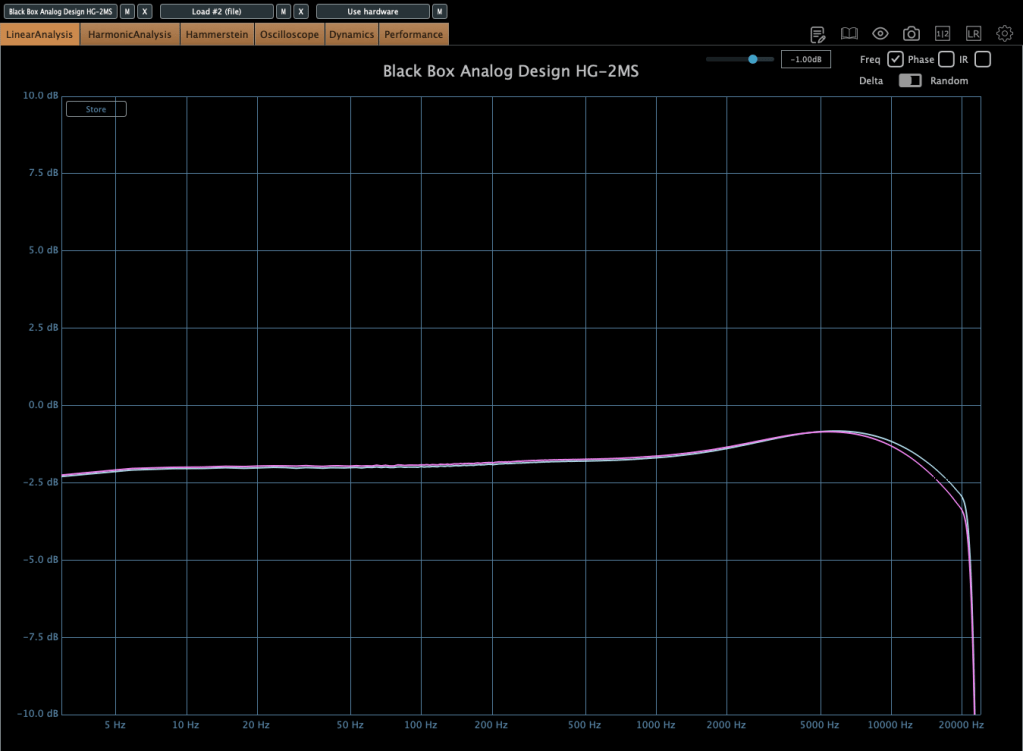
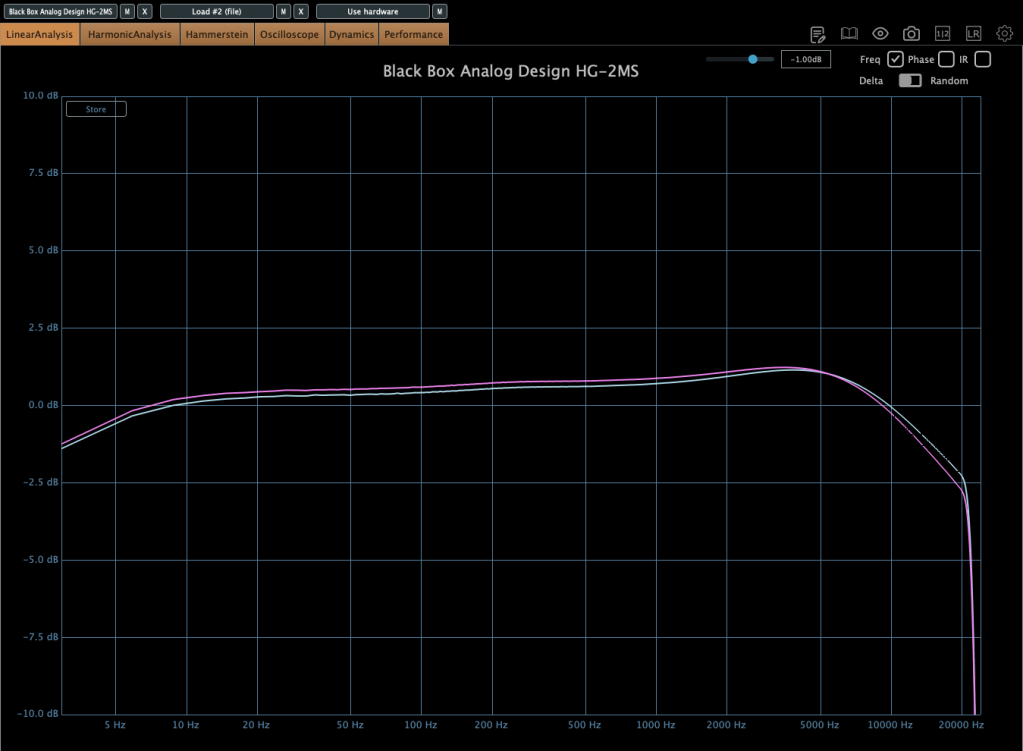
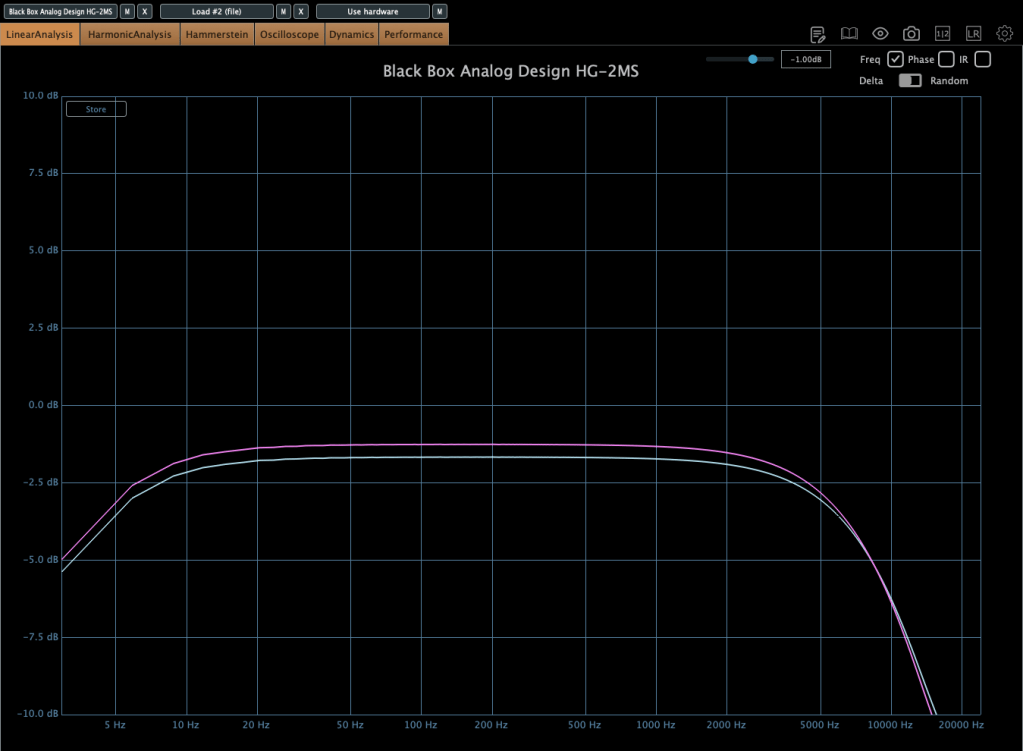
Photo: Frequency response—Default state, Saturation In, Alt Tube pressed, from top to bottom

This shows the frequency response in the default state, with Saturation turned on, and with Alt Tube engaged.
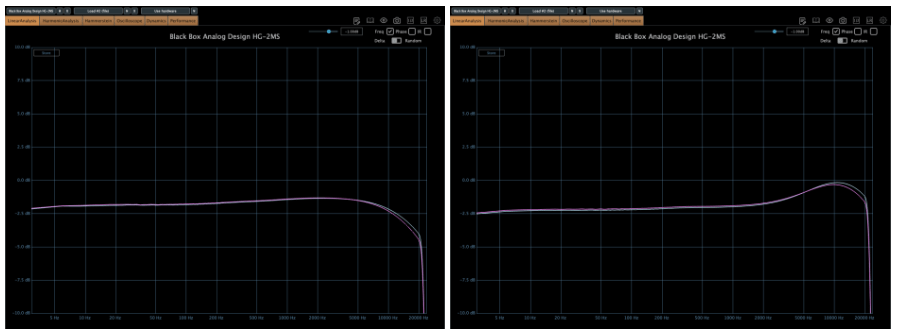
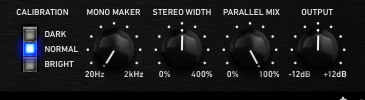
Photo: Frequency response—Dark vs. Bright calibration, from right bottom

Here’s the response with the Calibration knob set to Dark and then Bright.
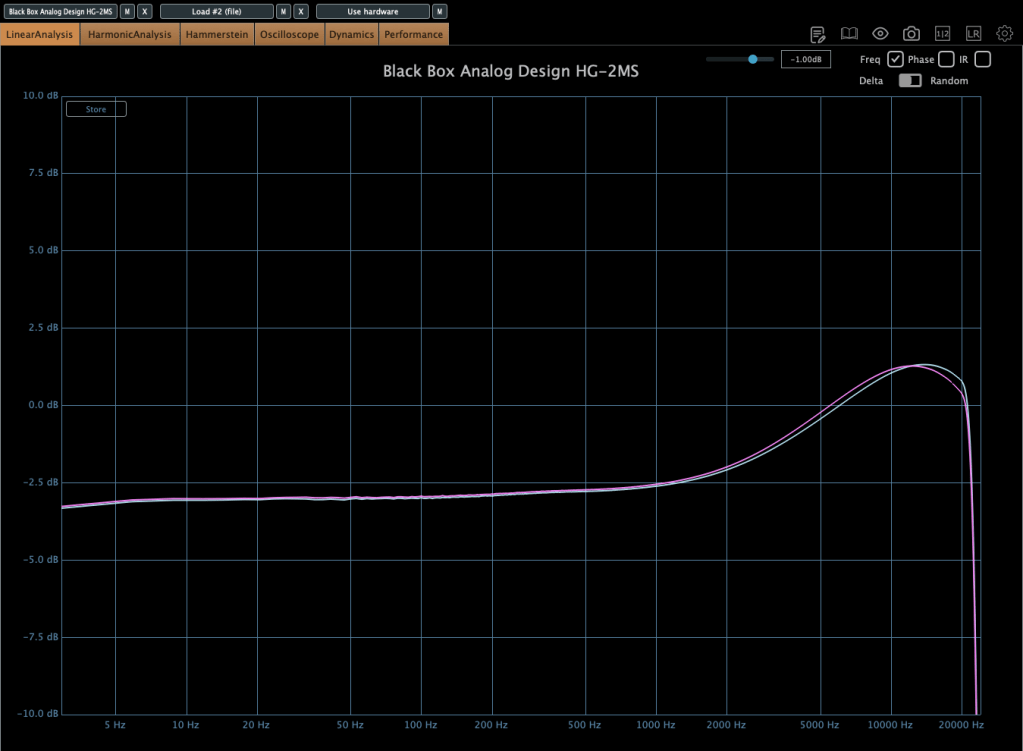
Photo: Frequency response—Air Amount at 100%

This is with the Air Amount cranked to 100%.
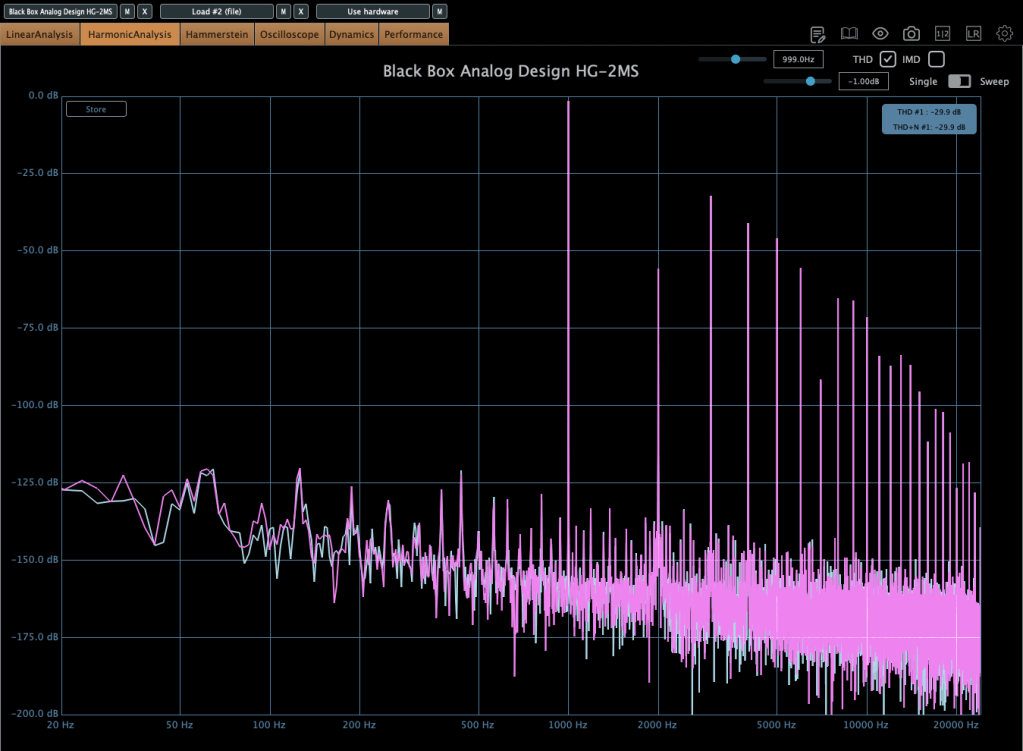
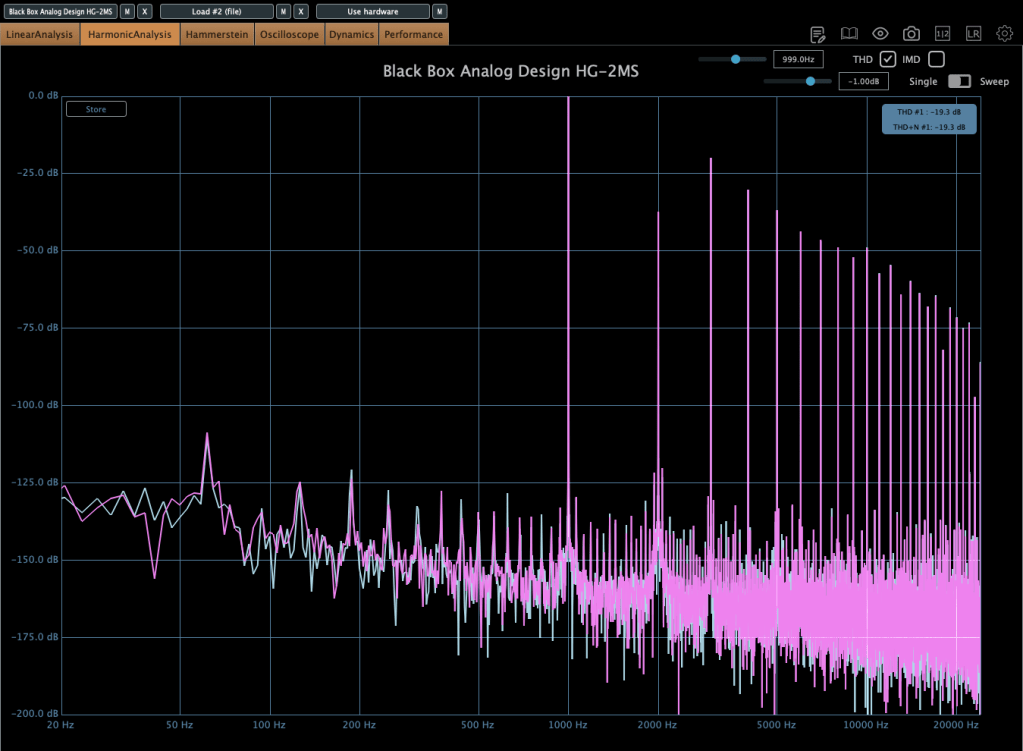
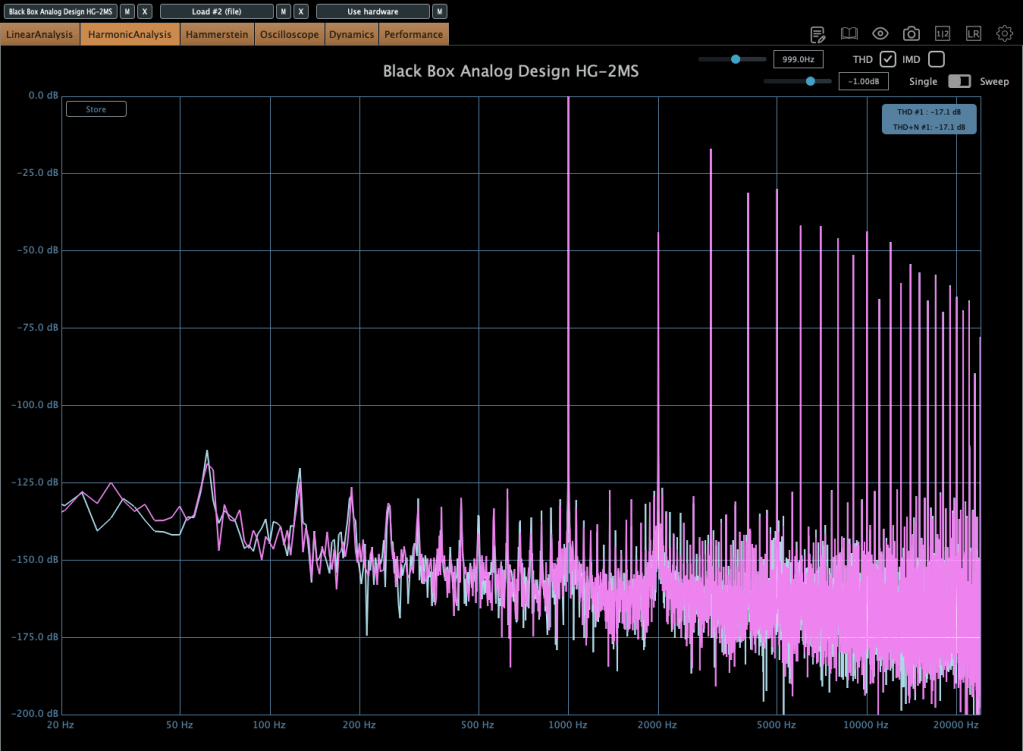
Photo: Harmonic distortion—Default state, Saturation In, Alt Tube pressed, from top to bottom

These show harmonic distortion in the default state, with Saturation on, and with Alt Tube pressed. You can see the distortion really jumps when you add parallel saturation—it’s noticeable in the harmonics, and you can hear it too; the overtones come alive.
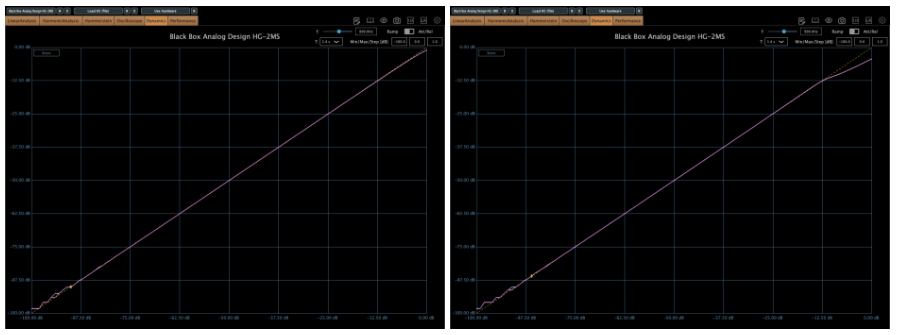
Photo: Default state vs. Saturation In, left and right

Interestingly, even though this isn’t a compressor, it starts to subtly compress when the input gets loud enough. The left is the default state, and the right is with parallel saturation active.
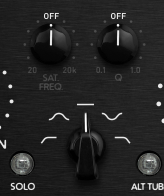
Now, these parameters let you shape how the parallel saturation sounds. Hit the Solo button, and you can isolate just the parallel saturation signal.
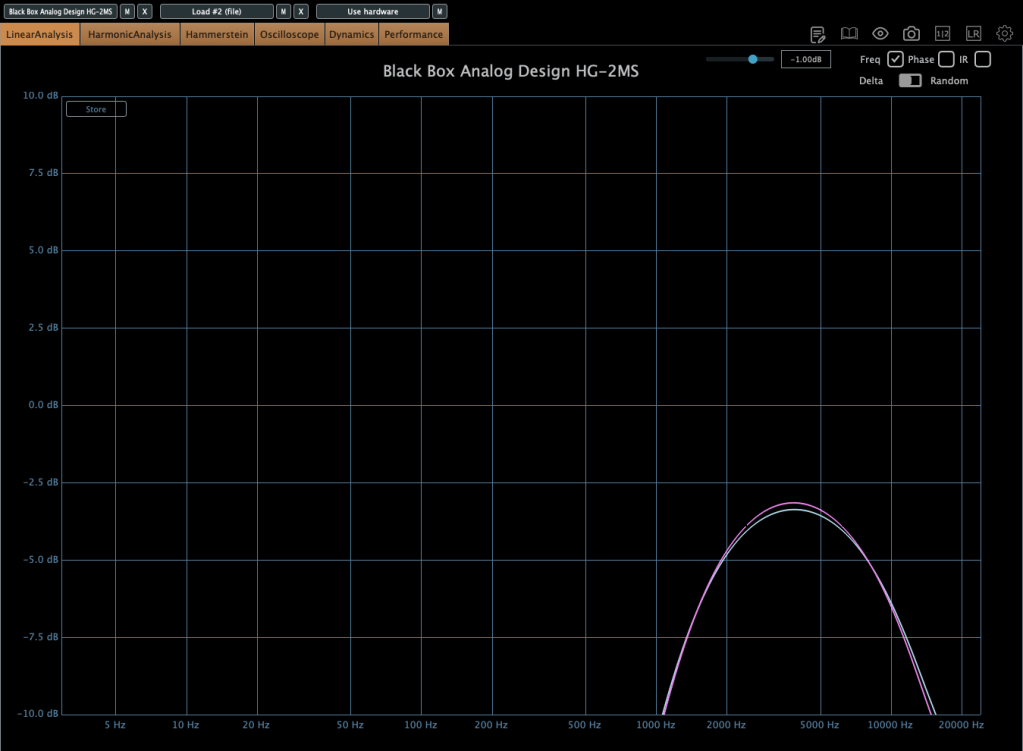
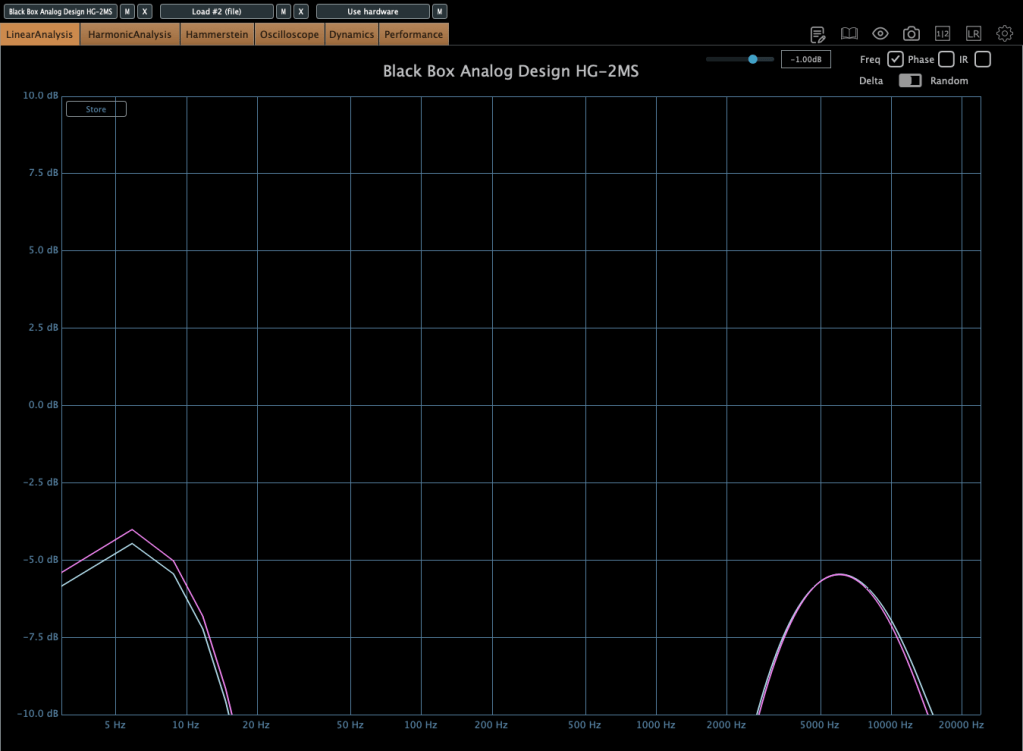
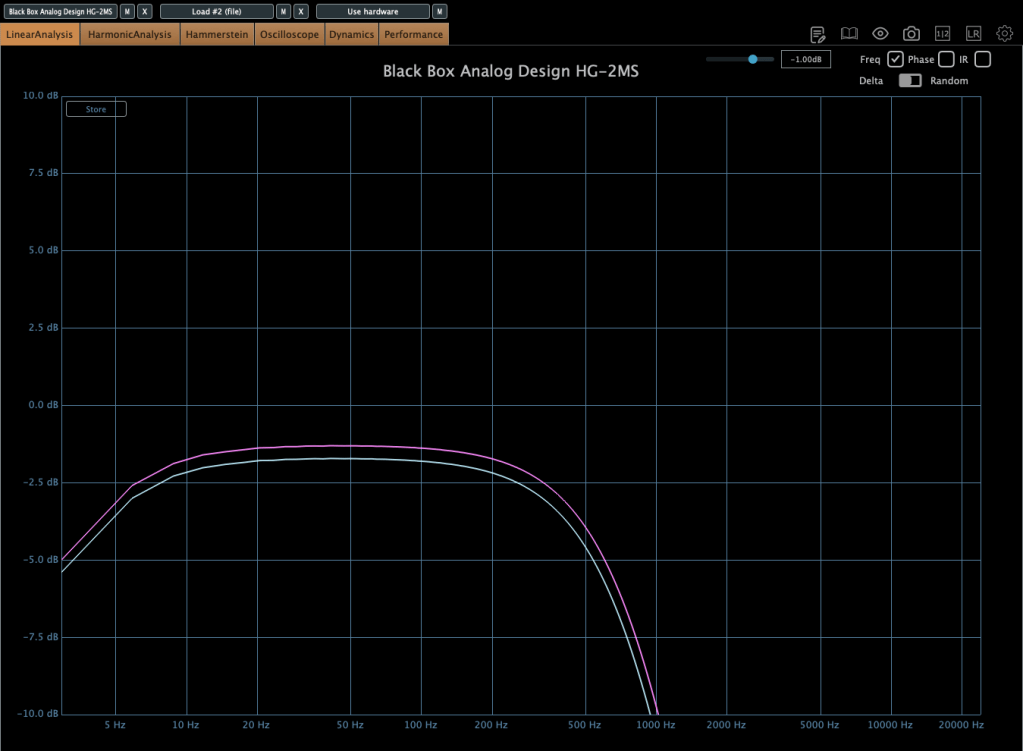
Photo: Frequency response by parameter—High Pass, Band Pass, Flat, Band Stop, Low Pass, from up to down

I measured the frequency response for each setting to show which frequency bands they affect—High Pass, Band Pass, Flat, Band Stop, and Low Pass.


Add colorful, frequency-selective tube saturation with M/S processing. Made by Brainworx, this is your mix bus’ best friend. Celebrated mix engineers like Dave Pensado, Bob Horn, and Jack Douglas rely on the sweet tubes and creamy-sounding transformers of the HG-2.

Personally, I like setting the Saturation to Flat, dialing back the Pentode a bit, and boosting the Triode. It gives a really nice sound—perfect for adding a touch of saturation at the final stage, like a sweet seasoning for your track.

If you’ve been thinking about a tube saturation plugin, this is a great chance to snag one at a discount.

That’s it for now—see you in the next post!
Brainworx Mixing Month Plugin Sale (1): Shadow Hills Mastering Compressor (~3/31, $31.90)

Hey there! I’m Jooyoung Kim, an engineer and music producer.

This month, Plugin Boutique is holding a sale on six Brainworx plugins, and they’re all worth checking out—so I thought I’d share them with you!

Here’s the lineup of plugins on sale:

  1. Shadow Hills Mastering Compressor – Compressor
  2. Shadow Hills Mastering Compressor Class A – Compressor
  3. Black Box Analog Design HG-2 – Saturator
  4. Black Box Analog Design HG-2MS – Saturator
  5. Mäag Audio EQ4 – EQ
  6. SPL Transient Designer Plus – Transient Shaper

I originally bought and have been using plugins 1, 3, and 5 myself. For 2, 4, and 6, I requested NFR (Not for Resale) licenses from Brainworx through Plugin Boutique.

In this post, I’ll focus on introducing the Shadow Hills Mastering Compressor and its Class A version.

If you purchase through the links in this blog, I’ll earn a small commission, which really helps me keep doing what I love—so thank you in advance! ^^

Let’s dive in!


1) Shadow Hills Mastering Compressor

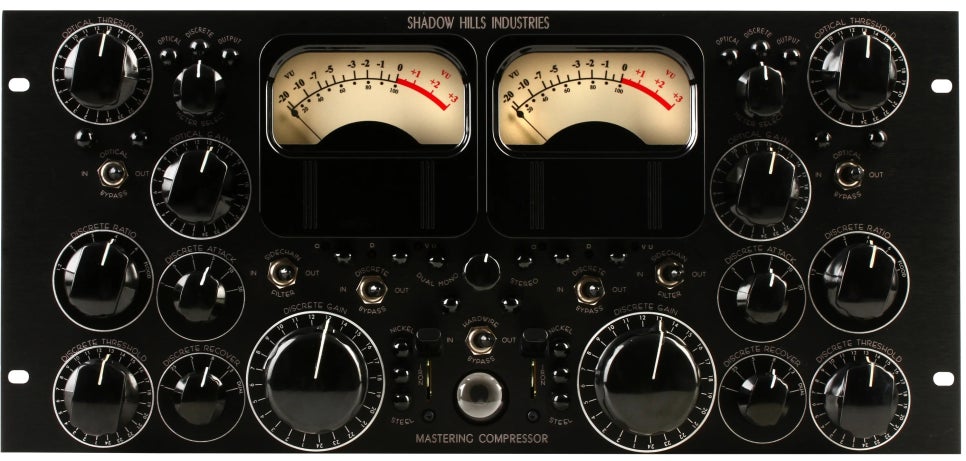
Tame your dynamics with tremendous tone and precise control. Made by Brainworx, this is the supreme tycoon of master bus compression. Meticulously modeled after the instantly legendary hardware original, no details have been spared in crafting this digital version of one of the most musical and versatile compressors ever made.

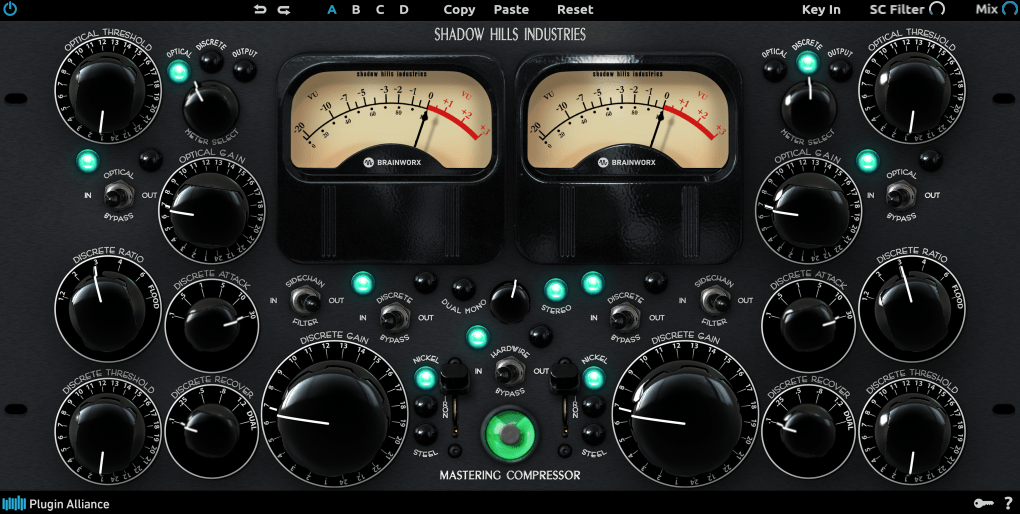
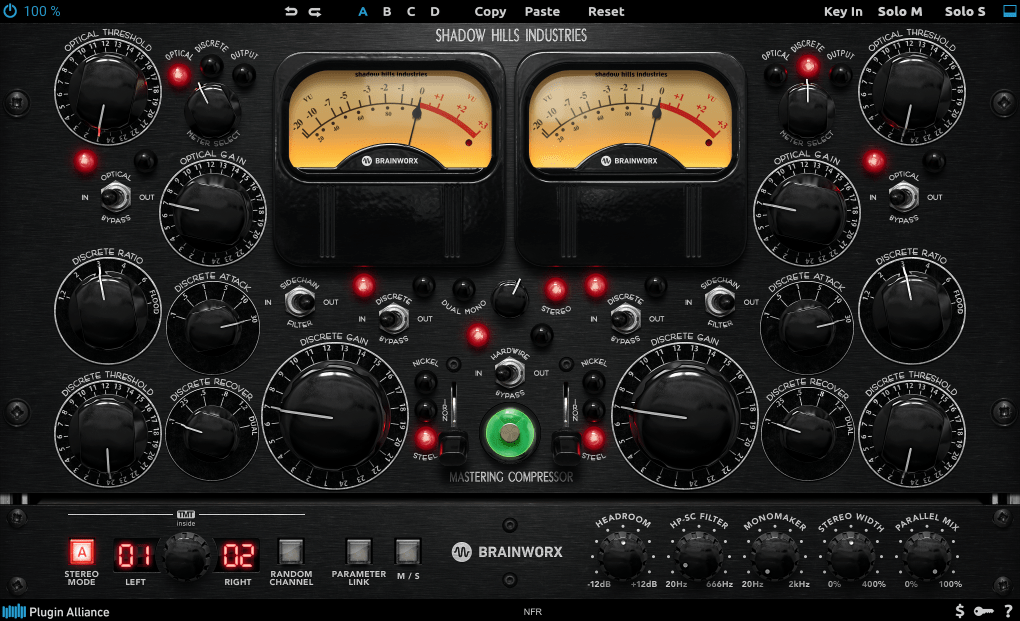
This plugin is a faithful recreation of the famous Shadow Hills Mastering Compressor.

You’ve probably seen this pricey beast in mastering rooms. Back in the day, it cost around $10,000, but I hear it’s closer to $20,000 now—haha! Inside this compressor, you’ve got two flavors: an Opto compressor and a Discrete (VCA) compressor. Plus, it offers three output transformer options—Nickel, Iron, and Steel—for different tonal characters.

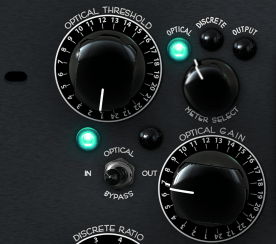
The Opto section uses a T4B cell, like the ones in the LA-2A or LA-3A, aiming to mimic that vibe. You can’t adjust the ratio, and it has a two-stage release (fast at first, slower later), much like the LA-2A.

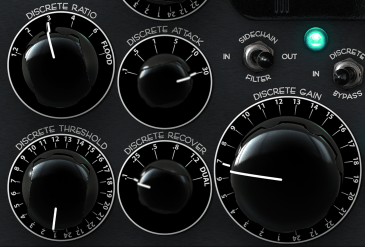
The Discrete section is a VCA compressor with a bunch of tweakable parameters. They’re pretty straightforward once you look at them. For example, in the Ratio settings, “FLOOD” is around 20:1, and in Recovery, “Dual” means it follows a two-stage release like the Opto mode.

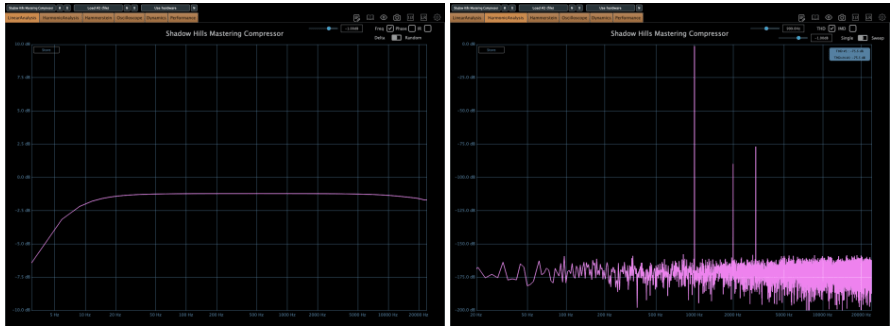
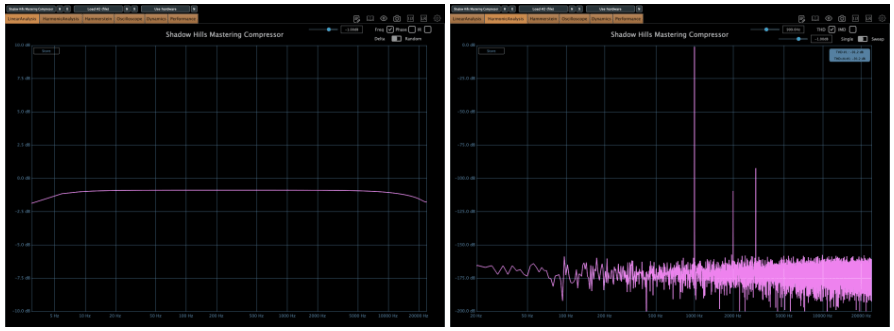
The transformer options are described in the manual like this (though I’d recommend checking frequency response and harmonic distortion tests too, with the compressors bypassed and just swapping transformers):

  • Nickel: The cleanest option with the least distortion. It subtly emphasizes ultra-high frequencies.
  • Iron: Adds a Class-A amplifier section for even-order harmonic distortion and a super musical low-end boost.
  • Steel: The most distorted option, delivering an ultra-tight low-end boost. Personally, I’m a fan of Steel—haha!
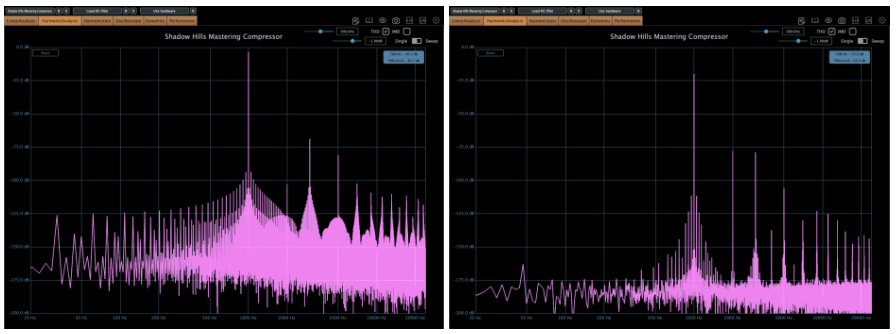
Left side Opto, right side Discrete

The Opto side adds some harmonic distortion, while the Discrete side is cleaner—both in Plugin Doctor measurements and by ear.

When I use this plugin, I tend to turn off the Opto and stick to the Discrete settings. It just feels cleaner that way, which suits my taste—I love crisp, clear sounds. The Class A version (up next) feels the same way to me… haha!


2) Shadow Hills Mastering Compressor Class A

An even smoother-sounding version of the elite mastering compressor. Made by Brainworx, this upgrade to one of the most prestigious hardware compressors of today is enhanced with patented TMT modeling. The Shadow Hills Mastering Compressor Class A Limited Edition is one of the rarest and most powerful high-end compressors out there.

This one’s a plugin recreation of the Class A VK hardware—a limited-edition model from 2012, made in collaboration with Vintage King, with only 50 units ever produced.

Here’s what sets it apart:

  1. The VCA compressor’s amplification stage is entirely Class A.
  2. It uses a Lundahl input transformer, known for its clarity.
  3. The internal wiring is handcrafted with Mogami cables.
  4. It swaps the standard LEDs for red ones (a small but cool difference!).

Testing this out, I realized something: I own the regular Shadow Hills Mastering Compressor but rarely use it. The Class A version, though? The Discrete mode really clicked with me—I’ll definitely be reaching for it more often. The sound is just so clean and polished.

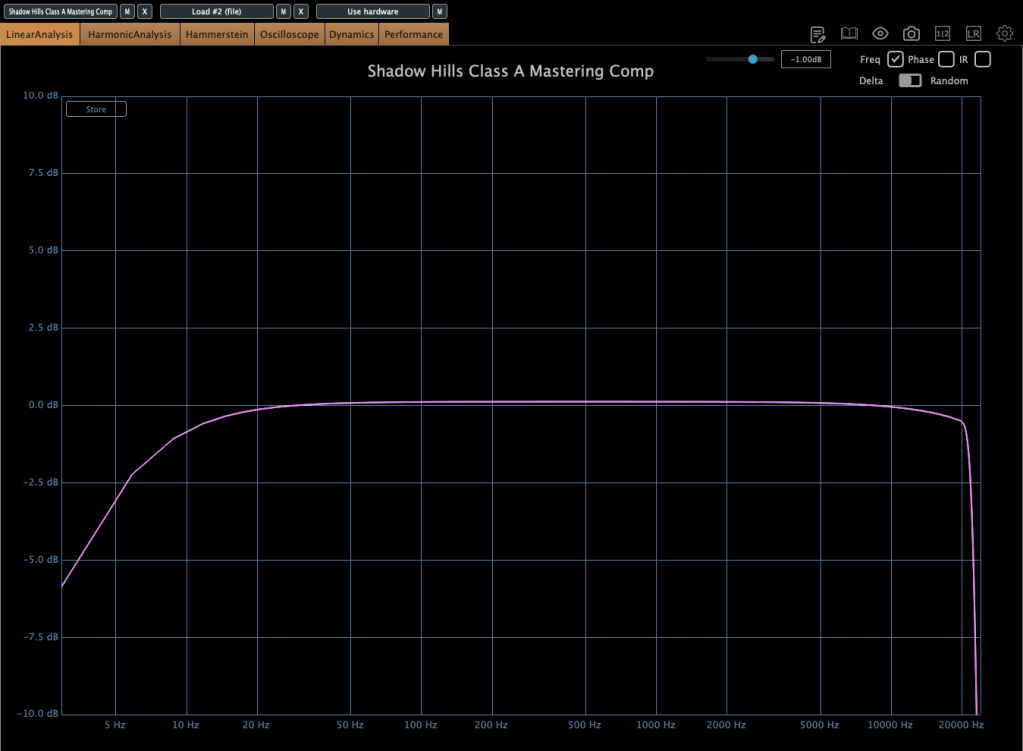
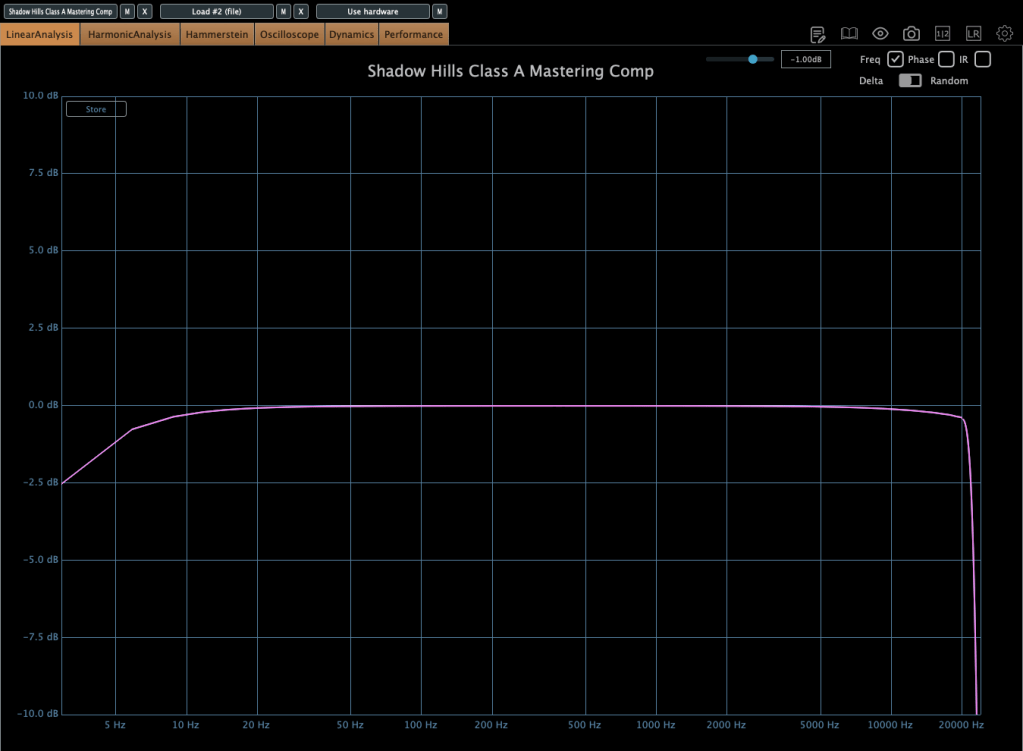
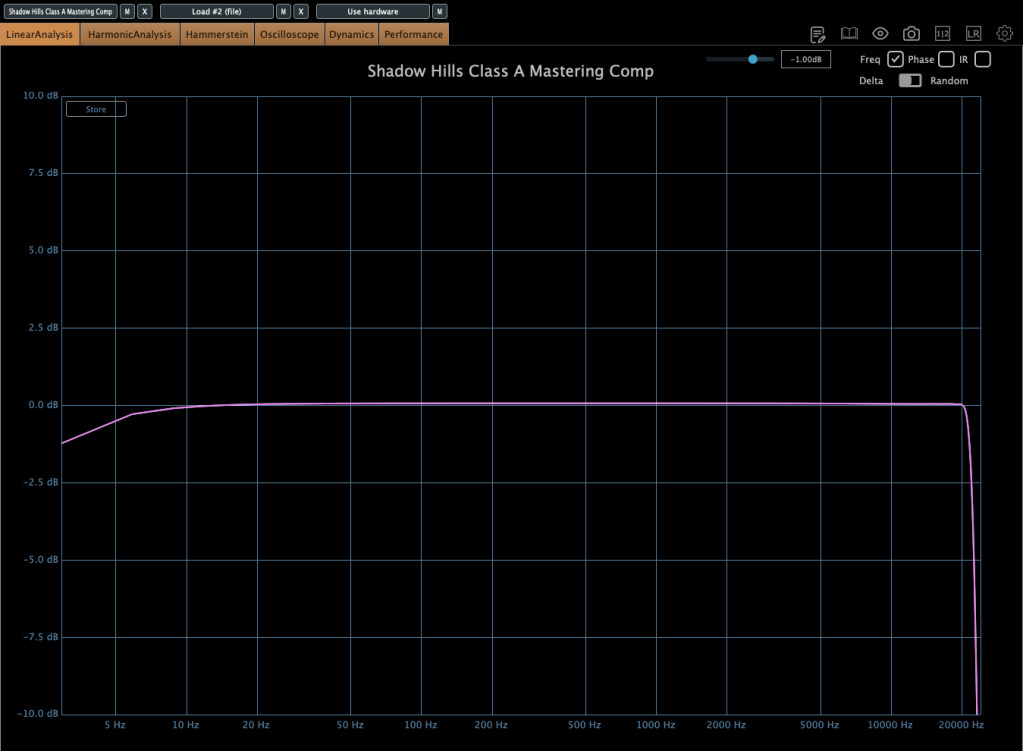
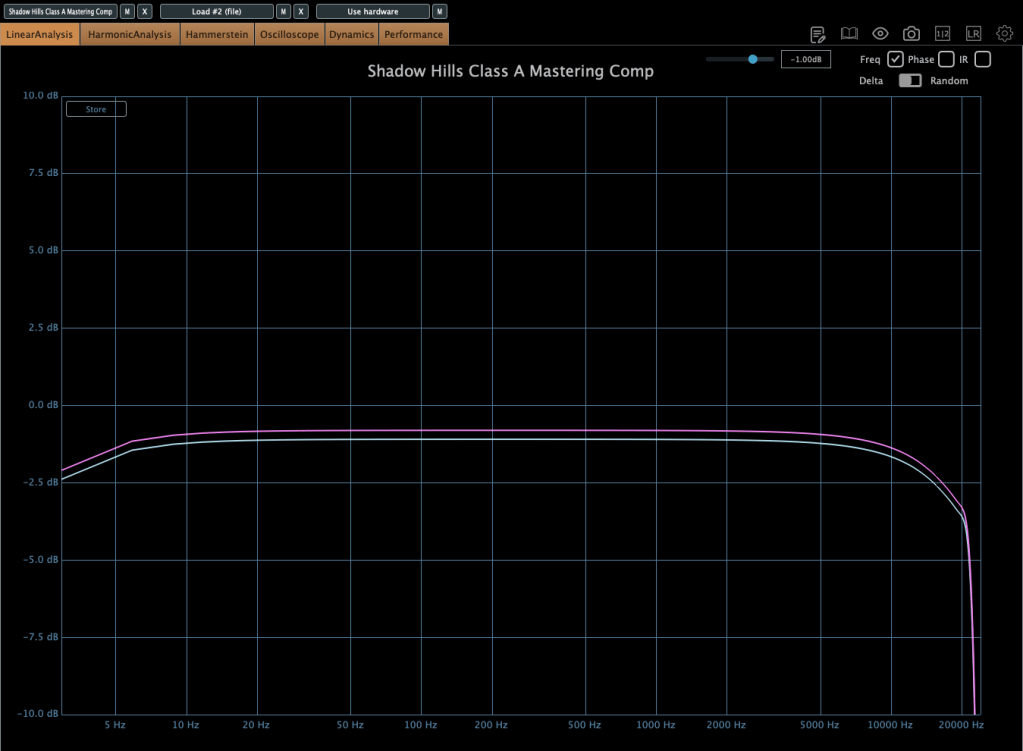
The workflow is the same as the original Shadow Hills Mastering Compressor, but the frequency response differs a bit.

[Photo: Opto, Discrete bypassed, frequency response followed by Nickel, Iron, Steel]

Frequency Response with Opto

When using the Opto mode, the frequency response shows it cuts quite a bit of the high end. I’m a sucker for lively highs and ultra-highs, so it’s not my thing—but I know plenty of people who love that sound!

I wanted to show you the harmonic distortion too, but Plugin Doctor seems to glitch out and not display it properly… haha. Oh, and one more thing: in both the original and Class A versions, the Opto mode is Hard Knee, while Discrete is Soft Knee. Sometimes this shows up weirdly or doesn’t apply correctly—ugh, bugs!

Anyway, the Discrete section on this Class A version is fantastic. I’ve got it set to Steel and Discrete, and I’ll probably use that combo a lot. If you’re choosing between the original and this one, I’d recommend the Class A.


Wrapping Up

When you buy from Plugin Boutique, you get a free plugin with your purchase. This month, it’s either Audiomodern Freezr or Heavyocity MicroFX Refiner—don’t forget to grab one!

That’s it for today. I’ll pick up with the rest of the plugins in my next post—stay tuned! ^^

Basics of Mixing – 14.4 Quantization Error & Dither

Hello! This is Jooyoung Kim, mixing engineer and music producer.

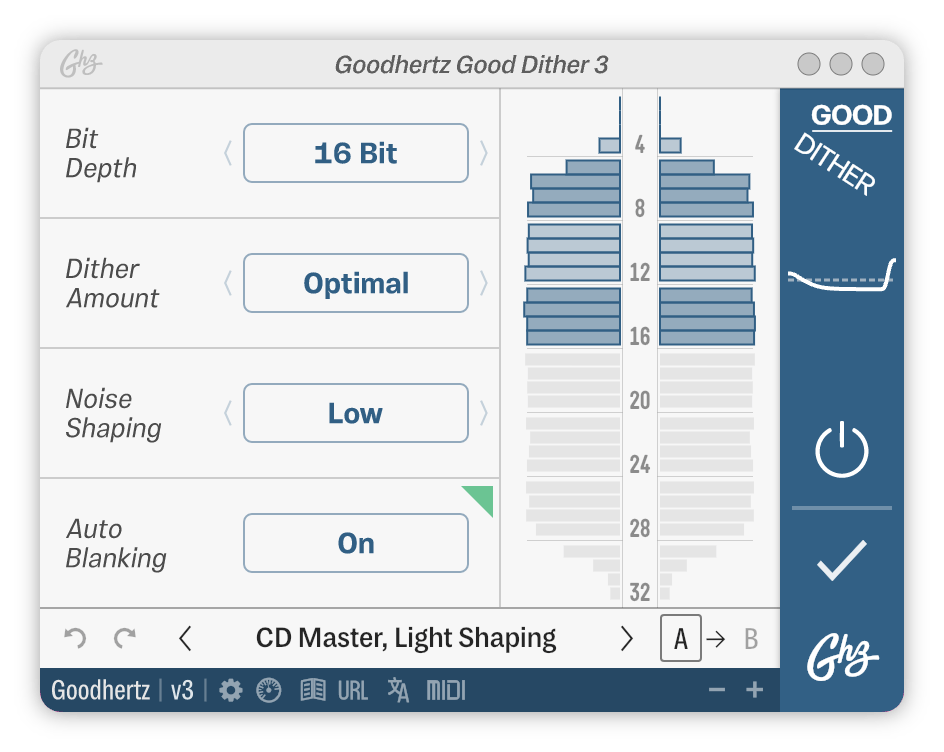
Today, I’d like to introduce dither/dithering, the final step in mastering. This article is based on my book, Basics of Mixing, published in South Korea.

Let’s start!


Before we talk about dithering, we must know “quantization error”. Then, what is quantization?

You may have heard the word “quantum” like quantum physics or quantum electrodynamics. Quantum means ‘discreteness’ or ‘lack of continuity’. In microscopic world, particles like electrons, protons, and neutrons have discrete physical properties. So, the word ‘quantum’ often used in particle/nuclear/quantum physics.

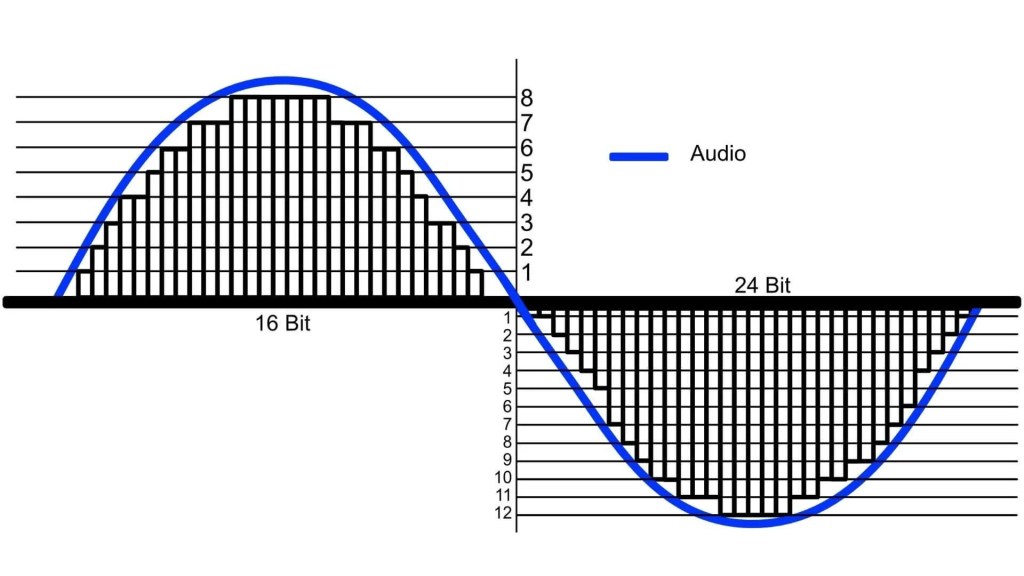
By the way, when we record sounds, they are saved as individual samples by sample rate and bit depth format.

In this process, continuous analog audio signals are converted into discrete digital signals. We can call this is a ‘quantization’ too.

When we play audio, digital signals are converted to analog signals in this kind of staircase format. The differences in magnitude value of original analog signals between converted signals are “quantization error”.

How to solve this problem?

The solution is really simple. Just mix noise with converted signals! The noise may sound slightly annoying, but it makes the audio sound more natural than before.

We call this noise, the solution, “dither”. Dither is more effective on digital audio files with lower bit depth.

As the bit depth increases, these quantization errors become less audible, but since quantization errors can be noticeable in very small sounds, this noise is added at the very last stage of mastering.

In the past, dither was simply used as overall noise from low to high frequencies.

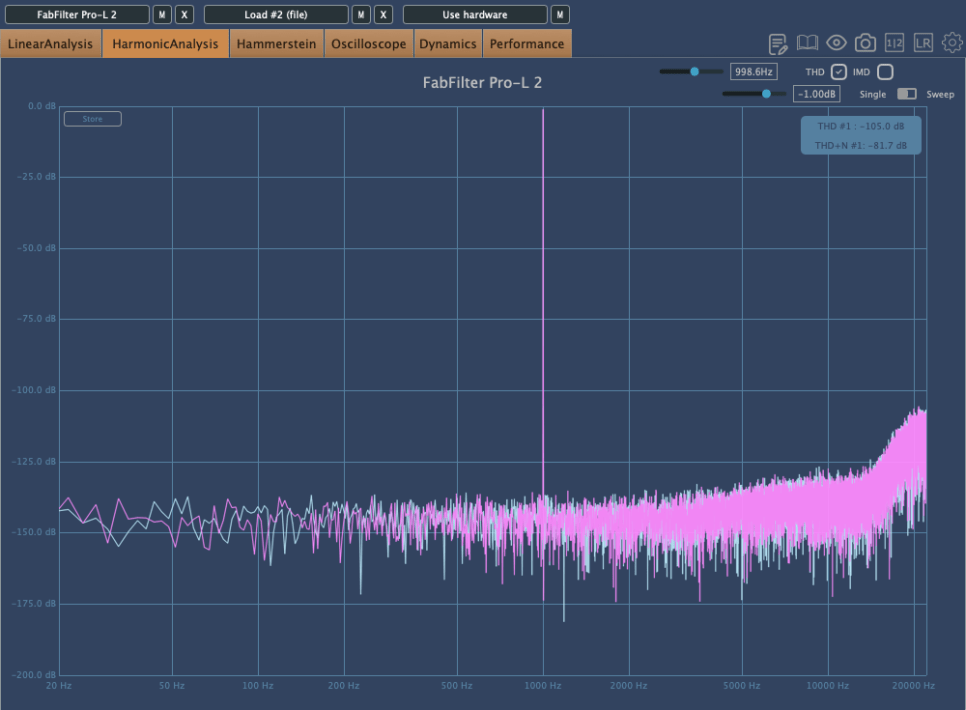
When using the Dither function of Fabfilter Pro-L2

However, since you can use dither as long as there is irregular noise, these days, there are many cases where engineers use dither for ultra-high frequency noise that is low in real sound. Since this is noise, it is common to apply it only once, at the very last stage when all volume adjustments are complete.


Next time, I will explain the codec of music files and finish the basics of mixing. Then, I will see you again in the next article!

5 Brainworx Bettermaker Plugins Review (Bus Compressor, C502V, EQ232D, Passive Equalizer, BM60)

Hello! This is Jooyoung Kim, a mixing engineer & music producer.

Today, I’d like to talk about some plugins from Brainworx’s Bettermaker lineup:

  1. Bus Compressor DSP – Compressor
  2. C502V – Compressor
  3. EQ232D – EQ
  4. Passive Equalizer – EQ
  5. BM60 – Reverb

I originally planned to introduce these plugins last month when they were on sale, but things got a bit hectic, and now I’m sharing them when they’re not discounted… oops! 😅 Still, after testing them out, I can confidently say they’re really well-crafted plugins. If you’re interested, it’s worth keeping an eye out for a sale.

These plugins were provided to me by Brainworx via Plugin Boutique in NFR (Not For Resale) format. If you purchase through the links I’ll include later, I’ll earn a small commission, which genuinely helps me keep doing what I do. 😊

Ready? Let’s dive in!


1) Bettermaker Bus Compressor DSP

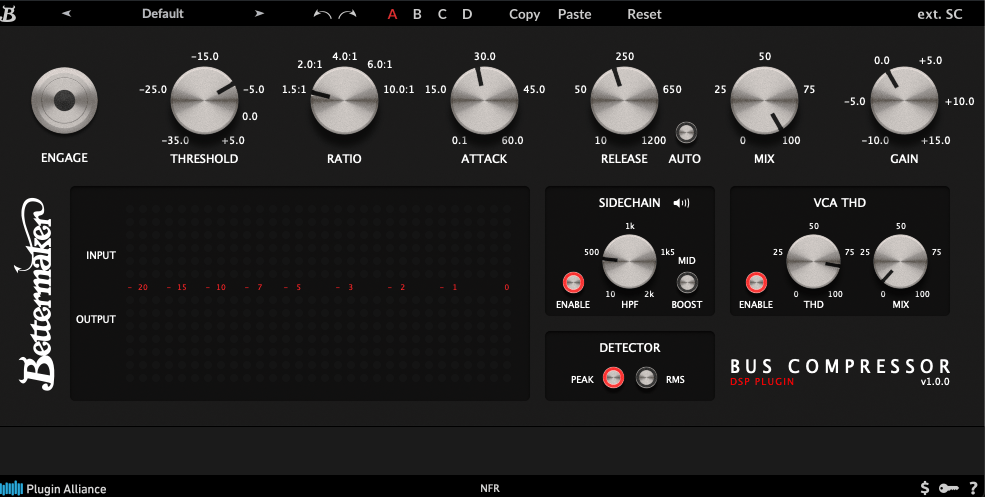
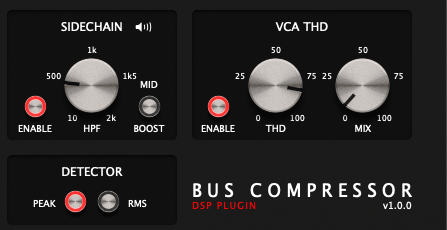
The Bettermaker Bus Compressor is a plugin recreation of Bettermaker’s hardware Bus Compressor. The original hardware allows digital recall and adjustments, and the plugin’s interface mirrors that design pretty closely.

The plugin’s parameters are similar to most compressors, but a few features stand out:

  1. You can listen to the sidechain.
  2. You can choose between Peak Level or RMS detection.
  3. You can dial in the amount of THD (Total Harmonic Distortion).

These three features are the heart of the Bettermaker Bus Compressor DSP. The sidechain splits the incoming signal, applies a filter, and uses the filtered signal as the key—pretty standard for bus compressors, but super useful.

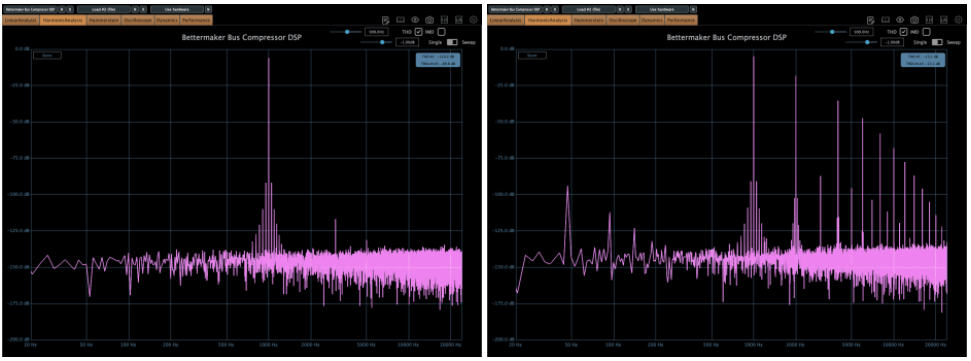
The VCA THD feature adds harmonic distortion.

On the left, you’ve got the clean signal; on the right, it’s with THD applied. Looking at an oscilloscope, you’ll notice more changes—sonically, it starts to feel very mechanical. A subtle touch adds an edgy vibe, but crank it too much, and it feels overly distorted.

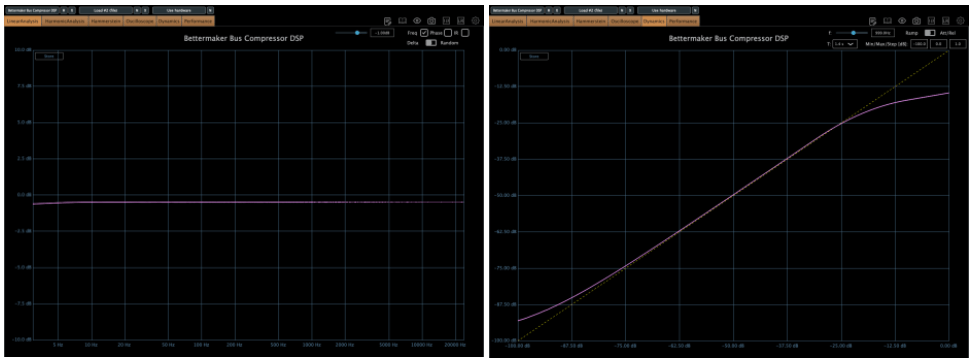
The frequency response is flat except in the ultra-low end, and the compression curve is smooth as butter. After messing around with it, I think it’s an incredibly well-made bus compressor. SSL-style compressors sometimes smear the low end or feel a bit hollow, but this one keeps the lows tight and solid without eating them up.

This one’s a winner. Out of the five plugins I’m covering today, it’s my favorite. It’s usually a steal during sales (probably around $29, so I’d recommend testing it out and grabbing it when it’s discounted.


2) Bettermaker C502V

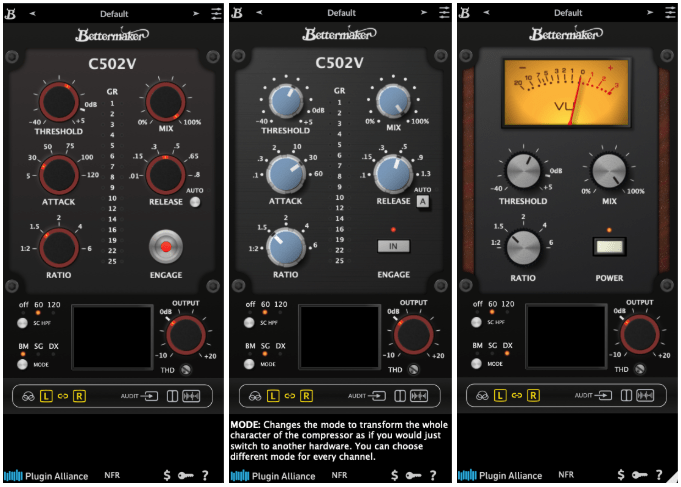
This is another plugin modeled after Bettermaker’s C502V hardware. It offers three modes:

  • BM – Bettermaker Compressor
  • SG – SSL G-Compressor
  • DX – dbx 160 Compressor

Switching modes even changes the UI, which is a nice touch.

After testing, I could hear what each mode was going for. The SSL mode feels clean and polished, while the dbx mode has that signature gritty snap. The Bettermaker mode, though, sounds a bit different from the Bus Compressor DSP—it’s more forward and punchy, at least to my ears.

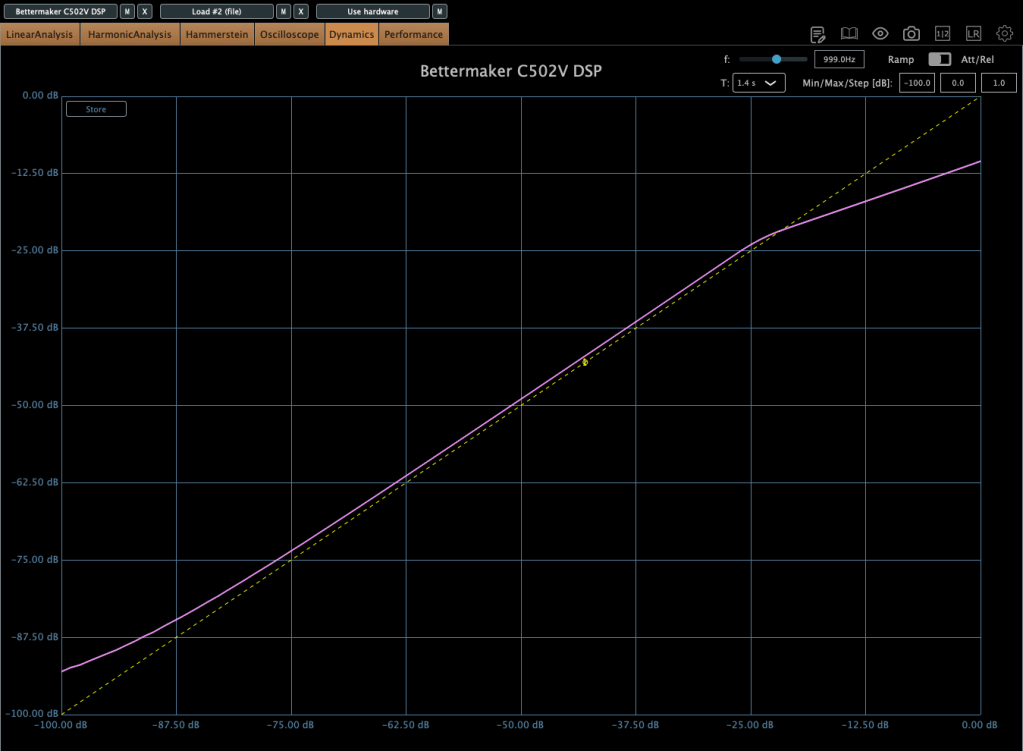
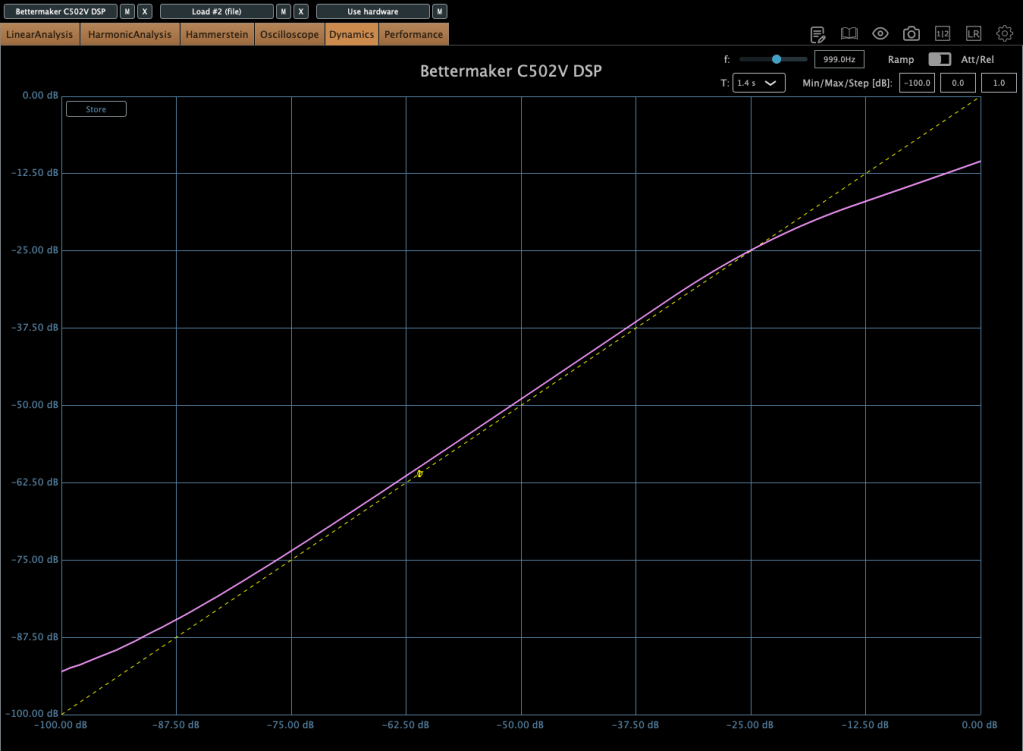
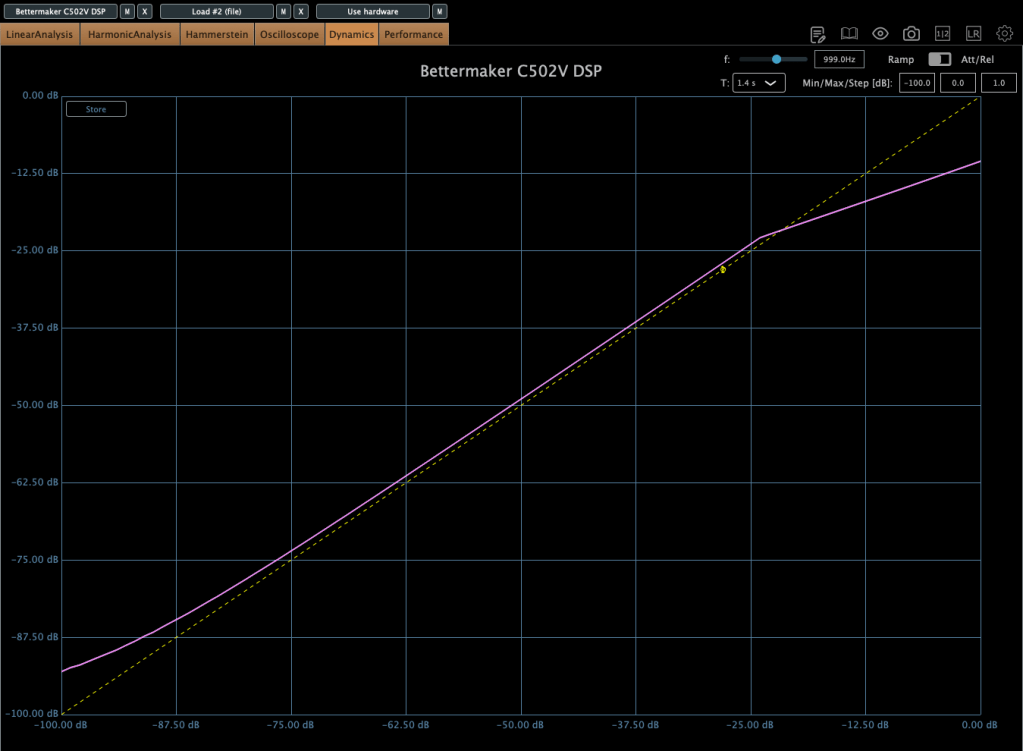
Here’s the harmonic distortion in BM mode with THD maxed out.

First is BM mode, second is SG, and third is DX. The differences in harmonic distortion and compression curves explain why this plugin sounds distinct from the Bus Compressor DSP. The C502V has a steeper knee, and it varies by mode.

I’d recommend this one too—it’s like having three compressor flavors in one. I especially liked the BM and DX modes. If you don’t already own a dbx-style compressor, this could be a solid solution.


3) Bettermaker EQ232D

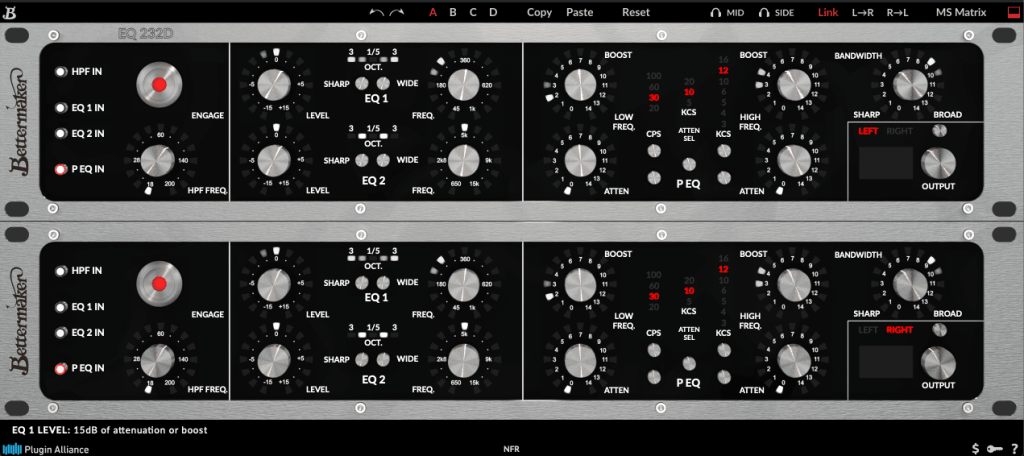
This plugin recreates Bettermaker’s EQ232P MKII hardware—a super clean EQ with no THD, just pure frequency shaping.

It’s split into sections:

  1. A high-pass filter (HPF) for cutting lows.
  2. EQ 1, handling lows to mid-highs.
  3. EQ 2, covering mid-highs to ultra-highs.
  4. A P EQ section with Pultec-style frequency response.

Think of it as a mastering EQ (sections 1–3) plus a Pultec-inspired EQ combined into one.

On the left, I activated just the P EQ section and tweaked it a bit. The curve is as complex as you’d expect from a Pultec-style EQ. Harmonic distortion is pristine, and there’s no compression curve to speak of—it’s just an EQ, plain and simple.

It’s perfect for mastering when you need something ultra-clean. Definitely worth checking out.


4) Bettermaker Passive Equalizer

This one looks like a Pultec clone at first glance, but it’s actually Bettermaker’s unique take on a valve-based passive EQ, turned into a plugin. The hardware allowed computer-based recall, and the plugin follows suit with a similar UI.

The frequency response is close to the Bus Compressor DSP.

But as a valve design, the saturation is intense! Left is the default state; right is with Heat engaged.

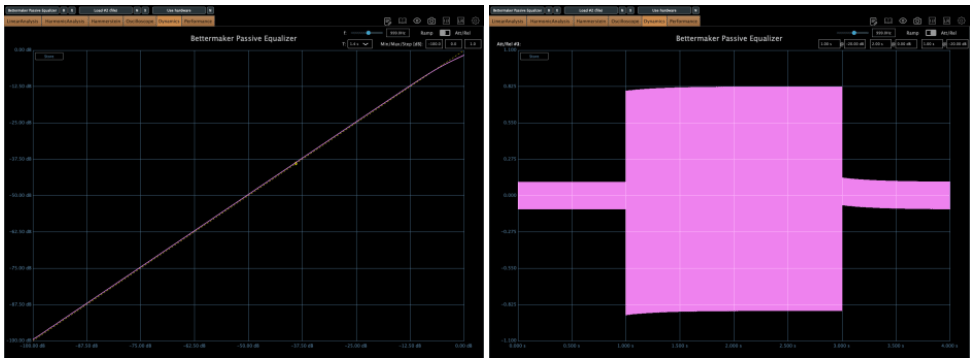
Looking at the compression curve and oscilloscope, it’s far from flat.

Honestly, it feels more like a saturation box with EQ tacked on than a pure EQ. And as a saturation tool, it’s got charm—the Heat setting is pretty tasty.


5) Bettermaker BM60

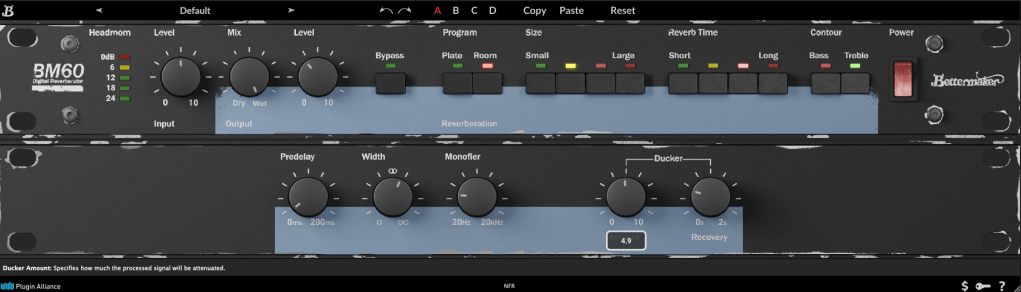
The BM60 is a reverb plugin based on the Lexicon PCM 60. The original hardware had intuitive controls, and this plugin adds extras like Predelay, Width, Monofilter, and a Ducker, making it really versatile.

It offers two reverb types—Room and Plate—with Size and Reverb Time split into four steps. The parameters are straightforward, and the sound feels just as intuitive.

It’s great for light, easy reverb duties. Reverbs and delays are tough to describe with numbers, but I’d recommend this one as much as the Bus Compressor DSP.


They’re not on sale right now, but I’ve left a link to Brainworx’s plugins for future reference. Take a look when you get a chance!


Bonus: This month, if you buy anything from Plugin Boutique, you can snag either Audiomodern’s Freezr (a freeze sequencer plugin) or Heavyocity’s MicroFX Refiner (a bus processor plugin) for free. Don’t miss out when you shop!

That’s it for now—see you in the next post! 😊