Brainworx Saturators Overview & Sale (SPL Machine Head, SPL Vitalizer MK2-T, Elysia Karacter)

Hello everyone! I’m Jooyoung Kim, a mixing engineer and music producer.

Recently, Brainworx released a plugin emulation of the SPL Machine Head, a classic saturation device. Since it’s currently on sale, I thought it would be a great opportunity to introduce not only this plugin but also two other renowned Brainworx saturators: SPL Vitalizer MK2-T and Elysia Karacter.

I received an NFR (Not for Resale) copy of this plugin from Plugin Boutique for review. If you purchase through the links in this blog, I receive a small commission, which helps me continue my work. Your support is greatly appreciated!


SPL Machine Head

The SPL Machine Head was originally released in 1997 as a tape machine saturation simulator. Unlike traditional analog tape machines, this hardware version was fully digital, eliminating wow, flutter, and noise while allowing precise control over the saturation process.

Brainworx has faithfully recreated this in plugin form, bringing its unique sonic characteristics to the digital domain.

Controls Overview:

  • The Original version has 4 knobs, while the Ultimate version has 5.
  • Besides Input and Output levels, the main controls include Drive, High Frequency, and Low Frequency.
Left one is original, right one is ultimate

In the default state, it slightly boosts the high frequencies and enhances third-order harmonics.

Left one is original, right one is ultimate

When increasing the Tape Speed, an actual tape machine would typically alter the frequency response by rolling off both low and high frequencies. However, in this plugin, it seems to achieve a similar effect by adjusting volume and high-frequency slope.

Key Takeaways:

  • Functions as an EQ (HF knob boosts/cuts highs, LF knob boosts/cuts lows)
  • Adds third-order harmonics for natural saturation
  • Slight compression effect at higher input levels

Compared to other saturators I’ve used, the effect is subtle and very natural. I find it particularly useful for enhancing high frequencies, similar to the Maag EQ4 or Baxandall EQ.

🔹 On Sale Until April 22 🔹

Plugin Alliance plugins typically see deeper discounts about a year after release, so if you’re not in a rush, you can wait for an even better deal.

🔹 Recommended Master Bus Settings: 🔹

  1. Ultimate mode
  2. Drive at 0.5
  3. High Tape Speed On (30 IPS)

SPL Vitalizer MK2-T

The SPL Vitalizer MK2-T is a tube-based saturator with versatile tone-shaping capabilities.

I once debated whether to buy this hardware unit or another compressor. I went with the compressor, but the Vitalizer remains an incredibly flexible tool.

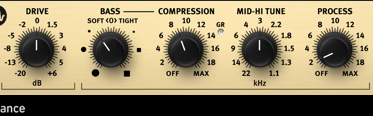
The SPL Vitalizer offers four main processing areas:

  1. Drive
  2. Bass & High-Frequency Control
  3. LC (Inductor-Capacitor) Filter-based High Shelf EQ
  4. Stereo Expander

Control Breakdown:

  • Drive: Determines how much effect is applied, not just input gain.
  • Bass (Soft <0> Tight):
    • Soft: Boosts overall bass
    • Tight: Slightly reduces overall levels while enhancing only the bass region.
  • Compression: Works only on the bass frequencies, with automatic Threshold, Attack, and Release settings. The Compression knob adjusts the ratio.
  • Mid-Hi Tune: A shelving EQ for the mid-to-high range.
  • Process: Controls the overall amount of bass, compression, and mid-high tuning applied.
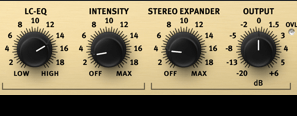
  • LC-EQ: A high-shelf EQ using LC circuits.
  • Stereo Expander: A stereo enhancement tool.

Initially, the controls may feel unfamiliar, but once you get used to them, you’ll find many creative applications.

This plugin goes on sale frequently, so check out the demo before purchasing!


Elysia Karacter
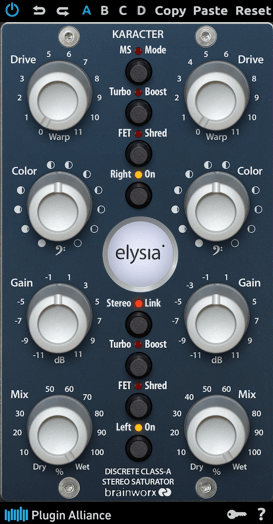
The Elysia Karacter is a highly regarded hardware saturator, now available as a plugin.

It features automatic oversampling:

  • 4x oversampling for sample rates below 50kHz
  • 2x oversampling for sample rates below 100kHz
  • No oversampling for rates 100kHz and above

It also includes MS mode, Turbo Boost mode, and FET Shred mode.
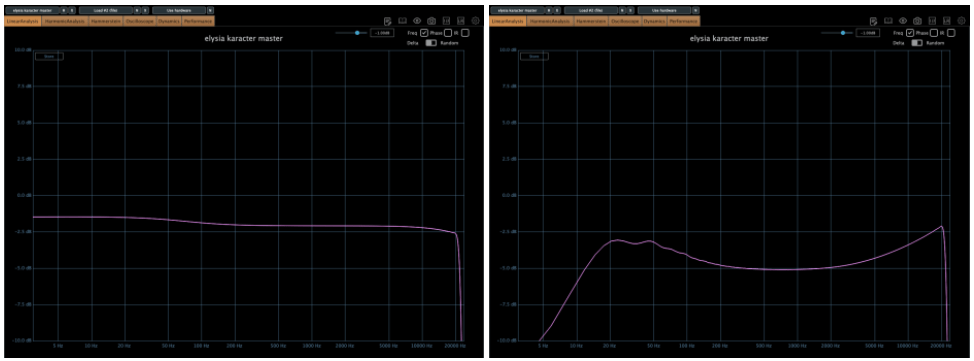
On the left, we have the default settings, while the right shows the FET mode, which emulates the classic “Smile EQ” curve.
⚠️ Caution:

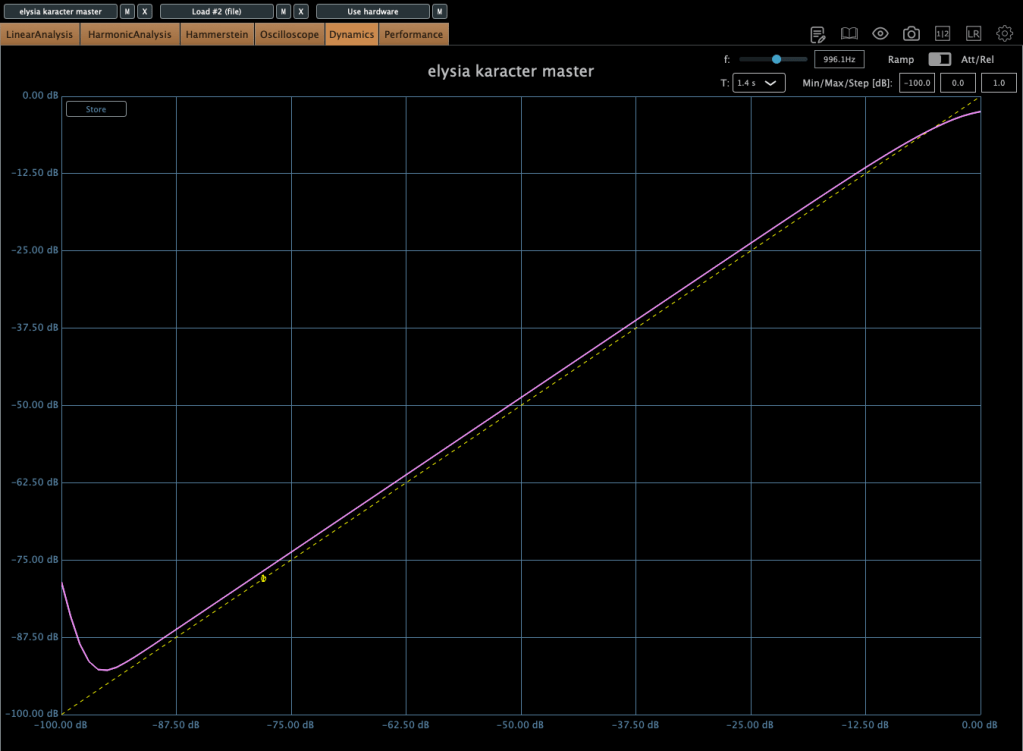
  • If driven too hard, it automatically compresses the signal.
  • This isn’t standard compression but rather an emulation of analog clipping.
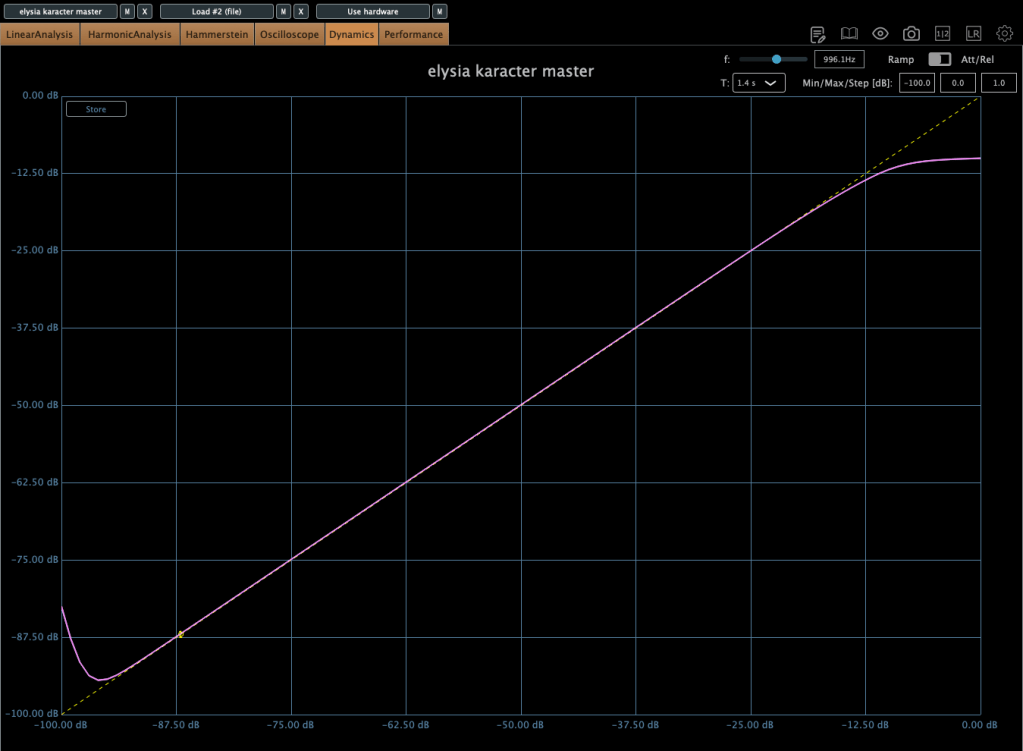
Increasing the Drive lowers the compression Threshold, so careful gain staging is crucial.

Color Knob:

  • Turn left: Boosts ultra-low frequencies (5–50Hz)
  • Turn right: Boosts overall low frequencies (below 100Hz)

I love the saturation in FET mode, but due to its aggressive nature, I recommend placing gain plugins before and after it to control input and output levels.

This plugin also goes on sale frequently, so keep an eye out!


Plugin Alliance vs. Plugin Boutique Pricing

Recently, Plugin Alliance started adding a 10% tax at checkout. Because of this, Plugin Boutique often offers a better deal, especially considering their loyalty points and free plugins.


That’s it for today’s review! Hope this helps you decide which saturator fits your needs.

See you in the next post!

SSL X-EQ 2 and DeEss Plugin Overview + 90% Off Sale (Ends 1/29)

Hello! I’m Juyoung Kim, a mixing engineer and music producer.

It’s been a while since I shared plugin sale news, hasn’t it?
Over the holiday season and into early January, my manager was on vacation, and most major sales wrapped up at the start of the year. So, I didn’t have much to share.

One notable ongoing deal is IK Multimedia’s Total Studio 4 MAX sale.

That said, I recently came across SSL’s sale on X-EQ 2 and DeEss, and I couldn’t wait to share it with you!

Disclosure

This product was provided as an NFR (Not for Resale) through Plugin Boutique. If you make a purchase using the links in this post, I’ll earn a small commission, which helps me keep doing what I do.

Let’s dive in!


SSL X-EQ 2

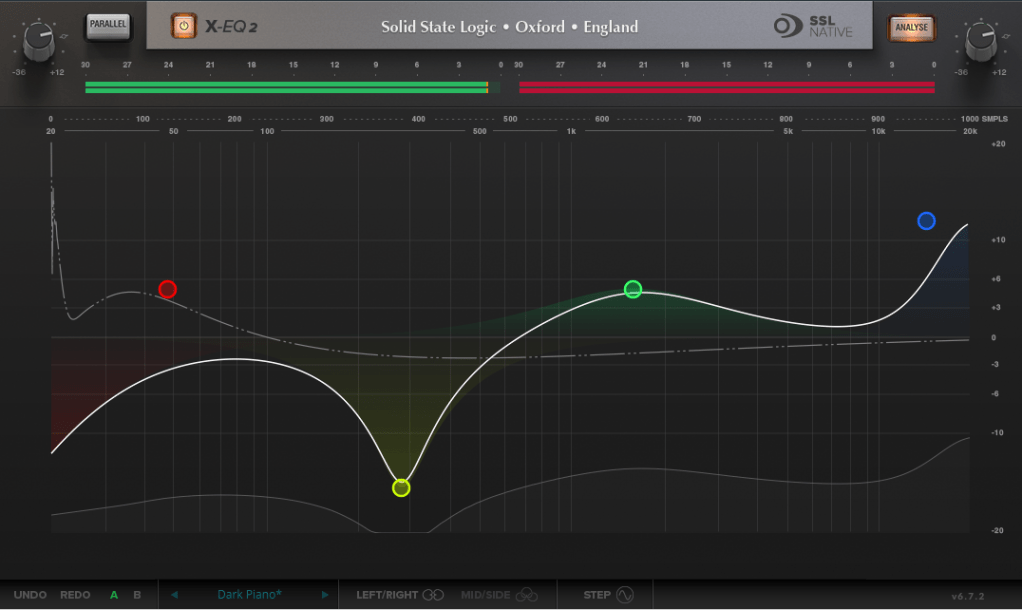
The SSL X-EQ 2 is a feature-packed EQ plugin. These days, DAW-native EQs are so powerful that standalone EQ plugins need to have a competitive edge to stand out—and X-EQ 2 delivers.

Key features include:

  • Mid/Side processing
  • Presets to remove 50Hz and 60Hz hum (ideal for handling electrical noise)

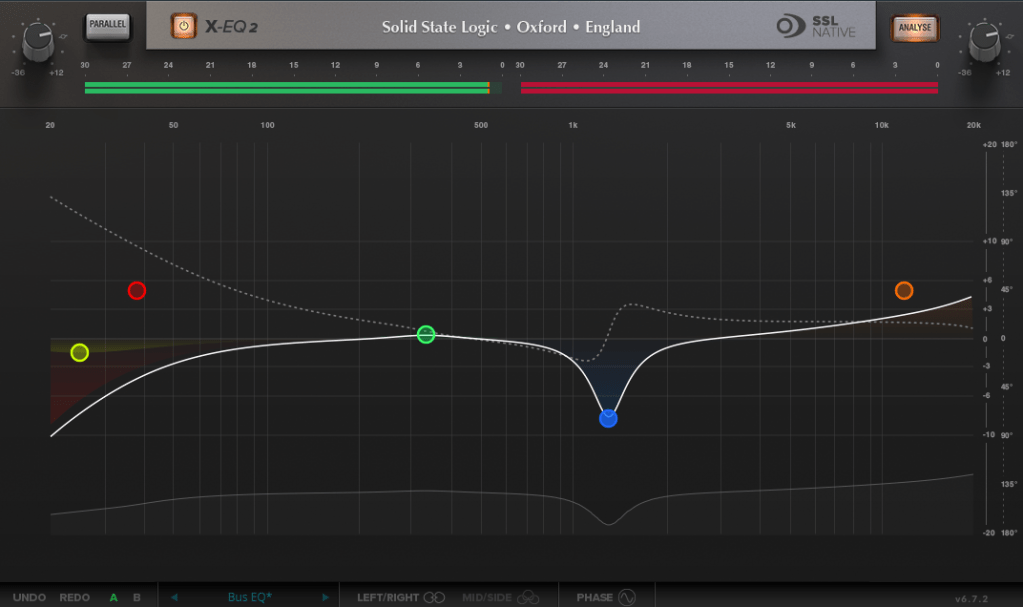
You can double-click to create points and adjust EQ type, frequency (Hz), bandwidth (Q), and gain (dB) with ease.

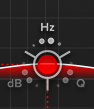
A particularly fun feature is the knob-like interface—select a parameter (Hz, dB, Q) and adjust it by dragging your mouse, mimicking the feel of turning a physical knob.

It also includes an analyzer (activated via the top-right button) and lets you choose between parallel or serial processing from the top-left menu.

Additionally, you can activate Phase Analysis to see phase shifts (dotted lines) or enable Step Response Mode to view how signals evolve over time after passing through the EQ.

Heaviside Step Function

For those unfamiliar with Step Response:
The Step Response of a system refers to how the system reacts over time to a sudden change in input, specifically when the input shifts instantaneously from 0 to 1 (a Heaviside Step function). It demonstrates:

  1. The system’s transient behavior, showing how it initially reacts to the input change.
  2. The steady-state behavior, revealing how the system settles after the transient phase.
  3. The time it takes to stabilize, which indicates the system’s responsiveness.

In the context of EQs, a longer Step Response often correlates with ringing artifacts, where the EQ introduces unintended resonances that make the sound linger beyond its natural decay. This visualization helps engineers fine-tune the EQ to minimize these artifacts.

I love all the features, but the only downside is that the window size can’t be adjusted. But if you see the price, it could be convinced!


DeEss Plugin

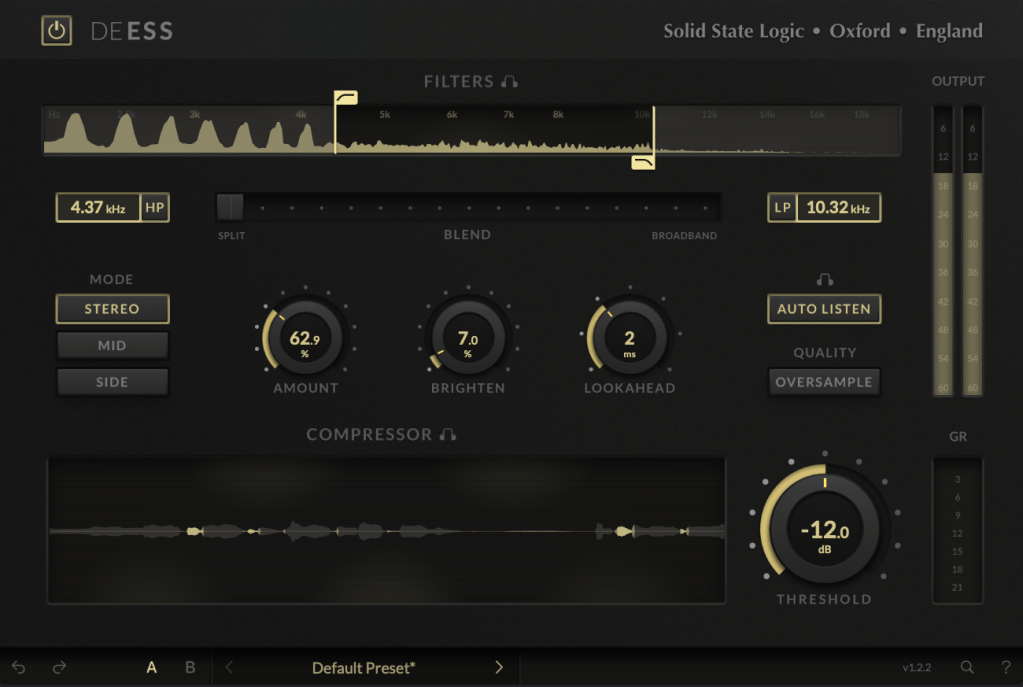
The DeEss plugin offers highly detailed sibilance control.

Key features:

  • Adjustable target range: 1kHz to 20kHz
  • Mid/Side processing
  • Compression intensity and Brighten (high-shelving EQ) controls
  • Lookahead capability for precise processing

A standout feature is the Auto Listen mode, which allows you to hear both the filtered signal and the original detection, making adjustments much easier.

This DeEss plugin is one of the most versatile I’ve come across, and it’s surprisingly lightweight unless oversampling is applied. If you don’t already have a dedicated de-esser, this is an excellent choice.


Bonus: Free Plugin Offer

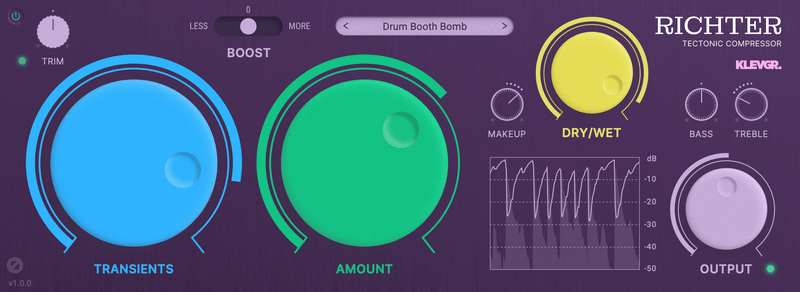
If you purchase any plugin from Plugin Boutique this month, you’ll receive Klevgrand’s Richter Compressor Plugin for free. Don’t forget to claim it when checking out!


Final Thoughts

Both the SSL X-EQ 2 and DeEss plugins are incredibly versatile and user-friendly tools for mixing and production. The 90% discount makes this deal even sweeter—don’t miss out before the sale ends on January 29!

Feel free to reach out if you have any questions. Until next time!

Changes in Loudness Over the Years (1995–2024 GRAMMY Nominees)

Hello! I’m Jooyoung Kim, a mixing engineer and music producer.

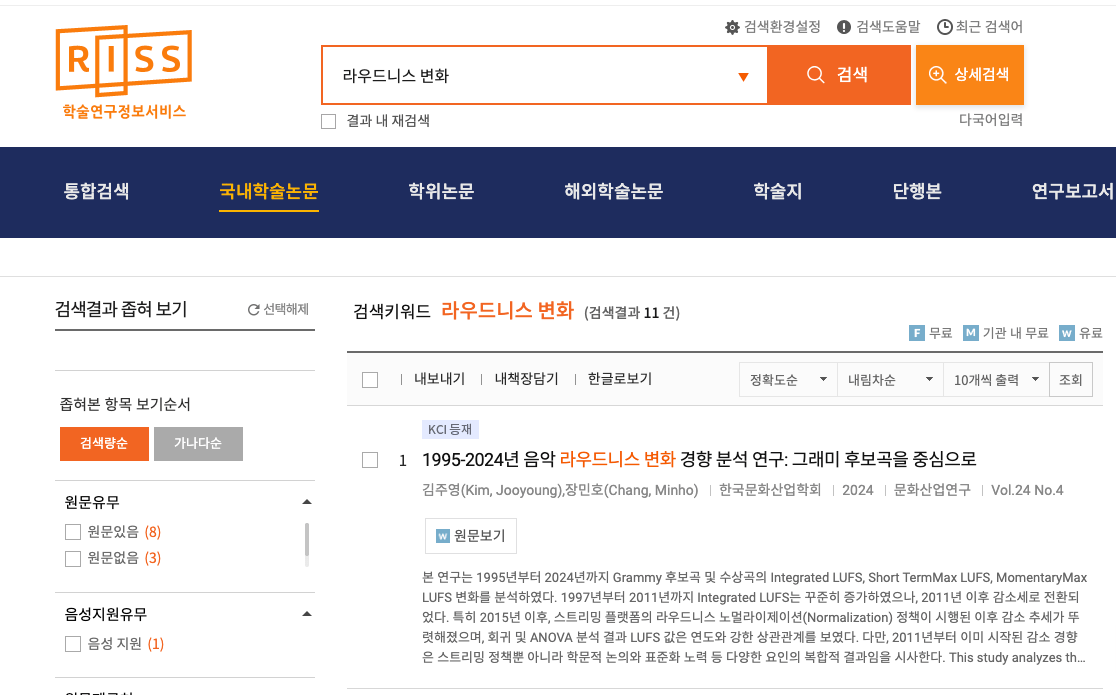
Recently, I mentioned that I had written a simple paper in Korean. Initially, it was just a school assignment, but I decided to submit it as a formal paper rather than letting it collect dust.

Today, I searched for it on RISS and found that it’s officially listed! So, I’d like to share some insights from it.


As the title suggests, this paper involved a lot of hands-on work and analysis. Here’s what I did:

  1. I tracked down GRAMMY Record of the Year nominees from 1995 to 2020 that were released on CD, importing the CDs directly from Japan.
  2. From 2021 onward, CDs were no longer released due to declining sales. For these years (2021–2024), I purchased FLAC 44.1kHz/16-bit files for the nominees.
  3. I extracted FLAC files from the CDs and measured their loudness values using the Youlean Loudness Meter.

This meter allowed me to measure Momentary Max, Short-Term Max, and Integrated Max LUFS (Loudness Units Full Scale). Using this tool, I processed a total of 520 songs.


Data Analysis

For analysis, I used common statistical methods like linear regression and ANOVA. While the statistical methods might not be particularly meaningful to engineers or artists, the results are worth noting.

In summary, I observed:

  1. Starting in 2015 (just before loudness normalization became standard across music streaming platforms), the 3-year moving average of loudness began to decrease significantly in a linear trend.
  2. Let’s break down the results with some key points about loudness:
    • LUFS (Loudness Units Full Scale) measures the perceived loudness of audio.
    • A value of 0 LUFS represents the maximum output level. Lower values (negative) indicate quieter audio.

Average Integrated LUFS by Year

Integrated LUFS represents the average loudness of a track from start to finish. Here’s the year-by-year trend:

YearAverage Integrated LUFS
2011-7.9668
2012-8.7532
2013-8.5582
2014-9.17
2015-7.5467
2016-8.7710
2017-8.4776
2018-8.27
2019-8.7814
2020-8.6533
2021-8.1338
2022-9.145
2023-8.706
2024-8.8175

This data reflects the overall average loudness of music in recent years.


Momentary Max LUFS by Year

Momentary Max LUFS represents the peak loudness within a short 0.4-second window. Below is the year-by-year trend:

YearAverage Momentary Max LUFS
2011-4.3868
2012-5.0709
2013-4.5377
2014-5.1439
2015-4.2238
2016-4.8648
2017-4.4562
2018-4.5686
2019-4.9491
2020-4.9752
2021-4.4825
2022-5.125
2023-4.944
2024-4.6863

Takeaways for Audio Engineers

From this analysis, I’ve noticed two important trends:

  1. Integrated Loudness Levels:
    • In recent years, tracks with Integrated LUFS around -8 to -9 LUFS seem to be well within acceptable ranges, meaning engineers no longer need to obsess over achieving higher loudness levels.
  2. Peak Loudness (Momentary Max LUFS):
    • Most highlights in songs fall within -4 to -5 LUFS. Standard deviation has also decreased over time, suggesting a narrowing range in peak loudness levels.

These findings could serve as helpful guidelines for mixing and mastering.


Personal Notes

Currently, I’m working on another audio-related paper using LaTeX—a tool that feels more like coding than writing! While it’s challenging, I’m preparing this paper for submission to the ASA (Acoustical Society of America), aiming for SCI recognition.

If rejected, I’ll submit it to AES (Audio Engineering Society) instead—or another venue if necessary.

I hope these insights into loudness trends prove useful for those in music production and audio engineering! If you have any questions about loudness, feel free to reach out via email.

See you in the next post! 😊
Basics of Mixing – 13.3 Digital Cables and Connectors

Hi! This is Jooyoung Kim, mixing engineer and music producer. Today, we’ll talk about digital cables and connectors. This article is based on my book “Basics of Mixing“, published in South Korea.

Let’s start!


In the previous post, I categorized digital cables into the following formats:

  1. AES/EBU (AES3)
  2. ADAT
  3. S/PDIF
  4. MADI
  5. Ethernet-based formats (e.g., UltraNET, CobraNet, Dante)

Now, let’s take a closer look at each of these.


AES/EBU (Audio Engineering Society/European Broadcasting Union, AES3)

AES/EBU is a digital audio standard co-developed by the Audio Engineering Society (AES) and the European Broadcasting Union (EBU). It is also defined under the IEC 60958 standard.

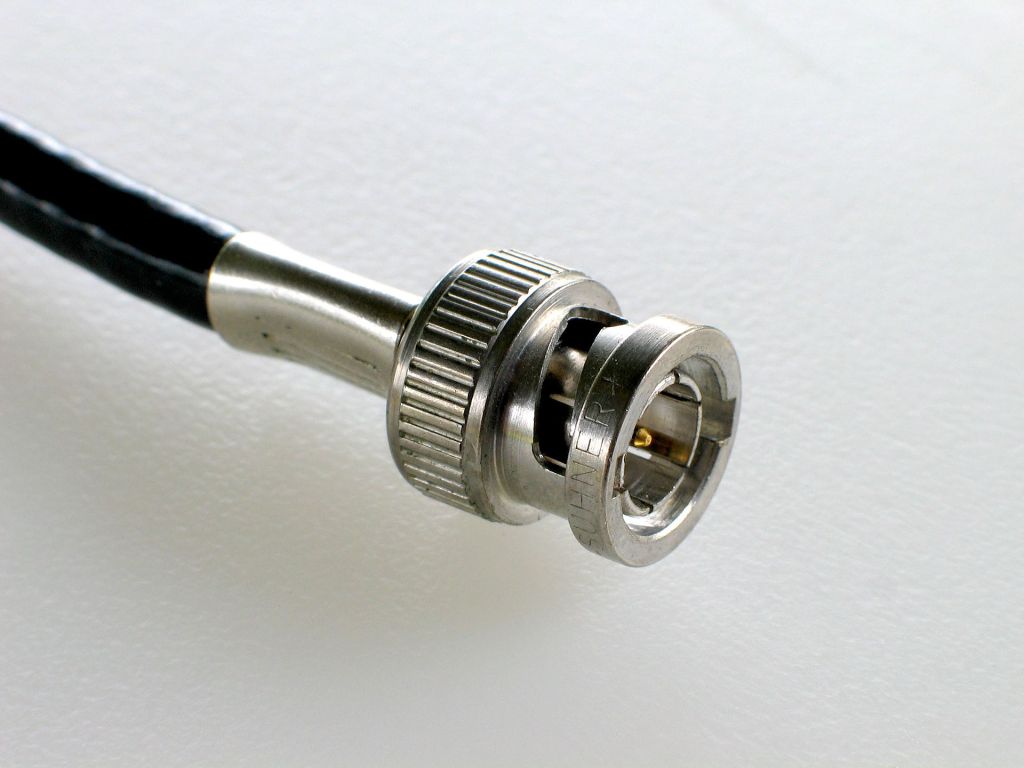
This format is compatible with S/PDIF and utilizes XLR and BNC coaxial connectors.

  • When using XLR connectors, a balanced cable with an impedance of 110 ohms is required.
  • When using BNC connectors, an unbalanced cable with an impedance of 75 ohms is used.

AES/EBU supports up to 24-bit audio with a maximum sampling rate of 192 kHz for 2-channel stereo.


ADAT Lightpipe (Alesis Digital Audio Tape)

ADAT, short for Alesis Digital Audio Tape, was developed by Alesis to transfer digital signals.

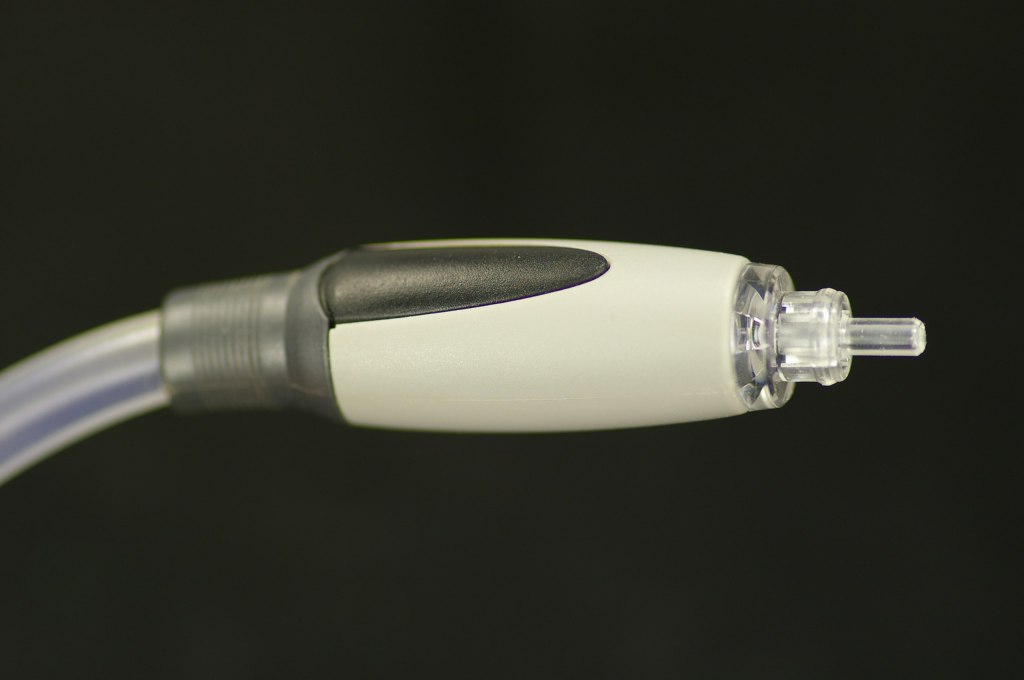
This format uses optical fiber for signal transmission and connects via Toslink connectors.

It supports:

  • Up to 8 channels at 44.1 kHz or 48 kHz,
  • 4 channels at 88.2 kHz or 96 kHz,
  • 2 channels at 176.4 kHz or 192 kHz.

S/PDIF (Sony/Philips Digital Interconnect Format)

S/PDIF is also defined under the IEC 60958 standard and serves as the consumer version of AES/EBU, maintaining compatibility with it.

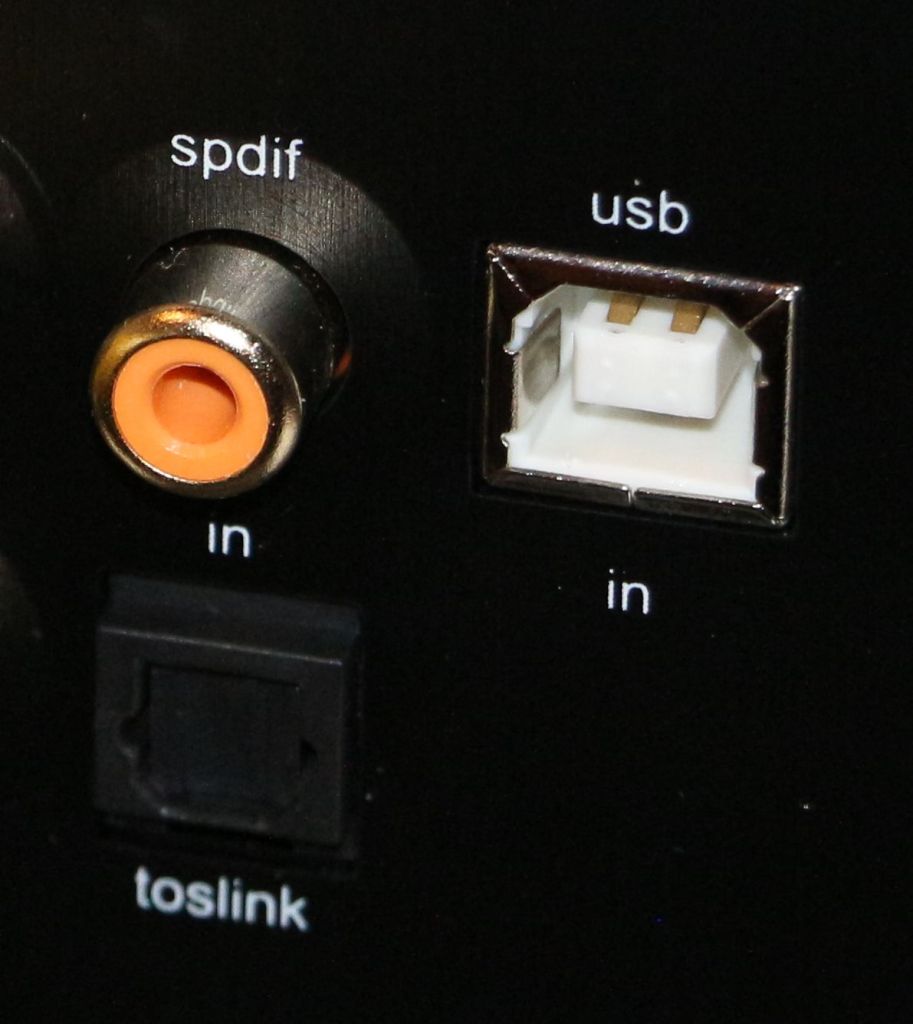
It uses RCA coaxial connectors and Toslink connectors.

  • With RCA connectors, an unbalanced cable with 75-ohm impedance is required.

S/PDIF supports a maximum of 24-bit audio at 192 kHz for up to 2 channels.


MADI (Multichannel Audio Digital Interface)

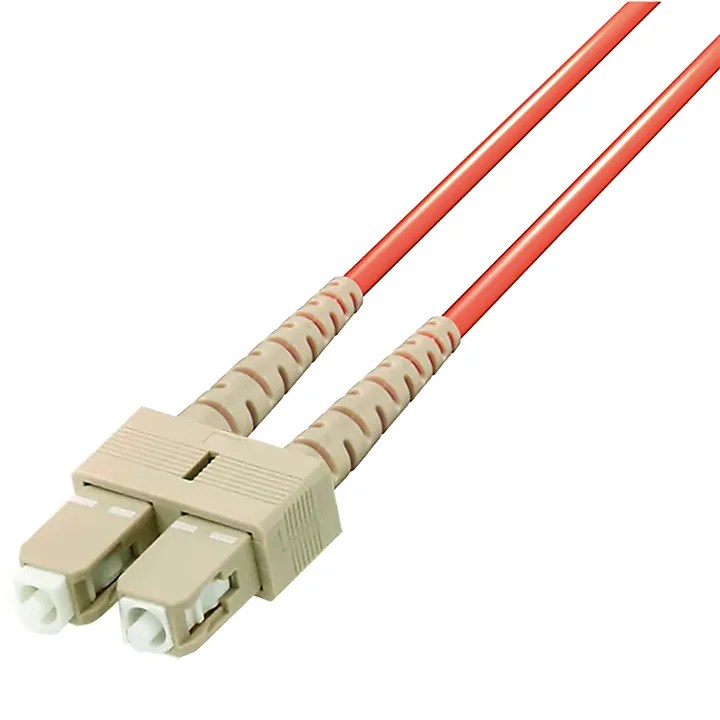
MADI is defined under the AES10 standard and uses coaxial cables (75 ohms) or optical fiber for transmission.

  • With coaxial cables, it supports distances of over 100 meters.
  • With optical fiber, it can reach up to 2 kilometers.

Typically, MADI can transmit:

  • 64 channels at 32 kHz–48 kHz with a bit depth of 24 bits per channel,
  • Higher sample rates (e.g., 96 kHz or 192 kHz) by combining multiple channels.

Ethernet-based Formats

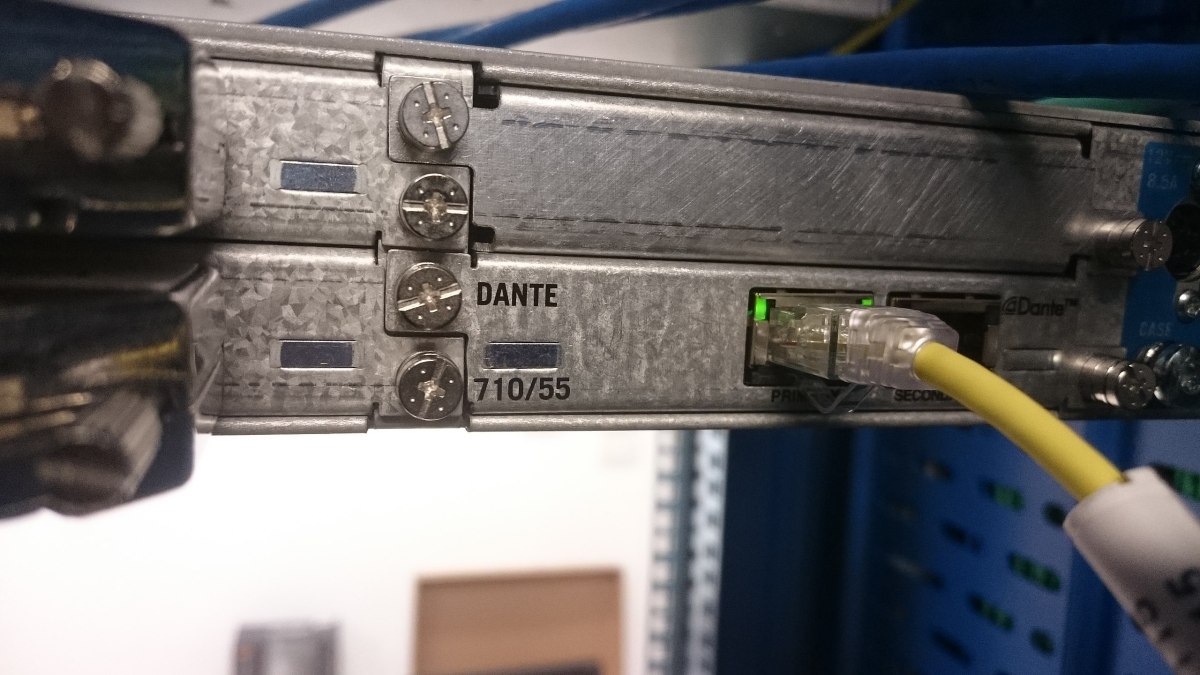
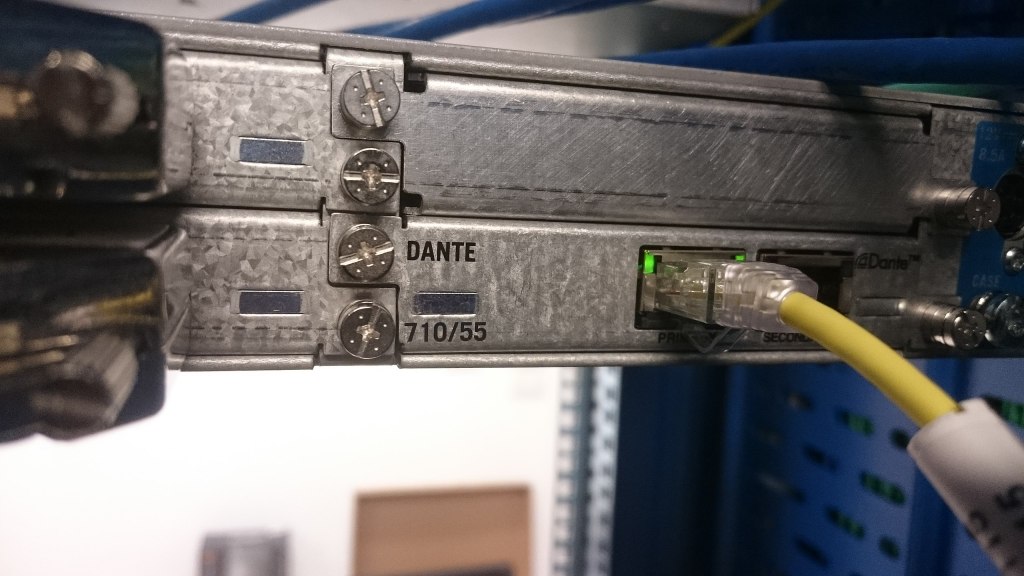
There are various standards that utilize Ethernet cables, with Dante being one of the most prominent.

  • Dante can transmit up to 1,024 channels at 192 kHz, with a maximum bit depth of 32 bits.

Due to its scalability and cost-efficiency, Ethernet-based formats are often used in large-scale studio setups.


That wraps up the basics of digital cables and connectors!

Nowadays, many people work with just an audio interface and a mic preamp, so it’s common for digital cable standards to be overlooked. However, understanding these formats is crucial when purchasing digital equipment.

Being aware of the available formats and connectors can save you from the frustration of buying incompatible equipment.

Remember: a little knowledge now can save a lot of headaches later!

See you in the next post! 😊