Baby Audio Transit 2 Sale (~12/31)

Hello! I’m Jooyoung Kim, an audio engineer and music producer.

Today, I’ll introduce “Transit 2,” a plugin developed in collaboration between Canadian musician Andrew Huang, known widely on YouTube, and Baby Audio.

This is Andrew Huang!

As always, I received this plugin from Plugin Boutique in an NFR (Not For Resale) format. The views in this post are entirely my own.

Let’s dive in!

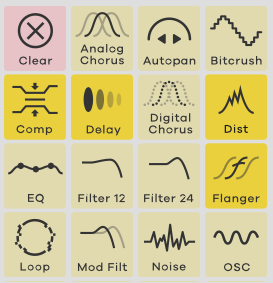
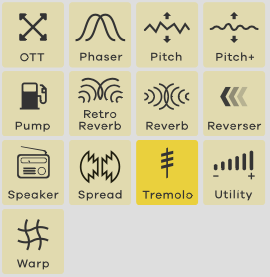
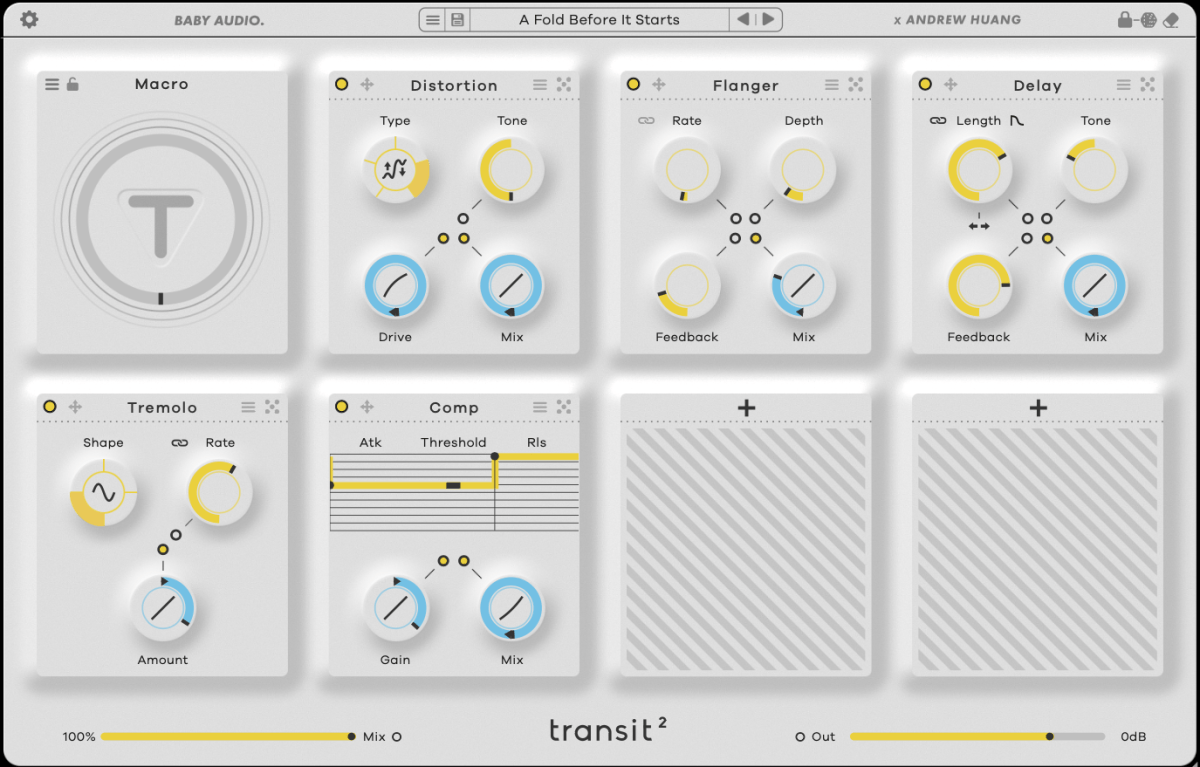
Transit 2 is an all-in-one plugin offering 28 effects.

Typically, plugins like this are less about mixing and more useful for adding dynamics during composition with tools like LFO and macros. Think of it as a way to add energy to your track.
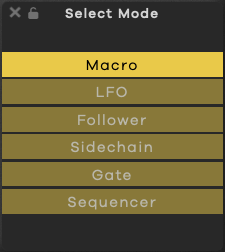
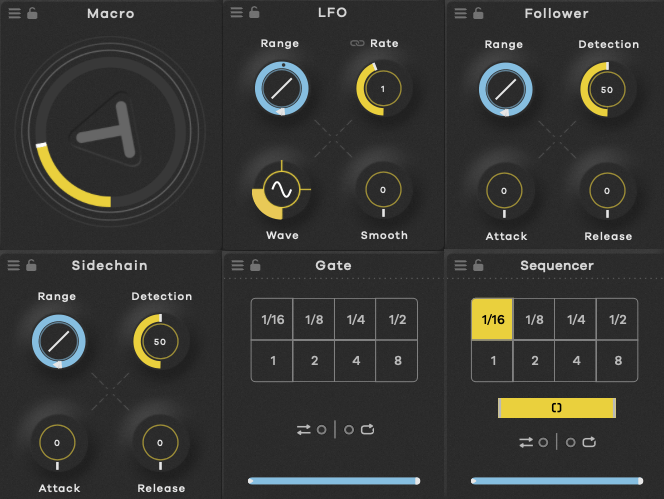
Transit 2 features six modulation options: Macro, LFO, Audio Follower, Sidechain, Gate, and Sequencer, allowing you to alter effect parameters based on your chosen setting.
Rather than going through each of the 28 effects, let’s explore how you might best use Transit 2 in your workflow.

Clicking the dice icon in the top right corner…

…changes only the parameters for the top three effects, while the bottom four effects are fully randomized, including the effect type itself.
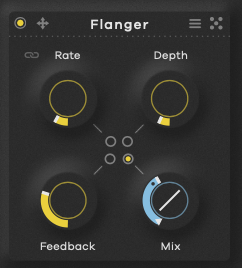
The dot in the center acts as a switch to toggle modulation on and off for parameters like Macro. Blue indicates a positive direction, red a negative direction, and yellow is a fixed, non-modulated value.
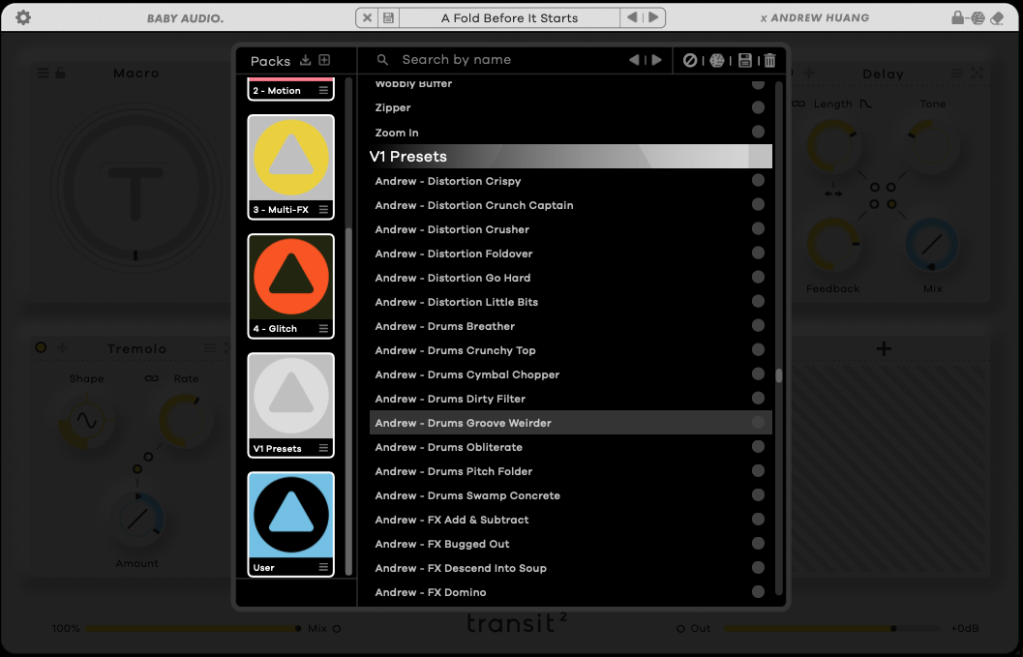
There are also numerous presets.

So, how should you use it? There are two main approaches:

  1. If you’re familiar with each effect and know the exact sound you want, you can create a setup from scratch. It’s a bit time-consuming but allows for precise customization.
  2. If you’re looking for something fresh, start by exploring presets. Once you find a tone you like, place the core effects in the top row and let the randomization feature introduce a bit of unpredictability, like a modular synth. This approach takes some time too.

Personally, I find that applying modulation effects and using the Follow or Sidechain functions creates a groove that blends well with other sounds.
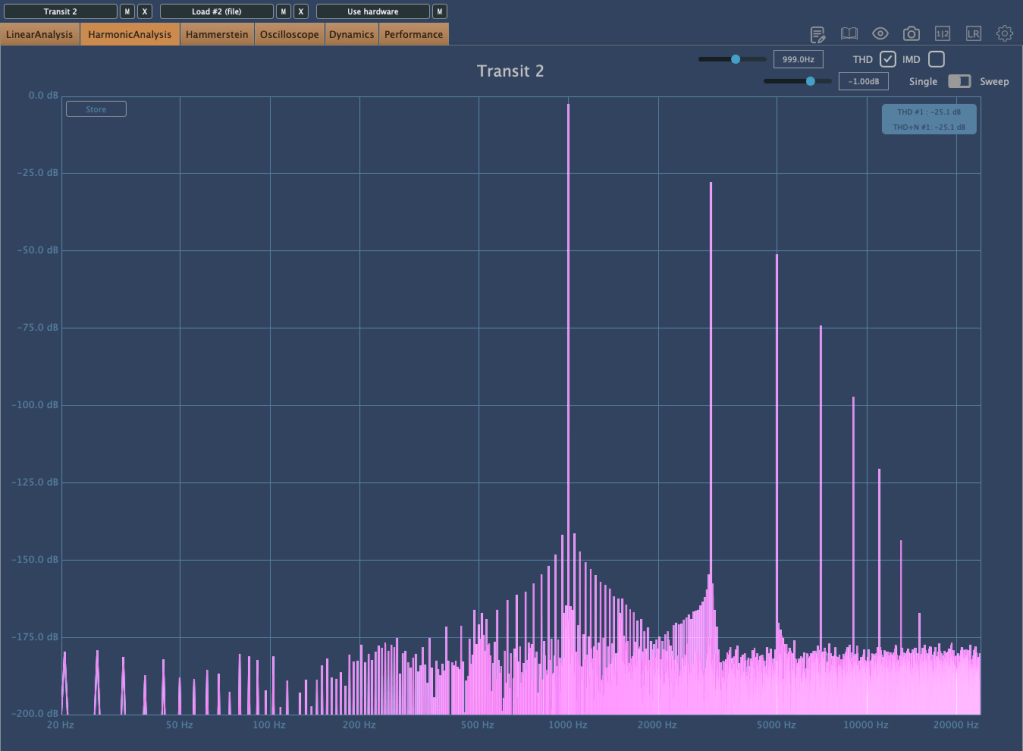
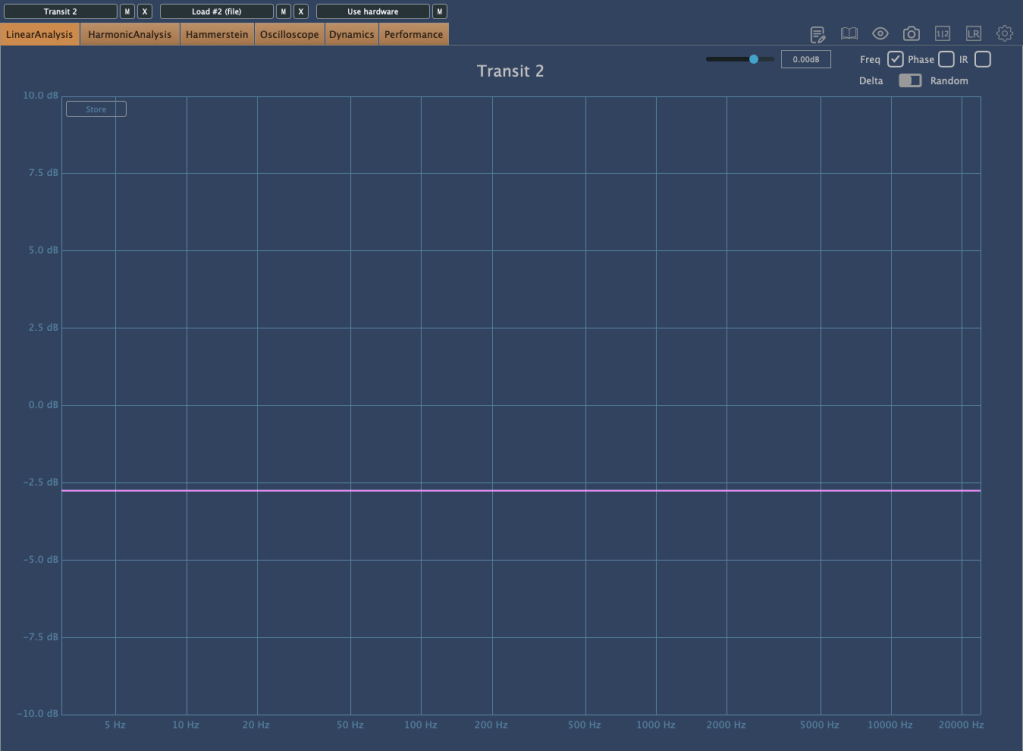
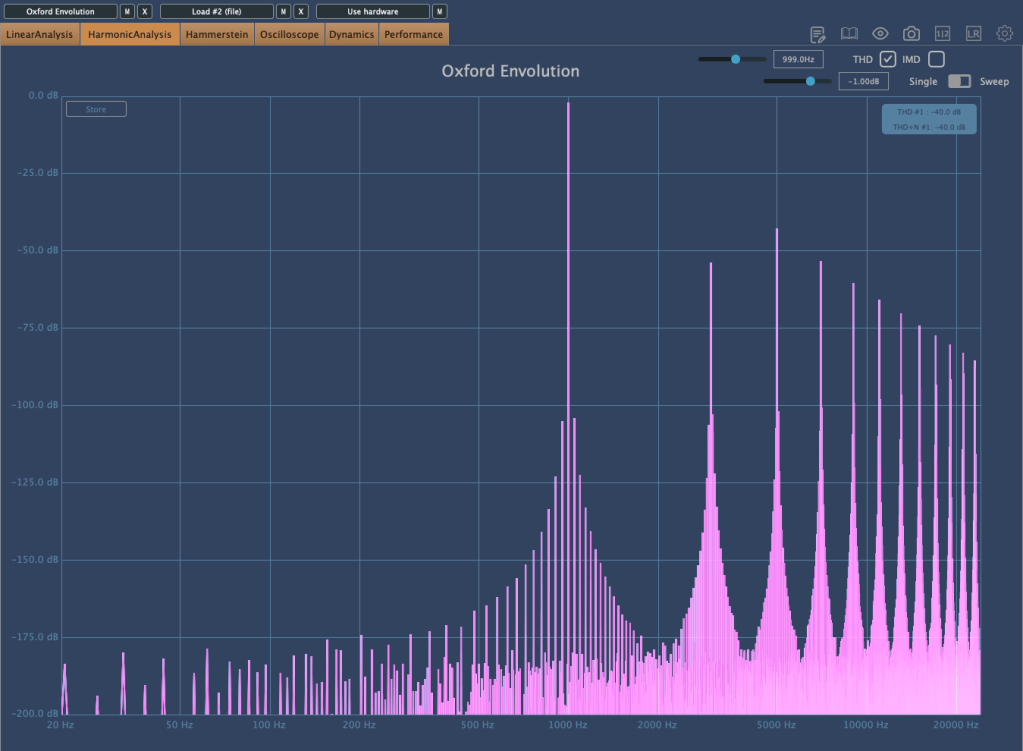
Without any effects applied, there’s some basic saturation, and the volume decreases.
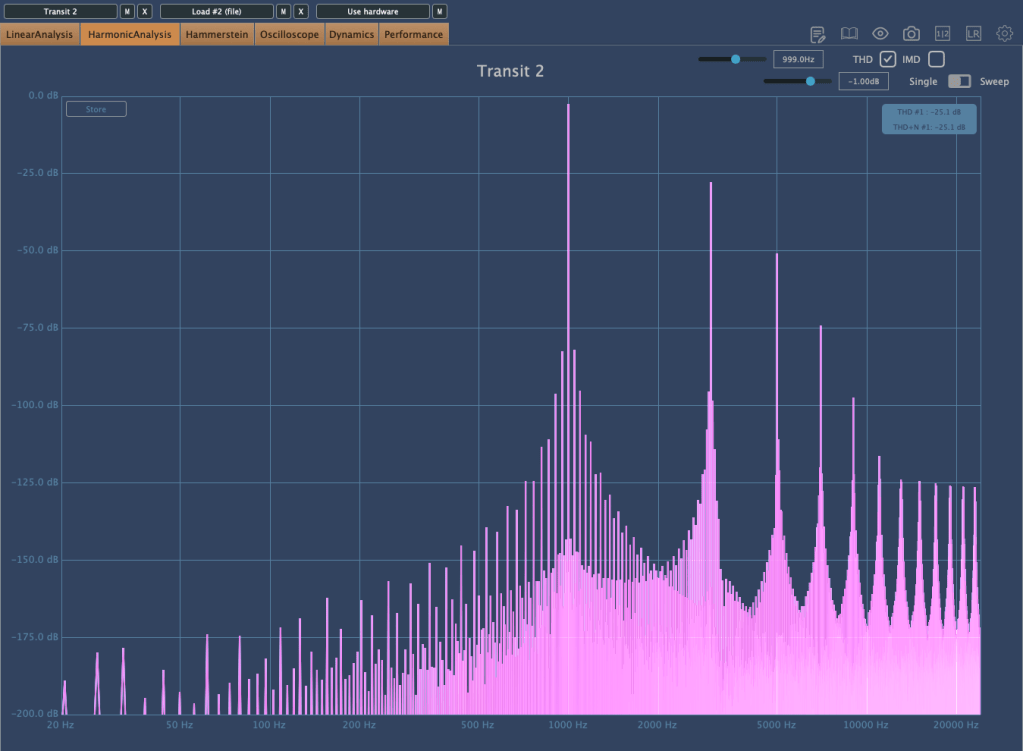
Interestingly, bypassing the plugin creates a unique harmonic distortion.

The plugin is well-optimized, with low latency considering the effects it offers. Testing a few presets, I noticed almost no channel latency, with the highest around 1.4 ms.

With a plugin like this, you can achieve various effects, making it a versatile addition.

I tried it with different instruments like piano, bass, guitar, and vocals. Personally, it worked exceptionally well with recorded electric bass.

Additionally, you can create interesting sounds by experimenting with samples from places like Splice.

This month, if you purchase a plugin from Plugin Boutique, you can get AIR Music Technology’s Solina virtual instrument or Zynaptiq’s ORANGE VOCODER NANO for free.

With Black Friday approaching and Transit 2 on sale until the end of the year, it might be worth keeping an eye on it and grabbing it during the sale.

See you in the next post!

Basics of Mixing – 9.3 Vinyl Saturation

Hello! I’m Jooyoung Kim, an audio engineer and singer-songwriter.

Today, I want to dive into the topic of vinyl saturation. Let’s get started!

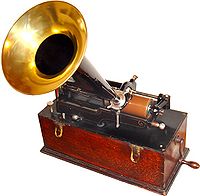
The history of the LP (vinyl) began with Edison’s invention of the phonograph. In its earliest form, audio was recorded and played back on cylindrical records.

After the phonograph, vinyl records in disk format emerged as a new storage medium. Edison initially resisted the disk format, as the playback speed varied from the outer to inner edge, affecting the sound quality. Instead, he continued to advocate for the cylindrical format.

However, vinyl disks became the standard due to their better storage capabilities, cost-efficiency, and convenience—qualities the market prioritized over audio fidelity. In retrospect, the sound quality differences weren’t that significant.

Vinyl records come in various sizes based on rpm (revolutions per minute), with the 12-inch disk being the most common.

Vinyl’s sound characteristics are primarily defined by two key elements:

  1. Stereo limitations and lower frequency cutoff
  2. High-frequency roll-off

1) Stereo Limitations and Low-End Cutoff

Stereo imaging in the low end results in rapid vertical movement of the groove, causing the cartridge to move intensely. To avoid tracking errors, bass was typically kept in mono. Similarly, very low frequencies can cause excessive lateral movement in the groove, so bass roll-off was often applied during production.

2) High-Frequency Roll-Off

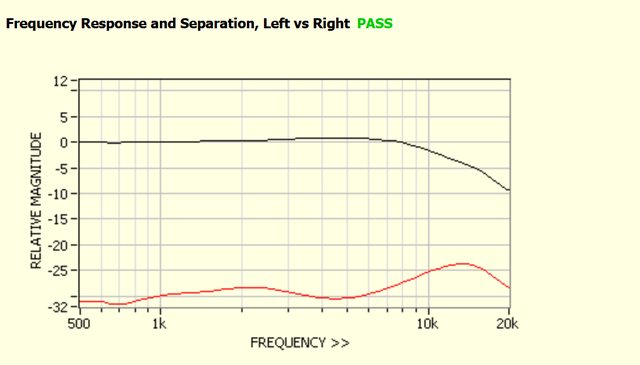
Excessive high frequencies can cause the cartridge to vibrate at short intervals, leading to overheating and potential noise and distortion. As a result, high-frequency roll-off was applied during production. Due to cartridge limitations, ultra-high frequencies (15kHz and above, depending on the cartridge) are also naturally rolled off.

Other characteristics include noise caused by dust in the grooves, wow and flutter from inconsistent turntable speeds, and crosstalk between channels due to the physical reading of the sound. Harmonic distortion can also be introduced due to the nonlinear interaction between the needle and groove.

All these factors together create vinyl’s unique saturation. Today, there are vinyl emulation plugins designed to reproduce these characteristics.

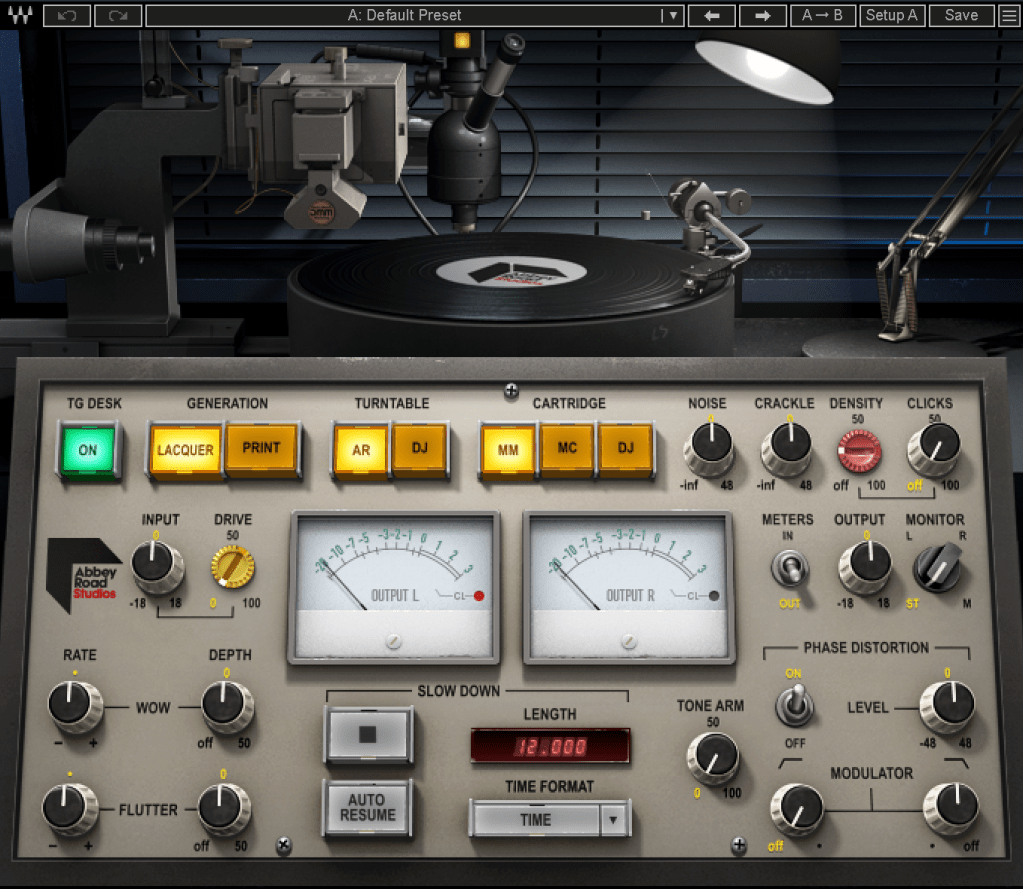
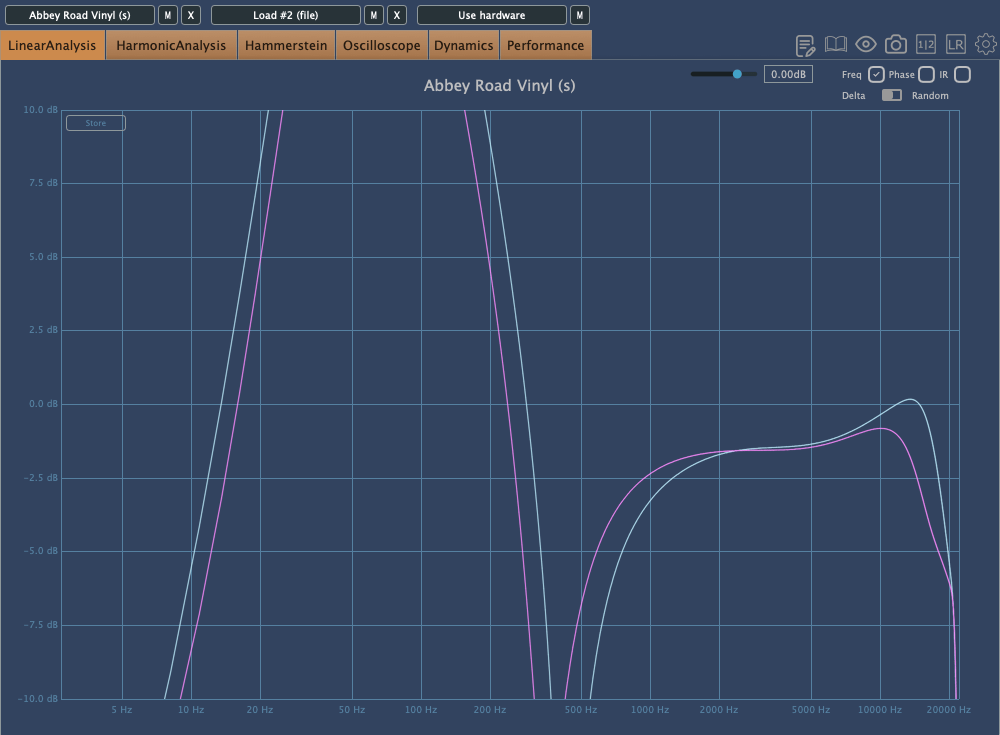
The Abbey Road Vinyl plugin by WAVES is a notable example. Taking a closer look…

As expected, it adds quite a bit of distortion.

Each turntable and cartridge setup yields unique sonic characteristics.

As I always say, if you like the sound a vinyl plugin adds to your mix, that’s all that matters! But as an audio professional, it’s essential to understand the background behind these effects. This knowledge helps when approaching retro-style mixing requests without getting lost in the process.

Maybe I went on a bit too long here… Haha.

I’ll wrap up for today. See you in the next post!
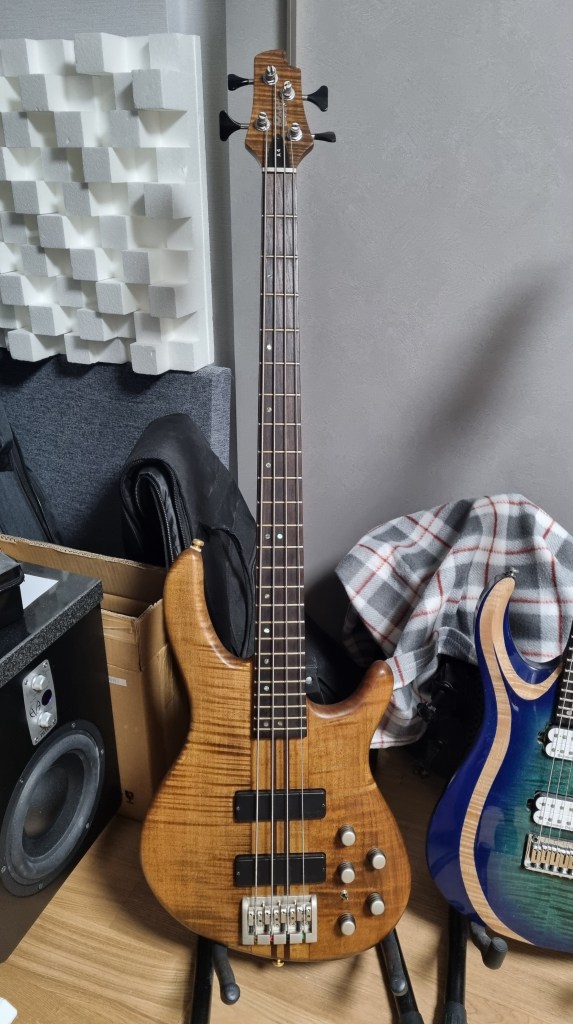
I Bought a Vintage Cort A4 Bass!

Hello, I’m Jooyoung Kim, an audio engineer and music producer.

For a while now, I’ve been wanting to have more control over certain articulations, like sliding, vibrato, and slap techniques. That led me to decide that I should start playing the bass myself.

Since I’ll be using it for music production, I didn’t want to settle for a cheap, entry-level instrument. At the same time, I didn’t have the budget for a high-end one…

This is where a solid domestic brand comes in handy!

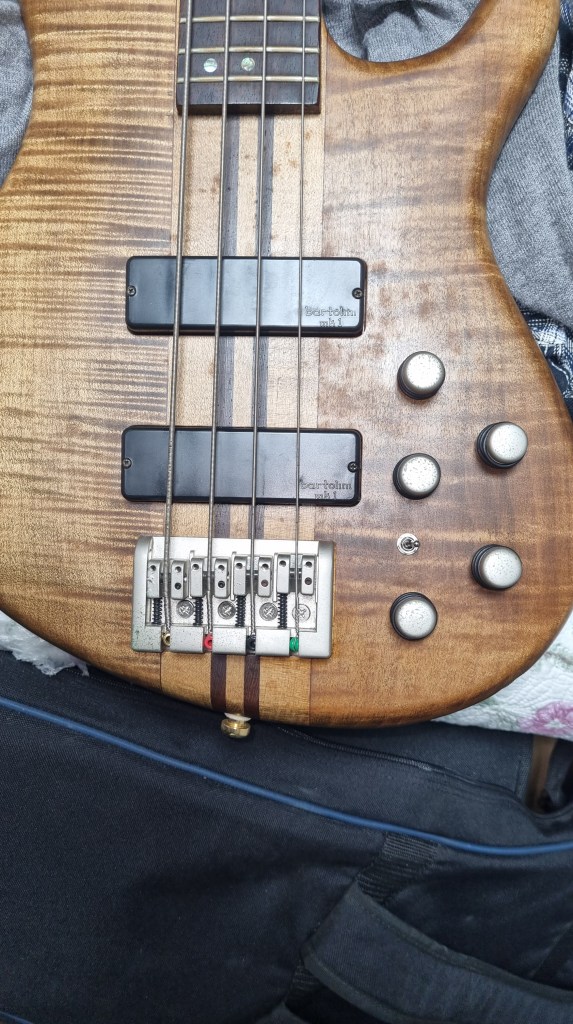
Yes, I’m talking about Cort. My electric guitar is Cort, and now my bass is too.

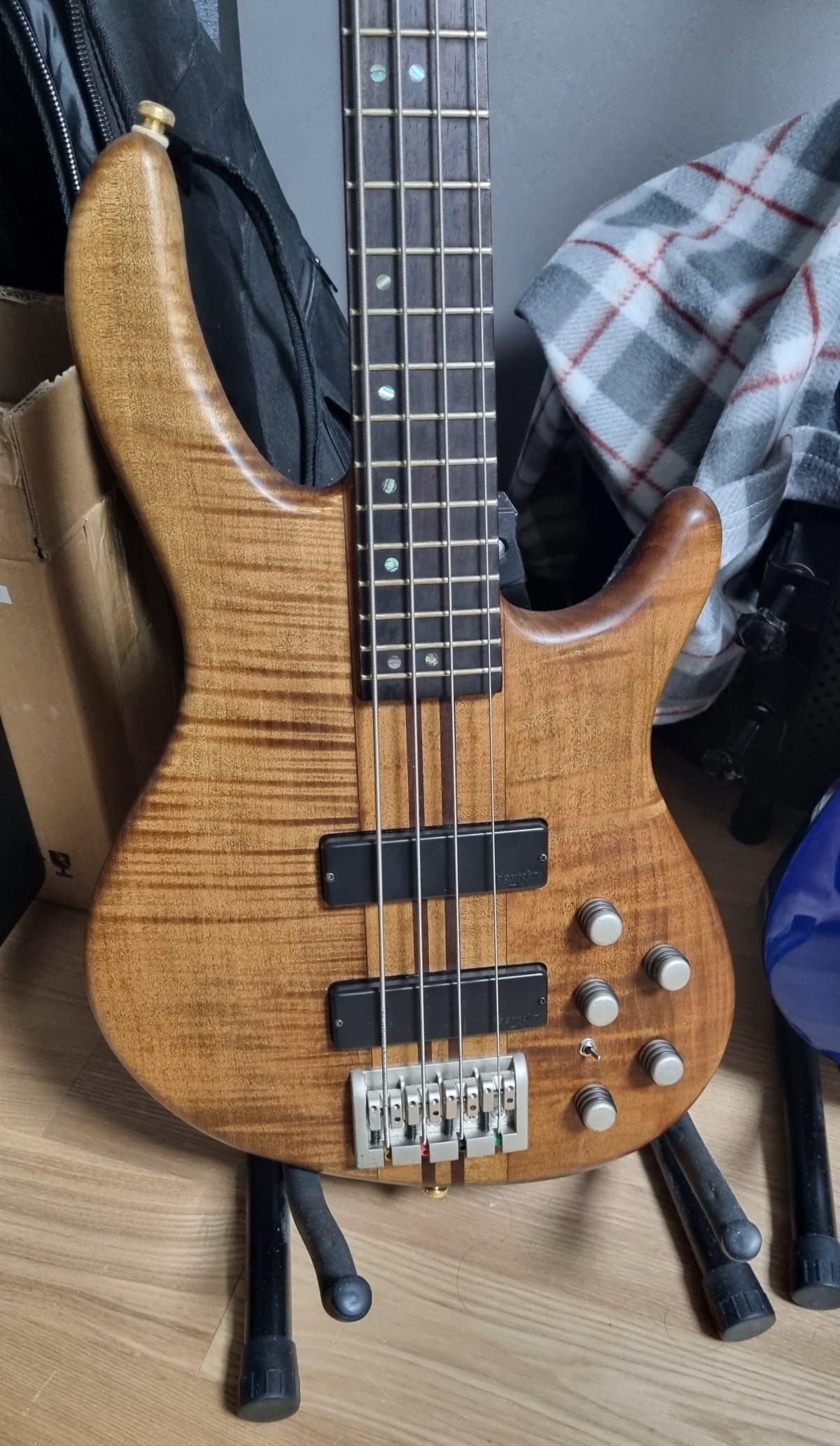
It’s an older model, so unfortunately, it only works in active mode with no option to switch to passive. There’s also some rust on the knobs and bridge, which is a slight drawback. However, after trying it out, I really liked the sound—it’s exactly what I was looking for.

I had borrowed a Squier bass from an older friend for a few days (though I’m not sure what model it was), and I have to say, this Cort bass feels way more comfortable in my hands.

The strings are a bit old, so I’m curious how it will sound once I change them.

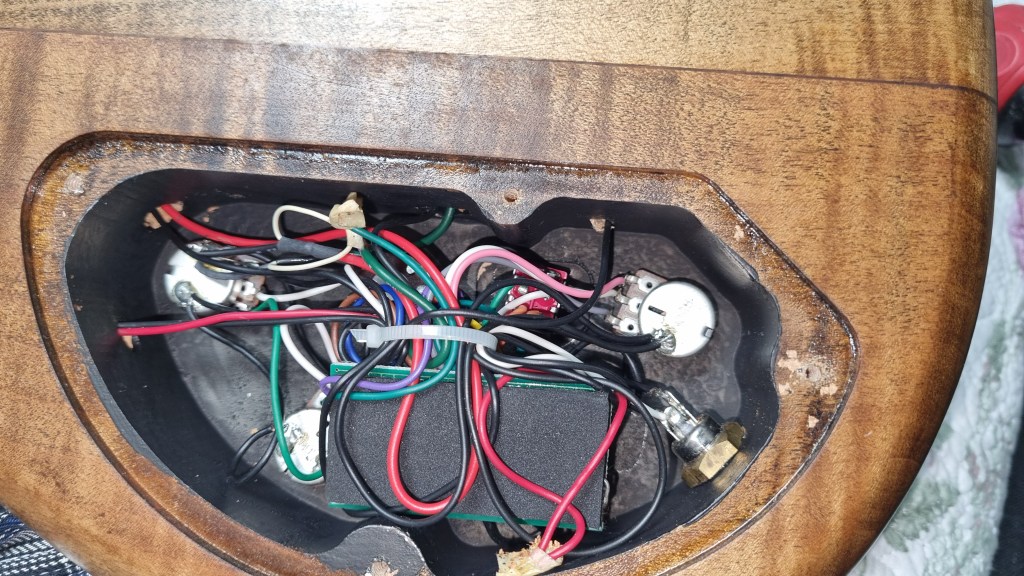
Then I thought about adding a switch for active/passive mode and took a look inside the back panel.

The wiring looks like a bit of a mess, so I’ll have to think it over when I get more time.

The goal is to practice more and eventually record most of the bass parts myself! But honestly, I feel like I might end up buying a Precision bass too… It never ends!

I’ve also been wanting to learn drums—am I becoming a one-man band? Haha.

See you in the next post!

Sonnox Drum Gate & Envolution Plugin Sale (~10/27)

Hello, I’m Jooyoung Kim, an audio engineer and music producer.

Today, I’d like to introduce a few Sonnox plugins that are currently on sale. The products were provided by Plugin Boutique as NFR (Not for Resale) versions.

Let’s dive right in!

Sonnox Drum Gate

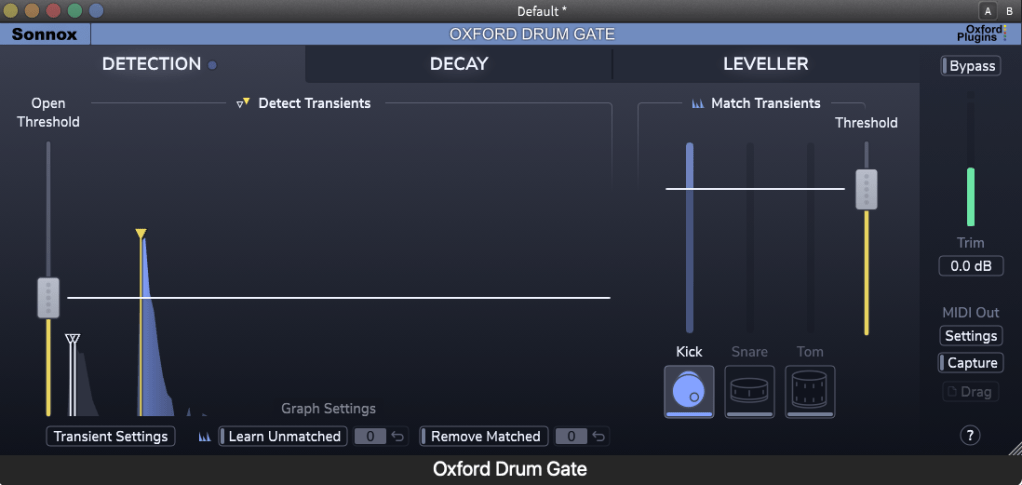
Sonnox Drum Gate is a gate plugin specifically designed for drums. On the left side, you can set the threshold like a typical gate using the Open Threshold. For kicks, snares, and toms, the Match Transients feature on the right allows for more precise separation.

When working with real drum recordings, it’s often better to avoid using a gate due to various issues. However, if you plan to use one, I can confidently recommend this plugin as it’s very well-made.

This plugin isn’t just a simple gate. Instead of a traditional release control, it offers a frequency-based delay adjustment, and you can boost the transient levels using the Leveller. The Leveller feature also allows you to set a Loud Target and Soft Target, enabling you to manage dynamic ranges effectively.

I tested it on some live-recorded drum tracks, and it did a great job isolating them. It seems particularly useful for handling tracks with heavy bleed.

Moreover, the MIDI Out feature allows you to extract MIDI from drum tracks with great grooves. This could be quite helpful for those learning to program drum MIDI.

Sonnox Envolution

There are many plugins that adjust envelopes, but Sonnox’s Envolution, even after nearly 10 years since its release, remains one of the most powerful and highly recommended plugins.

It’s intuitive and easy to use. The oscilloscope shows what adjustments you’ve made, and it produces exactly the sound you’re expecting. It’s one of the best transient-focused plugins out there.

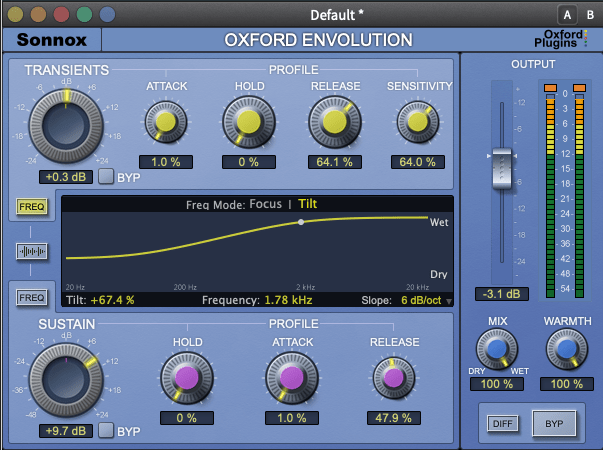
As for the parameters, the upper section controls the transients, while the lower section manages the sustain. Additionally, if you click on FREQ on the left:

You’ll see options for Tilt EQ or Parametric EQ, allowing you to EQ the sound precisely.

The Warmth knob on the right is simply a harmonic generator… haha.

This month, if you make a purchase from Plugin Boutique, you’ll receive either Air Music Technology’s Solina virtual instrument or Zynaptiq’s Orange Vocoder Nano for free. Both plugins are excellent, so if you’re considering any plugin purchase this month, I recommend checking out Plugin Boutique.

See you in the next post~:)