Audient Nero Monitor Controller Review

This article was written on May 27, 2023.

Hello? This is engineer and singer-songwriter Jooyoung Kim.

The volume knob was pushed to the side when I bought a rack the other day, so for convenience’s sake, I’m going to review the Audient Nero monitor controller I purchased a few weeks ago.

  • Appearance and Function

The exterior is just plain. It’s made of steel plate, so it doesn’t feel as light as plastic material, and the knob has a reasonable amount of resistance, so it’s just decent quality.

A total of 4 headphones can be connected. You can connect 1 headphone using the 1/8″ or 1/4″ jack on the front, and 3 headphones can be connected using the back.

A total of 4 inputs can be selected: Cue, Alt, Src1,2, and Alt
Alt can also be selected separately from 3 types: Optical, Coaxial, and Aux.

There are three outputs: Main, Alt 1, and 2. you can connect a subwoofer using the Sub terminal button. What was a little disappointing was that you couldn’t select the crossover frequency when choosing a subwoofer. The crossover band was a bit low, so when I connected my 8-inch subwoofer, it didn’t come out as powerfully.

In addition, a talkback microphone can be used, the input source can be set differently for each headphone jack, and there are functions such as Dim, Cut (Mute), Pol, and Mono. It would have been nice to have L/R conversion, but it was a bit disappointing.

  • Measurement and Usage

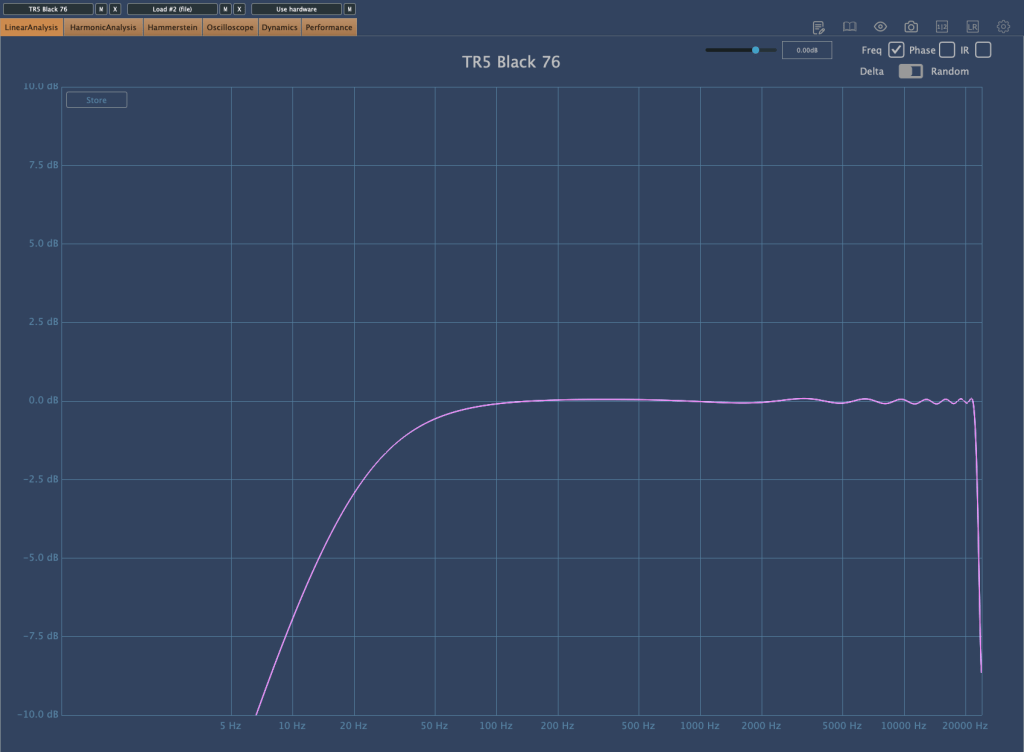
Once an analog connection is made, the output is basically reduced by about 6dB. And both in terms of listening and measurement, the high frequencies were slightly cut off.

​Still, I was surprised by the fairly decent performance. Fortunately, I think it’s worth it for the sake of convenience.

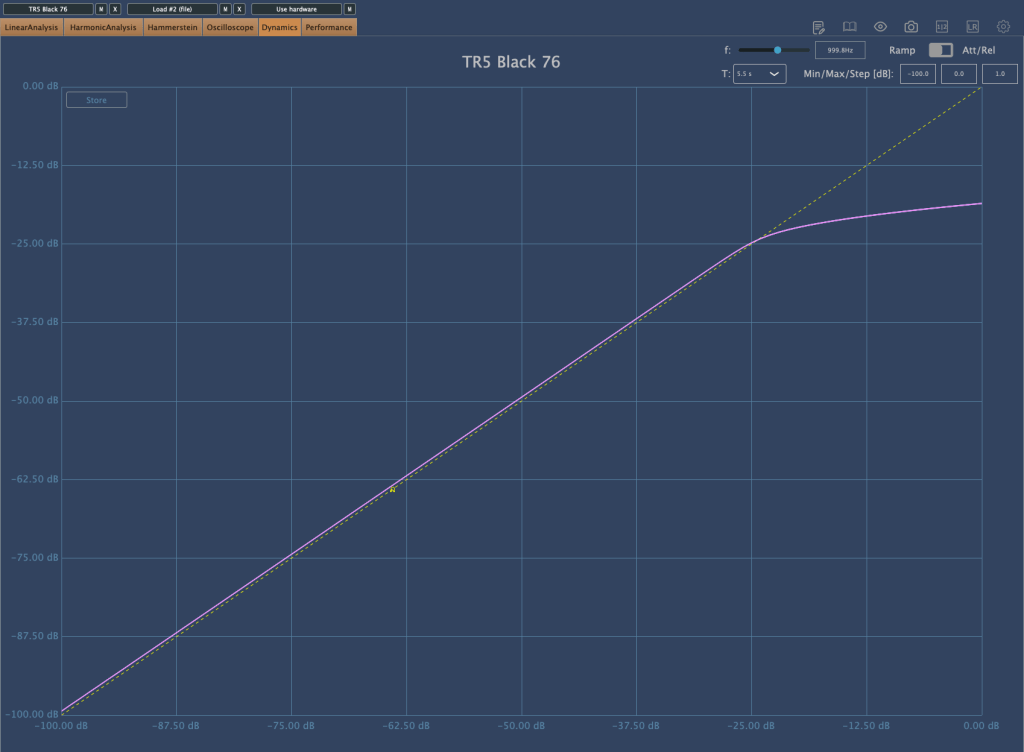
Also, basically, the overtones rise a little, but not to such a huge level. The picture on the right below shows that the headroom was exceeded and distortion occurred, so I thought it would be useful as long as it wasn’t in extreme situations.

I also wanted to measure Coaxial Digital, but an error occurred and measurement was not possible. However, basically, when you make a digital connection, the volume becomes lower than when you make an analog connection, and the analog connection sounds much more detailed than the digital connection.

I’m not sure because I haven’t disassembled it and looked inside, but I think it’s probably the DAC chip difference. To make a digital connection, you need to use Grace Design or Cranesong…^^;;

  • Conclusion

There are no particular inconveniences while using it. The number of ins and outs and performance are just satisfactory, and I don’t think I’ll even think about changing it if nothing happens.

I think I can say that he’s ‘a fairly good friend.’

Orchestration Basics – Strings (3)

This article was written on August 6, 2022.

Hello? This is engineer and singer-songwriter Jooyoung Kim.

Continuing from the last article, today we will learn about bowing, a string technique.

Bowing can be broadly divided into two playing techniques: whether the bow falls off the string or not.

– On the String: Legato, Staccato, Detache, Marcato (Martele), Portato
– Off the string: Spiccato, Jete (Ricochet), Tremolo

​This is the classification done by the teacher who taught me, but as the teacher told me, the classification is not particularly important. Let’s look at them in order.

  • Legato

Legato is a playing technique in which the notes are played continuously without interruption. Therefore, whether it is Down Bow, where the bow is drawn downward, or Up Bow, where the bow is drawn upward, it is played all at once with one bow.

In sheet music, it is written as Slur as shown in the picture above, and it is the default playing method in most virtual instruments.

  • Staccato

This is a playing technique where you play briefly, with the string attached to the bow, at about 1/2 the original beat. Usually, in a virtual instrument, if there is only Legato or Sustain and no Sforzando playing technique, a mixture of playing such as Staccato with a strong attack nuance is used.

(I’d like to buy the Vienna Symphonic Library with Sforzando, but it’s too expensive…)

  • Detaché

Detaché, unlike Legato, is played with each bow. You might think it’s similar to Staccato, but this one is different in that it plays all the notes.

If you start from the tip (upper part) of the bow, it is marked At the Point, and if you start from the Frog (hand side) of the bow, it is marked At the Frog.

  • Marcato(Martelé)

Marcato is derived from the Italian word Martellato, meaning hammer. It means to play hard and hard like a hammer, and is written in the shape of the letter Λ above the note.

Be careful because it is different from the Accent symbol, and unless it is a cheap virtual instrument, it is a common playing method, so it is good to use it actively.

  • Portato

Portato is played somewhere between Legato and Detache. It is played with a continuous Down Bow or Up Bow, and is written as Slur Staccato as shown in the photo above.

Since the notation is the same as Spiccato, it must be written separately as Portato or the performer must interpret it independently by looking at the BPM and the length of the note.

  • Spiccato

Spiccato is mainly used in the middle part of the bow and is a playing technique used in the fast section. It is common to use notations such as Spiccato or Portato, and write Spiccato below.

Like Detaché, because it is played with each bow, the attack is clearly audible, so this friend is also good to use as a layer when you want to express strong legato or sustain in a virtual instrument.

  • Jete(Jeté, Ricochet)

Jete means ‘to throw away’ and is a technique in which the bow is thrown away and thrown away. Because the notation is Slur Staccato, the notation of the four playing methods, Staccato, Spiccato, Portato, and Jete, is very confusing.

Let’s write well in the sheet..!
  • Tremolo
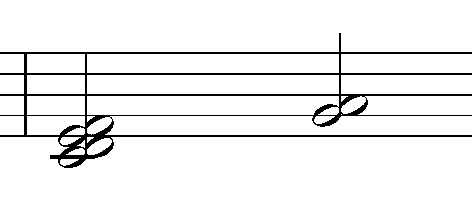
Tremolo (a)
Tremolo (b)

Tremolo is written as above, and the beat is determined by the number of sticks drawn on the note. You can think of one as 8 minutes, two as 16 minutes, and three as 32 minutes.

It is also divided into left-hand and right-hand Tremolo. (a) is the right-hand Tremolo, and (b) is the left-hand Tremolo.

Tremolo, which is played with the left hand, is often confused with Trill. Trill is generally played within a major 2nd, while Tremolo, where the note is moved, can be considered to be played over just a 3rd.

Tremolo can be used really effectively as a virtual instrument, so if you actively use it when writing songs, you can create dramatic effects.

  • Conclusion

There are some playing techniques that can be played on virtual instruments and some that cannot. There are three things to check when writing a song with string virtual instruments:

1) Will you use actual string instruments recorded and mixed?
2) If you can’t, what playing techniques can you choose and express on a virtual instrument?
3) Your song requires playing techniques that virtual instruments cannot use, but is it possible to create them using some unique tips?

As for number 1, if you mix real strings, it doesn’t matter which playing method you use, but for us musicians who are always worried about money, we have to worry between numbers 2 and 3 every time…

Therefore, you should first check the techniques you can use and use them according to the situation. There are other techniques, and we will look at them together in the next article..^^

Orchestration Basics – Strings (2)

This article was written on August 2, 2022.

Hello? This is Jooyoung Kim, a mixing engineer and singer-songwriter.

In the last article, we covered understanding basic string instruments. Today, we will continue with this and cover techniques mainly used in string instruments.

Shall we get started right away?

  • Vibrato

Vibrato can be used in 3 ways:

1) Finger Vibrato (using fingers)
2) Wirst Vibrato (using wrist)
3) Arm Vibrato (using the entire arm)

Depending on the player, it is used because it is easy to play and effective, but as far as I know, there is no virtual instrument that has been selected for this yet.

I think you just need to know that something like this exists.

  • Double Stop

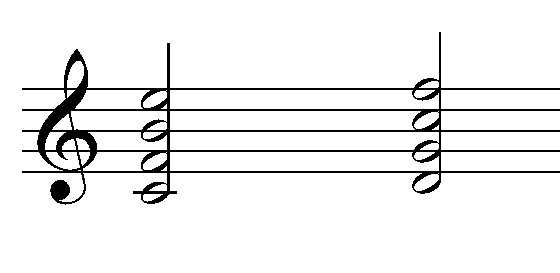
Double Stop refers to playing intervals and chords. It simply means producing two notes at the same time. A triple stop means playing three notes, and a quadruple stop means playing four notes at the same time. When playing multiple notes at the same time, you need to think about their positions.

In the last article, I said there was a formula for double stop, right?

When the upper note is played down a perfect 5th, it is possible as long as the difference from the lower note does not exceed an augmented 4th. For the viola, it is possible as long as it does not exceed a perfect 4th, and for the cello, it is a major 3rd.

In addition, simple features include

1) It is difficult to establish a major 3rd degree relationship, and a perfect 5th degree or more is desirable.
2) Since double stopping with distant strings is impossible, it is composed of adjacent strings.
3) Good effects are also observed for intervals between the 3rd and 6th (perfect 4th) or intervals between the 5th and 8th (perfect 4th).
4) In the case of Triple Stop or Quadruple Stop, Secco (sound made all at once at the same time) is not possible due to the curvature of the fingerboard.

Depending on the virtual instrument or the playing method of the instrument, Double Stop may or may not be possible. This is a playing method that you must carefully read the manual of the virtual instrument you plan to use.

  • Division

Division is a technique that can be used because it is an orchestra. In Double Stop, each person plays all the notes, while in Division, the notes are played separately by each person.

A double stop would be two groups, a triple stop would be three groups, and a quadruple stop would be four groups, right?

Abbreviated as Div. Alternatively, it is written in the score as Division. Some of these playing techniques are performed automatically depending on the virtual instrument.

A representative example is LASS (LA Scoring Strings).

  • Unision & Doubling

In classical music, unification refers to a technique in which different instruments produce exactly the same sound, and doubling refers to a technique in which sounds are produced in an octave relationship. This should not be confused with what we say about recording doubling in pop.

Violoncello and Contrabass often form a doubling relationship, and in many cases, doubling is done by placing an additional high string on top of Violin 1. When playing loudly and strongly, Violin 1 and Violin 2 sometimes unify.

  • Scordatura

Scordatura means anomalous coordination.

If you play guitar, you may have done this often, but string instruments often use irregular tuning depending on the song.

However, virtual instruments often do not support irregular tuning, so unless it is particularly necessary, it is more convenient to just use the original tuning and write the song.

In this way, we learned about external(?) techniques rather than how to play with a bow. In the next article, we will look at bowing, which is determined by how you play the bow.

Mixchecker Ultra Rent to Own ($13.75/12 months)

hello? This is engineer and singer-songwriter Jooyoung Kim.

Today, I wanted to introduce Mixchecker Ultra, a higher version of Mixchecker, Audified’s representative plug-in, as it was released as Rent to Own at a plug-in boutique, so I requested an NFR (Not for Resell) code from the plug-in boutique and brought it.

As its name suggests, Mixchecker, this plug-in can be useful for simply checking how something sounds in different environments.

It is a format derived from the IR of various speakers, and if you are interested in equipment or machines, you will be able to tell which product it is from just by looking at the shape of the speakers, cell phones, headphones, earphones, etc.

​Even if you don’t know the product well, if you hover your mouse cursor over the icon, a name similar to the original product will appear in the center and a description will be written on the right, making it easy to find.

If you select Auto in the middle, the automatically set devices will play sequentially, and you can add noises from everyday life such as the street or subway through the Noise button and listen to them.

In addition, you can listen to various situations through functions such as Bypass, Mono, and Distortion.

Analyzer functions are also included, and individual analyzers can be enlarged and viewed for easy visual inspection.

​You can just use it to check the mix, but it can be fun to use for special effects, such as playing with earphones or in the car.

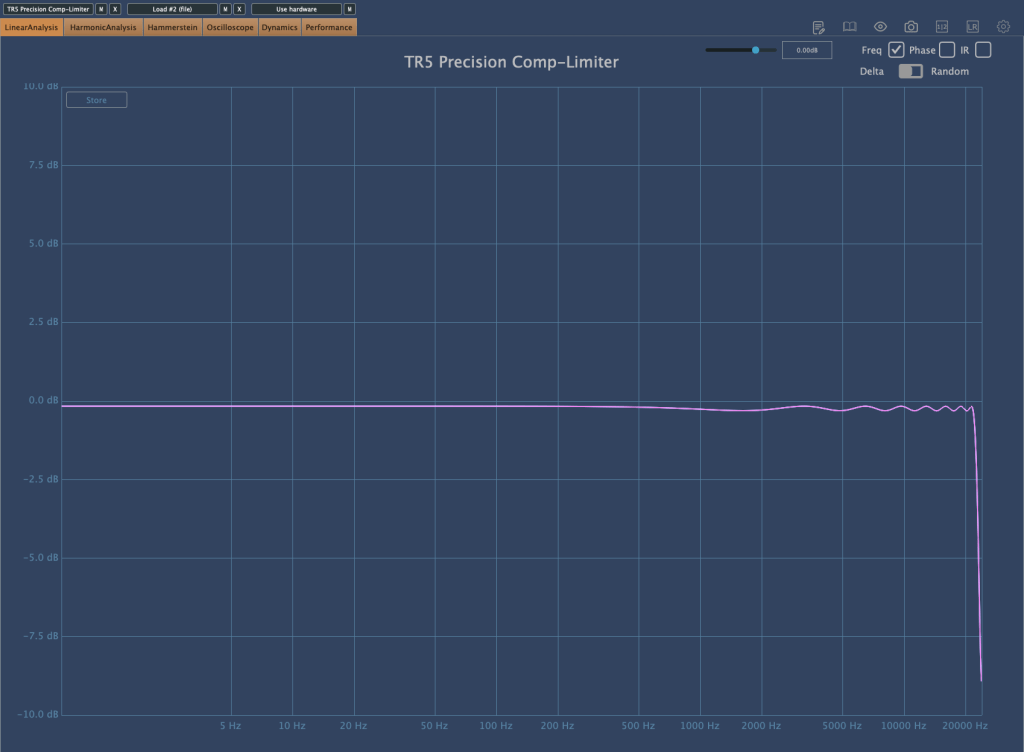
I measured Mixchecker’s NS-10M model using Plugin Doctor, and the Frequency Response came out interesting… haha.

​In fact, it is absurd to reproduce the sound of another speaker through one speaker. First of all, if the woofer is small, the low frequency range is not physically produced, so a small woofer cannot reproduce the sound of a speaker with a large woofer. Nevertheless, devices other than speakers, such as earphones, laptops, and TVs, seem to be represented quite well.

It is said that these speakers and various devices were measured and modeled in an anechoic chamber using an instrument called apx525 and B&K Type 4128-C.

​Mixichecker Pro is Audified’s flagship product that has been purchased by many people, with more than 20,000 units sold worldwide since its launch.

​The higher version, Mixchecker Ultra, contains many more features than the Pro version, so it would be a good idea for those who have been interested in mixing or mastering to take a look.

If you purchase from the plugin boutique, you will receive a plugin for free.

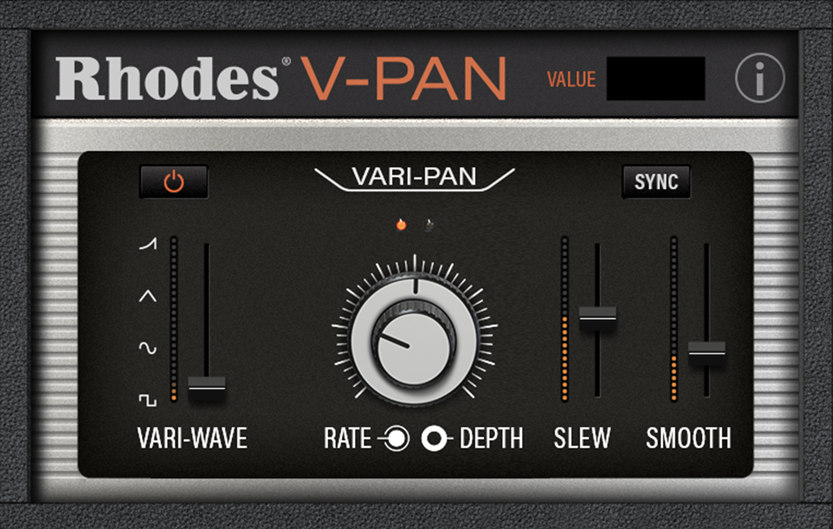
This month, they are giving away an autopan plugin called V-Pan from Rhodes, and a sound modulation plugin called Dehumaniser Simple Monsters from Krotos.

​If you purchase it, I hope you will receive one.
Well, see you again in the next article!