
This article was written on August 6, 2022.
Hello? This is engineer and singer-songwriter Jooyoung Kim.
Continuing from the last article, today we will learn about bowing, a string technique.
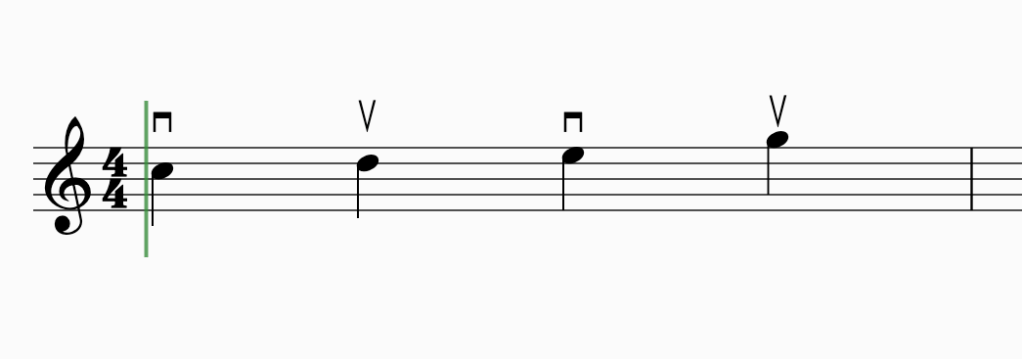
Bowing can be broadly divided into two playing techniques: whether the bow falls off the string or not.
– On the String: Legato, Staccato, Detache, Marcato (Martele), Portato
– Off the string: Spiccato, Jete (Ricochet), Tremolo
This is the classification done by the teacher who taught me, but as the teacher told me, the classification is not particularly important. Let’s look at them in order.
- Legato
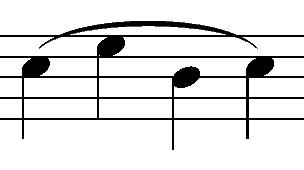
Legato is a playing technique in which the notes are played continuously without interruption. Therefore, whether it is Down Bow, where the bow is drawn downward, or Up Bow, where the bow is drawn upward, it is played all at once with one bow.
In sheet music, it is written as Slur as shown in the picture above, and it is the default playing method in most virtual instruments.
- Staccato

This is a playing technique where you play briefly, with the string attached to the bow, at about 1/2 the original beat. Usually, in a virtual instrument, if there is only Legato or Sustain and no Sforzando playing technique, a mixture of playing such as Staccato with a strong attack nuance is used.
(I’d like to buy the Vienna Symphonic Library with Sforzando, but it’s too expensive…)
- Detaché

Detaché, unlike Legato, is played with each bow. You might think it’s similar to Staccato, but this one is different in that it plays all the notes.
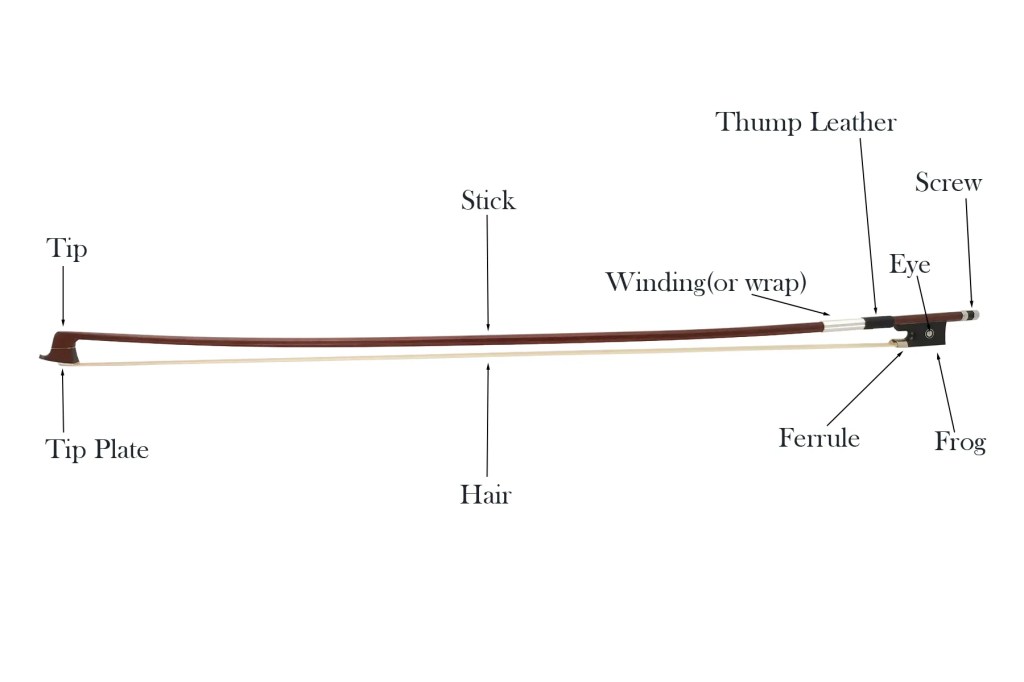
If you start from the tip (upper part) of the bow, it is marked At the Point, and if you start from the Frog (hand side) of the bow, it is marked At the Frog.
- Marcato(Martelé)
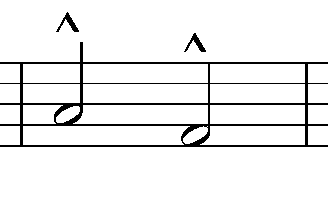
Marcato is derived from the Italian word Martellato, meaning hammer. It means to play hard and hard like a hammer, and is written in the shape of the letter Λ above the note.
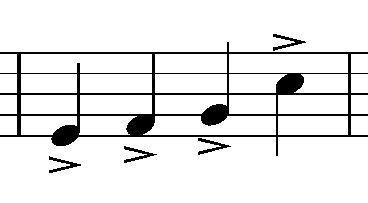
Be careful because it is different from the Accent symbol, and unless it is a cheap virtual instrument, it is a common playing method, so it is good to use it actively.
- Portato
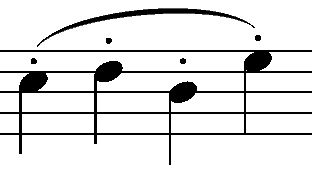
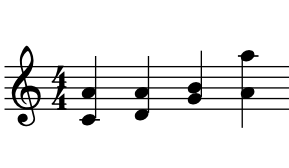
Portato is played somewhere between Legato and Detache. It is played with a continuous Down Bow or Up Bow, and is written as Slur Staccato as shown in the photo above.
Since the notation is the same as Spiccato, it must be written separately as Portato or the performer must interpret it independently by looking at the BPM and the length of the note.
- Spiccato
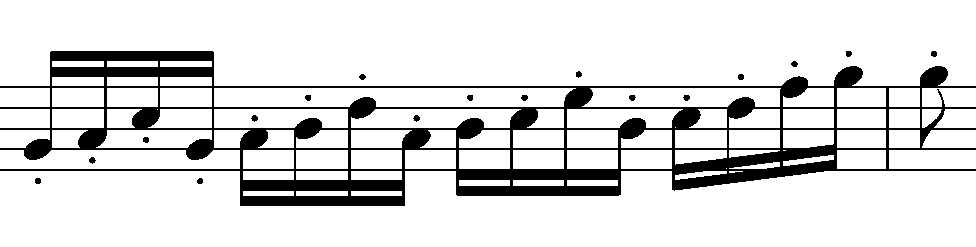
Spiccato is mainly used in the middle part of the bow and is a playing technique used in the fast section. It is common to use notations such as Spiccato or Portato, and write Spiccato below.
Like Detaché, because it is played with each bow, the attack is clearly audible, so this friend is also good to use as a layer when you want to express strong legato or sustain in a virtual instrument.
- Jete(Jeté, Ricochet)
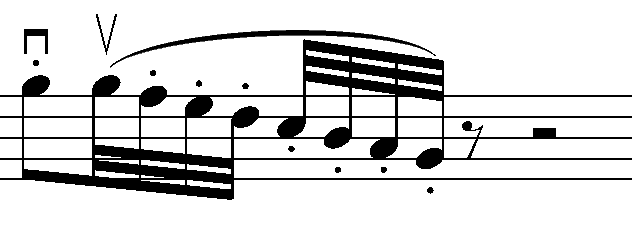
Jete means ‘to throw away’ and is a technique in which the bow is thrown away and thrown away. Because the notation is Slur Staccato, the notation of the four playing methods, Staccato, Spiccato, Portato, and Jete, is very confusing.
Let’s write well in the sheet..!
- Tremolo
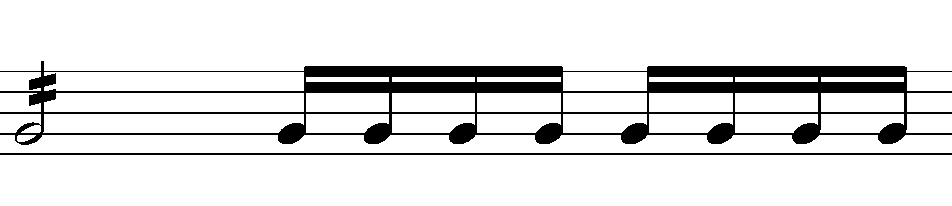

Tremolo is written as above, and the beat is determined by the number of sticks drawn on the note. You can think of one as 8 minutes, two as 16 minutes, and three as 32 minutes.
It is also divided into left-hand and right-hand Tremolo. (a) is the right-hand Tremolo, and (b) is the left-hand Tremolo.
Tremolo, which is played with the left hand, is often confused with Trill. Trill is generally played within a major 2nd, while Tremolo, where the note is moved, can be considered to be played over just a 3rd.
Tremolo can be used really effectively as a virtual instrument, so if you actively use it when writing songs, you can create dramatic effects.
- Conclusion
There are some playing techniques that can be played on virtual instruments and some that cannot. There are three things to check when writing a song with string virtual instruments:
1) Will you use actual string instruments recorded and mixed?
2) If you can’t, what playing techniques can you choose and express on a virtual instrument?
3) Your song requires playing techniques that virtual instruments cannot use, but is it possible to create them using some unique tips?
As for number 1, if you mix real strings, it doesn’t matter which playing method you use, but for us musicians who are always worried about money, we have to worry between numbers 2 and 3 every time…
Therefore, you should first check the techniques you can use and use them according to the situation. There are other techniques, and we will look at them together in the next article..^^





 Jooyoung's Music Blog