Basics of Mixing – 2.5 Volume and Signal Level

Hello! I’m Jooyoung Kim, a mixing engineer and music producer.

Today, let’s talk about volume and signal levels.

If you’re interested in sound, you’ve likely heard the term “Equal Loudness Contour.”

This term refers to the fact that our ears perceive different frequencies at different volumes. The curves that connect sounds perceived as being of equal loudness are known as equal loudness contours.

Looking at the graph, you can see that humans tend to hear less of the low and ultra-high frequencies and more of the high frequencies at the same volume level.

(*Recently, the standard for Equal Loudness Contour was revised from ISO 226:2003 to ISO 226:2023.)
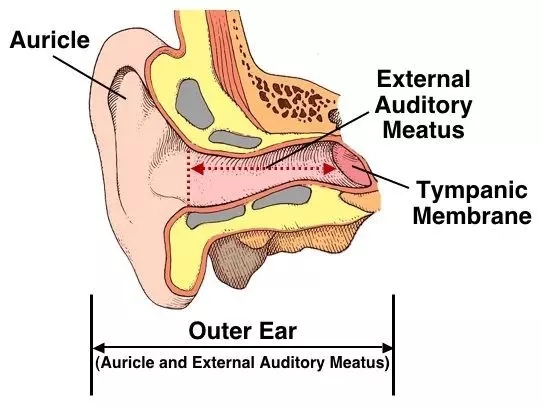
This phenomenon occurs because our ears are shaped like a closed tube.
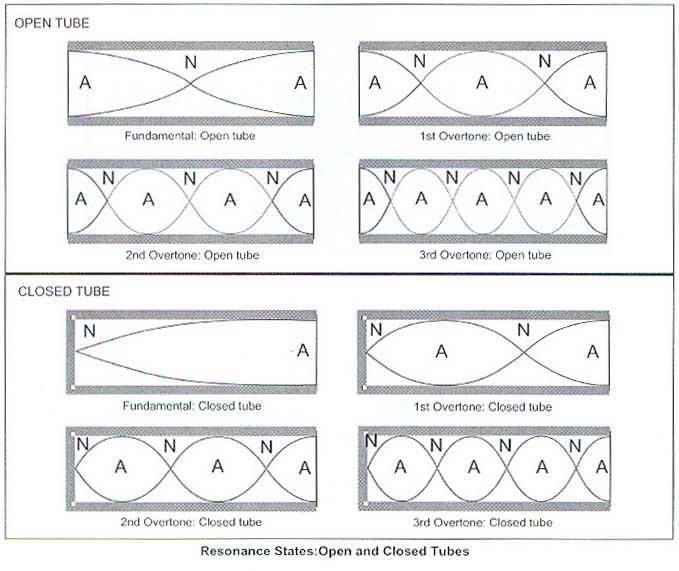
A closed tube resonates at wavelengths that are at least one-fourth the length of the tube. The external auditory meatus (ear canal) is typically about 2.5 cm long, so it can resonate with sound waves that are around 10 cm in wavelength.

Since the speed of sound is typically calculated at 340 m/s, we can determine that the resonant frequency is approximately 1700 Hz. Additionally, the resonances in the ossicles make the high frequencies more audible.

Why is this important to know?

The equal loudness contours show that as volume increases, the lows and highs sound more balanced. This is why music mixed at high sound pressure levels (SPL) can sound tinny or weak when played at lower volumes.

So, what is an appropriate volume level for mixing? Generally, 80 dB SPL is used as a standard. Famous mastering engineer Bob Katz recommends using 83 dB SPL.

(Here, dB SPL refers to the decibel unit used to express sound levels, such as airplane noise or inter-floor noise.)

I found a video from Presonus that discusses how to set speaker volume. For those who work in home studios, 80 dB SPL might sound quite loud. Personally, I work around 75-70 dB SPL as 80 dB can be painful for my ears. Just make sure you’re not working with the volume too low.

Now, let’s move on to basic signal levels.

In audio, there are four main types of levels:

1) Microphone Level / Instrument Level

  • These signals are very weak and need to be boosted to line level using a microphone preamp or DI box.

2) Line Level

  • This is the level at which audio equipment typically communicates. It’s used in audio interfaces, mixers, hardware EQs, compressors, and other devices.

3) Speaker Level

  • To play the signal through speakers, it needs to be amplified to speaker level. This requires a power amplifier. Active speakers have built-in power amplifiers, whereas passive speakers need an external power amplifier.

4) Mixing Level

  • The levels dealt with during mixing are almost all line levels.

Line level is usually divided into two categories: Pro Line Level and Consumer Line Level. Pro Line Level is based on +4 dBu, while Consumer Line Level is based on -10 dBV.

  • dBu is a unit based on 0.775 Vrms.
  • dBV is a unit based on 1 Vrms.

(Brief Explanation of RMS : Since electrical signals are AC, simply averaging them would yield a value of zero. Therefore, the root mean square (RMS) is used to find the average.)

When converting between these units, nominal level and peak level differ. Pro levels are higher, and consumer equipment typically has lower headroom, which can cause compatibility issues with pro equipment.

However, modern high-fidelity equipment often has high signal levels, so it’s becoming less of a concern.

That’s about all you need to know about signal levels.

With this foundational knowledge, we’ve covered the basics needed for mixing. In the next article, we’ll look at DAW functions in detail.

See you in the next post!
Basics of Mixing – 2.4 Speaker Placement and Listening Techniques

Hello, This is Jooyoung Kim, a mixing engineer and singer-songwriter.

To mix effectively, you need to listen to sound accurately.

What does it mean to listen to sound accurately? It can be a long discussion, but let’s focus on two main points:

  1. Minimize distortion (from the room, objects, speaker baffle, speaker unit limitations, etc.)
  2. Listen from the correct position.

These two principles form the foundation.

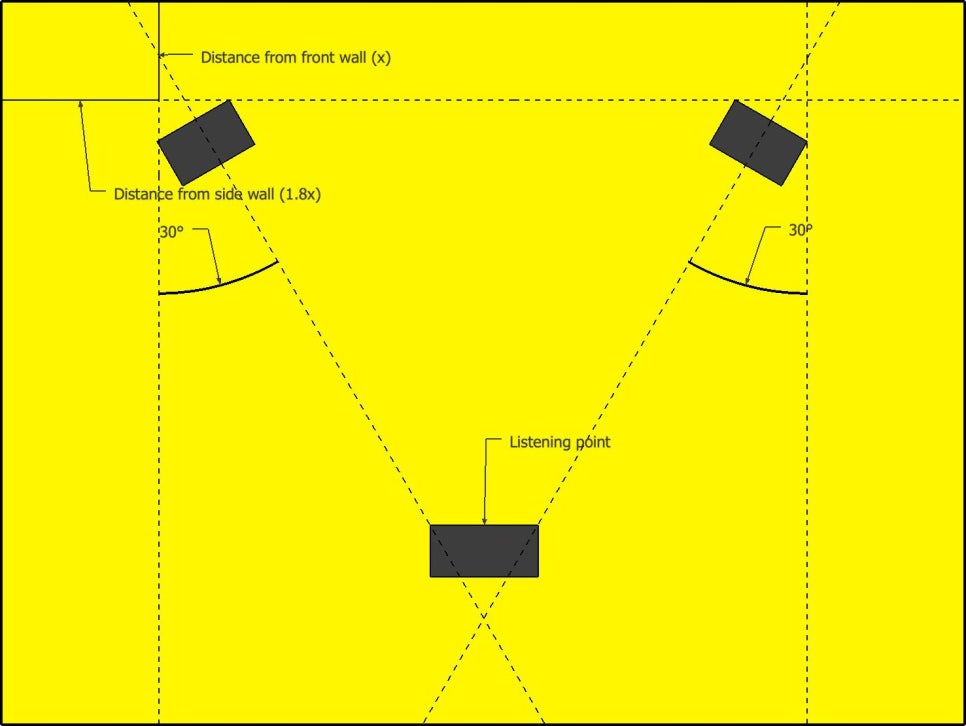
Generally, stereo speakers are arranged in an equilateral triangle. The angle marked as 30 degrees in the diagram above is called the Toe-In Angle. This angle can be adjusted slightly based on personal preference.

Additionally, the tweeter, which reproduces high frequencies, should be positioned close to ear level. This is because high frequencies are more directional and may not be heard well if the tweeter is placed too high or too low. Various stands are used to achieve this positioning.

However, recommended angles and placements can vary by manufacturer, so it’s best to start with the manual and then adjust as needed.

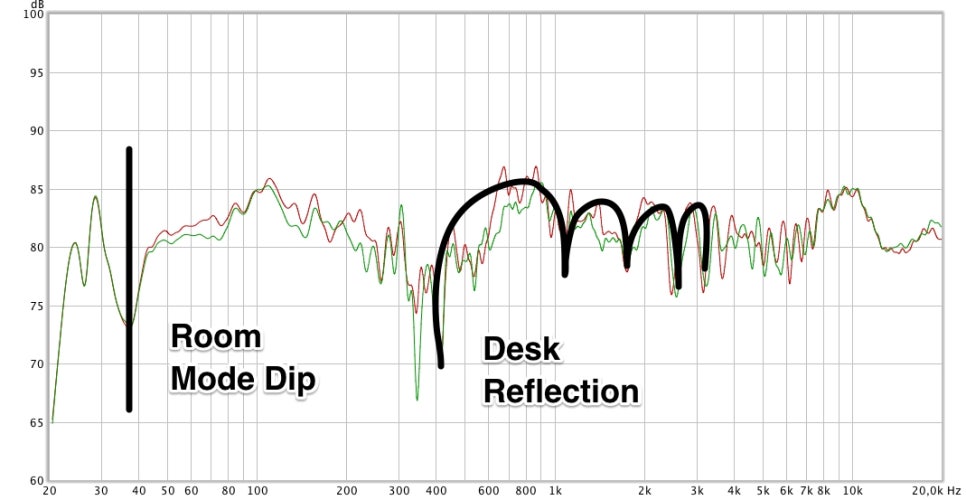
When changing placements, it’s important to measure and identify where the issues are. With some training, you can listen to a track and identify boosted or cut frequencies, giving you an idea of where the problems lie. Measurement, however, makes it easier to pinpoint specific issues you might miss by ear.

One of the simplest and free measurement programs is REW (Room EQ Wizard), which I introduced a long time ago.

You can use an affordable USB microphone like the miniDSP UMIK-1 for easy measurement, or, if budget allows, a measurement microphone like the Earthworks M50.

By measuring, you can understand various factors beyond just frequency response, such as phase, harmonic distortion, and reverberation time. This helps you identify and solve problems in your workspace.

Doing all this ensures you hear the sound as accurately as possible, allowing you to understand what proper sound and mixing should be.

So, you’ve set up your speakers correctly. How should you listen to the sound?

Of course, you listen with your ears, but I’m not just saying that. I’m suggesting you listen to the sound in layers.

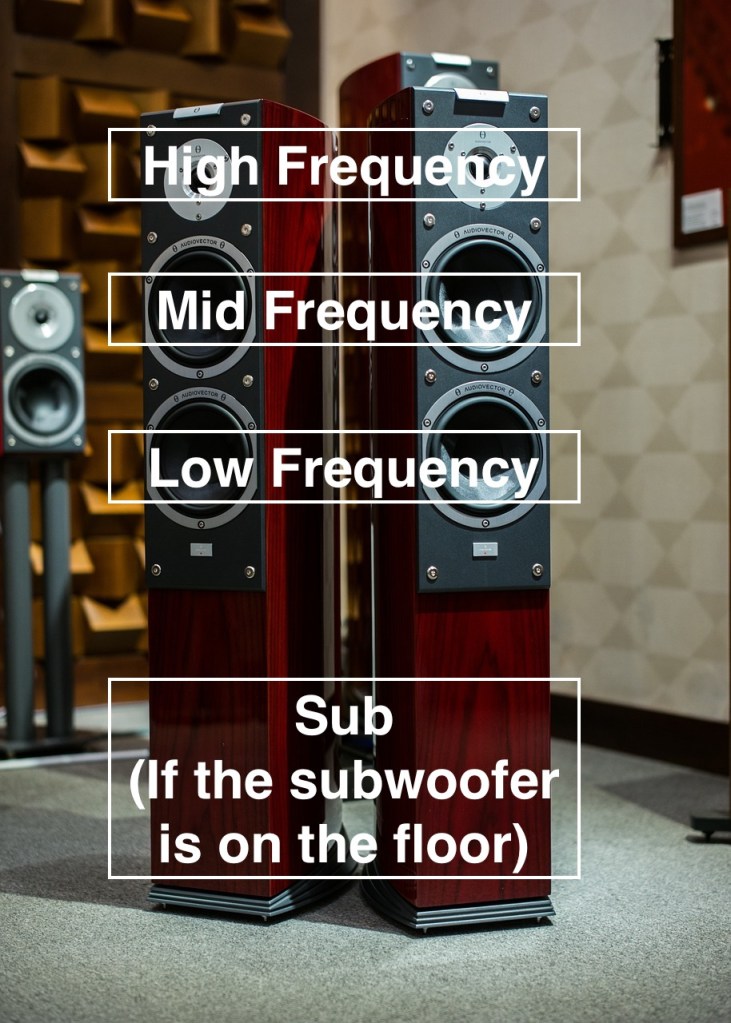
In a typical 2-way speaker, the tweeter is on top, and the woofer is on the bottom, so high frequencies come from above and low frequencies from below. Consequently, low-frequency instruments seem to be positioned lower, and high-frequency instruments higher.

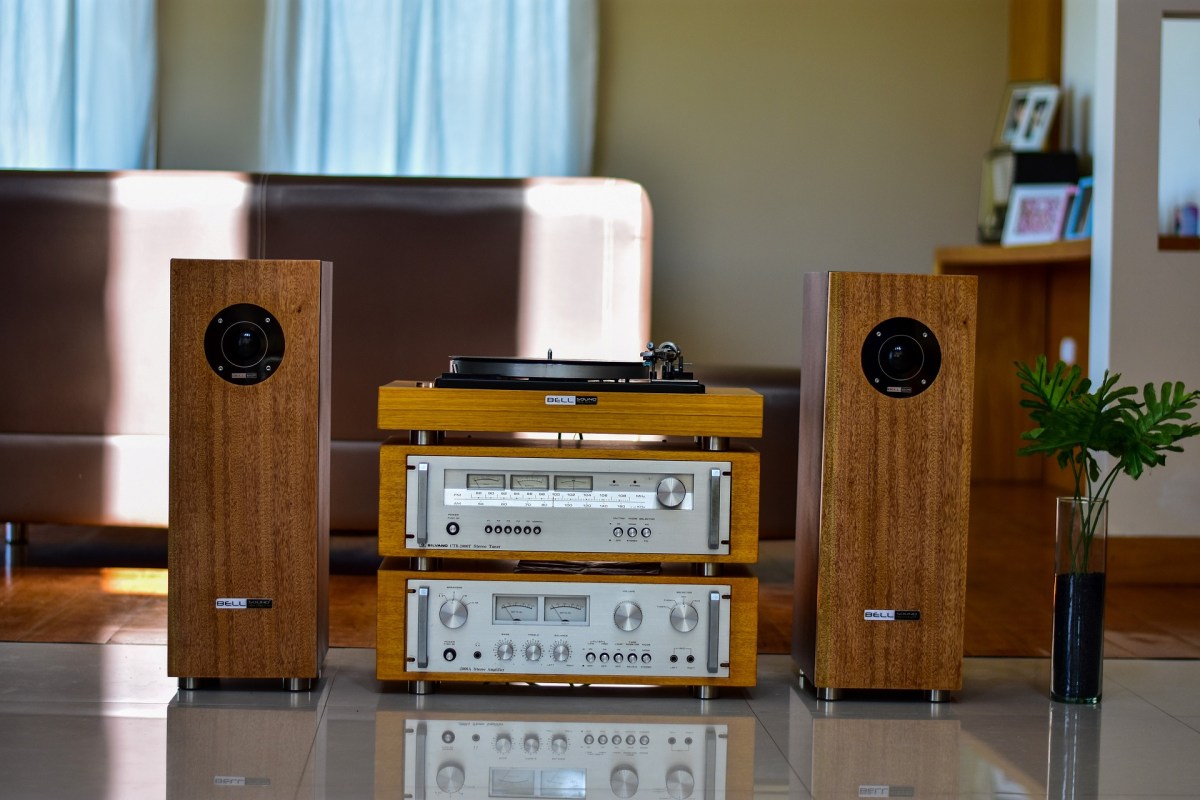
If your listening distance and room support it, well-made hi-fi tallboy speakers can make mixing easier.

That was about the vertical plane. Now, let’s talk about the front-to-back dimension.

When someone whispers in your ear versus speaking from afar, there are noticeable differences:

  1. Whispering sounds clearer (more high frequencies, less reverb)
  2. Whispering sounds louder.

These principles determine whether instrument images appear in the front or back. Panning also moves them left and right.

If you’re not familiar with this concept, try closing your eyes and identifying where each instrument is located in a mix.

Since stereo images vary with different speakers, it’s crucial to understand how your speakers reproduce images. Reference tracks are essential for this.

For example, I always listen to Michael Jackson’s albums and the MTV live version of “Hotel California” when I switch speakers. Michael Jackson’s songs are well-mixed for their age, and the live version of “Hotel California” is superbly mixed except for the vocals.

Let’s wrap it up for today. Creating the best acoustic environment in your room is essential for effective mixing.

My environment isn’t perfect either, but I’m continuously improving it..!

See you in the next post!

Basics of Mixing – 2.3 Digitalization of Sound

Hello, I’m Jooyoung Kim, a mixing engineer and music producer.

Today, I want to talk about how analog sound signals are digitized in a computer.

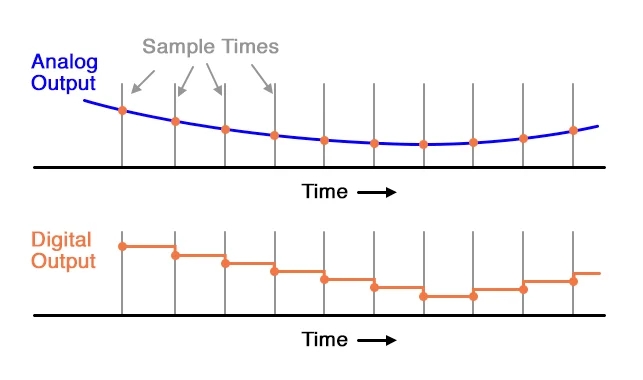
The electrical signals outputted through a microphone preamp or DI box are continuous analog signals. Since computers cannot record these continuous signals, they need to be converted into discrete signals. This is where the ADC (Analog to Digital Converter) comes into play.

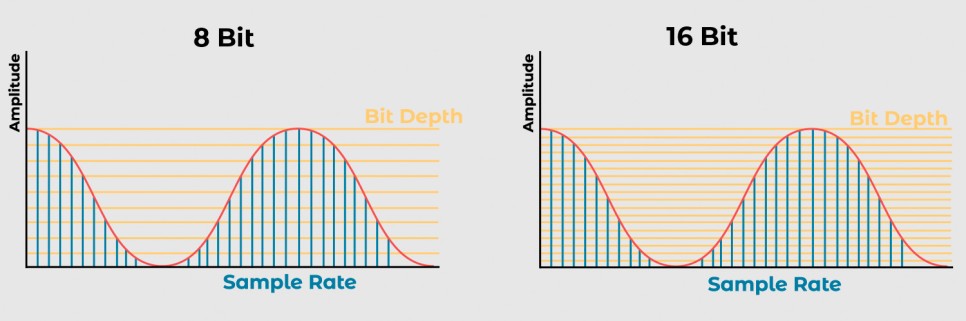
Here, the concepts of Sample Rate and Bit Depth come into the picture.

The sample rate refers to how many times per second the signal is sampled.

The bit depth refers to how finely the amplitude of the electrical signal is divided.

For example, consider a WAV file with a sample rate of 44.1kHz and a bit depth of 16 bits. This file records sound by sampling it 44,100 times per second and divides the amplitude into 65,536 levels (2^16).

A file with a sample rate of 48kHz and a bit depth of 24 bits samples the sound 48,000 times per second and divides the amplitude into 16,777,216 levels (2^24).

In a DAW (Digital Audio Workstation), these digital signals are manipulated. To listen to these digital signals, they need to be converted back into analog electrical signals.

This conversion is done by the DAC (Digital to Analog Converter), often referred to as a “DAC”.

The image above shows a simple DAC circuit that converts a 4-bit digital signal into an analog signal.

These analog signals can pass through analog processors like compressors or EQs and then go back into the ADC, or they can be sent to the power amp of speakers to produce sound.

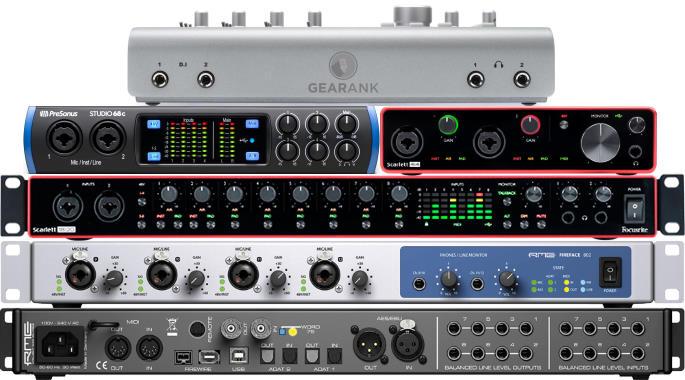
Various audio interfaces

Audio interfaces contain these converters, along with other features like microphone preamps, monitor controllers, and signal transmission to and from the computer, making them essential for music production.

Topping’s DAC

However, those who do not need input functionality might use products with only DAC functionality.

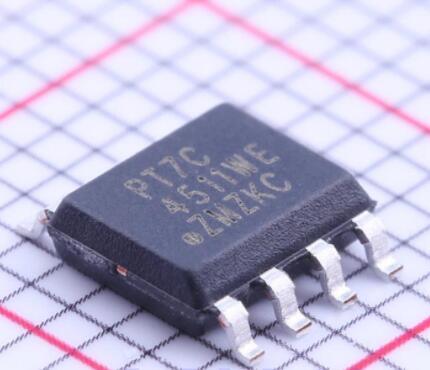
Inside these digital devices, there are usually IC chips that use a signal called a Word Clock to synchronize different parts of the circuit.

To synchronize this, devices called Clock Generators or Frequency Synthesizers are used.

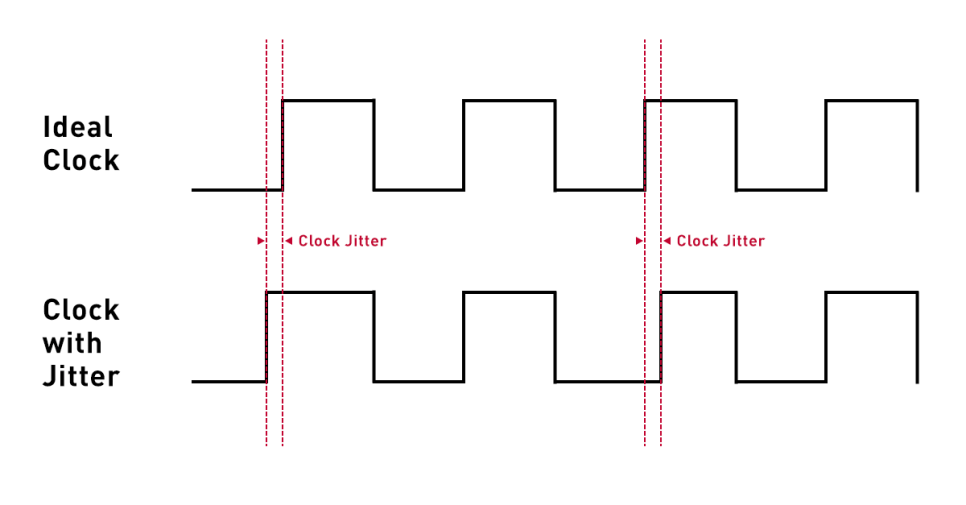
In a studio, there can be multiple digital devices, and if their clocks are not synchronized, it can cause a mismatch called jitter. Jitter can result in unwanted noises like clicks or cause the sound to gradually shift during recording (I experienced this while recording a long jazz session in a school studio where the master clocks of two devices were set differently).

To prevent this, digital devices are synchronized using an external clock generator. If you are not using multiple digital devices, the internal clock generator of the device should suffice, and there is no need for an external clock generator.

An article in the journal SOS (Sound On Sound) even mentioned that using an external clock generator does not necessarily improve sound quality.

Today, we covered Sample Rate, Bit Depth, ADC (Analog to Digital Converter), DAC (Digital to Analog Converter), Word Clock, and Jitter.

While these fundamental concepts can be a bit challenging, knowing that they exist is essential if you’re dealing with audio and mixing. If you find it difficult, just think, “Oh, so that’s how it works!” and move on.

See you in the next post!

Basics of Mixing – 2.2 Phase and Interference

Hi, This is Jooyoung Kim, mixing engineer and music producer.

Today, following our discussion on waves, I’d like to talk about phase and interference.

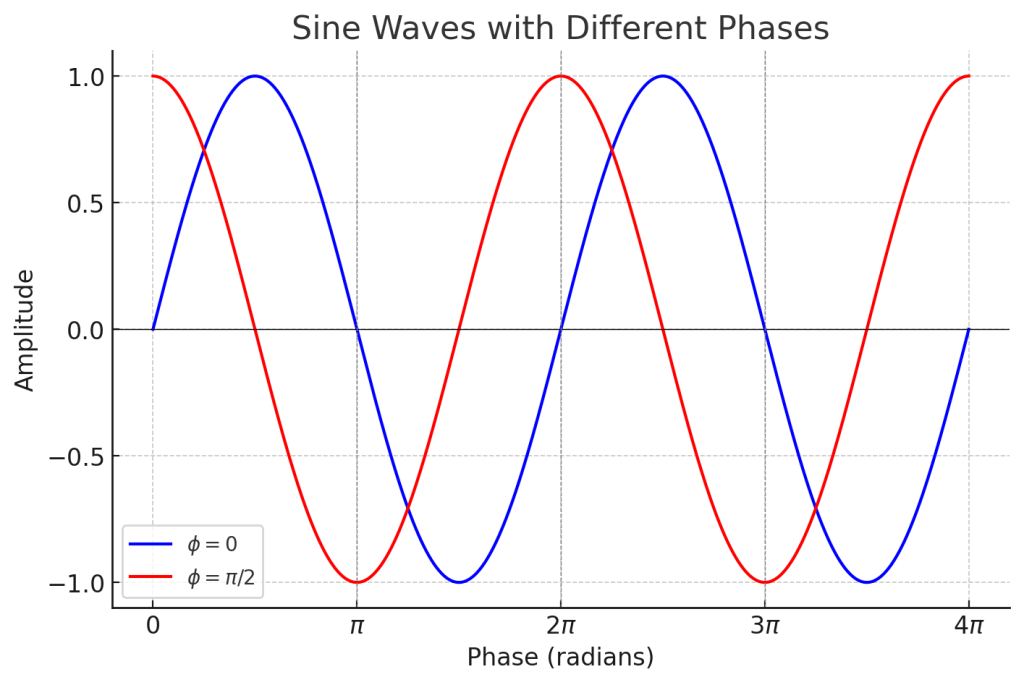
In the previous post, we talked about phase and how it represents the ‘position and state’ of a wave, which can be expressed in degrees.

When two different waves (sounds) meet, this is called interference. The concept of phase is very useful in explaining interference.

Let’s first look at the case where two waves with the same frequency and direction of travel interfere.

Left: Constructive Interference; Right: Destructive Interference

On the left, you see two waves with the same phase meeting, while on the right, you see two waves with opposite phases (180 degrees or π apart) meeting.

On the left, the amplitude doubles, and on the right, it becomes zero. This type of interference, where the amplitude increases, is called ‘constructive interference,’ and when the amplitude decreases, it is called ‘destructive interference.’

When the amplitude increases, the sound becomes louder, and when it decreases, the sound becomes softer. Therefore, when a sound with the opposite phase to the original sound is played together, the sound is canceled out.

Why should a mixing engineer know this?

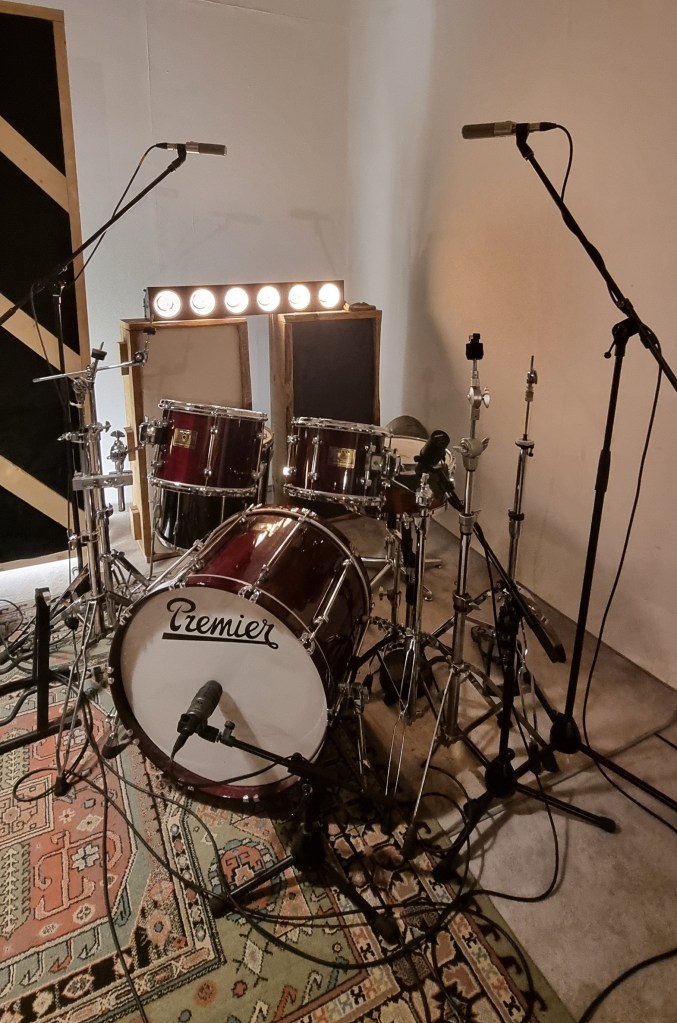
Around April, I received a request for mixing for live recording at a small competition, and this is a photo of the drum recording setup.

When recording drums, multiple microphones are often used for the kick and snare, among other elements.

When these recorded sounds are combined, the recorded sources can interfere with each other, leading to destructive interference, which weakens the sound. Hence, it’s essential to align the phase of each track.

You can easily understand proper phase alignment by listening.

I’ve included a YouTube video because creating my own example would be too time-consuming. In the video, the initial sound you hear is a properly phase-aligned snare, while the subsequent sound shows a snare with phase misalignment resulting in destructive interference.

Therefore, when conducting multi-track recording, it’s crucial to check the phase of all tracks against a reference track.

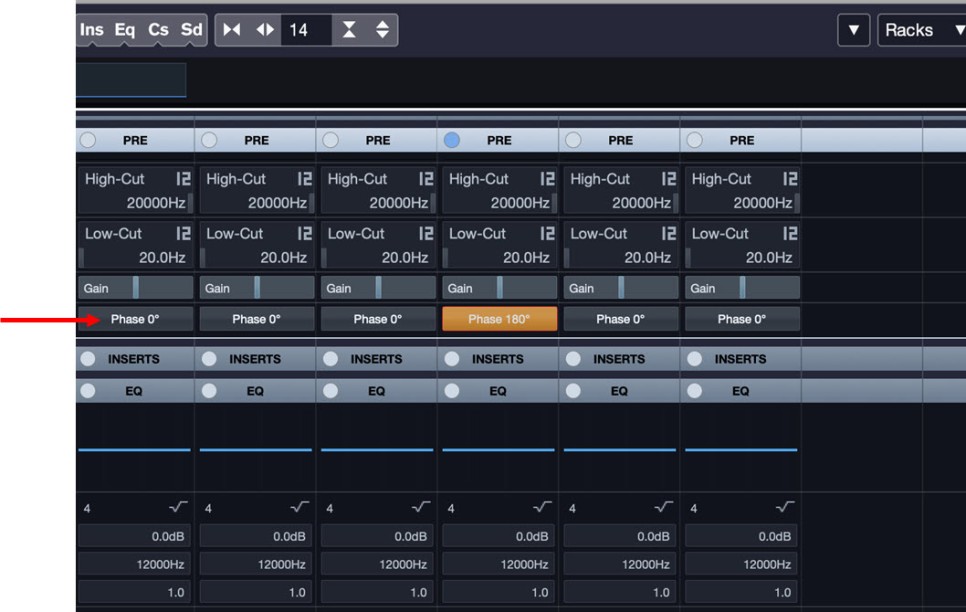
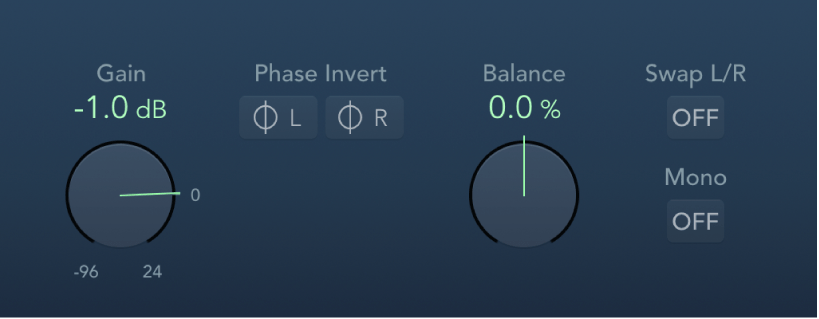
In Cubase, you can change the phase in the mixer window using the Pre-phase button. In Logic, you use the Phase Invert button in the Gain plugin.

In Pro Tools, there’s a button (Φ) on the track itself to invert the phase. Other DAWs also have waveform editing functions to flip the phase.

That’s all for this post. See you in the next article!