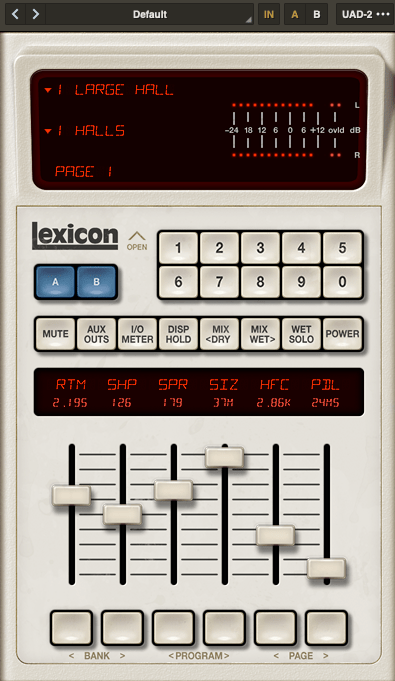
Basics of Mixing – 8.3 How to Use Reverb?

Hello, this is Jooyoung Kim, music producer and audio engineer.

Last time, we explored the history and types of reverb. Today, we’ll dive into the practical ways to use reverb in your mix. Let’s get started!

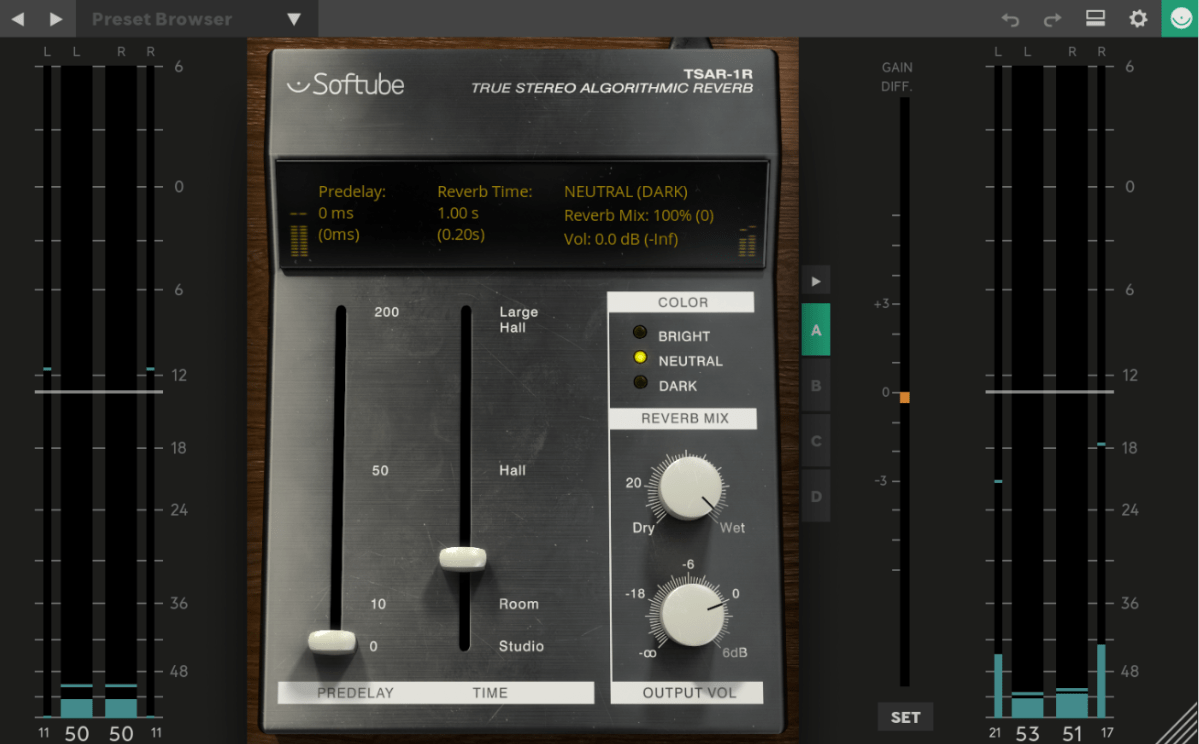
When you first open a reverb plugin, the numerous settings can be overwhelming. But in reality, you only need to focus on three key parameters:

  1. Pre-Delay
  2. RT60 (Reverb Time)
  3. Type of Reverb

Pre-Delay refers to how much time passes between the original sound and the reverb effect. If the listener is close to the sound source, a larger Pre-Delay feels natural, while a smaller Pre-Delay is ideal if the source is far away.

RT60 measures the time it takes for the sound to decay by 60dB. While the decay time can vary depending on the frequency, you can generally think of it as the time for the reverb to fade out.

Reverb types are crucial because they give your mix different atmospheres depending on the choice. Knowing these basics should be enough to get you started!

Understanding Reverb Parameters
Here’s RVerb, a basic digital reverb plugin from Waves.
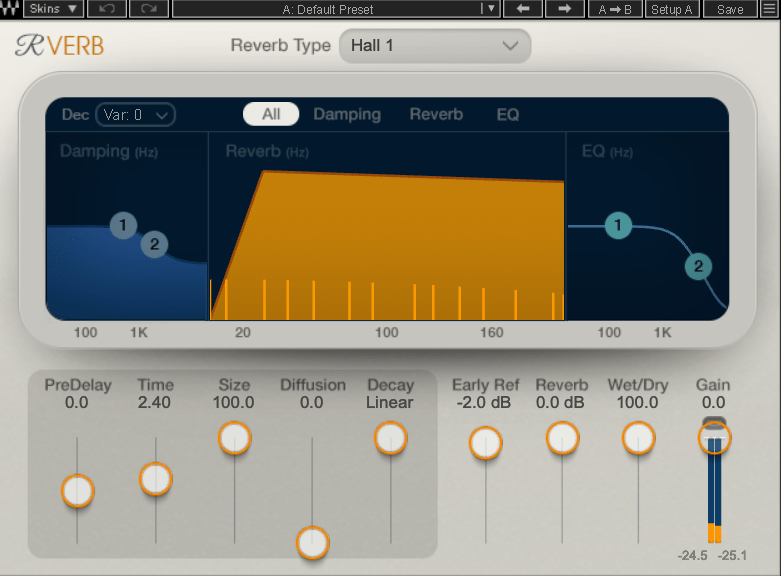
Time represents RT60, but what about Size? Size controls the virtual space’s dimensions, affecting the initial reflections and how the reverb tail forms.

Diffusion varies across plugins. It manages whether the reverb tail is formed by the direct sound or by the reflections. Lower values make the tail clearer and less cluttered, while higher values create a fuller sound.

Decay isn’t always present, so we’ll skip that for now. Early Reflections control how strong the initial echoes are. Smaller rooms produce stronger early reflections, while larger rooms have weaker ones. Wall materials can also affect this.

Reverbs like Shimmer add pitch modulation, Plate and Spring reverbs adjust materials, and Chamber reverbs may let you adjust mic and speaker positions.
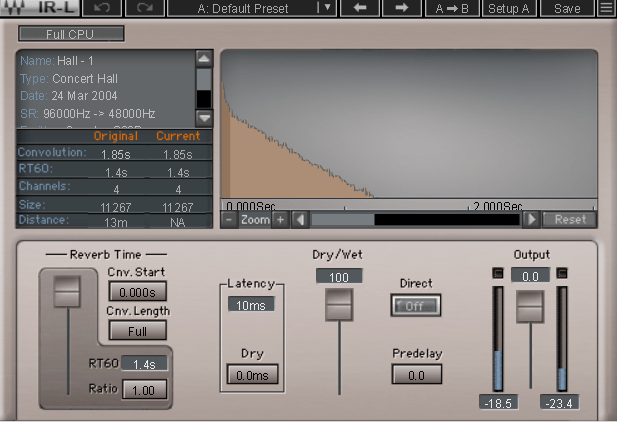
With IR (Impulse Response) reverbs, drastic changes to settings like Pre-Delay can feel unnatural, so if you’re not satisfied with the sound, it’s better to switch to a different reverb entirely.

Reverb EQ
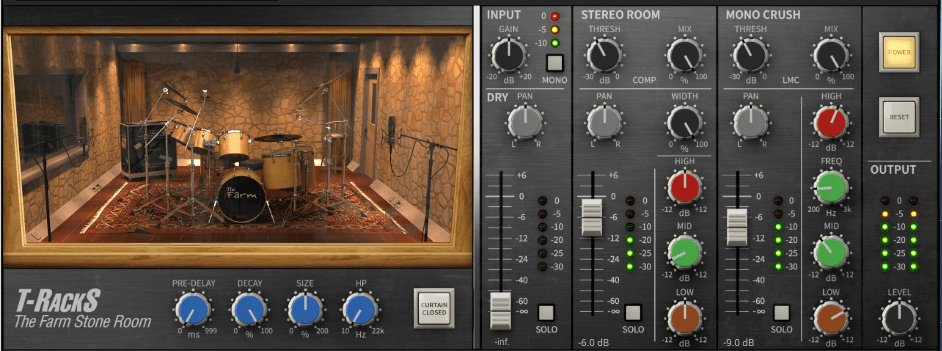
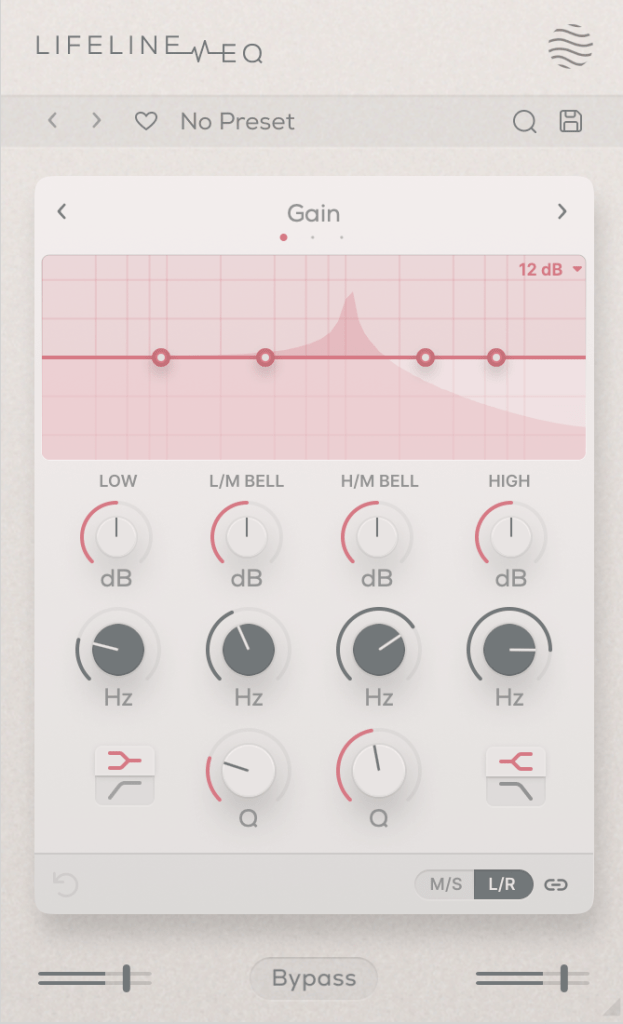
There’s a reason why many reverb plugins include built-in EQs.

When applying reverb, EQ is key. Think of a live concert venue like a club in Hongdae. Outside, you mostly hear bass, while the vocals are hard to make out, right? This is because low frequencies travel further, while high frequencies lose energy faster in the air.

To simulate the natural acoustics of a real venue, especially for orchestral performances, applying EQ to the reverb can help create a more realistic reverb effect. Additionally, reducing some lows and mids from the reverb will help prevent the reverb from muddying up your mix, allowing for a clearer sound.

Reverb Compression & Saturation
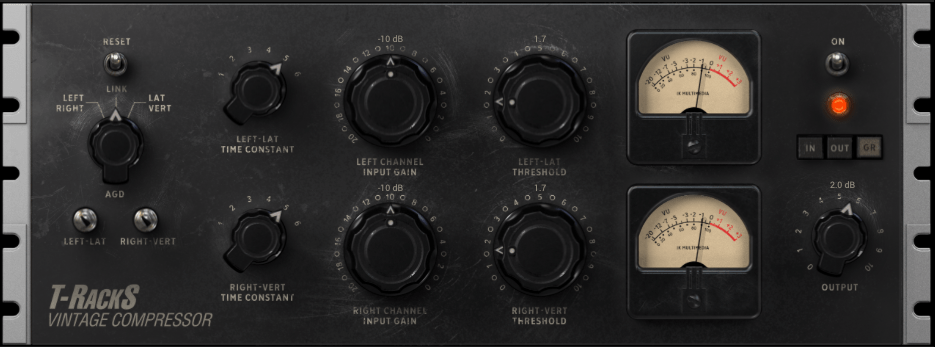
What happens when you apply compression to reverb? Compression reduces dynamic range, which gives the illusion of a longer reverb tail, making it feel like the reverb lasts longer.

You can also add tonal color through hardware or plugin saturation to alter the feel of the reverb. For example, sidechaining the reverb to a vocal or lead instrument can reduce the reverb when those elements are prominent, and increase it when they are not.

Gated Reverb
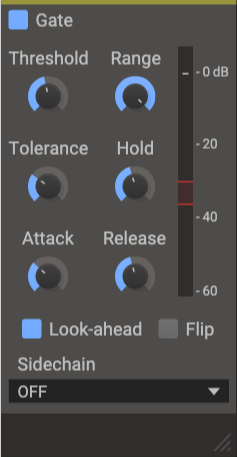
By using a gate, you can tightly control the reverb to match the groove of the track. Using sidechain techniques with gates or envelope followers, you can craft tight, precise reverb effects. This technique works wonders in genres like funk, but it can feel out of place in ballads—so choose carefully!

Various Reverb Uses

It’s common to use more than one reverb in a mix. For instance, a UAD Precision Reflection Engine can add artificial ambience to dry tracks, while you might apply a Plate Reverb specifically to the snare drum.

For consistency, you might apply a Hall Reverb across all elements in the mix. And don’t forget to adjust your Send Panning for spatial accuracy.


That’s about it for reverb usage! While theory helps, there’s no substitute for hands-on experience. Keep experimenting, and I’m sure you’ll get the hang of it.

Until next time, see you in the next post! 😊

Basics of Mixing – 8.2 The History and Types of Reverb

Hello, this is Jooyoung Kim, music producer and audio engineer. Today, I’ll be discussing the history and various types of reverb.

Shall we dive in?

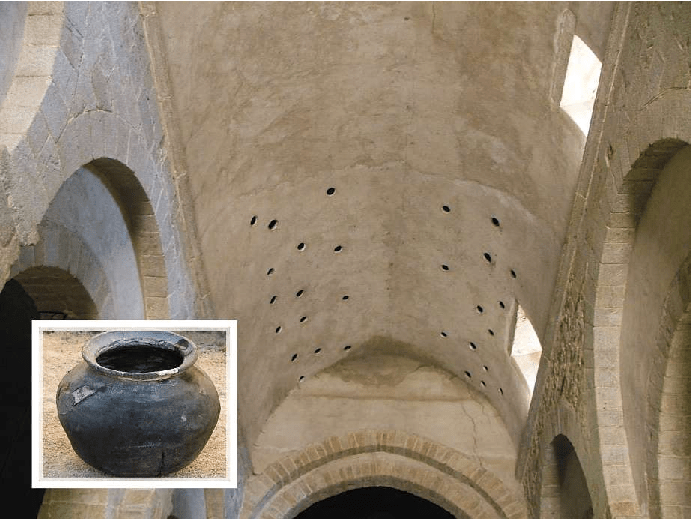
Valiere, Jean-Christophe & Palazzo-Bertholon, Benedicte & Polack, Jean-Dominique & Carvalho, Pauline. (2013). Acoustic Pots in Ancient and Medieval Buildings: Literary Analysis of Ancient Texts and Comparison with Recent Observations in French Churches. Acta Acustica united with Acustica. 99. 10.3813/AAA.918590.

The image above is from a paper on “Acoustic Pots” found in ancient and medieval architecture. These pots were embedded in walls to function as a type of Helmholtz Resonator.

That might sound too technical, but a Helmholtz resonator is essentially a device that reduces specific frequencies. Modern-day applications include using this concept in car design, though that’s a more recent development.

In ancient times, the Aztecs built temples like Kukulkan Temple, which used echo to create fascinating sounds.

The Greeks also designed spaces with excellent acoustic properties, enabling sound to be heard clearly from specific spots.

Back then, without microphones, these architectural advances allowed sound to be projected effectively, and this often included reverb.

Moving to the Modern Era

In the modern era, Bill Putnam, the founder of Urei, which later became Universal Audio, was the first to experiment with reverb. He used it in the song “Peg o’ My Heart” by the Harmonicats.

For this track, they recorded instruments, played the sound in a studio bathroom, and re-recorded it to capture the reverb. If you’ve ever sung in the shower, you’ll know exactly the kind of reverb I’m talking about! This was the earliest form of what we now call an echo chamber.

Echo Chamber (Chamber Reverb)

Inspired by this, studios started building dedicated rooms for reverb, known as echo chambers.

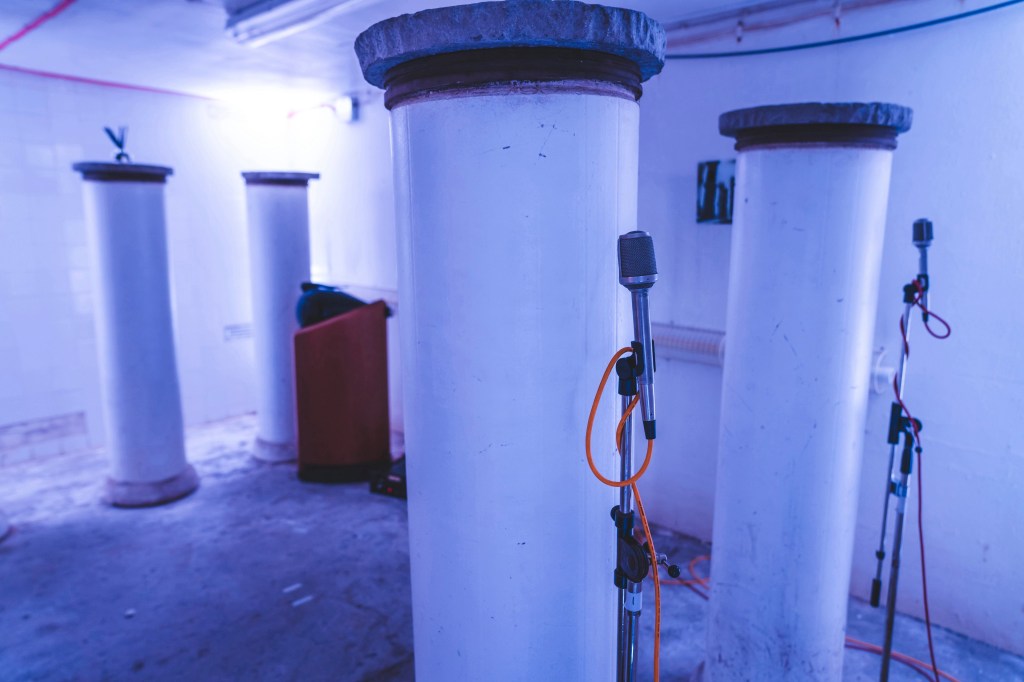
The image above shows one of the echo chambers at the famous Abbey Road Studio. For those familiar with plugins, this might ring a bell.

Waves created a plugin called Abbey Road Chambers, which is based on impulse responses (IR) from these very rooms. Notice the tile walls—similar to bathroom tiles—used to reflect sound. The process involves playing sound through speakers and capturing it with microphones.

By the way, the classic speakers you see in that plugin are B&W 800D speakers. The 800 series is a dream for many, though the price is quite steep, even second-hand. Hopefully, I’ll own a pair of 801D4s someday…

Anyway, there are plenty of plugins that emulate these echo chambers. While the sound quality is great, the cost of building these rooms is astronomical.

Imagine dedicating an entire room just for reverb—it’s quite an investment! Unless, of course, money is no object…

Plate Reverb

Plate reverb was developed as a more cost-effective alternative to the echo chamber.

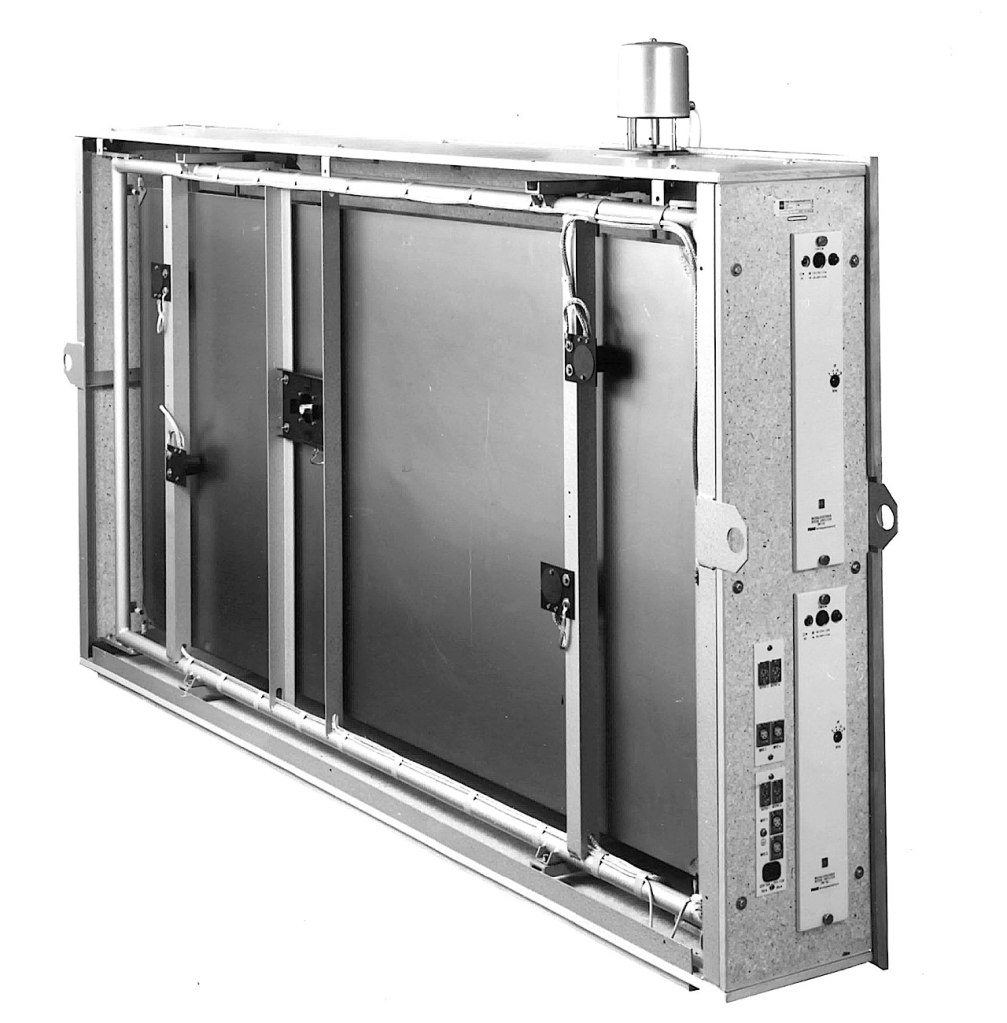
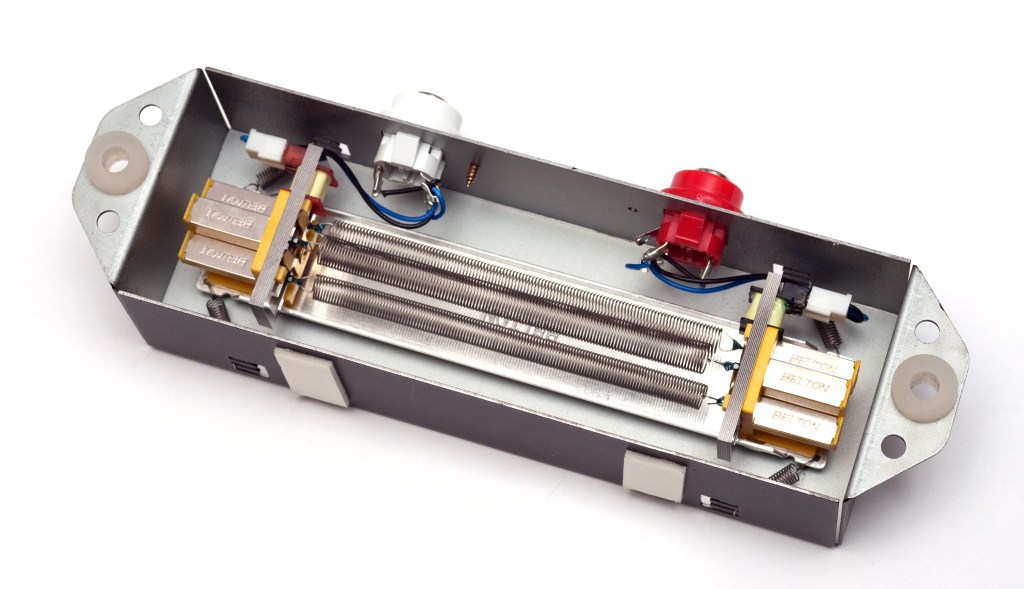
This type of reverb works by vibrating a metal plate, with microphones attached to capture the sound. The tone varies depending on the type of metal used, giving plate reverb its distinctive sound.

While these units could weigh up to 250kg and were still quite expensive, they were far more affordable than building a dedicated reverb room.

Digital Reverb

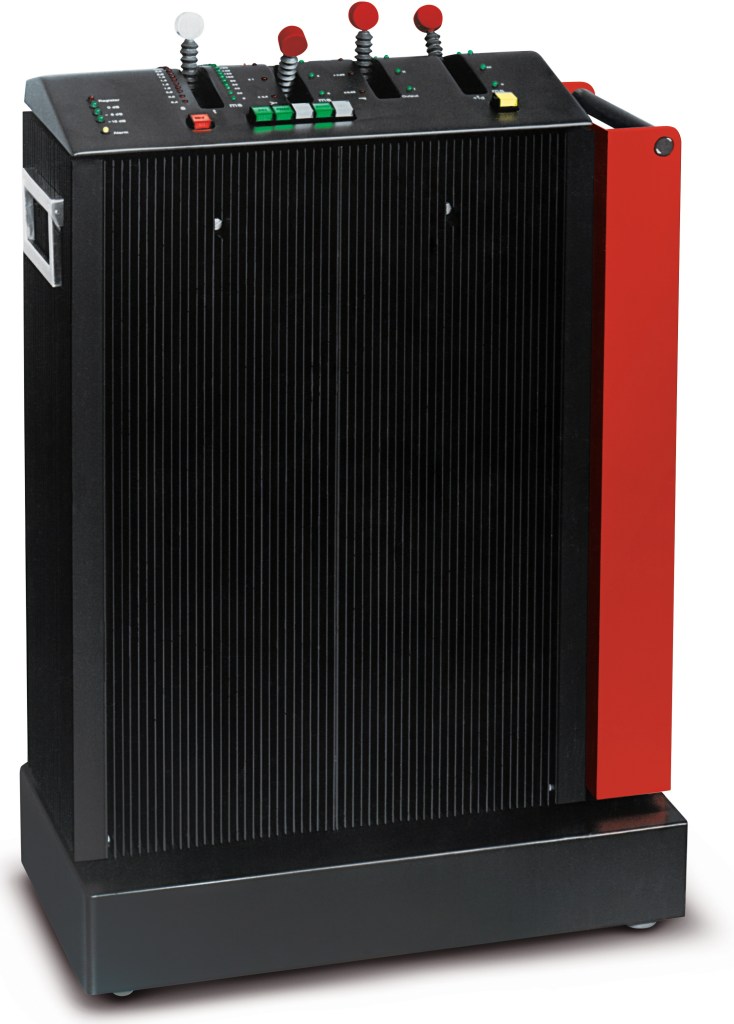
To reduce the size and cost further, digital reverb was invented. The image above shows the first commercial digital reverb, the EMT 250.

Spring Reverb

Spring reverb was originally developed for use in Hammond organs to create reverb effects.

The technology was later licensed to Fender, leading to the inclusion of spring reverb in Fender guitar amps. Its function is similar to plate reverb, and because it’s been embedded in guitar amps for so long, it has a familiar and pleasant sound when used with guitars.

Shimmer Reverb

Shimmer reverb adds pitch modulation to the reverb, producing a characteristic shimmering effect. It’s perfect for when you want that lush, expansive sound.

Hall, Studio, and Other Reverbs (Convolution Reverb)

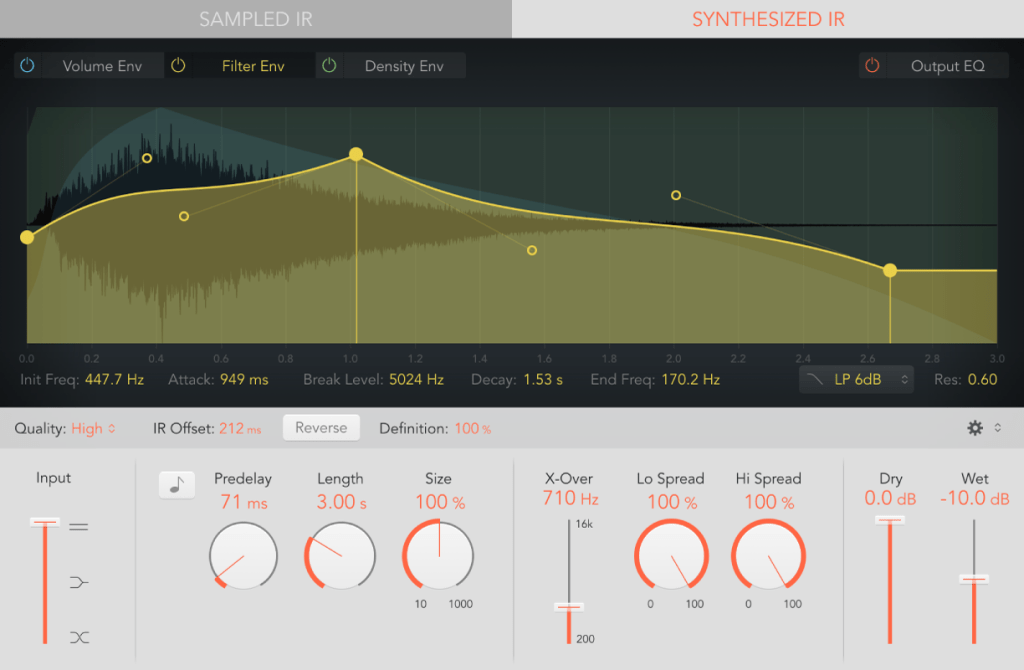
Reverbs like hall or room reverb are actually quite tricky to classify. These reverbs are generated using an impulse response (IR) of real spaces through a process called convolution.

Let me briefly explain what an impulse is: it’s a very short, high-amplitude signal. Mathematically, it’s known as a Dirac delta function, where:

  • if x = 0, y = ∞
  • if x ≠ 0, y = 0
  • and its integral from -∞ to ∞ equals 1.

This impulse can be used to measure the frequency response of speakers. When measuring a space, we use a signal known as a sine sweep, which is recorded and mathematically transformed through deconvolution to generate the impulse response.

While this might sound complicated, you can think of it as recording a sine sweep in WAV format and using it to create a reverb through calculation.

With IR reverbs, you can also use other sounds like snare hits or kick drum samples as IR files to create unique effects.

Logic has its Space Designer plugin for this,

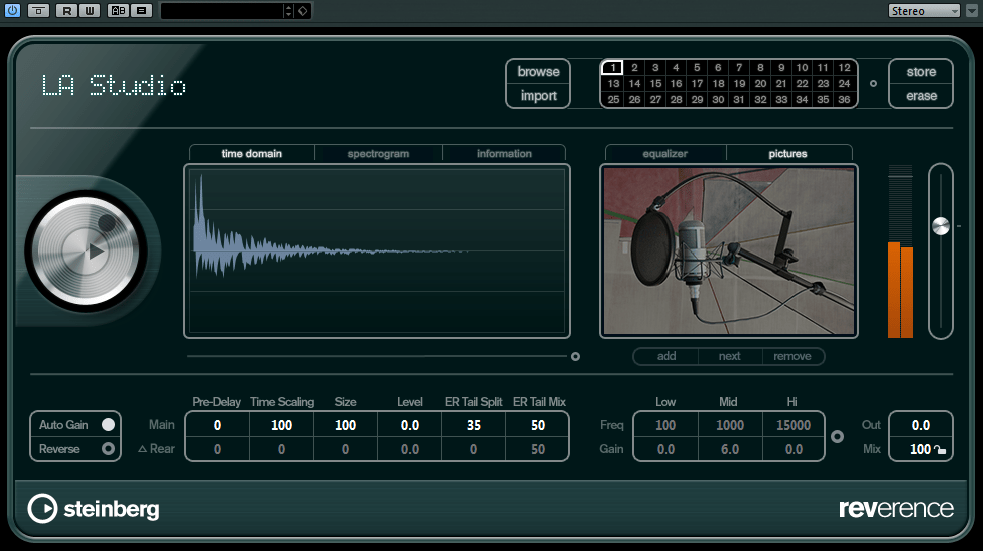
Cubase uses Reverence,

and Pro Tools has Space.

In the end, the reverbs we use on our computers can be divided into two types: algorithmic reverb and convolution reverb.

Conclusion

That covers the history and types of reverb. I may have gone off on a tangent at times, but if some of it was too complex, don’t worry! You don’t need to fully understand every detail—music is all about what sounds good, after all.

On a different note, I finally received permission from Universal Audio to use some photos for my book. I’ll post an update when the book is ready!

See you in the next post!

Excite Audio Lifeline Modules: Third-Party Plugin Sale (~9/30) and Introduction Part 1 – Lifeline Console

Hello! I’m Jooyoung Kim, a mixing engineer and music producer.

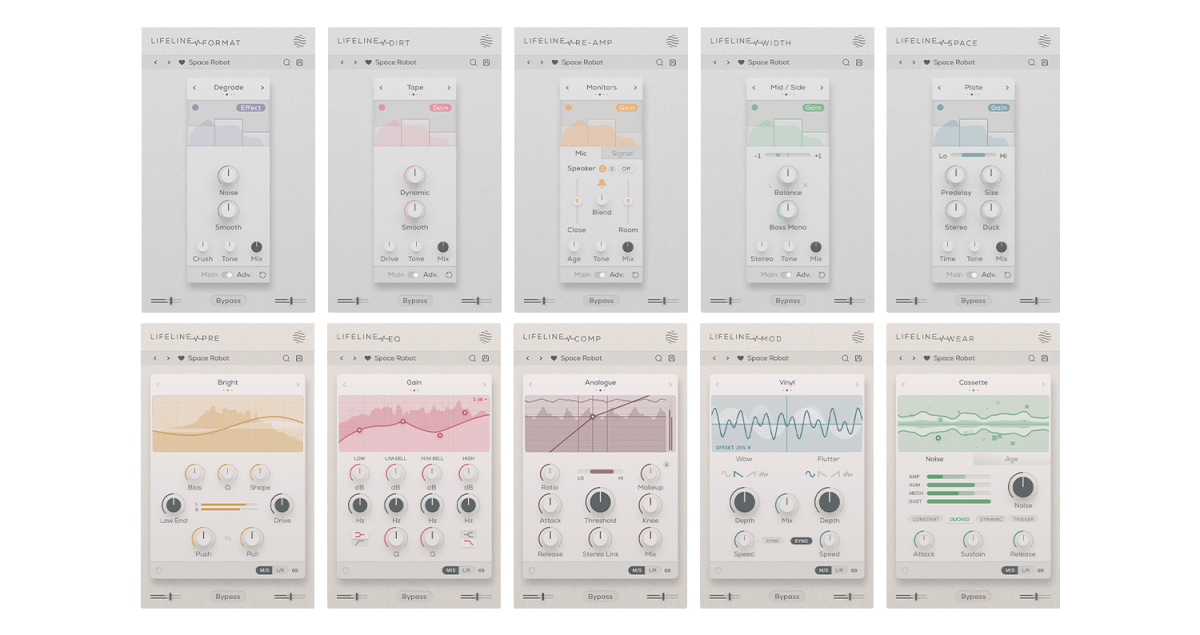
Today, I’d like to introduce you to the affordable Lifeline Module plugins from Excite Audio.

Since there are quite a few plugins to cover, I’ll split this into two parts.

Before we dive in, I want to mention something.

Personally, I highly recommend these simple plugins.
They have low latency and don’t consume much CPU, so they’re easy to use without burdening your system.
Especially when working on large mixes with over 100 tracks, it can be frustrating when plugins start causing delays.

Before upgrading to a Mac Studio, managing resources was both crucial and challenging.
This was especially true with DAWs like Logic that only support buffer sizes up to 1024. It could be quite limiting!

While these plugins aren’t blazing fast, they’re definitely quick and reliable enough for most tasks.
For instance, I found that the Lifeline Comp performs about twice as fast as the CLA-2A, with latency under 7ms.

As with the previous plugins, these were provided by Plugin Boutique under NFR (Not for Resale) terms.

Let’s get started!

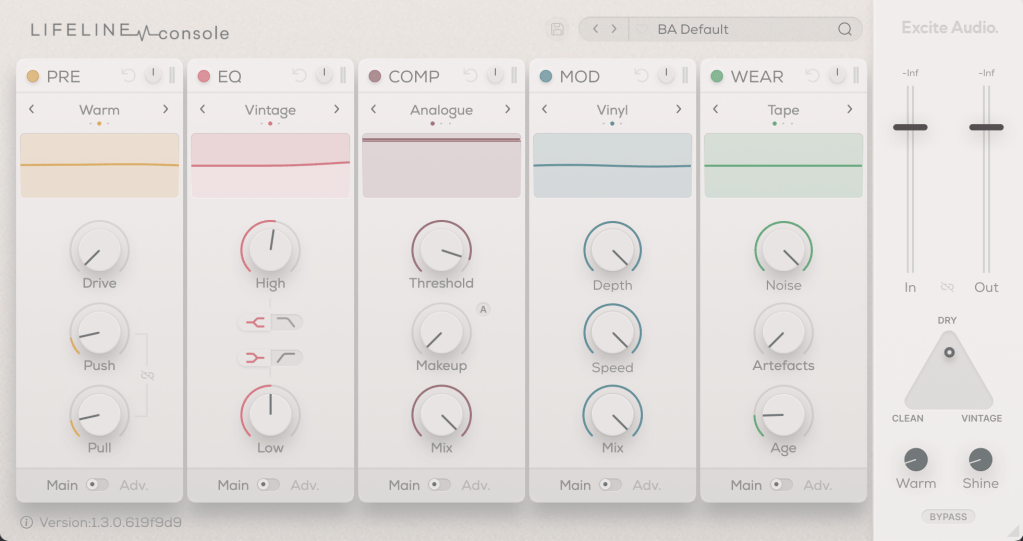
There are 10 Lifeline Modules in total, and the Lifeline Console includes 5: Preamp, EQ, Compressor, Modulation, and Wear.

When you purchase either the Console or Expanse, the respective modules are also provided as individual plugins, and you can buy each module separately.

Let’s start by looking at the Console window with the included modules.

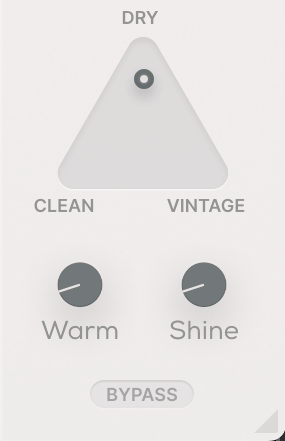
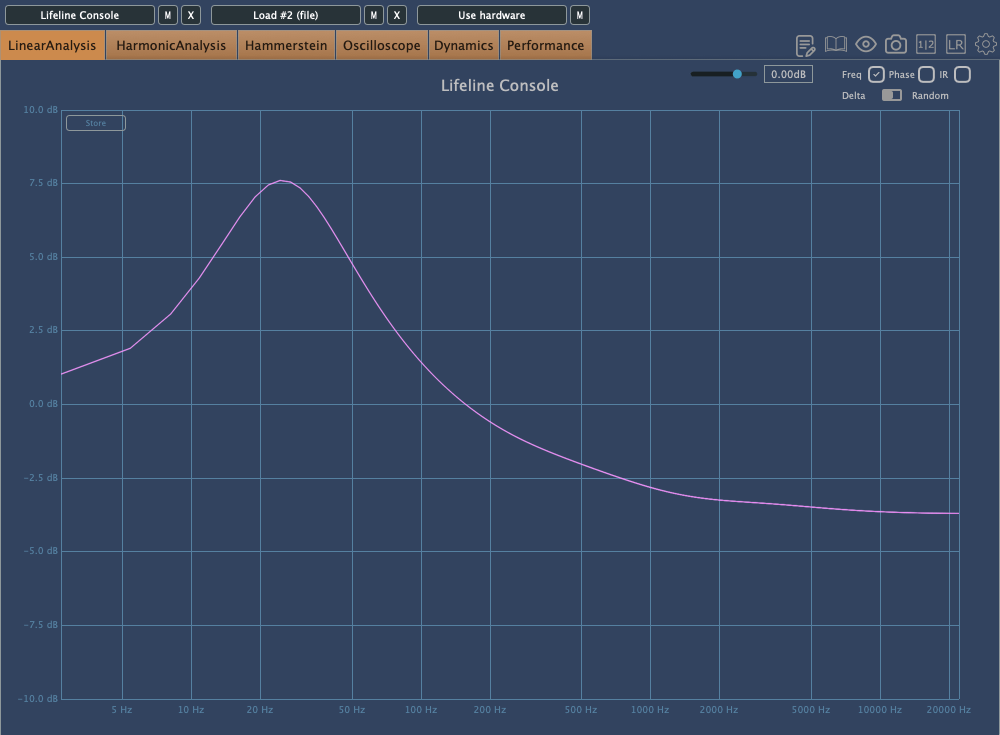
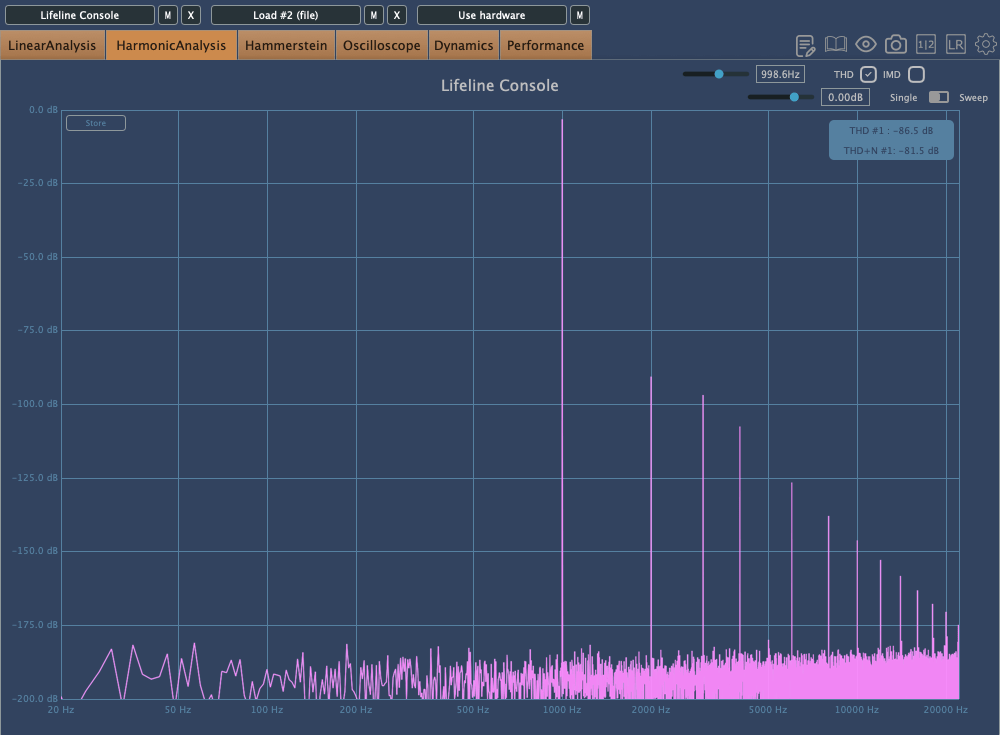
Even if you bypass all the modules, the Clean, Vintage, Warm, and Shine settings still affect frequency response and harmonic distortion. It’s fair to think of it as a type of saturator.

The photo above shows the frequency response graph when Clean is set to 100%. There’s no visible harmonic distortion in Clean mode, so I’ve skipped that image.

Here’s the frequency response and harmonic distortion in Vintage mode.
You can see how the Console lives up to its name.

When set to Dry, the Console’s saturation is bypassed, and only the module effects are applied. Warm and Shine are shelving filters that boost the low and high frequencies, respectively.

That should cover the basics of the Console’s utility. Now, let’s take a closer look at the modules.

Preamp

The Preamp module offers three tonal options: Bright, Warm, and Dark. As the names suggest, Bright boosts the highs, Warm enhances the mids, and Dark emphasizes the lows while reducing the highs.

Increasing the Push will amplify these frequency changes, while Pull will reverse them. The Bias setting also alters the response.

Raising the Drive introduces some harmonic distortion, and if the signal gets too strong, limiting occurs.

The Q value works similarly to an EQ’s Q, adjusting the bandwidth of the frequency response, and the Shape control allows you to modify the frequency response curve.

Think of the Preamp module as a tool for saturation and filtering.

EQ

The EQ is, well, an EQ!

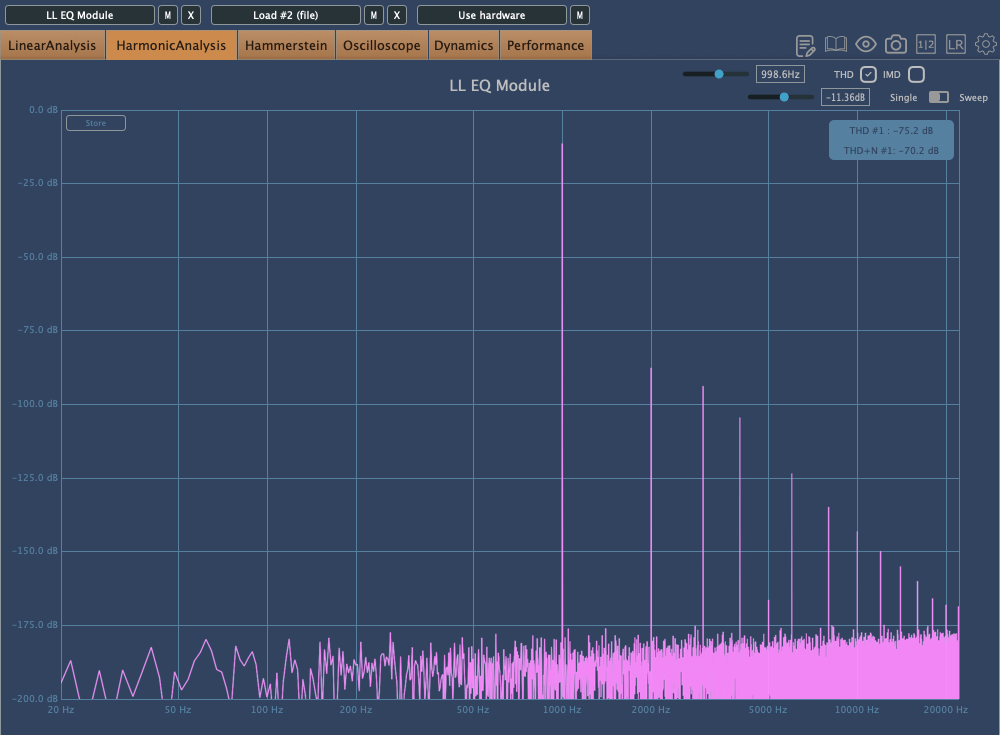
However, it’s not just a basic EQ—both Vintage and Dirty modes introduce harmonic distortion.

First: Vintage Mode, Second: Dirty Mode

Interestingly, in Dirty mode, the amount of harmonic distortion increases as you make more adjustments.

Comp

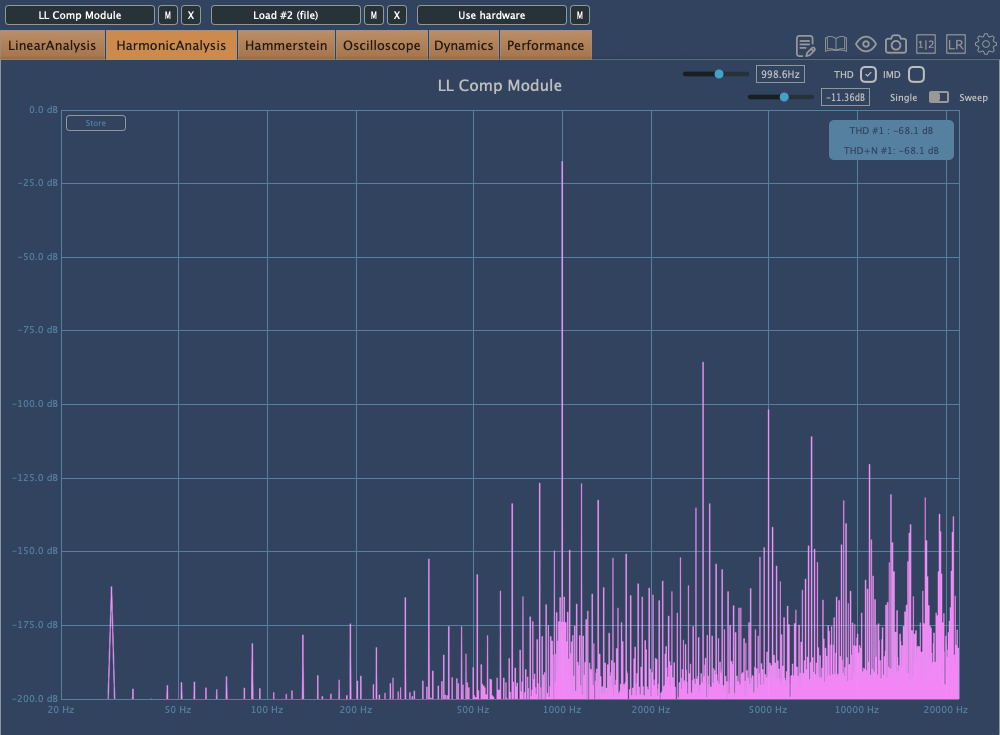
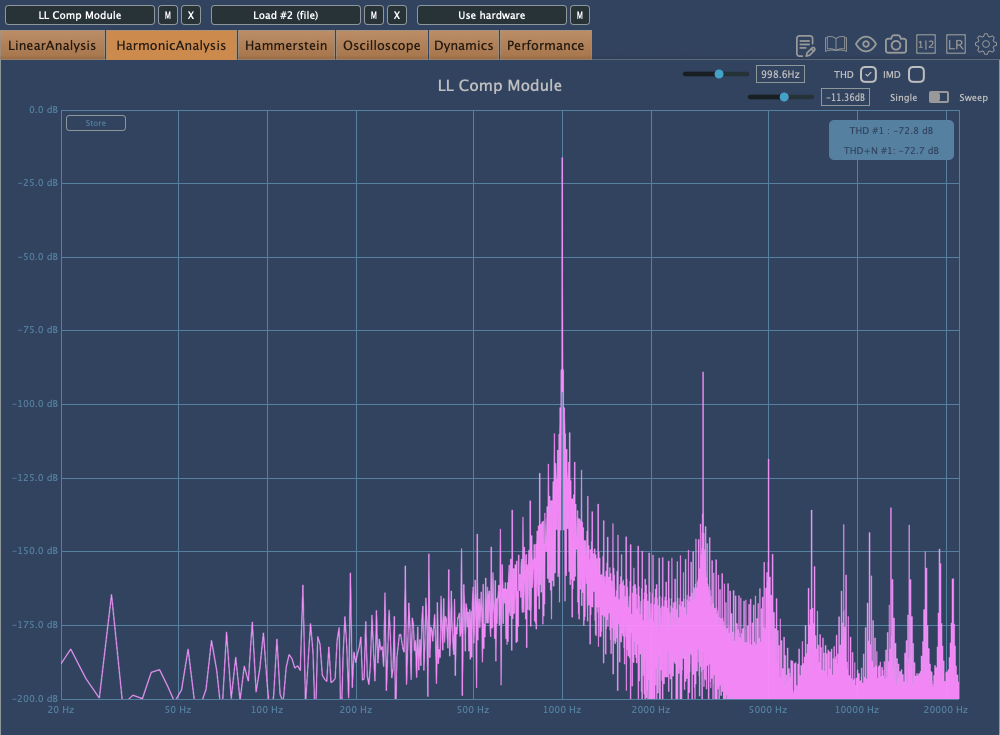
The Comp is a simple compressor with three saturation options: Analog, Transparent, and Variable.

In order: Analog, Transparent, Variable

The Lo-Hi control functions as an internal sidechain, similar to the Pre-Emphasis knob on the LA-2A.

The A button above the Makeup Gain is for auto-gain, but it’s a bit unique. It measures the audio over a short period and then locks the value. Normally, auto-gain on compressors is best avoided, but this type of fixed auto-gain might be worth trying out.

The other settings are standard for most compressors, so I won’t go into detail here.

Mod

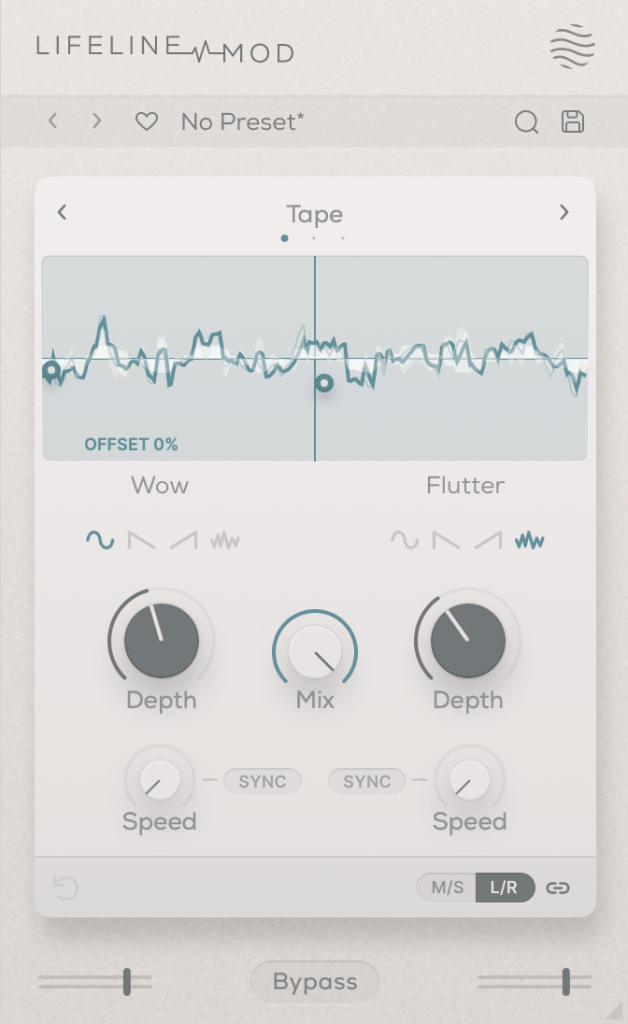
The Mod module simulates Wow/Flutter noise with three options: Tape, Vinyl, and Cassette.

Simply applying it with the Mix set to 100 won’t change anything; you need to adjust the Depth controls on either side to affect the sound. It’s useful for creating that unstable, lo-fi tone.

Wear

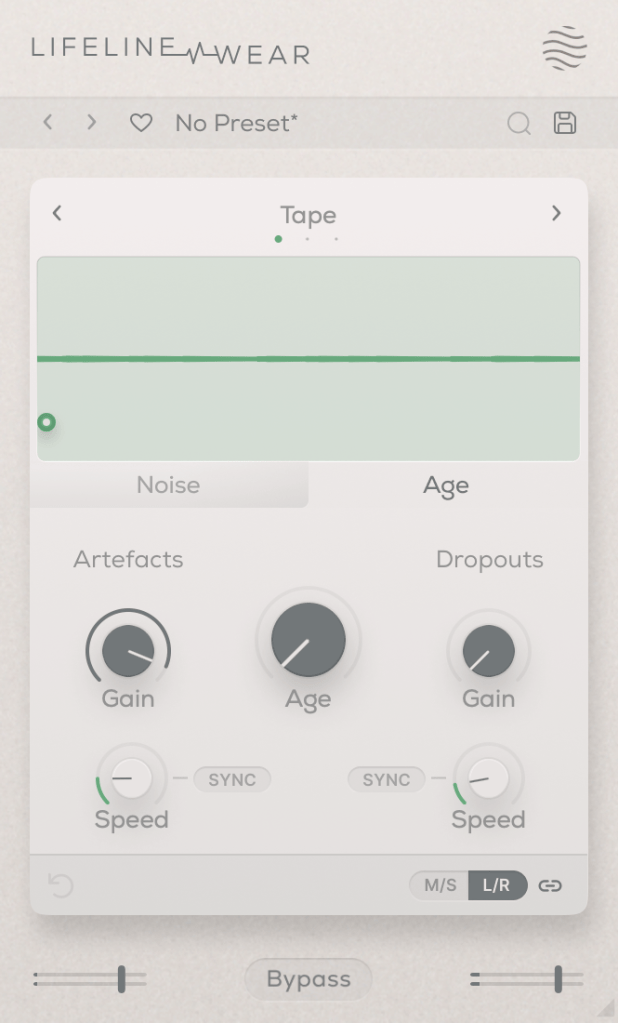
The Lifeline Wear module alters the sound as soon as it’s applied.
Especially with the Age setting, the frequency response changes, and harmonic distortion increases.

These changes depend on whether you’re using the Tape, Vinyl, or Cassette mode.

Artefacts refer to the clicks and pops you hear on tape, LPs, or cassettes,
and Dropout simulates the sudden loss of sound.
It could be fun to use these for ducking or adding rhythm.

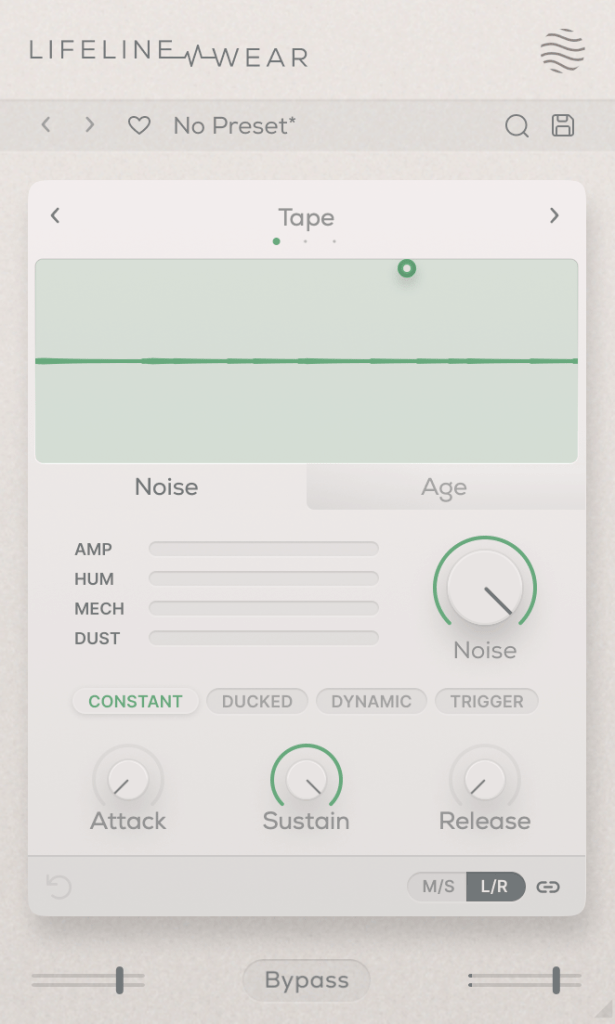
You can also select the type and amount of noise. You can listen to the noise types, but let me briefly explain the terms in the middle:

  • Constant: Keeps the noise playing even when the source is silent.
  • Ducked: Ducks the noise in sync with the source audio.
  • Dynamic: Plays noise along with the source audio.
  • Trigger: Suppresses the source audio and only plays noise in sync with it.

The Attack, Sustain, and Release settings below control the noise’s envelope.

Each Lifeline module is quite affordable, priced around $11 each. If I had to pick just one, I’d go for Wear.

There are many third-party plugins that can replace the others, but nothing quite like Wear. 😊

These plugins are also great for those who don’t own many third-party plugins.

Additionally, if you purchase any plugins from Plugin Boutique this month,
you can get either the Pyros distortion plugin or the Bloom Vocal Aether Lite plugin for free.

So, if you’re thinking of buying a few modules or considering the Expanse in addition to the Console, I recommend purchasing them separately to get both free products!

I’ll see you in the next post! 😊
The Basics of Mixing – 8.1 What is Reverb?

Hello! I’m Jooyoung Kim, a mixing engineer and music producer.
Today, we’ll be diving into the topic of reverb.

Shall we get started?

What is Reverb?

Reverb is short for “reverberation,” which can be translated as “echo” or “resonance.”

In essence, reverb is an effect that creates echo or resonance.
But why do we use it?

Normally, when we speak to each other, we aren’t whispering directly into each other’s ears.
This means we’re always hearing a bit of natural echo from our surroundings.

But what about recordings?

While room mics can capture some of that natural reverb, most recordings are done quite close to the source, almost like someone is whispering directly into your ear. As a result, these recordings often lack natural reverb and can feel “dry.”

To add that missing resonance, we use reverb. However, it’s not just about simulating the sound of a room or a studio. Reverb can create the illusion of a concert hall or an entirely virtual space, making the music sound more musical and immersive.

To understand how to use it effectively, we need to dive into how reverb is actually created.

Kaplanis, Neofytos & Bech, Søren & Jensen, Søren & Waterschoot, T.. (2014). Perception of reverberation in small rooms: A literature study. Proceedings of the AES International Conference. 2014.

As I mentioned in the “7.3 How to Use Delay” section of the previous post, reverb is created when sound waves bounce off surfaces like walls.
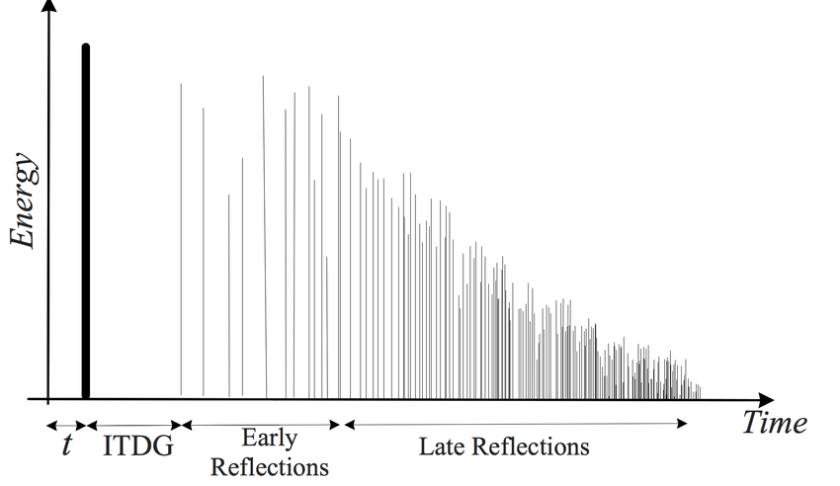
The first reflections of sound that reach our ears after bouncing off a surface are called Early Reflections, and these are typically the loudest part of the reverb.

Afterward, the sound continues to reflect multiple times, gradually forming the full reverb. The time it takes for the reverb to decay by 60dB from its original level is called RT60.

There is also a natural delay between the original sound and when we hear the reverb. To control this delay in reverb plugins or hardware, we use a parameter called Pre-Delay, which allows us to set the time gap between the original sound and the onset of early reflections.

For orchestral instruments, it’s common to use reverb based on Impulse Response (IR). Since sound travels at about 340 meters per second at room temperature, we can map out how reverb behaves based on the distance of the space, and calculate the time difference between the original sound and the reverb start time.

For example, if there’s a 2-meter distance, you can calculate the delay as 2m ÷ 340m/s = 0.005s, or a 5ms difference.
Setting the Pre-Delay to around 5ms can simulate this effectively.

In mixing, when a sound is intended to be closer, it’s good practice to have a larger gap between the original sound and its reverb (larger Pre-Delay). For distant sounds, a smaller Pre-Delay works better.

At the end of the day, if it sounds good, that’s what matters most!

In the upcoming posts, I’ll cover the history, types, and practical applications of reverb.

See you in the next post! 🙂