Brainworx May Sale (1) – Amek Mastering Compressor, Mäag Magnum-K, Millennia TCL-2 (Until May 31)

Hello! I’m Jooyoung Kim, a mixing engineer and music producer.

Plugin Alliance has started charging taxes for Korean buyers, making Plugin Boutique a more cost-effective choice. With Plugin Boutique, you can often get free plugins or collect points, even for the same products.

This month, Plugin Boutique is holding a big sale on several Brainworx plugins from Plugin Alliance, so I’m here to highlight a few.

In a previous post, I focused on Saturation and Bettermaker plugins. This time, I’ll dive into compressors: Amek Mastering Compressor, Mäag Magnum-K, and Millennia TCL-2.

Let’s get started!
(I numbered this post as (1) in case I cover more plugins later, but no promises… 😅)

AMEK Mastering Compressor
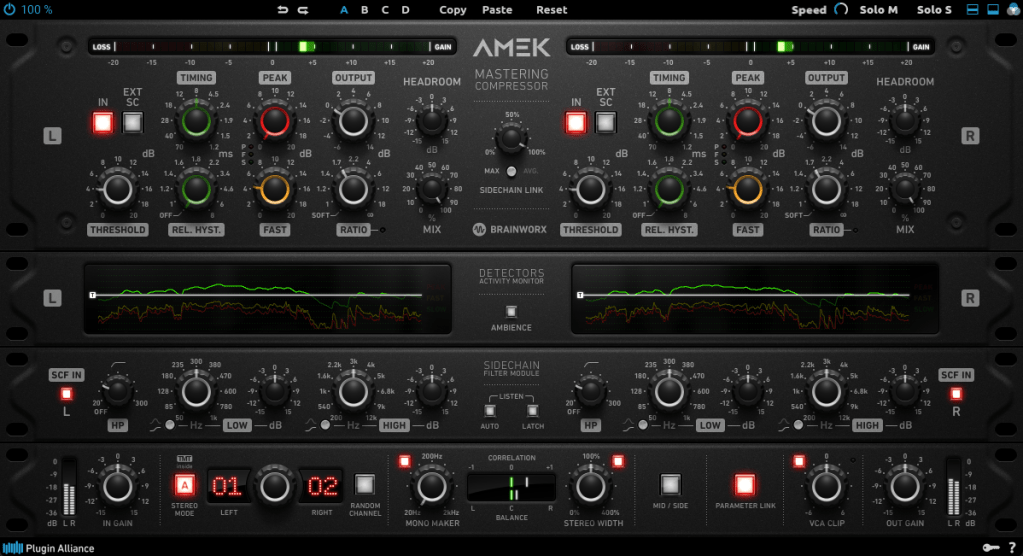
This compressor is inspired by the Amek 9098 console and compressor… or so they say. It’s probably best to think of it as Brainworx’s unique take on an Amek-based compressor.
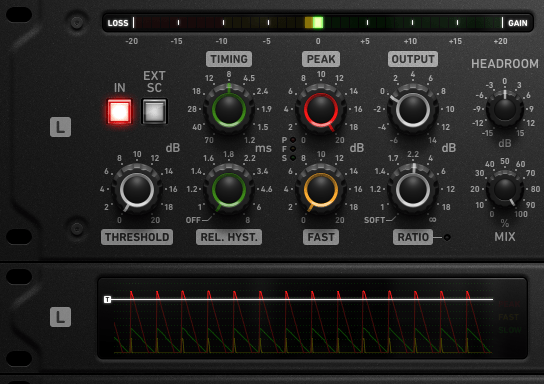
Its standout features are:

  1. Multiple detector settings (Fast, Peak)
  2. Timing and Release Hysteresis parameters instead of traditional Attack and Release

These can be a bit confusing, so let’s break them down.

The Peak parameter enhances detection of transient peaks, while the Fast parameter makes the attack respond more quickly.

Timing directly adjusts the speed of Attack and Release, while Release Hysteresis links the Fast detector to the signal’s volume, reacting faster to loud sounds and slower to quiet ones.

A bit tricky, right? 😄

Also, this compressor has automatic Make-Up Gain, so you’ll need to slightly reduce the Output Gain to balance the sound.
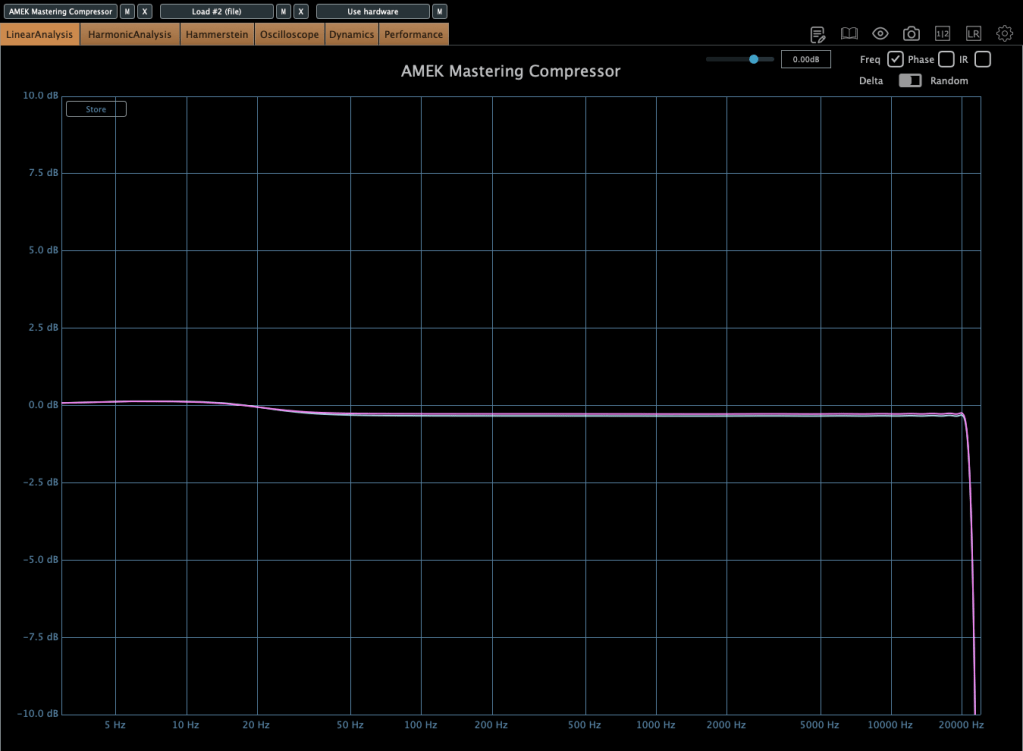
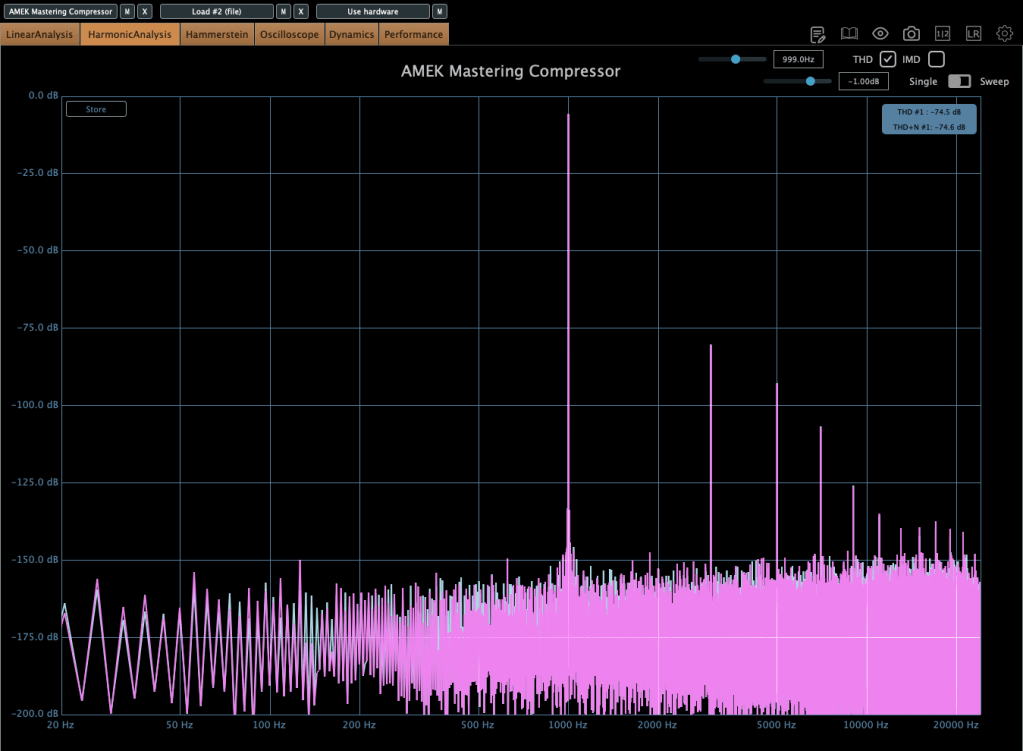
In terms of frequency response, it slightly boosts the low end, and when compression kicks in, the high end gets a subtle lift. True to its “Mastering Compressor” name, it’s very clean with minimal harmonic distortion.
Millennia TCL-2

The Millennia TCL-2 is a plugin emulation of Millennia’s opto compressor, often compared to the Avalon AD2044 as a top-tier stereo opto compressor.
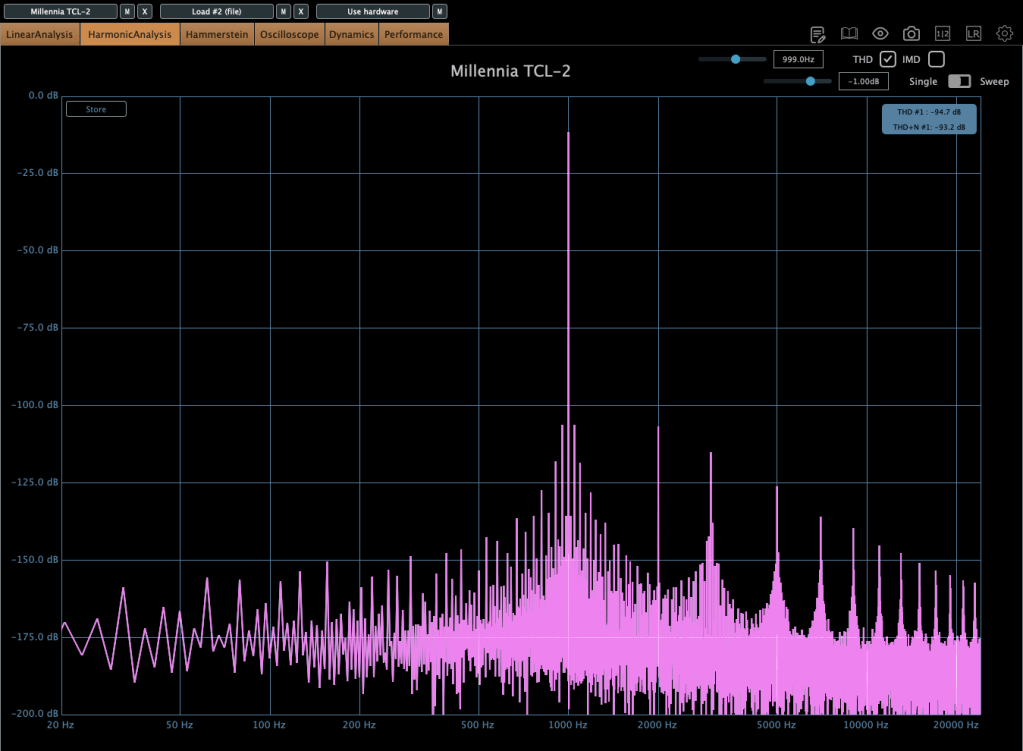
It’s exceptionally clean, producing very little harmonic distortion even under compression. You won’t notice significant changes in the frequency response either.

The parameters are fairly standard, so there’s not much to dive into here.

From my experience, it’s ideal when you want a smooth opto compressor without expecting high-frequency saturation.

Mäag Audio Magnum-K
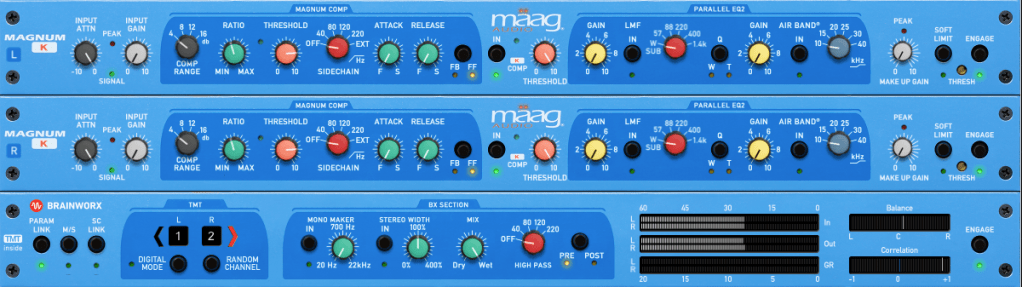
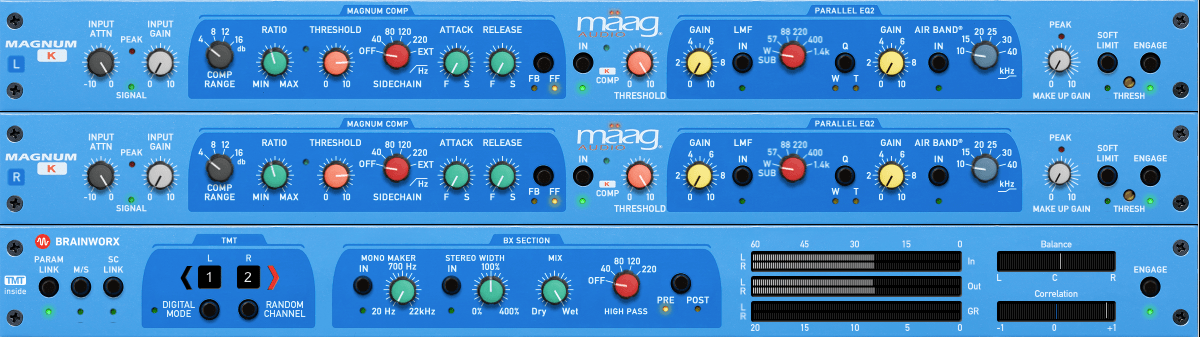
The Mäag Audio Magnum-K is a compressor that incorporates Mäag Audio’s signature Air Band EQ.
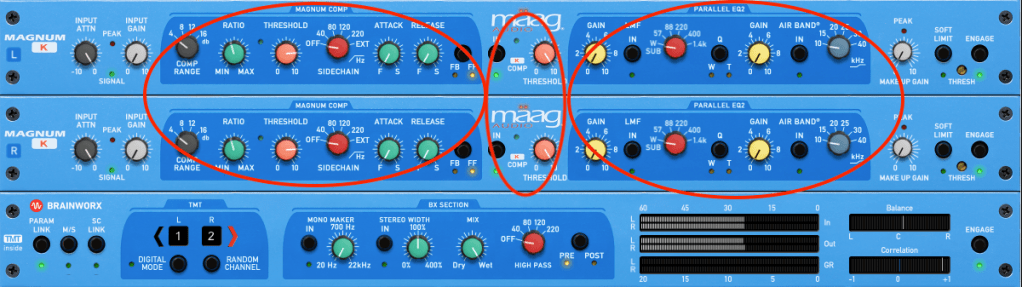
This one’s a bit complex to use. It’s easiest to think of it as three sections: Magnum Compressor, K Compressor, and EQ2.

The Magnum section should feel familiar, but the FB/FF (Feedback/Feedforward) setting on the far right is unique. Feedback mode offers smooth compression, while Feedforward mode is more aggressive.

The K Compressor is a one-band compressor centered at 3kHz, essentially functioning as a de-esser to tame vocal sibilance.

The EQ2 section operates in parallel with the original signal, blending with the Magnum and K Compressor signals before soft clipping kicks in.
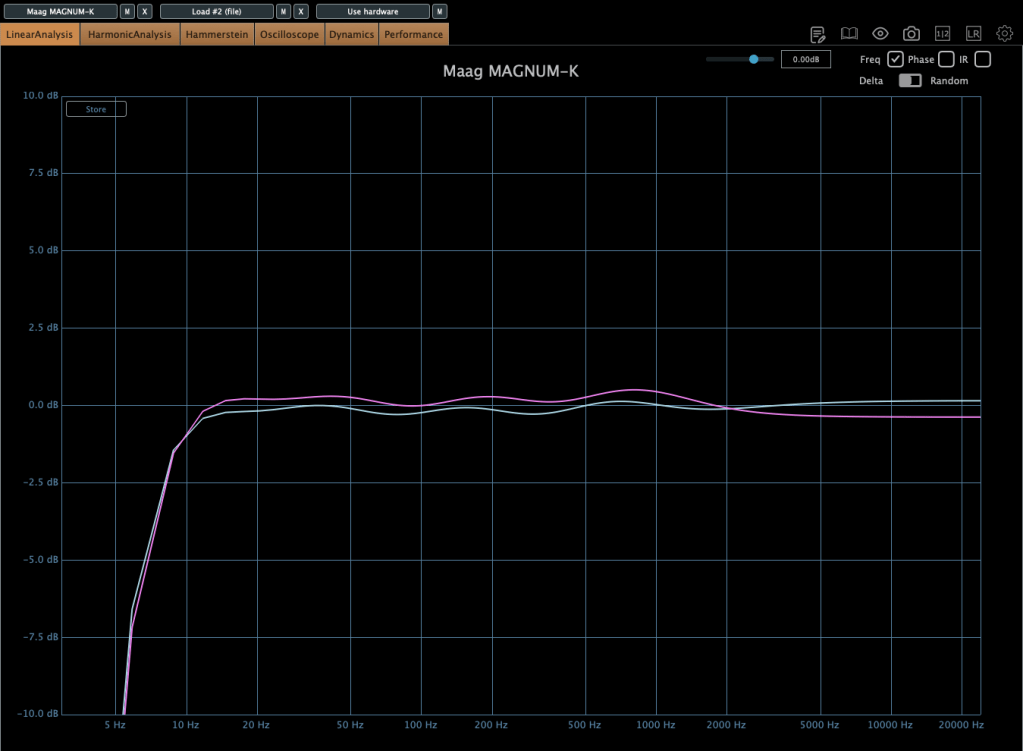
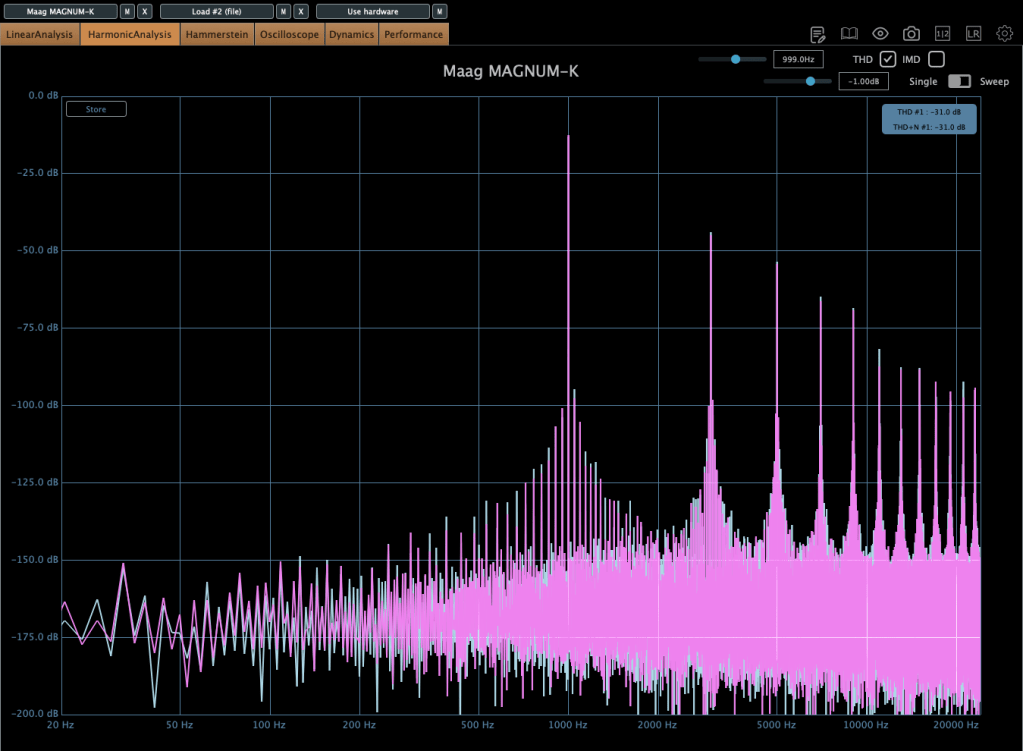
It adds some coloration, and when compression engages, the midrange feels fuller. The left and right channels can slightly differ, creating a richer effect. If you don’t like this, you can use M/S mode or Digital Mode for uniform channel processing.

Until the end of this month, these compressors and other Brainworx plugins are on sale at Plugin Boutique, so it’s worth checking them out.

Plus, if you buy any plugin from Plugin Boutique this month, you’ll get Bitwig Studio 8-Track DAW for free, so don’t miss out!

See you in the next post! 😊
UVI Falcon Sale (50% Off, Until May 9)

Hi there! I’m Jooyoung Kim, a mixing engineer and music producer.

UVI is a company renowned for its piano virtual instruments, much like Spectrasonics. These days, they’ve expanded beyond pianos to develop synthesizers and a variety of audio effects.

Recently, UVI joined Plugin Boutique, kicking off an exciting Intro Sale. Currently, Plugin Boutique offers two UVI products:

The Sonic Bundle, which includes all of UVI’s products, and FALCON, UVI’s flagship synthesizer/virtual instrument engine. Today, I’ll be diving into Falcon.

Full disclosure: I received an NFR (Not for Resale) code for this product from UVI via Plugin Boutique. If you purchase through the links in this blog, I earn a small commission, which helps me keep creating content and, frankly, survive! Thank you for your support.

Let’s get started!

What is Falcon?

Falcon is a versatile engine, similar to Native Instruments’ Kontakt, capable of loading virtual instruments or functioning as a synthesizer/sampler with 20 oscillators and various synthesis methods.

Like Kontakt, Falcon can feel overwhelming if you dive into all its detailed settings or try to build a sampler from scratch. It’s especially tricky for beginners, particularly when combining FX and modulation with synthesizer configurations.

Instead of trying to master everything at once, let’s start with the basics.

When you first open Falcon, you can choose from 21 default preset synthesizers, including Analog, FM, Additive, Organ, Wavetable, Noise, Pluck, Texture, Sample, Drum, MPE, Granular, Vosim, Harmonic Resonator, Bowed String, and more.

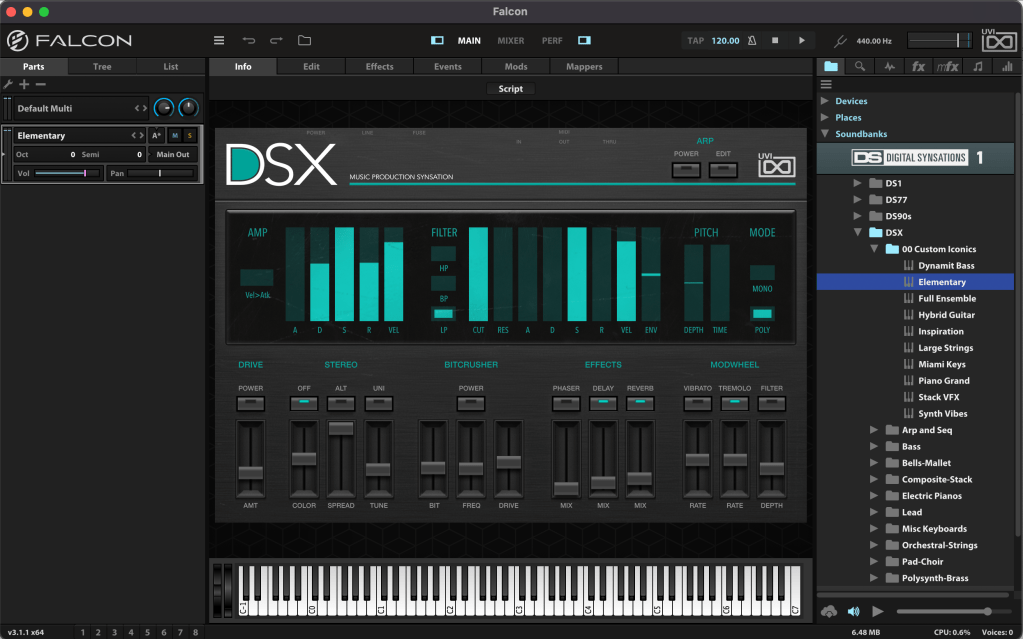
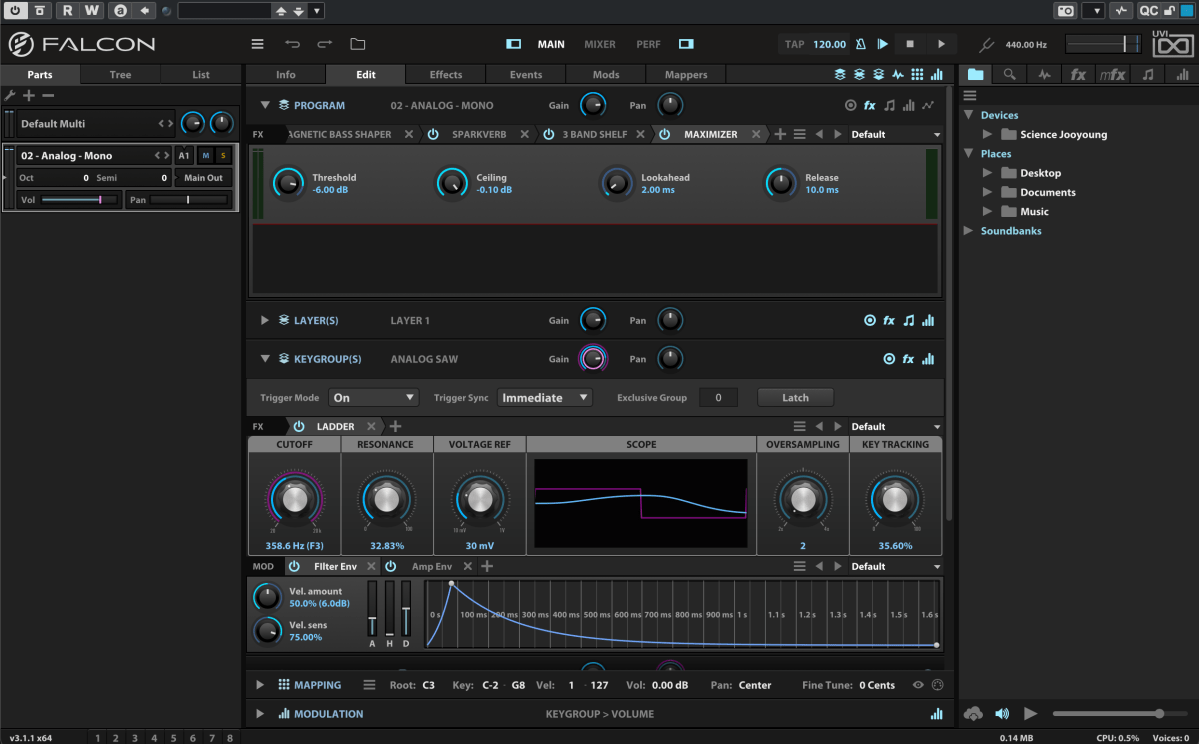
Once loaded, the Info tab displays the most basic parameters for tweaking.

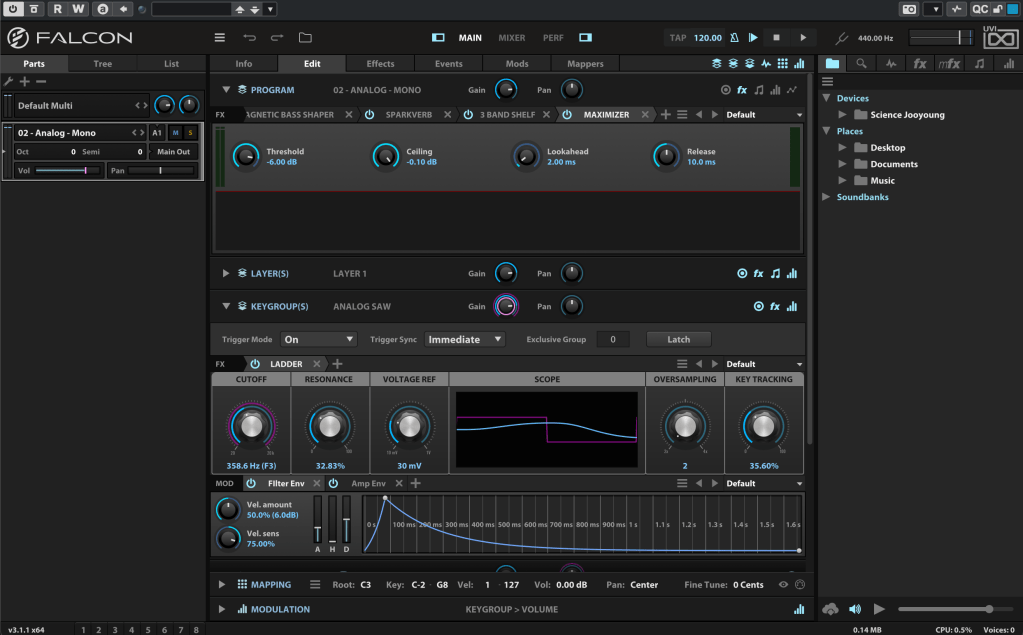
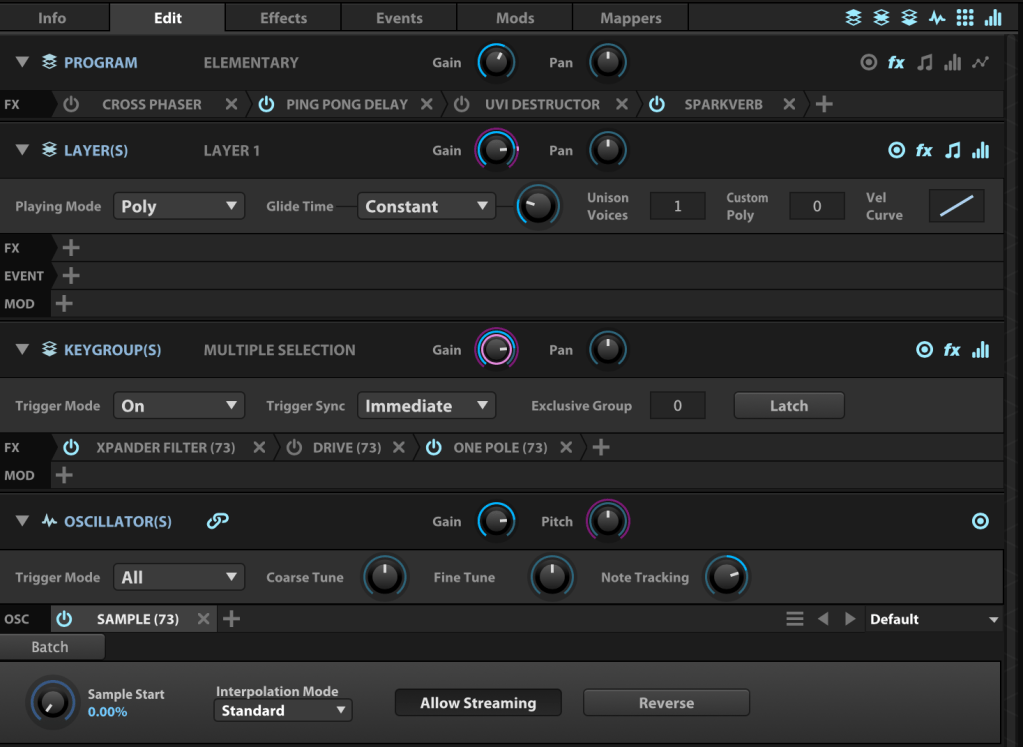
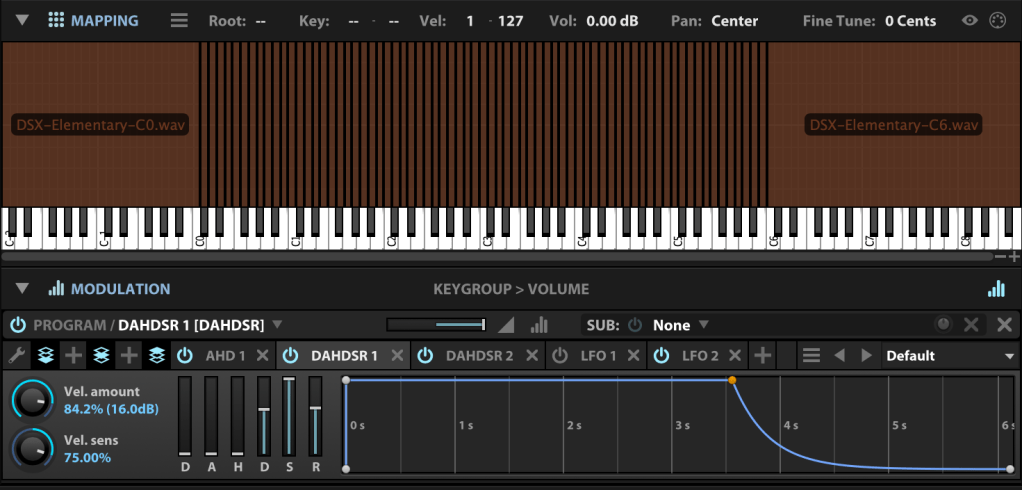
In the Edit tab, you can fine-tune more detailed parameters, such as FX, Layer, Key Group, Oscillator, Mapping, and Modulation for the loaded synthesizer or virtual instrument.

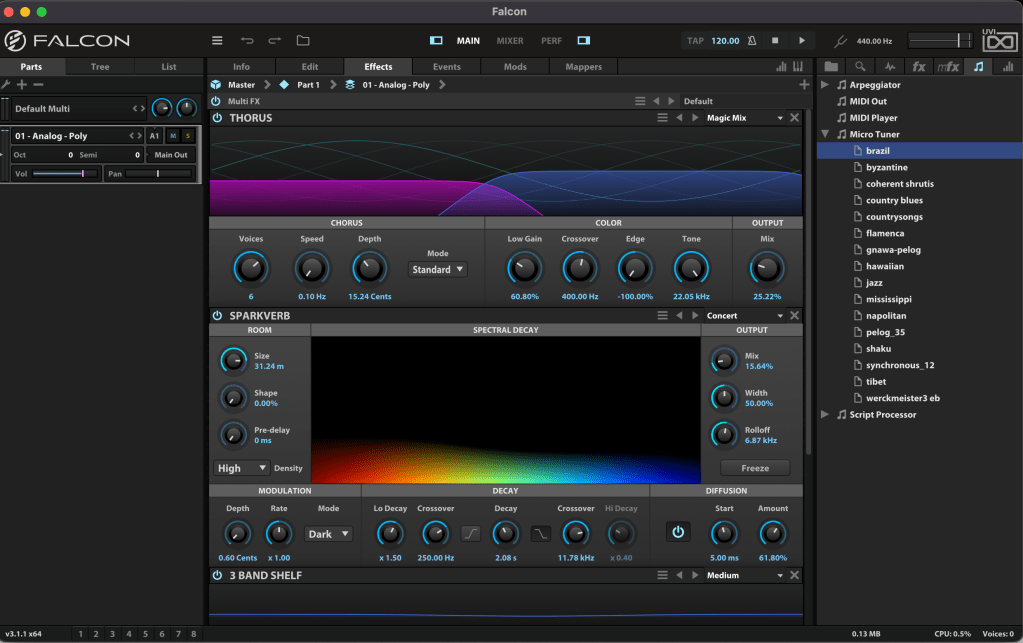
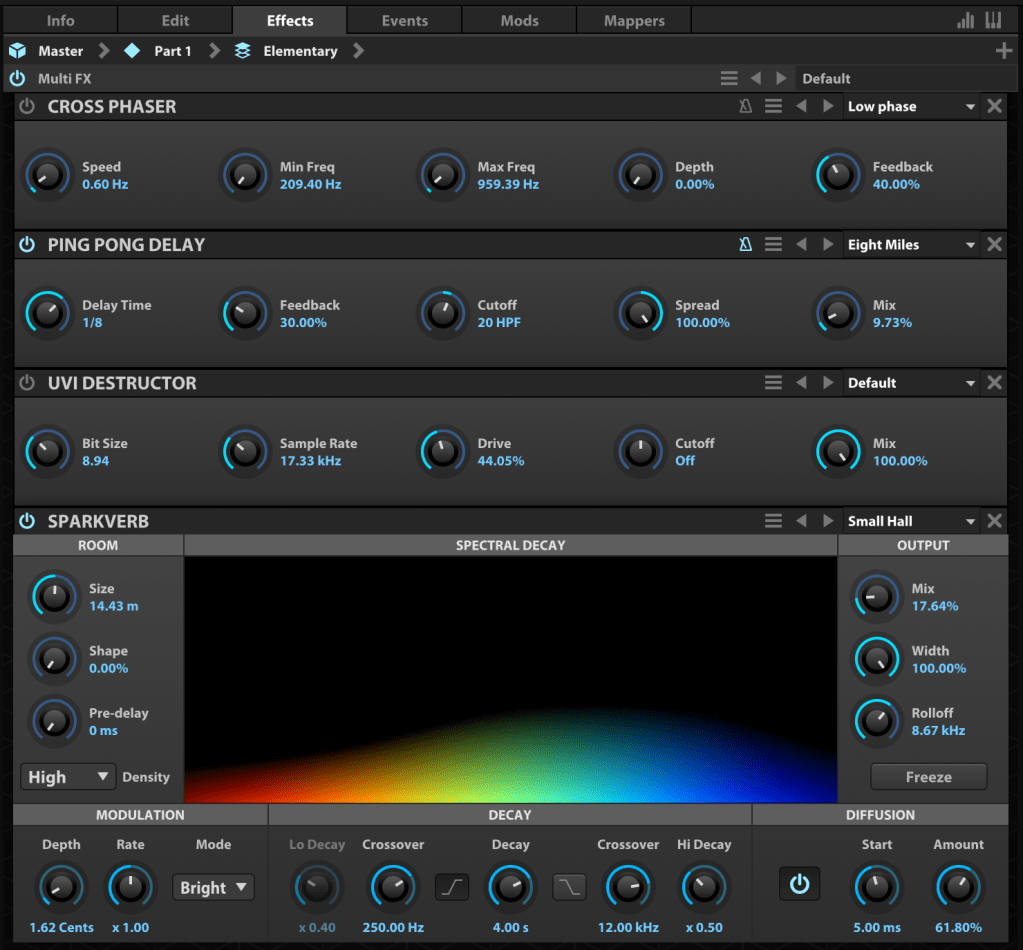
The Effects tab lets you dive deeper into FX adjustments. With over 100 effects included in Falcon, it’s tough to cover them all! They lean more toward sound design than traditional mixing, offering incredible creative possibilities.

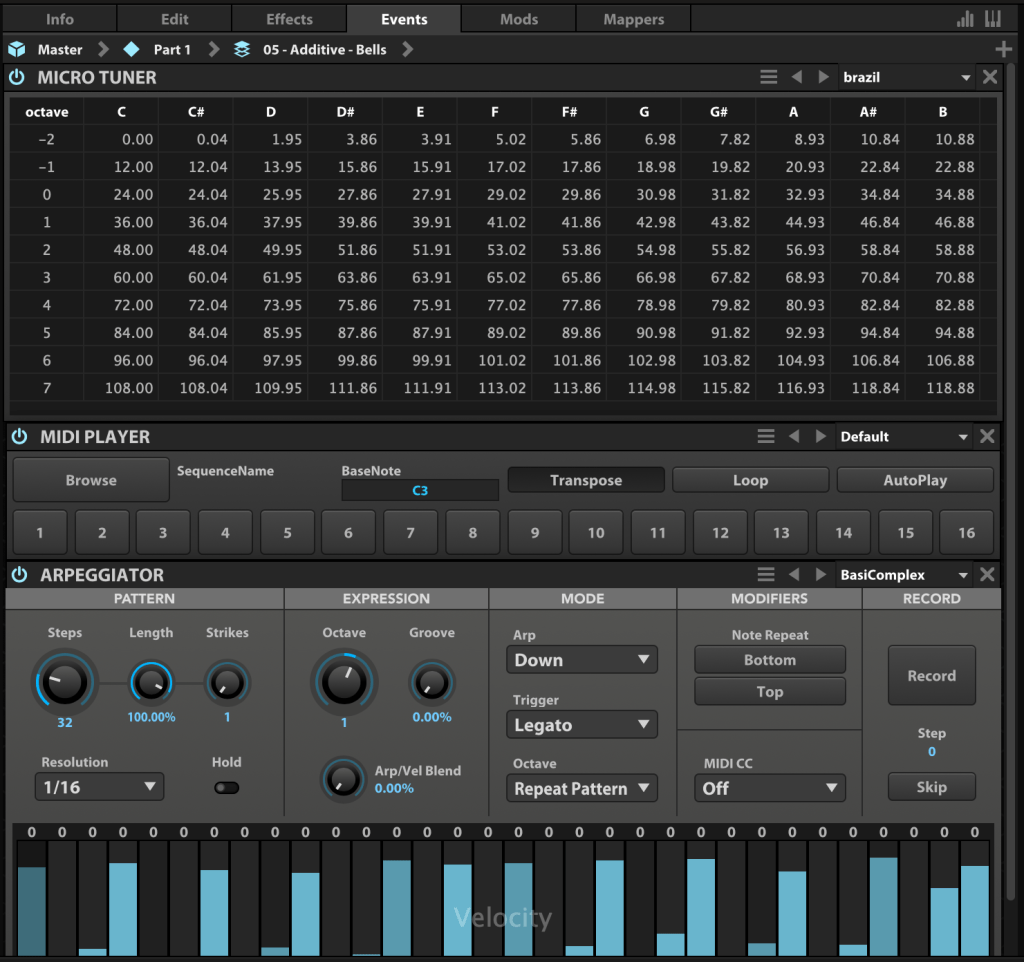
In the Event tab, you can add MIDI FX processors and other MIDI-based effects.

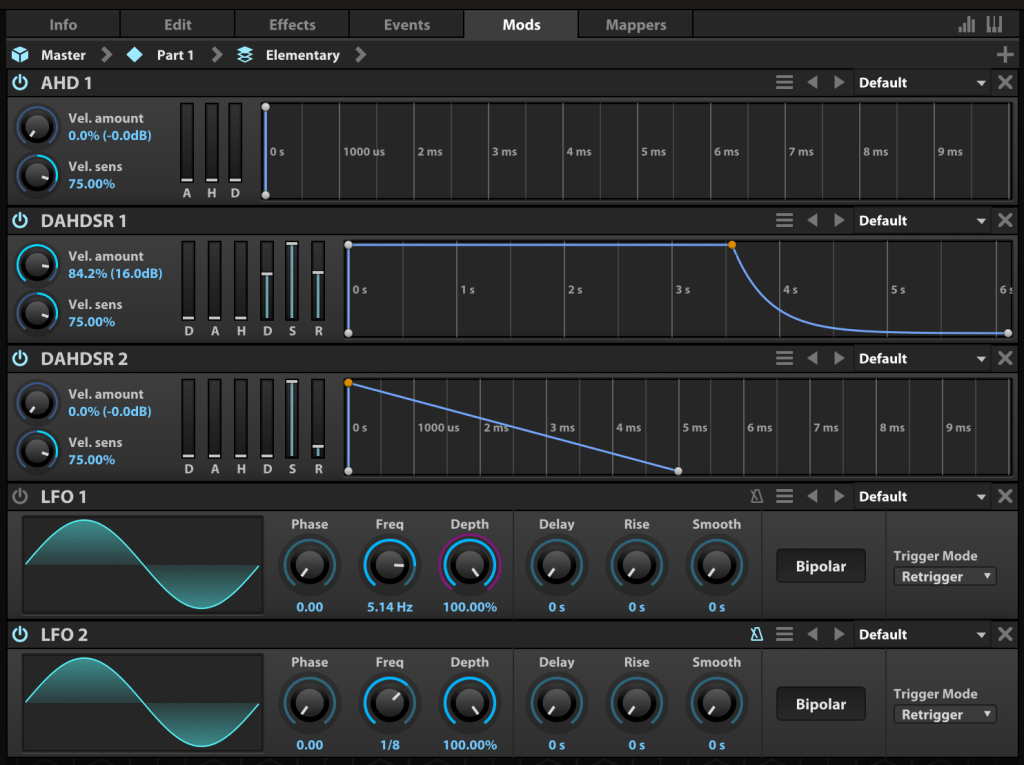
The Mods tab is where you control modulation effects like LFOs and ADSR envelopes.

In the Mappers tab, you can draw shapes to scale, quantize, curve, or pattern modulation source values, allowing you to customize how modulation effects evolve.

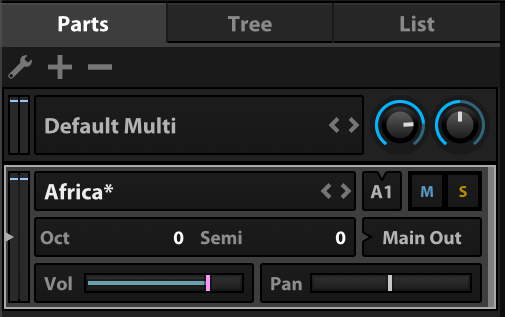
On the left, you can add modules to incorporate more virtual instruments or synthesizers.

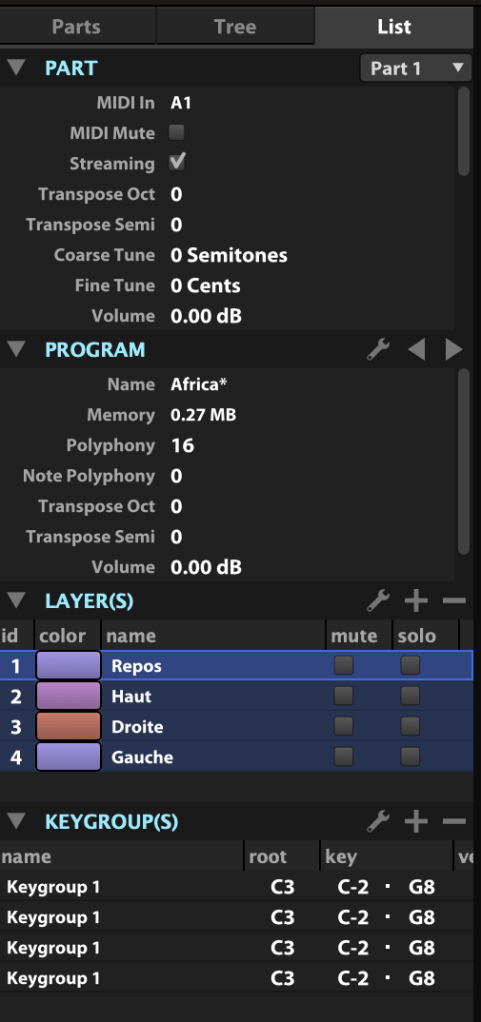
The Tree view shows which sounds or effects are applied to each part, while the List view displays the data settings for the virtual instrument or synthesizer.

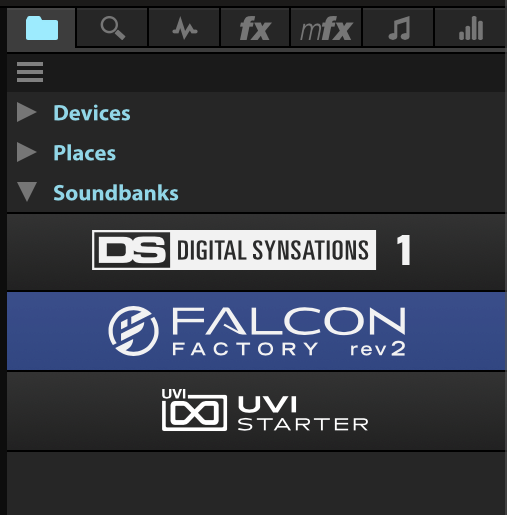
On the right, you can browse sounds by folder or soundbank and preview them with a quick click.

The search bar helps you find presets, while the waveform icon loads sounds into the mapping editor. The “fx” category covers effects, and “mfx” refers to music FX for sound effects. The note icon represents MIDI effects for the Event tab, and the frequency spectrum-like icon is for modulation effects in the Mods tab.

Falcon’s extensive features can take time to master, but its versatility lets you create an incredible range of sounds.

Until May 9, Plugin Boutique is offering a 50% discount on Falcon as part of the Intro Sale. If you’re looking for a single, all-in-one synthesizer virtual instrument, Falcon is a fantastic choice.

Thanks for reading, and I’ll see you in the next post! 😊
Baby Audio Smooth Operator Pro Sale (Until 6/1)

Hey everyone! I’m Jooyoung Kim, a mixing engineer and music producer.

So, two days ago, a paper I submitted to AES got rejected… 😢 I’d already been turned down by ASA, poured my heart into revising it, and still came up short. Haha… oh well.

One reviewer seemed pretty positive, but another tore it apart. Some of the criticism left me scratching my head—like, “Hmm… really?”—but there were common points both raised, so I’m running extra experiments now. It’s tough, both mentally and physically, but I’ve got to push through… right? Haha.

Next up, I’m eyeing IEEE Transactions or Elsevier journals, but man, the road just keeps getting steeper…

Anyway, enough of that! Today, I’m here to talk about Smooth Operator Pro from Baby Audio, which is currently on sale.

I received this plugin as an NFR (Not for Resale) copy from Plugin Boutique. If you buy through the links in this post, I’ll earn a small commission that seriously helps me keep going—thanks so much for the support!

Let’s get into it!


What’s Smooth Operator Pro?

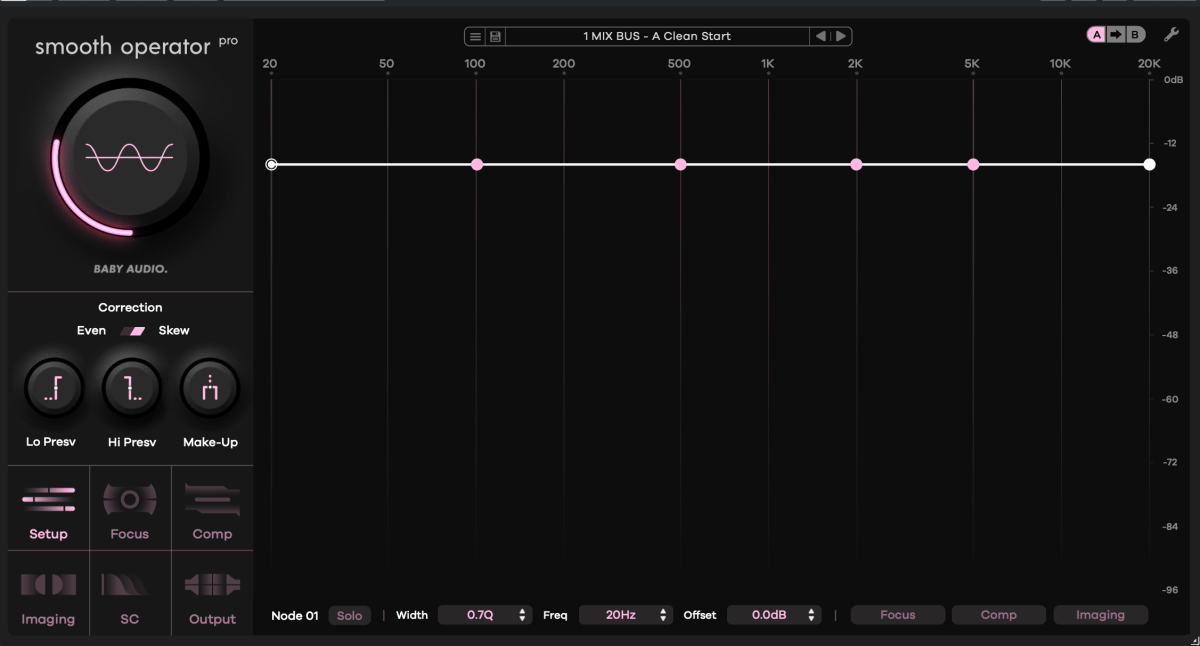
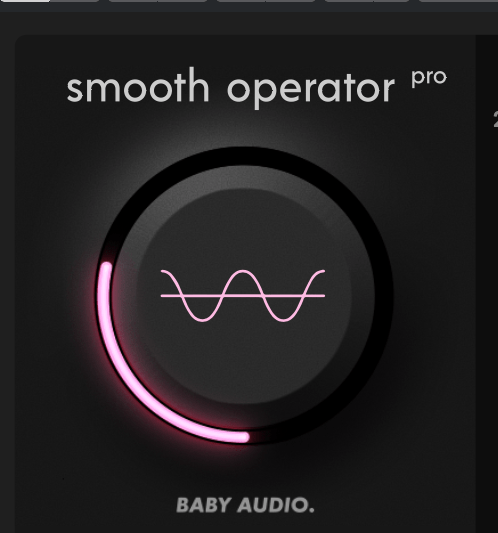
After poking around with it, I can say this plugin is fascinating. At first glance, it looks like an EQ—but it’s not. It kinda resembles a multiband compressor—but it’s not your typical one either.

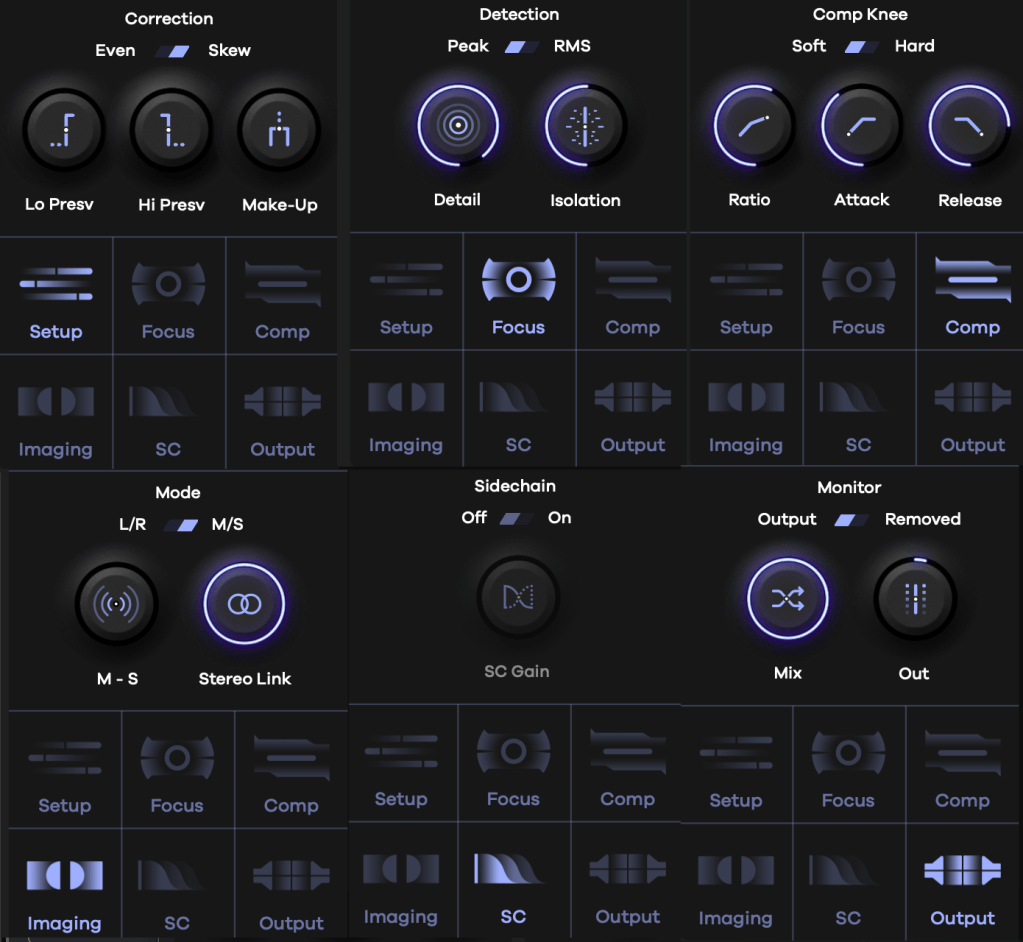
Think of it as “a multiband compressor where you can tweak reaction and behavior per frequency.” That’s the vibe. It’s got six key features:

  1. Correction: Sets how frequencies are detected and the range of compression.
    • Lo Presv / High Presv: Exclude low or high frequencies from processing.
    • Even: Applies the effect evenly across all frequencies.
    • Skew: Adjusts the effect based on human hearing perception.
  2. Detection: Controls how peaks are spotted.
    • Peak/RMS: Choose between peak or RMS loudness detection.
    • Detail: Low for broad, smooth detection; high for tight, aggressive targeting.
    • Isolation: Sets how wide the effect spreads around detected frequencies.
  3. Comp Knee: Toggle between Soft or Hard Knee compression.
    • All the sub-parameters here are classic compressor controls.
  4. Mode: Stereo processing options—choose between L/R or Mid/Side.
  5. Sidechain: Pick a sidechain signal to trigger compression.
  6. Monitor: Compare pre- and post-processing audio, tweak Mix and Output Gain.

Activate the bottom-right toggle, and you can tweak Focus, Comp, and Imaging settings for each node individually.

The big central knob adjusts the overall threshold—up or down across all frequencies.

It might look tricky at first, but once you play with it, it’s pretty straightforward. Toss in some sidechaining, and you could whip up some wild sounds for electronic tracks. I’m already picturing the possibilities!

Baby Audio has a knack for blending tons of parameters into creative plugins like this.


Why It’s Worth Checking Out

Smooth Operator Pro is on sale right now, so if you’re curious, it’s a great time to take a look. It’s not just a tool—it’s a playground for shaping sound in ways that feel fresh and intuitive.

That’s all for now—catch you in the next post! 😊
SSL X-Delay & X-Echo Plugin Sale (Until 4/14)

Hey there! I’m Jooyoung Kim, a mixing engineer and music producer.

Now that my “Mixing Basics” series is wrapped up, I’m scratching my head about what to write next… haha. Maybe something about synthesizers? Lately, I’ve had a lot on my mind, and it’s been a bit overwhelming.

Anyway, today I’m excited to talk about two delay plugins from SSL’s X series—X-Delay and X-Echo—which are currently on sale. Let’s check them out!

[link: https://www.pluginboutique.com/product/81-Bundles/39-Effects-Bundles/14642-SSL-X-Delay-Native-X-Echo-Bundle/?a_aid=622ea9ee9160c]

I received these plugins as NFR (Not for Resale) copies from Plugin Boutique. If you buy through the links in this post, I’ll earn a small commission that really helps me keep going—thanks so much for the support!

Ready? Let’s get started.


X-Delay

Click image to purchase X-Delay at Plugin Boutique

X-Delay draws inspiration from 1980s hardware digital delays. My guess? It’s channeling vibes from the iconic AMS DMX 15-80—those big, bold delays from back in the day… haha.

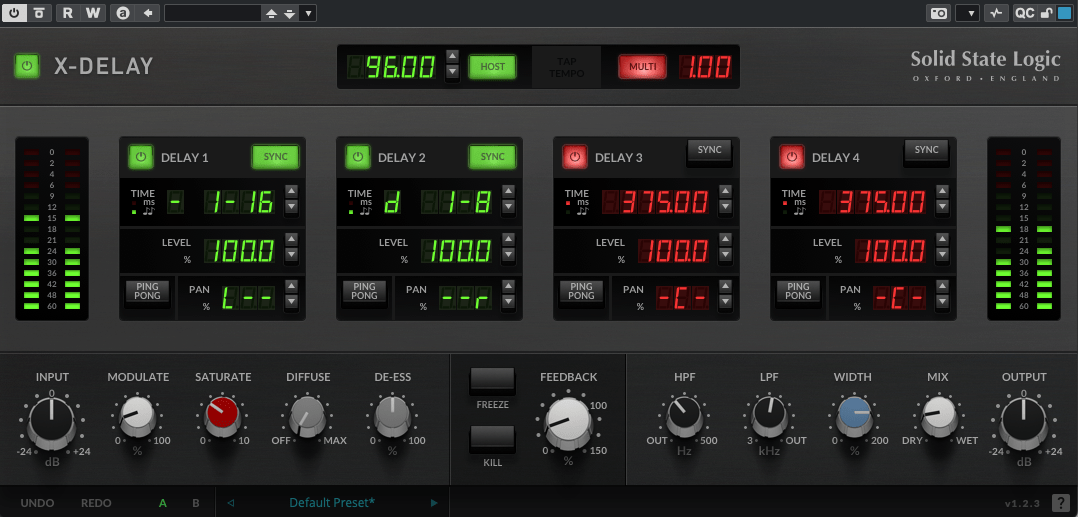
This plugin lets you run up to four delays at once, packed with a bunch of extra features. Let’s break it down.

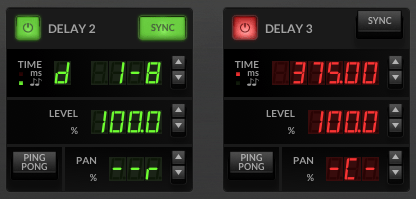
Up top, you’ve got a power button on the left and a Sync button on the right to switch between milliseconds (ms) and BPM sync. Below the “Time” label, it shows whether you’re in ms or BPM mode. To the right, you can tweak delay length in beats or ms—BPM mode offers options like straight (-), dotted (d), or triplet (t). In the screenshot, it’s set to dotted.

Then there’s Level control, a Ping Pong delay toggle, and Panning adjustments. Pretty simple, right?

Now, let’s peek at the bottom section:

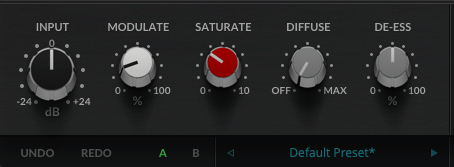
  • Modulate: This applies an LFO to the delay time, adding some wobble. Crank it up a bit, and your sound gets lush and full.
  • Saturate: Adds saturation (duh!). Max it out, and you’ll hear harmonic distortion kick in with a gentle soft-knee compression starting around -12.5 dB (it’s subtle, so hard to pin down exactly). It colors the sound nicely—turn it up for some rich warmth.
  • Diffuse: A room reverb effect.
  • De-Ess: Tames harsh highs.
  • Freeze: Locks the feedback sound in place.
  • Kill: Cuts all feedback instantly.

This thing’s a beast. It’s perfect for wet, dreamy tones but versatile enough for all sorts of uses. At a sale price of $24.99, it feels like a steal.


X-Echo

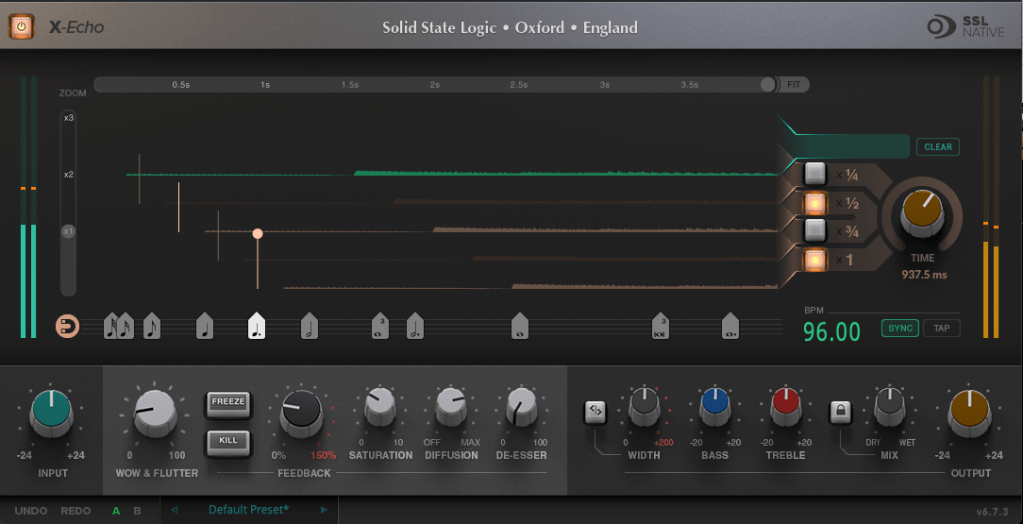
X-Echo takes its cues from 1960s tape delays—think Echoplex vibes, maybe? Haha. Unlike tape hardware built for playback, these old-school delay units often rolled off the highs due to slower tape speeds. You can see it in the frequency response—everything above 13 kHz just drops off.

It’s got that classic tape delay character—slight harmonic distortion included. One listen, and you’re like, “Yup, that’s tape delay!” Haha.

The controls are similar to X-Delay, but here’s what’s different:

  • Zoom: A scope to magnify the waveform for a closer look.
  • Grid: Adjusts delay time to your BPM with a grid—pick a note value (like quarter or eighth), or drag the connected circle to fine-tune.
  • Fit: Tweaks the waveform’s horizontal length.
  • Four Delay Buttons: Toggle between four delay lines, each with its own light.
  • Sync/Tap: Set BPM manually or tap it in.

The bottom section’s mostly the same as X-Delay, except for Wow & Flutter—that’s the tape-style distortion from uneven movement, like stretched tape, wobbles, or dust. Think vintage quirks!

  • Freeze: Holds the feedback sound.
  • Kill: Stops all feedback.

At $24.99 on sale, X-Echo nails that tape delay tone you’d expect—great for anyone hunting for that retro sound.


Bundle Deal & Bonus

The X-Delay & X-Echo Bundle is just $39.99. If you’ve been wrestling with spatial effects in your mixes, this is a fantastic deal worth considering.

Plus, this month, any plugin or virtual instrument purchase from Plugin Boutique comes with a free synth, MOK Miniraze. Don’t forget to grab it when you check out!


Wrapping Up

Both X-Delay and X-Echo bring something special to the table—vintage-inspired delays with modern flair. At these prices, they’re hard to pass up. The sale runs until April 14th, so now’s the time to jump in.

That’s it for now—see you in the next post! 😊