Audio Restore Plugins, Acon Digital Acoustica Post Production Suite Sale(30%, ~1/2)

Hi! This is Jooyoung Kim, a mixing engineer and music producer.

Today, I’d like to introduce Acon Digital’s Acoustica Post Production Suite, which could be a replacement for iZotope RX bundles.

This plugins was provided by plugin boutique for review. If you buy through the link in the blog, I’ll get a little commission that which really helps me make a living (it’s really hard these days…).

Acon Digital makes plugins for audio restore, mastering, mixings.

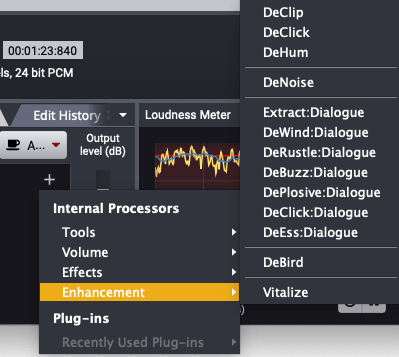
The Acoustica Post Production Suite I’m introducing this time includes all of Acon Digital’s products except for Verberate Immersive and AudioLava, including Acoustica 7 Premium Edition, Mix & Mastering Suite, and Restoration Suite. The plug-ins included in this product are listed in the table below.

CategoryPluginFunction Description
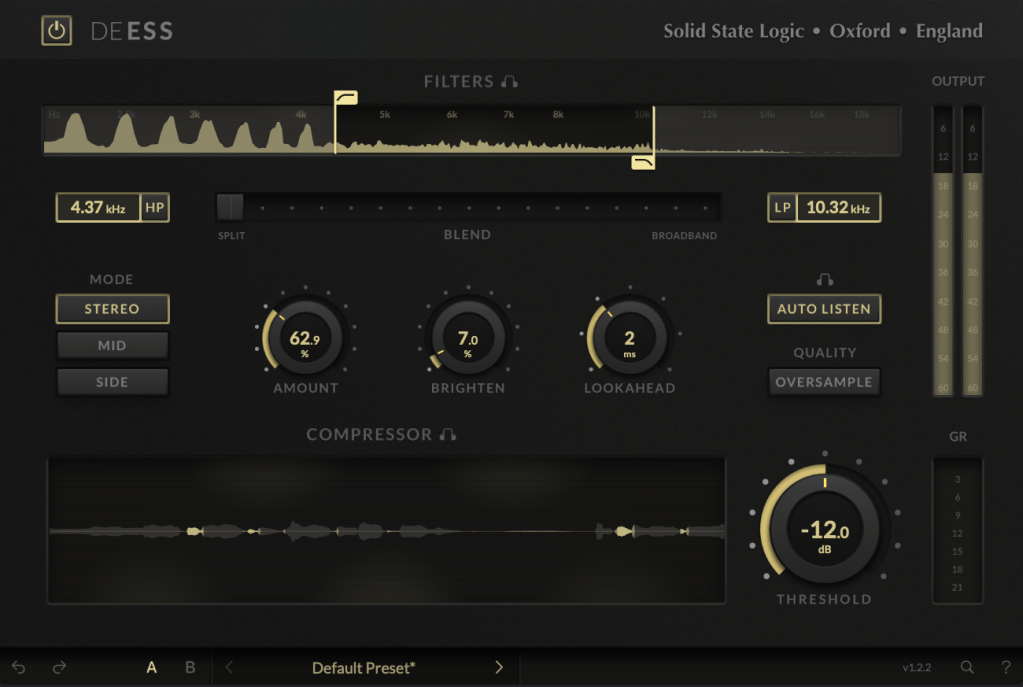
DynamicsDeEss DialogueReduces sibilance
Basic DynamicsControls basic dynamic range
LimitLimits signal peaks and prevents clipping
Multiband DynamicsAdjusts dynamic range across multiple frequency bands
EQEqualize 2EQ with features like mid/side processing and linear phase
MasteringDitherApplies audio dithering
RestorationDeBirdRemoves specific interference noises like bird sounds
DeBuzz DialogueEliminates buzz and hum noise in dialogue
DeClick 2Removes clicks and pops
DeClick DialogueRemoves clicks and pops from dialogue
DeClip 2Restores clipped audio distortion
DeHum 2Removes hum noise
DeNoise 2Reduces stationary noises, including environmental noise
DePlosive DialogueRemoves plosives from dialogue
DeRustle DialogueEliminates clothing rustle and other extraneous noises
DeWind DialogueReduces wind noise
Extract DialogueExtracts dialogue signals and reduces background noise
Phono FilterApplies LP record filtering and correction
VitalizeEnhances high-frequency audio
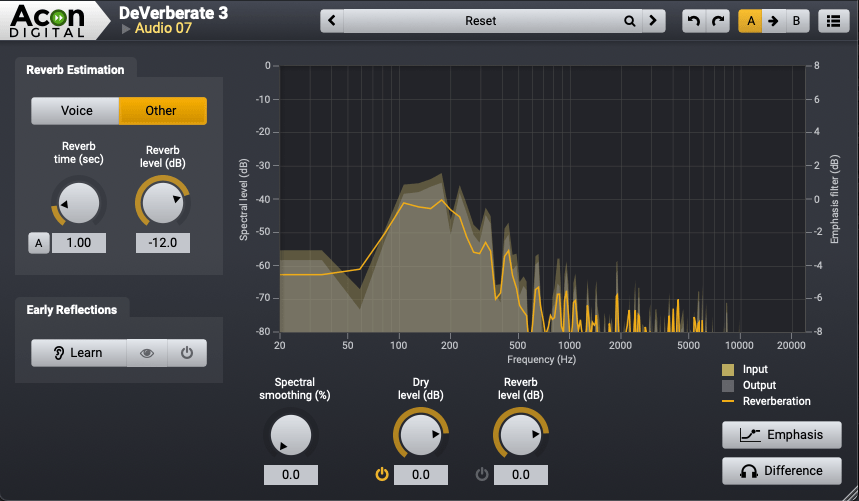
DeVerberate 3Removes reverberation
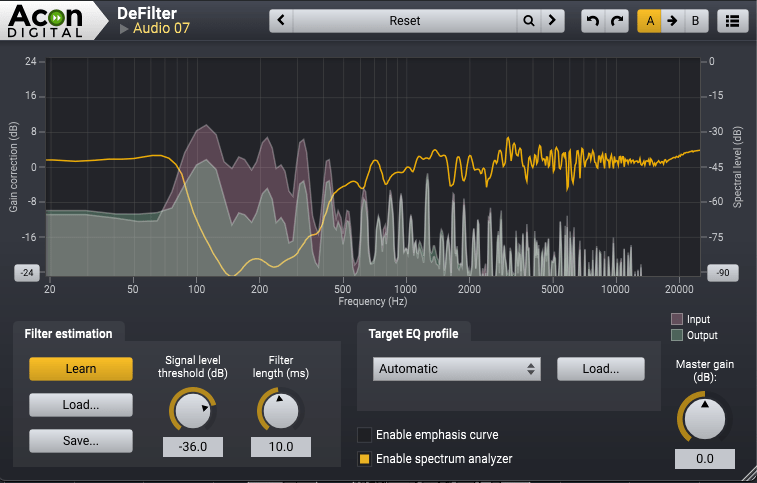
DeFilterResolves resonance peaks and dips
ReverbConvolveProvides convolution-based reverb
Verberate 2Stereo reverb
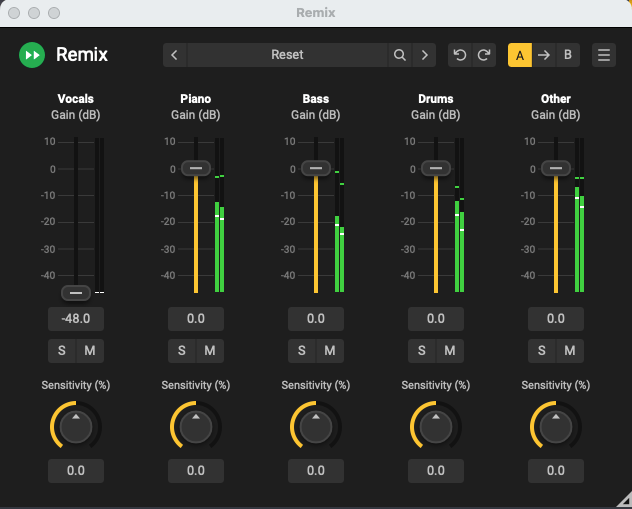
ToolsRemixSeparates mixes and enables audio remixing

Acoustica also provides a dedicated program called Acoustica.

Let’s take a closer look at Acoustica 7 Premium Edition!

Even if you only purchase Acoustica 7 Premium Edition, I believe it will be sufficient for your restoration tasks.

This edition includes everything except DeVerberate 3 for reverb removal and DeFilter for addressing resonance or comb filter issues.

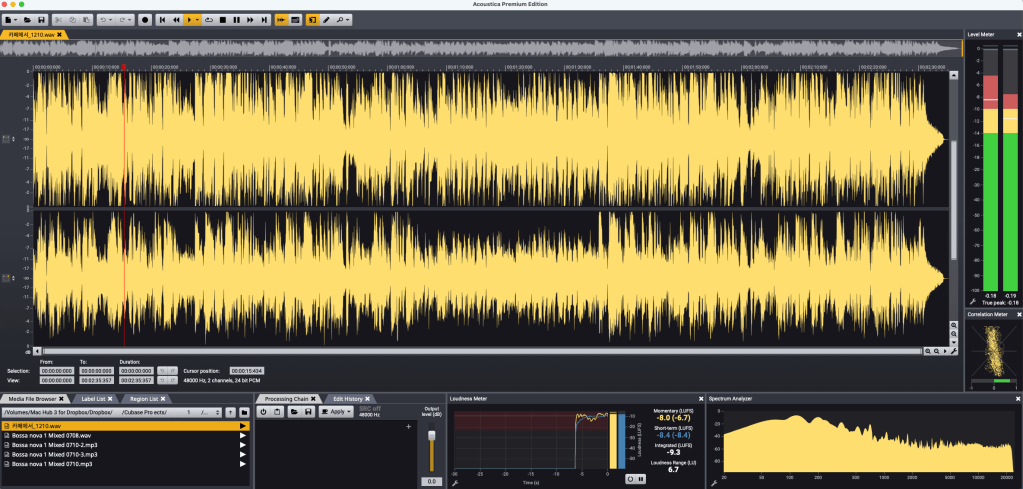
The program’s interface is straightforward.

It features a large waveform display, a file browser on the left, a Processing Chain for applying effects, and various analyzers.

The loudness meter, which measures LUFS, allows you to set measurement parameters according to different standards.

The Processing Chain section lets you directly apply Acon Digital’s plugins.

Of course, the plugins included here can also be used in your DAW.

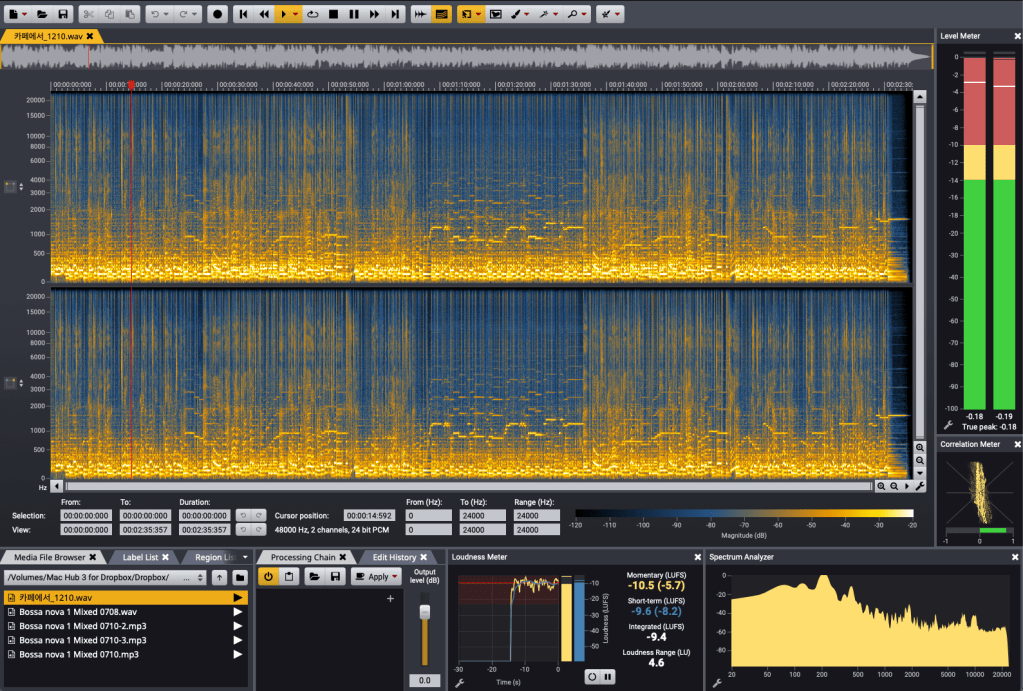
Similar to iZotope’s RX, you can view frequency-based volume changes over time.

This enables restoration work and even allows separate playback for the left and right channels, letting you apply different restoration processes to each.

Thanks to the advanced algorithms for separating vocals, piano, bass, drums, and other instruments, Acoustica also provides a tool called Remix for instrument separation.


iZotope RX offers more tools for noise removal, but the quality of Acoustica’s plugins is excellent.

At the current sale price of $153.89, Acoustica 7 Premium Edition is much cheaper than RX Standard’s discounted price.


You should give DeFilter a try and judge for yourself. I was blown away the first time I heard it.

While you might not use it often, it’s a great tool to have for solving significant problems when they arise.

It seems particularly beneficial for voiceover recordings.

DeVerberate also delivers solid performance.


Personally, I hope more people learn about and use products from companies like Acon Digital, which create such well-crafted plugins.

Although it’s not the cheapest, it’s significantly more affordable than competitors like RX.

If you’re considering restoration tools, I recommend taking a look at this one.


That’s all for today. See you in the next post!

Introduction to Soundtoys 5.4 Bundle and Individual Plugins (45% Off, Until Jan 2)

Hello! I’m Jooyoung Kim, a mixing engineer and music producer.

Today, I’d like to introduce the Soundtoys plugins, which are currently on sale during the end-of-year discounts following Black Friday.

This post isn’t sponsored; I purchased these plugins on my own in the past. However, I’ve received considerable support from Plugin Boutique, so all the links in this post direct to their website. Your understanding is appreciated!

Also, if you make a purchase through these links, I’ll receive a small commission, which greatly helps me keep doing what I love.

Let’s get started!

Soundtoys specializes in plugins that excel in coloration, delay, and modulation.

The Soundtoys 5 Bundle includes a total of 21 plugins. Since there’s a lot to cover, I’ll summarize the list in a table:

Plugin NameRoleDescription
SuperPlateReverbRecreates tones of 5 classic plate reverbs, delivering rich and expansive reverb effects.
DecapitatorDistortion/SaturationHardware-modeled saturation and distortion effects that add bold character to your mix.
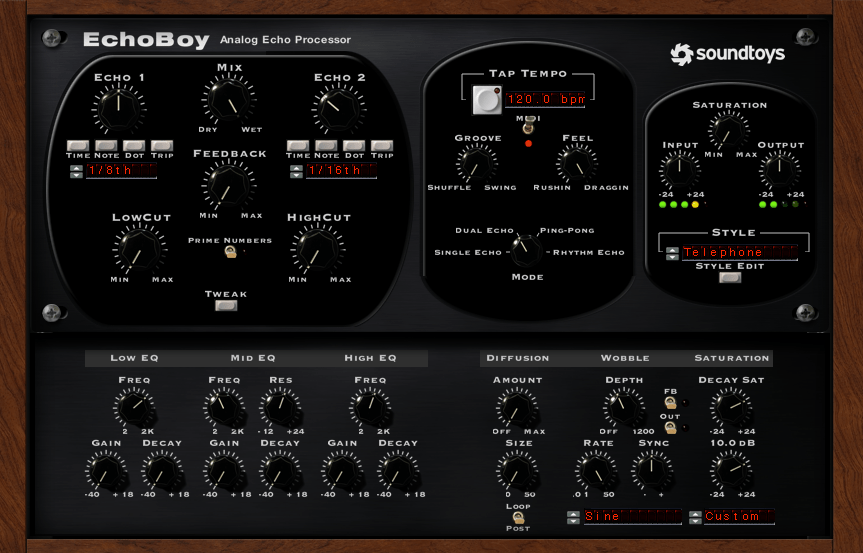
EchoBoyEcho/DelayEmulates a variety of vintage echo units, providing warm and rich delay effects for vocals and instruments.
Little AlterBoyPitch/Formant ModulationOffers vocal pitch shifting, hard-tune effects, and robotic voice modulation.
CrystallizerPitch/Granular DelayEnables creative sound design with pitch-shifted and reversed granular delay.
PrimalTapRetro DelayRetro-style dual delay with lo-fi looping and warp effects.
Devil-Loc DeluxeCompressor/DistortionDelivers aggressive drum compression and distortion effects.
RadiatorTube Saturation/EQVintage tube preamp style for warm tones and rich harmonics.
MicroShiftVocal WideningProvides classic pitch-shifting and chorusing for vocals and instruments.
Little PlatePlate ReverbA modern take on the classic EMT 140 plate reverb.
PanManAuto-PanningCreates spatial movement with rhythmic auto-panning effects.
TremolatorTremolo/Rhythmic ModulationOffers vintage guitar tremolo and rhythm-based effects.
FilterFreakFilter/ModulationDelivers analog filter sweeps and rhythmic filtering effects.
PhaseMistressPhaserProduces rich phase sweeps with deep analog vibes.
Sie-QEQEmulates the W295b EQ, providing smooth highs and warm lows.
Little RadiatorTube SaturationSimple tube saturation inspired by the vintage Altec 1566a preamp.
Little PrimalTapSimple DelayA straightforward retro delay with looping, warping, and distortion effects.
Little MicroShiftSimple WideningAdds focus and depth with a simplified vocal widening effect.
Devil-LocAudio Level DestroyerSimple yet powerful drum compression and distortion.
EchoBoy Jr.Simple EchoCombines 7 analog echo styles for quick and easy delay effects on vocals and instruments.
Effect RackMulti-EffectCombines all plugins for custom chains and overall mixing control.

For this post, I’ll focus on three standout plugins: Decapitator, Little AlterBoy, and the renowned EchoBoy.


Decapitator

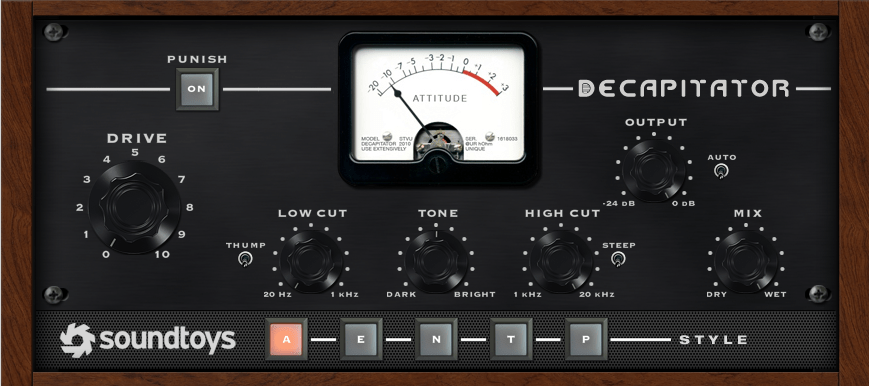
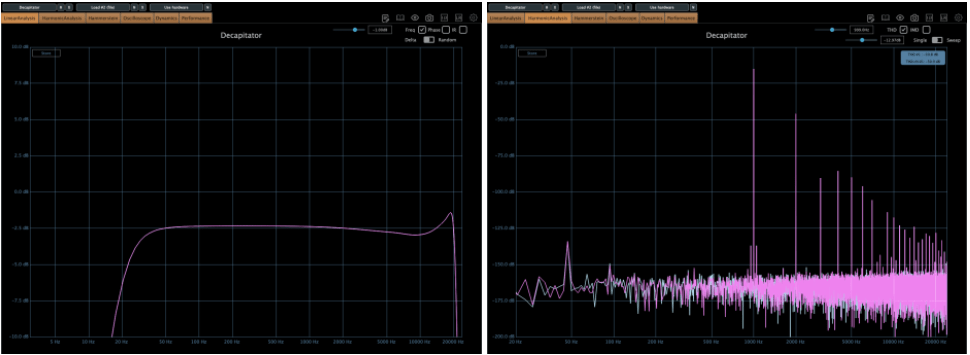
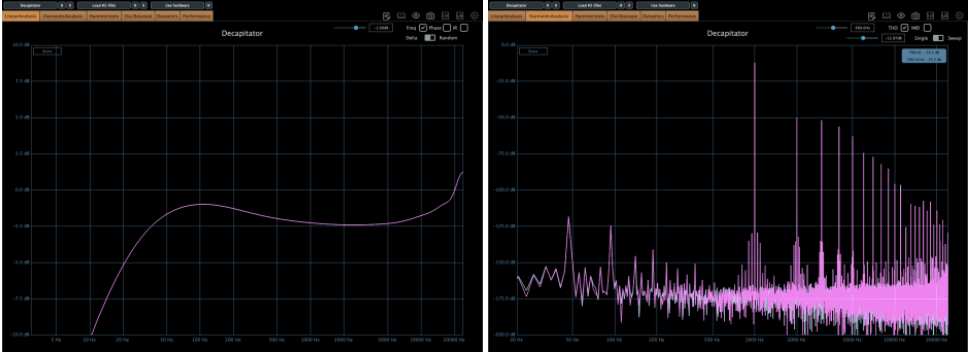
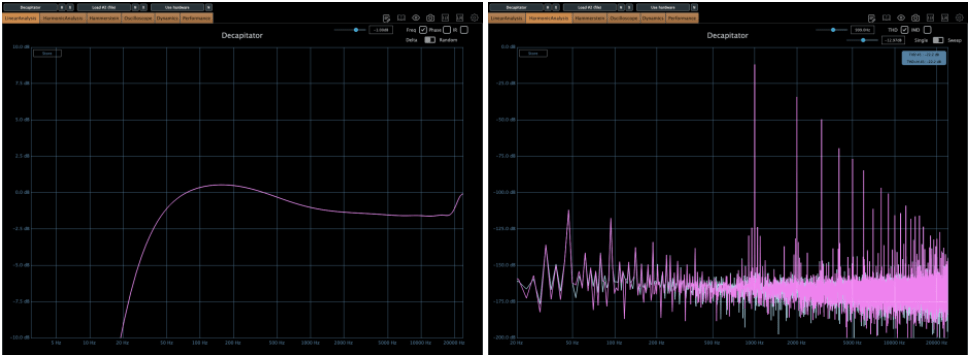
The Decapitator plugin emulates the coloration of five iconic pieces of analog hardware. Its name might sound intimidating (it literally means an executioner who beheads), but it’s perfect for adding aggressive saturation to your tracks.

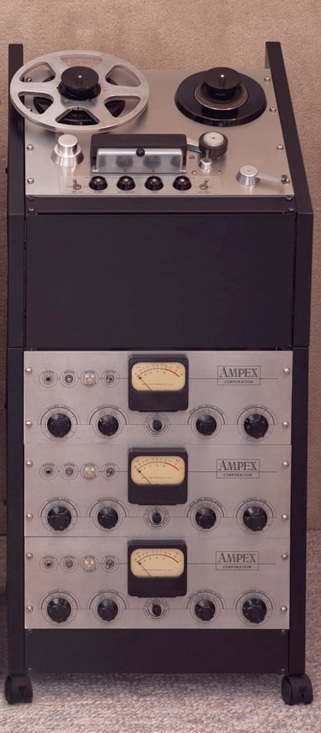
1) A Mode is modeled after the Ampex 350.

2) E Mode (EMI) is based on the Chandler/EMI TG Channel.

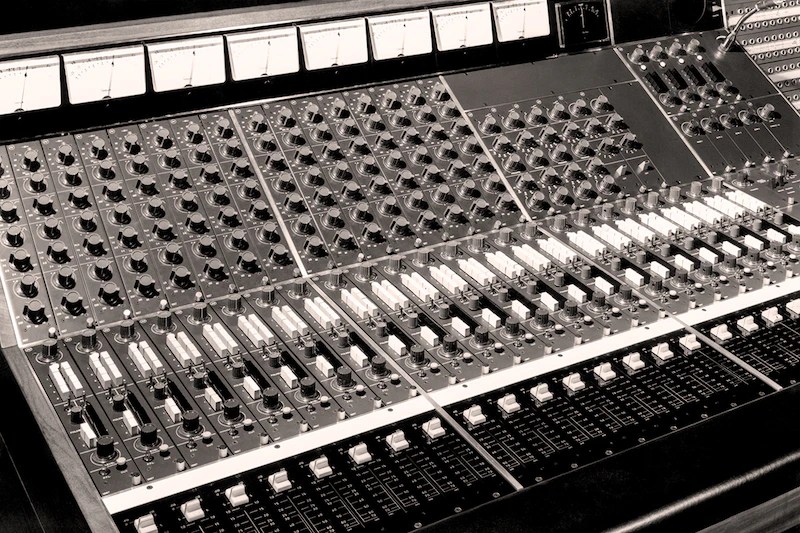
3) N Mode emulates the Neve 1057 Channel.

4) T Mode recreates the Triode (3-tube) saturation of Thermionic Culture’s The Culture Vulture.

5) P Mode replicates the Pentode (5-tube) saturation from the same hardware.

Personally, I often use N or T modes, as their harmonics feel more pronounced to me.

Other key controls:

  • Push: Boosts the input signal.
  • Thump: Slightly boosts the low-end around the high-pass filter.
  • Steep: Sharply cuts the high frequencies.
  • Tone: Acts as a Tilt EQ.

If you want a bold, saturated sound, this is the plugin for you!


Little AlterBoy

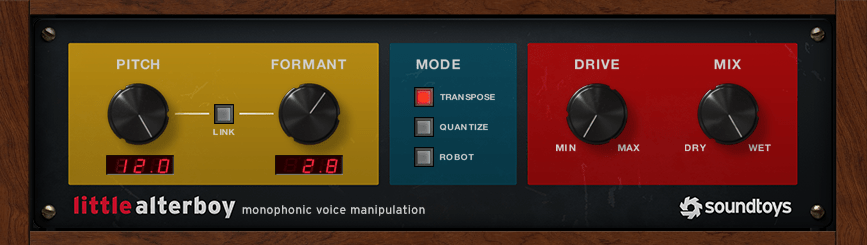
Little AlterBoy is a simple yet powerful pitch modulation plugin.

  • Adjust pitch by semitones from -12 to +12.
  • Modify formant to make the pitch changes sound more natural.

This plugin works best with monophonic instruments like vocals (it doesn’t handle polyphonic material well).

Modes:

  • Transpose: Standard pitch shifting.
  • Quantize: Snaps the pitch to the nearest chromatic note.
  • Robot: Fixes the pitch to a single note (e.g., C at +0, C# at +1, etc.).

I often use this plugin to add an octave effect to lead melodies by sending the signal through Little AlterBoy.

  • For higher pitches: Set Pitch to +12 and Formant between 2 and 3.5.
  • For lower pitches: Set Pitch to -12 and Formant between -2 and -3.5.

Adjust the Formant settings by ear for the best results!


EchoBoy

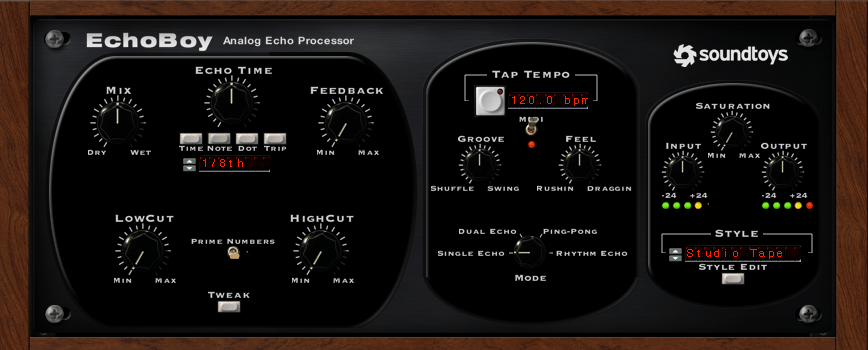
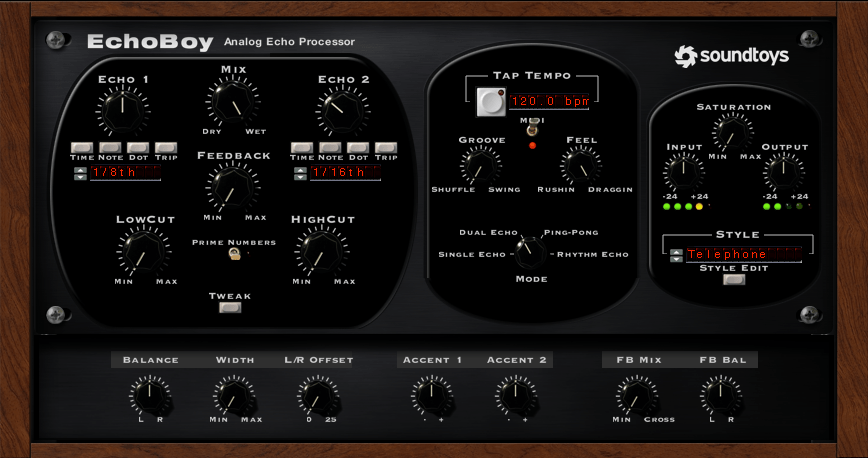
EchoBoy is an all-in-one delay plugin loaded with options.

It offers:

  • Simple single delays
  • Dual delays
  • Ping Pong delays
  • Rhythm Echo and more

The Style menu provides a variety of delay textures, and the Tweak section allows further parameter adjustments.

Finally, the Style Edit menu lets you fine-tune the output characteristics of the selected delay style.

It’s no wonder EchoBoy is often called the ultimate delay plugin!


Conclusion

This was a quick overview of the Soundtoys bundle.

If you’re considering just a few plugins, I highly recommend Decapitator and Little AlterBoy. Try the demos first and grab them during the sale if they suit your needs!

See you in the next post! 😊

Using BFD3 Virtual Drums: Features, Expansion Packs, and Year-End Sale (~50% Off, Until 12/31)

Hello! I’m Jooyoung Kim, a mixing engineer and music producer.

In my last post, I briefly mentioned submitting a short paper to a domestic academic journal.

Since I plan to continue participating in academic activities, I paid the lifetime membership fee, along with submission and publication fees. Let’s just say—it adds up! 😅

In the future, I’d like to continue publishing papers as a hobby, but I might need to look into funding options. My position is quite unique, and I don’t know anyone else doing this kind of work, so there’s not much guidance available. Regardless, I’m determined to push through!

If the peer review goes well, the journal issues quarterly publications, so I expect it to come out around March. Once it’s published, I’ll share the insights here, as they’ll be useful for engineers and producers alike.

Now, let’s dive into today’s topic: BFD3, my go-to acoustic drum virtual instrument, and its features, expansions, and year-end sales!


Support This Blog!

If you purchase through the links below, I receive a small commission, which helps me tremendously.

It doesn’t cost you anything extra compared to searching directly on Plugin Boutique, so if you find this guide useful and plan to buy, I’d greatly appreciate your support!


Overview of BFD3

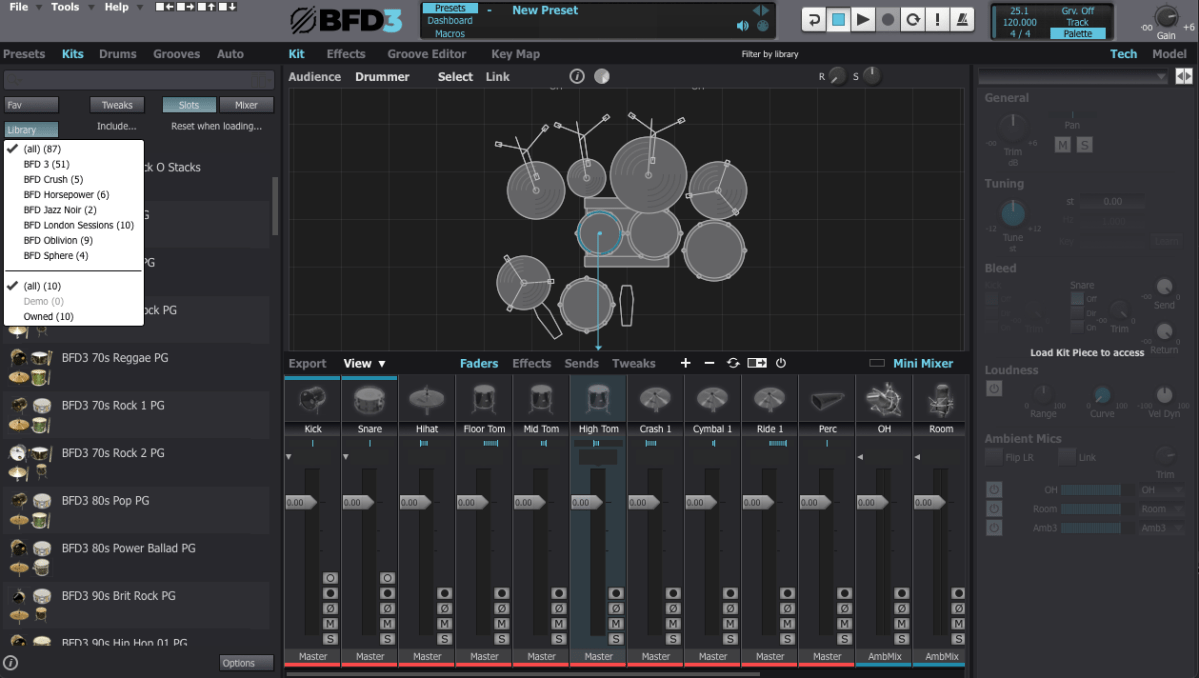
When you first open BFD3, it can feel overwhelming. The interface can be broadly divided into Left Panel, Center Panel, and Right Panel. Let’s break it down step by step.

Left Panel Features

  • Presets: Ready-made setups with pre-configured grooves and drum kits.
  • Kits: Entire drum kits without grooves.
  • Drums: Allows selection of individual drum instruments.
  • Grooves: Built-in MIDI patterns for playback.
  • Auto: Automates parameters via MIDI CC mapping.

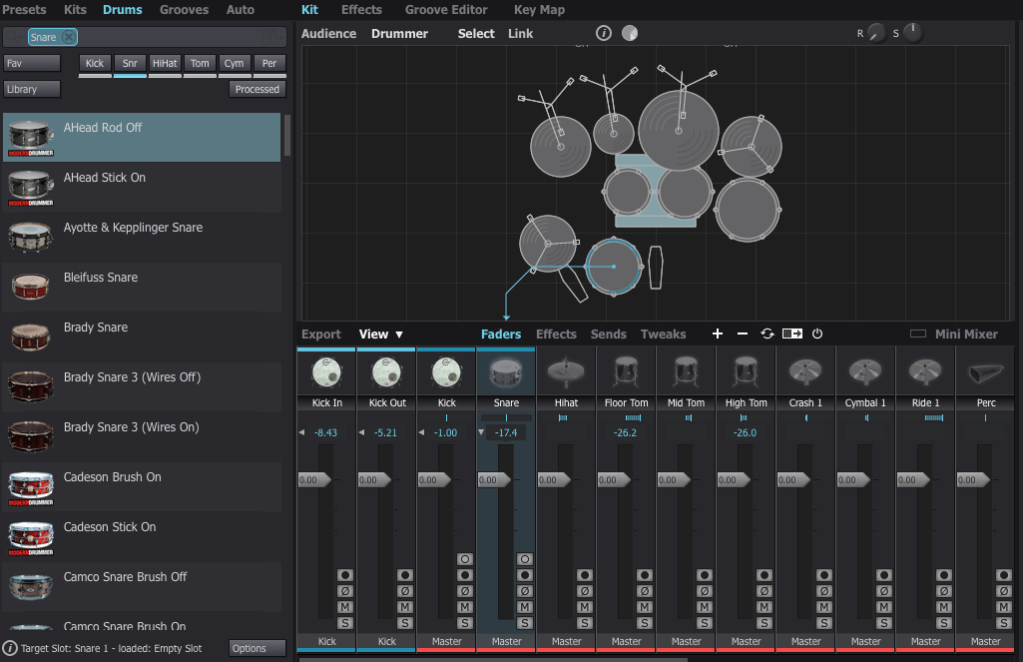
I personally prefer selecting individual drums from the Drums menu to create a custom setup tailored to each song.


Center Panel Features

The Center Panel provides a visual representation of your drum kit and its settings.

  • Select any drum instrument by clicking on it, and swap it out from the available options.
  • Add or remove instruments from your kit using the right-click menu.

For effects, BFD3 has built-in tools, but I usually handle effects within my DAW, so I rarely use the internal effects or sends.


Groove Editor & Key Mapping

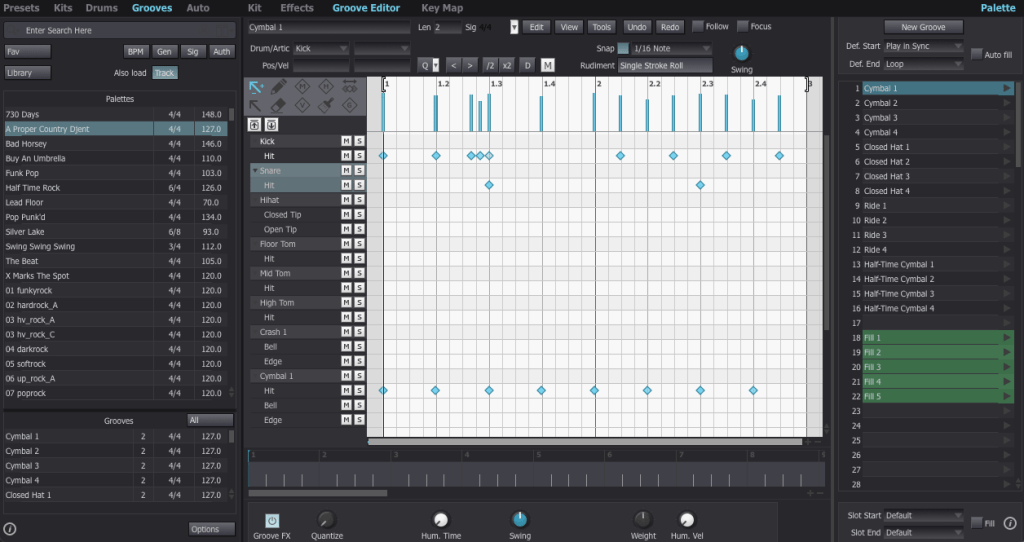
The Groove Editor lets you view, modify, or drag MIDI grooves into your DAW.

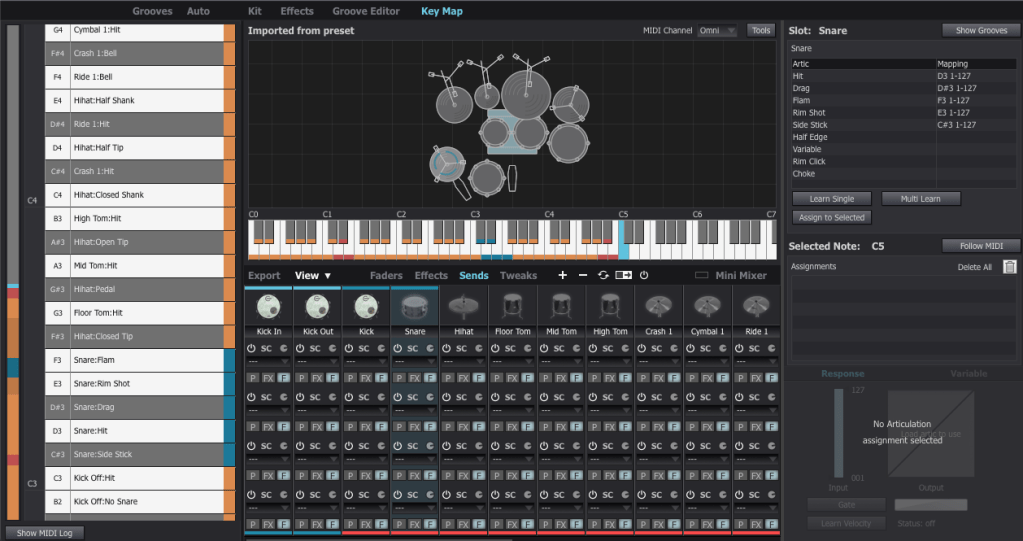
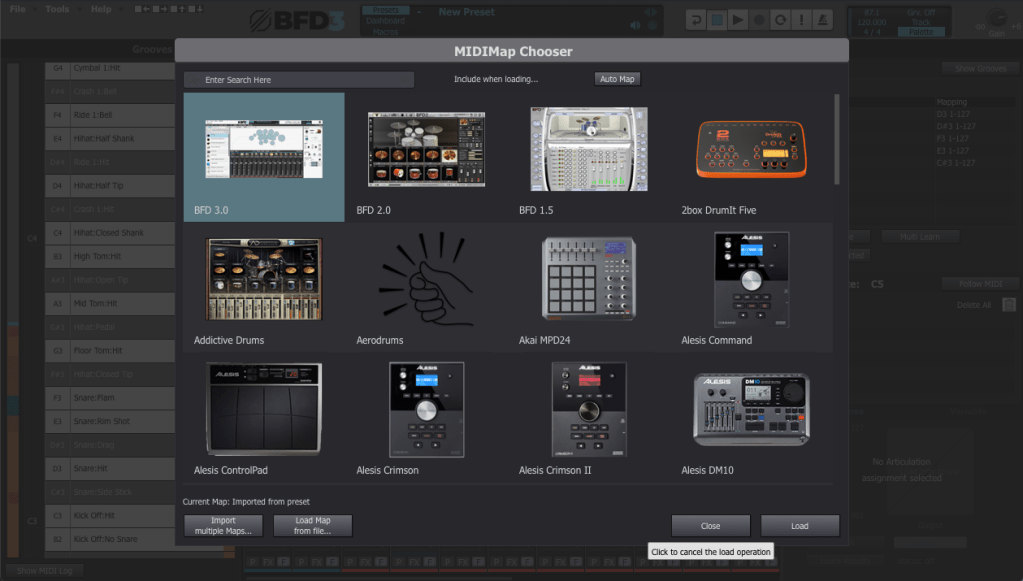
For drum mapping, I use the BFD2 GM-compatible Key Map, which was recommended by my mentor. You can load it via File > Load Key Map.


Mixer and Track Settings

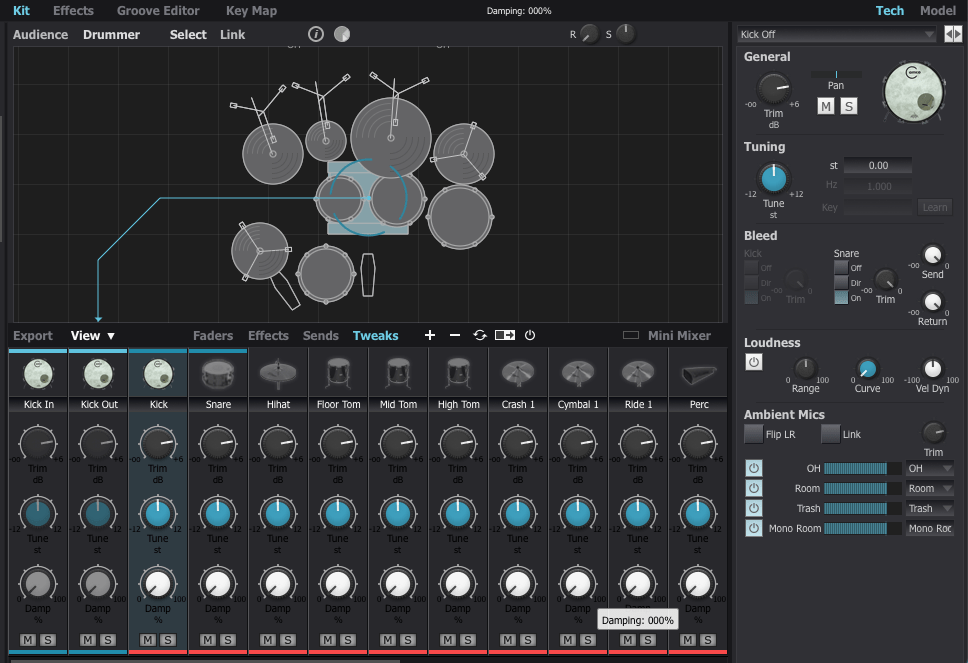
The Tweaks, Tech, and Model sections are critical for fine-tuning drum tones.

  1. Tune: Adjust pitch to match your track’s key (e.g., align the kick with the tonic or dominant of the song).
  2. Damp: Control the release for each drum part.

Compression affects perceived release times, so apply it before adjusting.

To route individual instruments to separate outputs, assign them to specific channels in the mixer.


Exporting (Bounce) Process

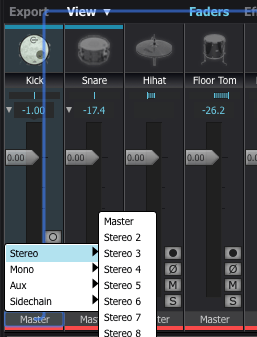
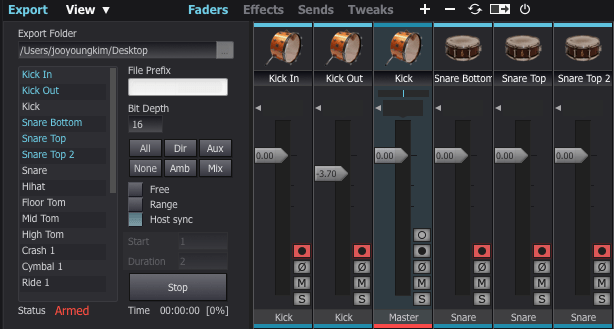
This part can be a bit tedious. If you don’t set the output to Master in the mixer window, the export often doesn’t work properly.

To solve this, I usually duplicate the track settings and reset everything to Master output.

Next, enable the record buttons for the desired tracks in the mixer window. Then, click Export on the bottom left, choose your preferred bit depth, enable Host Sync, and hit the record button to start exporting.

Once you play back from the beginning, it records the drum track as if it were a live session, outputting a WAV file. And voilà—your drum track is ready for mixing!


Recommended Expansion Packs

The default pack in BFD3 is a bit limited in variety, making it less versatile for different styles of music. I initially purchased expansions like Crush, Horsepower, Jazz Noir, Metal Snares, and Oblivion during a major sale last year. However, some of the kits, especially snares, left me wanting more.

For this review, I collaborated with Plugin Boutique, who generously provided three fantastic expansions: London Sessions, Modern Drummer Snare Selects, and Sphere. Here’s my take on each:


1) London Sessions

As you can see from the library photo above, London Sessions offers a massive collection of kits (around 50GB) and includes various brands. This makes it highly versatile for different genres.

If you’re considering buying an expansion, this is the one I recommend starting with.

The sound quality is excellent, as you can hear here. After testing it myself, I found it to be a highly satisfying expansion.


2) Modern Drummer Snare Selects

This pack features 12 iconic snares handpicked by Modern Drummer Magazine. If you’ve ever used BFD3, you might have struggled to find the perfect snare, just like I did.

The stock snares in BFD3 didn’t quite meet my expectations. Even with my other snares, it was rare to find one that truly stood out. I often resorted to building my snares from scratch or using a sampler.

If you’ve faced similar challenges, this expansion will likely solve most of your snare-related frustrations.


3) Sphere

This expansion focuses on rock and metal genres, featuring DW/Vibe kicks and toms, and Ludwig’s Black Beauty Snare. The sounds in this pack tend to have shorter releases and punchier attacks, making it ideal for heavier music styles.

It’s somewhat similar to expansions like Oblivion (not the Skyrim game!) or Crush, but I personally found the sound quality to be superior. If you’re into those genres, this pack is a solid choice.


With that, we’ve come to the end of this guide on BFD3 usage and expansion recommendations.

BFD3 is a virtual drum instrument I highly recommend. While its learning curve is steep, the quality of its sound is exceptional when used correctly.

If you’re planning a year-end purchase, consider getting BFD3 bundled with London Sessions. It’s possibly the best value you can get for acoustic drum software.

See you in the next post! 😊

Introducing the SSL Fusion Bundle and Its Limited-Time Discount (-92%, Until 12/11)

Hello, this is Jooyoung Kim, mixing engineer and music producer.

SSL is known for creating excellent plugins but rarely offers deep discounts. This time, they’re offering a significant discount exclusively on the Fusion plugins, so I wanted to share an overview of the SSL Fusion Bundle for those on the fence about purchasing it.

Purchasing through the link above supports me with a small commission, which helps me keep creating content. Thank you!

Now, let’s dive in.


What is SSL Fusion?

The SSL Fusion was introduced in late 2018 as a hardware unit.

This piece of gear falls under the category of enhancers, akin to the SPL Vitalizer or the Overstayer MAS.

It became quite popular due to its feature set and relatively affordable price. However, ever since the Fusion plugin series launched, I’ve noticed an increase in second-hand listings for the hardware on various marketplaces.

While the hardware offers unique textures, I personally don’t use it heavily due to the inconvenience of recall. Many might have switched to plugins for similar reasons.
Also, let’s be honest—printing and tweaking can be quite a hassle!
The SSL Fusion Bundle includes five core functions from the hardware (excluding the hidden “LMC” or Listen Mic Compressor feature). Personally, I was most impressed with the Transformer and Stereo Image plugins. Let’s take a closer look at each.


SSL Fusion Transformer

Click image to purchase SSL Fusion Transformer..! It’s really great!
The Transformer plugin replicates the hardware transformer circuit. Clicking the transformer symbol activates it.

  • Shine: Enhances high frequencies.
  • LF EXTND: Gently boosts sub-lows.
  • Amount: Controls the level of harmonic distortion.

In essence, it’s an enhancer that adds harmonics and high-end sheen. Right from the first test, it added pleasing high frequencies and harmonics, making it versatile for various tracks.


SSL Fusion Stereo Image

The Stereo Image plugin recreates the stereo enhancer from the Fusion hardware.

It offers more than just a width adjustment by including Stereo Shuffling, which allows control over stereo imaging in low-frequency bands.

  • Shuffle: Sets the cutoff for low frequencies.
  • Space: Adjusts the stereo width of these frequencies.
  • Width: Adjusts overall stereo width using M/S processing.

If you’re hesitant about pricier alternatives like Leapwing Audio’s StageOne 2, this plugin provides excellent stereo imaging control, especially for modern music where low-end stereo imaging is critical.


SSL Fusion Vintage Drive

The Vintage Drive plugin adds saturation and harmonic distortion while increasing low-end warmth.

With subtle settings, the low-end boost is manageable, but when pushed, it creates a more aggressive drive. If you’re a fan of the Soundtoys Decapitator or Arturia Dist TUBE-CULTURE, you might find this plugin fits your workflow.


SSL Fusion HF Compressor

The HF Compressor is a high-frequency compressor.

  • X-Over: Sets the frequency range for compression.
  • Threshold: Controls the compression amount.

This plugin is particularly useful when high frequencies enhanced by the Transformer plugin need some taming.


SSL Fusion Violet EQ

The Violet EQ is a shelving EQ, also available as a 500-series hardware unit.

Its FAT feature subtly boosts specific frequency bands when the HPF is set to 30, 40, or 50 Hz. Otherwise, it’s a clean and straightforward EQ with no added harmonics.


Final Thoughts

The Fusion Bundle is currently available for under $100 during this sale. Whether on a mix bus or master bus, these plugins deliver exceptional results.

Given the sound quality, I now understand why so many hardware units have hit the used market. It also makes me curious about the actual hardware’s performance—maybe I’ll get one someday!

I hope this overview helps those considering the Fusion plugins.

See you in the next post!