Basics of Mixing – 8.3 How to Use Reverb?

Hello, this is Jooyoung Kim, music producer and audio engineer.

Last time, we explored the history and types of reverb. Today, we’ll dive into the practical ways to use reverb in your mix. Let’s get started!

When you first open a reverb plugin, the numerous settings can be overwhelming. But in reality, you only need to focus on three key parameters:

  1. Pre-Delay
  2. RT60 (Reverb Time)
  3. Type of Reverb

Pre-Delay refers to how much time passes between the original sound and the reverb effect. If the listener is close to the sound source, a larger Pre-Delay feels natural, while a smaller Pre-Delay is ideal if the source is far away.

RT60 measures the time it takes for the sound to decay by 60dB. While the decay time can vary depending on the frequency, you can generally think of it as the time for the reverb to fade out.

Reverb types are crucial because they give your mix different atmospheres depending on the choice. Knowing these basics should be enough to get you started!

Understanding Reverb Parameters
Here’s RVerb, a basic digital reverb plugin from Waves.
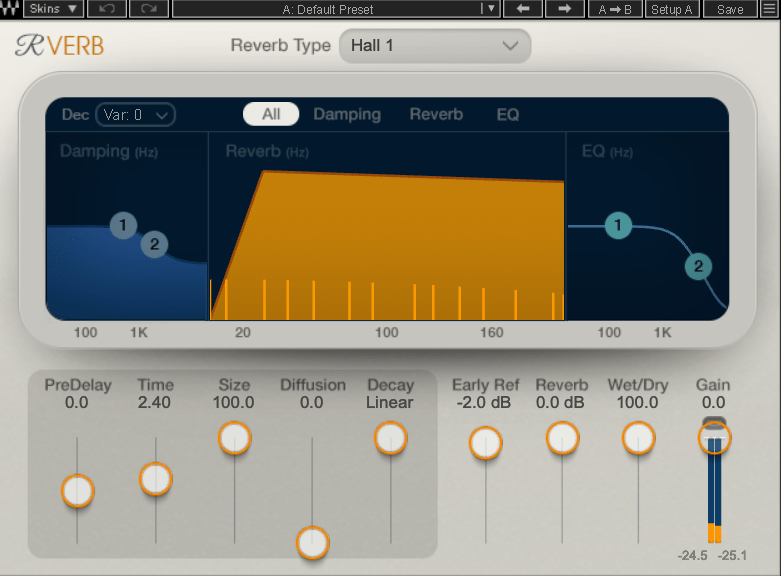
Time represents RT60, but what about Size? Size controls the virtual space’s dimensions, affecting the initial reflections and how the reverb tail forms.

Diffusion varies across plugins. It manages whether the reverb tail is formed by the direct sound or by the reflections. Lower values make the tail clearer and less cluttered, while higher values create a fuller sound.

Decay isn’t always present, so we’ll skip that for now. Early Reflections control how strong the initial echoes are. Smaller rooms produce stronger early reflections, while larger rooms have weaker ones. Wall materials can also affect this.

Reverbs like Shimmer add pitch modulation, Plate and Spring reverbs adjust materials, and Chamber reverbs may let you adjust mic and speaker positions.
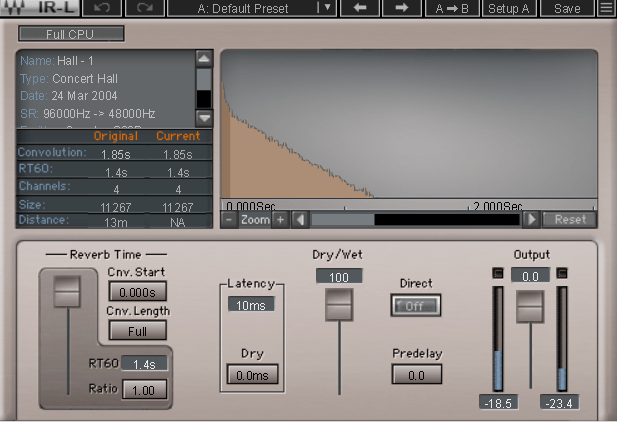
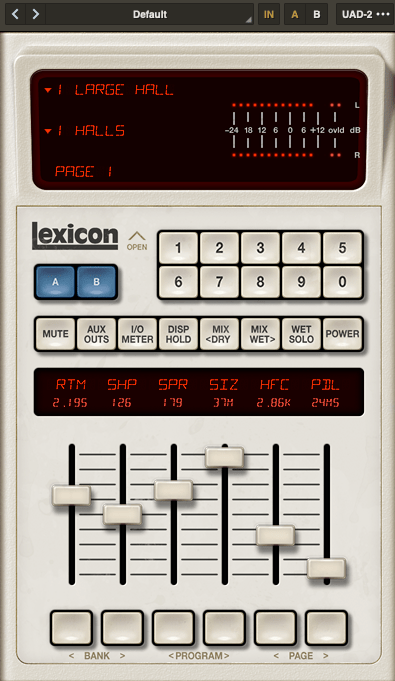
With IR (Impulse Response) reverbs, drastic changes to settings like Pre-Delay can feel unnatural, so if you’re not satisfied with the sound, it’s better to switch to a different reverb entirely.

Reverb EQ
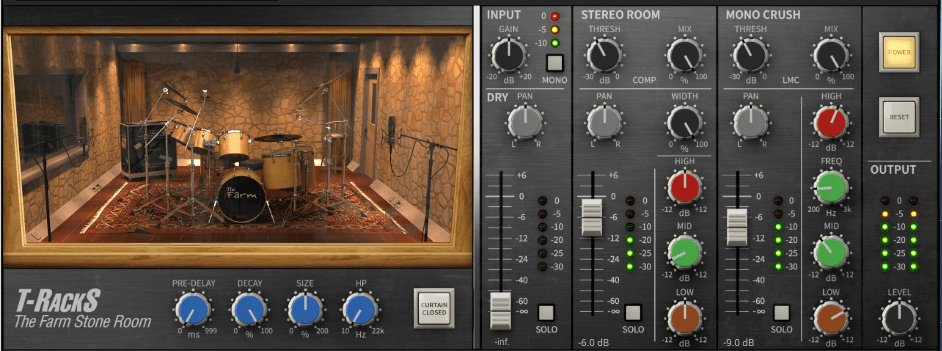
There’s a reason why many reverb plugins include built-in EQs.

When applying reverb, EQ is key. Think of a live concert venue like a club in Hongdae. Outside, you mostly hear bass, while the vocals are hard to make out, right? This is because low frequencies travel further, while high frequencies lose energy faster in the air.

To simulate the natural acoustics of a real venue, especially for orchestral performances, applying EQ to the reverb can help create a more realistic reverb effect. Additionally, reducing some lows and mids from the reverb will help prevent the reverb from muddying up your mix, allowing for a clearer sound.

Reverb Compression & Saturation
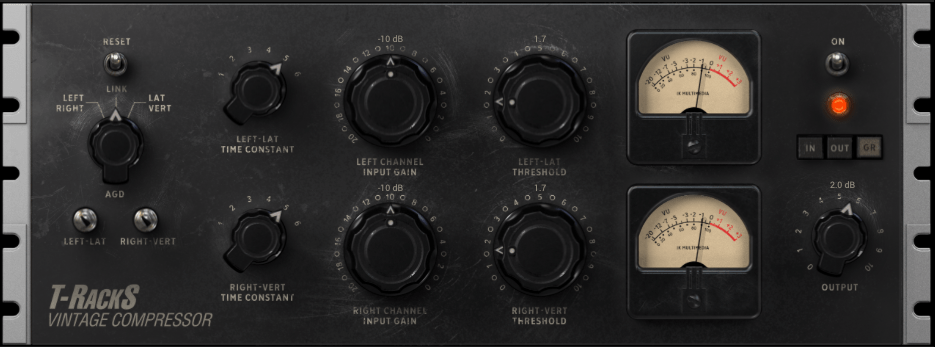
What happens when you apply compression to reverb? Compression reduces dynamic range, which gives the illusion of a longer reverb tail, making it feel like the reverb lasts longer.

You can also add tonal color through hardware or plugin saturation to alter the feel of the reverb. For example, sidechaining the reverb to a vocal or lead instrument can reduce the reverb when those elements are prominent, and increase it when they are not.

Gated Reverb
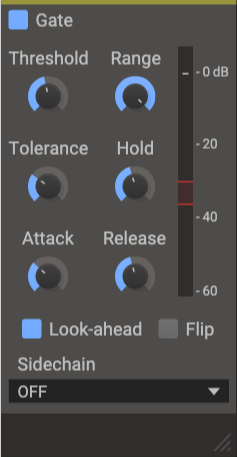
By using a gate, you can tightly control the reverb to match the groove of the track. Using sidechain techniques with gates or envelope followers, you can craft tight, precise reverb effects. This technique works wonders in genres like funk, but it can feel out of place in ballads—so choose carefully!

Various Reverb Uses

It’s common to use more than one reverb in a mix. For instance, a UAD Precision Reflection Engine can add artificial ambience to dry tracks, while you might apply a Plate Reverb specifically to the snare drum.

For consistency, you might apply a Hall Reverb across all elements in the mix. And don’t forget to adjust your Send Panning for spatial accuracy.


That’s about it for reverb usage! While theory helps, there’s no substitute for hands-on experience. Keep experimenting, and I’m sure you’ll get the hang of it.

Until next time, see you in the next post! 😊
Mastering the Mix Best-Seller Bundle Sale (Until Sept. 22)

Hello! I’m Jooyoung Kim, an audio engineer and singer-songwriter.

Today, I’d like to introduce you to a fantastic sale from Mastering the Mix, featuring their Reference and Reso plugin bundle.

Reference is a plugin that helps you match the frequency response and loudness of your mix to a reference track, while Reso allows you to control the resonances in your audio source.

As someone who frequently works on mixing, I highly recommend Reso. Let’s take a closer look at what it can do!

(Note: I received the Reso plugin from Plugin Boutique, and if you purchase through the provided link, I’ll earn a small commission that helps support the blog.)

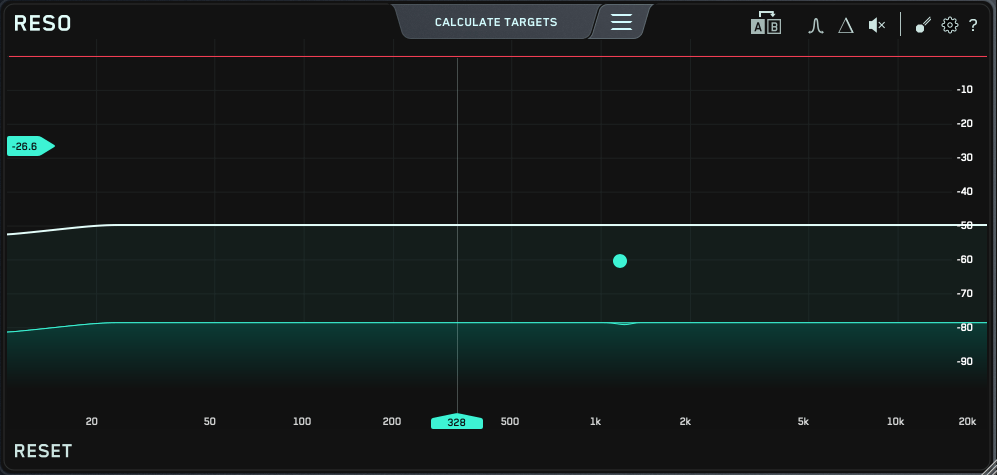
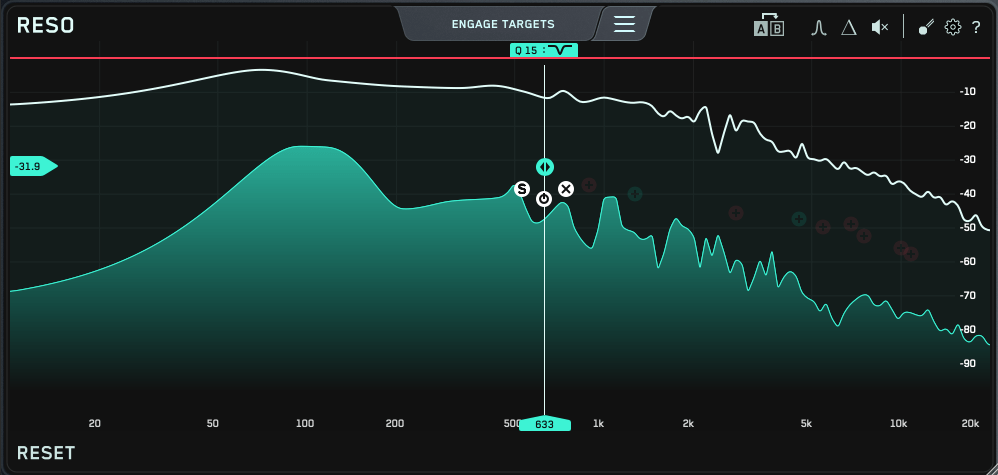
The Reso plugin’s user interface is straightforward—a frequency graph where you can plot points.

When you plot a point like this…

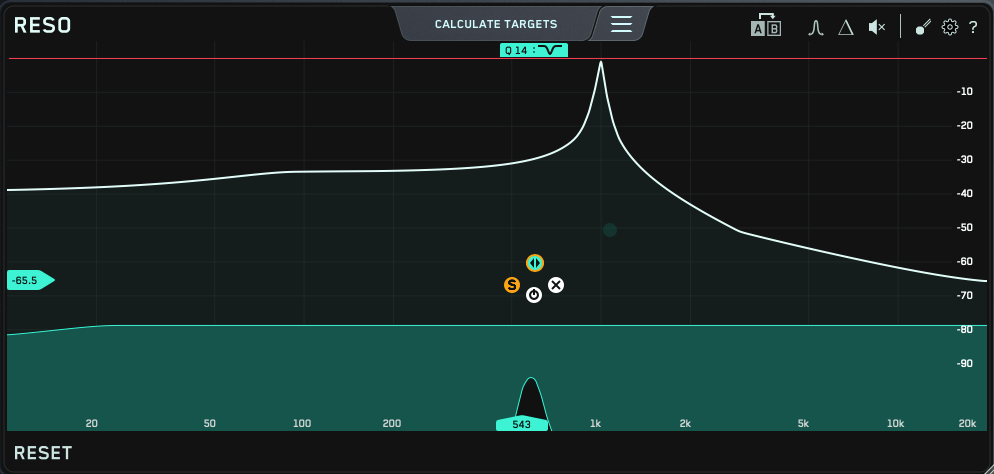
…it narrows down the selected frequency and reduces it. The Q factor is automatically set to an optimal value, but you can easily adjust it by scrolling your mouse over the point.

At the top, there’s a “Calculate Targets” button, which analyzes the frequencies where resonances occur and automatically sets points for you.

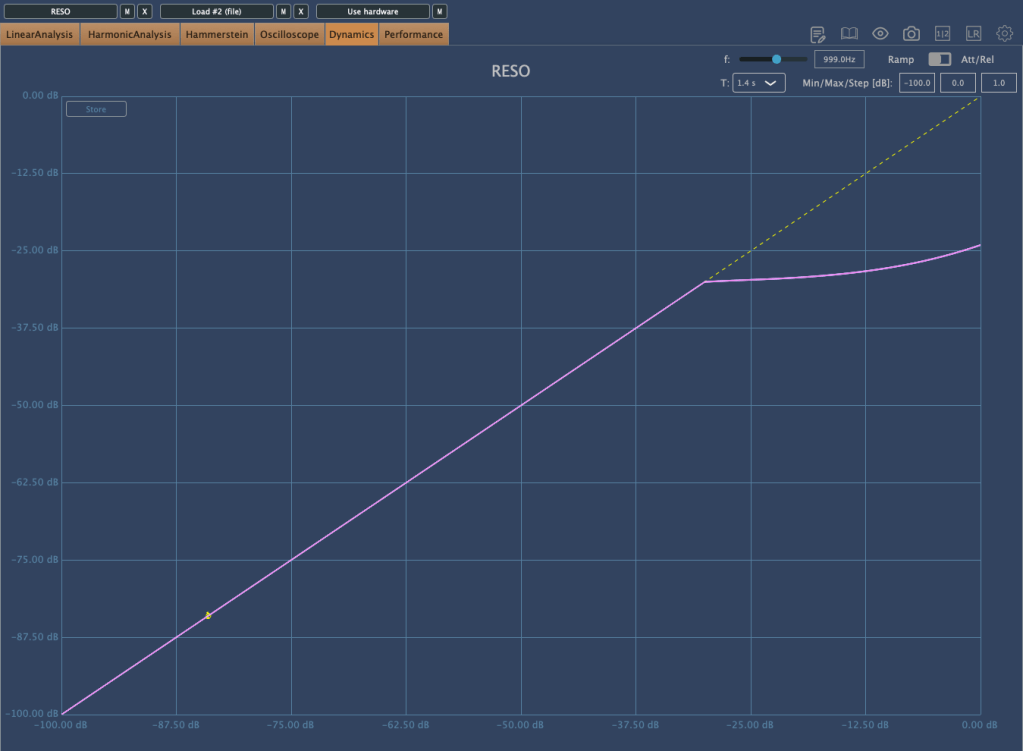
If the resonance is too strong to control with just EQ…

…the plugin starts applying compression/limiting! It’s an innovative concept, as it helps reduce problematic frequencies without completely destroying the audio like a notch filter might.

You can also use the Solo button to isolate and listen to specific frequencies. I believe this EQ is unparalleled when it comes to handling resonance.

This bundle is currently on sale at a very attractive price—$53.9 for both Reference and Reso, whereas each plugin normally costs $62.7 individually. Think of it as buying Reso and getting Reference as a bonus!

If you’re dealing with sources that have a lot of resonance, I highly recommend trying out the demo version. I recently had a vocal track with significant resonance, and this plugin helped me resolve the issue, leaving me very satisfied.

Additionally, if you purchase any plugin from Plugin Boutique this month, you’ll receive either the Pyros distortion plugin or the Bloom Vocal Aether Lite sampler instrument for free. Be sure to select your freebie at checkout!

That’s it for today. See you in the next post! 😊

Basics of Mixing – 8.2 The History and Types of Reverb

Hello, this is Jooyoung Kim, music producer and audio engineer. Today, I’ll be discussing the history and various types of reverb.

Shall we dive in?

Valiere, Jean-Christophe & Palazzo-Bertholon, Benedicte & Polack, Jean-Dominique & Carvalho, Pauline. (2013). Acoustic Pots in Ancient and Medieval Buildings: Literary Analysis of Ancient Texts and Comparison with Recent Observations in French Churches. Acta Acustica united with Acustica. 99. 10.3813/AAA.918590.

The image above is from a paper on “Acoustic Pots” found in ancient and medieval architecture. These pots were embedded in walls to function as a type of Helmholtz Resonator.

That might sound too technical, but a Helmholtz resonator is essentially a device that reduces specific frequencies. Modern-day applications include using this concept in car design, though that’s a more recent development.

In ancient times, the Aztecs built temples like Kukulkan Temple, which used echo to create fascinating sounds.

The Greeks also designed spaces with excellent acoustic properties, enabling sound to be heard clearly from specific spots.

Back then, without microphones, these architectural advances allowed sound to be projected effectively, and this often included reverb.

Moving to the Modern Era

In the modern era, Bill Putnam, the founder of Urei, which later became Universal Audio, was the first to experiment with reverb. He used it in the song “Peg o’ My Heart” by the Harmonicats.

For this track, they recorded instruments, played the sound in a studio bathroom, and re-recorded it to capture the reverb. If you’ve ever sung in the shower, you’ll know exactly the kind of reverb I’m talking about! This was the earliest form of what we now call an echo chamber.

Echo Chamber (Chamber Reverb)

Inspired by this, studios started building dedicated rooms for reverb, known as echo chambers.

The image above shows one of the echo chambers at the famous Abbey Road Studio. For those familiar with plugins, this might ring a bell.

Waves created a plugin called Abbey Road Chambers, which is based on impulse responses (IR) from these very rooms. Notice the tile walls—similar to bathroom tiles—used to reflect sound. The process involves playing sound through speakers and capturing it with microphones.

By the way, the classic speakers you see in that plugin are B&W 800D speakers. The 800 series is a dream for many, though the price is quite steep, even second-hand. Hopefully, I’ll own a pair of 801D4s someday…

Anyway, there are plenty of plugins that emulate these echo chambers. While the sound quality is great, the cost of building these rooms is astronomical.

Imagine dedicating an entire room just for reverb—it’s quite an investment! Unless, of course, money is no object…

Plate Reverb

Plate reverb was developed as a more cost-effective alternative to the echo chamber.

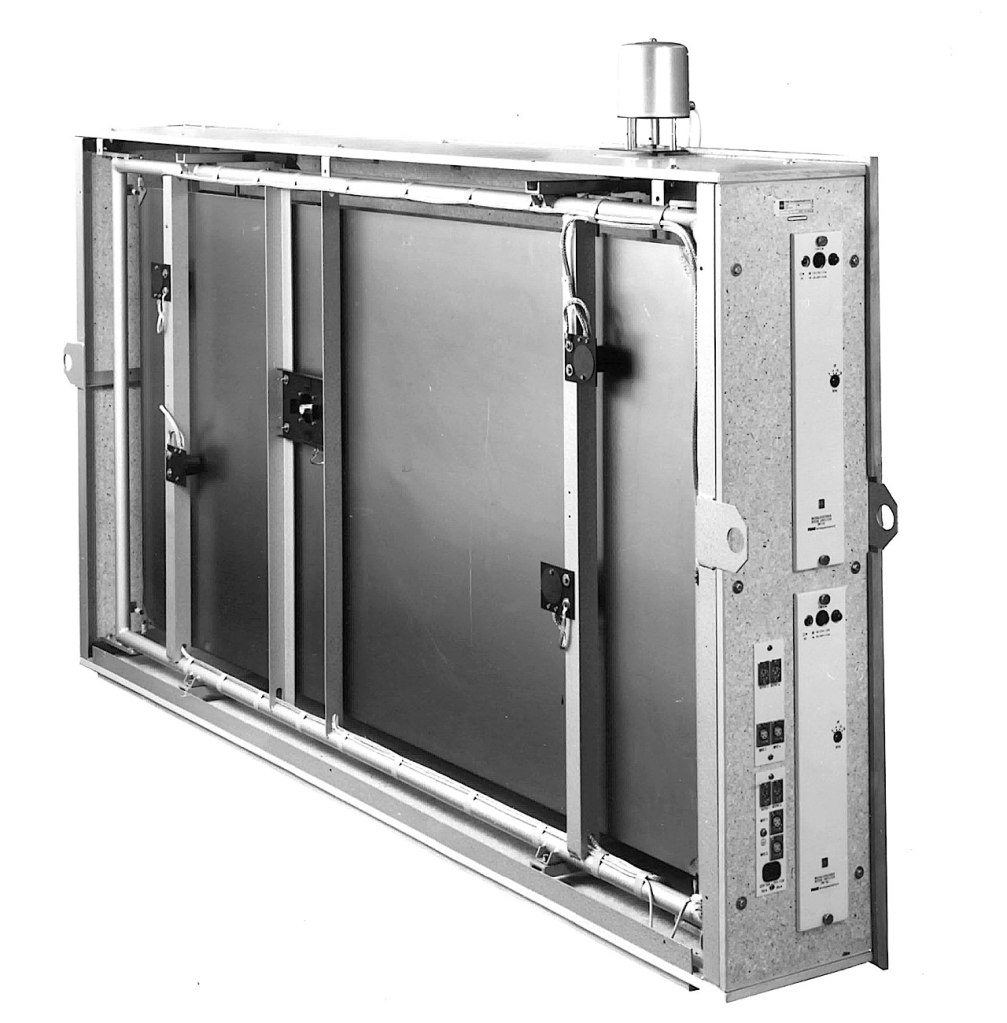
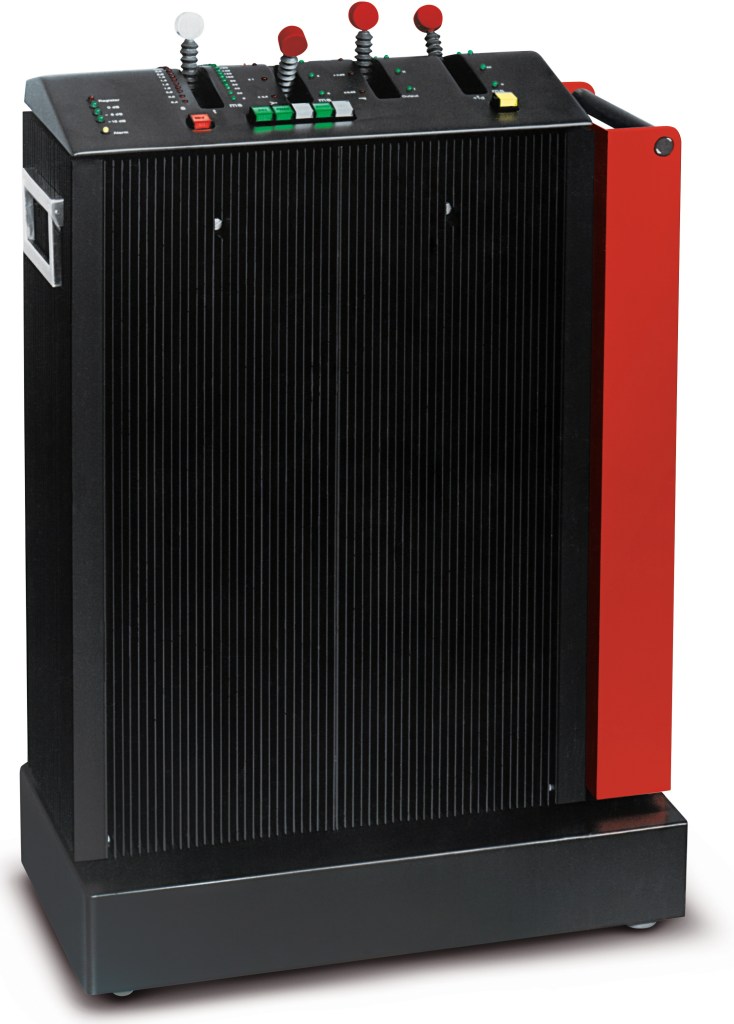
This type of reverb works by vibrating a metal plate, with microphones attached to capture the sound. The tone varies depending on the type of metal used, giving plate reverb its distinctive sound.

While these units could weigh up to 250kg and were still quite expensive, they were far more affordable than building a dedicated reverb room.

Digital Reverb

To reduce the size and cost further, digital reverb was invented. The image above shows the first commercial digital reverb, the EMT 250.

Spring Reverb

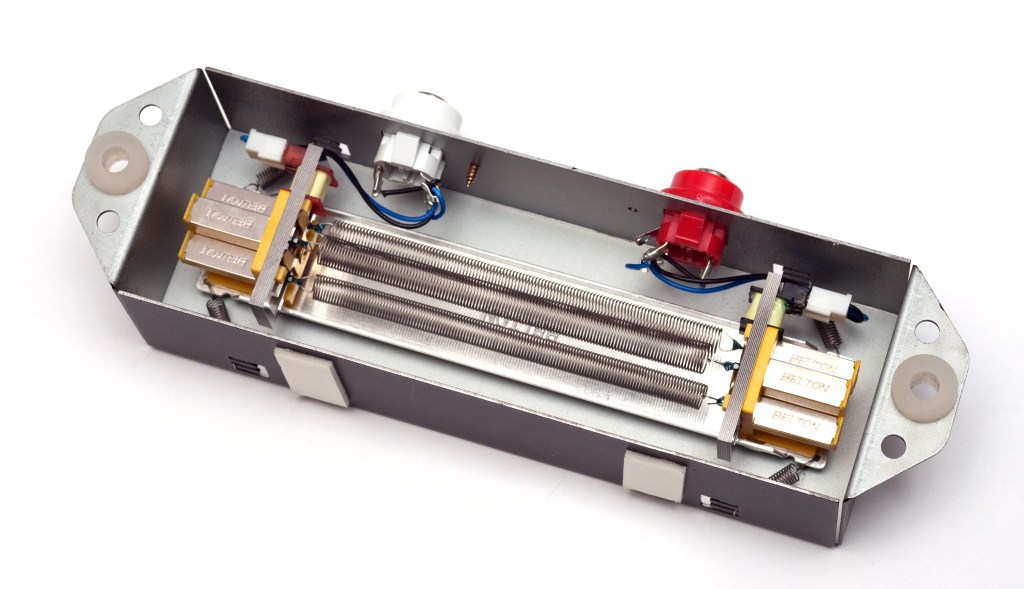
Spring reverb was originally developed for use in Hammond organs to create reverb effects.

The technology was later licensed to Fender, leading to the inclusion of spring reverb in Fender guitar amps. Its function is similar to plate reverb, and because it’s been embedded in guitar amps for so long, it has a familiar and pleasant sound when used with guitars.

Shimmer Reverb

Shimmer reverb adds pitch modulation to the reverb, producing a characteristic shimmering effect. It’s perfect for when you want that lush, expansive sound.

Hall, Studio, and Other Reverbs (Convolution Reverb)

Reverbs like hall or room reverb are actually quite tricky to classify. These reverbs are generated using an impulse response (IR) of real spaces through a process called convolution.

Let me briefly explain what an impulse is: it’s a very short, high-amplitude signal. Mathematically, it’s known as a Dirac delta function, where:

  • if x = 0, y = ∞
  • if x ≠ 0, y = 0
  • and its integral from -∞ to ∞ equals 1.

This impulse can be used to measure the frequency response of speakers. When measuring a space, we use a signal known as a sine sweep, which is recorded and mathematically transformed through deconvolution to generate the impulse response.

While this might sound complicated, you can think of it as recording a sine sweep in WAV format and using it to create a reverb through calculation.

With IR reverbs, you can also use other sounds like snare hits or kick drum samples as IR files to create unique effects.

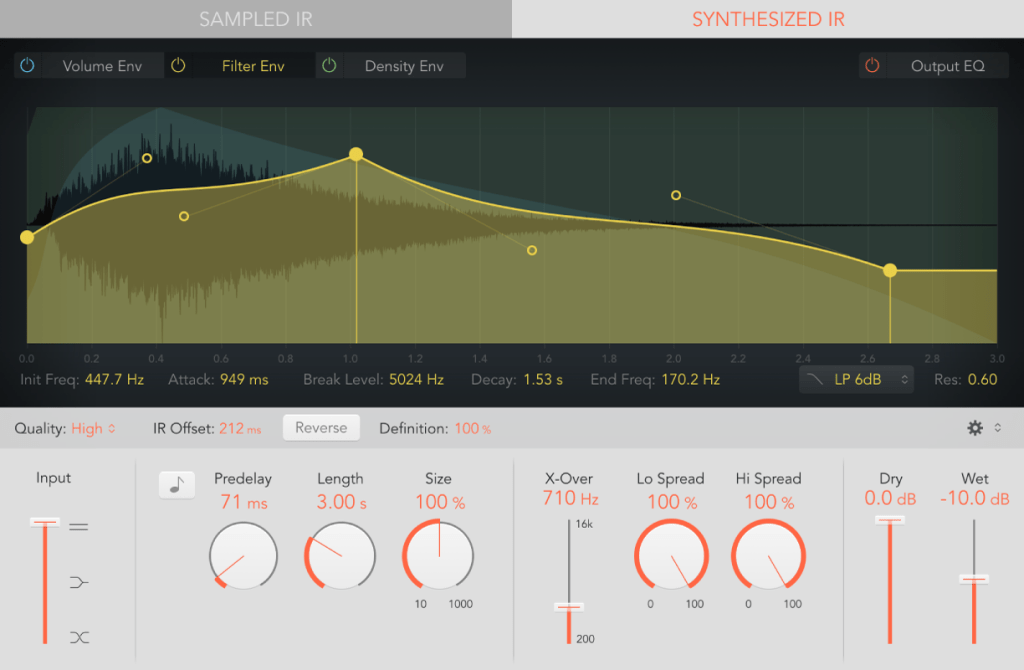
Logic has its Space Designer plugin for this,

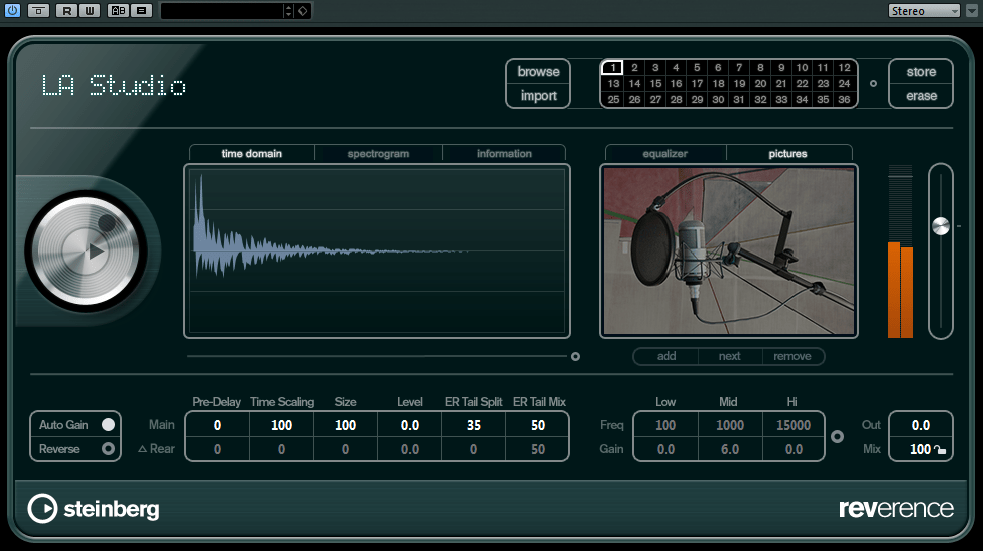
Cubase uses Reverence,

and Pro Tools has Space.

In the end, the reverbs we use on our computers can be divided into two types: algorithmic reverb and convolution reverb.

Conclusion

That covers the history and types of reverb. I may have gone off on a tangent at times, but if some of it was too complex, don’t worry! You don’t need to fully understand every detail—music is all about what sounds good, after all.

On a different note, I finally received permission from Universal Audio to use some photos for my book. I’ll post an update when the book is ready!

See you in the next post!

Heavyocity MicroFX Intro Sale (Until 9/20)

Hello, this is Jooyoung Kim, music producer and audio engineer.

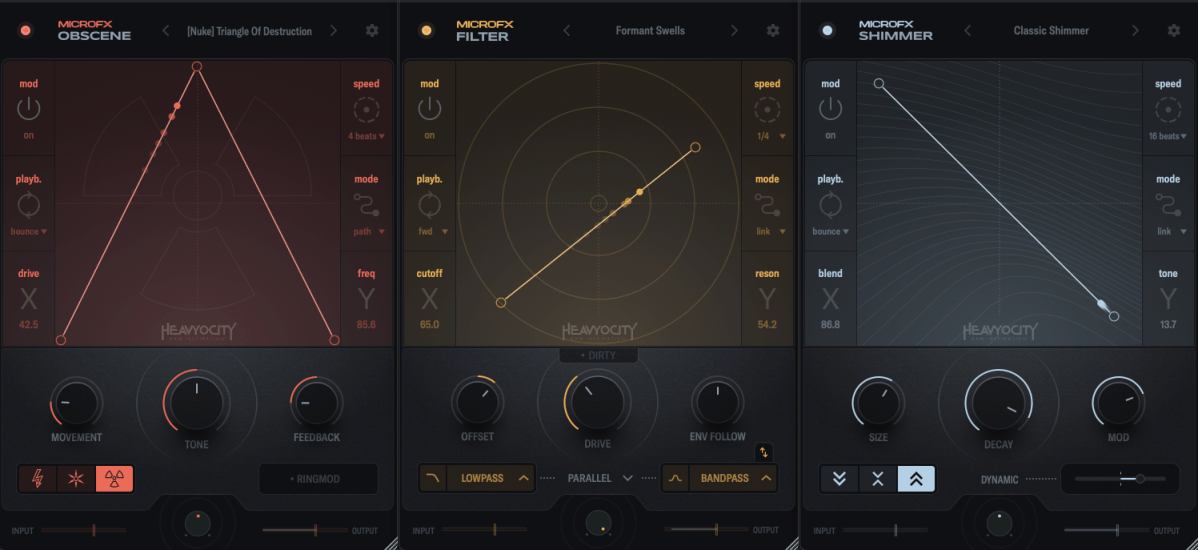
Today, Heavyocity has released a new set of plugins called MicroFX.

Heavyocity is known for selling virtual instruments and effects plugins, especially well-suited for film and video music production. However, the new MicroFX plugins can be used for a variety of purposes beyond those genres.

There are three plugins in the series:

  1. Obscene (Distortion)
  2. Filter
  3. Shimmer

Let’s take a closer look at each of them.

Obscene

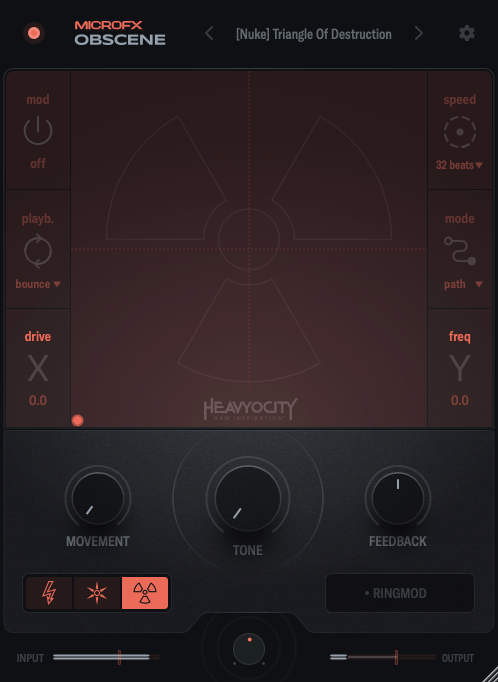
Obscene true to its name, this plugin delivers a powerful, in-your-face distortion effect.

There are three types of distortion to choose from: BLASTER, CRUSHER, and NUKE.

  • BLASTER offers a guitar pedal-style distortion.
  • CRUSHER adds bitcrushing to the distortion.
  • NUKE provides a fuzz-like distortion.

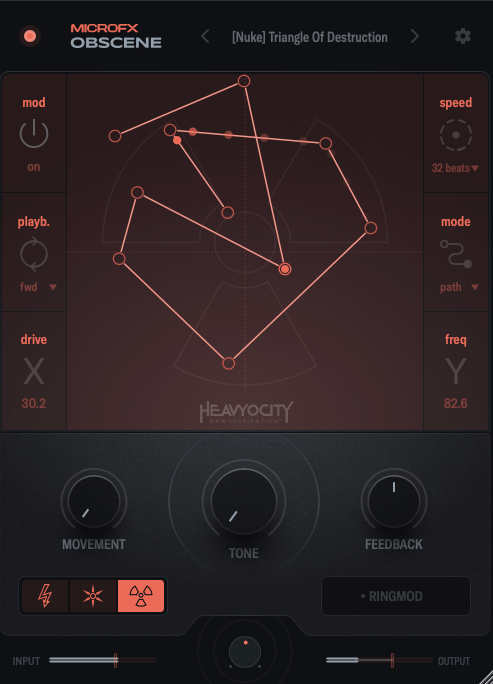
On the graph, the X-axis controls the amount of distortion, while the Y-axis adjusts ring modulation and internal filtering.

You can activate the Mod function, and by double-clicking on the screen, you can place points, which are influenced by the speed settings on the right. You can place up to 15 points.

When you adjust Movement, the frequency response and harmonics change over time. The Tone control acts like a tilt EQ, while Feedback may seem subtle at first but becomes more noticeable as the distortion increases. The large knob at the bottom center is the Mix control.

Filter

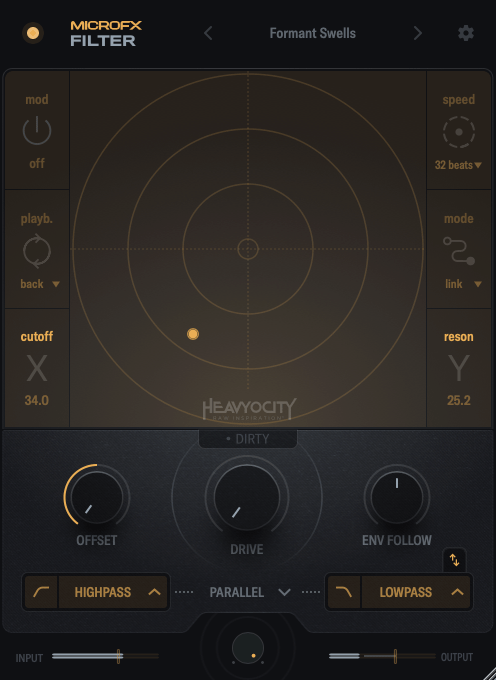
Filter is a simple but versatile plugin.

In this case, the X-axis controls the cutoff frequency, and the Y-axis adjusts the resonance.

Through the buttons below the central knob, you can choose which filters to apply to the high and low frequencies.

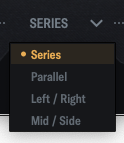
By clicking the center of the interface, you can choose whether to link the filters in series, parallel, LR (left/right), or MS (mid/side) modes.

When you adjust Movement, the frequency response and harmonics change over time. The Tone control acts like a tilt EQ, while Feedback may seem subtle at first but becomes more noticeable as the distortion increases. The large knob at the bottom center is the Mix control.

Shimmer

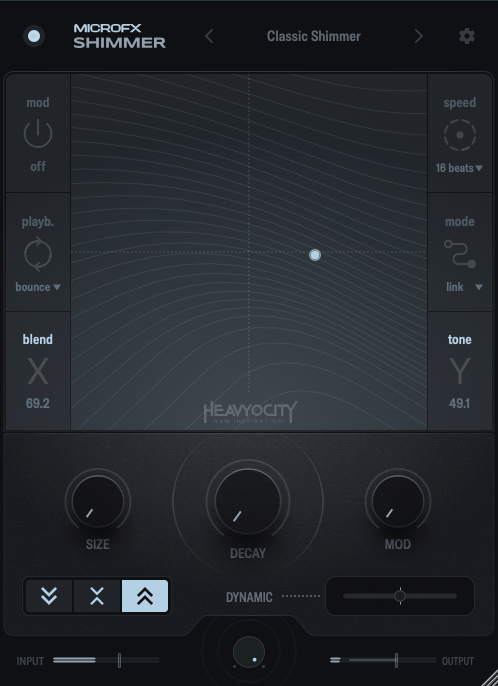
Shimmer reverb will be covered in more detail in my upcoming blog post on the basics of mixing. It’s a reverb plugin that incorporates pitch modulation, producing a bright, extended effect.

This shimmering, elongated reverb is particularly popular in instrumental and cinematic music, especially on guitars.

Shimmer captures that classic sound well.

The X-axis controls the blend of the pitch-shifted delay, while the Y-axis adjusts various internal reverb parameters to shape the overall tone.

The buttons on the lower left let you shift the pitch an octave down, an octave up, or both.

The Size, Decay, and Mod knobs function like typical reverb controls, so I won’t explain those further.

Dynamic is a fader that adjusts the internal dynamics. Pulling it to the left applies an expander to the reverb’s input and output, while pushing it to the right activates a ducking compressor.

Summary

All three plugins are well-crafted and highly useful for sound design. If you’re interested, I recommend checking them out!

These plugins are priced at $42.9 each, or $108.9 for the bundle. Additionally, if you purchase from Plugin Boutique this month, you’ll receive either the Pyros distortion plugin or Bloom Vocal Aether Lite for free.

Thanks for reading, and I’ll see you in the next post! 🙂