Hello? This is Jooyoung Kim, a mixing engineer and music producer. Today, I’ll talk about the music file codecs, final article of basics of mixing series. Those posts are based on my book, Basics of Mixing, published in South Korea.
Let’s dive in!
Codec
The term codec stands for coder-decoder—a hardware or software that encodes and decodes digital signals. There are three main types of codecs:
Non-compression: WAV, AIFF, PDM(DSD), PAM
Lossless Compression: FLAC, ALAC, WMAL
Lossy Compression: WMA, MP3, AAC
Non-compression codecs retain 100% of the original audio data with no compression applied.
Lossless compression codecs reduce file size while preserving all original data. This means they sound identical to uncompressed formats like WAV.
Lossy compression codecs remove some audio data to achieve a much smaller file size, which can affect sound quality depending on the compression level.
In the music industry, WAV, MP3, and FLAC are the most commonly used formats for mastering and distribution.
How is file size determined?
For WAV files, size is determined by sample rate and bit depth. How about mp3 and FLAC?
MP3 files use bitrate, rather than sample rate and bit depth. You’ve probably seen MP3 files labeled 256kbps or 320kbps. This means 256,000 bits or 320,000 bits of audio data are processed per second. Higher bitrates result in better sound quality but larger file sizes.
FLAC files use compression level to control file size. A higher compression level takes longer to encode but results in a smaller file. However, since FLAC is lossless, the sound quality remains unchanged regardless of the compression level.
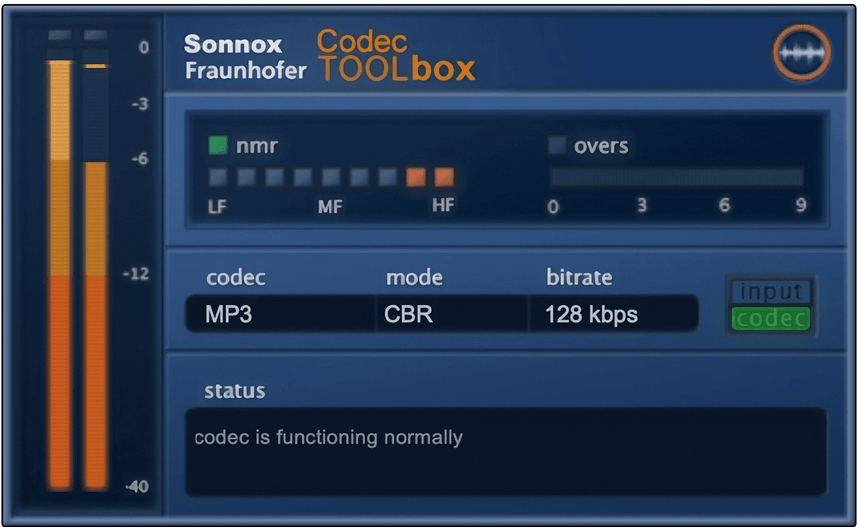
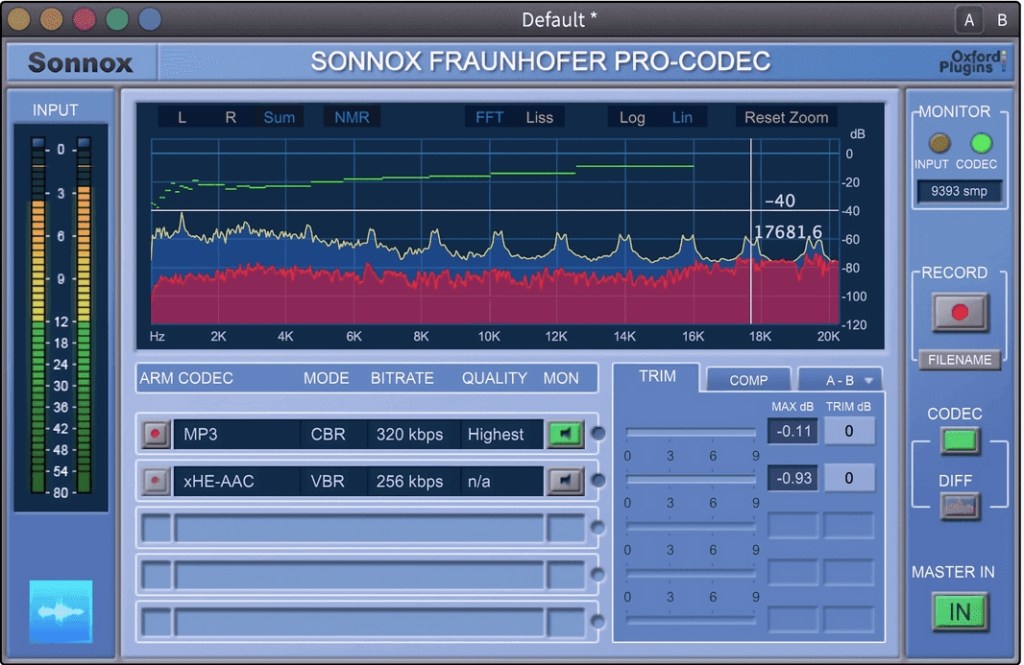
If you want to compare how different codecs affect sound quality, you can use tools like Sonnox Codec Toolbox or Fraunhofer Pro-Codec.
This is the last article for the ‘Basics of Mixing’ series. Time is really quick..haha.
I hope these posts have helped expand your knowledge and improve your mixing skills.
Thanks for reading, and I’ll see you in the next post!
Today, I’m picking up where I left off to talk about more of the Brainworx plugins on sale this month:
Shadow Hills Mastering Compressor – Compressor
Shadow Hills Mastering Compressor Class A – Compressor
Black Box Analog Design HG-2 – Saturator
Black Box Analog Design HG-2MS – Saturator
Mäag Audio EQ4 – EQ
SPL Transient Designer Plus – Transient Shaper
In this post, I’ll be diving into the Black Box Analog Design plugins from that list—specifically HG-2 and HG-2MS.
As I mentioned last time, I personally bought and have been using 1, 3, and 5. For this round, I received NFR (Not for Resale) licenses for 2, 4, and 6 from Brainworx via Plugin Boutique.
Also, if you purchase through the links in this blog, I’ll earn a small commission, which really helps me keep going—so thank you in advance! ㅜㅠ
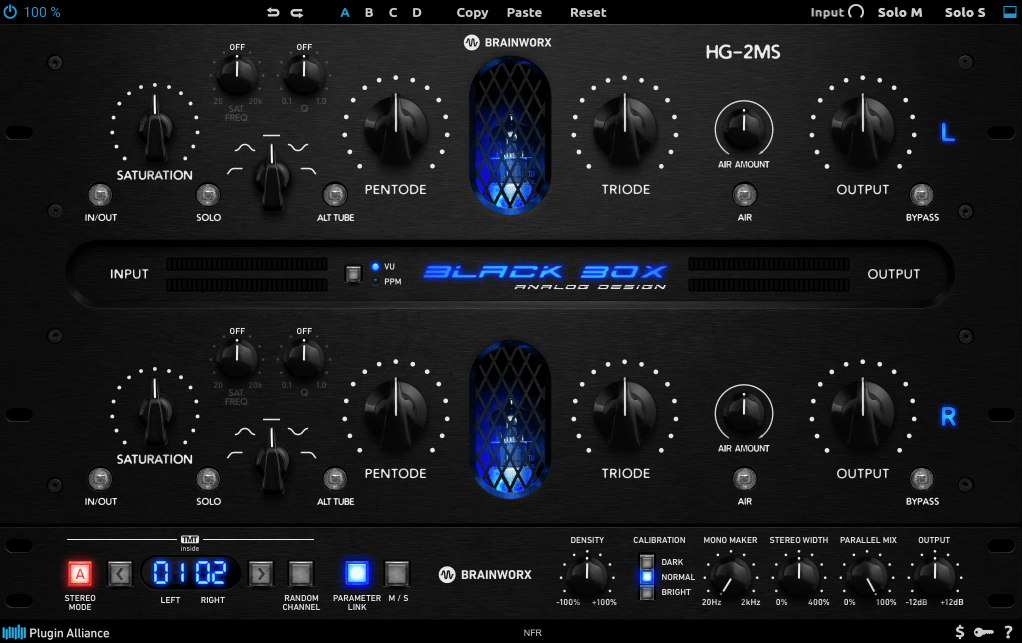
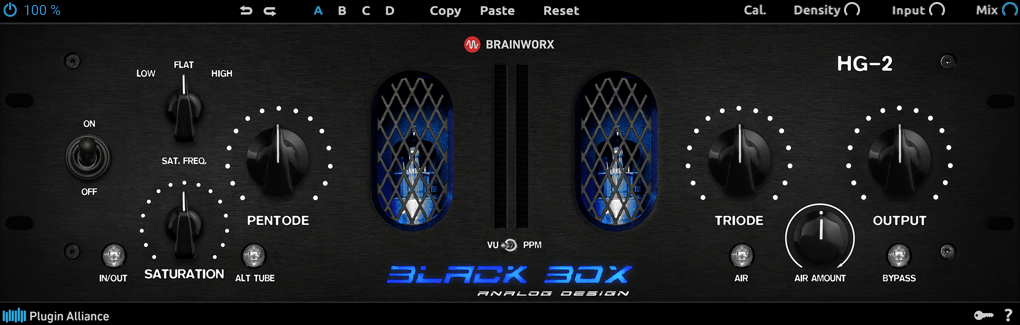
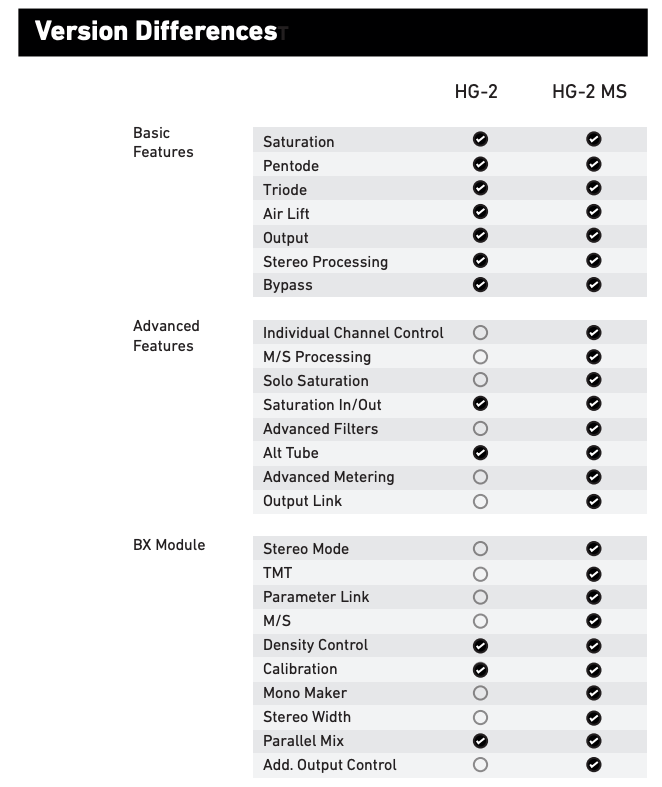
When I tested these two, I noticed that with the same parameter settings, their responses are pretty much identical. The differences are outlined in the manual, but since they’re so similar, I’ll explain them together using the HG-2MS as the reference point.
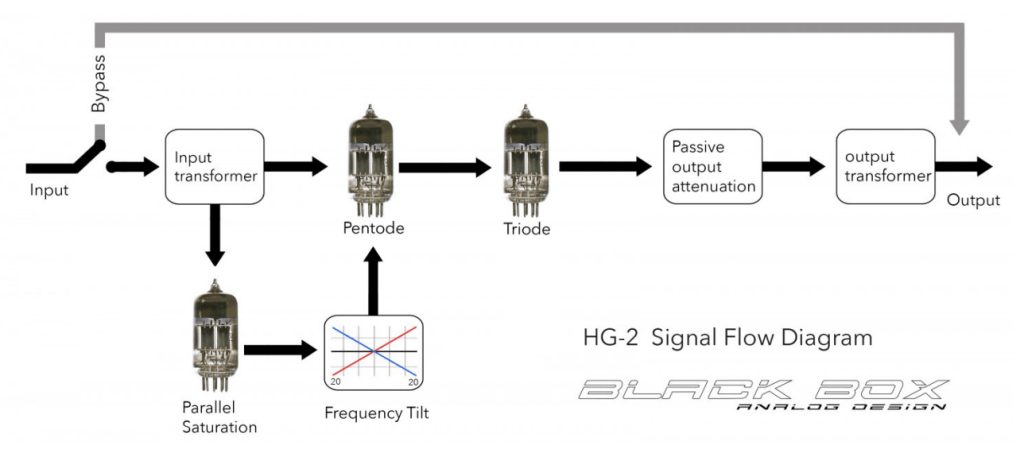
First off, these plugins are recreations of the HG-2 hardware from Black Box Analog Design. As you’d expect, it’s all about those glorious vacuum tubes front and center. The HG-2 uses a combination of pentode and triode tubes, running your signal through both for that signature tube saturation—that’s the core of what this hardware (and plugin) is about.
It also has an extra triode tube you can blend in. The original hardware’s signal routing looks something like this:
The output stage features a Sinemag transformer, while the parallel saturation path uses a pair of 12AX7 triode tubes.
Looking at the parameters, the “Saturation” knob on the far left controls the amount of parallel saturation. The IN/OUT button toggles whether this parallel processing is active, and the ALT TUBE button switches the tube manufacturer for the parallel saturation path, altering the harmonic distortion character.
Even if you turn off the Saturation knob, the signal still passes through the pentode and triode tubes in series, so this is a piece of gear (or plugin) that’s inherently heavy on saturation. That means if you set either Pentode or Triode to 0%, you’ll get no sound at all.
Let’s break down how it works:
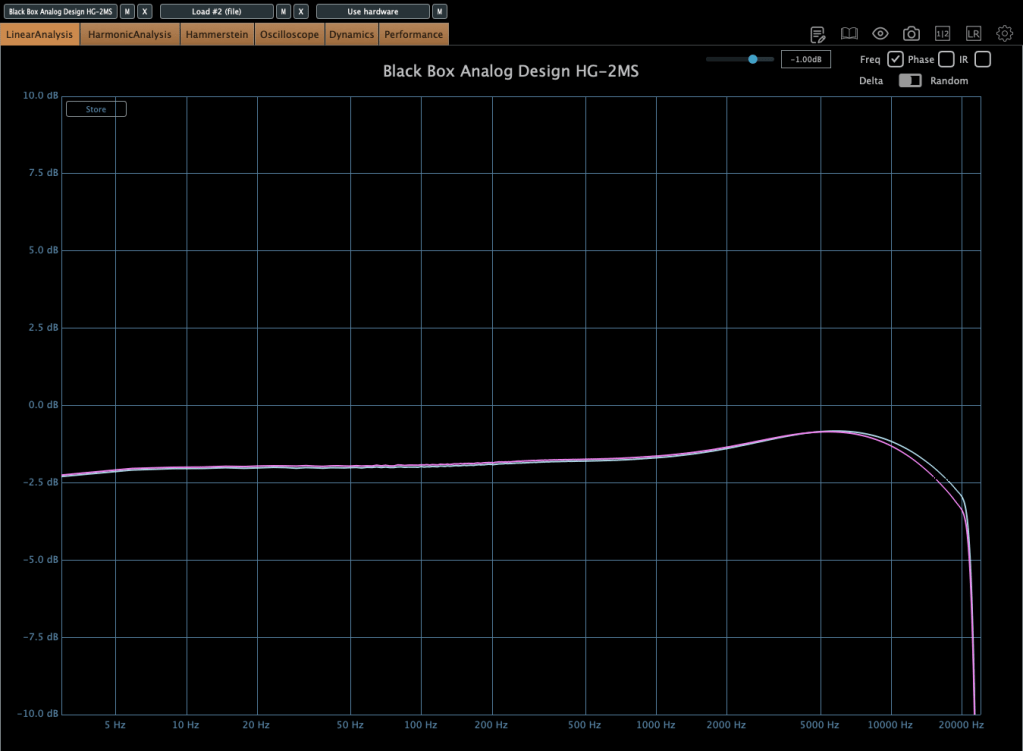
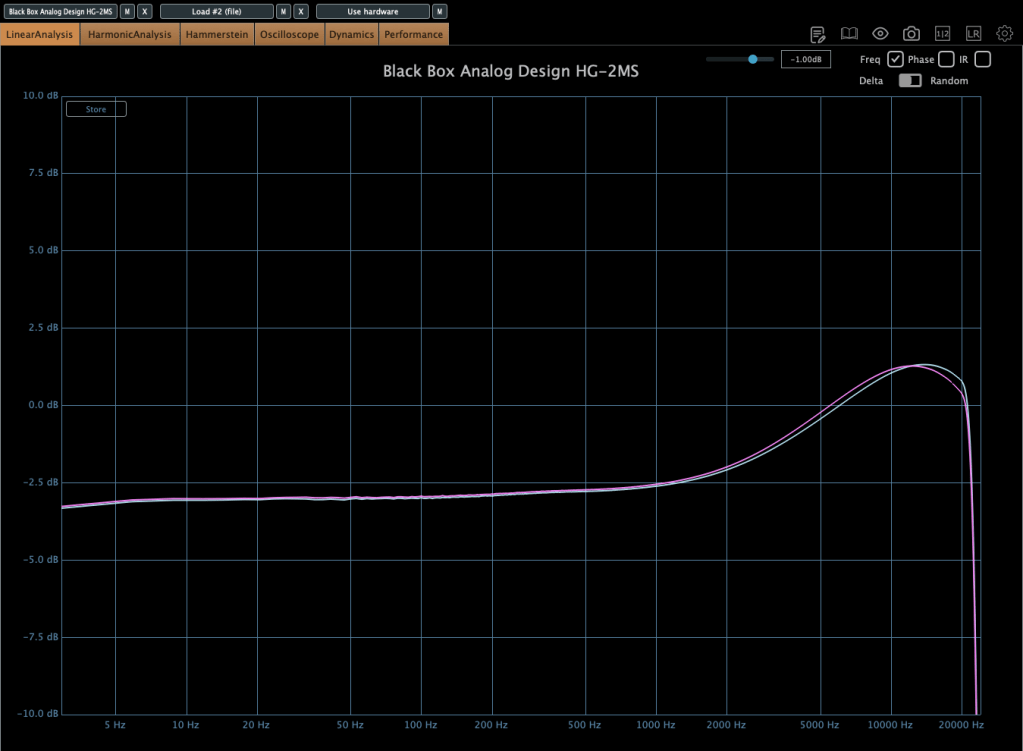
Photo: Frequency response—Default state, Saturation In, Alt Tube pressed, from top to bottom
This shows the frequency response in the default state, with Saturation turned on, and with Alt Tube engaged.
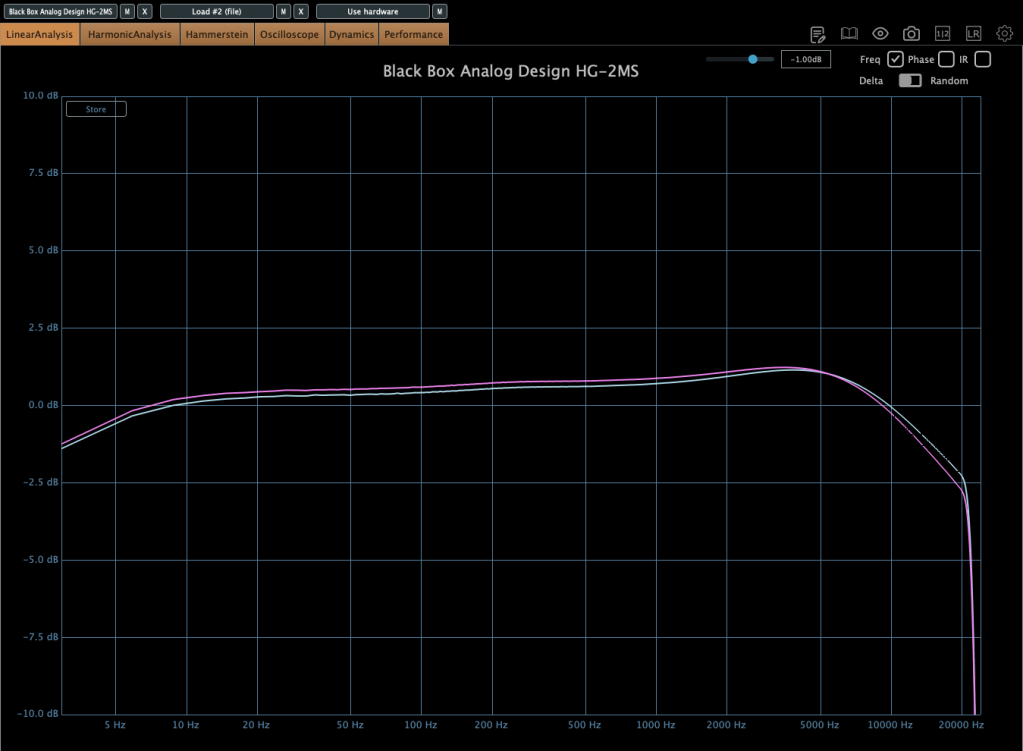
Photo: Frequency response—Dark vs. Bright calibration, from right bottom
Here’s the response with the Calibration knob set to Dark and then Bright.
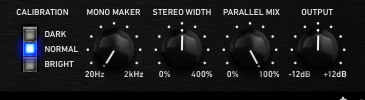
Photo: Frequency response—Air Amount at 100%
This is with the Air Amount cranked to 100%.
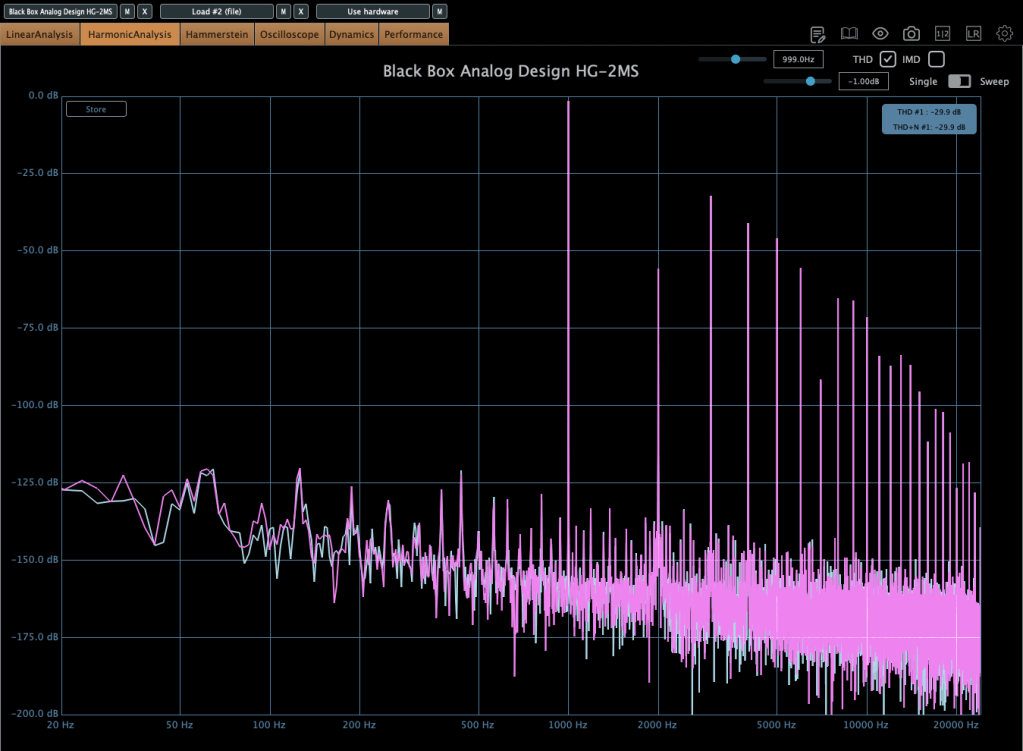
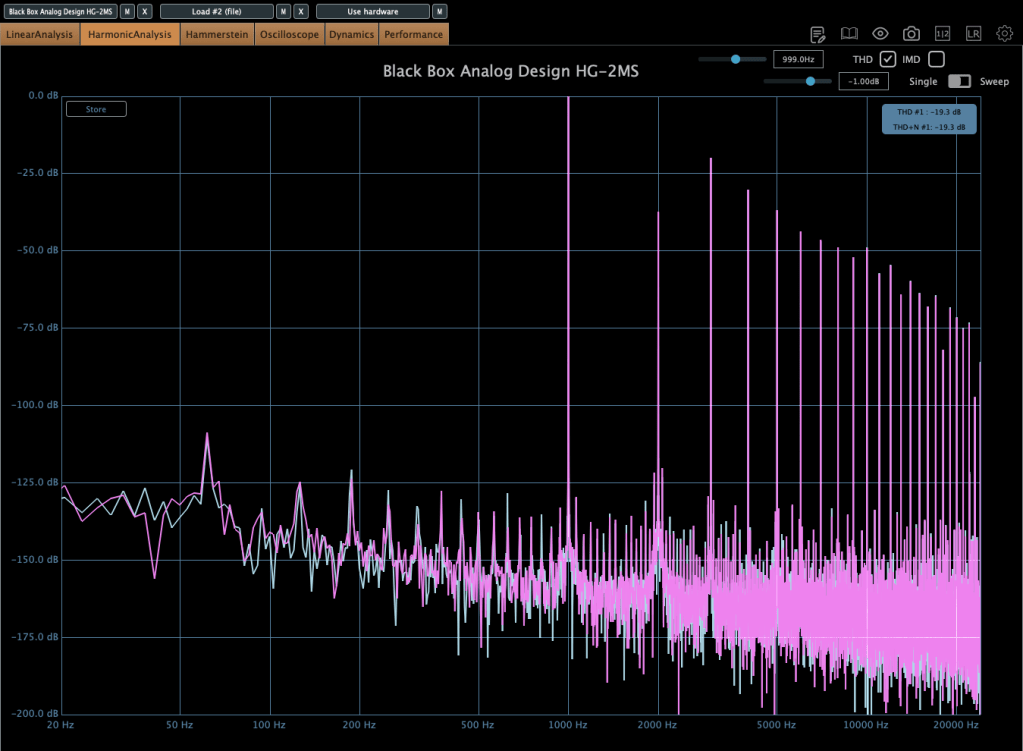
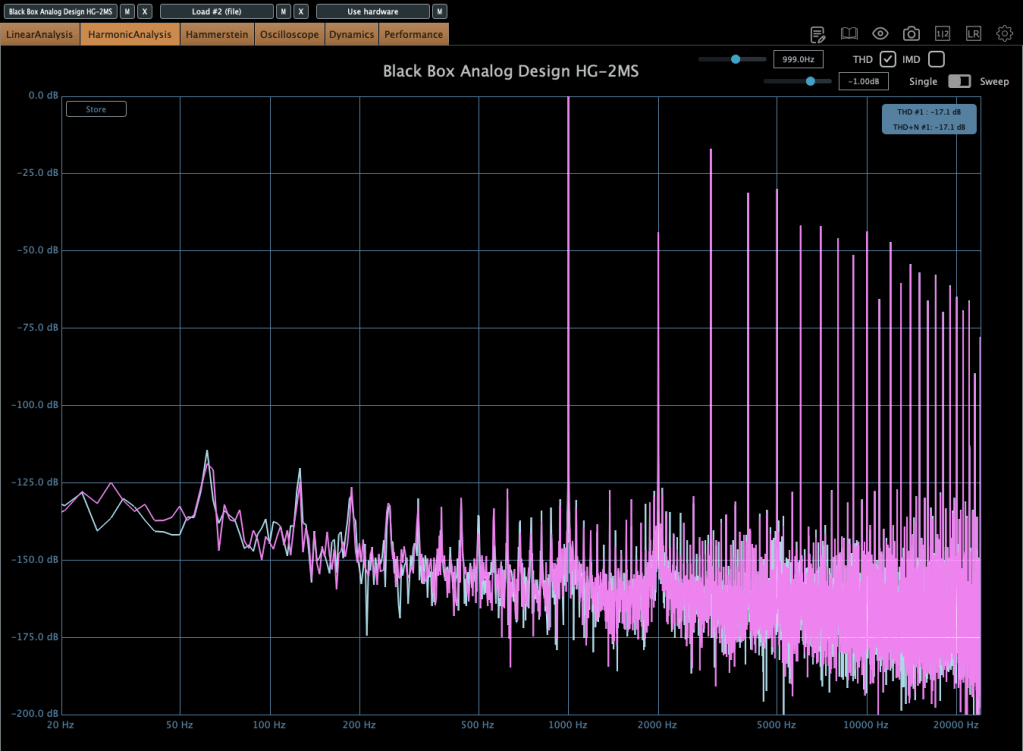
Photo: Harmonic distortion—Default state, Saturation In, Alt Tube pressed, from top to bottom
These show harmonic distortion in the default state, with Saturation on, and with Alt Tube pressed. You can see the distortion really jumps when you add parallel saturation—it’s noticeable in the harmonics, and you can hear it too; the overtones come alive.
Photo: Default state vs. Saturation In, left and right
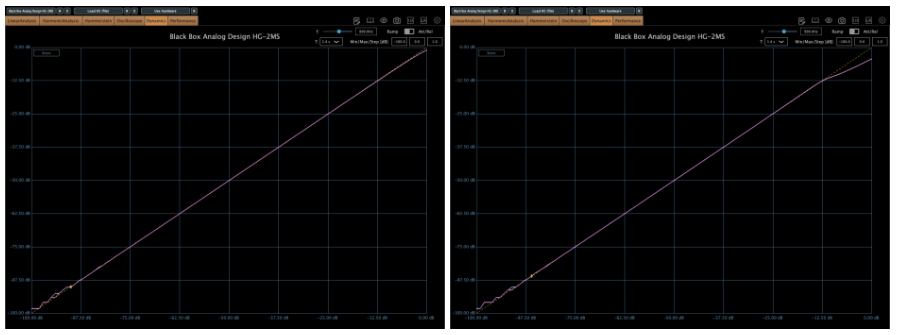
Interestingly, even though this isn’t a compressor, it starts to subtly compress when the input gets loud enough. The left is the default state, and the right is with parallel saturation active.
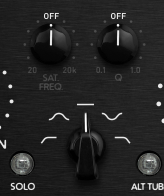
Now, these parameters let you shape how the parallel saturation sounds. Hit the Solo button, and you can isolate just the parallel saturation signal.
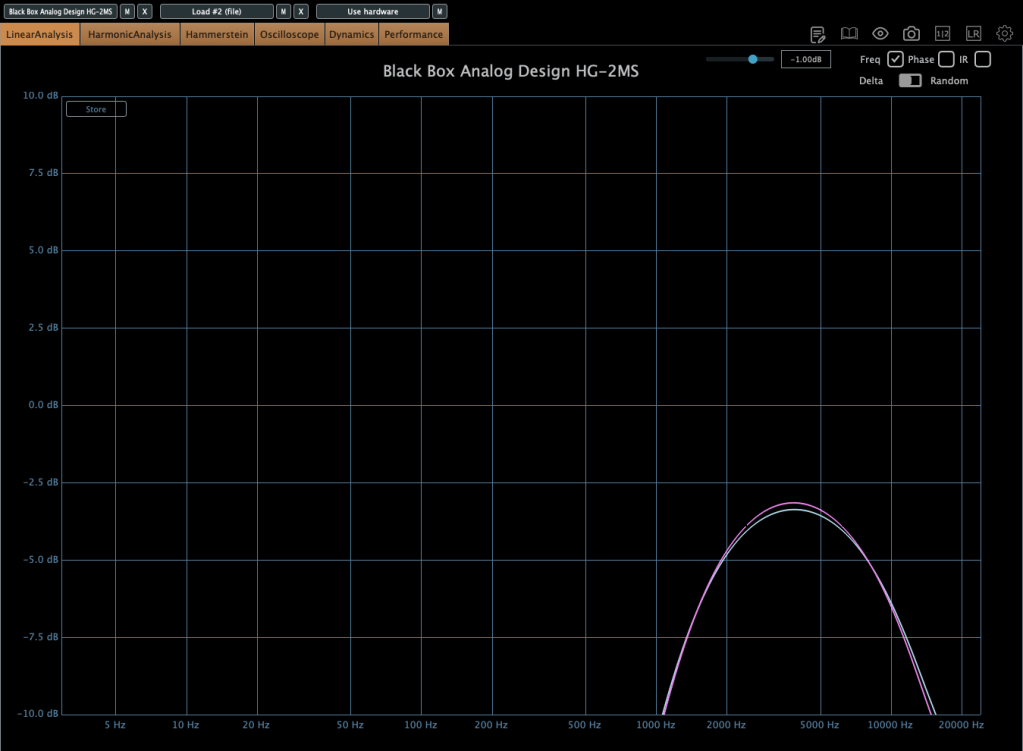
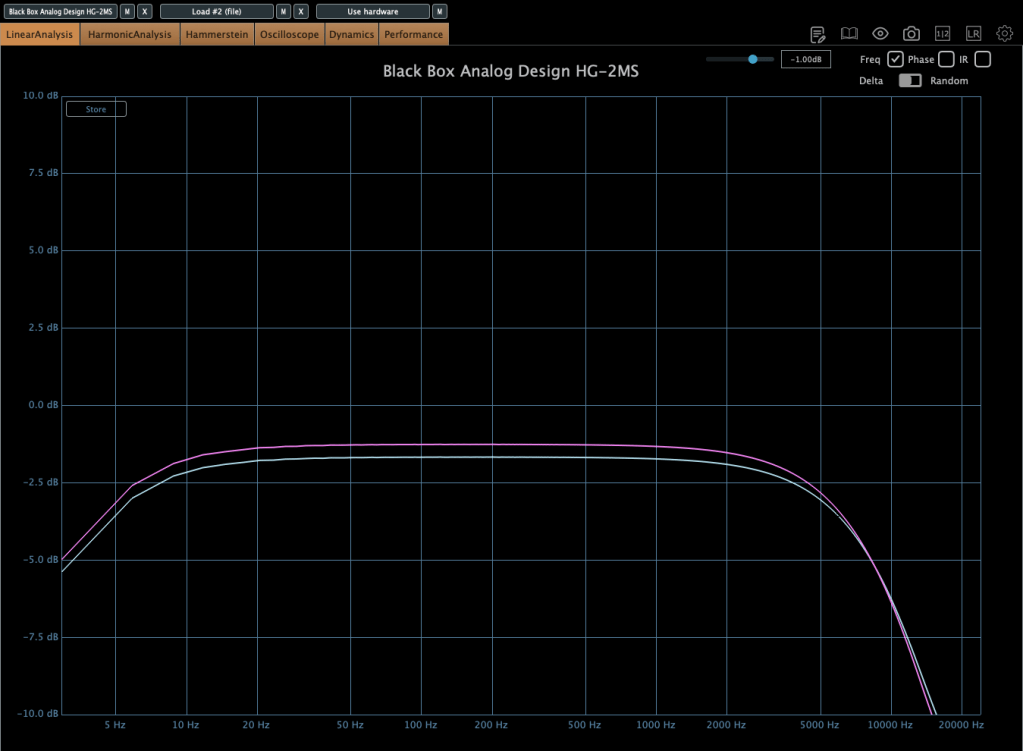
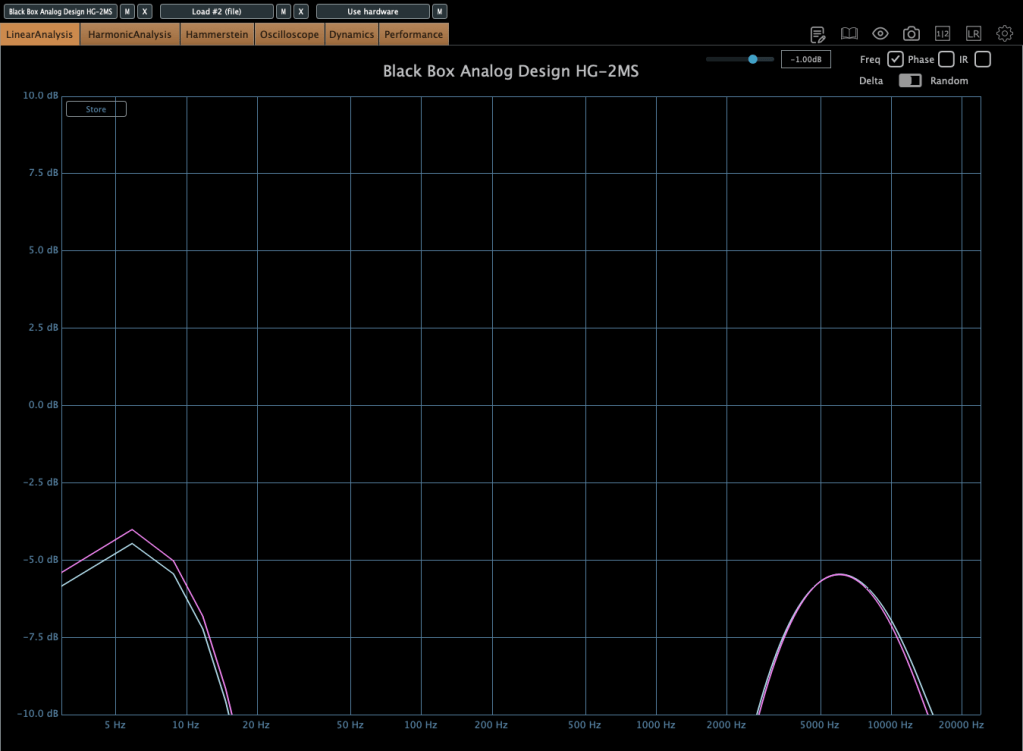
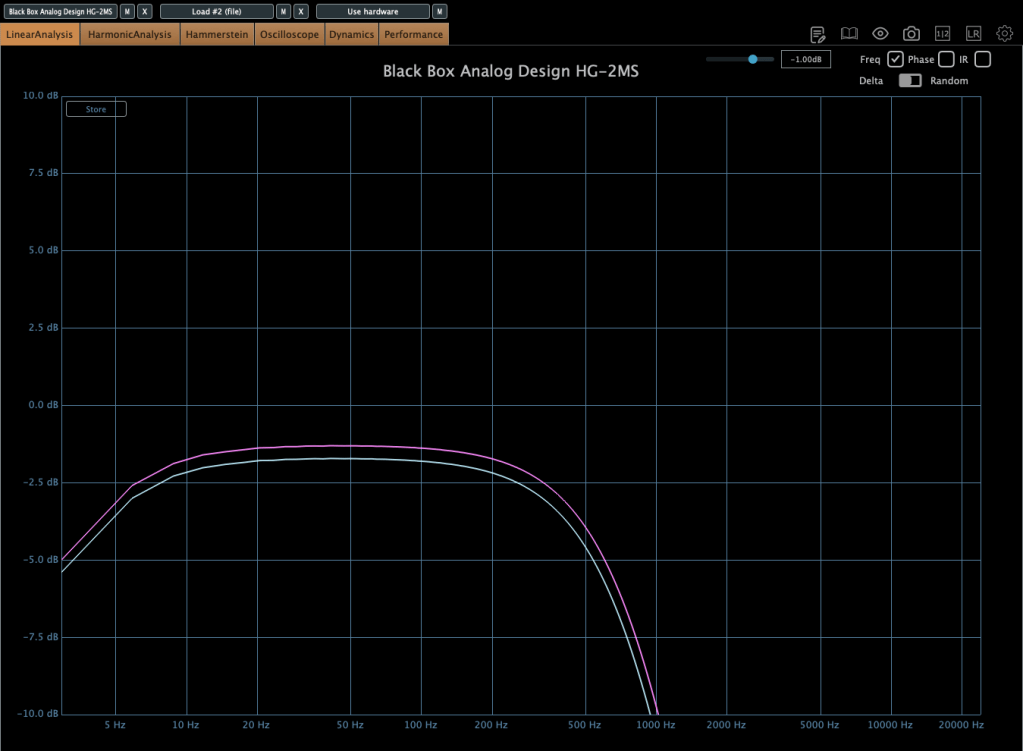
Photo: Frequency response by parameter—High Pass, Band Pass, Flat, Band Stop, Low Pass, from up to down
I measured the frequency response for each setting to show which frequency bands they affect—High Pass, Band Pass, Flat, Band Stop, and Low Pass.
Add colorful, frequency-selective tube saturation with M/S processing. Made by Brainworx, this is your mix bus’ best friend. Celebrated mix engineers like Dave Pensado, Bob Horn, and Jack Douglas rely on the sweet tubes and creamy-sounding transformers of the HG-2.
Personally, I like setting the Saturation to Flat, dialing back the Pentode a bit, and boosting the Triode. It gives a really nice sound—perfect for adding a touch of saturation at the final stage, like a sweet seasoning for your track.
If you’ve been thinking about a tube saturation plugin, this is a great chance to snag one at a discount.
Hi! This is Jooyoung Kim, a mixing engineer and music producer.
During my undergraduate studies in physics, I often used my extra credits to take music courses. Looking back, I regret not taking any Python classes—especially now that I’m studying plugin development, data processing, and methodology. Without AI tools, I wouldn’t have been able to start coding at all.
Currently, I’m in the final semester of my master’s program in the Department of New Media Music. I’m not too worried about my thesis, so this semester, I’m focusing on a personal project: developing a saturation plugin in my own way. I know it will be challenging, but I also aim to write a paper introducing a new methodology for building audio plugins.
Now, let’s talk about oversampling and upsampling. This article is based on my book, ‘Basics of Mixing‘, released in South Korea.
What are oversampling and upsampling?
Many audio plugins offer oversampling, but what exactly is it, and how does it work?
Oversampling: Increasing the existing sample rate by an integer multiple (e.g., ×2, ×4, ×8, etc.).
Upsampling: Increasing the existing sample rate, but not necessarily by an integer multiple.
In oversampling, the process inserts zeros into the empty values and interpolates them using a low-pass FIR (Finite Impulse Response) filter..
It’s me! The right one is the photo on the left doubled horizontally.
Think of it like stretching an image by an integer factor: the blank spaces are filled in through interpolation. After processing the audio, the plugin then downsamples the result back to the original rate.
On the other hand, upsampling converts the sample rate to another rate through interpolation. This is a different process from oversampling.
Why do we use oversampling and upsampling?
Oversampling helps reduce aliasing and creates a more natural-sounding result, while upsampling is primarily used for changing the sample rate.
However, does an oversampling function always make a plugin sound better? That’s a different discussion.
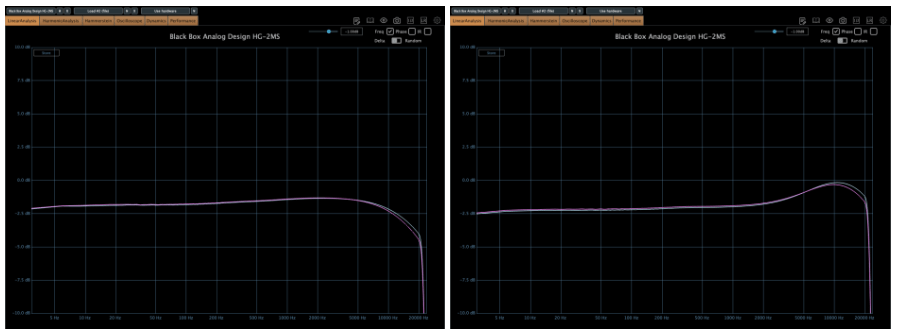
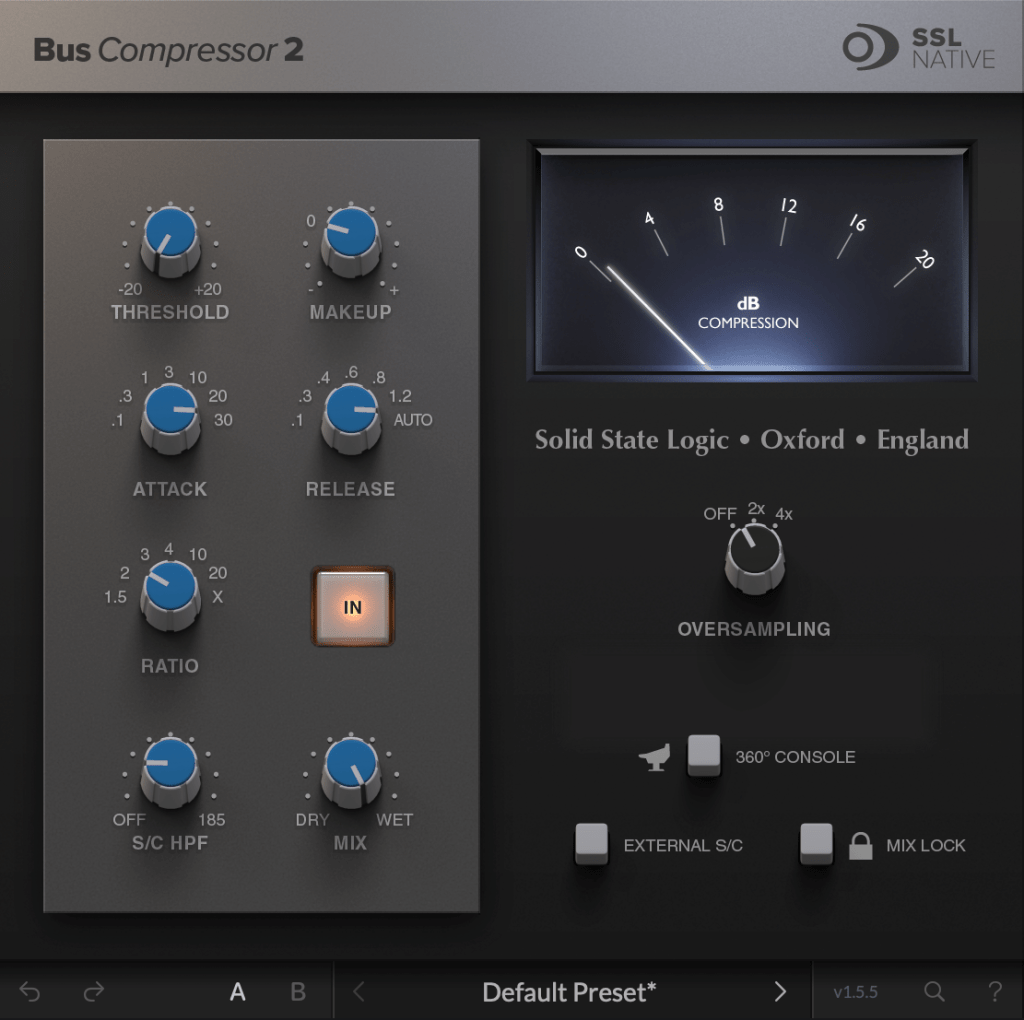
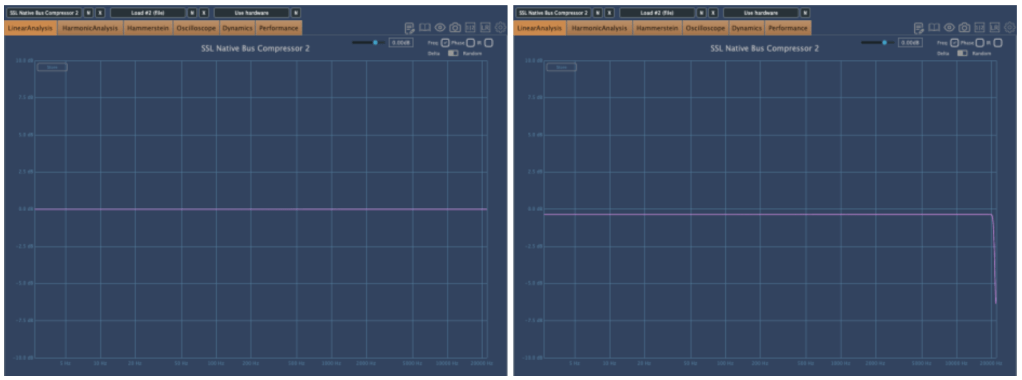
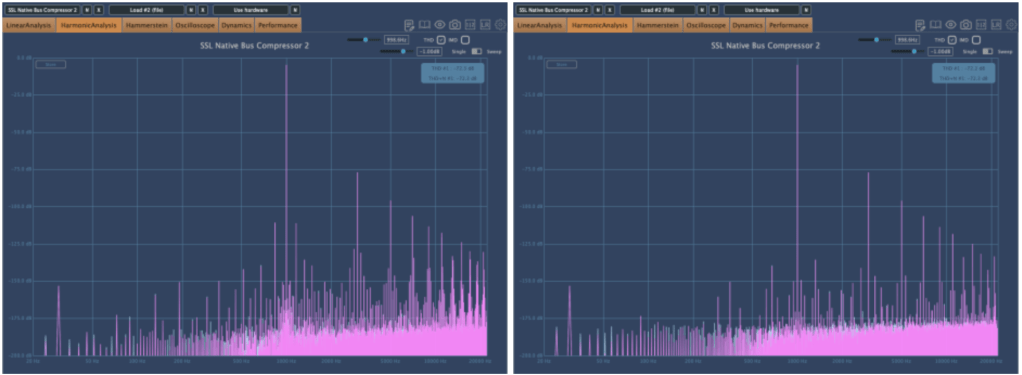
For example, the SSL Bus Compressor 2 plugin provides an oversampling option. Below, you can see the frequency response of the plugin:
The left graph shows the response without oversampling. The right graph shows the response with 2× oversampling.
Both graphs exhibit harmonic distortion at the same positions. While other measurements appear similar, even small differences between the two can result in noticeable changes in sound. In my experience, non-oversampled processing often sounds better.
That was a brief explanation of oversampling and upsampling! See you in the next post!
Hi! This is Jooyoung Kim, mixing engineer and music producer.
The paper I submitted to JASA is currently under review.
The assigned editor is a renowned scholar in the field of acoustic signal processing at Tsinghua University. I’m more nervous than I was during my college exams..
By the way, today we will talk about the aliasing and sampling theorem – the basic knowledge for mastering audio.
Let’s start!!
Aliasing
Aliasing is a phenomenon caused by converting analog data to digital data. You can see the same picture; the left one looks normal, but the right one appears distorted. The right image was made by resizing left image in low resolution.
Why does it happen?
Nyquist-Shannon Sampling Theorem
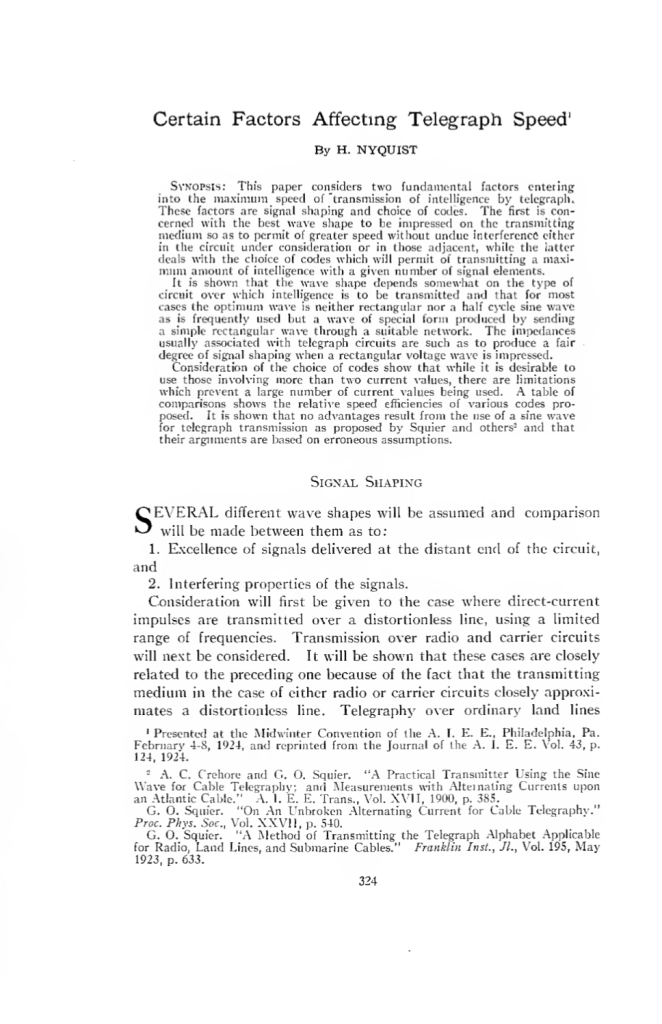
A study on factors affecting transmission published by Nyquist in 1924. Reading the paper, it seems that there were studies at the time that showed that waveforms such as sine waves, triangle waves, and square waves had a significant impact on transmission.
But the courageous Mr. Nyquist says in a strong tone that this is not the case…chill guy..
Nyquist laid the foundation for sampling theory through his research on telegraphy in 1924 and 1928.
Claude E. Shannon expanded on this in his 1949 paper, ‘Communication in the Presence of Noise,’ which solidified the modern sampling theory. If you are curious about what kind of paper was actually written, I have included a link so please take a look..
For those working in music and audio, the finer details aren’t crucial, so I’ll focus on the key points.
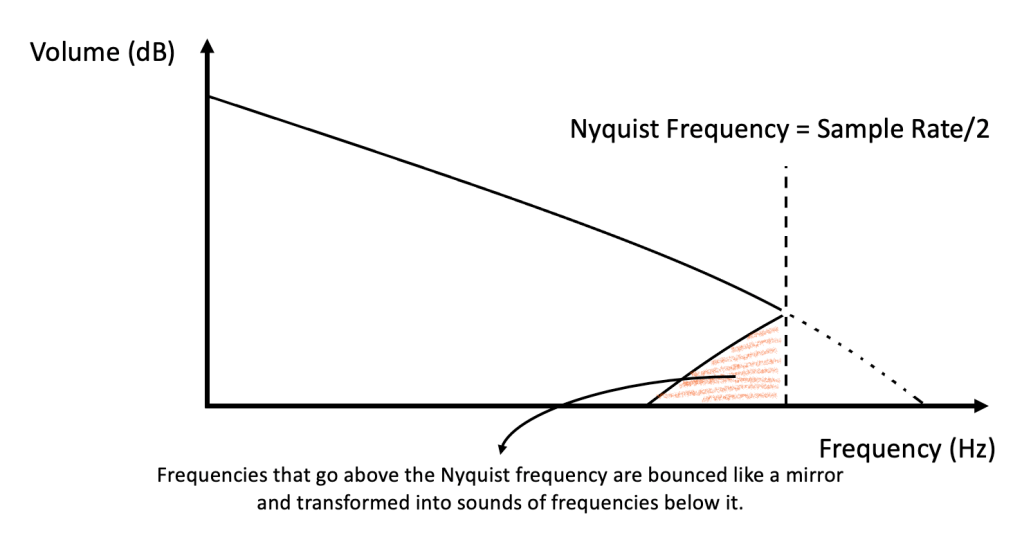
1) Only frequencies up to half the sampling rate can be accurately represented (this is known as the Nyquist frequency).
2) The original source with a value higher than the Nyquist frequency is expressed as a value below the Nyquist frequency when sampled (this is the aliasing phenomenon).
3) Therefore, if you filter it in the high-pass to filter out this noise, it becomes clean (this is called the anti-aliasing filter, The original Nyquist paper made telegraph transmission easier through this filtering).
The blocky artifact shown in the first image is also a form of aliasing caused by sampling errors. Since it samples space, it is a bit different from the sound of sampling time.
An ADC (Analog-to-Digital Converter) chip performs these tasks!
High-end ADCs and DACs improve the precision of this process.. Still, Lavry Gold converters are extremely expensive… Maybe due to low demand?
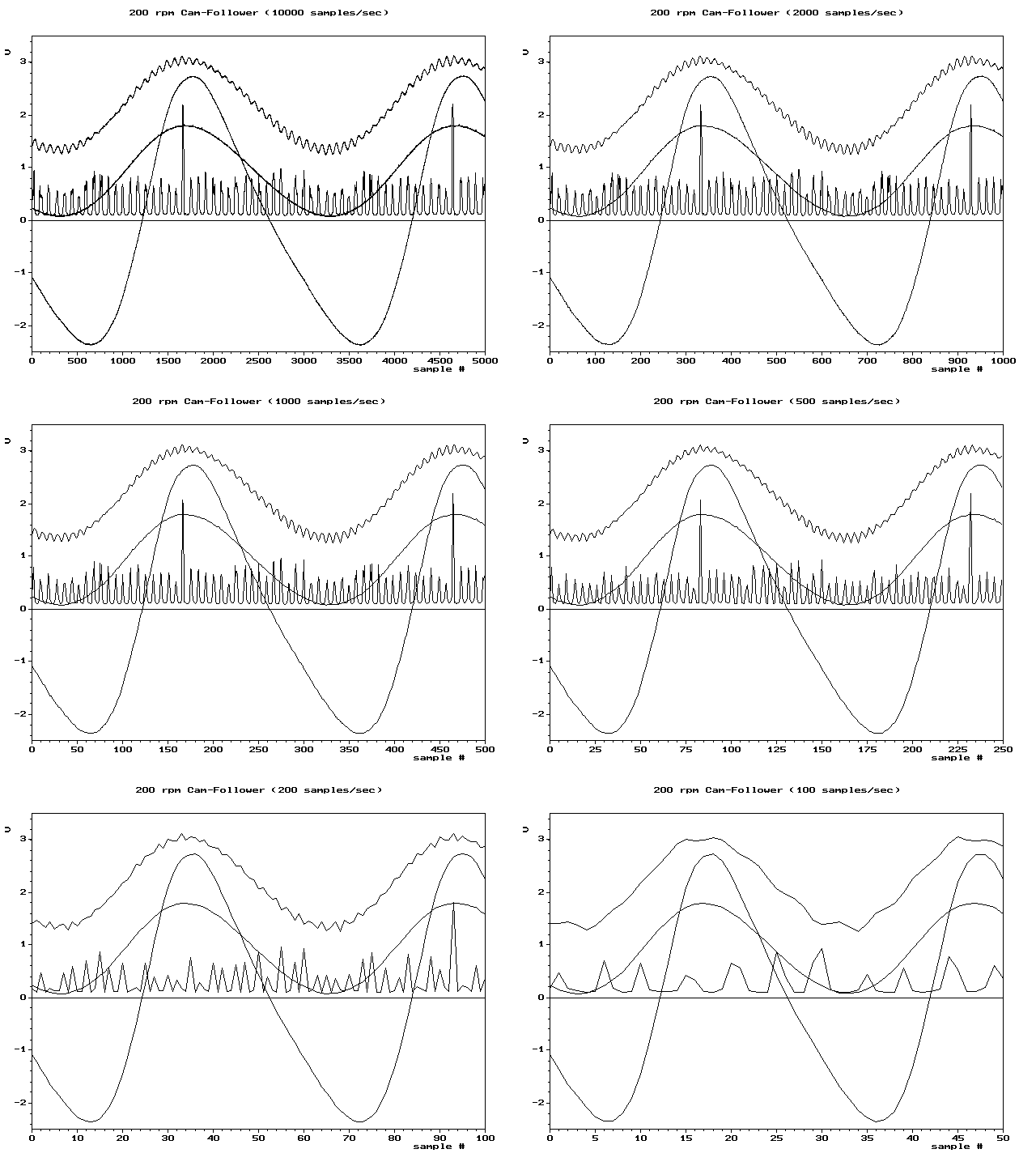
The first part of this video shows how aliasing sounds when you lower the sample rate. Using a filter before this plugin to remove frequencies near the Nyquist limit will significantly reduce aliasing noise.
That’s all for today.
In the next article, I will talk about oversampling and upsampling.










 Jooyoung's Music Blog