Hello, This is Jooyoung Kim, an engineer and music producer.
Today, I want to introduce a new virtual instrument developed by Plugin Boutique.
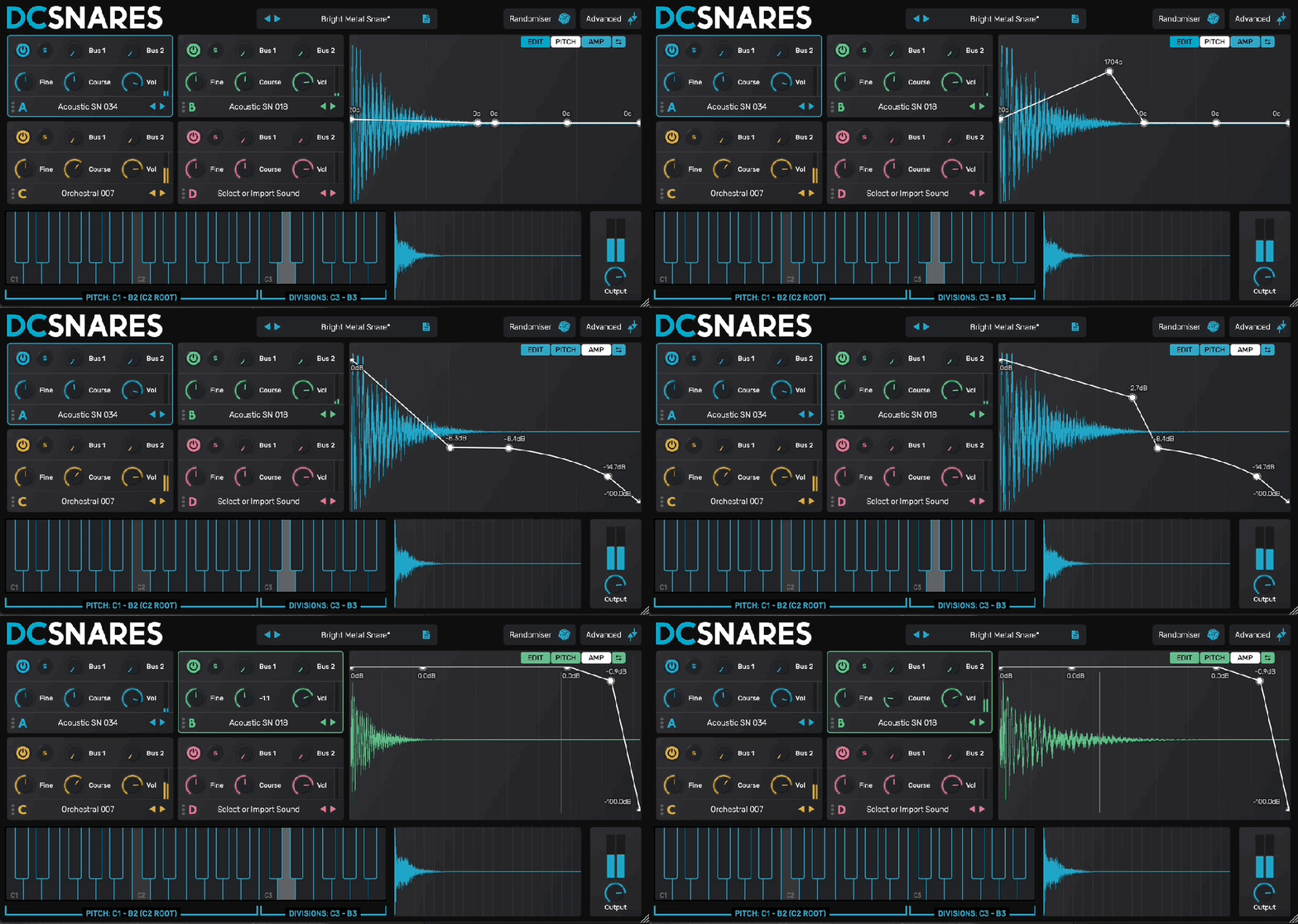
The newly released DC Snares is a virtual instrument that allows you to create sounds by synthesizing four different samples. You can use the Randomizer in the top right corner to generate sounds randomly.
There are a total of 10 built-in FX, allowing you to apply FX to individual samples, FX to the bus, and FX to the master track separately through the Advanced controls.
Each sample can be individually adjusted for envelope, pitch, and volume over time, and you can also set the start and end points of the samples to your preference.
In modern music production, it’s crucial to refine drum sounds meticulously to create a good groove. DC Snares offers all the necessary features for this and has a simple UI that makes sound creation convenient.
Despite its name, DC Snares is not limited to creating snare sounds. It can also be used to create hi-hats, kicks, bass, and other drum machine-like sounds. The presets are quite usable, making it a worthwhile purchase for around $30.
(Purchasing through this link provides a small commission to me, which greatly helps in running this blog)
The sale runs until the end of July, so if you frequently work with samples, I recommend giving it a try. It also supports loading personal WAV files, adding to the fun and versatility.
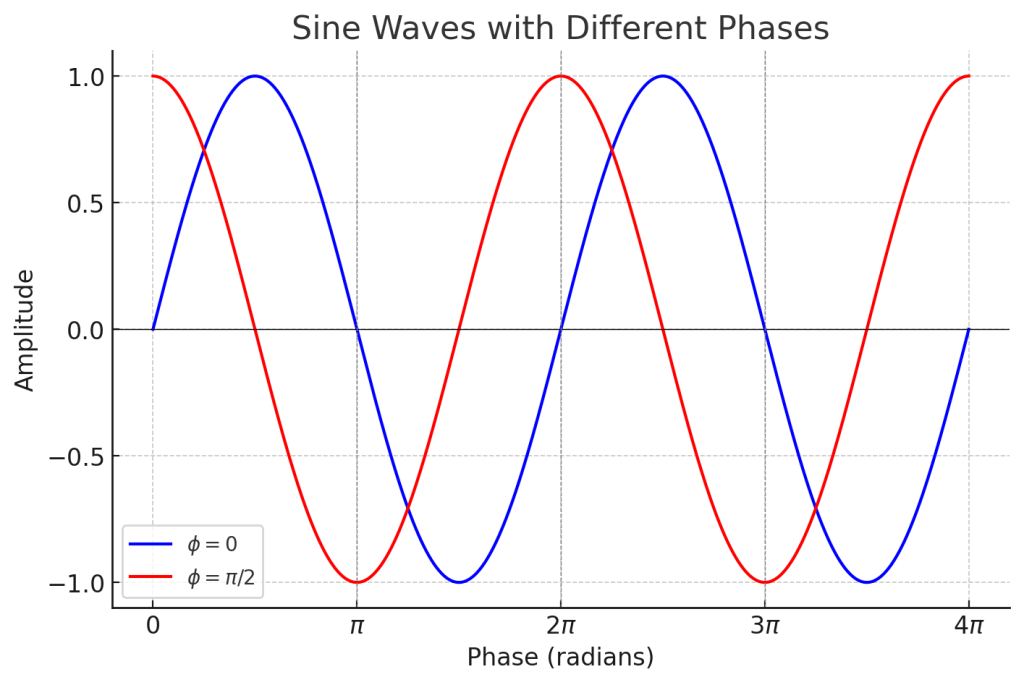
On the left, you see two waves with the same phase meeting, while on the right, you see two waves with opposite phases (180 degrees or π apart) meeting.
On the left, the amplitude doubles, and on the right, it becomes zero. This type of interference, where the amplitude increases, is called ‘constructive interference,’ and when the amplitude decreases, it is called ‘destructive interference.’
When the amplitude increases, the sound becomes louder, and when it decreases, the sound becomes softer. Therefore, when a sound with the opposite phase to the original sound is played together, the sound is canceled out.
Why should a mixing engineer know this?
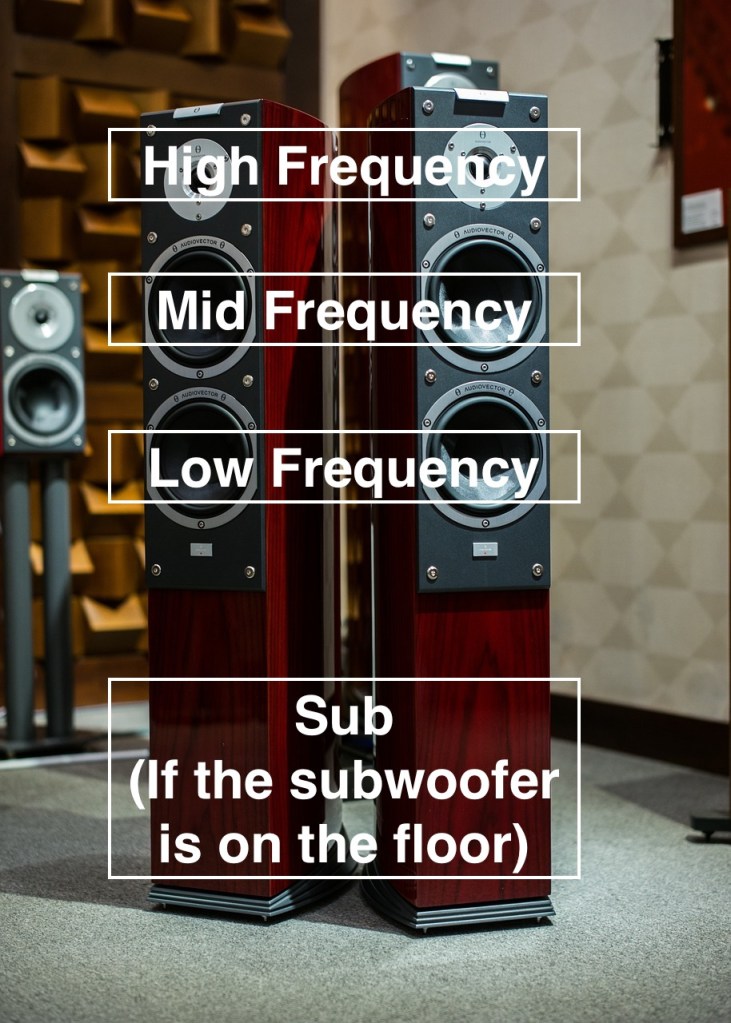
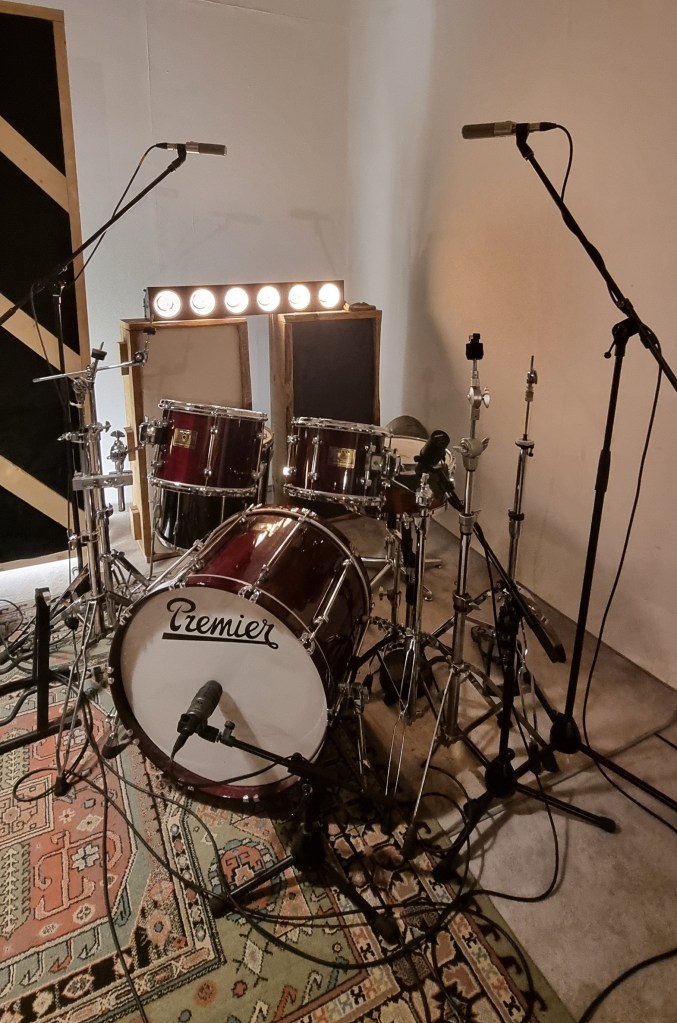
Around April, I received a request for mixing for live recording at a small competition, and this is a photo of the drum recording setup.
When recording drums, multiple microphones are often used for the kick and snare, among other elements.
When these recorded sounds are combined, the recorded sources can interfere with each other, leading to destructive interference, which weakens the sound. Hence, it’s essential to align the phase of each track.
You can easily understand proper phase alignment by listening.
I’ve included a YouTube video because creating my own example would be too time-consuming. In the video, the initial sound you hear is a properly phase-aligned snare, while the subsequent sound shows a snare with phase misalignment resulting in destructive interference.
Therefore, when conducting multi-track recording, it’s crucial to check the phase of all tracks against a reference track.
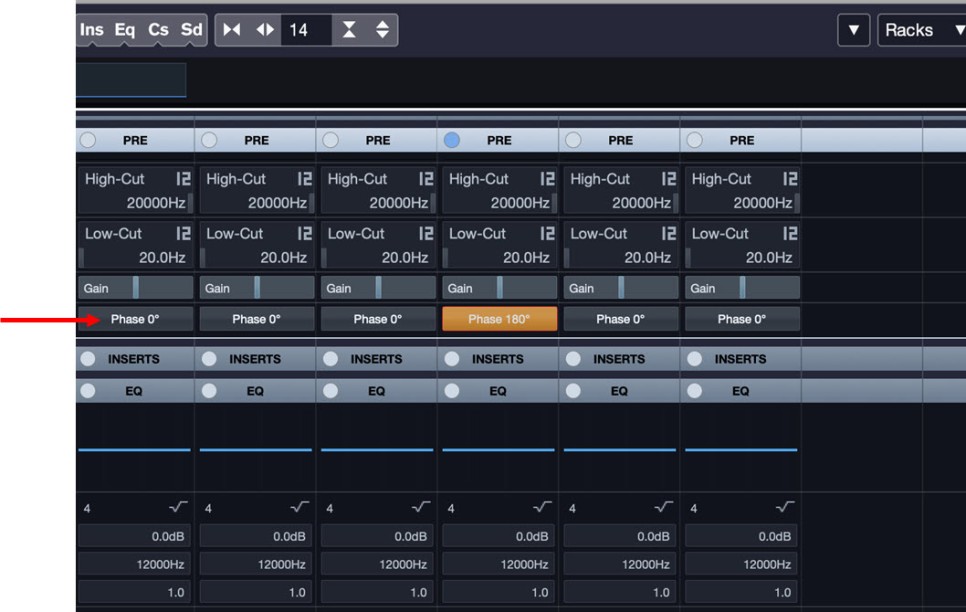
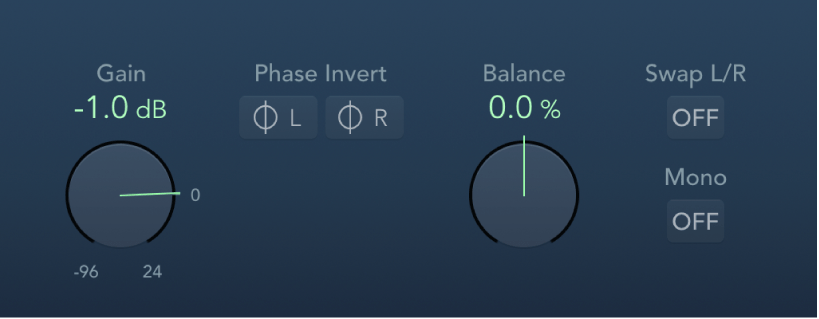
In Cubase, you can change the phase in the mixer window using the Pre-phase button. In Logic, you use the Phase Invert button in the Gain plugin.
In Pro Tools, there’s a button (Φ) on the track itself to invert the phase. Other DAWs also have waveform editing functions to flip the phase.
That’s all for this post. See you in the next article!
Hello, this is Jooyoung Kim, a mixing engineer and music producer.
Today, I’ll continue from my previous post on the basics of orchestration, focusing on percussion instruments.
Shall we begin?
Triangle
The triangle is a metallic, triangular instrument that is suspended by a loop made of gut or nylon string, which is worn on the finger and struck with a metal beater of the same material.
Because it involves metal striking metal, it produces a sharp, clear sound. Despite its small size, it can cut through an entire orchestra due to its metallic timbre.
Playing techniques include single strokes, drags, and triangle rolls, where the beater trills along the edges. A unique feature is that you can mute the triangle by touching the body with your fingers. Like most percussion instruments, the intensity of the stroke determines the volume.
Crotales
Also known as antique cymbals, crotales are small cymbals about 4 inches (10 cm) in diameter, each with a specific pitch.
They can produce about two octaves of sound, extending the range by adding additional sets. These instruments are transposing, sounding two octaves higher than written, and are typically tuned to A=442Hz.
Crotales are fixed to stands with nuts, similar to cymbals. The nuts must be adjusted correctly to avoid dampening the sound or losing control of the vibration. Their metallic sound can pierce through an orchestra. Unlike glockenspiels, which are made of steel, crotales are usually made of brass, resulting in a different timbre. They produce a long sustain and are often struck with mallets that have hard heads.
Crotales can also be muted by hand or played with rolls. A unique technique involves using a string bow to scrape the edge, producing a distinctive sound.
Castanets
Castanets, also known as clackers or palillos, are instruments that produce sound by clapping two pieces together. Their exact origin is unknown, but they are widely used, especially in Latin music and flamenco dance, where female dancers rhythmically play them in both hands.
Traditionally made of wood, modern versions can be made from fiberglass. Castanets do not have a definite pitch, but the size difference between the pairs (macho for the larger, deeper-sounding one and hembra for the smaller, higher-sounding one) gives a perceived pitch variance.
Castanets are connected by a string loop, worn on the thumb, and struck with the other fingers. While single notes can be played, rolls are often more effective, especially in fast and complex pieces.
Mark Tree
Also known as bar chimes, nail tree, or chime tree, this instrument consists of aluminum or brass tubes, either hollow or solid. Instead of striking each bar individually, players typically use their hands or fingers to create a glissando by sweeping across the bars.
Mark Trees are used across various musical genres, including orchestral and popular music, to create a shimmering sound. The instrument’s range isn’t usually notated.
Emil Richards
Invented by Mark Stevens in 1967, the instrument was named by the legendary percussionist Emil Richards, who referred to it as the Mark Tree. The instrument is also known by other names like bar chimes or chime tree due to its chime-like quality.
Jingle Bells
The jingle bell, famously known from the Christmas song “Jingle Bells,” is also called sleigh bell because it’s attached to sleighs. It’s a quintessential instrument for holiday music, producing a recognizable jingling sound.
Jingle bells are typically mounted on a stick, played by shaking or striking with another hand. This method ensures precise timing and clean sound release.
Bell Tree
The bell tree, also known as tree bells or Chinese bell tree, consists of 14 to 28 bells arranged vertically. Unlike the Mark Tree, it is played by sweeping a beater, usually a triangle beater or a glockenspiel/xylophone mallet, from top to bottom for a glissando, or striking individual bells for single notes.
The bell tree has a long sustain and can pierce through an orchestra, often used for sound effects in film and commercial music. Its relatively short history dates back to its first studio use in the 1990s.
Conclusion
This concludes the basics of orchestration for percussion instruments. I hope this information has been helpful!
Hello, this is Jooyoung Kim, a mixing engineer and music producer. Today, I’d like to finish the final part of my orchestration basics series, focusing on percussion instruments.
Percussion instruments are a category of musical instruments that produce sound by being struck, shaken, or scraped. They consist of a striking object A and a struck object B, and the sound changes based on the material of each object.
Percussion instruments are generally divided into those with definite pitches and those without, but their playing techniques share similarities.
Therefore, we will first cover effective playing techniques for percussion instruments before moving on to descriptions of individual instruments.
1) Flam
Flam is a technique used to produce a quick “ta-da” sound, often used as an embellishment. Also known as a drag, it is commonly used on instruments like timpani, snare drums, and tom-toms.
2) Roll
A roll, also referred to as a trill, involves continuous tremolo and is a very impactful technique frequently used across many percussion instruments.
3) Mallet
A mallet consists of a stick and a head. Generally, the stick is made of rattan, while the head can be made of various materials, resulting in different timbres. Performers typically prepare several mallets to choose from, depending on the desired nuance, ranging from hard, medium, soft, wire brushes, timpani/bass drum mallets, to drumsticks.
Timpani
Timpani, also known as kettledrums or temple drums, are pitched percussion instruments. Originally used in military settings, they became essential in orchestras by the late 18th century. Classical composers like Mozart and Haydn typically used two timpani in symphonies, tuned to the tonic and dominant (or subdominant) of the key. Beethoven expanded their use to include four timpani, and Berlioz, known as the father of orchestration, even wrote pieces requiring 16 timpani played by 10 musicians. Modern compositions usually feature one player handling four timpani.
Timpani range and pitch are controlled by adjusting the tension of the drumhead. The shells are made from materials like copper, aluminum, or fiberglass, with hemispherical shells producing a brighter tone and parabolic shells a darker tone. The pedal at the bottom is used to tune the timpani, and while tuning during a performance is challenging, it can be done to produce glissando effects. Though not transposing instruments, their sound is typically perceived an octave lower than written.
Xylophone
The xylophone has wooden bars arranged like a piano keyboard and is sensitive to strong impacts, so its attack is not very forceful. It’s usually played with four mallets (two in each hand), and the resonators beneath the bars amplify the sound.
Xylophones come in various sizes and can cover up to four octaves. They are transposing instruments, sounding an octave higher than written. For longer note values, rolls are the primary technique.
Marimba
Similar to the xylophone, the marimba typically spans five octaves. Bass marimbas exist but are rarely used. Marimbas are larger than xylophones and produce a softer, richer sound. Unlike the xylophone, marimbas are not transposing instruments.
Glockenspiel
The glockenspiel, also known as orchestra bells, has metal bars and produces a bright, penetrating sound.
It is played with metal mallets and has a range of about three octaves, sounding two octaves higher than written.
Vibraphone
The vibraphone features a damper pedal to sustain or mute sounds and has electric fans that create vibrato. The mallets, referred to as beaters, have metal heads. Soft and hard mallets are used, with soft mallets being more common. The vibraphone is a non-transposing instrument.
Tubular Bells
Tubular bells, or chimes, consist of metal tubes and are struck with wooden or metal hammers. They produce a long, resonant sound controlled with a damper.
Tubular bells are transposing instruments, sounding an octave higher than written, but their sound is often perceived as lower. They are effective for creating church bell sounds.
Snare Drum
The snare drum’s characteristic sound comes from the metal wires (snares) on its underside. These can be tightened or loosened to alter the sound. Techniques like the rim shot, where the drum’s rim is struck, and playing with wire brushes for different textures are common. The snare drum doesn’t have a definite pitch, but it can have resonant frequencies.
Bass Drum
The bass drum, ranging from 24 to 36 inches, is played while standing and typically dampened by hand. It is notated on a single line in the score.
Cymbals
Cymbals are metal discs played by striking them together (clash) or by rubbing them for a roll. They can also be played with a bow for a unique sound. Stopping the cymbals’ vibration is indicated as a choke.
Tam-tam
The tam-tam, similar to a Chinese gong, can produce different sounds depending on the playing technique, such as scraping with a coin for a unique effect. It is usually played with mallets that have cloth or felt heads.
More percussion instruments will be covered in the next post. See you in the next article~:)