Basics of Mixing – 12.1 How to Solve The Problems of Recording Source

Hello! This is Jooyoung Kim, a mixing engineer and music producer.

Today, I’d like to say about the problem of recording source and how to solve. This article is based on my book “Basics of Mixing” released at South Korea.

Let’s dive in!


1) Noise Floor

If you use analog hardware, electricity causes certain noise across all frequency range. We call this “Noise Floor”.

So if you recording with microphone pre-amplifier or use outboards, you have to recognize and keep in mind it. Although you can’t hear the noise in mixing step, but it could make problem in mastering step .

This matter could be fixed with plug-ins like iZotope’s RX bundles(Spectral De-Noise). But when the source processed, you will hear High Frequency & Low Frequency loss. So I don’t use it often until have no choice.


2) Popping Noise
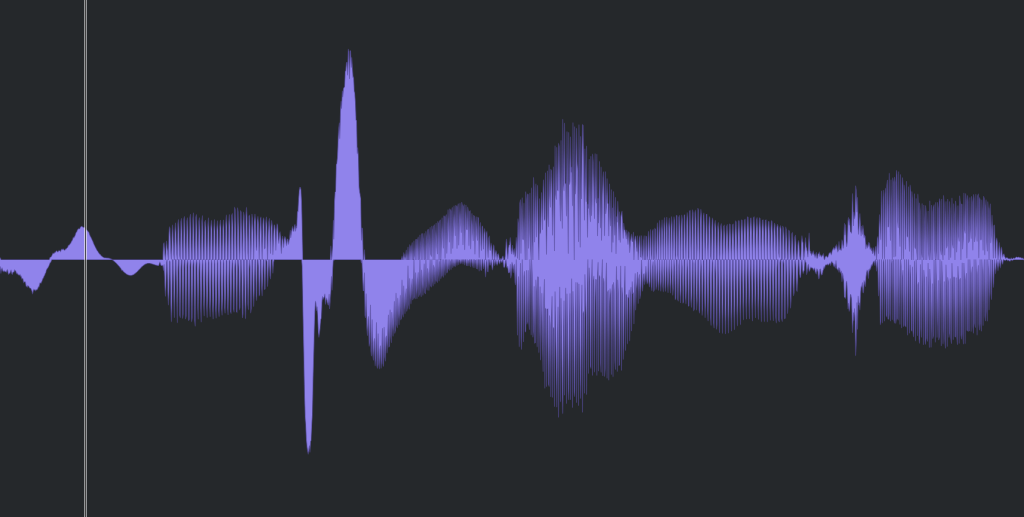
Popping Noise, A.K.A pop noise, is caused by popping sound. If you look closely upper picture, could understand it’s usually belong low frequency. So it could solved with low cut(high pass) filter.

However when you record voice, use pop filter is best method to prevent popping noise.


3) Sibilance
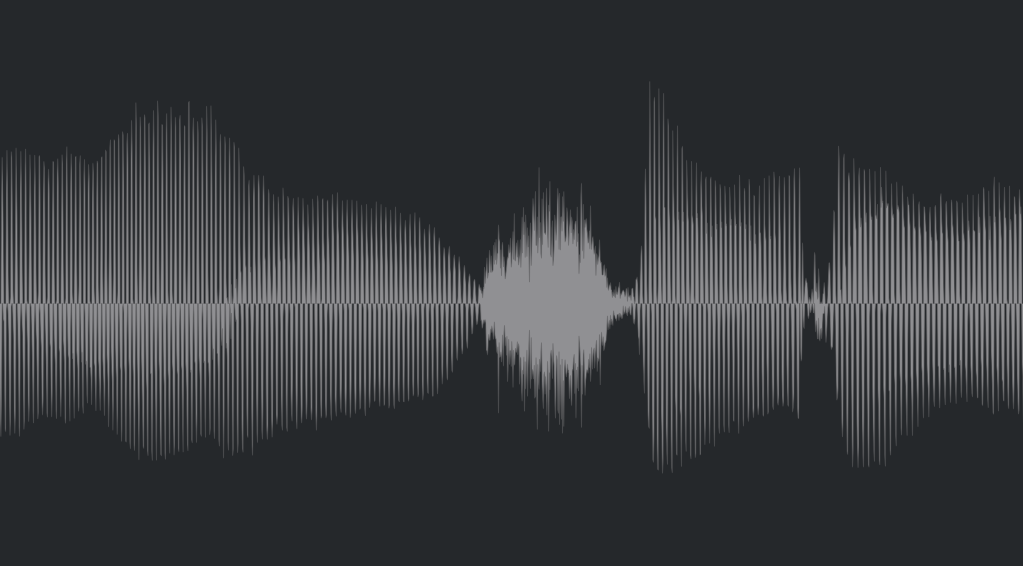
Sibilance is hissing sound when you pronounce like “S”. This high frequency sound can be perceived as louder than other frequencies due to the equal loudness contour.

You able to use De-Esser plug-ins or EQ to solve this problems. Another method involves cutting the sibilant peaks and adjusting the gain of the affected clip.


4) Click Noise
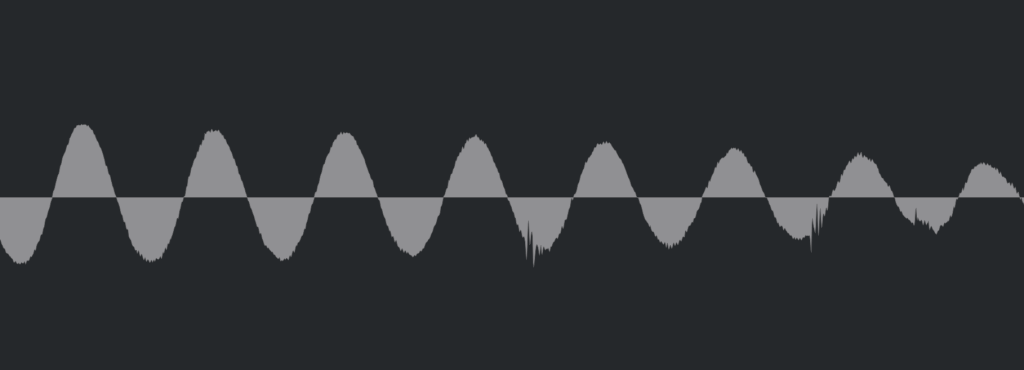
When you check the records, you could find click sounds frequently. In vocal records, lips make those noise. Drawing waves with pencil tools will solve this problem.

There have another way, use De-Click plug-ins. However I don’t like this method. It makes high frequency loss.


5) Clipped Noise, Distortion
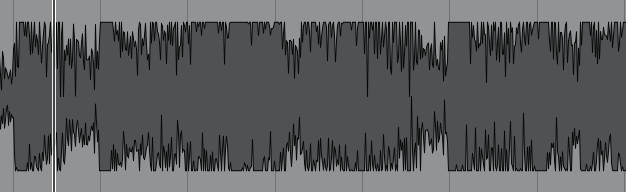
If the recording is distorted like this from the beginning, the best solution is simply to re-record it.

You might want to ask the client to double-check their export/bounce to see if the distortion originated there.

If the recording is distorted and re-recording is impossible, you can try to fix it with plugins like De-Clip, although you’ll have to sacrifice some audio quality.


6) Ambience
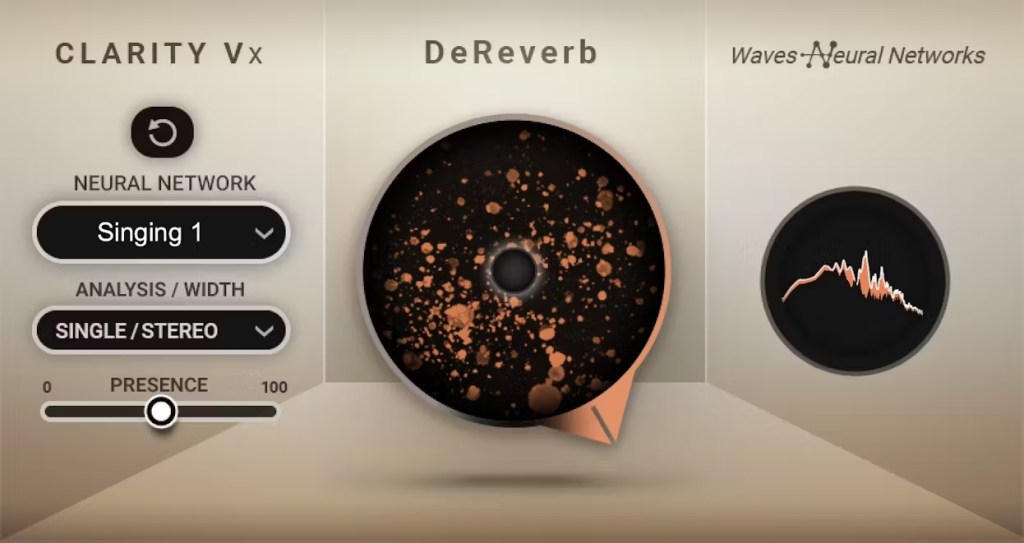
In the past, there was no way to fix recorded ambience. However, nowadays, there are many plugins that remove reverb and ambience from companies like Waves, UAD, and Izotope, so it’s not as big of a problem anymore..


7) Ambience

You can consider most other issues beyond these as unresolvable. If noise is caused by electrical issues and is consistently present, you can address it by dealing with the noise floor. However, if it appears intermittently, it’s impossible to fix.

Similarly, if a problem occurs consistently, there’s a good chance it can be fixed. But things like construction noise from nearby or the ticking of a clock are difficult to remove.


In this post, we discussed various problems with recorded audio and how to solve them.

The next chapter was originally going to be about groove and sidechaining. However, This is one of the key topics in my book, so I’ve decided not to cover it on the blog.. I don’t want to give away all the content for free and be unfair to those who purchase the book. I hope you understand.

From the next post onwards, I’ll be talking about outboard gear.

See you in next post! 🙂

Basics of Mixing – 9.3 Vinyl Saturation

Hello! I’m Jooyoung Kim, an audio engineer and singer-songwriter.

Today, I want to dive into the topic of vinyl saturation. Let’s get started!

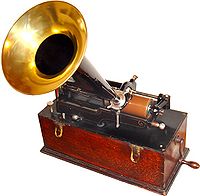
The history of the LP (vinyl) began with Edison’s invention of the phonograph. In its earliest form, audio was recorded and played back on cylindrical records.

After the phonograph, vinyl records in disk format emerged as a new storage medium. Edison initially resisted the disk format, as the playback speed varied from the outer to inner edge, affecting the sound quality. Instead, he continued to advocate for the cylindrical format.

However, vinyl disks became the standard due to their better storage capabilities, cost-efficiency, and convenience—qualities the market prioritized over audio fidelity. In retrospect, the sound quality differences weren’t that significant.

Vinyl records come in various sizes based on rpm (revolutions per minute), with the 12-inch disk being the most common.

Vinyl’s sound characteristics are primarily defined by two key elements:

  1. Stereo limitations and lower frequency cutoff
  2. High-frequency roll-off

1) Stereo Limitations and Low-End Cutoff

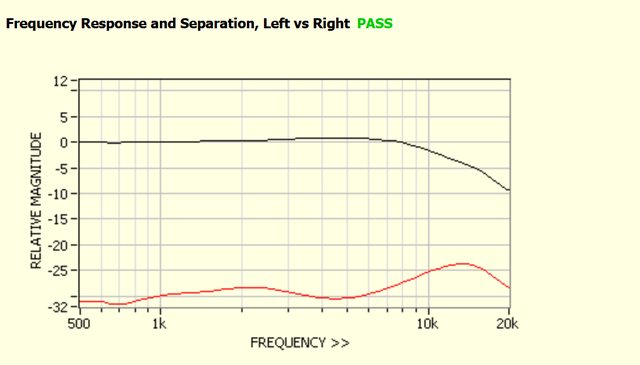
Stereo imaging in the low end results in rapid vertical movement of the groove, causing the cartridge to move intensely. To avoid tracking errors, bass was typically kept in mono. Similarly, very low frequencies can cause excessive lateral movement in the groove, so bass roll-off was often applied during production.

2) High-Frequency Roll-Off

Excessive high frequencies can cause the cartridge to vibrate at short intervals, leading to overheating and potential noise and distortion. As a result, high-frequency roll-off was applied during production. Due to cartridge limitations, ultra-high frequencies (15kHz and above, depending on the cartridge) are also naturally rolled off.

Other characteristics include noise caused by dust in the grooves, wow and flutter from inconsistent turntable speeds, and crosstalk between channels due to the physical reading of the sound. Harmonic distortion can also be introduced due to the nonlinear interaction between the needle and groove.

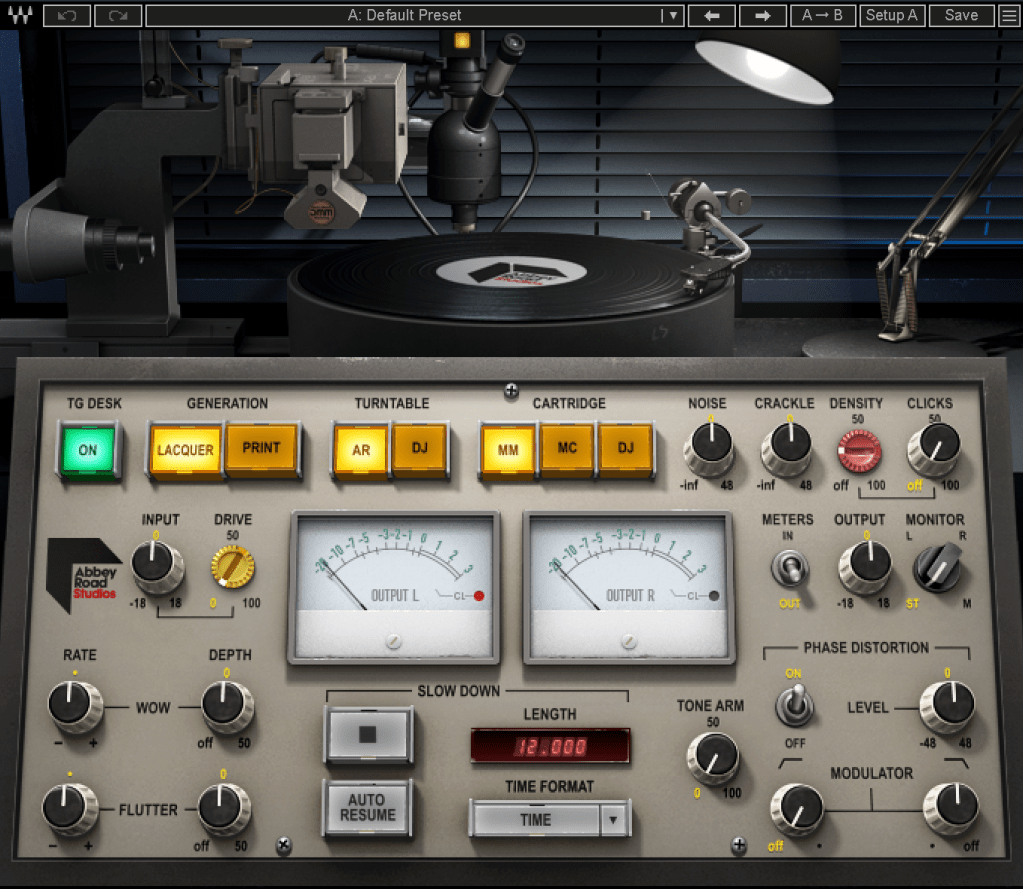
All these factors together create vinyl’s unique saturation. Today, there are vinyl emulation plugins designed to reproduce these characteristics.

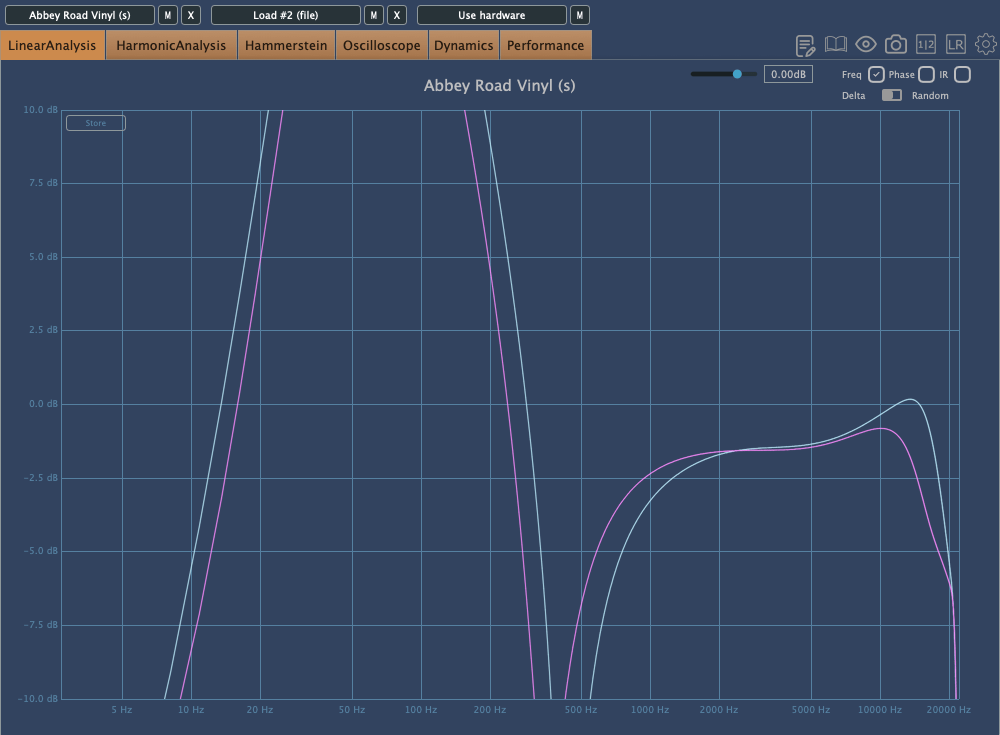
The Abbey Road Vinyl plugin by WAVES is a notable example. Taking a closer look…

As expected, it adds quite a bit of distortion.

Each turntable and cartridge setup yields unique sonic characteristics.

As I always say, if you like the sound a vinyl plugin adds to your mix, that’s all that matters! But as an audio professional, it’s essential to understand the background behind these effects. This knowledge helps when approaching retro-style mixing requests without getting lost in the process.

Maybe I went on a bit too long here… Haha.

I’ll wrap up for today. See you in the next post!

Basics of Mixing – 9.1 Harmonics and Saturation

Hello, I’m Jooyoung Kim, an audio engineer and music producer.

Today, I’d like to talk about two crucial aspects of sound: harmonics and coloration. As audio engineers, we know from experience—and from measurements—that the audio signal changes when it passes through hardware or plugins.

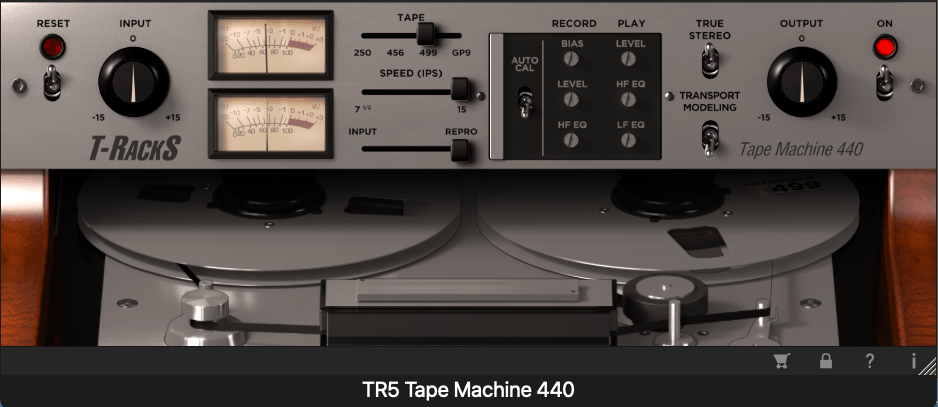
For example, why do sounds processed through vacuum tubes and tape machines end up so different from each other?

It’s a topic worth considering for anyone involved in sound production: how exactly does the signal change, and why?

Of course, if it sounds good, that’s all that matters. But if we take that approach, we could say the same for EQs and compressors—if it sounds good, it’s good enough, right?

That said, this chapter will focus on explaining the devices that introduce coloration to sound.

When an analog audio signal passes through analog devices, harmonics are generated due to the non-linear behavior of these devices.

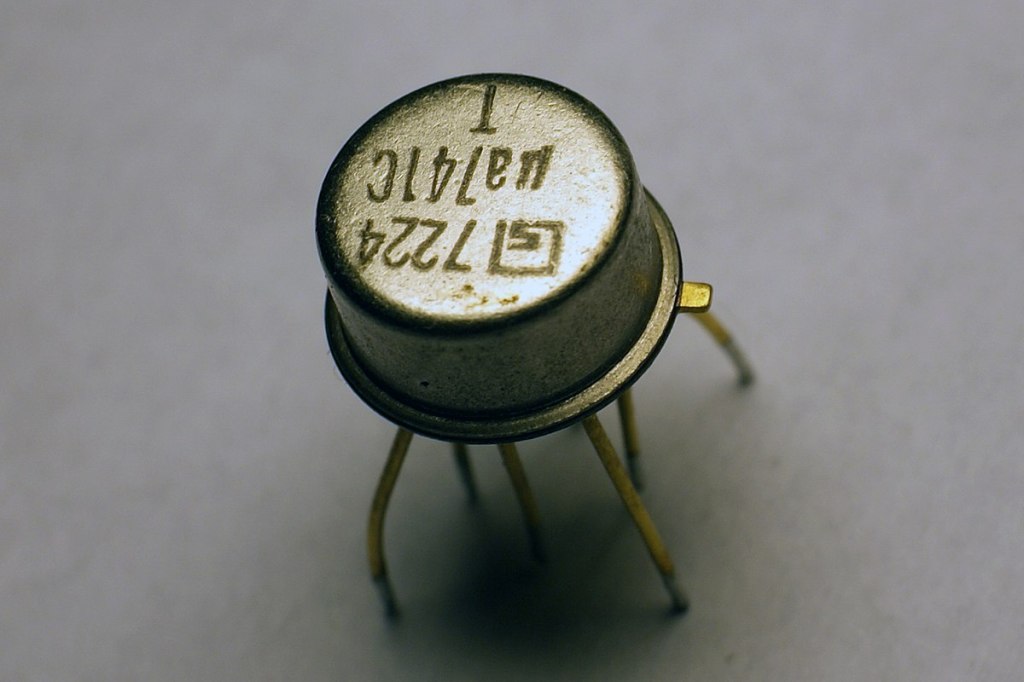
OP Amp
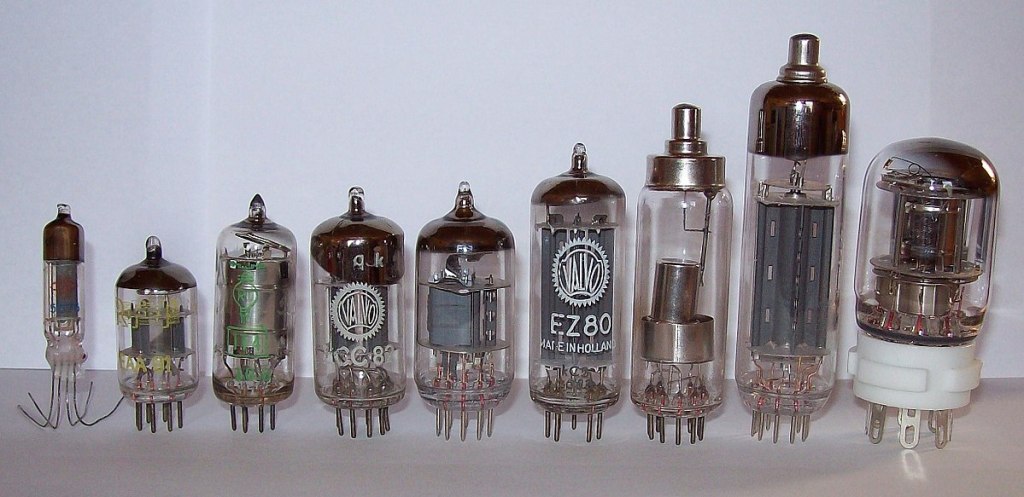
Vacuum Tubes

For example, when components like transistors (such as OP Amps) or vacuum tubes are part of the circuit, they create non-linear responses in the output, which results in harmonic distortion.

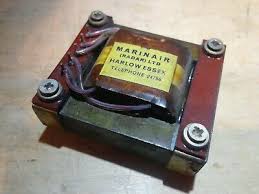
Legendary Marinair Transformer used in Neve Hardware (Photo from AMS Neve)

If you’re a fan of hardware, you’ve probably heard the term “transformer.” When you insert a transformer like the one shown above at the input or output stage of hardware, it creates non-linearities that result in harmonics.

This is why different components alter the character of a device, and why those who modify gear often swap out transformers, tubes, or transistors!

Why do non-linear behaviors generate harmonics? We could explain this through Fourier analysis, but I’ll spare you the math to keep things interesting.

(If you’re curious, look up non-linear systems and functions.)

Harmonics

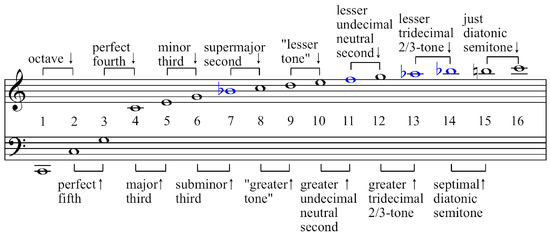
If you’ve studied music, you might recall learning about harmonics and harmonic series in class. Generally speaking, even-order harmonics sound more harmonious and pleasant, while odd-order harmonics tend to create dissonance and can sound harsher.

So, if a device emphasizes odd-order harmonics, it will sound sharper. On the other hand, if it emphasizes even-order harmonics, it will blend more smoothly into the mix.

Now, are there analog devices that exclusively boost even or odd harmonics? Not really.

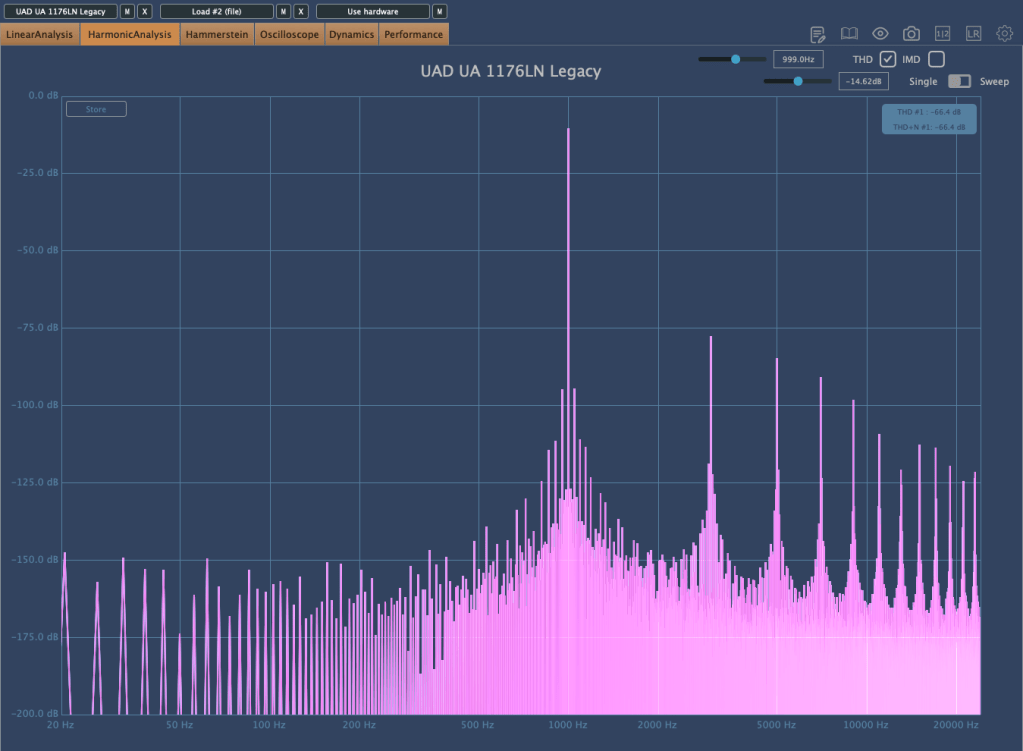
UA 1176LN Legacy Plugin that boosts only odd harmonics

As shown above, you’ll find this kind of control in plugins, but not in analog hardware.

Additionally, because of non-linear responses, the levels of second, third, fourth, and other harmonics also vary in non-linear ways.

So how should we understand these devices? Do vacuum tubes and transistors have unique characteristics?

We’ll continue exploring these questions in the next post.

Basics of Mixing – 8.3 How to Use Reverb?

Hello, this is Jooyoung Kim, music producer and audio engineer.

Last time, we explored the history and types of reverb. Today, we’ll dive into the practical ways to use reverb in your mix. Let’s get started!

When you first open a reverb plugin, the numerous settings can be overwhelming. But in reality, you only need to focus on three key parameters:

  1. Pre-Delay
  2. RT60 (Reverb Time)
  3. Type of Reverb

Pre-Delay refers to how much time passes between the original sound and the reverb effect. If the listener is close to the sound source, a larger Pre-Delay feels natural, while a smaller Pre-Delay is ideal if the source is far away.

RT60 measures the time it takes for the sound to decay by 60dB. While the decay time can vary depending on the frequency, you can generally think of it as the time for the reverb to fade out.

Reverb types are crucial because they give your mix different atmospheres depending on the choice. Knowing these basics should be enough to get you started!

Understanding Reverb Parameters
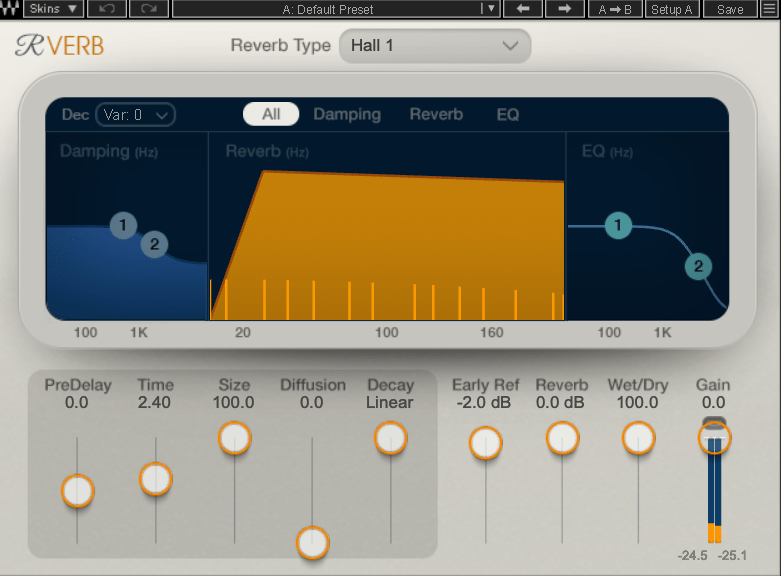
Here’s RVerb, a basic digital reverb plugin from Waves.

Time represents RT60, but what about Size? Size controls the virtual space’s dimensions, affecting the initial reflections and how the reverb tail forms.

Diffusion varies across plugins. It manages whether the reverb tail is formed by the direct sound or by the reflections. Lower values make the tail clearer and less cluttered, while higher values create a fuller sound.

Decay isn’t always present, so we’ll skip that for now. Early Reflections control how strong the initial echoes are. Smaller rooms produce stronger early reflections, while larger rooms have weaker ones. Wall materials can also affect this.

Reverbs like Shimmer add pitch modulation, Plate and Spring reverbs adjust materials, and Chamber reverbs may let you adjust mic and speaker positions.

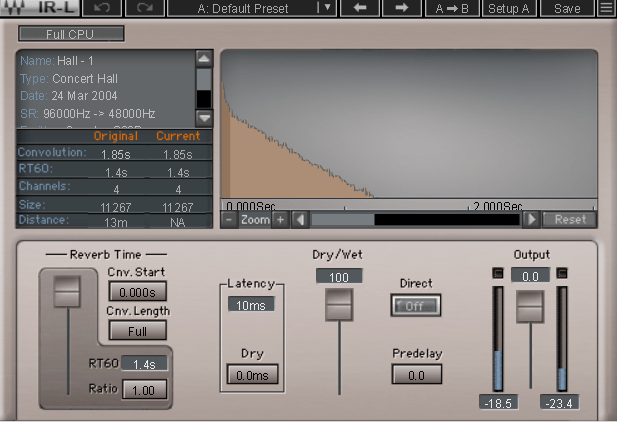
With IR (Impulse Response) reverbs, drastic changes to settings like Pre-Delay can feel unnatural, so if you’re not satisfied with the sound, it’s better to switch to a different reverb entirely.

Reverb EQ

There’s a reason why many reverb plugins include built-in EQs.

When applying reverb, EQ is key. Think of a live concert venue like a club in Hongdae. Outside, you mostly hear bass, while the vocals are hard to make out, right? This is because low frequencies travel further, while high frequencies lose energy faster in the air.

To simulate the natural acoustics of a real venue, especially for orchestral performances, applying EQ to the reverb can help create a more realistic reverb effect. Additionally, reducing some lows and mids from the reverb will help prevent the reverb from muddying up your mix, allowing for a clearer sound.

Reverb Compression & Saturation

What happens when you apply compression to reverb? Compression reduces dynamic range, which gives the illusion of a longer reverb tail, making it feel like the reverb lasts longer.

You can also add tonal color through hardware or plugin saturation to alter the feel of the reverb. For example, sidechaining the reverb to a vocal or lead instrument can reduce the reverb when those elements are prominent, and increase it when they are not.

Gated Reverb

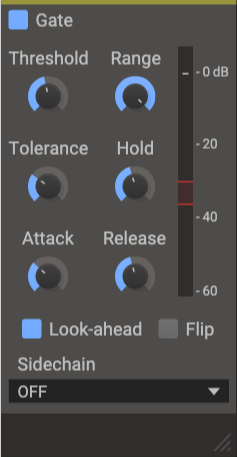
By using a gate, you can tightly control the reverb to match the groove of the track. Using sidechain techniques with gates or envelope followers, you can craft tight, precise reverb effects. This technique works wonders in genres like funk, but it can feel out of place in ballads—so choose carefully!

Various Reverb Uses

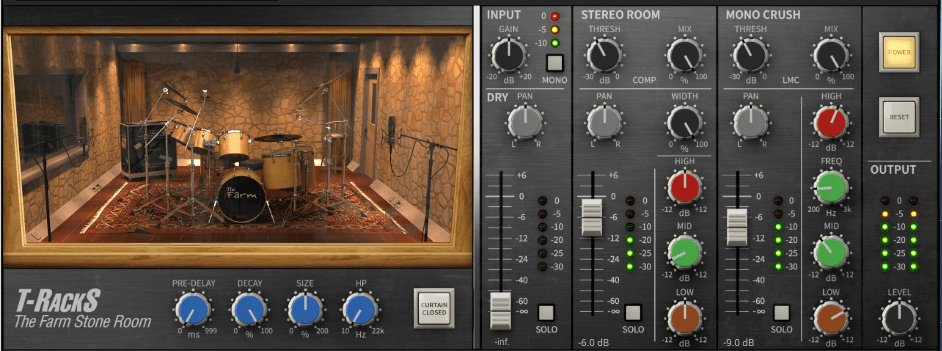
It’s common to use more than one reverb in a mix. For instance, a UAD Precision Reflection Engine can add artificial ambience to dry tracks, while you might apply a Plate Reverb specifically to the snare drum.

For consistency, you might apply a Hall Reverb across all elements in the mix. And don’t forget to adjust your Send Panning for spatial accuracy.


That’s about it for reverb usage! While theory helps, there’s no substitute for hands-on experience. Keep experimenting, and I’m sure you’ll get the hang of it.

Until next time, see you in the next post! 😊