※This article is a review written on July 21, 2021 after being selected for the FX Collection 2 experience group run by ‘Samick’ and receiving product support for a certain period of time. I only received support for the product and wrote the rest myself.
Chorus Jun-6
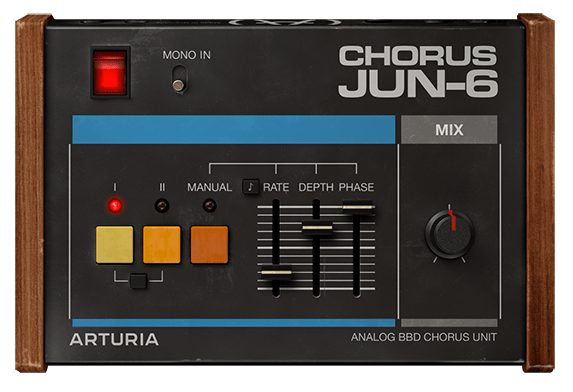
Chorus Jun-6 is a Chorus that was released for free by Arturia at the end of 2020, so I know there are quite a few people who have it. This friend is a plug-in that is a clone of the Chorus part that was included in the old Roland synthesizers Juno 6 and Juno 60. As for hardware, there is also a clone pedal from TC Electronics called June-60.
In fact, the Chorus part that was originally attached to the synthesizer did not have various parameters like the plug-in above, but simply had three buttons as shown in the picture below.
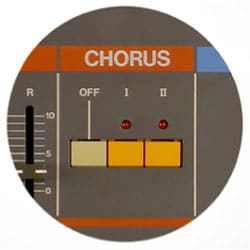
In the above part, you could have three types of Chorus effects by pressing the I or II buttons, or both buttons.
The reprint plug-in from Arturia reproduces all three Choruses, but adds several additional parameters to allow people to further refine the Chorus effect.
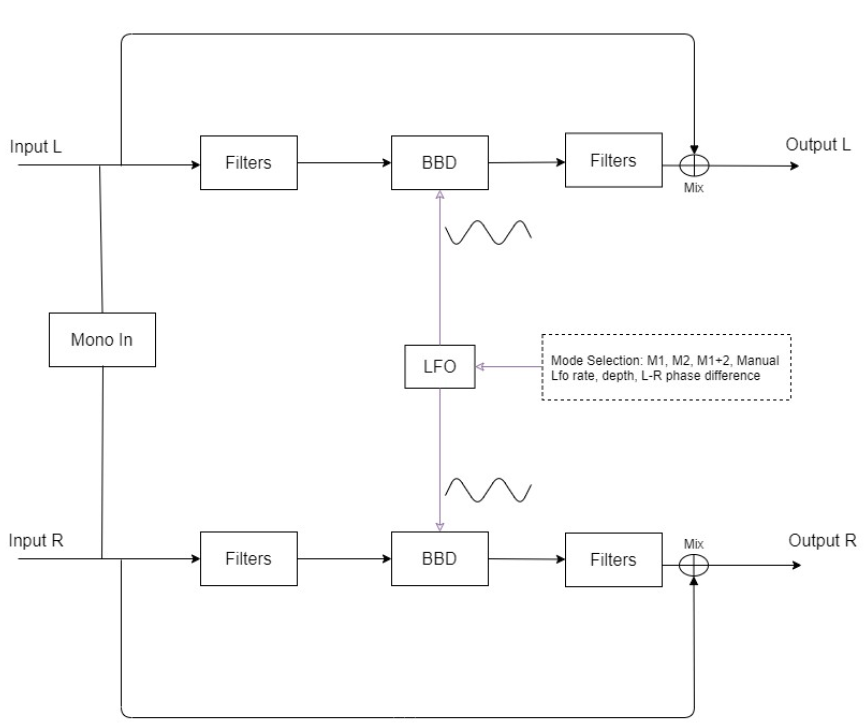
The Signal Flow of Chorus Jun-6 is as shown in the photo above. The original Chorus included in the Juno synthesizer accepts a Mono signal and outputs it as Stereo, but Arturia’s plug-in accepts a Stereo signal and directly produces a Chorus effect, or converts Stereo to Mono through Mono-Sum and outputs it as Stereo. There is a function that can add a chorus effect.
I think you will get a feel for it if you look at the input section of Signal Flow. In Modulation, you can think of Filter as it is common to use a filter to modify the phase, and BBD is an abbreviation for Bucket-Brigade-Divice and can be thought of as a type of specially made capacitor.
Well, this is not particularly important, and most of the parameters we can control in the plug-in are values related to the LFO applied to BBD. The sound that has passed through the LFO passes through the Filter, is mixed with the original sound through the Mix knob, or is completely subtracted, and then goes out through the Output.
Now, let’s take a look at the parameters.
- Power
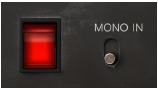
The power side is very simple. You can turn it on and off by pressing it. And if you select Mono In, the Stereo signal will be converted to Mono as mentioned above.
- Buttons
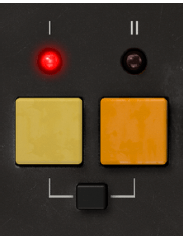
First of all, there is a button that looks similar to the Chorus button on Juno. It’s not particularly difficult to use, simply click the button you want and the Chorus sound for the selected button will sound.
The black button below is used to press the I and II buttons simultaneously. Mode I is said to be a slightly quiet Chorus, and Mode II is a deep and rich Chorus. Surprisingly, pressing I and II at the same time does not produce the effect of combining the two, but rather sounds like Vibrato, not Chorus. Let’s take a look at this in a sound sample.
- Manual Button

The Manual Button allows you to adjust 3 parameters. Rate can adjust the LFO rate between 0.050 Hz and 15.0 Hz, and the note display next to it can be adjusted from 1/64 to 8 (8 quarter notes) with the Sync button.
Depth is said to be the amount of modulation applied to the BBD Delay. You can select from 0.00 to 10.0ms.
Phase literally means phase difference from the original. You can select from 0 to 180 degrees.
- Mix Knob
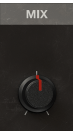
You can turn the Mix knob to determine the amount of Dry/Wet signal from 0 to 100.
- Samples
Likewise, I selected a few samples and tried them.
The order is original track -> I -> II -> press both I and II -> press Manual and set to very, very extreme settings, and the Mix knob is set so that Dry/Wet is 50:50.
How do you feel? Certainly, as explained in the manual, pressing both I and II seems to perform a Vibrato rather than a Stereo Chorus effect.
The extreme settings seem to produce very interesting results.
- Chorus Jun-6 Overall Review
A simple yet effective Chorus.
In fact, I think in my head that I need to use modulation effects such as Chorus well when making a song, but it’s really difficult to actually apply them well, so I think it’s good to have a friend who can help me without any pressure. Actually, the biggest problem is that I haven’t studied enough and can’t experience it physically..
In any case, I think one advantage is that it is fairly intuitive. You can try walking right away and if you don’t like it, just take it out..^^
If you purchase through the link above, I will receive a small commission, which greatly helps in running the blog.

 Jooyoung's Music Blog