Hello, I’m Jooyoung Kim, an engineer and music producer.
Today, I want to introduce Pitchmap, a plugin by Zynaptiq that’s frequently used in color bass music.
(Purchasing through this link supports my blog with a small commission.)
For this review, I requested an NFR (Not for Resale) code for Pitchmap from Plugin Boutique. Thankfully, Zynaptiq provided me with the ZAP IV bundle code. I’d like to express my gratitude to them. Besides Pitchmap, I’ll be reviewing other Zynaptiq plugins during their sale periods.
Let’s get started!
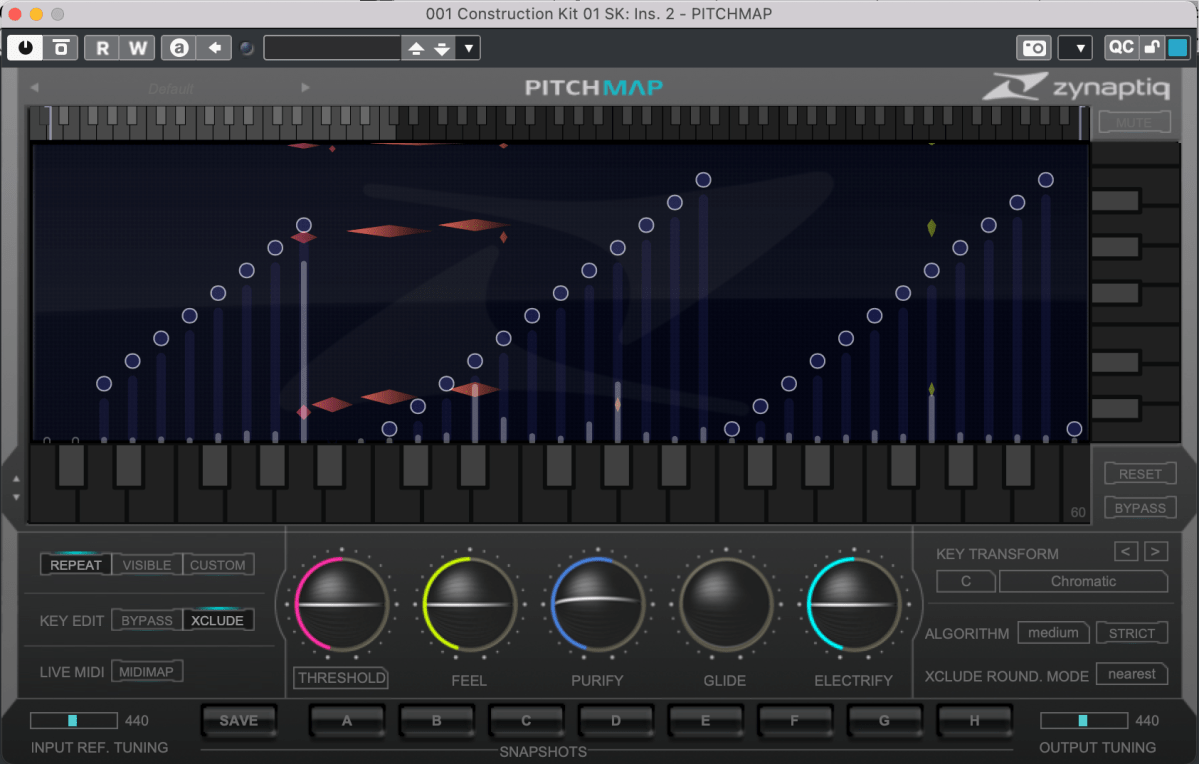
Pitchmap is a pitch correction plugin created by Zynaptiq in 2013.
While pitch correction is commonly associated with vocal tuning, Pitchmap is more often used in remixing and sound design.

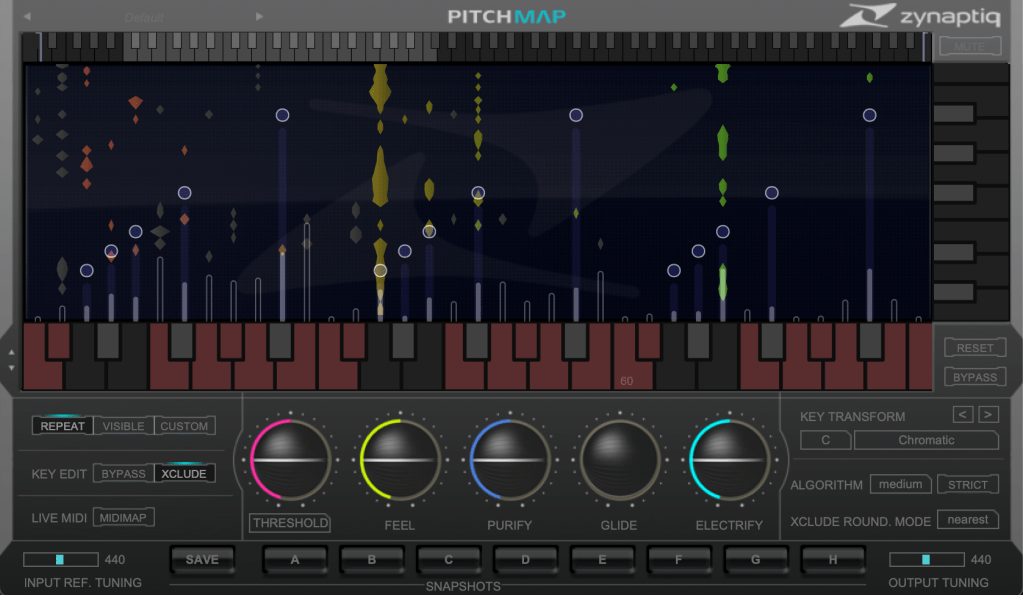
The horizontal axis represents pitch, similar to a keyboard roll.
Although only three octaves are shown,

you can adjust the display by clicking the light gray area at the top to navigate to the desired pitch range.
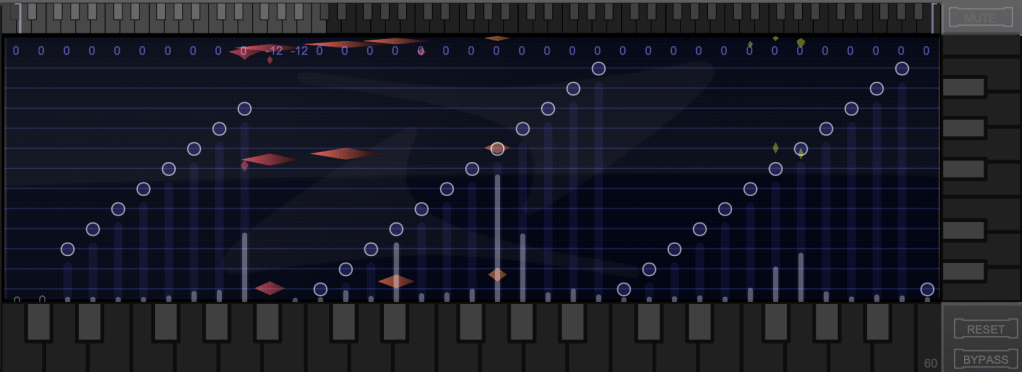
The vertical axis represents time, with red/orange markings indicating the pitch at that specific time. Essentially, the X and Y axes are flipped compared to typical vocal tuning plugins.
The white bars show relative volume, and the circles indicate pitch shifts.

For example, moving a circle representing F# upwards changes the sound from F# to G.
This allows you to change the key of the entire piece arbitrarily.
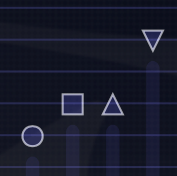
Double-clicking on a circle transforms it into various shapes: inverted triangle, triangle, square, etc.
- A square maintains the pitch within the same octave.
- A circle shifts to the nearest pitch (up by 9 semitones or down by 3 semitones).
- An inverted triangle always shifts downwards.
- A triangle always shifts upwards.
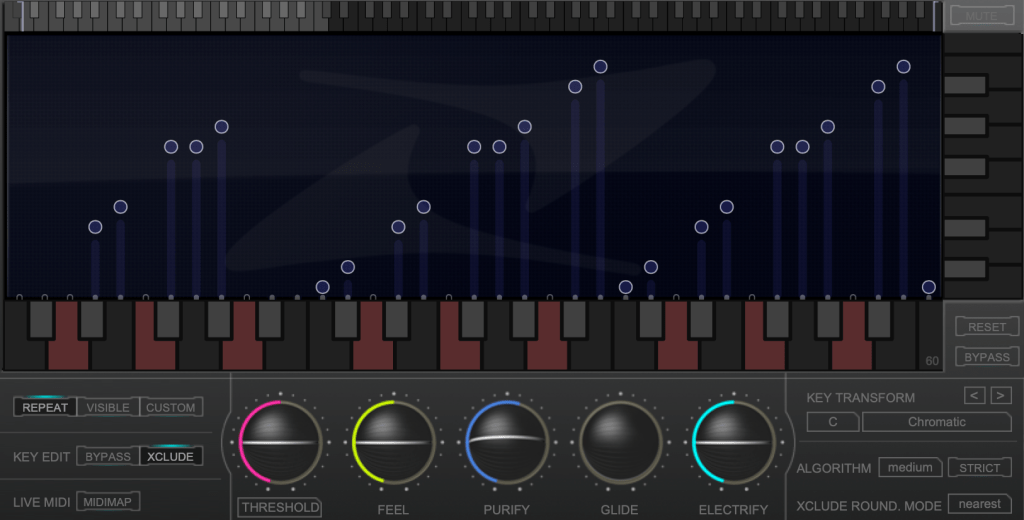
In Key Edit mode, you can click on notes in the piano roll to exclude them from playback.

Clicking Bypass and selecting notes in the piano roll means those notes will bypass the effect.
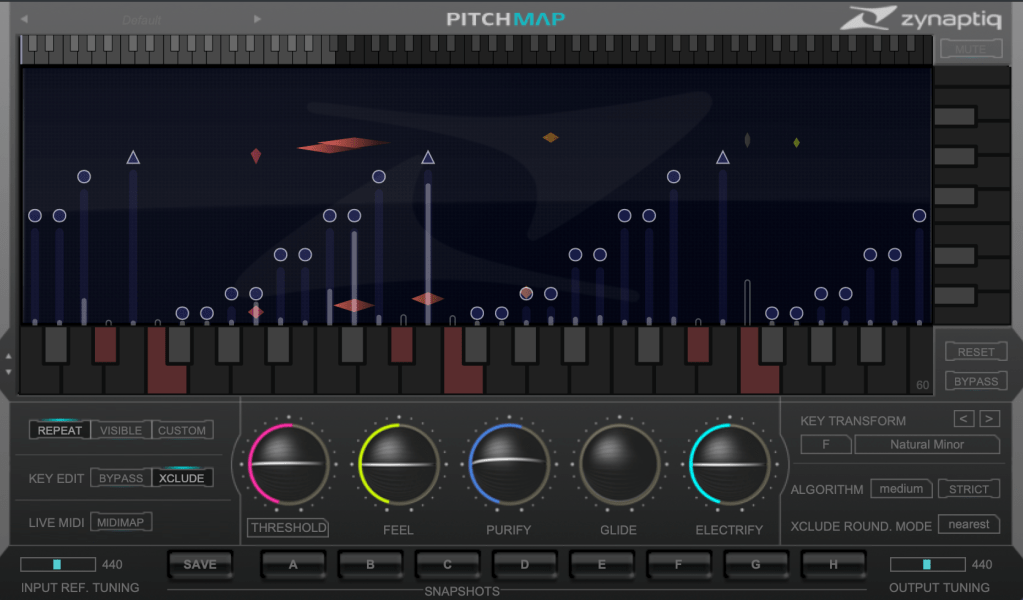

You can also allow MIDI input to select pitches in real-time through a MIDI channel.
You might wonder if these changes would make the sound awkward, but surprisingly, the result is quite cohesive, making Pitchmap ideal for remixing.
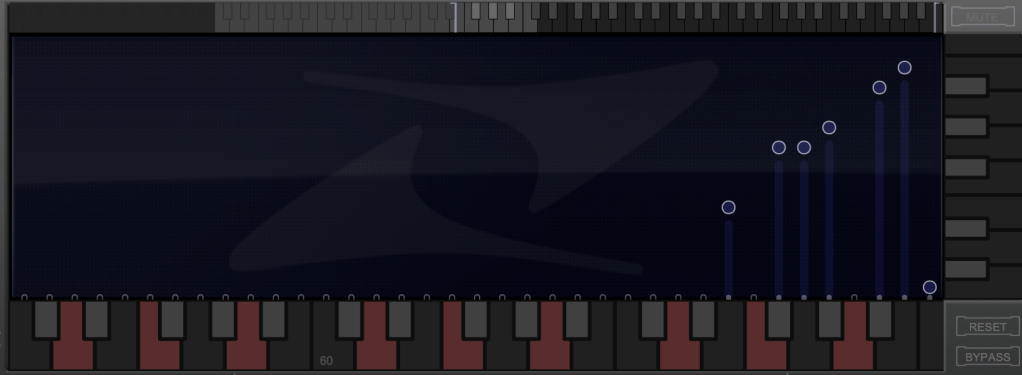
The white bars in the top piano roll can be moved to set a specific pitch range. The image above sets the range from Eb downwards to be excluded.

Other parameters include:
- Threshold: Determines the extent of tuning (lower values mean more comprehensive processing).
- Feel: Controls subtle pitch variations after tuning (higher values retain more nuance).
- Purify: Reduces noise above 50% and increases noise below 50%.
- Glide: Adds glide/portamento effects.
- Electrify: Enhances the synthetic feel or optimizes signal processing.
Exploring the rest of the features will help you understand their functionalities better.
This plugin is not only useful for contemporary music, often centered around remixes and bass, but also for creating unique sounds in other genres. Personally, I enjoy blending these elements into string or band sections for a sophisticated and effective sound.
I’ll share some YouTube videos demonstrating how I use Pitchmap.
The current sale lasts until July 28, and the discount is substantial. If interested, I highly recommend purchasing.
(Purchasing through this link supports my blog with a small commission.)
Additionally, purchasing from Plugin Boutique entitles you to a free plugin. This month, the options are Frostbite 2 by AudioThing or EQuivocate by Newfangled Audio.
Frostbite 2 offers various modulation effects, and EQuivocate is a graphic EQ with auditory filters and a Match EQ feature. Personally, I’d choose Frostbite 2.
See you in the next post!

 Jooyoung's Music Blog