A Tip Exporting or Bouncing FLAC and MP3 Files for Mastering (with a Bit of Python Codes)

Hey there! I’m Jooyoung Kim, a mixing engineer and music producer.

Today, I want to talk about something light but super useful: how to properly export audio files after mixing and mastering.

Let’s dive in!


The Basics of Exporting Audio Files

Once mixing and mastering are complete, you typically need to export your tracks in multiple formats—WAV, FLAC, and MP3—to send to clients or distributors.

But here’s the catch: not all DAWs make this process easy. For example:

  • Pro Tools and Logic Pro X don’t have built-in options to export FLAC files.
  • Cubase supports FLAC, but you have to export each format individually, which can be a hassle.

I’ve previously written about audio codecs in my blog series Basics of Mixing.

To recap:

  • WAV: The original, uncompressed file format.
  • FLAC: A lossless compressed format.
  • MP3: A lossy compressed format.

Both FLAC and MP3 use codecs that are freely available for encoding and decoding. So, why not use a simple script to automate the process?


Automating FLAC and MP3 Exports with Python

Here’s a quick and easy way to convert your WAV files to FLAC and MP3 using Python and the ffmpeg-python library.

Step 1: Install ffmpeg-python

First, make sure you have Python installed. Then, open your terminal (Mac) or command prompt (Windows) and run:

pip install ffmpeg-python

This might take a minute or two, but it’s worth it!

Step 2: The Python Code

Here’s a simple script to convert a WAV file to both MP3 and FLAC:

import ffmpeg

# 📂 Input file path
input_path = '/path/to/input.wav'

# 📂 Output file paths
output_mp3 = '/path/to/output.mp3'
output_flac = '/path/to/output.flac'

# ✅ WAV → MP3 (CBR - Constant Bitrate 320kbps; you can change '320k' to '256k' for different bitrates)
ffmpeg.input(input_path).output(output_mp3, audio_bitrate='320k', format='mp3').run()

# ✅ WAV → FLAC (compression_level: 0-8; higher numbers mean higher compression)
ffmpeg.input(input_path).output(output_flac, format='flac', compression_level='8').run()

Step 3: Save and Run the Script

  1. Copy the code above into a text editor.
    • Mac users: Ensure your text editor is set to plain text (not RTF).
  2. Save the file with a .py extension (like convert_audio.py).
  3. Run the script using Python (like python convert_audio.py).

Voilà! You’ll have your FLAC and MP3 files in no time.


How to Find File Paths

  • Mac: Drag and drop your WAV file into the Terminal, and the file path will appear automatically.
  • Windows: Right-click the file, select “Properties,” and copy the file path from there (you may need to adjust the path format slightly, use backslashes \).

Why This Matters
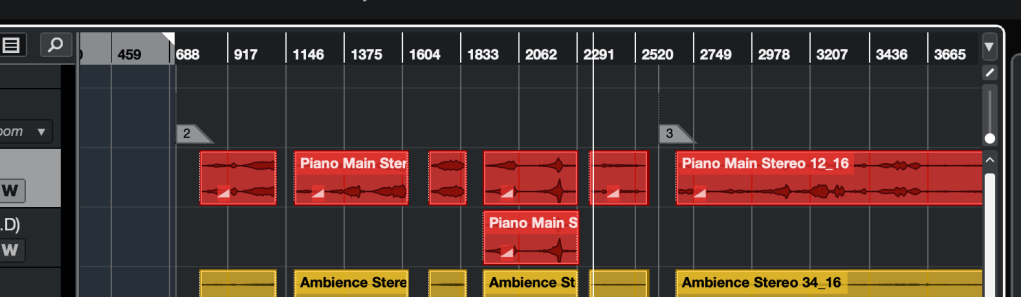
So many bars in this project.. It could be take a day if I export wav, flac and mp3 files by the export function of the DAW

Manually exporting files in different formats can be a time sink, especially for long projects like live recordings over an hour. Using this script, you can:

  • Save hours of repetitive work.
  • Quickly generate high-quality FLAC and MP3 files.

A Few Notes

  • Bit Depth and Sample Rate: For MP3 files, it’s standard to use 44.1kHz and 16-bit WAV files as the source. FLAC can handle higher resolutions (e.g., 48kHz, 24-bit) if needed.
  • Dithering: FFmpeg’s dithering options are basic, so for WAV files with specific bit depth or sample rate conversions (e.g., 48kHz/24-bit to 44.1kHz/16-bit), it’s better to handle those in your DAW for better quality.
  • MP3 Standards: Always use a 44.1kHz, 16-bit WAV file as the source for MP3 conversion to meet industry standards.

Final Thoughts

This is a super basic tip, but I couldn’t find many clear guides on this topic online, so I wanted to share it with you. If you’ve never coded before, this might seem intimidating at first, but trust me—it’s straightforward and will save you tons of time.

Give it a try, and let me know how it goes! Until next time, happy mixing! 🙂
Basics of Synthesizers (5) – Modeling (Physical Modeling, Analog Modeling)

Hey there! I’m Jooyoung Kim, a mixing engineer and music producer.

Today, we’re diving into modeling synthesizers, continuing from Basics of Synthesizers (4).

Ready to get started? Let’s go!

Yamaha VL1

In my post about FM synthesis, I mentioned how Yamaha dominated the market with the DX7 FM synthesizer, right?

Well, that FM synth came about through a collaboration between Stanford and Yamaha. And guess what? Physical Modeling synthesis is another product of that Stanford-Yamaha partnership.

Academically, Physical Modeling was already being discussed mathematically for a while. (Synthesizing Musical Sounds by Solving the Wave Equation for Vibrating Objects, 1971)

But creating the algorithms and implementing them efficiently? That’s a whole different story. Back then, computers didn’t have great DSP capabilities. So, in the 1983 paper (Digital Synthesis of Plucked-String and Drum Timbres), a simplified algorithm was proposed to make synthesis accessible to everyone via computer.

Fast forward to 1989, Stanford and Yamaha co-developed digital waveguide synthesis, and in 1994, the first product using this tech, the Yamaha VL1, hit the market.

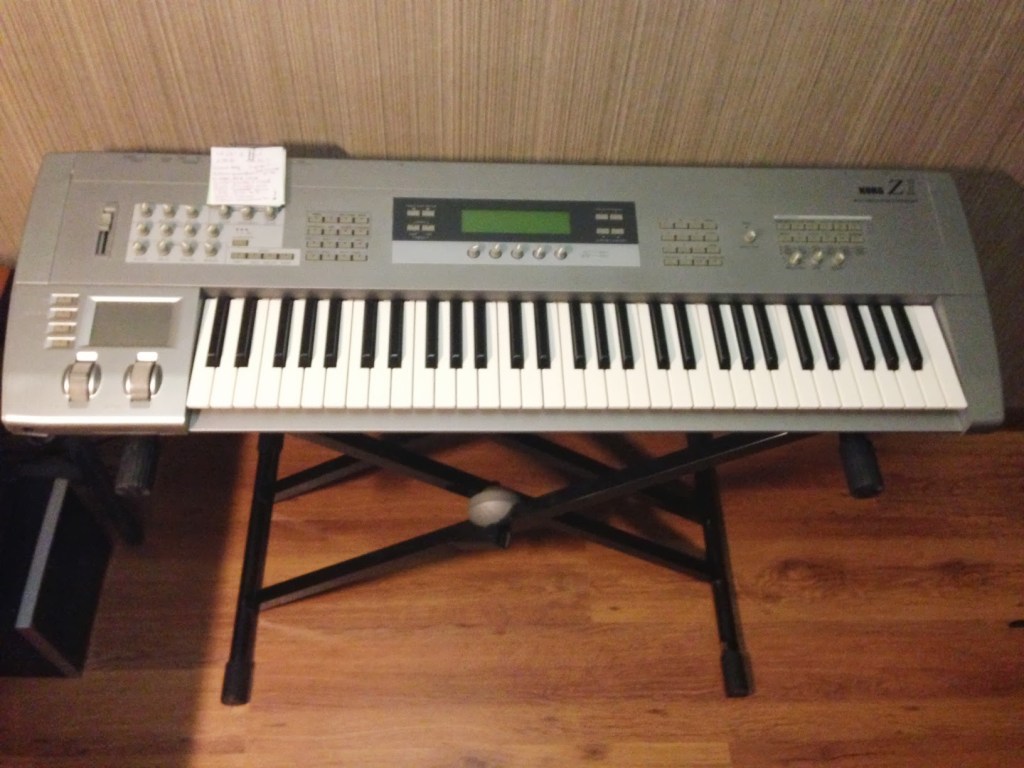
Korg Z1

Unlike Physical Modeling, which models the instrument itself, there’s also Analog Modeling, which digitally recreates analog synthesizer circuits.

Korg was a major player in this space.

Why go for analog modeling? Well, analog synths needed multiple oscillators to produce multiple voices, but with analog modeling, as long as the DSP could handle it, you could generate as many voices as you wanted at once.

Nowadays, with CPUs being so powerful, virtual instruments using these modeling techniques are everywhere.

The string virtual instrument I introduced recently, Expressive E’s Soliste, is also based on Physical Modeling.

When I introduced IK Multimedia’s Total Studio products last year, Modo Drum and Modo Bass, which were included, are also Physical Modeling virtual instruments.

As CPU performance has improved, modeling tech has evolved to handle complex calculations that were previously impossible, allowing for realistic acoustic instrument sounds with minimal storage.

Still, it’s a bit hard to see these modeling synths as unique instruments that create a big splash like traditional synthesizers.

And that’s it for modeling in a nutshell!

See you in the next post!

I wrote a SCIE level paper!

Hello! This is Jooyoung Kim, a mixing engineer and music producer.

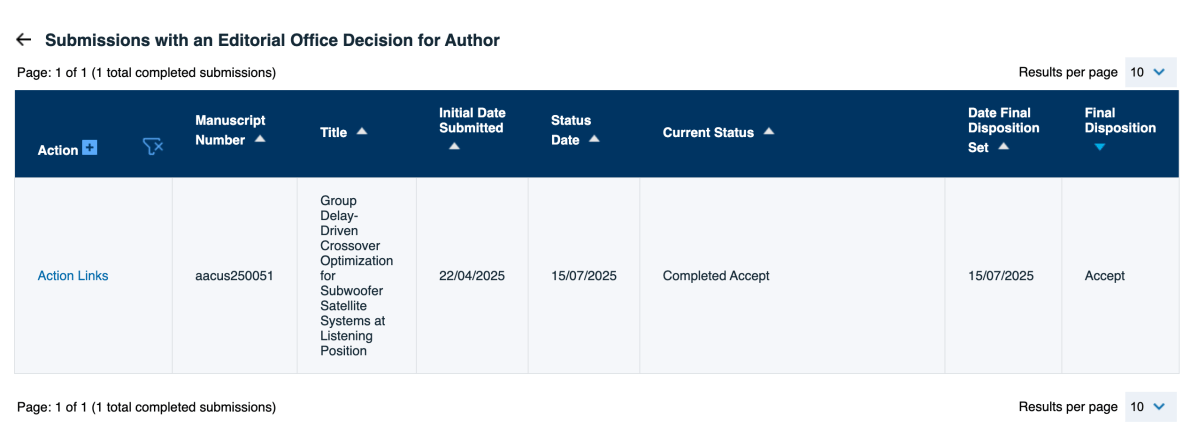
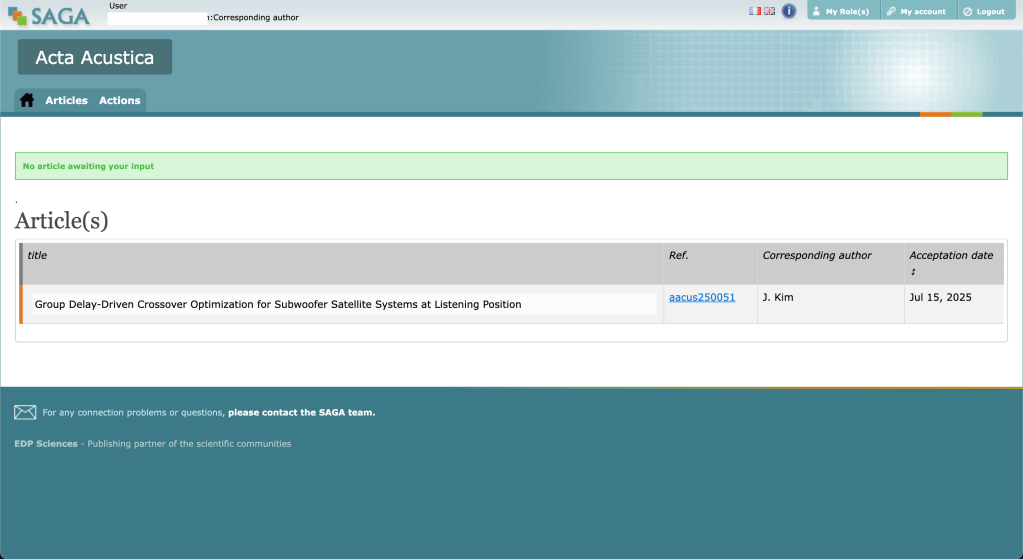
I’ve finally completed my personal challenge: getting a SCIE-level paper accepted before earning my master’s degree. Despite several rejections, it took me five and a half months to receive acceptance.

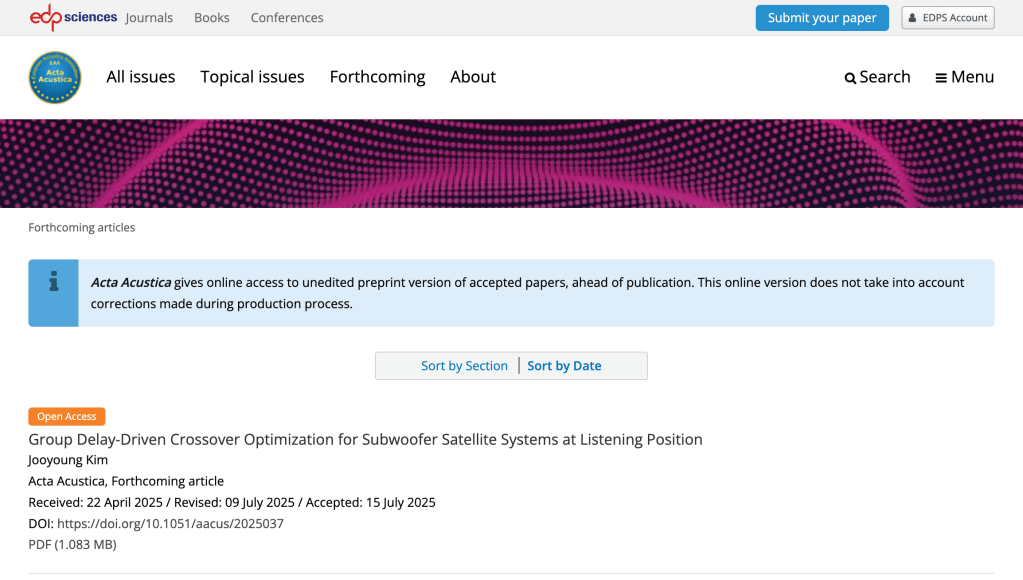
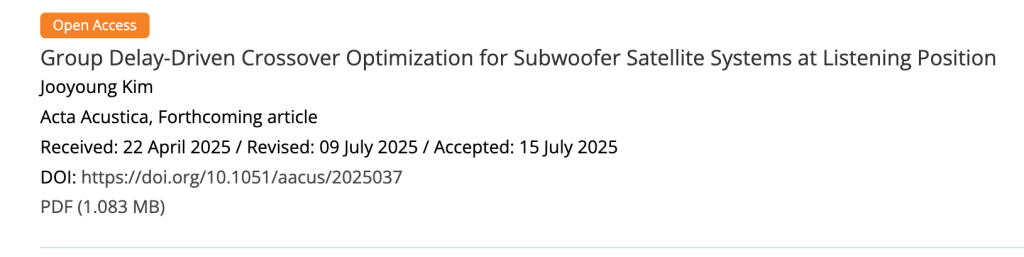
The paper has been accepted by Acta Acustica, a journal published by the European Acoustics Association (EAA), though it’s not officially published yet.

However you can see the prototype of the paper at “Forthcoming” page.

So, Acta Acustica, published out of France, feels like a journal with some solid history and tradition. But, maybe because it’s changed names a few times, it seems to have slipped a bit in the journal rankings.

Honestly, when it comes to music and acoustics journals, Impact Factor (IF) is practically useless for judging quality. It’s like they’re in their own little world! The top dogs, like the journals from the Acoustical Society of America (ASA) and the Audio Engineering Society (AES), are ranked Q2 and Q3 in JCR’s Acoustics category. Q3 for AES? That’s just absurd, right? 😅

Anyway, Acta Acustica is a notch below those two, sitting at Q3. Still, for music and acoustics research, there aren’t many other suitable journals out there besides these three. I was genuinely worried about getting rejected, so making it through feels like a huge relief.

Oh, and get this—acceptance doesn’t mean it’s published right away. There’s this final polishing phase handled elsewhere, and when I looked over my manuscript again, I spotted some typos… I’m planning to fix everything before submitting the final version.

Also, you might’ve noticed from the author list—I wrote this paper as the sole author! It’s on the same topic as my master’s thesis, but I did everything on my own: no funding whatsoever, not even for the research itself. I used three subwoofers for the experiments—two were mine, and just one was borrowed from my professor’s personal stash. Even the measurement microphone was my own. I designed all the research methods from scratch, and I figured I should be the one handling revisions and post-publication queries as the corresponding author. I talked it over with my professor, who was super kindly lent me that one subwoofer. Huge thanks to him! 😄

The journey wasn’t easy—two rejections and some brutal feedback later, I had to tweak a lot of the research methods compared to my thesis. The conclusion ended up similar, but the paper itself feels like a different beast now.

Oh, and here’s the kicker: I had no money, and my university doesn’t cover publication fees or open access costs, so I was stressing out big time. But then, Acta Acustica turned out to be a Diamond Open Access journal—free for everyone to read and free for authors to publish!

I actually tried building an application based on this current work using Python, but there were way too many features to cram in, so I’ve put it on hold for now… haha.

And also I’m already thinking about my next research topic, and if it goes as planned, I might even turn it into a plugin.

Looking at how I barely touch social media like Instagram and stick to blogging, I guess writing’s just my thing. So, until my next post—catch you later!

Heritage Audio Successor Hardware & Plugin Review

Hello, there! I’m Jooyoung Kim, a mixing engineer and music producer.

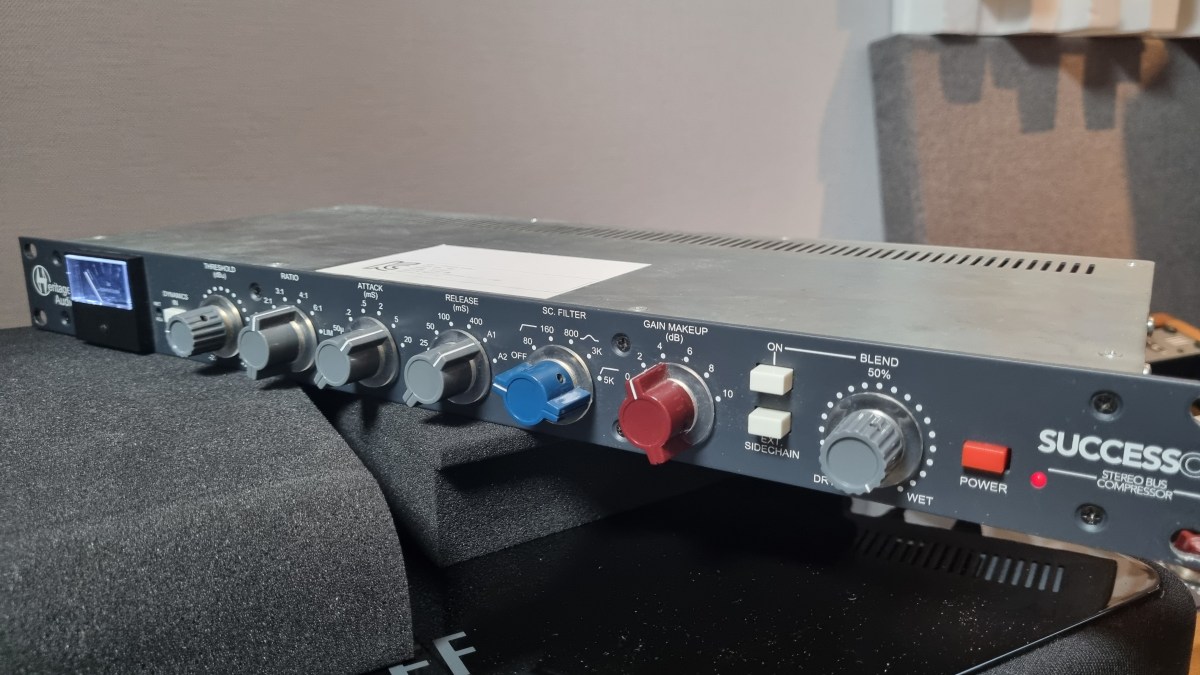
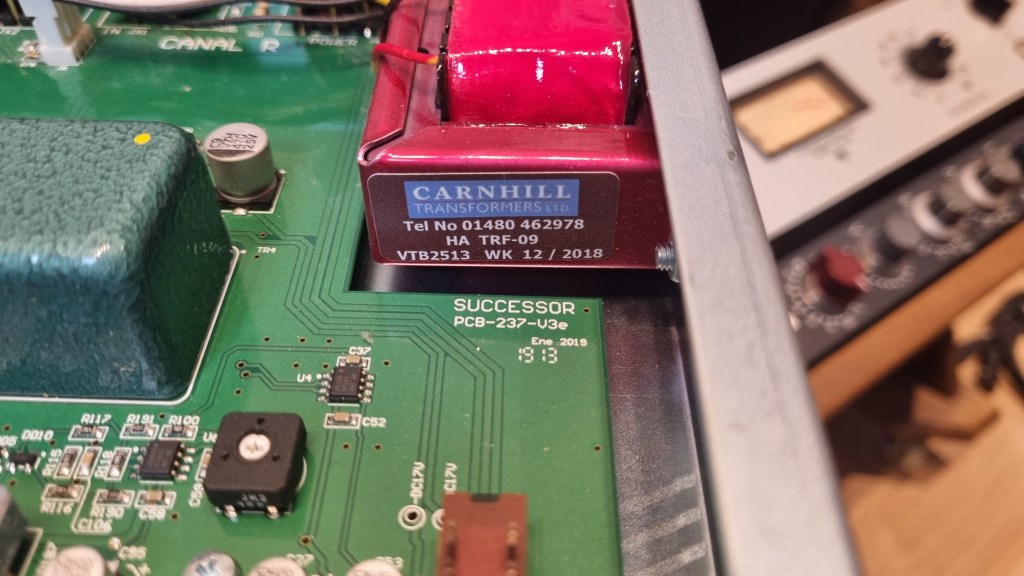
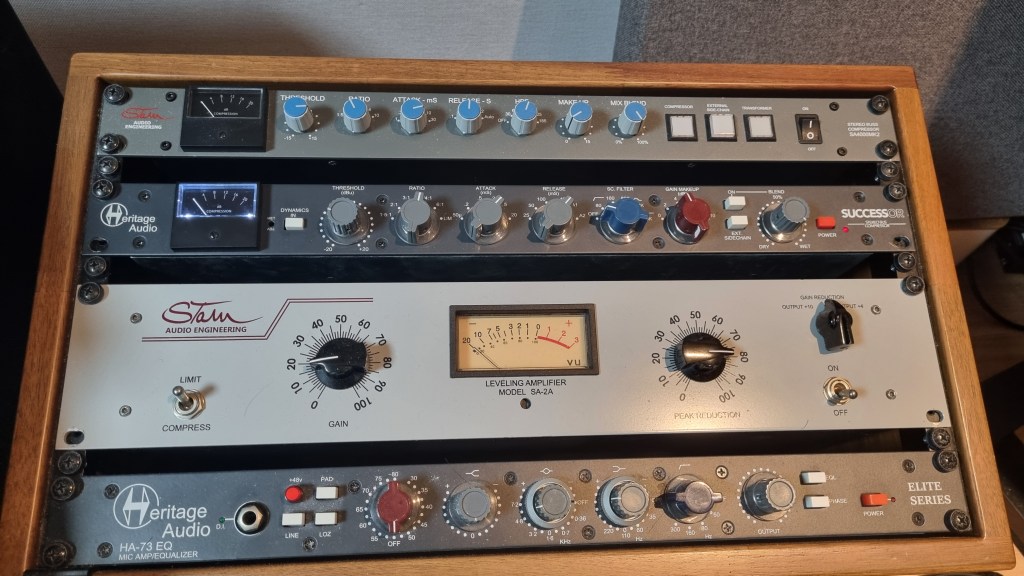
About half a year ago, I bought a Heritage Audio Successor that had some intermittent noise issues. I kept telling myself I’d write a review after getting it fixed… and, well, here I am finally getting around to it now, haha.

I didn’t originally have any burning desire to get this unit, like, “I have to own this thing!” It was just a good deal, even factoring in the repair costs, so my hand moved faster than my brain, lol.

I was initially eyeing the Behringer 369, but since this is also a diode bridge compressor, I figured why not. Plus, it’s a mastering compressor pushed by Heritage Audio, so I thought the channel balance would be decent enough, and it wouldn’t be a total gamble. So, I went for it.

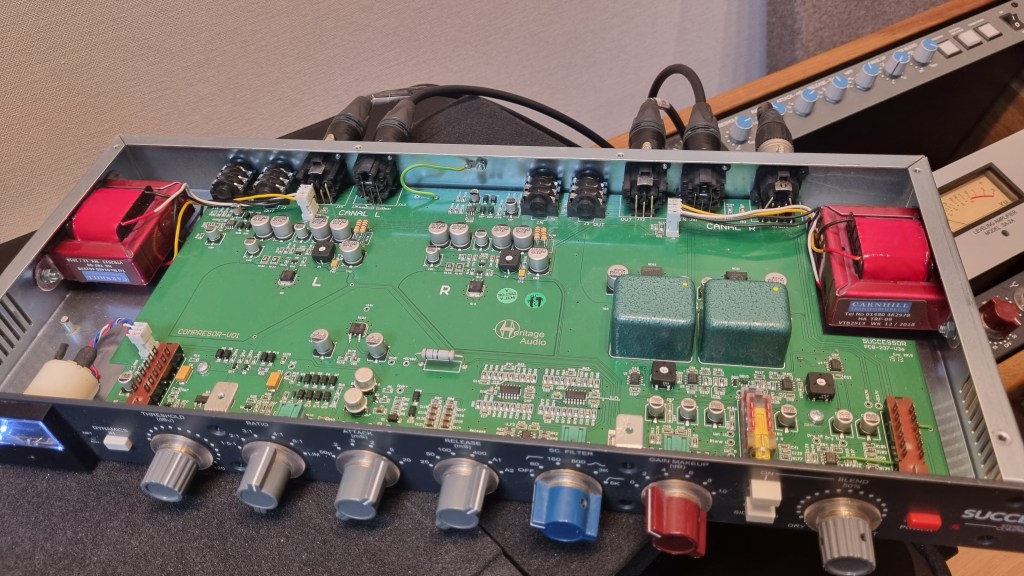
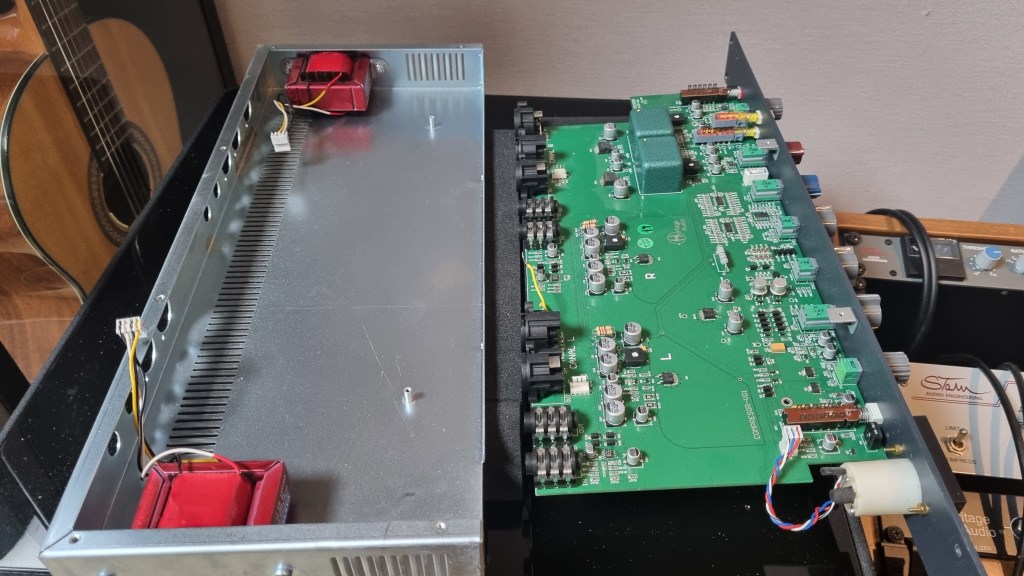
As expected, there was noise coming from the left channel, so I just dove in and opened it up without much thought. Usually, noise or low output points to a capacitor issue—something simple, right? Or so I thought…!

No matter how much I looked, it didn’t seem like a soldering issue or a blown capacitor. So, I detached the circuit board and swapped the left and right transformers, but the left channel was still the problem.

Testing every tiny component by buying replacements was, frankly, not humanly reasonable. So, I handed it over to the folks at MS Tech for repairs, explaining the tests I’d done and admitting I couldn’t pinpoint the issue.

A few months later, I went to pick it up. When I asked the technician, he said he wasn’t entirely sure, but it seemed like the variable resistor in the left channel was the culprit. On the outside, the components looked fine, but something inside was faulty, haha.

Yeah, I probably underestimated the repair when I bought it. But, thankfully, it’s all fixed now, so no harm done.

And here’s something cool:

Even though I bought it secondhand, I reached out to Heritage Audio’s Support Center to ask if they could provide the plugin, and they happily gave it to me! The plugin is actually pretty solid, and I find myself using it quite a bit.

Hardware Measurements

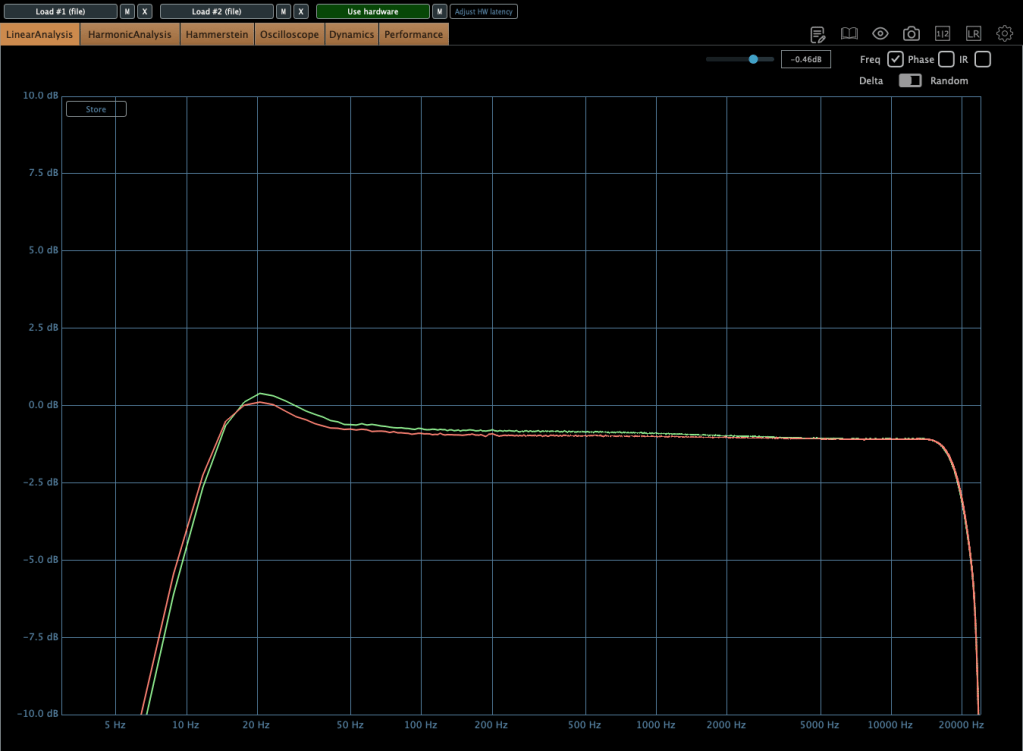
The channel balance is pretty tight, though, being analog, it’s not completely perfect. You might wonder if the repair changed anything, but even before the noise issue, the balance was about the same.

The extreme high frequencies are slightly boosted, and, like many hardware units, it looks like there’s a high cut around 20kHz. The low frequencies are boosted as well.

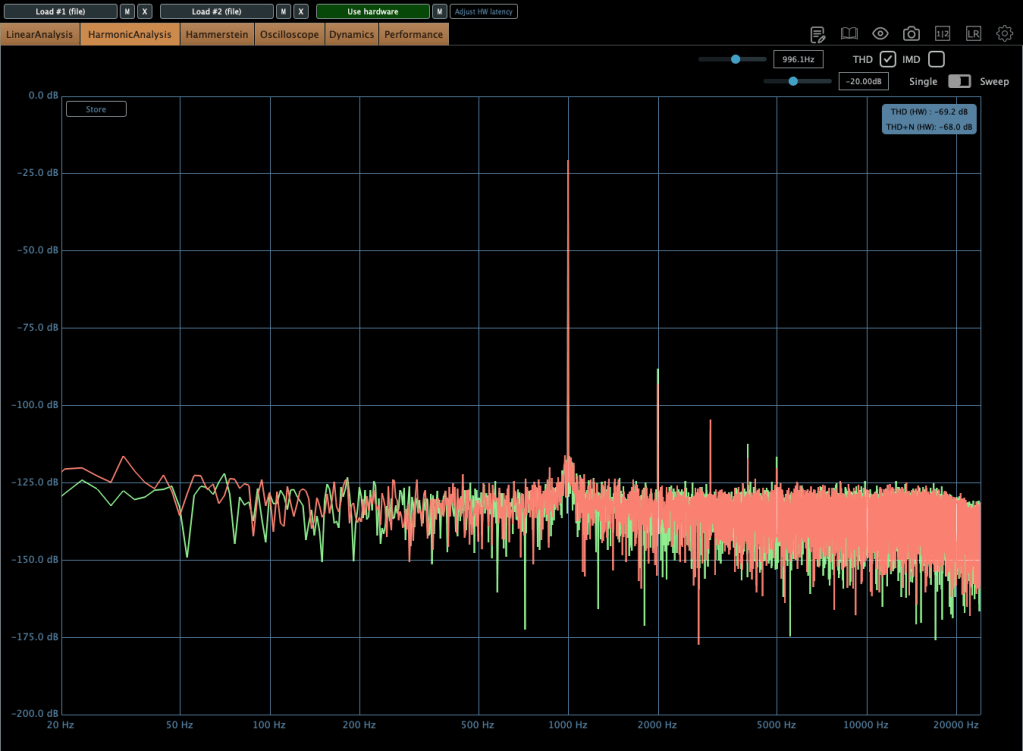
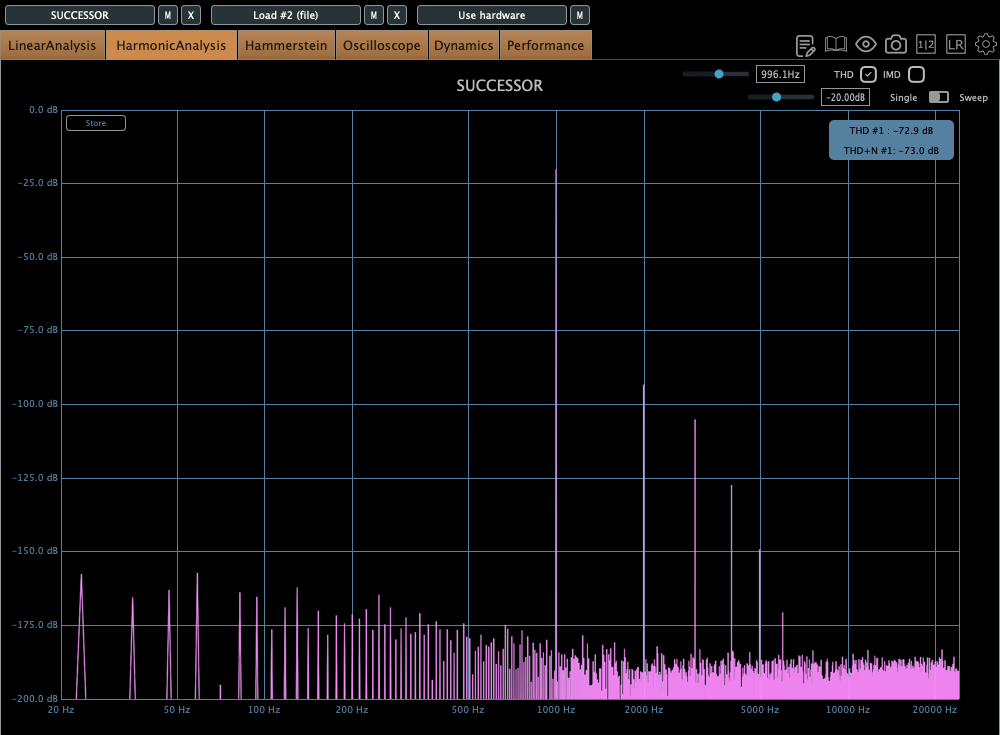
The THD looks clean, but it definitely has some character.

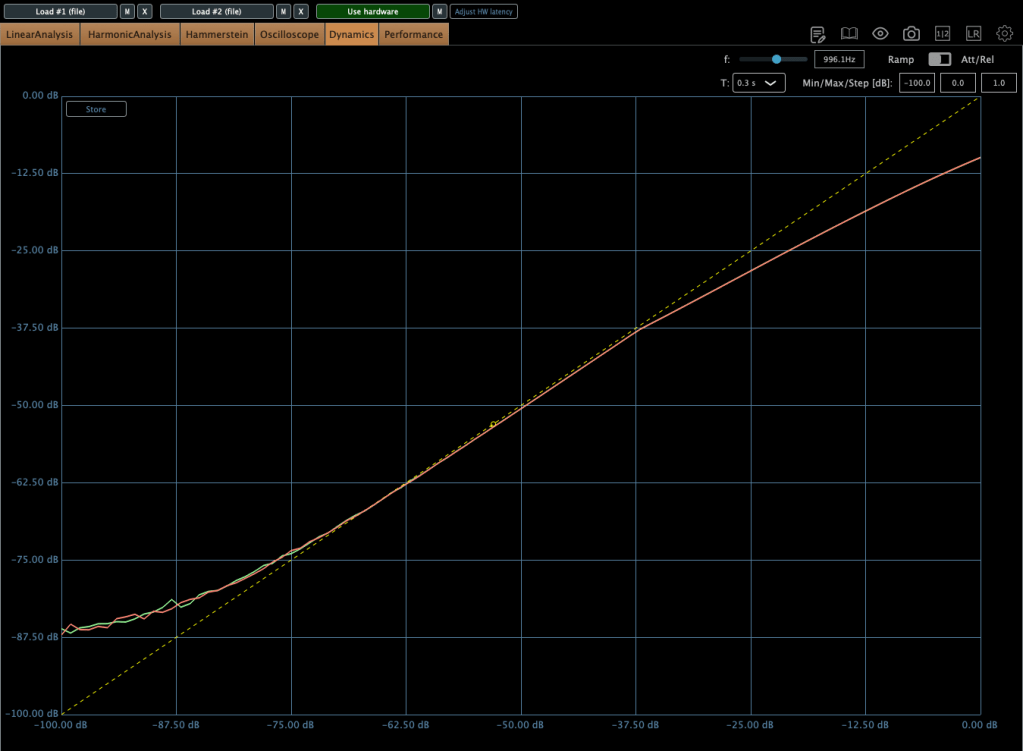
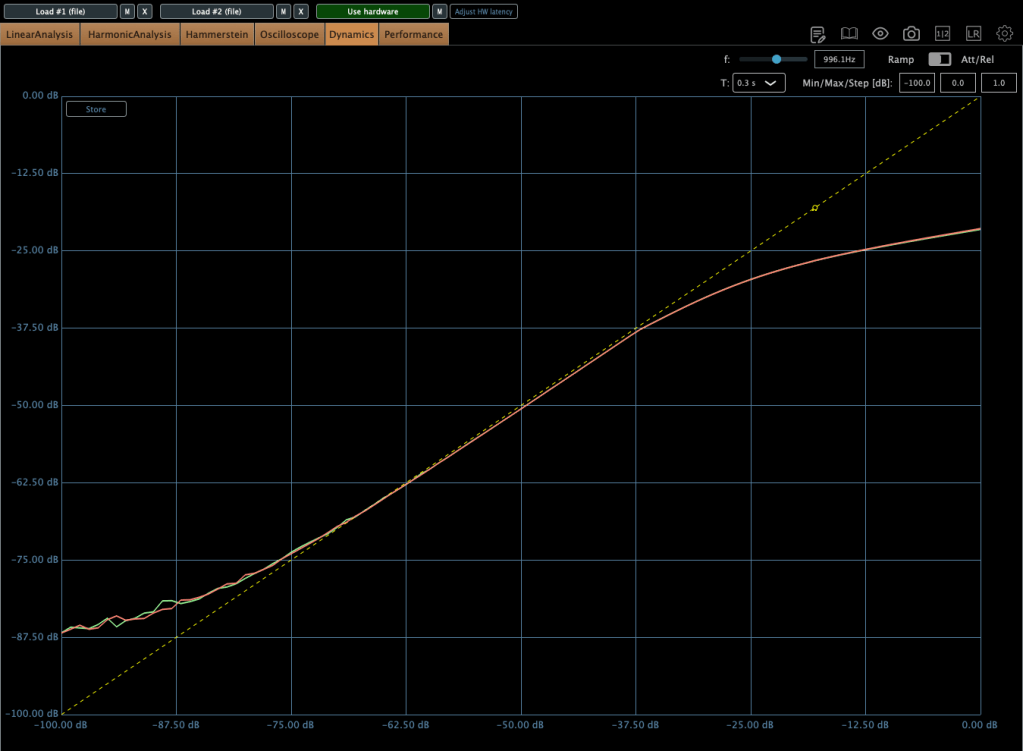
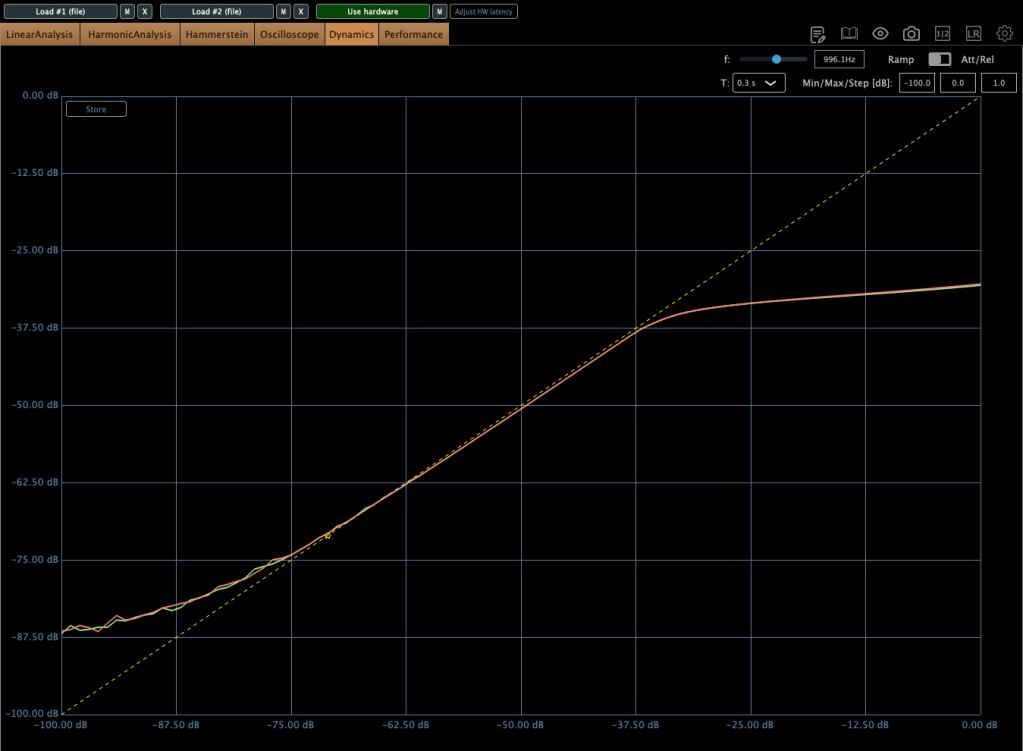
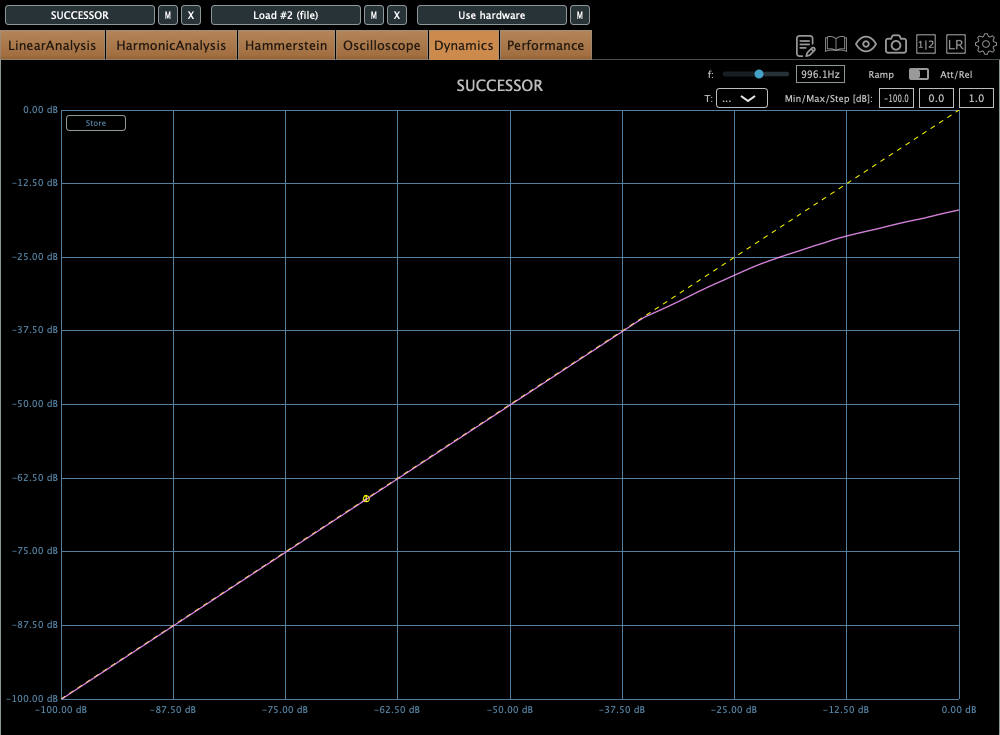
The compression curve shows a gentle knee.

Even when limiting, it’s not a completely hard knee.

This unit has a max input of +22 dBu. Since pro audio typically works at +24 dBu, it’s a bit shy of that, but my interface operates at +20 dBu, so it’s plenty for my mixes or mix bus.

The max output is +26 dBu at 600 ohms, so as long as you manage the input carefully, it should work well for mastering too.

Plugin Measurements

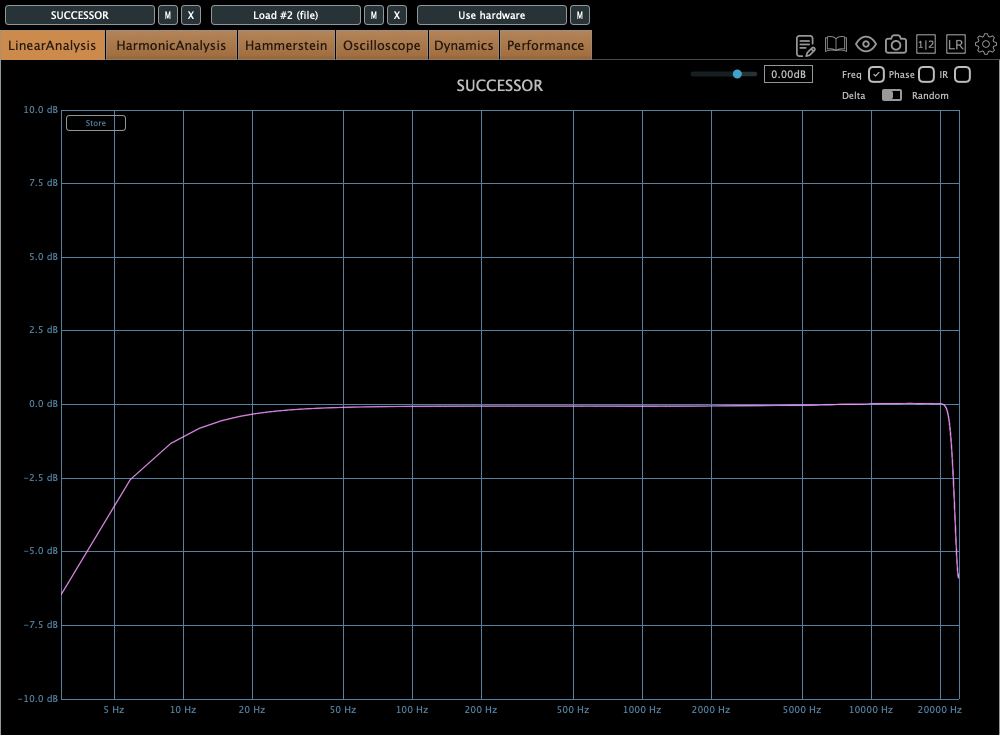
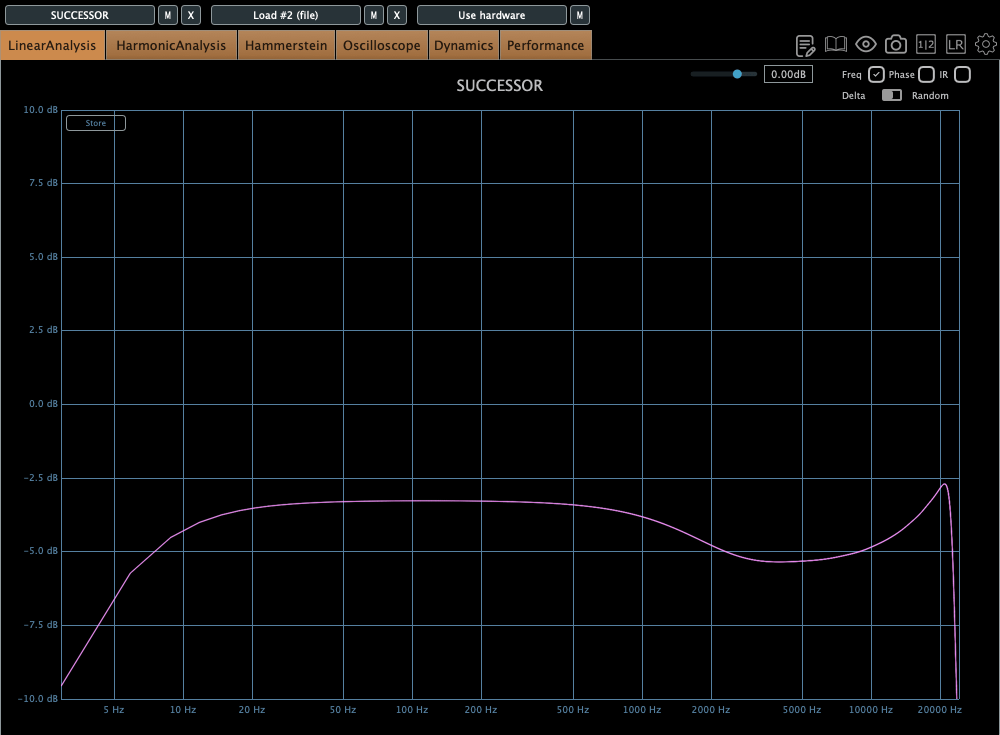
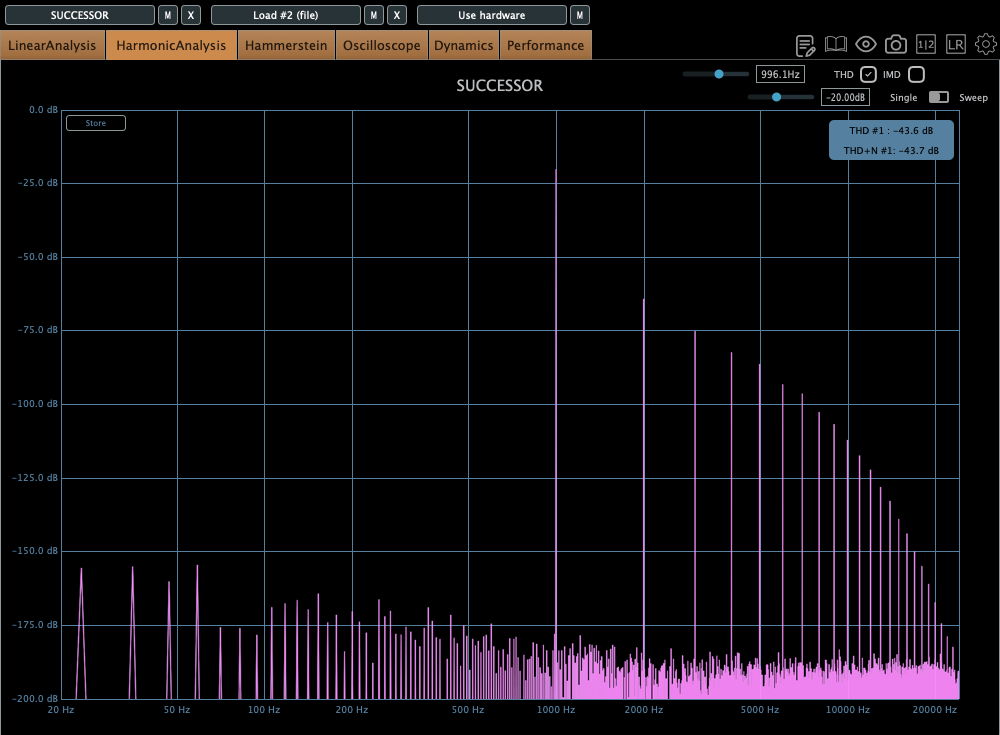
The plugin has a unique feature called “Nuke.” It pushes the input by 20 dB for some intense saturation.

The top figure shows the default Frequency Response, and the bottom figure shows it with the Nuke function enabled.

Similarly, the top figure is the default Harmonic Distortion, and the bottom figure is with Nuke activated.

The compression curve feels less like a natural, smooth knee and more like it has a slight two-step bend somewhere.

Personal Impressions

Describing sound in words is probably the hardest thing. Everyone hears and expresses things differently, so… ugh, it’s tough.

Still, here’s what I think:

Hardware
  1. Compared to the Stam 4000 mk2, the high frequencies feel more alive, which gives it a certain quality that feels worth its price.
  2. The center feels a bit prominent (maybe because of the transformers?).
  3. The knobs feel great to turn—probably because they used high-quality variable resistors—and the Threshold and Gain have a subtle stepped feel.
  4. For its full price, it feels just about right.
Plugin
  1. The Frequency Response shows better high-end response than the hardware, but that sparkly, satisfying vibe just isn’t there in the plugin.
  2. The center feels quite prominent. In other words, you might need to tweak it with a stereo imager or something.
  3. It’s got a lot of character. So, when using it on a bus, you really need to pay attention to how it affects the balance.

Looking back, it sounds like I was pretty harsh on the plugin, but it’s actually good! Diode bridge compressor plugins aren’t exactly common (think UAD Neve 33609C or Arturia Diode 609), so it’s a solid new option to consider.

The hardware? Yeah, it’s great! I wish the highs sparkled just a bit more, but it’s plenty good as is.

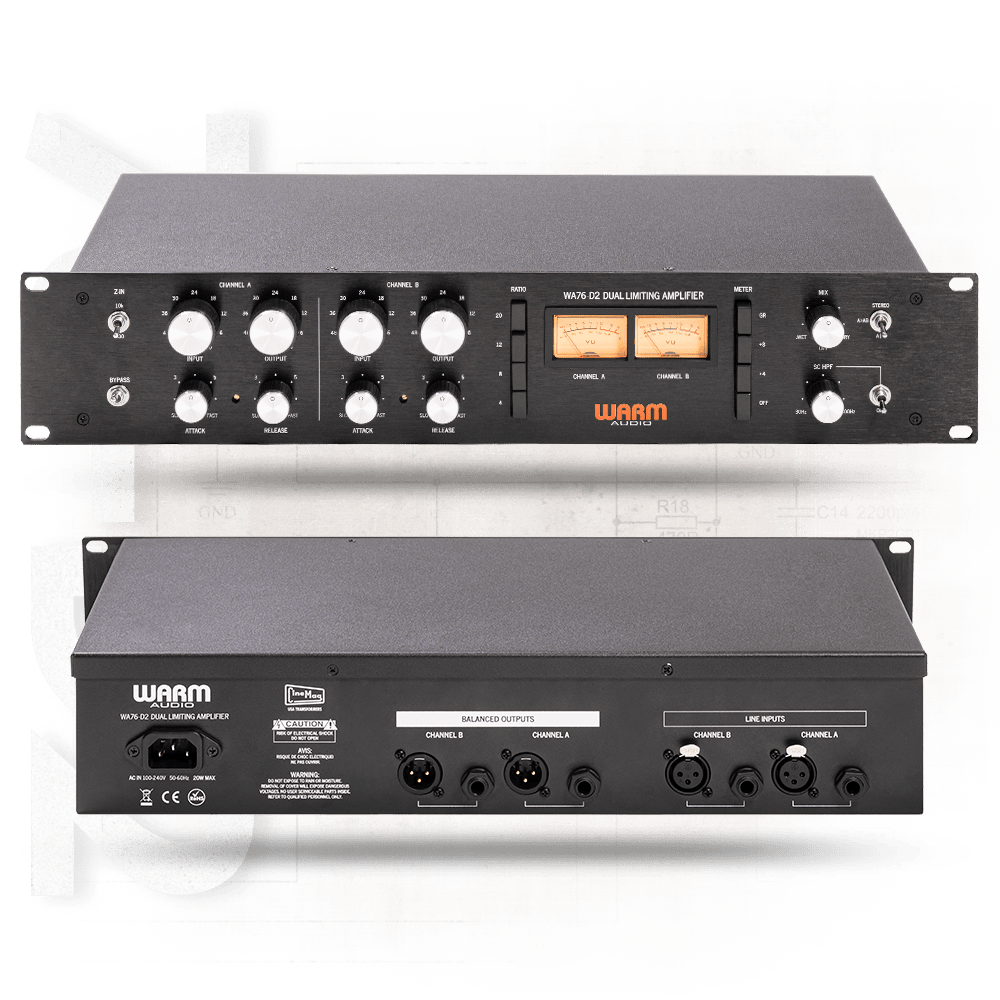
Next up, I’m eyeing the Warm Audio WA76-D2 for a FET compressor. The audio samples sound amazing, but, as always, the biggest hurdle is money… sigh. If a broken one pops up on the secondhand market, I’m jumping on it.

I sometimes wonder if my reviews lean too technical or analytical, but hey, there’s gotta be at least one person out there reviewing stuff like this, right? Haha.

That’s it for today! See you in next post 🙂