Introduction to Soundtoys 5.4 Bundle and Individual Plugins (45% Off, Until Jan 2)

Hello! I’m Jooyoung Kim, a mixing engineer and music producer.

Today, I’d like to introduce the Soundtoys plugins, which are currently on sale during the end-of-year discounts following Black Friday.

This post isn’t sponsored; I purchased these plugins on my own in the past. However, I’ve received considerable support from Plugin Boutique, so all the links in this post direct to their website. Your understanding is appreciated!

Also, if you make a purchase through these links, I’ll receive a small commission, which greatly helps me keep doing what I love.

Let’s get started!

Soundtoys specializes in plugins that excel in coloration, delay, and modulation.

The Soundtoys 5 Bundle includes a total of 21 plugins. Since there’s a lot to cover, I’ll summarize the list in a table:

Plugin NameRoleDescription
SuperPlateReverbRecreates tones of 5 classic plate reverbs, delivering rich and expansive reverb effects.
DecapitatorDistortion/SaturationHardware-modeled saturation and distortion effects that add bold character to your mix.
EchoBoyEcho/DelayEmulates a variety of vintage echo units, providing warm and rich delay effects for vocals and instruments.
Little AlterBoyPitch/Formant ModulationOffers vocal pitch shifting, hard-tune effects, and robotic voice modulation.
CrystallizerPitch/Granular DelayEnables creative sound design with pitch-shifted and reversed granular delay.
PrimalTapRetro DelayRetro-style dual delay with lo-fi looping and warp effects.
Devil-Loc DeluxeCompressor/DistortionDelivers aggressive drum compression and distortion effects.
RadiatorTube Saturation/EQVintage tube preamp style for warm tones and rich harmonics.
MicroShiftVocal WideningProvides classic pitch-shifting and chorusing for vocals and instruments.
Little PlatePlate ReverbA modern take on the classic EMT 140 plate reverb.
PanManAuto-PanningCreates spatial movement with rhythmic auto-panning effects.
TremolatorTremolo/Rhythmic ModulationOffers vintage guitar tremolo and rhythm-based effects.
FilterFreakFilter/ModulationDelivers analog filter sweeps and rhythmic filtering effects.
PhaseMistressPhaserProduces rich phase sweeps with deep analog vibes.
Sie-QEQEmulates the W295b EQ, providing smooth highs and warm lows.
Little RadiatorTube SaturationSimple tube saturation inspired by the vintage Altec 1566a preamp.
Little PrimalTapSimple DelayA straightforward retro delay with looping, warping, and distortion effects.
Little MicroShiftSimple WideningAdds focus and depth with a simplified vocal widening effect.
Devil-LocAudio Level DestroyerSimple yet powerful drum compression and distortion.
EchoBoy Jr.Simple EchoCombines 7 analog echo styles for quick and easy delay effects on vocals and instruments.
Effect RackMulti-EffectCombines all plugins for custom chains and overall mixing control.

For this post, I’ll focus on three standout plugins: Decapitator, Little AlterBoy, and the renowned EchoBoy.


Decapitator
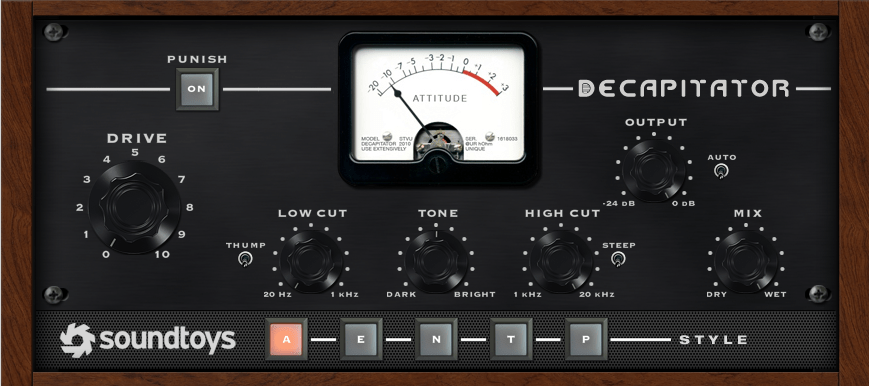
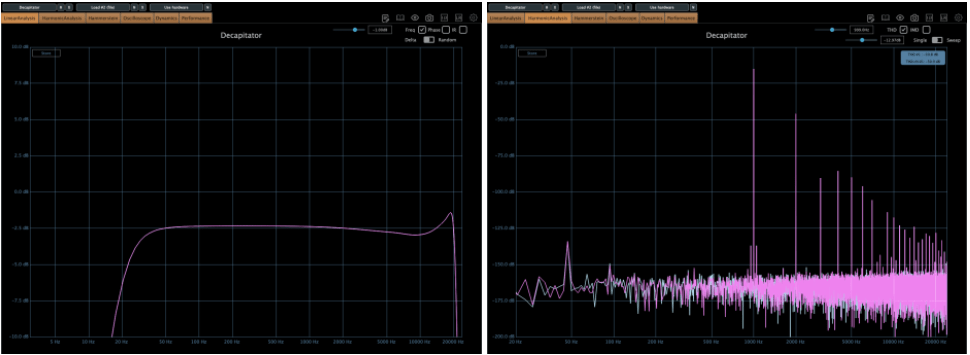
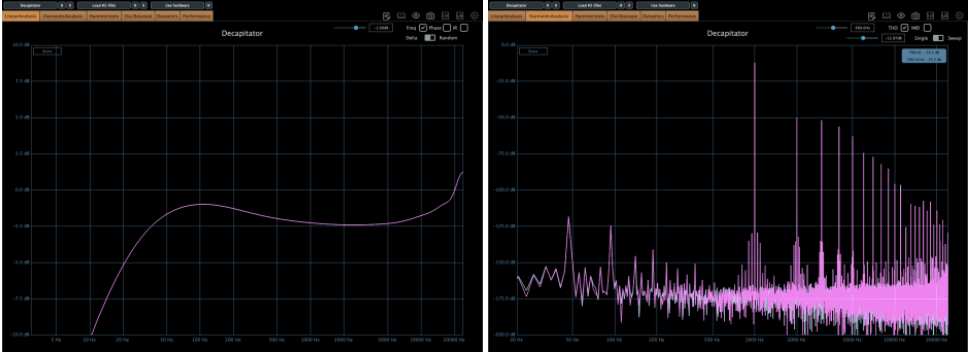
The Decapitator plugin emulates the coloration of five iconic pieces of analog hardware. Its name might sound intimidating (it literally means an executioner who beheads), but it’s perfect for adding aggressive saturation to your tracks.

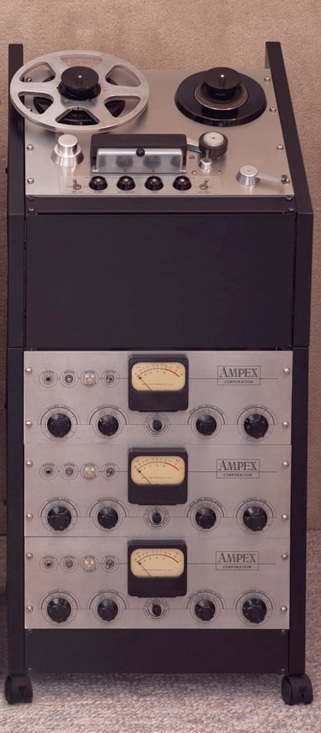
1) A Mode is modeled after the Ampex 350.
2) E Mode (EMI) is based on the Chandler/EMI TG Channel.

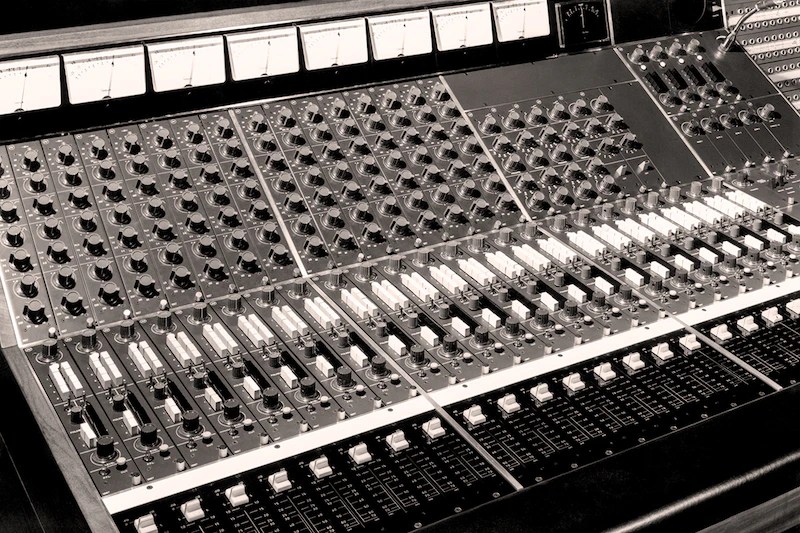
3) N Mode emulates the Neve 1057 Channel.
4) T Mode recreates the Triode (3-tube) saturation of Thermionic Culture’s The Culture Vulture.

5) P Mode replicates the Pentode (5-tube) saturation from the same hardware.
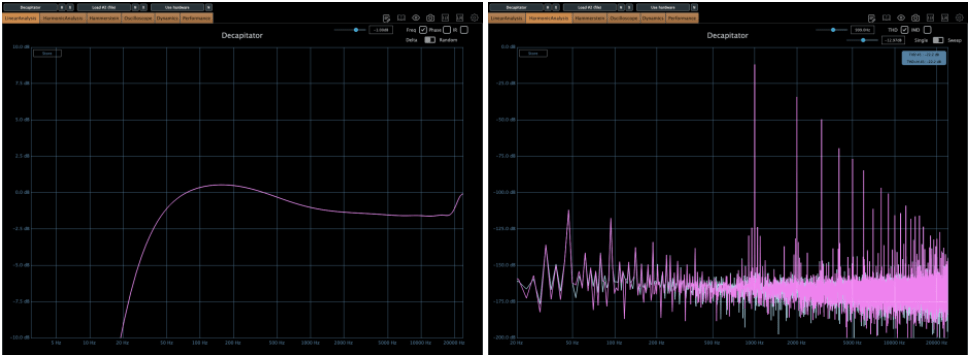
Personally, I often use N or T modes, as their harmonics feel more pronounced to me.

Other key controls:

  • Push: Boosts the input signal.
  • Thump: Slightly boosts the low-end around the high-pass filter.
  • Steep: Sharply cuts the high frequencies.
  • Tone: Acts as a Tilt EQ.

If you want a bold, saturated sound, this is the plugin for you!


Little AlterBoy
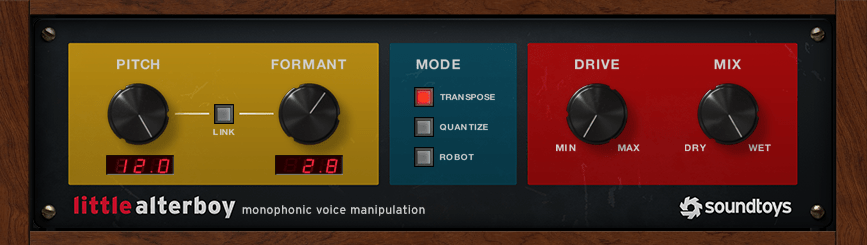
Little AlterBoy is a simple yet powerful pitch modulation plugin.

  • Adjust pitch by semitones from -12 to +12.
  • Modify formant to make the pitch changes sound more natural.

This plugin works best with monophonic instruments like vocals (it doesn’t handle polyphonic material well).

Modes:

  • Transpose: Standard pitch shifting.
  • Quantize: Snaps the pitch to the nearest chromatic note.
  • Robot: Fixes the pitch to a single note (e.g., C at +0, C# at +1, etc.).

I often use this plugin to add an octave effect to lead melodies by sending the signal through Little AlterBoy.

  • For higher pitches: Set Pitch to +12 and Formant between 2 and 3.5.
  • For lower pitches: Set Pitch to -12 and Formant between -2 and -3.5.

Adjust the Formant settings by ear for the best results!


EchoBoy
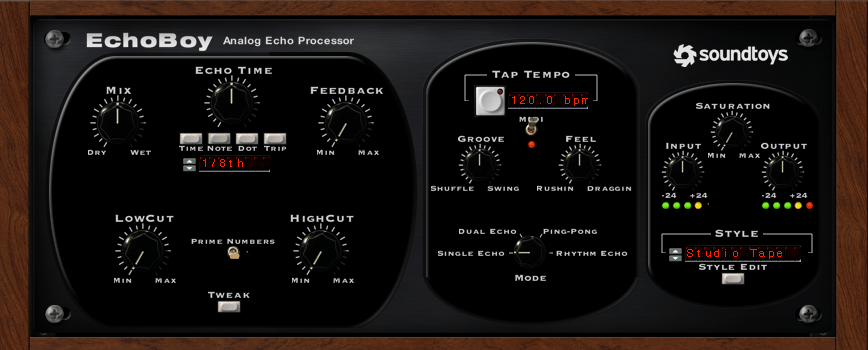
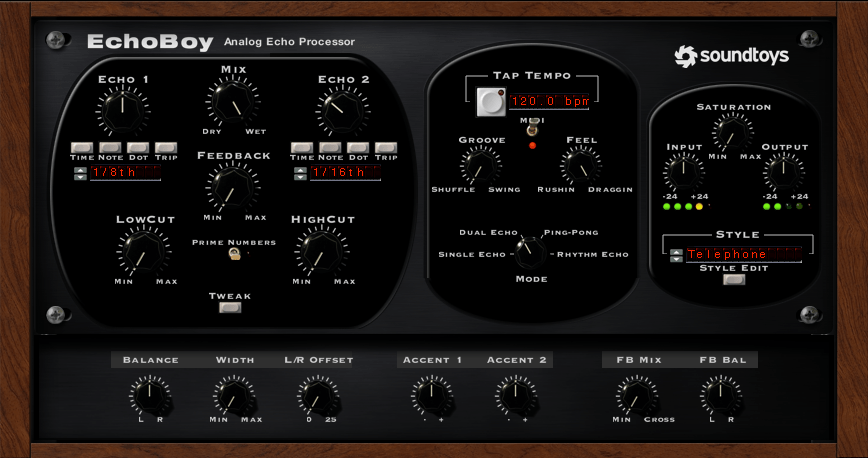
EchoBoy is an all-in-one delay plugin loaded with options.

It offers:

  • Simple single delays
  • Dual delays
  • Ping Pong delays
  • Rhythm Echo and more

The Style menu provides a variety of delay textures, and the Tweak section allows further parameter adjustments.
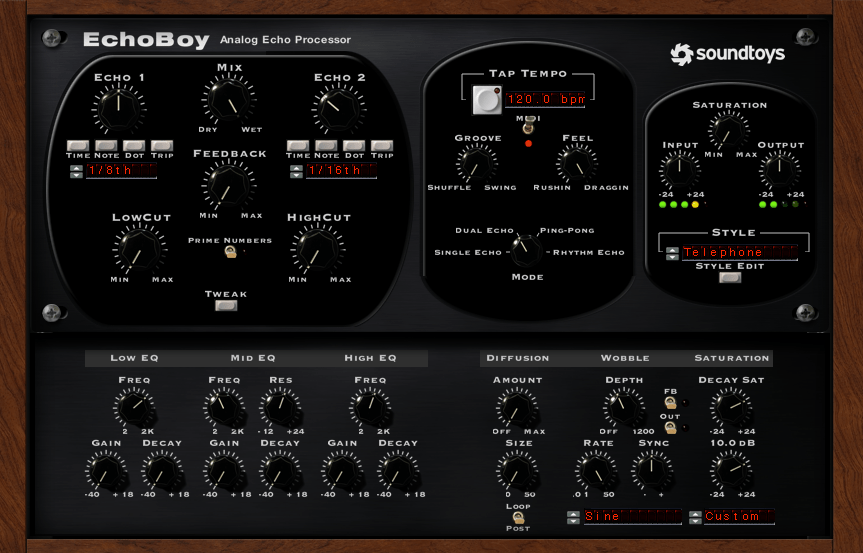
Finally, the Style Edit menu lets you fine-tune the output characteristics of the selected delay style.

It’s no wonder EchoBoy is often called the ultimate delay plugin!


Conclusion

This was a quick overview of the Soundtoys bundle.

If you’re considering just a few plugins, I highly recommend Decapitator and Little AlterBoy. Try the demos first and grab them during the sale if they suit your needs!

See you in the next post! 😊

I Released a New Song After a Long Time… The Tremor

Hello! I’m Jooyoung Kim, a mixing engineer and music producer.

I always introduce myself as a singer-songwriter, but honestly, I’ve been working as an engineer so much that I sometimes question whether calling myself a singer-songwriter is still accurate. 😅

That said, I finally released a new song after what feels like forever!

It took way longer than expected… haha. Doesn’t my outfit look a bit chilly? This was filmed in mid-October, and it was still slightly warm back then. But I got so busy in the meantime that everything kept getting delayed until it was freezing winter.


The song itself was actually written late last year. Yes… this too got pushed back, as you might have guessed.

I remember coming up with the idea after I left my job at Forest Record. I was feeling a bit deflated, like a balloon losing its air. Around that time, I applied to graduate school at Sangmyung University.

I spent an entire day playing a simple guitar chord progression and thought to myself, “Right, this is the sound that made me fall in love with music in the first place. Let’s cheer up and get back to it.” And that’s how this song was born.


Thankfully, my song was featured on the front page of the Latest Music section on Korea’s streaming platform, Bugs.

It was also showcased by 821 Sound, where I had it mastered.

I’ve always been a fan of Director Namwoo Kwon’s mastering work—it suits my taste perfectly every time.


These days, I sometimes feel like releasing my own music is just a form of self-satisfaction. Of course, it’s exactly this kind of satisfaction that motivates me to keep making songs.

As time goes on, I find myself letting go of my ego little by little and viewing things from a broader perspective.

This winter, I’m planning to write another book, wrap up my overseas research papers, and submit them for publication.

Let’s keep striving forward!

See you in the next post. 😊

Using BFD3 Virtual Drums: Features, Expansion Packs, and Year-End Sale (~50% Off, Until 12/31)

Hello! I’m Jooyoung Kim, a mixing engineer and music producer.

In my last post, I briefly mentioned submitting a short paper to a domestic academic journal.

Since I plan to continue participating in academic activities, I paid the lifetime membership fee, along with submission and publication fees. Let’s just say—it adds up! 😅

In the future, I’d like to continue publishing papers as a hobby, but I might need to look into funding options. My position is quite unique, and I don’t know anyone else doing this kind of work, so there’s not much guidance available. Regardless, I’m determined to push through!

If the peer review goes well, the journal issues quarterly publications, so I expect it to come out around March. Once it’s published, I’ll share the insights here, as they’ll be useful for engineers and producers alike.

Now, let’s dive into today’s topic: BFD3, my go-to acoustic drum virtual instrument, and its features, expansions, and year-end sales!


Support This Blog!

If you purchase through the links below, I receive a small commission, which helps me tremendously.

It doesn’t cost you anything extra compared to searching directly on Plugin Boutique, so if you find this guide useful and plan to buy, I’d greatly appreciate your support!


Overview of BFD3

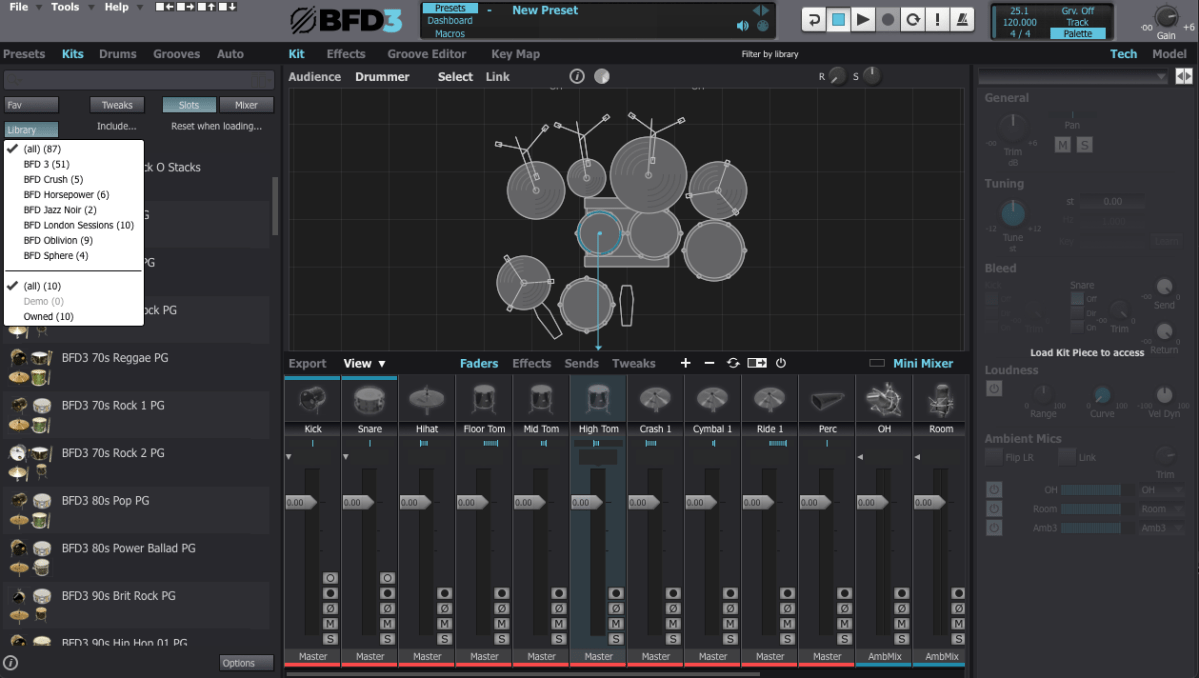
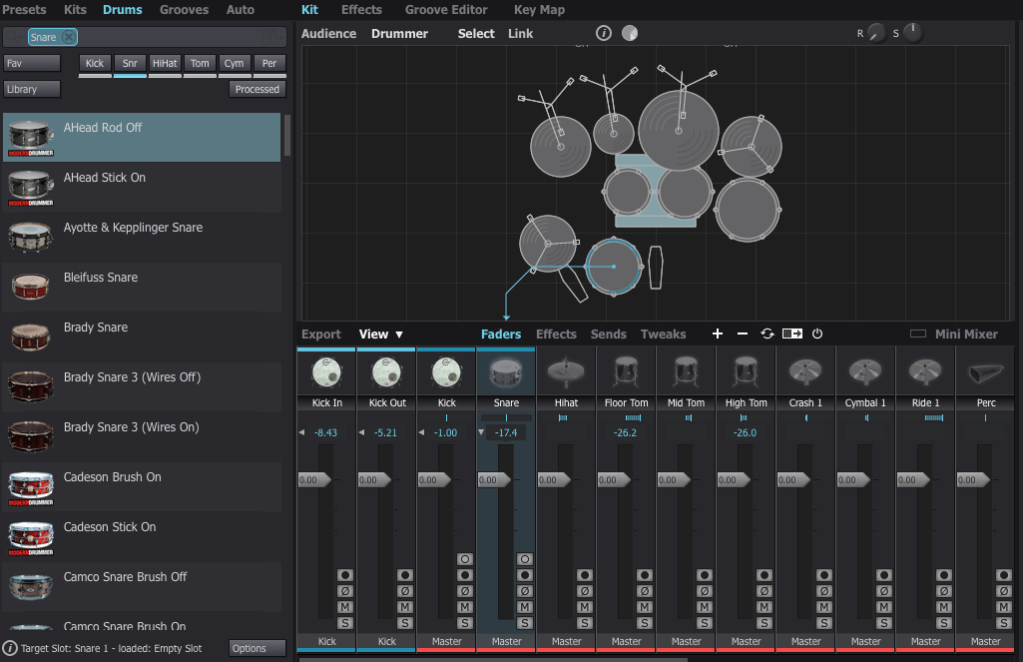
When you first open BFD3, it can feel overwhelming. The interface can be broadly divided into Left Panel, Center Panel, and Right Panel. Let’s break it down step by step.

Left Panel Features

  • Presets: Ready-made setups with pre-configured grooves and drum kits.
  • Kits: Entire drum kits without grooves.
  • Drums: Allows selection of individual drum instruments.
  • Grooves: Built-in MIDI patterns for playback.
  • Auto: Automates parameters via MIDI CC mapping.

I personally prefer selecting individual drums from the Drums menu to create a custom setup tailored to each song.


Center Panel Features

The Center Panel provides a visual representation of your drum kit and its settings.

  • Select any drum instrument by clicking on it, and swap it out from the available options.
  • Add or remove instruments from your kit using the right-click menu.

For effects, BFD3 has built-in tools, but I usually handle effects within my DAW, so I rarely use the internal effects or sends.


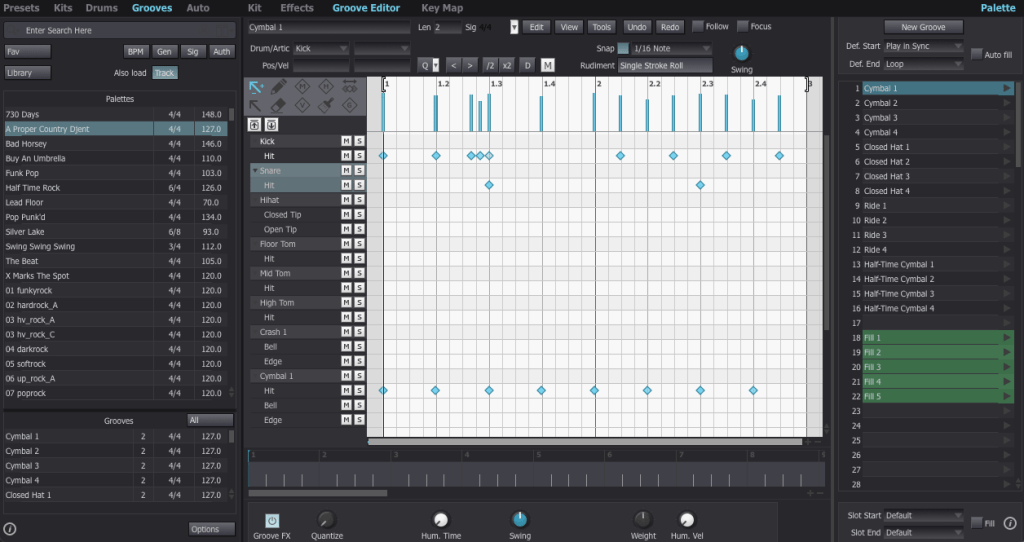
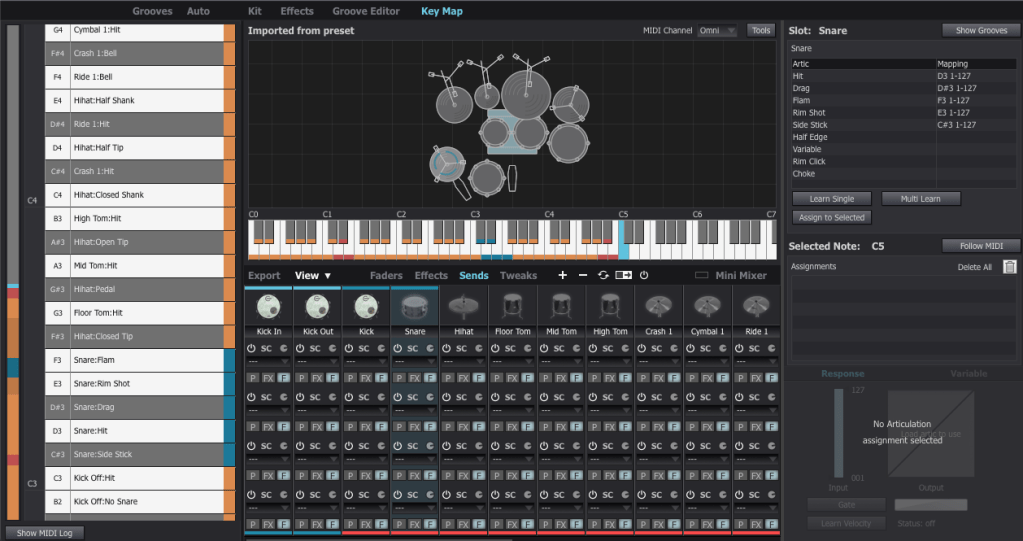
Groove Editor & Key Mapping

The Groove Editor lets you view, modify, or drag MIDI grooves into your DAW.

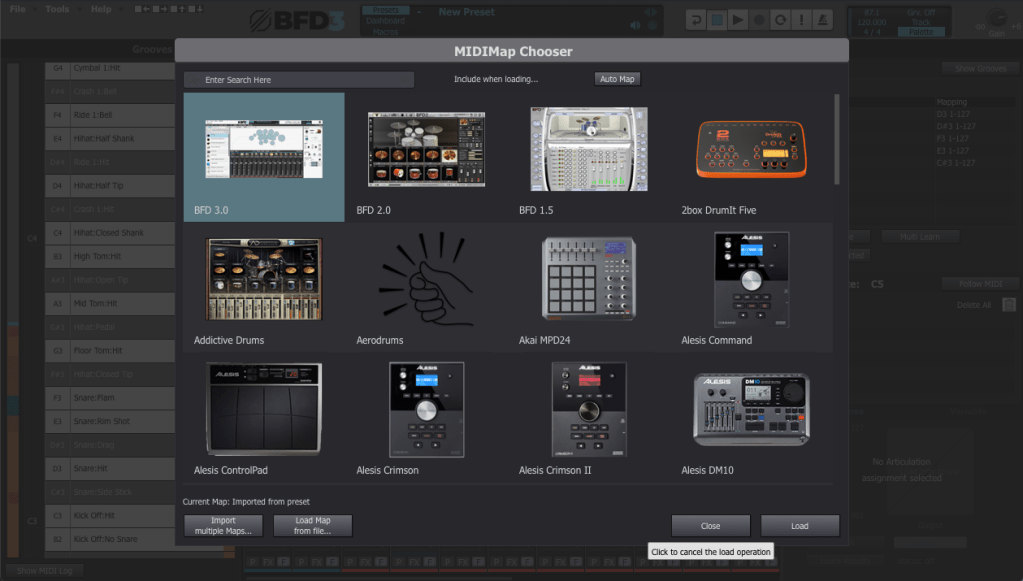
For drum mapping, I use the BFD2 GM-compatible Key Map, which was recommended by my mentor. You can load it via File > Load Key Map.


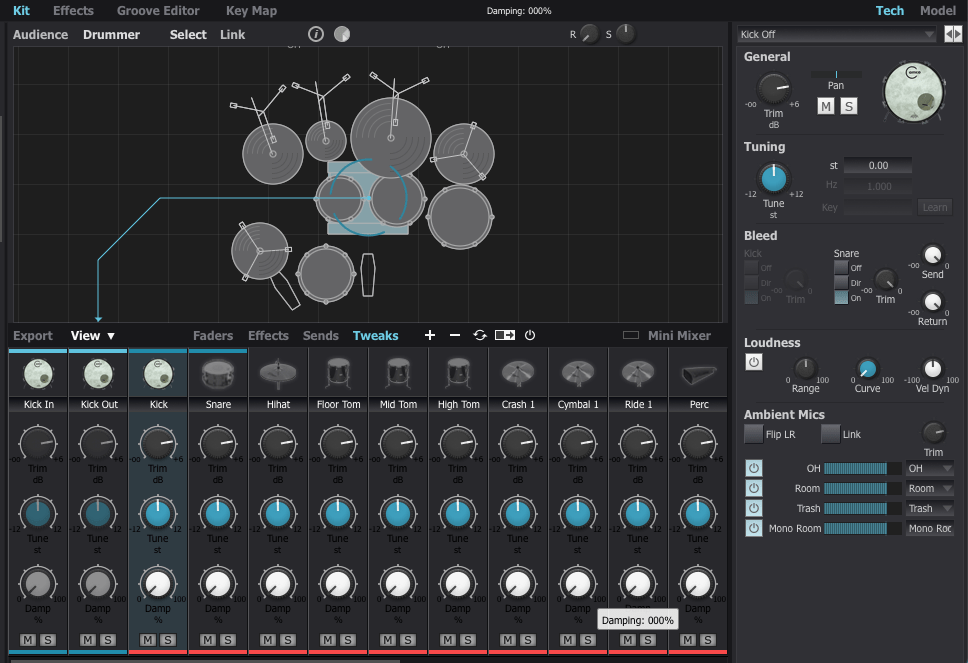
Mixer and Track Settings

The Tweaks, Tech, and Model sections are critical for fine-tuning drum tones.

  1. Tune: Adjust pitch to match your track’s key (e.g., align the kick with the tonic or dominant of the song).
  2. Damp: Control the release for each drum part.

Compression affects perceived release times, so apply it before adjusting.

To route individual instruments to separate outputs, assign them to specific channels in the mixer.


Exporting (Bounce) Process

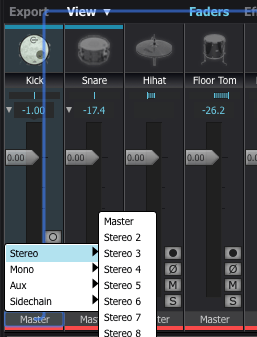
This part can be a bit tedious. If you don’t set the output to Master in the mixer window, the export often doesn’t work properly.

To solve this, I usually duplicate the track settings and reset everything to Master output.

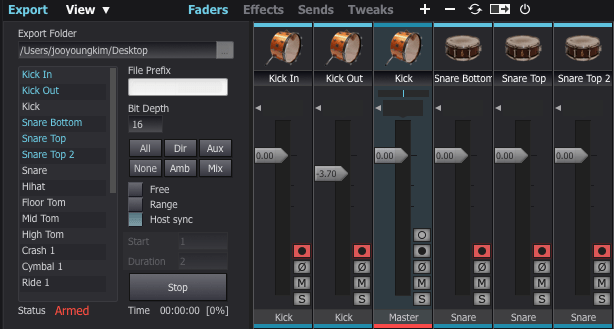
Next, enable the record buttons for the desired tracks in the mixer window. Then, click Export on the bottom left, choose your preferred bit depth, enable Host Sync, and hit the record button to start exporting.

Once you play back from the beginning, it records the drum track as if it were a live session, outputting a WAV file. And voilà—your drum track is ready for mixing!


Recommended Expansion Packs

The default pack in BFD3 is a bit limited in variety, making it less versatile for different styles of music. I initially purchased expansions like Crush, Horsepower, Jazz Noir, Metal Snares, and Oblivion during a major sale last year. However, some of the kits, especially snares, left me wanting more.

For this review, I collaborated with Plugin Boutique, who generously provided three fantastic expansions: London Sessions, Modern Drummer Snare Selects, and Sphere. Here’s my take on each:


1) London Sessions

As you can see from the library photo above, London Sessions offers a massive collection of kits (around 50GB) and includes various brands. This makes it highly versatile for different genres.

If you’re considering buying an expansion, this is the one I recommend starting with.

The sound quality is excellent, as you can hear here. After testing it myself, I found it to be a highly satisfying expansion.


2) Modern Drummer Snare Selects

This pack features 12 iconic snares handpicked by Modern Drummer Magazine. If you’ve ever used BFD3, you might have struggled to find the perfect snare, just like I did.

The stock snares in BFD3 didn’t quite meet my expectations. Even with my other snares, it was rare to find one that truly stood out. I often resorted to building my snares from scratch or using a sampler.

If you’ve faced similar challenges, this expansion will likely solve most of your snare-related frustrations.


3) Sphere

This expansion focuses on rock and metal genres, featuring DW/Vibe kicks and toms, and Ludwig’s Black Beauty Snare. The sounds in this pack tend to have shorter releases and punchier attacks, making it ideal for heavier music styles.

It’s somewhat similar to expansions like Oblivion (not the Skyrim game!) or Crush, but I personally found the sound quality to be superior. If you’re into those genres, this pack is a solid choice.


With that, we’ve come to the end of this guide on BFD3 usage and expansion recommendations.

BFD3 is a virtual drum instrument I highly recommend. While its learning curve is steep, the quality of its sound is exceptional when used correctly.

If you’re planning a year-end purchase, consider getting BFD3 bundled with London Sessions. It’s possibly the best value you can get for acoustic drum software.

See you in the next post! 😊
Record Before Modifying the Stam Audio SA-2A

Hello, this is Jooyoung Kim, mixing engineer and music producer.
Until a few days ago, I was planning to sell my Stam Audio SA-2A second-hand and purchase a product from a Japanese brand.

However, it didn’t sell easily, and with the sudden rise in the Japanese yen… So, I decided to modify the unit myself instead of selling it.


Identifying the Problems

Here are the issues I identified with the SA-2A:

  1. Dissatisfying Sound
    • Excessive saturation and dull highs give the audio a muffled feel.
  2. Gain Parameter Adjustment
    • The output volume only matches the original level when the Gain knob is significantly reduced.
  3. Peak Reduction Sensitivity
    • Compression only activates when the Peak Reduction is turned up considerably.
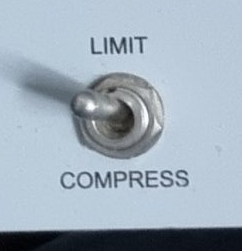
  4. Limit and Compress Switch
    • The switch works in reverse.

Initial Steps in Modification

Addressing Problems #2 and #3

  • Inside the unit, I found a variable resistor labeled A100K.
    • This logarithmic resistor seemed unresponsive at lower ranges.
    • However, since we perceive audio in dB, it made sense to use a logarithmic curve for the Gain control.
  • I decided to replace:
    • Peak Reduction with a B100K (linear) resistor (ideally A200K, but it was unavailable).
    • Gain with a lower resistance A50K resistor.

I placed the order for these parts and will replace them soon.


Fixing Problem #4

  • The Limit/Compress switch was simple to resolve—just unscrewed it and rotated it half a turn.

Investigating Sound Quality Issues

The core problem remained the sound quality. After extensive research:

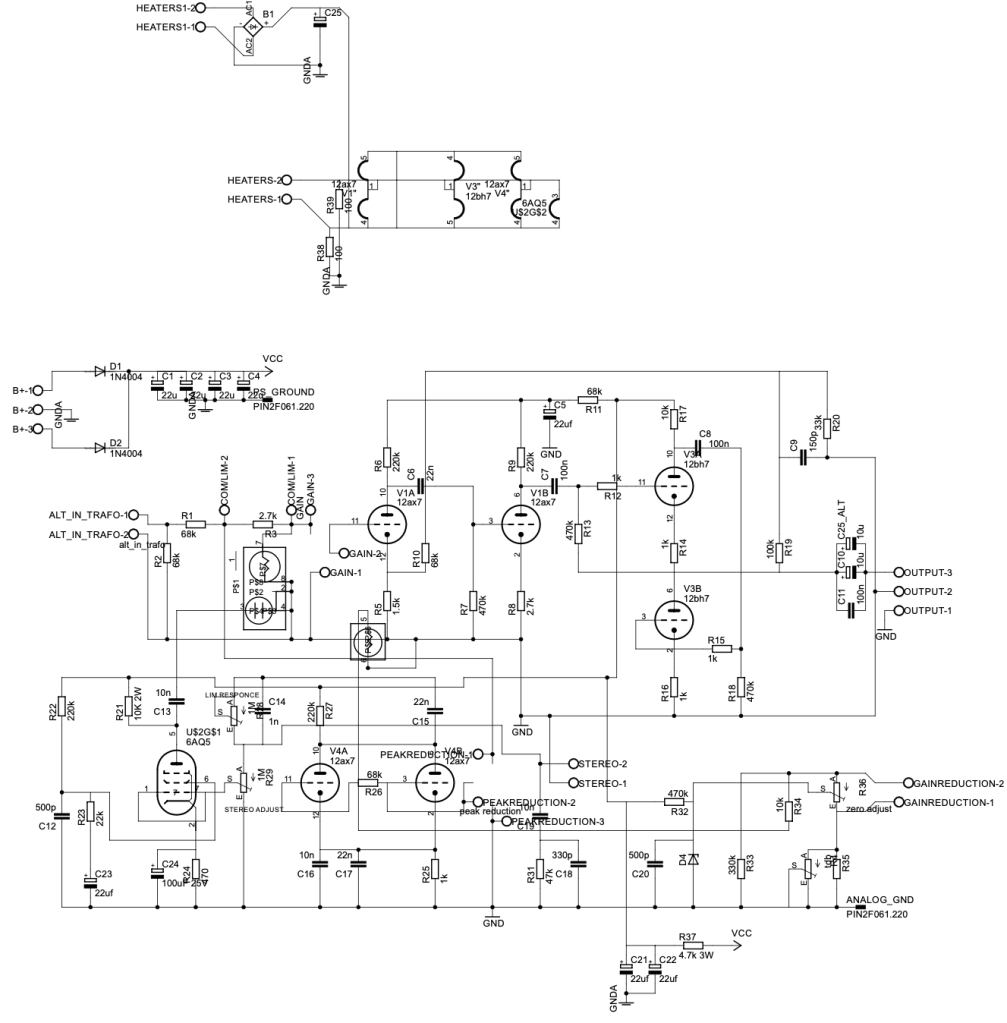
  • I contacted Stam Audio for the circuit diagrams.
  • I emailed Cinemag, the transformer manufacturer, to get specifications for the input/output transformers:
    • Input: Cinemag CM-5722, winding ratio 1:5.
    • Output: Cinemag CM-2570, winding ratio (18:2):1 = 9:1.

While considering transformer replacements (e.g., Sowter), I found several insights:

  1. Cinemag’s CM-5722 input transformer is already highly rated and doesn’t need replacement.
  2. Discussions on Gear Space suggested that tubes or the T4 cell impact the sound more than transformers.
  3. A post from 2016 or 2017 on Gear Space mentioned that replacing a single input tube can significantly improve sound.
  4. A YouTube video comparing various 12AX7 tubes on a Marshall amp highlighted sound differences between tube brands.

From this, I concluded that the JJ Electronics 12AX7 (ECC83) used in the V1 position is likely the main culprit behind the sound I dislike.

Based on the video, the JJ Electronics tube produced a tone that immediately felt off to me.


Planned Tube Replacements

I decided to replace:

  • V1 Tube: JJ Electronics ECC83 with Mullard 12AX7, a sound I much prefer.
  • V4 Tube: JJ Electronics ECC83 with another Mullard 12AX7 for consistency.

However, due to unexpected expenses this month (e.g., AES membership fees, domestic conference fees, paper review fees, and repairs for another compressor), I’ll postpone the tube replacement until next month.


Side Discovery: DIY Compressors

While researching, I stumbled across a site selling DIY cases and PCBs.

https://collectivecases.com/

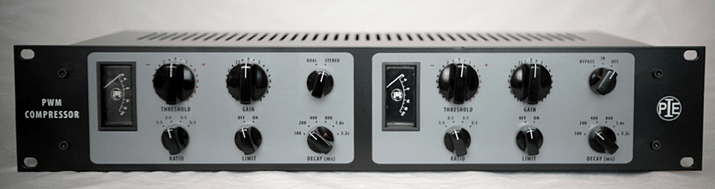
While there are plenty of LA-2A clones on the market, the PYE compressor clone caught my eye.

  • PWM-based compressors are rare, and even the clones are scarce.
  • The original units are prohibitively expensive.

Although the schematics look complex and sourcing components would require significant time and money, I feel deeply drawn to this project. Maybe someday, with enough budget, I’ll take it on.


For now, this concludes my record of the SA-2A before modification. Once I replace the tubes and complete further changes, I’ll share my experiences and the sound improvements in a follow-up post.

See you in the next update! 😊