Basics of Mixing – 7.2 The History of Delay

Hello, I’m mixing engineer and music producer Jooyoung Kim. Last week, I had so much to write about for the blog that I had to skip a week..;;

Today, I’d like to talk about the history of delay. Shall we get started?

Analog Delay

Like most effects, delay began in the analog realm, using tape to repeatedly play back the original sound.

The first person to use delay in music was Les Paul. If you listen to “How High the Moon,” you can hear the early sounds of tape delay.
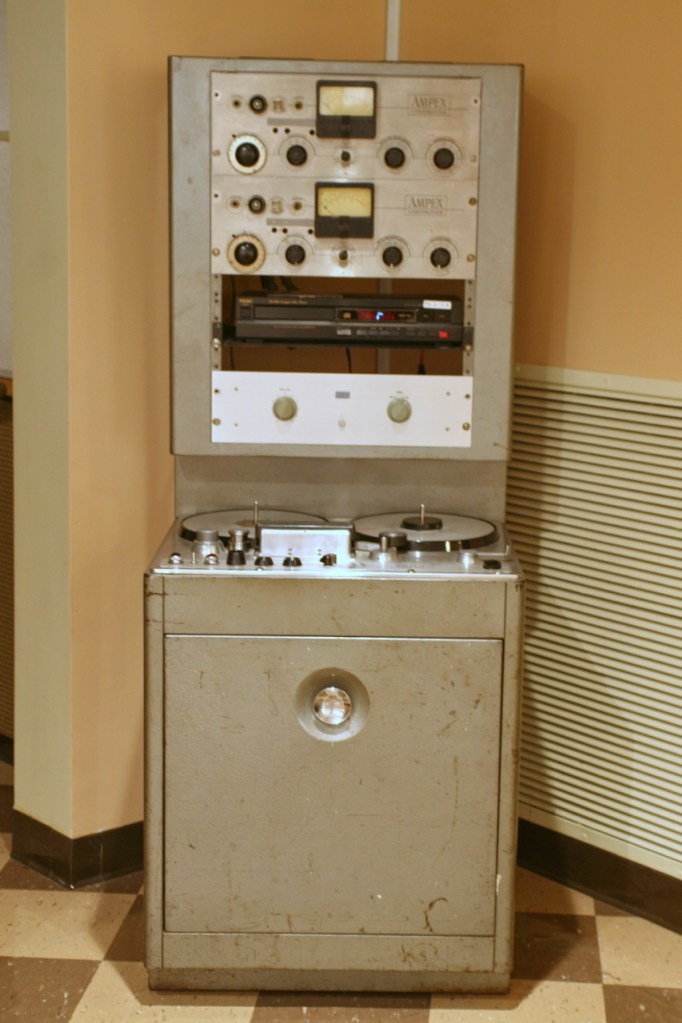
Ampex 300 Model

Another notable figure who used delay was Sam Phillips, the founder of Sun Records. He produced Elvis Presley’s tracks using two Ampex 350 tape recorders to create the delay effect.

(Though it doesn’t actually include tape, Warm Audio recently released a replica of this with the WA-MPX!)

The first commercial product featuring delay was the EchoSonic, a guitar amp with built-in tape delay.

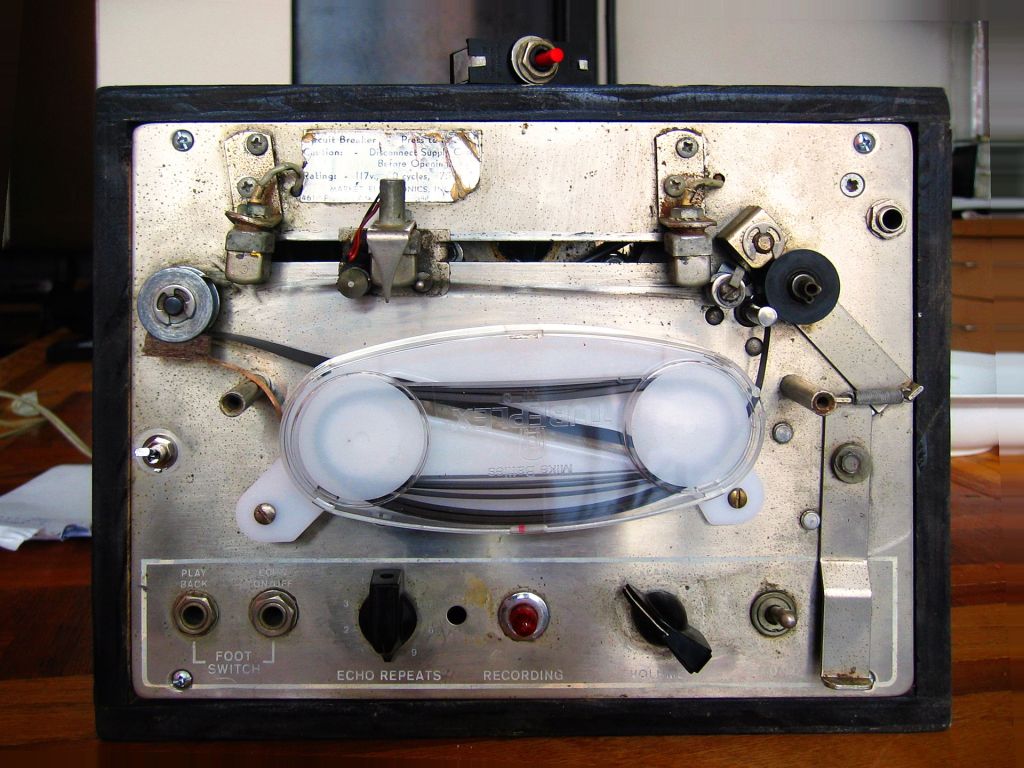
Among commercially famous delays that focused solely on the effect was the Echoplex.

For guitarists, the Roland Space Echo RE-201 is likely the most well-known tape delay. It used multiple playback heads to create a more sophisticated delay effect.

Next came the Oil Can Delay.
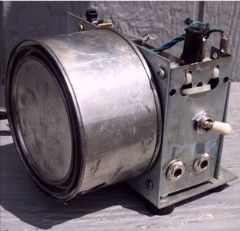
Oil Can Delay worked by storing and replaying signals as magnetic patterns on the side of a can through electromagnetic induction. The can was filled with a high-dielectric oil to keep the signal intact for longer periods, hence the name Oil Can Delay.

Following that, the Echorec was introduced, which utilized a Magnetic Drum for delay.

Urei, the precursor to Universal Audio, created the Cooper Time Delay, which used a long tube to produce the delay.

With the advent of Solid State technology, Philips developed the Bucket Brigade Device (BBD), a discrete analog delay device that led to the creation of various delay units.

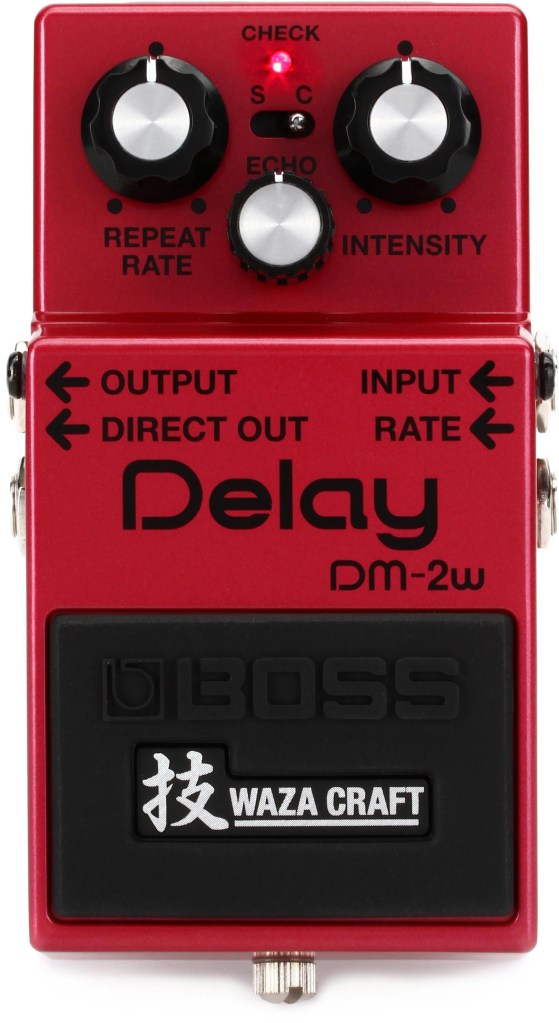
Examples of BBD delays include the Electro-Harmonix Memory Man and the Boss DM-2 Delay.

Digital Delay
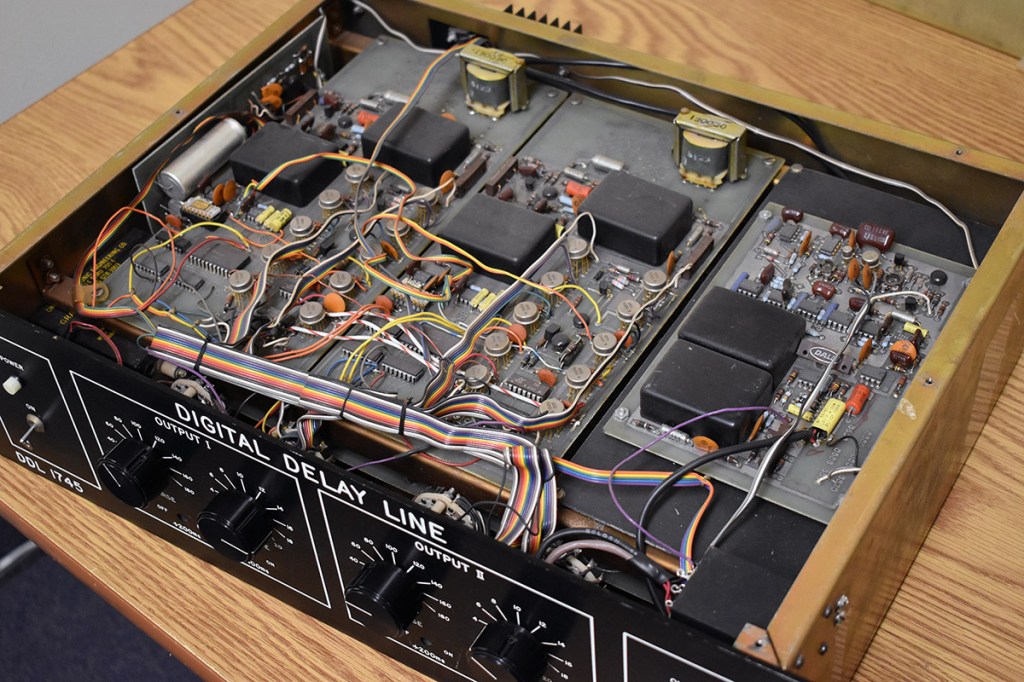
The earliest digital delays were introduced for studio and film effects. The first digital delay was the Eventide DDL 1745, which was released in 1972 for an astounding $3800.. quite pricey!

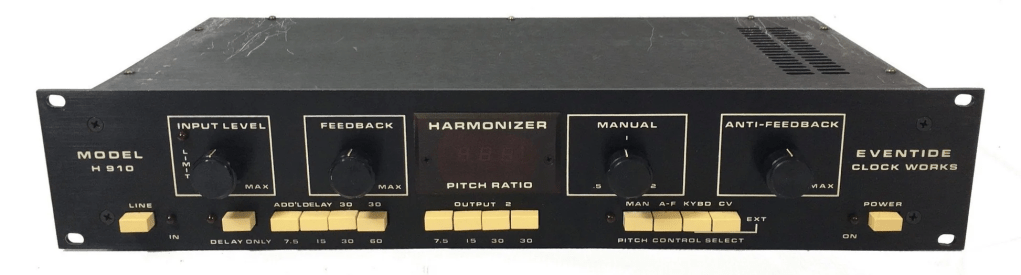
Subsequent models included the Lexicon PCM 41 and Eventide’s Model H910, which came packed with multiple effects.
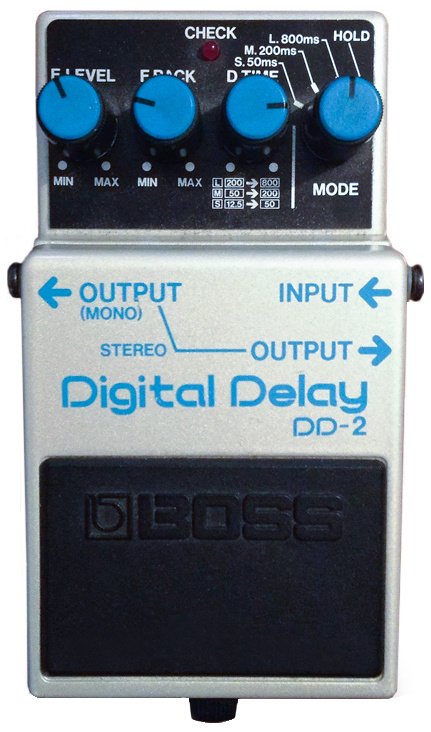
The first digital delay pedal was the Boss DD-2, marking the transition to computer-based delays.

Well, that wasn’t much, was it? History is simple when you look at it this way. The key takeaways are:

  1. Vintage analog delays were saturated based on the medium they used. (Tape, Oil Can, BBD, etc.)
  2. Early digital delays had low sample rates due to computational limitations, resulting in rolled-off high frequencies.

Remembering these two points should suffice. Ultimately, this explains why modern basic plugins don’t capture the vintage delay feel.

I’ll see you in the next post~:)

Output Movement Rhythm Engine 50% Off (Until 8/16)

Hello, I’m mixing engineer and music producer Jooyoung Kim.

Today, I’m excited to introduce you to Output’s Movement plugin, a tool designed for creating dynamic rhythms.

As with my previous posts on Output products, this plugin was provided by Plugin Boutique under Not for Resale conditions, enabling me to write this review.

Let’s dive right in!

If you’re seeing this plugin for the first time, it might seem a bit overwhelming. To summarize the concept of Movement:

  1. It separates sounds in parallel,
  2. Modulates various parameters through signals like Step Sequencers, LFOs, and Sidechain,
  3. And then combines the sounds back together.

This plugin is particularly specialized in rhythmic modulation, which is why it’s marketed as a Powerful Rhythm Engine.

Now, let’s break down its features one by one.

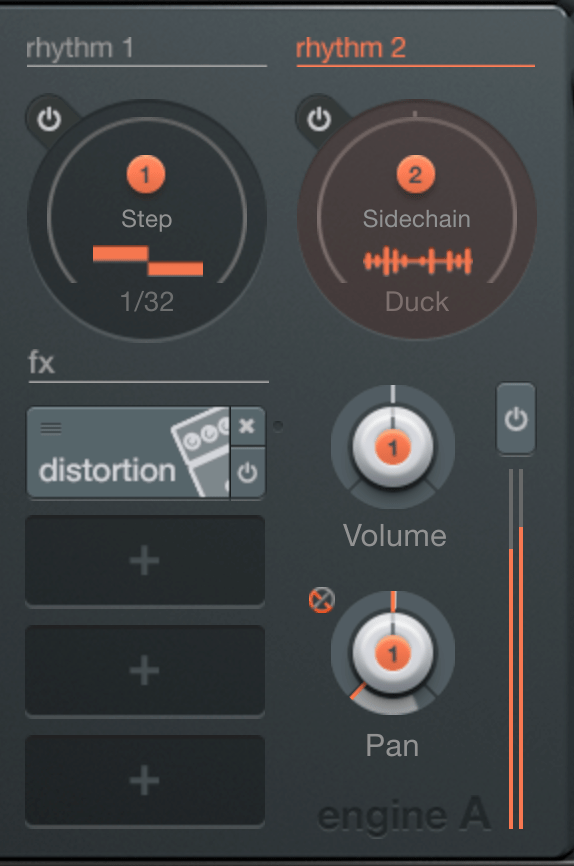
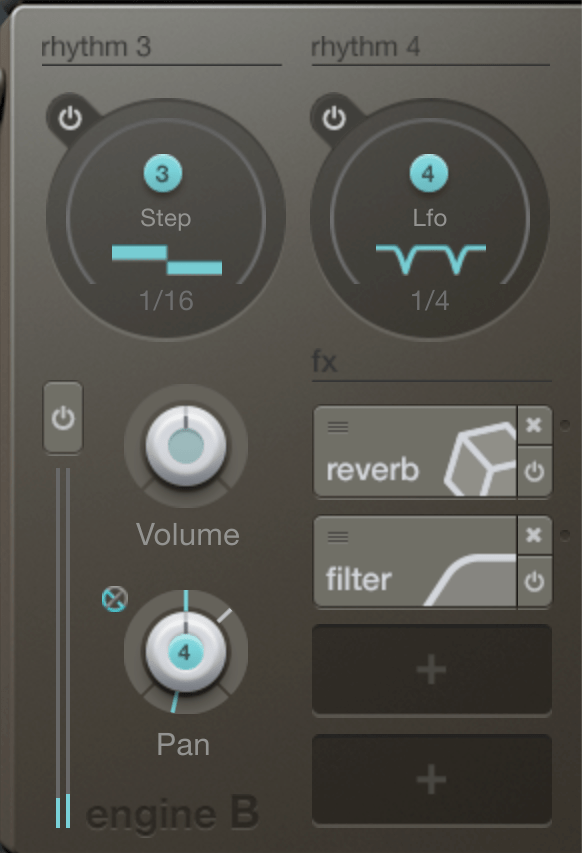
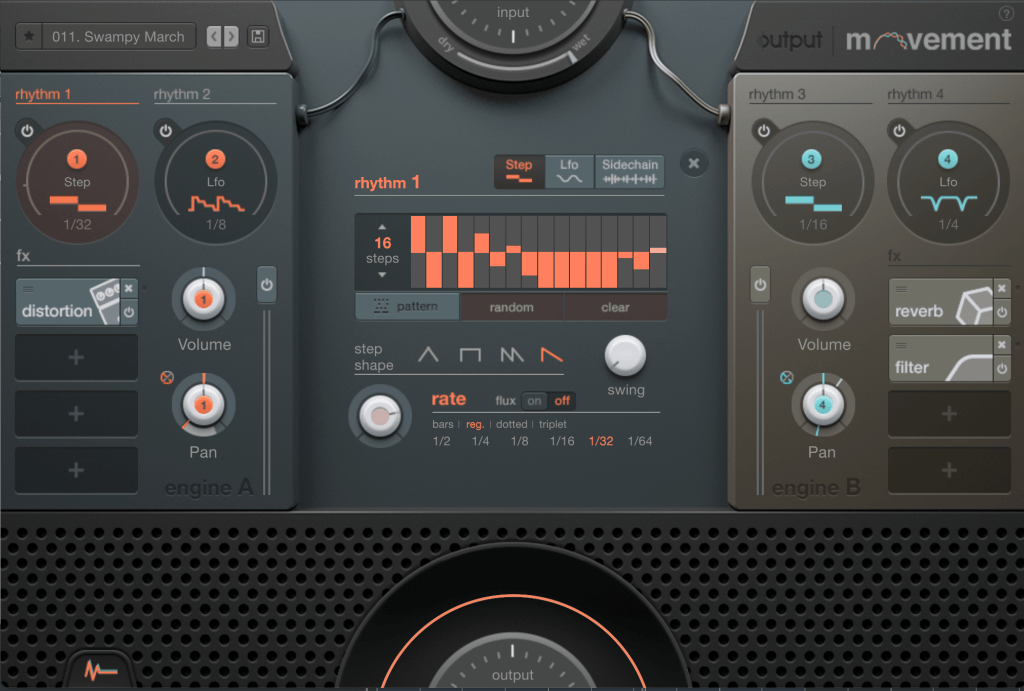
First, you’ll notice Engine A and B on either side, where you can adjust each engine’s volume and pan values. Above the engines is the rhythm section responsible for modulation. Let’s start from there.

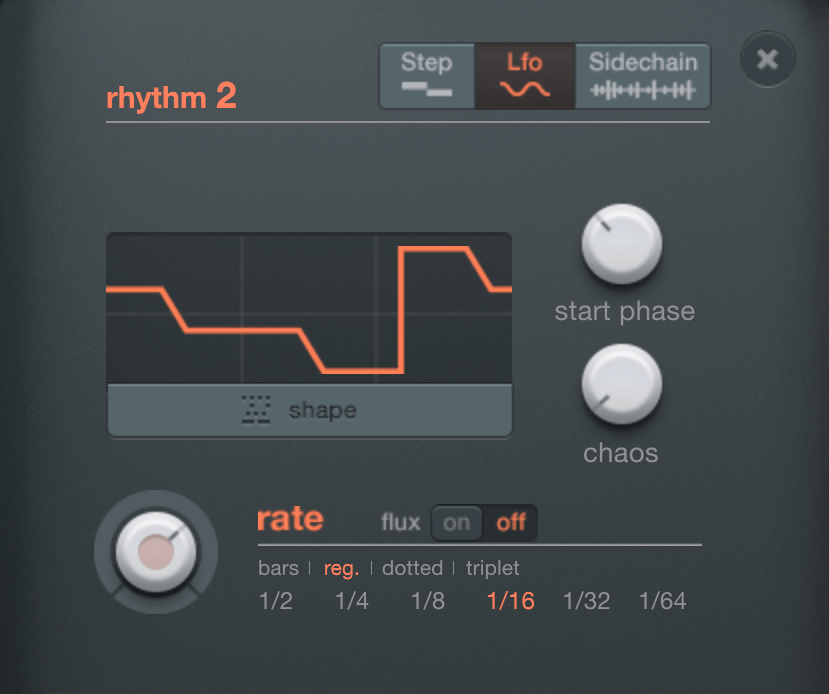
The rhythm section allows you to choose between Step, LFO, and Sidechain.

When Step is selected, you can create up to 32 steps.

You can manually create steps, generate them randomly, or choose from presets. You can adjust the shape and swing of the steps, and determine how often the steps change through the Rate setting.

LFOs work similarly. You choose a shape from the shape presets, select the starting phase, and use the Chaos function to set the amplitude randomly, which creates a unique sound that is both unpredictable yet rhythmic.

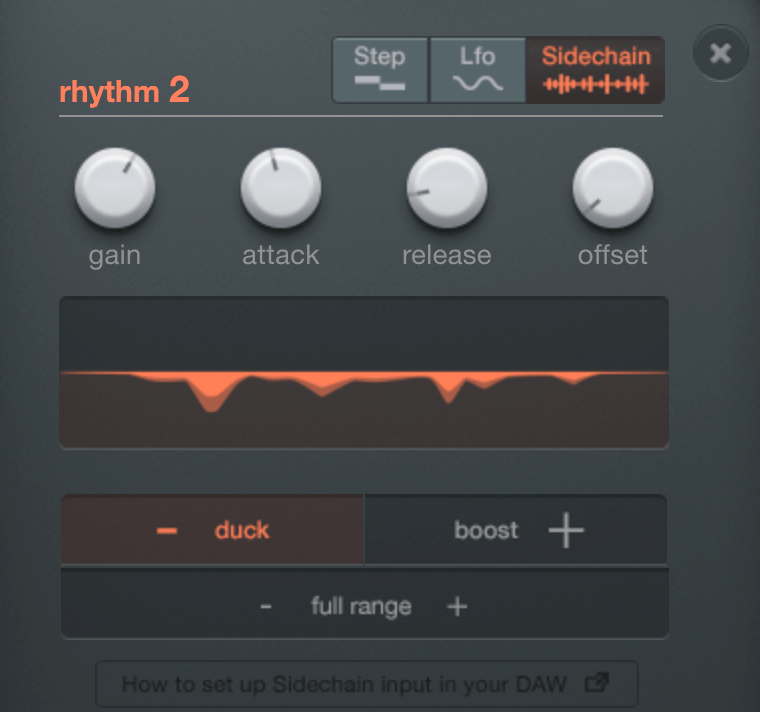
Sidechain is exactly what it sounds like! You can use external audio signals as triggers for modulation.

By placing the rhythm section’s number buttons on a knob, you can modulate that knob according to the selected rhythm value. Right-clicking on the knob allows you to access a modulation window where you can adjust how much it modulates based on the x-y axis movement.

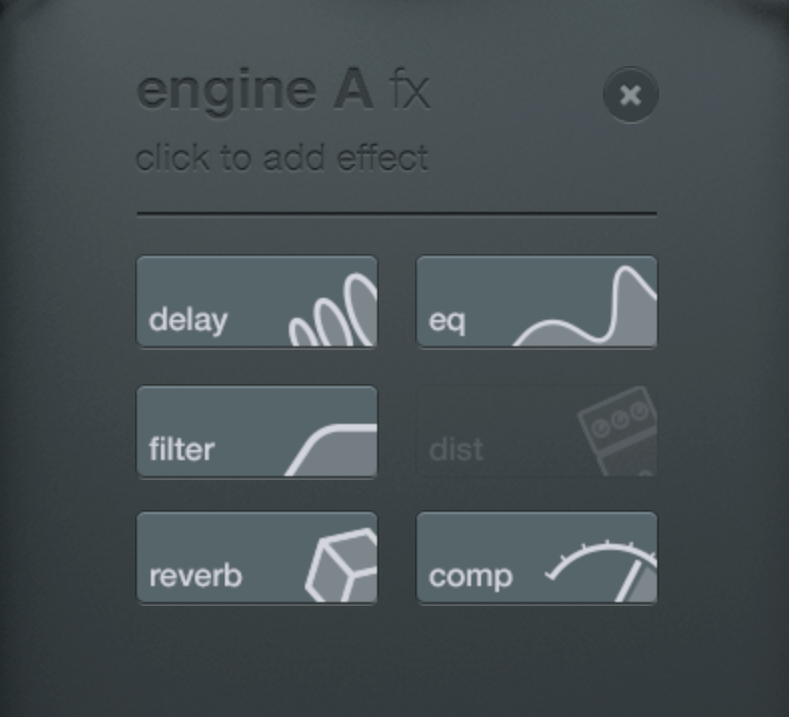
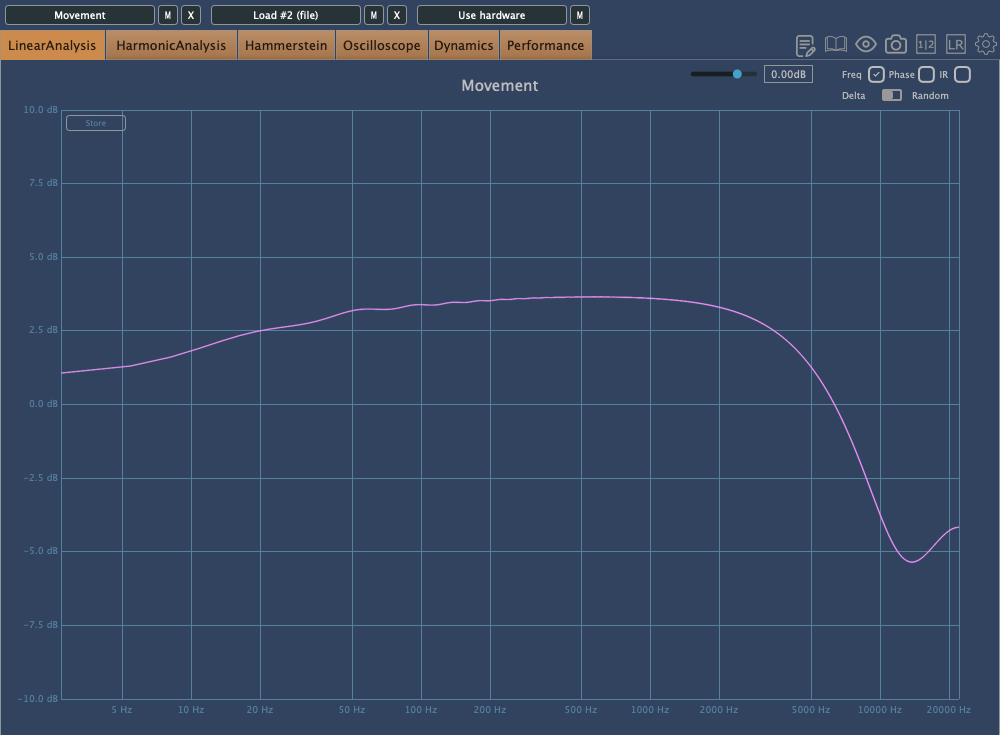
You can choose up to six FX to apply. I analyzed Comp, EQ, and Distortion in particular.

Comp

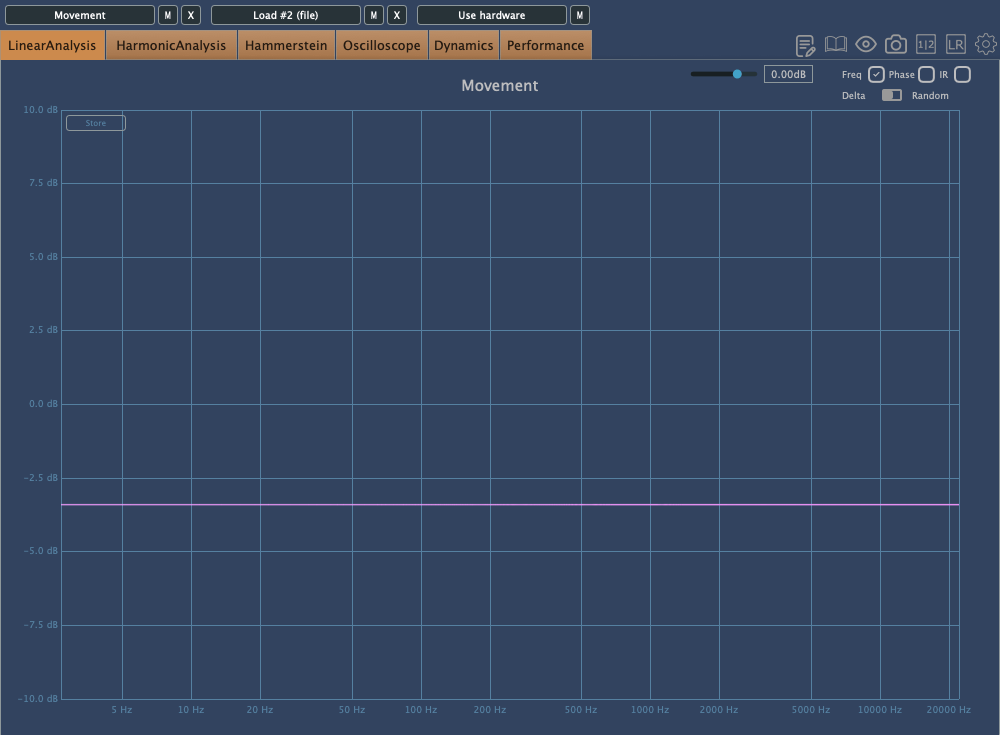
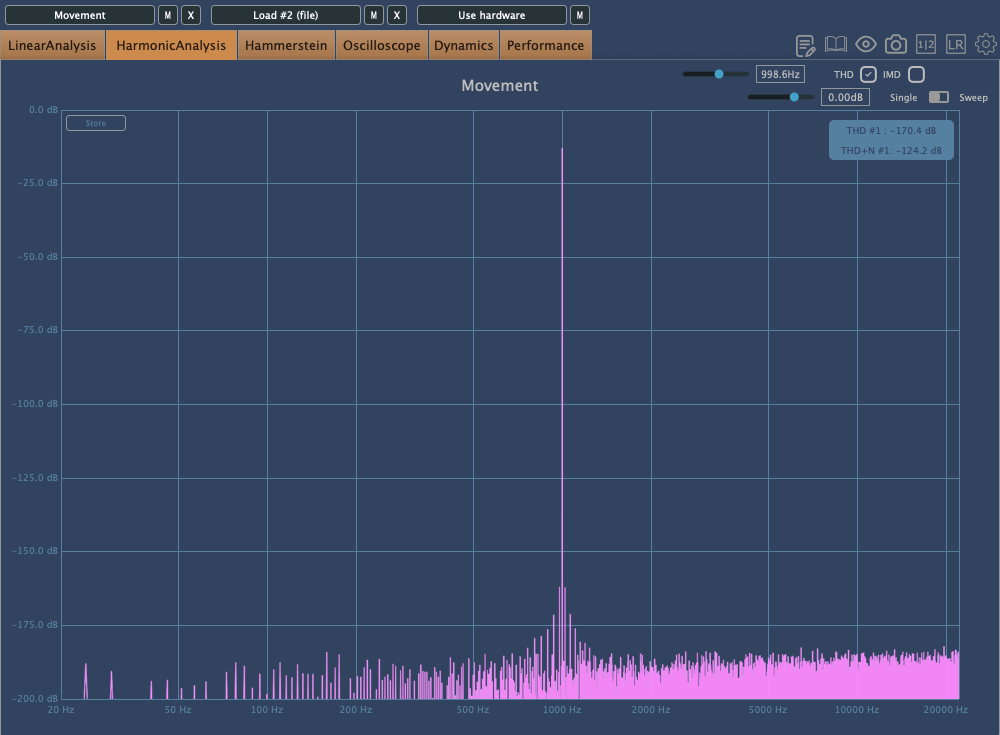
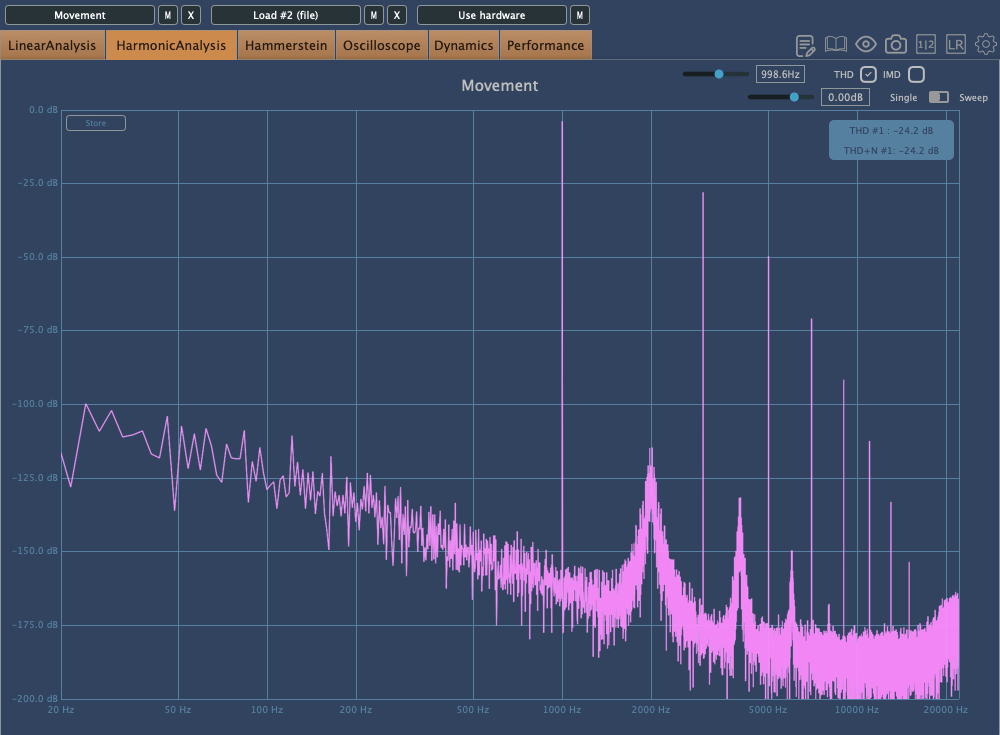
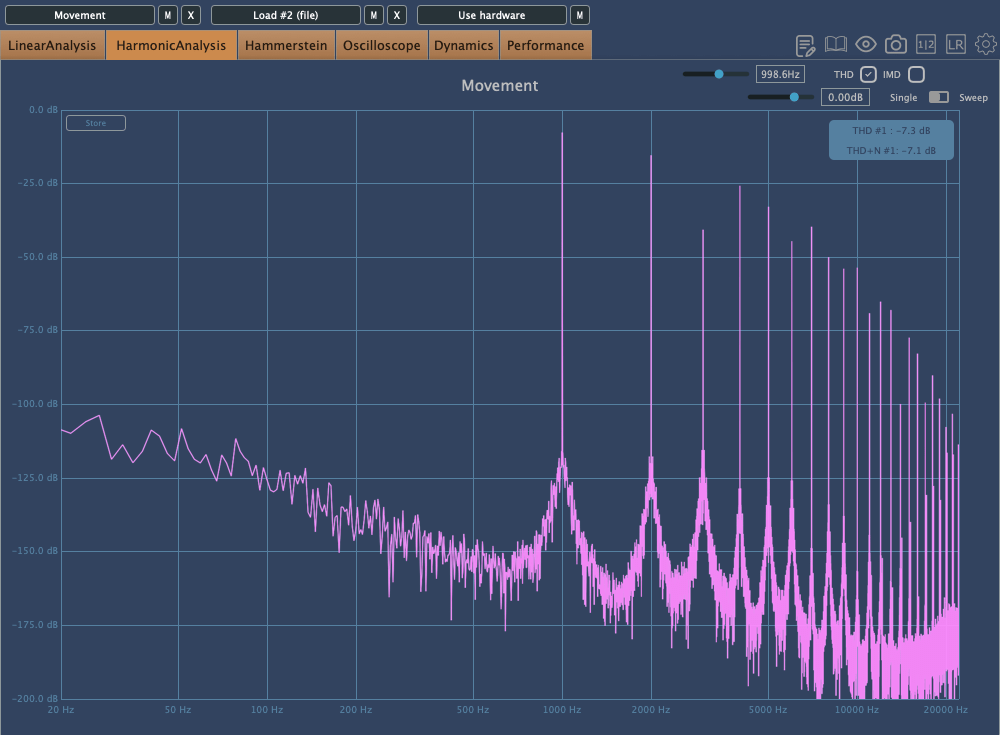
The above images show the frequency response and harmonic distortion with Warmth set to 0, while the ones below show the same with Warmth increased.

With Warmth at 0, it functions as a clean digital compressor. With Warmth added, the high frequencies are slightly rolled off, and the sound becomes more saturated.

Distortion

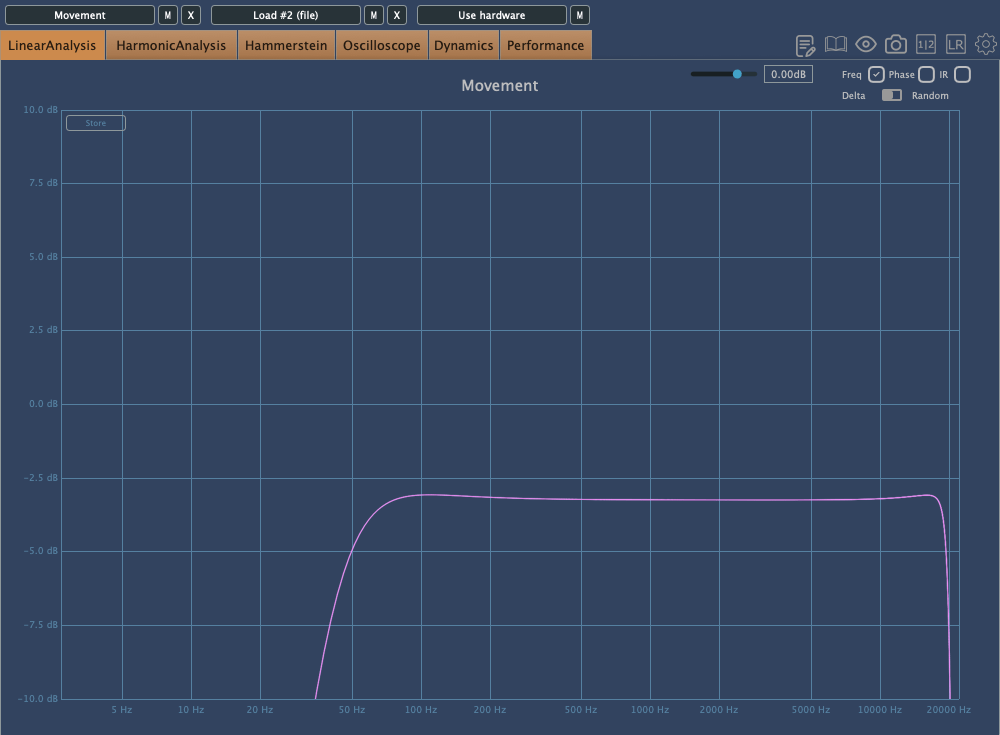
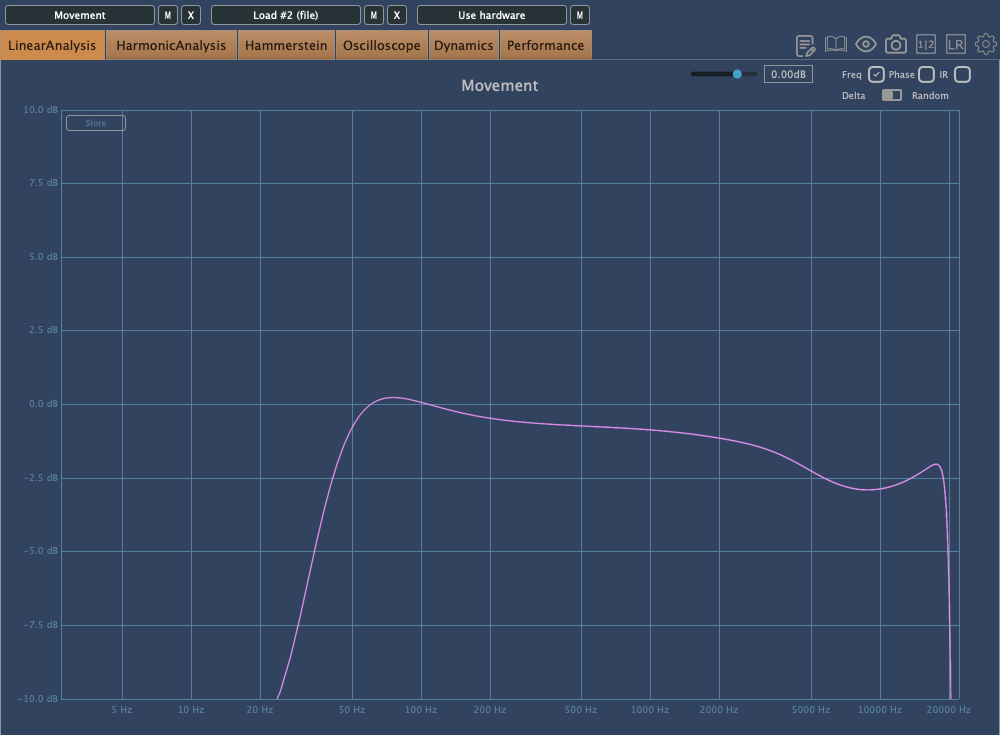
The Distortion effect includes High Pass and Low Pass Filters as basic parameters, so the extreme lows and highs are filtered out. The upper images show Crunch at 0, while the lower images show it at a medium setting. This effect can add strong saturation!

EQ

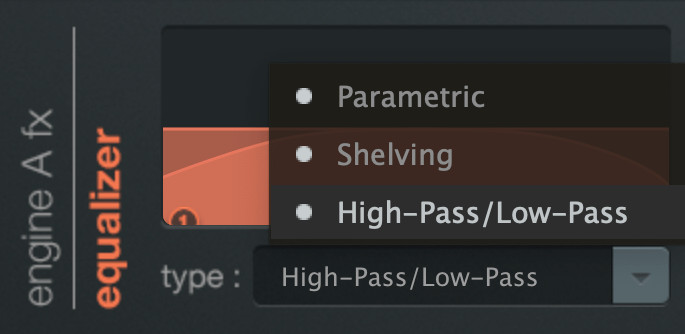
The EQ offers three types: Parametric, Shelving, and High/Low Pass.

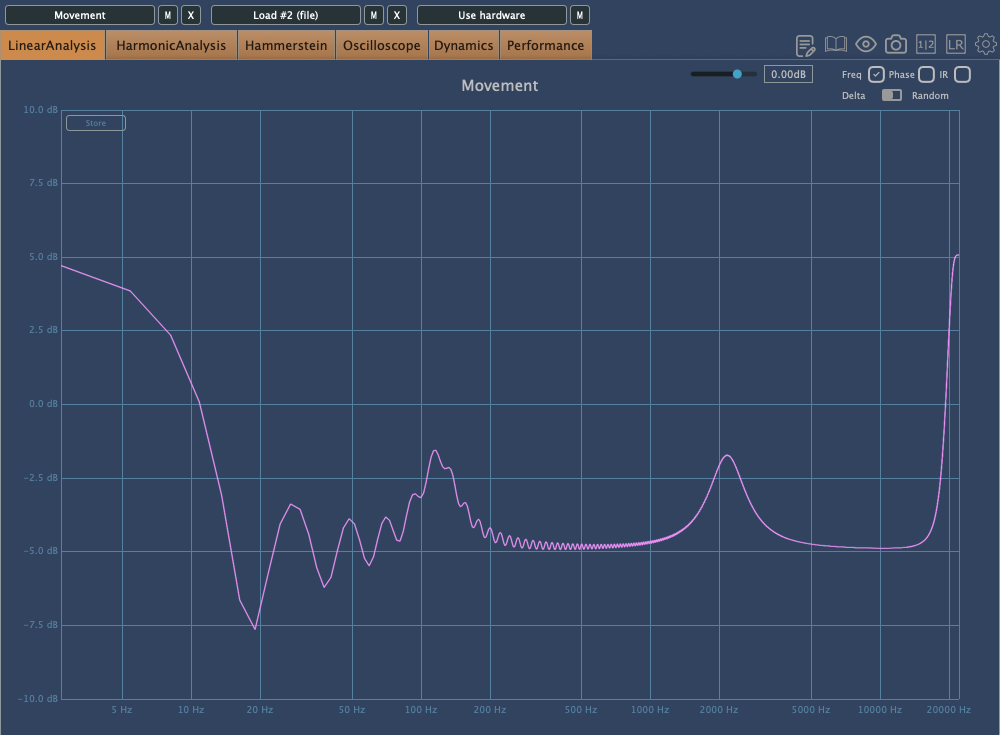
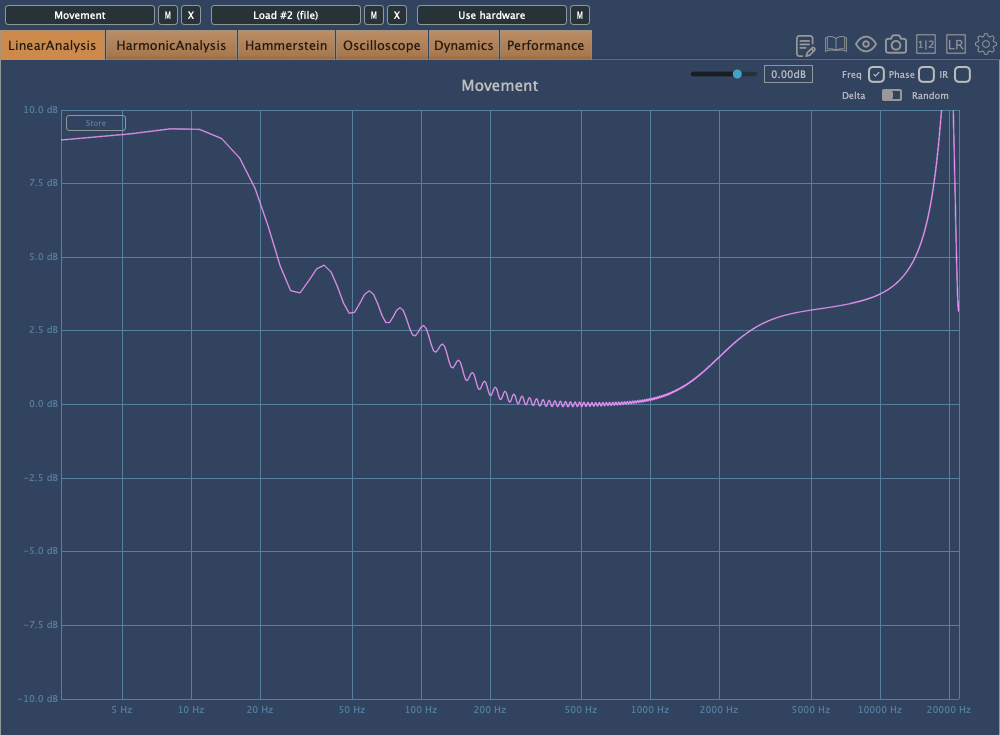
Interestingly, this EQ still affects the sound even if Gain1 and Gain2 are set to the center. This applies to both Parametric and Shelving EQs, so keep this in mind when adjusting.

The EQ also tends to boost the extreme high frequencies.

When flattening the frequency response and examining the phase, you’ll notice some unique characteristics.

I’ll skip the details of the remaining FX as they are more straightforward.

Finally, the button at the bottom left of the plugin reduces the processing load, easing the burden on your CPU. It doesn’t affect the sound but reduces the amount of movement in the plugin’s UI, making it less taxing on your system.

Check out Output’s official trailer to see how it works and hear what it sounds like.

You might think this plugin is only useful for electronic music, K-Pop, or hip-hop, but it can actually be applied across various genres. The Sidechain function, in particular, offers some exciting possibilities.

Output’s products are on sale at Plugin Boutique until August 16th, so if you’re curious about other plugins, it’s worth checking them out.

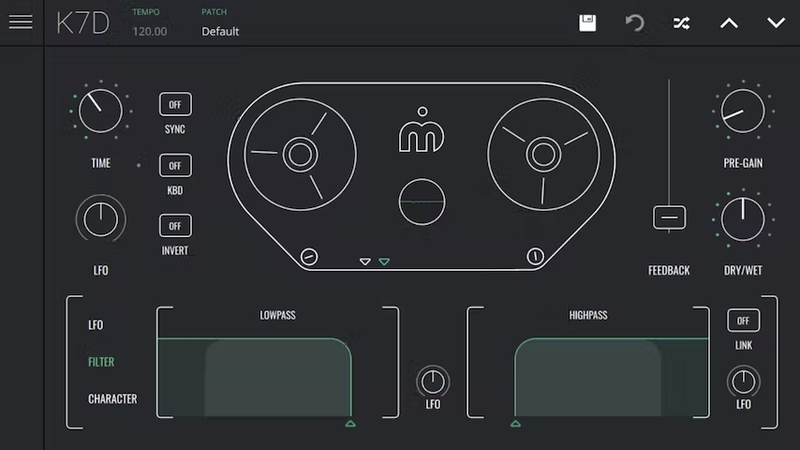
When you purchase a plugin from Plugin Boutique, you’ll also receive a free plugin. This month’s free plugins are Softube’s VCA Compressor or Imagine Audio’s K7D Delay.

If you don’t have a dbx160-style compressor, I’d recommend the VCA Compressor. If you want to apply delay to a variety of sources, K7D is a great choice.

See you in the next post~:)
Output Thermal Distortion Plugin FX 49% Off (Until 8/16)

Hello everyone, I’m mixing engineer and music producer Jooyoung Kim.

Today, following my previous post on the Portal plugin and its discount, I’m excited to introduce Output’s Thermal plugin.

As mentioned in the previous post, Plugin Boutique has provided the plugin under Not for Resale conditions, allowing me to write this review.

Let’s get started!

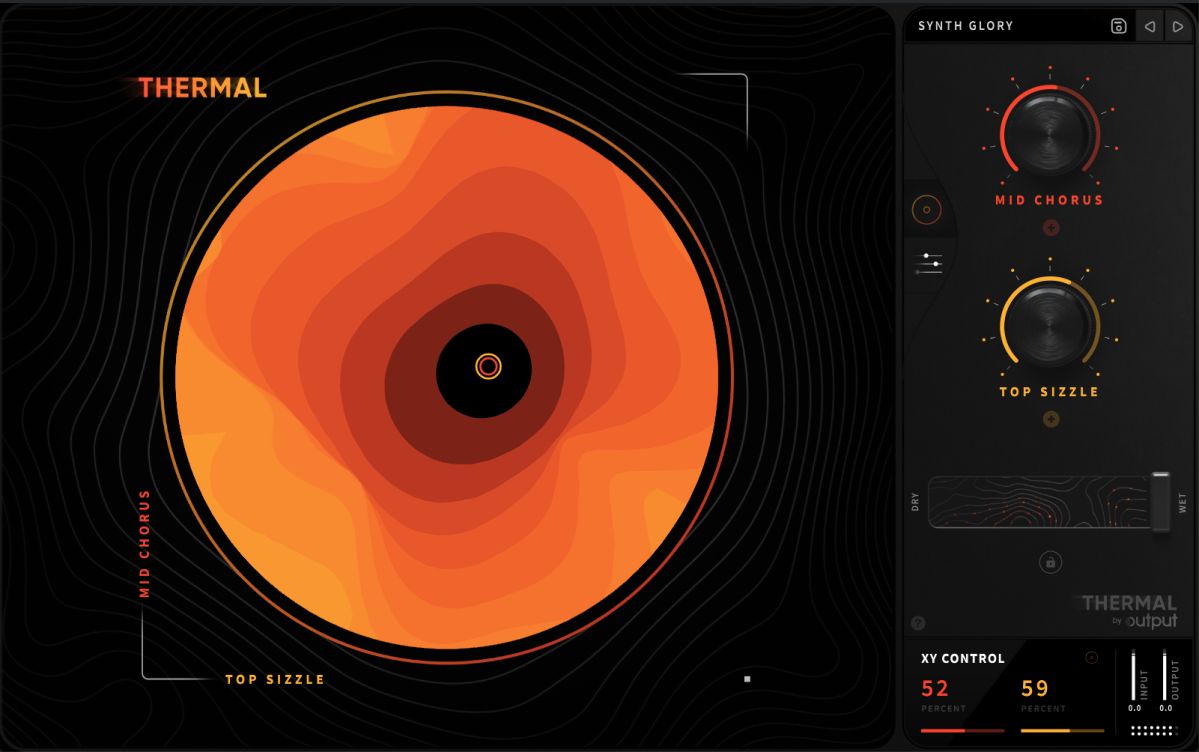
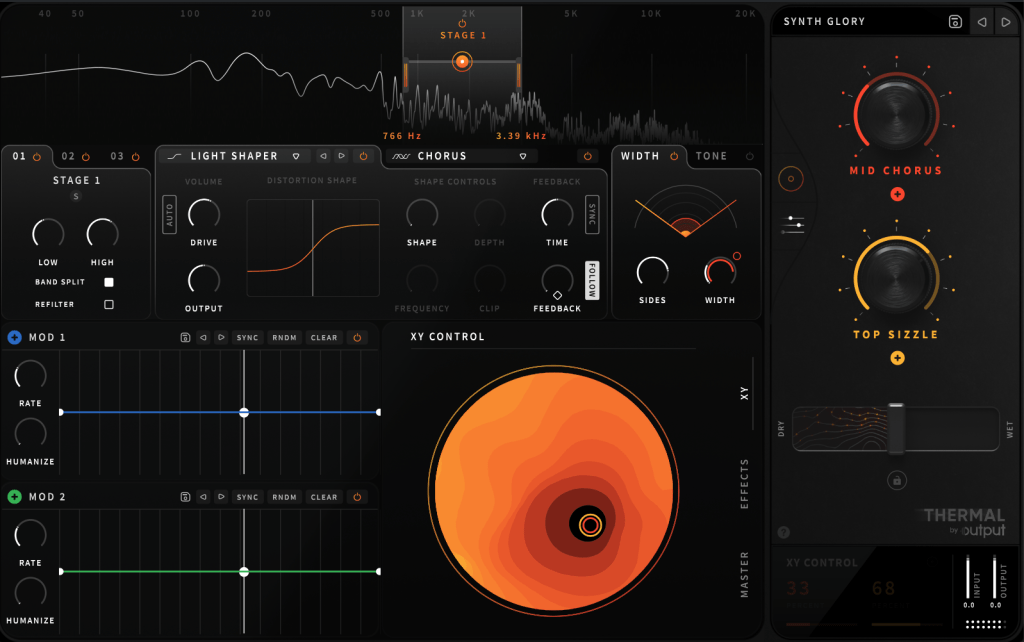
Thermal is one of Output’s flagship effect plugins, specializing in various types of distortion. Its basic UI is similar to that of Portal.

Opening the settings panel, you’ll find two Macros on the right and two LFOs labeled as MOD, allowing modulation of parameters with four values.

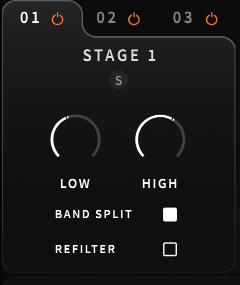
On the left, you can select the area to adjust through Stages, enabling you to control three different frequency ranges separately.

Does this remind you of anything? If you’ve used many plugins, Fabfilter’s Saturn might come to mind.

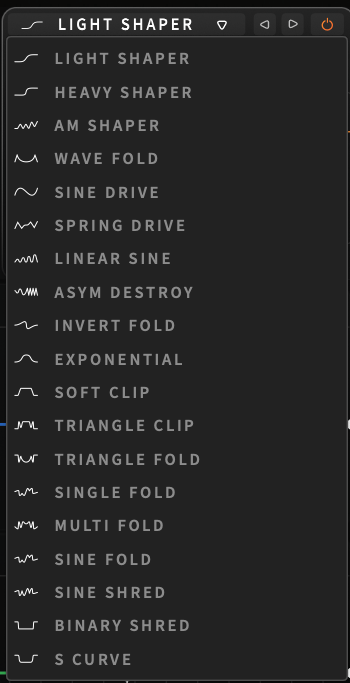
Unlike Saturn, which is for coloring with Tube or Tape settings, Thermal lets you choose from 19 ways to distort the waveform.

You can adjust how it transforms through parameters like Drive, Shape Depth, and Frequency. The Clip function provides a clipping effect, and you can control Feedback Time and amount.

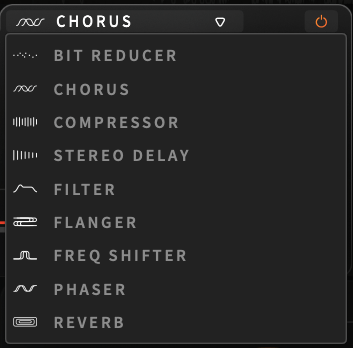
There are nine effects, similar to Portal, applied only to the selected Stage.

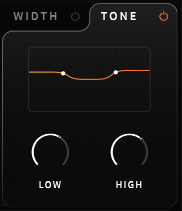
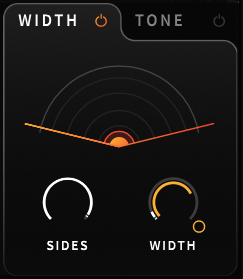
Width and Tone are also applied per Stage.

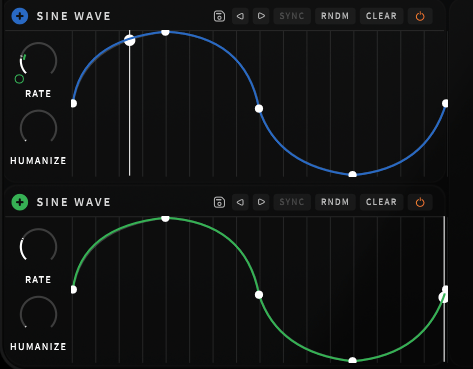
The Modulation section works like a synthesizer’s LFO. Clicking the + button and assigning it to a parameter creates a small circle that you can adjust up and down to control the amount of modulation.

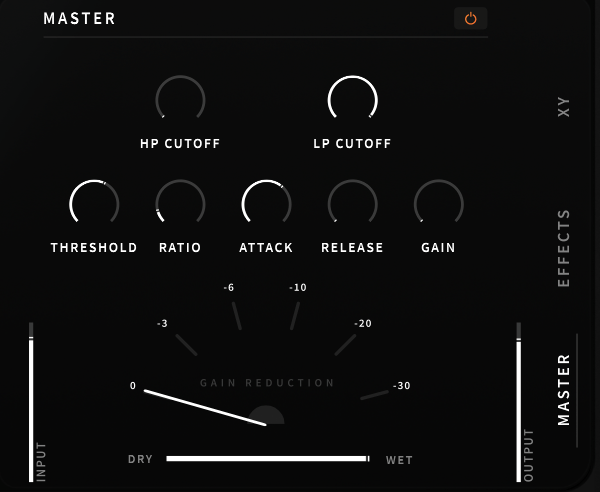
In the lower right section, you can adjust Macros with the mouse, apply the overall effect, or tweak EQ/Compression in the master section.

These parameters can also be modulated using Macros or LFOs.

This kind of plugin is great when you want intense saturation or when basic distortion isn’t enough, and you want to experiment with sound transformation.

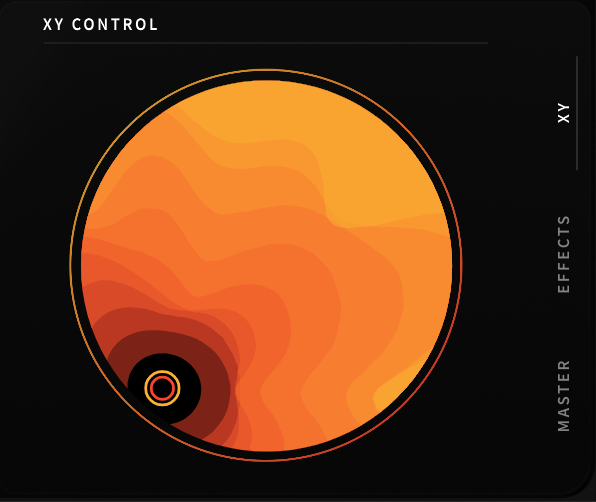
Using automation, you can alter the XY Macros with your mouse to break away from monotonous sounds.

It’s challenging to describe these transformations in words, so check out the official Plugin Boutique video above to hear it in action.

I started with just an acoustic guitar, but as I continued making music, I began exploring plugins like this.

Though it might be too bold for mixing external projects, it can be a valuable tool to add edge to your compositions and arrangements.

I believe this is one of the best discounts ever offered. Output plugins are 50% off until August 16th, so it’s worth considering.

Additionally, when you purchase a plugin from Plugin Boutique, you get a free plugin.

This month, you can choose between:

The VCA Compressor, a recreation of the dbx160 by Softube, or

The K7D Delay by Imagine Audio.

If you don’t have a dbx160-style plugin, I recommend the VCA Compressor. For those who need a versatile delay for instruments and mixing, the K7D Delay is a great choice.

See you in the next post~:)

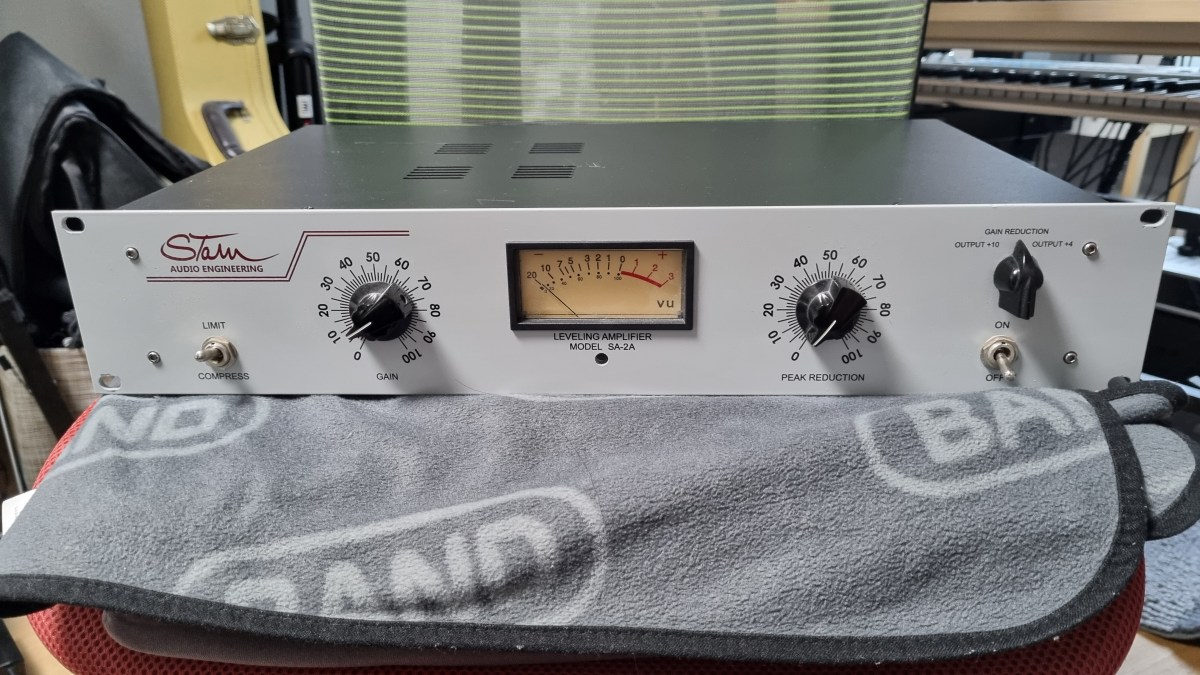
Stam Audio SA-2A Compressor Review

Hello, I’m Jooyoung Kim, a mixing engineer and music producer.

Today, I’m excited to share my review of the SA-2A, something I’ve been eagerly anticipating! Let’s dive right in.

The Struggle with the Gear

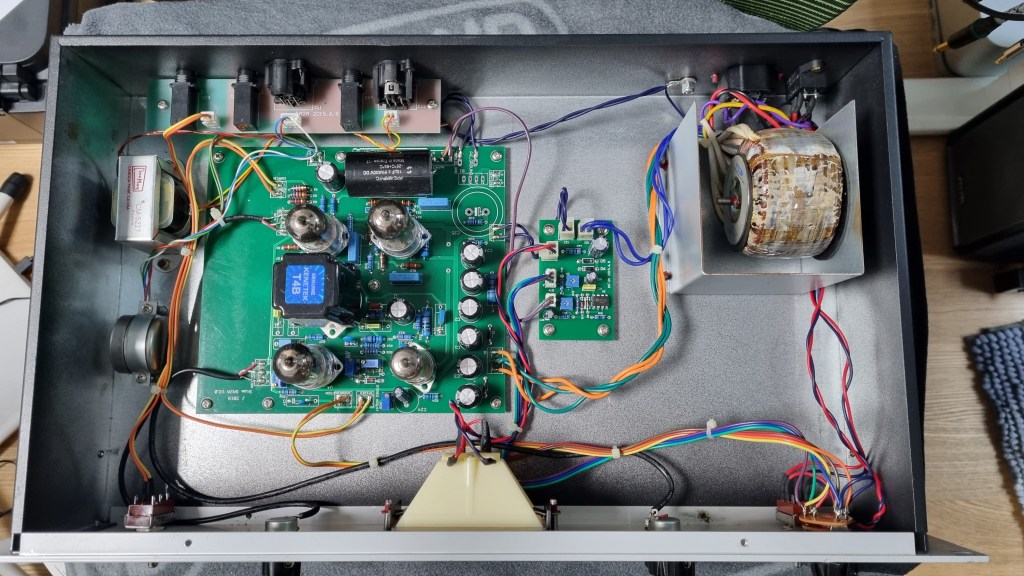
If you’ve been following my blog, you might know that this unit had quite a journey before it landed in my studio. Initially, I bought a faulty one with the idea of enhancing my understanding of circuits and practicing some soldering by fixing it myself.

I thought it might just be a simple fuse issue… But after blowing through about five fuses, I took a closer look at the circuit board.

Despite my inspection, I couldn’t find any blown capacitors or burnt resistors. So, I decided to take it to a repair shop after seeking advice.

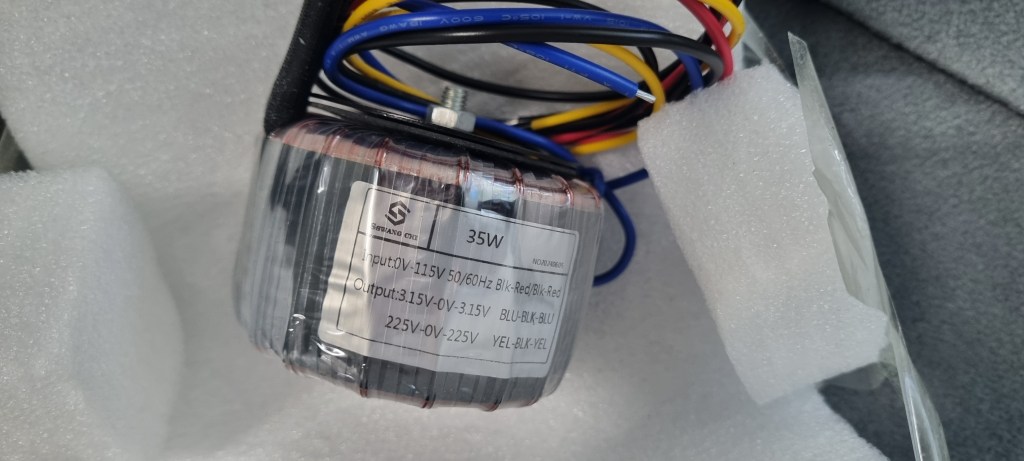
The culprit turned out to be a burnt toroidal transformer, damaged by overcurrent.

The challenge was that this early version of the SA-2A used a Cinemag transformer, and Stam Audio wasn’t sure if they had any spares left.

After two weeks of waiting for a response with no luck, I asked them to send me the specifications so I could have a custom transformer made.

After installing the custom transformer, the unit finally came to life!

I purchased the broken unit in January, and the repair was completed by early July, marking a nearly six-month battle.

Of course, I was a bit busy, which contributed to the delay, but it was quite the saga nonetheless!

Measurements

As regular readers of my blog know, I like to run measurements on gear, whether it’s hardware or plugins. While measurements don’t tell the whole story, they do help in explaining things more clearly.

I find it especially useful to compare my impressions from using the gear with the measured data, which can sometimes reveal if my ears are having an off day.

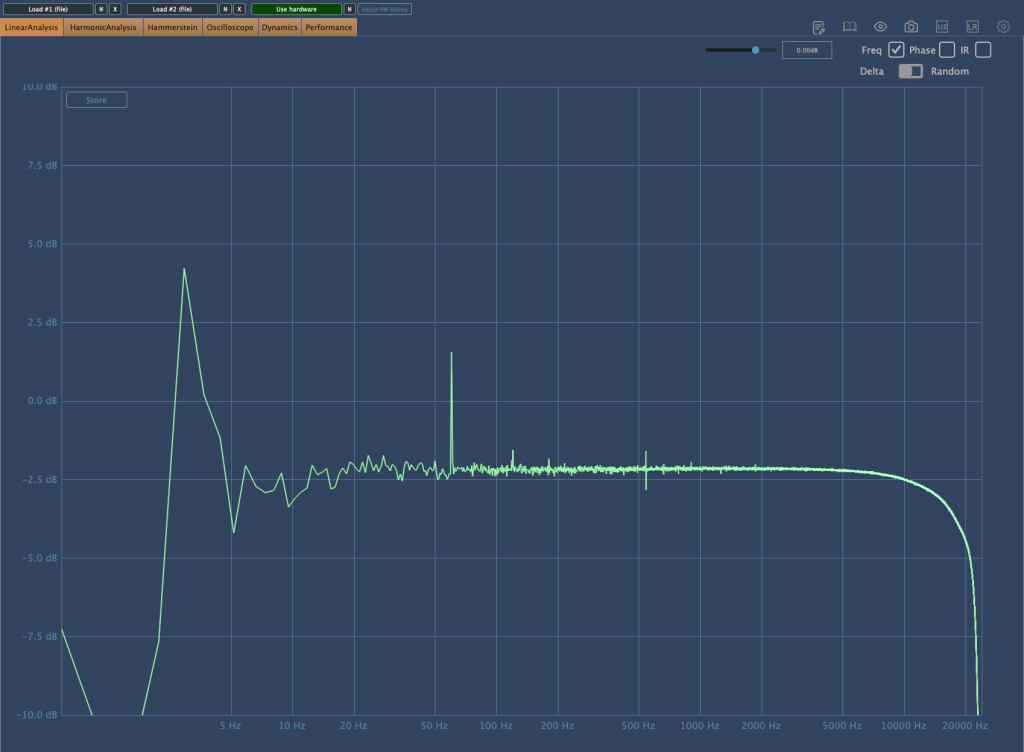
The frequency response graph above shows the response with no compression applied. (Keep in mind the peaks and valleys you see are typical of analog gear.) You can see a noticeable roll-off in the high frequencies.

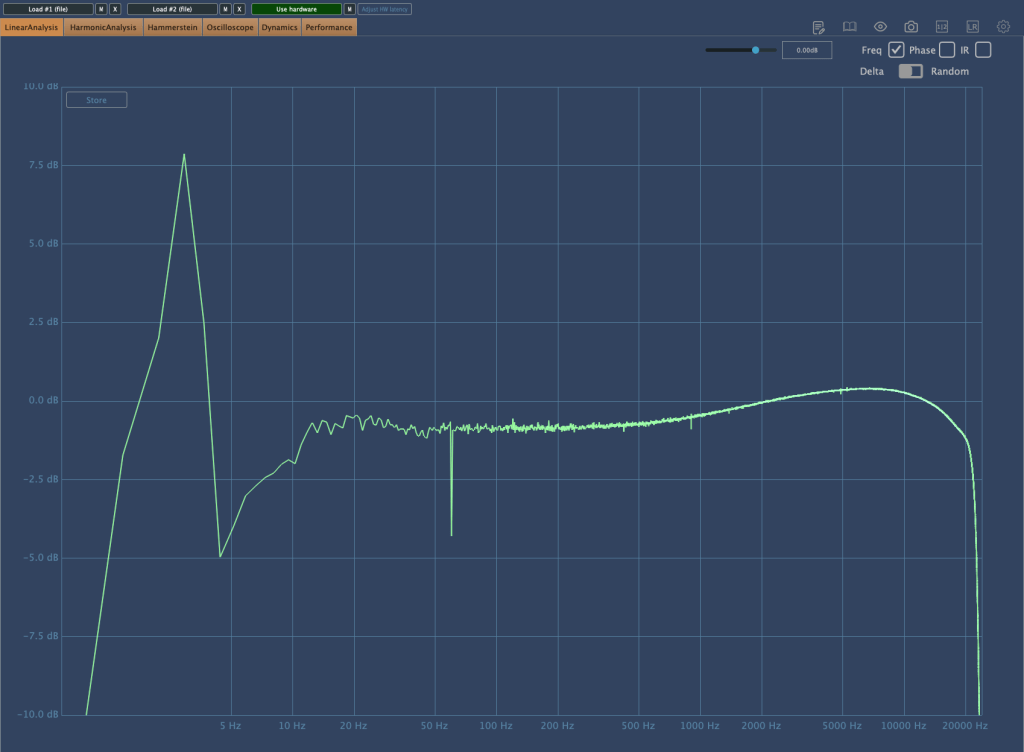
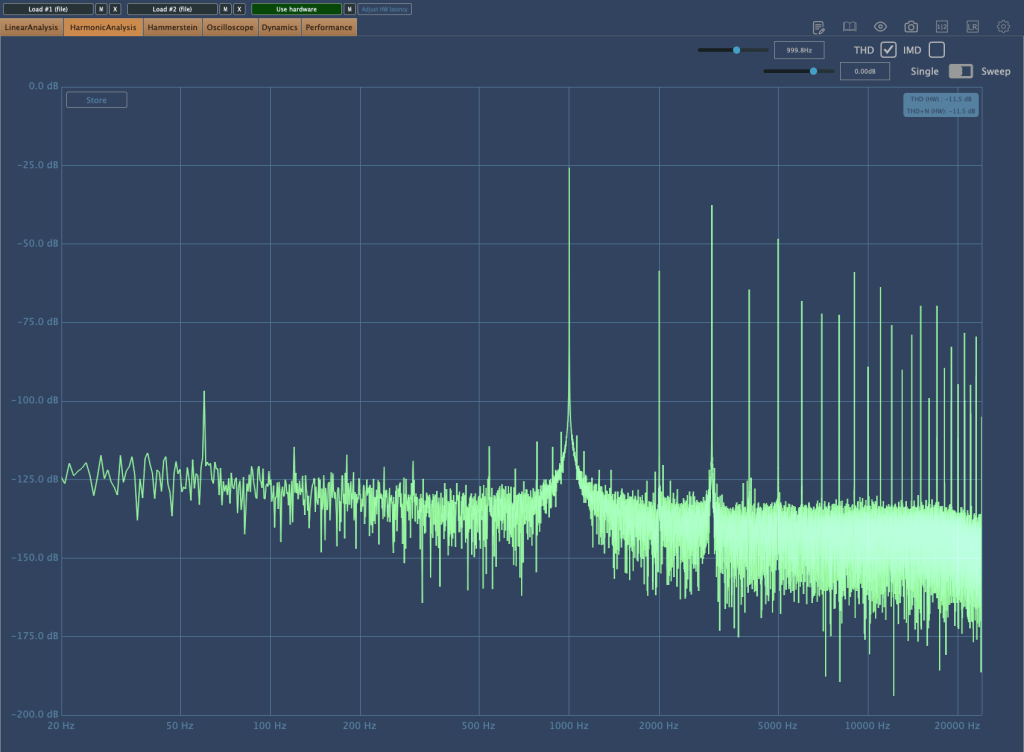
Here’s the frequency response graph with compression applied and gain compensated. There’s a rise in the high frequencies, and the right-hand graph shows noticeable distortion.

As the Peak Reduction increases, harmonic distortion also changes. It seems much more dynamic than using a plugin.

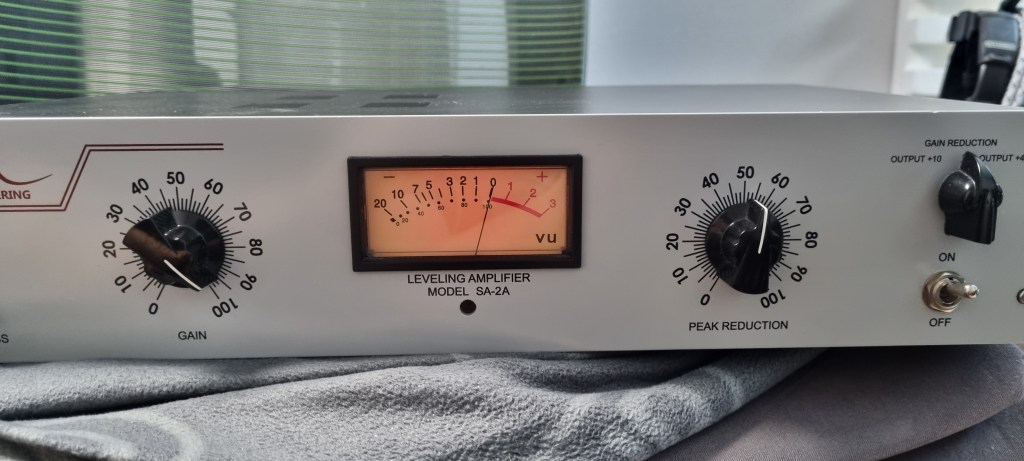
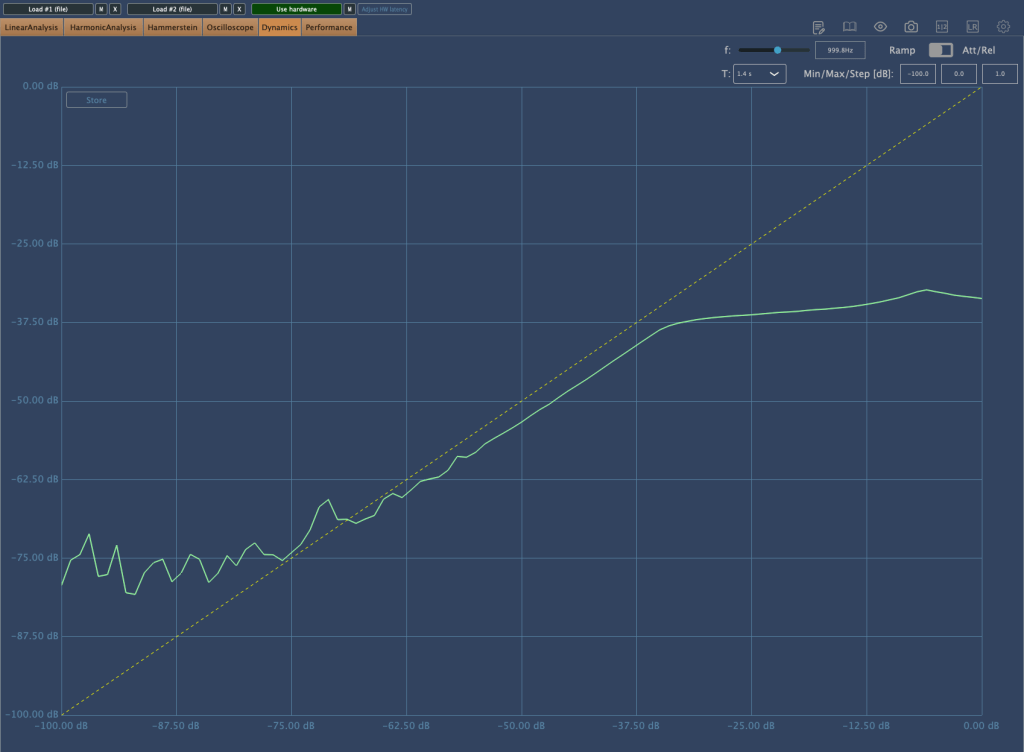
This is the compression curve graph. Strangely, the left side shows the settings for “Comp,” and the right side shows the settings for “Limit.” They seem switched, don’t they? Perhaps it’s just a labeling issue.

Even when using the device, it felt like the settings were somewhat reversed.

Practical Use

I tested the SA-2A on vocals and lead acoustic guitar in a project I’m currently mixing, as well as on some demo vocals for a production I’m working on. Additionally, I conducted a few simple tests.

My observations are as follows:

  1. It’s a saturation machine that adds a hefty amount of color.
  2. It can sound a bit rough, so careful EQing or the use of de-essers/multiband compressors may be necessary to tame it.
  3. As you increase the Peak Reduction, the high frequencies rise, so setting the Input Gain properly beforehand is crucial.
  4. It’s challenging to use on sources that are already colored.
  5. The lack of an Emphasis knob is a drawback.

I wouldn’t say I’m in love with it, but it certainly has its uses.

Since 2017, there’s been an option to use Sowter transformers, and it seems they’ve started custom ordering these transformers from the two companies they work with.

While the raw sound isn’t spectacular, it integrates nicely into a mix. I plan to experiment more with transformer and tube swapping in the coming months.

I hope you enjoyed reading this review. See you in the next post!

I’m always open to reviewing hardware products! If you’d like me to review a product, please feel free to reach out at joe1346@naver.com.