SSL X-Delay & X-Echo Plugin Sale (Until 4/14)

Hey there! I’m Jooyoung Kim, a mixing engineer and music producer.

Now that my “Mixing Basics” series is wrapped up, I’m scratching my head about what to write next… haha. Maybe something about synthesizers? Lately, I’ve had a lot on my mind, and it’s been a bit overwhelming.

Anyway, today I’m excited to talk about two delay plugins from SSL’s X series—X-Delay and X-Echo—which are currently on sale. Let’s check them out!

[link: https://www.pluginboutique.com/product/81-Bundles/39-Effects-Bundles/14642-SSL-X-Delay-Native-X-Echo-Bundle/?a_aid=622ea9ee9160c]

I received these plugins as NFR (Not for Resale) copies from Plugin Boutique. If you buy through the links in this post, I’ll earn a small commission that really helps me keep going—thanks so much for the support!

Ready? Let’s get started.


X-Delay

Click image to purchase X-Delay at Plugin Boutique

X-Delay draws inspiration from 1980s hardware digital delays. My guess? It’s channeling vibes from the iconic AMS DMX 15-80—those big, bold delays from back in the day… haha.

This plugin lets you run up to four delays at once, packed with a bunch of extra features. Let’s break it down.
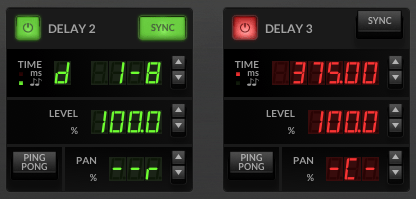
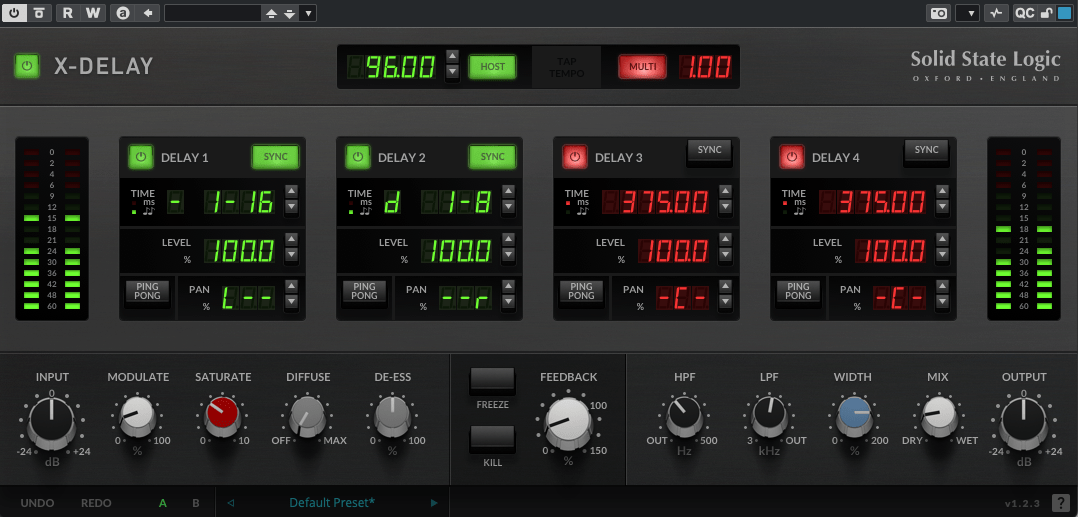
Up top, you’ve got a power button on the left and a Sync button on the right to switch between milliseconds (ms) and BPM sync. Below the “Time” label, it shows whether you’re in ms or BPM mode. To the right, you can tweak delay length in beats or ms—BPM mode offers options like straight (-), dotted (d), or triplet (t). In the screenshot, it’s set to dotted.

Then there’s Level control, a Ping Pong delay toggle, and Panning adjustments. Pretty simple, right?
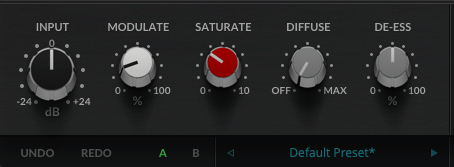
Now, let’s peek at the bottom section:

  • Modulate: This applies an LFO to the delay time, adding some wobble. Crank it up a bit, and your sound gets lush and full.
  • Saturate: Adds saturation (duh!). Max it out, and you’ll hear harmonic distortion kick in with a gentle soft-knee compression starting around -12.5 dB (it’s subtle, so hard to pin down exactly). It colors the sound nicely—turn it up for some rich warmth.
  • Diffuse: A room reverb effect.
  • De-Ess: Tames harsh highs.
  • Freeze: Locks the feedback sound in place.
  • Kill: Cuts all feedback instantly.

This thing’s a beast. It’s perfect for wet, dreamy tones but versatile enough for all sorts of uses. At a sale price of $24.99, it feels like a steal.


X-Echo
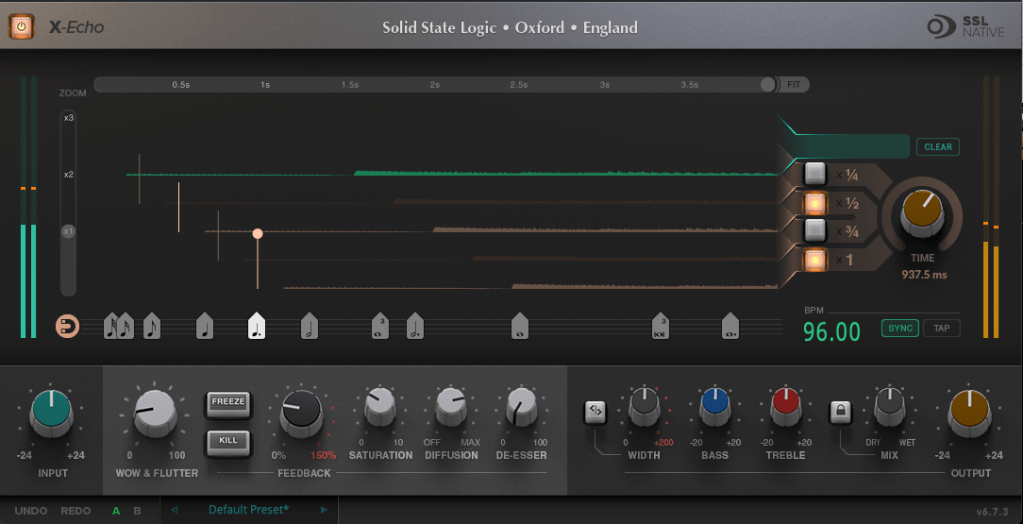
X-Echo takes its cues from 1960s tape delays—think Echoplex vibes, maybe? Haha. Unlike tape hardware built for playback, these old-school delay units often rolled off the highs due to slower tape speeds. You can see it in the frequency response—everything above 13 kHz just drops off.

It’s got that classic tape delay character—slight harmonic distortion included. One listen, and you’re like, “Yup, that’s tape delay!” Haha.

The controls are similar to X-Delay, but here’s what’s different:

  • Zoom: A scope to magnify the waveform for a closer look.
  • Grid: Adjusts delay time to your BPM with a grid—pick a note value (like quarter or eighth), or drag the connected circle to fine-tune.
  • Fit: Tweaks the waveform’s horizontal length.
  • Four Delay Buttons: Toggle between four delay lines, each with its own light.
  • Sync/Tap: Set BPM manually or tap it in.

The bottom section’s mostly the same as X-Delay, except for Wow & Flutter—that’s the tape-style distortion from uneven movement, like stretched tape, wobbles, or dust. Think vintage quirks!

  • Freeze: Holds the feedback sound.
  • Kill: Stops all feedback.

At $24.99 on sale, X-Echo nails that tape delay tone you’d expect—great for anyone hunting for that retro sound.


Bundle Deal & Bonus

The X-Delay & X-Echo Bundle is just $39.99. If you’ve been wrestling with spatial effects in your mixes, this is a fantastic deal worth considering.

Plus, this month, any plugin or virtual instrument purchase from Plugin Boutique comes with a free synth, MOK Miniraze. Don’t forget to grab it when you check out!


Wrapping Up

Both X-Delay and X-Echo bring something special to the table—vintage-inspired delays with modern flair. At these prices, they’re hard to pass up. The sale runs until April 14th, so now’s the time to jump in.

That’s it for now—see you in the next post! 😊
TC Electronic Intro Sale (Up to 79% Off, Until 4/14)

Hey everyone! I’m Jooyoung Kim, an engineer and music producer.

[link: https://www.pluginboutique.com/manufacturers/445/?a_aid=622ea9ee9160c]

TC Electronic has just joined forces with Plugin Boutique, kicking things off with an awesome intro sale! When I think of TC, reverb and delay instantly come to mind—they’re legends in the world of spatial effects. Now that they’re under Music Tribe (the parent company of Behringer), those iconic algorithms are finally hitting the plugin scene.

Funny thing, though—back in 2018 when stuff like the TC8210 first dropped, there wasn’t a standalone Native version. It was tied to hardware controllers, so unless you snagged one cheap early on, it kinda faded into the background. Music Tribe’s website wasn’t exactly user-friendly either…

But this time, I got some NFR (Not for Resale) codes from Plugin Boutique to test these out, and wow—they’ve nailed the spatial plugin game. So, I figured I’d share my thoughts with you all!

Oh, and if you buy through the links in this post, I’ll earn a small commission that really..really helps me keep going—thanks a ton for the support! 😊

Let’s dive in!


TC Electronic Sale Plugins Overview

(Note: PolyTune and LM2 are exclusive to the TC Studio Elite Collection bundle.)

Here’s a quick rundown of what’s on offer, sorted by type:

RolePlugin NameDescription
ReverbVSS4 HDAn upgraded System 6000 reverb algorithm—smooth and modern.
VSS3The classic System 6000 reverb algorithm—timeless and pristine.
NONLIN2A creative reverb for warped, nonlinear sounds—perfect for sound design.
DVR 250A vintage digital reverb inspired by the EMT 250.
TC 8210A clean, classic digital reverb with a nod to vintage vibes.
DelayTC 2290A recreation of the TC 2290 digital delay with tons of modulation options.
ModulationTC 1210Combines stereo expander with chorus, flanger, and vibrato effects.
DynamicsMD4 HDAn upgraded System 6000 multiband compressor with extra bells and whistles.
MD3The original System 6000 multiband compressor—still a beast.
DYN 3000A clean digital compressor based on Midas Heritage consoles.
MASTER X HDA modern take on the Powercore-era 3-band compressor.
BRICKWALL HDA True-Peak limiter built on System 6000 tech—mastering-ready.
EQPEQ 3000A 2×12-band parametric EQ inspired by Midas live consoles.
AnalyzerLM2A stereo loudness meter based on ITU-R BS.1770-3 standards.
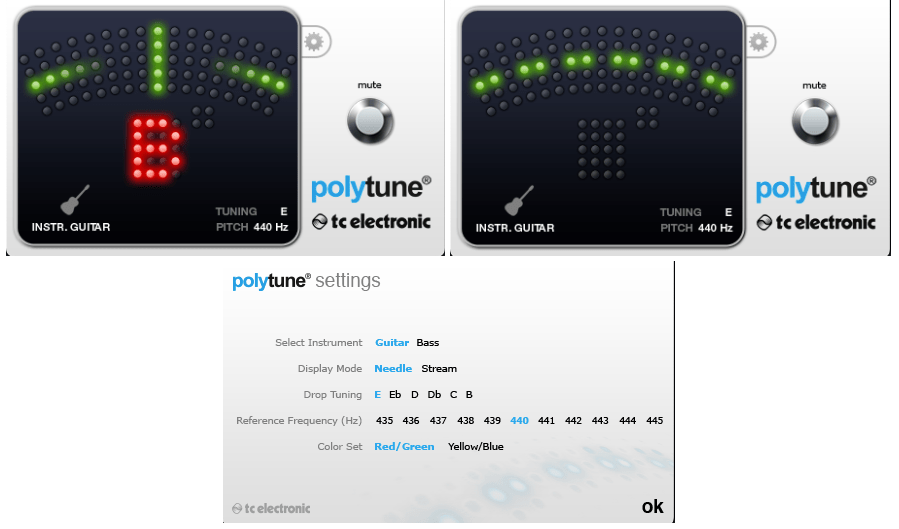
TunerPolytune NativeThe famous PolyTune guitar tuner, now in plugin form.
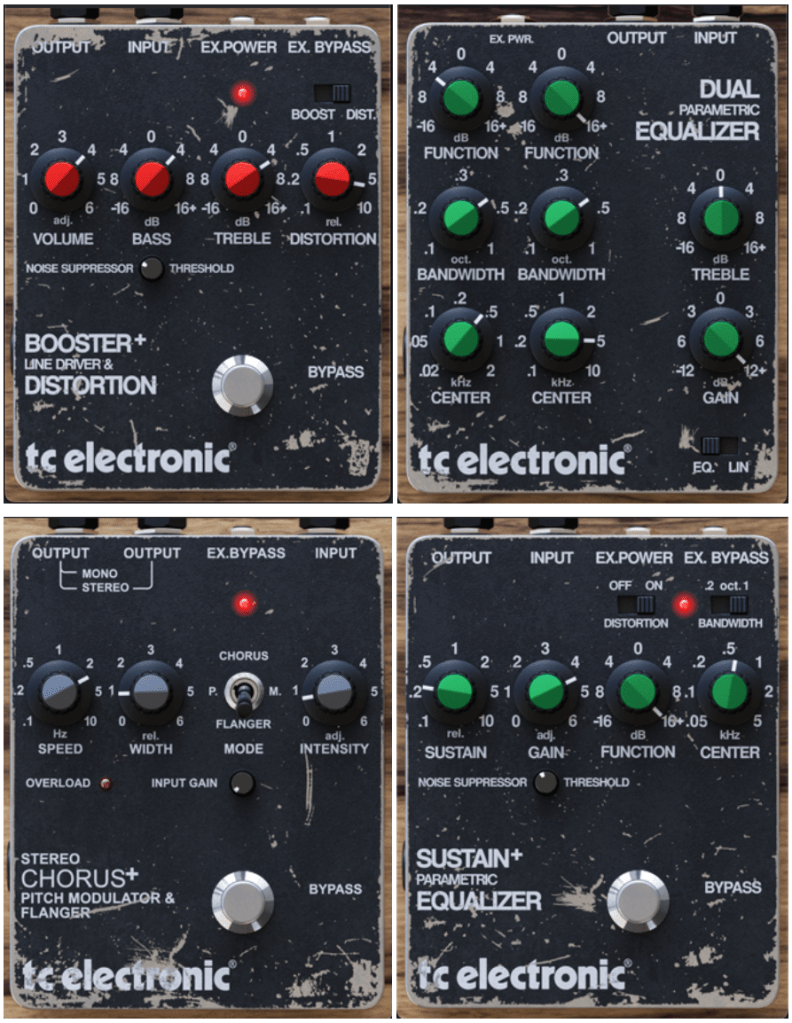
PedalsStereo Chorus FlangerA chorus/flanger pedal with lush stereo effects.
Booster and DistortionA volume boost and distortion pedal combo.
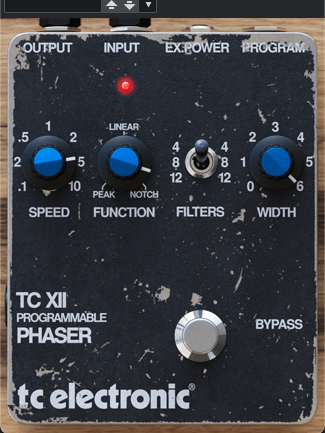
XII PhaserA classic phaser pedal for swirling tones.
Dual Parametric EQA simple 2-band EQ pedal.
SustainerA sustain pedal to keep your notes ringing.

Phew, that’s a lot, right? Haha. Since there’s too much to cover in detail, I’ll group them by category and highlight the standouts.

(Click image to purchase plugins at plugin boutique)


Reverb

VSS4 HD, VSS3, NONLIN2

[Bundle link: https://www.pluginboutique.com/product/81-Bundles/39-Effects-Bundles/14611-SYSTEM-6000-Native-Bundle/?a_aid=622ea9ee9160c]

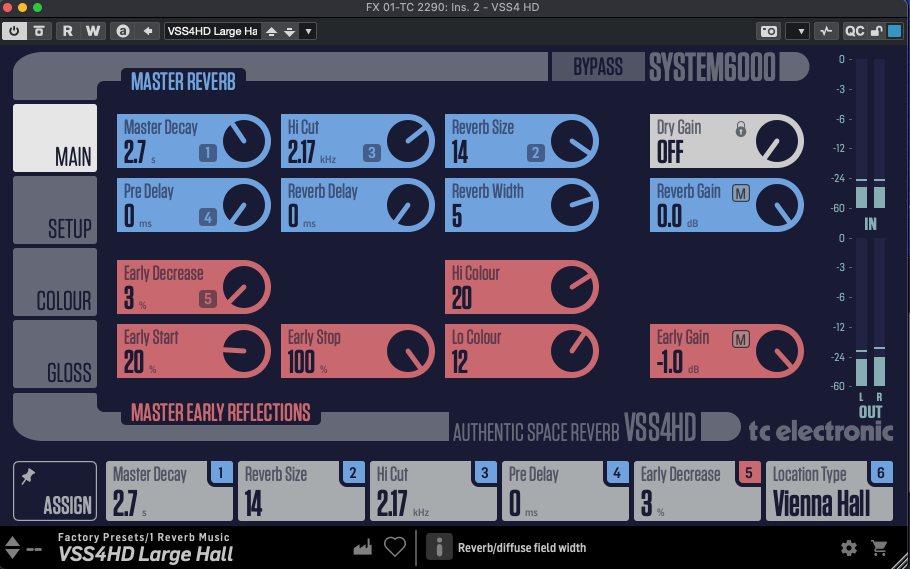
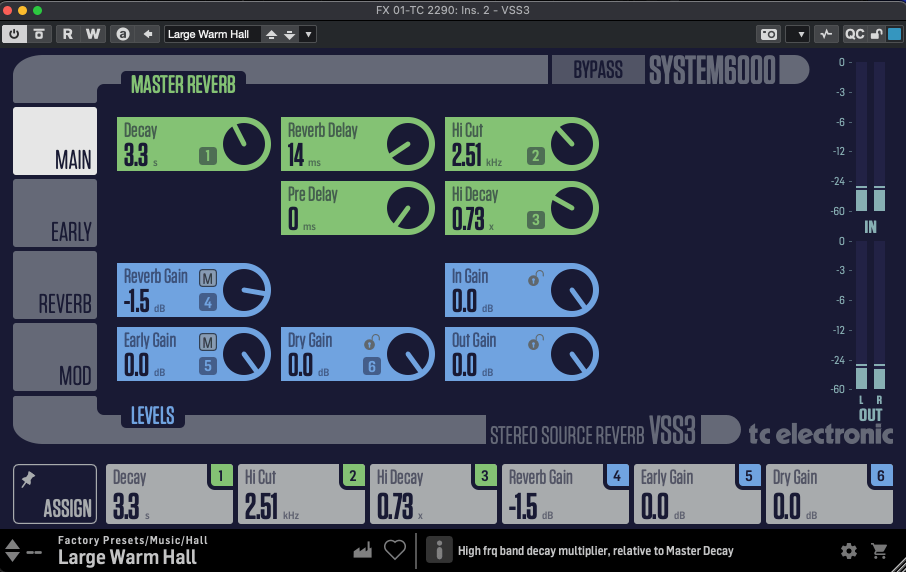
For me, TC Electronic’s reverbs are the heart of this lineup. The System 6000 plugins (VSS4 HD, VSS3, NONLIN2) have a slightly tricky UI at first—it’s not super intuitive. But once you dig into the parameters, they’re familiar to anyone who’s done some mixing. For beginners, it might feel overwhelming, but mastering these could level up your reverb game across any plugin.

These deliver that crisp, polished digital reverb sound we all expect from TC—VSS4 HD and VSS3 for lush spaces, NONLIN2 for wild, creative effects.

DVR 250, TC 8210

[Bundle link: https://www.pluginboutique.com/product/81-Bundles/39-Effects-Bundles/14613-Icon-Series-Legacy-Native-Bundle/?a_aid=622ea9ee9160c]

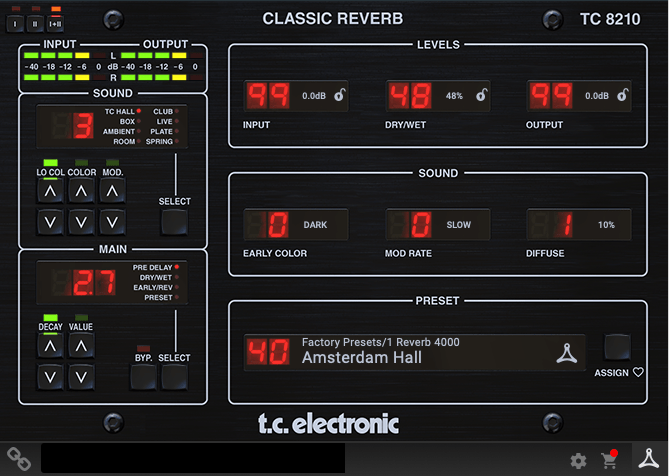
The DVR 250 nails that vintage EMT 250 vibe—think early digital reverb with a chopped-off ultra-high end due to sample rate limits. TC 8210 keeps things clean but tames the highs a bit to echo that retro feel, while still sounding unmistakably digital.


Delay & Modulation

[photo: TC 2290 or TC 1210 interface]
TC 2290, TC 1210
[link: https://www.pluginboutique.com/product/2-Effects/39-Reverb/11535-Icon-Series-Legacy-Native-Bundle]
These are just as iconic as the reverbs. The TC 2290 is a delay powerhouse—you can slap on chorus, flanger, pitch shifting, or auto-doubling, plus dynamic effects like tremolo, ducking, gating, and even auto-panning. It’s insanely versatile.

The TC 1210 blends a stereo expander with modulation—think chorus, vibrato, flanger, and more. Both shine on electric guitar or electric piano, but they’re also perfect for sparking creative ideas during songwriting.


Dynamics & EQ

MD4 HD, MD3

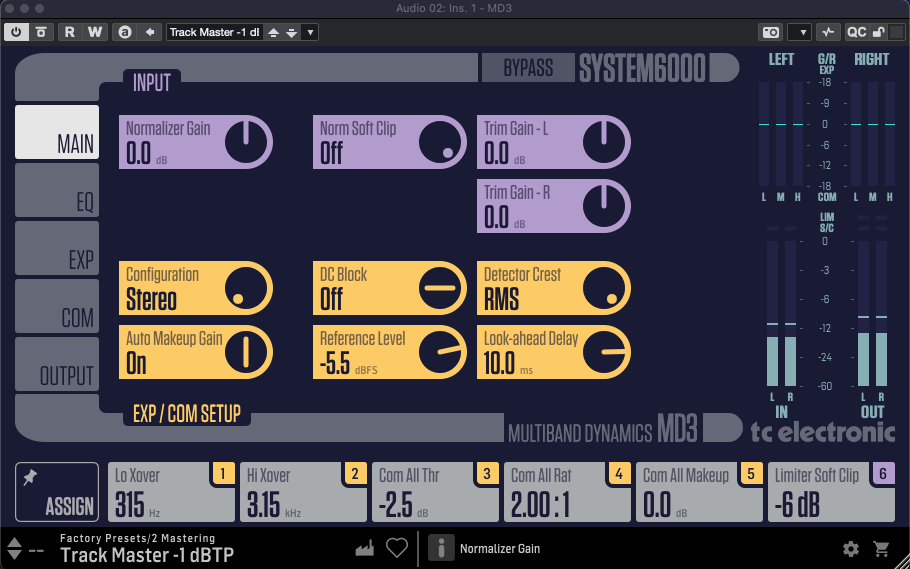
These System 6000-based multiband compressors are more than just compressors—they’re like channel strips with EQ, expanders, limiters, and soft clipping rolled in. No built-in analyzer, so they’re not the most beginner-friendly, but the controls are detailed and powerful.

DYN 3000, Master X HD, Brickwall HD

[Bundle link: https://www.pluginboutique.com/product/81-Bundles/39-Effects-Bundles/14614-Mastering-HD-Native-Bundle/?a_aid=622ea9ee9160c]

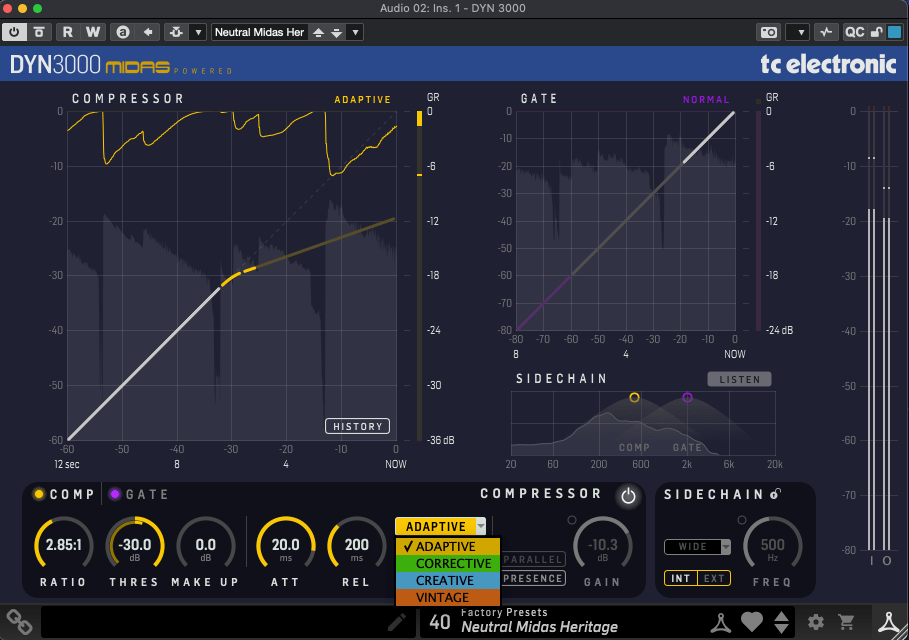
These have friendlier UIs and feel more approachable. DYN 3000, based on Midas Heritage consoles, is a super-clean digital compressor—Adaptive mode keeps it pristine, while other settings add character. It’s got a gate, sidechain, and all the essentials.

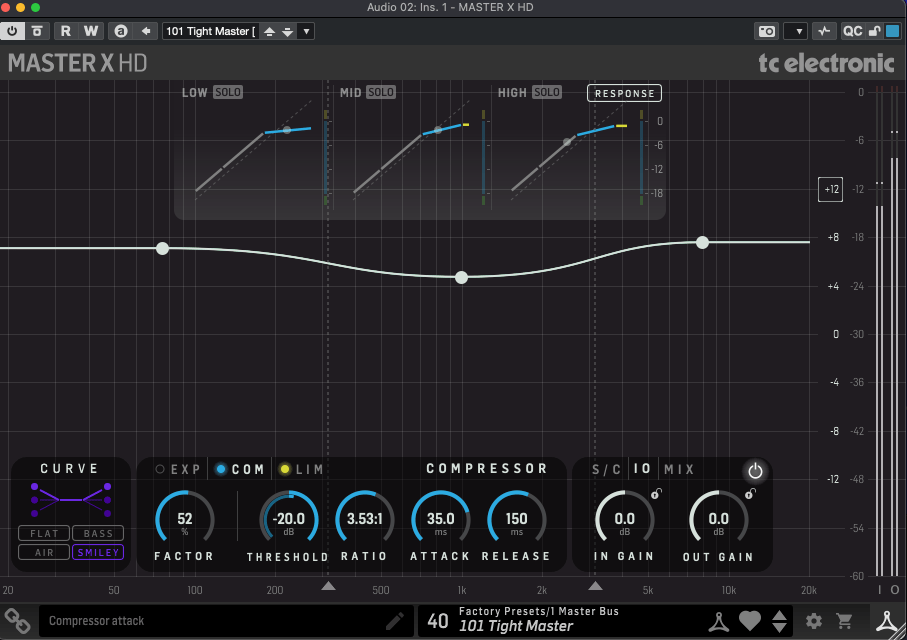
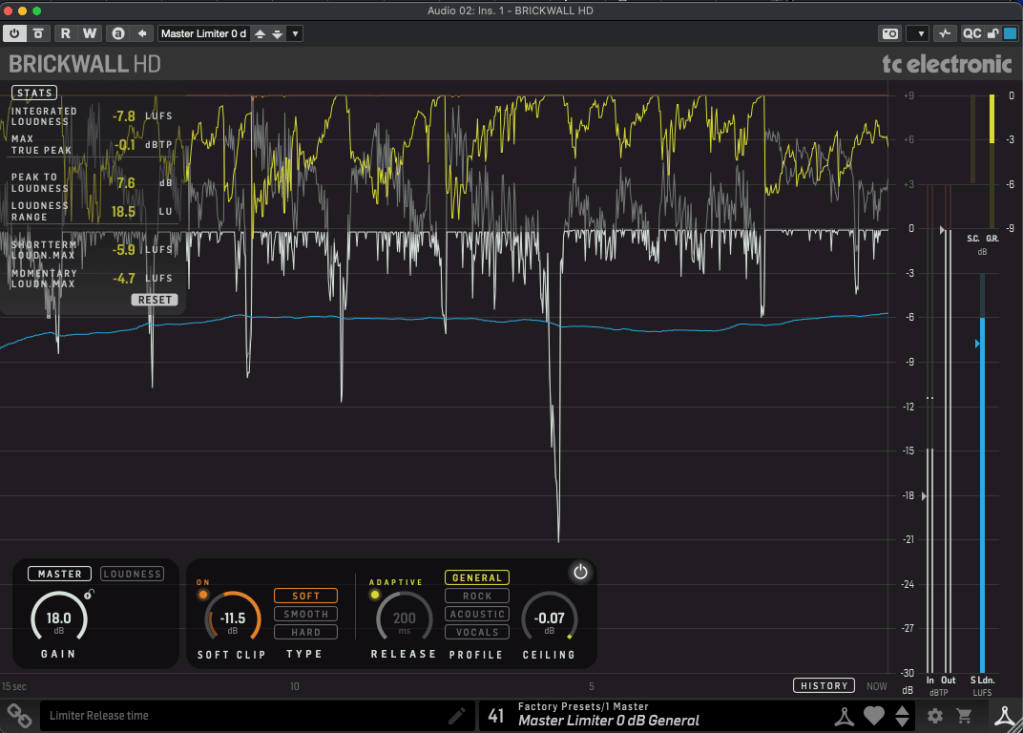
Master X HD is a 3-band compressor with a cool twist: you can tweak the frequency curve directly. Brickwall HD, a mastering limiter, comes with a detailed analyzer (TC’s loudness expertise shines here) and soft clipping options.

PEQ 3000

[Bundle link: https://www.pluginboutique.com/product/81-Bundles/39-Effects-Bundles/14615-Midas-Heritage-3000-Native-Bundle/?a_aid=622ea9ee9160c]

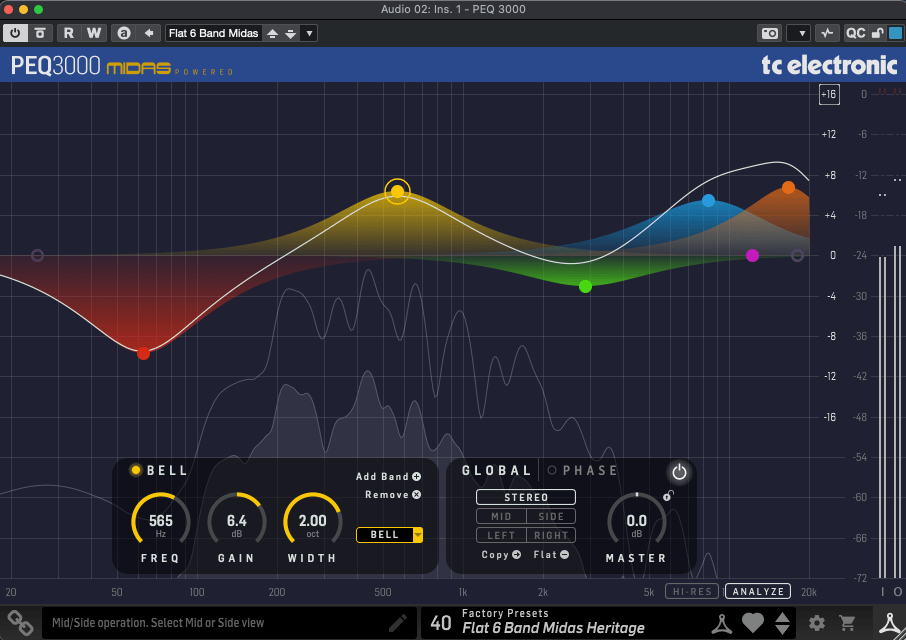
A Midas-inspired 2×12-band parametric EQ. It’s standard stuff mostly, but the ability to shift the phase up to 180 degrees is a neat trick.


Analyzer

LM2

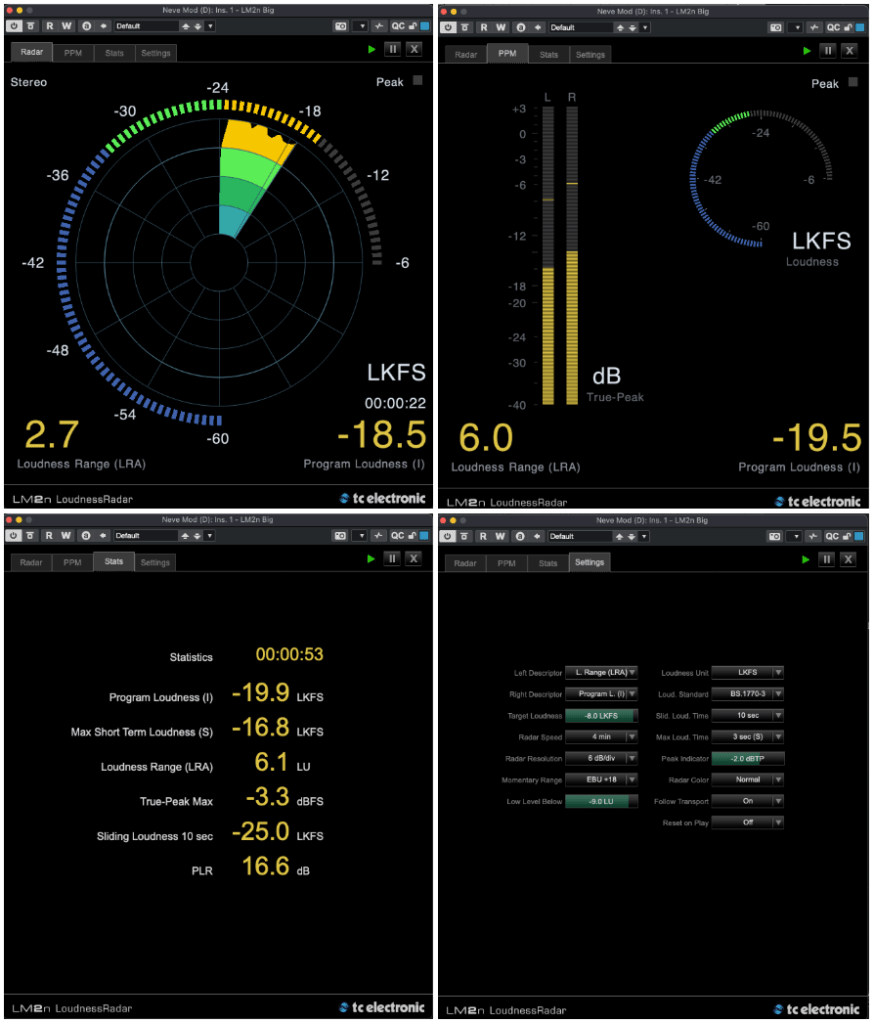
This loudness meter (based on ITU-R BS.1770-3) is the only analyzer I got to test—sorry, no scoop on the others! It measures LUFS/LKFS, True-Peak, and more with a sleek UI that lives up to TC’s metering reputation.


Tuner & Pedals

PolyTune Native

Guitarists know PolyTune—it’s a classic. I’ve got the clip-on version myself (though I dropped it once, and now the top’s cracked… oops). The plugin’s just as clean and reliable.

Stereo Chorus Flanger, Booster and Distortion, XII Phaser, Dual Parametric EQ, Sustainer

These are revamped versions of TC’s old Powercore-era Vintage Guitar Pedal bundle. Booster/Distortion comes from the discontinued VPD1 Pre-Drive pedal, and Stereo Chorus Flanger is based on the SCF pedal.

The others don’t tie directly to specific analog pedals but echo TC’s vintage series. They’ve got that retro flavor—great for electric guitar, electric piano, or synths.

These pedals scream “vintage” in the best way.


Final Thoughts

[link: https://www.pluginboutique.com/product/81-Bundles/39-Effects-Bundles/14608-TC-Studio-Elite-Collection/?a_aid=622ea9ee9160c]

This was a long one, huh! The TC Studio Elite Collection bundle includes everything I’ve covered, but there are also smaller bundles and individual plugins up for grabs.

My favorites? The reverbs, delays, and modulation effects—TC’s spatial magic really shines there. The rest are solid too, and the pedals are a nice touch.

If any of these catch your eye, the sale runs until April 14th—perfect time to snag a deal! Catch you in the next post! 😊

Headrush ReValver Suite on Sale (50% Off, Until 3/31)

Hey everyone! I’m Jooyoung Kim, an engineer and music producer.

Starting this week, Plugin Boutique is holding a sale on Headrush’s ReValver, an amp and effects simulation plugin that I think is seriously worth checking out. I’ve been impressed enough to write up a little intro for you all!

I got a 3-month demo code for this plugin from Plugin Boutique to try it out. Also, if you buy it through the links in this post, I’ll earn a small commission that really helps me keep doing what I do—so thank you in advance! 😊

Ready to get started? Let’s go!


What Makes ReValver Stand Out?

Headrush’s ReValver is up there with the likes of IK Multimedia’s Amplitube, Native Instruments’ Guitar Rig, and Positive Grid’s Bias FX—all of which I’ve used before. But what grabbed me right away is how intuitive its UI feels.

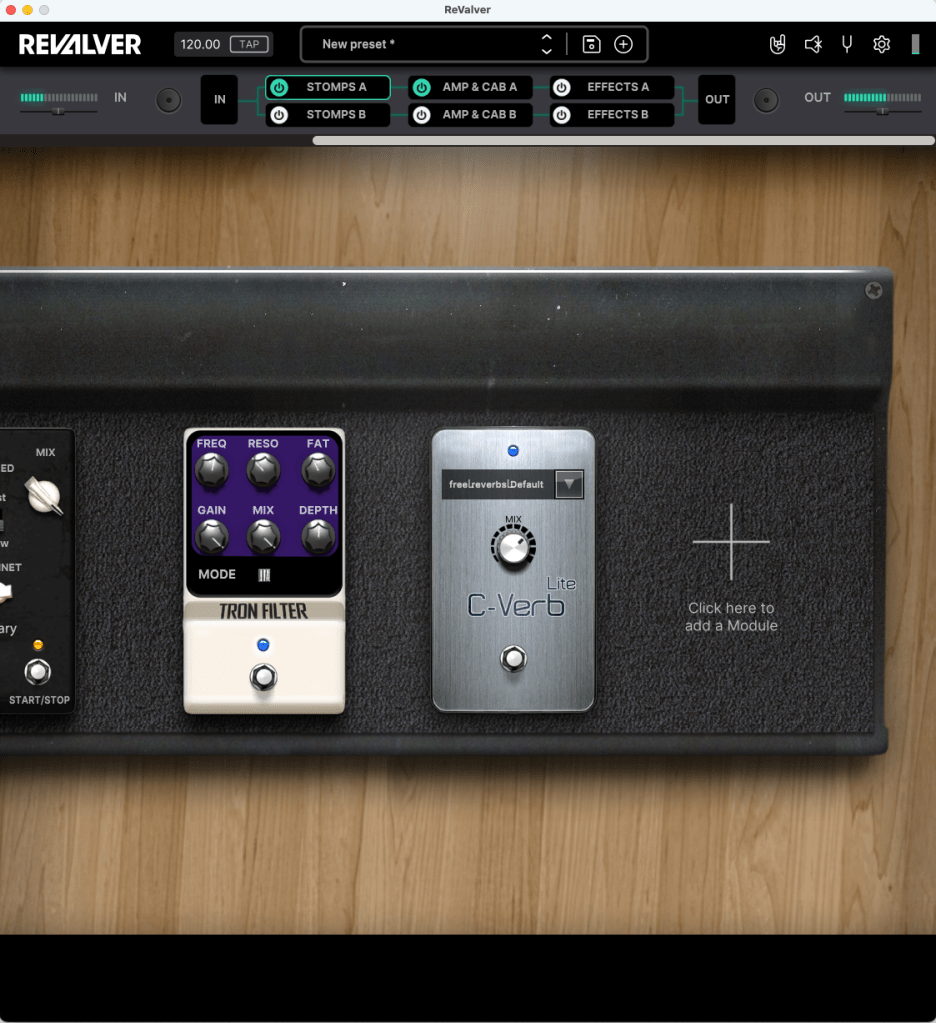
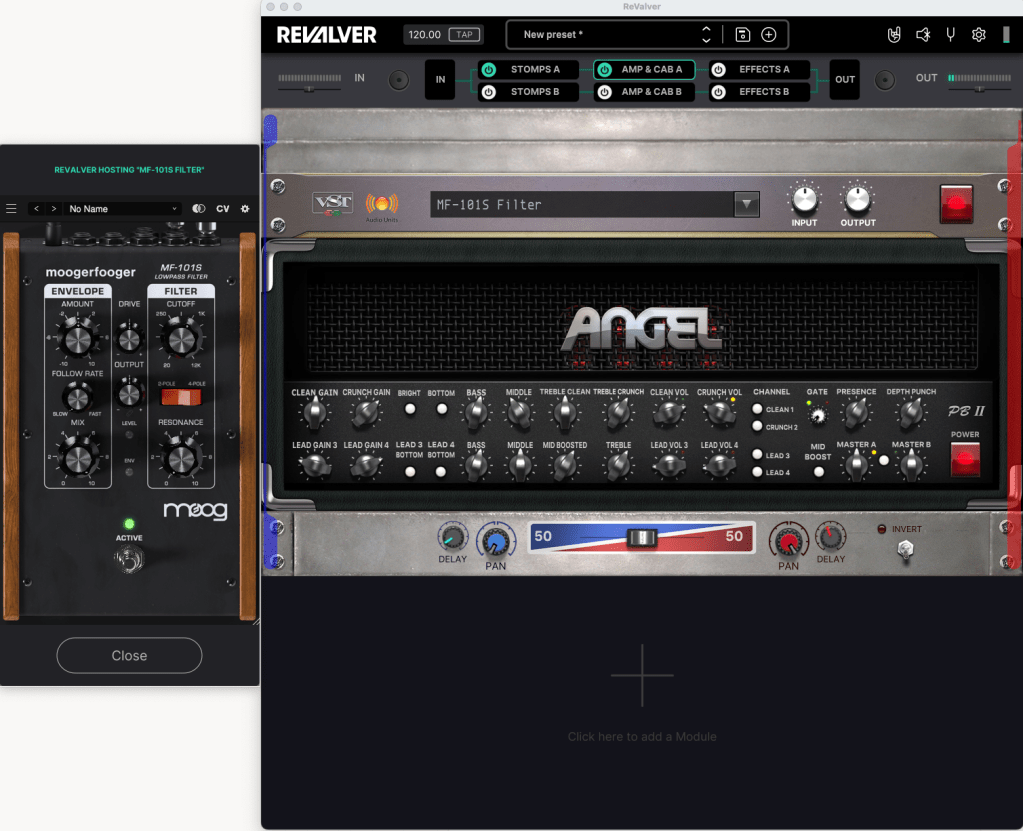
At the top, you’ve got a clear signal path laid out: Stomp (pedals) → Amp & CabinetEffects. Just click on any section, hit the “+” button, and add whatever you want. Super straightforward.

ReValver comes packed with 72 stompbox effects, 49 amps, 47 cabinets, and 20 additional effects. These days, most sims offer a ton of options, so I won’t bore you with a full rundown. Instead, let’s focus on the three big features that set ReValver apart from the crowd:

  1. Loading External Plugins (VST3, AU)
  2. ACT (Audio Cloning Technology) – Capturing audio characteristics
  3. Tweaking Schematic – Circuit-level adjustments

These give ReValver a level of flexibility that’s honestly pretty mind-blowing.


1. Loading External Plugins

This feature is straight-up wild—I mean it! If ReValver doesn’t have the exact amp sound you’re after, you can just pull in something from Amplitube, Guitar Rig, or any other VST3/AU plugin. You can also layer on filters, sound-shaping tools, or whatever crazy effects you’ve got in your arsenal to create totally unique tones.

Don’t like ReValver’s built-in compressor pedal? Swap it out for something like a UADx LA-2A right inside the plugin. The routing freedom here is unreal—you’re basically unlimited in how you can mix and match.

Honestly, this alone makes me want to recommend ReValver to everyone. With a little creativity, the possibilities are endless!


2. ACT (Audio Cloning Technology)

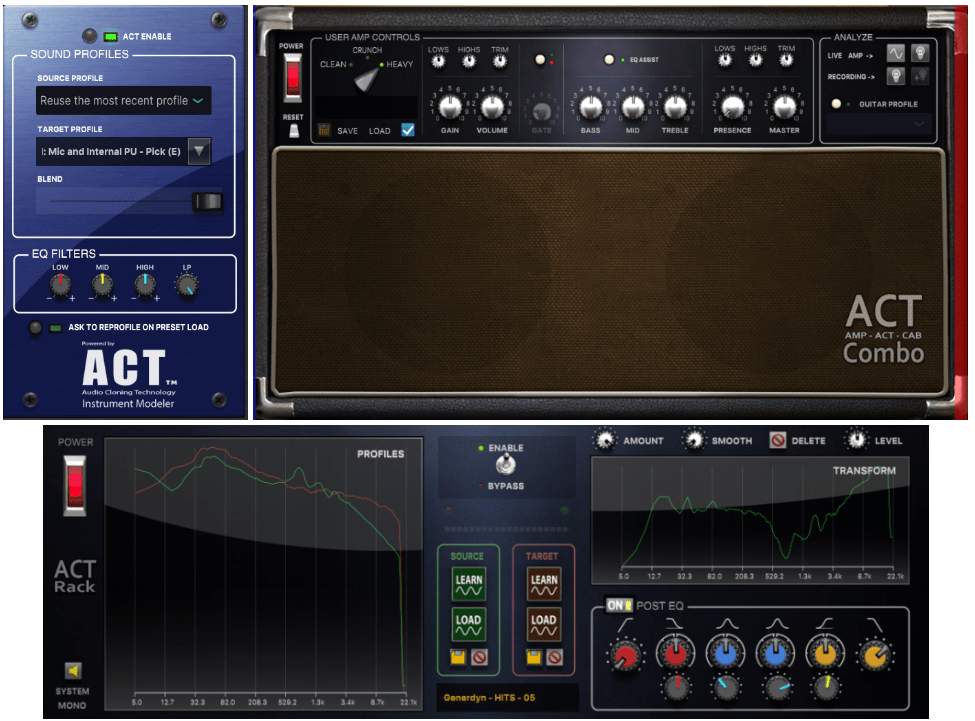
ACT is another killer feature. Short for Audio Cloning Technology, it lets you profile the sound of a real guitar or amp and transform it into a different instrument or tone. It’s like magic for tone chasers.

You can apply ACT in three spots:

  • Input Stage: Profile your instrument.
  • Amp & Cabinet: Clone amp tones.
  • Effects Rack: Shape the final sound.

At the input stage, it offers 43 default tones covering acoustic guitars, basses, and electrics. Play your instrument into the Source Profile to analyze it, then pick a Target Profile for the sound you want to achieve. The same process works for amps and effects racks too.

It’s a game-changer if you want to turn, say, an acoustic guitar into an electric vibe or match your amp to a legendary tone.


3. Tweaking Schematic (Circuit Adjustments)

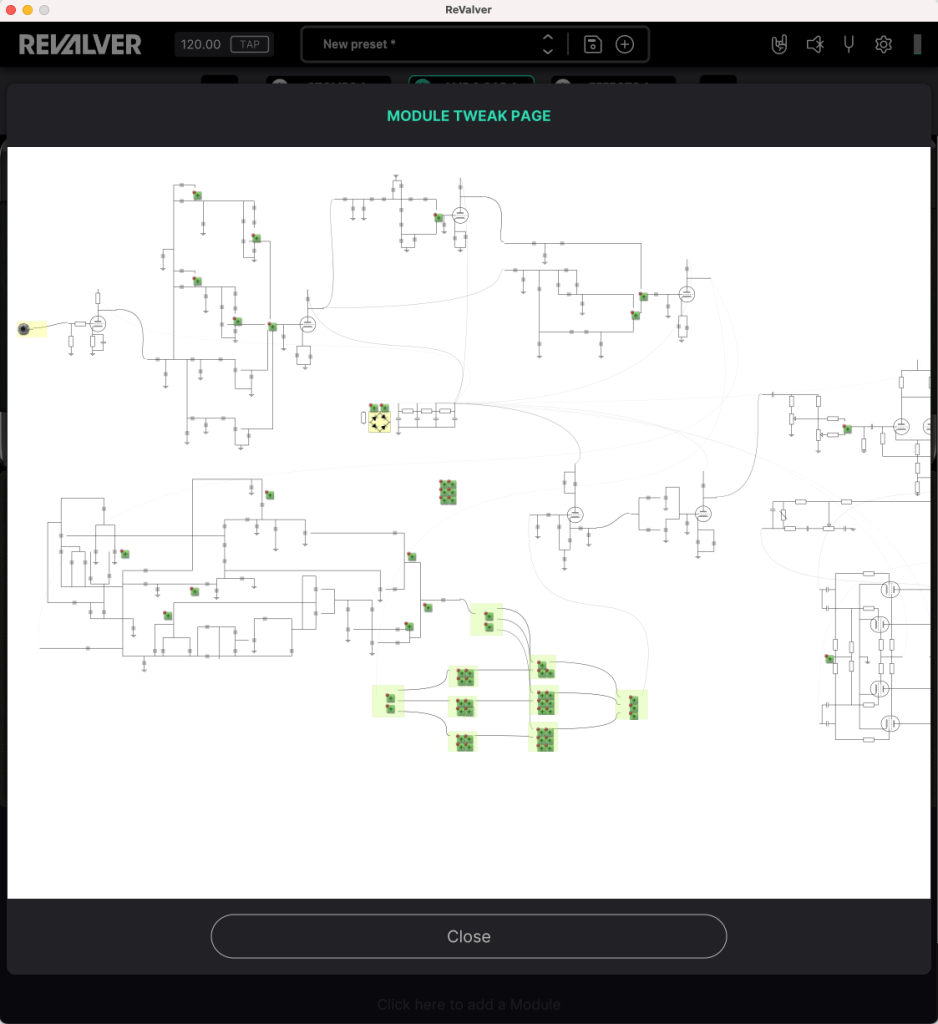
When I first saw this, my jaw dropped. Right-click an amp and select Tweaking Schematic, and you’re literally tweaking the virtual circuitry—like you’re inside the amp itself. Some models support it fully, others only partially:

  • Full Support: Peavey and Budda amps, built in collaboration with ReValver’s developers, let you tweak almost everything thanks to detailed circuit modeling.
  • Partial Support: Non-Peavey amps (like Marshall JCM800 or Mesa Dual Rectifier) have limited tweaks—like swapping tubes or adjusting the output section—since only parts of their circuits are mapped.

If you’re a gear nerd who loves digging into schematics, this is your dream come true. It’s not just Impulse Response (IR) snapshots either—these amps are digitally modeled at the circuit level, which makes them feel more alive and tweakable.


Why I Recommend It

After playing around with it, I’m genuinely impressed. You can assign MIDI controls to any parameter, and the built-in stomps, effects, amps, and cabinets are all rock-solid. But the real kicker? That ability to load external plugins—it’s a total game-changer.

Right now, it’s 50% off until March 31st. Whether you buy from Headrush’s site or Plugin Boutique, there’s a 10% tax added. That said, I’d go with Plugin Boutique—you’ll get a free plugin and some bonus points, making it a smarter deal overall.


Wrapping Up

ReValver’s mix of top-notch modeling, cloning tech, and insane flexibility makes it a standout choice. Whether you’re a guitarist, a producer, or just starting out, it’s a tool worth having in your kit.

That’s all for now—catch you in the next post! 😊

Scaler EQ and Scaler 2 on Sale (Free Scaler 3 Update with Scaler 2 Purchase, Until 3/31)

Hey there! I’m Jooyoung Kim, an engineer and music producer.

Today, I want to talk about two standout plugins from Plugin Boutique that are currently on sale: Scaler EQ and Scaler 2. I’ve been lucky enough to receive these plugins as NFR (Not for Resale) copies from Plugin Boutique. Also, if you purchase through the links in this post, I’ll earn a small commission that really helps me keep going—so thanks in advance for the support! 😊
Let’s dive in!


Scaler EQ

Scaler EQ is one of the flagship plugins from Scaler Music, distributed by Plugin Boutique. Sure, it has all the standard EQ features you’d expect, but what sets it apart are these three unique tricks up its sleeve:

  1. Key-Based Boosting and Cutting: It can boost sounds that fit the song’s key while reducing those that don’t.
  2. Magic Shelf Bands with Mid/Side Control: Adjust frequency responses using Mid/Side processing for a wider or more focused sound.
  3. Dynamic Control: Fine-tune the loudness with built-in dynamics processing.

Let’s take a closer look at how it works.

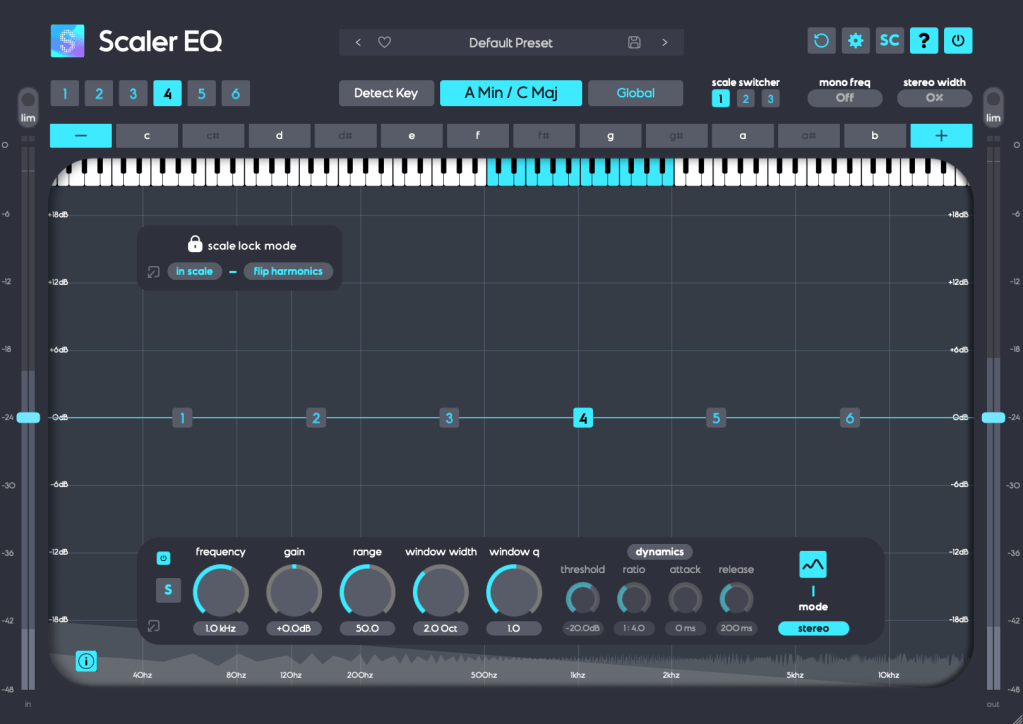
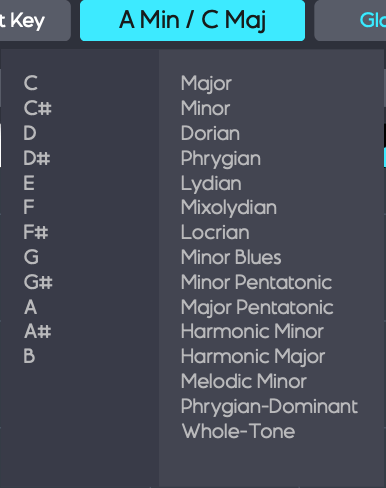
Play your track and hit the Detect Key button—it’ll automatically figure out the key of your song. You can also manually pick a key by clicking the middle key selection button. The Global button applies that key across all EQ bands.

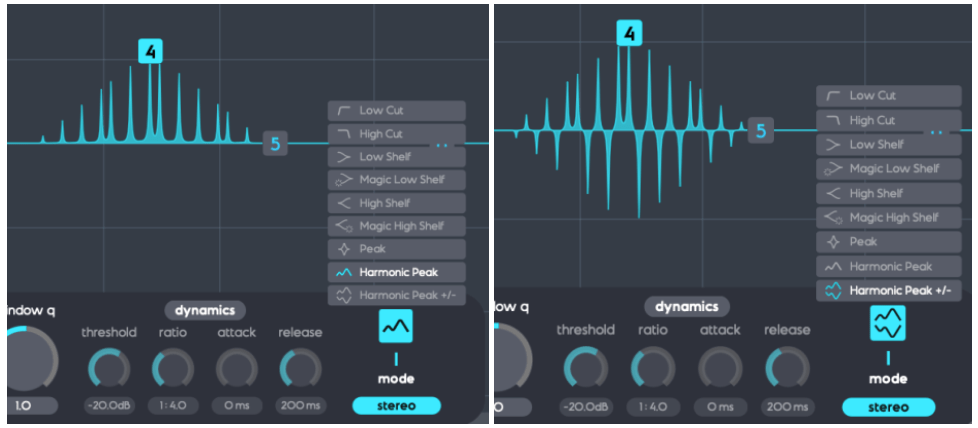
In Scale Lock Mode, the In Scale setting boosts notes within the key when using Harmonic Peak mode (highlighted in white on the piano roll). Turn it off, and it’ll boost whatever notes you’ve selected instead.

The Flip Harmonics option comes into play when the gain is negative in Harmonic Peak mode—it cuts notes outside the key. Disable it, and it’ll cut the in-key notes instead.

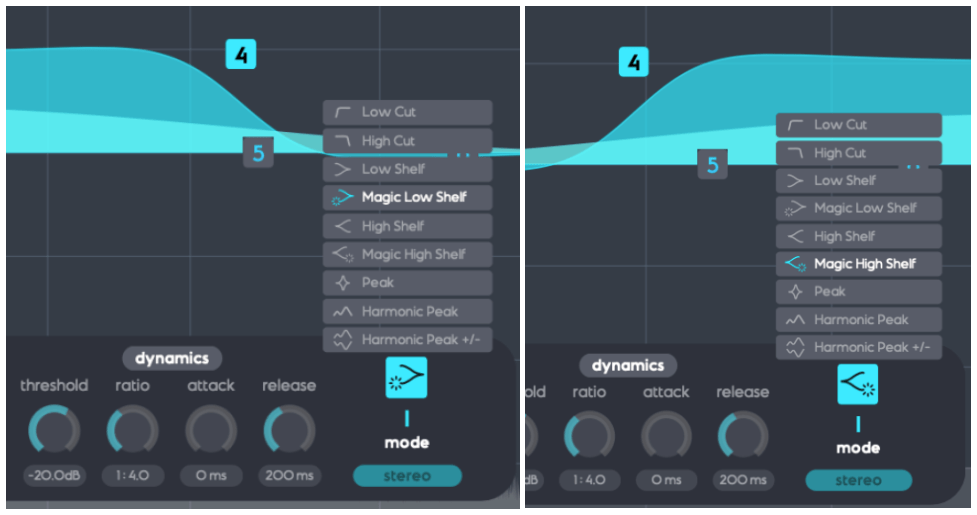
The Dynamics section feels pretty standard for a dynamic EQ, but the real stars here are Harmonic Peak, Harmonic Peak +/-, and Magic Low/High Shelf.

  • Harmonic Peak: Emphasizes notes within your chosen key.
  • Harmonic Peak +/-: Boosts in-key notes and cuts out-of-key ones at the same time.
  • Magic Low Shelf: Highlights the Mid over the Side for a punchier low end.
  • Magic High Shelf: Boosts the Side over the Mid for a wider, airier top end.

These features might sound simple, but when used well, they can bring out the harmonics of your key in totally unique ways, adding fresh colors to your sound.

As far as I know, Scaler EQ is the only EQ out there that adjusts sound based on musical scales like this. It’s a rare gem, and with it on sale, now’s a great time to grab it! 😊


Scaler 2

Scaler 2 is a versatile tool packed with features to help you create music. Here’s the core of what it does:

  1. Extract Chord Progressions: Pull chords from MIDI or audio files.
  2. Rearrange or Reharmonize: Tweak and transform those chords however you like.
  3. Choose Presets: Pick lines or voicings from its built-in instruments.
  4. Export as MIDI: Capture everything and drag it into your DAW.

When you download Scaler 2, you’ll get three versions:

  • Scaler2: The virtual instrument version.
  • ScalerAudio2: An effect version tailored for analyzing audio tracks.
  • ScalerControl2: An AU MIDI plugin, perfect for controlling external instruments in DAWs like Logic Pro.

You could take chords from a song you love and use them to build something entirely new. Or start fresh with over 400 genre-based chord sets and 200+ artist chord sets included as presets.

Personally, I think it’s a lifesaver when you’ve got a rough chord progression but can’t figure out the bass, melody, or guitar lines. It’s also great for nailing piano or guitar voicings if those feel tricky. Plus, it’s a handy tool for studying music—perfect for copying and analyzing songs you admire.

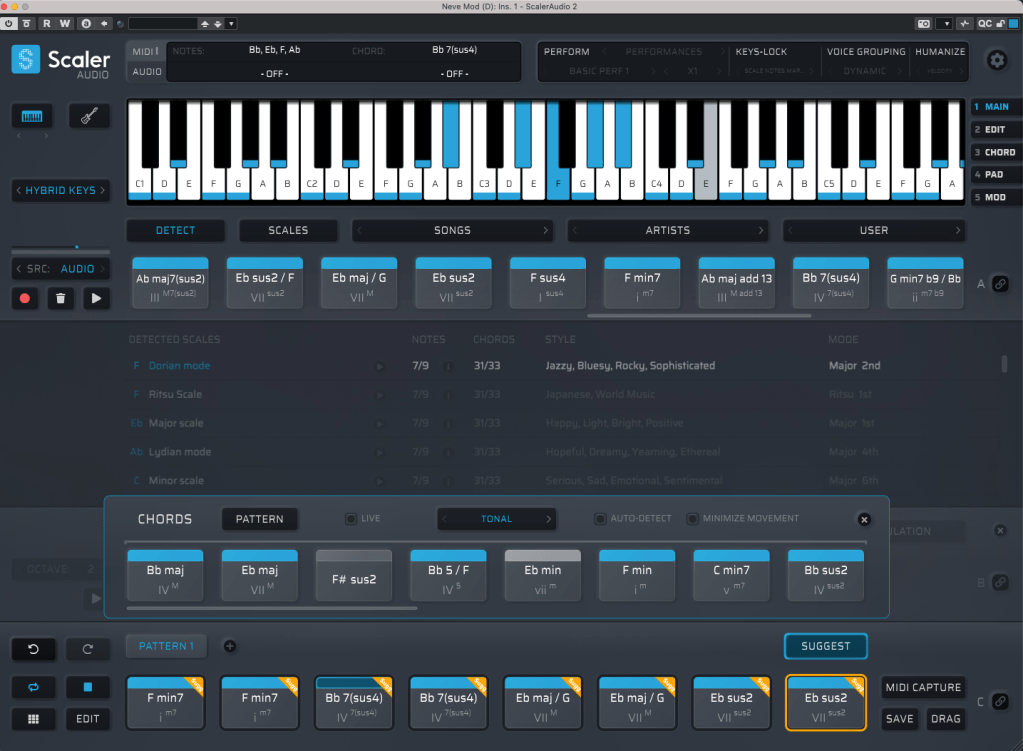
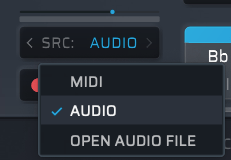
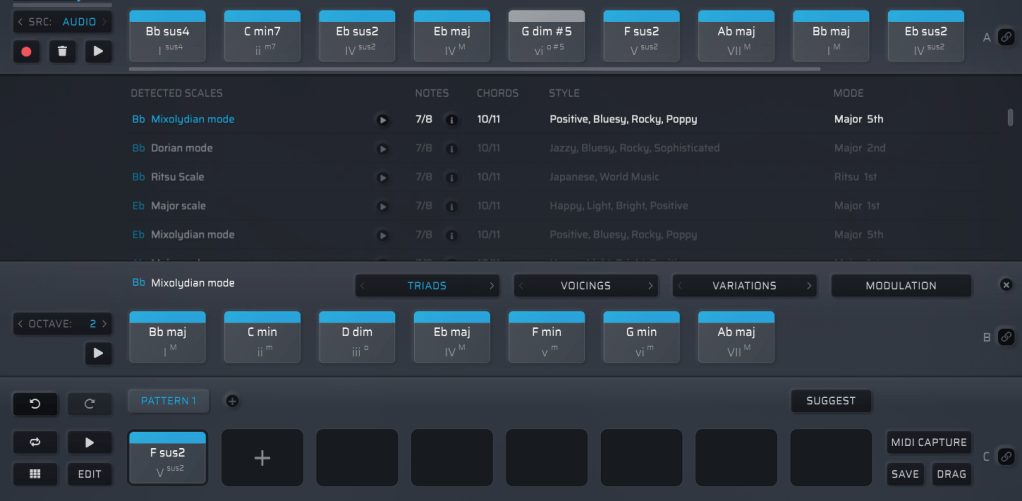
It might look overwhelming with all its features, but spend about 30 minutes messing around, and it’s not hard to get the hang of it. On the left, under SRC, you’ll see three options: MIDI, AUDIO, and OPEN AUDIO FILE. MIDI and AUDIO let you record in real-time to extract chords, while OPEN AUDIO FILE pulls them straight from an audio file. Once you do that, chords pop up alongside the detected scale, like in the image above.

Chords in blue are within the detected scale, while those in gray are outside it. You can drag these chords down to create a pattern.

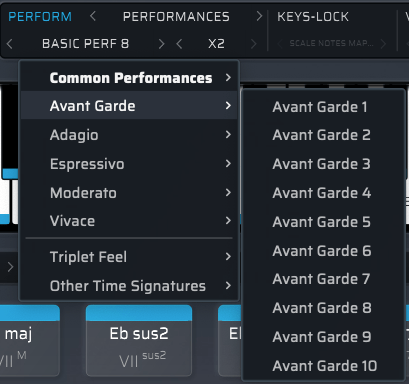
Once you’ve got a pattern, head to the top right where you’ll find Perform, Keys-Lock, Voice Grouping, and Humanize. These let you tweak the MIDI patterns—think arpeggios, strumming, or natural timing variations.

The catch? You can only preview sounds using Scaler 2’s built-in virtual instruments. That said, there’s a decent variety, so you can get a rough idea of how it’ll sit in your track.

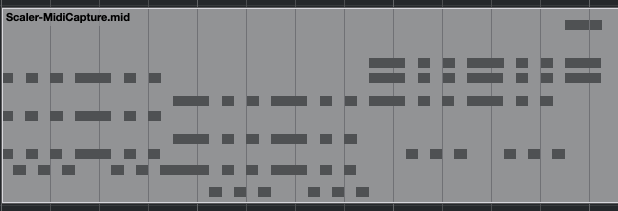
When you’re happy with everything, hit the MIDI CAPTURE button at the bottom right, play it back, and record the pattern as MIDI.

Then, drag the DRAG button into your DAW’s MIDI channel, and boom—your pattern’s ready to go!

Beyond that, Scaler 2 can suggest modulation paths (like where and how to change keys) and even hook up external instruments via MIDI routing—though that’s a bit trickier to set up.

Having used it myself, I can say it’s a super useful tool in tons of ways. It’s especially awesome for beginners learning to compose—it takes the intimidation factor out of chord progressions and music theory.


Bundle Deal and Final Thoughts

The sale runs until March 31st, and bundling Scaler 2 and Scaler EQ together gets you an even better deal. Plus, if you buy Scaler 2 now, you’ll get the upcoming Scaler 3 update (slated for this month) for free. It’s a steal at this price, so I’d highly recommend jumping on it while it lasts.

That’s it for now—hope to see you in the next post! 😊