Changes in Loudness Over the Years (1995–2024 GRAMMY Nominees)

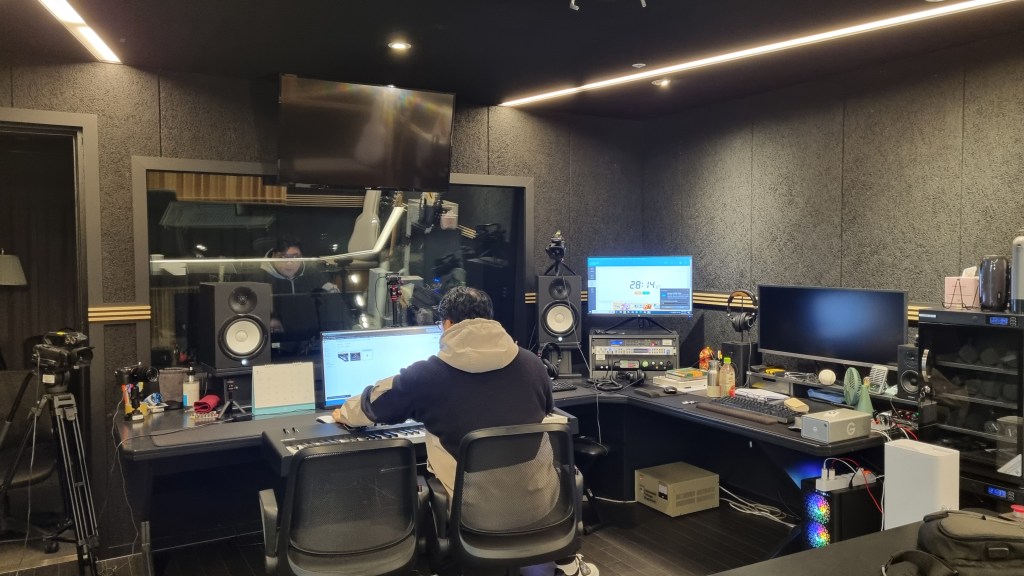
Hello! I’m Jooyoung Kim, a mixing engineer and music producer.

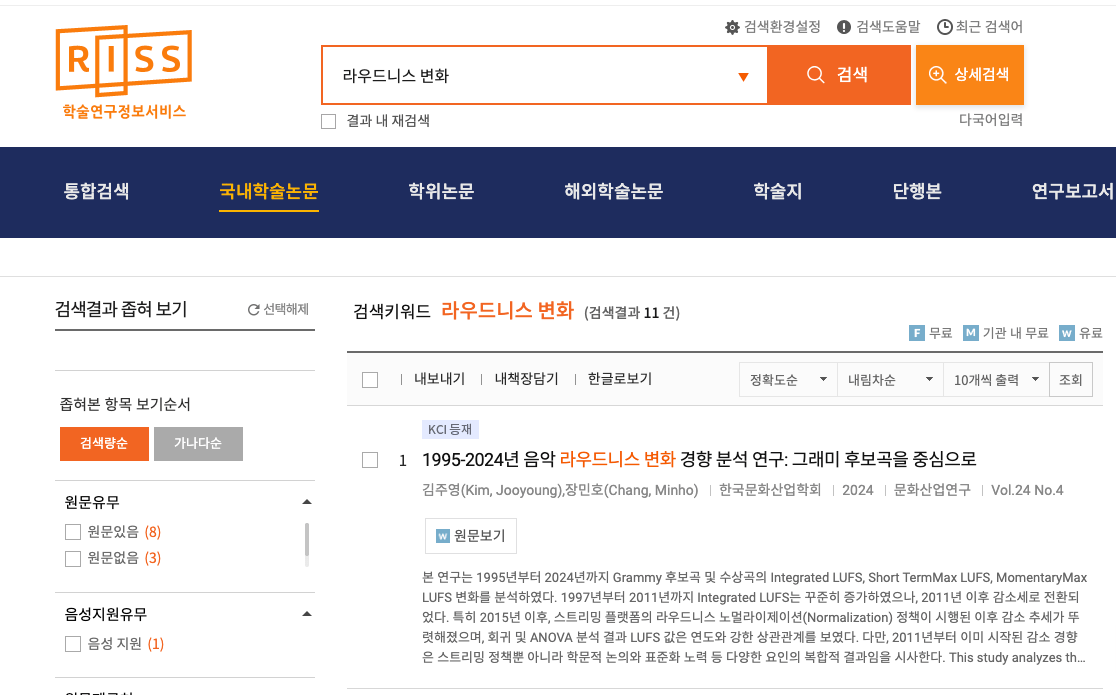
Recently, I mentioned that I had written a simple paper in Korean. Initially, it was just a school assignment, but I decided to submit it as a formal paper rather than letting it collect dust.

Today, I searched for it on RISS and found that it’s officially listed! So, I’d like to share some insights from it.


As the title suggests, this paper involved a lot of hands-on work and analysis. Here’s what I did:
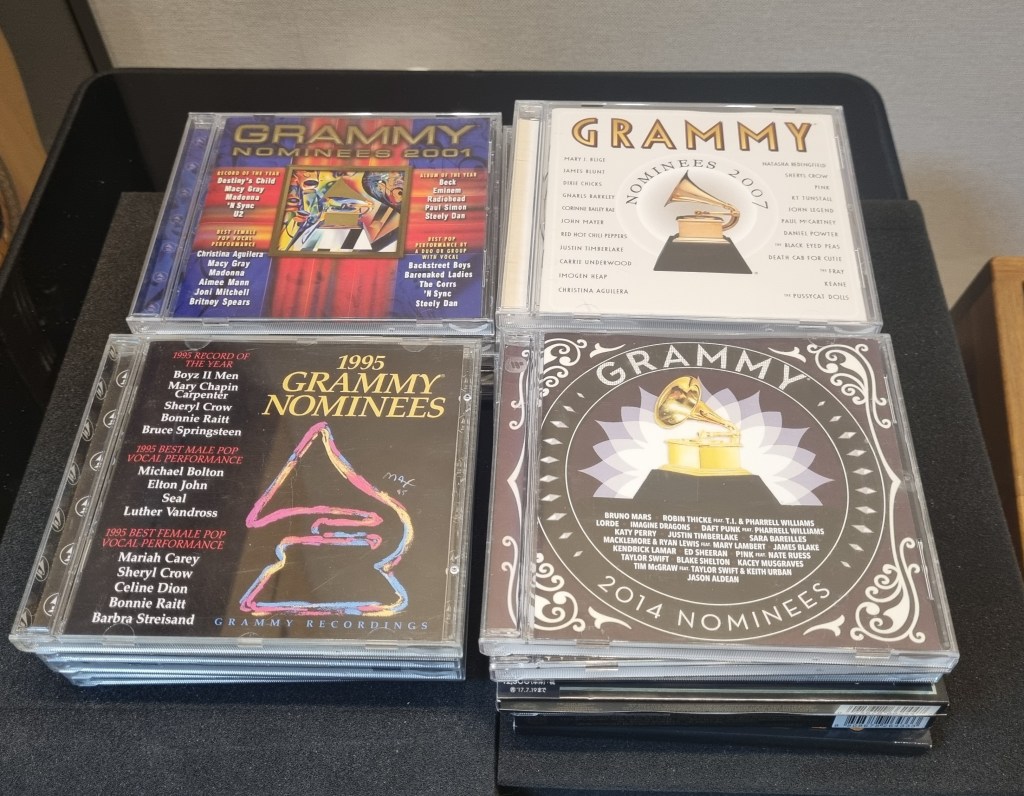
  1. I tracked down GRAMMY Record of the Year nominees from 1995 to 2020 that were released on CD, importing the CDs directly from Japan.
  2. From 2021 onward, CDs were no longer released due to declining sales. For these years (2021–2024), I purchased FLAC 44.1kHz/16-bit files for the nominees.
  3. I extracted FLAC files from the CDs and measured their loudness values using the Youlean Loudness Meter.

This meter allowed me to measure Momentary Max, Short-Term Max, and Integrated Max LUFS (Loudness Units Full Scale). Using this tool, I processed a total of 520 songs.


Data Analysis

For analysis, I used common statistical methods like linear regression and ANOVA. While the statistical methods might not be particularly meaningful to engineers or artists, the results are worth noting.

In summary, I observed:

  1. Starting in 2015 (just before loudness normalization became standard across music streaming platforms), the 3-year moving average of loudness began to decrease significantly in a linear trend.
  2. Let’s break down the results with some key points about loudness:
    • LUFS (Loudness Units Full Scale) measures the perceived loudness of audio.
    • A value of 0 LUFS represents the maximum output level. Lower values (negative) indicate quieter audio.

Average Integrated LUFS by Year

Integrated LUFS represents the average loudness of a track from start to finish. Here’s the year-by-year trend:

YearAverage Integrated LUFS
2011-7.9668
2012-8.7532
2013-8.5582
2014-9.17
2015-7.5467
2016-8.7710
2017-8.4776
2018-8.27
2019-8.7814
2020-8.6533
2021-8.1338
2022-9.145
2023-8.706
2024-8.8175

This data reflects the overall average loudness of music in recent years.


Momentary Max LUFS by Year

Momentary Max LUFS represents the peak loudness within a short 0.4-second window. Below is the year-by-year trend:

YearAverage Momentary Max LUFS
2011-4.3868
2012-5.0709
2013-4.5377
2014-5.1439
2015-4.2238
2016-4.8648
2017-4.4562
2018-4.5686
2019-4.9491
2020-4.9752
2021-4.4825
2022-5.125
2023-4.944
2024-4.6863

Takeaways for Audio Engineers

From this analysis, I’ve noticed two important trends:

  1. Integrated Loudness Levels:
    • In recent years, tracks with Integrated LUFS around -8 to -9 LUFS seem to be well within acceptable ranges, meaning engineers no longer need to obsess over achieving higher loudness levels.
  2. Peak Loudness (Momentary Max LUFS):
    • Most highlights in songs fall within -4 to -5 LUFS. Standard deviation has also decreased over time, suggesting a narrowing range in peak loudness levels.

These findings could serve as helpful guidelines for mixing and mastering.


Personal Notes

Currently, I’m working on another audio-related paper using LaTeX—a tool that feels more like coding than writing! While it’s challenging, I’m preparing this paper for submission to the ASA (Acoustical Society of America), aiming for SCI recognition.

If rejected, I’ll submit it to AES (Audio Engineering Society) instead—or another venue if necessary.

I hope these insights into loudness trends prove useful for those in music production and audio engineering! If you have any questions about loudness, feel free to reach out via email.

See you in the next post! 😊
Basics of Mixing – 13.3 Digital Cables and Connectors

Hi! This is Jooyoung Kim, mixing engineer and music producer. Today, we’ll talk about digital cables and connectors. This article is based on my book “Basics of Mixing“, published in South Korea.

Let’s start!


In the previous post, I categorized digital cables into the following formats:

  1. AES/EBU (AES3)
  2. ADAT
  3. S/PDIF
  4. MADI
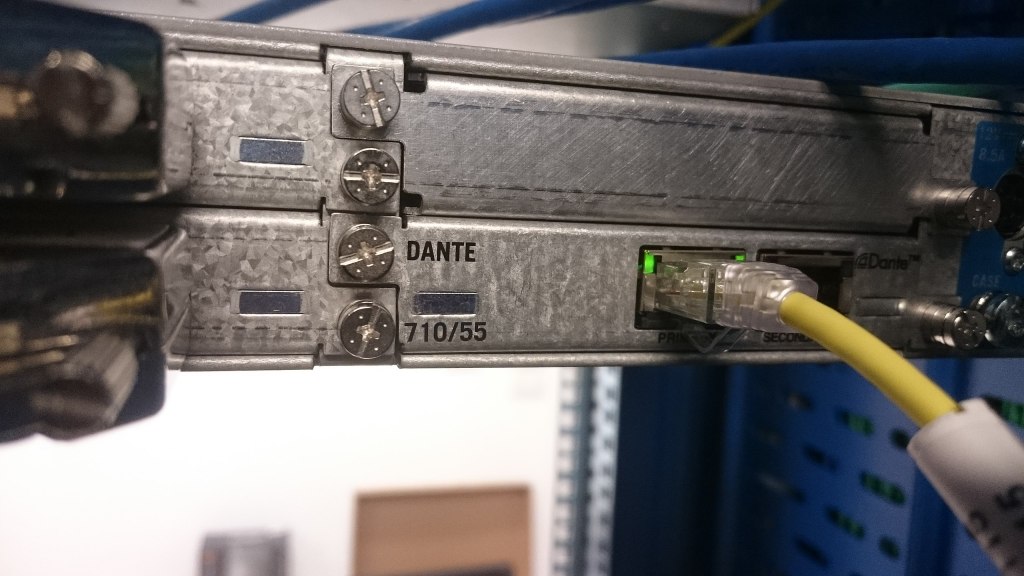
  5. Ethernet-based formats (e.g., UltraNET, CobraNet, Dante)

Now, let’s take a closer look at each of these.


AES/EBU (Audio Engineering Society/European Broadcasting Union, AES3)

AES/EBU is a digital audio standard co-developed by the Audio Engineering Society (AES) and the European Broadcasting Union (EBU). It is also defined under the IEC 60958 standard.

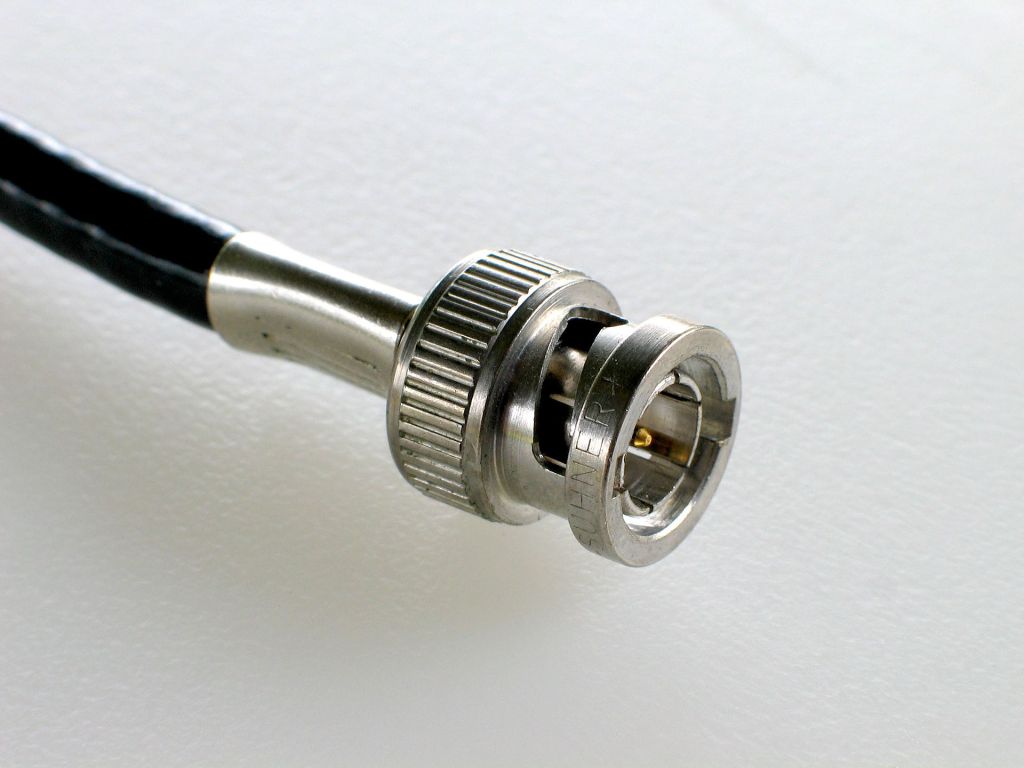
This format is compatible with S/PDIF and utilizes XLR and BNC coaxial connectors.

  • When using XLR connectors, a balanced cable with an impedance of 110 ohms is required.
  • When using BNC connectors, an unbalanced cable with an impedance of 75 ohms is used.

AES/EBU supports up to 24-bit audio with a maximum sampling rate of 192 kHz for 2-channel stereo.


ADAT Lightpipe (Alesis Digital Audio Tape)

ADAT, short for Alesis Digital Audio Tape, was developed by Alesis to transfer digital signals.

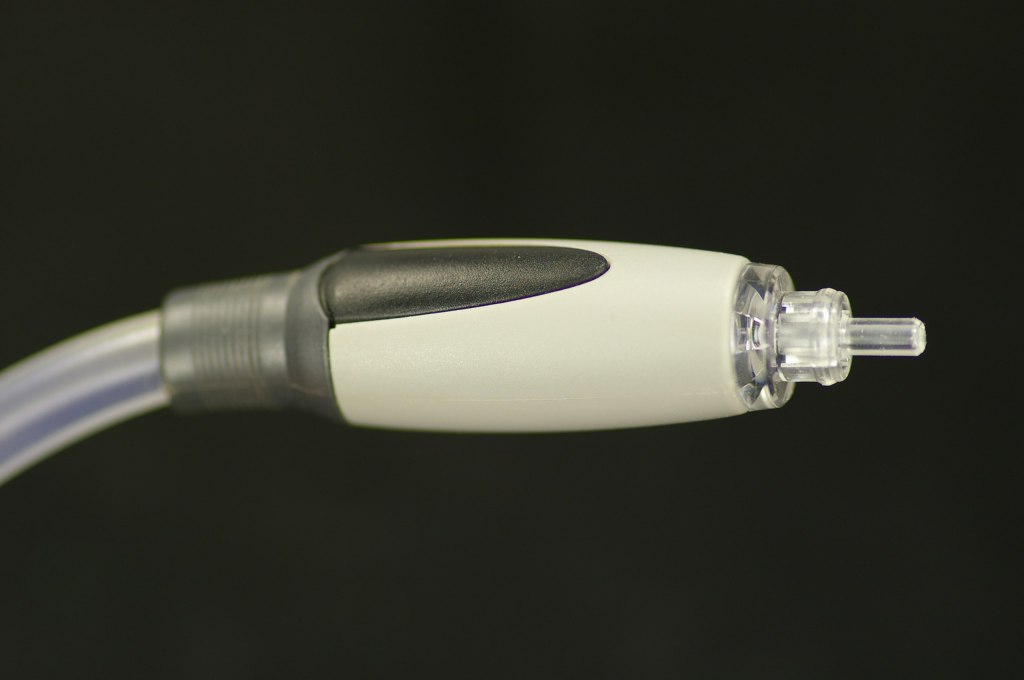
This format uses optical fiber for signal transmission and connects via Toslink connectors.

It supports:

  • Up to 8 channels at 44.1 kHz or 48 kHz,
  • 4 channels at 88.2 kHz or 96 kHz,
  • 2 channels at 176.4 kHz or 192 kHz.

S/PDIF (Sony/Philips Digital Interconnect Format)

S/PDIF is also defined under the IEC 60958 standard and serves as the consumer version of AES/EBU, maintaining compatibility with it.

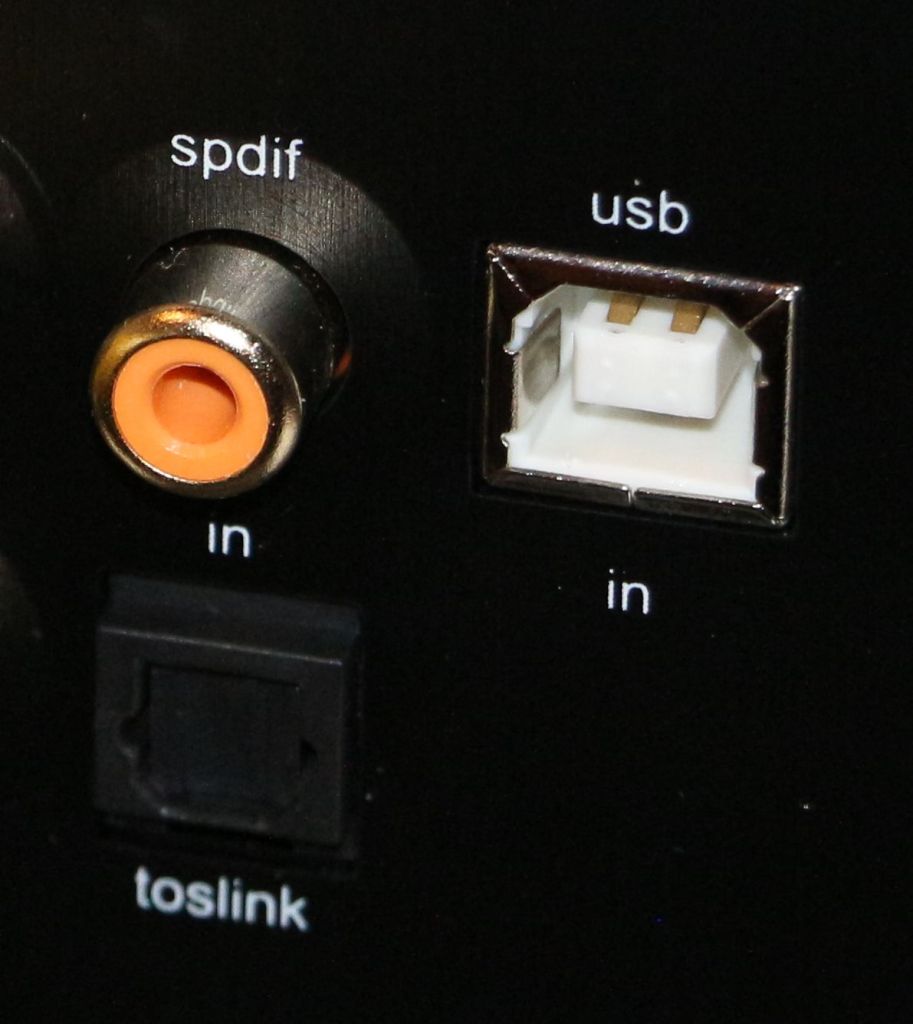
It uses RCA coaxial connectors and Toslink connectors.

  • With RCA connectors, an unbalanced cable with 75-ohm impedance is required.

S/PDIF supports a maximum of 24-bit audio at 192 kHz for up to 2 channels.


MADI (Multichannel Audio Digital Interface)

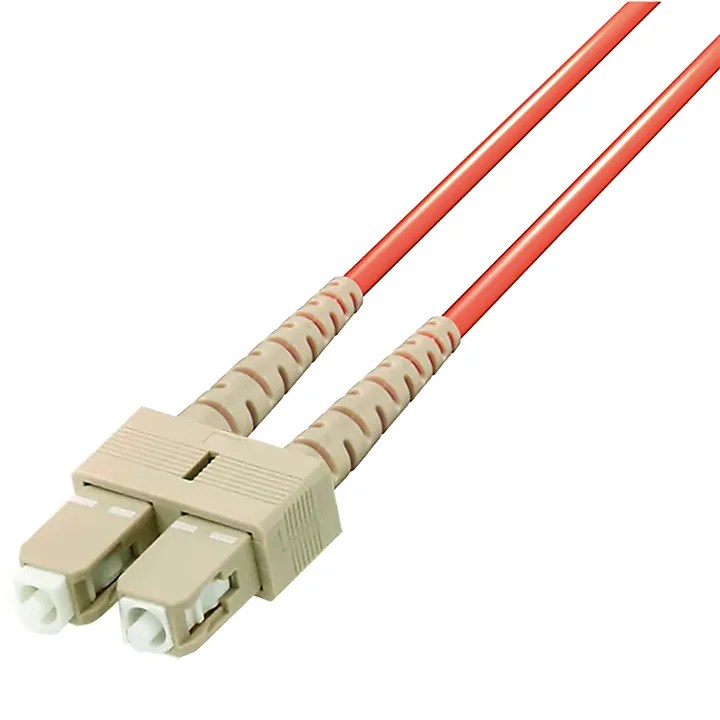
MADI is defined under the AES10 standard and uses coaxial cables (75 ohms) or optical fiber for transmission.

  • With coaxial cables, it supports distances of over 100 meters.
  • With optical fiber, it can reach up to 2 kilometers.

Typically, MADI can transmit:

  • 64 channels at 32 kHz–48 kHz with a bit depth of 24 bits per channel,
  • Higher sample rates (e.g., 96 kHz or 192 kHz) by combining multiple channels.

Ethernet-based Formats

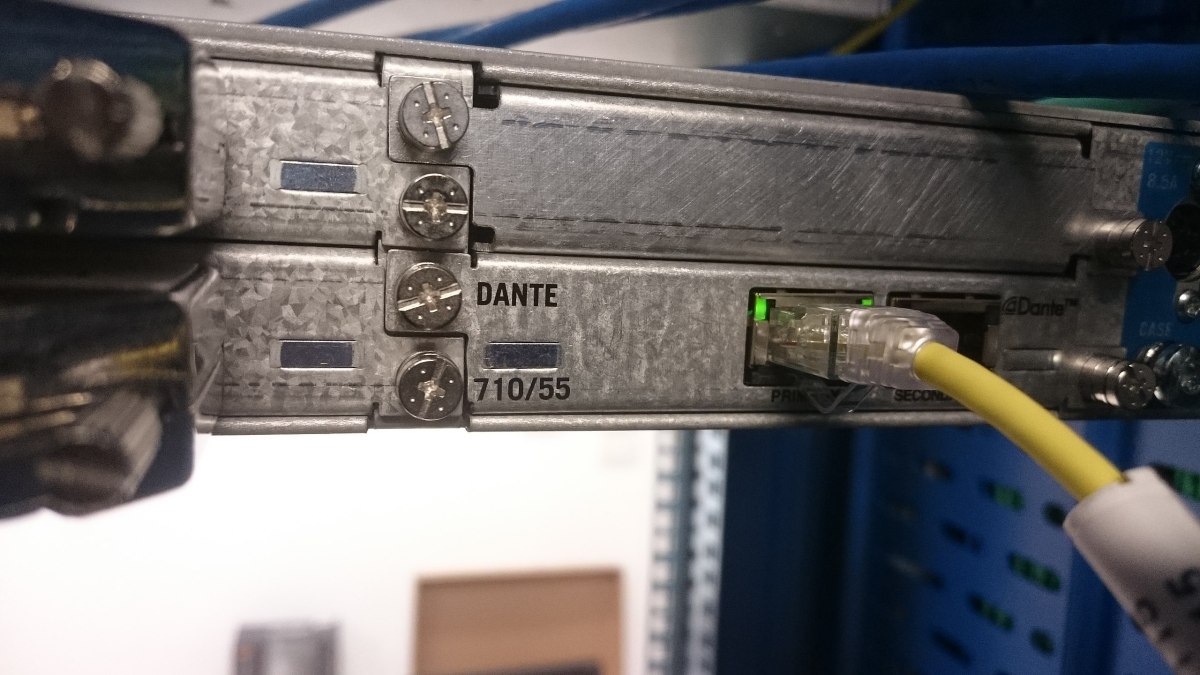
There are various standards that utilize Ethernet cables, with Dante being one of the most prominent.

  • Dante can transmit up to 1,024 channels at 192 kHz, with a maximum bit depth of 32 bits.

Due to its scalability and cost-efficiency, Ethernet-based formats are often used in large-scale studio setups.


That wraps up the basics of digital cables and connectors!

Nowadays, many people work with just an audio interface and a mic preamp, so it’s common for digital cable standards to be overlooked. However, understanding these formats is crucial when purchasing digital equipment.

Being aware of the available formats and connectors can save you from the frustration of buying incompatible equipment.

Remember: a little knowledge now can save a lot of headaches later!

See you in the next post! 😊
Basics of Mixing – 13.2 Types of Analog Cables and Connectors

Hello! This is mixing engineer and music producer Jooyoung Kim.

Last week, while I was writing my paper, I discovered logical structure and measurement errors. As a result, I had to export data several times and couldn’t post anything on the blog. However, the first article at 2025 is Basics of Mixing! This article is based on “Basics of Mixing“, published in South Korea.

Today, we’ll find out types of analog cable and connectors. Let’s dive in!


Types of Cables

Cables can be divided into two categories: Analog & Digital.

Analog:
1) Balanced
2) Unbalanced

Digital:
1) AES/EBU(AES3)
2) ADAT
3) S/PDIF
4) MADI
5) LAN(UltraNET, CobraNet, Dante..etc)

In this article, I’ll talk about analog cables and connectors.


Analog Balanced Cable & Unbalanced Cable

First, you have to know difference between balanced cable and unbalanced cable.

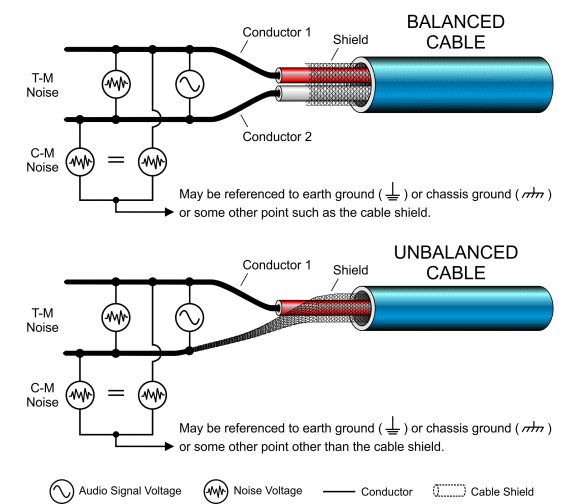
Generally balanced cable has 3 lines: Hot(+), Cold(-), Ground. The hot and cold lines carry identical signals but in opposite phases, which helps cancel out noise.

Unbalanced has 2 lines: Hot(+), Ground.

You can convert a balanced cable into an unbalanced stereo cable by assigning the hot and cold lines to the left and right channels, respectively.


Analog Connectors

Left: TRS, Right: XLR

Representable connector, for balanced cables, are TRS and XLR. You could see 3 parts for hot, cold, and ground.

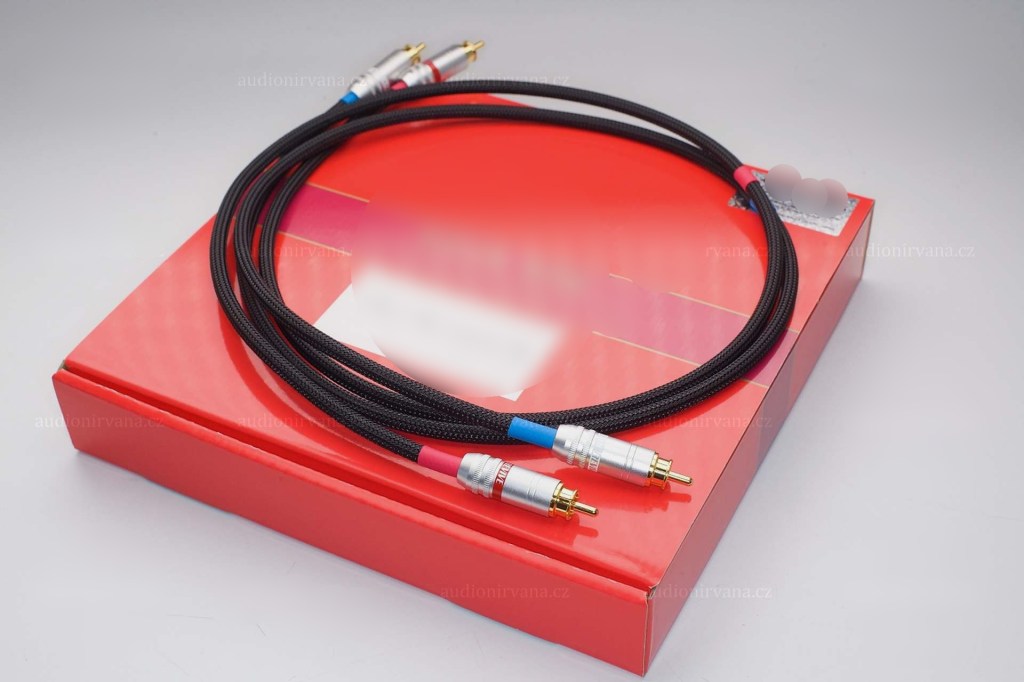
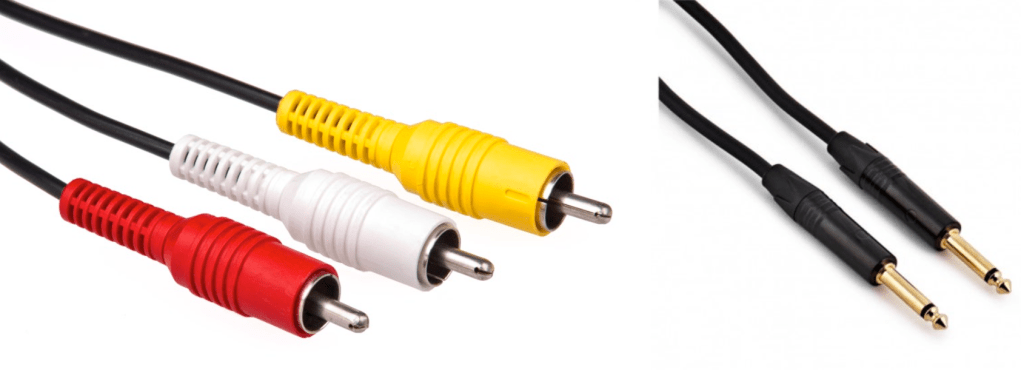
Left: RCA, Right: TS

RCA and TS cable is the most used connector for unbalanced cable

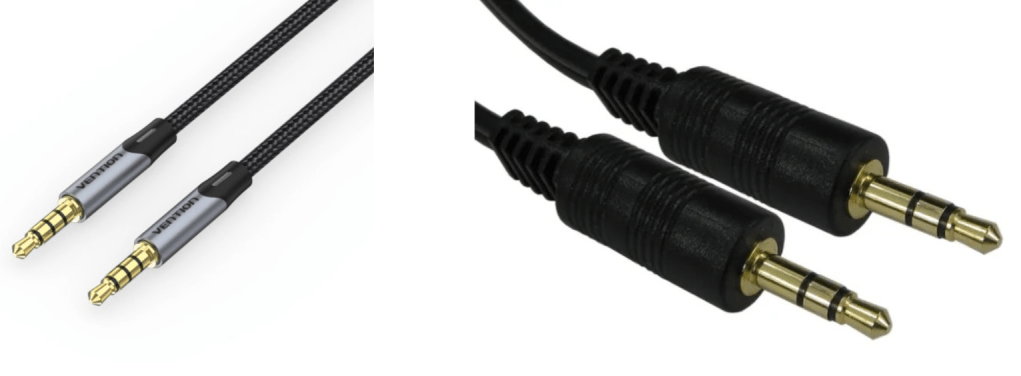
AUX

Common consumers easily find this AUX connectors at headphones or earphones.

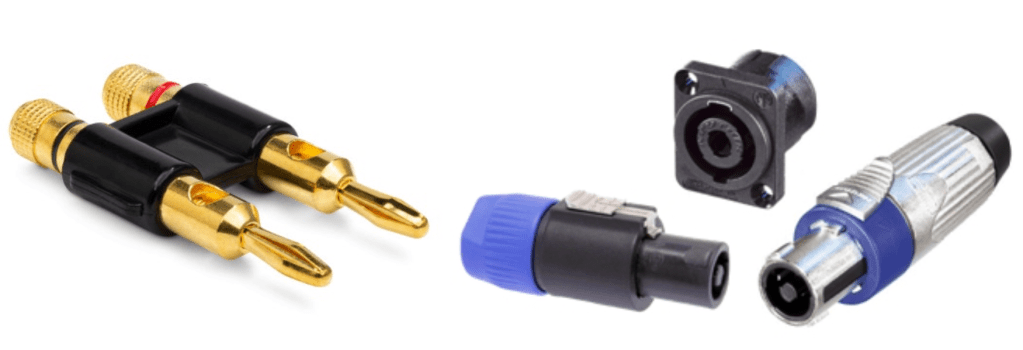
Left: Banana, Right: SpeakON

Banana and SpeakON connectors are also used at unbalanced cable, for passive speakers.

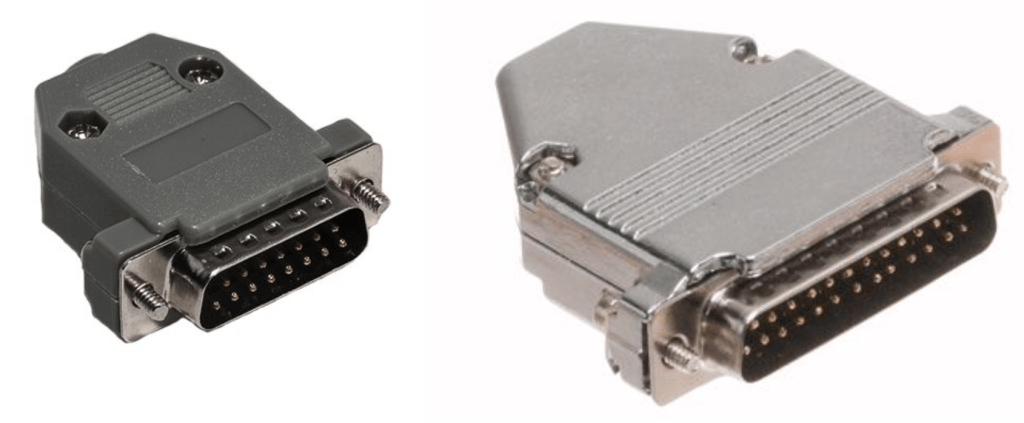
Left: DB 15, Right: DB25

If you purchase audio interface, sometimes you could find those connectors. Those connectors called D-Subs. DB25 connectors could connect analog balanced 8 channels. DB15 connectors are not used usually.

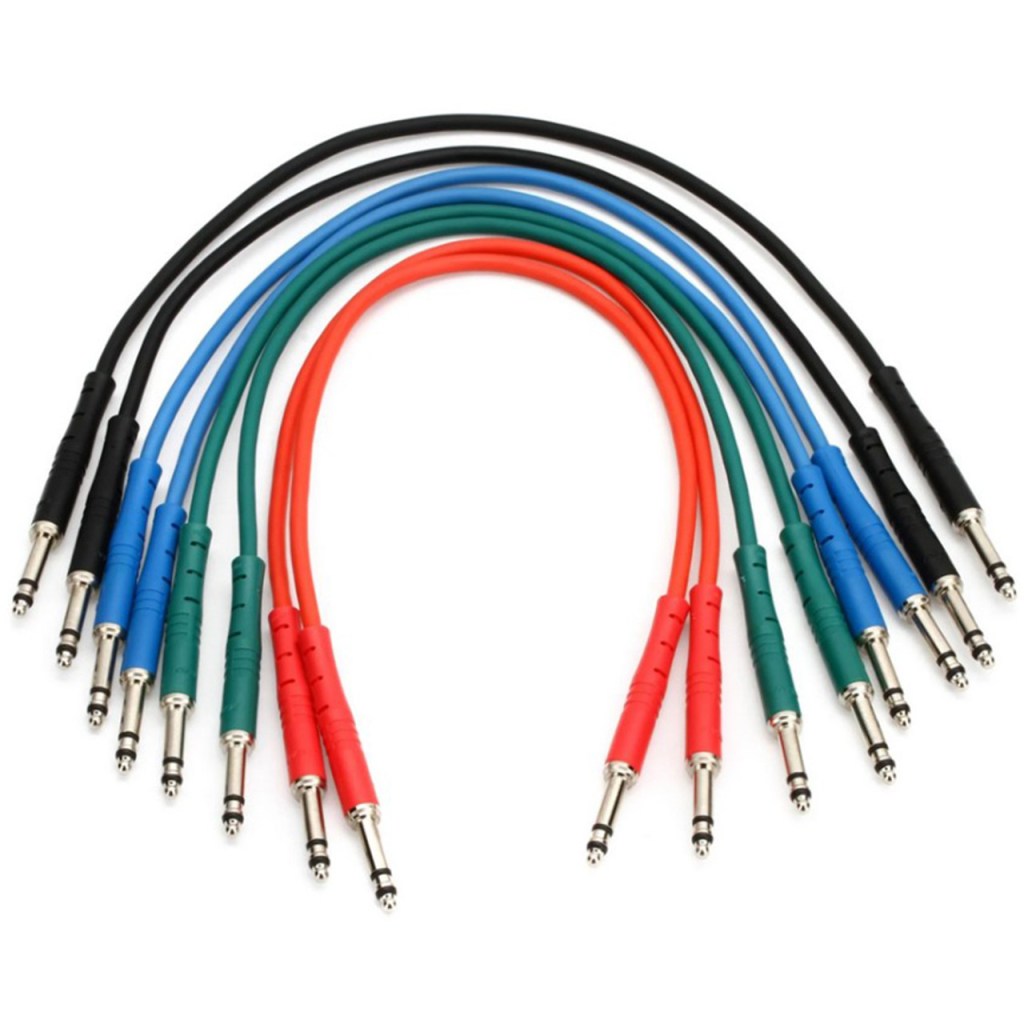
There is also a proprietary patchbay-specific standard called TT cable.

These guys are so small and expensive, so unless you’re working with an analog mixer, I think it’s better to just buy a TRS patch bay and use TRS.

Well, in fact, if it’s copper, you can use it as an analog cable. You can cut the power cable that you don’t use at home and use it as a balanced cable. I haven’t tried it, but you can probably cut the USB cable and use it.

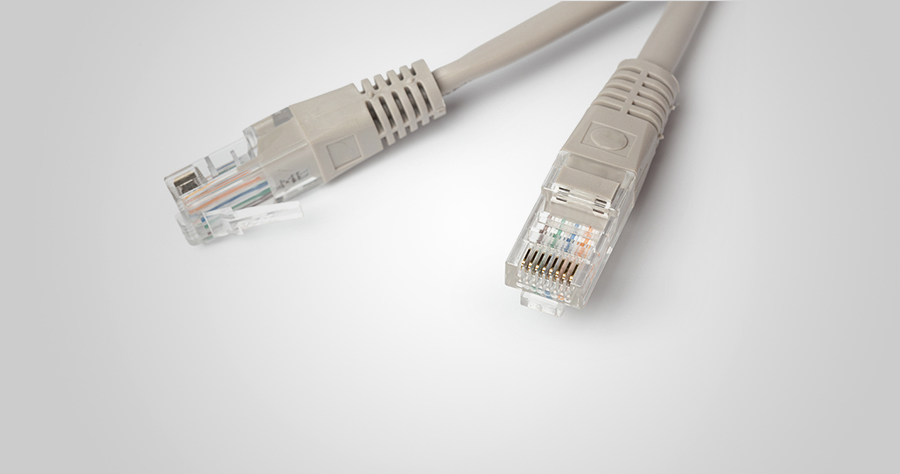
In the studio I used to work at, we used to connect the talkback microphone via LAN port and LAN cable..!

There is no disagreement about digital, but there is a lot of talk about the difference in sound quality depending on the type of analog cable and connector. This depends greatly on the specific situation.

Guitarists will feel the difference in cables quite a bit when performing or playing together, but this is mostly due to the high impedance of the electric guitar and the impedance of the amplifier. When recording directly connected to a proper DI box or audio interface, you won’t be able to feel the difference. So, to compare properly, you should record by micing the connection to the amplifier.

For the same reason, you may feel it a little in the cable connected to the microphone preamp and the microphone.

However, it is actually meaningless for cables at line level. If you are connecting speakers or outboard, you don’t have to think about this. I also bought a slightly expensive Telefunken STMC cable and used it on the microphone, and… I thought… haha..

I should have bought several pizzas or hamburgers with that money.

There are many expensive cables like this for both pro audio and hi-fi. If you want peace of mind by buying them, then they are fine, but there are quite a few studies that show that they are not very meaningful in terms of measurements or audibility.

If you are an engineer, you will probably end up soldering it yourself because you don’t want to waste any extra wires or connectors. If you look inside, you will see that it is a very simple structure. Don’t hesitate to try it yourself—you’ll find that it’s simpler than it looks!

I will end it here for today. Then, I will see you again in the next article!

2024 Year in Review

Hello! I’m Jooyoung Kim, an engineer and music producer.

It’s already the last day of 2024…
It feels like I’ve barely done anything, yet the end of the year has come around again. 😊
This year, I want to take a moment to look back on what I’ve done.


First Half of the Year

In January, I started writing introductory posts about mixing techniques.
I’d been wanting to publish articles elsewhere, but after receiving rejections from various outlets, I decided to focus on writing consistently on my blog instead.

I lost count of how many times I revised those posts! Eventually, I submitted them to Kyobo Bookstore’s POD (Print on Demand) service. To my surprise, Joongpil Goo, an engineer from Klang Studio with extensive experience as an SM engineer, graciously wrote a recommendation for the book. Even now, it feels surreal! 😊

This was finally completed by late September, and it was quite an intense journey just to publish a single book.

From January to April, I worked with a studio called Studio Dolphin, producing YouTube videos where AI collaborated with indie musicians to create songs.
We used Soundraw for the AI-generated music, ChatGPT for lyrics, and melodies were composed by indie musicians. The challenge was to create a full song in just 90 minutes.

I participated as both an engineer and a panelist, but unfortunately, the videos didn’t garner much attention, and they’ve since been taken down.

At the start of January, I was extremely busy with various recording and mixing tasks for school projects. In February, I spent a lot of time preparing paperwork to apply for government-sponsored projects. Sadly, none of these applications were successful, which left me feeling rather deflated.

In March, I returned to school, and things got busier from there.

In May, I launched my English blog and started promoting Plugin Boutique products more actively, which kept me even busier.


Summer

From July to August, I worked on producing Danny Boy’s EP from start to finish.
I handled everything—recording, arranging, mixing, and mastering. 😊

At the same time, I collected measurement data for my thesis. The data turned out well enough that I’m now preparing to submit it to an international academic journal.

While processing the data, I found myself delving into coding—a field I never thought I’d explore! Surprisingly, tools like Copilot and ChatGPT were lifesavers. At first, I barely understood anything, but after asking countless questions, things started making sense. 😊


Second Half of the Year

September was tough. I applied for several positions but didn’t get any of them. My final interview was with the Gyeonggi Arts Center, but, well… things didn’t work out. Back in May, I’d also made it to the final round for a position at Kumho Art Hall at Yonsei University but was ultimately rejected. I guess that’s just how life goes. 😊

In October, I filmed a music video, and November passed without anything particularly noteworthy.

In December, I wrote a short paper about loudness in audio and submitted it to a domestic academic journal. It was accepted and will be published in early January.

Also, during this semester, a professor from Sorigeo joined the faculty, and I took his class. In collaboration with him, I gathered data for another research paper, spending two days on measurements. The data looks promising, but I haven’t organized it yet. Once I do, I plan to publish another paper and share the details. 😊

In addition to all this, I continued working on my own music, doing external mixing/mastering, composing/arranging, and providing guide vocals.


Unforgettable Projects

One of the most memorable projects this year was mastering the EP for the Bulkuksa Team’s Random Game. My favorite track was definitely “Microdust.”

A heads-up: the song contains explicit language. 😊

A friend had asked if I could master the track using only an MP3 demo, as they’d lost the original files. I was initially concerned about the sound quality but was blown away by how creative the music was. I couldn’t say no!

Some tracks were well-balanced, while others were completely off, but I managed to improve them significantly through proactive mastering. While the sound quality wasn’t ideal due to the limitations of MP3, the sheer fun of the music made up for it. 😊


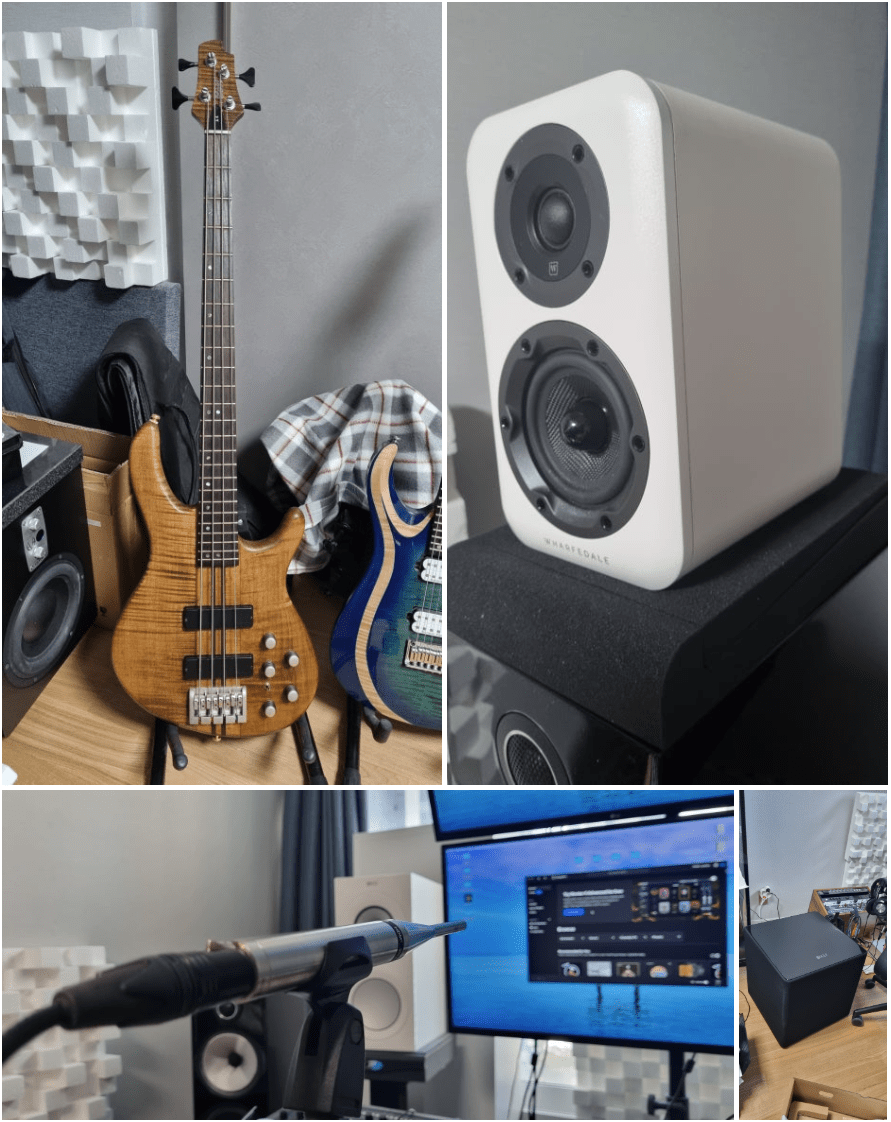
Gear Purchases

  1. Stam Audio SA-4000 MK2 Compressor
  2. KEF Kube 15 MIE Subwoofer
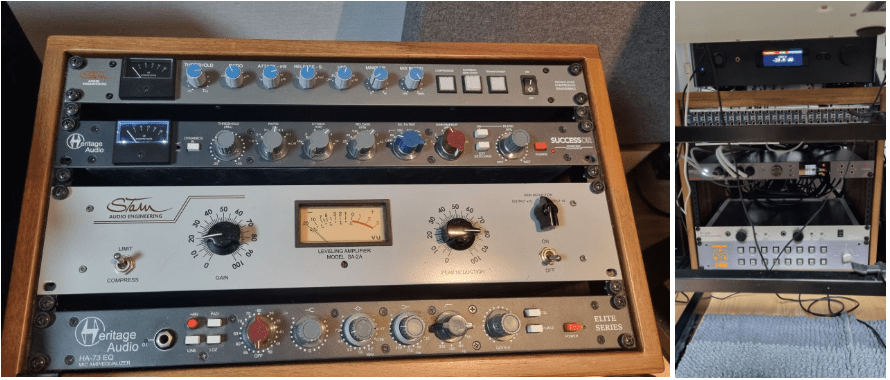
  3. Stam Audio SA-2A Compressor
  4. Earthworks M30 Measurement Microphone
  5. Rack Cabinet and Patch Bay
  6. Wharfedale D310 Passive Speakers
  7. Cort A4 Bass
  8. A broken Heritage Audio Successor Compressor

I bought quite a bit this year…

Next year, I’m thinking of adding a tube microphone preamp and an EQ. Maybe another compressor or a mic too? The gear wishlist never ends! 😊