My Research Paper Was Published in the Audio Engineering Society (Which Relates to HDMI Cables for Analog Audio)

Hello! This is Jooyoung Kim, an audio engineer and music producer.

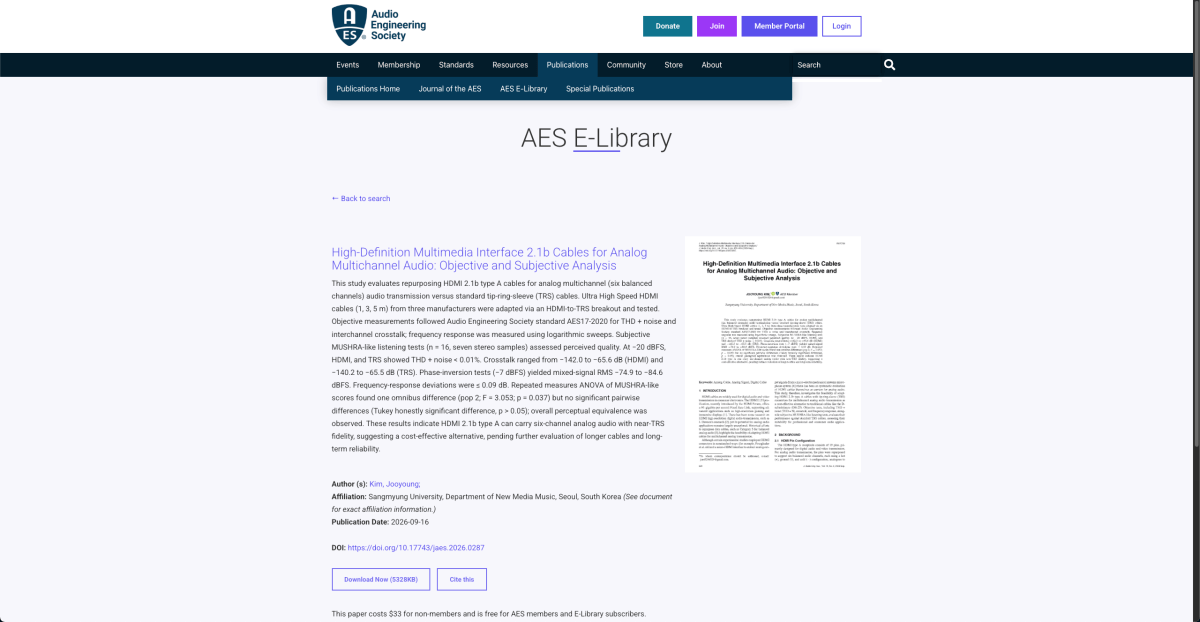
Last week, my recent research was published in the Journal of the Audio Engineering Society, which is regarded as one of the best research journals in this field.

The title of the paper is “High-Definition Multimedia Interface 2.1b Cables for Analog Multichannel Audio: Objective and Subjective Analysis.”

When I started this research, I wondered if it was feasible to publish in the prestigious journals I wanted to target. It stemmed from a surprisingly simple idea – ‘People use LAN cables for analog audio these days, but why don’t they use HDMI cables instead? With the emergence of Wi-Fi and wireless internet transmission systems, HDMI cables have become much more common nowadays.’ – making it quite unexpected that such a simple concept would end up in a top-tier journal.

Therefore, I wired an HDMI female connector to a TRS connector… 🙂
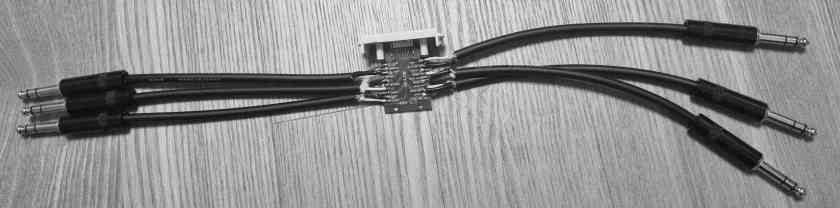
Something like this weird creation, featuring one HDMI cable for every six TRS connectors!

So, following this, I wrote a Python program to measure THD+N and crosstalk in compliance with the AES17-2020 standard, as well as the frequency response. (Note: Measuring the frequency response is not related to this standard.)
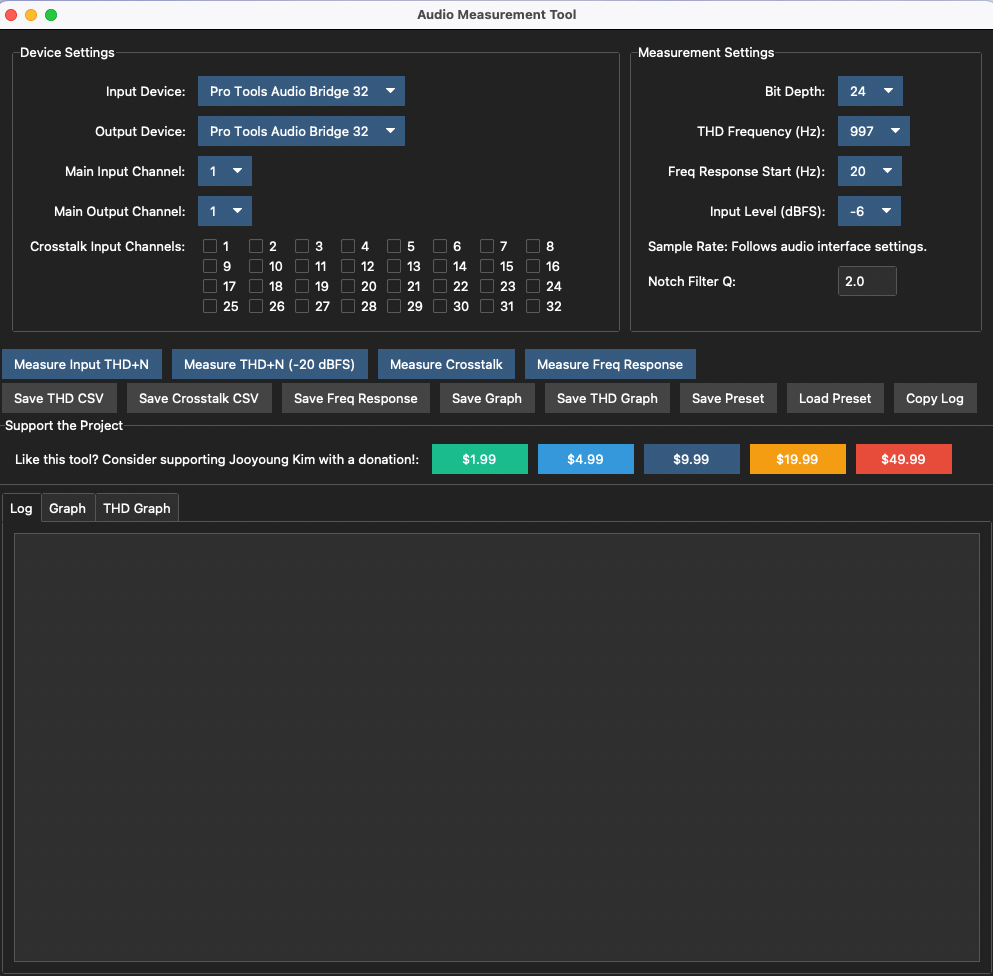
You can check out the program via this Github link (https://github.com/JYKlabs/Audio-Measurement-Tools).

I ran the main audio tests using the program I shared on GitHub, which included comparing pure TRS cables. Separately, I used a quick, simple Python script I wrote to perform a phase-cancellation test, and I also conducted a listening test using the MUSHRA standard via webMUSHRA.

I tested nine different HDMI 2.1b cables across three different brands, covering 1-meter, 3-meter, and 5-meter lengths for each (3 lengths × 3 brands = 9 cables). As a reference, the comparison cable was a Canare L-2T2S, and the TRS connectors were Rean NYS228BG.

The result was simple! In the listening test, people couldn’t tell the difference between the cables, and the objective measurements also showed that using HDMI 2.1b cables for analog audio works surprisingly well.

You can read the full paper via this link: https://doi.org/10.17743/jaes.2026.0287.

Additionally, all supplementary materials can be found here: https://zenodo.org/records/19621854.

The paper exceeded the page limit by two pages, so I had to pay an extra $200. Honestly, I paid it gladly just to be published in such a great journal—I’m really excited!

However, I cannot share the full paper here due to the journal’s copyright policy – sorry about that!

Also, another piece of research related to a Korean traditional instrument was accepted by the Journal of the Acoustical Society of Korea last Monday! I’ll share more about the subject once it’s officially released.

That’s for all today. See you in the next post!

Basics of Mixing – 13.2 Types of Analog Cables and Connectors

Hello! This is mixing engineer and music producer Jooyoung Kim.

Last week, while I was writing my paper, I discovered logical structure and measurement errors. As a result, I had to export data several times and couldn’t post anything on the blog. However, the first article at 2025 is Basics of Mixing! This article is based on “Basics of Mixing“, published in South Korea.

Today, we’ll find out types of analog cable and connectors. Let’s dive in!


Types of Cables

Cables can be divided into two categories: Analog & Digital.

Analog:
1) Balanced
2) Unbalanced

Digital:
1) AES/EBU(AES3)
2) ADAT
3) S/PDIF
4) MADI
5) LAN(UltraNET, CobraNet, Dante..etc)

In this article, I’ll talk about analog cables and connectors.


Analog Balanced Cable & Unbalanced Cable

First, you have to know difference between balanced cable and unbalanced cable.

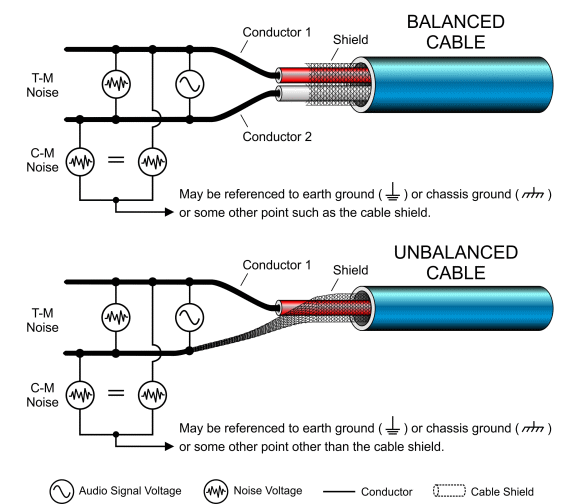
Generally balanced cable has 3 lines: Hot(+), Cold(-), Ground. The hot and cold lines carry identical signals but in opposite phases, which helps cancel out noise.

Unbalanced has 2 lines: Hot(+), Ground.

You can convert a balanced cable into an unbalanced stereo cable by assigning the hot and cold lines to the left and right channels, respectively.


Analog Connectors

Left: TRS, Right: XLR

Representable connector, for balanced cables, are TRS and XLR. You could see 3 parts for hot, cold, and ground.

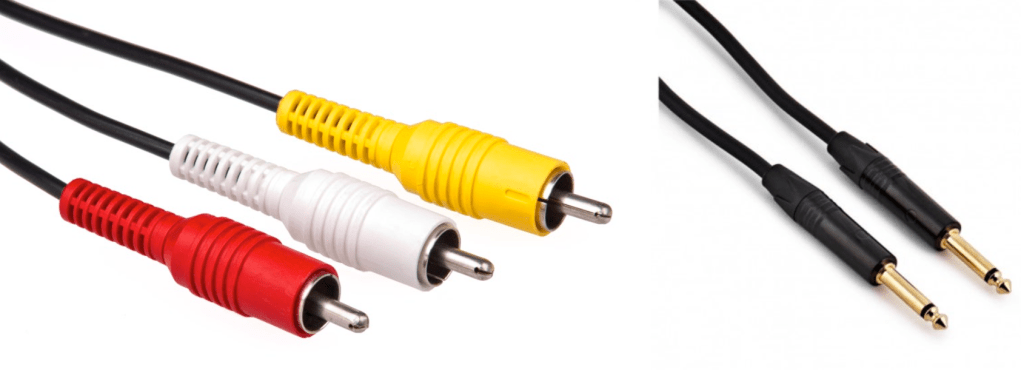
Left: RCA, Right: TS

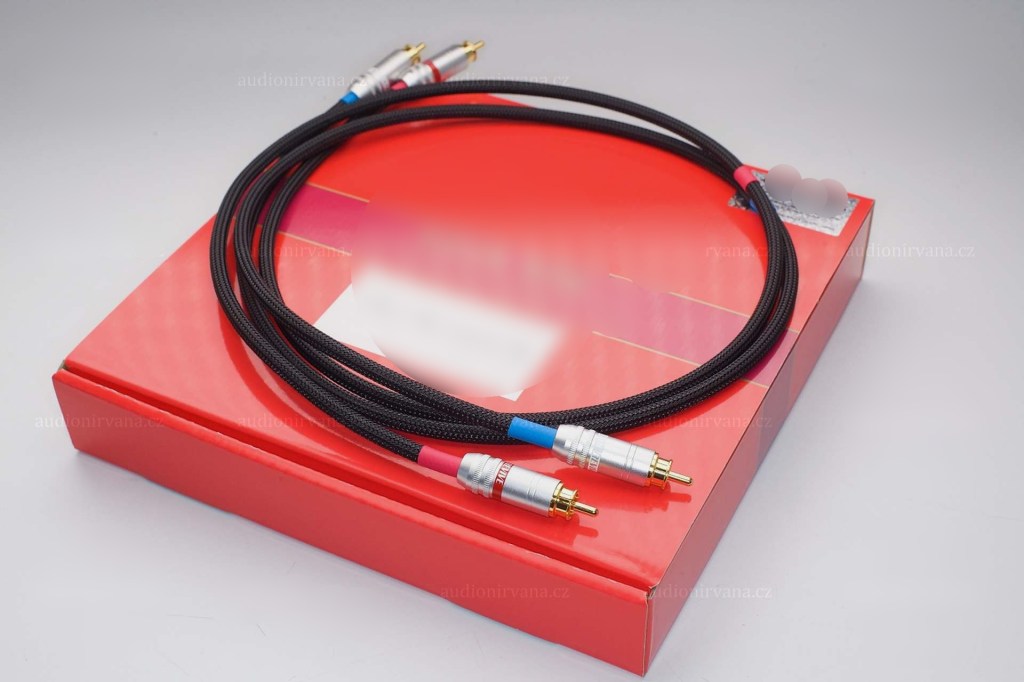
RCA and TS cable is the most used connector for unbalanced cable

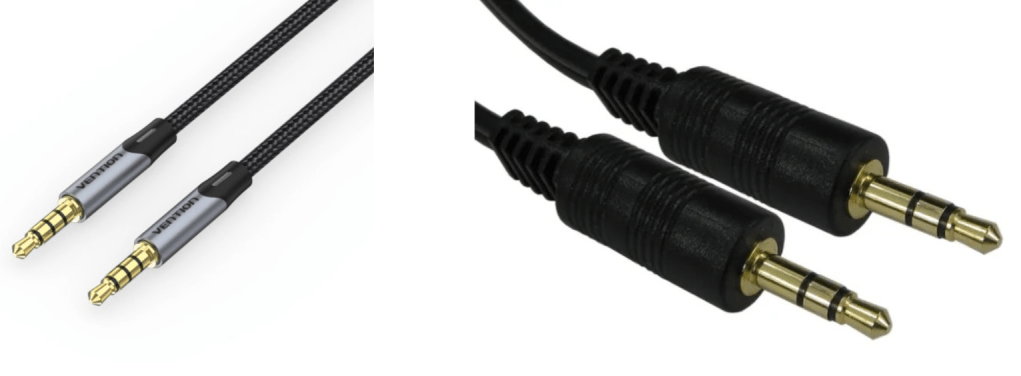
AUX

Common consumers easily find this AUX connectors at headphones or earphones.

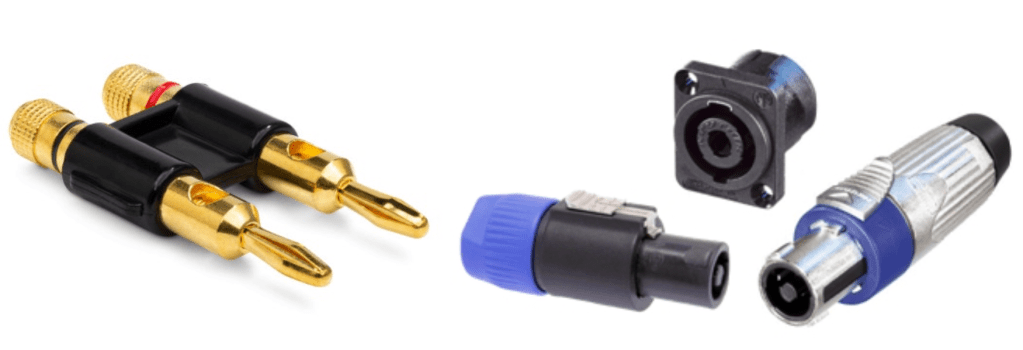
Left: Banana, Right: SpeakON

Banana and SpeakON connectors are also used at unbalanced cable, for passive speakers.

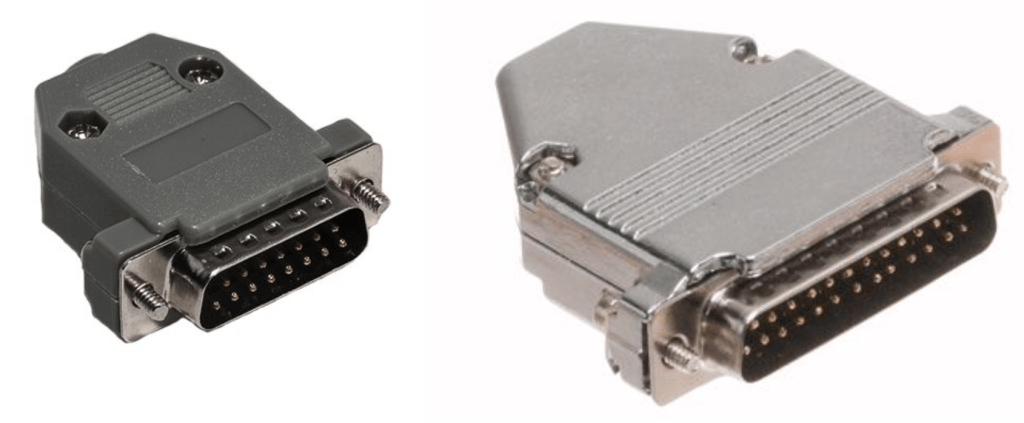
Left: DB 15, Right: DB25

If you purchase audio interface, sometimes you could find those connectors. Those connectors called D-Subs. DB25 connectors could connect analog balanced 8 channels. DB15 connectors are not used usually.

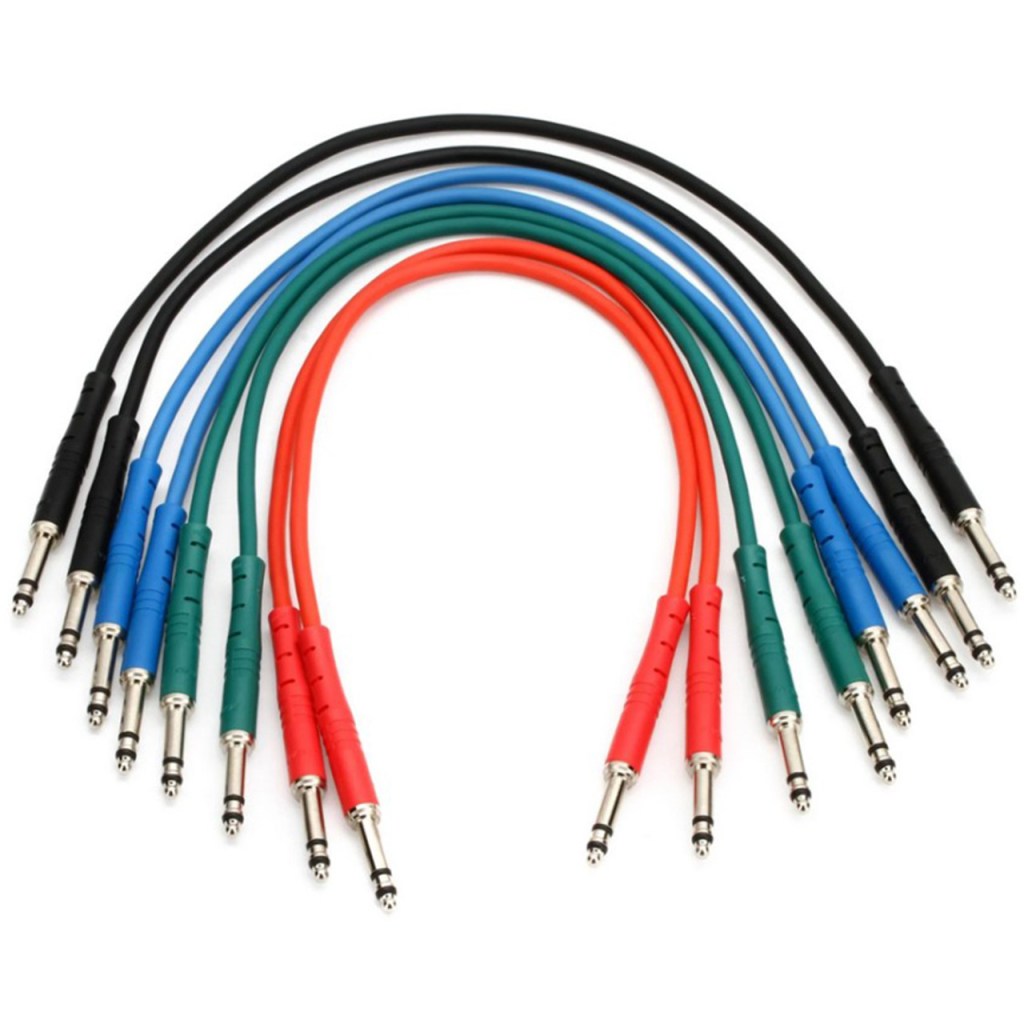
There is also a proprietary patchbay-specific standard called TT cable.

These guys are so small and expensive, so unless you’re working with an analog mixer, I think it’s better to just buy a TRS patch bay and use TRS.

Well, in fact, if it’s copper, you can use it as an analog cable. You can cut the power cable that you don’t use at home and use it as a balanced cable. I haven’t tried it, but you can probably cut the USB cable and use it.

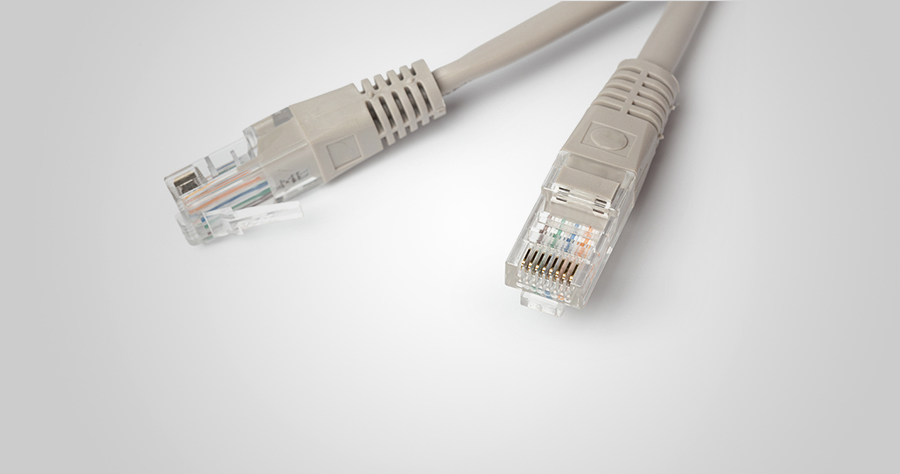
In the studio I used to work at, we used to connect the talkback microphone via LAN port and LAN cable..!

There is no disagreement about digital, but there is a lot of talk about the difference in sound quality depending on the type of analog cable and connector. This depends greatly on the specific situation.

Guitarists will feel the difference in cables quite a bit when performing or playing together, but this is mostly due to the high impedance of the electric guitar and the impedance of the amplifier. When recording directly connected to a proper DI box or audio interface, you won’t be able to feel the difference. So, to compare properly, you should record by micing the connection to the amplifier.

For the same reason, you may feel it a little in the cable connected to the microphone preamp and the microphone.

However, it is actually meaningless for cables at line level. If you are connecting speakers or outboard, you don’t have to think about this. I also bought a slightly expensive Telefunken STMC cable and used it on the microphone, and… I thought… haha..

I should have bought several pizzas or hamburgers with that money.

There are many expensive cables like this for both pro audio and hi-fi. If you want peace of mind by buying them, then they are fine, but there are quite a few studies that show that they are not very meaningful in terms of measurements or audibility.

If you are an engineer, you will probably end up soldering it yourself because you don’t want to waste any extra wires or connectors. If you look inside, you will see that it is a very simple structure. Don’t hesitate to try it yourself—you’ll find that it’s simpler than it looks!

I will end it here for today. Then, I will see you again in the next article!

Types and connections of patchbays, configuration of the system

This article was written on July 17, 2023. It is different from my current audio system, but I translated it and wrote it because I thought it would be helpful in planning the patch bay. Good luck!

Hello, I’m Jooyoung Kim, an engineer and music producer.

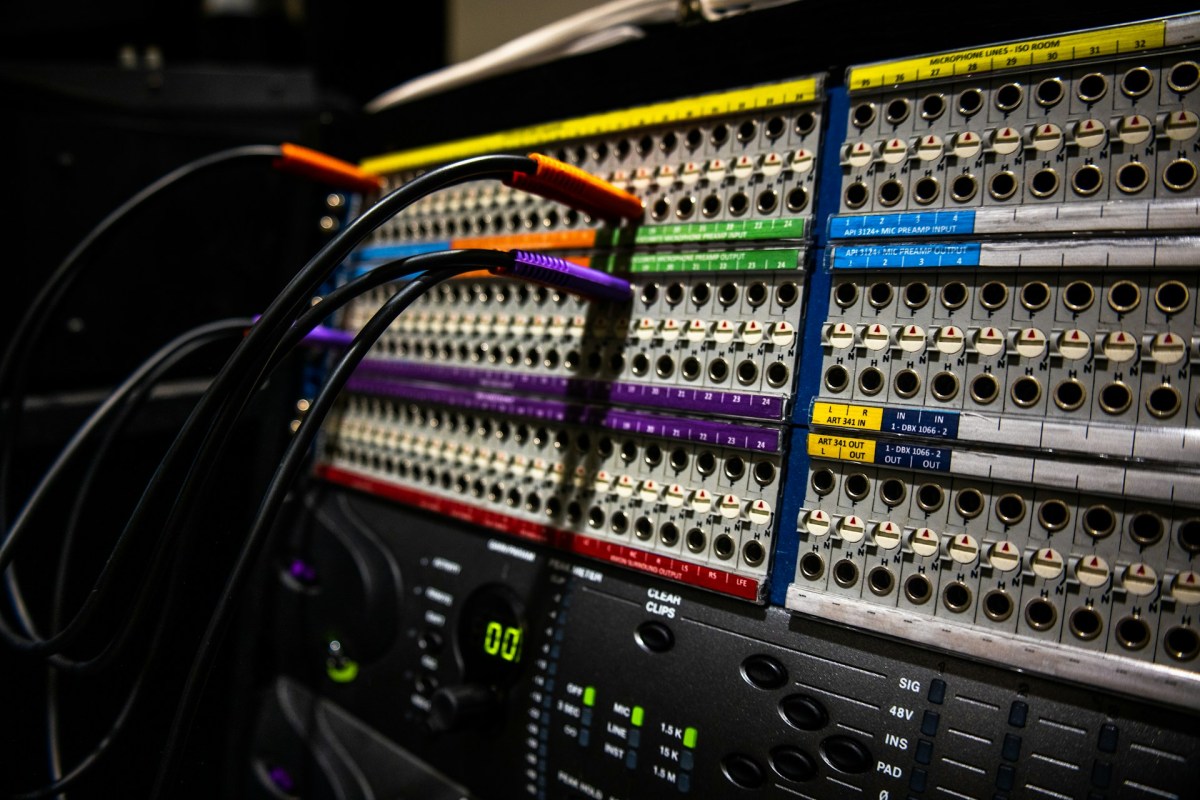
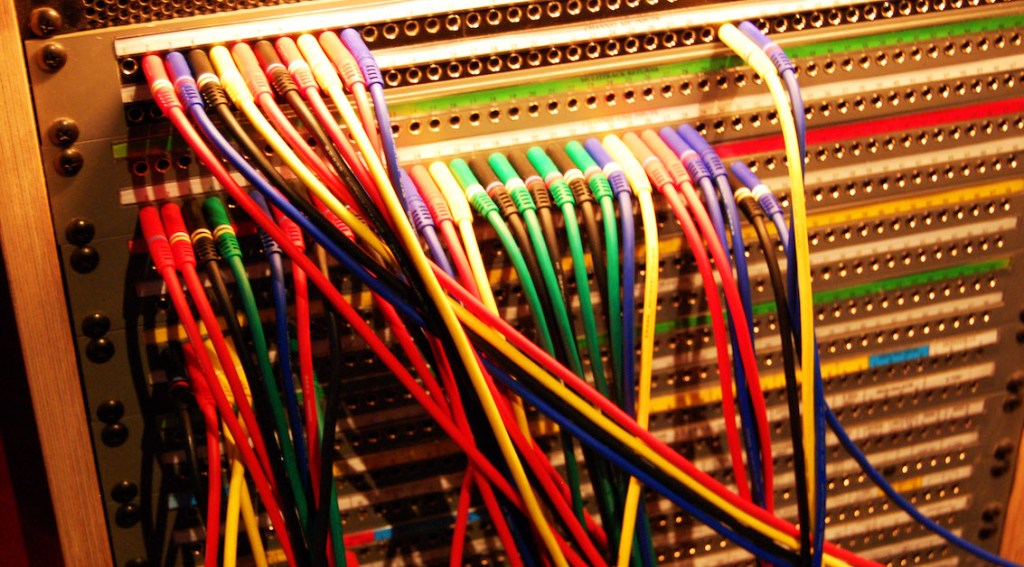
As musicians and engineers accumulate more hardware equipment, they often consider adding a patch bay to their setup. Today, I’d like to discuss patch bays and their usage. Let’s dive in!

Types of Patch Bays

There are various standards for patch bays, primarily categorized based on connector types:

  1. TRS
  2. XLR
  3. Bantam (TT)

You’re likely familiar with TRS and XLR connectors, but Bantam might be new to you. Due to its smaller size, Bantam connectors are commonly used in 1U patch bays, which can accommodate up to 96 holes.

However, TRS patch bays can have up to 48 holes and XLR patch bays can have up to 16 holes.

TRS and Bantam patch bays are further categorized based on internal connection methods:

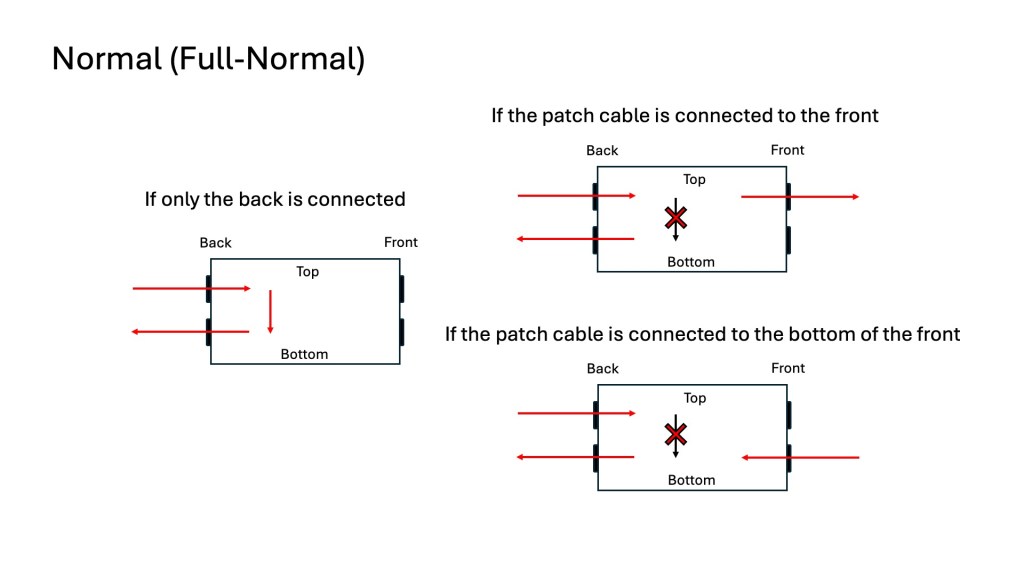
  1. Normal (Full-Normal)
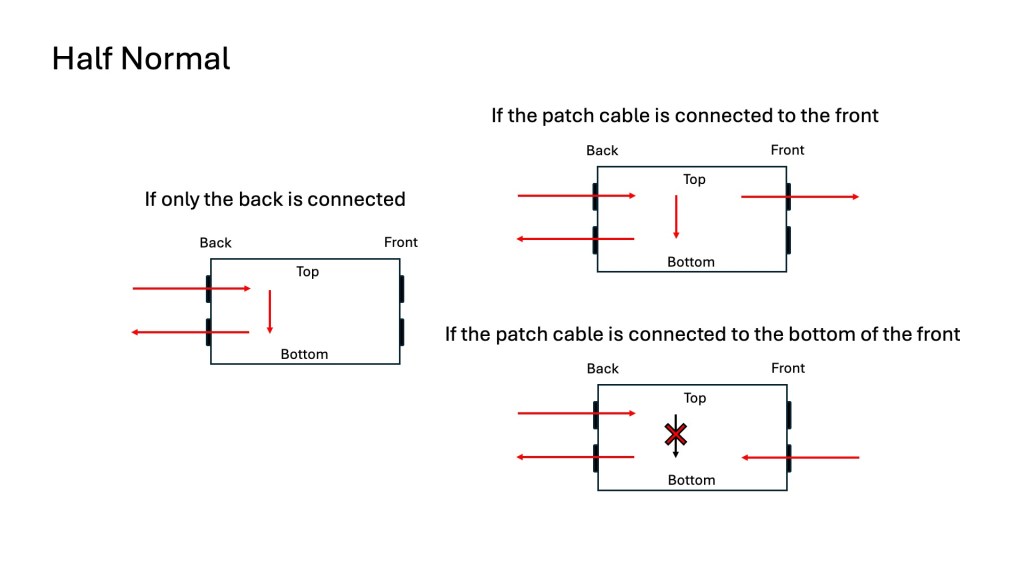
  2. Half-Normal
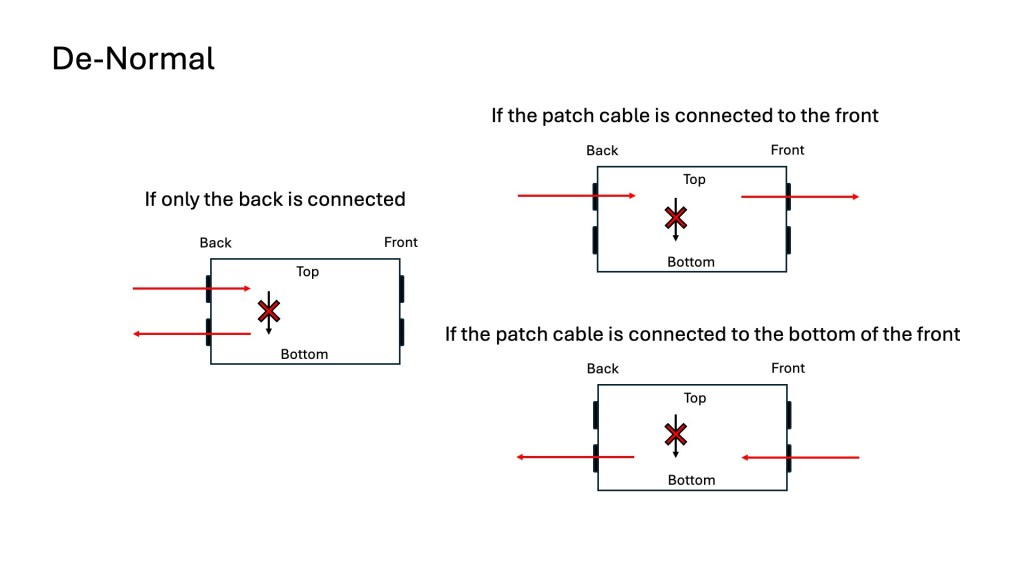
  3. De-Normal (Non-Normal/Thru)

Once you understand these, it becomes straightforward:

Normal (Full-Normal): The rear signal is connected without plugging in a cable at the front. Plugging in a front cable disconnects the rear connection.

Half-Normal: Like Full-Normal, but plugging in a front cable splits the signal for parallel processing.

De-Normal (Non-Normal/Thru): I opted for a patch bay that supports all three modes, even though I primarily use Full-Normal.

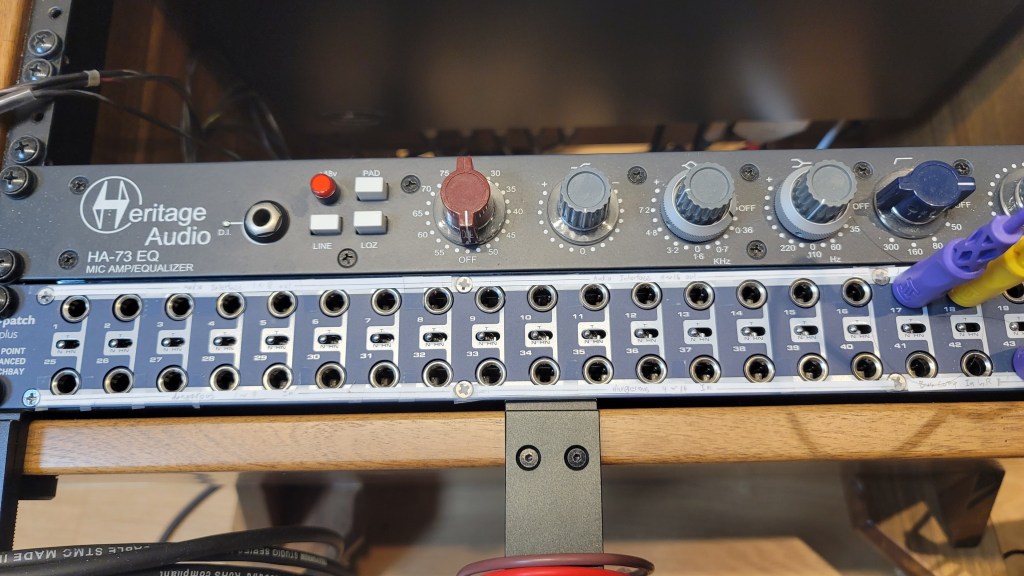
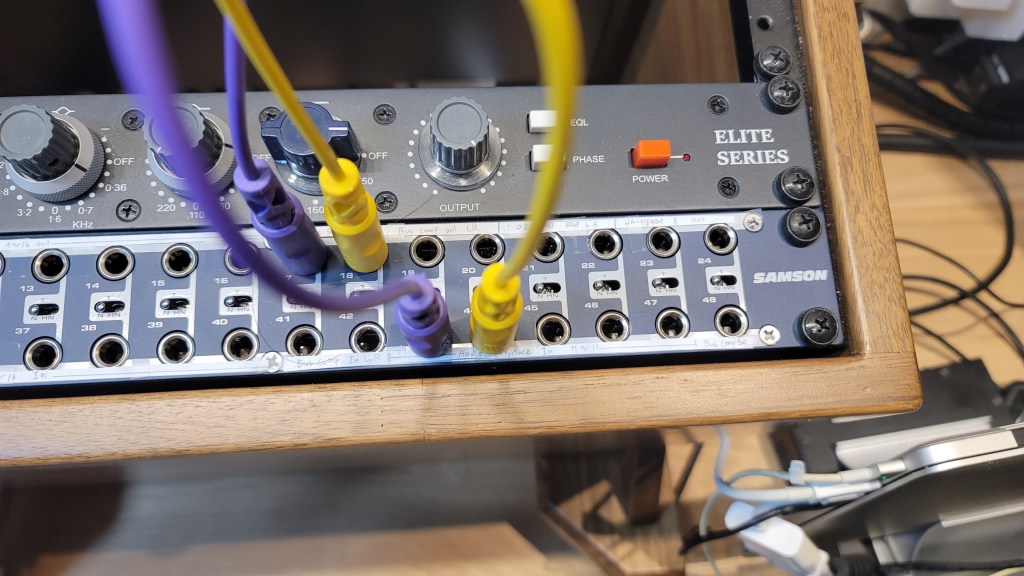
I bought Samson S-Patch: It supports all three modes, but labeling can be tricky due to the narrow spacing.

Configuring Your Patch Bay

Knowing the types of patch bays, the next step is planning your setup. Begin by listing the In/Out of your equipment. Here’s an example with my gear:

EquipmentInOut
Orion Studio Synergy Core12Line Out 16 /
Monitor Out 4
Dangerous 2Bus16Main Out 2 /
Monitor Out 2
Heritage Audio HA73EQ
(Mic Pre)
0 (Mic In not considered)1
OZ design OZ-2200
(Mic Pre)
0 (Mic In not considered)2
Bus CompressorLine In 2 / Side Chain 12

Prioritize your connections:

  • Out on top, In on the bottom for signal flow from top to bottom in Full and Half-Normal patch bays.
  • Begin with the equipment with the most Ins and Outs.

Although there are some limitations, like not fully utilizing some of Antelope’s Ins and the mic preamps’ Line Ins, this setup is efficient without wasting patch bay channels. For mic preamp Line Ins, external cable connections can be made as needed.

And label your patch bay accurately. You can find companies that print labels, but they may charge high shipping fees. Alternatively, you can cut paper strips for labeling.

I purchased an 8-pack TRS patch cable bundle from Hosa, available at an affordable price on Amazon.

With this setup, your patch bay-based system configuration is complete. While my setup focuses on mixing hardware, those using hardware synthesizers can also benefit from a patch bay to enhance their workflow and creativity.

I hope this information is helpful to all music enthusiasts. See you in the next post!