Roland and DW Drum Virtual Instrument Launch Sale (~Aug 24, 30% Off Everything Except TR-808)

Hey there! I’m Jooyoung Kim, a mixing engineer and music producer.

Yesterday, the SONICWIRE CONTEST 2025 results were announced, and unfortunately, I didn’t make it to the final round. Looking back, I noticed a few things in my submission that could’ve been better—guess it’s time to tweak and resubmit next time! Still, I got a one-year Pro Tools license and a Sonible Essentials Bundle, so I’m not too bummed about it.


Roland Joins Plugin Boutique with a Launch Sale!

On another note, Roland (via Roland Cloud) has officially joined Plugin Boutique! To celebrate, they’re holding a launch sale from now until August 24, with 30% off all products (except the TR-808).

Quick heads-up: If you purchase through the links in this post, I earn a small commission, which really helps me keep going. Thanks in advance! 😊

Roland Cloud offers virtual recreations of their iconic synthesizers, which were previously available only through a subscription model. Now, you can purchase individual instruments outright—a big win for producers! Plus, Roland’s sister brands like Boss and DW Drums are also part of the deal, offering virtual instruments like the DW Drum VST and even free Boss effect pedals.

Let’s take a quick look at some of Roland’s standout virtual instruments and the DW Drum VST.


Roland’s Iconic Virtual Instruments

JUNO-106

The JUNO-106 is the successor to the JUNO-6 and JUNO-60. As the name suggests, it’s a 6-voice polyphonic synthesizer, though the virtual version lets you choose 2, 4, 6, or 8 voices for flexibility.

The standout feature? That lush Chorus effect on the right side of the interface. Back in the day, synths like the JUNO-106 used chorus to create a stereo sound, giving it that iconic ‘80s vibe. Comparing the plugin’s presets to YouTube recordings of the original hardware, the emulation is spot-on, though the high frequencies are slightly sharper in the plugin. A touch of EQ can get it sounding nearly identical to the hardware’s smoother tone. Roland nailed the recreation here.


JV-1080 & XV-5080

Click image to purchase JV-1080 at Plugin Boutique
Click image to purchase XV-5080 at Plugin Boutique

The JV-1080 is a legendary rack-mounted PCM synthesizer from 1994, packed with iconic strings, ethnic instruments, retro stabs, and more. It’s a ‘90s classic that’s still relevant today.

The XV-5080, its successor, takes things further with a massive library of over 900 presets and a wide range of onboard effects. Both synths use the same editing engine, so you can tweak envelopes and patches for detailed sound design. The XV-5080 includes most of the JV-1080’s core waveforms and patches, but subtle differences in reverb and effects settings give each a unique flavor. Personally, I find the JV-1080 a bit thinner, while the XV-5080 has a thicker, more robust sound.

Roland also offers SRX Expansion packs for additional sounds, sold separately.


Mono Synth Collection (SH-101, SYSTEM-100, SH-2, TB-303, PROMARS)

This collection includes five iconic Roland monophonic synthesizers, perfect for crafting lead and bass lines. Here’s a quick rundown:

SH-101

Released in 1982, the SH-101 is a monophonic bass synthesizer famous in techno, D&B, and acid genres. With a single oscillator producing sawtooth or square waves, it delivers a distinctive, gritty bass tone that’s instantly recognizable.

SYSTEM-100

The SYSTEM-100 (1975) is a semi-modular monosynth known for its experimental, happy-accident-style sound design. Those patch cables scream creativity—just tweak and see what cool sounds you stumble upon!

SH-2

The SH-2 (1979) is another monophonic synth with dual VCOs and a sub-oscillator, giving it a thicker, deeper sound than the SH-101. It feels somewhat similar to a Minimoog and can be used in similar contexts.

TB-303

The TB-303 is the legendary bass machine that birthed acid house. Designed to mimic bass guitars, it flopped commercially and was discontinued in 1984. But its cheap secondhand availability made it a staple in electronic music genres like acid, house, and techno. Don’t think of it as a bass guitar replacement—its quirky, unique tone is what makes it so special. It reminds me of sounds from old-school video games!

PROMARS

The PROMARS (1979) is a monophonic sibling of the Jupiter-4, with two VCOs for a rich, detuned sound. Think of it as a scaled-down Jupiter-4 without the arpeggiator or ensemble chorus. It’s got a thick, vibrant tone that’s perfect for bold leads or basses.


Drum Machine Collection (TR-606, TR-707, TR-727, TR-909, TR-808)

Click image to purchase TR-808 at Plugin Boutique

Roland’s drum machines are absolute legends, and the TR-808 is arguably the most influential. (Note: The TR-808 is not included in this sale.) Here’s a look at the others:

TR-606

The TR-606 was designed alongside the TB-303 bass synth for seamless synchronization. Its interface is similar to the 303, and its sound is a classic in electronic music. You’ll likely recognize it when you hear it!

TR-909

Click image to purchase TR-909 at Plugin Boutique

The TR-909 is the successor to the TR-808, blending analog and sampled sounds for a punchier, more defined tone. It’s a dance music staple, known for its powerful kick and crisp hi-hats.

TR-707

Despite its name, the TR-707 came after the TR-909. It uses fully sampled sounds at 8-bit resolution (6-bit for cymbals/hi-hats), giving it a more realistic yet slightly lo-fi vibe compared to the 808 or 909.

TR-727

The TR-727, a sibling of the TR-707, specializes in Latin percussion sounds—think tropical rhythms for afrobeats, reggaeton, or Arabic pop. It shares the same UI as the 707, making them easy to sync for house music production.


DW Soundworks

The DW Drum VST is a game-changer for beatmakers. The default Maple Mahogany Natural kit is a standout—crisp snares and punchy kicks that thump in the low end with just a slight tweak. The sound quality is top-notch.

The mixer lets you control overheads, ambience, and output routing, similar to other drum VSTs. DW Soundworks comes with 13 expansion packs, including the Metal Legacy pack (7.71GB, free!).

The Plugin Boutique version also includes six additional sample packs:

  • DW 50th Anniversary Kit Expansion Pack
  • DW Maple Mahogany Expansion Pack
  • DW Pure Maple Expansion Pack
  • Slingerland Vintage 1958 Expansion Pack
  • DW Pure Almond Expansion Pack
  • Gretsch USA Custom Expansion Pack

These samples are punchy and versatile, making DW Soundworks a must-check for anyone shopping for a drum VST.


Wrapping Up

Whew, that was a lot to cover! Roland’s virtual instruments and DW Soundworks are packed with high-quality options, and with the 30% off sale (until August 24), now’s a great time to explore. Check out the links above to browse the full lineup.

Thanks for reading, and I’ll catch you in the next post! 🎶

A Tip Exporting or Bouncing FLAC and MP3 Files for Mastering (with a Bit of Python Codes)

Hey there! I’m Jooyoung Kim, a mixing engineer and music producer.

Today, I want to talk about something light but super useful: how to properly export audio files after mixing and mastering.

Let’s dive in!


The Basics of Exporting Audio Files

Once mixing and mastering are complete, you typically need to export your tracks in multiple formats—WAV, FLAC, and MP3—to send to clients or distributors.

But here’s the catch: not all DAWs make this process easy. For example:

  • Pro Tools and Logic Pro X don’t have built-in options to export FLAC files.
  • Cubase supports FLAC, but you have to export each format individually, which can be a hassle.

I’ve previously written about audio codecs in my blog series Basics of Mixing.

To recap:

  • WAV: The original, uncompressed file format.
  • FLAC: A lossless compressed format.
  • MP3: A lossy compressed format.

Both FLAC and MP3 use codecs that are freely available for encoding and decoding. So, why not use a simple script to automate the process?


Automating FLAC and MP3 Exports with Python

Here’s a quick and easy way to convert your WAV files to FLAC and MP3 using Python and the ffmpeg-python library.

Step 1: Install ffmpeg-python

First, make sure you have Python installed. Then, open your terminal (Mac) or command prompt (Windows) and run:

pip install ffmpeg-python

This might take a minute or two, but it’s worth it!

Step 2: The Python Code

Here’s a simple script to convert a WAV file to both MP3 and FLAC:

import ffmpeg

# 📂 Input file path
input_path = '/path/to/input.wav'

# 📂 Output file paths
output_mp3 = '/path/to/output.mp3'
output_flac = '/path/to/output.flac'

# ✅ WAV → MP3 (CBR - Constant Bitrate 320kbps; you can change '320k' to '256k' for different bitrates)
ffmpeg.input(input_path).output(output_mp3, audio_bitrate='320k', format='mp3').run()

# ✅ WAV → FLAC (compression_level: 0-8; higher numbers mean higher compression)
ffmpeg.input(input_path).output(output_flac, format='flac', compression_level='8').run()

Step 3: Save and Run the Script

  1. Copy the code above into a text editor.
    • Mac users: Ensure your text editor is set to plain text (not RTF).
  2. Save the file with a .py extension (like convert_audio.py).
  3. Run the script using Python (like python convert_audio.py).

Voilà! You’ll have your FLAC and MP3 files in no time.


How to Find File Paths

  • Mac: Drag and drop your WAV file into the Terminal, and the file path will appear automatically.
  • Windows: Right-click the file, select “Properties,” and copy the file path from there (you may need to adjust the path format slightly, use backslashes \).

Why This Matters

So many bars in this project.. It could be take a day if I export wav, flac and mp3 files by the export function of the DAW

Manually exporting files in different formats can be a time sink, especially for long projects like live recordings over an hour. Using this script, you can:

  • Save hours of repetitive work.
  • Quickly generate high-quality FLAC and MP3 files.

A Few Notes

  • Bit Depth and Sample Rate: For MP3 files, it’s standard to use 44.1kHz and 16-bit WAV files as the source. FLAC can handle higher resolutions (e.g., 48kHz, 24-bit) if needed.
  • Dithering: FFmpeg’s dithering options are basic, so for WAV files with specific bit depth or sample rate conversions (e.g., 48kHz/24-bit to 44.1kHz/16-bit), it’s better to handle those in your DAW for better quality.
  • MP3 Standards: Always use a 44.1kHz, 16-bit WAV file as the source for MP3 conversion to meet industry standards.

Final Thoughts

This is a super basic tip, but I couldn’t find many clear guides on this topic online, so I wanted to share it with you. If you’ve never coded before, this might seem intimidating at first, but trust me—it’s straightforward and will save you tons of time.

Give it a try, and let me know how it goes! Until next time, happy mixing! 🙂

Basics of Synthesizers (5) – Modeling (Physical Modeling, Analog Modeling)

Hey there! I’m Jooyoung Kim, a mixing engineer and music producer.

Today, we’re diving into modeling synthesizers, continuing from Basics of Synthesizers (4).

Ready to get started? Let’s go!

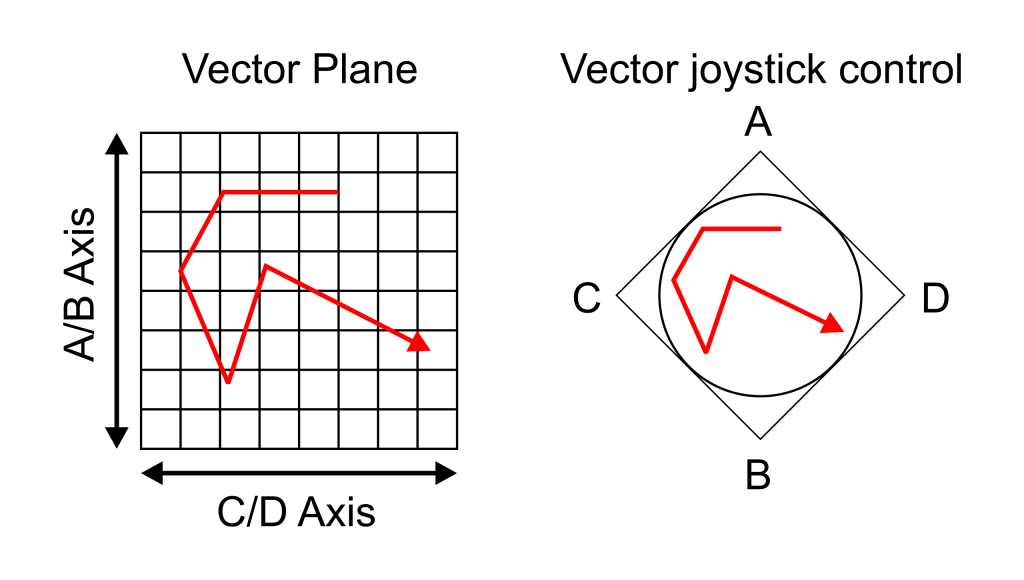
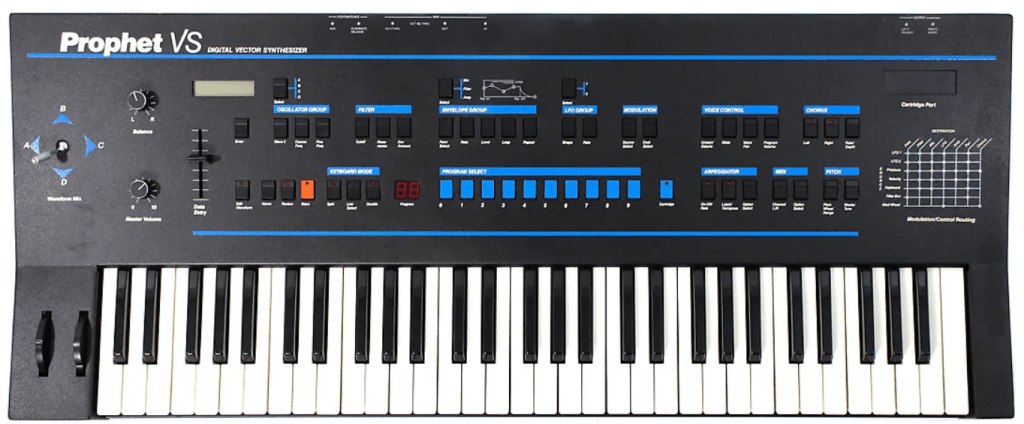
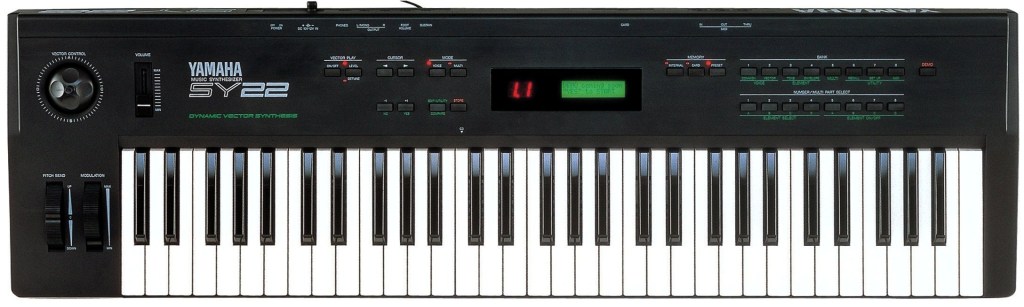
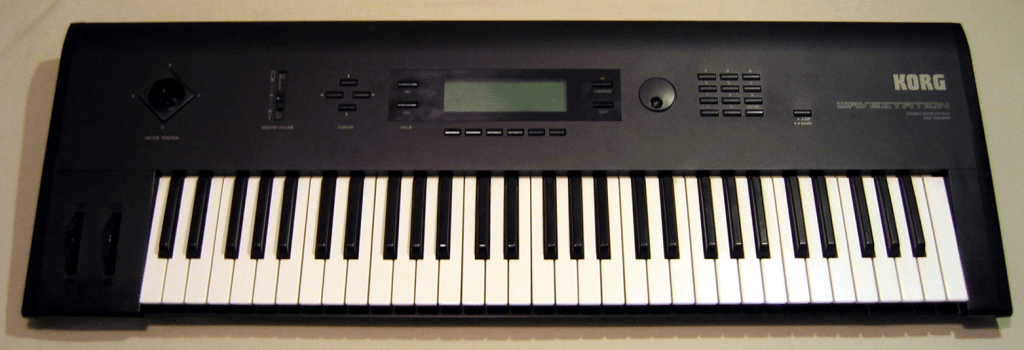
Yamaha VL1

In my post about FM synthesis, I mentioned how Yamaha dominated the market with the DX7 FM synthesizer, right?

Well, that FM synth came about through a collaboration between Stanford and Yamaha. And guess what? Physical Modeling synthesis is another product of that Stanford-Yamaha partnership.

Academically, Physical Modeling was already being discussed mathematically for a while. (Synthesizing Musical Sounds by Solving the Wave Equation for Vibrating Objects, 1971)

But creating the algorithms and implementing them efficiently? That’s a whole different story. Back then, computers didn’t have great DSP capabilities. So, in the 1983 paper (Digital Synthesis of Plucked-String and Drum Timbres), a simplified algorithm was proposed to make synthesis accessible to everyone via computer.

Fast forward to 1989, Stanford and Yamaha co-developed digital waveguide synthesis, and in 1994, the first product using this tech, the Yamaha VL1, hit the market.

Korg Z1

Unlike Physical Modeling, which models the instrument itself, there’s also Analog Modeling, which digitally recreates analog synthesizer circuits.

Korg was a major player in this space.

Why go for analog modeling? Well, analog synths needed multiple oscillators to produce multiple voices, but with analog modeling, as long as the DSP could handle it, you could generate as many voices as you wanted at once.

Nowadays, with CPUs being so powerful, virtual instruments using these modeling techniques are everywhere.

The string virtual instrument I introduced recently, Expressive E’s Soliste, is also based on Physical Modeling.

When I introduced IK Multimedia’s Total Studio products last year, Modo Drum and Modo Bass, which were included, are also Physical Modeling virtual instruments.

As CPU performance has improved, modeling tech has evolved to handle complex calculations that were previously impossible, allowing for realistic acoustic instrument sounds with minimal storage.

Still, it’s a bit hard to see these modeling synths as unique instruments that create a big splash like traditional synthesizers.

And that’s it for modeling in a nutshell!

See you in the next post!

I wrote a SCIE level paper!

Hello! This is Jooyoung Kim, a mixing engineer and music producer.

I’ve finally completed my personal challenge: getting a SCIE-level paper accepted before earning my master’s degree. Despite several rejections, it took me five and a half months to receive acceptance.

The paper has been accepted by Acta Acustica, a journal published by the European Acoustics Association (EAA), though it’s not officially published yet.

However you can see the prototype of the paper at “Forthcoming” page.

So, Acta Acustica, published out of France, feels like a journal with some solid history and tradition. But, maybe because it’s changed names a few times, it seems to have slipped a bit in the journal rankings.

Honestly, when it comes to music and acoustics journals, Impact Factor (IF) is practically useless for judging quality. It’s like they’re in their own little world! The top dogs, like the journals from the Acoustical Society of America (ASA) and the Audio Engineering Society (AES), are ranked Q2 and Q3 in JCR’s Acoustics category. Q3 for AES? That’s just absurd, right? 😅

Anyway, Acta Acustica is a notch below those two, sitting at Q3. Still, for music and acoustics research, there aren’t many other suitable journals out there besides these three. I was genuinely worried about getting rejected, so making it through feels like a huge relief.

Oh, and get this—acceptance doesn’t mean it’s published right away. There’s this final polishing phase handled elsewhere, and when I looked over my manuscript again, I spotted some typos… I’m planning to fix everything before submitting the final version.

Also, you might’ve noticed from the author list—I wrote this paper as the sole author! It’s on the same topic as my master’s thesis, but I did everything on my own: no funding whatsoever, not even for the research itself. I used three subwoofers for the experiments—two were mine, and just one was borrowed from my professor’s personal stash. Even the measurement microphone was my own. I designed all the research methods from scratch, and I figured I should be the one handling revisions and post-publication queries as the corresponding author. I talked it over with my professor, who was super kindly lent me that one subwoofer. Huge thanks to him! 😄

The journey wasn’t easy—two rejections and some brutal feedback later, I had to tweak a lot of the research methods compared to my thesis. The conclusion ended up similar, but the paper itself feels like a different beast now.

Oh, and here’s the kicker: I had no money, and my university doesn’t cover publication fees or open access costs, so I was stressing out big time. But then, Acta Acustica turned out to be a Diamond Open Access journal—free for everyone to read and free for authors to publish!

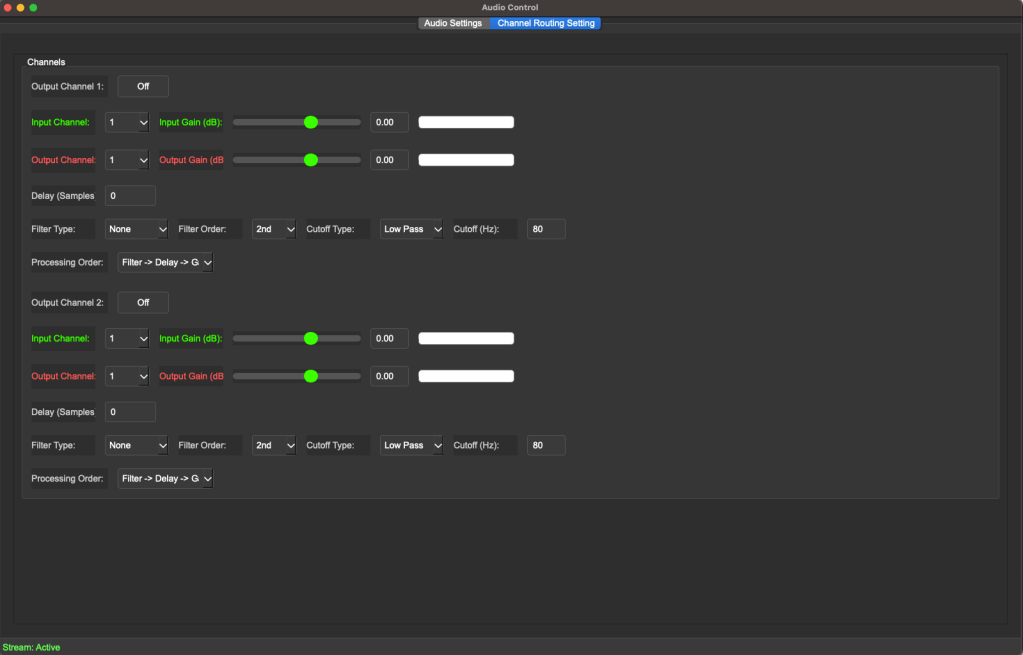
I actually tried building an application based on this current work using Python, but there were way too many features to cram in, so I’ve put it on hold for now… haha.

And also I’m already thinking about my next research topic, and if it goes as planned, I might even turn it into a plugin.

Looking at how I barely touch social media like Instagram and stick to blogging, I guess writing’s just my thing. So, until my next post—catch you later!