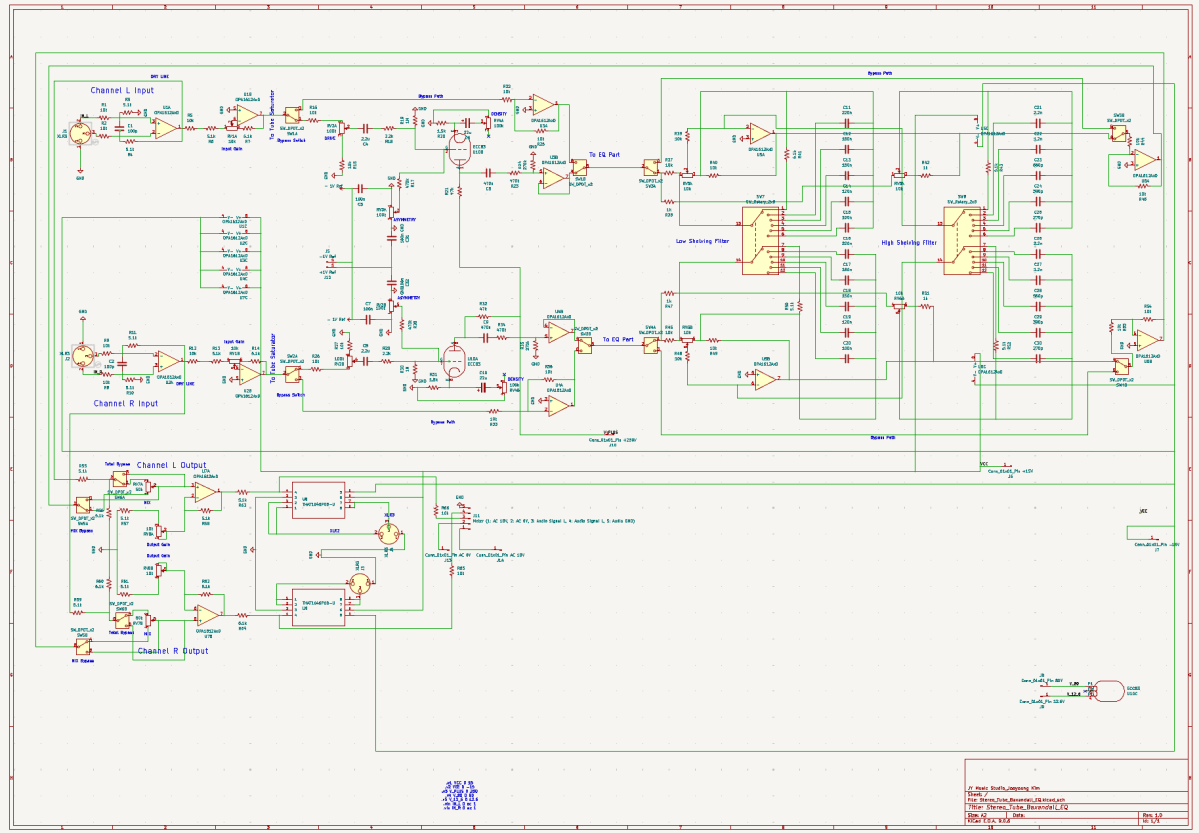
Hi! This is Jooyoung Kim, a mixing engineer and music producer. In the previous post, ‘Wrapping Up 2025‘, I mentioned that I was developing circuits for my personal audio hardware.
Now that the circuit design and simulation are finished and the components and PCBs have been ordered, I am writing this post to record the process—including the failures and successes along the way. To be honest, since the build isn’t finished yet, I can’t guarantee it will be a 100% success.
However, I thought it would be a great opportunity to share what is actually needed for the design process, starting from scratch. I want to explain things in a way that anyone, even those with zero prior knowledge, can easily follow along.
Let’s start!
Concepts
I really love the analog “tube” sounds. However, I don’t have any stereo tube saturator hardware. Also, I don’t have an EQ that can be used for mastering either.
Therefore, I decided to make a stereo tube saturator with Baxandall EQ!
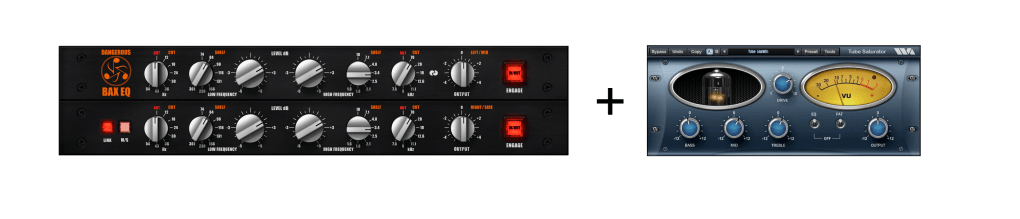

I used KiCad for this project. I highly recommend it because it allows you to seamlessly transition from circuit design to simulation, and finally to PCB layout. But that also means… once you’re done with the circuit, you still have two massive tasks waiting for you (hahaha…). I honestly had no idea what I was getting into until I finished the initial design!
Tube Parts
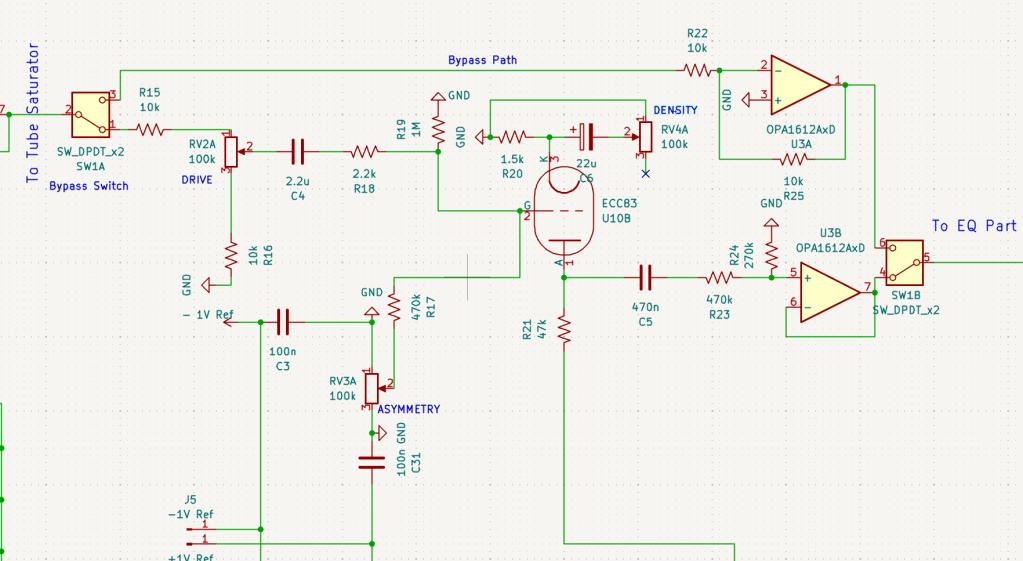
I already have two tubes (JJ Electronics’ ECC83) that were replaced from my Stam Audio SA-2A, so I wanted to use them for this project. Since I intend to use this gear in the mastering process, I decided to use just a single tube to drive the gain after the input stage.
I also designed the tube stage with adjustable ‘ASYMMETRY’ and ‘DENSITY’ parameters.
ASYMMETRY (Bias Adjustment) parameter controls the grid bias (+/-1V spans in my circuit)) of the vacuum tube. By shifting the bias point, it allows the waveform to clip asymmetrically, which generates even-order harmonics.
DENSITY (Saturation & Body) parameter adjusts the amount of feedback at the cathode stage. By controlling the effectiveness of the bypass capacitor, it pushes the tube to hit its saturation point harder or softer.
To develop this parts, I utilized Gemini (the free version) and referenced the manual of the Wave Arts Tube Saturator Vintage plugin for inspiration. Even though I majored in physics, it’s a field of pure science focused on fundamental principles, so I didn’t really cover practical applications like circuit design. As I mentioned, I actually had very little in-depth knowledge of electronic circuits starting out. But those tools were a huge help! Seriously, use AI tools—they can bridge the gap!
Baxandall EQ Parts
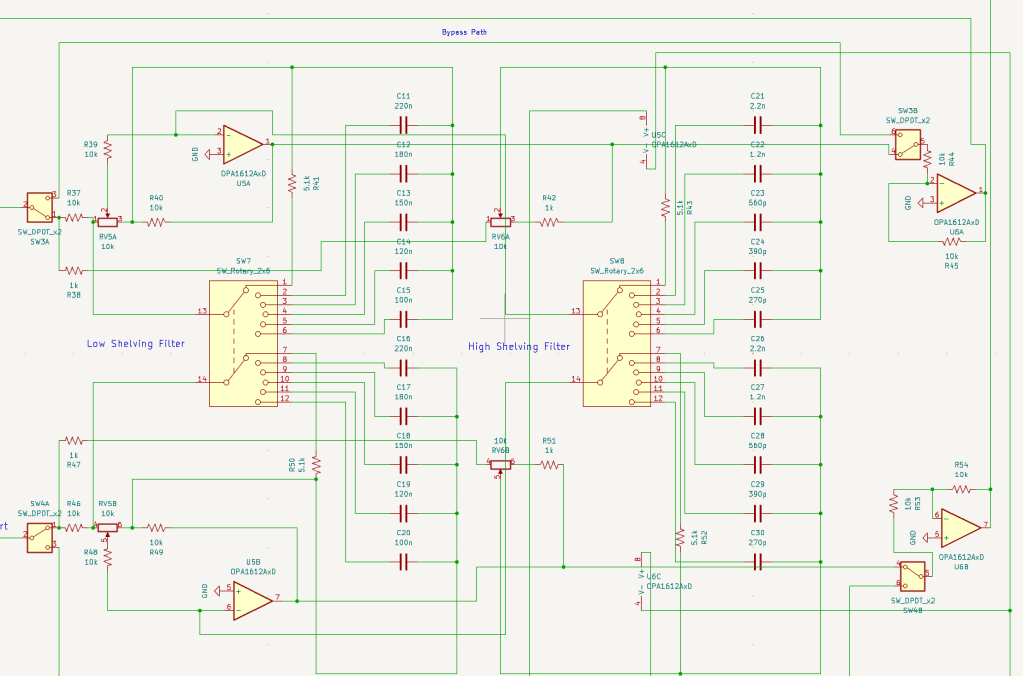
The EQ design is straightforward, consisting of two sections: Low and High. While the gain is continuously adjustable, I made the frequency switchable using rotary switches, allowing for precise and repeatable settings.
Baxandall EQ circuits are quite simple and well-documented, so you can easily find various schematics online to use as a reference.
Input & Output Parts
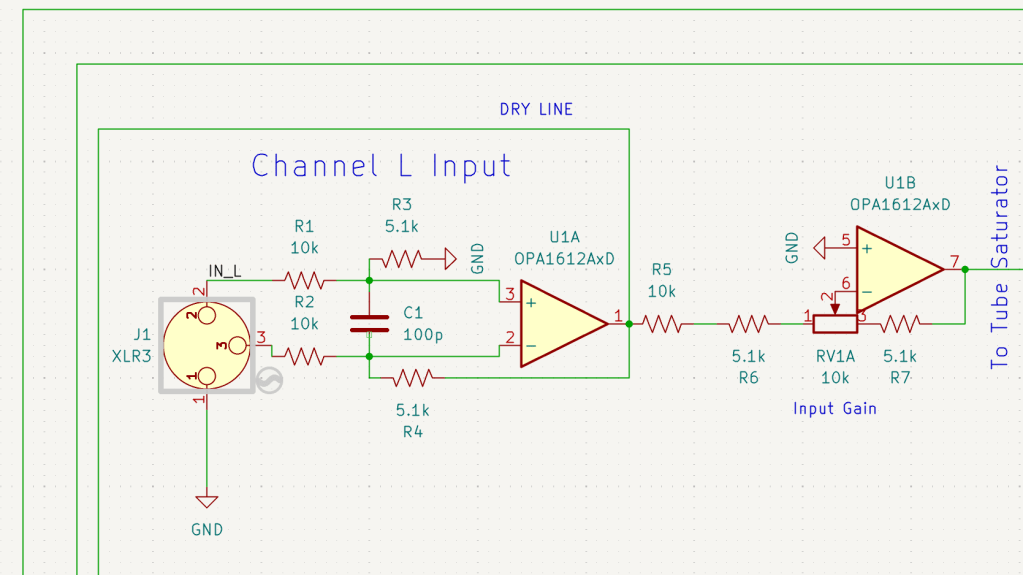
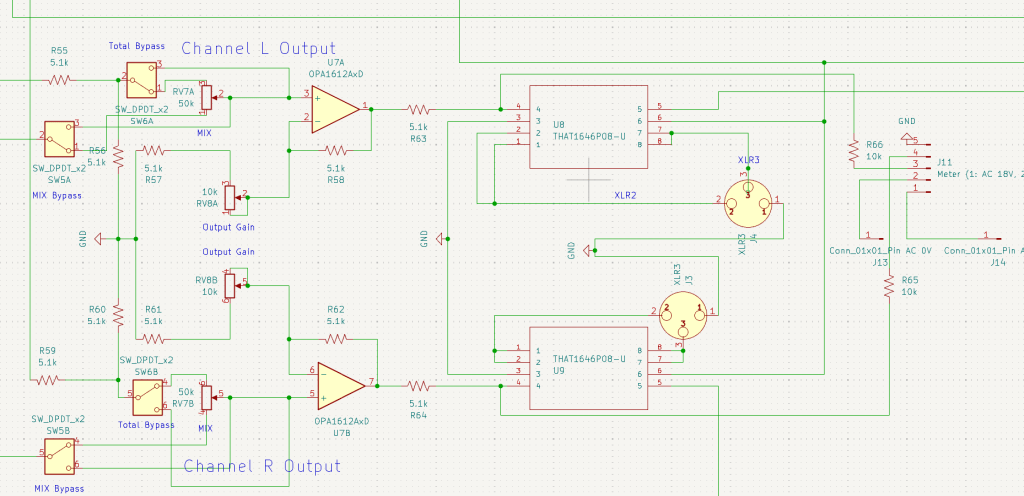
The input stage was simple enough, but the output stage was a total ambush. I wanted to include a Mix knob, a Mix Bypass switch, a Total Bypass switch, and an Output Gain knob. Trying to integrate all these features into the signal path turned into a bit of a mess!
After completing the overall design, I realized a crucial detail: every single stage had to be in the same phase! If the phases didn’t match, the Mix knob would be useless. So, I had to go back and triple-check the phase of every section after all the work was seemingly ‘done.’ I’ll talk more about this in my next post about the simulation process.
Power Parts
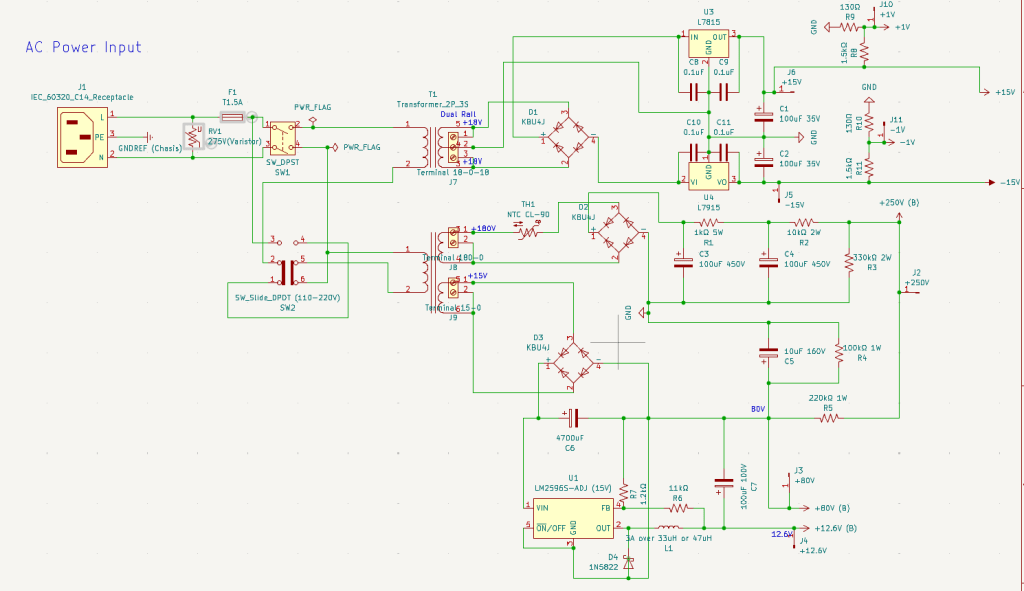
To ensure this hardware works in various environments, I included an adjustable voltage switch(220V-110V) in the power circuit. Since the design requires multiple voltage rails—250V, ±15V, +80V, +12.6V, and ±1V—I had to use a complex, custom-spec toroidal transformer. Managing all these different power requirements in one unit was quite a challenge!
Heat dissipation was a major concern for this build. I basically tortured Gemini with endless questions, forcing it to crunch the numbers until I was sure every component could handle the thermal load.
I’d like to dive deeper into the phase issues and buffers that need to be considered in the simulation, but it would make this post way too long. So, I’ll cover those in the next one.
See you then!

 Jooyoung's Music Blog