SSL X-EQ 2 and DeEss Plugin Overview + 90% Off Sale (Ends 1/29)

Hello! I’m Juyoung Kim, a mixing engineer and music producer.

It’s been a while since I shared plugin sale news, hasn’t it?
Over the holiday season and into early January, my manager was on vacation, and most major sales wrapped up at the start of the year. So, I didn’t have much to share.

One notable ongoing deal is IK Multimedia’s Total Studio 4 MAX sale.

That said, I recently came across SSL’s sale on X-EQ 2 and DeEss, and I couldn’t wait to share it with you!

Disclosure

This product was provided as an NFR (Not for Resale) through Plugin Boutique. If you make a purchase using the links in this post, I’ll earn a small commission, which helps me keep doing what I do.

Let’s dive in!


SSL X-EQ 2

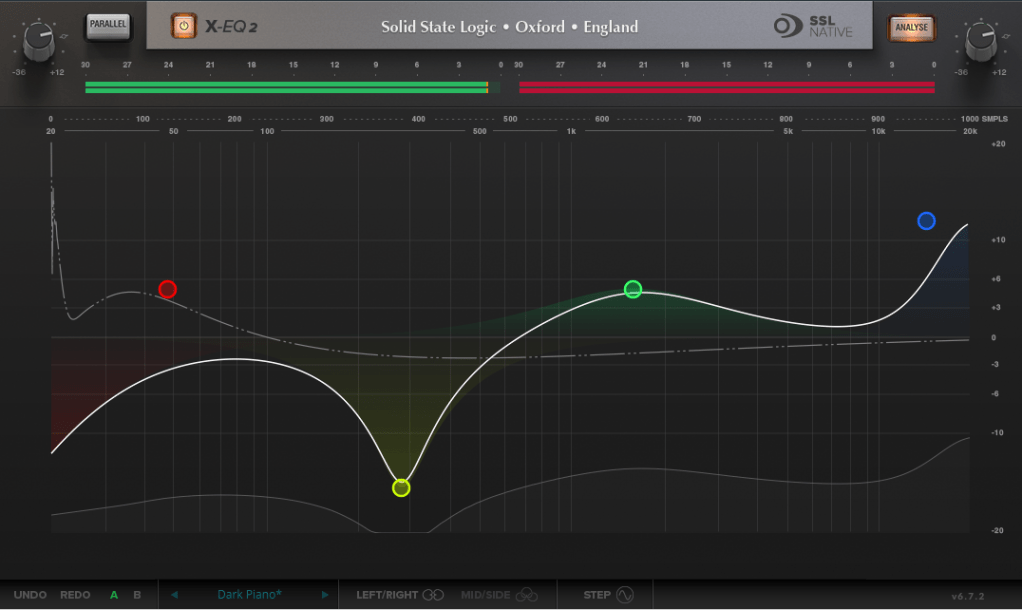
The SSL X-EQ 2 is a feature-packed EQ plugin. These days, DAW-native EQs are so powerful that standalone EQ plugins need to have a competitive edge to stand out—and X-EQ 2 delivers.

Key features include:

  • Mid/Side processing
  • Presets to remove 50Hz and 60Hz hum (ideal for handling electrical noise)

You can double-click to create points and adjust EQ type, frequency (Hz), bandwidth (Q), and gain (dB) with ease.

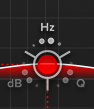
A particularly fun feature is the knob-like interface—select a parameter (Hz, dB, Q) and adjust it by dragging your mouse, mimicking the feel of turning a physical knob.

It also includes an analyzer (activated via the top-right button) and lets you choose between parallel or serial processing from the top-left menu.

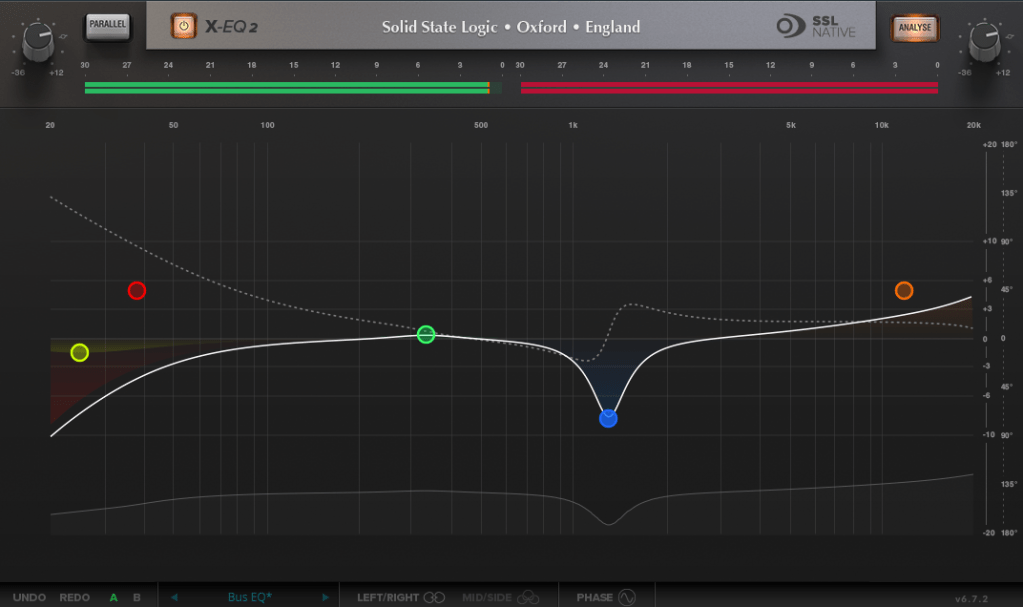
Additionally, you can activate Phase Analysis to see phase shifts (dotted lines) or enable Step Response Mode to view how signals evolve over time after passing through the EQ.

Heaviside Step Function

For those unfamiliar with Step Response:
The Step Response of a system refers to how the system reacts over time to a sudden change in input, specifically when the input shifts instantaneously from 0 to 1 (a Heaviside Step function). It demonstrates:

  1. The system’s transient behavior, showing how it initially reacts to the input change.
  2. The steady-state behavior, revealing how the system settles after the transient phase.
  3. The time it takes to stabilize, which indicates the system’s responsiveness.

In the context of EQs, a longer Step Response often correlates with ringing artifacts, where the EQ introduces unintended resonances that make the sound linger beyond its natural decay. This visualization helps engineers fine-tune the EQ to minimize these artifacts.

I love all the features, but the only downside is that the window size can’t be adjusted. But if you see the price, it could be convinced!


DeEss Plugin

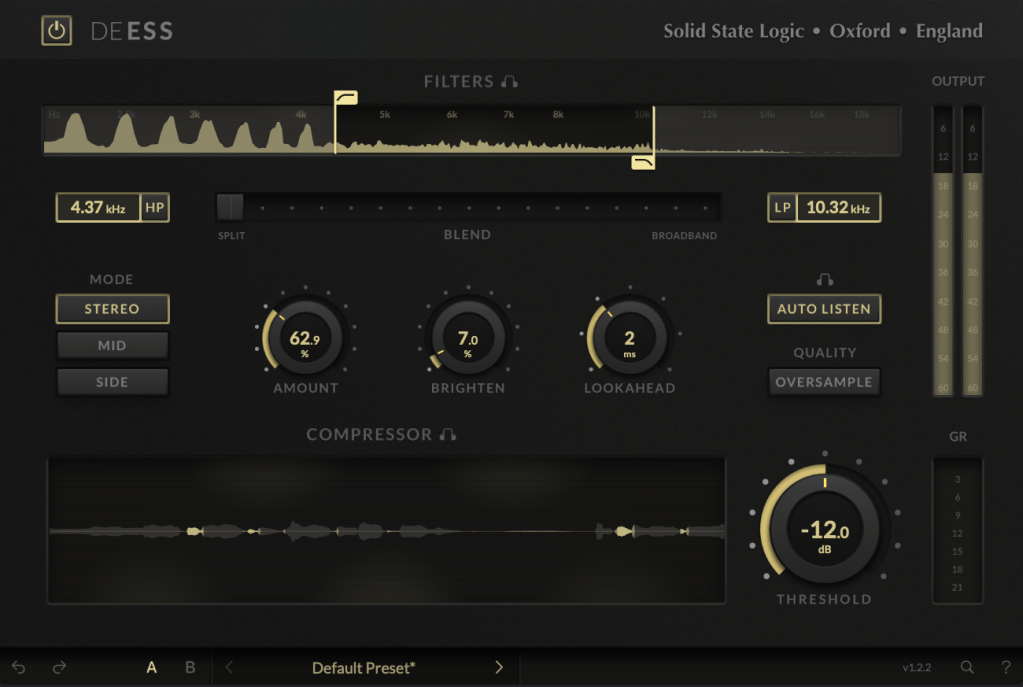
The DeEss plugin offers highly detailed sibilance control.

Key features:

  • Adjustable target range: 1kHz to 20kHz
  • Mid/Side processing
  • Compression intensity and Brighten (high-shelving EQ) controls
  • Lookahead capability for precise processing

A standout feature is the Auto Listen mode, which allows you to hear both the filtered signal and the original detection, making adjustments much easier.

This DeEss plugin is one of the most versatile I’ve come across, and it’s surprisingly lightweight unless oversampling is applied. If you don’t already have a dedicated de-esser, this is an excellent choice.


Bonus: Free Plugin Offer

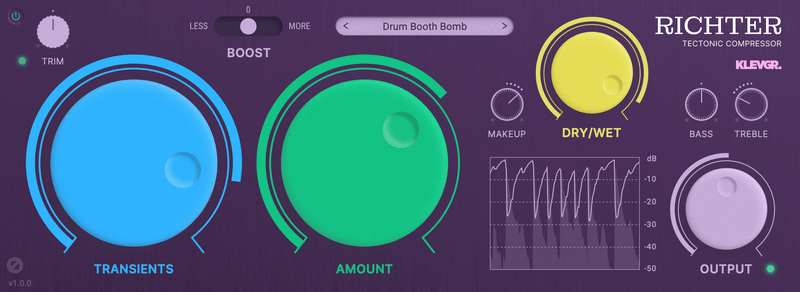
If you purchase any plugin from Plugin Boutique this month, you’ll receive Klevgrand’s Richter Compressor Plugin for free. Don’t forget to claim it when checking out!


Final Thoughts

Both the SSL X-EQ 2 and DeEss plugins are incredibly versatile and user-friendly tools for mixing and production. The 90% discount makes this deal even sweeter—don’t miss out before the sale ends on January 29!

Feel free to reach out if you have any questions. Until next time!

Sonnox Vocal Production Bundle Sale (~10/20, $64.9)

Hello, I’m Jooyoung Kim, an audio engineer and music producer.

Sonnox is currently offering a great deal on a bundle of vocal processing plugins, so I thought I’d share this with you.

(If you purchase through the link above or any of the other links below, I receive a small commission, which greatly supports the maintenance of this blog!)

This bundle includes three plugins designed specifically for vocal processing:

  • Claro: EQ and stereo width control
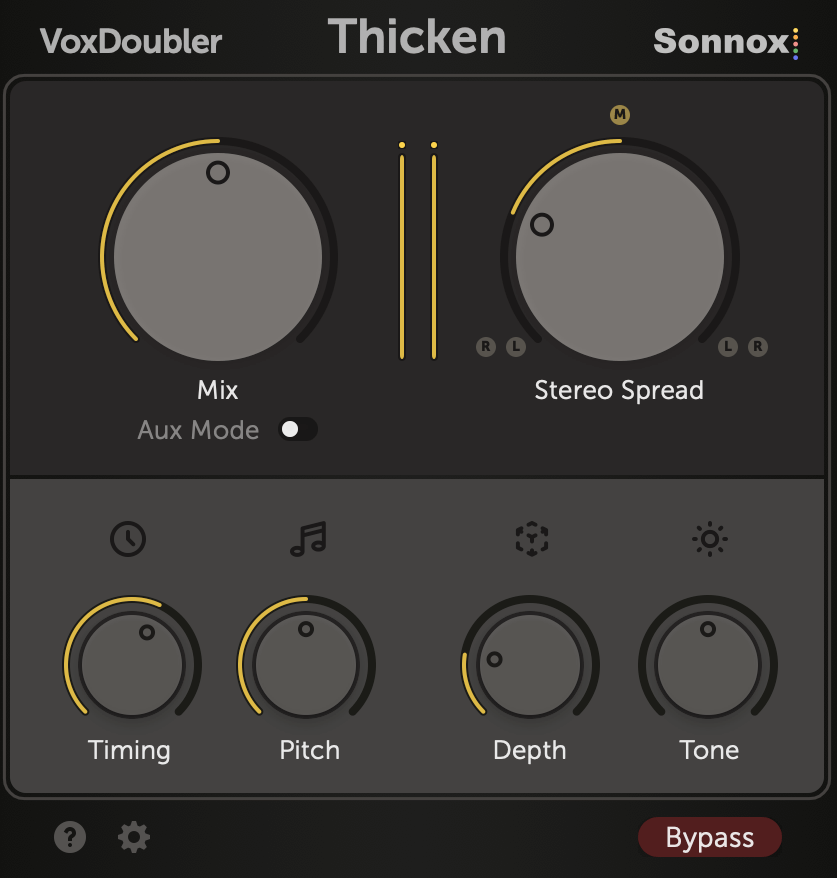
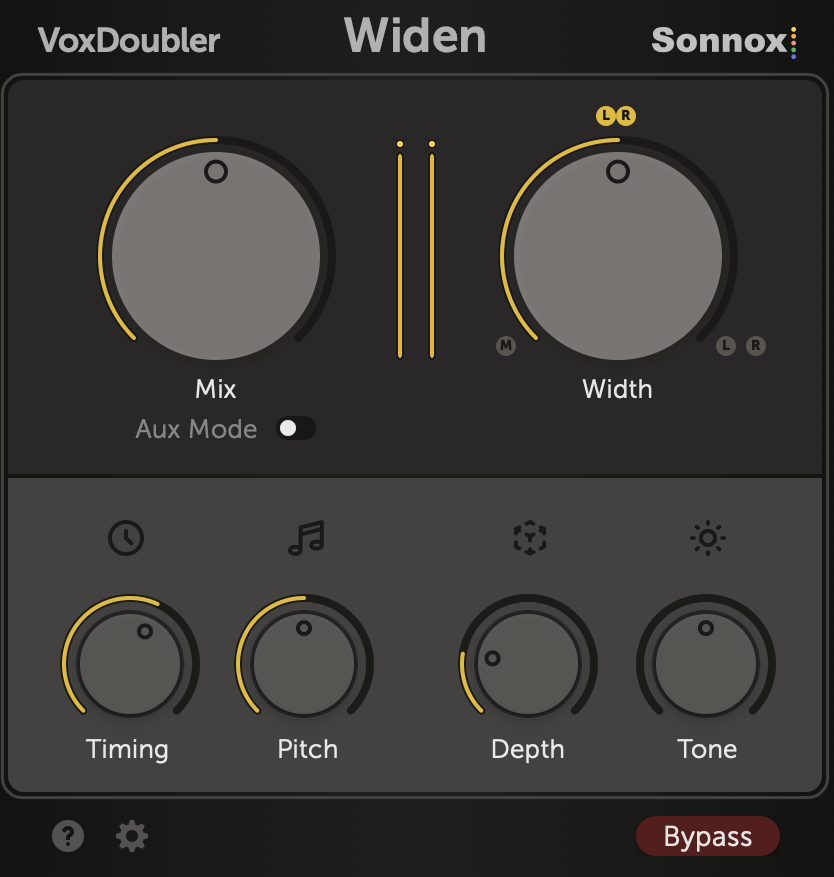
  • Vox Doubler (Widen, Thicken): Vocal doubler
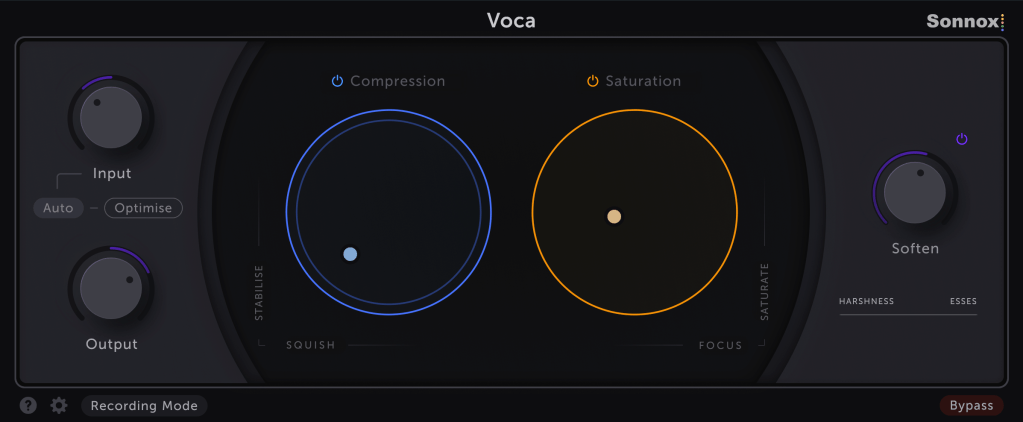
  • Voca: A processor combining compression, saturation, and de-essing

Let’s take a closer look at each, starting with Claro.


Claro

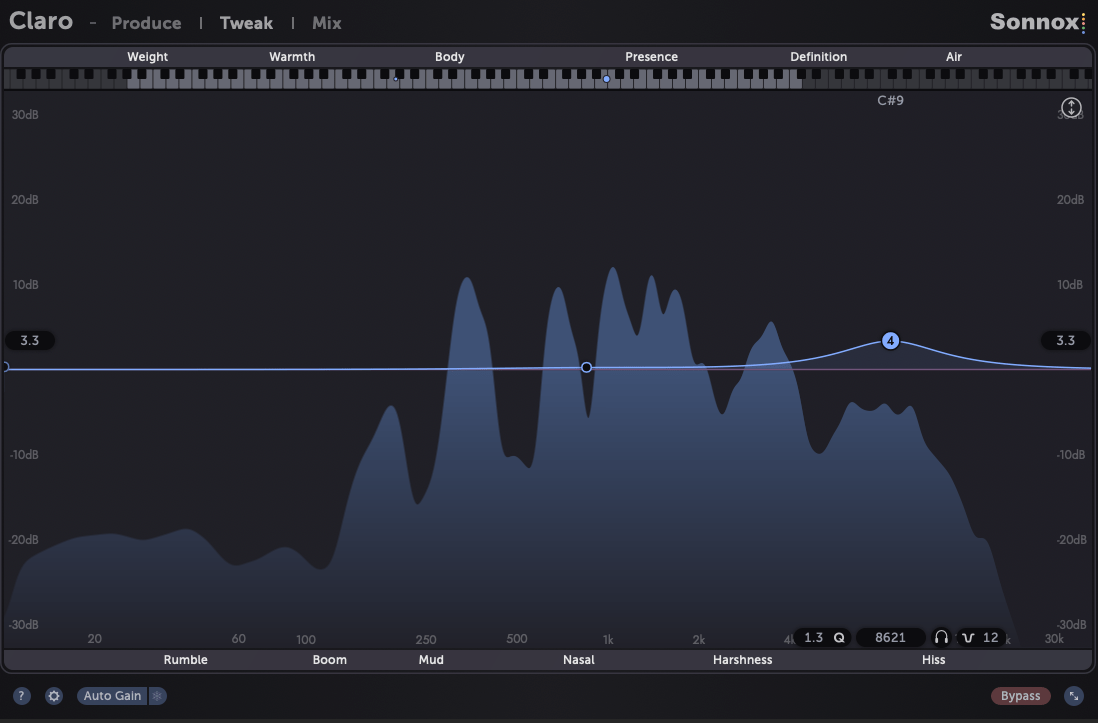
Sonnox’s Claro is a clean and highly functional EQ and stereo width enhancer. You can use it in a simple “Produce” UI, as shown above, or in a more detailed “Tweak” UI that includes a spectral analyzer.

Each frequency band features labels below for negative terms and above for positive ones, making it intuitive even for beginners to use.

Additionally, you can view frequencies in a keyboard format, which can be very familiar and useful for composers.

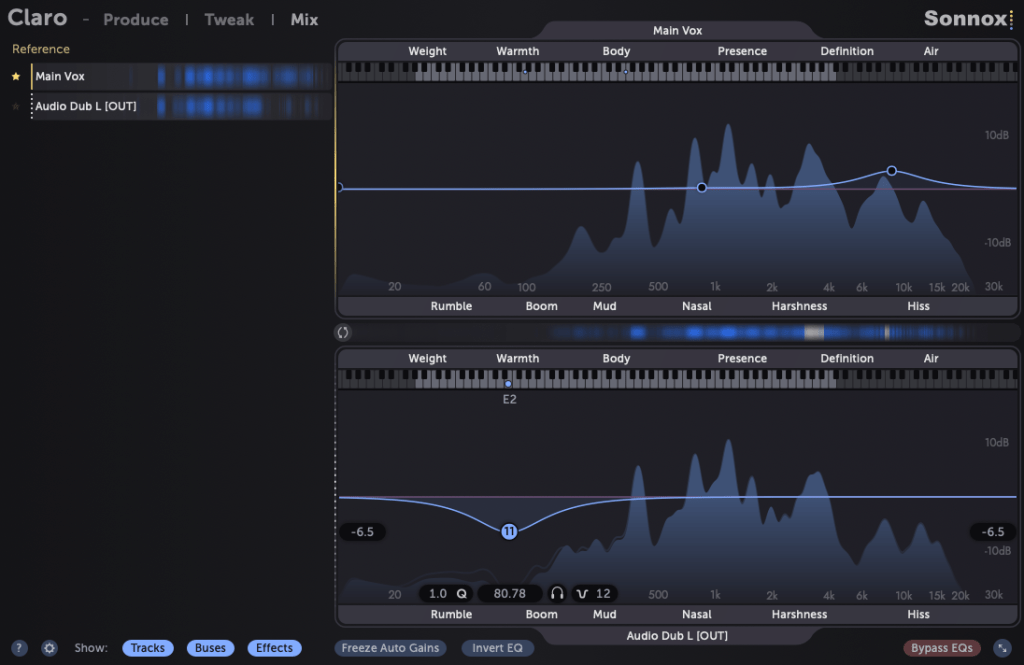
What impressed me the most about Claro is that you can view the EQ settings applied to other tracks simultaneously!

Moreover, you can adjust the EQ for those other tracks directly within this interface. This is an incredibly innovative feature.

For tracks that experience masking issues and don’t cut through the mix, you can quickly locate the interfering frequencies and make adjustments, significantly streamlining your workflow and saving time.

Claro’s competitor is clearly FabFilter’s Pro-Q3, but considering that you get two additional plugins for just $64.9, it’s a fantastic deal.

Although it’s not a dynamic EQ, it’s the first EQ I’ve seen that also allows width adjustment, making it a plugin I’m seriously considering as my main EQ from now on.

Vox Doubler

The Vox Doubler includes two plugins: Thicken and Widen. The difference is that Widen creates two separate mono tracks, one for each side, while Thicken produces a single stereo track.

While the difference is subtle, it’s perfect for background vocal doubling to emphasize the chorus parts.

Voca

Voca is essentially an all-in-one channel strip. In the compression section, the left/right parameters labeled as “Squish” work like a ratio, and the “Stable” parameter functions similarly to a threshold.

In the saturation section, “Saturate” controls the amount of coloration, while “Focus” adjusts the EQ curve (higher settings boost lows and highs, while lower settings emphasize the midrange).

The “Soften” parameter acts as a de-esser, specifically targeting the area around 5kHz. You can think of this as a versatile all-in-one effect.

Additionally, if you purchase plugins from Plugin Boutique this month, you’ll receive either a “Solina” synthesizer, which focuses on string sounds, or Zynaptiq’s Orange Vocoder Nano.

Both are incredibly useful plugins, so be sure to claim them if you make a purchase.

That’s it for today’s post. See you next time~!

Basics of Mixing – 5.4 Phase Issues in EQ

Hello, this is Jooyoung Kim, an engineer and music producer.

Today, I’d like to discuss a crucial aspect to consider when adjusting EQ: phase issues.

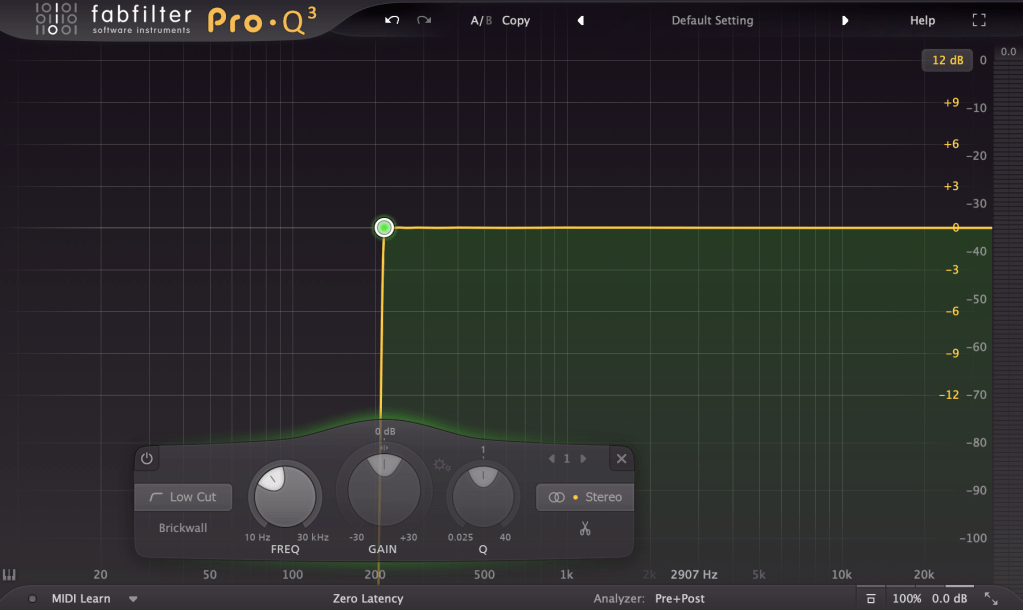
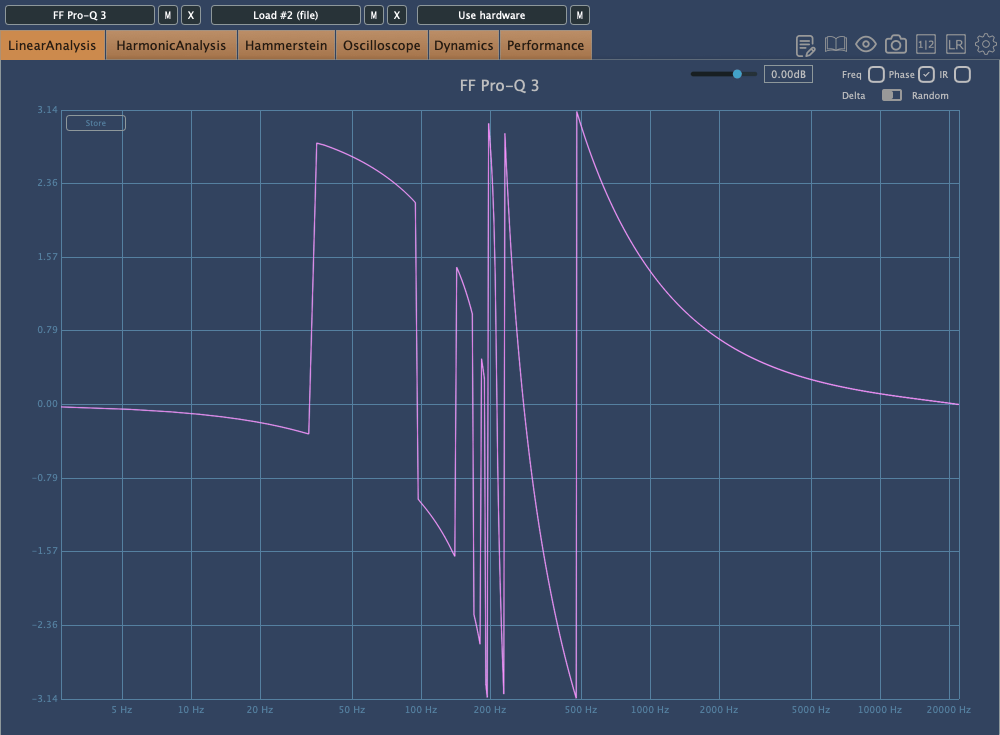
The image above shows the phase change graph when using the Brickwall feature in Fabfilter Pro Q3.

Phase change is generally represented as a continuous line. However, when drawing the graph continuously, the size becomes too large, so the vertical range is usually set to 2π, and the line continues from the top or bottom when it breaks. It’s quite difficult to explain in words.

Anyway, considering such factors, the jagged phase changes can still significantly affect the sound. Extreme phase changes can make the sound seem as if an unintended modulation effect is applied, so it’s important to use it carefully.

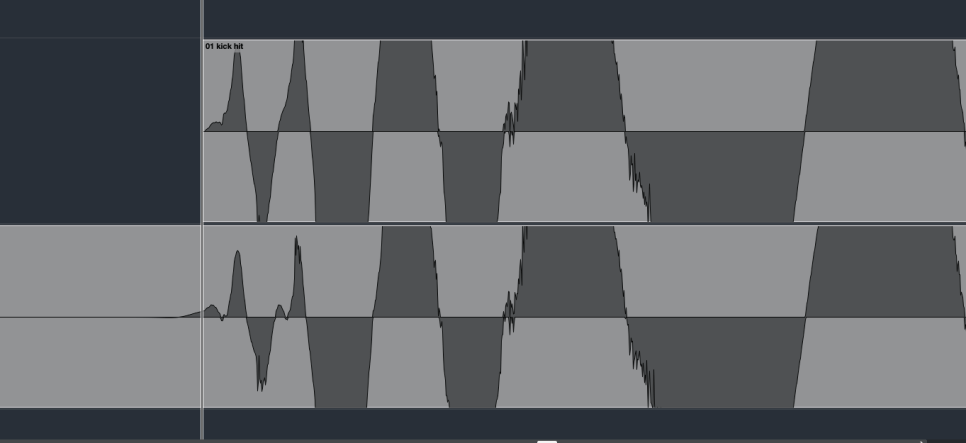
Because of these issues, Linear Phase EQ was developed. Linear Phase EQ does not cause phase issues. However, it introduces a phenomenon known as Pre-Ringing.

  • Pre-Ringing Phenomenon

Pre-Ringing occurs when using Linear Phase EQ, causing the sound to ring before the waveform. Try bouncing your track using Linear Phase EQ. As shown in the image above, you’ll notice a waveform appearing at the front that wasn’t there originally.

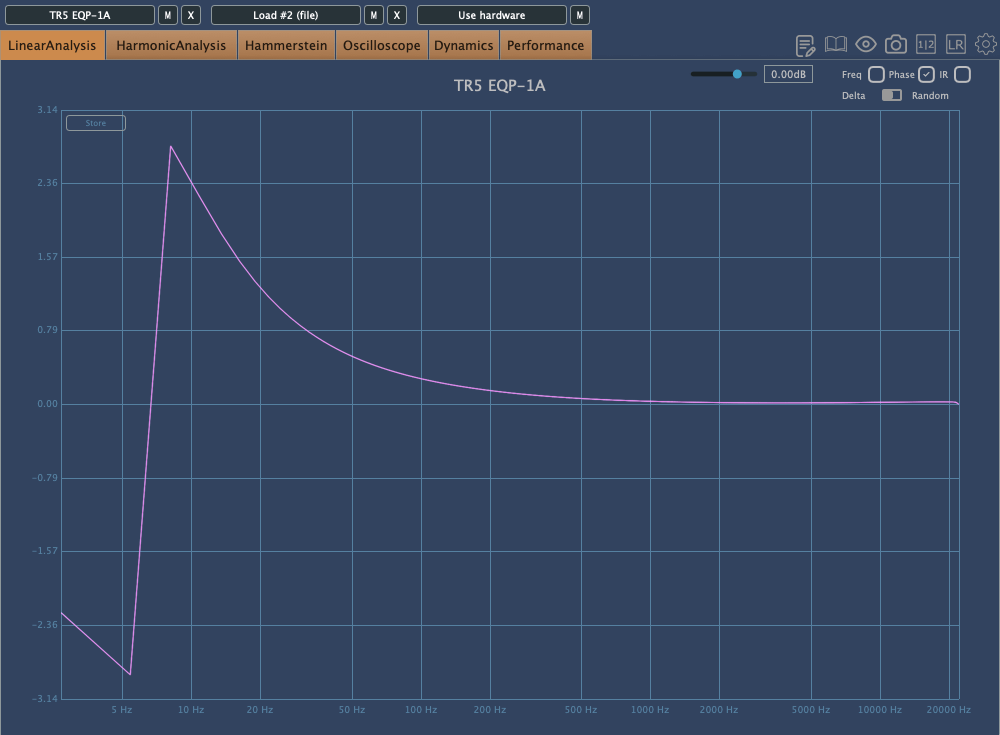
Other than digital EQs, many plugin emulations of analog EQs alter the phase and frequency response graphs just by being applied.

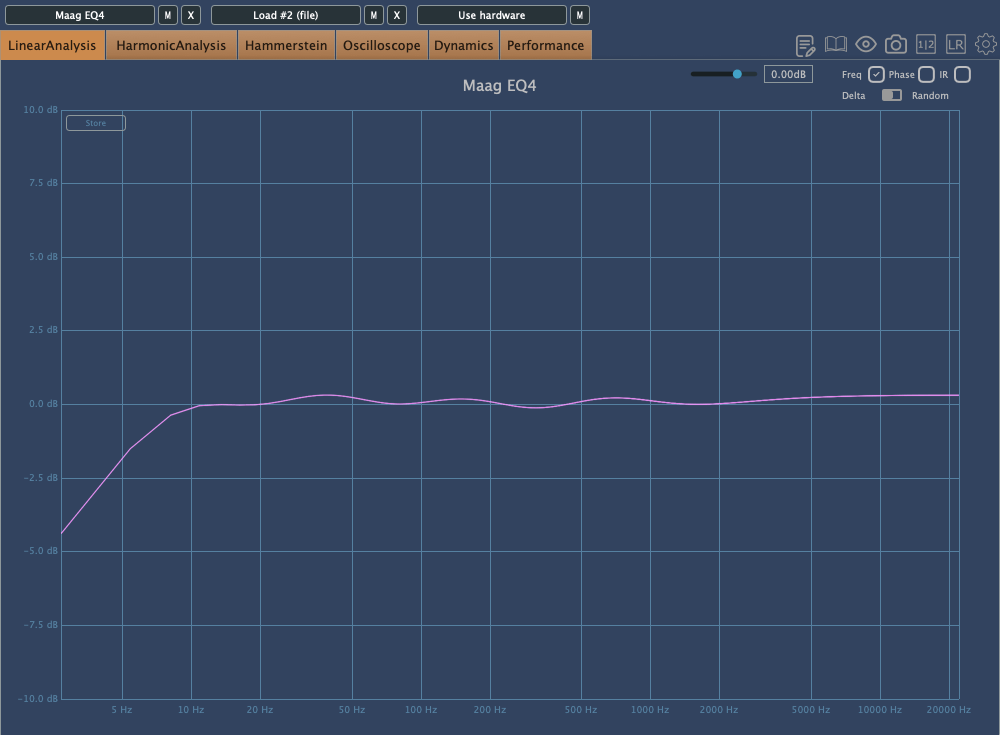
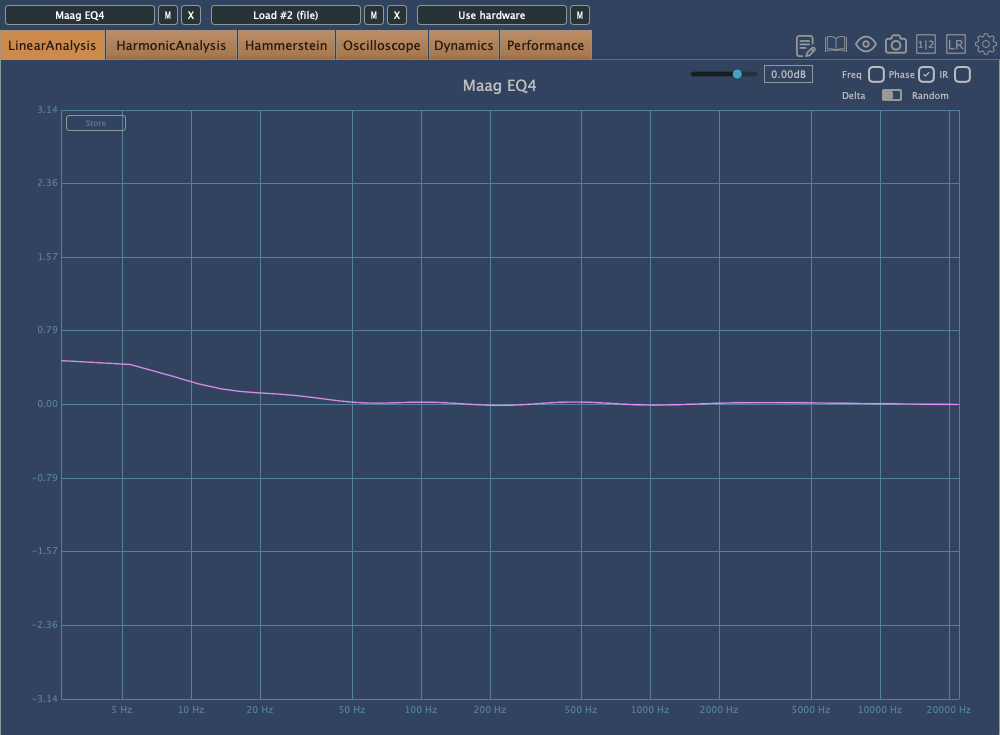
For instance, consider the commonly used Maag EQ4 for boosting high frequencies.

On the left is the frequency response graph when only the Maag EQ4 plugin is applied without any adjustments, and on the right is the phase change graph under the same conditions.

Here’s what we can deduce about using EQ:

  1. Applying an EQ can change the basic frequency response from the start.
  2. Non-Linear Phase EQs will inevitably cause phase changes.
  3. Linear Phase EQs can introduce Pre-Ringing, creating new sounds that were not there originally.
  4. EQ plugins or hardware with Harmonic Distortion can add extra saturation to the sound.

Understanding these points is crucial when adjusting EQ.

Of course, there are many excellent engineers who achieve great results without knowing all these details. Ultimately, the most important thing is that the sound comes out well, regardless of understanding the underlying principles.

However, I personally feel more comfortable when I have a solid understanding of the fundamentals. So, knowing this information can never hurt.

That’s all for today. I’ll see you in the next post!

Basics of Mixing – 5.3 Using EQ for Different Purposes

Hello, I’m Jooyoung Kim, an audio engineer and music producer.

Today, we’ll explore the use of EQ for different purposes. EQ is generally categorized into two types: Tone Shaping and Surgical.

1) Tone Shaping EQ

Tone Shaping EQ is used for:

  1. Altering the tone of instruments
  2. Changing the tone of instruments through the saturation provided by the EQ itself
  3. Adjusting the vertical position of instruments within the stereo image

Examples of Tone Shaping EQs include the Pultec EQ,

The renowned Neve 1073,

And the API 550 and 560 EQs.

Digital EQs like the Pro Q3 can also be used for Tone Shaping, though they lack saturation.

2) Surgical EQ

Surgical EQ is used to solve problems in the audio source. It’s used for addressing proximity effects, resonances, sibilance (often handled by a de-esser but sometimes with EQ), and various other unpleasant sounds that can occur during recording.

For these tasks, EQs without inherent coloration are preferred, typically with a high Q factor (narrow bandwidth). It’s beneficial to use EQs with an internal sidechain function (often labeled as an audition feature) that allows you to listen to the affected frequencies in isolation.

I mainly use the bx_hybrid V2 because I’m familiar with it, but most modern digital EQs come with an internal sidechain function, so any of them should work fine.

  • Conclusion

Using Tone Shaping EQ effectively requires an understanding of stereo imaging and tonal concepts. Surgical EQ, on the other hand, necessitates the ability to identify problems by ear. Ultimately, it takes practical experience to develop these skills.

I’m not claiming to be a highly experienced or notable expert, but I’ve found that there’s a significant difference between knowing these concepts in theory and applying them in practice.

Good luck to everyone studying sound engineering!