Hi! This is Jooyoung Kim, mixing engineer & music producer.
Before, we talked about hardware. Today, I’ll begin by introducing mastering. This article is based on my book, Basics of Mixing, published in South Korea.
Let’s dive in!
What is Mastering?
Why do we master audio?
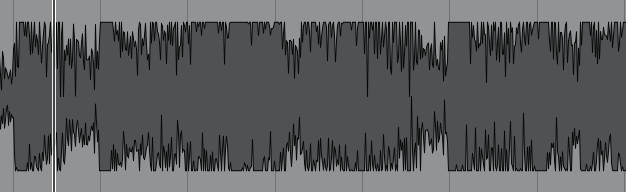
The loudness of mixed music is too low
So gain more volume for the mixed music, maintaining the instruments’ balance
Of course, mastering involves many aspects. You can easily understand mastering with the two sentences above.
Simply put, mastering is the final step in music production. It can also be described as packaging the mixed music. The package does not change after mastering.
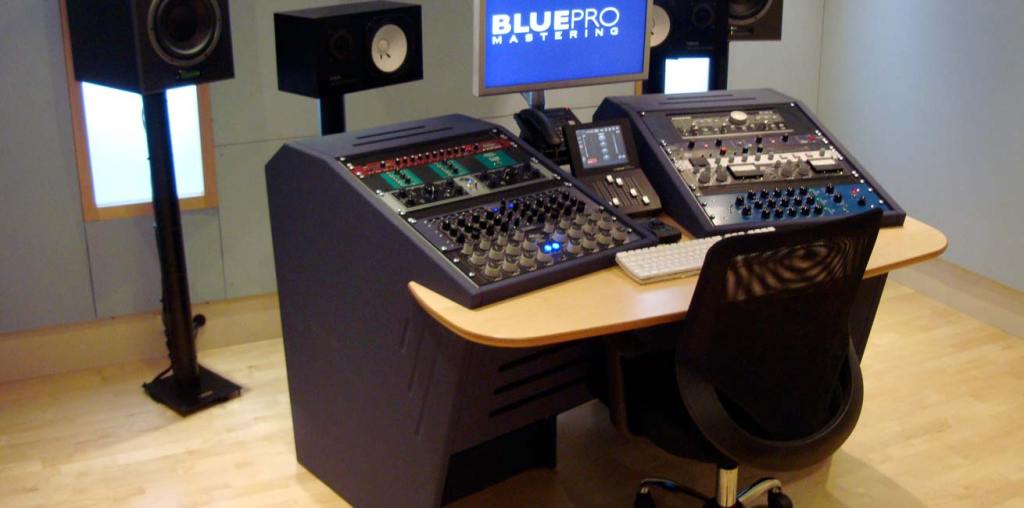
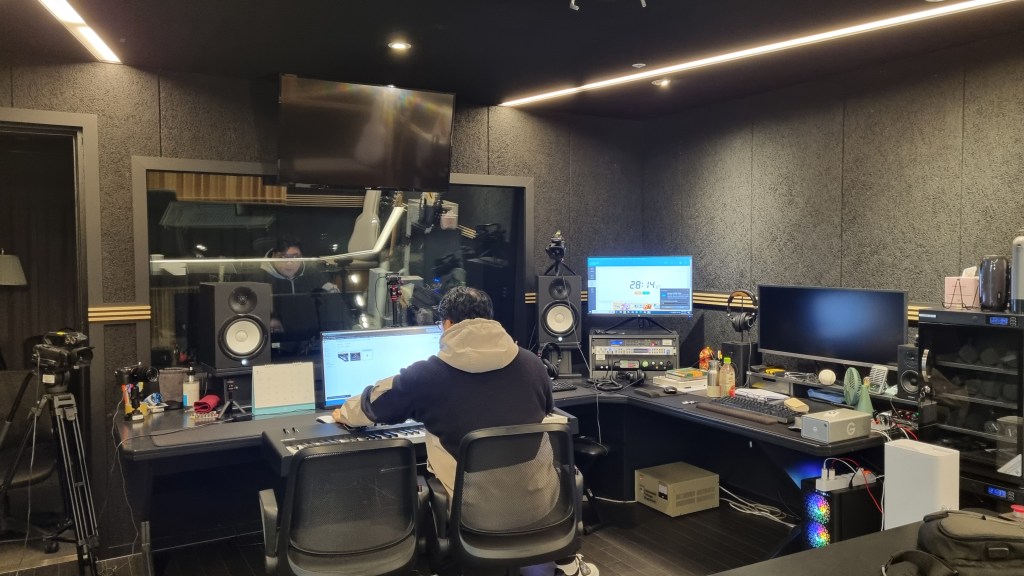
Room acoustics are the most important factor in building a mastering studio. Also, great quality ADC(Analog-Digital Converter)/DAC(Digital-Analog Converter), speakers and hardware are necessary too.
Building a mixing studio is also expensive. However, in mixing studio, audio hardwares take quite large volumes-they make room acoustics worse.
A desk with hardware may look good and fancy, but it takes up a lot of space. This can lead to comb-filtering effects. Removing the desk is a great solution, but as you know, it’s easier said than done..
One more thing, a mixing engineer listens to a song too many times, making it hard for them to recognize problems. Therefore, when you need to master a song or an album, I recommend hiring a mastering engineer.
Nevertheless a mixing engineer should provide a louder monitor file to clients than the mixed file. Due to budget constraints, mixing engineers sometimes have to master their own files.
In this chapter, for those situations, I’ll talk about the process and concepts about mastering.
Hello! I’m Jooyoung Kim, an engineer and music producer.
It’s already the last day of 2024… It feels like I’ve barely done anything, yet the end of the year has come around again. 😊 This year, I want to take a moment to look back on what I’ve done.
First Half of the Year
In January, I started writing introductory posts about mixing techniques. I’d been wanting to publish articles elsewhere, but after receiving rejections from various outlets, I decided to focus on writing consistently on my blog instead.
I lost count of how many times I revised those posts! Eventually, I submitted them to Kyobo Bookstore’s POD (Print on Demand) service. To my surprise, Joongpil Goo, an engineer from Klang Studio with extensive experience as an SM engineer, graciously wrote a recommendation for the book. Even now, it feels surreal! 😊
This was finally completed by late September, and it was quite an intense journey just to publish a single book.
From January to April, I worked with a studio called Studio Dolphin, producing YouTube videos where AI collaborated with indie musicians to create songs. We used Soundraw for the AI-generated music, ChatGPT for lyrics, and melodies were composed by indie musicians. The challenge was to create a full song in just 90 minutes.
I participated as both an engineer and a panelist, but unfortunately, the videos didn’t garner much attention, and they’ve since been taken down.
At the start of January, I was extremely busy with various recording and mixing tasks for school projects. In February, I spent a lot of time preparing paperwork to apply for government-sponsored projects. Sadly, none of these applications were successful, which left me feeling rather deflated.
In March, I returned to school, and things got busier from there.
In May, I launched my English blog and started promoting Plugin Boutique products more actively, which kept me even busier.
Summer
From July to August, I worked on producing Danny Boy’s EP from start to finish. I handled everything—recording, arranging, mixing, and mastering. 😊
At the same time, I collected measurement data for my thesis. The data turned out well enough that I’m now preparing to submit it to an international academic journal.
While processing the data, I found myself delving into coding—a field I never thought I’d explore! Surprisingly, tools like Copilot and ChatGPT were lifesavers. At first, I barely understood anything, but after asking countless questions, things started making sense. 😊
Second Half of the Year
September was tough. I applied for several positions but didn’t get any of them. My final interview was with the Gyeonggi Arts Center, but, well… things didn’t work out. Back in May, I’d also made it to the final round for a position at Kumho Art Hall at Yonsei University but was ultimately rejected. I guess that’s just how life goes. 😊
In October, I filmed a music video, and November passed without anything particularly noteworthy.
In December, I wrote a short paper about loudness in audio and submitted it to a domestic academic journal. It was accepted and will be published in early January.
Also, during this semester, a professor from Sorigeo joined the faculty, and I took his class. In collaboration with him, I gathered data for another research paper, spending two days on measurements. The data looks promising, but I haven’t organized it yet. Once I do, I plan to publish another paper and share the details. 😊
In addition to all this, I continued working on my own music, doing external mixing/mastering, composing/arranging, and providing guide vocals.
Unforgettable Projects
One of the most memorable projects this year was mastering the EP for the Bulkuksa Team’s Random Game. My favorite track was definitely “Microdust.”
A heads-up: the song contains explicit language. 😊
A friend had asked if I could master the track using only an MP3 demo, as they’d lost the original files. I was initially concerned about the sound quality but was blown away by how creative the music was. I couldn’t say no!
Some tracks were well-balanced, while others were completely off, but I managed to improve them significantly through proactive mastering. While the sound quality wasn’t ideal due to the limitations of MP3, the sheer fun of the music made up for it. 😊
Gear Purchases
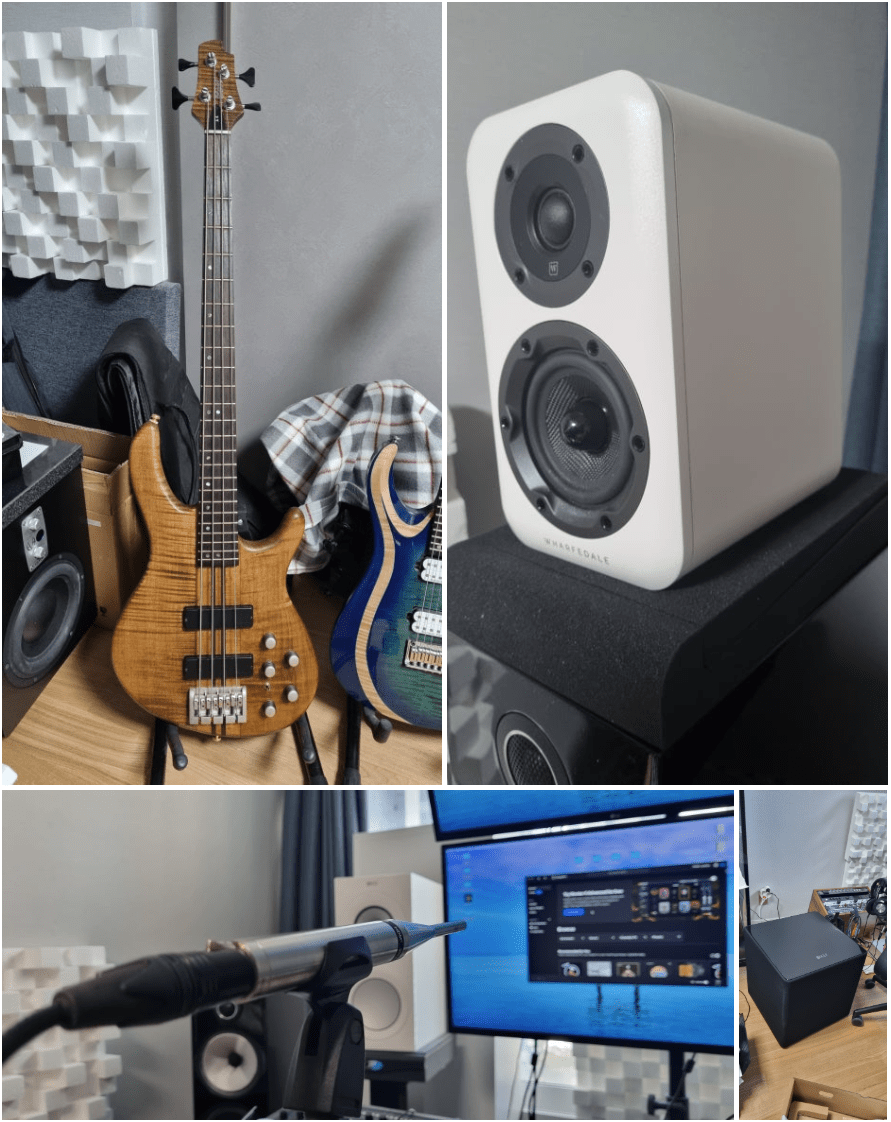
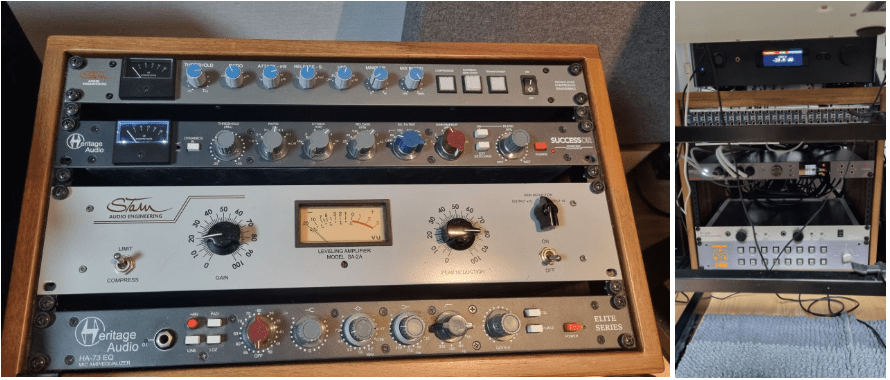
Stam Audio SA-4000 MK2 Compressor
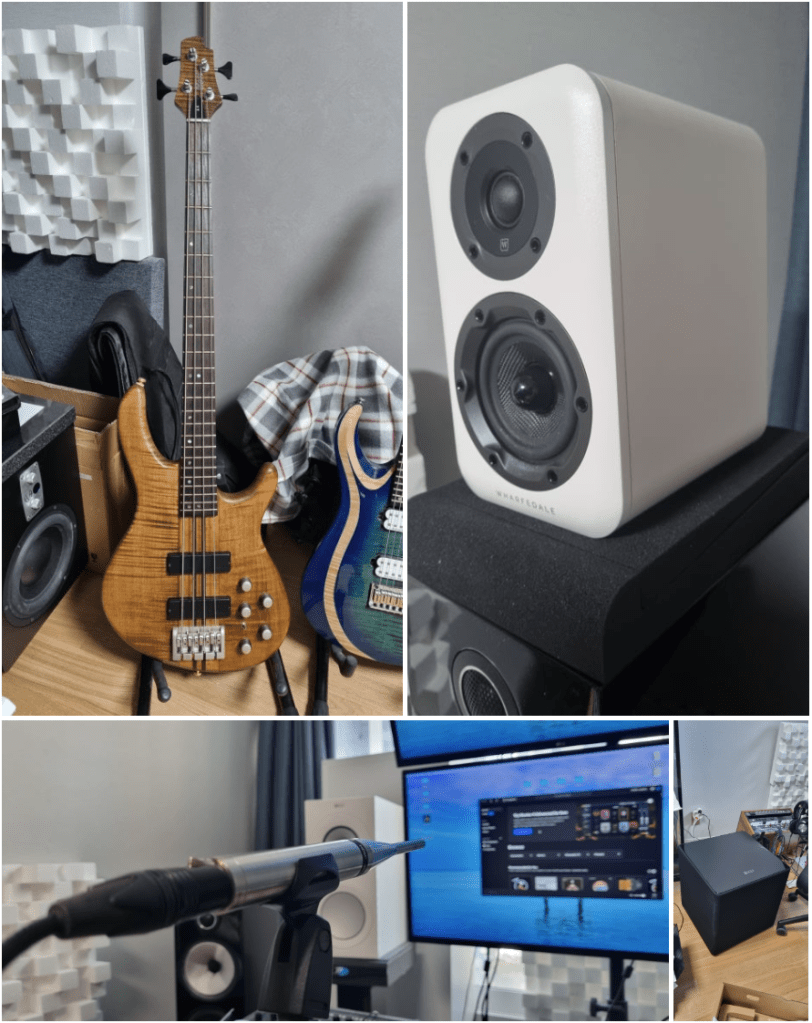
KEF Kube 15 MIE Subwoofer
Stam Audio SA-2A Compressor
Earthworks M30 Measurement Microphone
Rack Cabinet and Patch Bay
Wharfedale D310 Passive Speakers
Cort A4 Bass
A broken Heritage Audio Successor Compressor
I bought quite a bit this year…
Next year, I’m thinking of adding a tube microphone preamp and an EQ. Maybe another compressor or a mic too? The gear wishlist never ends! 😊
Hello, this is Jooyoung Kim, an engineer and music producer. Today, I’ve come across an amazing discount, and I requested an NFR (Not for Resell) code from Plugin Boutique to review about those plugins.
(If you purchase through the link above, I receive a small commission which greatly helps in maintaining this blog)
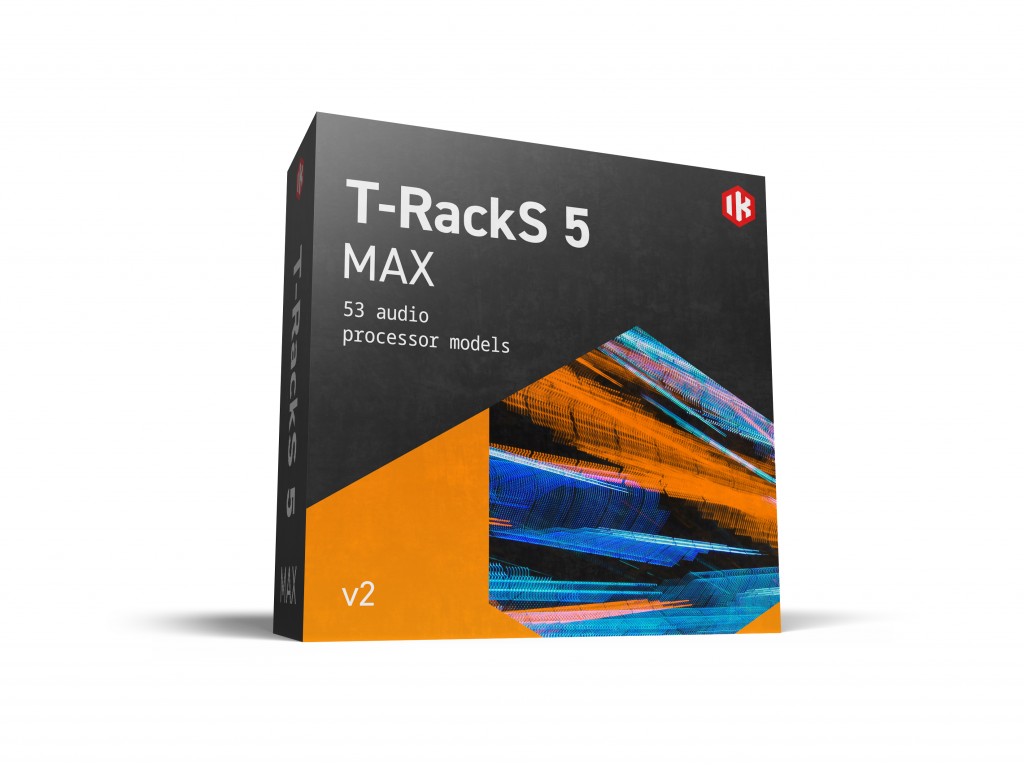
The T-Racks 5 Max on sale this time is a package of plugins from IK Multimedia used for mixing and mastering. It includes a total of 53 plugins, and it has never been offered at such a low price before. You can think of it as getting each plugin for about $1.
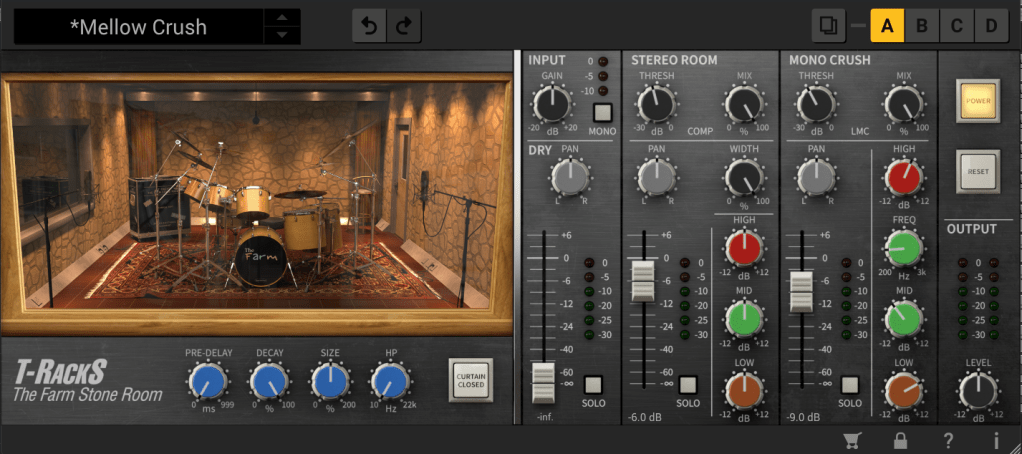
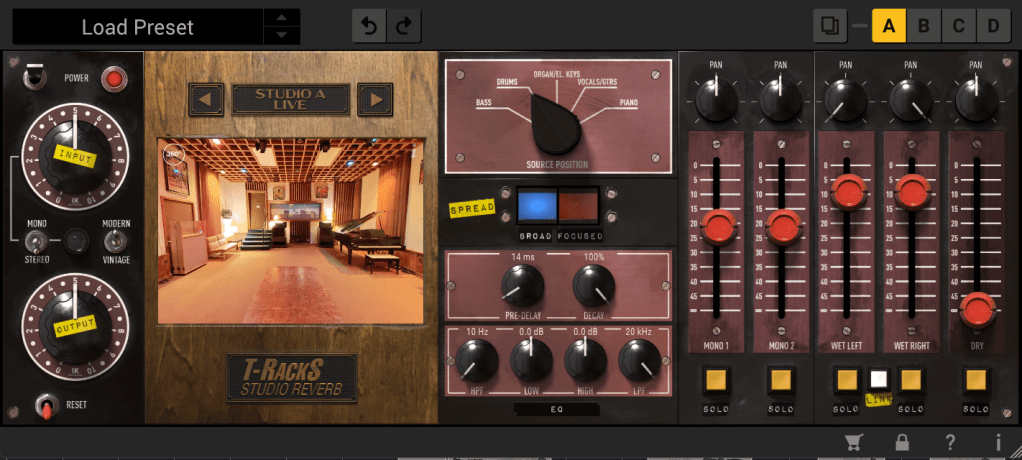
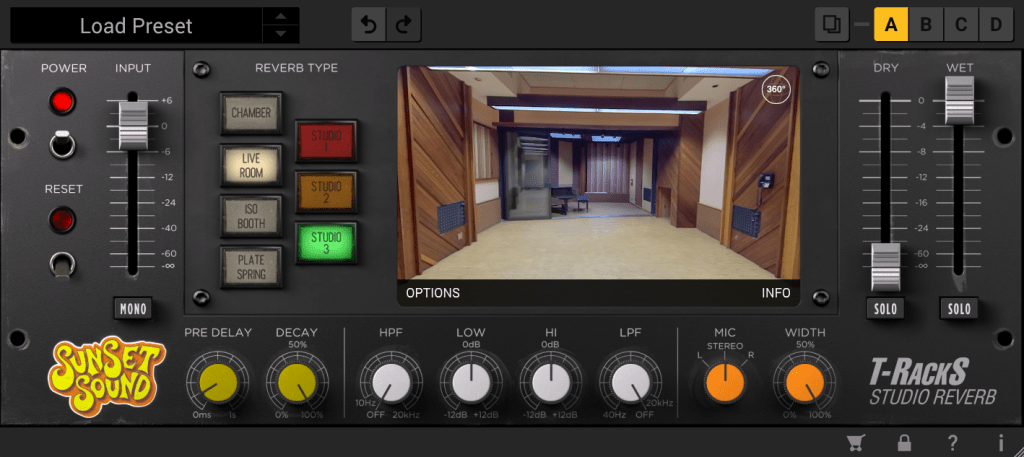
Personally, I’m amazed that they’re offering all these reverbs at this price. If I remember correctly, Sunset Sound Studio Reverb was initially sold at a launch discount of $99, and Fame Studio Reverb wasn’t bundled with T-Racks and had to be purchased separately.
In addition to that, there are well-known emulation plugins such as Urei 1176, LA-2A, SSL Bus Comp, SSL Channel Strip, Neve 33609, Manley Vari-Mu, Empirical Labs Distressor, Neve 1073, 1081, Sontec 432c, Fairchild 670, Pultec EQP-1A, API 550a, b, API 560, etc. The names might be slightly different, but they are familiar and famous emulation plugins.
In the past, I used to recommend the Waves Horizon bundle for beginners due to its cost-effectiveness, but at this price, I would now actively recommend IK Multimedia.
I wish I could measure and test all the processors and upload the results, but there’s too much data, so I’ll focus on the well-known ones like 1176, LA-2A, Neve 33609, Fairchild 670, and SSL Bus Comp.
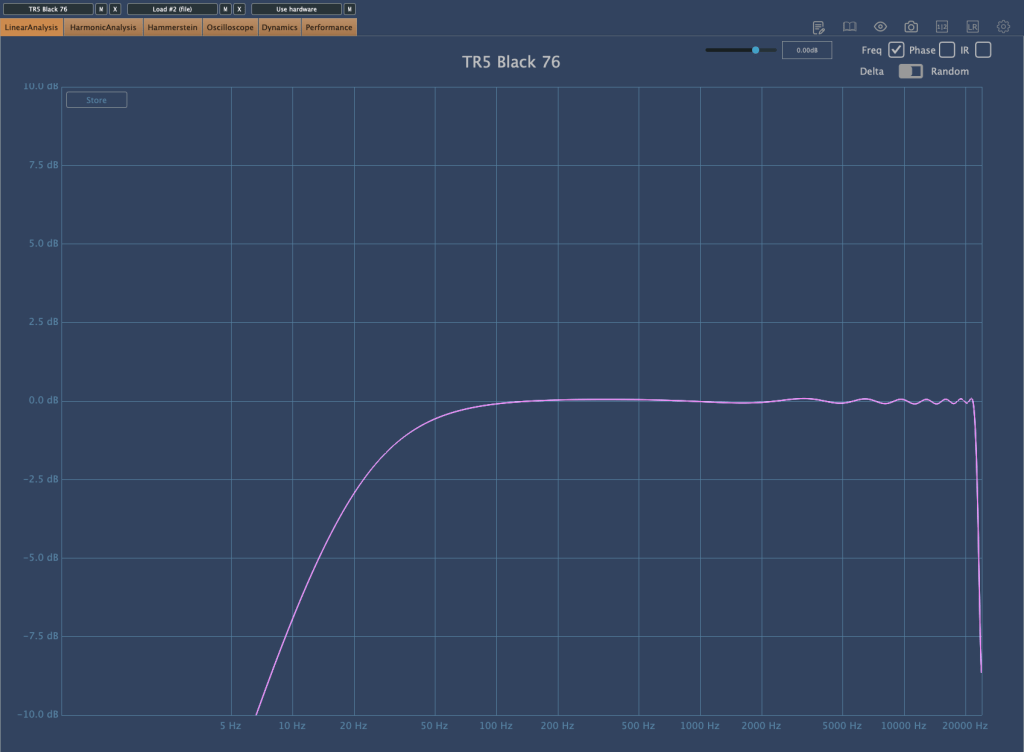
Black 76
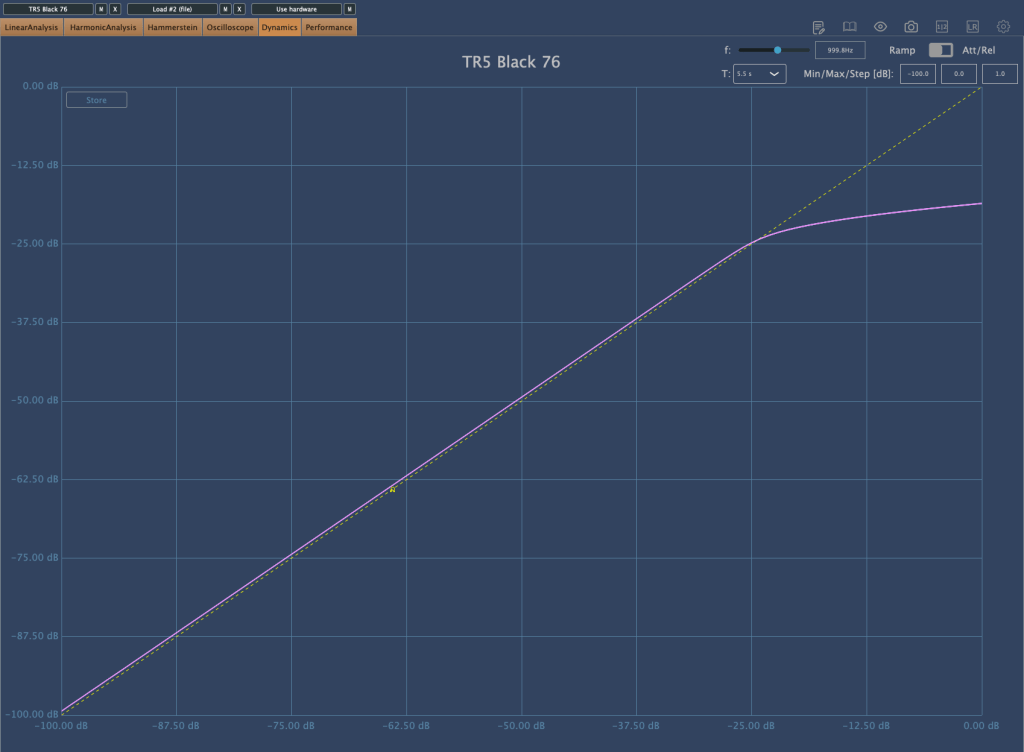
First, the Black 76 which emulates the 1176. The harmonics come out well, and it slightly compresses with a Soft Knee. When applied, it seems to reduce the low-end power and emphasize the attack.
White 2A
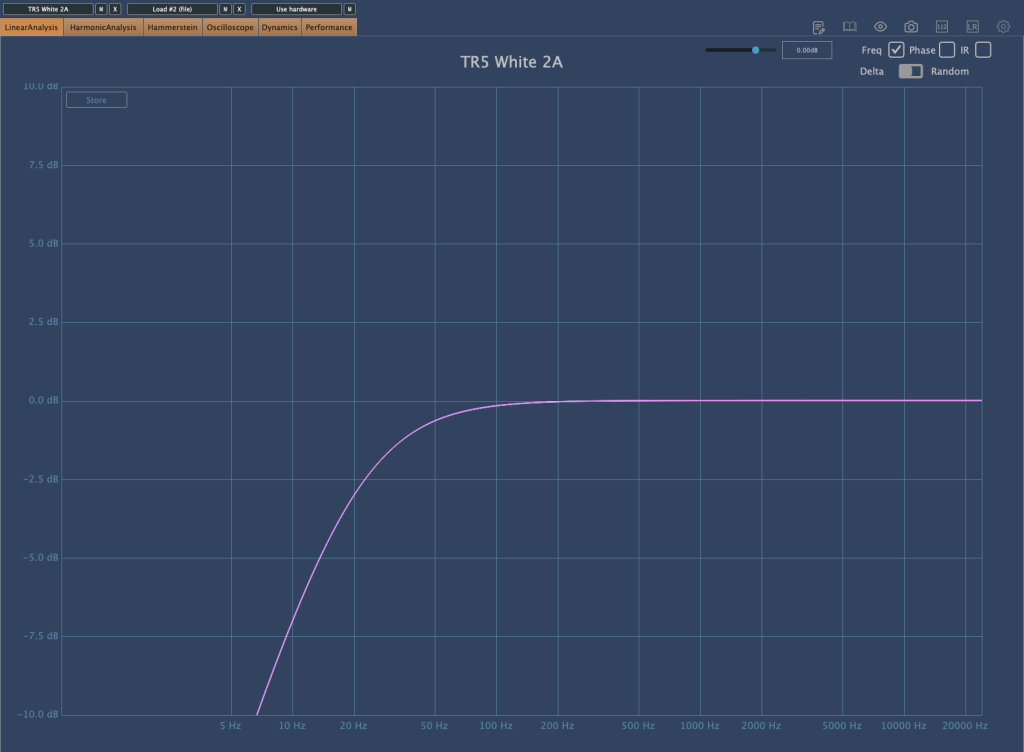
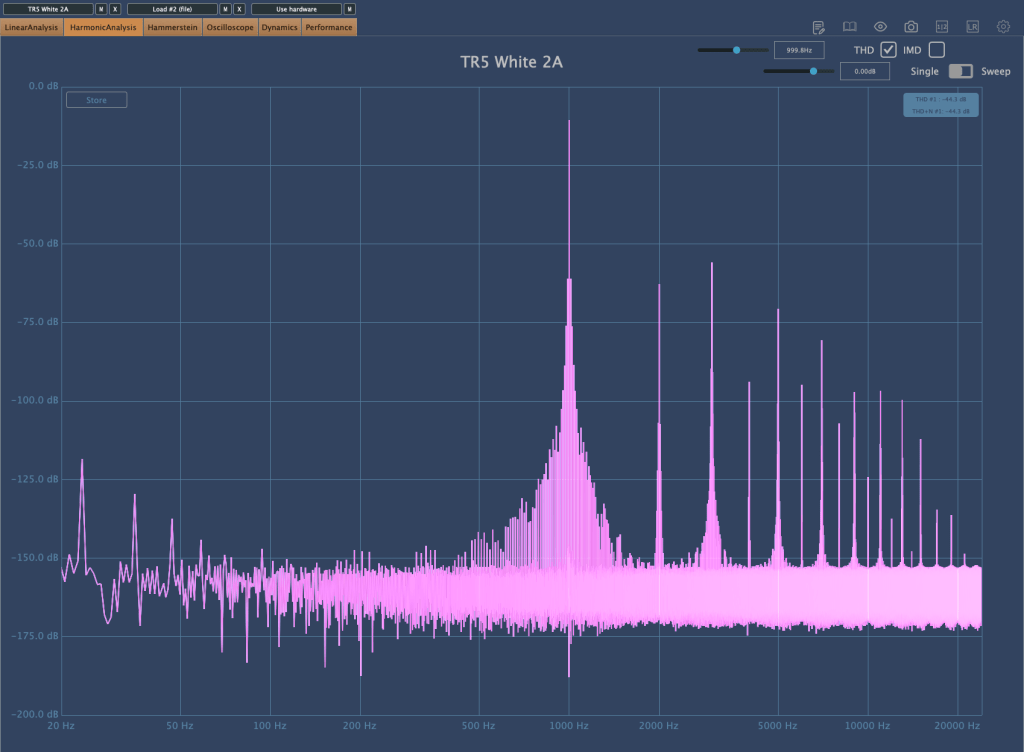
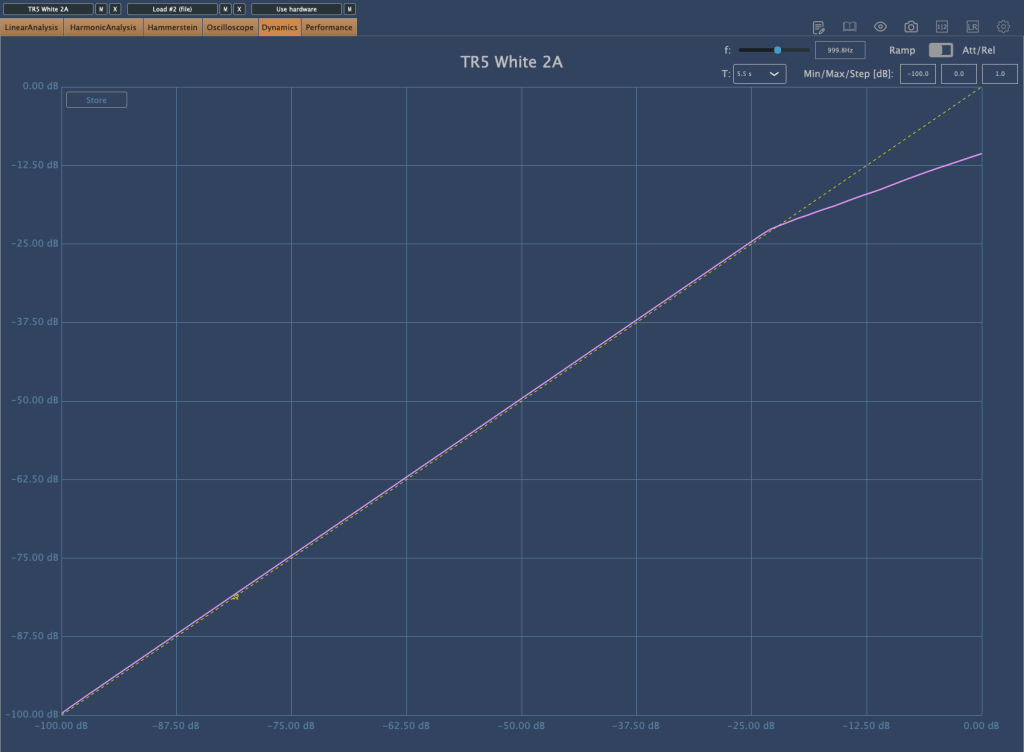
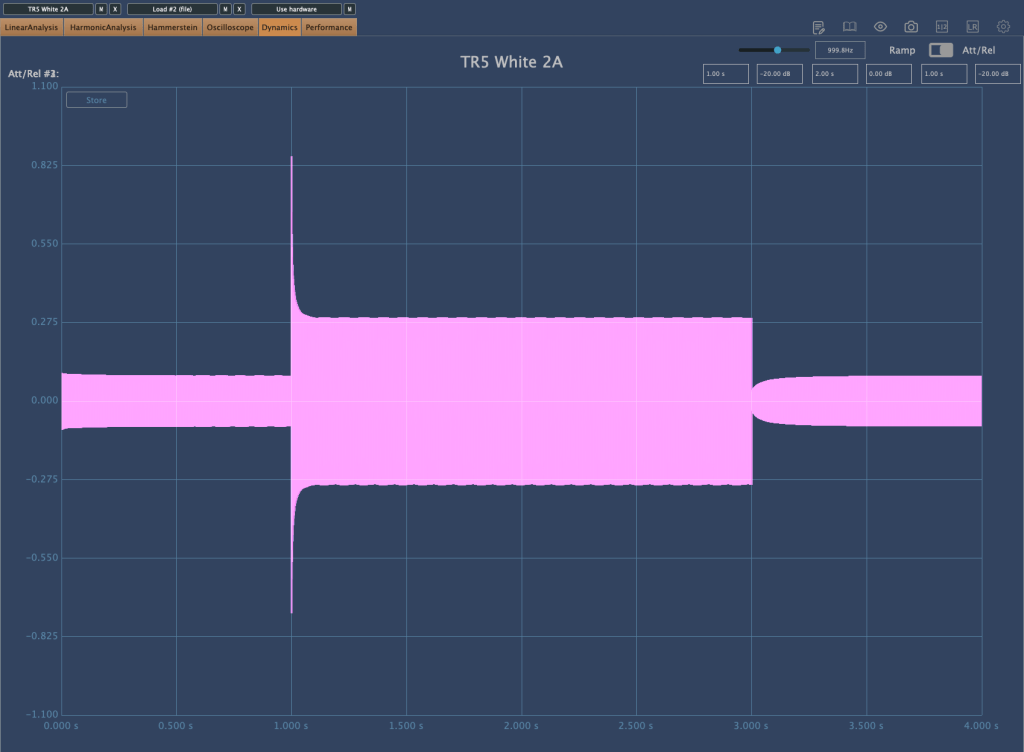
The White 2A, emulating the LA-2A, shows in its Release time that it faithfully reproduces the characteristics of an Opto compressor. It also slightly cuts the extreme low-end. Note that when first applied, the Limit/Compress switch is set to Limit, so switch it to Compress if you want to use it as a compressor.
Precision Comp/Lim
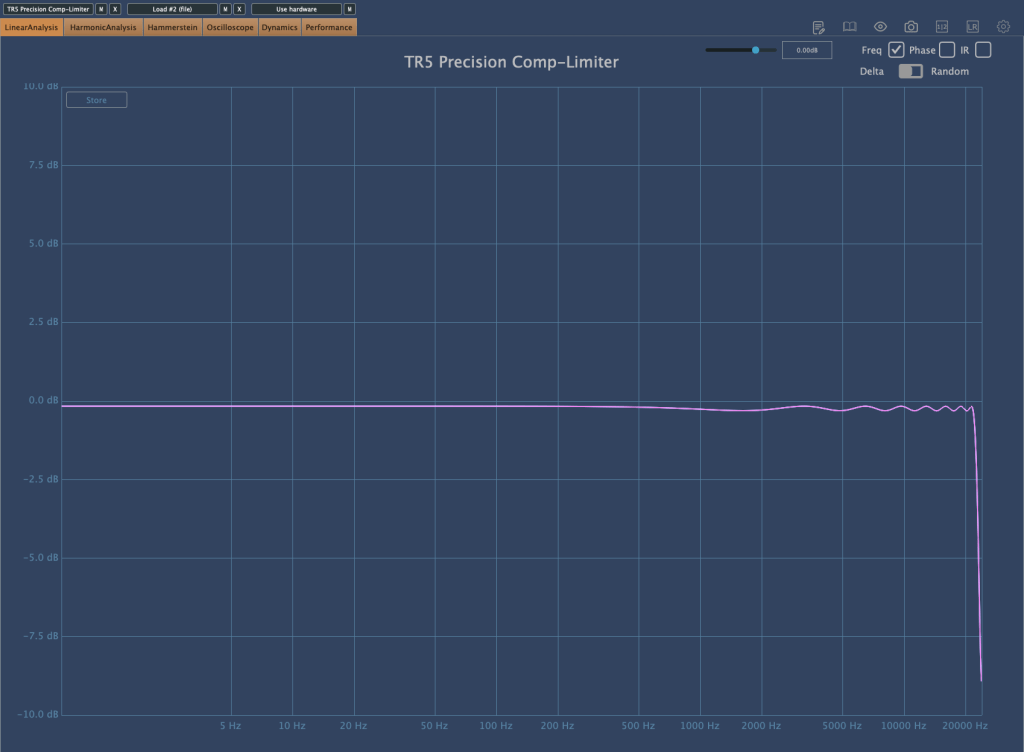
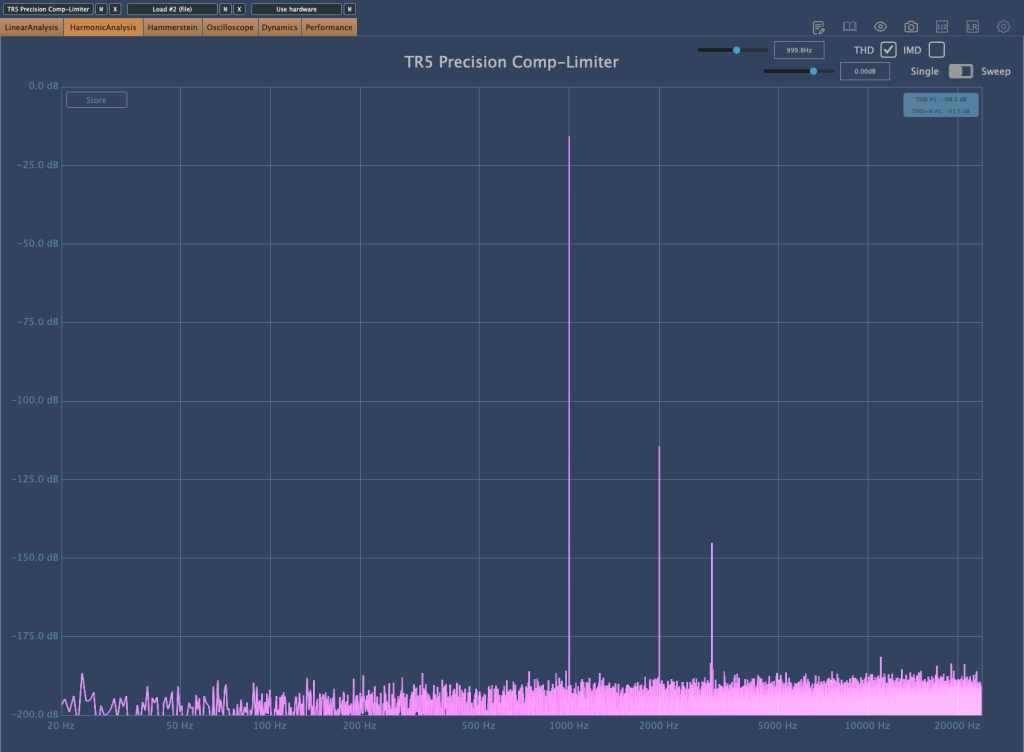
The Precision Comp/Lim, which copies the Neve 33609, seems to boost the high frequencies when applied, possibly due to its harmonics. It’s quite good, and I find myself using it often.
Bus Compressor
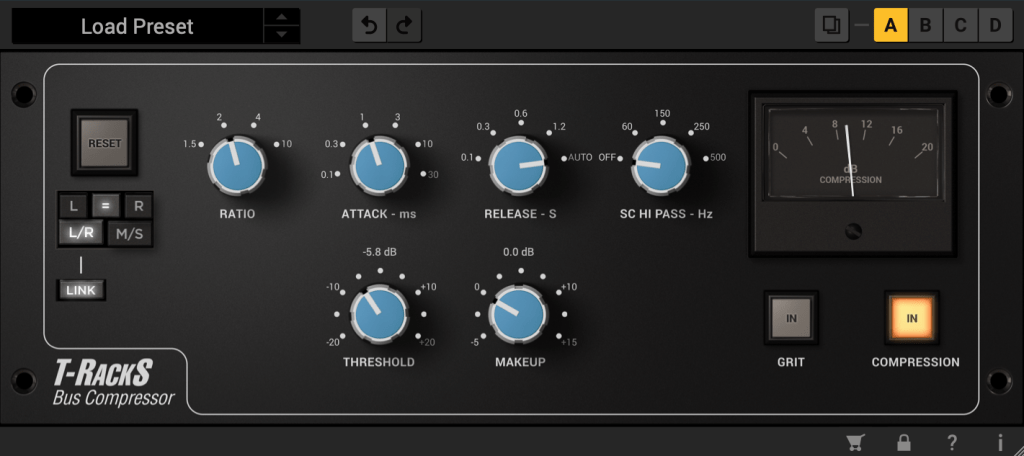
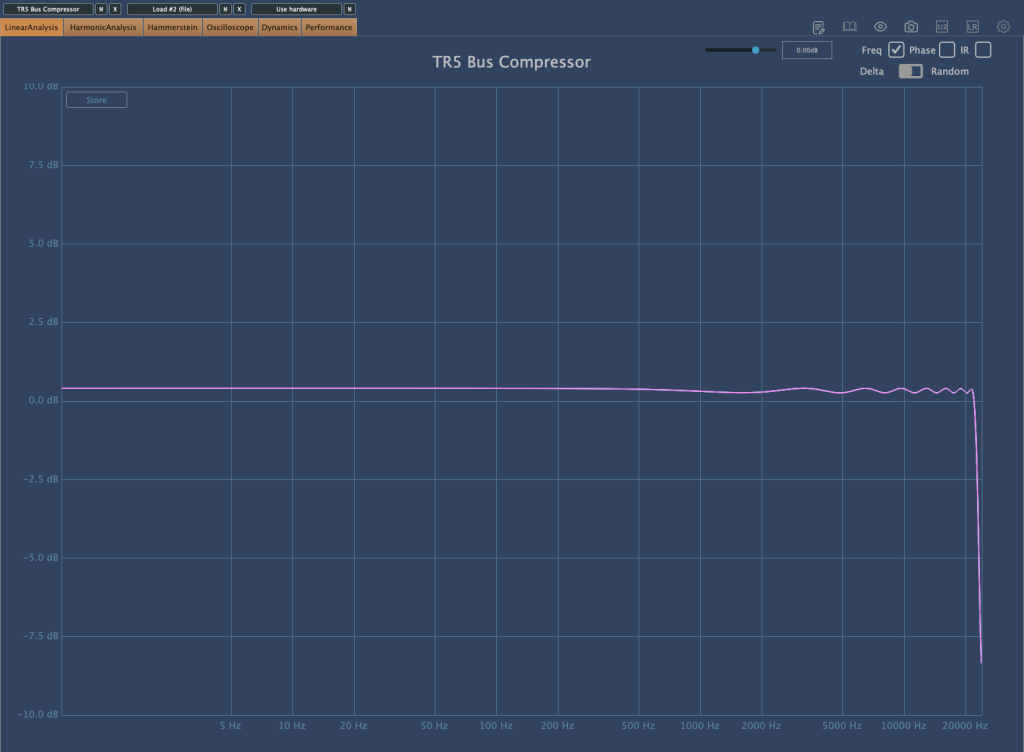
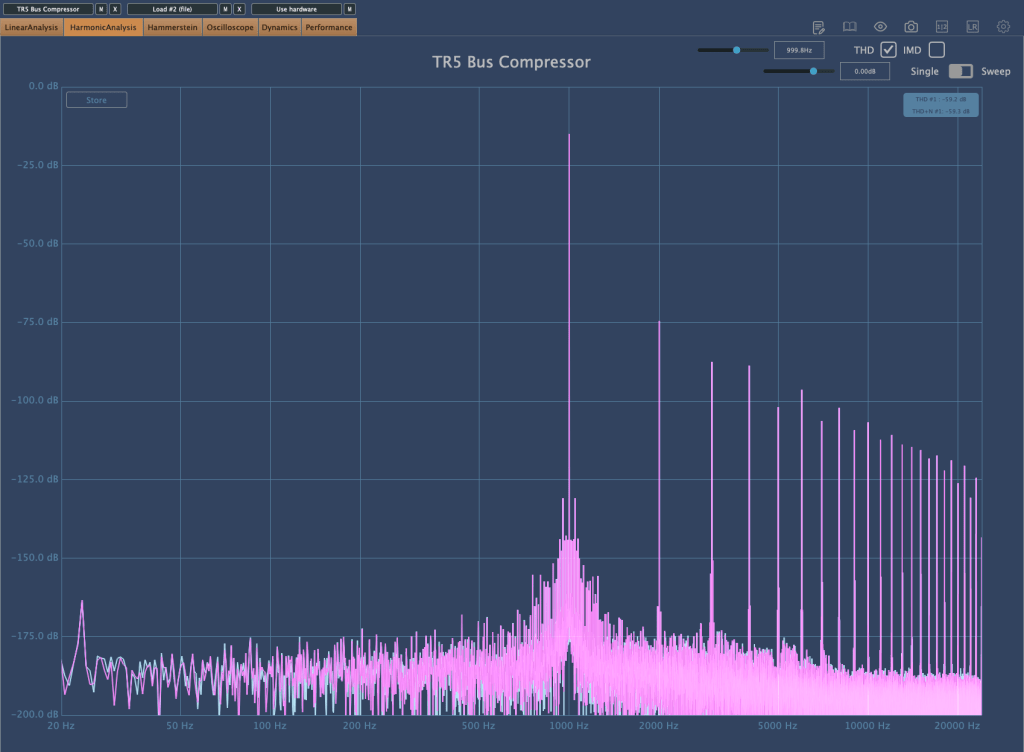
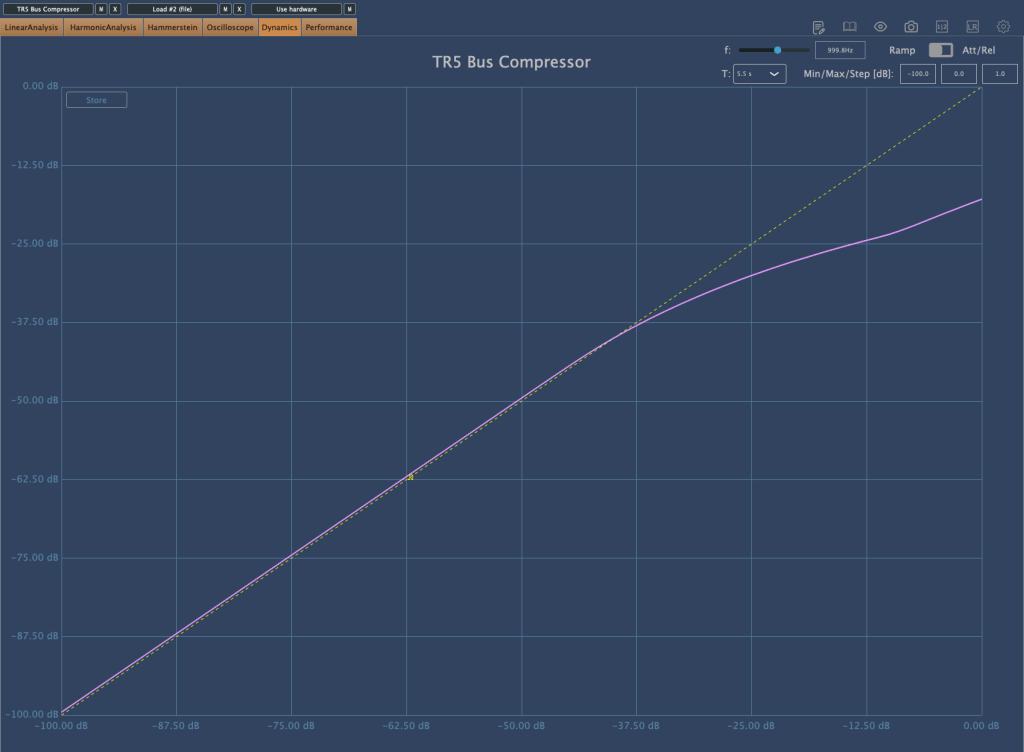
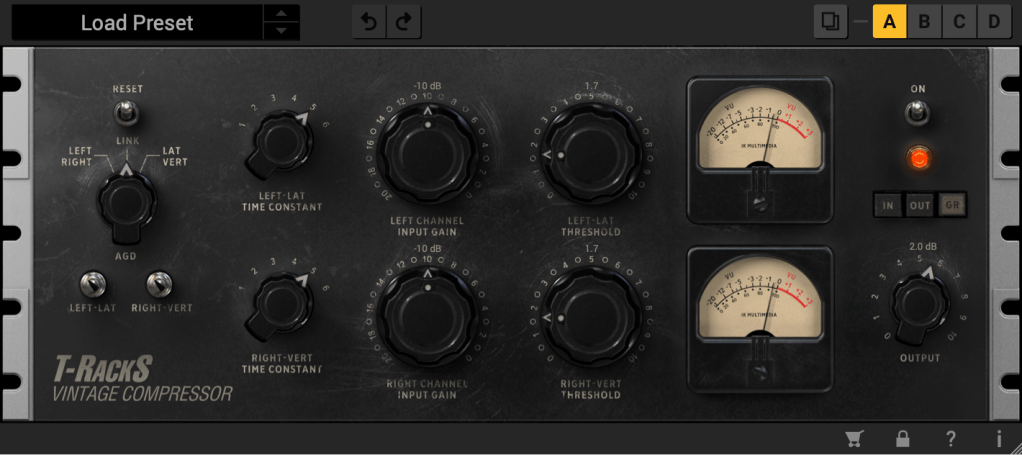
The Bus Compressor, emulating the SSL Bus Comp, operates with a Soft Knee when selecting ratios of 1.5 and 2, compressing very smoothly. It also gently tidies up the high frequencies, which I really like.
Vintage Tube Compressor/Limiter Model 670
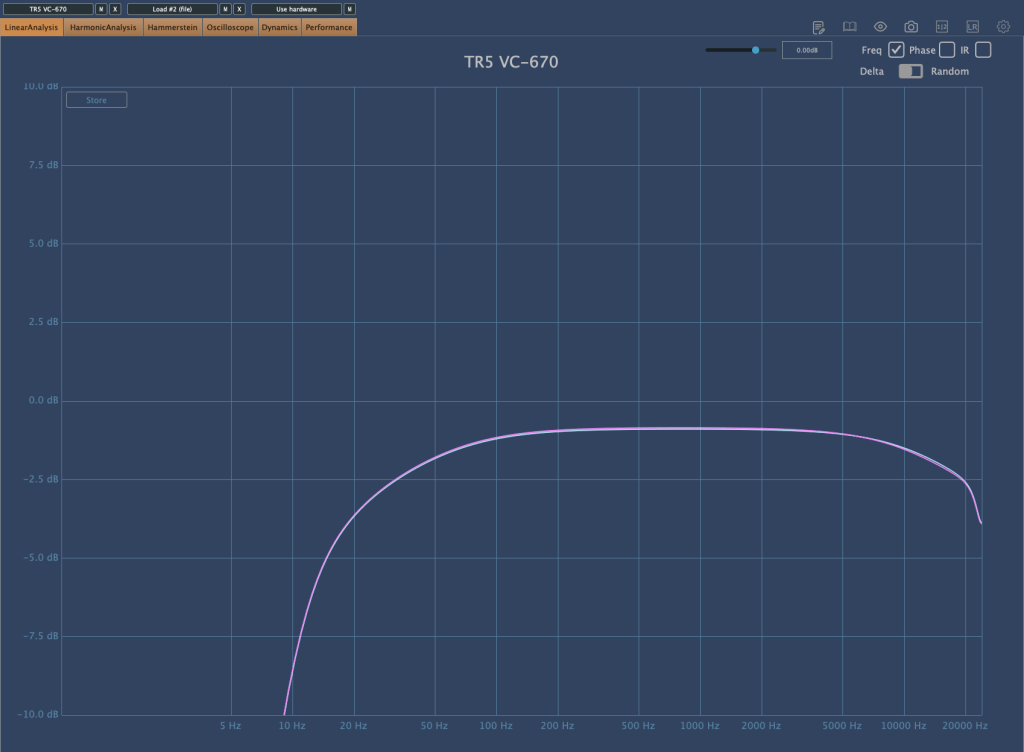
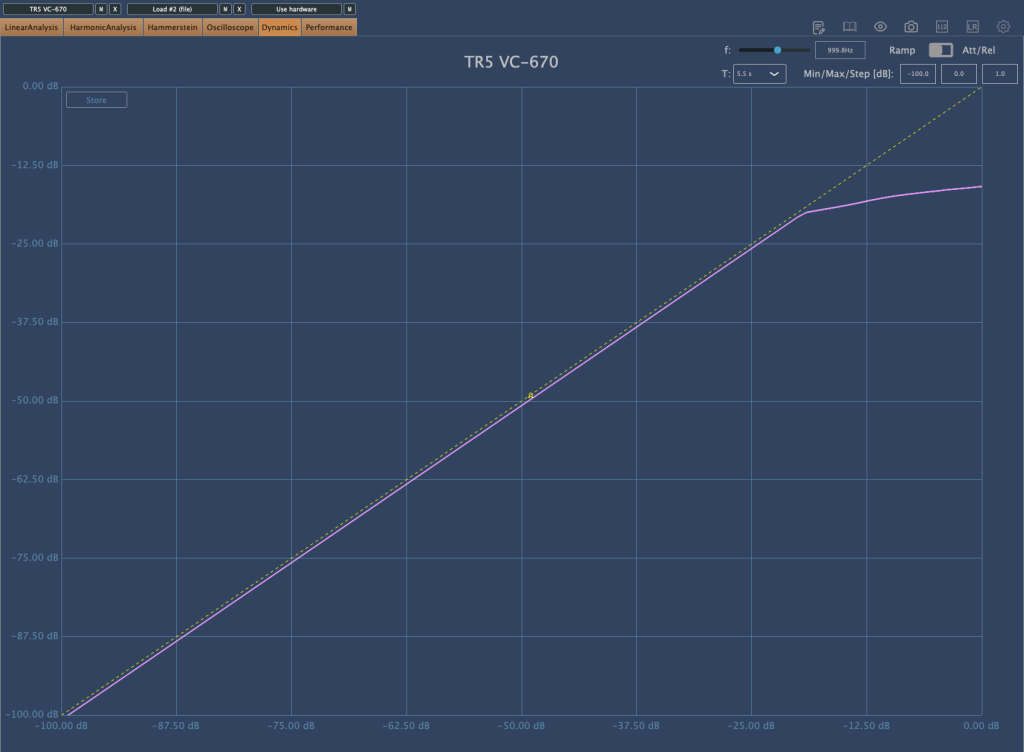
The Vintage Tube Compressor/Limiter Model 670, emulating the Fairchild 670, has a high ratio and is set with a Hard Knee. It slightly trims the frequency range, which sounds natural and not bad for acoustic tracks. However, for modern tracks that emphasize high and ultra-low frequencies, it might not be as suitable.
There are many other plugins that can be immediately used for your projects, so if you have the budget, I highly recommend this bundle.
(If you purchase through the link above, I receive a small commission which greatly helps in maintaining this blog)
As I’ve mentioned before, buying from Plugin Boutique adds about 10% tax, making it slightly more expensive than other places. Here it’s $54.99. However, the benefits of buying from Plugin Boutique include:
1) Free plugin giveaways with purchases (the free plugins change every month) 2) Points accumulation
I usually buy expensive plugins from other places, but for plugins under $100, I decide whether to buy from Plugin Boutique or elsewhere based on the free plugin offered.
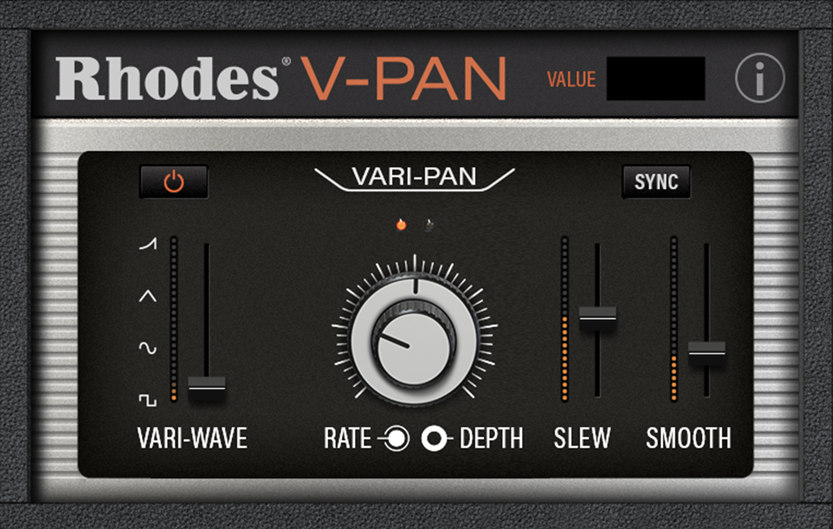
This month, the free plugins are Rhodes V-Pan, a unique Auto Pan, or Dehumaniser Simple Monsters, which creates monster-like voices used in special effects. Both can be quite useful musically.
Especially for Logic Pro users who lack a built-in Auto Pan and often use the Tremolo plugin instead, getting the feature-rich Rhodes V-Pan for free with the purchase of T-Racks 5 Max would be a very satisfying deal.
I rarely recommend sales or plugins this strongly, but this one is genuinely worth buying. Writing this makes me feel like a salesperson…^^;;
※This article is a review written on July 21, 2021 after being selected for the FX Collection 2 experience group run by ‘Samick’ and receiving product support for a certain period of time. I only received support for the product and wrote the rest myself.
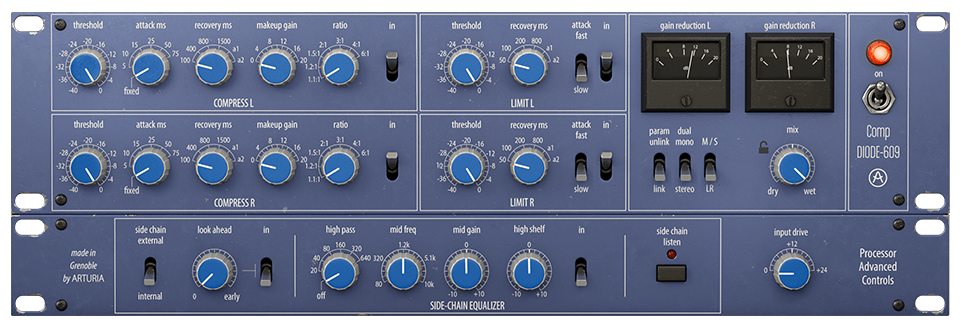
Finally, this is Diode-609, a clone of Neve’s 33609. Rupert Neve can be said to be synonymous with British sound. In addition to the famous Neve 1073, 1081, and 2254, he left a great mark by creating many famous sound equipment and companies such as the Focusrite and Portico series. Unfortunately, he passed away in February of this year…
Neve 33609 is a solid state Compressor/Limiter 2 Step Processor using a diode bridge. (Although there is no limiter, this 2-step method is also used in the Shadow Hills Mastering Compressor) The diode bridge is made of a shunt (circuit configuration method) like the 1176, and is said to use 4 diodes. It is said to use Optical Gain Reduction and VCA, and like SSL G Comp, it has an Auto Release function.
Arturia’s manual says that it was used with analog EQs such as Sitral W295 and was mainly used in the Mix Bus stage in the 70s and 80s, and was also used as a Master, etc., and as an individual Compressor. However, it is recommended to use it with analog EQ on the group and master bus.
I knew that 33609 was only available in Precision Comp from IK Multimedia in addition to UAD, so it was nice to see it as a new plug-in. I’m happy that I have a new option, but the thought of spending money again brings tears to my eyes..
As it is a plug-in that I am interested in, I will compare Diode-609 with UAD’s 33609C along with sound samples.
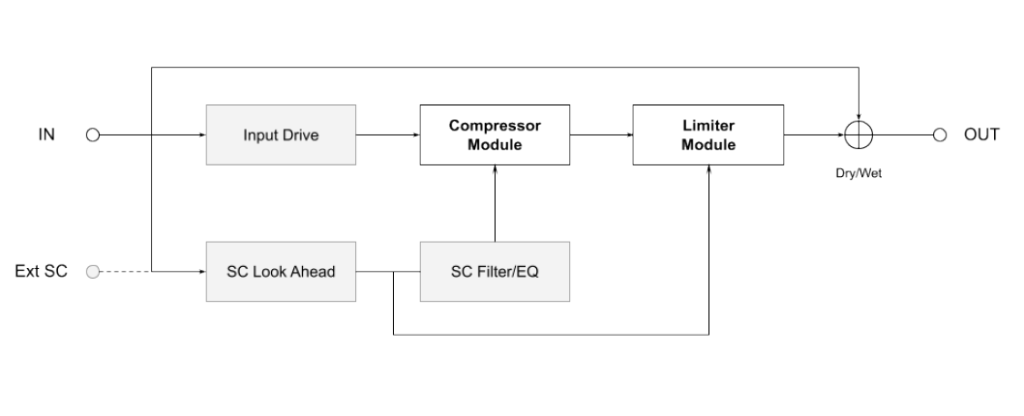
First of all, Signal Flow is like the picture. I think it will be easier to understand if you simply think of it as going through the Compressor, then the Limiter, and then going to Out.
You can think of this as the same as UAD’s 33609, but the difference is that UAD cannot use an external sidechain.
Control Difference
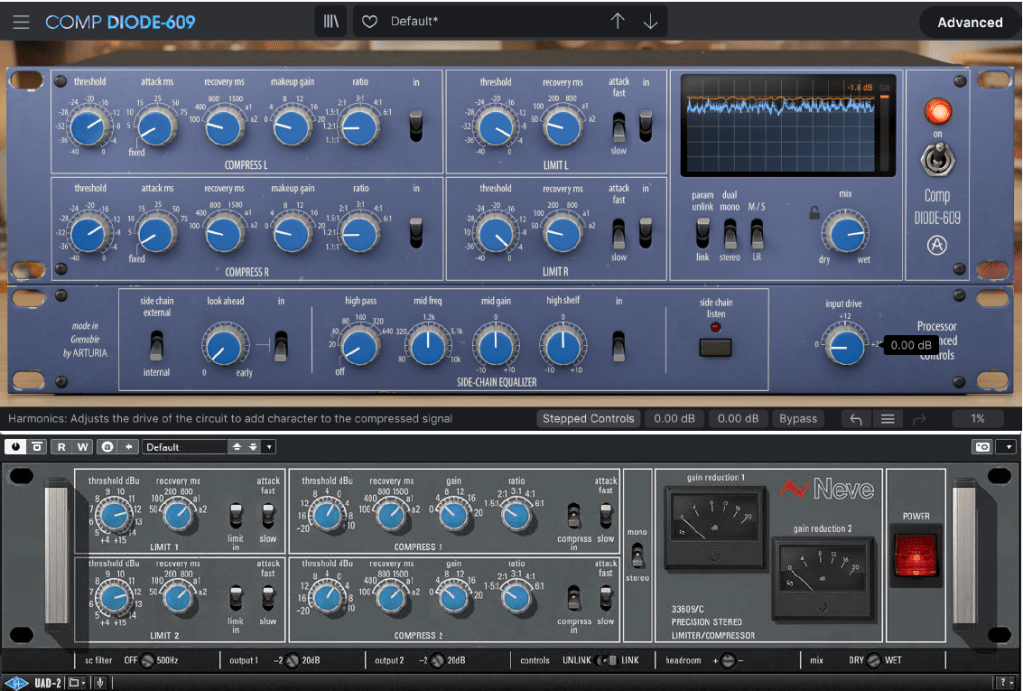
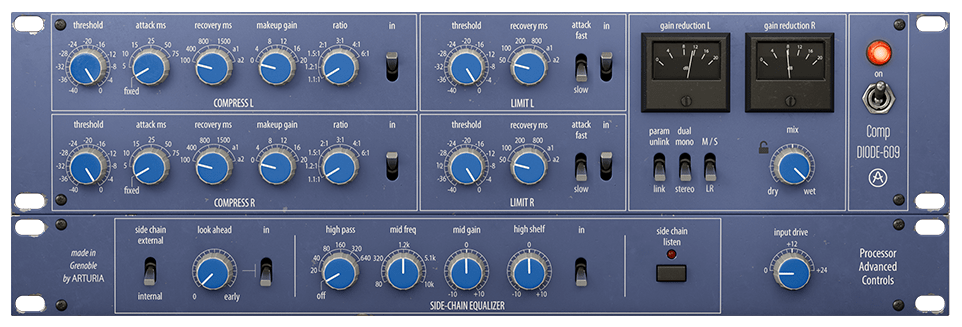
Just by turning on the plugin, there are some differences between UAD and Arturia’s clone plugins. Let’s take a look at not only the location of the compressor or limiter, but also the number of compressor knobs, additional knobs or switches, oscilloscopes, etc., one by one.
Compressor
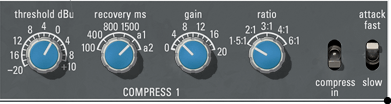
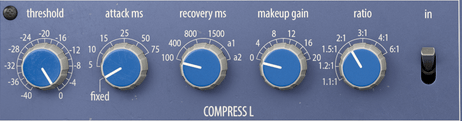
First of all, Arturia’s products can be adjusted smoothly by allowing you to choose between a step knob or a smoothly rotating knob. Previous products are the same, but I couldn’t tell you..^^;;
Also, what is unique is that you can select the Attack Time. Arturia’s Attack is 5ms (Fixed, adopted from existing hardware), variable from 5 to 75ms, and UAD’s Attack is 3ms (Fast; they say it was adopted from existing hardware, but I don’t know why they are different from Arturia..^^;;) , 6ms(Slow).
Ratio can also be selected up to a smaller value, such as 1.2:1 or 1.1:1, and the Release value appears as a number, but Auto Release is slightly different. Arturia’s a1 automatically changes between 100ms and 2000ms and a2 automatically changes between 50ms and 5000ms, and UAD’s a1 automatically changes between 40ms and 800ms and a2 automatically changes between 150ms and 1500ms.
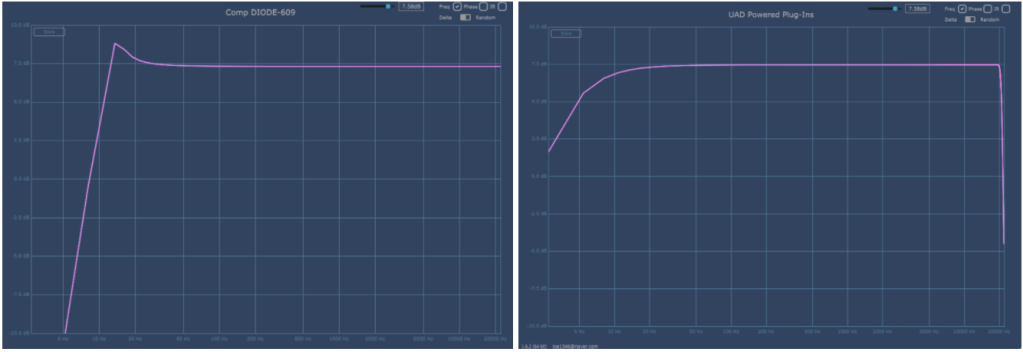
The basic Frequency graph when all limiters and compressors are removed from the plug-in are Arturia on the left and UAD on the right. The two are quite different.Attack was set to Fix and Fast, Release was set to a1, and Ratio was set to 2:1. As the parameters change, the graph also changes.
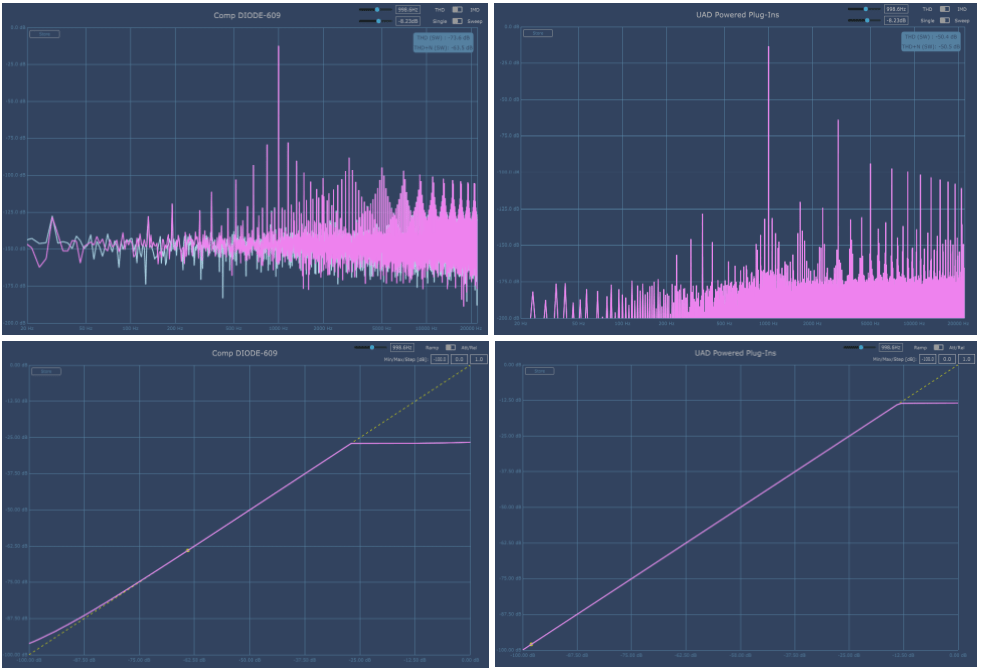
Arturia is on the left, UAD is on the right. Harmonic Distortion is also a bit different.
By the way, Arturia’s Diode-609 has a fairly high and shaky floor noise. It seems that the noise from the AC circuit was brought directly from it. Personally, I wish they could make this type of noise more selectable. The bass is about 150dB and the treble is about 140dB, so it’s low, but you still need to be careful when using it on individual tracks.
Also, the Compression Curve is slightly different. In particular, Arturia is impressive in that the sound becomes louder from a very quiet sound. I think it might be because of floor noise.
Both companies seem to have reproduced the part where compression occurs quite similarly.
Samples
I selected a few samples and compared them. Arturia set the Attack to Fixed, set the Release to a1, and only adjusted the Threshold and Make Up Gain.
There are three ratios: 1.5:1, 3:1, and 6:1.
No extreme processing was done. At 6:1, I adjusted the VU meter so that the needle moves only within 0 to 4 dB.
I feel sorry for not being able to tell you about various cases, but if I assume various cases and do everything, not only will I be tired, but I think the viewers will also be tired, so I will just compare them like this.
My personal experience is that Arturia’s Attack Fixed is slower and the minimum value of a1 Release is longer, so UAD reacts a little quicker. Conversely, Arturia responds more smoothly. I think you can feel this well in Drum.
In addition to these basic parameter differences, the characters of the two plug-ins seem to be quite different due to the difference in Harmonic Distortion.
Limiter
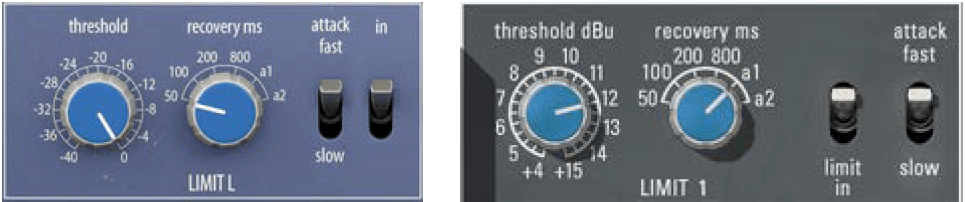
There is no significant difference in the limiter’s parameter configuration. The Attack Time of Arturia Diode-609 and UAD 33609C is the same at 2ms (fast) and 4ms (slow).
However, the difference in Release Time is that Arturia’s a1 is 100ms~2000ms and a2 is 50ms~5000ms, while UAD’s a1 is 40ms~2500ms and a2 is 150ms~3000ms.
This is a graph where the Threshold is lowered to the minimum, Release is set to a1, and Attack is set to Fast.
Arturia is on the left, UAD is on the right. Like Compressor, Harmonic Distortion appears a little differently, and different Noise seems to be another characteristic.
Compression Curve seems to appear similar. They press it without any mercy.
Samples
I selected a few samples and compared them.
Arturia and UAD both have the same parameters, so I set Release to a1 and only adjusted Fast, Slow, and Threshold of Attack. No separate gain compensation was provided.
Personally, I was surprised to find that it felt somewhat similar. I wonder if it’s because the attack time is the same and the attack nuance is similar.
However, the difference is noticeable in Release and the feeling of release is a bit different. Still, I don’t think the two feel completely different like Compressor.
Advanced Control
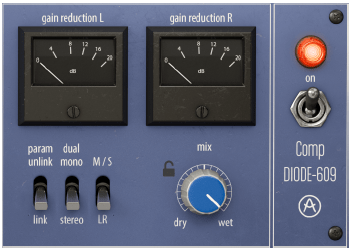
First, let’s look at the right side of the plugin. When you click on the VU meter, it turns into an oscilloscope measuring dB. You can click again to change it to a VU meter.
From the left below, there are three switches: a Link switch that links two channels, a switch that selects Stereo and Dual Mono, and a switch that allows Mid/Side processing.
Additionally, there is a Mix knob and power switch that can be used to mix original and processed sources.
Click Advanced in the top right corner of the plugin and Sidechain controls for triggers will appear below.
I think this part is the biggest advantage of the Arturia Comp Diode-609. It can accept not only internal sidechains but also external signals, so you can use sidechains, and you can use the Look ahead function and Sidechain EQ for both internal and external signals. You can also listen to all of the sidechain signals.
The Input Drive on the right is not a Sidechain function, but a Saturation knob that makes Harmonics Distortion stronger.
Comp Diode-609 Overall Review
It is difficult to say that it is an exact replacement for the UAD Neve 33609 C, but I think it is a good friend to use for songs where the attack is not fast or strong.
In particular, the Sidechain feature seems to have been included so well that I wish it were included in all Compressor plugins.
Another disappointing thing is that noise cannot be controlled. I wish there was an update to turn off the noise. Rather than saying “Wow! I love it!”, I think it’s just another new Bus Comp option.











 Jooyoung's Music Blog