Hello! I’m Jooyoung Kim, a mixing engineer and music producer.
Plugin Alliance has started charging taxes for Korean buyers, making Plugin Boutique a more cost-effective choice. With Plugin Boutique, you can often get free plugins or collect points, even for the same products.
This month, Plugin Boutique is holding a big sale on several Brainworx plugins from Plugin Alliance, so I’m here to highlight a few.
In a previous post, I focused on Saturation and Bettermaker plugins. This time, I’ll dive into compressors: Amek Mastering Compressor, Mäag Magnum-K, and Millennia TCL-2.
Let’s get started! (I numbered this post as (1) in case I cover more plugins later, but no promises… 😅)
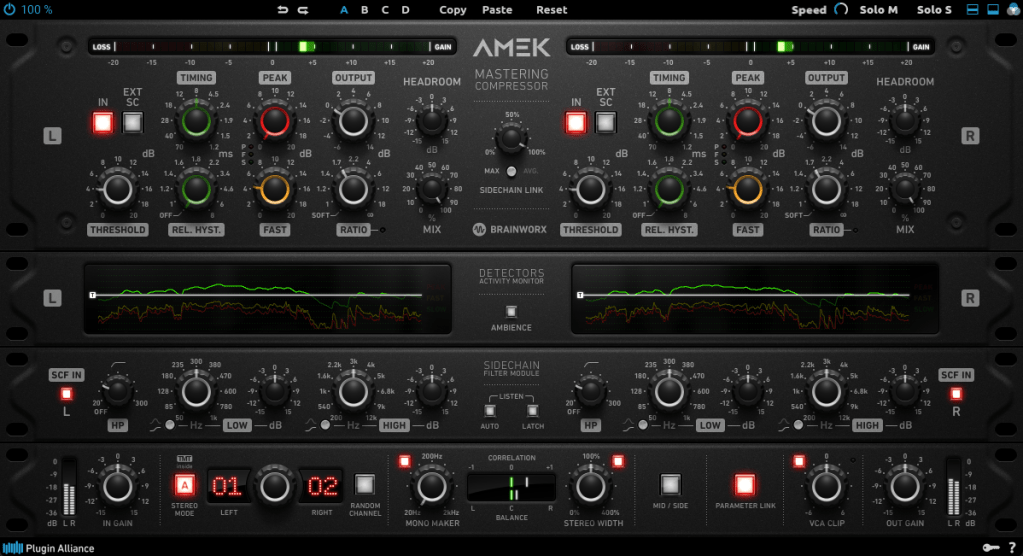
This compressor is inspired by the Amek 9098 console and compressor… or so they say. It’s probably best to think of it as Brainworx’s unique take on an Amek-based compressor.
Its standout features are:
Multiple detector settings (Fast, Peak)
Timing and Release Hysteresis parameters instead of traditional Attack and Release
These can be a bit confusing, so let’s break them down.
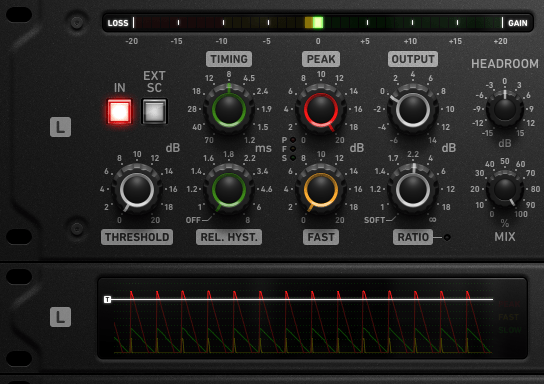
The Peak parameter enhances detection of transient peaks, while the Fast parameter makes the attack respond more quickly.
Timing directly adjusts the speed of Attack and Release, while Release Hysteresis links the Fast detector to the signal’s volume, reacting faster to loud sounds and slower to quiet ones.
A bit tricky, right? 😄
Also, this compressor has automatic Make-Up Gain, so you’ll need to slightly reduce the Output Gain to balance the sound.
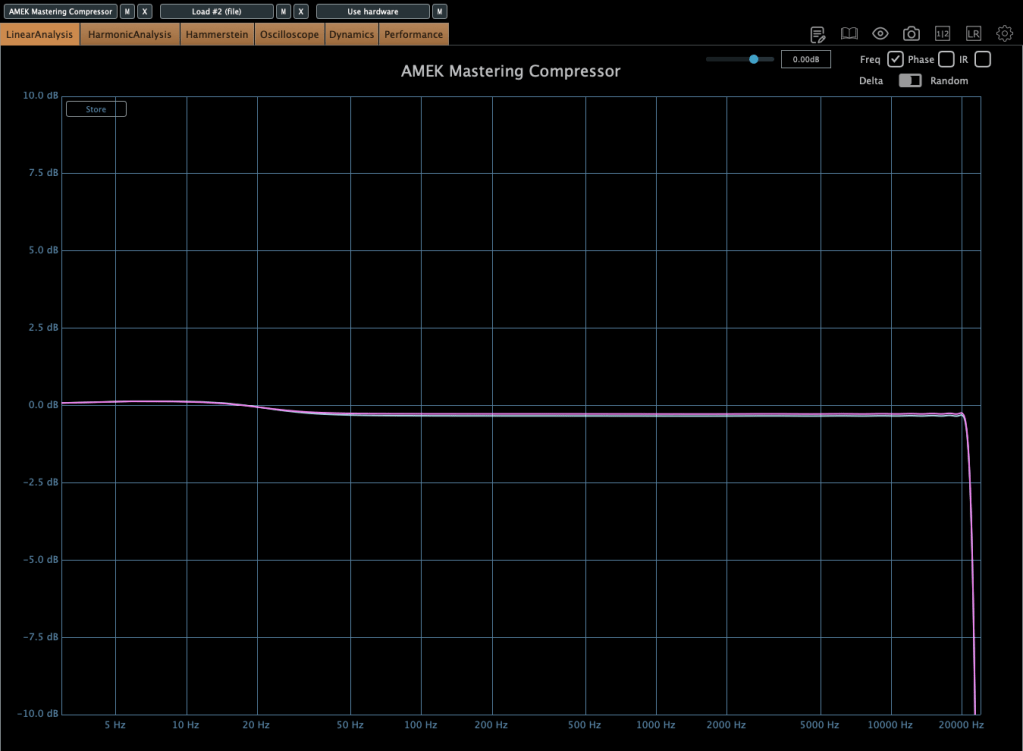
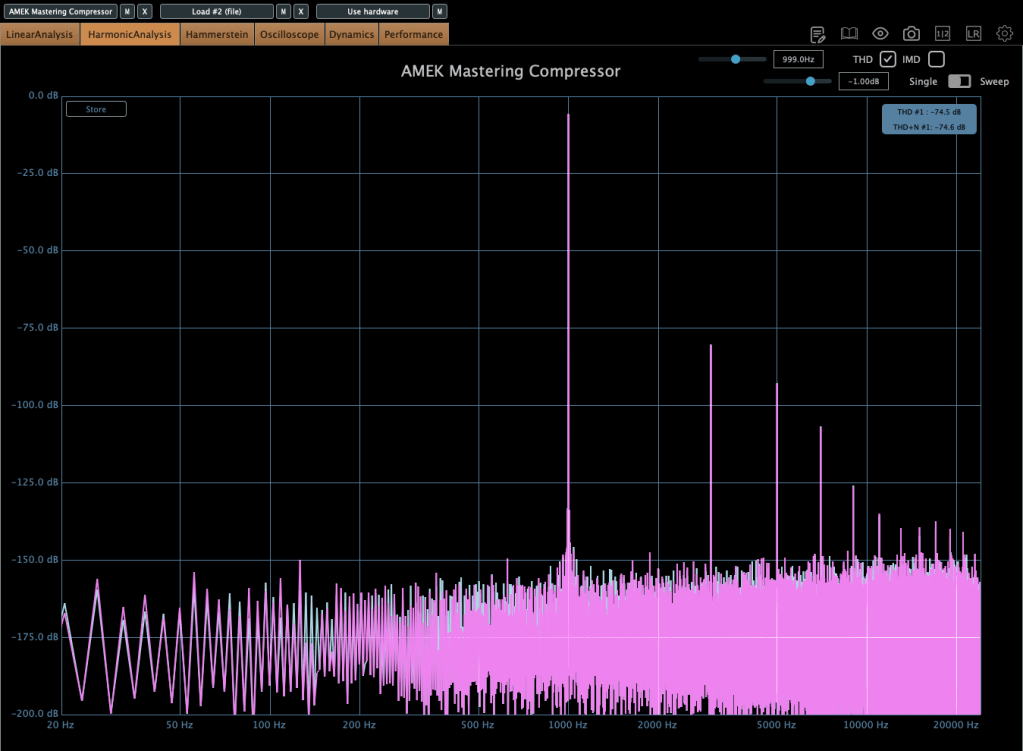
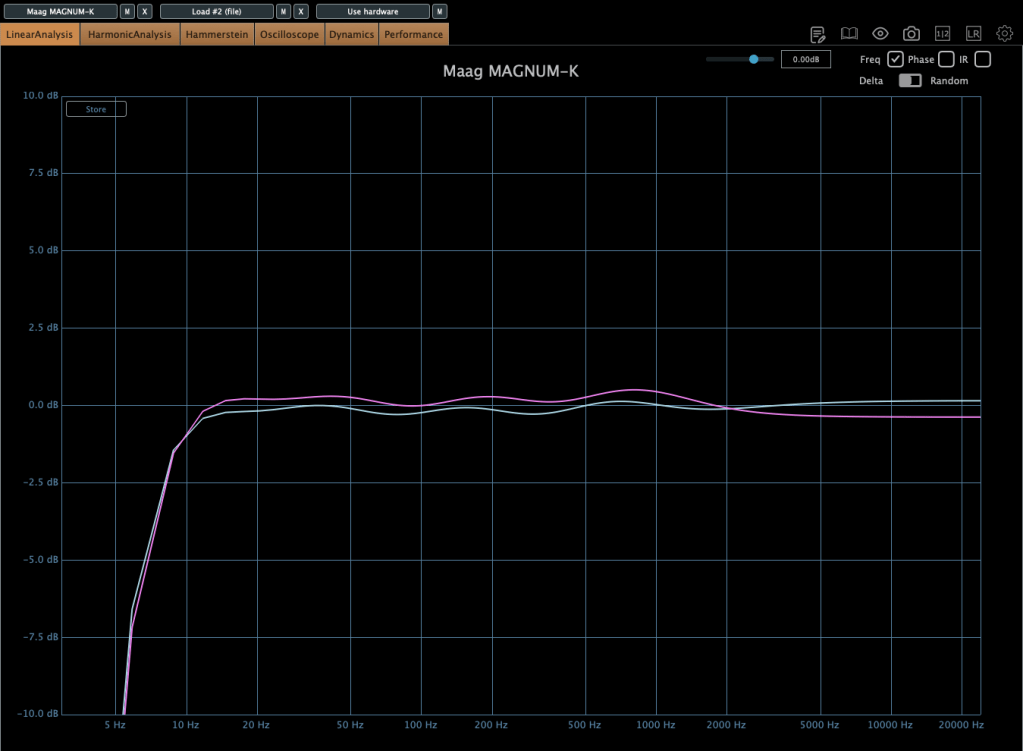
In terms of frequency response, it slightly boosts the low end, and when compression kicks in, the high end gets a subtle lift. True to its “Mastering Compressor” name, it’s very clean with minimal harmonic distortion.
The Millennia TCL-2 is a plugin emulation of Millennia’s opto compressor, often compared to the Avalon AD2044 as a top-tier stereo opto compressor.
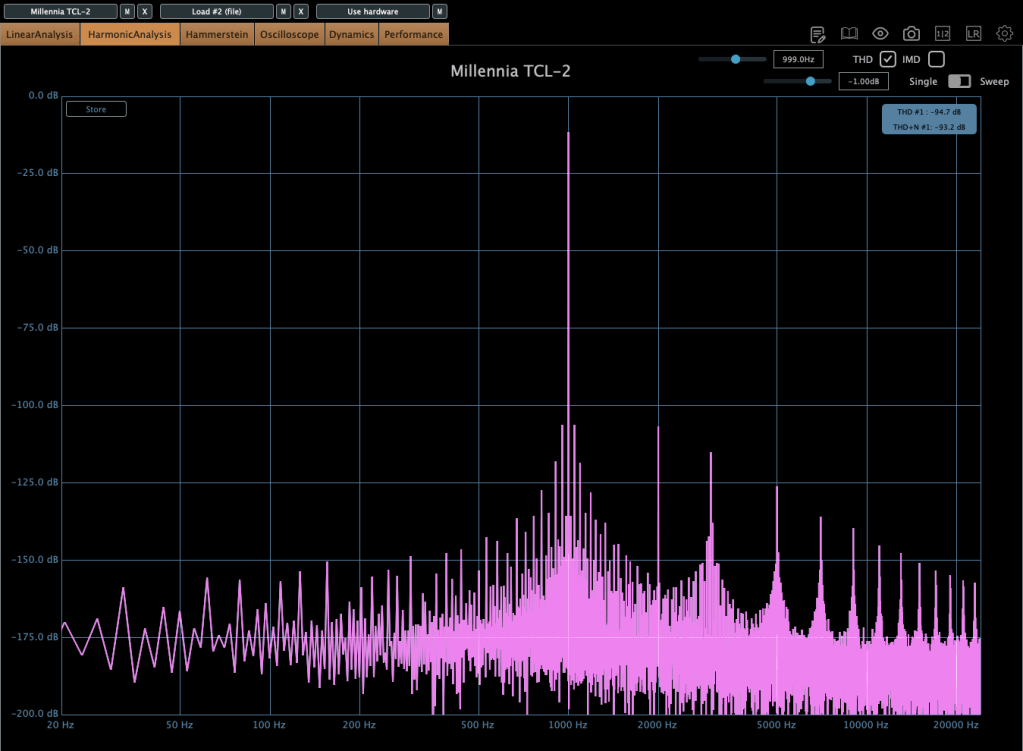
It’s exceptionally clean, producing very little harmonic distortion even under compression. You won’t notice significant changes in the frequency response either.
The parameters are fairly standard, so there’s not much to dive into here.
From my experience, it’s ideal when you want a smooth opto compressor without expecting high-frequency saturation.
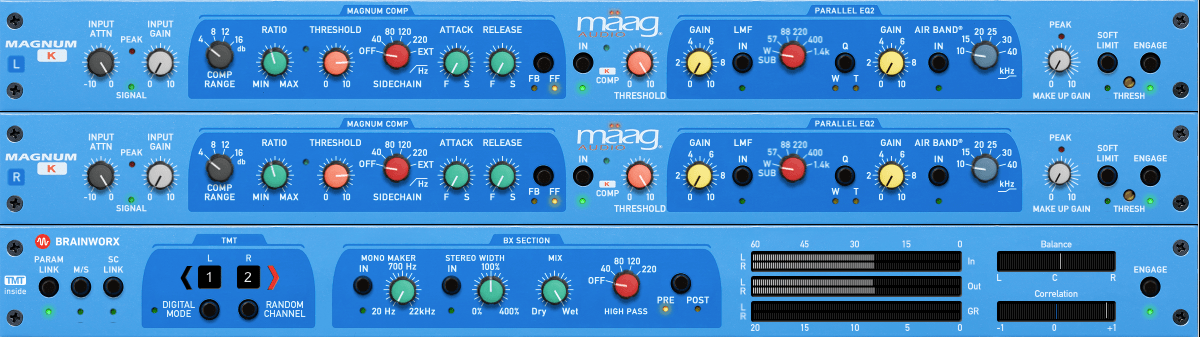
The Mäag Audio Magnum-K is a compressor that incorporates Mäag Audio’s signature Air Band EQ.
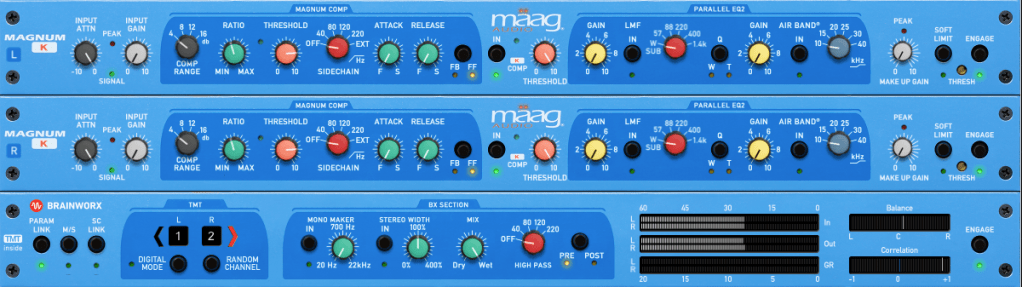
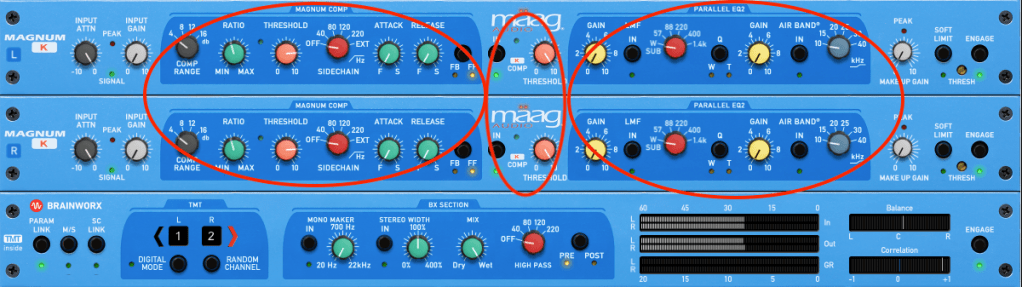
This one’s a bit complex to use. It’s easiest to think of it as three sections: Magnum Compressor, K Compressor, and EQ2.
The Magnum section should feel familiar, but the FB/FF (Feedback/Feedforward) setting on the far right is unique. Feedback mode offers smooth compression, while Feedforward mode is more aggressive.
The K Compressor is a one-band compressor centered at 3kHz, essentially functioning as a de-esser to tame vocal sibilance.
The EQ2 section operates in parallel with the original signal, blending with the Magnum and K Compressor signals before soft clipping kicks in.
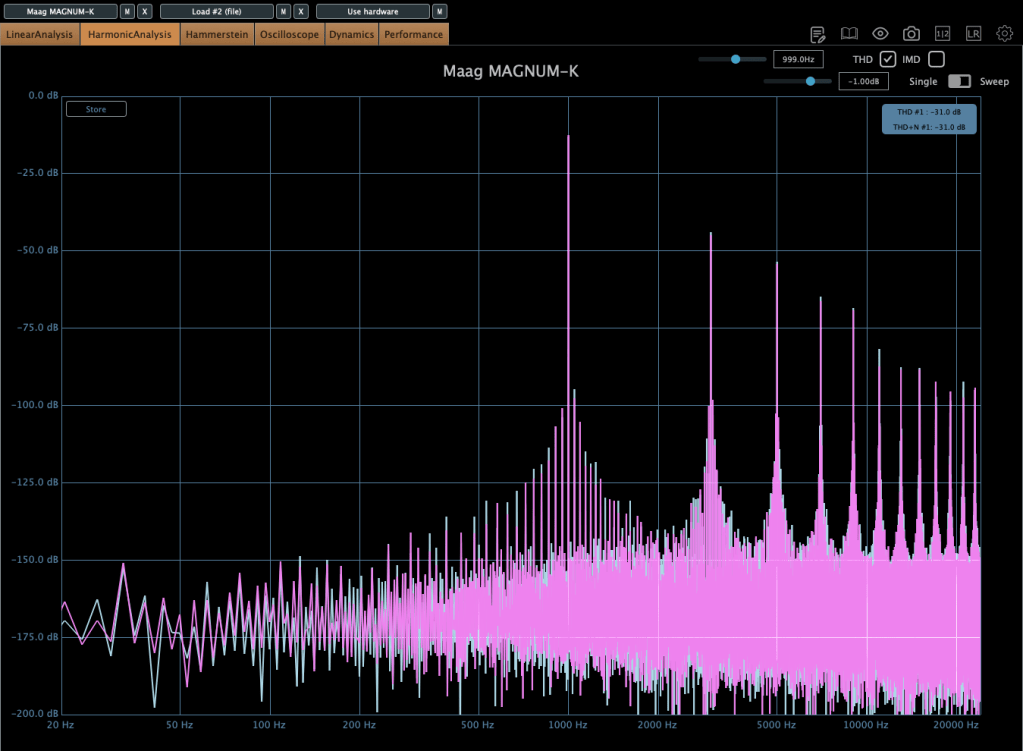
It adds some coloration, and when compression engages, the midrange feels fuller. The left and right channels can slightly differ, creating a richer effect. If you don’t like this, you can use M/S mode or Digital Mode for uniform channel processing.
Hey there! I’m Jooyoung Kim, a mixing engineer and music producer.
Now that my “Mixing Basics” series is wrapped up, I’m scratching my head about what to write next… haha. Maybe something about synthesizers? Lately, I’ve had a lot on my mind, and it’s been a bit overwhelming.
Anyway, today I’m excited to talk about two delay plugins from SSL’s X series—X-Delay and X-Echo—which are currently on sale. Let’s check them out!
I received these plugins as NFR (Not for Resale) copies from Plugin Boutique. If you buy through the links in this post, I’ll earn a small commission that really helps me keep going—thanks so much for the support!
X-Delay draws inspiration from 1980s hardware digital delays. My guess? It’s channeling vibes from the iconic AMS DMX 15-80—those big, bold delays from back in the day… haha.
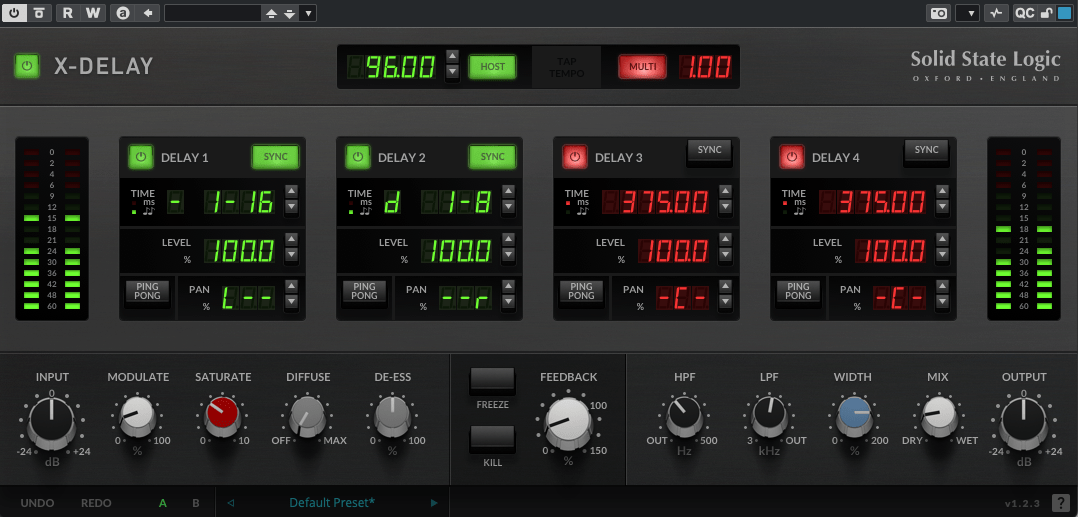
This plugin lets you run up to four delays at once, packed with a bunch of extra features. Let’s break it down.
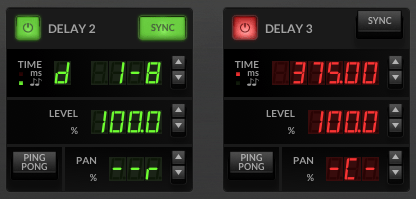
Up top, you’ve got a power button on the left and a Sync button on the right to switch between milliseconds (ms) and BPM sync. Below the “Time” label, it shows whether you’re in ms or BPM mode. To the right, you can tweak delay length in beats or ms—BPM mode offers options like straight (-), dotted (d), or triplet (t). In the screenshot, it’s set to dotted.
Then there’s Level control, a Ping Pong delay toggle, and Panning adjustments. Pretty simple, right?
Now, let’s peek at the bottom section:
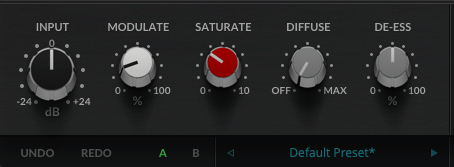
Modulate: This applies an LFO to the delay time, adding some wobble. Crank it up a bit, and your sound gets lush and full.
Saturate: Adds saturation (duh!). Max it out, and you’ll hear harmonic distortion kick in with a gentle soft-knee compression starting around -12.5 dB (it’s subtle, so hard to pin down exactly). It colors the sound nicely—turn it up for some rich warmth.
Diffuse: A room reverb effect.
De-Ess: Tames harsh highs.
Freeze: Locks the feedback sound in place.
Kill: Cuts all feedback instantly.
This thing’s a beast. It’s perfect for wet, dreamy tones but versatile enough for all sorts of uses. At a sale price of $24.99, it feels like a steal.
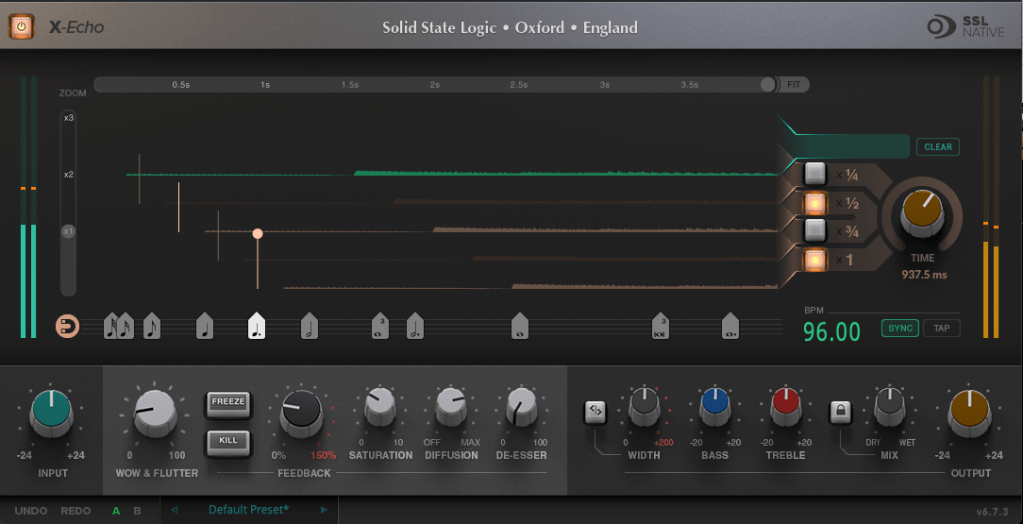
X-Echo takes its cues from 1960s tape delays—think Echoplex vibes, maybe? Haha. Unlike tape hardware built for playback, these old-school delay units often rolled off the highs due to slower tape speeds. You can see it in the frequency response—everything above 13 kHz just drops off.
It’s got that classic tape delay character—slight harmonic distortion included. One listen, and you’re like, “Yup, that’s tape delay!” Haha.
The controls are similar to X-Delay, but here’s what’s different:
Zoom: A scope to magnify the waveform for a closer look.
Grid: Adjusts delay time to your BPM with a grid—pick a note value (like quarter or eighth), or drag the connected circle to fine-tune.
Fit: Tweaks the waveform’s horizontal length.
Four Delay Buttons: Toggle between four delay lines, each with its own light.
Sync/Tap: Set BPM manually or tap it in.
The bottom section’s mostly the same as X-Delay, except for Wow & Flutter—that’s the tape-style distortion from uneven movement, like stretched tape, wobbles, or dust. Think vintage quirks!
Freeze: Holds the feedback sound.
Kill: Stops all feedback.
At $24.99 on sale, X-Echo nails that tape delay tone you’d expect—great for anyone hunting for that retro sound.
Bundle Deal & Bonus
The X-Delay & X-Echo Bundle is just $39.99. If you’ve been wrestling with spatial effects in your mixes, this is a fantastic deal worth considering.
Plus, this month, any plugin or virtual instrument purchase from Plugin Boutique comes with a free synth, MOK Miniraze. Don’t forget to grab it when you check out!
Wrapping Up
Both X-Delay and X-Echo bring something special to the table—vintage-inspired delays with modern flair. At these prices, they’re hard to pass up. The sale runs until April 14th, so now’s the time to jump in.
TC Electronic has just joined forces with Plugin Boutique, kicking things off with an awesome intro sale! When I think of TC, reverb and delay instantly come to mind—they’re legends in the world of spatial effects. Now that they’re under Music Tribe (the parent company of Behringer), those iconic algorithms are finally hitting the plugin scene.
Funny thing, though—back in 2018 when stuff like the TC8210 first dropped, there wasn’t a standalone Native version. It was tied to hardware controllers, so unless you snagged one cheap early on, it kinda faded into the background. Music Tribe’s website wasn’t exactly user-friendly either…
But this time, I got some NFR (Not for Resale) codes from Plugin Boutique to test these out, and wow—they’ve nailed the spatial plugin game. So, I figured I’d share my thoughts with you all!
Oh, and if you buy through the links in this post, I’ll earn a small commission that really..really helps me keep going—thanks a ton for the support! 😊
Let’s dive in!
TC Electronic Sale Plugins Overview
(Note: PolyTune and LM2 are exclusive to the TC Studio Elite Collection bundle.)
Here’s a quick rundown of what’s on offer, sorted by type:
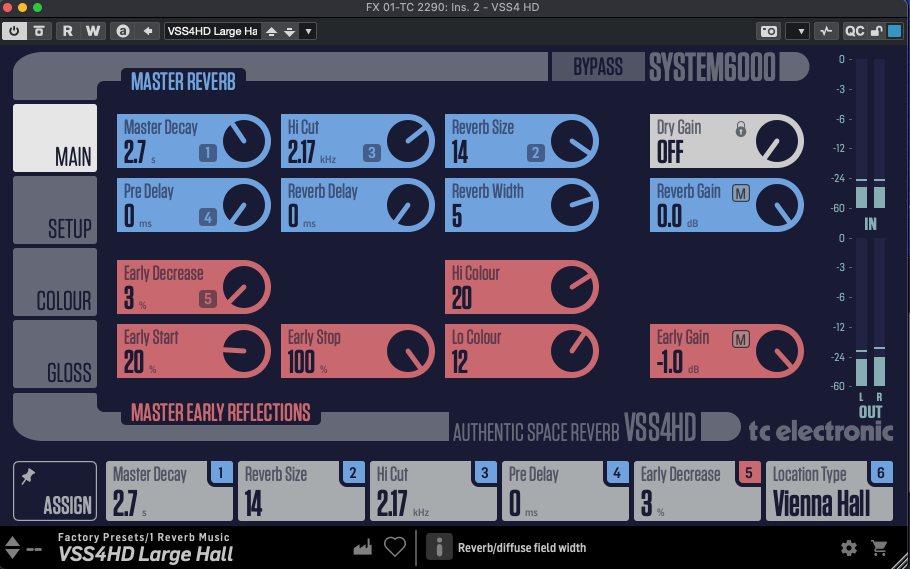
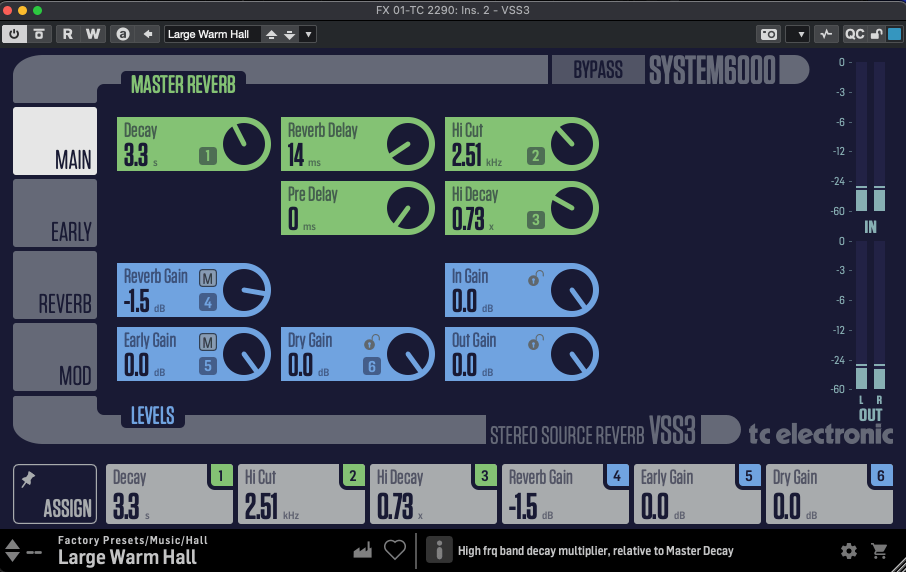
For me, TC Electronic’s reverbs are the heart of this lineup. The System 6000 plugins (VSS4 HD, VSS3, NONLIN2) have a slightly tricky UI at first—it’s not super intuitive. But once you dig into the parameters, they’re familiar to anyone who’s done some mixing. For beginners, it might feel overwhelming, but mastering these could level up your reverb game across any plugin.
These deliver that crisp, polished digital reverb sound we all expect from TC—VSS4 HD and VSS3 for lush spaces, NONLIN2 for wild, creative effects.
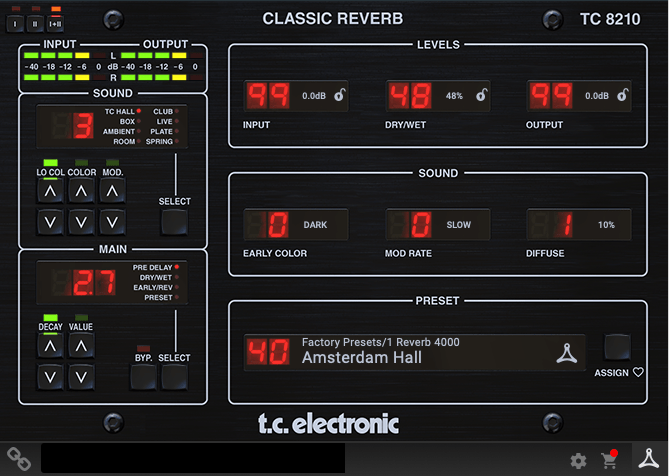
The DVR 250 nails that vintage EMT 250 vibe—think early digital reverb with a chopped-off ultra-high end due to sample rate limits. TC 8210 keeps things clean but tames the highs a bit to echo that retro feel, while still sounding unmistakably digital.
Delay & Modulation
[photo: TC 2290 or TC 1210 interface] TC 2290, TC 1210 [link: https://www.pluginboutique.com/product/2-Effects/39-Reverb/11535-Icon-Series-Legacy-Native-Bundle] These are just as iconic as the reverbs. The TC 2290 is a delay powerhouse—you can slap on chorus, flanger, pitch shifting, or auto-doubling, plus dynamic effects like tremolo, ducking, gating, and even auto-panning. It’s insanely versatile.
The TC 1210 blends a stereo expander with modulation—think chorus, vibrato, flanger, and more. Both shine on electric guitar or electric piano, but they’re also perfect for sparking creative ideas during songwriting.
Dynamics & EQ
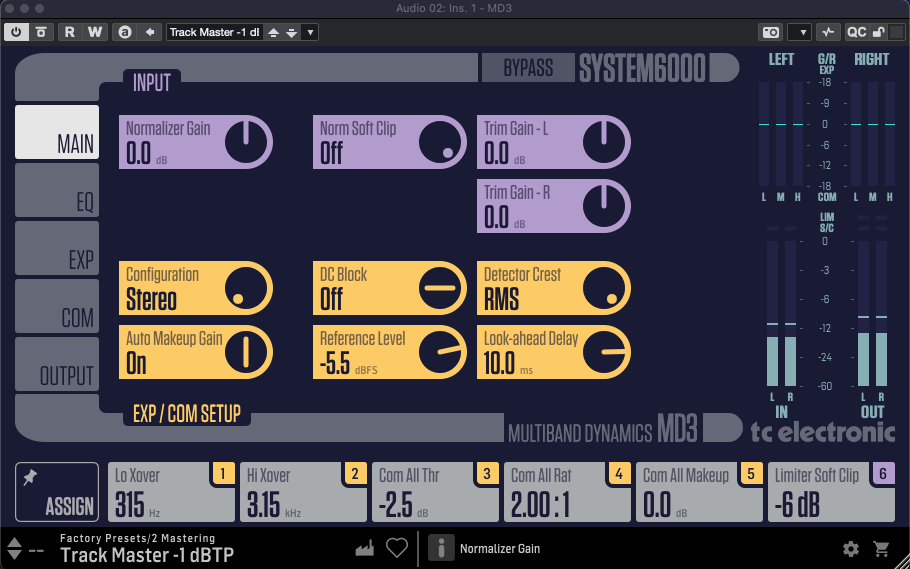
MD4 HD, MD3
These System 6000-based multiband compressors are more than just compressors—they’re like channel strips with EQ, expanders, limiters, and soft clipping rolled in. No built-in analyzer, so they’re not the most beginner-friendly, but the controls are detailed and powerful.
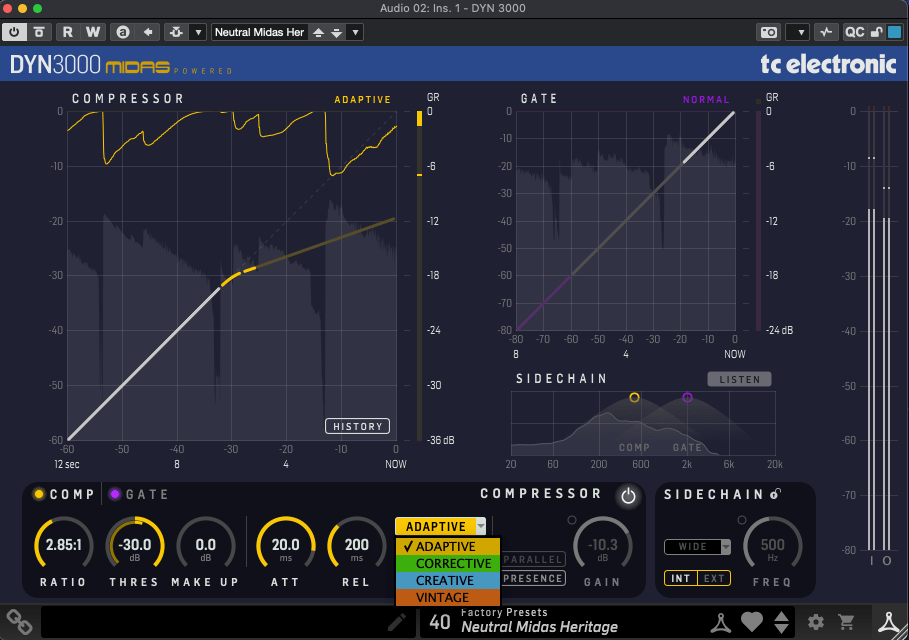
These have friendlier UIs and feel more approachable. DYN 3000, based on Midas Heritage consoles, is a super-clean digital compressor—Adaptive mode keeps it pristine, while other settings add character. It’s got a gate, sidechain, and all the essentials.
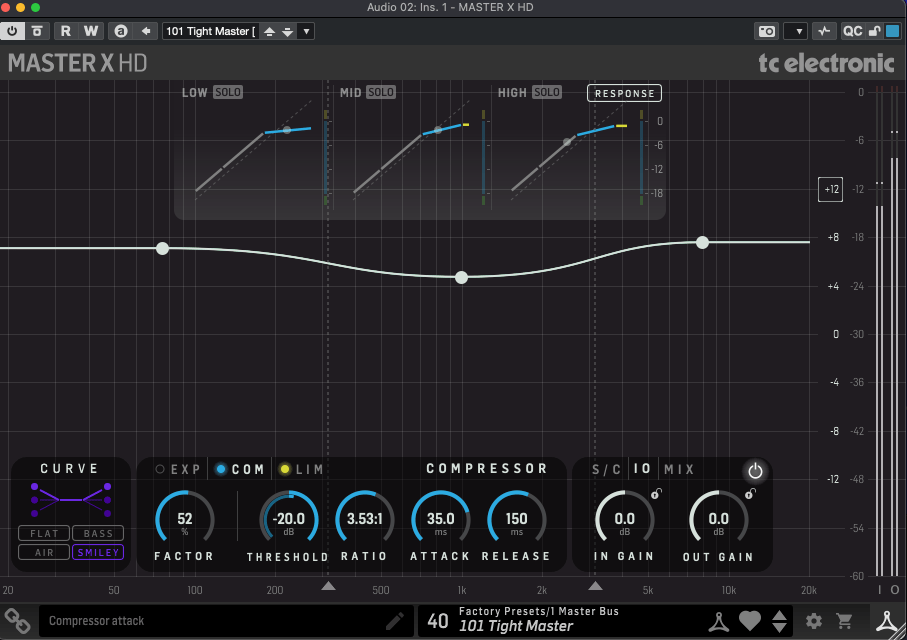
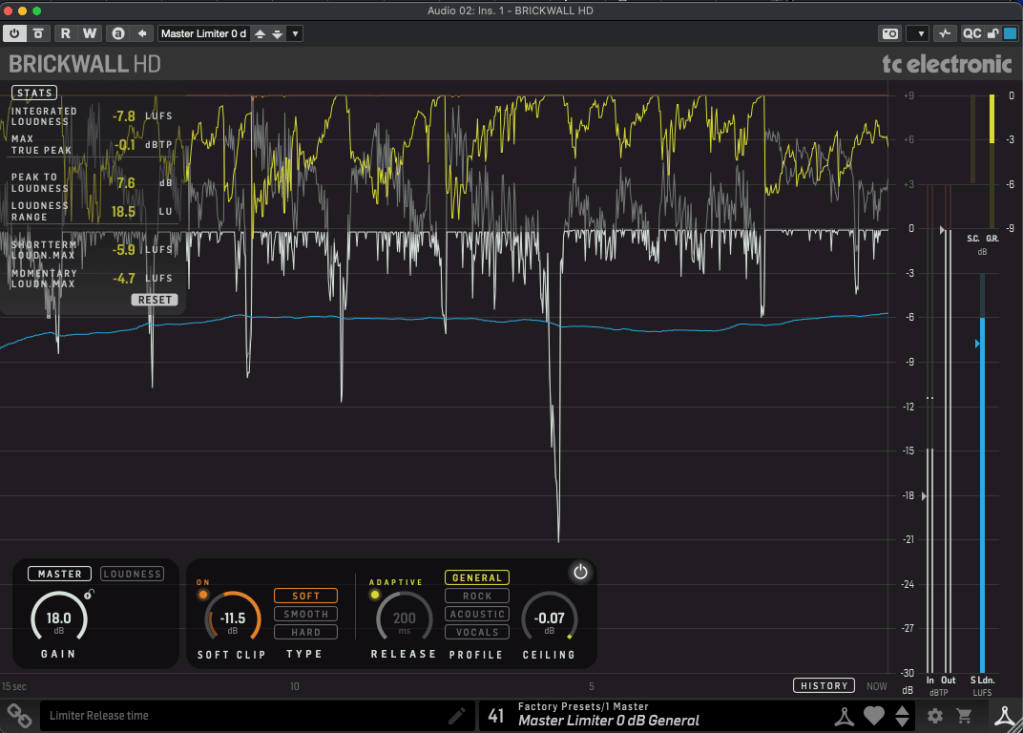
Master X HD is a 3-band compressor with a cool twist: you can tweak the frequency curve directly. Brickwall HD, a mastering limiter, comes with a detailed analyzer (TC’s loudness expertise shines here) and soft clipping options.
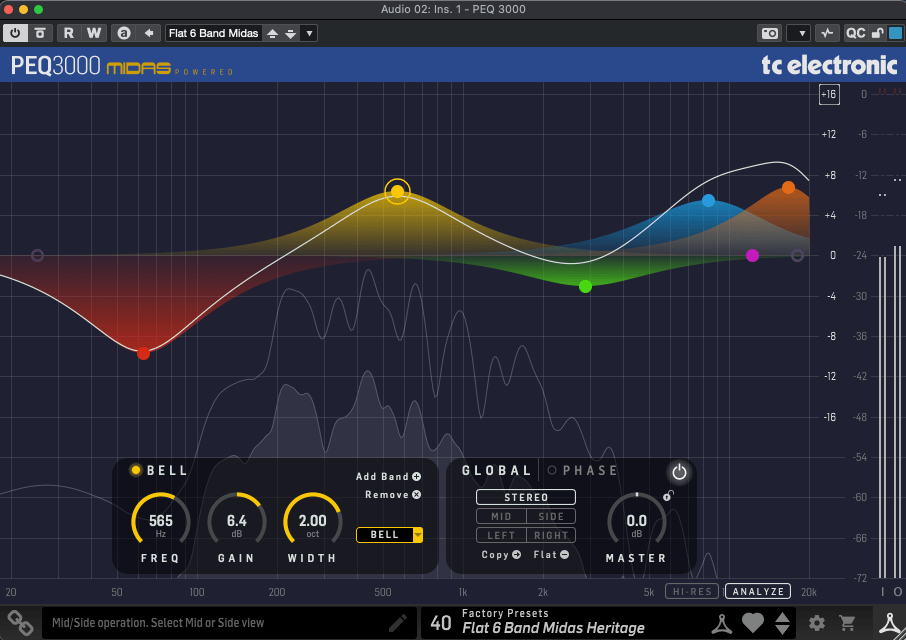
A Midas-inspired 2×12-band parametric EQ. It’s standard stuff mostly, but the ability to shift the phase up to 180 degrees is a neat trick.
Analyzer
LM2
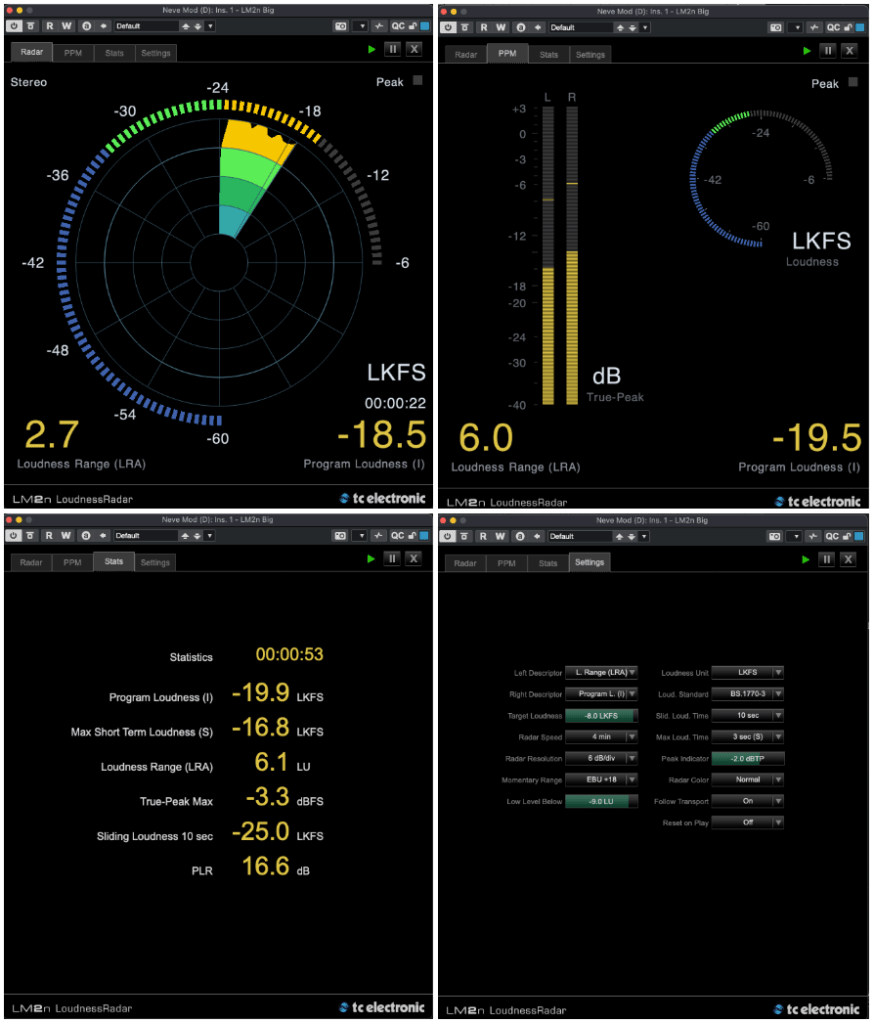
This loudness meter (based on ITU-R BS.1770-3) is the only analyzer I got to test—sorry, no scoop on the others! It measures LUFS/LKFS, True-Peak, and more with a sleek UI that lives up to TC’s metering reputation.
Tuner & Pedals
PolyTune Native
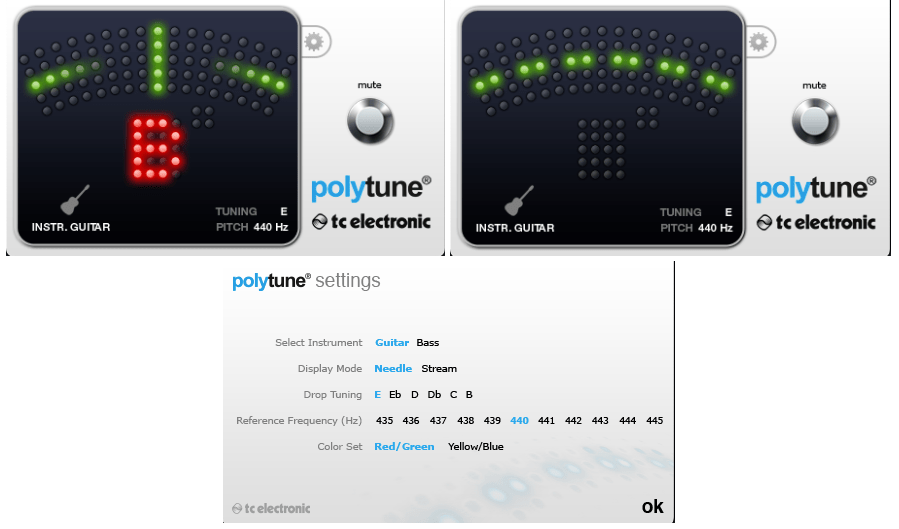
Guitarists know PolyTune—it’s a classic. I’ve got the clip-on version myself (though I dropped it once, and now the top’s cracked… oops). The plugin’s just as clean and reliable.
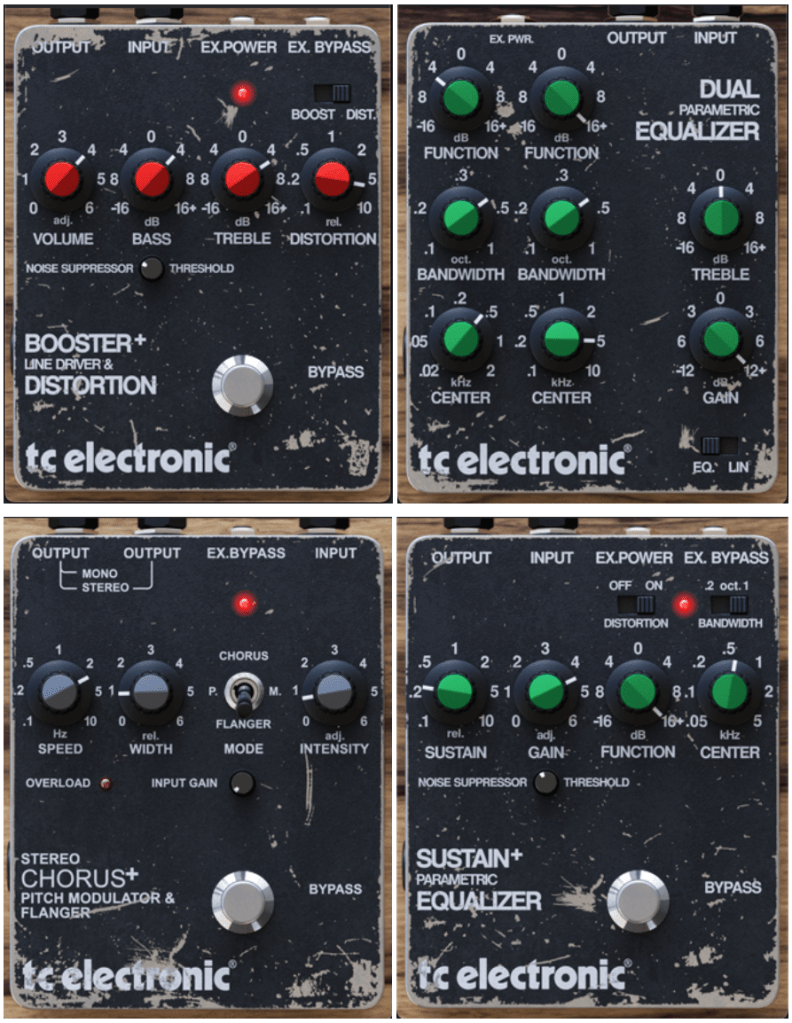
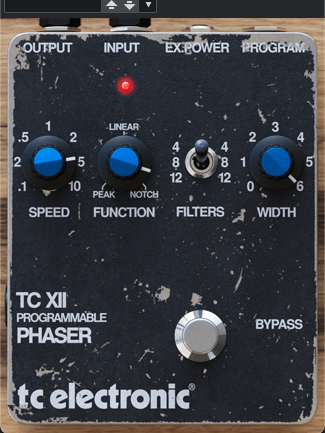
Stereo Chorus Flanger, Booster and Distortion, XII Phaser, Dual Parametric EQ, Sustainer
These are revamped versions of TC’s old Powercore-era Vintage Guitar Pedal bundle. Booster/Distortion comes from the discontinued VPD1 Pre-Drive pedal, and Stereo Chorus Flanger is based on the SCF pedal.
The others don’t tie directly to specific analog pedals but echo TC’s vintage series. They’ve got that retro flavor—great for electric guitar, electric piano, or synths.
This was a long one, huh! The TC Studio Elite Collection bundle includes everything I’ve covered, but there are also smaller bundles and individual plugins up for grabs.
My favorites? The reverbs, delays, and modulation effects—TC’s spatial magic really shines there. The rest are solid too, and the pedals are a nice touch.
If any of these catch your eye, the sale runs until April 14th—perfect time to snag a deal! Catch you in the next post! 😊
Hey there! I’m Jooyoung Kim, an engineer and music producer.
Today, I want to talk about two standout plugins from Plugin Boutique that are currently on sale: Scaler EQ and Scaler 2. I’ve been lucky enough to receive these plugins as NFR (Not for Resale) copies from Plugin Boutique. Also, if you purchase through the links in this post, I’ll earn a small commission that really helps me keep going—so thanks in advance for the support! 😊
Scaler EQ is one of the flagship plugins from Scaler Music, distributed by Plugin Boutique. Sure, it has all the standard EQ features you’d expect, but what sets it apart are these three unique tricks up its sleeve:
Key-Based Boosting and Cutting: It can boost sounds that fit the song’s key while reducing those that don’t.
Magic Shelf Bands with Mid/Side Control: Adjust frequency responses using Mid/Side processing for a wider or more focused sound.
Dynamic Control: Fine-tune the loudness with built-in dynamics processing.
Let’s take a closer look at how it works.
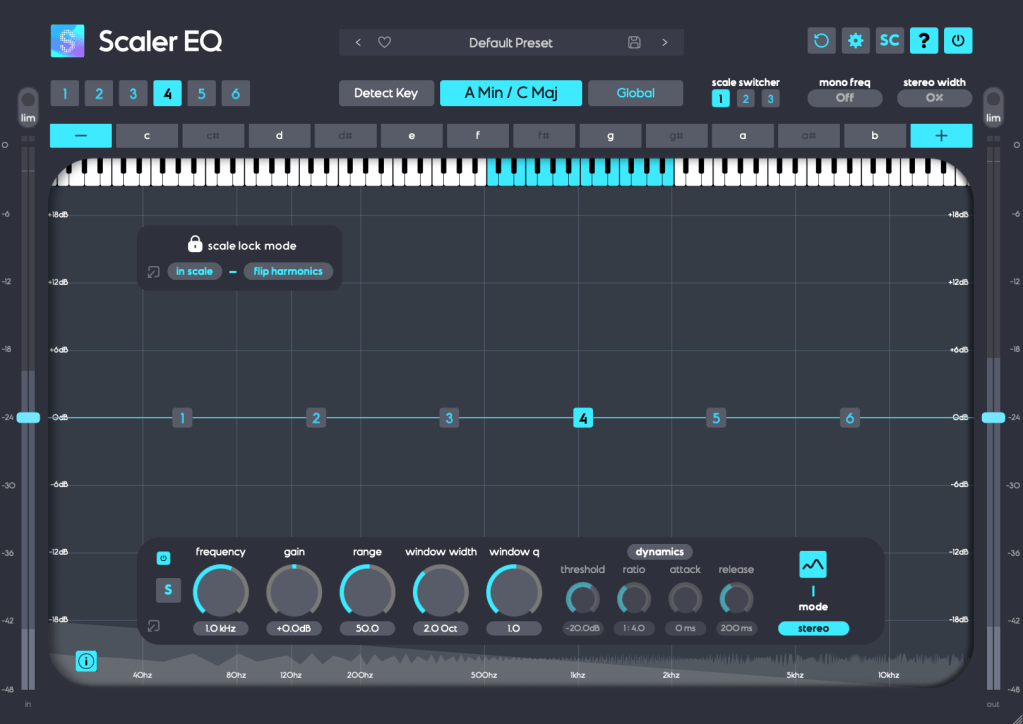
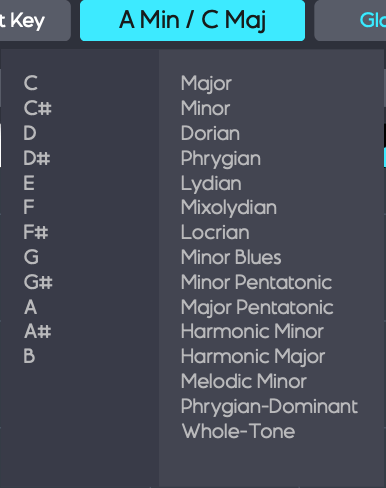
Play your track and hit the Detect Key button—it’ll automatically figure out the key of your song. You can also manually pick a key by clicking the middle key selection button. The Global button applies that key across all EQ bands.
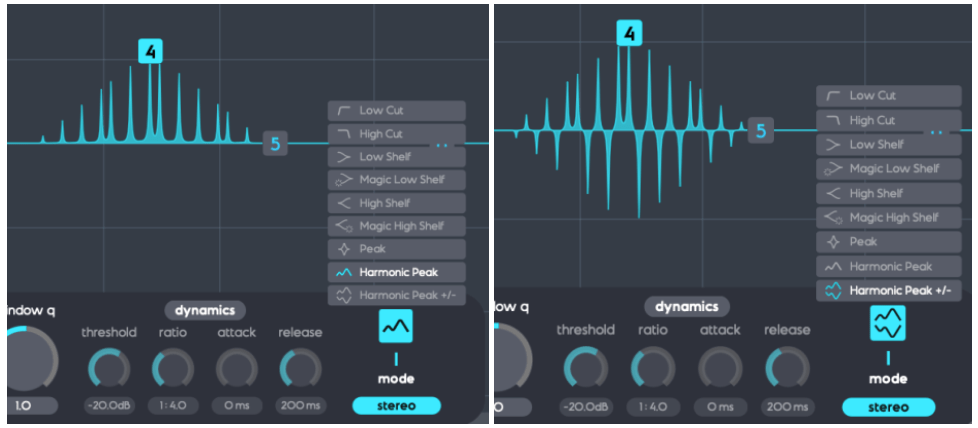
In Scale Lock Mode, the In Scale setting boosts notes within the key when using Harmonic Peak mode (highlighted in white on the piano roll). Turn it off, and it’ll boost whatever notes you’ve selected instead.
The Flip Harmonics option comes into play when the gain is negative in Harmonic Peak mode—it cuts notes outside the key. Disable it, and it’ll cut the in-key notes instead.
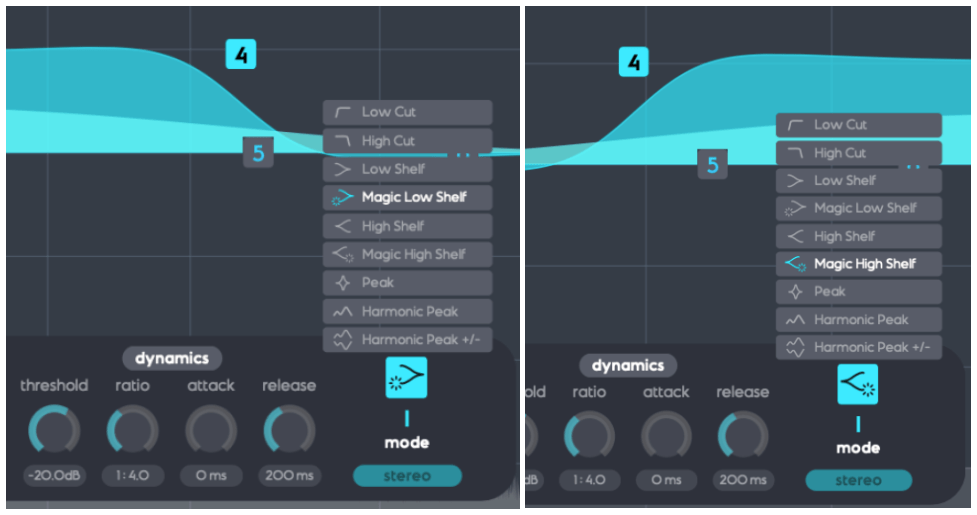
The Dynamics section feels pretty standard for a dynamic EQ, but the real stars here are Harmonic Peak, Harmonic Peak +/-, and Magic Low/High Shelf.
Harmonic Peak: Emphasizes notes within your chosen key.
Harmonic Peak +/-: Boosts in-key notes and cuts out-of-key ones at the same time.
Magic Low Shelf: Highlights the Mid over the Side for a punchier low end.
Magic High Shelf: Boosts the Side over the Mid for a wider, airier top end.
These features might sound simple, but when used well, they can bring out the harmonics of your key in totally unique ways, adding fresh colors to your sound.
As far as I know, Scaler EQ is the only EQ out there that adjusts sound based on musical scales like this. It’s a rare gem, and with it on sale, now’s a great time to grab it! 😊
Scaler 2 is a versatile tool packed with features to help you create music. Here’s the core of what it does:
Extract Chord Progressions: Pull chords from MIDI or audio files.
Rearrange or Reharmonize: Tweak and transform those chords however you like.
Choose Presets: Pick lines or voicings from its built-in instruments.
Export as MIDI: Capture everything and drag it into your DAW.
When you download Scaler 2, you’ll get three versions:
Scaler2: The virtual instrument version.
ScalerAudio2: An effect version tailored for analyzing audio tracks.
ScalerControl2: An AU MIDI plugin, perfect for controlling external instruments in DAWs like Logic Pro.
You could take chords from a song you love and use them to build something entirely new. Or start fresh with over 400 genre-based chord sets and 200+ artist chord sets included as presets.
Personally, I think it’s a lifesaver when you’ve got a rough chord progression but can’t figure out the bass, melody, or guitar lines. It’s also great for nailing piano or guitar voicings if those feel tricky. Plus, it’s a handy tool for studying music—perfect for copying and analyzing songs you admire.
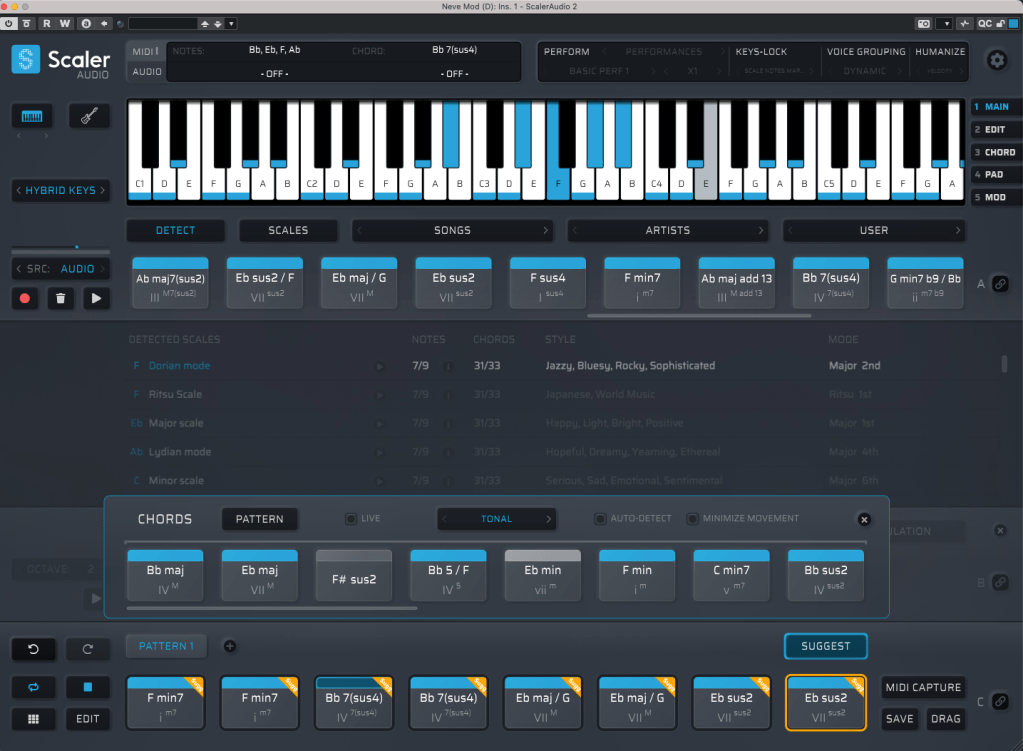
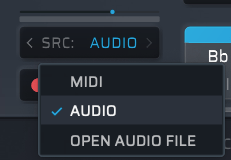
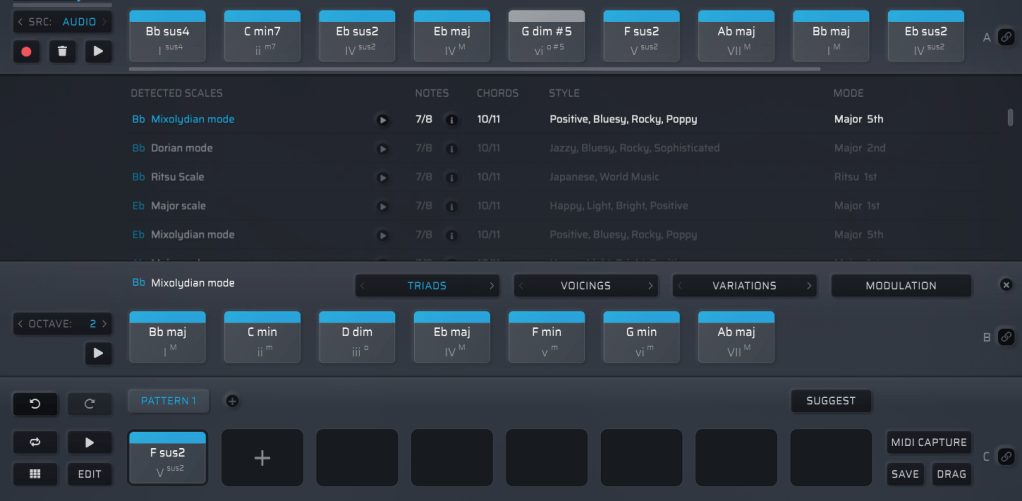
It might look overwhelming with all its features, but spend about 30 minutes messing around, and it’s not hard to get the hang of it. On the left, under SRC, you’ll see three options: MIDI, AUDIO, and OPEN AUDIO FILE. MIDI and AUDIO let you record in real-time to extract chords, while OPEN AUDIO FILE pulls them straight from an audio file. Once you do that, chords pop up alongside the detected scale, like in the image above.
Chords in blue are within the detected scale, while those in gray are outside it. You can drag these chords down to create a pattern.
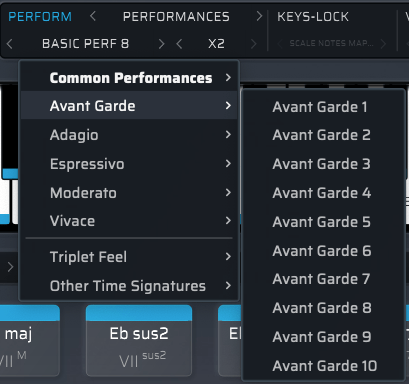
Once you’ve got a pattern, head to the top right where you’ll find Perform, Keys-Lock, Voice Grouping, and Humanize. These let you tweak the MIDI patterns—think arpeggios, strumming, or natural timing variations.
The catch? You can only preview sounds using Scaler 2’s built-in virtual instruments. That said, there’s a decent variety, so you can get a rough idea of how it’ll sit in your track.
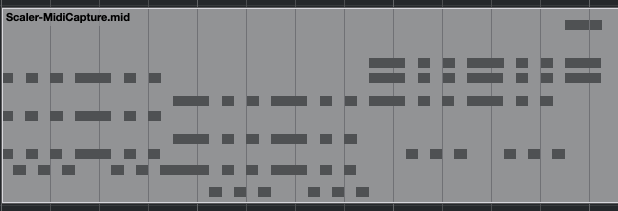
When you’re happy with everything, hit the MIDI CAPTURE button at the bottom right, play it back, and record the pattern as MIDI.
Then, drag the DRAG button into your DAW’s MIDI channel, and boom—your pattern’s ready to go!
Beyond that, Scaler 2 can suggest modulation paths (like where and how to change keys) and even hook up external instruments via MIDI routing—though that’s a bit trickier to set up.
Having used it myself, I can say it’s a super useful tool in tons of ways. It’s especially awesome for beginners learning to compose—it takes the intimidation factor out of chord progressions and music theory.
The sale runs until March 31st, and bundling Scaler 2 and Scaler EQ together gets you an even better deal. Plus, if you buy Scaler 2 now, you’ll get the upcoming Scaler 3 update (slated for this month) for free. It’s a steal at this price, so I’d highly recommend jumping on it while it lasts.
That’s it for now—hope to see you in the next post! 😊





















 Jooyoung's Music Blog