Basics of Mixing – 12.1 How to Solve The Problems of Recording Source

Hello! This is Jooyoung Kim, a mixing engineer and music producer.

Today, I’d like to say about the problem of recording source and how to solve. This article is based on my book “Basics of Mixing” released at South Korea.

Let’s dive in!


1) Noise Floor

If you use analog hardware, electricity causes certain noise across all frequency range. We call this “Noise Floor”.

So if you recording with microphone pre-amplifier or use outboards, you have to recognize and keep in mind it. Although you can’t hear the noise in mixing step, but it could make problem in mastering step .

This matter could be fixed with plug-ins like iZotope’s RX bundles(Spectral De-Noise). But when the source processed, you will hear High Frequency & Low Frequency loss. So I don’t use it often until have no choice.


2) Popping Noise
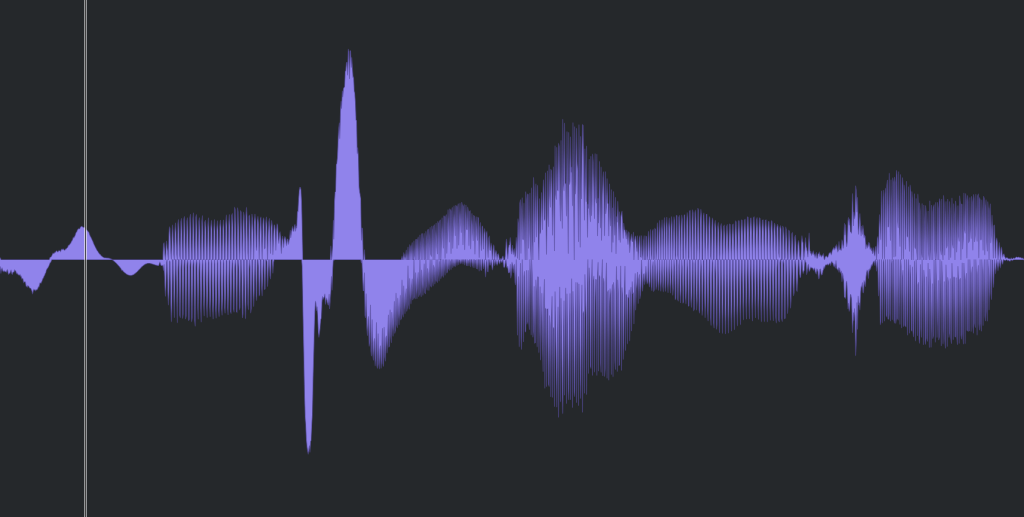
Popping Noise, A.K.A pop noise, is caused by popping sound. If you look closely upper picture, could understand it’s usually belong low frequency. So it could solved with low cut(high pass) filter.

However when you record voice, use pop filter is best method to prevent popping noise.


3) Sibilance
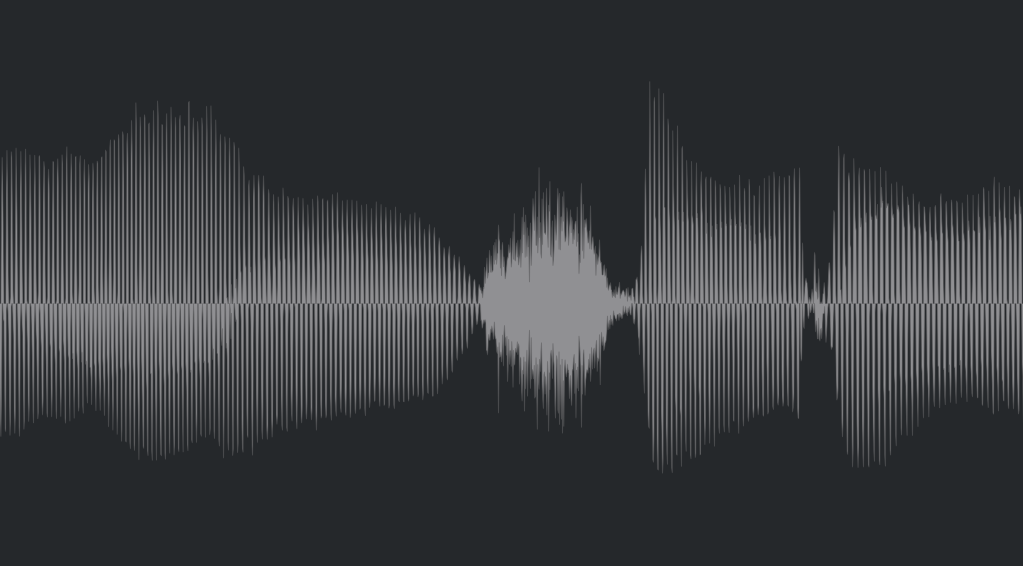
Sibilance is hissing sound when you pronounce like “S”. This high frequency sound can be perceived as louder than other frequencies due to the equal loudness contour.

You able to use De-Esser plug-ins or EQ to solve this problems. Another method involves cutting the sibilant peaks and adjusting the gain of the affected clip.


4) Click Noise
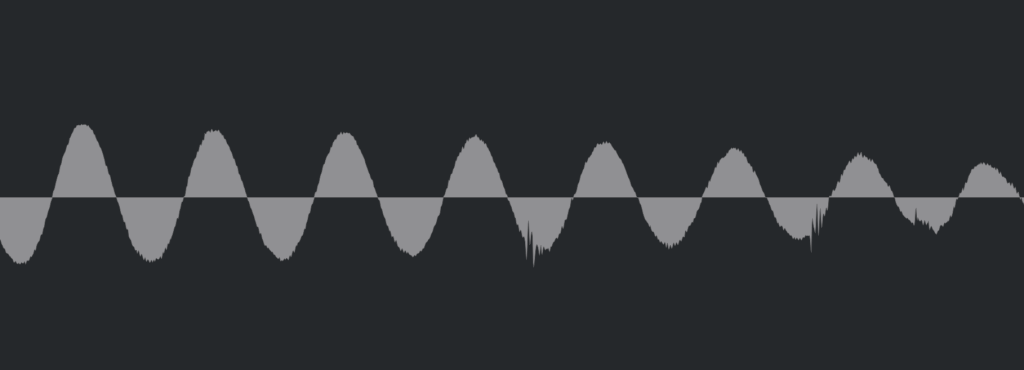
When you check the records, you could find click sounds frequently. In vocal records, lips make those noise. Drawing waves with pencil tools will solve this problem.

There have another way, use De-Click plug-ins. However I don’t like this method. It makes high frequency loss.


5) Clipped Noise, Distortion
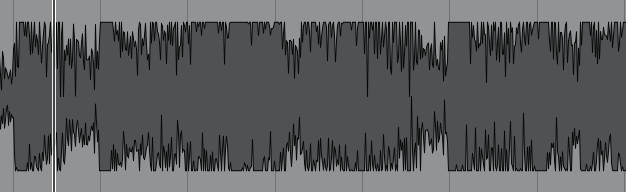
If the recording is distorted like this from the beginning, the best solution is simply to re-record it.

You might want to ask the client to double-check their export/bounce to see if the distortion originated there.

If the recording is distorted and re-recording is impossible, you can try to fix it with plugins like De-Clip, although you’ll have to sacrifice some audio quality.


6) Ambience
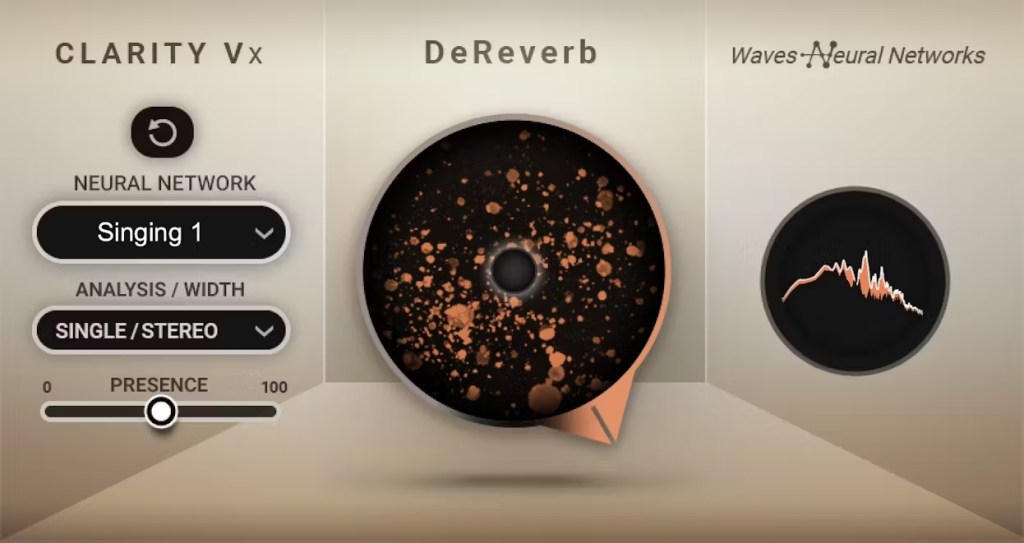
In the past, there was no way to fix recorded ambience. However, nowadays, there are many plugins that remove reverb and ambience from companies like Waves, UAD, and Izotope, so it’s not as big of a problem anymore..


7) Ambience

You can consider most other issues beyond these as unresolvable. If noise is caused by electrical issues and is consistently present, you can address it by dealing with the noise floor. However, if it appears intermittently, it’s impossible to fix.

Similarly, if a problem occurs consistently, there’s a good chance it can be fixed. But things like construction noise from nearby or the ticking of a clock are difficult to remove.


In this post, we discussed various problems with recorded audio and how to solve them.

The next chapter was originally going to be about groove and sidechaining. However, This is one of the key topics in my book, so I’ve decided not to cover it on the blog.. I don’t want to give away all the content for free and be unfair to those who purchase the book. I hope you understand.

From the next post onwards, I’ll be talking about outboard gear.

See you in next post! 🙂
Basics of Mixing – 10.1 Modulation Effects (Part 1)

Hi everyone! This is Jooyoung Kim, a mixing engineer and music producer.

Today, I want to talk about modulation effects, which are often overlooked during mixing.

(These concepts are based on my book Basics of Mixing, published in Korea.)


What are Modulation Effects?

In simple terms, modulation effects involve changing certain parameters over time.

Do you frequently use modulation effects when composing or mixing?

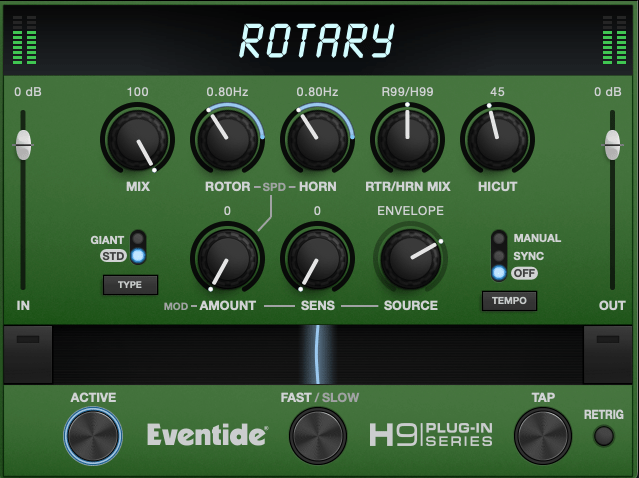
Do you ever have tools like these but rarely touch them?

I believe modulation effects, along with reverb and delay, are crucial in determining the quality of a track. However, even if you understand the theory behind these effects, you might hesitate to use them if you’re unfamiliar with how they sound in practice.

That’s why I encourage you to experiment with modulation effects regularly, even if it feels forced at first.


Types of Modulation Effects

Let’s break down some common modulation effects:

  1. Tremolo
  2. Vibrato
  3. Flanger
  4. Phaser
  5. Chorus

Before diving into these, we need to discuss two foundational concepts: the All-Pass Filter and the Comb Filtering Effect.


All-Pass Filter

An all-pass filter allows all frequencies to pass through unchanged. But why would we use such a filter?

The answer lies in phase.

When a signal passes through an all-pass filter, the phase shifts depending on the frequency. Combining this filtered signal with the original creates unique sounds due to constructive and destructive interference at different frequencies.

For more details on phase and interference, check out “Basics of Mixing – 2.2 Phase and Interference.”


Comb Filtering Effect

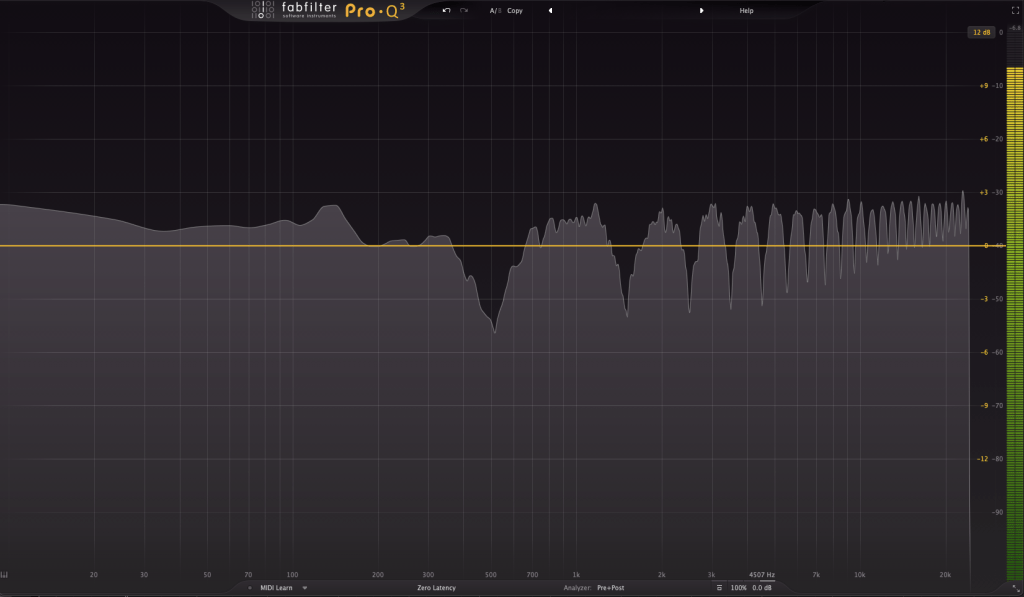
The comb filtering effect occurs when an original signal is combined with a delayed version of itself. This results in a frequency response that looks like the teeth of a comb.

It’s easy to understand this concept through simple experiments.

When every frequency in a signal is delayed by the same amount, some frequencies cancel out (destructive interference), while others amplify (constructive interference). This creates the characteristic comb-like frequency response.

Effects like flanger, phaser, and chorus are built on these principles of phase manipulation.


That’s all for now! In the next post, I’ll delve deeper into each modulation effect.

See you next time! 😊

Sonnox Drum Gate & Envolution Plugin Sale (~10/27)

Hello, I’m Jooyoung Kim, an audio engineer and music producer.

Today, I’d like to introduce a few Sonnox plugins that are currently on sale. The products were provided by Plugin Boutique as NFR (Not for Resale) versions.

Let’s dive right in!

Sonnox Drum Gate

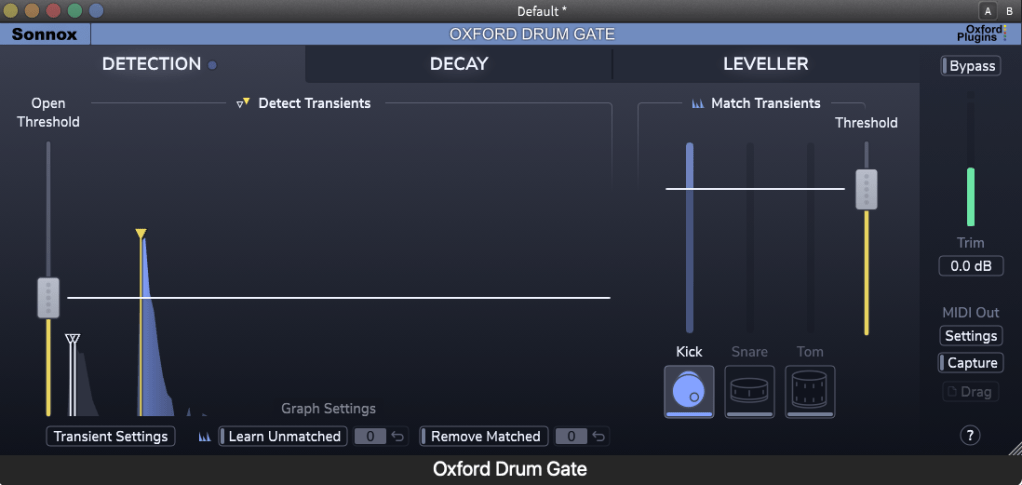
Sonnox Drum Gate is a gate plugin specifically designed for drums. On the left side, you can set the threshold like a typical gate using the Open Threshold. For kicks, snares, and toms, the Match Transients feature on the right allows for more precise separation.

When working with real drum recordings, it’s often better to avoid using a gate due to various issues. However, if you plan to use one, I can confidently recommend this plugin as it’s very well-made.

This plugin isn’t just a simple gate. Instead of a traditional release control, it offers a frequency-based delay adjustment, and you can boost the transient levels using the Leveller. The Leveller feature also allows you to set a Loud Target and Soft Target, enabling you to manage dynamic ranges effectively.

I tested it on some live-recorded drum tracks, and it did a great job isolating them. It seems particularly useful for handling tracks with heavy bleed.

Moreover, the MIDI Out feature allows you to extract MIDI from drum tracks with great grooves. This could be quite helpful for those learning to program drum MIDI.

Sonnox Envolution

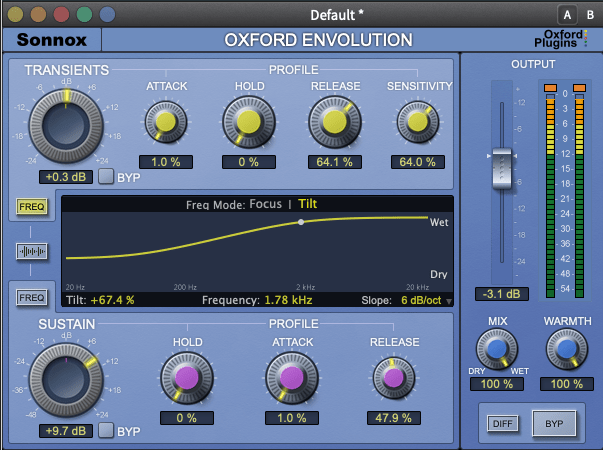
There are many plugins that adjust envelopes, but Sonnox’s Envolution, even after nearly 10 years since its release, remains one of the most powerful and highly recommended plugins.

It’s intuitive and easy to use. The oscilloscope shows what adjustments you’ve made, and it produces exactly the sound you’re expecting. It’s one of the best transient-focused plugins out there.

As for the parameters, the upper section controls the transients, while the lower section manages the sustain. Additionally, if you click on FREQ on the left:

You’ll see options for Tilt EQ or Parametric EQ, allowing you to EQ the sound precisely.

The Warmth knob on the right is simply a harmonic generator… haha.

This month, if you make a purchase from Plugin Boutique, you’ll receive either Air Music Technology’s Solina virtual instrument or Zynaptiq’s Orange Vocoder Nano for free. Both plugins are excellent, so if you’re considering any plugin purchase this month, I recommend checking out Plugin Boutique.

See you in the next post~:)

Basics of Mixing – 9.1 Harmonics and Saturation

Hello, I’m Jooyoung Kim, an audio engineer and music producer.

Today, I’d like to talk about two crucial aspects of sound: harmonics and coloration. As audio engineers, we know from experience—and from measurements—that the audio signal changes when it passes through hardware or plugins.

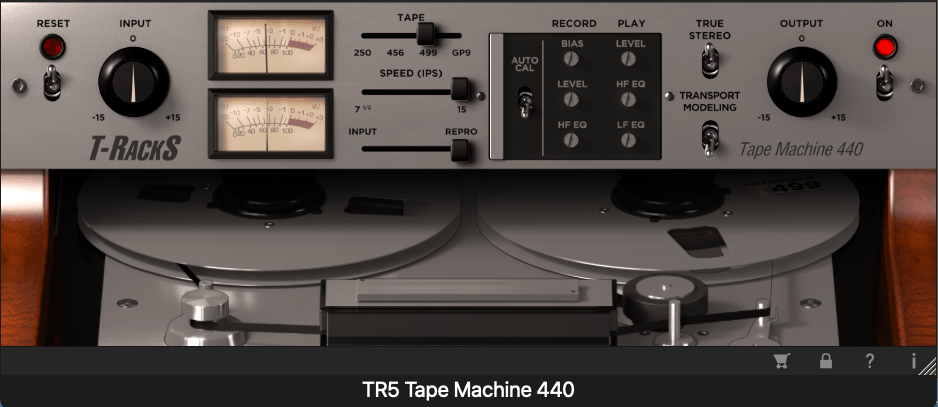
For example, why do sounds processed through vacuum tubes and tape machines end up so different from each other?

It’s a topic worth considering for anyone involved in sound production: how exactly does the signal change, and why?

Of course, if it sounds good, that’s all that matters. But if we take that approach, we could say the same for EQs and compressors—if it sounds good, it’s good enough, right?

That said, this chapter will focus on explaining the devices that introduce coloration to sound.

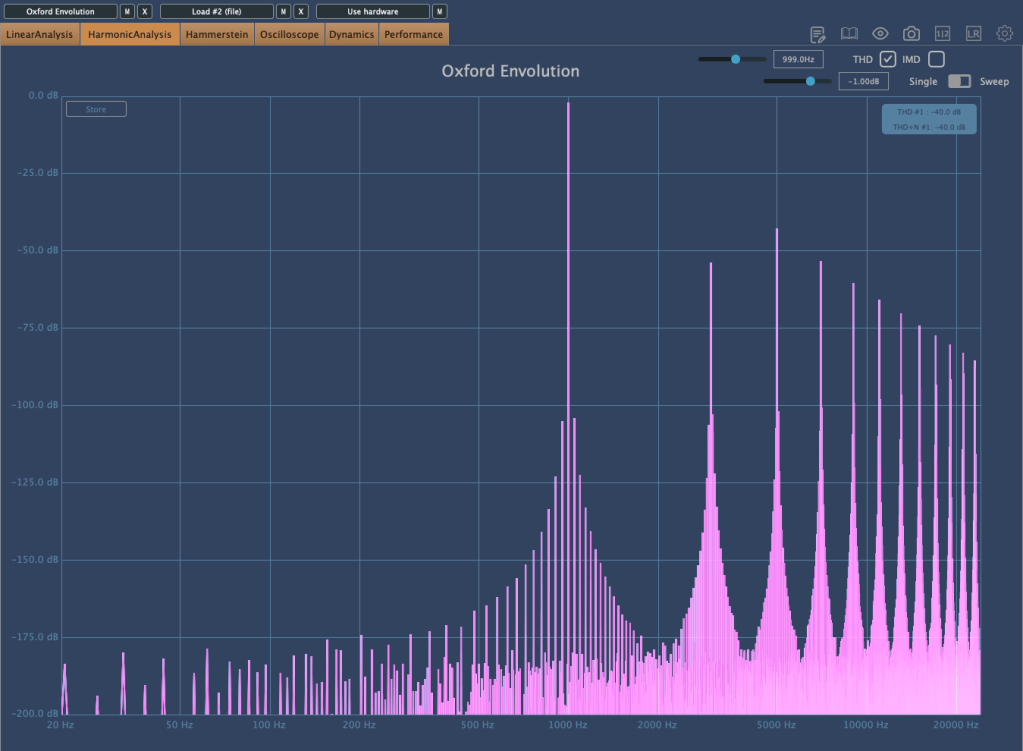
When an analog audio signal passes through analog devices, harmonics are generated due to the non-linear behavior of these devices.

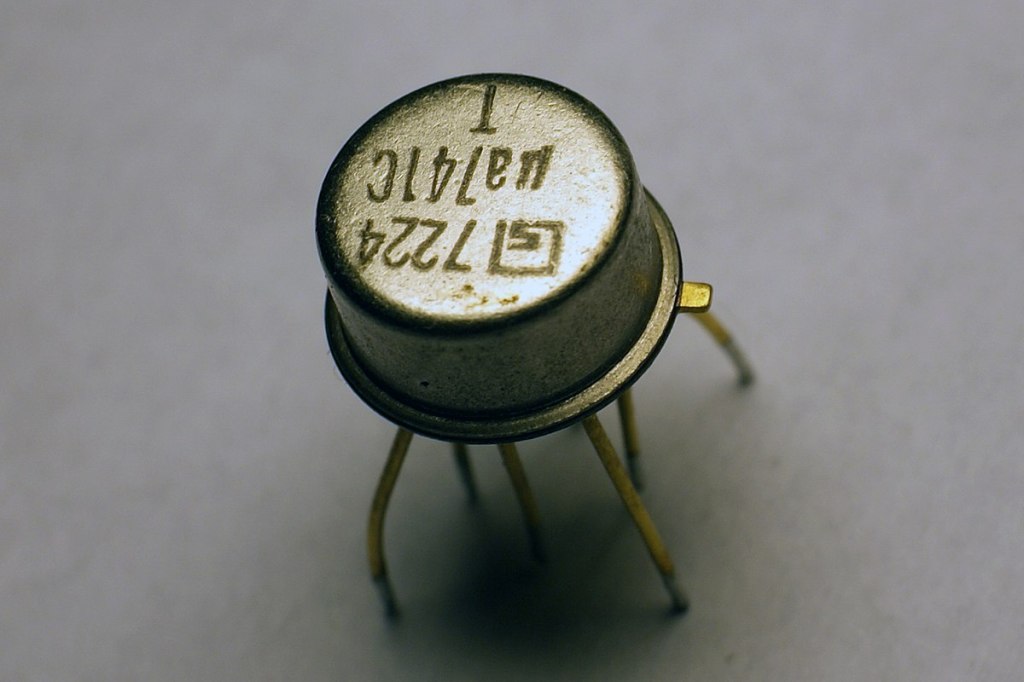
OP Amp
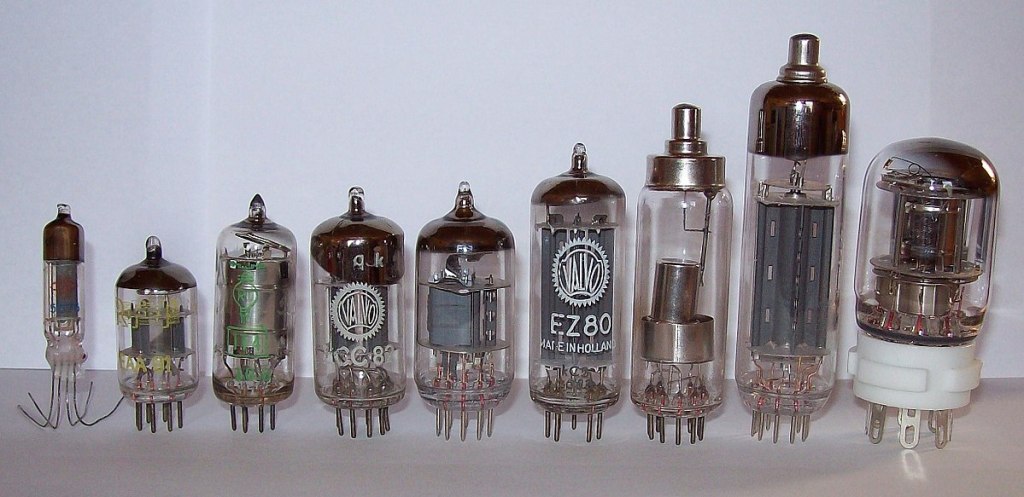
Vacuum Tubes

For example, when components like transistors (such as OP Amps) or vacuum tubes are part of the circuit, they create non-linear responses in the output, which results in harmonic distortion.

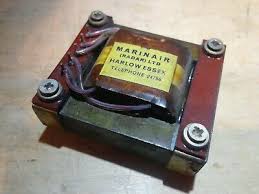
Legendary Marinair Transformer used in Neve Hardware (Photo from AMS Neve)

If you’re a fan of hardware, you’ve probably heard the term “transformer.” When you insert a transformer like the one shown above at the input or output stage of hardware, it creates non-linearities that result in harmonics.

This is why different components alter the character of a device, and why those who modify gear often swap out transformers, tubes, or transistors!

Why do non-linear behaviors generate harmonics? We could explain this through Fourier analysis, but I’ll spare you the math to keep things interesting.

(If you’re curious, look up non-linear systems and functions.)

Harmonics

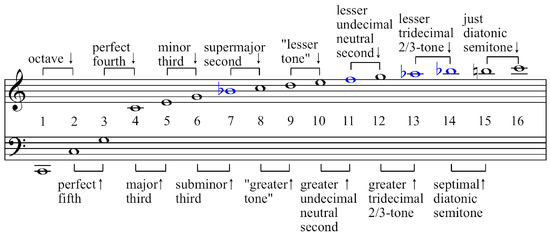
If you’ve studied music, you might recall learning about harmonics and harmonic series in class. Generally speaking, even-order harmonics sound more harmonious and pleasant, while odd-order harmonics tend to create dissonance and can sound harsher.

So, if a device emphasizes odd-order harmonics, it will sound sharper. On the other hand, if it emphasizes even-order harmonics, it will blend more smoothly into the mix.

Now, are there analog devices that exclusively boost even or odd harmonics? Not really.

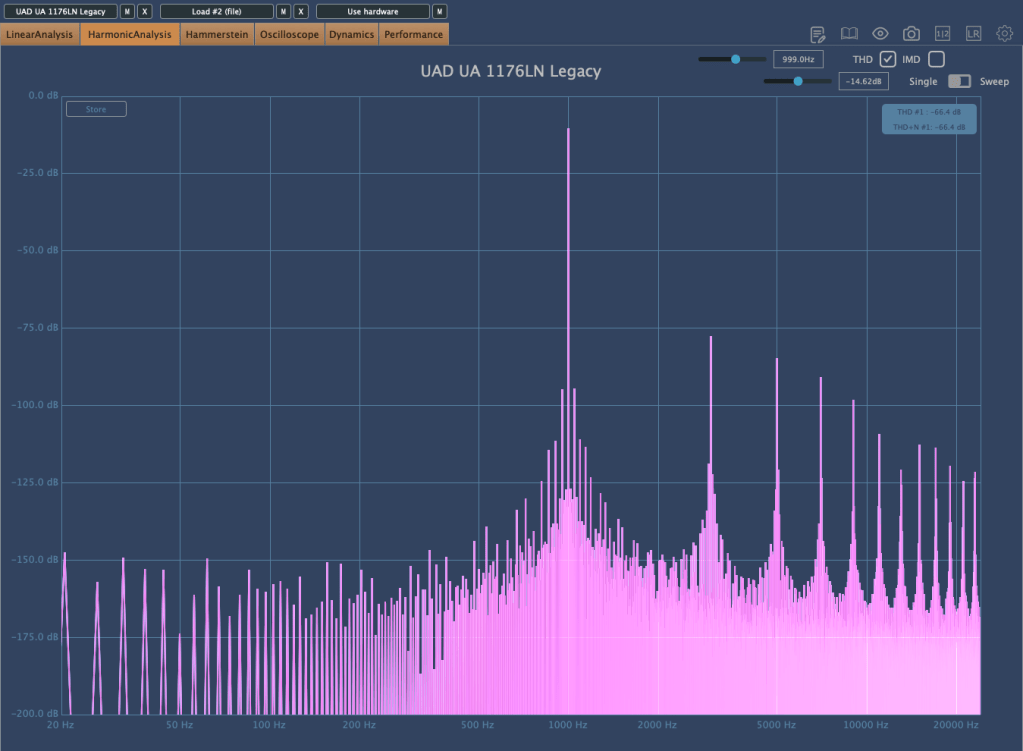
UA 1176LN Legacy Plugin that boosts only odd harmonics

As shown above, you’ll find this kind of control in plugins, but not in analog hardware.

Additionally, because of non-linear responses, the levels of second, third, fourth, and other harmonics also vary in non-linear ways.

So how should we understand these devices? Do vacuum tubes and transistors have unique characteristics?

We’ll continue exploring these questions in the next post.