SSL X-EQ 2 and DeEss Plugin Overview + 90% Off Sale (Ends 1/29)

Hello! I’m Juyoung Kim, a mixing engineer and music producer.

It’s been a while since I shared plugin sale news, hasn’t it?
Over the holiday season and into early January, my manager was on vacation, and most major sales wrapped up at the start of the year. So, I didn’t have much to share.

One notable ongoing deal is IK Multimedia’s Total Studio 4 MAX sale.

That said, I recently came across SSL’s sale on X-EQ 2 and DeEss, and I couldn’t wait to share it with you!

Disclosure

This product was provided as an NFR (Not for Resale) through Plugin Boutique. If you make a purchase using the links in this post, I’ll earn a small commission, which helps me keep doing what I do.

Let’s dive in!


SSL X-EQ 2
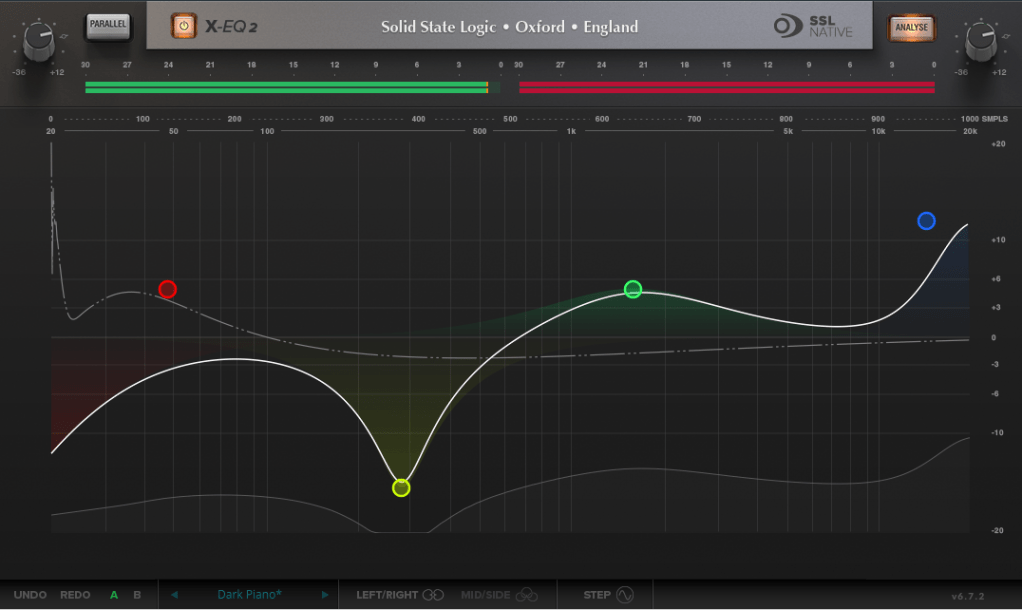
The SSL X-EQ 2 is a feature-packed EQ plugin. These days, DAW-native EQs are so powerful that standalone EQ plugins need to have a competitive edge to stand out—and X-EQ 2 delivers.

Key features include:

  • Mid/Side processing
  • Presets to remove 50Hz and 60Hz hum (ideal for handling electrical noise)

You can double-click to create points and adjust EQ type, frequency (Hz), bandwidth (Q), and gain (dB) with ease.
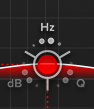
A particularly fun feature is the knob-like interface—select a parameter (Hz, dB, Q) and adjust it by dragging your mouse, mimicking the feel of turning a physical knob.

It also includes an analyzer (activated via the top-right button) and lets you choose between parallel or serial processing from the top-left menu.
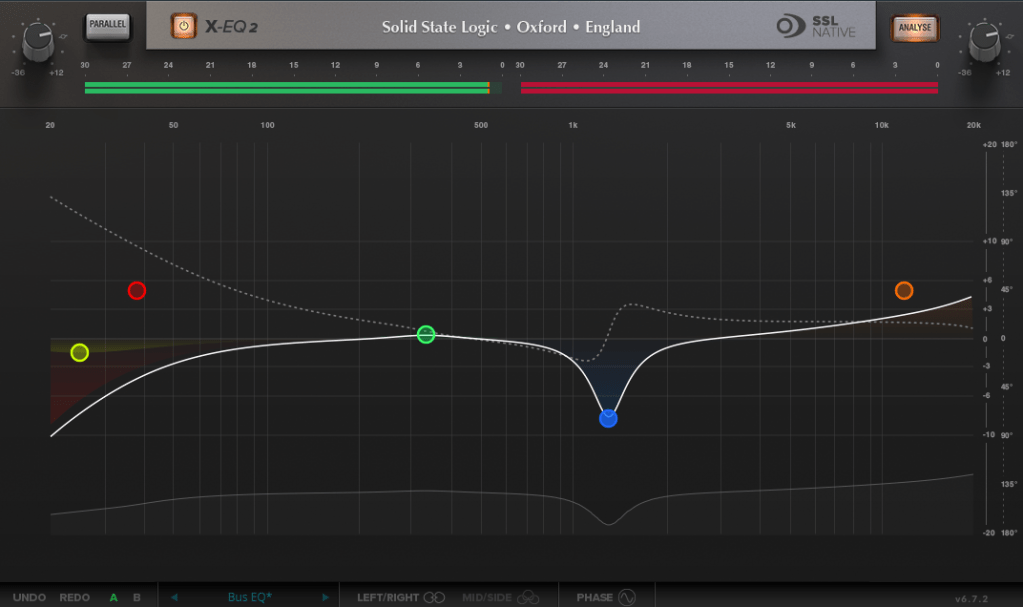
Additionally, you can activate Phase Analysis to see phase shifts (dotted lines) or enable Step Response Mode to view how signals evolve over time after passing through the EQ.

Heaviside Step Function

For those unfamiliar with Step Response:
The Step Response of a system refers to how the system reacts over time to a sudden change in input, specifically when the input shifts instantaneously from 0 to 1 (a Heaviside Step function). It demonstrates:

  1. The system’s transient behavior, showing how it initially reacts to the input change.
  2. The steady-state behavior, revealing how the system settles after the transient phase.
  3. The time it takes to stabilize, which indicates the system’s responsiveness.

In the context of EQs, a longer Step Response often correlates with ringing artifacts, where the EQ introduces unintended resonances that make the sound linger beyond its natural decay. This visualization helps engineers fine-tune the EQ to minimize these artifacts.

I love all the features, but the only downside is that the window size can’t be adjusted. But if you see the price, it could be convinced!


DeEss Plugin
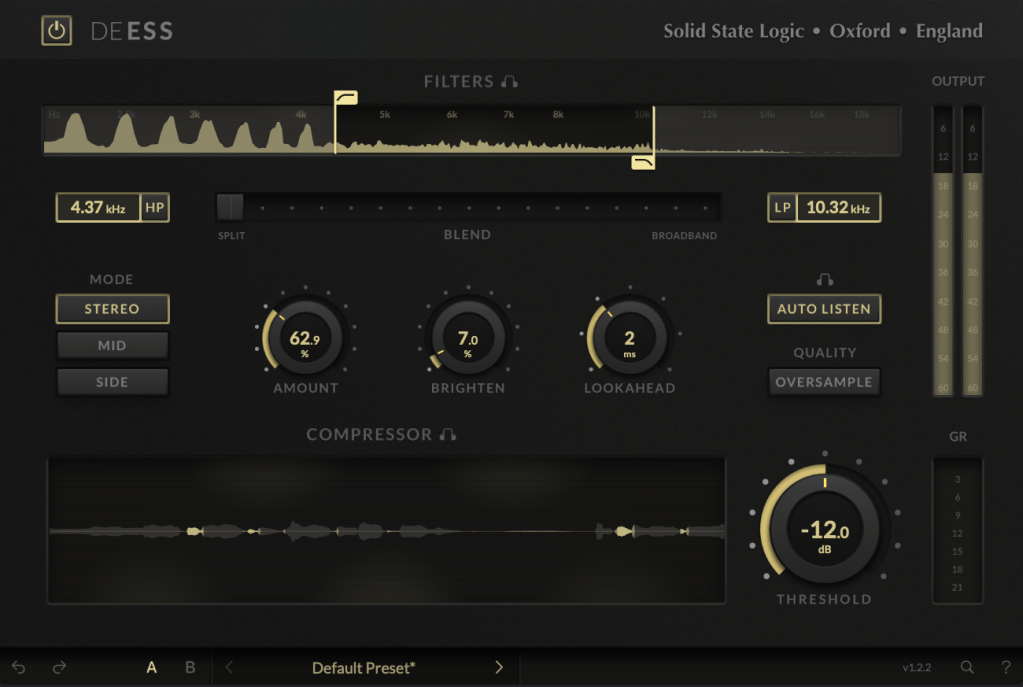
The DeEss plugin offers highly detailed sibilance control.

Key features:

  • Adjustable target range: 1kHz to 20kHz
  • Mid/Side processing
  • Compression intensity and Brighten (high-shelving EQ) controls
  • Lookahead capability for precise processing

A standout feature is the Auto Listen mode, which allows you to hear both the filtered signal and the original detection, making adjustments much easier.

This DeEss plugin is one of the most versatile I’ve come across, and it’s surprisingly lightweight unless oversampling is applied. If you don’t already have a dedicated de-esser, this is an excellent choice.


Bonus: Free Plugin Offer
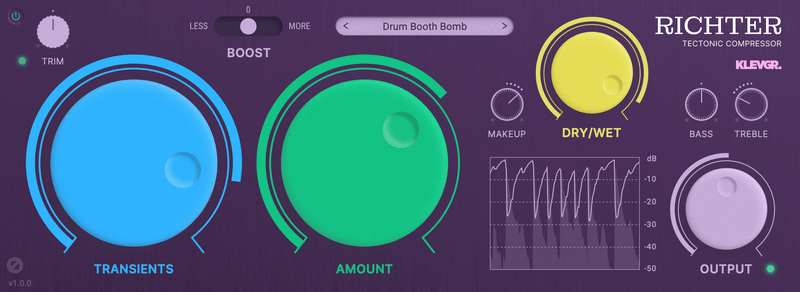
If you purchase any plugin from Plugin Boutique this month, you’ll receive Klevgrand’s Richter Compressor Plugin for free. Don’t forget to claim it when checking out!


Final Thoughts

Both the SSL X-EQ 2 and DeEss plugins are incredibly versatile and user-friendly tools for mixing and production. The 90% discount makes this deal even sweeter—don’t miss out before the sale ends on January 29!

Feel free to reach out if you have any questions. Until next time!
2024 Year in Review

Hello! I’m Jooyoung Kim, an engineer and music producer.

It’s already the last day of 2024…
It feels like I’ve barely done anything, yet the end of the year has come around again. 😊
This year, I want to take a moment to look back on what I’ve done.


First Half of the Year

In January, I started writing introductory posts about mixing techniques.
I’d been wanting to publish articles elsewhere, but after receiving rejections from various outlets, I decided to focus on writing consistently on my blog instead.

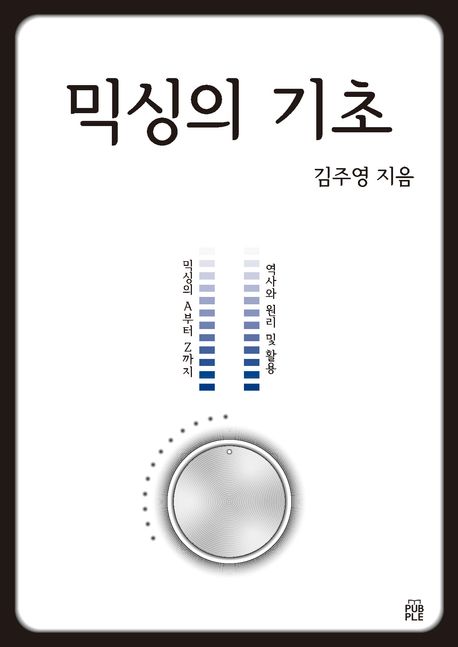
I lost count of how many times I revised those posts! Eventually, I submitted them to Kyobo Bookstore’s POD (Print on Demand) service. To my surprise, Joongpil Goo, an engineer from Klang Studio with extensive experience as an SM engineer, graciously wrote a recommendation for the book. Even now, it feels surreal! 😊

This was finally completed by late September, and it was quite an intense journey just to publish a single book.

From January to April, I worked with a studio called Studio Dolphin, producing YouTube videos where AI collaborated with indie musicians to create songs.
We used Soundraw for the AI-generated music, ChatGPT for lyrics, and melodies were composed by indie musicians. The challenge was to create a full song in just 90 minutes.

I participated as both an engineer and a panelist, but unfortunately, the videos didn’t garner much attention, and they’ve since been taken down.

At the start of January, I was extremely busy with various recording and mixing tasks for school projects. In February, I spent a lot of time preparing paperwork to apply for government-sponsored projects. Sadly, none of these applications were successful, which left me feeling rather deflated.

In March, I returned to school, and things got busier from there.

In May, I launched my English blog and started promoting Plugin Boutique products more actively, which kept me even busier.


Summer

From July to August, I worked on producing Danny Boy’s EP from start to finish.
I handled everything—recording, arranging, mixing, and mastering. 😊

At the same time, I collected measurement data for my thesis. The data turned out well enough that I’m now preparing to submit it to an international academic journal.

While processing the data, I found myself delving into coding—a field I never thought I’d explore! Surprisingly, tools like Copilot and ChatGPT were lifesavers. At first, I barely understood anything, but after asking countless questions, things started making sense. 😊


Second Half of the Year

September was tough. I applied for several positions but didn’t get any of them. My final interview was with the Gyeonggi Arts Center, but, well… things didn’t work out. Back in May, I’d also made it to the final round for a position at Kumho Art Hall at Yonsei University but was ultimately rejected. I guess that’s just how life goes. 😊

In October, I filmed a music video, and November passed without anything particularly noteworthy.

In December, I wrote a short paper about loudness in audio and submitted it to a domestic academic journal. It was accepted and will be published in early January.

Also, during this semester, a professor from Sorigeo joined the faculty, and I took his class. In collaboration with him, I gathered data for another research paper, spending two days on measurements. The data looks promising, but I haven’t organized it yet. Once I do, I plan to publish another paper and share the details. 😊

In addition to all this, I continued working on my own music, doing external mixing/mastering, composing/arranging, and providing guide vocals.


Unforgettable Projects

One of the most memorable projects this year was mastering the EP for the Bulkuksa Team’s Random Game. My favorite track was definitely “Microdust.”

A heads-up: the song contains explicit language. 😊

A friend had asked if I could master the track using only an MP3 demo, as they’d lost the original files. I was initially concerned about the sound quality but was blown away by how creative the music was. I couldn’t say no!

Some tracks were well-balanced, while others were completely off, but I managed to improve them significantly through proactive mastering. While the sound quality wasn’t ideal due to the limitations of MP3, the sheer fun of the music made up for it. 😊


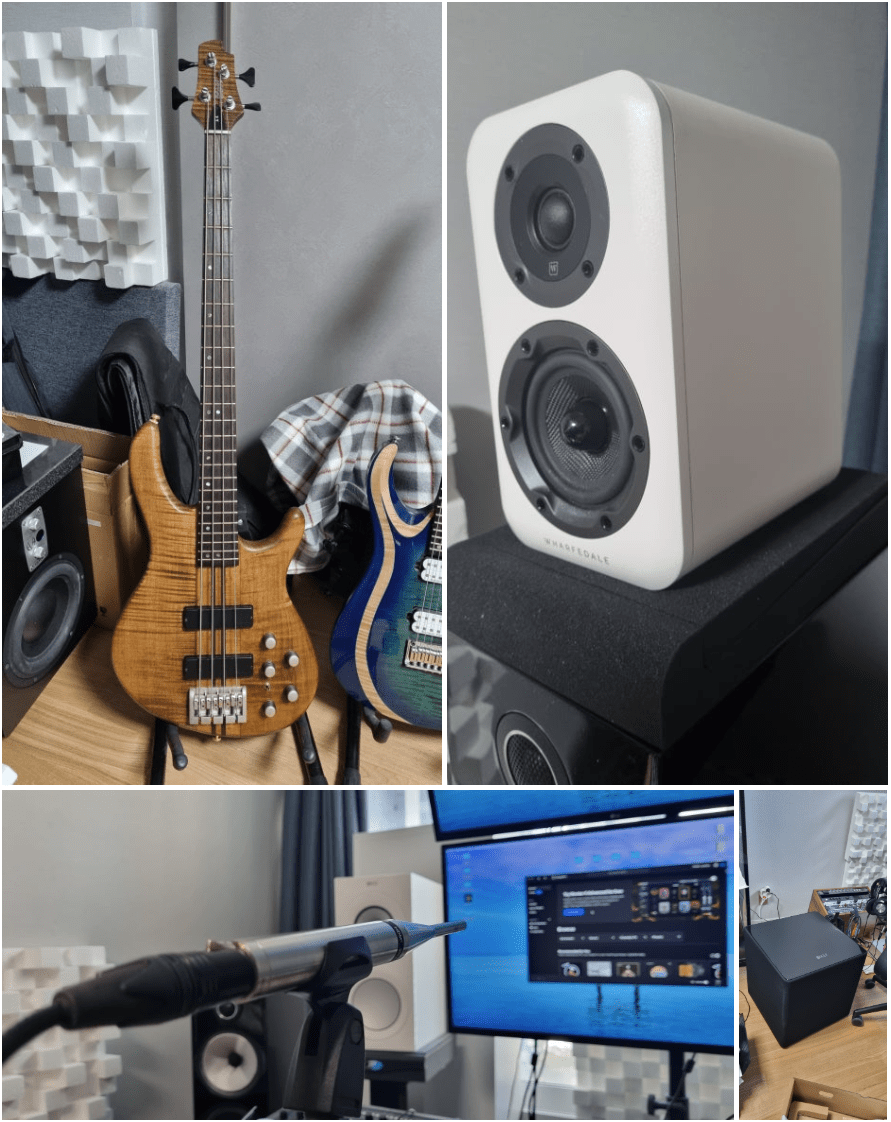
Gear Purchases

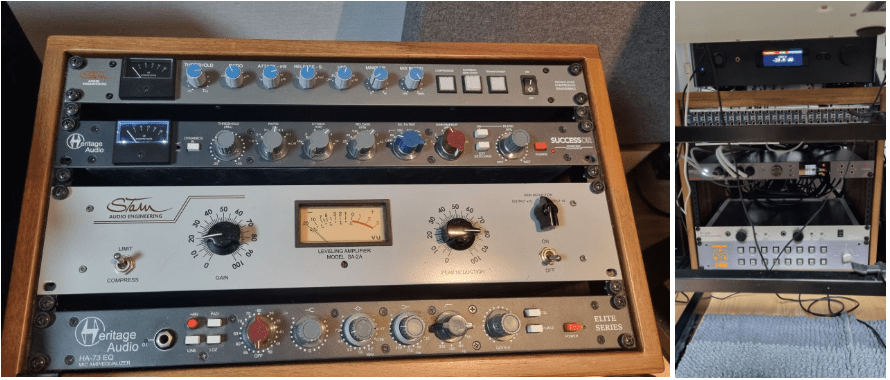
  1. Stam Audio SA-4000 MK2 Compressor
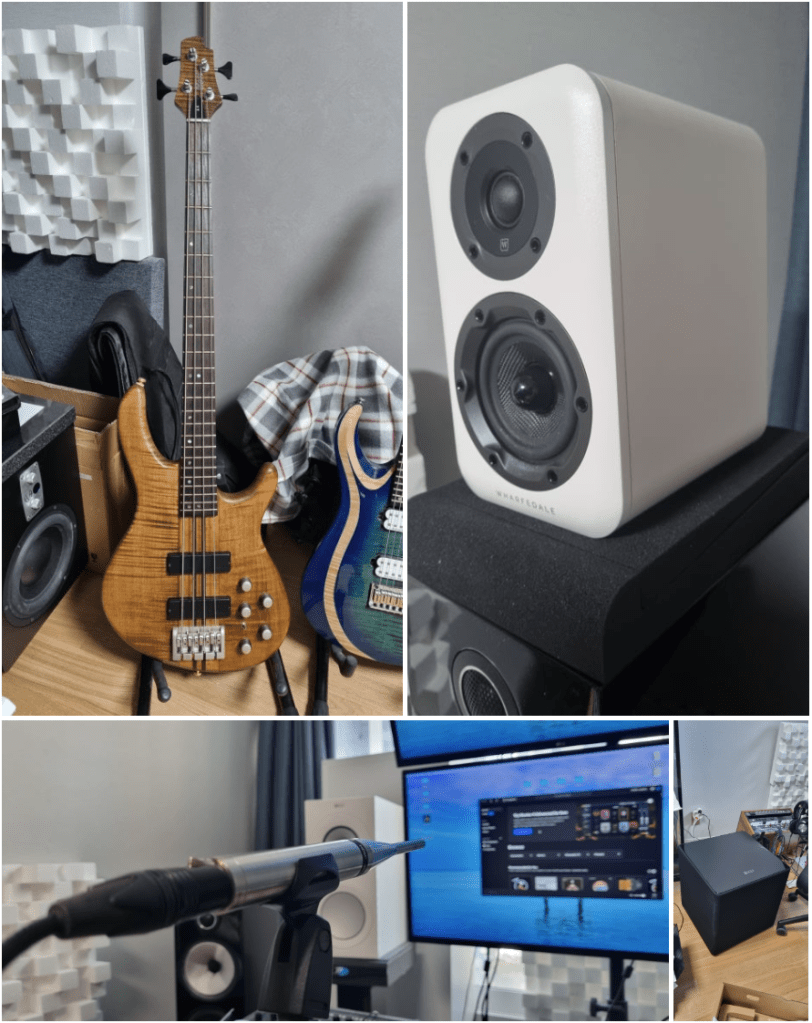
  2. KEF Kube 15 MIE Subwoofer
  3. Stam Audio SA-2A Compressor
  4. Earthworks M30 Measurement Microphone
  5. Rack Cabinet and Patch Bay
  6. Wharfedale D310 Passive Speakers
  7. Cort A4 Bass
  8. A broken Heritage Audio Successor Compressor

I bought quite a bit this year…

Next year, I’m thinking of adding a tube microphone preamp and an EQ. Maybe another compressor or a mic too? The gear wishlist never ends! 😊

After Modifying My Stam Audio SA-2A

Hello! I’m Jooyoung Kim, mixing engineer & music producer.

Today, I’ll talk about what I did after the article, Record Before Modifying the Stam Audio SA-2A, and how sound changed.


First, let’s review the problems I encountered.

  1. Output gain is similar to input gain, when the GAIN knob is too low.
  2. Compression is started when PEAK REDUCTION knob is too high.
  3. It sounds so dull, like high frequency response is cut off

Otherwise, The Compress and Limit switch was positioned incorrectly. It was simply solved by wrench.


1) Potentiometer Changed..1

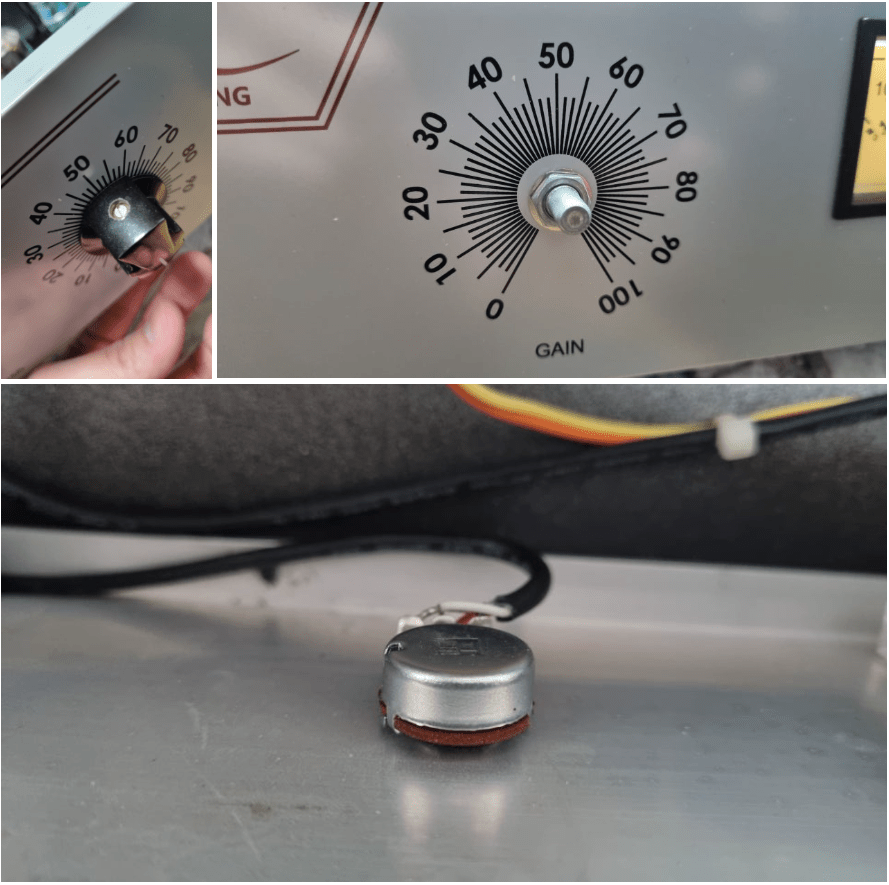
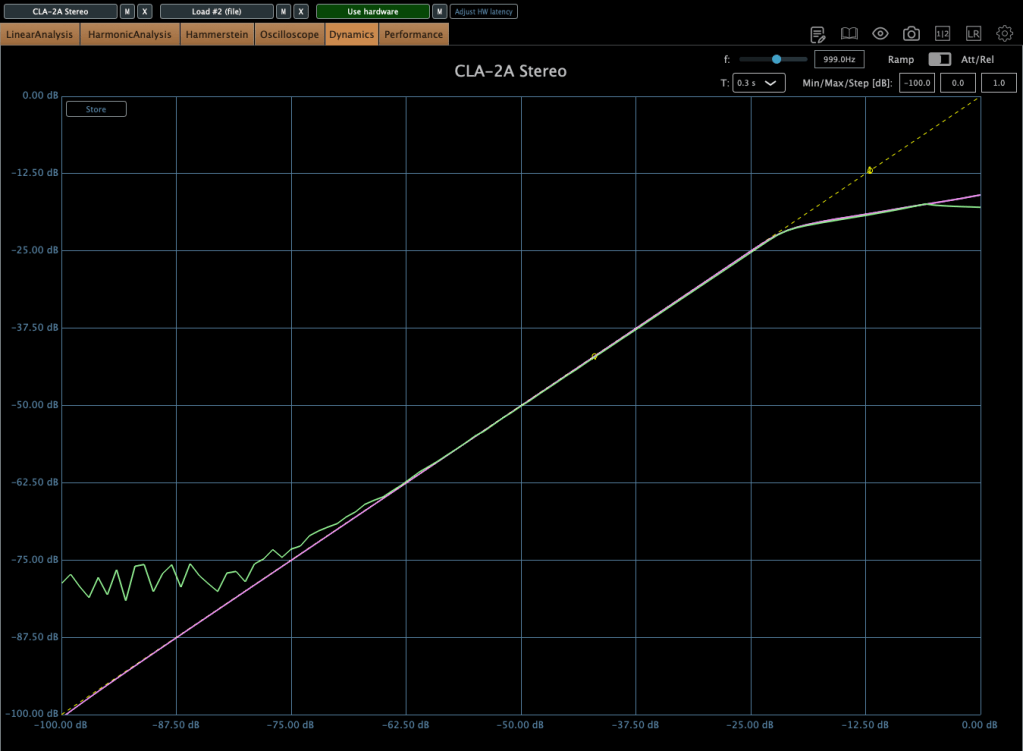
If you take off the cover of SA-2A’s knob, you could see a100k potentiometer at each parts. So, I thought that if I change a100k to a50k for gain knob, amount of change is more lower. Also, change a100k to a250k for peak reduction knob, compression would be change more earlier.

So I changed them first.

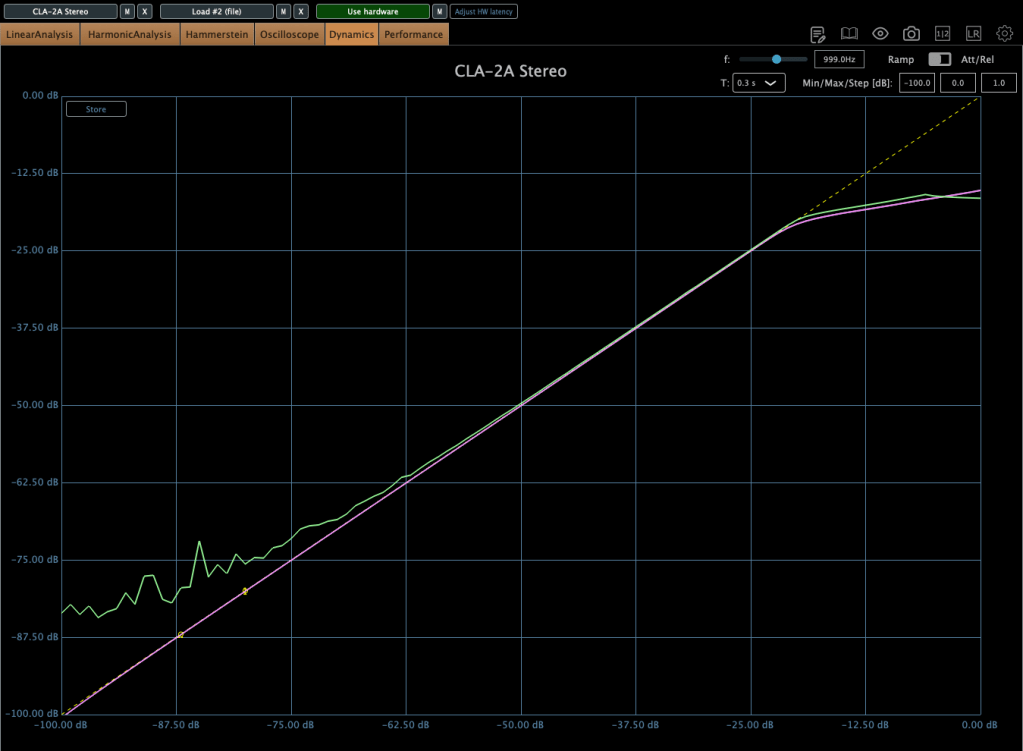
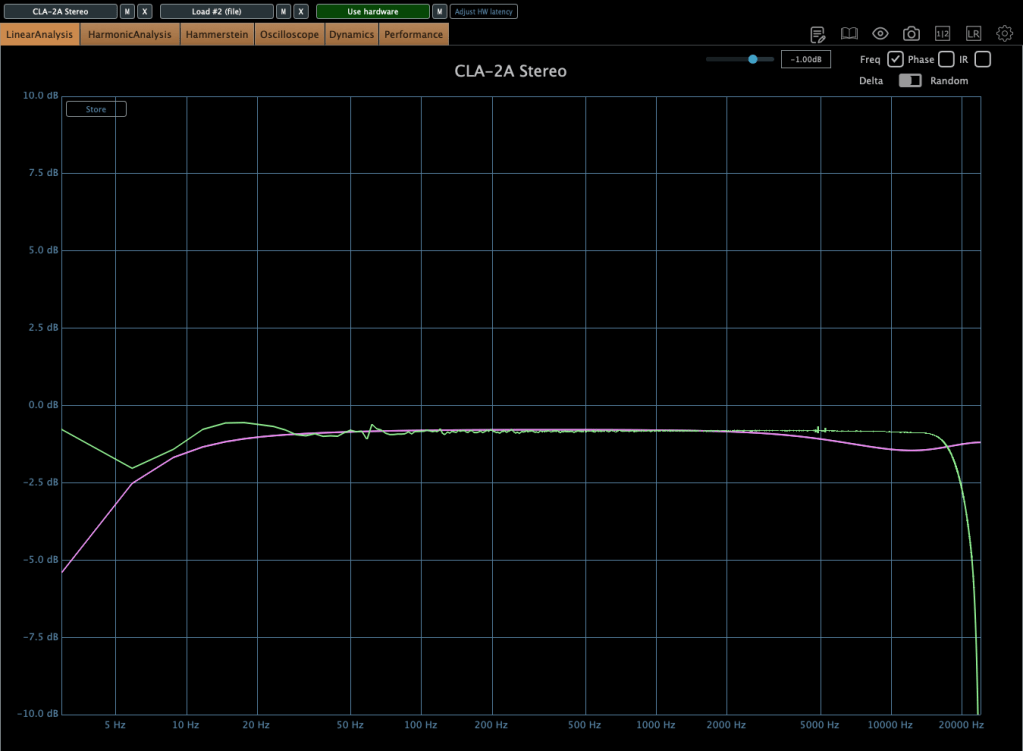
The green line is SA-2A hardware, the pink line is Waves’ CLA-2A.

It doesn’t seem bad at all! Otherwise, output gain is similar to input gain, when the GAIN knob is too low yet, I ordered A25K and A10K potentiometer too.


2) Vacuum Tubes Changed

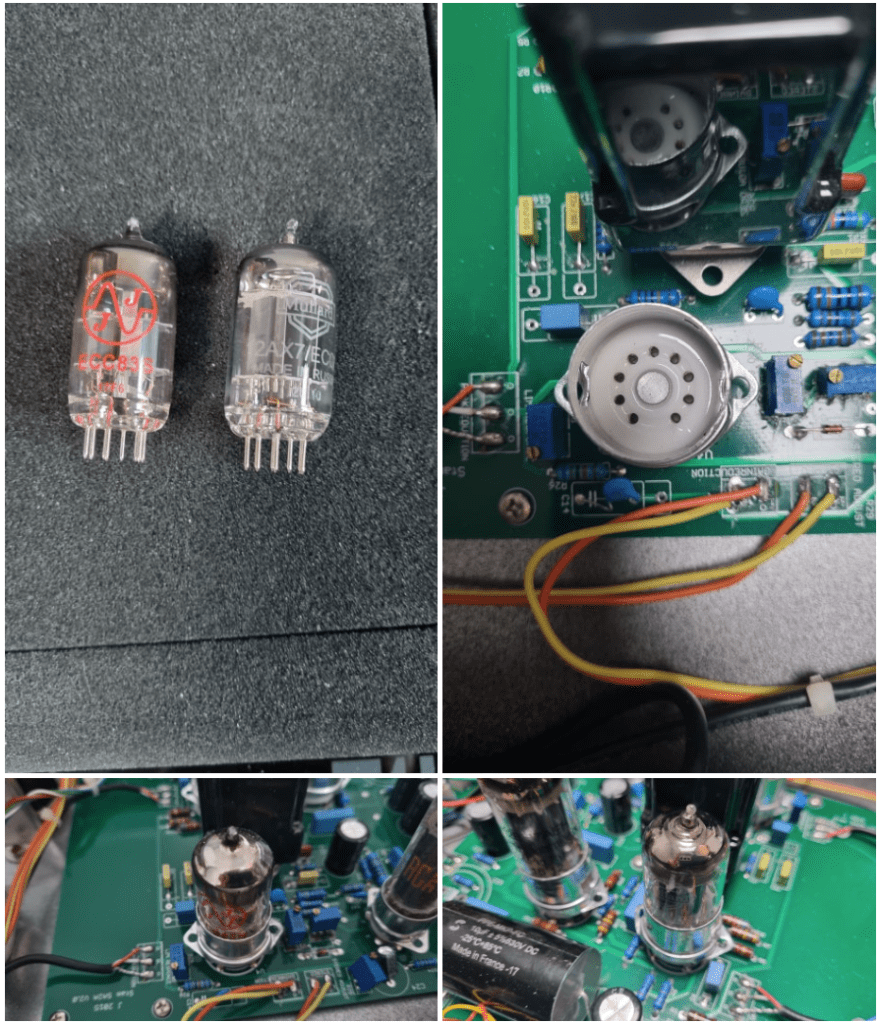
I changed my 12AX7 tubes from jj electronics to mullard.

Frequency response and compression curve was not that different compared to jj electronics’. But it sounds much better than before. Harmonic distortion seems to have changed many aspects of the sound.


3) Changed Potentiometer Once Again..2

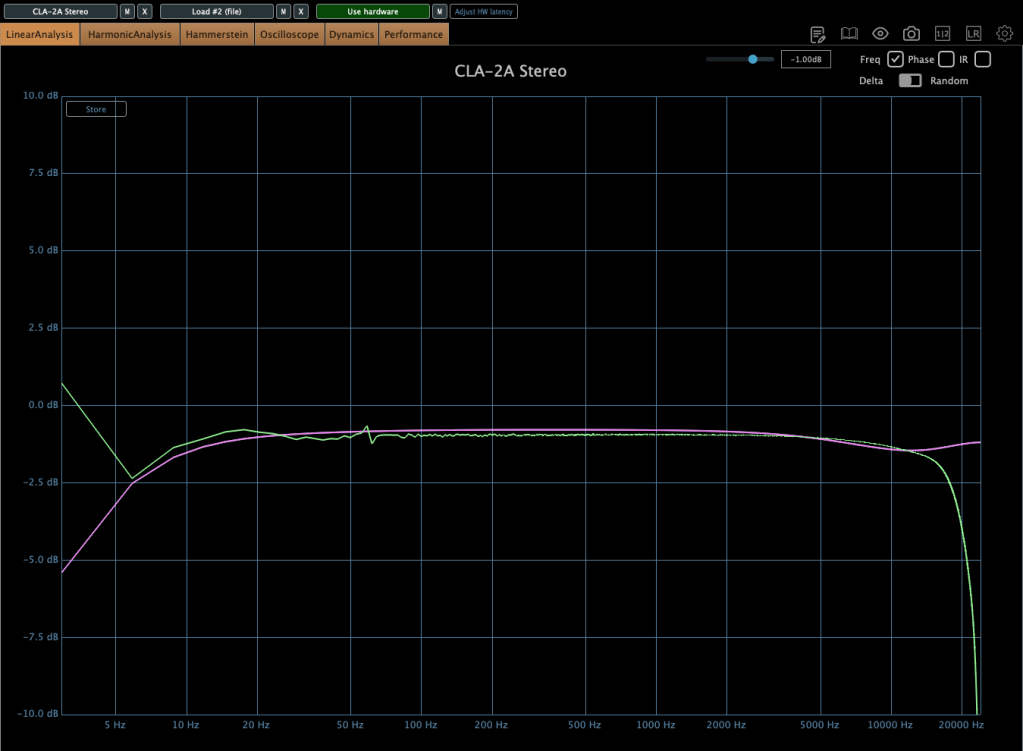
Upper image is a25k, The lower image shows the a10k potentiometer. You could see frequency response improved when the lower value of potentiometer is used! The problem isn’t solved but it sounds really good.

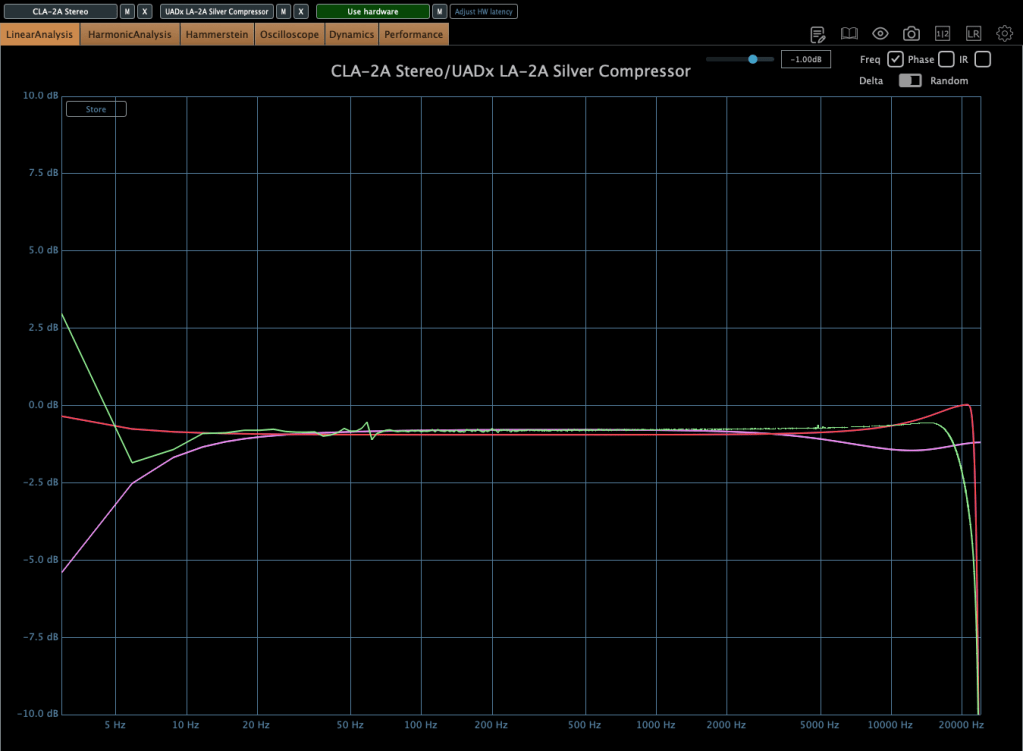
Red curve is UAD LA-2A Silver face, pink curve is WAVES CLA-2A, green curve is SA-2A.

Compared to UAD, it’s nice that it doesn’t add such an overwhelming saturation. And compared to Waves, I like that it doesn’t have that overly compressed feel.

I think it’s worth trying out more simple tools like this in the future. Next time, maybe an EQ or a Comp DIY kit…!

See you in next post! 🙂

Basics of Mixing – 12.1 How to Solve The Problems of Recording Source

Hello! This is Jooyoung Kim, a mixing engineer and music producer.

Today, I’d like to say about the problem of recording source and how to solve. This article is based on my book “Basics of Mixing” released at South Korea.

Let’s dive in!


1) Noise Floor

If you use analog hardware, electricity causes certain noise across all frequency range. We call this “Noise Floor”.

So if you recording with microphone pre-amplifier or use outboards, you have to recognize and keep in mind it. Although you can’t hear the noise in mixing step, but it could make problem in mastering step .

This matter could be fixed with plug-ins like iZotope’s RX bundles(Spectral De-Noise). But when the source processed, you will hear High Frequency & Low Frequency loss. So I don’t use it often until have no choice.


2) Popping Noise

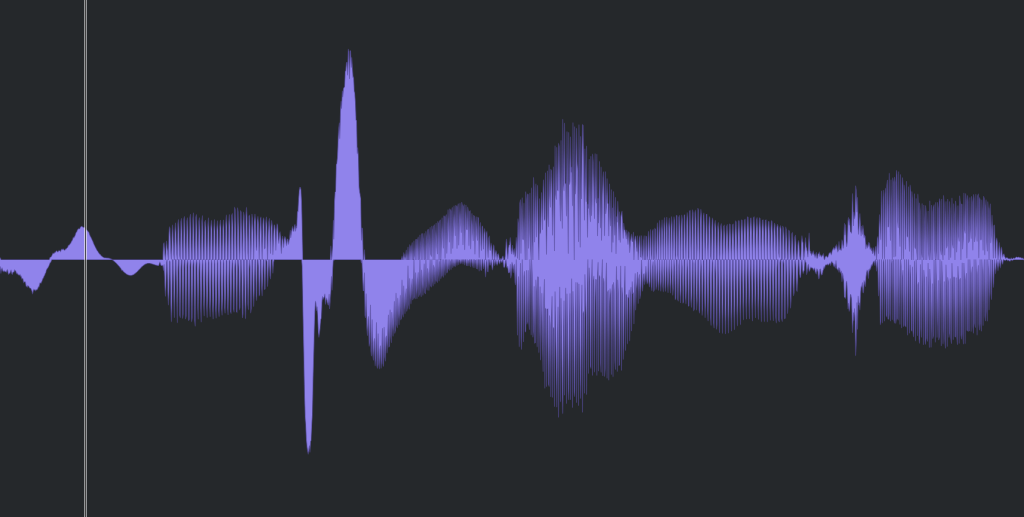
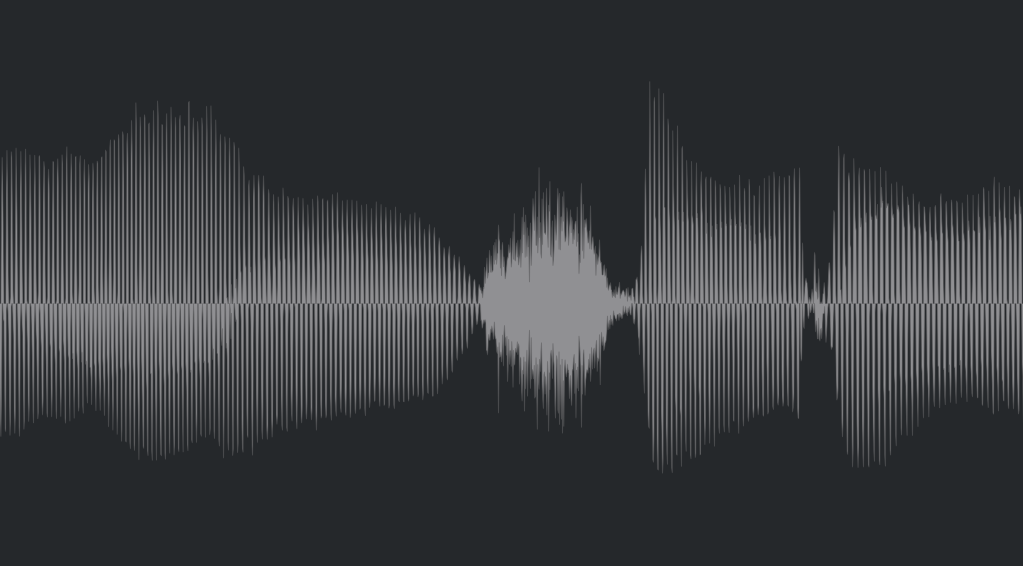
Popping Noise, A.K.A pop noise, is caused by popping sound. If you look closely upper picture, could understand it’s usually belong low frequency. So it could solved with low cut(high pass) filter.

However when you record voice, use pop filter is best method to prevent popping noise.


3) Sibilance

Sibilance is hissing sound when you pronounce like “S”. This high frequency sound can be perceived as louder than other frequencies due to the equal loudness contour.

You able to use De-Esser plug-ins or EQ to solve this problems. Another method involves cutting the sibilant peaks and adjusting the gain of the affected clip.


4) Click Noise

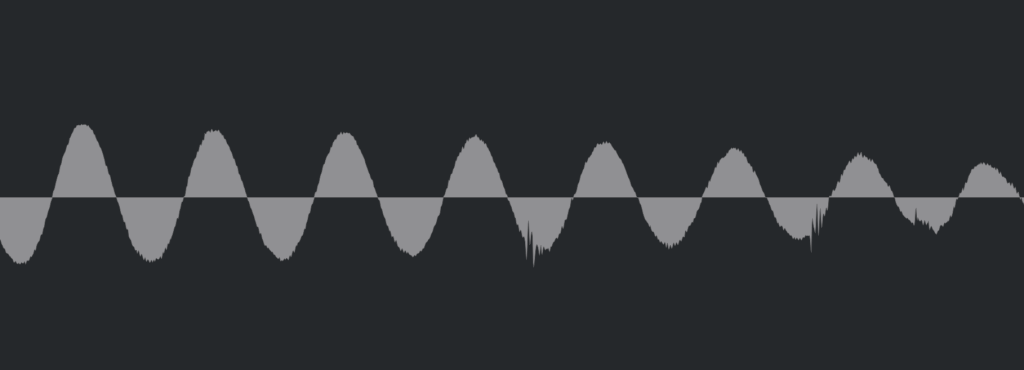
When you check the records, you could find click sounds frequently. In vocal records, lips make those noise. Drawing waves with pencil tools will solve this problem.

There have another way, use De-Click plug-ins. However I don’t like this method. It makes high frequency loss.


5) Clipped Noise, Distortion

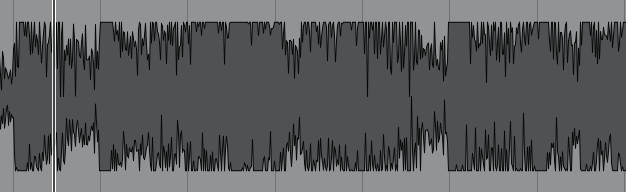
If the recording is distorted like this from the beginning, the best solution is simply to re-record it.

You might want to ask the client to double-check their export/bounce to see if the distortion originated there.

If the recording is distorted and re-recording is impossible, you can try to fix it with plugins like De-Clip, although you’ll have to sacrifice some audio quality.


6) Ambience

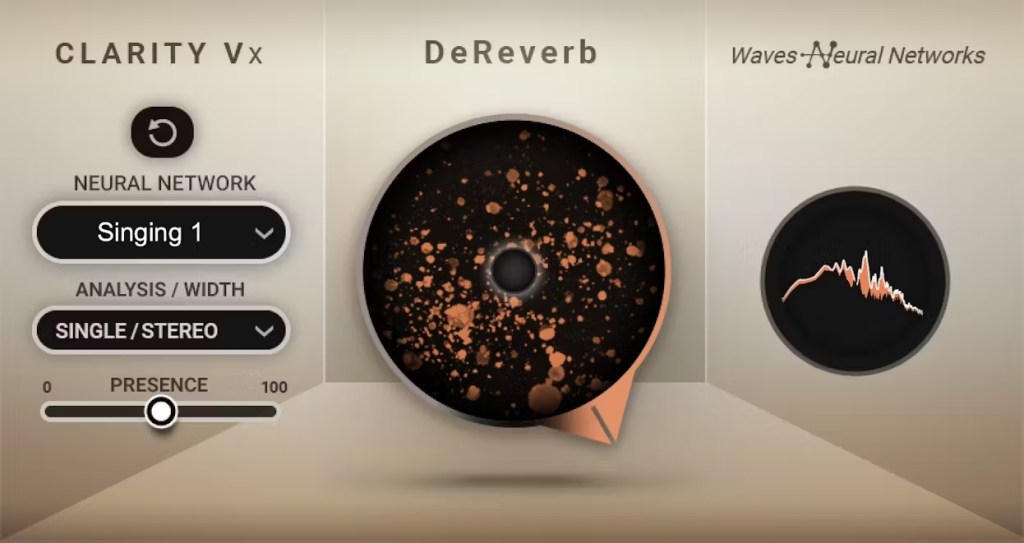
In the past, there was no way to fix recorded ambience. However, nowadays, there are many plugins that remove reverb and ambience from companies like Waves, UAD, and Izotope, so it’s not as big of a problem anymore..


7) Ambience

You can consider most other issues beyond these as unresolvable. If noise is caused by electrical issues and is consistently present, you can address it by dealing with the noise floor. However, if it appears intermittently, it’s impossible to fix.

Similarly, if a problem occurs consistently, there’s a good chance it can be fixed. But things like construction noise from nearby or the ticking of a clock are difficult to remove.


In this post, we discussed various problems with recorded audio and how to solve them.

The next chapter was originally going to be about groove and sidechaining. However, This is one of the key topics in my book, so I’ve decided not to cover it on the blog.. I don’t want to give away all the content for free and be unfair to those who purchase the book. I hope you understand.

From the next post onwards, I’ll be talking about outboard gear.

See you in next post! 🙂