Heritage Audio Successor Hardware & Plugin Review

Hello, there! I’m Jooyoung Kim, a mixing engineer and music producer.

About half a year ago, I bought a Heritage Audio Successor that had some intermittent noise issues. I kept telling myself I’d write a review after getting it fixed… and, well, here I am finally getting around to it now, haha.

I didn’t originally have any burning desire to get this unit, like, “I have to own this thing!” It was just a good deal, even factoring in the repair costs, so my hand moved faster than my brain, lol.
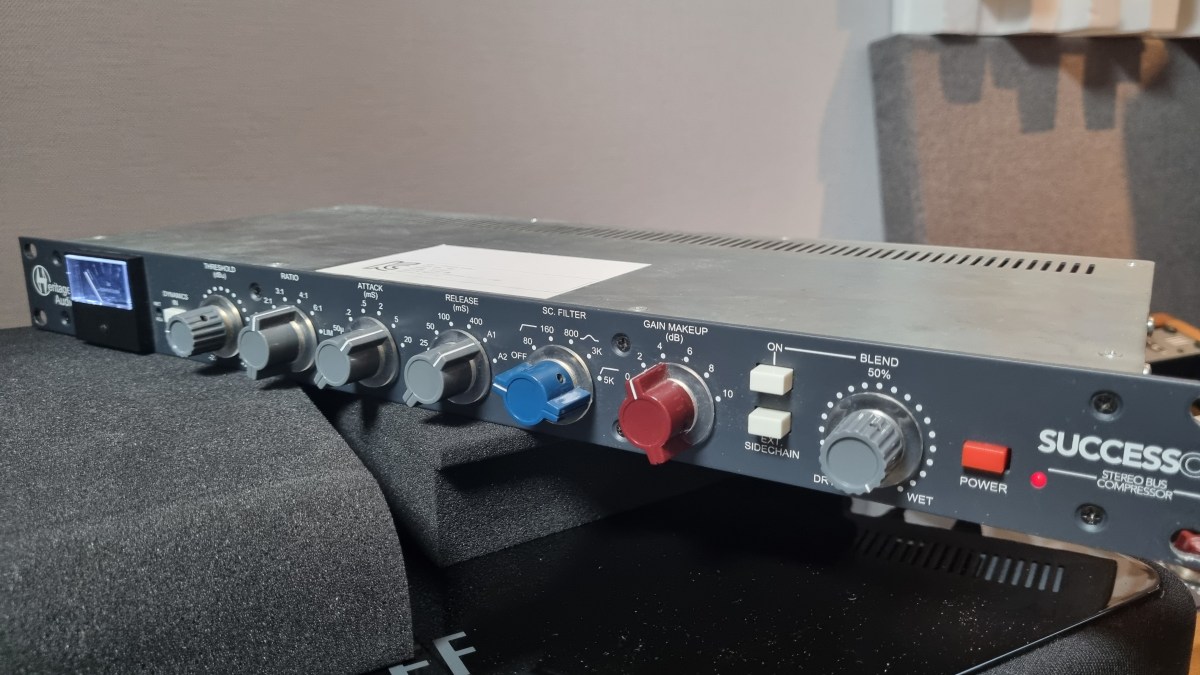
I was initially eyeing the Behringer 369, but since this is also a diode bridge compressor, I figured why not. Plus, it’s a mastering compressor pushed by Heritage Audio, so I thought the channel balance would be decent enough, and it wouldn’t be a total gamble. So, I went for it.

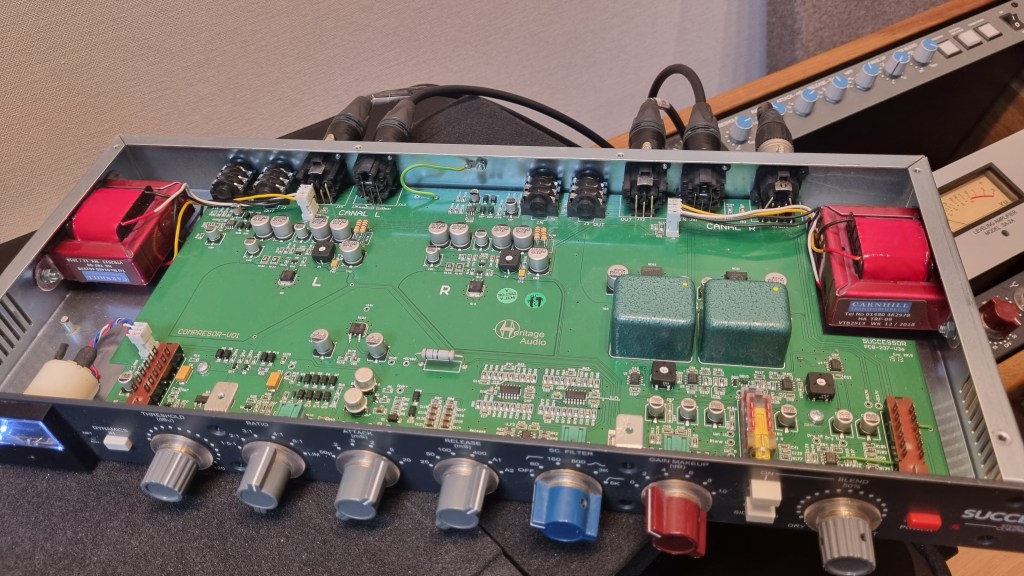
As expected, there was noise coming from the left channel, so I just dove in and opened it up without much thought. Usually, noise or low output points to a capacitor issue—something simple, right? Or so I thought…!
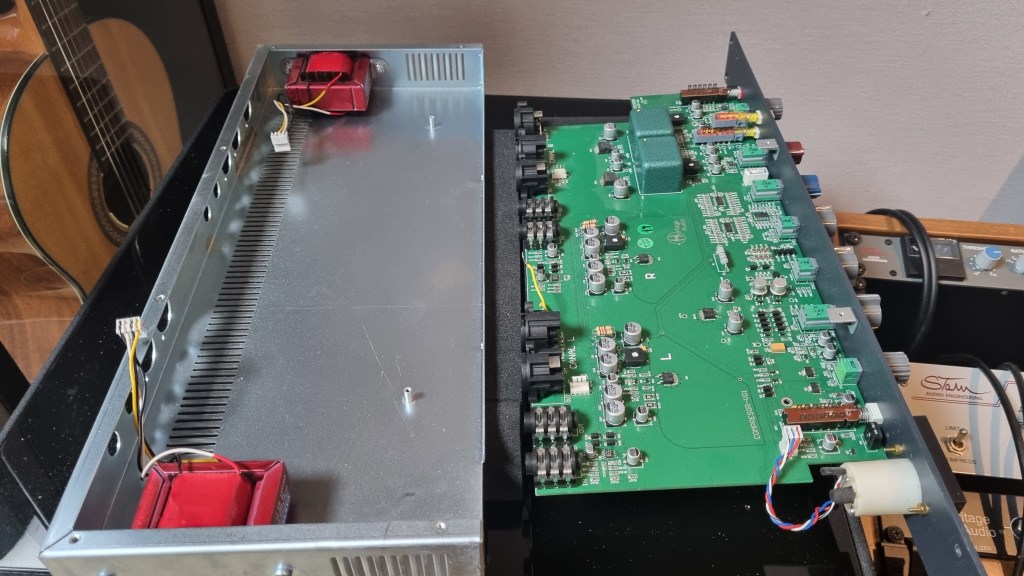
No matter how much I looked, it didn’t seem like a soldering issue or a blown capacitor. So, I detached the circuit board and swapped the left and right transformers, but the left channel was still the problem.
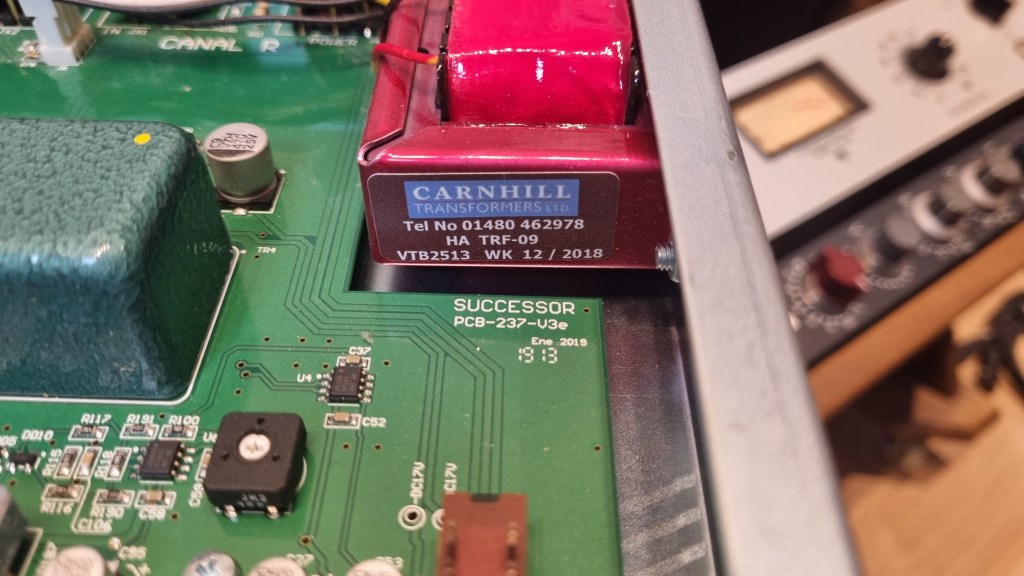
Testing every tiny component by buying replacements was, frankly, not humanly reasonable. So, I handed it over to the folks at MS Tech for repairs, explaining the tests I’d done and admitting I couldn’t pinpoint the issue.

A few months later, I went to pick it up. When I asked the technician, he said he wasn’t entirely sure, but it seemed like the variable resistor in the left channel was the culprit. On the outside, the components looked fine, but something inside was faulty, haha.

Yeah, I probably underestimated the repair when I bought it. But, thankfully, it’s all fixed now, so no harm done.

And here’s something cool:

Even though I bought it secondhand, I reached out to Heritage Audio’s Support Center to ask if they could provide the plugin, and they happily gave it to me! The plugin is actually pretty solid, and I find myself using it quite a bit.

Hardware Measurements
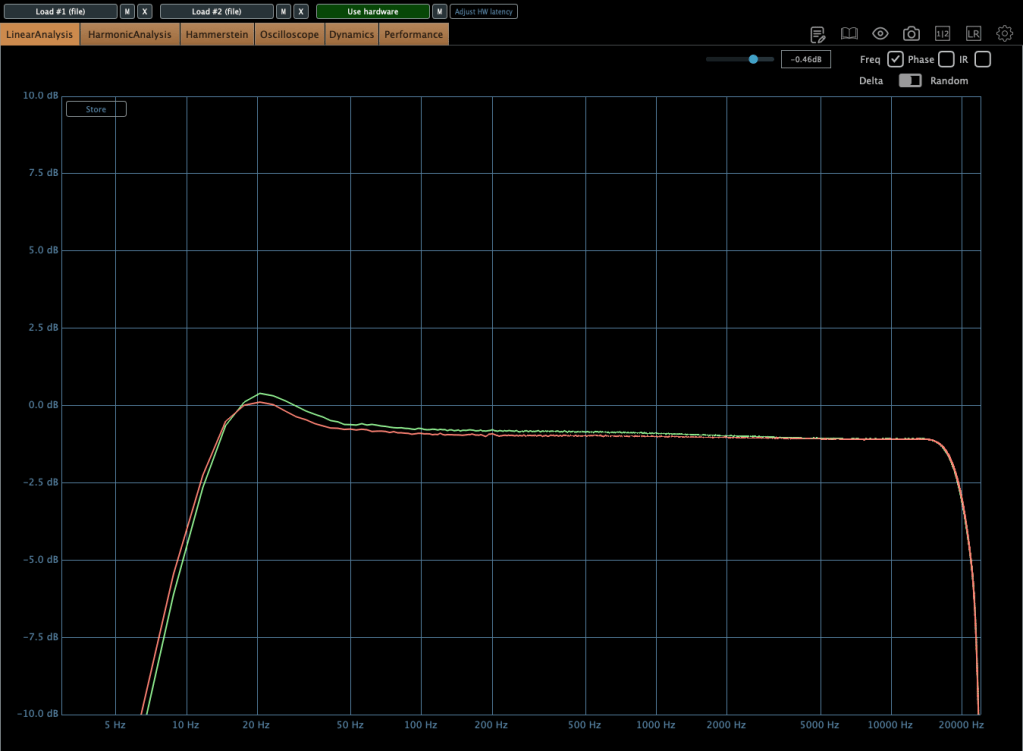
The channel balance is pretty tight, though, being analog, it’s not completely perfect. You might wonder if the repair changed anything, but even before the noise issue, the balance was about the same.

The extreme high frequencies are slightly boosted, and, like many hardware units, it looks like there’s a high cut around 20kHz. The low frequencies are boosted as well.
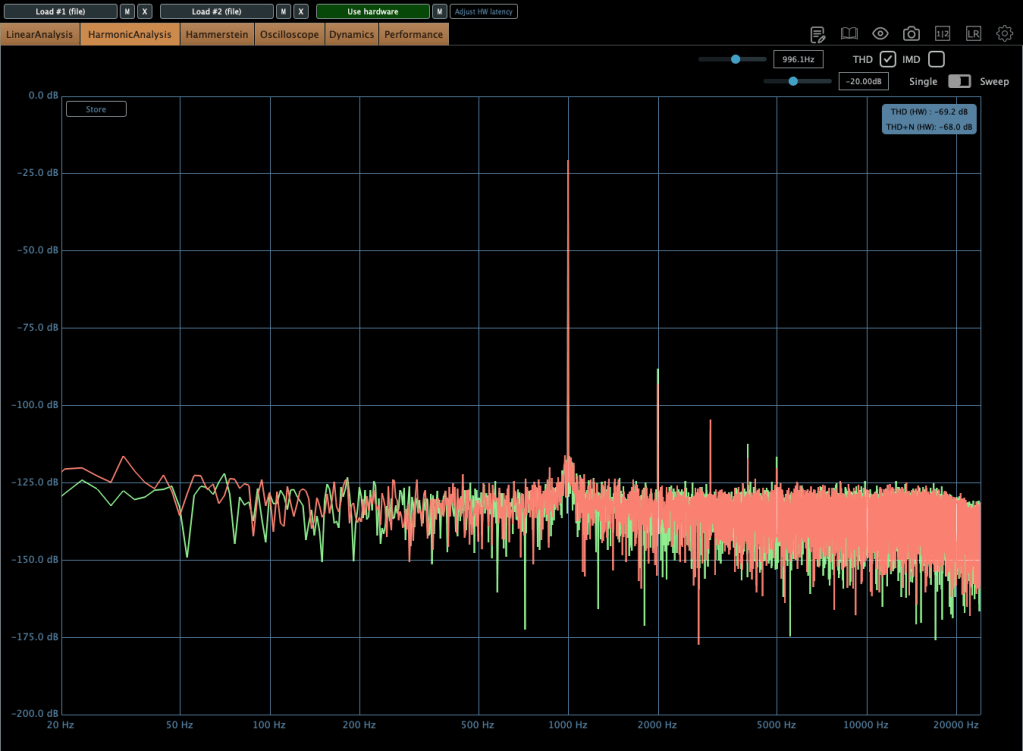
The THD looks clean, but it definitely has some character.
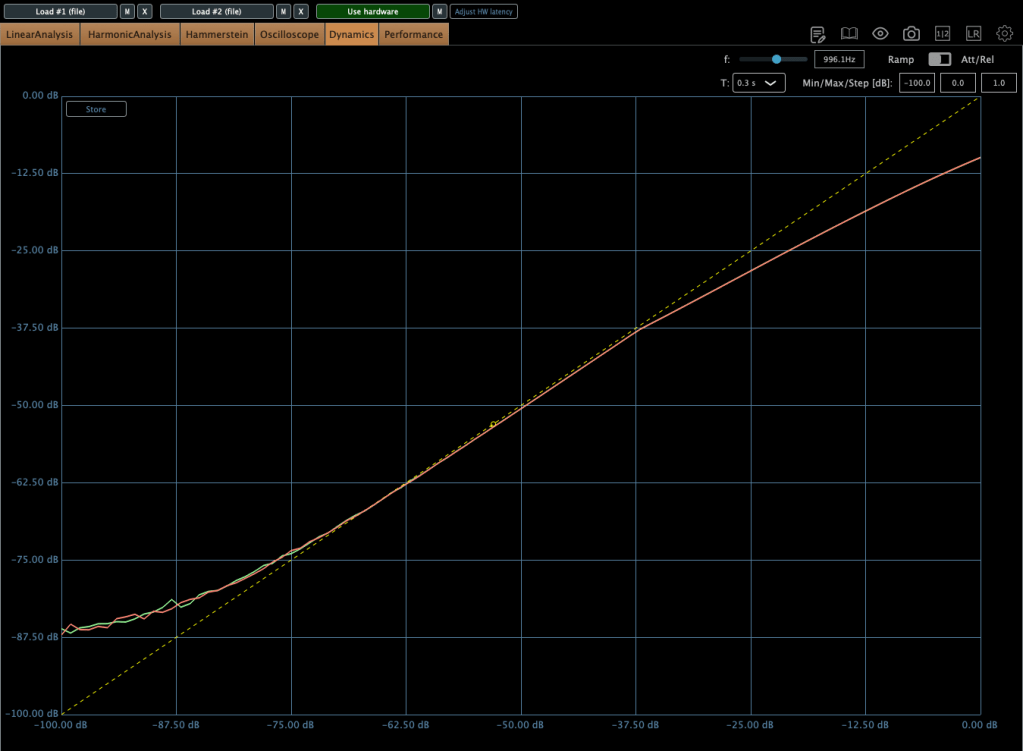
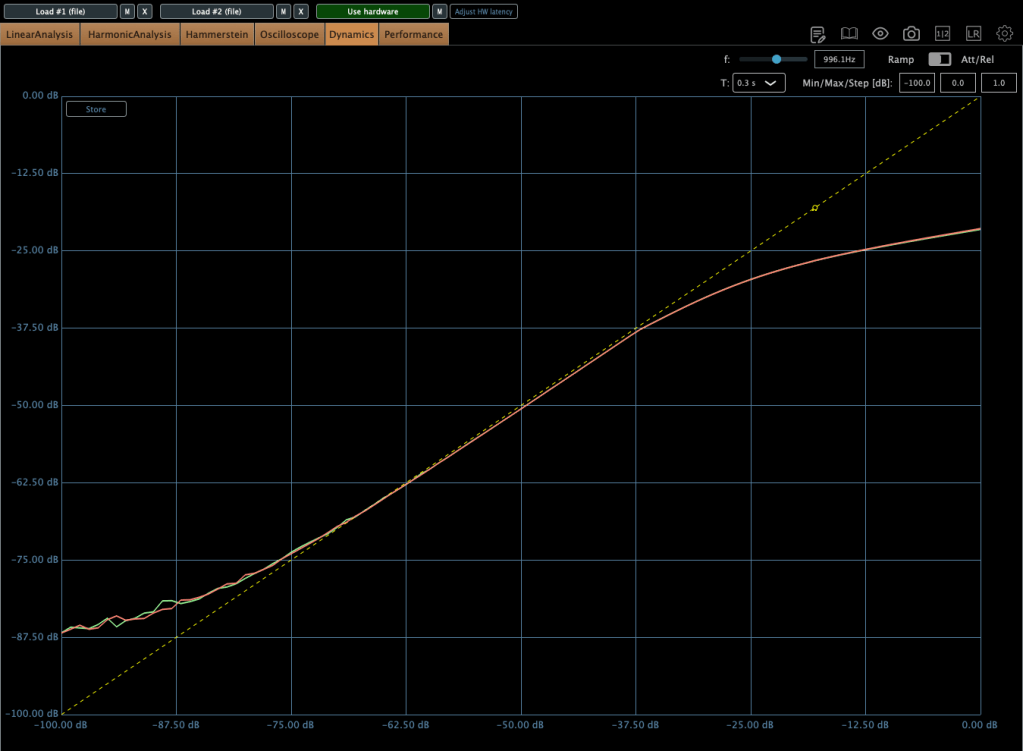
The compression curve shows a gentle knee.
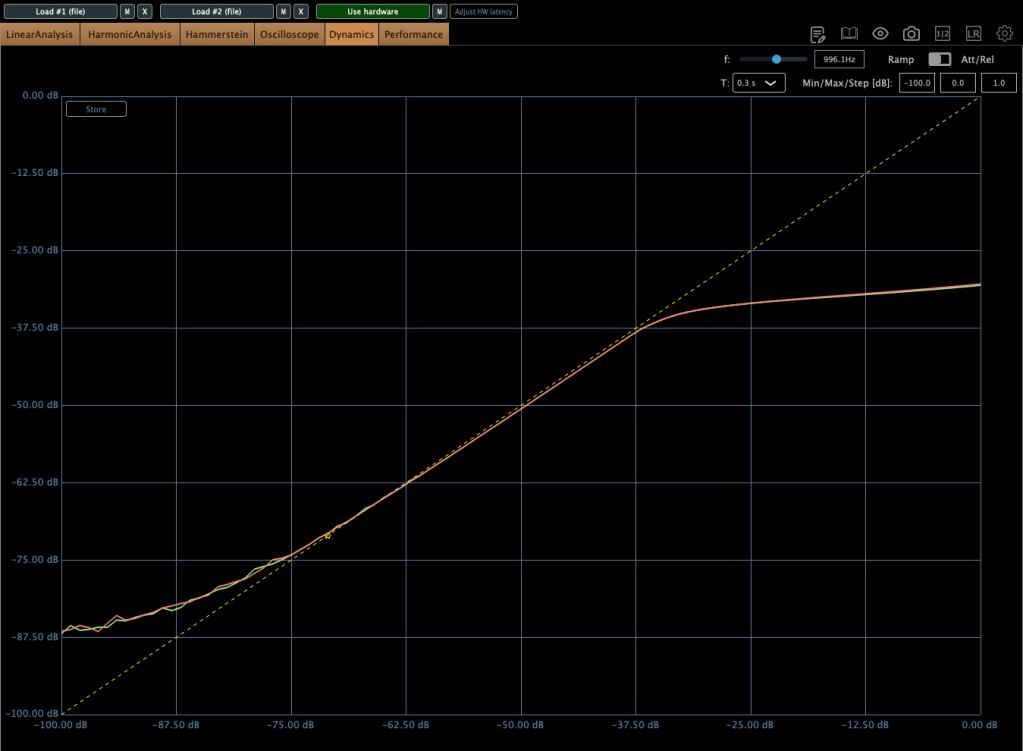
Even when limiting, it’s not a completely hard knee.

This unit has a max input of +22 dBu. Since pro audio typically works at +24 dBu, it’s a bit shy of that, but my interface operates at +20 dBu, so it’s plenty for my mixes or mix bus.

The max output is +26 dBu at 600 ohms, so as long as you manage the input carefully, it should work well for mastering too.

Plugin Measurements

The plugin has a unique feature called “Nuke.” It pushes the input by 20 dB for some intense saturation.
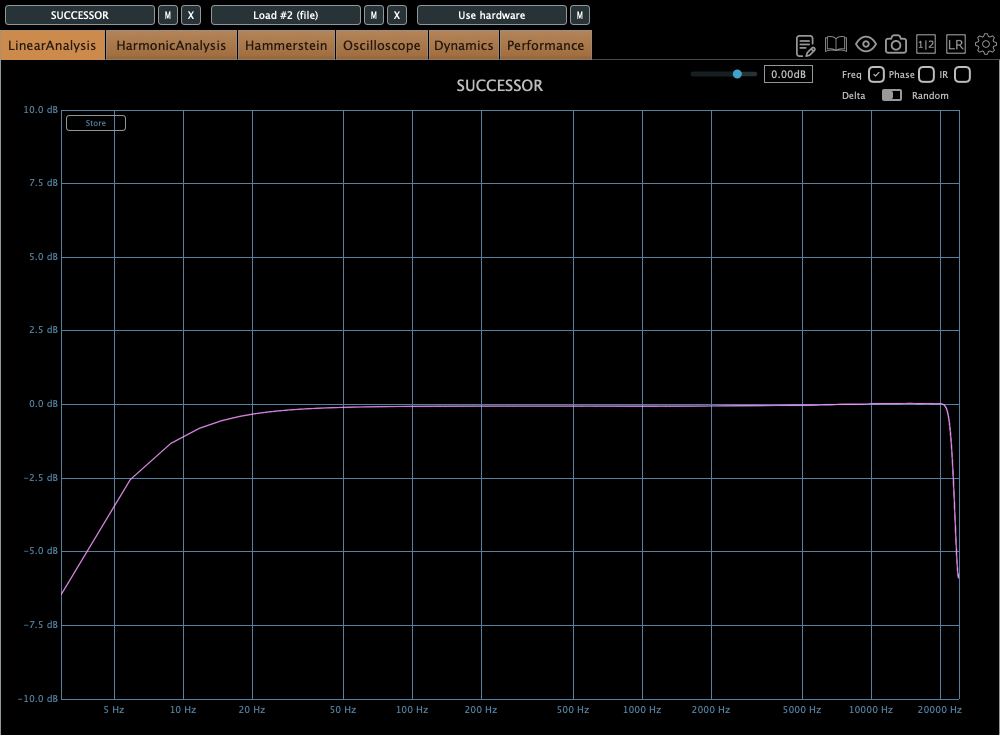
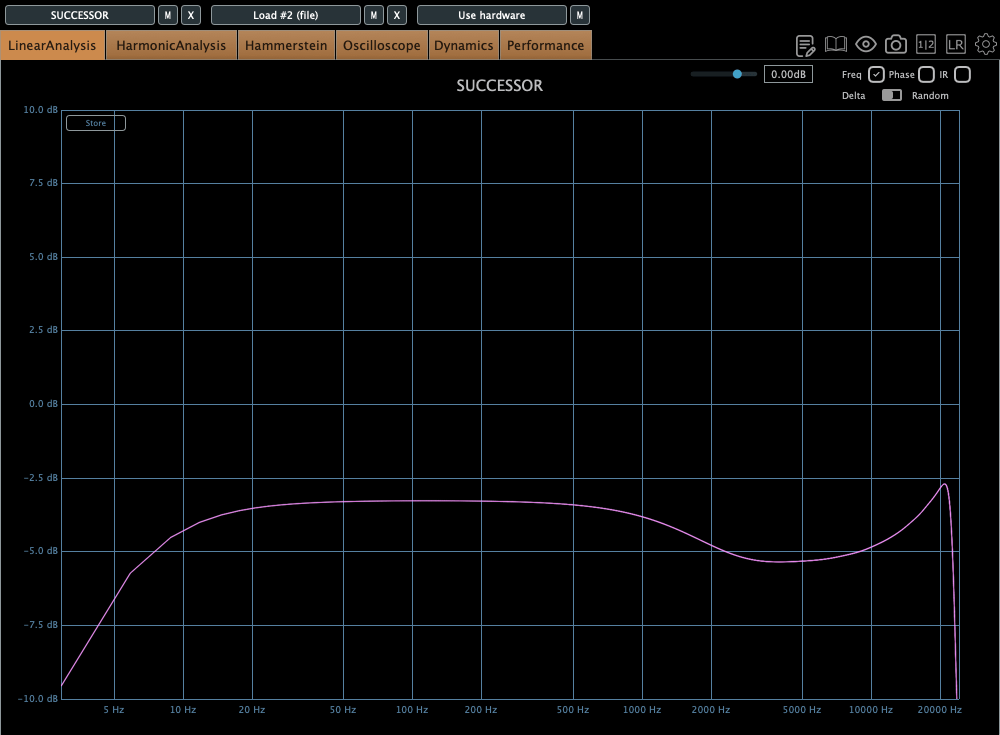
The top figure shows the default Frequency Response, and the bottom figure shows it with the Nuke function enabled.
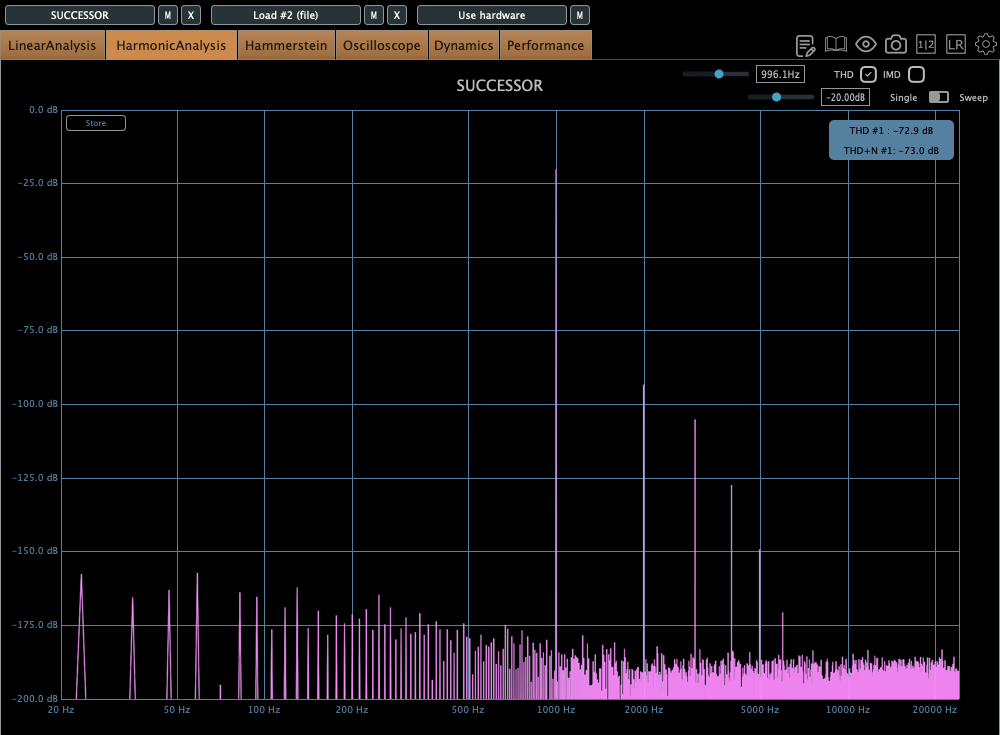
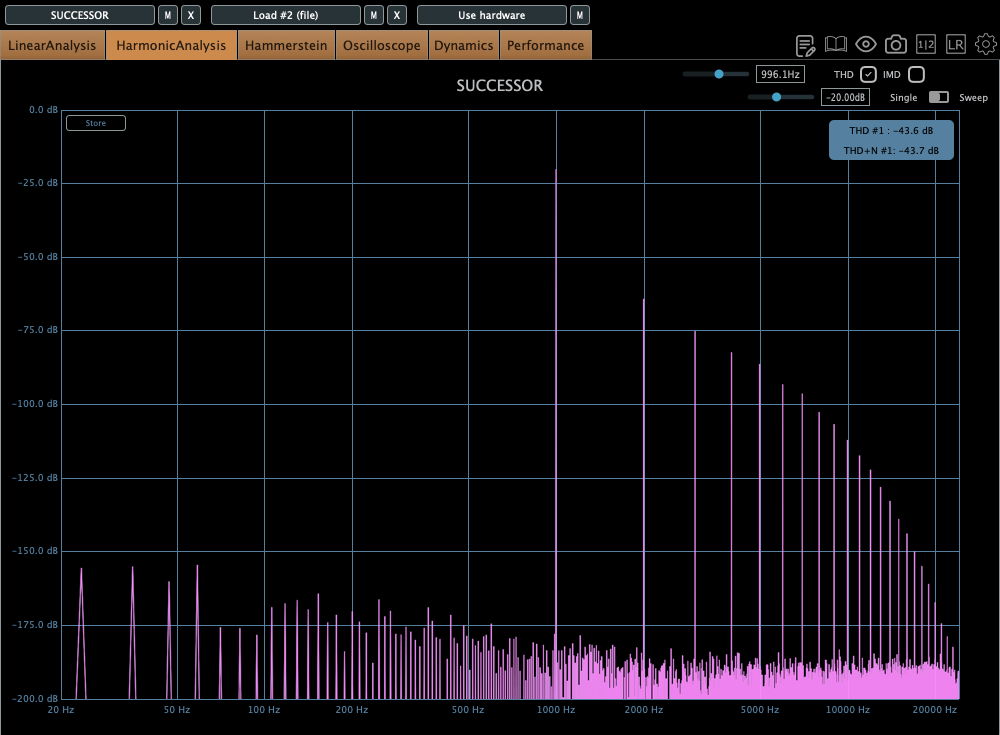
Similarly, the top figure is the default Harmonic Distortion, and the bottom figure is with Nuke activated.
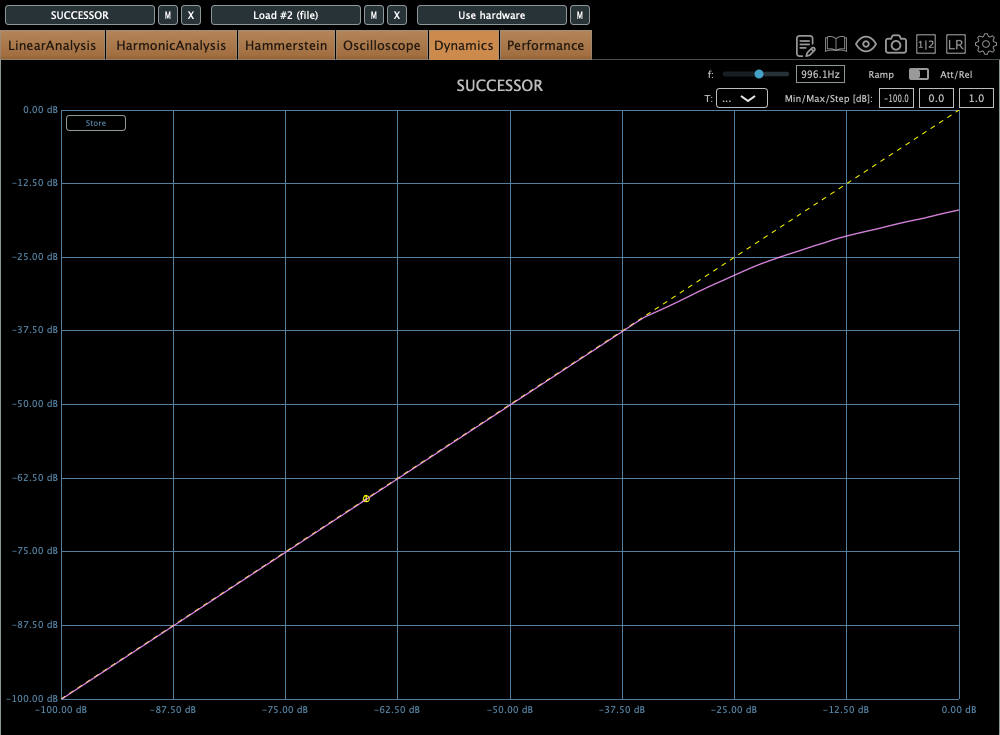
The compression curve feels less like a natural, smooth knee and more like it has a slight two-step bend somewhere.

Personal Impressions

Describing sound in words is probably the hardest thing. Everyone hears and expresses things differently, so… ugh, it’s tough.

Still, here’s what I think:

Hardware
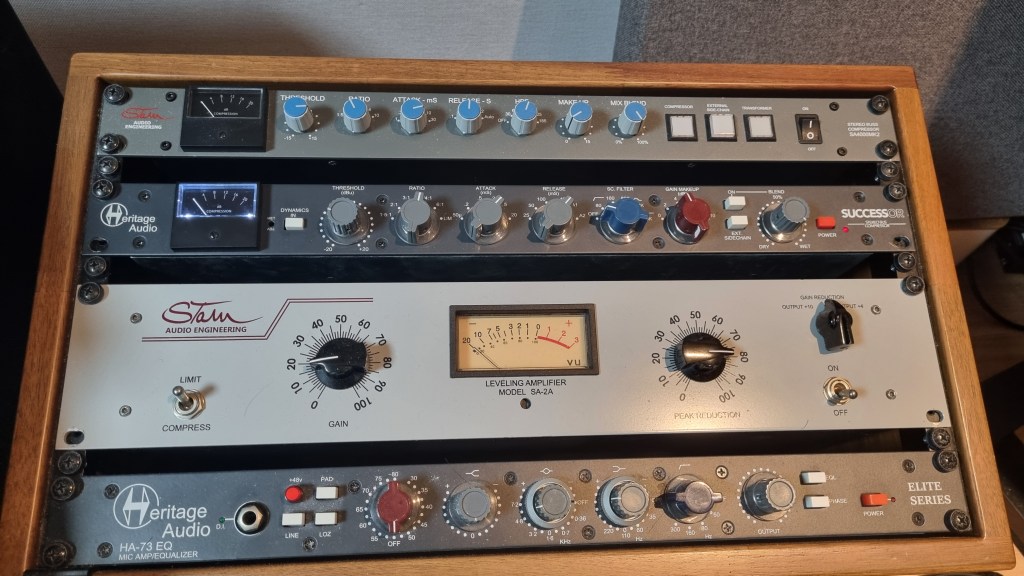
  1. Compared to the Stam 4000 mk2, the high frequencies feel more alive, which gives it a certain quality that feels worth its price.
  2. The center feels a bit prominent (maybe because of the transformers?).
  3. The knobs feel great to turn—probably because they used high-quality variable resistors—and the Threshold and Gain have a subtle stepped feel.
  4. For its full price, it feels just about right.
Plugin
  1. The Frequency Response shows better high-end response than the hardware, but that sparkly, satisfying vibe just isn’t there in the plugin.
  2. The center feels quite prominent. In other words, you might need to tweak it with a stereo imager or something.
  3. It’s got a lot of character. So, when using it on a bus, you really need to pay attention to how it affects the balance.

Looking back, it sounds like I was pretty harsh on the plugin, but it’s actually good! Diode bridge compressor plugins aren’t exactly common (think UAD Neve 33609C or Arturia Diode 609), so it’s a solid new option to consider.

The hardware? Yeah, it’s great! I wish the highs sparkled just a bit more, but it’s plenty good as is.
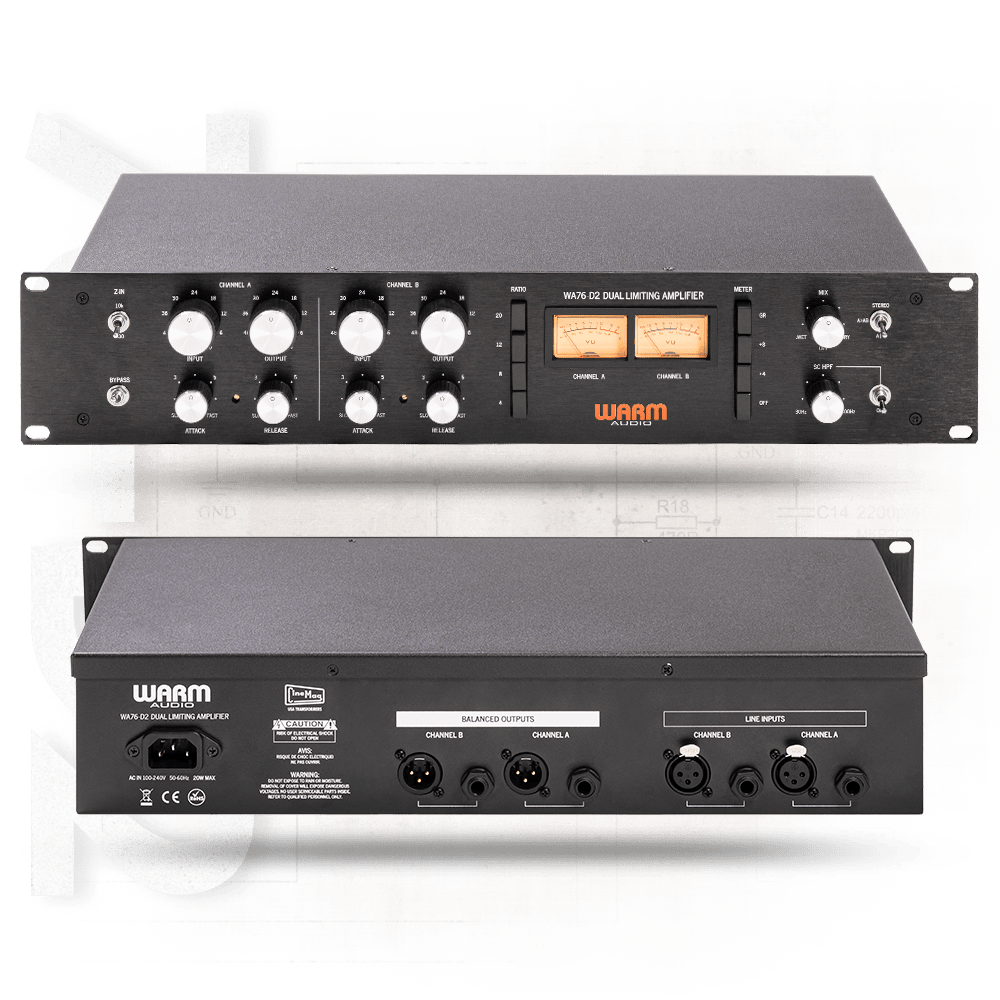
Next up, I’m eyeing the Warm Audio WA76-D2 for a FET compressor. The audio samples sound amazing, but, as always, the biggest hurdle is money… sigh. If a broken one pops up on the secondhand market, I’m jumping on it.

I sometimes wonder if my reviews lean too technical or analytical, but hey, there’s gotta be at least one person out there reviewing stuff like this, right? Haha.

That’s it for today! See you in next post 🙂
2025 Summer Virtual Instrument & Mixing/Mastering Plugin Sales Roundup (Part 1)

Hey there! I’m Jooyoung Kim, a mixing engineer and music producer.

I finally submitted a new paper yesterday after about a month and a half of work. It’s a pretty straightforward paper, but building the program took forever… ugh. It’s a tool for measuring crosstalk, THD, and stuff like that. I’ve released it on my GitHub [Link], but I’ll write a detailed post about the program later.

Also, the paper wasn’t that critical, but I’ve been so busy running around for listening experiments that I totally neglected this blog. I’ll get back to writing posts diligently until I find my next topic!

Today, I want to talk about summer plugin and virtual instrument sales. I probably should’ve done this earlier, but since these sales usually happen between June and July, I think we’re still good… right? Haha.

If you purchase through the links below via Plugin Boutique [Link], I get a small commission, which really helps me keep things going. So, let’s dive in!


1) IK Multimedia

Total VI MAX

You’ve probably heard of this one! I previously introduced Total Studio 4 Max , but Total VI MAX is the version that includes only virtual instruments.

Right now, it seems they’re focusing on virtual instrument sales. I’m guessing come July, they’ll shift to mixing/mastering effect plugins. Personally, I think IK Multimedia offers the best bang for your buck, so for beginners, I’d say just grab Total Studio when it’s on sale without overthinking it.


2) Universal Audio

UAD Summer Mixtape Bundle

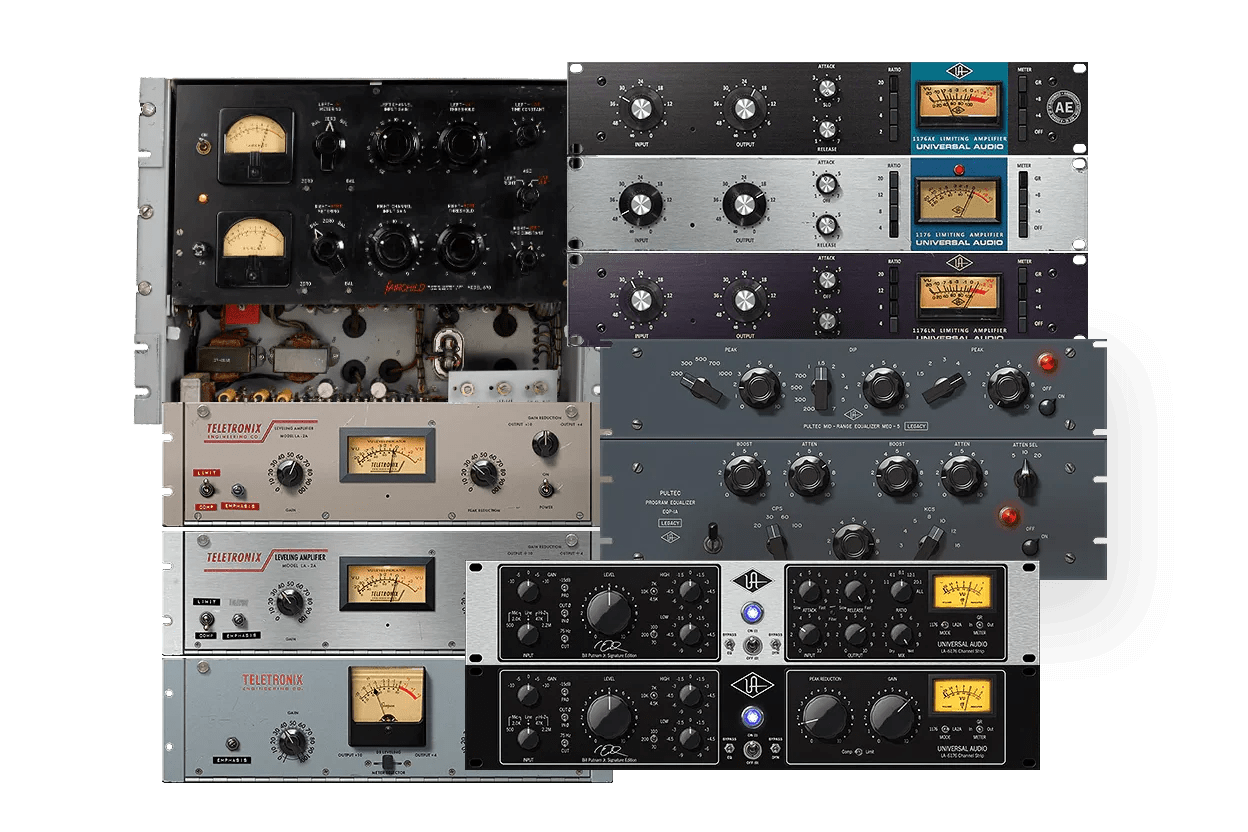
Since the UADx (Native) versions came out, Universal Audio plugins have become super affordable. The Summer Mixtape Bundle, at about $100 for 10 plugins, is a fantastic deal for first-time buyers.

My recommended plugins:

  • Teletronix LA-2A Tube Compressor
  • UA 1176 Classic FET Compressor
  • Fairchild Tube Limiter Collection
  • Teletronix LA-3A Audio Leveler
  • Pultec Passive EQ Collection
  • Lexicon 224 Digital Reverb

These six are solid picks, and you can choose the rest based on your taste.

That said, after years of working with audio and music, I’ve noticed UAD plugins tend to have pretty aggressive saturation. They’re not like, “Wow, UAD is the best!!” for me, haha. Still, they add a punchy vibe to flat recordings or budget mics, so they’re great when used in the right context.

UAD Analog Classics Pro Bundle

If you want even better value, the UAD Analog Classics Pro Bundle is the way to go. The LA-2A and 1176 series get used in projects all the time, so they’re super reliable.


3) Waves

Horizon

Waves isn’t quite the value king anymore with IK Multimedia’s crazy sales, but if you want something lightweight and industry-standard, Waves is still the go-to. You’ll likely find the best deal at EveryPlugin .

Waves’ update plan gets a lot of flak (I’m not a fan either). Switching from Intel to Mac Silicon cost me like $200, which was annoying, haha. That said, newer Mac OS updates don’t seem to cause major issues with older Waves plugin versions.

Horizon is the best value, and if you feel it’s not enough, grabbing the SSL 4000 Collection or API Collection should cover you. Waves’ SSL compressor is really well-made.


4) Eventide Audio

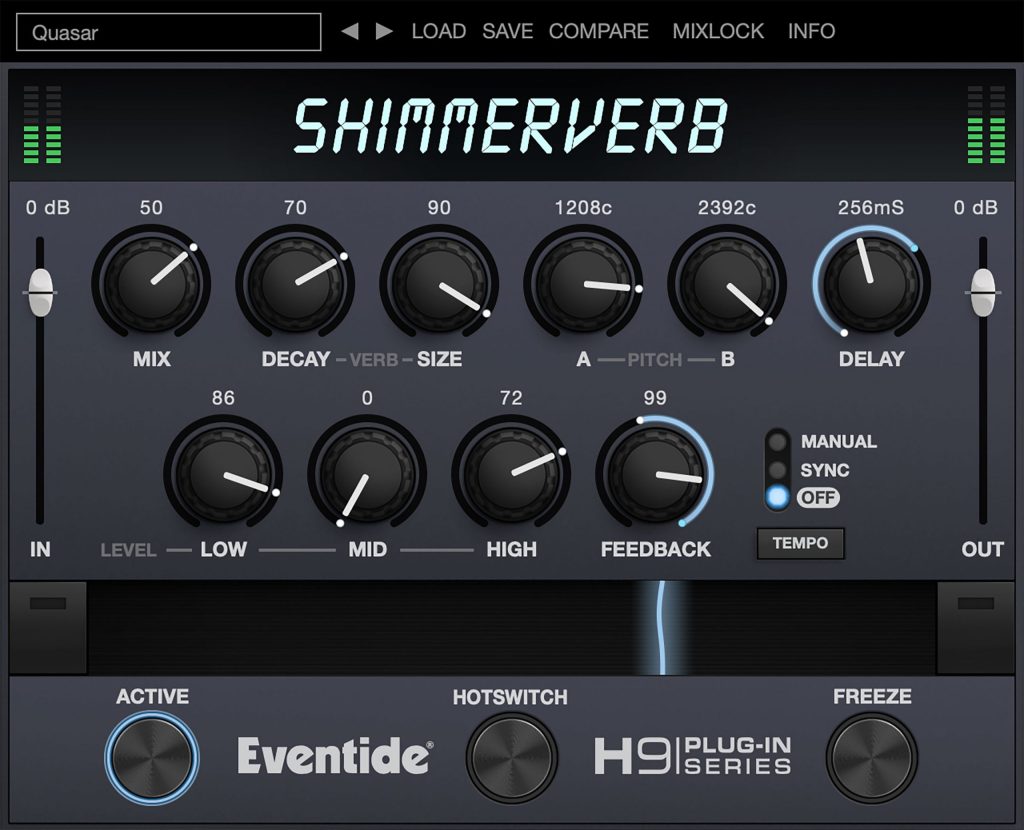
ShimmerVerb

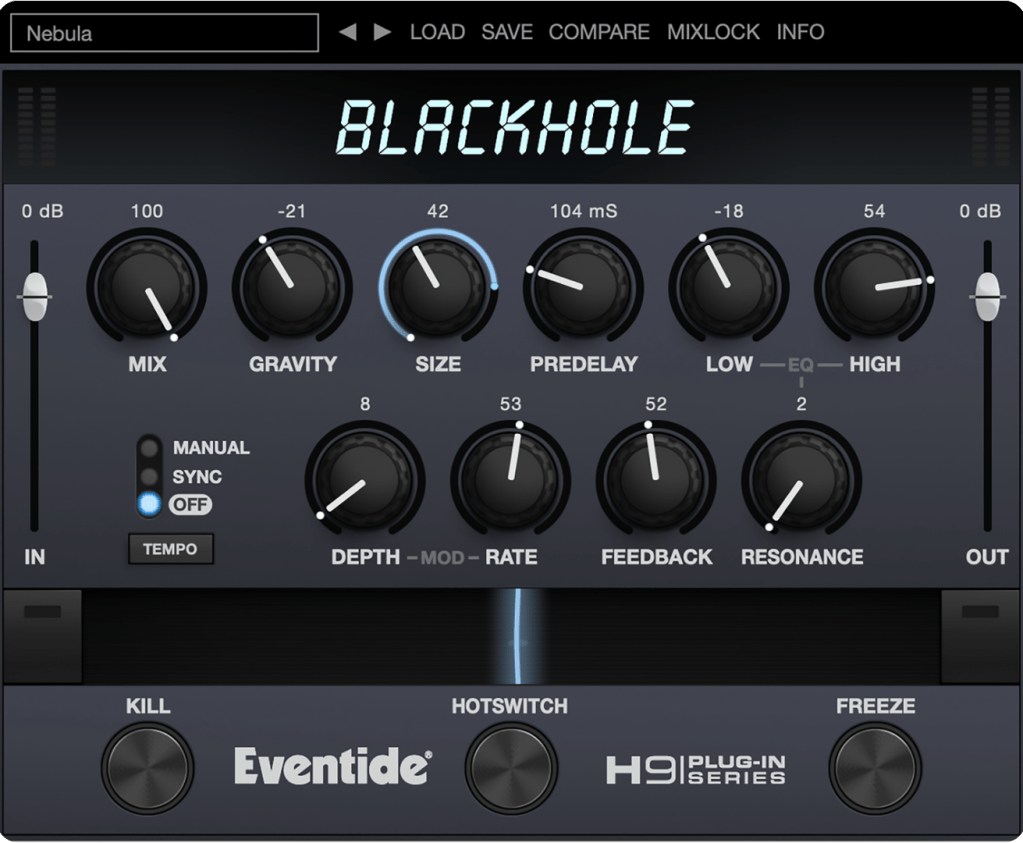
Blackhole

If you’re into ambient music, Eventide Audio’s ShimmerVerb and Blackhole are pretty much must-haves. They’re great for creating expansive vibes and are consistent bestsellers, so grabbing them during a sale like this is a smart move.


5) Mastering The Mix

EQ Excellence Bundle

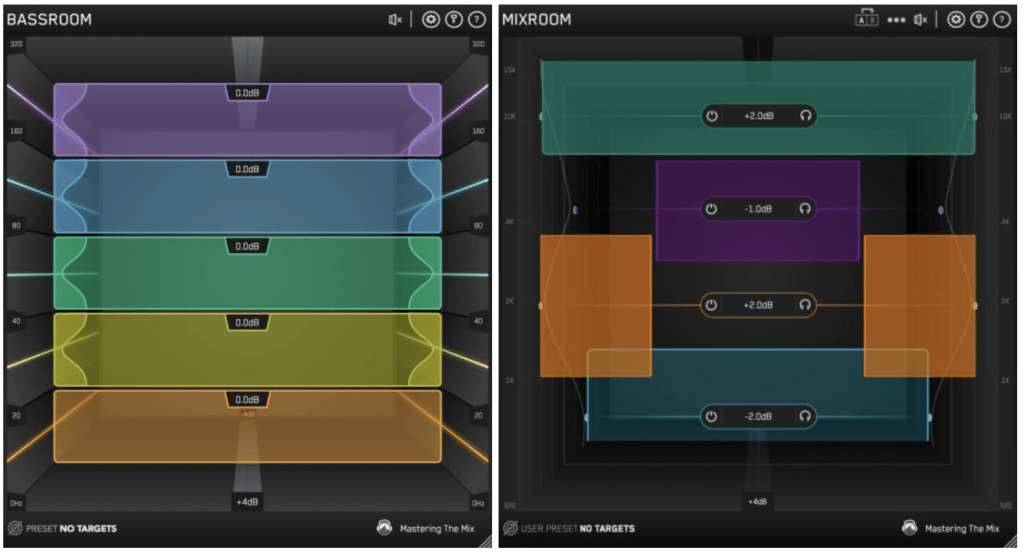
Mastering The Mix makes some really solid plugins, and I especially recommend their EQ series. Plugins like Bassroom and Mixroom visually show how frequencies pop out or sit back based on loudness, which makes tweaking super intuitive.


6) Native Instruments

Oops, this one’s got just one day left! I should’ve posted this sooner… sorry! Personally, I think getting the Standard version of Komplete is enough. Ultimate or Collector’s Editions feel a bit overkill, haha. You’ll barely use half the stuff in Standard as it is.


7) Synchro Arts

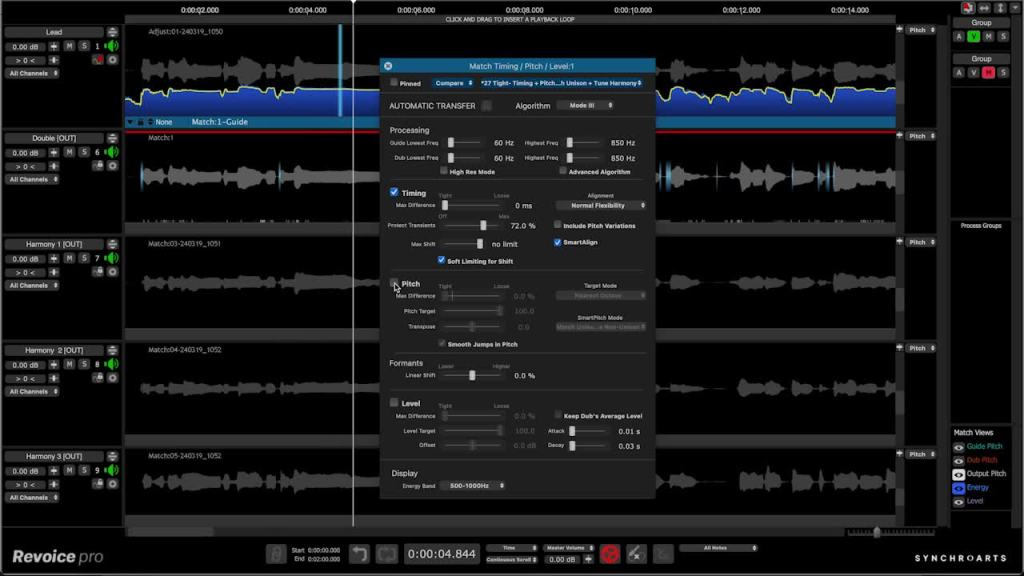
Revoice Pro 5

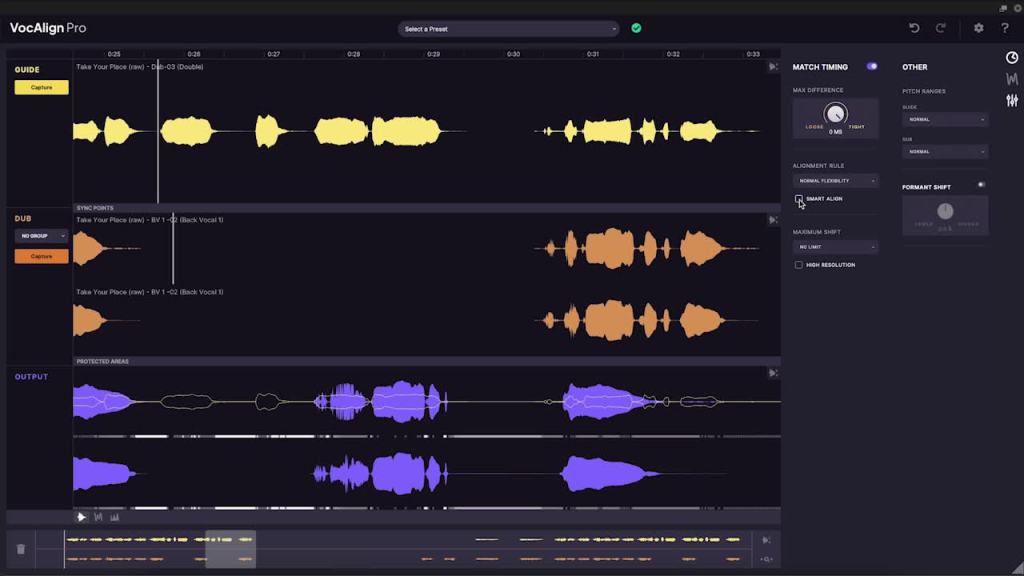
VocAlign 6 Pro

Synchro Arts’ VocAlign Pro and Revoice Pro are pretty awesome. I reviewed them last Black Friday,

and they’re still on a 50% sale. If you don’t have a tuning program, I’d recommend Revoice Pro over Antares Auto-Tune or Celemony Melodyne.


8) BFD

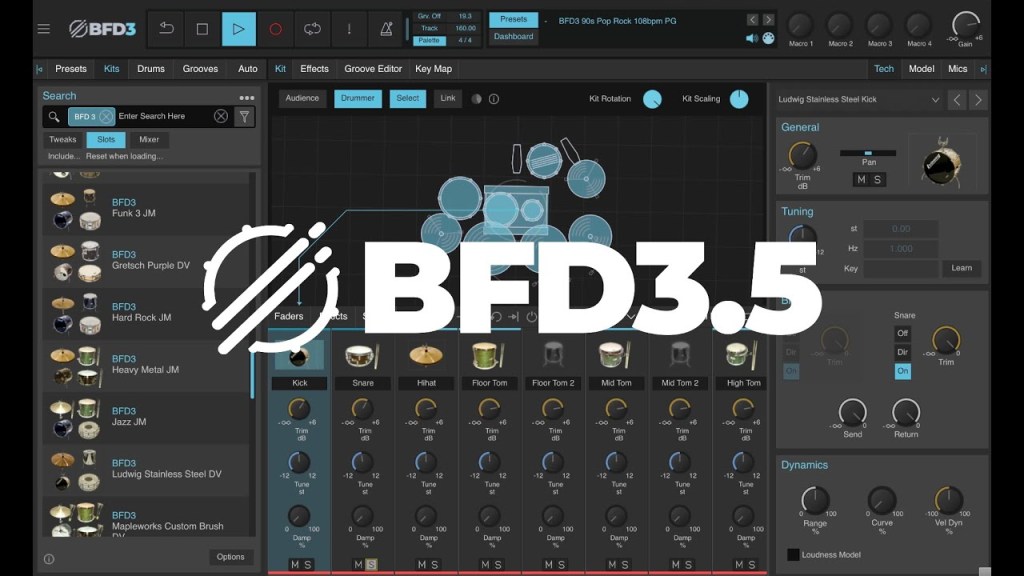
BFD 3.5

BFD London Sessions

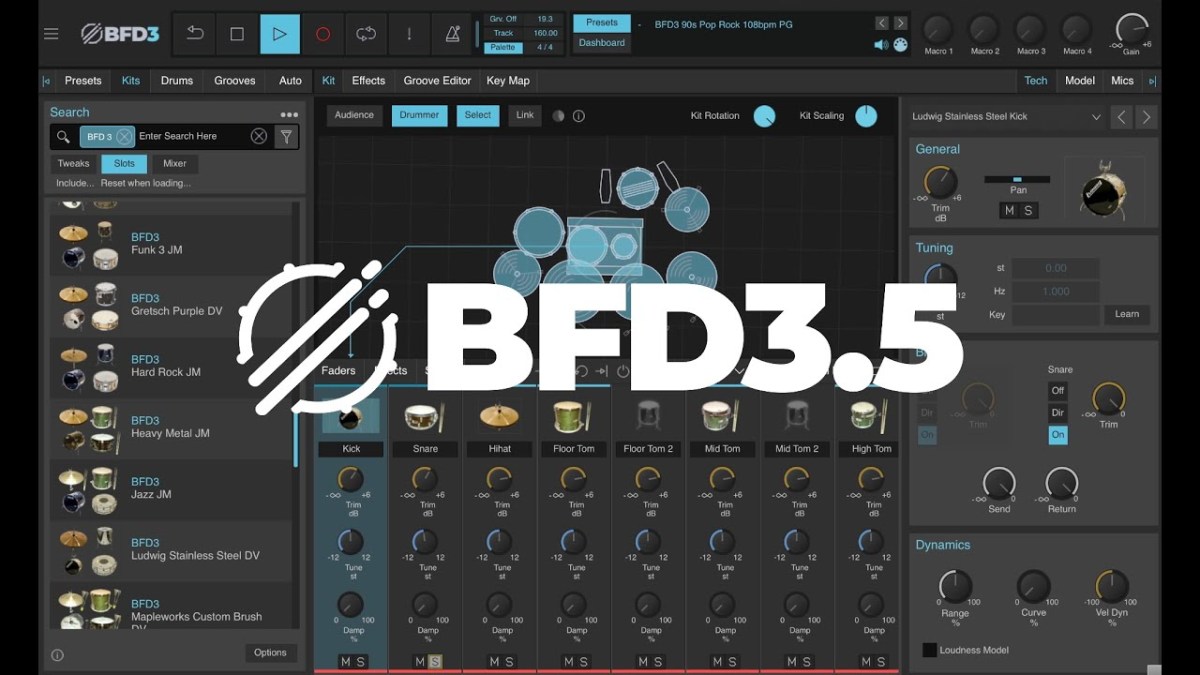
BFD’s expansion packs are on a crazy 70% sale right now—never seen a discount like this! Grab BFD 3.5 and the London Sessions kit, and you’re set for most genres. If you need more, snare add-ons or jazz kits are great options.


There’s probably more coming in July, but these are the standout sales right now. Some of these end today, so if you’re thinking about buying, act fast!

I’ve got a ton of topics in mind, so I’m not sure what the next post will be, but I’ll see you there!

Pulsar Audio Vocal Studio Launch

Hey there! I’m Jooyoung Kim, a mixing engineer, and music producer.

It’s been a whirlwind week with listening experiments, live performance recordings, and mixing, so I haven’t had much time to focus on the blog… haha. I worked on a pretty unconventional setup for a recent gig—more on that in the next post!

Today, I’m excited to introduce Pulsar Audio’s Vocal Studio, a new plugin designed specifically for vocals, brought to you thanks to Plugin Boutique.

If you purchase through the link on my blog, I’ll earn a small commission, which really helps me keep things going… thank you! 😊

Ready to check it out? Let’s dive in!

What’s Pulsar Vocal Studio?

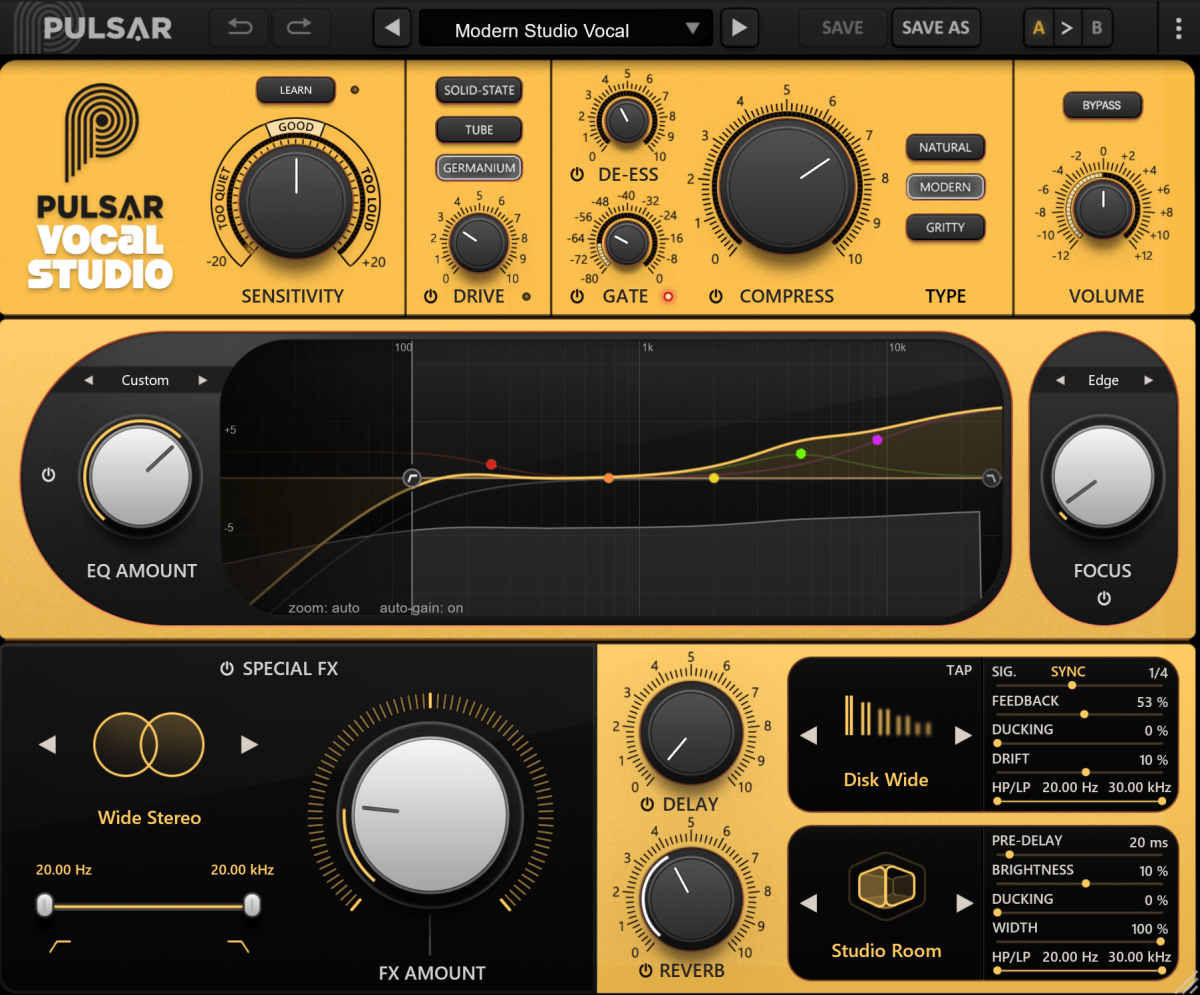
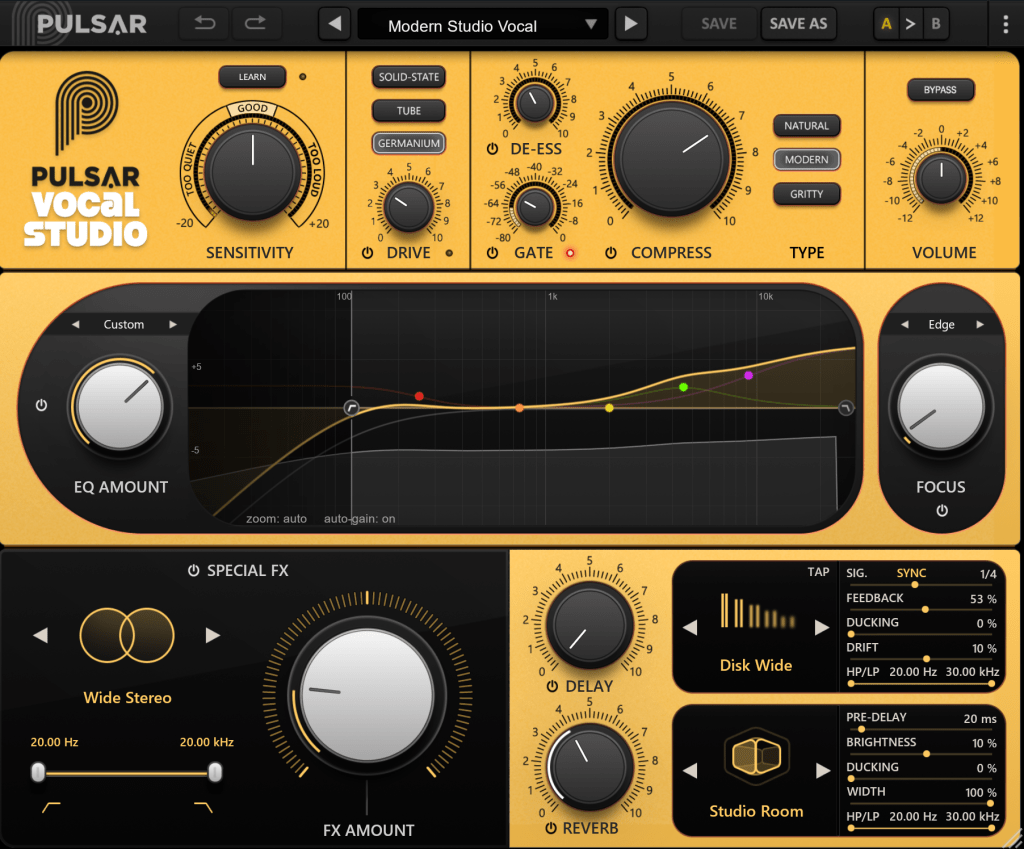
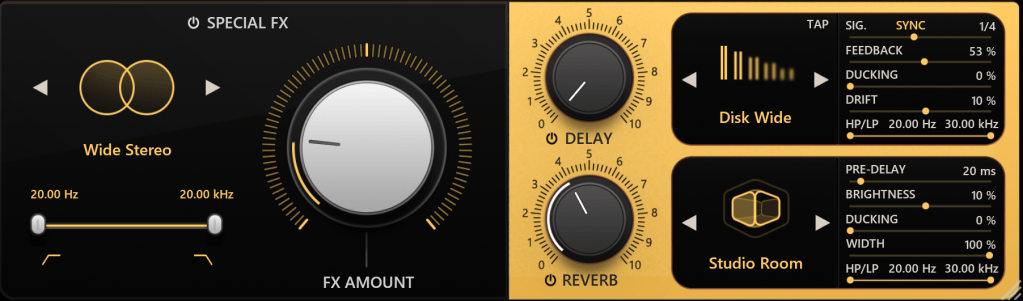
Think of this as an all-in-one vocal effect and channel strip. It’s packed with everything you need: compression, EQ, gain, saturator, gate, de-esser, delay, reverb—you name it, it’s here.

Top Section

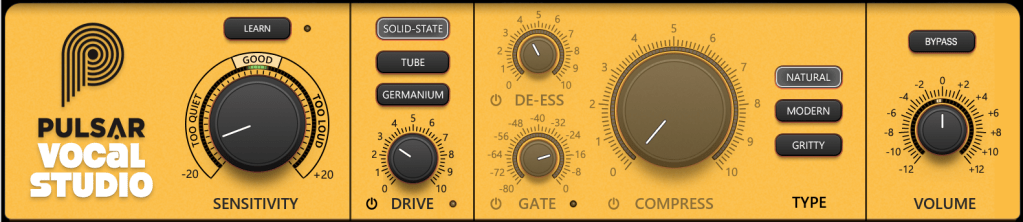
Let’s break down the controls in the Top Section of the Pulsar Vocal Studio interface:

  1. Sensitivity: Automatically adjusts volume to maintain consistent levels, working independently of the compressor.
  2. Drive: A saturator offering three distinct flavors—Solid State (inspired by Neve-style circuits), Tube (emulating a pentode preamp), and Germanium (mimicking a germanium transistor preamp).
  3. De-ess: Reduces sibilance by attenuating frequencies around 4kHz and above.
  4. Gate: Exactly what it sounds like—a gate! 😄
  5. Compress: Offers three compression modes—Natural (FET-based, smooth and transparent), Modern (faster attack/release with added saturation), and Gritty (the fastest and most aggressive for a bold effect).
  6. Volume: Adjusts the final output level of the plugin.

Mid-Section

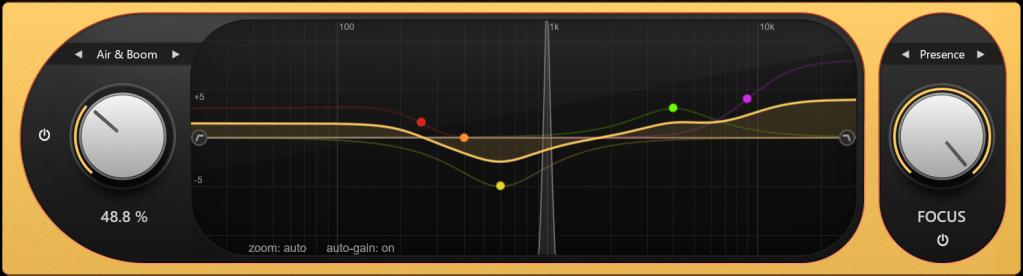
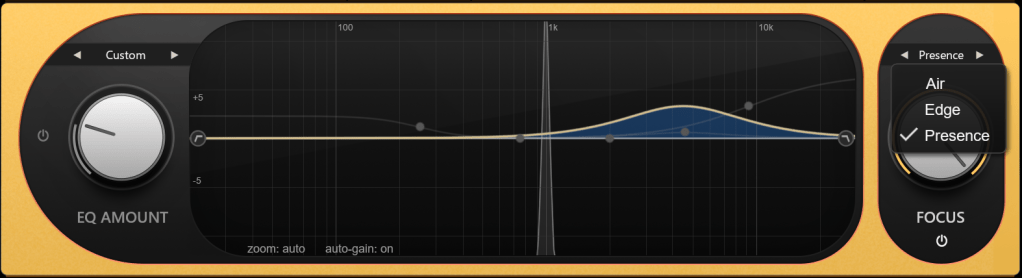
On the left, you’ve got controls for how much EQ to apply. On the right, the Focus section offers three dynamic EQ presets: Air, Edge, and Presence.

Bottom Section

Down below, the Special FX section lets you add creative effects.

  • Delay: Includes standard delay, ping-pong, slap delay, and more.
  • Reverb: Offers a wide range of types—hall, plate, spring, room, chamber, ambience, you name it.

All delay and reverb parameters are fully tweakable, of course.

Impressions

This plugin is a bit heavy on CPU due to its many effects, but if you think of it as a one-stop shop for an entire vocal track, it’s well worth it. Personally, I think the reverbs are so clean and polished that I’d love to see them sold separately at a lower price. They’re some of the best digital reverbs I’ve come across!

Bonus Deal!

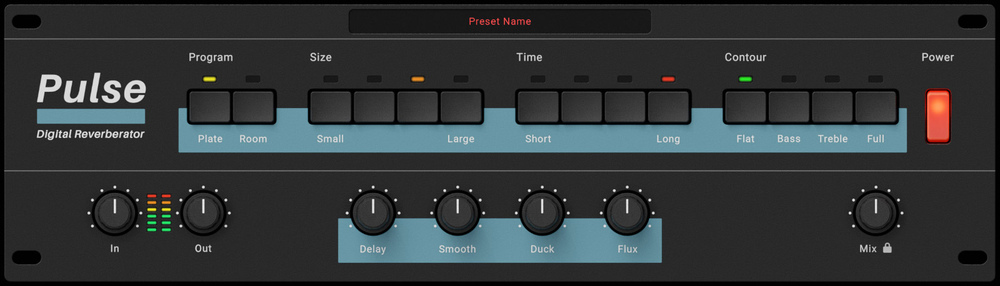
This month, if you buy any plugin from Plugin Boutique, you’ll get Wave Alchemy’s Pulse—a faithful recreation of the Lexicon PCM-60 reverb—for free. Don’t miss out!

If you’re in the market for a vocal channel strip, Pulsar Vocal Studio is definitely worth checking out.

Catch you in the next post! 😊

Softube Weiss Exciter Launch Sale (~50% Off)

Hey there! I’m Jooyoung Kim, a mixing engineer and music producer.

I’m thrilled to share that a new plugin, the Weiss Exciter, has just dropped in the Softube Weiss series, which I absolutely love!

Thanks to Plugin Boutique, I’ve got a 365-day demo to try it out and give you the lowdown.

If you purchase the plugin through the link on my blog, I’ll earn a small commission, which honestly helps me keep the lights on and means the world!

Ready to dive in? Let’s go!


What’s an Exciter?

An exciter is a plugin that adds harmonics and tweaks dynamics by frequency band to make sounds more vibrant and exciting. The most famous ones? Aphex’s legendary exciters, of course!

Weiss is known for its super-clean digital hardware and plugins, and the Weiss Exciter lives up to that reputation, delivering a remarkably polished effect compared to others in its class.

Key Parameters

The controls are straightforward:

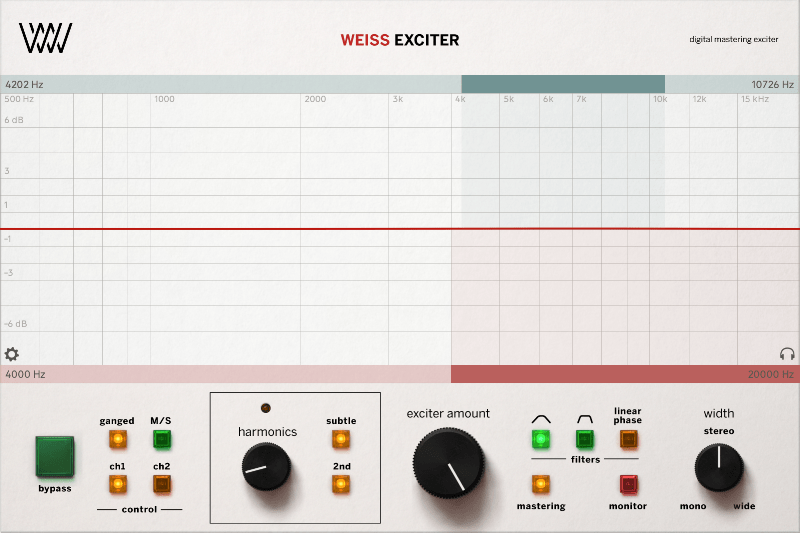
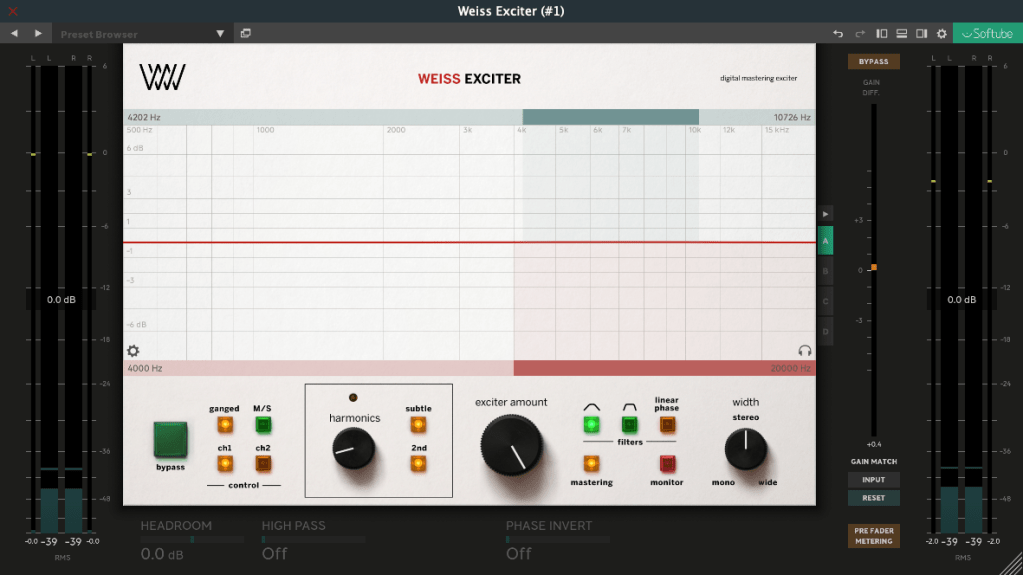
  1. Top Blue Section: Set the High-Pass and Low-Pass frequencies for the input filter to choose the frequency range where harmonics will be applied.
  2. Bottom Red Section: Output filter to shape the frequency range of the generated harmonics.
  3. Harmonics: Choose between Subtle (finely tuned odd harmonics) or 2nd (includes even harmonics).
  4. Exciter Amount: Dial in how much of the effect you want.
  5. Width: Adjust the stereo width of the effect.
  6. Mastering: A button to keep the frequency response as flat as possible.

There are additional parameters in the left, right, and bottom menus for deeper tweaking, but these six are more than enough to get you rocking this plugin!

How It Sounds

This exciter is great for final mix or mastering stages. Worried about phase issues? Hit the Linear Phase button to keep things aligned and smooth.

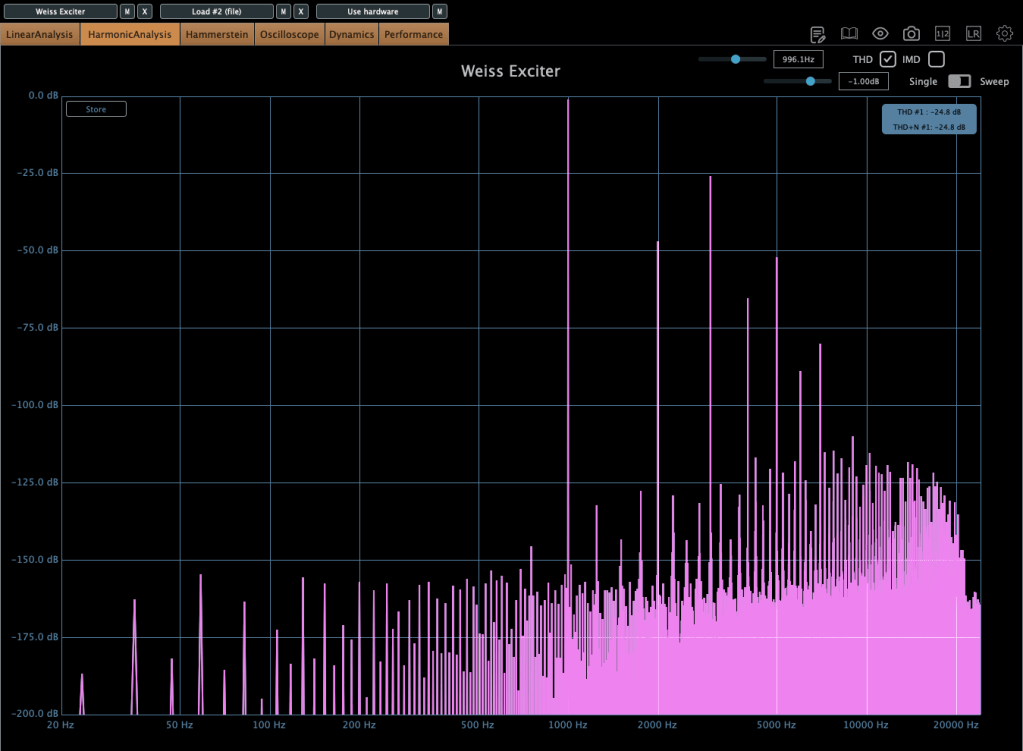
The saturation is punchy, and at higher levels, it subtly compresses like a soft limiter. The sound? Harmonics pop up clean and crisp—super satisfying.

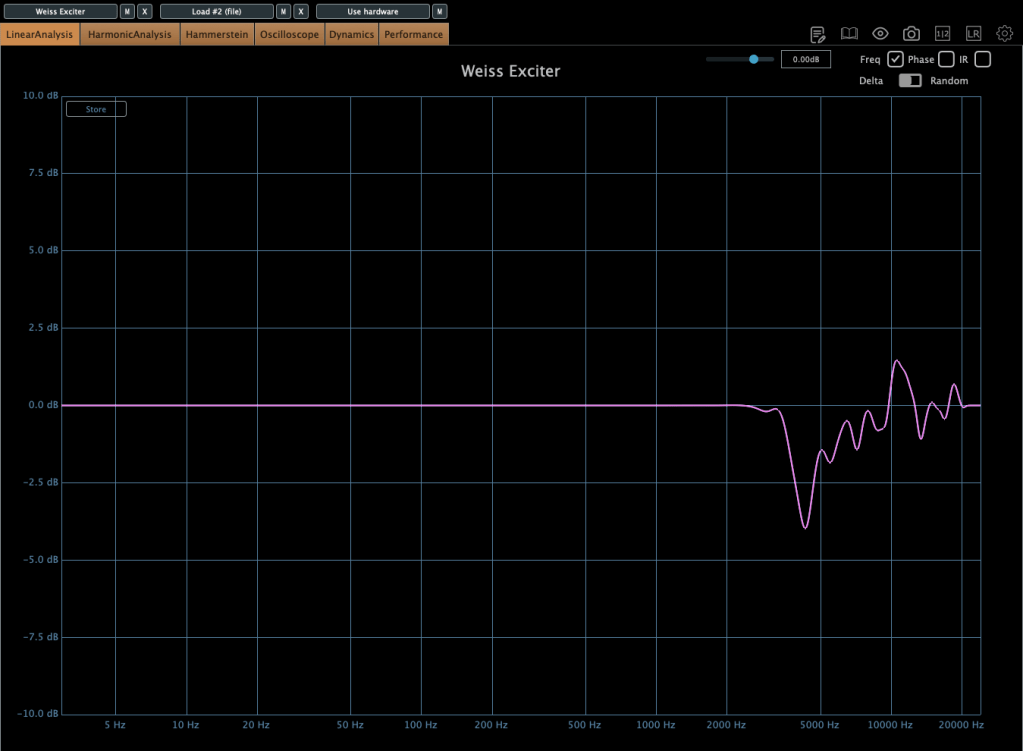
The frequency response shifts depending on the harmonic amount and filter settings, so graphs aren’t the full story. But generally, expect a lift in the mid-to-high frequencies, with the low end staying untouched.

This exciter adds harmonics in a way that feels good, making it perfect for mix bus or mastering duties. It’s also a solid pick for sources that need a harmonic boost.

If you’re hunting for a harmonic exciter plugin, I highly recommend giving this one a spin.

Bonus Deal!

This month, if you grab any plugin from Plugin Boutique, you’ll get Wave Alchemy’s Pulse—a faithful recreation of the Lexicon PCM-60 reverb—for free! It’s a one-purchase, one-free deal, so don’t miss out.

That’s all for now! Catch you in the next post~ 🙂