Brainworx Saturators Overview & Sale (SPL Machine Head, SPL Vitalizer MK2-T, Elysia Karacter)

Hello everyone! I’m Jooyoung Kim, a mixing engineer and music producer.

Recently, Brainworx released a plugin emulation of the SPL Machine Head, a classic saturation device. Since it’s currently on sale, I thought it would be a great opportunity to introduce not only this plugin but also two other renowned Brainworx saturators: SPL Vitalizer MK2-T and Elysia Karacter.

I received an NFR (Not for Resale) copy of this plugin from Plugin Boutique for review. If you purchase through the links in this blog, I receive a small commission, which helps me continue my work. Your support is greatly appreciated!


SPL Machine Head

The SPL Machine Head was originally released in 1997 as a tape machine saturation simulator. Unlike traditional analog tape machines, this hardware version was fully digital, eliminating wow, flutter, and noise while allowing precise control over the saturation process.

Brainworx has faithfully recreated this in plugin form, bringing its unique sonic characteristics to the digital domain.

Controls Overview:

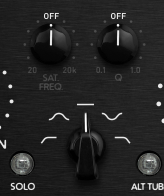
  • The Original version has 4 knobs, while the Ultimate version has 5.
  • Besides Input and Output levels, the main controls include Drive, High Frequency, and Low Frequency.
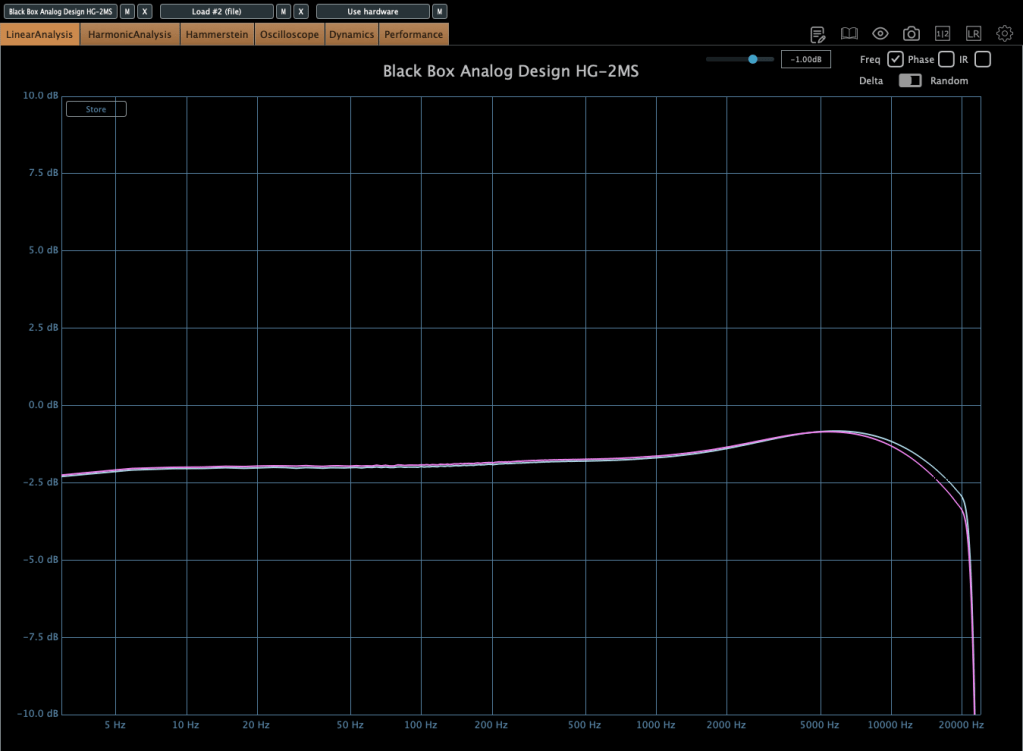
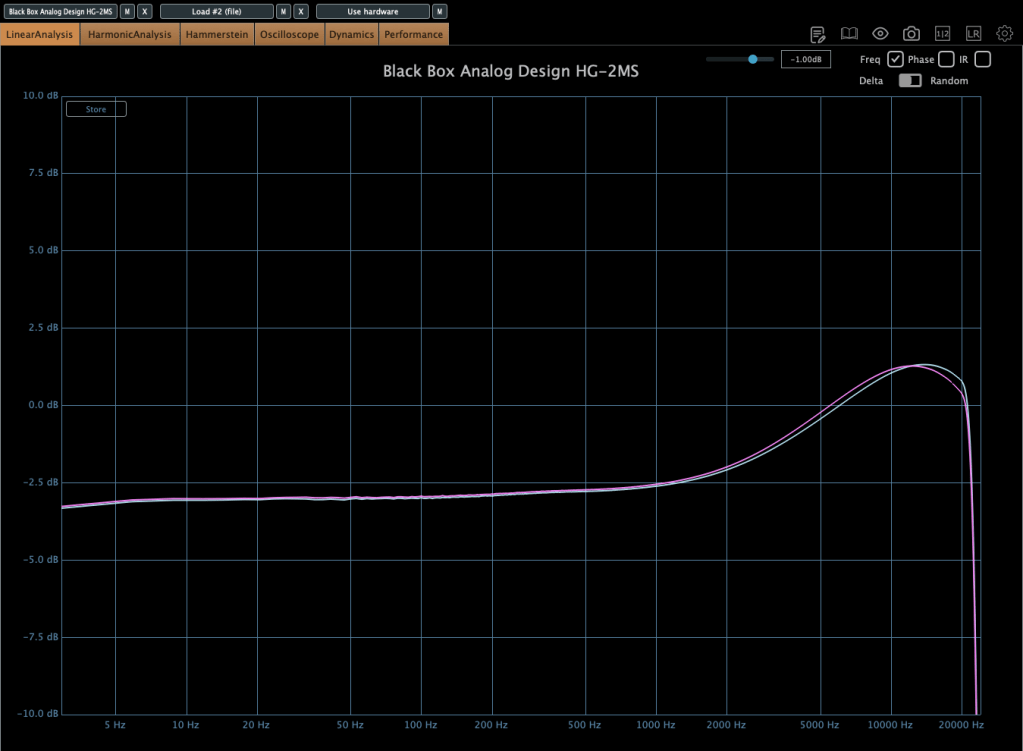
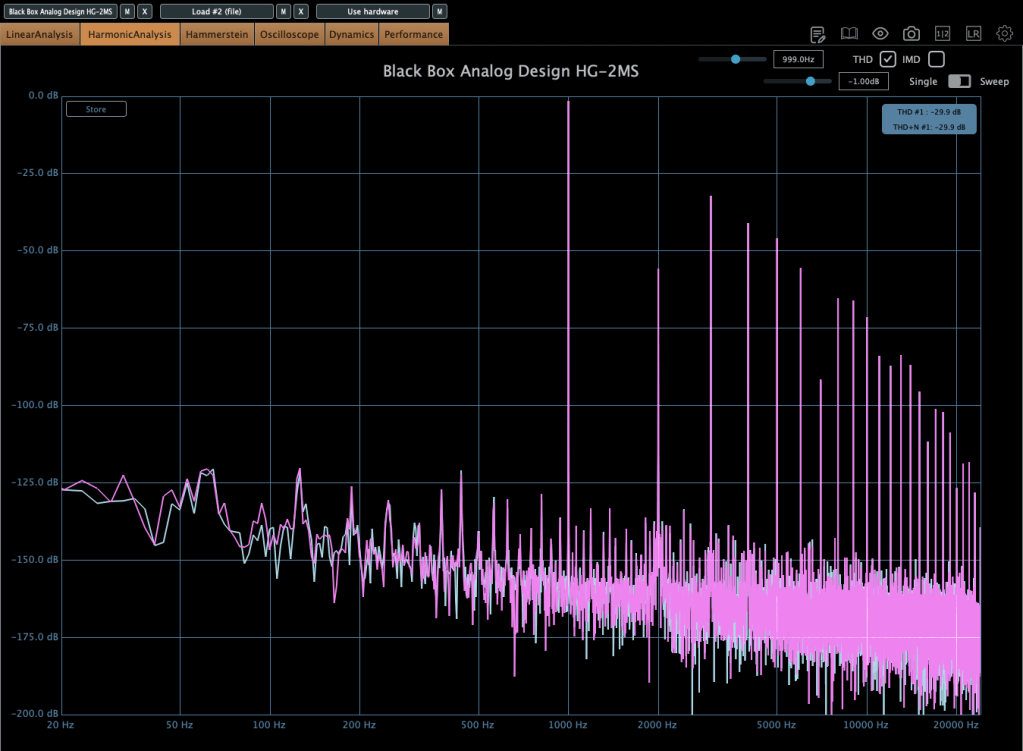
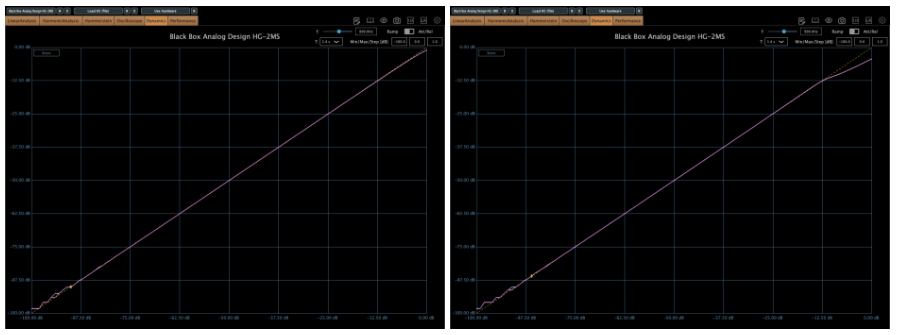
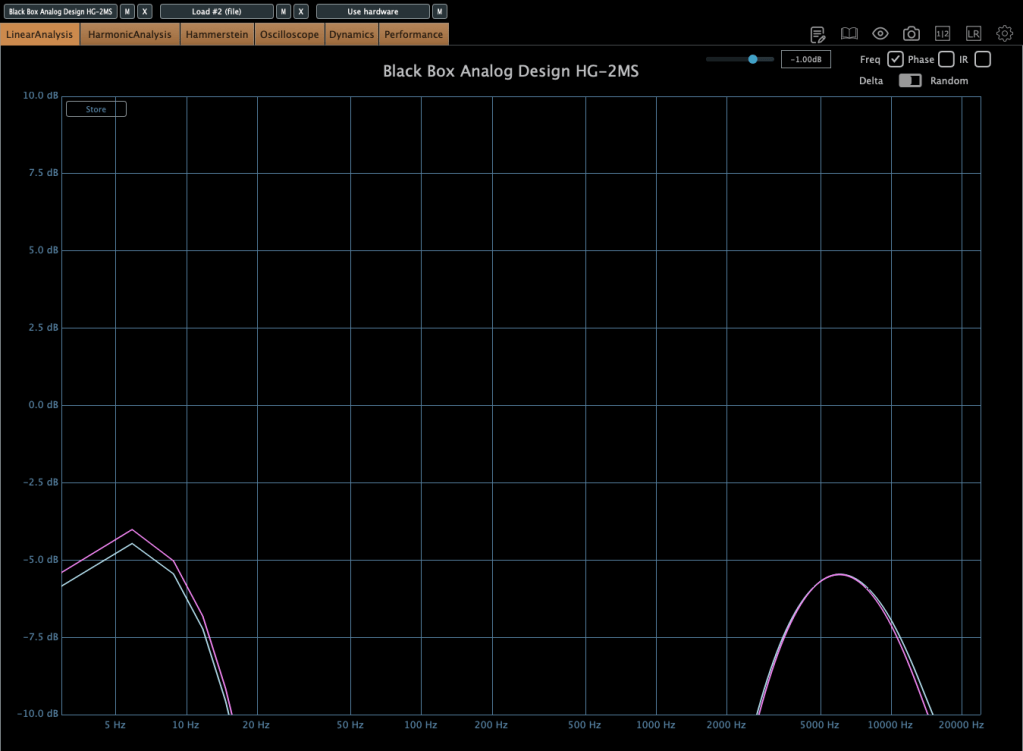
Left one is original, right one is ultimate

In the default state, it slightly boosts the high frequencies and enhances third-order harmonics.

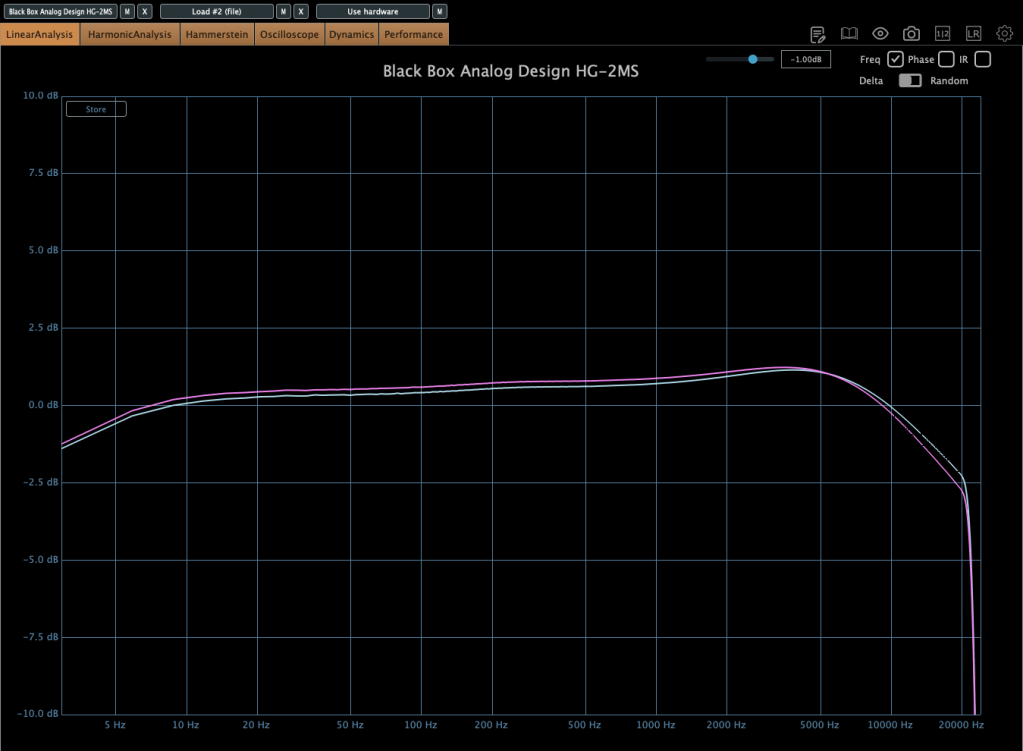
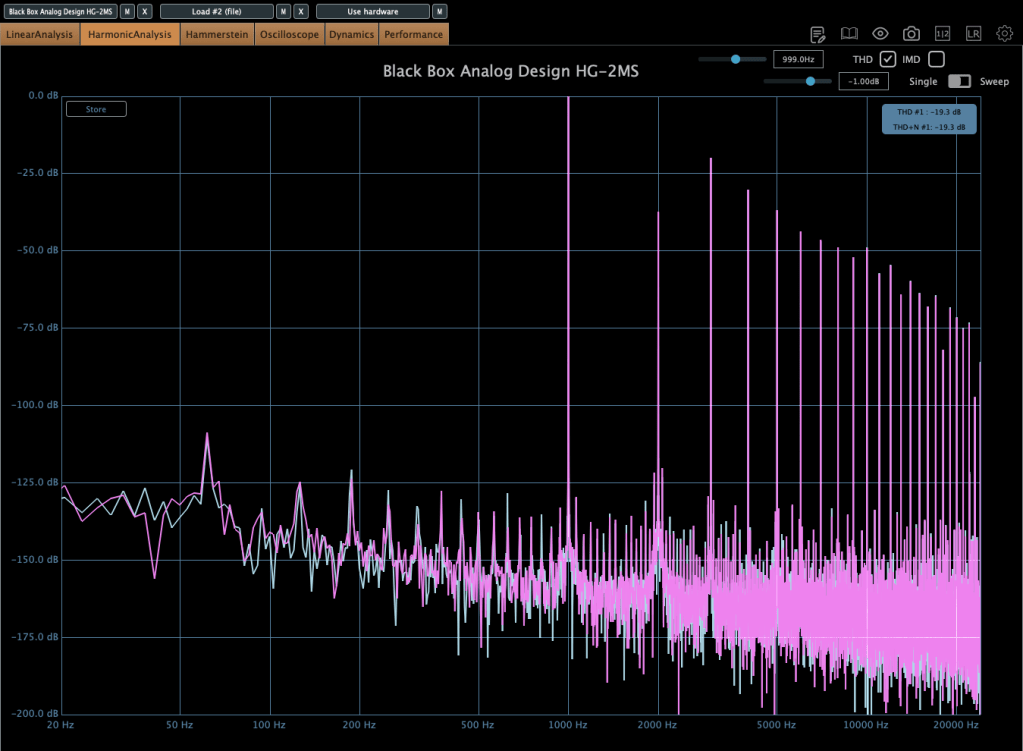
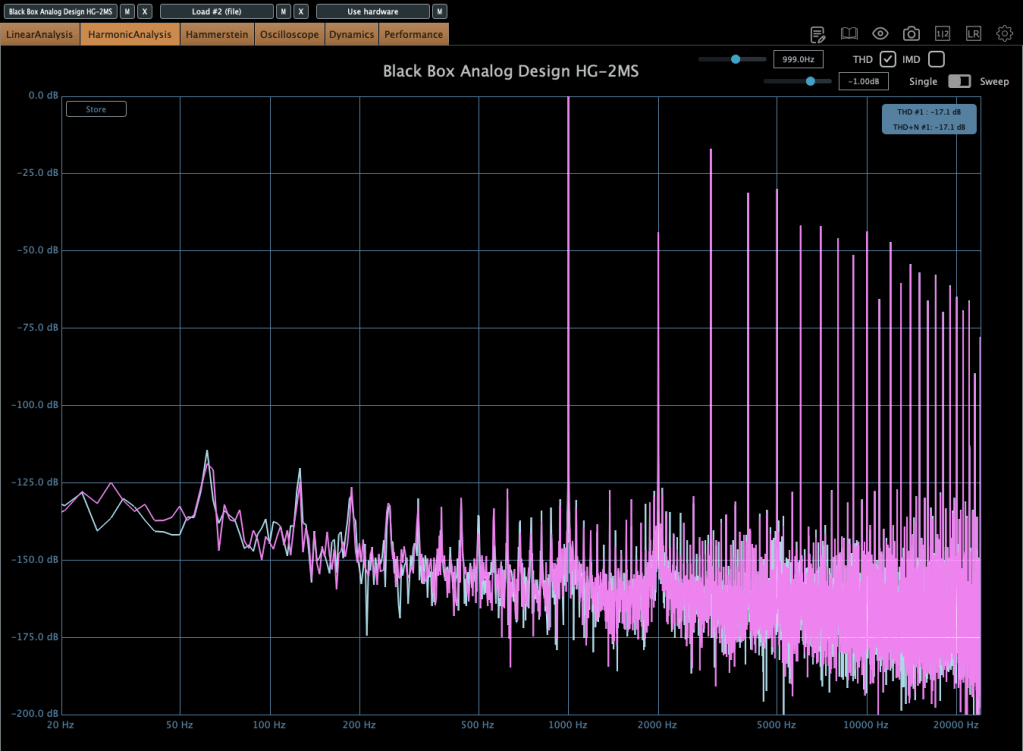
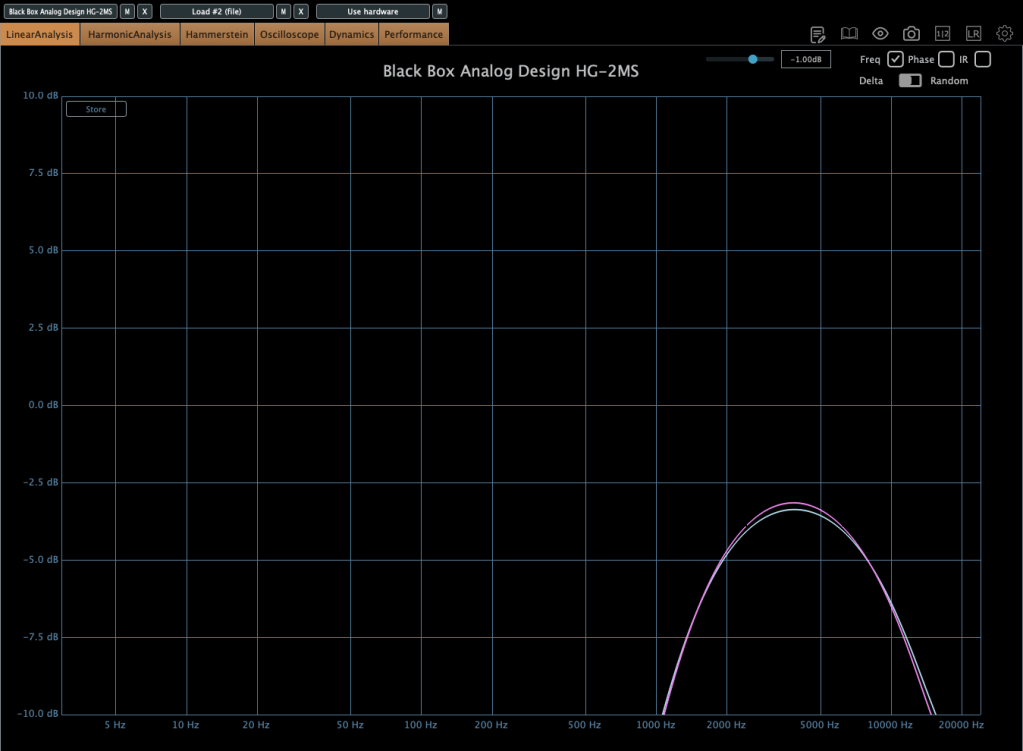
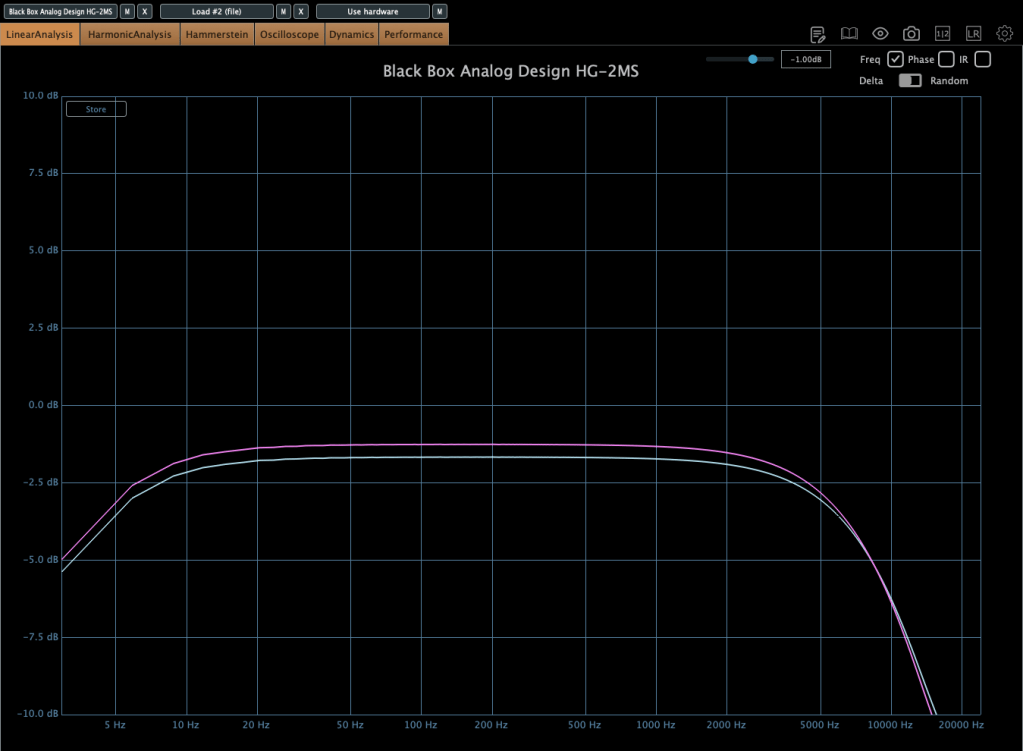
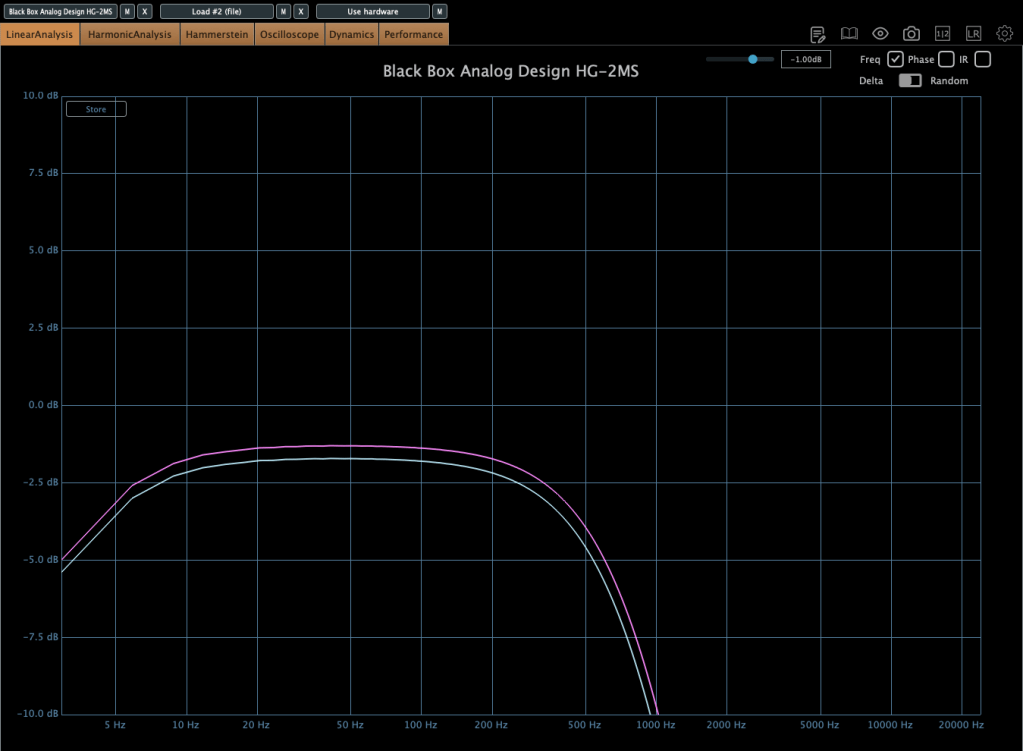
Left one is original, right one is ultimate

When increasing the Tape Speed, an actual tape machine would typically alter the frequency response by rolling off both low and high frequencies. However, in this plugin, it seems to achieve a similar effect by adjusting volume and high-frequency slope.

Key Takeaways:

  • Functions as an EQ (HF knob boosts/cuts highs, LF knob boosts/cuts lows)
  • Adds third-order harmonics for natural saturation
  • Slight compression effect at higher input levels

Compared to other saturators I’ve used, the effect is subtle and very natural. I find it particularly useful for enhancing high frequencies, similar to the Maag EQ4 or Baxandall EQ.

🔹 On Sale Until April 22 🔹

Plugin Alliance plugins typically see deeper discounts about a year after release, so if you’re not in a rush, you can wait for an even better deal.

🔹 Recommended Master Bus Settings: 🔹

  1. Ultimate mode
  2. Drive at 0.5
  3. High Tape Speed On (30 IPS)

SPL Vitalizer MK2-T

The SPL Vitalizer MK2-T is a tube-based saturator with versatile tone-shaping capabilities.

I once debated whether to buy this hardware unit or another compressor. I went with the compressor, but the Vitalizer remains an incredibly flexible tool.

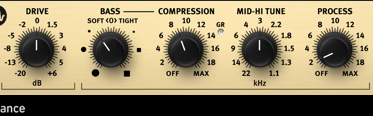
The SPL Vitalizer offers four main processing areas:

  1. Drive
  2. Bass & High-Frequency Control
  3. LC (Inductor-Capacitor) Filter-based High Shelf EQ
  4. Stereo Expander

Control Breakdown:

  • Drive: Determines how much effect is applied, not just input gain.
  • Bass (Soft <0> Tight):
    • Soft: Boosts overall bass
    • Tight: Slightly reduces overall levels while enhancing only the bass region.
  • Compression: Works only on the bass frequencies, with automatic Threshold, Attack, and Release settings. The Compression knob adjusts the ratio.
  • Mid-Hi Tune: A shelving EQ for the mid-to-high range.
  • Process: Controls the overall amount of bass, compression, and mid-high tuning applied.
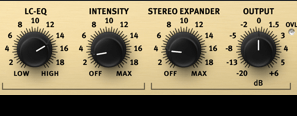
  • LC-EQ: A high-shelf EQ using LC circuits.
  • Stereo Expander: A stereo enhancement tool.

Initially, the controls may feel unfamiliar, but once you get used to them, you’ll find many creative applications.

This plugin goes on sale frequently, so check out the demo before purchasing!


Elysia Karacter

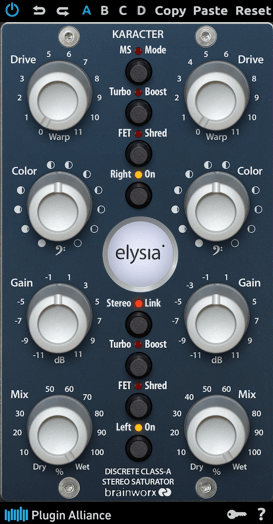
The Elysia Karacter is a highly regarded hardware saturator, now available as a plugin.

It features automatic oversampling:

  • 4x oversampling for sample rates below 50kHz
  • 2x oversampling for sample rates below 100kHz
  • No oversampling for rates 100kHz and above

It also includes MS mode, Turbo Boost mode, and FET Shred mode.

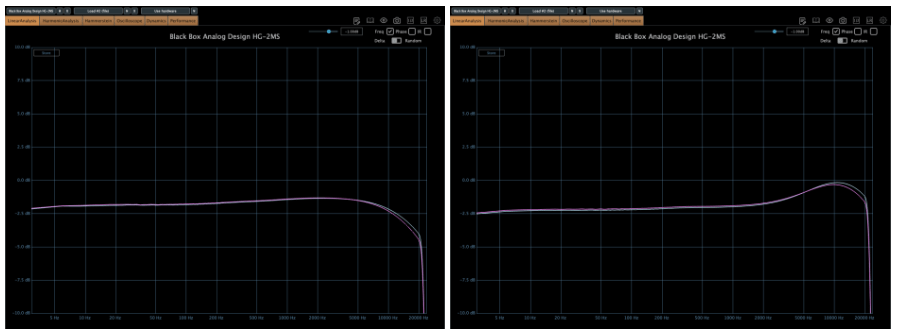
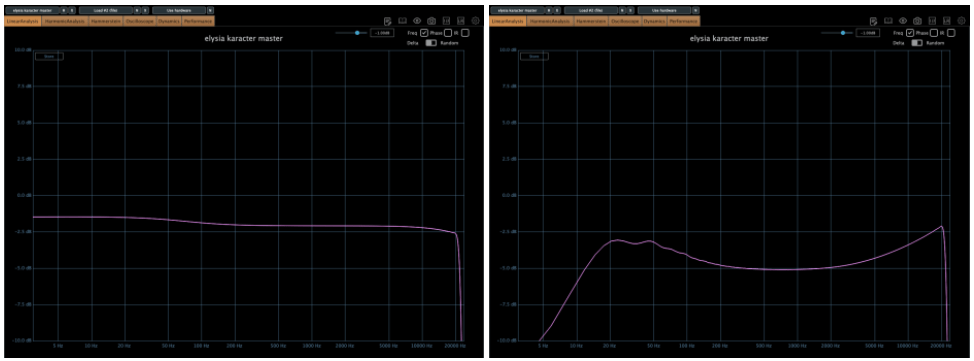
On the left, we have the default settings, while the right shows the FET mode, which emulates the classic “Smile EQ” curve.

⚠️ Caution:

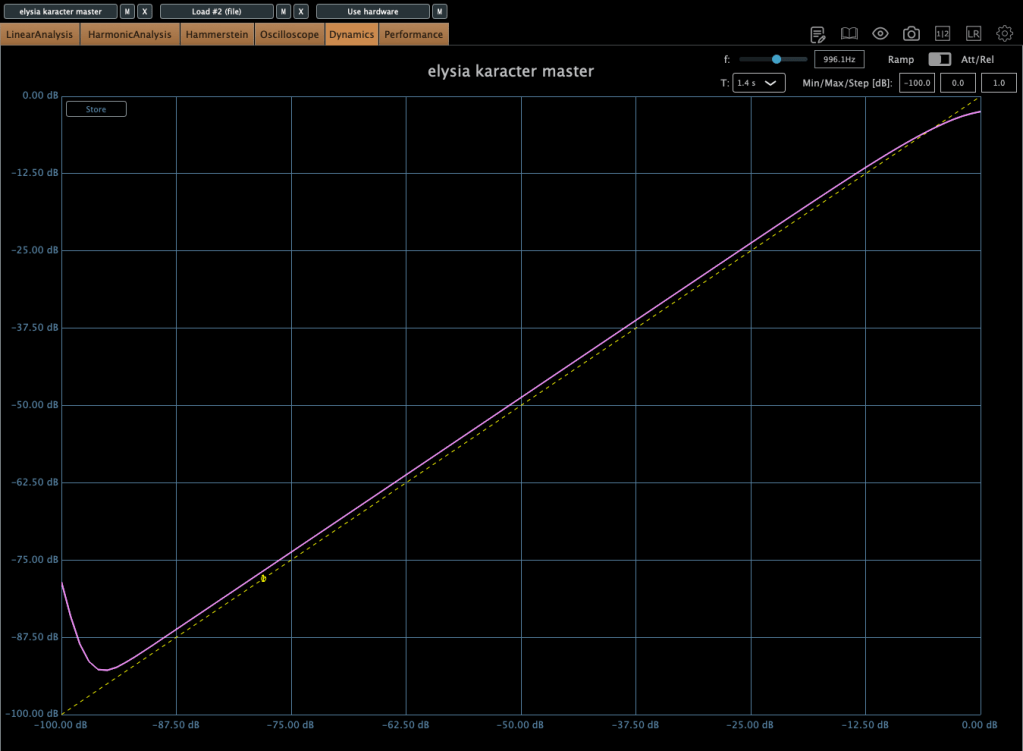
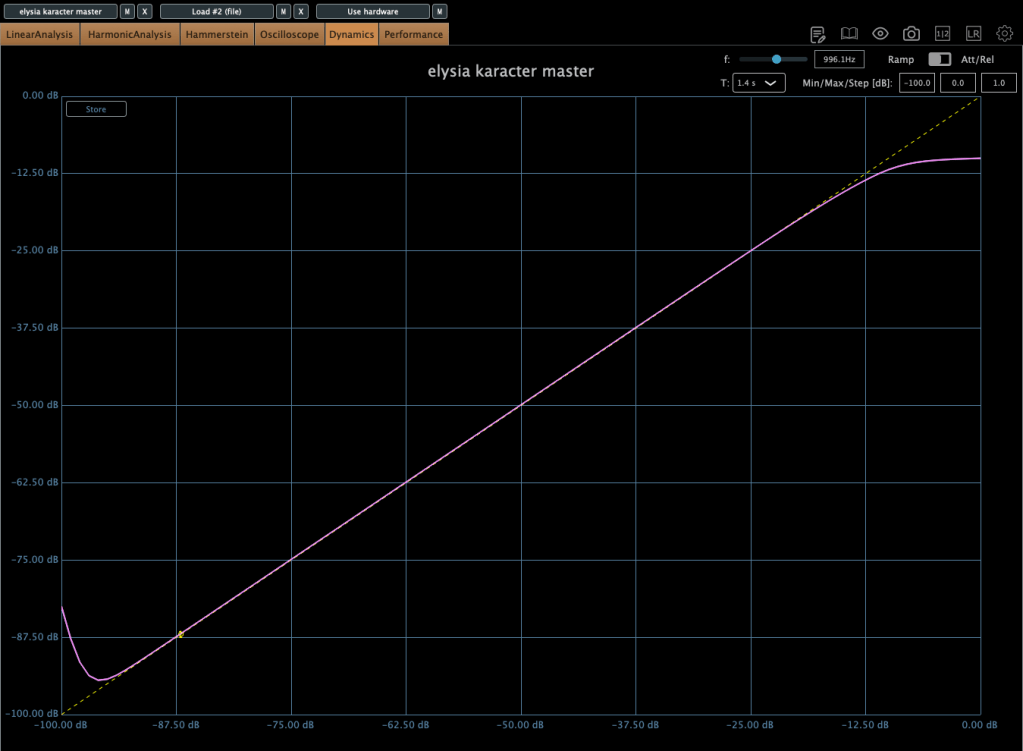
  • If driven too hard, it automatically compresses the signal.
  • This isn’t standard compression but rather an emulation of analog clipping.

Increasing the Drive lowers the compression Threshold, so careful gain staging is crucial.

Color Knob:

  • Turn left: Boosts ultra-low frequencies (5–50Hz)
  • Turn right: Boosts overall low frequencies (below 100Hz)

I love the saturation in FET mode, but due to its aggressive nature, I recommend placing gain plugins before and after it to control input and output levels.

This plugin also goes on sale frequently, so keep an eye out!


Plugin Alliance vs. Plugin Boutique Pricing

Recently, Plugin Alliance started adding a 10% tax at checkout. Because of this, Plugin Boutique often offers a better deal, especially considering their loyalty points and free plugins.


That’s it for today’s review! Hope this helps you decide which saturator fits your needs.

See you in the next post!
SSL X-EQ 2 and DeEss Plugin Overview + 90% Off Sale (Ends 1/29)

Hello! I’m Juyoung Kim, a mixing engineer and music producer.

It’s been a while since I shared plugin sale news, hasn’t it?
Over the holiday season and into early January, my manager was on vacation, and most major sales wrapped up at the start of the year. So, I didn’t have much to share.

One notable ongoing deal is IK Multimedia’s Total Studio 4 MAX sale.

That said, I recently came across SSL’s sale on X-EQ 2 and DeEss, and I couldn’t wait to share it with you!

Disclosure

This product was provided as an NFR (Not for Resale) through Plugin Boutique. If you make a purchase using the links in this post, I’ll earn a small commission, which helps me keep doing what I do.

Let’s dive in!


SSL X-EQ 2

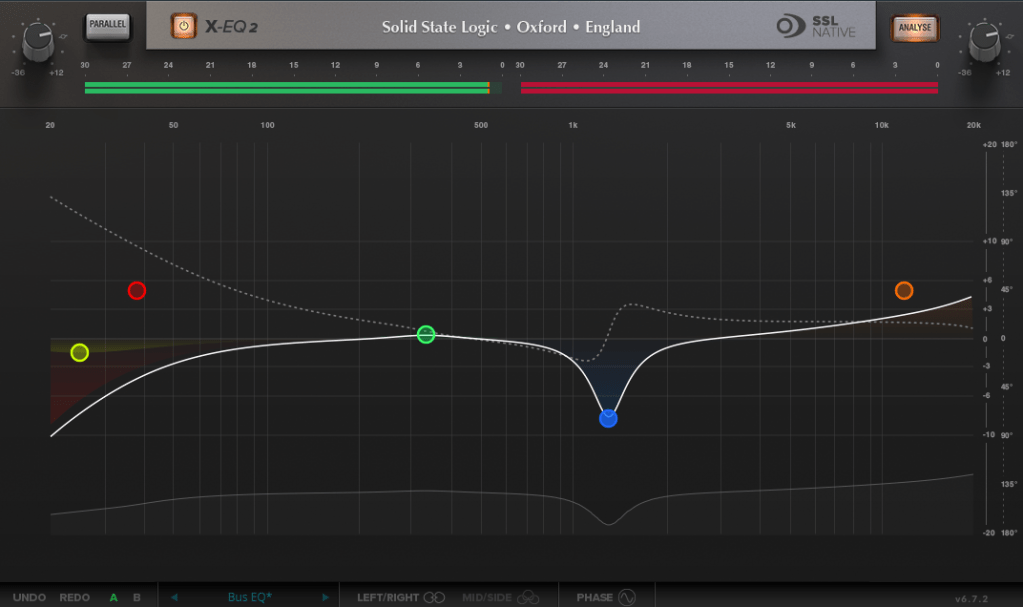
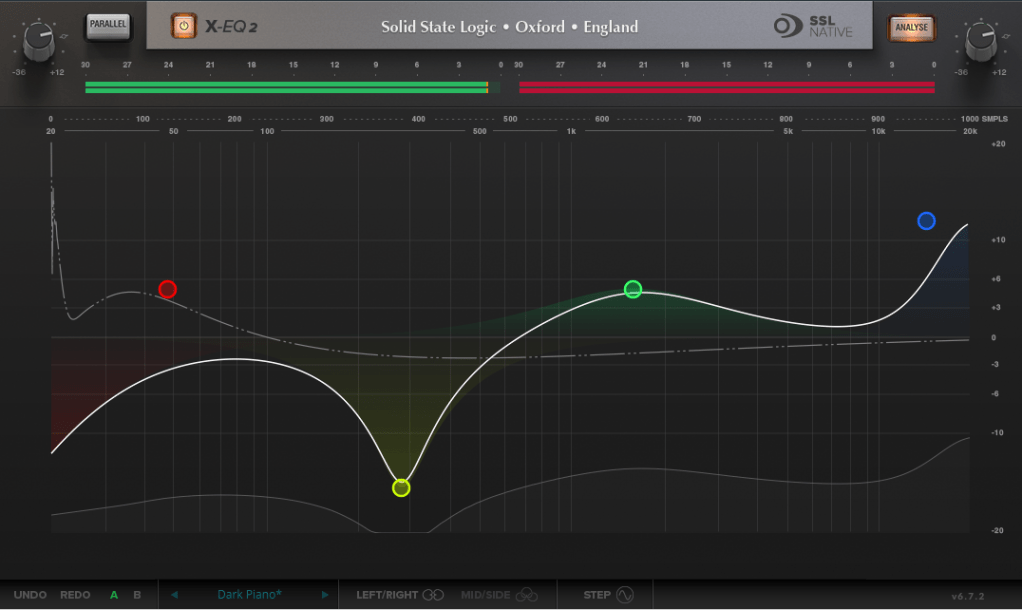
The SSL X-EQ 2 is a feature-packed EQ plugin. These days, DAW-native EQs are so powerful that standalone EQ plugins need to have a competitive edge to stand out—and X-EQ 2 delivers.

Key features include:

  • Mid/Side processing
  • Presets to remove 50Hz and 60Hz hum (ideal for handling electrical noise)

You can double-click to create points and adjust EQ type, frequency (Hz), bandwidth (Q), and gain (dB) with ease.

A particularly fun feature is the knob-like interface—select a parameter (Hz, dB, Q) and adjust it by dragging your mouse, mimicking the feel of turning a physical knob.

It also includes an analyzer (activated via the top-right button) and lets you choose between parallel or serial processing from the top-left menu.

Additionally, you can activate Phase Analysis to see phase shifts (dotted lines) or enable Step Response Mode to view how signals evolve over time after passing through the EQ.

Heaviside Step Function

For those unfamiliar with Step Response:
The Step Response of a system refers to how the system reacts over time to a sudden change in input, specifically when the input shifts instantaneously from 0 to 1 (a Heaviside Step function). It demonstrates:

  1. The system’s transient behavior, showing how it initially reacts to the input change.
  2. The steady-state behavior, revealing how the system settles after the transient phase.
  3. The time it takes to stabilize, which indicates the system’s responsiveness.

In the context of EQs, a longer Step Response often correlates with ringing artifacts, where the EQ introduces unintended resonances that make the sound linger beyond its natural decay. This visualization helps engineers fine-tune the EQ to minimize these artifacts.

I love all the features, but the only downside is that the window size can’t be adjusted. But if you see the price, it could be convinced!


DeEss Plugin

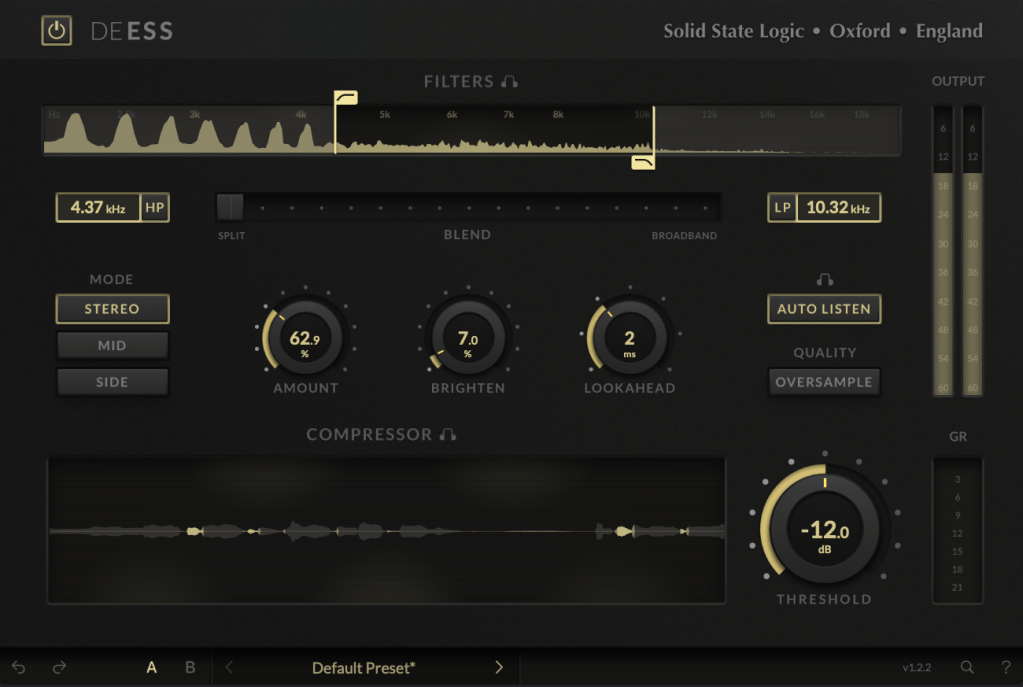
The DeEss plugin offers highly detailed sibilance control.

Key features:

  • Adjustable target range: 1kHz to 20kHz
  • Mid/Side processing
  • Compression intensity and Brighten (high-shelving EQ) controls
  • Lookahead capability for precise processing

A standout feature is the Auto Listen mode, which allows you to hear both the filtered signal and the original detection, making adjustments much easier.

This DeEss plugin is one of the most versatile I’ve come across, and it’s surprisingly lightweight unless oversampling is applied. If you don’t already have a dedicated de-esser, this is an excellent choice.


Bonus: Free Plugin Offer

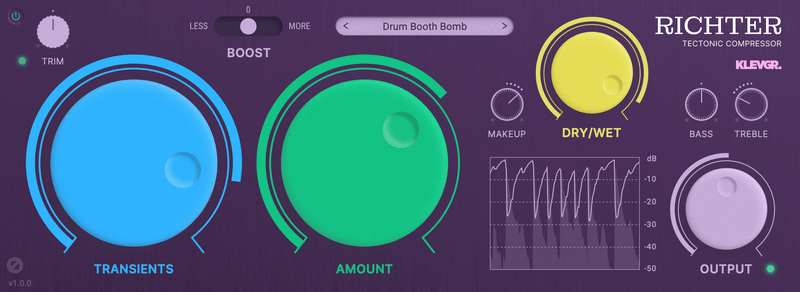
If you purchase any plugin from Plugin Boutique this month, you’ll receive Klevgrand’s Richter Compressor Plugin for free. Don’t forget to claim it when checking out!


Final Thoughts

Both the SSL X-EQ 2 and DeEss plugins are incredibly versatile and user-friendly tools for mixing and production. The 90% discount makes this deal even sweeter—don’t miss out before the sale ends on January 29!

Feel free to reach out if you have any questions. Until next time!

Basics of Mixing – 12.1 How to Solve The Problems of Recording Source

Hello! This is Jooyoung Kim, a mixing engineer and music producer.

Today, I’d like to say about the problem of recording source and how to solve. This article is based on my book “Basics of Mixing” released at South Korea.

Let’s dive in!


1) Noise Floor

If you use analog hardware, electricity causes certain noise across all frequency range. We call this “Noise Floor”.

So if you recording with microphone pre-amplifier or use outboards, you have to recognize and keep in mind it. Although you can’t hear the noise in mixing step, but it could make problem in mastering step .

This matter could be fixed with plug-ins like iZotope’s RX bundles(Spectral De-Noise). But when the source processed, you will hear High Frequency & Low Frequency loss. So I don’t use it often until have no choice.


2) Popping Noise

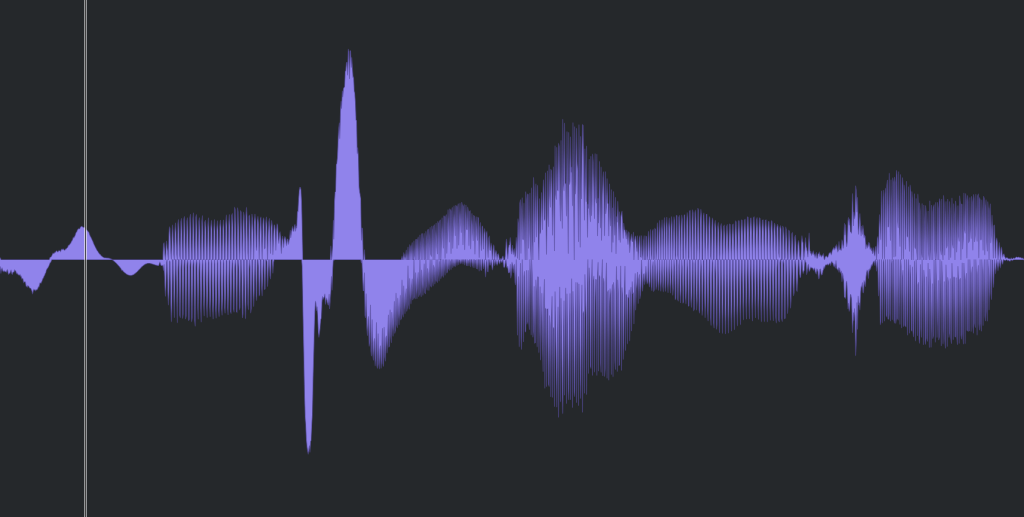
Popping Noise, A.K.A pop noise, is caused by popping sound. If you look closely upper picture, could understand it’s usually belong low frequency. So it could solved with low cut(high pass) filter.

However when you record voice, use pop filter is best method to prevent popping noise.


3) Sibilance

Sibilance is hissing sound when you pronounce like “S”. This high frequency sound can be perceived as louder than other frequencies due to the equal loudness contour.

You able to use De-Esser plug-ins or EQ to solve this problems. Another method involves cutting the sibilant peaks and adjusting the gain of the affected clip.


4) Click Noise

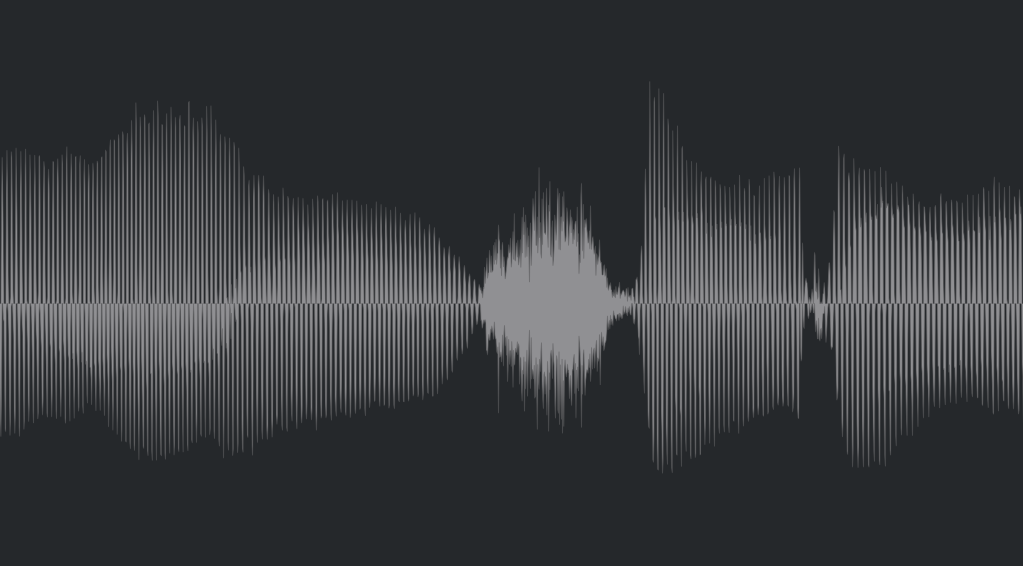
When you check the records, you could find click sounds frequently. In vocal records, lips make those noise. Drawing waves with pencil tools will solve this problem.

There have another way, use De-Click plug-ins. However I don’t like this method. It makes high frequency loss.


5) Clipped Noise, Distortion

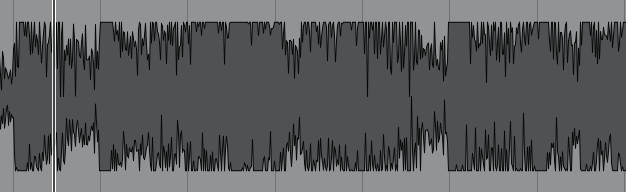
If the recording is distorted like this from the beginning, the best solution is simply to re-record it.

You might want to ask the client to double-check their export/bounce to see if the distortion originated there.

If the recording is distorted and re-recording is impossible, you can try to fix it with plugins like De-Clip, although you’ll have to sacrifice some audio quality.


6) Ambience

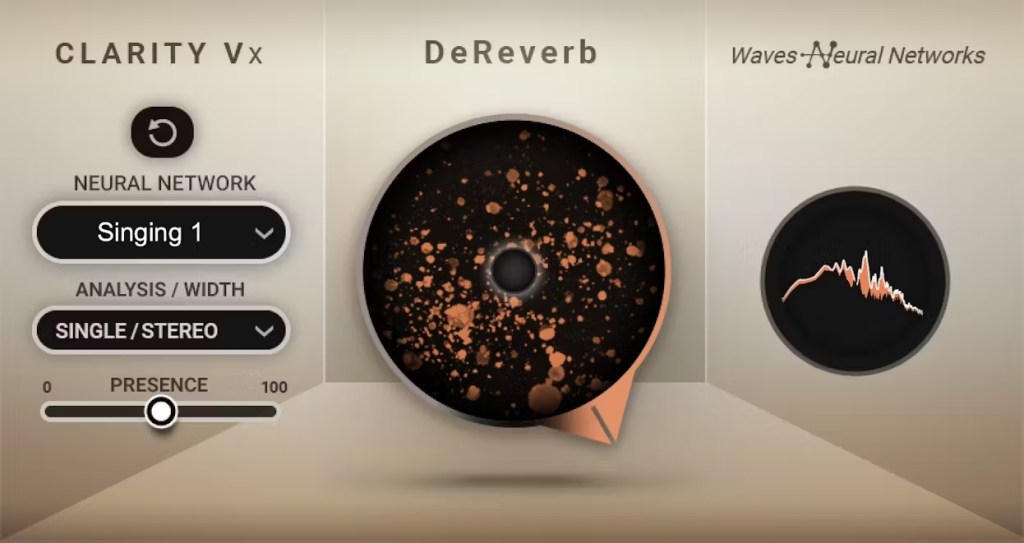
In the past, there was no way to fix recorded ambience. However, nowadays, there are many plugins that remove reverb and ambience from companies like Waves, UAD, and Izotope, so it’s not as big of a problem anymore..


7) Ambience

You can consider most other issues beyond these as unresolvable. If noise is caused by electrical issues and is consistently present, you can address it by dealing with the noise floor. However, if it appears intermittently, it’s impossible to fix.

Similarly, if a problem occurs consistently, there’s a good chance it can be fixed. But things like construction noise from nearby or the ticking of a clock are difficult to remove.


In this post, we discussed various problems with recorded audio and how to solve them.

The next chapter was originally going to be about groove and sidechaining. However, This is one of the key topics in my book, so I’ve decided not to cover it on the blog.. I don’t want to give away all the content for free and be unfair to those who purchase the book. I hope you understand.

From the next post onwards, I’ll be talking about outboard gear.

See you in next post! 🙂
Basics of Mixing – 9.3 Vinyl Saturation

Hello! I’m Jooyoung Kim, an audio engineer and singer-songwriter.

Today, I want to dive into the topic of vinyl saturation. Let’s get started!

The history of the LP (vinyl) began with Edison’s invention of the phonograph. In its earliest form, audio was recorded and played back on cylindrical records.

After the phonograph, vinyl records in disk format emerged as a new storage medium. Edison initially resisted the disk format, as the playback speed varied from the outer to inner edge, affecting the sound quality. Instead, he continued to advocate for the cylindrical format.

However, vinyl disks became the standard due to their better storage capabilities, cost-efficiency, and convenience—qualities the market prioritized over audio fidelity. In retrospect, the sound quality differences weren’t that significant.

Vinyl records come in various sizes based on rpm (revolutions per minute), with the 12-inch disk being the most common.

Vinyl’s sound characteristics are primarily defined by two key elements:

  1. Stereo limitations and lower frequency cutoff
  2. High-frequency roll-off

1) Stereo Limitations and Low-End Cutoff

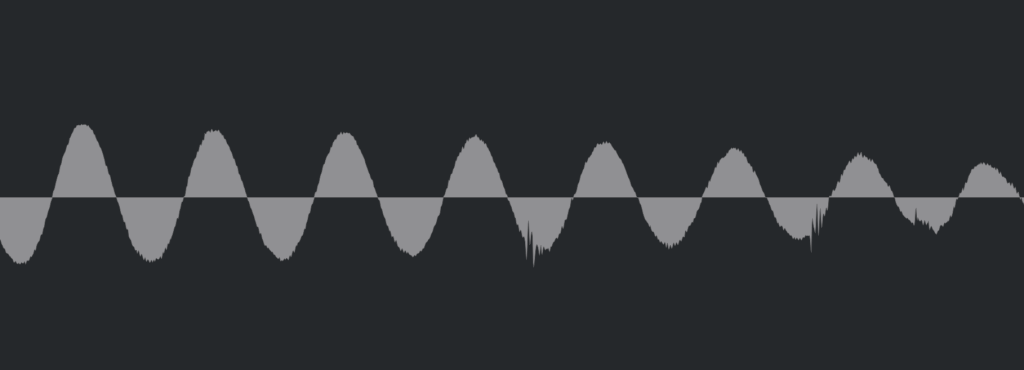
Stereo imaging in the low end results in rapid vertical movement of the groove, causing the cartridge to move intensely. To avoid tracking errors, bass was typically kept in mono. Similarly, very low frequencies can cause excessive lateral movement in the groove, so bass roll-off was often applied during production.

2) High-Frequency Roll-Off

Excessive high frequencies can cause the cartridge to vibrate at short intervals, leading to overheating and potential noise and distortion. As a result, high-frequency roll-off was applied during production. Due to cartridge limitations, ultra-high frequencies (15kHz and above, depending on the cartridge) are also naturally rolled off.

Other characteristics include noise caused by dust in the grooves, wow and flutter from inconsistent turntable speeds, and crosstalk between channels due to the physical reading of the sound. Harmonic distortion can also be introduced due to the nonlinear interaction between the needle and groove.

All these factors together create vinyl’s unique saturation. Today, there are vinyl emulation plugins designed to reproduce these characteristics.

The Abbey Road Vinyl plugin by WAVES is a notable example. Taking a closer look…

As expected, it adds quite a bit of distortion.

Each turntable and cartridge setup yields unique sonic characteristics.

As I always say, if you like the sound a vinyl plugin adds to your mix, that’s all that matters! But as an audio professional, it’s essential to understand the background behind these effects. This knowledge helps when approaching retro-style mixing requests without getting lost in the process.

Maybe I went on a bit too long here… Haha.

I’ll wrap up for today. See you in the next post!