Pulsar Audio Vocal Studio Launch

Hey there! I’m Jooyoung Kim, a mixing engineer, and music producer.

It’s been a whirlwind week with listening experiments, live performance recordings, and mixing, so I haven’t had much time to focus on the blog… haha. I worked on a pretty unconventional setup for a recent gig—more on that in the next post!

Today, I’m excited to introduce Pulsar Audio’s Vocal Studio, a new plugin designed specifically for vocals, brought to you thanks to Plugin Boutique.

If you purchase through the link on my blog, I’ll earn a small commission, which really helps me keep things going… thank you! 😊

Ready to check it out? Let’s dive in!

What’s Pulsar Vocal Studio?
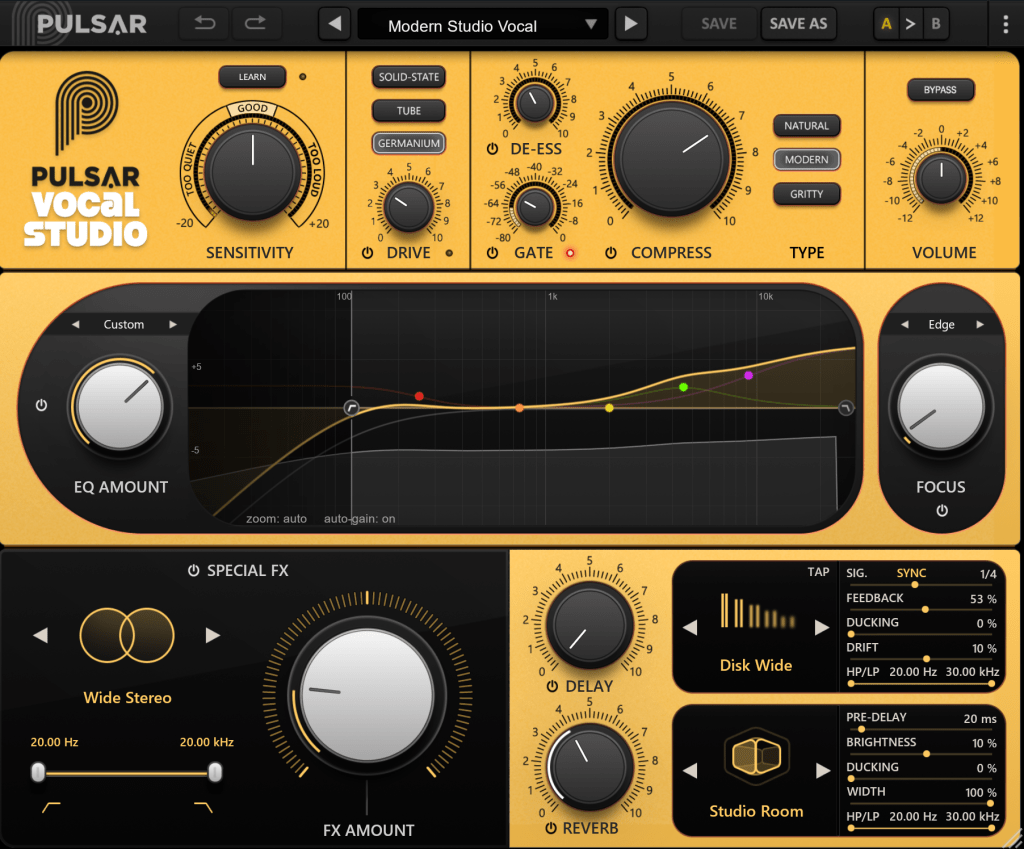
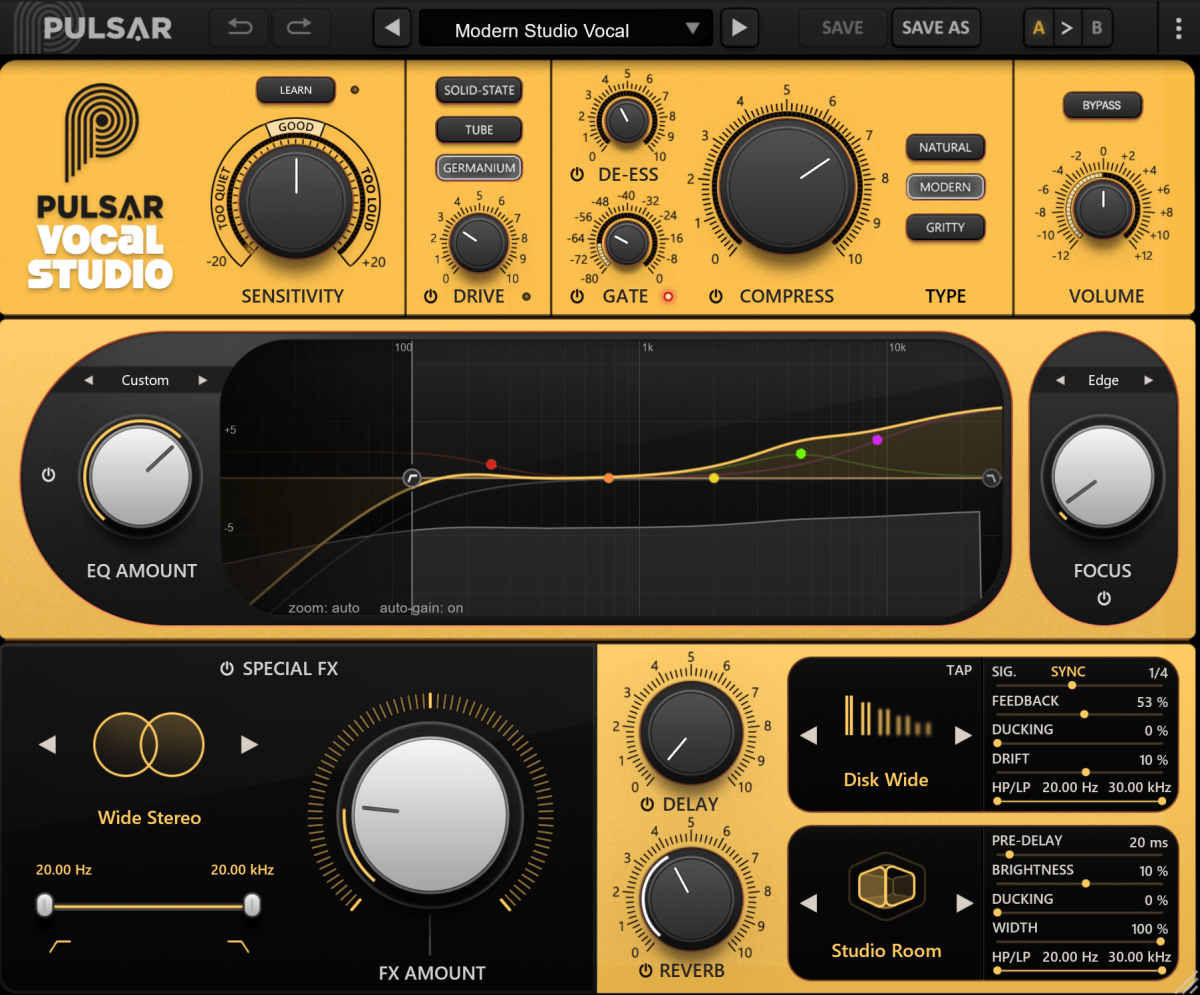
Think of this as an all-in-one vocal effect and channel strip. It’s packed with everything you need: compression, EQ, gain, saturator, gate, de-esser, delay, reverb—you name it, it’s here.

Top Section
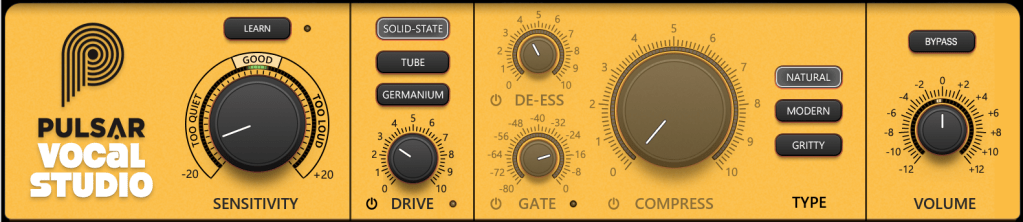
Let’s break down the controls in the Top Section of the Pulsar Vocal Studio interface:

  1. Sensitivity: Automatically adjusts volume to maintain consistent levels, working independently of the compressor.
  2. Drive: A saturator offering three distinct flavors—Solid State (inspired by Neve-style circuits), Tube (emulating a pentode preamp), and Germanium (mimicking a germanium transistor preamp).
  3. De-ess: Reduces sibilance by attenuating frequencies around 4kHz and above.
  4. Gate: Exactly what it sounds like—a gate! 😄
  5. Compress: Offers three compression modes—Natural (FET-based, smooth and transparent), Modern (faster attack/release with added saturation), and Gritty (the fastest and most aggressive for a bold effect).
  6. Volume: Adjusts the final output level of the plugin.

Mid-Section
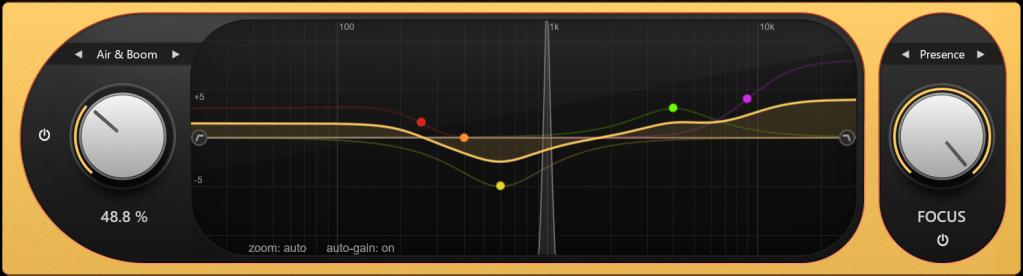
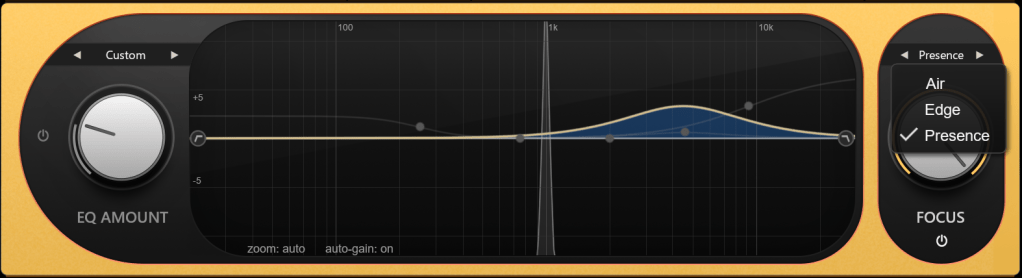
On the left, you’ve got controls for how much EQ to apply. On the right, the Focus section offers three dynamic EQ presets: Air, Edge, and Presence.

Bottom Section
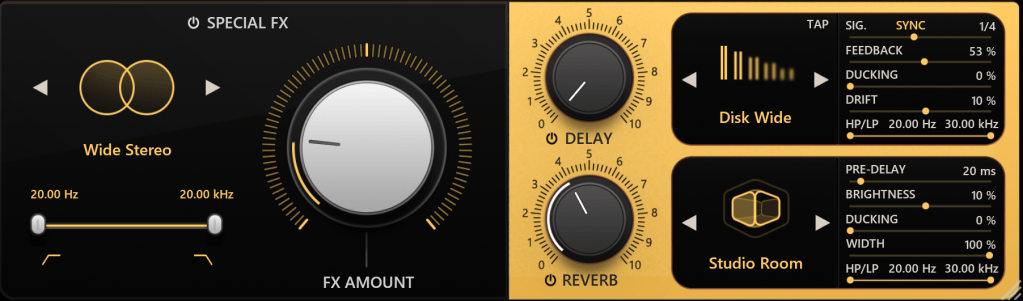
Down below, the Special FX section lets you add creative effects.

  • Delay: Includes standard delay, ping-pong, slap delay, and more.
  • Reverb: Offers a wide range of types—hall, plate, spring, room, chamber, ambience, you name it.

All delay and reverb parameters are fully tweakable, of course.

Impressions

This plugin is a bit heavy on CPU due to its many effects, but if you think of it as a one-stop shop for an entire vocal track, it’s well worth it. Personally, I think the reverbs are so clean and polished that I’d love to see them sold separately at a lower price. They’re some of the best digital reverbs I’ve come across!

Bonus Deal!
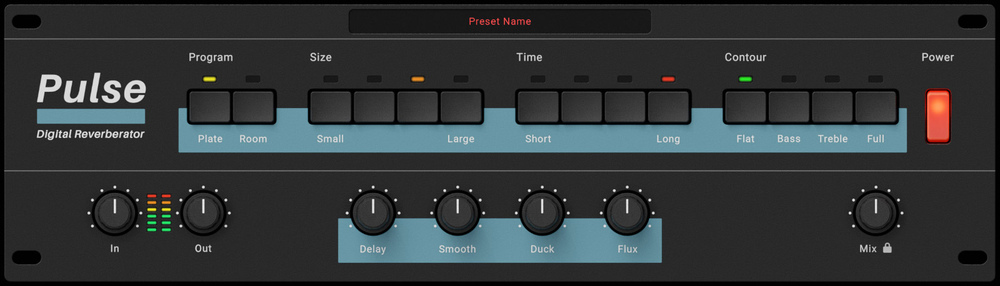
This month, if you buy any plugin from Plugin Boutique, you’ll get Wave Alchemy’s Pulse—a faithful recreation of the Lexicon PCM-60 reverb—for free. Don’t miss out!

If you’re in the market for a vocal channel strip, Pulsar Vocal Studio is definitely worth checking out.

Catch you in the next post! 😊

Basics of Synthesizers (3) – Additive Synthesis

Hey there! I’m Jooyoung Kim, a mixing engineer and music producer.

Lately, I’ve been drowning in code.
The program I mentioned in my last update? Yeah, I totally messed up the THD measurement part by mixing it up with the standard crosstalk measurement method. So, I had to scrap everything, re-measure the data, and start over. It’s been taking way longer than expected, and I’m exhausted, haha.

Because of this, my blog posts have been delayed quite a bit.
Thankfully, I wrapped up the measurements this morning, so now I can just tinker with the program whenever I have some spare time.

Anyway, today I want to dive into additive synthesis, continuing our series on synthesizer basics after covering subtractive synthesis last time.

Just a heads-up: the virtual instrument links I recommend throughout this post are affiliated with Plugin Boutique. If you purchase through those links, I earn a small commission, which really helps me keep the lights on. Thanks for the support! 🙂

Let’s get started!


Additive synthesis, as the name suggests, is all about combining sounds to create something new.
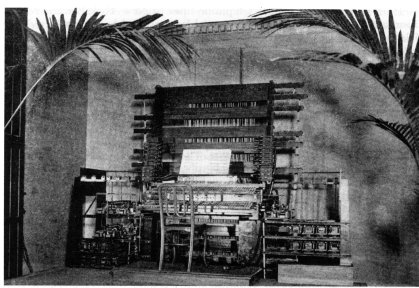
The earliest instruments to use this method were the Telharmonium and the Hammond Organ.

These instruments had built-in tone generators called tone wheels, designed to produce specific sounds when you pressed a key.

If you’ve ever seen a Hammond Organ, you’ve probably noticed its drawbars. These let you control how loud or soft the fundamental tone and its harmonics are played. By adjusting them, you could mix the sounds from multiple tone wheels to create a wide range of timbres.

In a way, you could call the Hammond Organ an early mechanical analog synthesizer based on additive synthesis. That said, it’s a bit different from the subtractive synthesis we typically talk about today, right?

When it comes to virtual Hammond Organ plugins, I think IK Multimedia’s Hammond B-3X and Arturia’s B-3 V are the top dogs.
During this summer sale, IK Multimedia’s Total VI MAX bundle, which includes Hammond B-3X, is an absolute steal. Honestly, if you’re thinking about getting just the Hammond B-3X, you might as well grab the whole bundle—it’s super versatile and worth it.


Now, let’s get a bit technical for a moment.

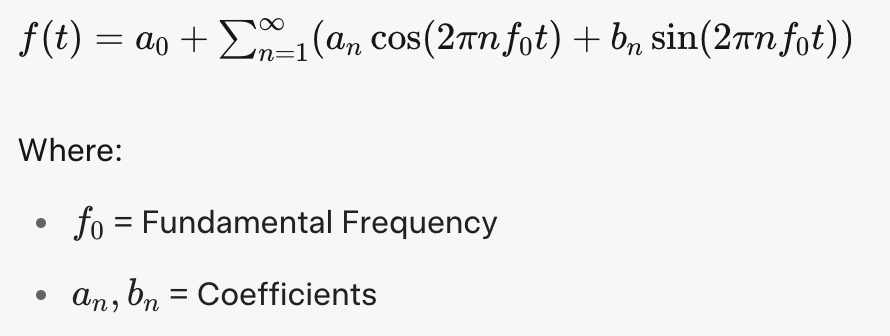
According to the Fourier Series, any periodic signal (like a sound wave) can be expressed as a sum of sine waves:

The Fourier Transform takes this further, allowing even non-periodic signals to be represented as a sum of sine waves:

In theory, this means you can recreate any sound just by combining sine waves.

Sounds like a ton of manual work, right?

Back in the day, not only were these calculations a nightmare, but even playing multiple sounds simultaneously through sampling was a challenge for early computers. That’s why additive synthesis evolved alongside advancements in computing power.


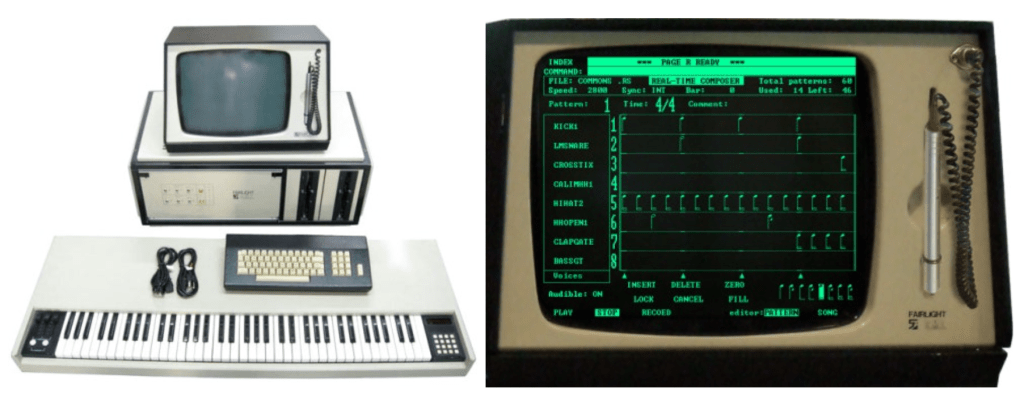
A standout product from this transitional period is the Fairlight CMI.
This beast wasn’t just an additive synthesis synthesizer—it was also a DAW and a sampler.

The panel on the right in the photo is the DAW interface, complete with a stylus for tapping out rhythms on the screen. Pretty cool, right?

One of the Fairlight CMI’s built-in samples, called Orchestra Hit, became iconic in pop and hip-hop. It’s a short orchestral tutti sound from Stravinsky’s The Firebird. Using it in a track instantly gives off that classic 80s–90s old-school vibe.

Arturia’s CMI V plugin does an incredible job of recreating the Fairlight CMI’s interface, complete with its early DAW and mixer windows. It’s a lot of fun to play around with!

Another notable instrument from this era is New England Digital’s Synclavier, which combined FM synthesis and additive synthesis while also functioning as a DAW and sampler. Originally licensed by Yamaha for FM synthesis, by version II, it basically became a full-fledged computer, haha.

Arturia’s got a plugin for this one too. They’re really out here trying to recreate every classic synthesizer as a plugin, aren’t they?


You might’ve noticed by now that additive synthesis is deeply tied to samplers and DAWs. After all, when you layer different sounds at the same time in a modern DAW, you’re essentially using it as a sampler and an additive synthesis synthesizer.

As technology progressed, synthesizers started incorporating wavetable synthesis, allowing for even more precise and varied sound design.

Explaining how to use a specific additive synthesis synthesizer is a bit tricky because it’s really just about layering sounds, using samplers, and working in a DAW. So, I hope this brief history gives you a good sense of it!

That’s all for now—see you in the next post!

Softube Weiss Exciter Launch Sale (~50% Off)

Hey there! I’m Jooyoung Kim, a mixing engineer and music producer.

I’m thrilled to share that a new plugin, the Weiss Exciter, has just dropped in the Softube Weiss series, which I absolutely love!

Thanks to Plugin Boutique, I’ve got a 365-day demo to try it out and give you the lowdown.

If you purchase the plugin through the link on my blog, I’ll earn a small commission, which honestly helps me keep the lights on and means the world!

Ready to dive in? Let’s go!


What’s an Exciter?

An exciter is a plugin that adds harmonics and tweaks dynamics by frequency band to make sounds more vibrant and exciting. The most famous ones? Aphex’s legendary exciters, of course!

Weiss is known for its super-clean digital hardware and plugins, and the Weiss Exciter lives up to that reputation, delivering a remarkably polished effect compared to others in its class.

Key Parameters

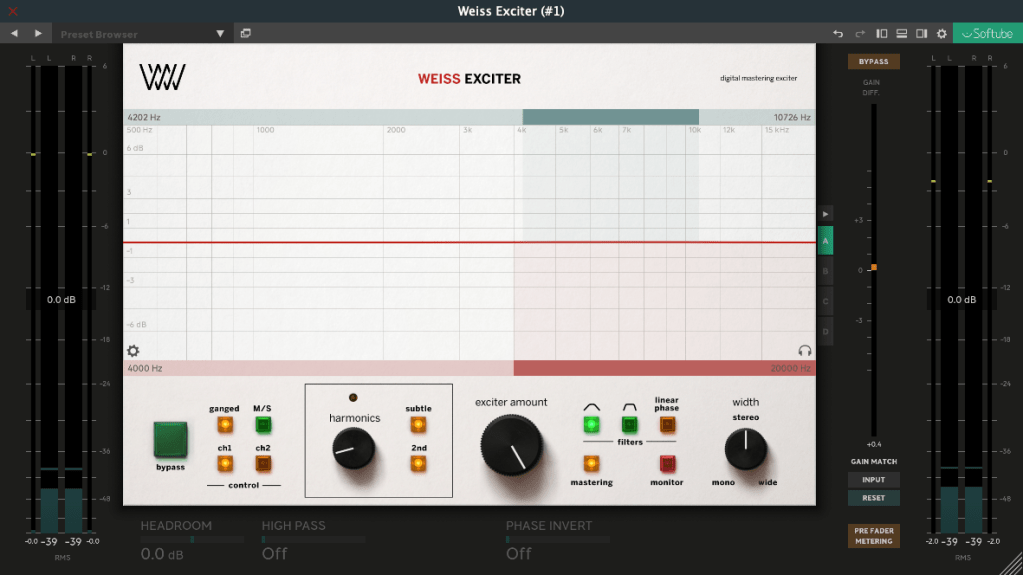
The controls are straightforward:

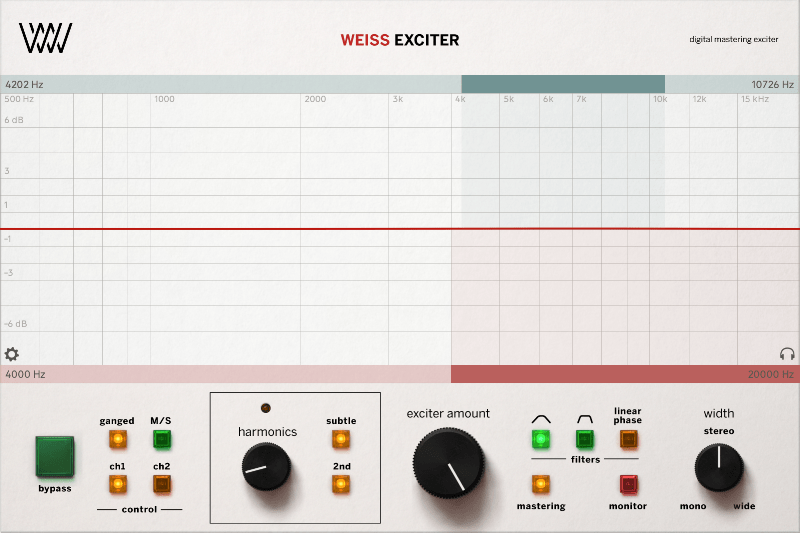
  1. Top Blue Section: Set the High-Pass and Low-Pass frequencies for the input filter to choose the frequency range where harmonics will be applied.
  2. Bottom Red Section: Output filter to shape the frequency range of the generated harmonics.
  3. Harmonics: Choose between Subtle (finely tuned odd harmonics) or 2nd (includes even harmonics).
  4. Exciter Amount: Dial in how much of the effect you want.
  5. Width: Adjust the stereo width of the effect.
  6. Mastering: A button to keep the frequency response as flat as possible.

There are additional parameters in the left, right, and bottom menus for deeper tweaking, but these six are more than enough to get you rocking this plugin!

How It Sounds

This exciter is great for final mix or mastering stages. Worried about phase issues? Hit the Linear Phase button to keep things aligned and smooth.

The saturation is punchy, and at higher levels, it subtly compresses like a soft limiter. The sound? Harmonics pop up clean and crisp—super satisfying.

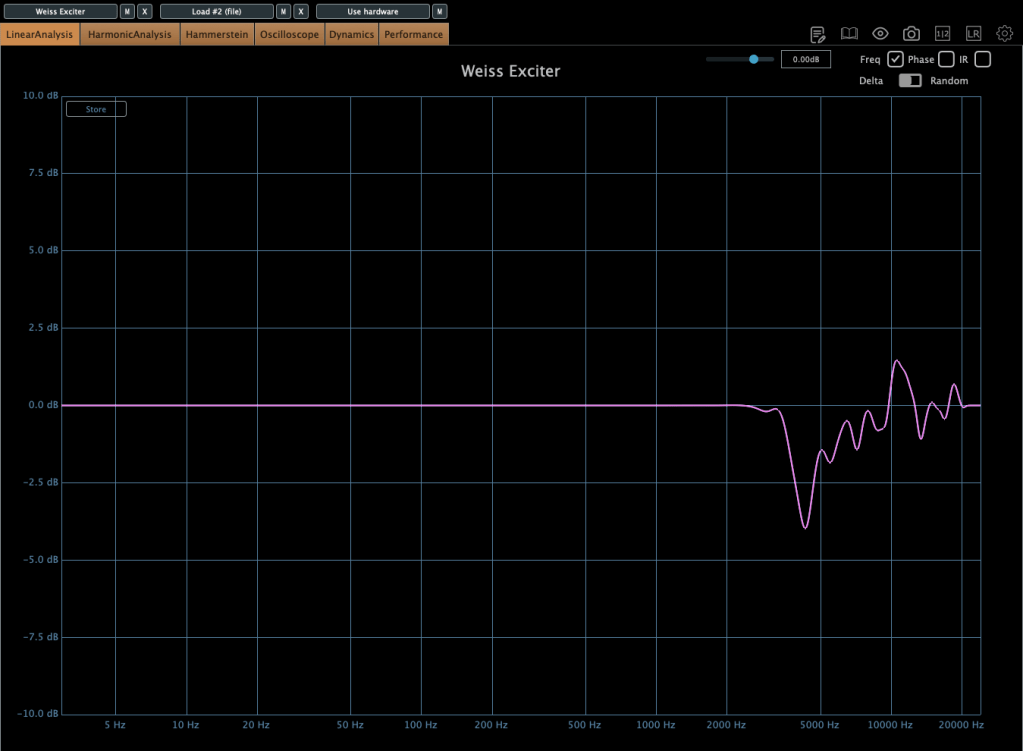
The frequency response shifts depending on the harmonic amount and filter settings, so graphs aren’t the full story. But generally, expect a lift in the mid-to-high frequencies, with the low end staying untouched.

This exciter adds harmonics in a way that feels good, making it perfect for mix bus or mastering duties. It’s also a solid pick for sources that need a harmonic boost.

If you’re hunting for a harmonic exciter plugin, I highly recommend giving this one a spin.

Bonus Deal!

This month, if you grab any plugin from Plugin Boutique, you’ll get Wave Alchemy’s Pulse—a faithful recreation of the Lexicon PCM-60 reverb—for free! It’s a one-purchase, one-free deal, so don’t miss out.

That’s all for now! Catch you in the next post~ 🙂

Life Update (May 27, 2025)

Hey there! I’m Jooyoung Kim, a mixing engineer, music producer, and computer music researcher.

Lately, I’ve been living like a hermit… haha.

A while back, I think I mentioned grumbling about an “Editor Invited” status dragging on for over a month. Well, good news—it’s finally moved to “Under Review”! I’m keeping my fingers crossed because I really need this to wrap up soon so I can secure some thesis funding from my university to keep things afloat. The timeline’s tight, so I’m a bit on edge.

Oh, and I believe I once mentioned working on digitally recreating the SA-2A on this blog.

Here’s how that went down:

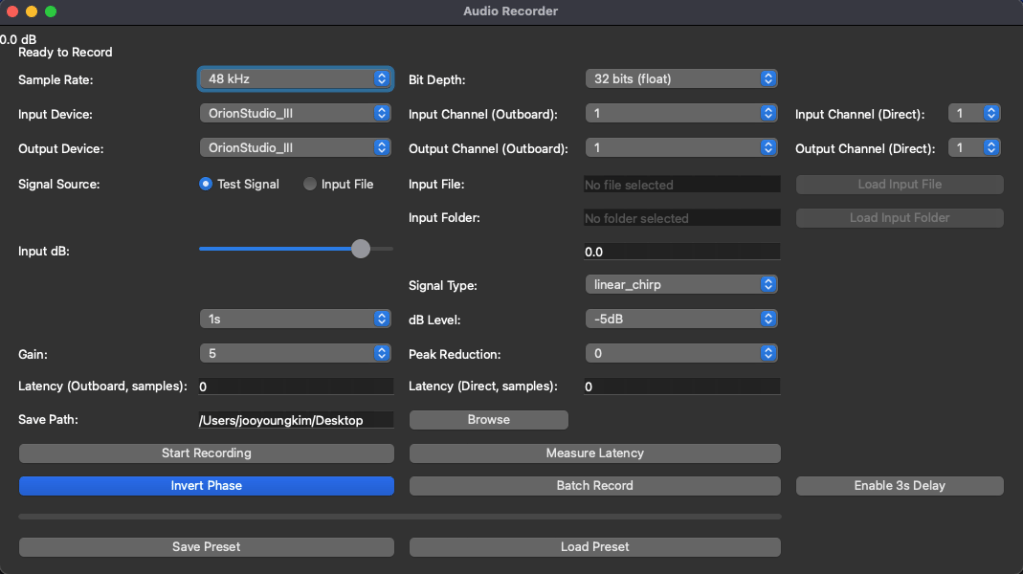
  1. Analog recording grind (plus building a recording program from scratch… ugh). That recording program UI still gives me nightmares. I built it with Qt Creator, and… let’s just say it was a few days of pure torment.
  2. Training with deep learning using CNN and RNN (LSTM) methods (which meant coding up some PyTorch for the training process…).
  3. Implementing the compressor with that training data (cue JUCE and Python code-building…).

And, well, it spectacularly flopped. 😭

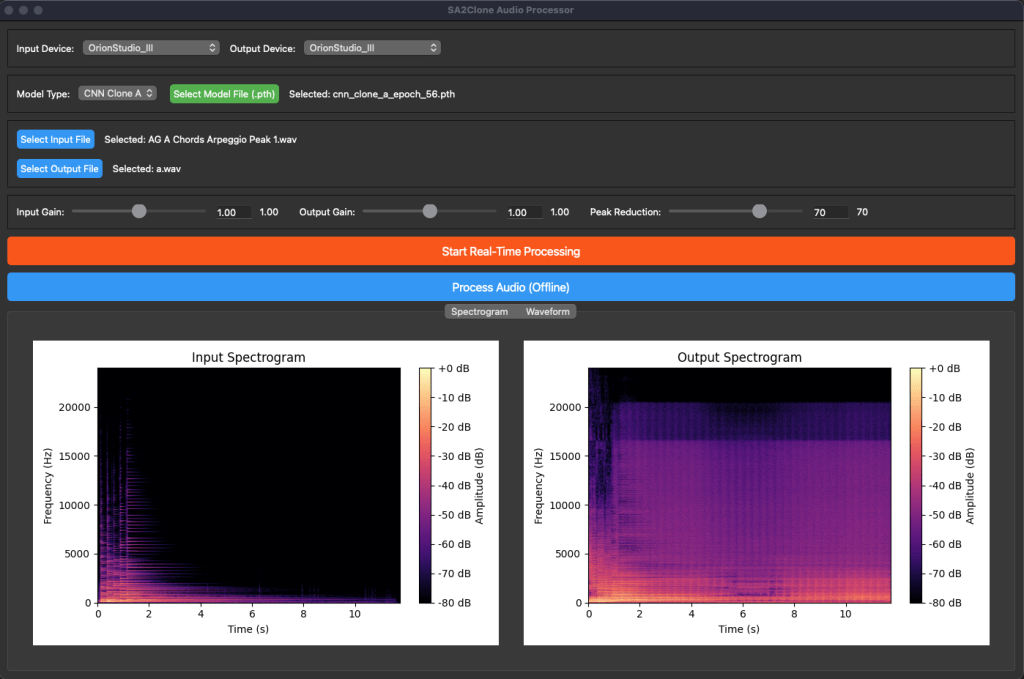
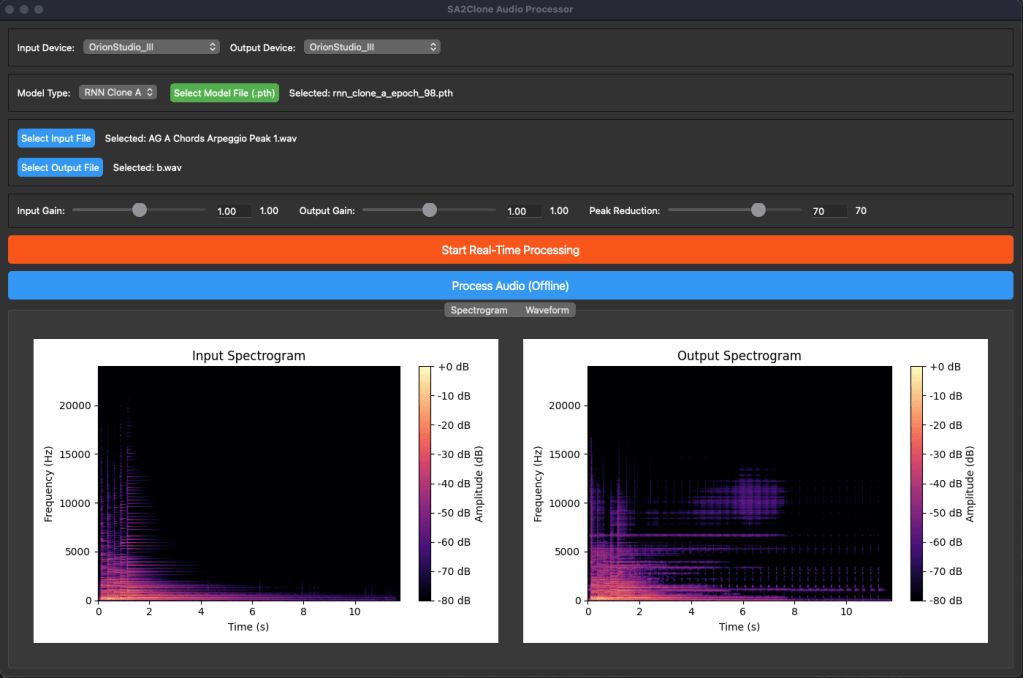
Just looking at the spectrogram tells you all you need to know, right?

I built a recording program in C++, slogged through endless recording sessions, spent ages training the model, and then tried real-time processing with JUCE—only to realize real-time processing wasn’t happening, so I switched to Python. After pouring over a month into this, it feels like such a letdown.

The RNN (LSTM) approach might still have some potential with more time, but CNN? Total dead end. My original idea would take way too long to execute, so I’ve shelved it for now. That said, the program set itself isn’t half bad, so I’m planning to polish it up and eventually share it on GitHub.

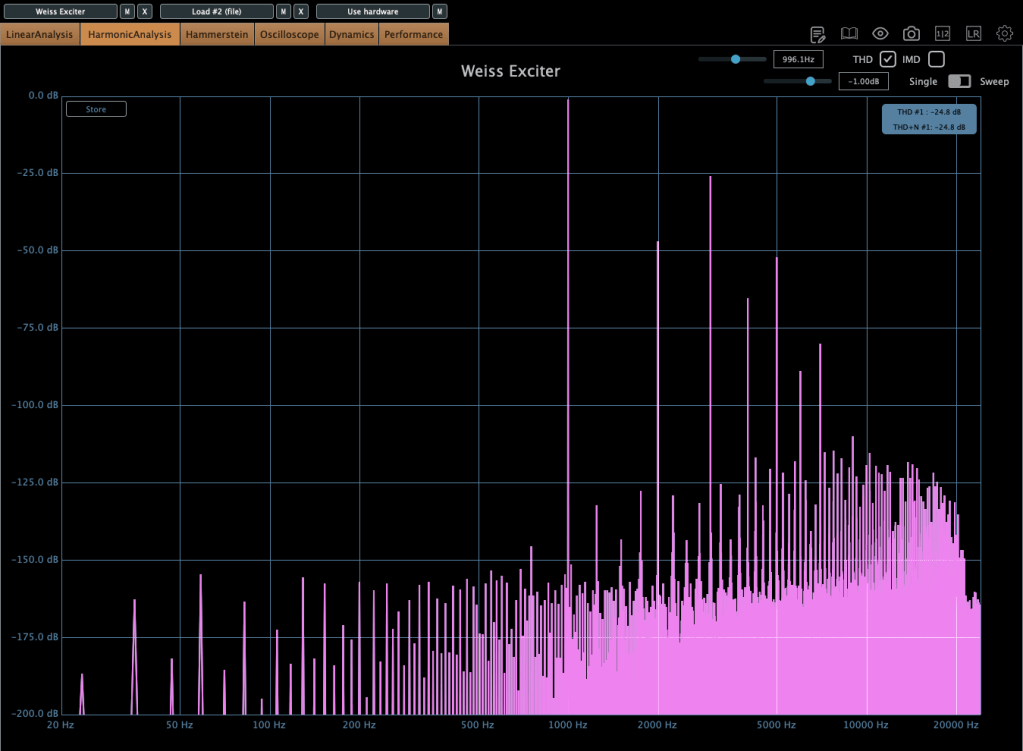
Meanwhile, I’ve pivoted to experimenting with a new topic. For this, I’ve been measuring THD, crosstalk, and frequency response, and I wrote a Python program to store the data and generate graphs.

This one actually turned out pretty well! I’m thinking of sharing some of the code and distributing the program around the time I submit my next paper. It might need a bit more refinement before I consider selling it, though.

https://github.com/JYKlabs

Oops, this is starting to sound like a GitHub channel plug, isn’t it?

The first half of this year has been consumed by experiments and coding for my thesis, leaving me with barely any time to work on my own music. 😢 But I’ve got something in the works, and I’m determined to release at least one track next month. I really need to get into a groove and churn stuff out consistently instead of these sporadic bursts… sigh.

I’ve always been drawn to niche things—studying physics as a kid, making music, diving into audio engineering, and now coding for obscure projects. Guess I’m just wired to love the less mainstream stuff, haha.

Anyway, that’s what I’ve been up to lately. With grad school graduation looming, I’m feeling a bit lost and anxious about what’s next. But I’m choosing to believe things will work out and keep pushing forward.

Catch you in the next post! 😊