Brainworx May Sale (1) – Amek Mastering Compressor, Mäag Magnum-K, Millennia TCL-2 (Until May 31)

Hello! I’m Jooyoung Kim, a mixing engineer and music producer.

Plugin Alliance has started charging taxes for Korean buyers, making Plugin Boutique a more cost-effective choice. With Plugin Boutique, you can often get free plugins or collect points, even for the same products.

This month, Plugin Boutique is holding a big sale on several Brainworx plugins from Plugin Alliance, so I’m here to highlight a few.

In a previous post, I focused on Saturation and Bettermaker plugins. This time, I’ll dive into compressors: Amek Mastering Compressor, Mäag Magnum-K, and Millennia TCL-2.

Let’s get started!
(I numbered this post as (1) in case I cover more plugins later, but no promises… 😅)

AMEK Mastering Compressor
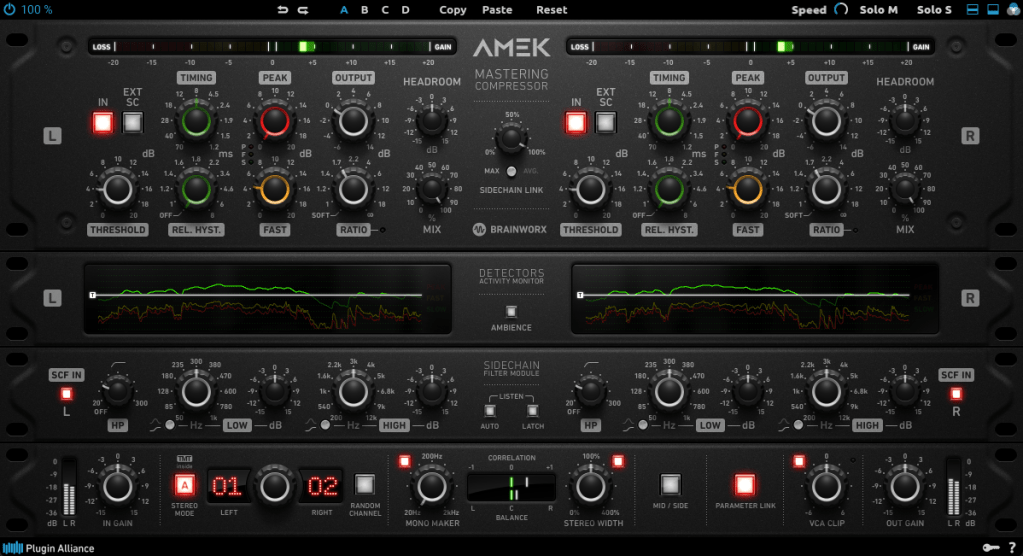
This compressor is inspired by the Amek 9098 console and compressor… or so they say. It’s probably best to think of it as Brainworx’s unique take on an Amek-based compressor.
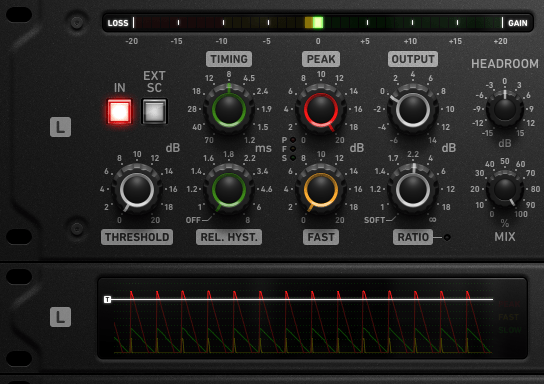
Its standout features are:

  1. Multiple detector settings (Fast, Peak)
  2. Timing and Release Hysteresis parameters instead of traditional Attack and Release

These can be a bit confusing, so let’s break them down.

The Peak parameter enhances detection of transient peaks, while the Fast parameter makes the attack respond more quickly.

Timing directly adjusts the speed of Attack and Release, while Release Hysteresis links the Fast detector to the signal’s volume, reacting faster to loud sounds and slower to quiet ones.

A bit tricky, right? 😄

Also, this compressor has automatic Make-Up Gain, so you’ll need to slightly reduce the Output Gain to balance the sound.
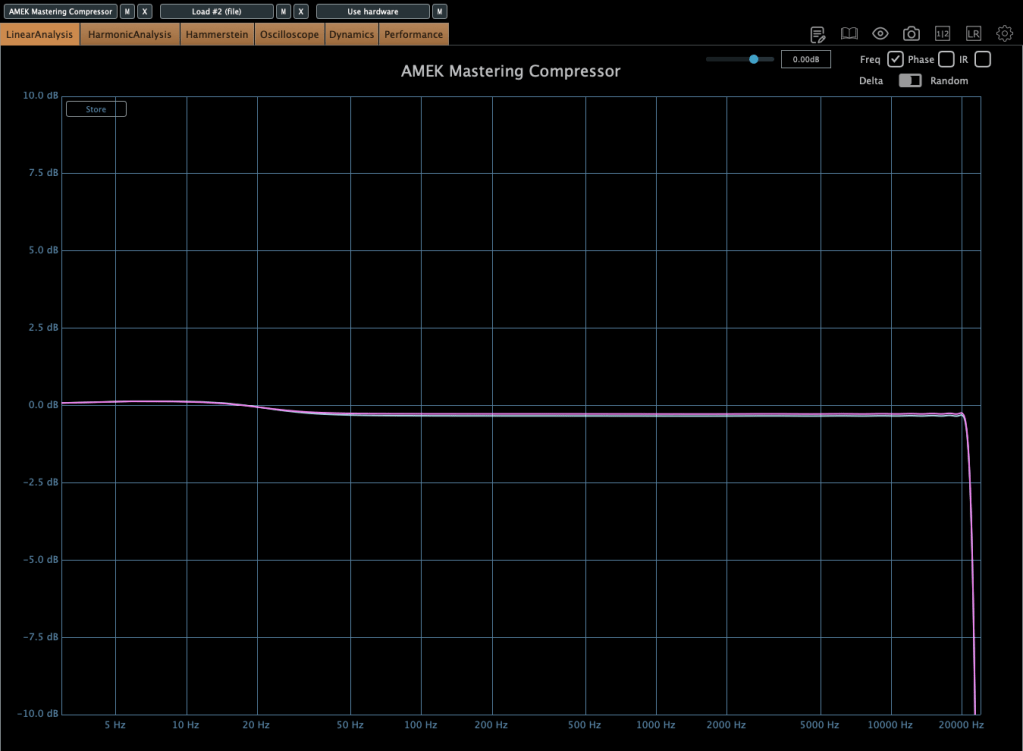
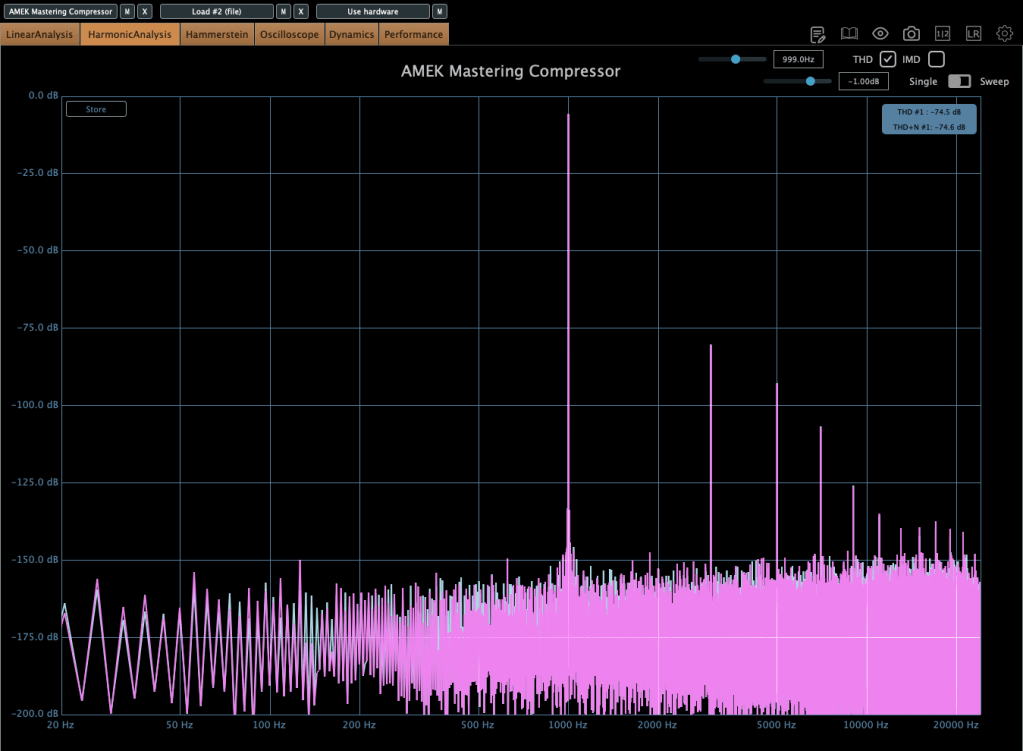
In terms of frequency response, it slightly boosts the low end, and when compression kicks in, the high end gets a subtle lift. True to its “Mastering Compressor” name, it’s very clean with minimal harmonic distortion.
Millennia TCL-2

The Millennia TCL-2 is a plugin emulation of Millennia’s opto compressor, often compared to the Avalon AD2044 as a top-tier stereo opto compressor.
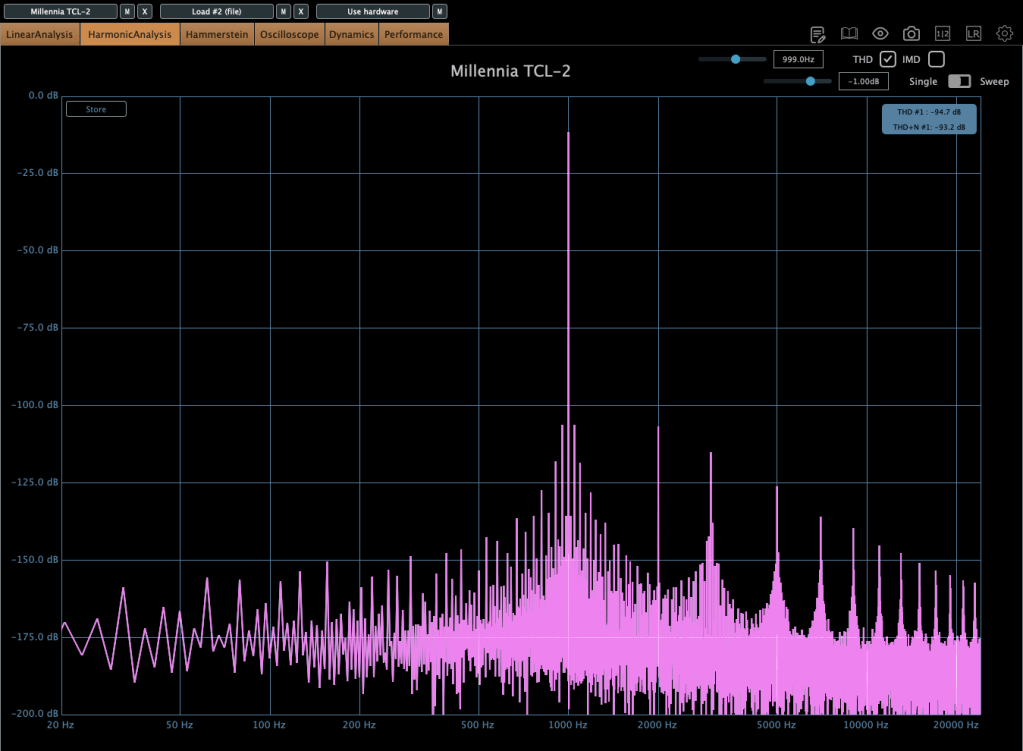
It’s exceptionally clean, producing very little harmonic distortion even under compression. You won’t notice significant changes in the frequency response either.

The parameters are fairly standard, so there’s not much to dive into here.

From my experience, it’s ideal when you want a smooth opto compressor without expecting high-frequency saturation.

Mäag Audio Magnum-K
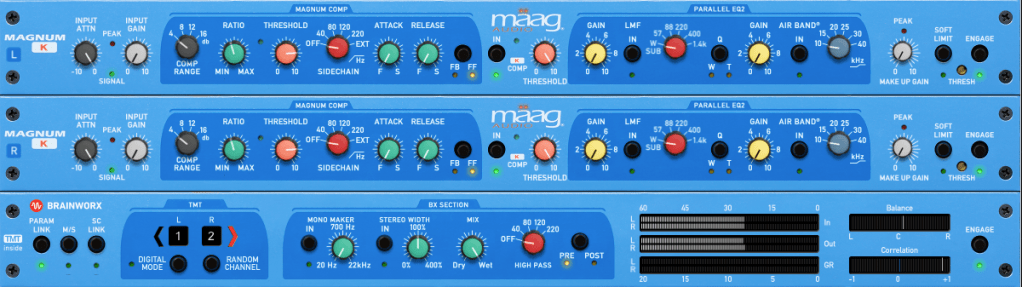
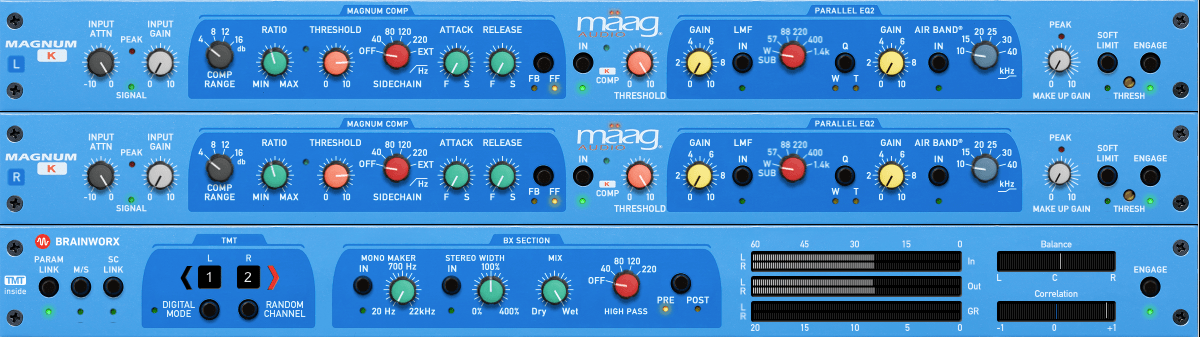
The Mäag Audio Magnum-K is a compressor that incorporates Mäag Audio’s signature Air Band EQ.
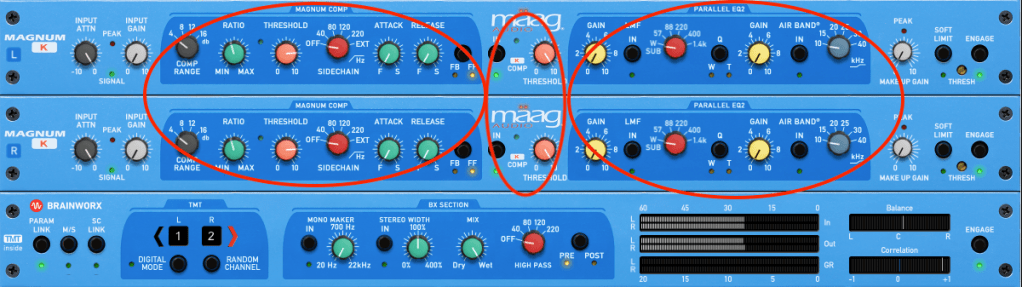
This one’s a bit complex to use. It’s easiest to think of it as three sections: Magnum Compressor, K Compressor, and EQ2.

The Magnum section should feel familiar, but the FB/FF (Feedback/Feedforward) setting on the far right is unique. Feedback mode offers smooth compression, while Feedforward mode is more aggressive.

The K Compressor is a one-band compressor centered at 3kHz, essentially functioning as a de-esser to tame vocal sibilance.

The EQ2 section operates in parallel with the original signal, blending with the Magnum and K Compressor signals before soft clipping kicks in.
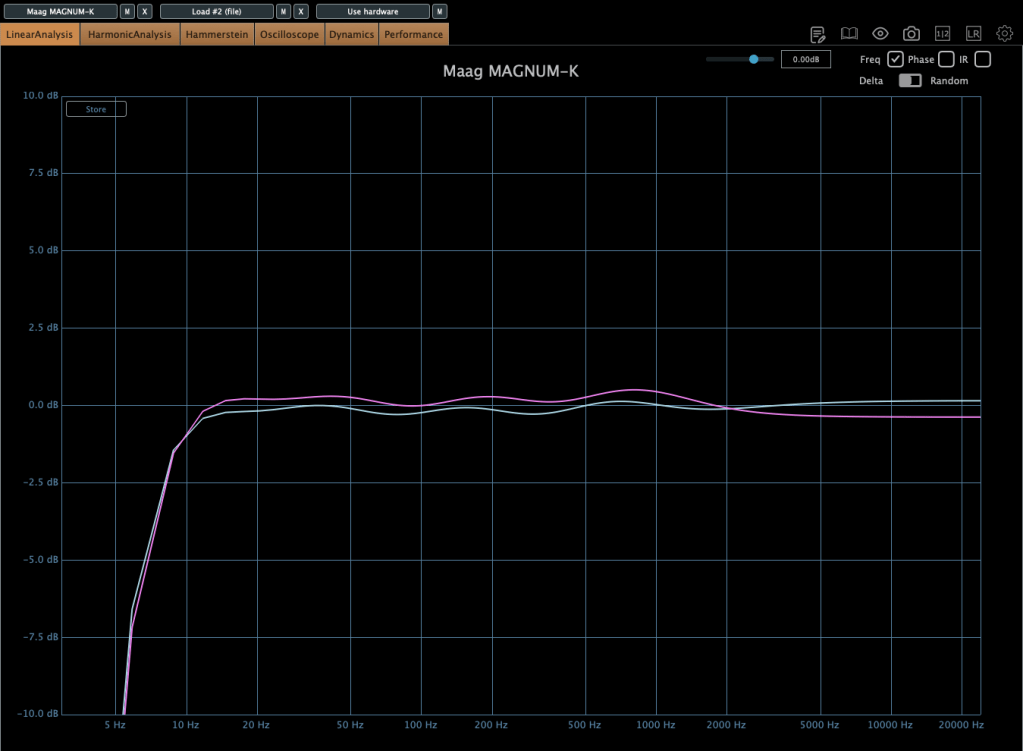
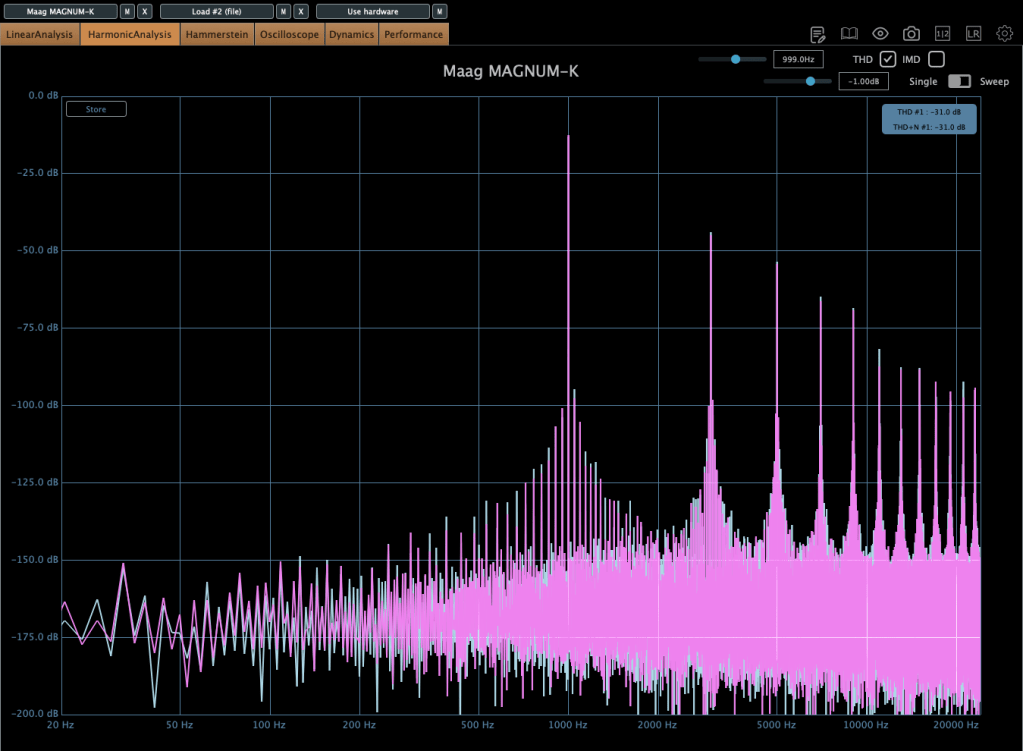
It adds some coloration, and when compression engages, the midrange feels fuller. The left and right channels can slightly differ, creating a richer effect. If you don’t like this, you can use M/S mode or Digital Mode for uniform channel processing.

Until the end of this month, these compressors and other Brainworx plugins are on sale at Plugin Boutique, so it’s worth checking them out.

Plus, if you buy any plugin from Plugin Boutique this month, you’ll get Bitwig Studio 8-Track DAW for free, so don’t miss out!

See you in the next post! 😊
Basics of Synthesizers (1) – Types of Synthesizers

Hello! I’m Jooyoung Kim, a mixing engineer and music producer.

Today, I’ll continue from last time and briefly classify synthesizers. Let’s dive in!

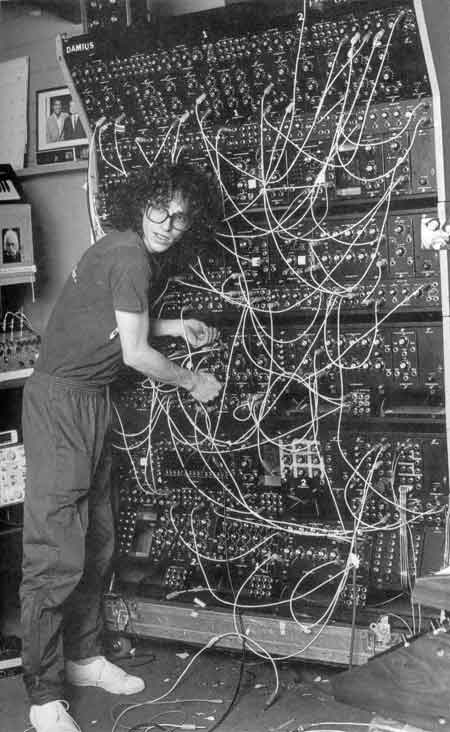
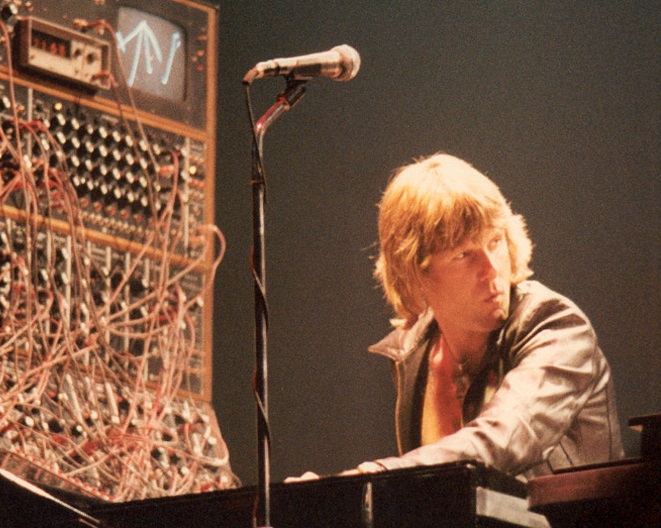
The Money Pit: Modular Synthesizers…

Synthesizers can be categorized based on their synthesis methods. Here’s a breakdown:

No.Synthesis MethodDescription
1Subtractive SynthesisApplies filters to a signal to shape the sound.
2Additive SynthesisCombines waveforms to create sound.
3Modulation SynthesisModulates one signal using the values of another.
4SamplingModulates pre-recorded sounds (not strictly a synthesizer but often integrated).
5Physical ModelingMathematically models the principles of how real sounds are produced.
6Phase DistortionDistorts the speed of phase changes to synthesize sound.
7Vector SynthesisUses a basic wavetable approach, often with a joystick to shape sounds.
8Spectral ModelingA type of modeling that uses white noise and variable filters to create sound.
9Linear ArithmeticCombines subtractive synthesis with PCM (Pulse Code Modulation) sampling.
10FormantA modeling technique based on the frequency spectrum peaks that occur in human speech, called formants.
11GranularA sampling method that synthesizes sound by manipulating small units called grains.
12WavetableSynthesizes sound using waveform tables.
13AI (Neural / Deep Learning)Trains models to synthesize sounds based on specific parameters.

Quite a list, right?

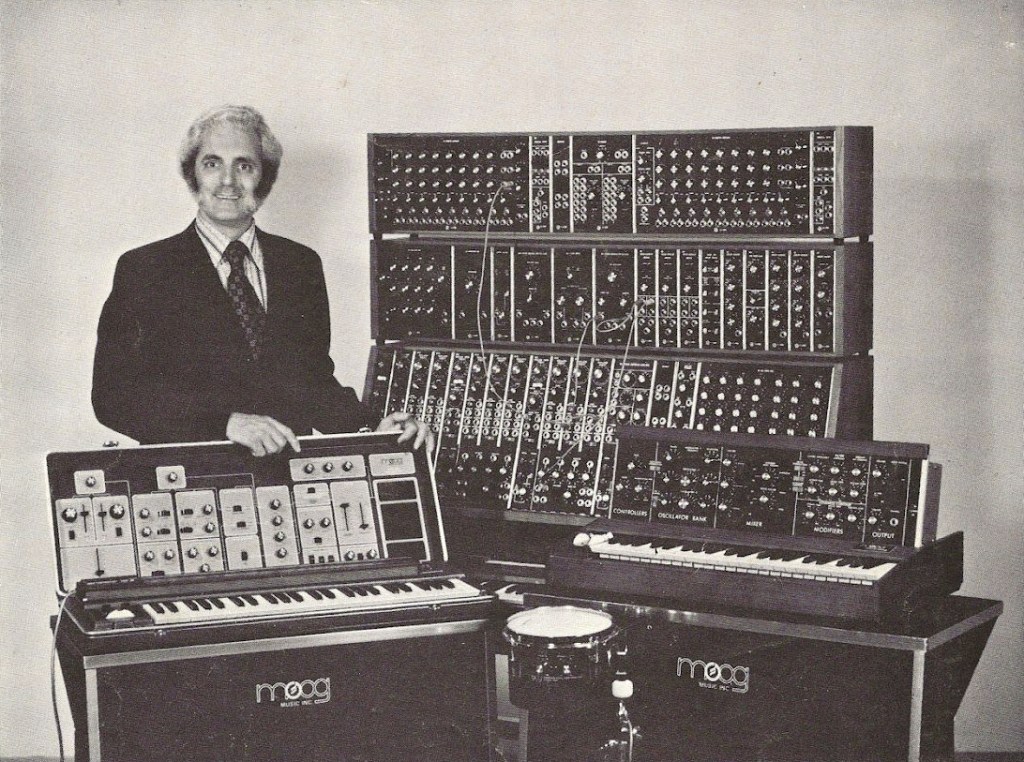
The Father of Moog, Robert Moog

After the first commercially successful analog synthesizer from Moog appeared, many companies saw the potential for a profitable synthesizer industry. At the same time, academia recognized its research value, leading to numerous collaborations. This fueled rapid advancements in synthesizer development.

As a result, most synthesizer instruments we know today were fully developed before the 2000s.

Today, technologies like Physical Modeling and AI synthesis have advanced synthesizer creation, but we don’t always think of these as “synthesizers.” For example, a modeled piano is perceived as a piano, and a modeled woodwind as a woodwind.

Pianoteq is a synthesizer, but it doesn’t feel like one, does it?

I previously introduced a tool that uses AI and sheet music to synthesize strings that sound incredibly realistic. I believe this is the direction future synthesizers will take.

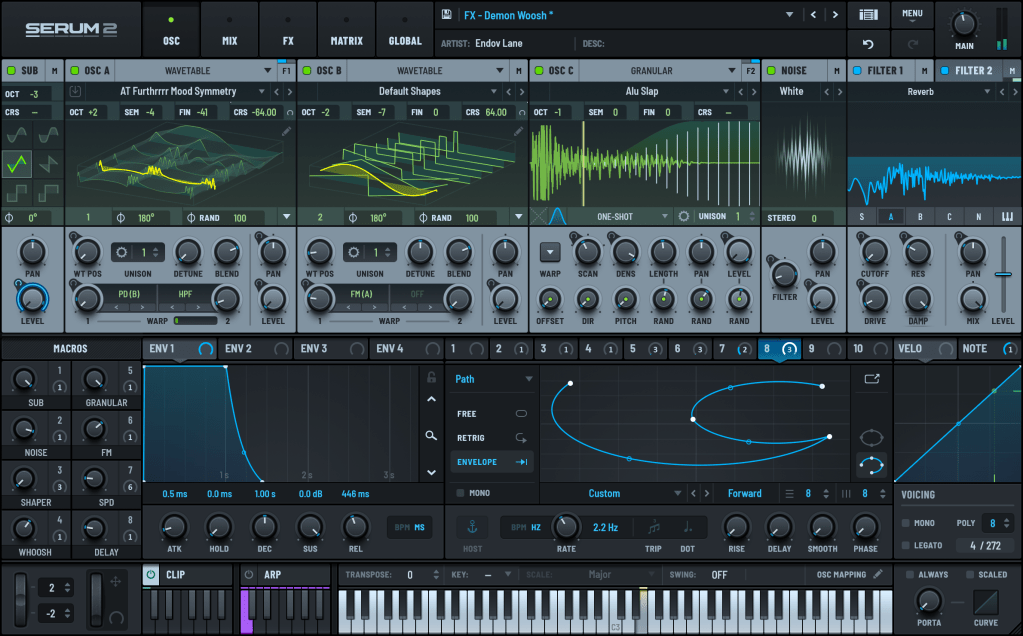
The recently released Serum 2 synthesizer. I think this is about as far as what we consider “synthesizer” instruments will evolve.

Once you master a few synthesizers, you’ll find that the parameters are largely similar across others. In upcoming posts, I’ll explore representative synthesizers for each synthesis method and how to use them. Reading through these will help you navigate complex synthesizer workflows.

Until next time!

UVI Falcon Sale (50% Off, Until May 9)

Hi there! I’m Jooyoung Kim, a mixing engineer and music producer.

UVI is a company renowned for its piano virtual instruments, much like Spectrasonics. These days, they’ve expanded beyond pianos to develop synthesizers and a variety of audio effects.

Recently, UVI joined Plugin Boutique, kicking off an exciting Intro Sale. Currently, Plugin Boutique offers two UVI products:

The Sonic Bundle, which includes all of UVI’s products, and FALCON, UVI’s flagship synthesizer/virtual instrument engine. Today, I’ll be diving into Falcon.

Full disclosure: I received an NFR (Not for Resale) code for this product from UVI via Plugin Boutique. If you purchase through the links in this blog, I earn a small commission, which helps me keep creating content and, frankly, survive! Thank you for your support.

Let’s get started!

What is Falcon?

Falcon is a versatile engine, similar to Native Instruments’ Kontakt, capable of loading virtual instruments or functioning as a synthesizer/sampler with 20 oscillators and various synthesis methods.

Like Kontakt, Falcon can feel overwhelming if you dive into all its detailed settings or try to build a sampler from scratch. It’s especially tricky for beginners, particularly when combining FX and modulation with synthesizer configurations.

Instead of trying to master everything at once, let’s start with the basics.

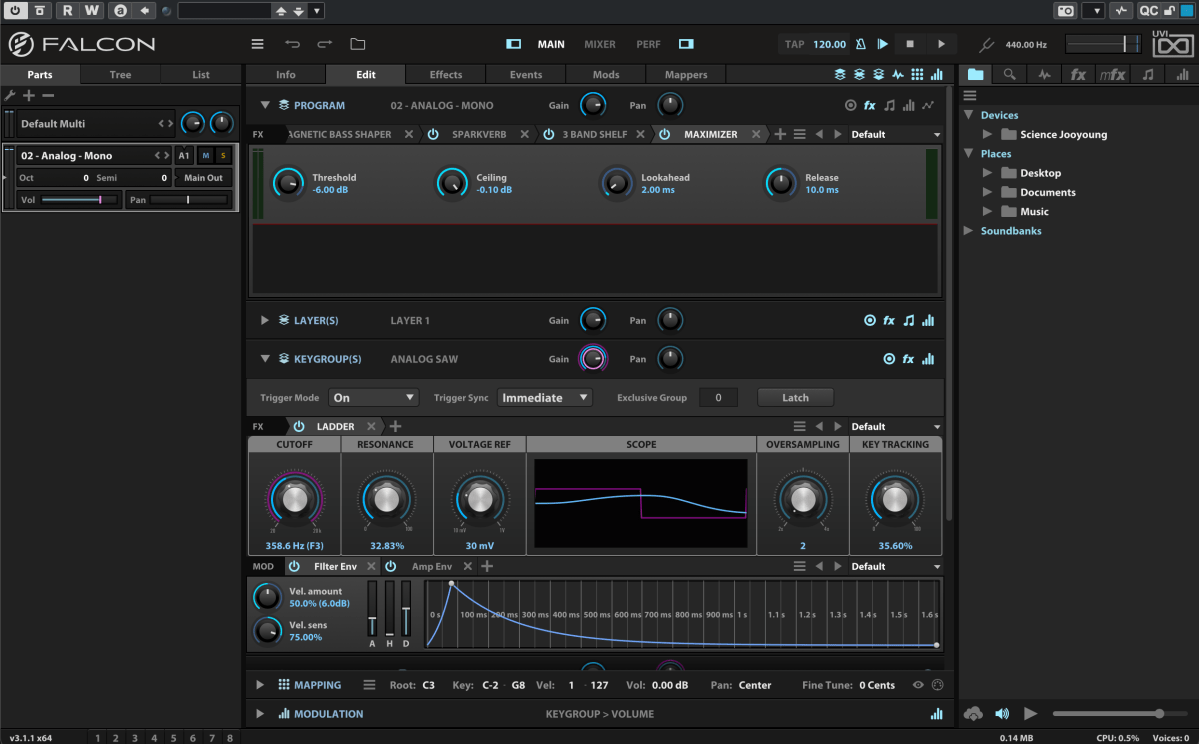
When you first open Falcon, you can choose from 21 default preset synthesizers, including Analog, FM, Additive, Organ, Wavetable, Noise, Pluck, Texture, Sample, Drum, MPE, Granular, Vosim, Harmonic Resonator, Bowed String, and more.

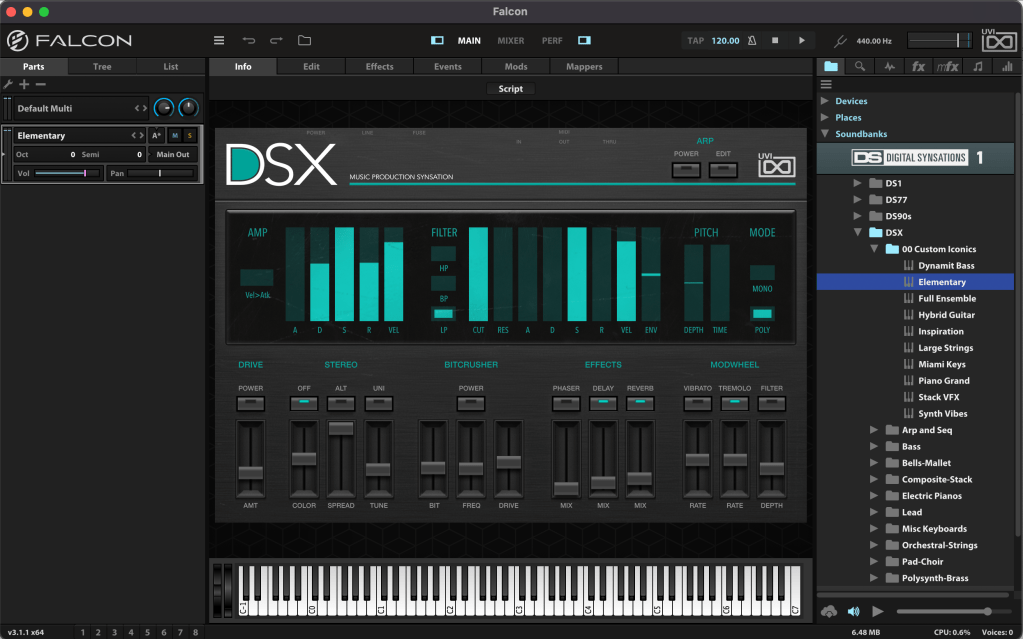
Once loaded, the Info tab displays the most basic parameters for tweaking.

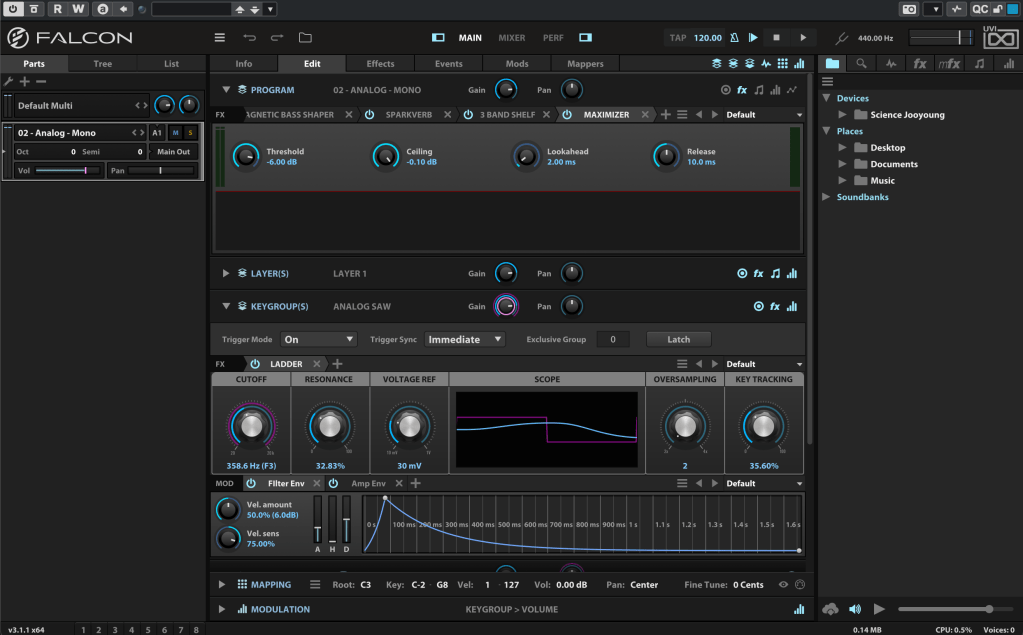
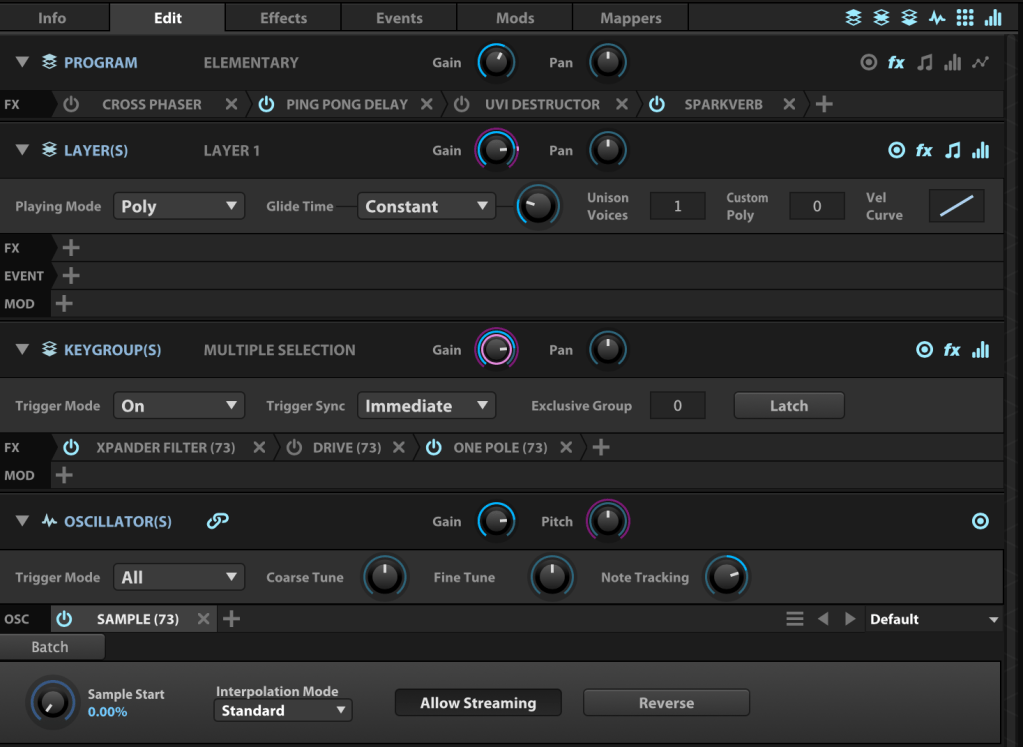
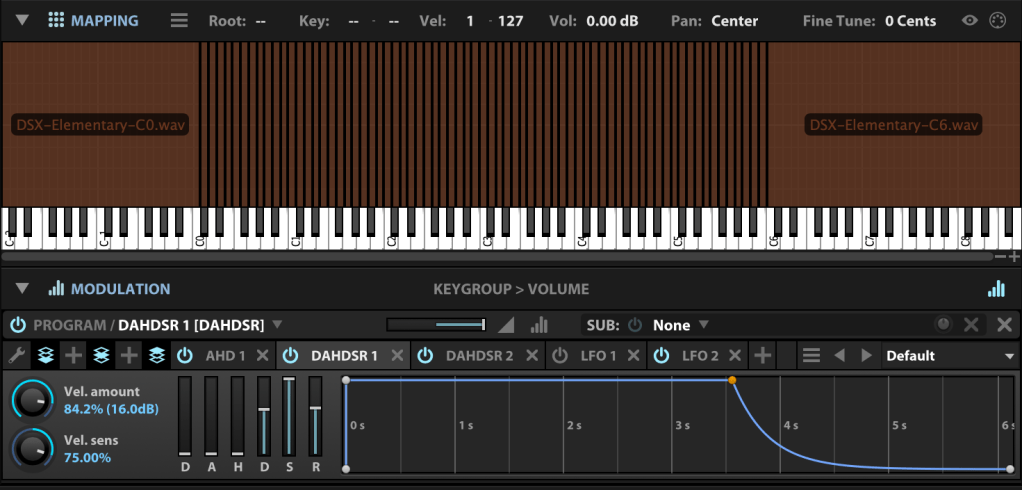
In the Edit tab, you can fine-tune more detailed parameters, such as FX, Layer, Key Group, Oscillator, Mapping, and Modulation for the loaded synthesizer or virtual instrument.

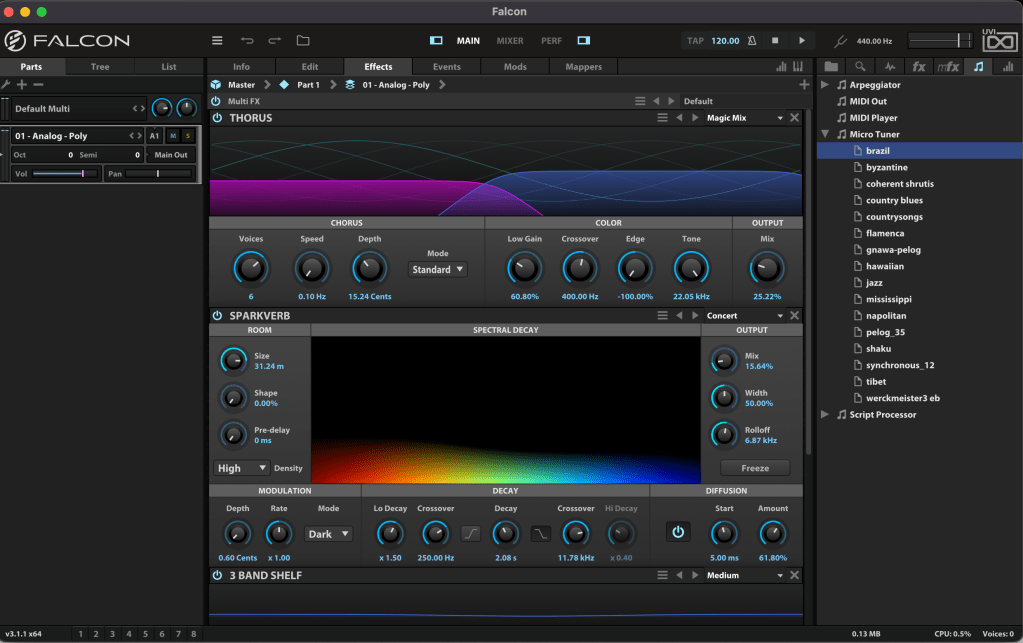
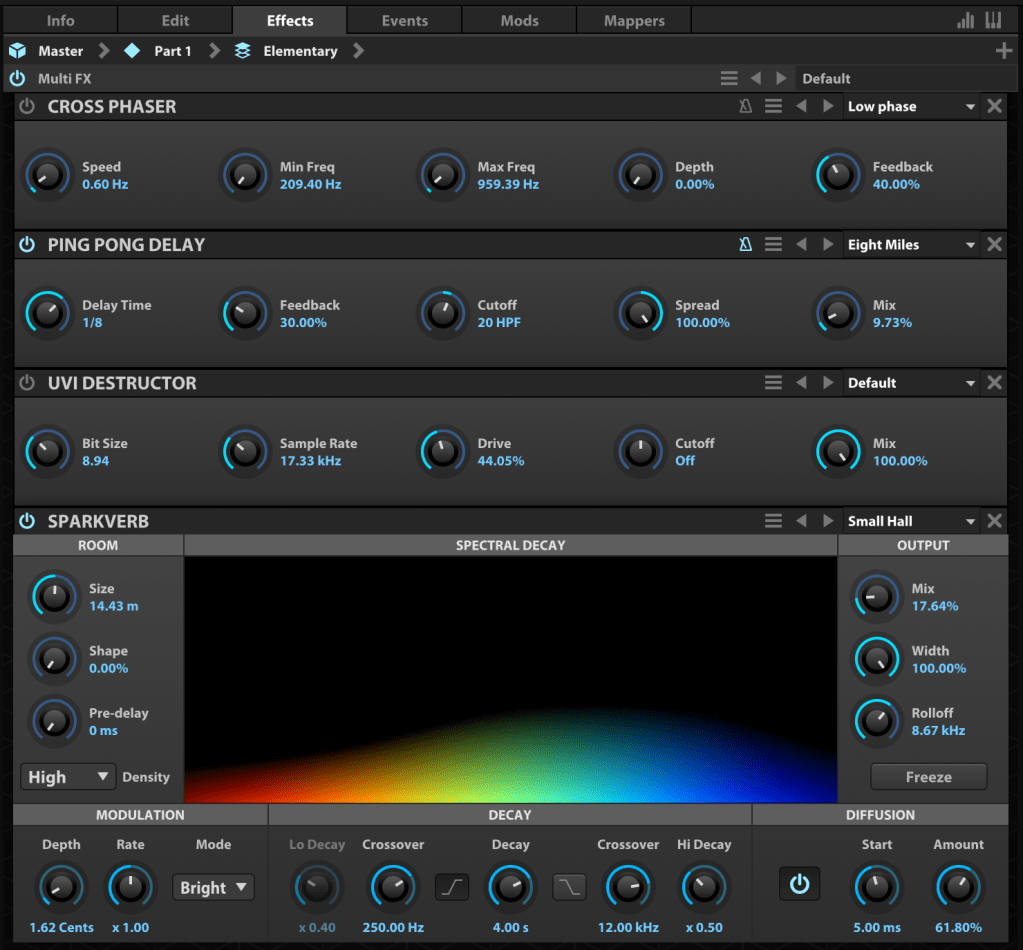
The Effects tab lets you dive deeper into FX adjustments. With over 100 effects included in Falcon, it’s tough to cover them all! They lean more toward sound design than traditional mixing, offering incredible creative possibilities.

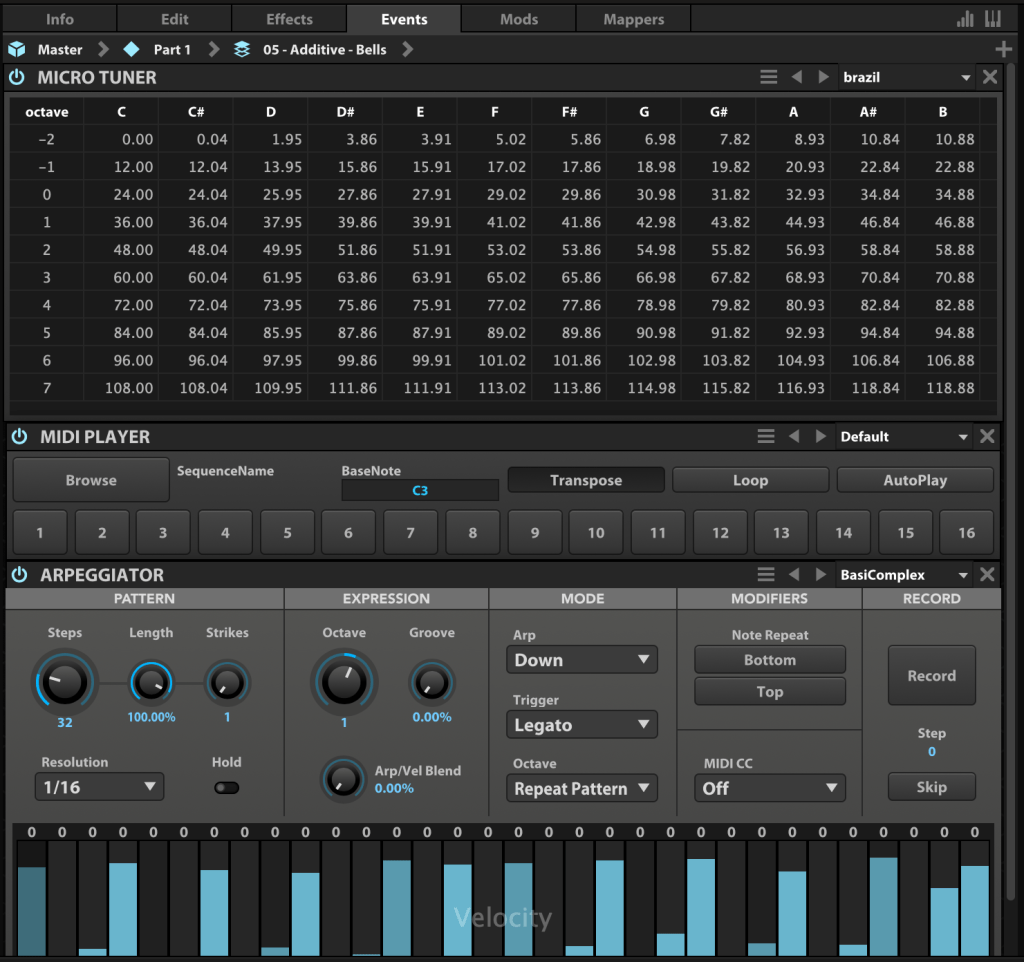
In the Event tab, you can add MIDI FX processors and other MIDI-based effects.

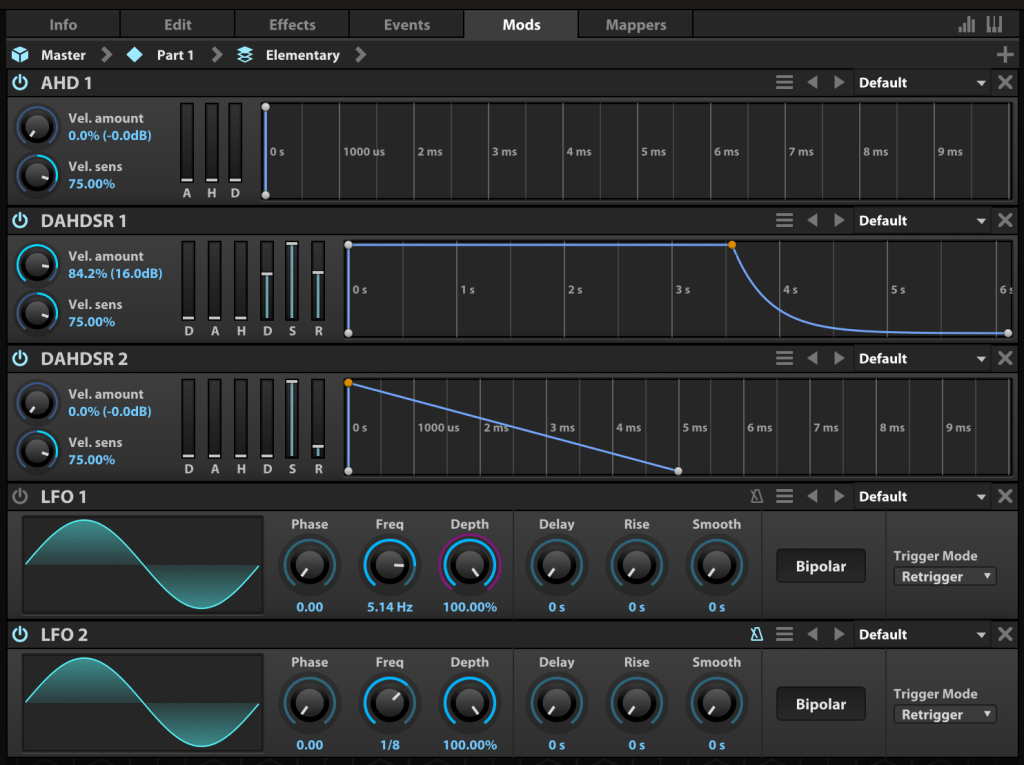
The Mods tab is where you control modulation effects like LFOs and ADSR envelopes.

In the Mappers tab, you can draw shapes to scale, quantize, curve, or pattern modulation source values, allowing you to customize how modulation effects evolve.

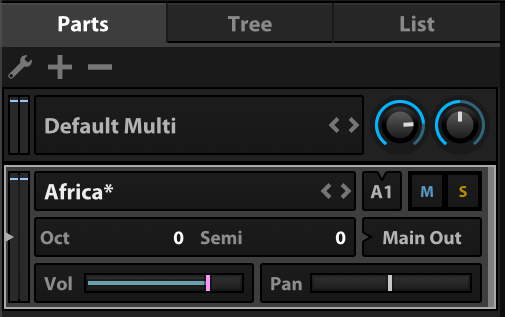
On the left, you can add modules to incorporate more virtual instruments or synthesizers.

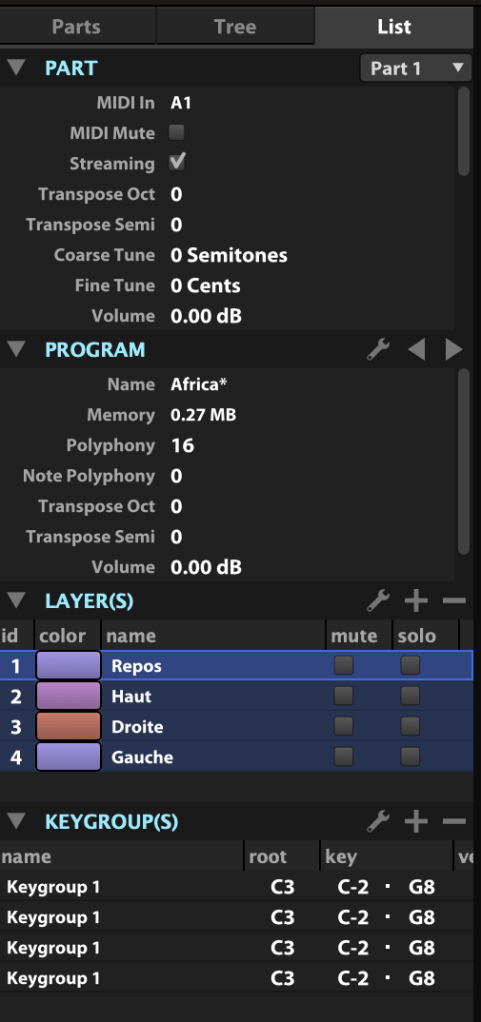
The Tree view shows which sounds or effects are applied to each part, while the List view displays the data settings for the virtual instrument or synthesizer.

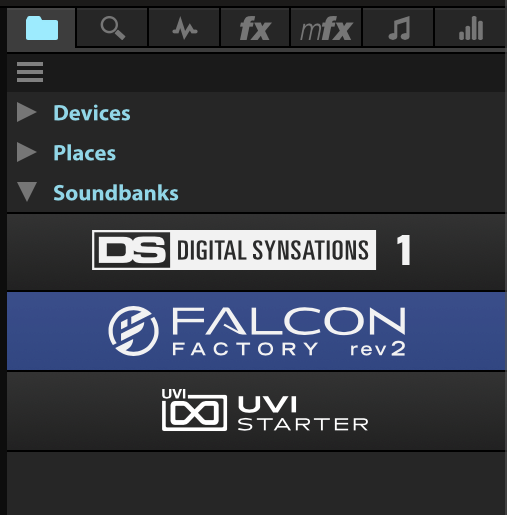
On the right, you can browse sounds by folder or soundbank and preview them with a quick click.

The search bar helps you find presets, while the waveform icon loads sounds into the mapping editor. The “fx” category covers effects, and “mfx” refers to music FX for sound effects. The note icon represents MIDI effects for the Event tab, and the frequency spectrum-like icon is for modulation effects in the Mods tab.

Falcon’s extensive features can take time to master, but its versatility lets you create an incredible range of sounds.

Until May 9, Plugin Boutique is offering a 50% discount on Falcon as part of the Intro Sale. If you’re looking for a single, all-in-one synthesizer virtual instrument, Falcon is a fantastic choice.

Thanks for reading, and I’ll see you in the next post! 😊
Diving into the Basics of Synthesizers…

Hello! I’m Jooyoung Kim, a mixing engineer and music producer.

It’s been a while since my last post, hasn’t it?

After getting rejected by AES for the second time, I was like, “Alright, let’s fix this research!” So, I scrapped my experiments, started over, re-collected all the data, and reformatted everything for submission elsewhere. Time just flew by in the process… haha.

I’m really hoping this one gets accepted before I graduate. Fingers crossed this time…

Lately, I’ve been working on recreating hardware compressors using deep learning. I trained the model with test signals, but when I fed it guitar sounds, all I got was white noise and sine sweeps… That took about two weeks of work.

So, I’ve spent the past few days coding from scratch, preparing new training data, and running the training process again. Here’s hoping the results turn out well, but man, it’s exhausting…

I’d love to own a Yamaha DX7 in real life

On another note, I recently wrapped up a year-long series on the basics of mixing, and I was wondering what to write about next. Then it hit me: why not talk about using synthesizers?

Even though my music style doesn’t heavily rely on synths, understanding how different synthesizers work can definitely broaden the creative spectrum for writing music. From an engineer’s perspective, learning about filter techniques and the unique sound characteristics of various synths can spark a ton of new ideas.

That said, I’m still organizing my research on this topic, and with some recent worries about making ends meet, it’s been tough to write as quickly as I’d like… Still, I’ll do my best to keep the posts consistent.

The content will likely follow a simple structure:
“Sound synthesis methods and their history -> Iconic synthesizers”

That’s the plan. Looking forward to catching you in the next post!