Hey everyone! I’m Jooyoung Kim, a mixing engineer and music producer.
So, two days ago, a paper I submitted to AES got rejected… 😢 I’d already been turned down by ASA, poured my heart into revising it, and still came up short. Haha… oh well.
One reviewer seemed pretty positive, but another tore it apart. Some of the criticism left me scratching my head—like, “Hmm… really?”—but there were common points both raised, so I’m running extra experiments now. It’s tough, both mentally and physically, but I’ve got to push through… right? Haha.
Next up, I’m eyeing IEEE Transactions or Elsevier journals, but man, the road just keeps getting steeper…
Anyway, enough of that! Today, I’m here to talk about Smooth Operator Pro from Baby Audio, which is currently on sale.
I received this plugin as an NFR (Not for Resale) copy from Plugin Boutique. If you buy through the links in this post, I’ll earn a small commission that seriously helps me keep going—thanks so much for the support!
Let’s get into it!
What’s Smooth Operator Pro?
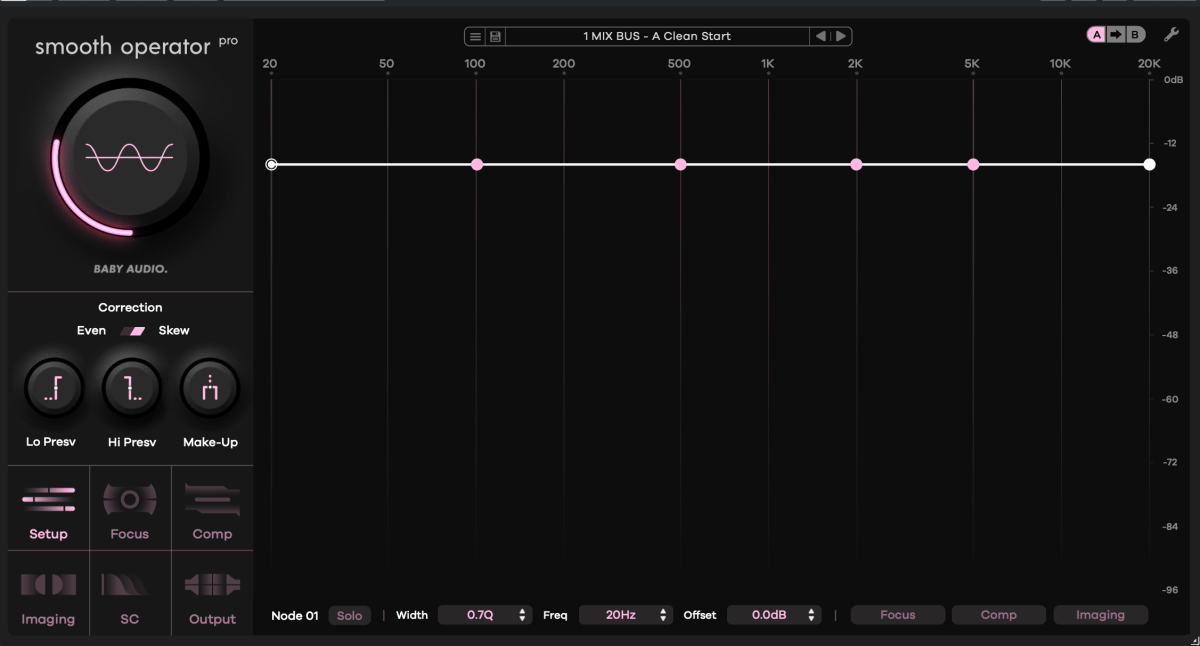
After poking around with it, I can say this plugin is fascinating. At first glance, it looks like an EQ—but it’s not. It kinda resembles a multiband compressor—but it’s not your typical one either.
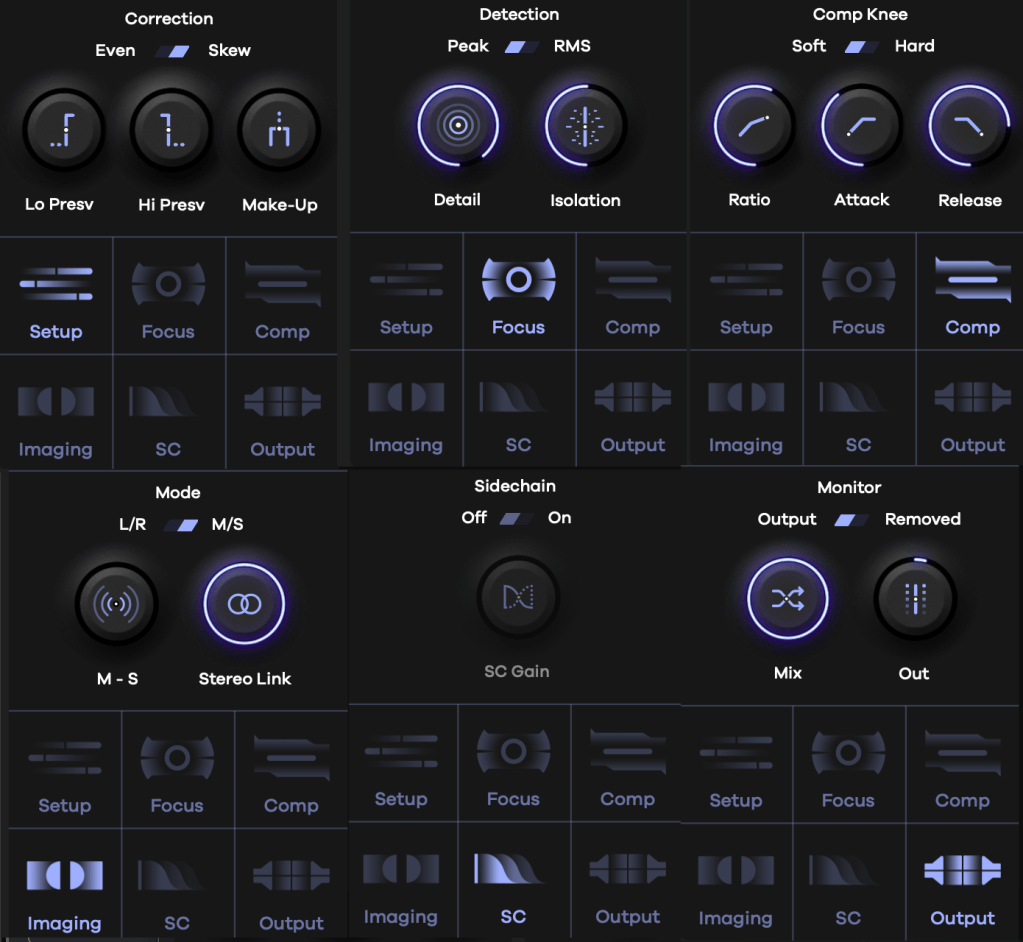
Think of it as “a multiband compressor where you can tweak reaction and behavior per frequency.” That’s the vibe. It’s got six key features:
Correction: Sets how frequencies are detected and the range of compression.
Lo Presv / High Presv: Exclude low or high frequencies from processing.
Even: Applies the effect evenly across all frequencies.
Skew: Adjusts the effect based on human hearing perception.
Detection: Controls how peaks are spotted.
Peak/RMS: Choose between peak or RMS loudness detection.
Detail: Low for broad, smooth detection; high for tight, aggressive targeting.
Isolation: Sets how wide the effect spreads around detected frequencies.
Comp Knee: Toggle between Soft or Hard Knee compression.
All the sub-parameters here are classic compressor controls.
Mode: Stereo processing options—choose between L/R or Mid/Side.
Sidechain: Pick a sidechain signal to trigger compression.
Monitor: Compare pre- and post-processing audio, tweak Mix and Output Gain.
Activate the bottom-right toggle, and you can tweak Focus, Comp, and Imaging settings for each node individually.
The big central knob adjusts the overall threshold—up or down across all frequencies.
It might look tricky at first, but once you play with it, it’s pretty straightforward. Toss in some sidechaining, and you could whip up some wild sounds for electronic tracks. I’m already picturing the possibilities!
Baby Audio has a knack for blending tons of parameters into creative plugins like this.
Smooth Operator Pro is on sale right now, so if you’re curious, it’s a great time to take a look. It’s not just a tool—it’s a playground for shaping sound in ways that feel fresh and intuitive.
Hey there! I’m Jooyoung Kim, a mixing engineer and music producer.
Now that my “Mixing Basics” series is wrapped up, I’m scratching my head about what to write next… haha. Maybe something about synthesizers? Lately, I’ve had a lot on my mind, and it’s been a bit overwhelming.
Anyway, today I’m excited to talk about two delay plugins from SSL’s X series—X-Delay and X-Echo—which are currently on sale. Let’s check them out!
I received these plugins as NFR (Not for Resale) copies from Plugin Boutique. If you buy through the links in this post, I’ll earn a small commission that really helps me keep going—thanks so much for the support!
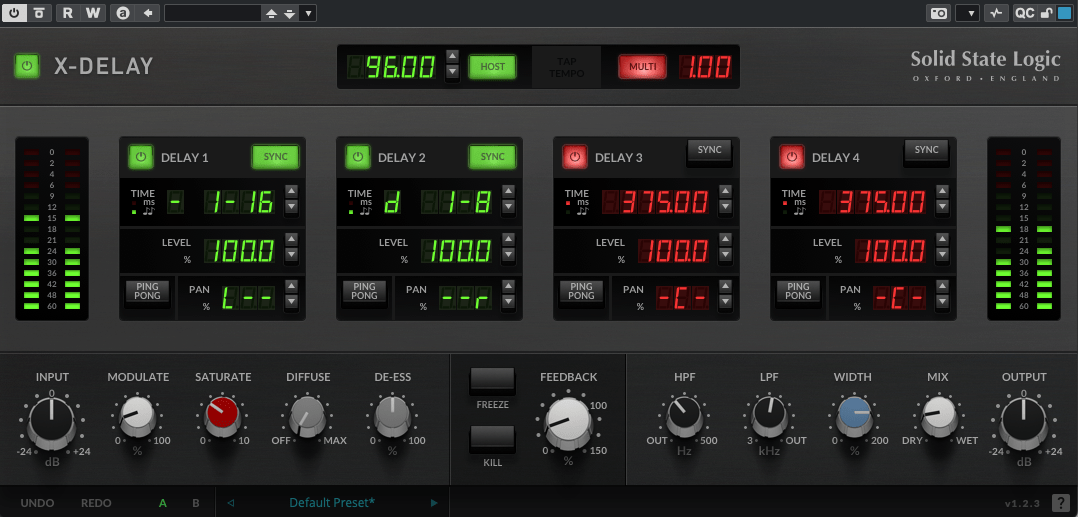
X-Delay draws inspiration from 1980s hardware digital delays. My guess? It’s channeling vibes from the iconic AMS DMX 15-80—those big, bold delays from back in the day… haha.
This plugin lets you run up to four delays at once, packed with a bunch of extra features. Let’s break it down.
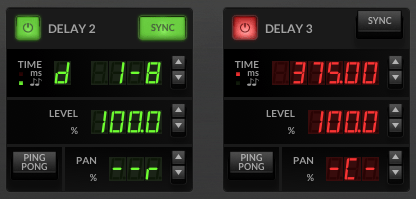
Up top, you’ve got a power button on the left and a Sync button on the right to switch between milliseconds (ms) and BPM sync. Below the “Time” label, it shows whether you’re in ms or BPM mode. To the right, you can tweak delay length in beats or ms—BPM mode offers options like straight (-), dotted (d), or triplet (t). In the screenshot, it’s set to dotted.
Then there’s Level control, a Ping Pong delay toggle, and Panning adjustments. Pretty simple, right?
Now, let’s peek at the bottom section:
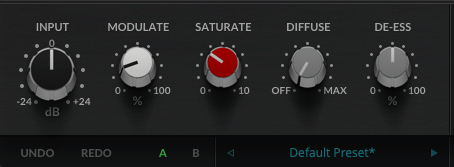
Modulate: This applies an LFO to the delay time, adding some wobble. Crank it up a bit, and your sound gets lush and full.
Saturate: Adds saturation (duh!). Max it out, and you’ll hear harmonic distortion kick in with a gentle soft-knee compression starting around -12.5 dB (it’s subtle, so hard to pin down exactly). It colors the sound nicely—turn it up for some rich warmth.
Diffuse: A room reverb effect.
De-Ess: Tames harsh highs.
Freeze: Locks the feedback sound in place.
Kill: Cuts all feedback instantly.
This thing’s a beast. It’s perfect for wet, dreamy tones but versatile enough for all sorts of uses. At a sale price of $24.99, it feels like a steal.
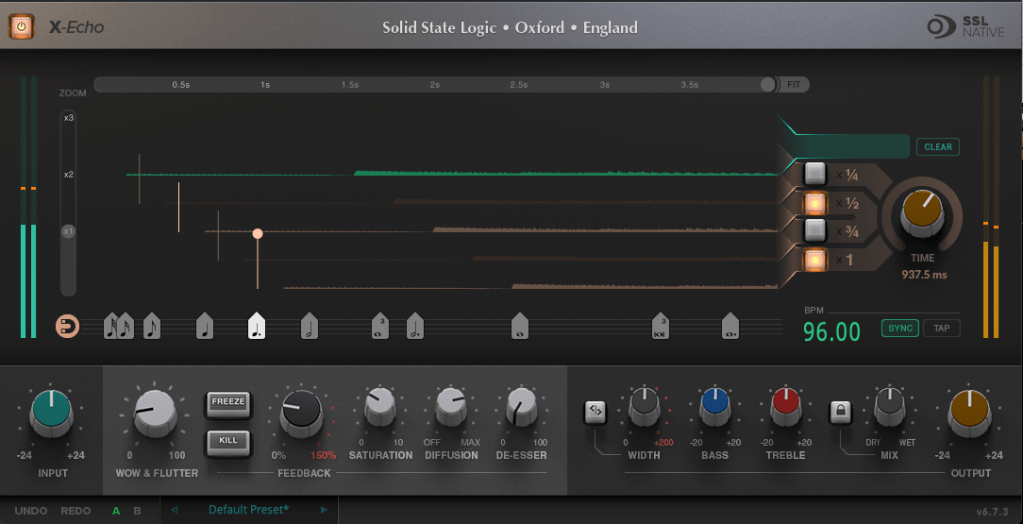
X-Echo takes its cues from 1960s tape delays—think Echoplex vibes, maybe? Haha. Unlike tape hardware built for playback, these old-school delay units often rolled off the highs due to slower tape speeds. You can see it in the frequency response—everything above 13 kHz just drops off.
It’s got that classic tape delay character—slight harmonic distortion included. One listen, and you’re like, “Yup, that’s tape delay!” Haha.
The controls are similar to X-Delay, but here’s what’s different:
Zoom: A scope to magnify the waveform for a closer look.
Grid: Adjusts delay time to your BPM with a grid—pick a note value (like quarter or eighth), or drag the connected circle to fine-tune.
Fit: Tweaks the waveform’s horizontal length.
Four Delay Buttons: Toggle between four delay lines, each with its own light.
Sync/Tap: Set BPM manually or tap it in.
The bottom section’s mostly the same as X-Delay, except for Wow & Flutter—that’s the tape-style distortion from uneven movement, like stretched tape, wobbles, or dust. Think vintage quirks!
Freeze: Holds the feedback sound.
Kill: Stops all feedback.
At $24.99 on sale, X-Echo nails that tape delay tone you’d expect—great for anyone hunting for that retro sound.
Bundle Deal & Bonus
The X-Delay & X-Echo Bundle is just $39.99. If you’ve been wrestling with spatial effects in your mixes, this is a fantastic deal worth considering.
Plus, this month, any plugin or virtual instrument purchase from Plugin Boutique comes with a free synth, MOK Miniraze. Don’t forget to grab it when you check out!
Wrapping Up
Both X-Delay and X-Echo bring something special to the table—vintage-inspired delays with modern flair. At these prices, they’re hard to pass up. The sale runs until April 14th, so now’s the time to jump in.
TC Electronic has just joined forces with Plugin Boutique, kicking things off with an awesome intro sale! When I think of TC, reverb and delay instantly come to mind—they’re legends in the world of spatial effects. Now that they’re under Music Tribe (the parent company of Behringer), those iconic algorithms are finally hitting the plugin scene.
Funny thing, though—back in 2018 when stuff like the TC8210 first dropped, there wasn’t a standalone Native version. It was tied to hardware controllers, so unless you snagged one cheap early on, it kinda faded into the background. Music Tribe’s website wasn’t exactly user-friendly either…
But this time, I got some NFR (Not for Resale) codes from Plugin Boutique to test these out, and wow—they’ve nailed the spatial plugin game. So, I figured I’d share my thoughts with you all!
Oh, and if you buy through the links in this post, I’ll earn a small commission that really..really helps me keep going—thanks a ton for the support! 😊
Let’s dive in!
TC Electronic Sale Plugins Overview
(Note: PolyTune and LM2 are exclusive to the TC Studio Elite Collection bundle.)
Here’s a quick rundown of what’s on offer, sorted by type:
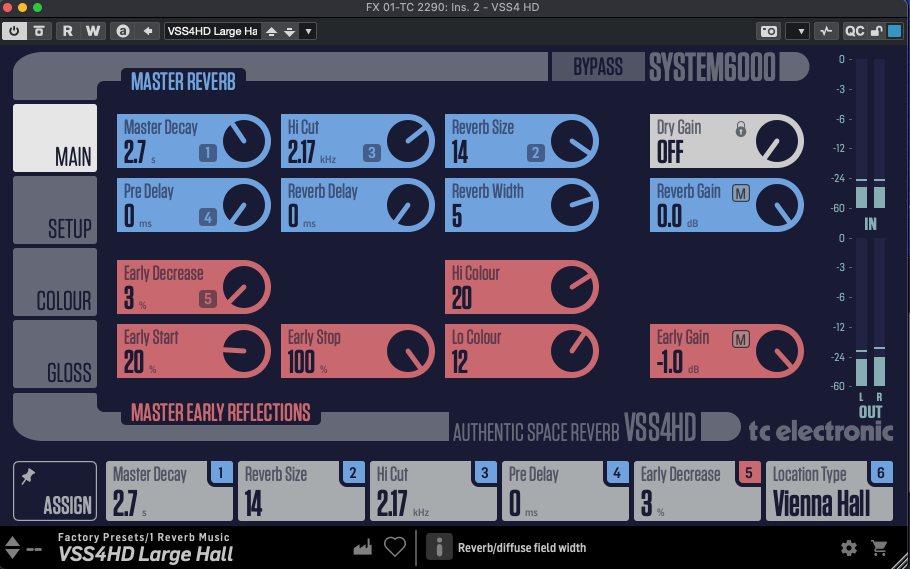
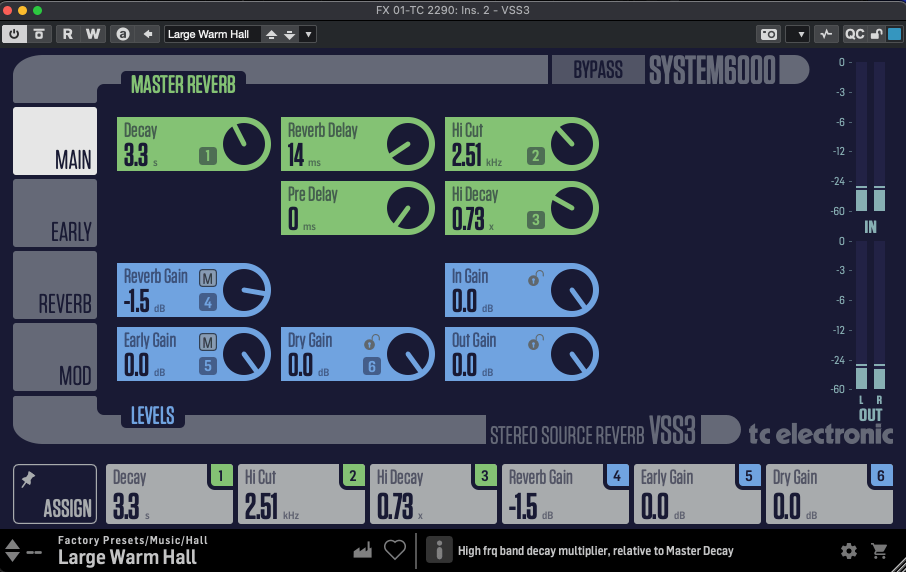
For me, TC Electronic’s reverbs are the heart of this lineup. The System 6000 plugins (VSS4 HD, VSS3, NONLIN2) have a slightly tricky UI at first—it’s not super intuitive. But once you dig into the parameters, they’re familiar to anyone who’s done some mixing. For beginners, it might feel overwhelming, but mastering these could level up your reverb game across any plugin.
These deliver that crisp, polished digital reverb sound we all expect from TC—VSS4 HD and VSS3 for lush spaces, NONLIN2 for wild, creative effects.
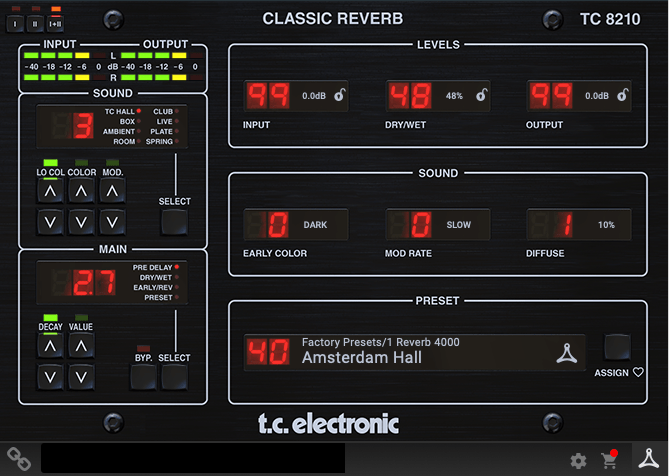
The DVR 250 nails that vintage EMT 250 vibe—think early digital reverb with a chopped-off ultra-high end due to sample rate limits. TC 8210 keeps things clean but tames the highs a bit to echo that retro feel, while still sounding unmistakably digital.
Delay & Modulation
[photo: TC 2290 or TC 1210 interface] TC 2290, TC 1210 [link: https://www.pluginboutique.com/product/2-Effects/39-Reverb/11535-Icon-Series-Legacy-Native-Bundle] These are just as iconic as the reverbs. The TC 2290 is a delay powerhouse—you can slap on chorus, flanger, pitch shifting, or auto-doubling, plus dynamic effects like tremolo, ducking, gating, and even auto-panning. It’s insanely versatile.
The TC 1210 blends a stereo expander with modulation—think chorus, vibrato, flanger, and more. Both shine on electric guitar or electric piano, but they’re also perfect for sparking creative ideas during songwriting.
Dynamics & EQ
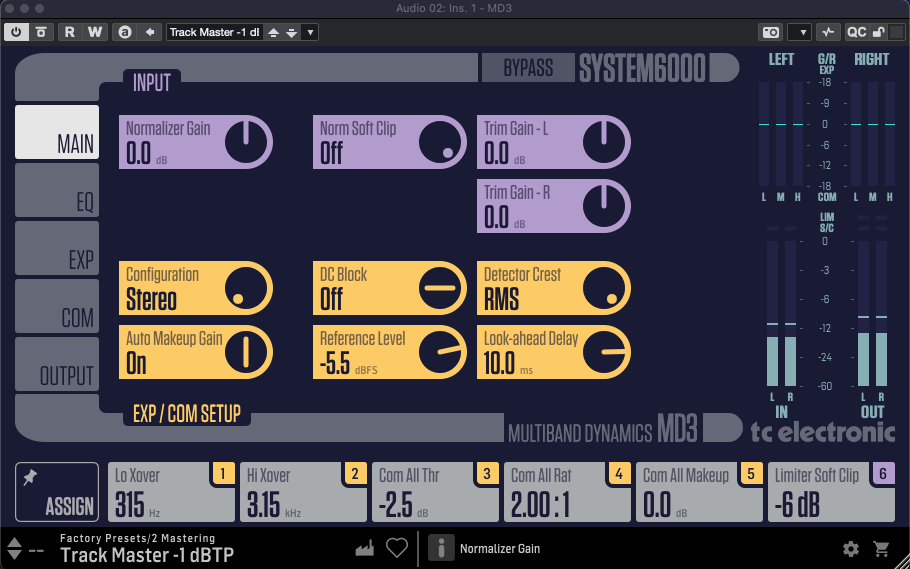
MD4 HD, MD3
These System 6000-based multiband compressors are more than just compressors—they’re like channel strips with EQ, expanders, limiters, and soft clipping rolled in. No built-in analyzer, so they’re not the most beginner-friendly, but the controls are detailed and powerful.
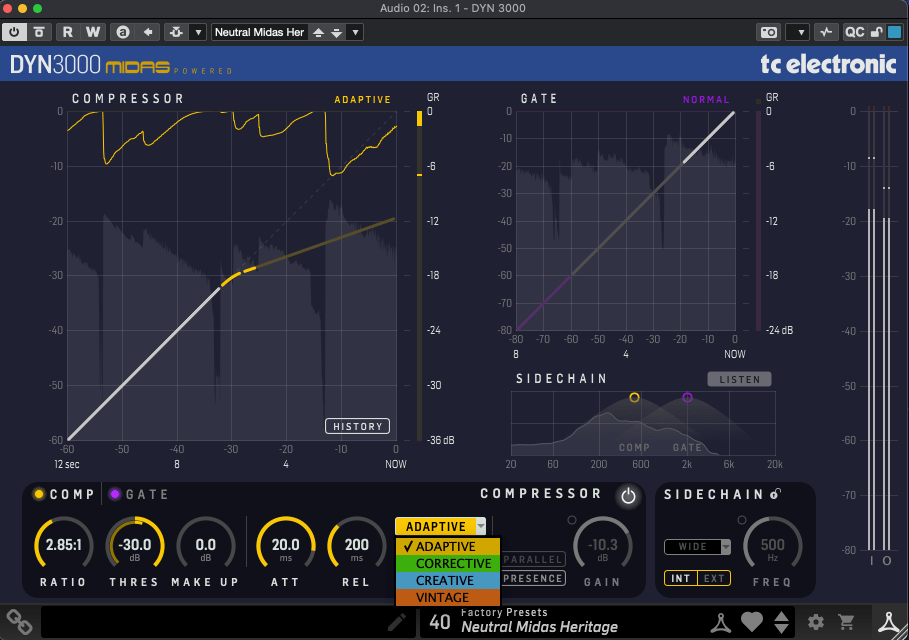
These have friendlier UIs and feel more approachable. DYN 3000, based on Midas Heritage consoles, is a super-clean digital compressor—Adaptive mode keeps it pristine, while other settings add character. It’s got a gate, sidechain, and all the essentials.
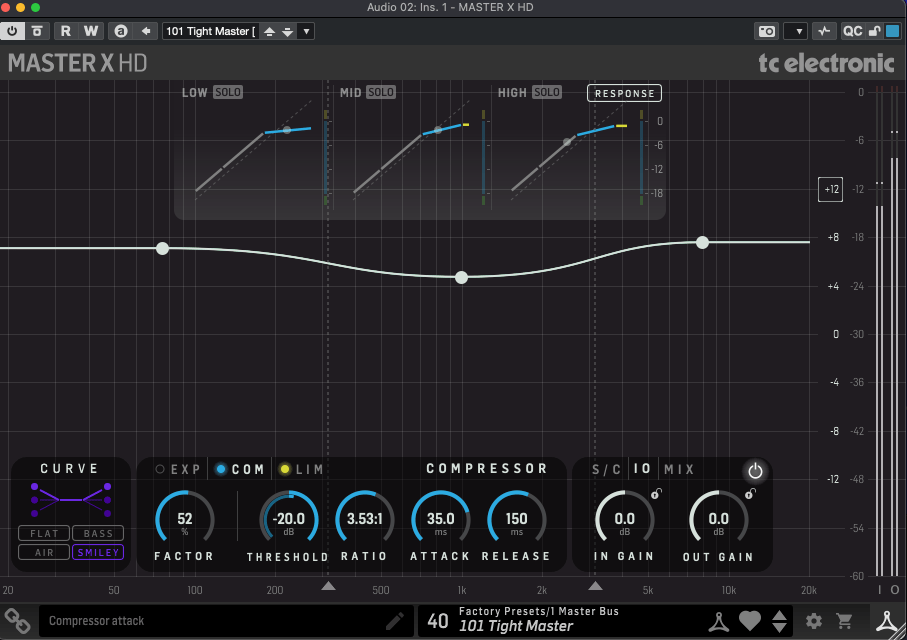
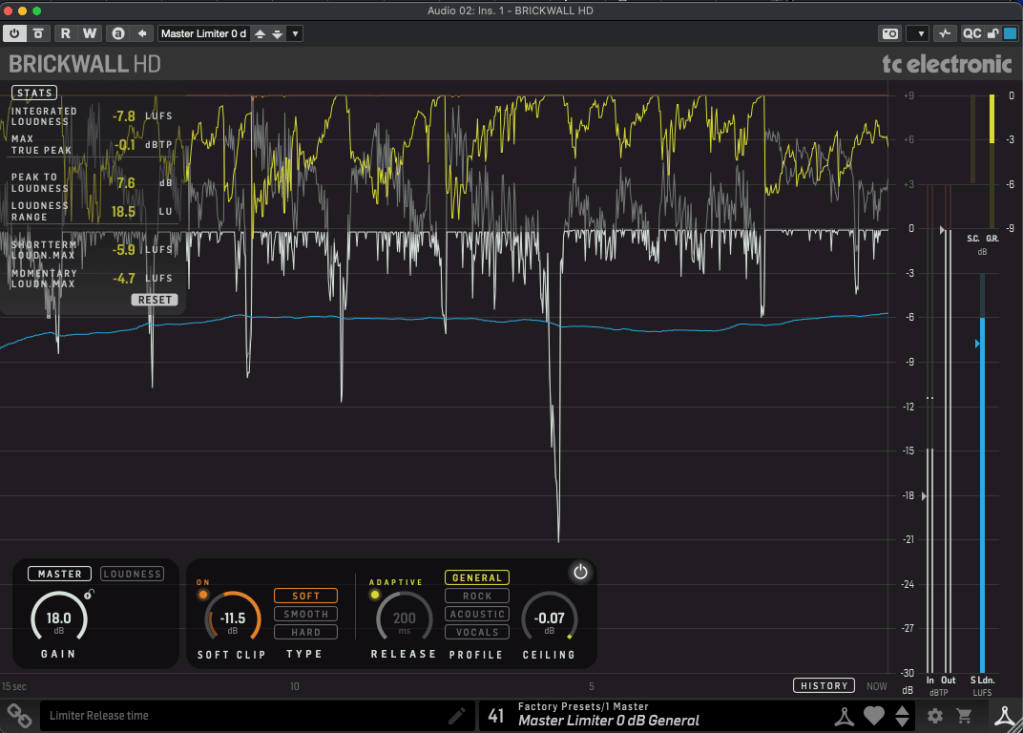
Master X HD is a 3-band compressor with a cool twist: you can tweak the frequency curve directly. Brickwall HD, a mastering limiter, comes with a detailed analyzer (TC’s loudness expertise shines here) and soft clipping options.
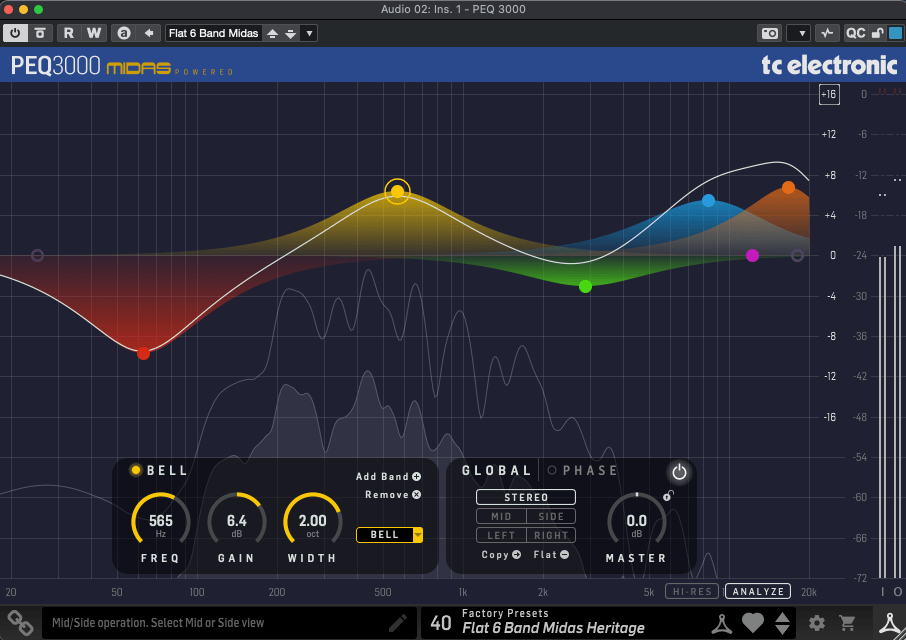
A Midas-inspired 2×12-band parametric EQ. It’s standard stuff mostly, but the ability to shift the phase up to 180 degrees is a neat trick.
Analyzer
LM2
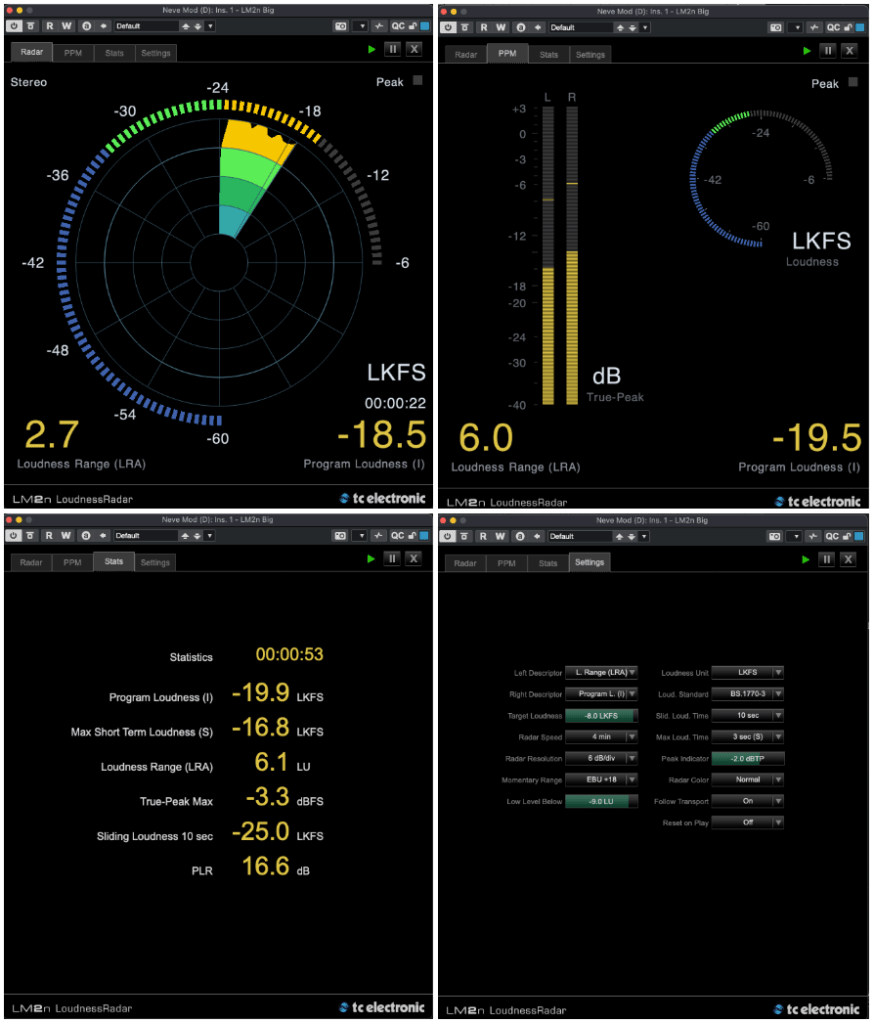
This loudness meter (based on ITU-R BS.1770-3) is the only analyzer I got to test—sorry, no scoop on the others! It measures LUFS/LKFS, True-Peak, and more with a sleek UI that lives up to TC’s metering reputation.
Tuner & Pedals
PolyTune Native
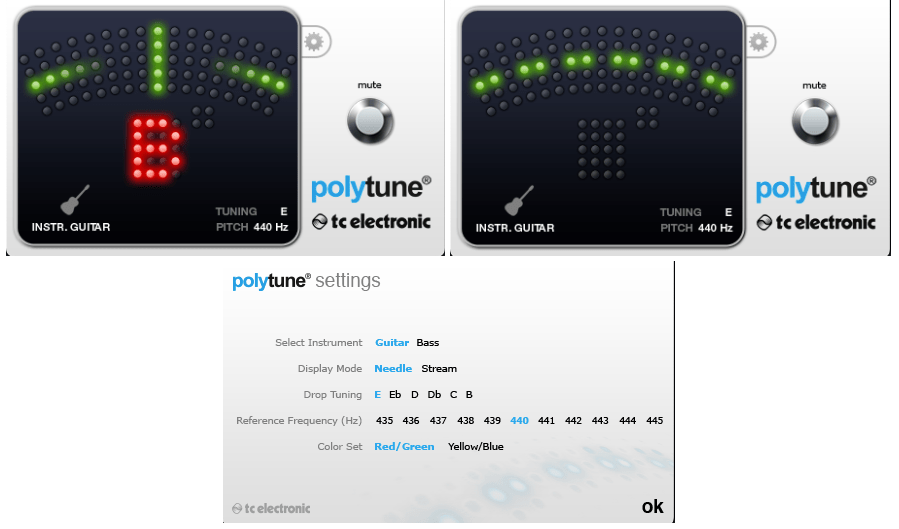
Guitarists know PolyTune—it’s a classic. I’ve got the clip-on version myself (though I dropped it once, and now the top’s cracked… oops). The plugin’s just as clean and reliable.
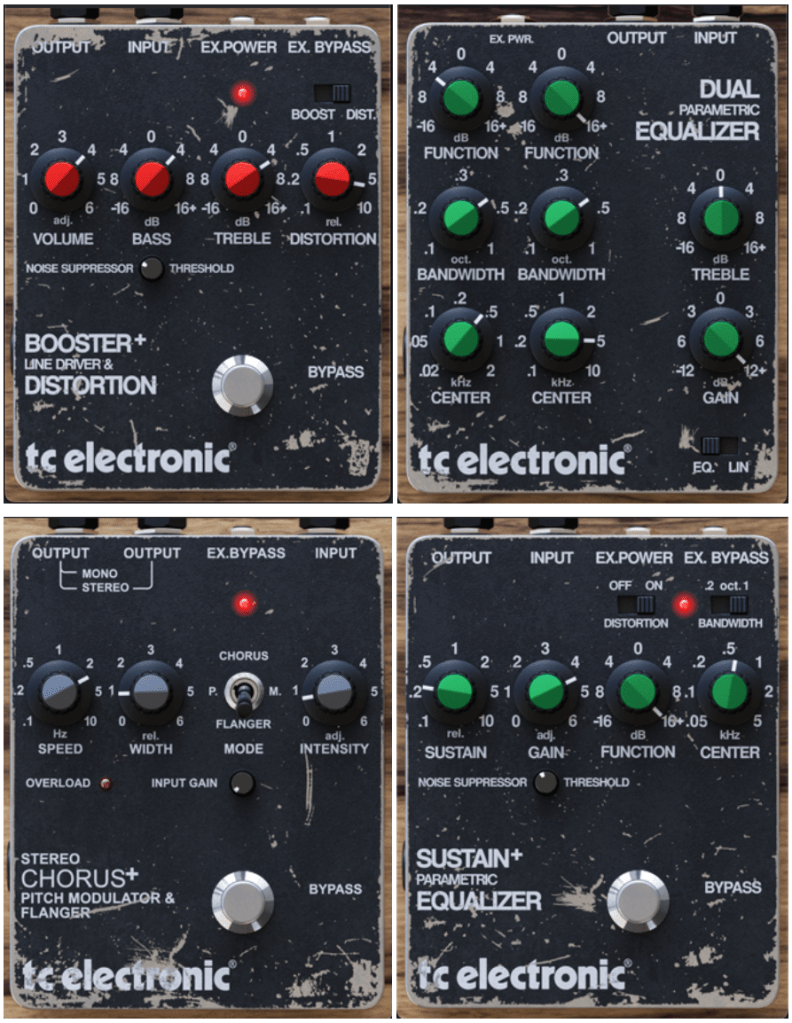
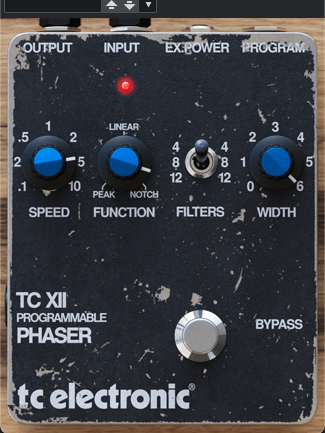
Stereo Chorus Flanger, Booster and Distortion, XII Phaser, Dual Parametric EQ, Sustainer
These are revamped versions of TC’s old Powercore-era Vintage Guitar Pedal bundle. Booster/Distortion comes from the discontinued VPD1 Pre-Drive pedal, and Stereo Chorus Flanger is based on the SCF pedal.
The others don’t tie directly to specific analog pedals but echo TC’s vintage series. They’ve got that retro flavor—great for electric guitar, electric piano, or synths.
This was a long one, huh! The TC Studio Elite Collection bundle includes everything I’ve covered, but there are also smaller bundles and individual plugins up for grabs.
My favorites? The reverbs, delays, and modulation effects—TC’s spatial magic really shines there. The rest are solid too, and the pedals are a nice touch.
If any of these catch your eye, the sale runs until April 14th—perfect time to snag a deal! Catch you in the next post! 😊
Hey there! I’m Jooyoung Kim, an engineer and music producer.
AI-generated music has been making waves in the media for a while now, with research and commercial applications popping up left and right. But there are still some lesser-known AI projects in the music world—especially those leveraging unique learning methods—that deserve more attention.
Today, I want to introduce you to what I think is the most composer-friendly AI music tool I’ve come across lately. (No, this isn’t sponsored… haha!)
Developed single-handedly by a creator in Japan, Melisma is seriously impressive—give it a listen, and you’ll be floored. This is still beta-stage audio, mind you. I first stumbled across it last year during its beta phase, and even then, it blew me away.
What’s Melisma All About?
Melisma takes sheet music in MusicXML format, sorted by instrument parts, and spits out incredibly natural-sounding audio. The quality hinges a lot on how well you write the articulations—those little details can totally change the vibe.
It’s got a list of supported and unsupported articulations, but even with that in mind… wow. It’s way cheaper than hiring real musicians and sounds so much more authentic than your average virtual instrument. I couldn’t help but wonder: are live performers, virtual instrument makers, and even string-focused studios in real danger now?
This got me thinking about my own future as a musician… 😢 I’ve actually started dabbling in AI learning research myself lately, but as a music creator, it’s a bittersweet feeling.
Mind-Blowing Realism
It’s not just strings either—check out the demo sounds, and you’ll hear woodwinds with breath noises so lifelike it’s insane. It almost feels like we’re entering a new era of score-writing. When I first heard it, I was hit with a wave of mixed emotions—excitement, awe, and a little dread.
They’ve got vocal synthesis too, but honestly, that part still feels a bit rough around the edges… haha. It’s not quite there yet.
What really shocked me, though? The price. The standalone version (Windows-only for now) is just 15,000 yen per instrument—about the cost of a single virtual instrument plugin. Could this be the future of virtual instruments? I’m starting to think so.
Trying It Out
I mixed Melisma with some traditional string virtual instruments in an unreleased track of mine, and the results were pretty darn good. That said, every now and then, you get some odd, glitchy sounds popping up. It’s not perfect—sometimes you’ve got to tweak and regenerate to get it just right.
The developer, by the way, has a fascinating background—used to play recorder, composes a ton, and has a pretty unique resume. You can read more about them here: [link: http://nakasako.jp/about].
Recognition and Reflections
Last year, Melisma won the Best Presentation Award in the Best Application category at the Music and Computer (MUS) Research Group’s session during Japan’s Information Processing Society conference. That’s some serious cred!
It’s a reminder that the world doesn’t reward just one kind of obsession anymore. Old jobs fade, new ones emerge—it’s bittersweet to watch, but there’s no fighting the tide. That’s why I think it’s worth diving into all sorts of skills and studies; you never know what’ll come in handy.
Even I’m struggling to make ends meet sometimes, but to all my fellow musicians out there—let’s keep pushing forward!
Closing Thoughts
Melisma’s potential has me both excited and a little nervous about where music creation is headed. It’s a tool that could shake up how we think about virtual instruments and live performance—and at a price that’s hard to argue with.