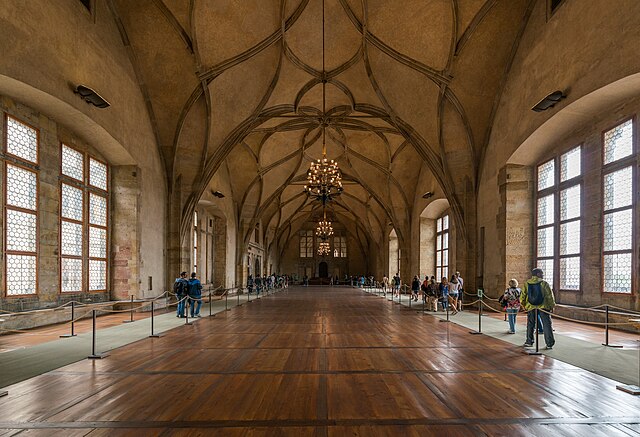
Basics of Mixing – 8.2 The History and Types of Reverb

Hello, this is Jooyoung Kim, music producer and audio engineer. Today, I’ll be discussing the history and various types of reverb.

Shall we dive in?
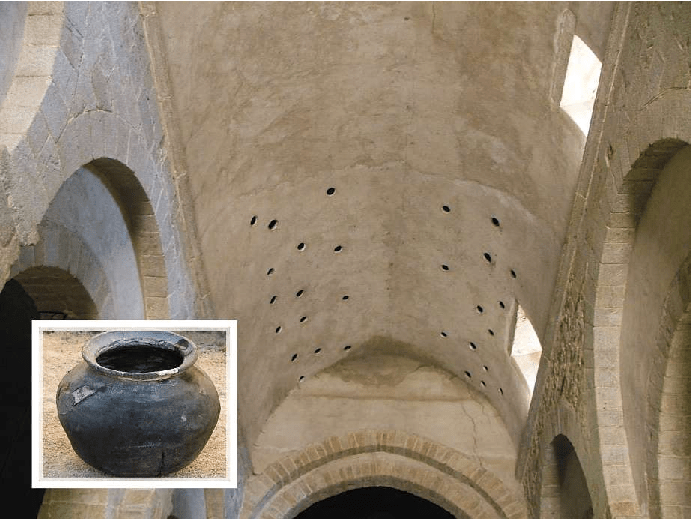
Valiere, Jean-Christophe & Palazzo-Bertholon, Benedicte & Polack, Jean-Dominique & Carvalho, Pauline. (2013). Acoustic Pots in Ancient and Medieval Buildings: Literary Analysis of Ancient Texts and Comparison with Recent Observations in French Churches. Acta Acustica united with Acustica. 99. 10.3813/AAA.918590.

The image above is from a paper on “Acoustic Pots” found in ancient and medieval architecture. These pots were embedded in walls to function as a type of Helmholtz Resonator.

That might sound too technical, but a Helmholtz resonator is essentially a device that reduces specific frequencies. Modern-day applications include using this concept in car design, though that’s a more recent development.

In ancient times, the Aztecs built temples like Kukulkan Temple, which used echo to create fascinating sounds.

The Greeks also designed spaces with excellent acoustic properties, enabling sound to be heard clearly from specific spots.

Back then, without microphones, these architectural advances allowed sound to be projected effectively, and this often included reverb.

Moving to the Modern Era

In the modern era, Bill Putnam, the founder of Urei, which later became Universal Audio, was the first to experiment with reverb. He used it in the song “Peg o’ My Heart” by the Harmonicats.

For this track, they recorded instruments, played the sound in a studio bathroom, and re-recorded it to capture the reverb. If you’ve ever sung in the shower, you’ll know exactly the kind of reverb I’m talking about! This was the earliest form of what we now call an echo chamber.

Echo Chamber (Chamber Reverb)
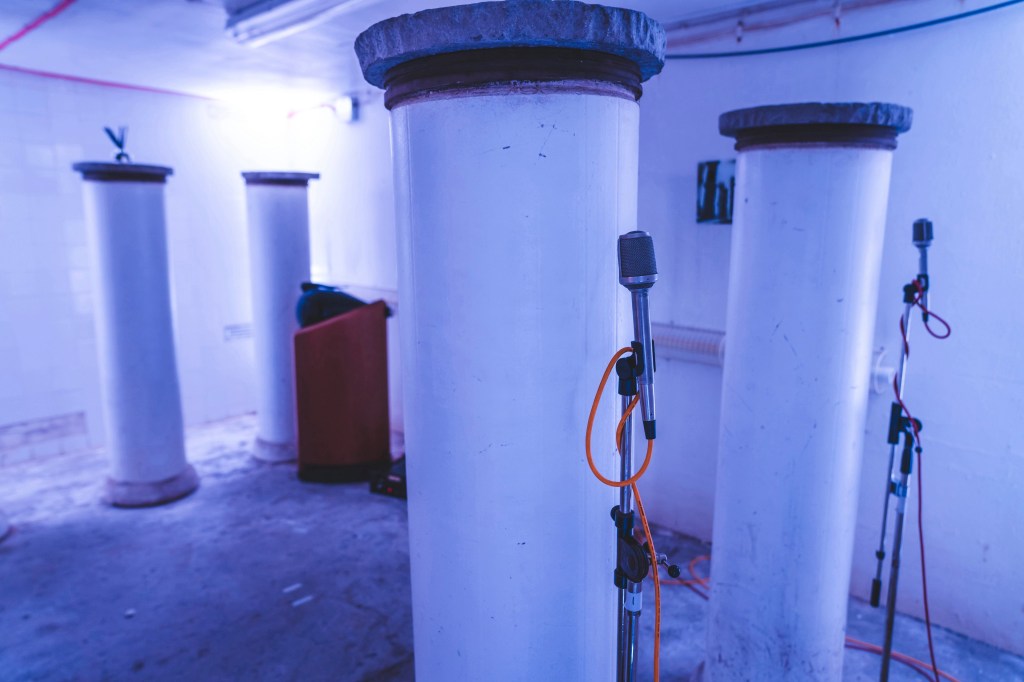
Inspired by this, studios started building dedicated rooms for reverb, known as echo chambers.

The image above shows one of the echo chambers at the famous Abbey Road Studio. For those familiar with plugins, this might ring a bell.

Waves created a plugin called Abbey Road Chambers, which is based on impulse responses (IR) from these very rooms. Notice the tile walls—similar to bathroom tiles—used to reflect sound. The process involves playing sound through speakers and capturing it with microphones.

By the way, the classic speakers you see in that plugin are B&W 800D speakers. The 800 series is a dream for many, though the price is quite steep, even second-hand. Hopefully, I’ll own a pair of 801D4s someday…

Anyway, there are plenty of plugins that emulate these echo chambers. While the sound quality is great, the cost of building these rooms is astronomical.

Imagine dedicating an entire room just for reverb—it’s quite an investment! Unless, of course, money is no object…

Plate Reverb
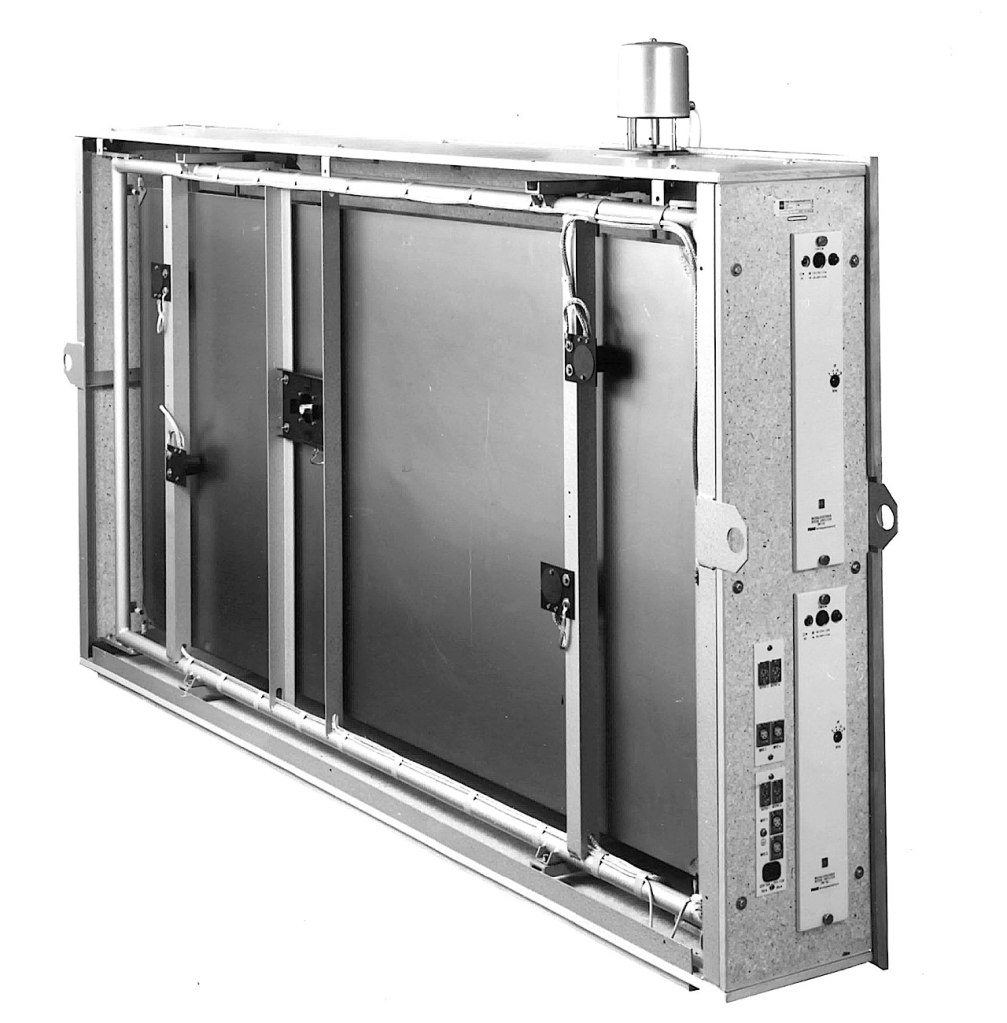
Plate reverb was developed as a more cost-effective alternative to the echo chamber.

This type of reverb works by vibrating a metal plate, with microphones attached to capture the sound. The tone varies depending on the type of metal used, giving plate reverb its distinctive sound.

While these units could weigh up to 250kg and were still quite expensive, they were far more affordable than building a dedicated reverb room.

Digital Reverb
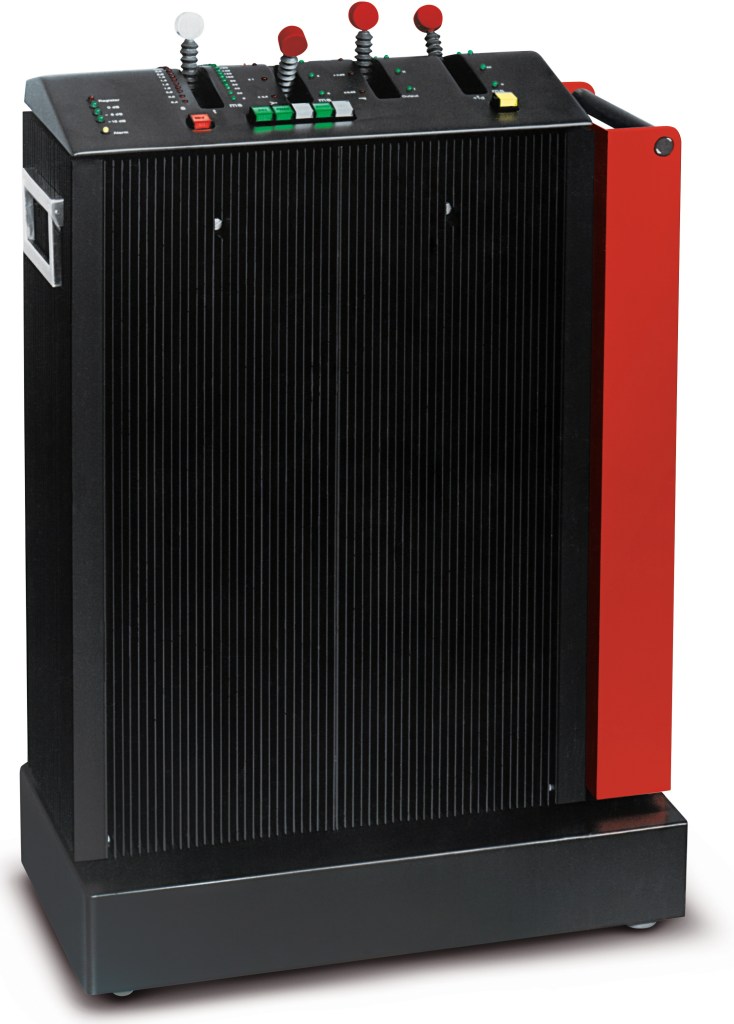
To reduce the size and cost further, digital reverb was invented. The image above shows the first commercial digital reverb, the EMT 250.

Spring Reverb
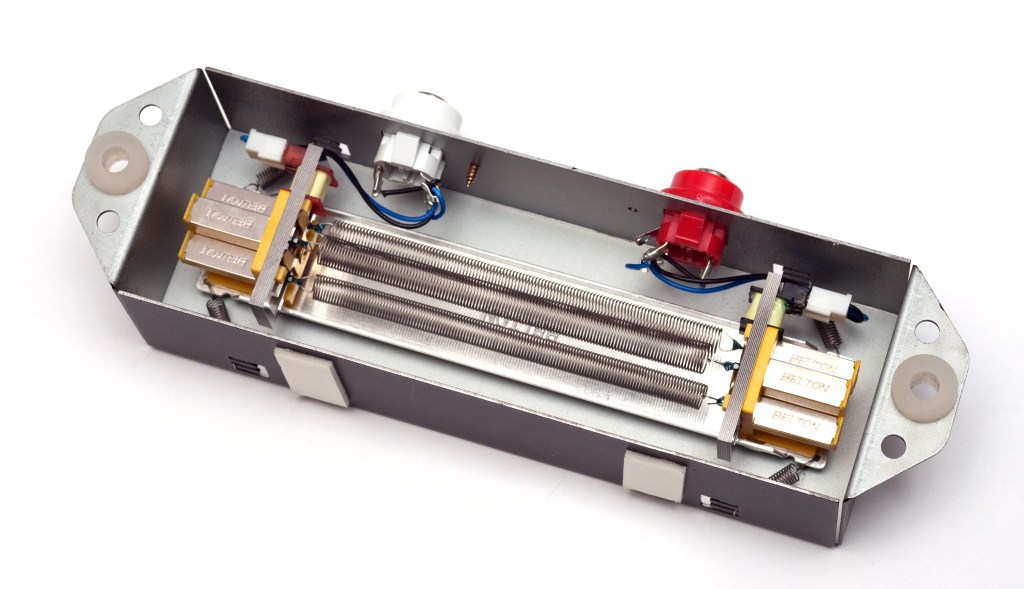
Spring reverb was originally developed for use in Hammond organs to create reverb effects.

The technology was later licensed to Fender, leading to the inclusion of spring reverb in Fender guitar amps. Its function is similar to plate reverb, and because it’s been embedded in guitar amps for so long, it has a familiar and pleasant sound when used with guitars.

Shimmer Reverb

Shimmer reverb adds pitch modulation to the reverb, producing a characteristic shimmering effect. It’s perfect for when you want that lush, expansive sound.

Hall, Studio, and Other Reverbs (Convolution Reverb)

Reverbs like hall or room reverb are actually quite tricky to classify. These reverbs are generated using an impulse response (IR) of real spaces through a process called convolution.

Let me briefly explain what an impulse is: it’s a very short, high-amplitude signal. Mathematically, it’s known as a Dirac delta function, where:

  • if x = 0, y = ∞
  • if x ≠ 0, y = 0
  • and its integral from -∞ to ∞ equals 1.

This impulse can be used to measure the frequency response of speakers. When measuring a space, we use a signal known as a sine sweep, which is recorded and mathematically transformed through deconvolution to generate the impulse response.

While this might sound complicated, you can think of it as recording a sine sweep in WAV format and using it to create a reverb through calculation.

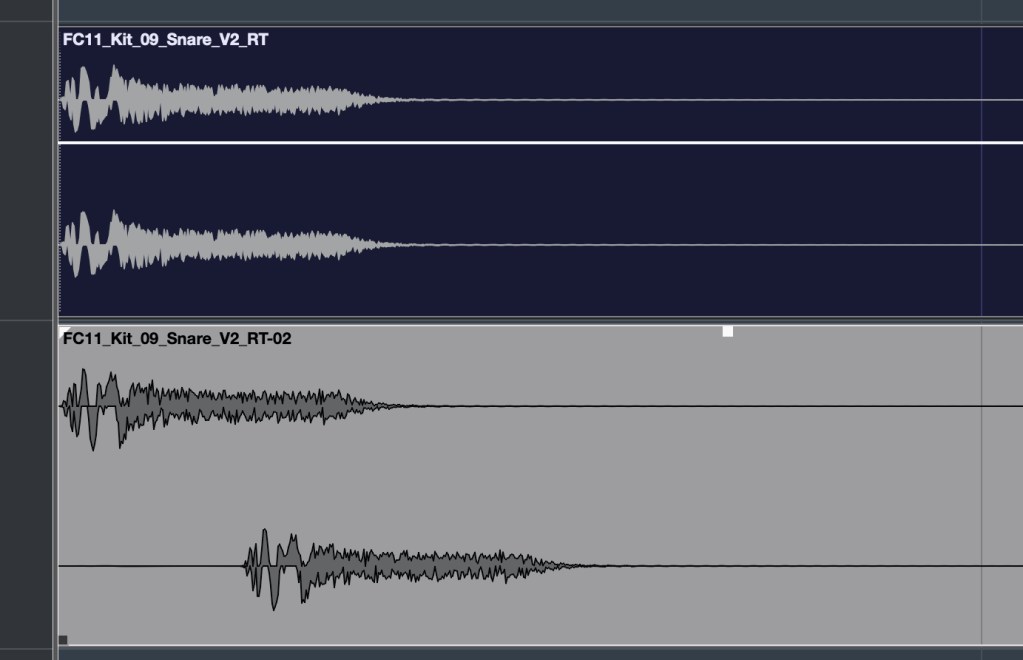
With IR reverbs, you can also use other sounds like snare hits or kick drum samples as IR files to create unique effects.
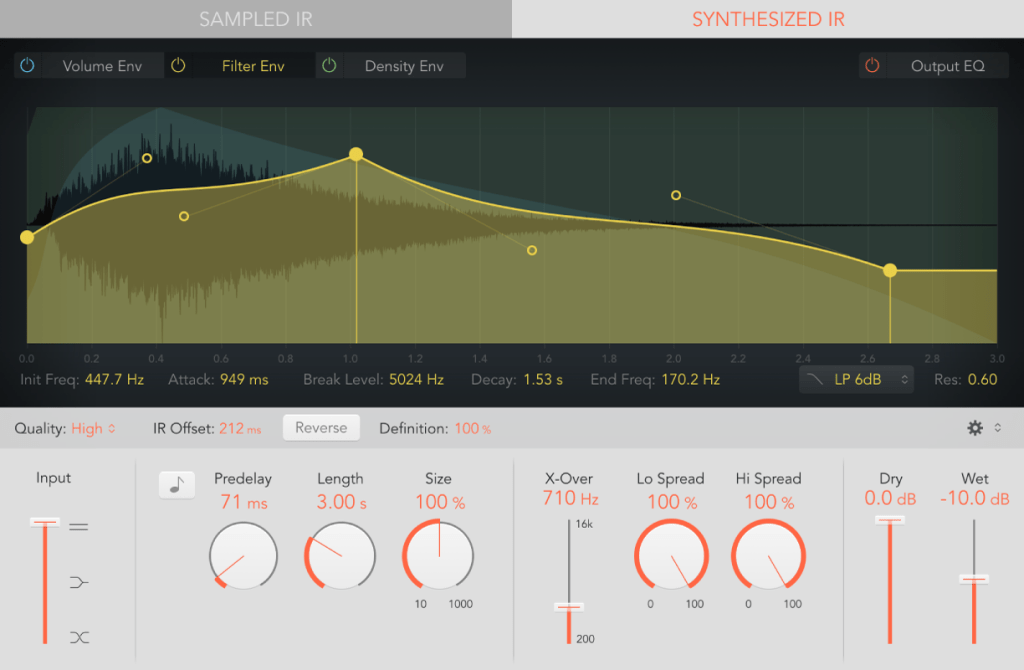
Logic has its Space Designer plugin for this,
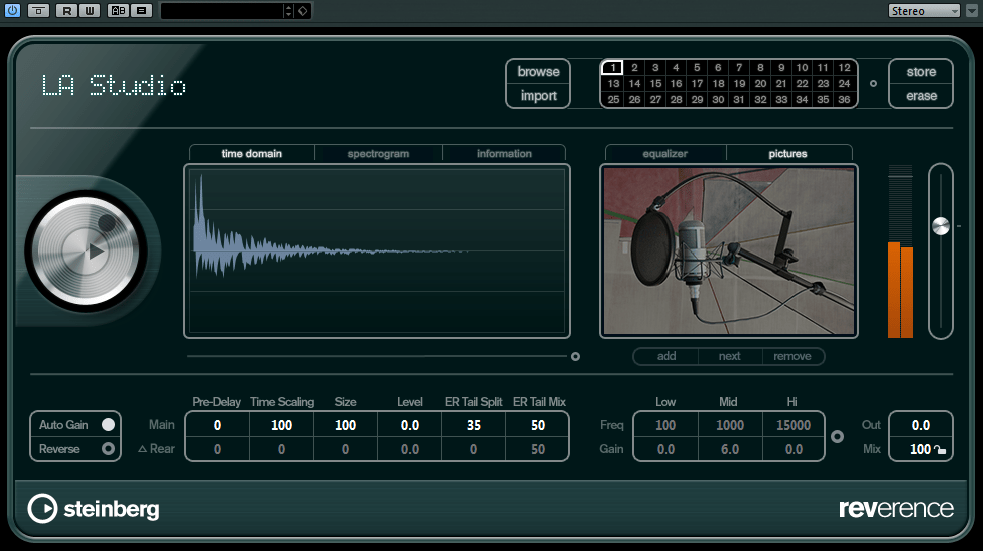
Cubase uses Reverence,

and Pro Tools has Space.

In the end, the reverbs we use on our computers can be divided into two types: algorithmic reverb and convolution reverb.

Conclusion

That covers the history and types of reverb. I may have gone off on a tangent at times, but if some of it was too complex, don’t worry! You don’t need to fully understand every detail—music is all about what sounds good, after all.

On a different note, I finally received permission from Universal Audio to use some photos for my book. I’ll post an update when the book is ready!

See you in the next post!
Heavyocity MicroFX Intro Sale (Until 9/20)

Hello, this is Jooyoung Kim, music producer and audio engineer.

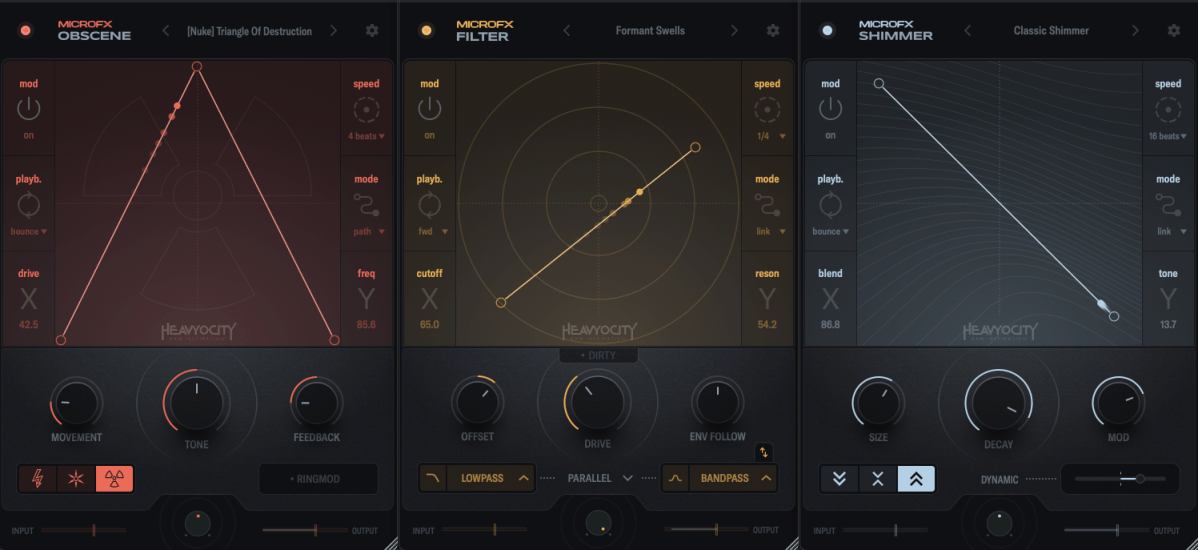
Today, Heavyocity has released a new set of plugins called MicroFX.

Heavyocity is known for selling virtual instruments and effects plugins, especially well-suited for film and video music production. However, the new MicroFX plugins can be used for a variety of purposes beyond those genres.

There are three plugins in the series:

  1. Obscene (Distortion)
  2. Filter
  3. Shimmer

Let’s take a closer look at each of them.

Obscene

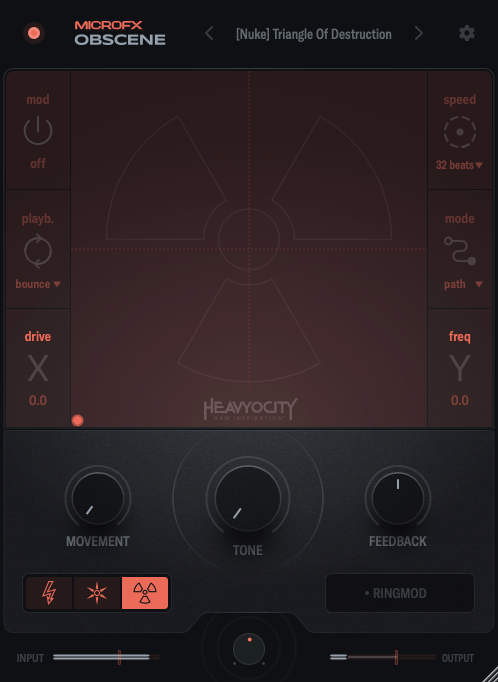
Obscene true to its name, this plugin delivers a powerful, in-your-face distortion effect.

There are three types of distortion to choose from: BLASTER, CRUSHER, and NUKE.

  • BLASTER offers a guitar pedal-style distortion.
  • CRUSHER adds bitcrushing to the distortion.
  • NUKE provides a fuzz-like distortion.

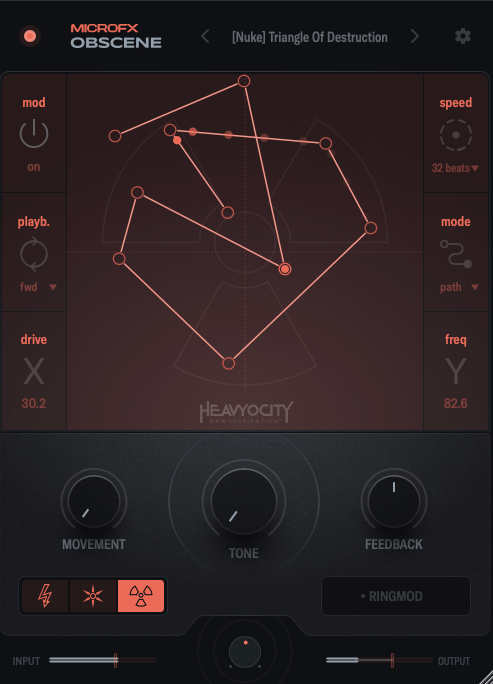
On the graph, the X-axis controls the amount of distortion, while the Y-axis adjusts ring modulation and internal filtering.

You can activate the Mod function, and by double-clicking on the screen, you can place points, which are influenced by the speed settings on the right. You can place up to 15 points.

When you adjust Movement, the frequency response and harmonics change over time. The Tone control acts like a tilt EQ, while Feedback may seem subtle at first but becomes more noticeable as the distortion increases. The large knob at the bottom center is the Mix control.

Filter

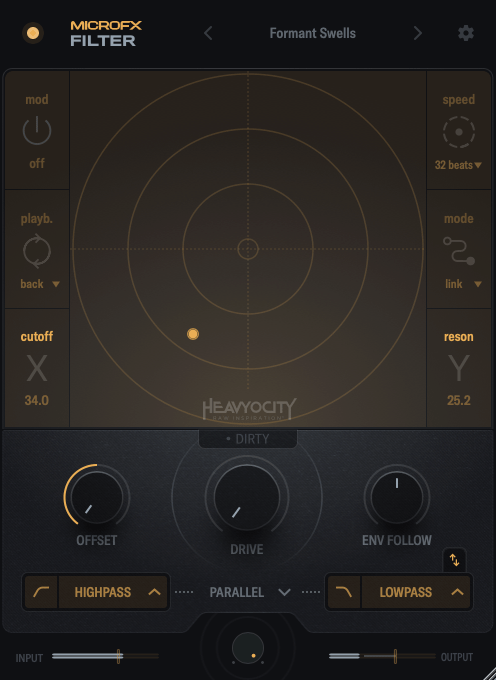
Filter is a simple but versatile plugin.

In this case, the X-axis controls the cutoff frequency, and the Y-axis adjusts the resonance.

Through the buttons below the central knob, you can choose which filters to apply to the high and low frequencies.

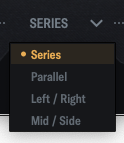
By clicking the center of the interface, you can choose whether to link the filters in series, parallel, LR (left/right), or MS (mid/side) modes.

When you adjust Movement, the frequency response and harmonics change over time. The Tone control acts like a tilt EQ, while Feedback may seem subtle at first but becomes more noticeable as the distortion increases. The large knob at the bottom center is the Mix control.

Shimmer

Shimmer reverb will be covered in more detail in my upcoming blog post on the basics of mixing. It’s a reverb plugin that incorporates pitch modulation, producing a bright, extended effect.

This shimmering, elongated reverb is particularly popular in instrumental and cinematic music, especially on guitars.

Shimmer captures that classic sound well.

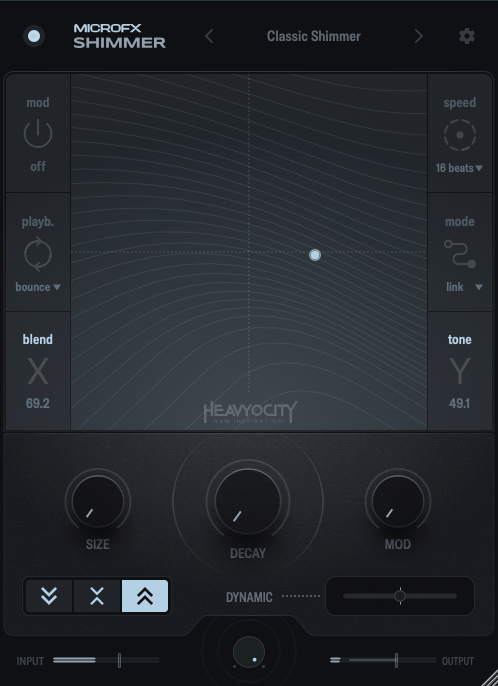
The X-axis controls the blend of the pitch-shifted delay, while the Y-axis adjusts various internal reverb parameters to shape the overall tone.

The buttons on the lower left let you shift the pitch an octave down, an octave up, or both.

The Size, Decay, and Mod knobs function like typical reverb controls, so I won’t explain those further.

Dynamic is a fader that adjusts the internal dynamics. Pulling it to the left applies an expander to the reverb’s input and output, while pushing it to the right activates a ducking compressor.

Summary

All three plugins are well-crafted and highly useful for sound design. If you’re interested, I recommend checking them out!

These plugins are priced at $42.9 each, or $108.9 for the bundle. Additionally, if you purchase from Plugin Boutique this month, you’ll receive either the Pyros distortion plugin or Bloom Vocal Aether Lite for free.

Thanks for reading, and I’ll see you in the next post! 🙂
Excite Audio Lifeline Modules Plugin Sale (until 9/30) and Review Part 2: Lifeline Expanse

Hello, this is Jooyoung Kim, a music producer and audio engineer.

Following the previous review on Lifeline Console, today I’ll introduce you to the plugins included in Lifeline Expanse.

As I mentioned in my previous post, these plugins are not resource-heavy on your computer. They’re affordable, high-quality, and come with a clean, intuitive UI, making them a solid option if you’re considering basic third-party plugins.

Lifeline Expanse is also being reviewed with NFR (Not for Resale) codes provided by Plugin Boutique.

Let’s dive into Lifeline Expanse!

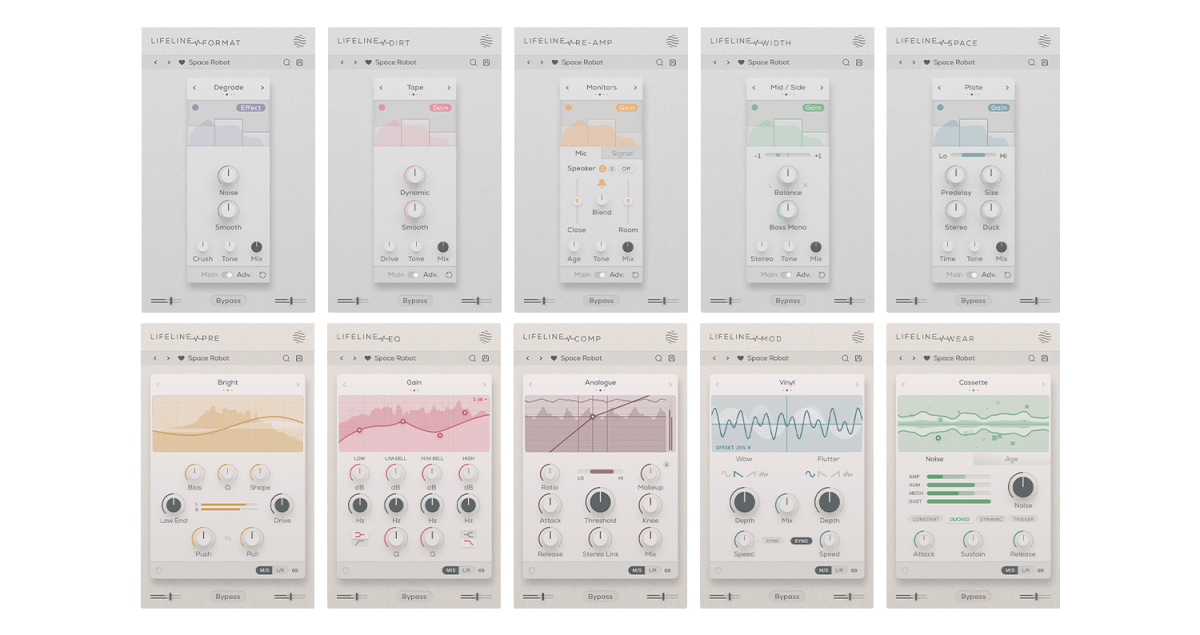
Lifeline Expanse includes five modules: Format, Dirt, Reamp, Width, and Space.

The Lo and Hi options in Expanse are simple cut-off filters, so I’ll skip explaining them.

The waveform on the left shows a de-esser-like effect where high frequencies are attenuated based on the incoming signal, while the shield in the middle acts as a limiter.

Unlike Console, Expanse doesn’t add various types of saturation, but even with the filter range maxed out, it still introduces tonal changes. Now, let’s take a closer look at the individual modules.

Format

click image to buy Lifeline Format

The concept of Format is “digital distortion.”

This plugin adds a characteristic digital distortion to your source.

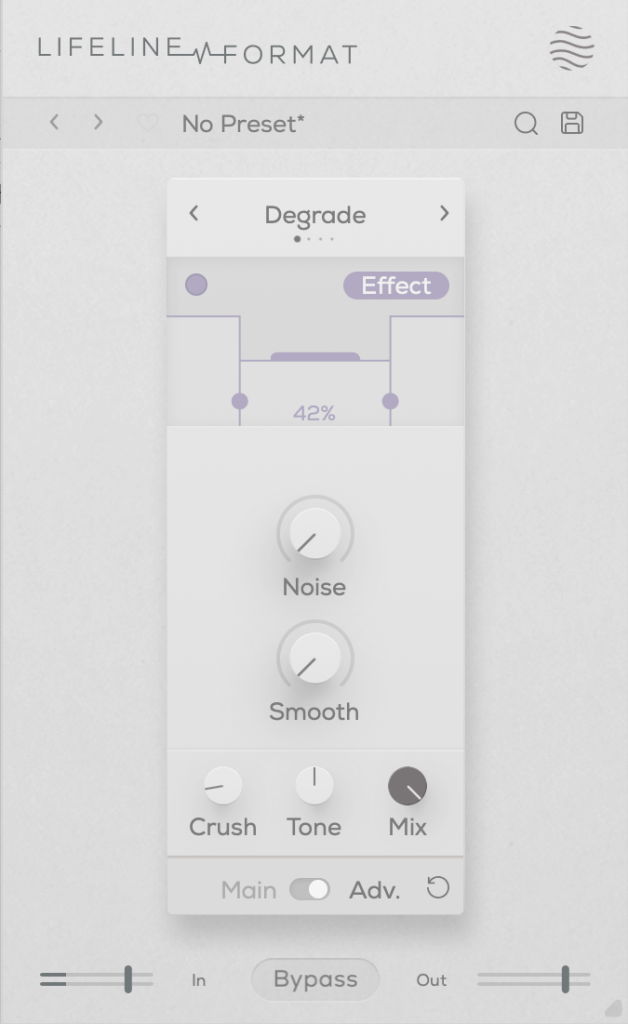
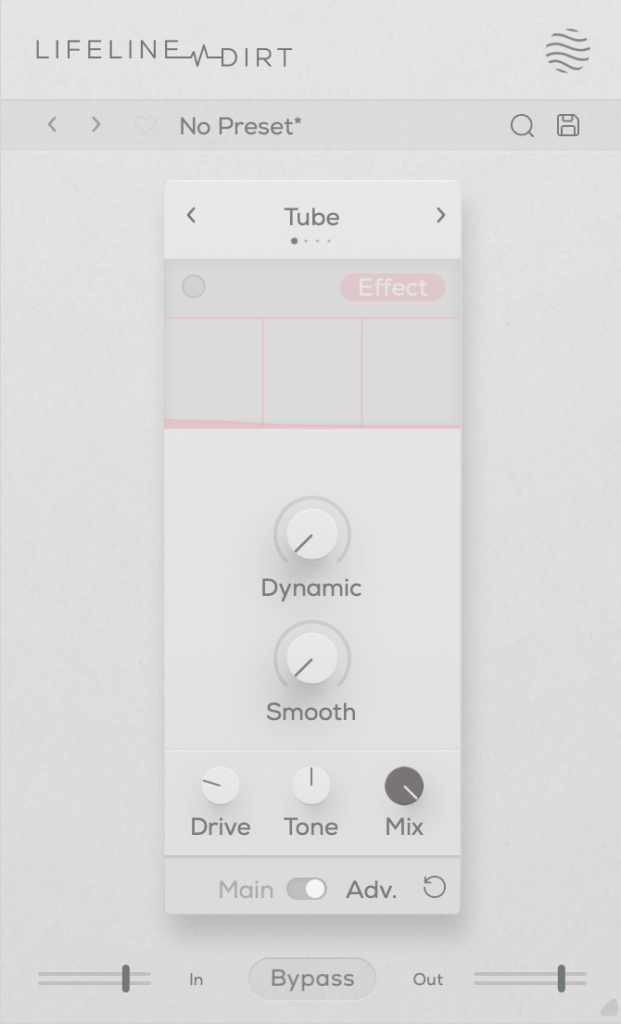
In the Advanced window, you can split the frequency range into three bands, adjust their volume, and even add noise. The Smooth option can make the changes less harsh.

Other key controls include Crush, which adds the distortion, and Tone, a tilt EQ centered around 650Hz.

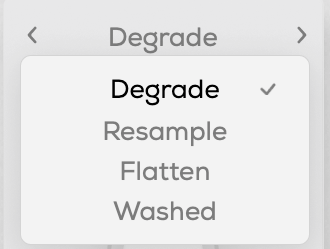
There are four modes:

  • Degrade: Reduces the bit depth of the incoming audio, creating digital distortion.
  • Resample: Lowers the sample rate of the audio, adding digital artifacts.
  • Washed: Simulates the sound of a degraded, low-quality MP3, creating an underwater-like effect.
  • Flatten: Combines gating and bitcrushing, reducing the resolution of the audio.

Let’s take a closer look.

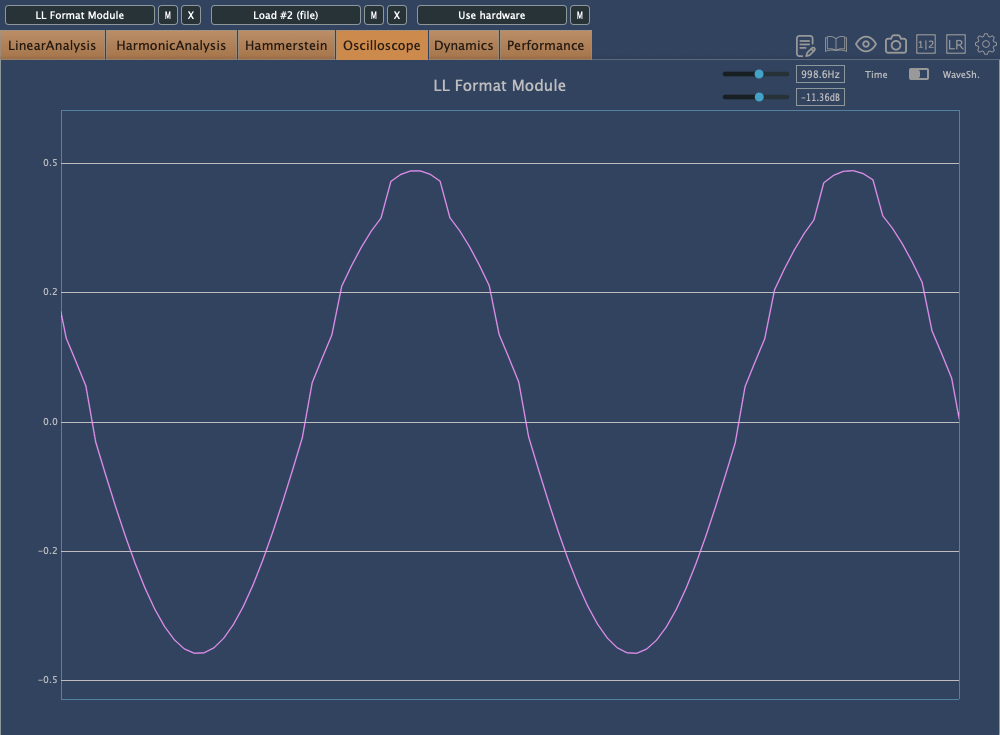
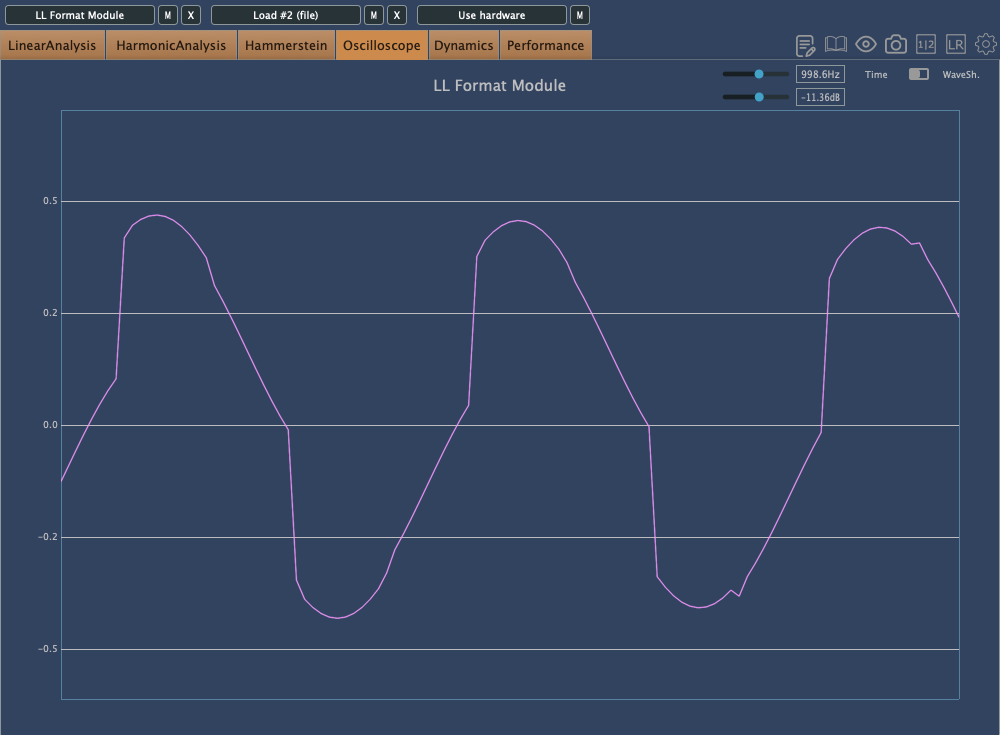
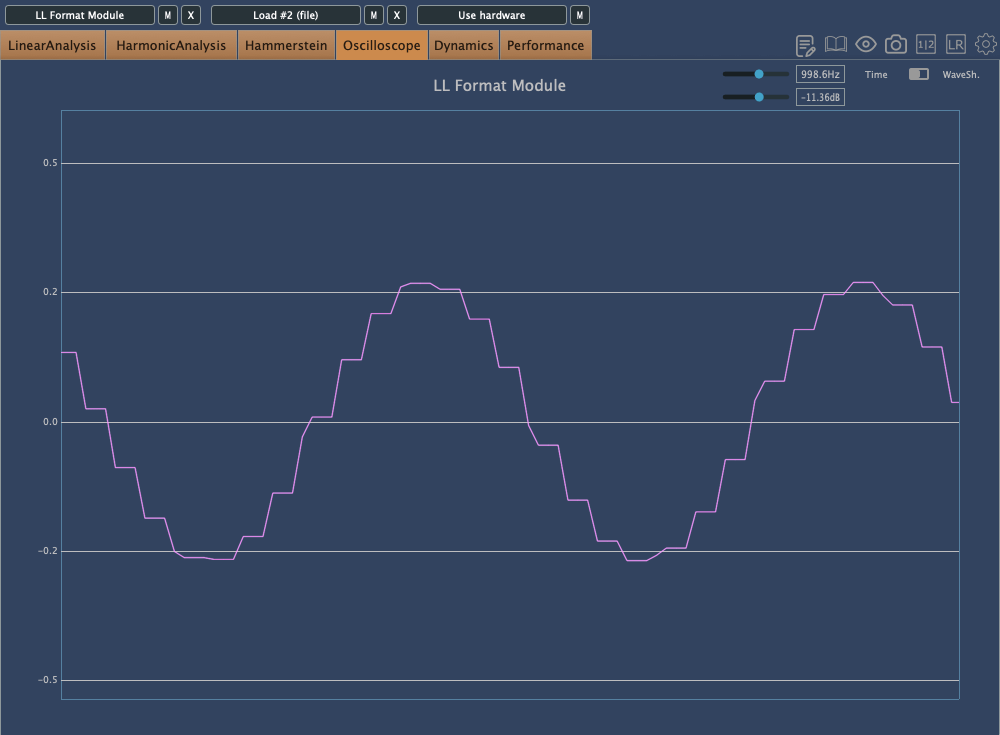
This is Degrade mode, where reducing the bit depth makes the waveform appear choppy in the oscilloscope.

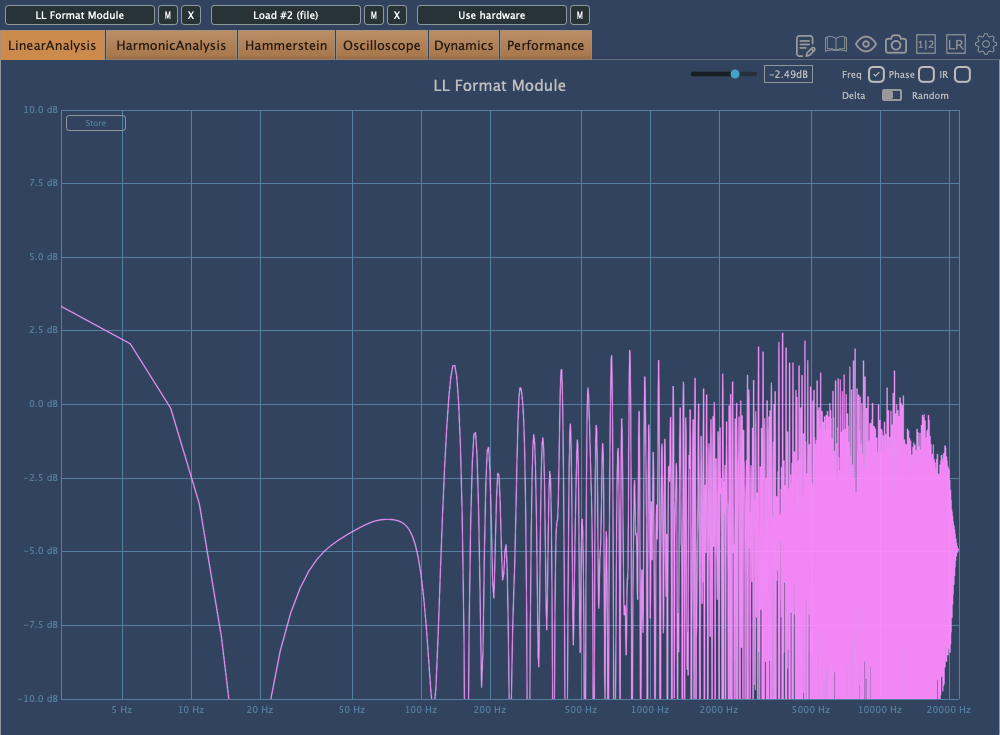
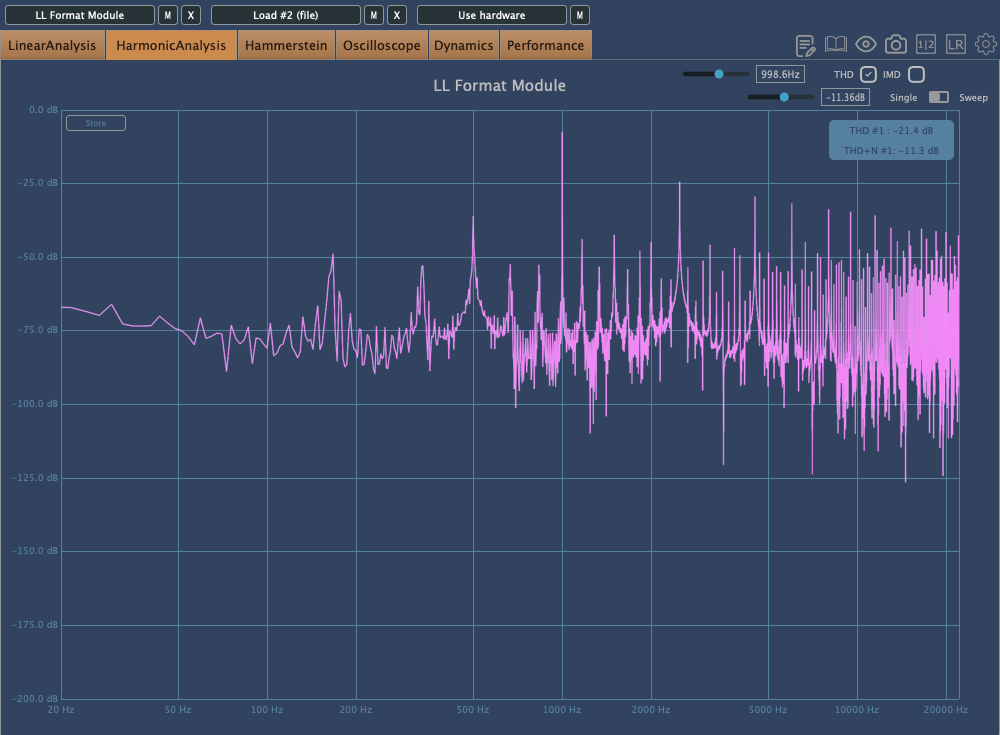
In Resample, harmonics reflect back at the Nyquist frequency, and those oscillations can be seen on the scope. It’s constantly in motion due to added frequencies.

Washed mode just smears everything.

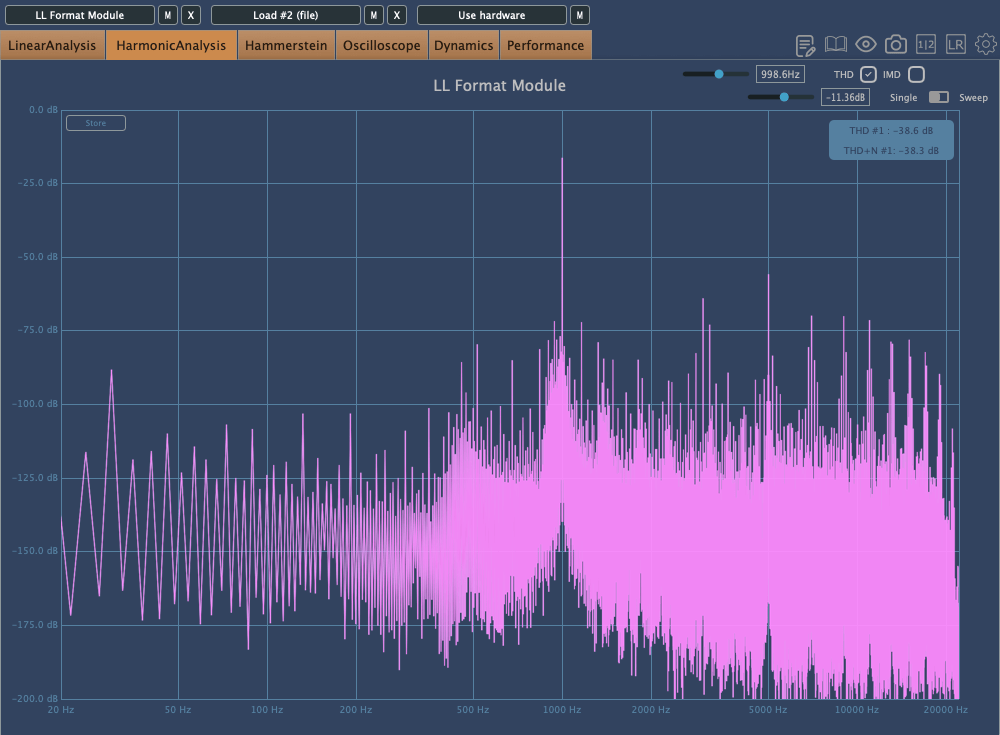
Flatten shows harmonic reflections, indicating a resampling effect, combined with reduced bit depth, resulting in multiple distortions.

Dirt

click image to buy Lifeline Dirt

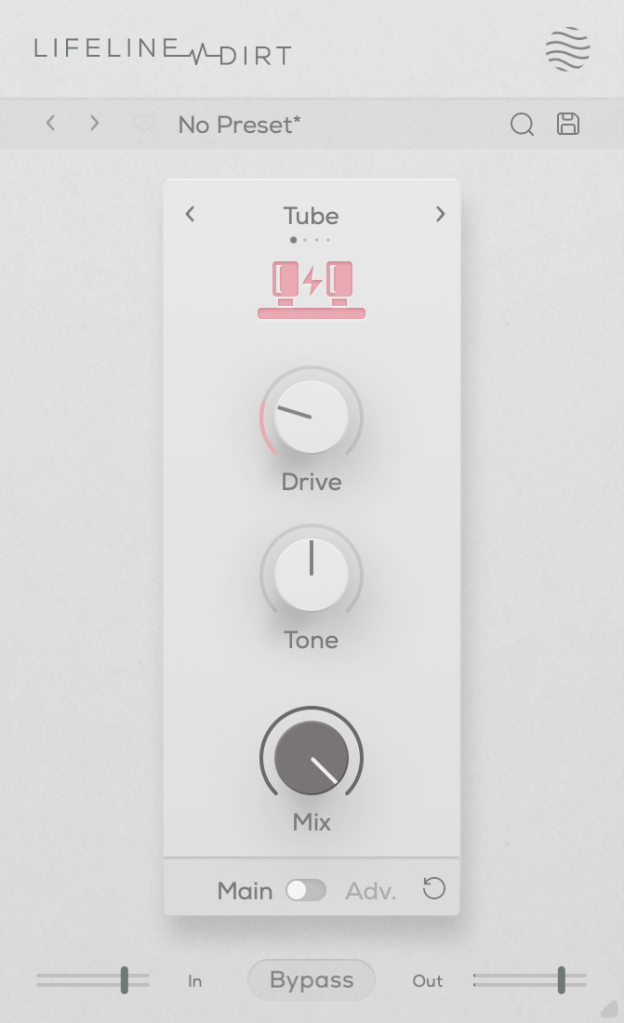
The Dirt module focuses on “analog distortion.”

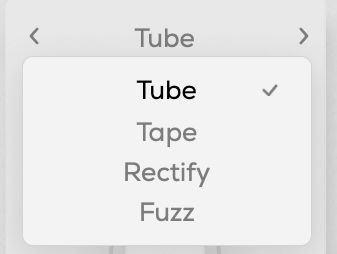
You can choose from four types: Tube, Tape, Rectify, and Fuzz. The controls are the same as in Format, so I won’t repeat the explanation.

All four modes emphasize low and mid frequencies while cutting highs. As the name “Dirt” suggests, pushing the Drive knob can make it act almost like a compressor or limiter at higher levels.

Re-Amp

click image to buy Lifeline Re-Amp

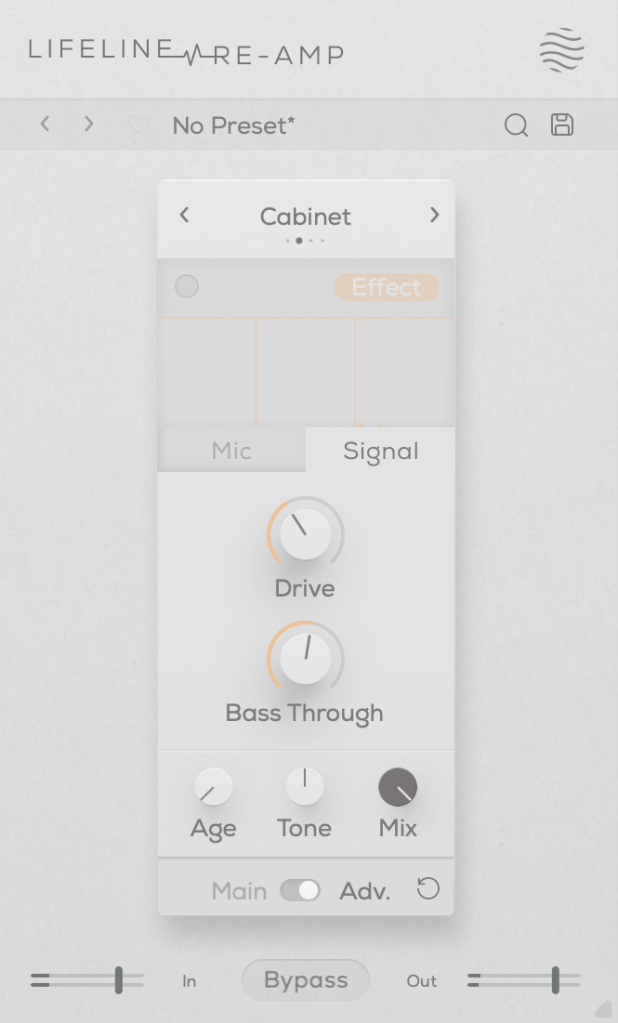
As the name suggests, Re-Amp is designed to simulate re-amping.

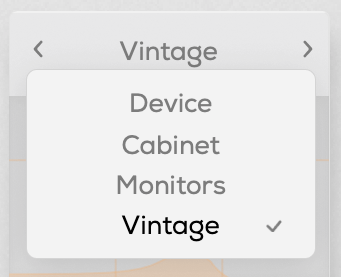
You can re-amp through small electronics, guitar cabinets, monitor speakers, or cassette recorders, with two speaker options in each category to choose from.

True to the re-amping concept, it allows you to adjust the distance of room and close microphones, and blend their sounds together.

Increasing the Age value causes the highs and lows to gradually roll off, eventually introducing wow and flutter effects.

The Drive knob adds harmonic distortion, while Bass Through prevents distortion from affecting the selected low-frequency range.

Width

click image to buy Lifeline Width

The Width module adjusts stereo imaging.

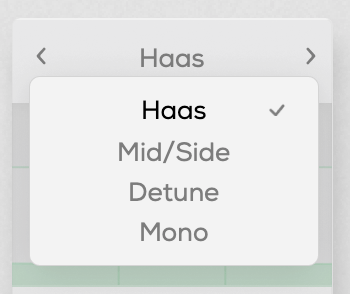
You can select from Haas, Mid/Side, Detune, and Mono modes.

The Haas effect, as shown in the image, uses time delays to create a stereo image. Mid/Side enhances the side channels, Detune creates a wider image through pitch modulation, and Mono narrows the stereo field, gradually converting the sound into mono.

The Stereo knob enhances these effects, and Bass Mono ensures that frequencies below a set threshold are converted to mono.

I’ll skip further explanation, as the rest of the parameters are the same as in Format.

Space

click image to buy Lifeline Space

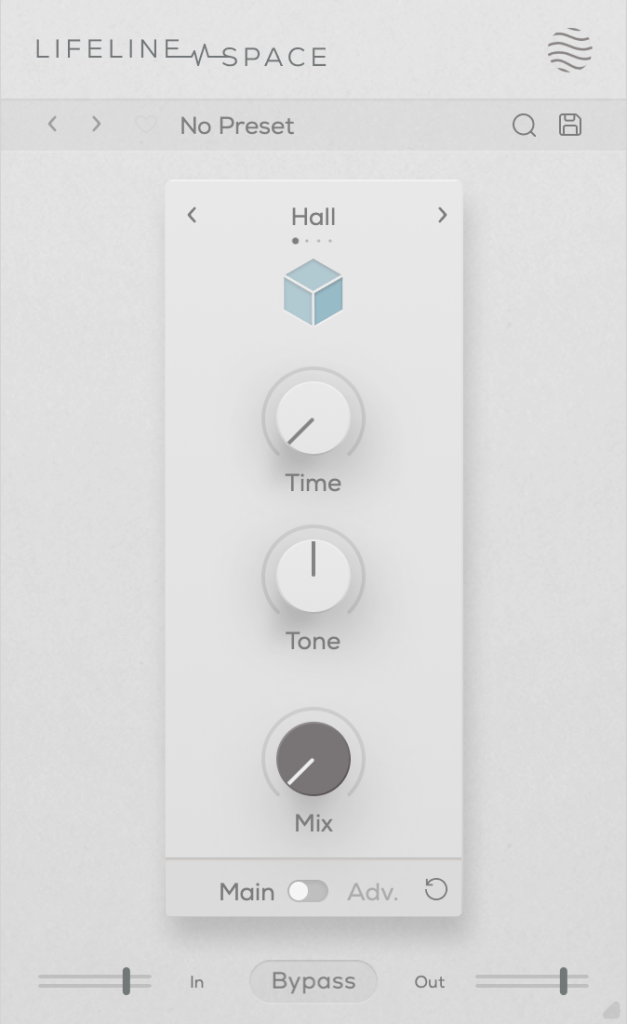
Space is a reverb module.

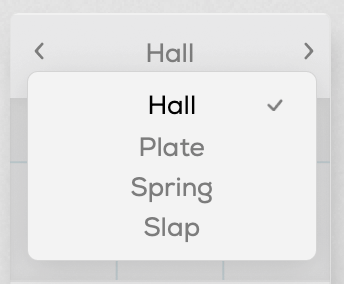
You can choose from Hall, Plate, Spring, and Slap reverb types, all offering solid digital reverb sounds.

Slap, in particular, has a delay with a significant amount of feedback, making it quite versatile.

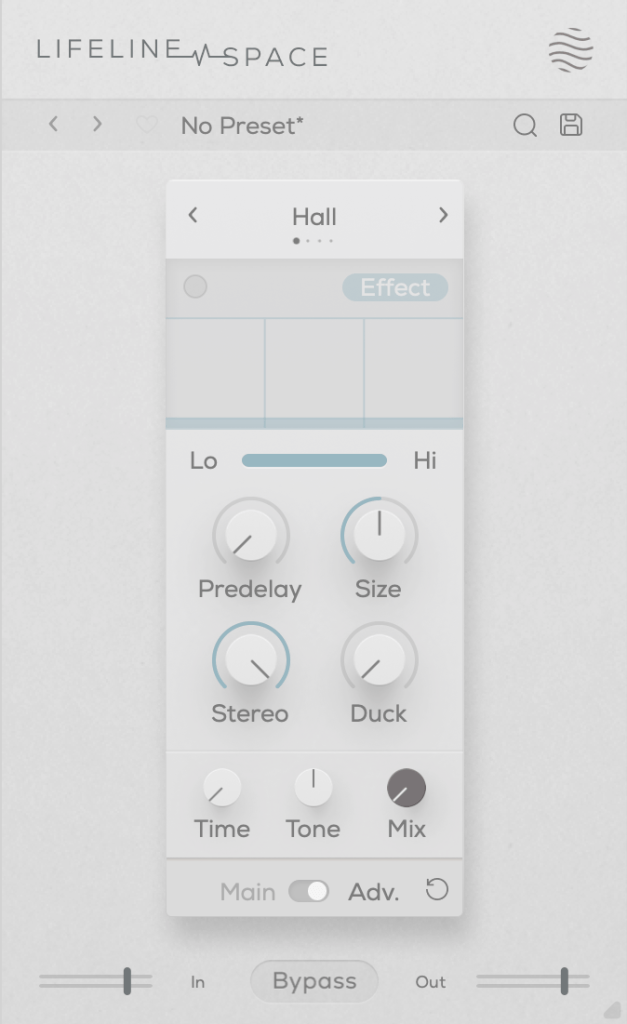
A unique parameter here is Duck, which reduces the reverb based on the incoming input signal. Other parameters are typical for reverb plugins.

Each of these modules is priced at just $11, making them very affordable. Plus, if you purchase any plugin from Plugin Boutique, you’ll receive either the Pyros distortion plugin or the Bloom Vocal Aether Lite plugin for free.

Thanks for reading, and see you in the next post! 🙂

Excite Audio Lifeline Modules: Third-Party Plugin Sale (~9/30) and Introduction Part 1 – Lifeline Console

Hello! I’m Jooyoung Kim, a mixing engineer and music producer.

Today, I’d like to introduce you to the affordable Lifeline Module plugins from Excite Audio.

Since there are quite a few plugins to cover, I’ll split this into two parts.

Before we dive in, I want to mention something.

Personally, I highly recommend these simple plugins.
They have low latency and don’t consume much CPU, so they’re easy to use without burdening your system.
Especially when working on large mixes with over 100 tracks, it can be frustrating when plugins start causing delays.

Before upgrading to a Mac Studio, managing resources was both crucial and challenging.
This was especially true with DAWs like Logic that only support buffer sizes up to 1024. It could be quite limiting!

While these plugins aren’t blazing fast, they’re definitely quick and reliable enough for most tasks.
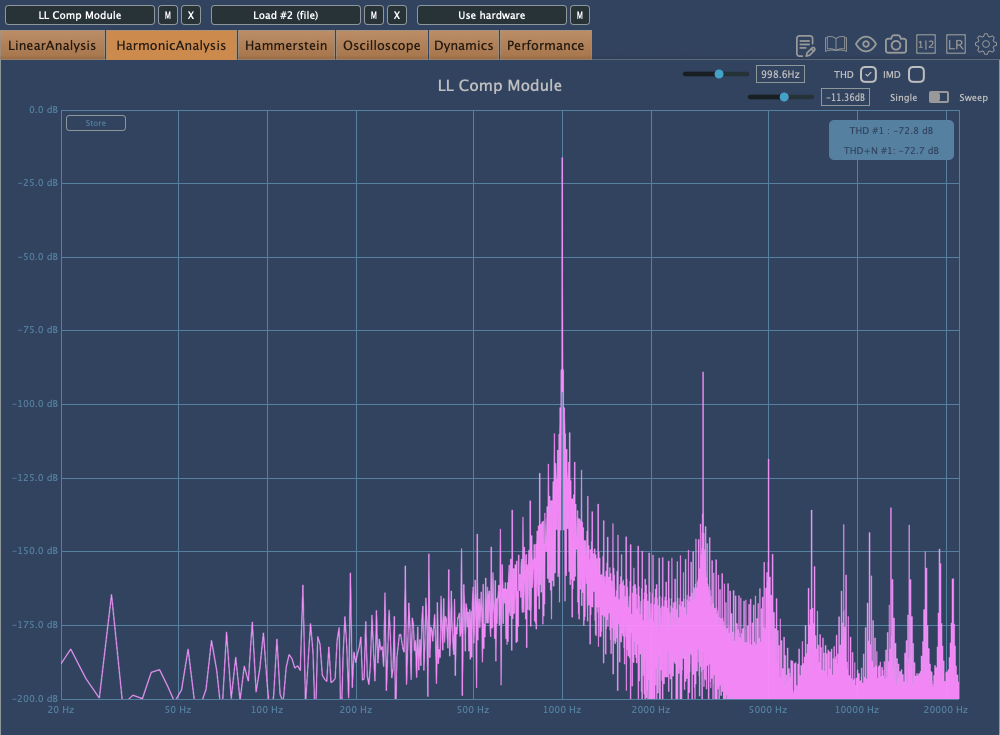
For instance, I found that the Lifeline Comp performs about twice as fast as the CLA-2A, with latency under 7ms.

As with the previous plugins, these were provided by Plugin Boutique under NFR (Not for Resale) terms.

Let’s get started!

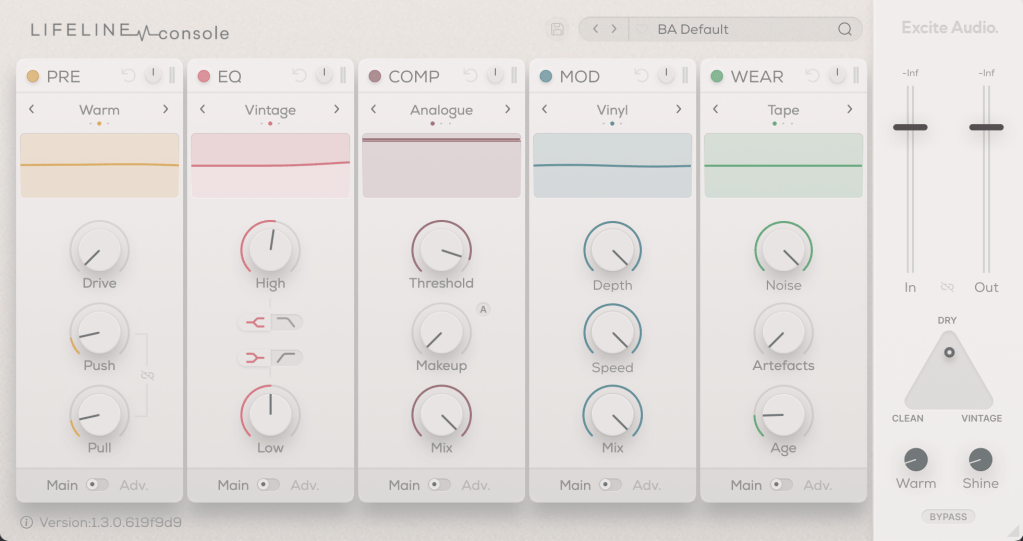
There are 10 Lifeline Modules in total, and the Lifeline Console includes 5: Preamp, EQ, Compressor, Modulation, and Wear.

When you purchase either the Console or Expanse, the respective modules are also provided as individual plugins, and you can buy each module separately.

Let’s start by looking at the Console window with the included modules.

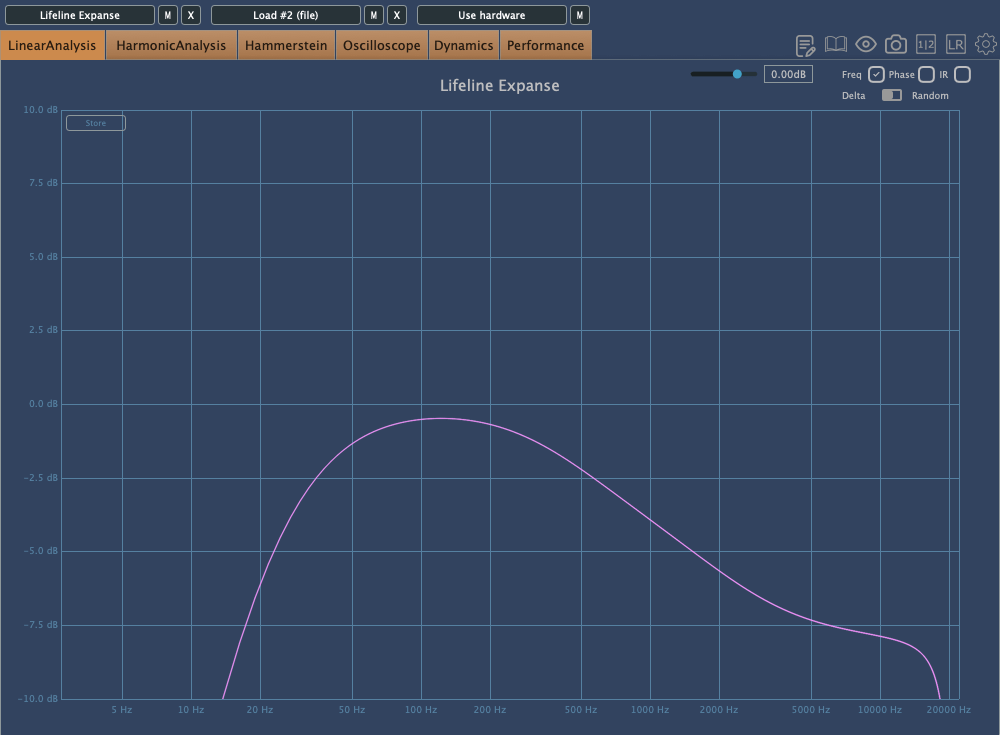
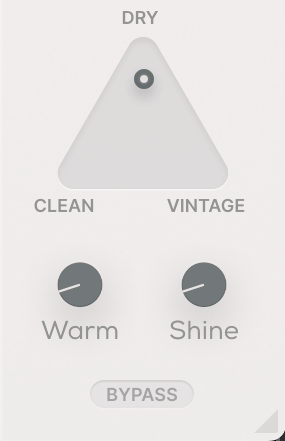
Even if you bypass all the modules, the Clean, Vintage, Warm, and Shine settings still affect frequency response and harmonic distortion. It’s fair to think of it as a type of saturator.

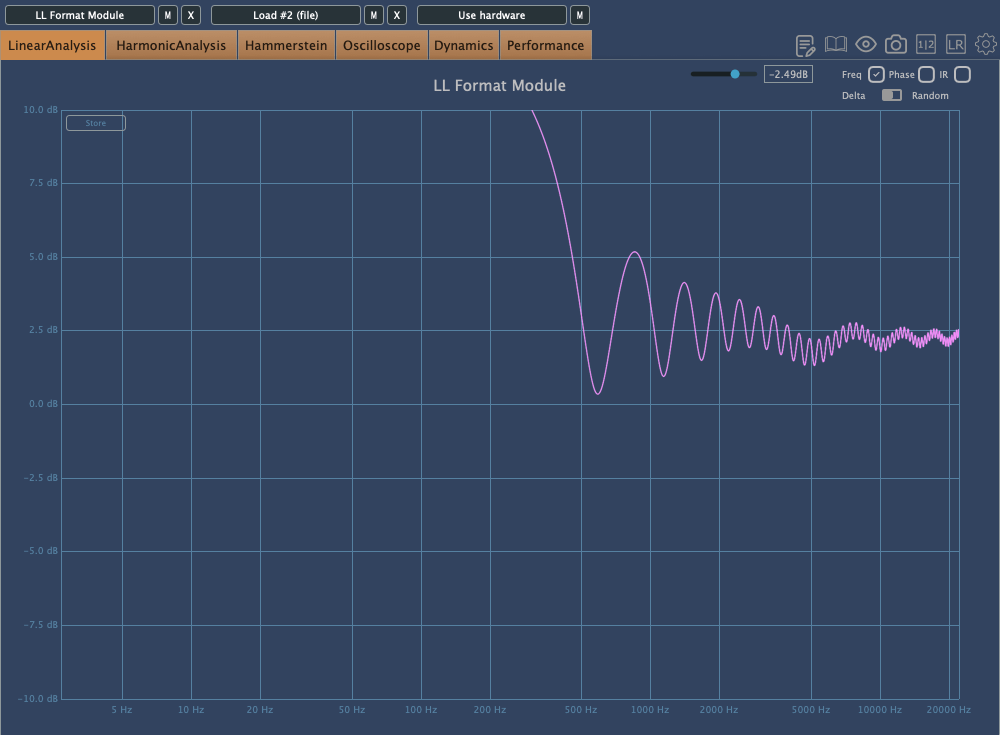
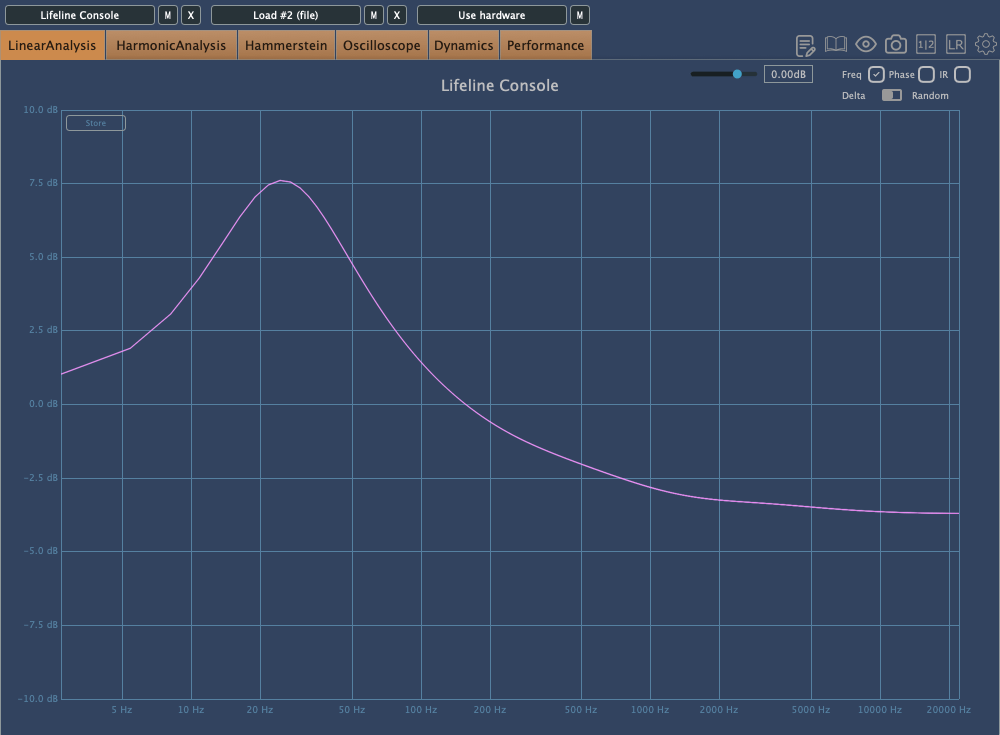
The photo above shows the frequency response graph when Clean is set to 100%. There’s no visible harmonic distortion in Clean mode, so I’ve skipped that image.

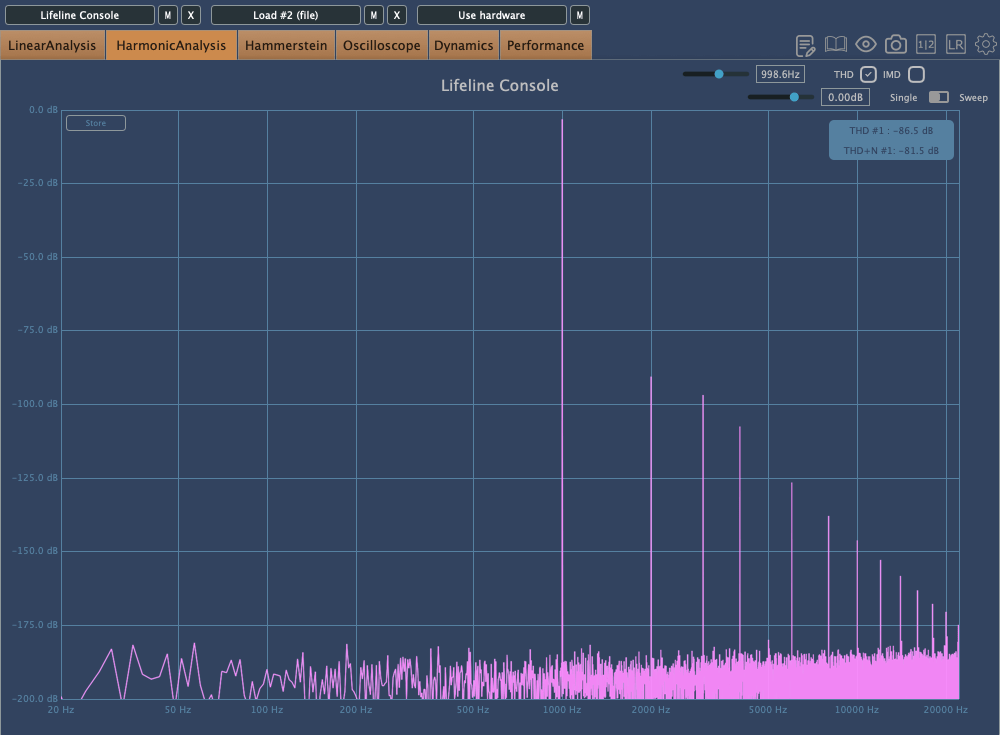
Here’s the frequency response and harmonic distortion in Vintage mode.
You can see how the Console lives up to its name.

When set to Dry, the Console’s saturation is bypassed, and only the module effects are applied. Warm and Shine are shelving filters that boost the low and high frequencies, respectively.

That should cover the basics of the Console’s utility. Now, let’s take a closer look at the modules.

Preamp

The Preamp module offers three tonal options: Bright, Warm, and Dark. As the names suggest, Bright boosts the highs, Warm enhances the mids, and Dark emphasizes the lows while reducing the highs.

Increasing the Push will amplify these frequency changes, while Pull will reverse them. The Bias setting also alters the response.

Raising the Drive introduces some harmonic distortion, and if the signal gets too strong, limiting occurs.

The Q value works similarly to an EQ’s Q, adjusting the bandwidth of the frequency response, and the Shape control allows you to modify the frequency response curve.

Think of the Preamp module as a tool for saturation and filtering.

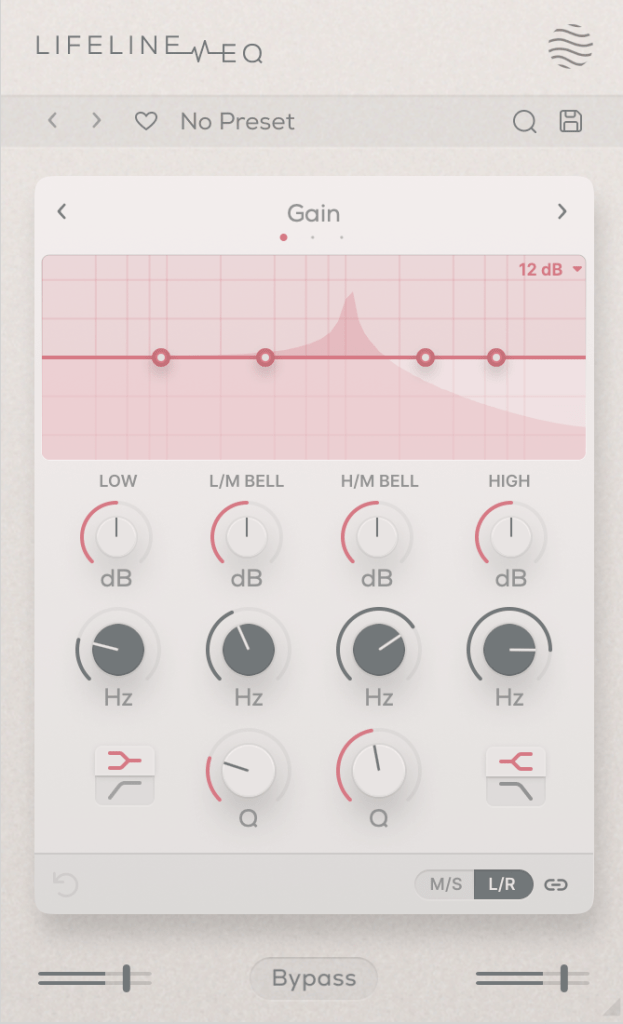
EQ

The EQ is, well, an EQ!

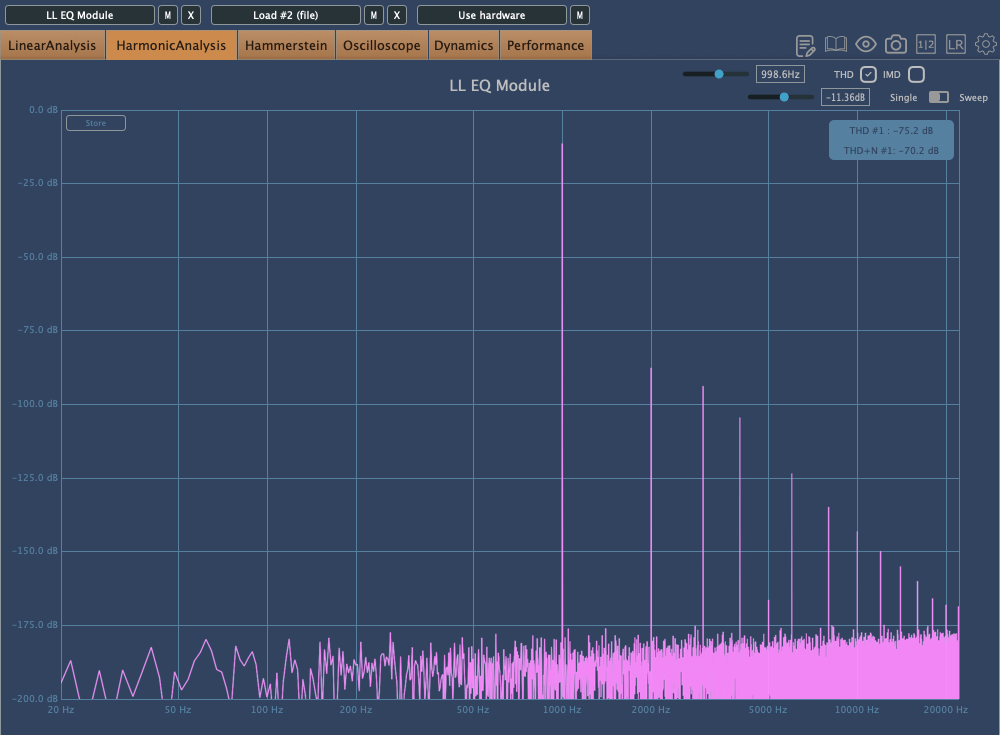
However, it’s not just a basic EQ—both Vintage and Dirty modes introduce harmonic distortion.

First: Vintage Mode, Second: Dirty Mode

Interestingly, in Dirty mode, the amount of harmonic distortion increases as you make more adjustments.

Comp

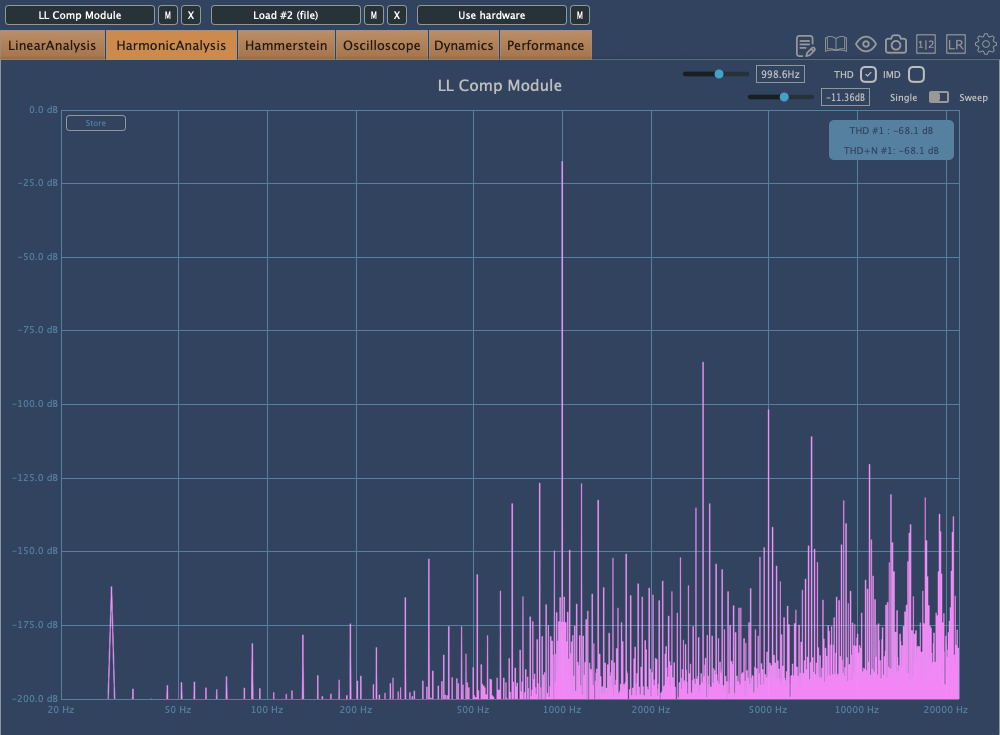
The Comp is a simple compressor with three saturation options: Analog, Transparent, and Variable.

In order: Analog, Transparent, Variable

The Lo-Hi control functions as an internal sidechain, similar to the Pre-Emphasis knob on the LA-2A.

The A button above the Makeup Gain is for auto-gain, but it’s a bit unique. It measures the audio over a short period and then locks the value. Normally, auto-gain on compressors is best avoided, but this type of fixed auto-gain might be worth trying out.

The other settings are standard for most compressors, so I won’t go into detail here.

Mod

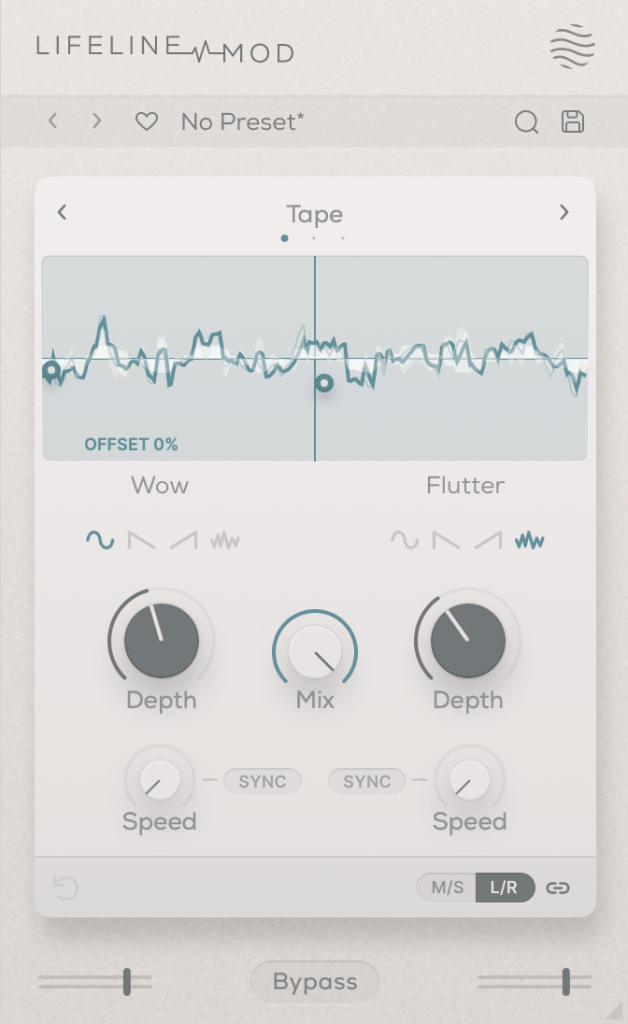
The Mod module simulates Wow/Flutter noise with three options: Tape, Vinyl, and Cassette.

Simply applying it with the Mix set to 100 won’t change anything; you need to adjust the Depth controls on either side to affect the sound. It’s useful for creating that unstable, lo-fi tone.

Wear

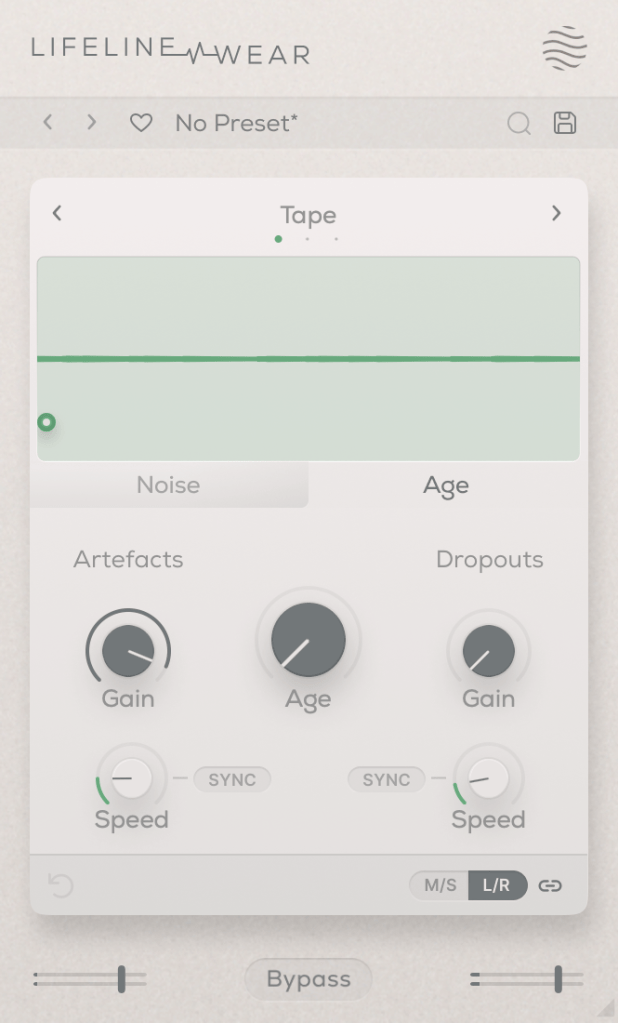
The Lifeline Wear module alters the sound as soon as it’s applied.
Especially with the Age setting, the frequency response changes, and harmonic distortion increases.

These changes depend on whether you’re using the Tape, Vinyl, or Cassette mode.

Artefacts refer to the clicks and pops you hear on tape, LPs, or cassettes,
and Dropout simulates the sudden loss of sound.
It could be fun to use these for ducking or adding rhythm.

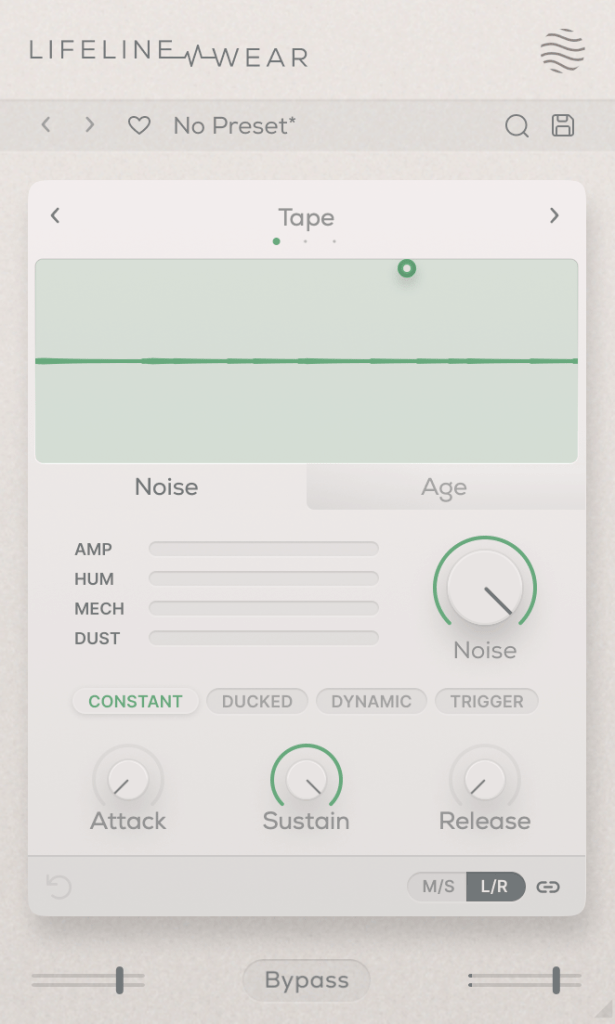
You can also select the type and amount of noise. You can listen to the noise types, but let me briefly explain the terms in the middle:

  • Constant: Keeps the noise playing even when the source is silent.
  • Ducked: Ducks the noise in sync with the source audio.
  • Dynamic: Plays noise along with the source audio.
  • Trigger: Suppresses the source audio and only plays noise in sync with it.

The Attack, Sustain, and Release settings below control the noise’s envelope.

Each Lifeline module is quite affordable, priced around $11 each. If I had to pick just one, I’d go for Wear.

There are many third-party plugins that can replace the others, but nothing quite like Wear. 😊

These plugins are also great for those who don’t own many third-party plugins.

Additionally, if you purchase any plugins from Plugin Boutique this month,
you can get either the Pyros distortion plugin or the Bloom Vocal Aether Lite plugin for free.

So, if you’re thinking of buying a few modules or considering the Expanse in addition to the Console, I recommend purchasing them separately to get both free products!

I’ll see you in the next post! 😊