
Hey there! I’m Jooyoung Kim, an engineer and music producer.
Today, I want to talk about two standout plugins from Plugin Boutique that are currently on sale: Scaler EQ and Scaler 2. I’ve been lucky enough to receive these plugins as NFR (Not for Resale) copies from Plugin Boutique. Also, if you purchase through the links in this post, I’ll earn a small commission that really helps me keep going—so thanks in advance for the support! 😊
Let’s dive in!
Scaler EQ
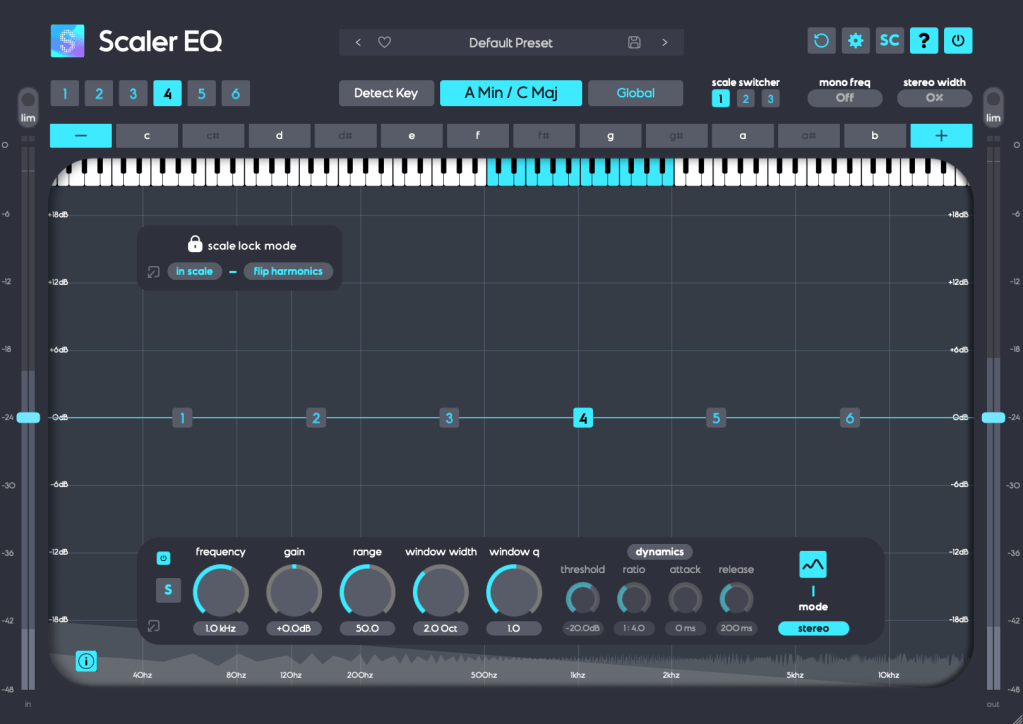
Scaler EQ is one of the flagship plugins from Scaler Music, distributed by Plugin Boutique. Sure, it has all the standard EQ features you’d expect, but what sets it apart are these three unique tricks up its sleeve:
- Key-Based Boosting and Cutting: It can boost sounds that fit the song’s key while reducing those that don’t.
- Magic Shelf Bands with Mid/Side Control: Adjust frequency responses using Mid/Side processing for a wider or more focused sound.
- Dynamic Control: Fine-tune the loudness with built-in dynamics processing.
Let’s take a closer look at how it works.
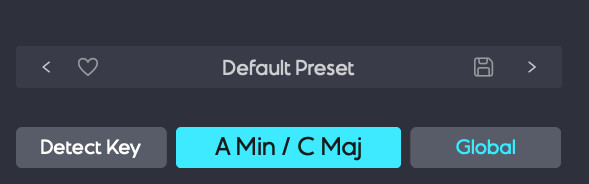
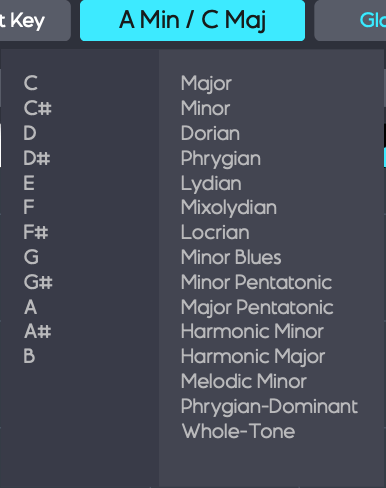
Play your track and hit the Detect Key button—it’ll automatically figure out the key of your song. You can also manually pick a key by clicking the middle key selection button. The Global button applies that key across all EQ bands.


In Scale Lock Mode, the In Scale setting boosts notes within the key when using Harmonic Peak mode (highlighted in white on the piano roll). Turn it off, and it’ll boost whatever notes you’ve selected instead.
The Flip Harmonics option comes into play when the gain is negative in Harmonic Peak mode—it cuts notes outside the key. Disable it, and it’ll cut the in-key notes instead.
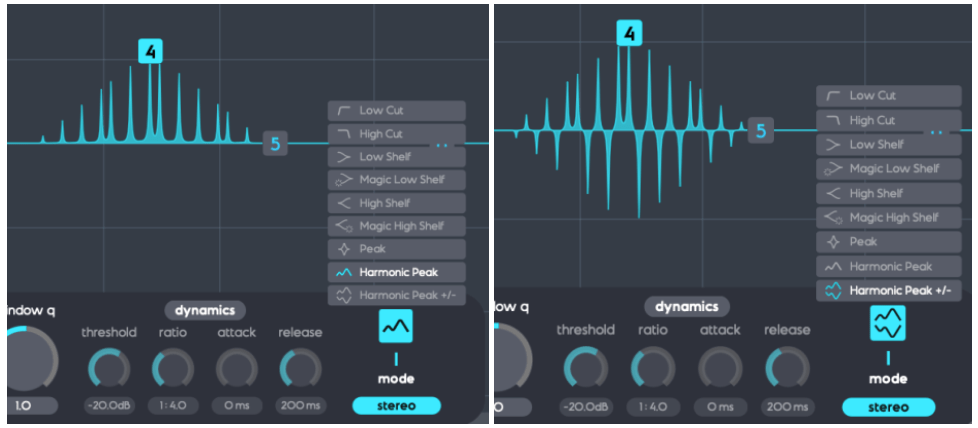
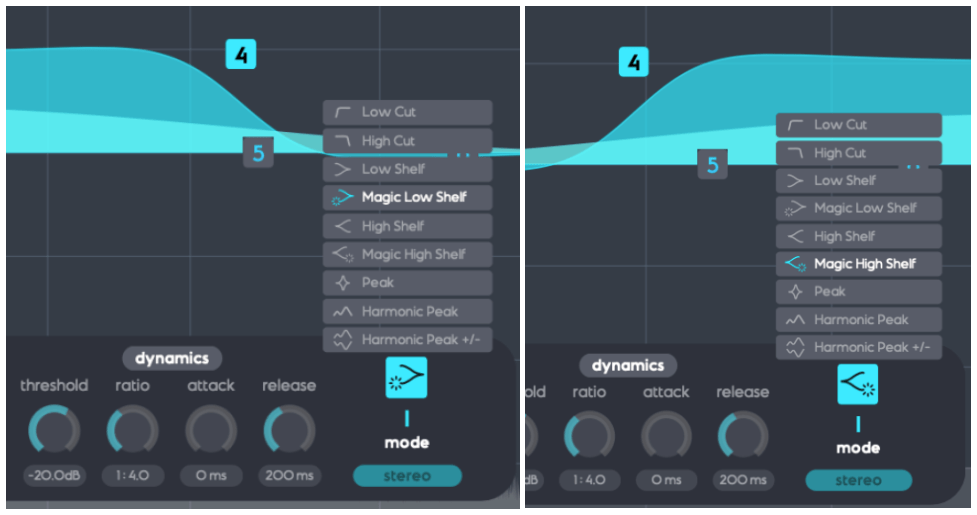
The Dynamics section feels pretty standard for a dynamic EQ, but the real stars here are Harmonic Peak, Harmonic Peak +/-, and Magic Low/High Shelf.
- Harmonic Peak: Emphasizes notes within your chosen key.
- Harmonic Peak +/-: Boosts in-key notes and cuts out-of-key ones at the same time.
- Magic Low Shelf: Highlights the Mid over the Side for a punchier low end.
- Magic High Shelf: Boosts the Side over the Mid for a wider, airier top end.
These features might sound simple, but when used well, they can bring out the harmonics of your key in totally unique ways, adding fresh colors to your sound.
As far as I know, Scaler EQ is the only EQ out there that adjusts sound based on musical scales like this. It’s a rare gem, and with it on sale, now’s a great time to grab it! 😊
Scaler 2
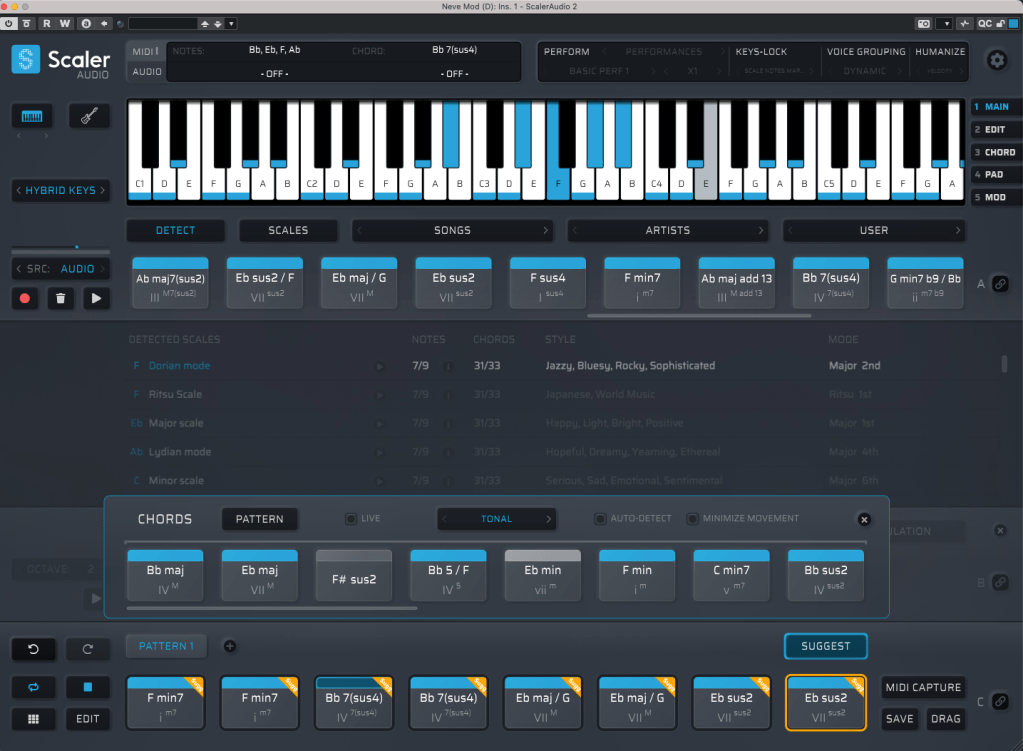
Scaler 2 is a versatile tool packed with features to help you create music. Here’s the core of what it does:
- Extract Chord Progressions: Pull chords from MIDI or audio files.
- Rearrange or Reharmonize: Tweak and transform those chords however you like.
- Choose Presets: Pick lines or voicings from its built-in instruments.
- Export as MIDI: Capture everything and drag it into your DAW.
When you download Scaler 2, you’ll get three versions:
- Scaler2: The virtual instrument version.
- ScalerAudio2: An effect version tailored for analyzing audio tracks.
- ScalerControl2: An AU MIDI plugin, perfect for controlling external instruments in DAWs like Logic Pro.
You could take chords from a song you love and use them to build something entirely new. Or start fresh with over 400 genre-based chord sets and 200+ artist chord sets included as presets.
Personally, I think it’s a lifesaver when you’ve got a rough chord progression but can’t figure out the bass, melody, or guitar lines. It’s also great for nailing piano or guitar voicings if those feel tricky. Plus, it’s a handy tool for studying music—perfect for copying and analyzing songs you admire.

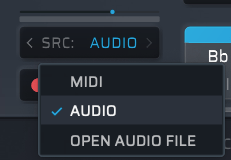
It might look overwhelming with all its features, but spend about 30 minutes messing around, and it’s not hard to get the hang of it. On the left, under SRC, you’ll see three options: MIDI, AUDIO, and OPEN AUDIO FILE. MIDI and AUDIO let you record in real-time to extract chords, while OPEN AUDIO FILE pulls them straight from an audio file. Once you do that, chords pop up alongside the detected scale, like in the image above.
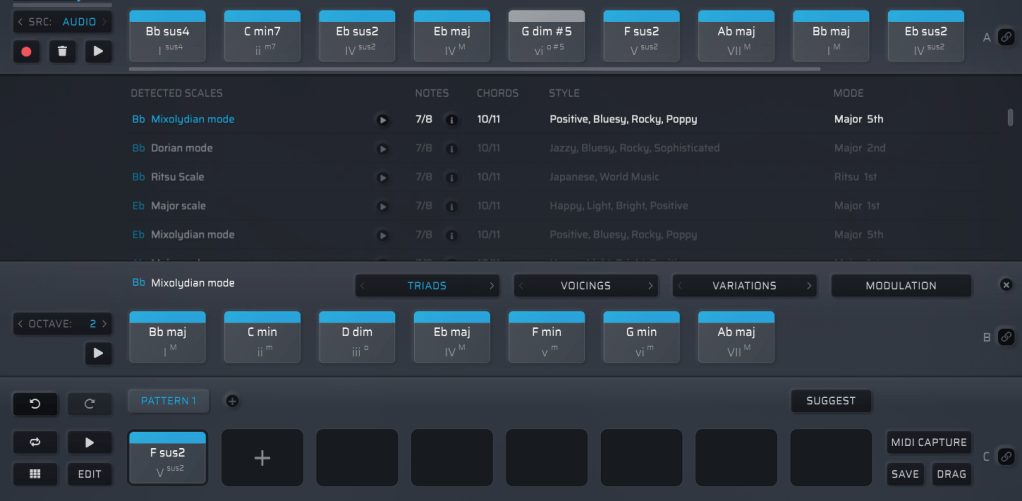
Chords in blue are within the detected scale, while those in gray are outside it. You can drag these chords down to create a pattern.

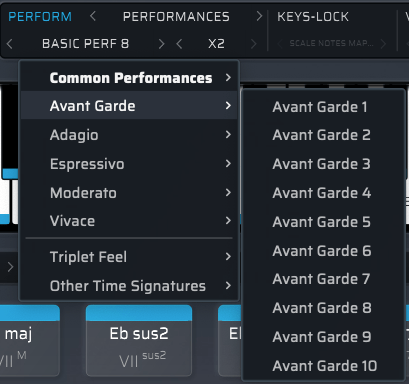
Once you’ve got a pattern, head to the top right where you’ll find Perform, Keys-Lock, Voice Grouping, and Humanize. These let you tweak the MIDI patterns—think arpeggios, strumming, or natural timing variations.

The catch? You can only preview sounds using Scaler 2’s built-in virtual instruments. That said, there’s a decent variety, so you can get a rough idea of how it’ll sit in your track.

When you’re happy with everything, hit the MIDI CAPTURE button at the bottom right, play it back, and record the pattern as MIDI.
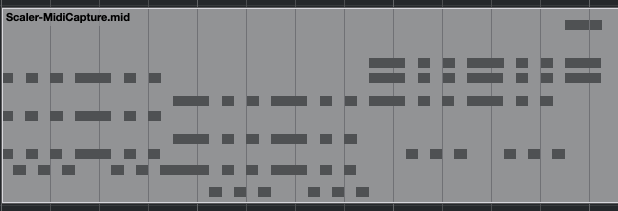
Then, drag the DRAG button into your DAW’s MIDI channel, and boom—your pattern’s ready to go!
Beyond that, Scaler 2 can suggest modulation paths (like where and how to change keys) and even hook up external instruments via MIDI routing—though that’s a bit trickier to set up.
Having used it myself, I can say it’s a super useful tool in tons of ways. It’s especially awesome for beginners learning to compose—it takes the intimidation factor out of chord progressions and music theory.
Bundle Deal and Final Thoughts
The sale runs until March 31st, and bundling Scaler 2 and Scaler EQ together gets you an even better deal. Plus, if you buy Scaler 2 now, you’ll get the upcoming Scaler 3 update (slated for this month) for free. It’s a steal at this price, so I’d highly recommend jumping on it while it lasts.
That’s it for now—hope to see you in the next post! 😊




 Jooyoung's Music Blog